Games
Mate Puzzles
Mate in 1, 2 or 3, one tap away on your wrist: real chess tactics, not a cramped full board you can barely read.
Mat w 1, 2 albo 3 ruchach, jedno dotknięcie od nadgarstka: prawdziwe zadania szachowe, nie ściśnięta cała szachownica, na której nic nie widać.
Matt in 1, 2 oder 3, nur einen Fingertipp am Handgelenk entfernt: echte Schachtaktik, kein gequetschtes komplettes Brett, das man kaum erkennen kann.
Mat en 1, 2 ou 3 coups, à portée de doigt à votre poignet : de vrais problèmes tactiques d'échecs, pas un échiquier complet étriqué et illisible.
Mate en 1, 2 o 3, a un toque en tu muñeca: táctica real de ajedrez, sin un tablero completo y apretado que apenas se puede leer.
Mat in 1, 2 of 3, binnen handbereik op je pols: echte schaaktactiek, geen krap volledig bord dat je amper kunt aflezen.
手首の上ですぐに挑める 1 手、2 手、または 3 手詰め。ほとんど見えない窮屈なフルボードではなく、本格的なチェスタクティクスを。
Matto in 1, 2 o 3 mosse, a portata di tocco sul tuo polso: vera tattica scacchistica, non una scacchiera intera e sacrificata che a malapena si legge.
1 步杀、2 步杀或 3 步杀,在手腕上触手可及:真正的国际象棋战术题,而非拥挤得几乎看不清的完整棋盘。
Мат в 1, 2 или 3 хода прямо на вашем запястье: настоящие шахматные задачи, а не сжатая доска на весь экран, где ничего не разобрать.
Mate em 1, 2 ou 3, a um toque no seu pulso: táticas reais de xadrez, sem um tabuleiro completo espremido que mal dá para enxergar.
Mat 1., 2. nebo 3. tahem na jedno klepnutí na vašem zápěstí: skutečná šachová taktika, žádná stísněná šachovnice, na které sotva něco přečtete.
Mate em 1, 2 ou 3, à distância de um toque no seu pulso: tática de xadrez real, e não um tabuleiro completo e apertado que mal se consegue ler.
손목에서 터치 한 번으로 즐기는 1수, 2수, 3수 체크메이트: 거의 알아보기 힘든 비좁은 전체 체스판 대신 진짜 체스 전술에 집중하세요.
Matt i 1, 2 eller 3 drag, ett tryck bort på handleden: äkta schacktaktik, inte ett hoptryckt helt bräde du knappt kan läsa.
Mat i 1, 2 eller 3, ét tryk væk på dit håndled: ægte skaktaktik, ikke et sammenpresset fuldt bræt, du knap kan læse.
Matt i 1, 2 eller 3, ett trykk unna på håndleddet: ekte sjakktaktikk, ikke et trangt fullt brett du knapt kan lese.
手腕上隨手可玩的 1 步殺、2 步殺或 3 步殺:真正的西洋棋戰術,而非擠在小螢幕上難以看清的完整棋盤。
Matti 1, 2 tai 3 siirrossa, yhden napautuksen päässä ranteessasi: aitoa shäkkitaktiikkaa, ei ahdasta kokonaista lautaa, josta hädin tuskin saa selvää.
Mat na 1, 2 alebo 3 ťahy na jedno ťuknutie na vašom zápästí: skutočná šachová taktika, nie stiesnená celá šachovnica, ktorú sotva prečítate.
Mat v 1, 2 ali 3 potezah, le en dotik stran na vašem zapestju: prava šahovska taktika, ne utesnjena celotna šahovnica, ki jo komaj preberete.
Skakmat dalam 1, 2, atau 3 langkah, hanya dengan satu ketukan di pergelangan tangan Anda: taktik catur nyata, bukan papan catur penuh yang sesak dan nyaris tidak terbaca.
Matt 1, 2 vagy 3 lépésben, egyetlen érintésre a csuklódon: valódi sakktaktika, nem egy zsúfolt, alig olvasható teljes tábla.
โจทย์รุกฆาตใน 1, 2 หรือ 3 ตาเดิน พร้อมให้เล่นบนข้อมือของคุณ: แท็กติกหมากรุกของจริง ไม่ใช่กระดานเต็มรูปแบบที่อัดแน่นจนแทบมองไม่ออก
Ματ σε 1, 2 ή 3, με ένα άγγιγμα στον καρπό σας: πραγματική σκακιστική τακτική, όχι μια στριμωγμένη πλήρης σκακιέρα που μετά βίας διαβάζεται.
Mat u 1, 2 ili 3 poteza, na dodir na vašem zapešću: prava šahovska taktika, a ne nagurana cijela ploča koju jedva možete pročitati.
מט ב-1, 2 או 3, במרחק נגיעה על פרק כף היד שלך: טקטיקת שחמט אמיתית, במקום לוח שלם וצפוף שבקושי אפשר לקרוא.
Mat dalam 1, 2 atau 3 langkah, hanya satu ketukan pada pergelangan tangan anda: taktik catur sebenar, bukan papan penuh sempit yang sukar dibaca.
Coming to Connect IQ Unlock €6.99

Beta: free for 30 days
The app works fully and for free for the first 30 days after you first open it. After that you can buy a one-time unlock code below. No subscription.
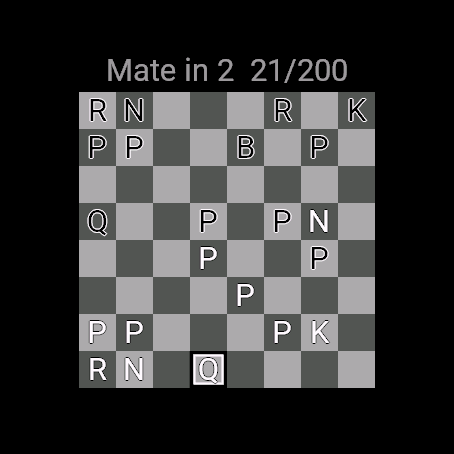
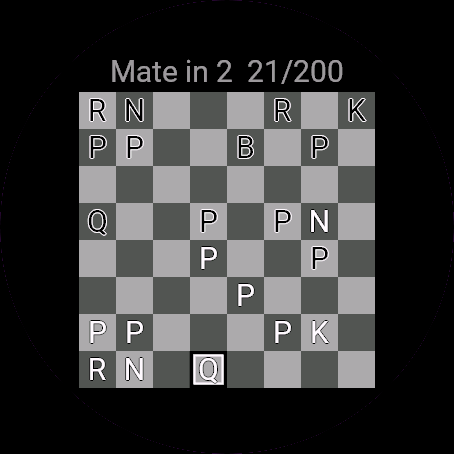
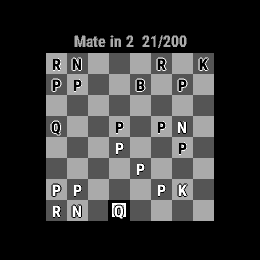
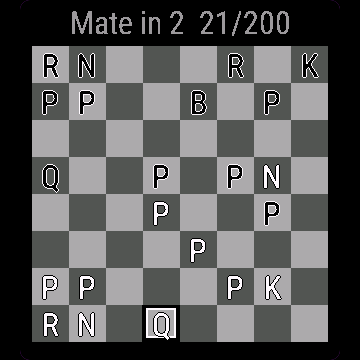
Most chess apps on a watch try to cram an entire game onto a tiny screen. This one skips that. Short, forced-mate puzzles sized for a 1 to 3 inch display, pieces drawn as bold letters you can actually tell apart, and a cursor that works with buttons as well as touch.
- Three difficulty tiers: mate in 1, mate in 2, mate in 3
- Puzzles sorted from easy to hard inside each tier
- Only the correct move counts; a wrong try resets the position and counts as an attempt
- Automatic opponent reply after your move, a small chooser when a pawn promotes
- Hint highlights the piece that should move
- Tracks solved count, streak and a simple rating per tier
- Puzzles come from the Lichess puzzle database (CC0, public domain)
Większość szachowych aplikacji na zegarek próbuje zmieścić całą partię na malutkim ekranie. Ta robi inaczej. Krótkie zadania na mata, dopasowane do ekranu 1-3 cale, figury rysowane jako wyraźne pogrubione litery, kursor działający na przyciskach i na dotyku.
- Trzy poziomy: mat w 1, mat w 2, mat w 3
- Zadania w każdym poziomie ułożone od najłatwiejszych do najtrudniejszych
- Liczy się tylko właściwy ruch; błędna próba resetuje pozycję i liczy się jako podejście
- Automatyczna odpowiedź przeciwnika po Twoim ruchu, mały wybór figury przy promocji pionka
- Podpowiedź podświetla figurę, którą trzeba ruszyć
- Zapisuje liczbę rozwiązanych zadań, serię i prosty rating w każdym poziomie
- Zadania pochodzą z bazy zadań Lichess (CC0, domena publiczna)
Die meisten Schach-Apps auf einer Uhr versuchen, eine ganze Partie auf einen winzigen Bildschirm zu quetschen. Diese App spart sich das. Kurze Puzzles mit forciertem Matt, angepasst an ein 1 bis 3 inch Display, Figuren als fette Buchstaben, die man wirklich auseinanderhalten kann, und ein Cursor, der sowohl mit Tasten als auch per Touch funktioniert.
- Drei Schwierigkeitsstufen: Matt in 1, Matt in 2, Matt in 3
- Puzzles innerhalb jeder Stufe von leicht nach schwer sortiert
- Nur der richtige Zug zählt; ein falscher Zug setzt die Stellung zurück und zählt als Versuch
- Automatische Antwort des Gegners nach deinem Zug, kleine Auswahl bei der Bauernumwandlung
- Hinweis hebt die Figur hervor, die ziehen soll
- Erfasst gelöste Aufgaben, Serie und eine einfache Wertung pro Stufe
- Puzzles stammen aus der Lichess-Puzzle-Datenbank (CC0, gemeinfrei)
La plupart des applications d'échecs sur montre essaient d'entasser une partie entière sur un minuscule écran. Celle-ci fait un autre choix. Des problèmes courts de mat forcé taillés pour un écran de 1 à 3 pouces, des pièces dessinées sous forme de lettres grasses bien distinctes, et un curseur qui fonctionne aussi bien avec les boutons qu'en tactile.
- Trois niveaux de difficulté : mat en 1, mat en 2, mat en 3
- Problèmes classés du plus simple au plus difficile dans chaque niveau
- Seul le bon coup compte ; une mauvaise tentative réinitialise la position et compte comme un essai
- Réponse automatique de l'adversaire après votre coup, mini sélecteur lors de la promotion d'un pion
- L'indice met en surbrillance la pièce à déplacer
- Suivi du nombre de problèmes résolus, de la série et d'un classement simple par niveau
- Les problèmes proviennent de la base de données de problèmes Lichess (CC0, domaine public)
La mayoría de las apps de ajedrez para reloj intentan meter una partida entera en una pantalla diminuta. Esta app evita eso. Problemas cortos de mate forzado dimensionados para pantallas de 1 a 3 pulgadas, piezas dibujadas con letras en negrita que realmente se distinguen, y un cursor que funciona tanto con botones como con pantalla táctil.
- Tres niveles de dificultad: mate en 1, mate en 2, mate en 3
- Problemas ordenados de fácil a difícil dentro de cada nivel
- Solo cuenta el movimiento correcto; un intento fallido reinicia la posición y cuenta como intento
- Respuesta automática del oponente tras tu movimiento, y un pequeño selector cuando corona un peón
- La pista resalta la pieza que se debe mover
- Registra problemas resueltos, racha y una puntuación sencilla por nivel
- Los problemas provienen de la base de datos de problemas de Lichess (CC0, dominio público)
De meeste schaak-apps op een horloge proberen een complete partij op een minuscuul scherm te proppen. Deze app doet dat niet. Korte puzzels met geforceerd mat, op maat gemaakt voor een 1 tot 3 inch scherm, stukken getekend als duidelijke letters die je echt uit elkaar kunt houden, en een cursor die zowel met knoppen als via touchscreen werkt.
- Drie moeilijkheidsgraden: mat in 1, mat in 2, mat in 3
- Puzzels gesorteerd van makkelijk naar moeilijk binnen elk niveau
- Alleen de juiste zet telt; een verkeerde poging reset de stelling en telt als een poging
- Automatisch antwoord van de tegenstander na jouw zet, een klein keuzemenu wanneer een pion promoveert
- Hint markeert het stuk dat moet zetten
- Houdt het aantal opgeloste puzzels, streak en een eenvoudige rating per niveau bij
- Puzzels zijn afkomstig uit de Lichess-puzzeldatabase (CC0, publiek domein)
多くのスマートウォッチ用チェスアプリは、極小の画面に対局全体を無理やり詰め込もうとします。このアプリはそのような無駄を省きました。1 から 3 インチの画面に最適化された短手数のチェックメイト問題、見分けやすい太字で描かれた駒、そしてタッチだけでなくボタン操作にも対応したカーソルを備えています。
- 3 つの難易度: 1 手詰め、2 手詰め、3 手詰め
- 各難易度内で初級から上級へと難易度順にパズルを配置
- 正手のみが有効。間違った手を指すと盤面がリセットされ、試行回数としてカウント
- 指し手の後は相手が自動で応手。ポーンのプロモーション時には小さな選択画面を表示
- ヒント機能で動かすべき駒を強調表示
- 難易度ごとに正解数、連続正解数、簡易レーティングを記録
- パズルは Lichess パズルデータベース(CC0、パブリックドメイン)から収録
La maggior parte delle app di scacchi per orologi prova a stipare un'intera partita su uno schermo minuscolo. Questa app fa una scelta diversa: problemi brevi di matto forzato dimensionati per display da 1 a 3 pollici, pezzi disegnati come lettere in grassetto facilmente distinguibili e un cursore che funziona sia con i pulsanti che con il touch.
- Tre livelli di difficoltà: matto in 1, matto in 2, matto in 3
- Problemi ordinati dal più facile al più difficile all'interno di ogni livello
- Conta solo la mossa corretta; un tentativo errato ripristina la posizione e conta come tentativo
- Risposta automatica dell'avversario dopo la tua mossa, piccolo selettore in caso di promozione di un pedone
- Il suggerimento evidenzia il pezzo da muovere
- Tiene traccia dei problemi risolti, della serie e di un punteggio semplice per ogni livello
- I problemi provengono dal database dei puzzle di Lichess (CC0, pubblico dominio)
手表上的大多数国际象棋应用都试图将整盘对局塞进微小的屏幕中。本应用摒弃了这种做法。专为 1 到 3 英寸显示屏定制的精悍必杀残局谜题,棋子绘制为清晰可辨的粗体字母,光标同时支持按键与触控操作。
- 三个难度级别:1 步杀、2 步杀、3 步杀
- 每个级别内的谜题由易到难排序
- 仅正确走法计入通关;走错会重置局面并计为一次尝试
- 走子后对手自动应手,兵升变时提供小型选择菜单
- 提示功能会高亮显示应当移动的棋子
- 记录解题数量、连续解对次数以及每个级别的简单评分
- 谜题选自 Lichess 谜题数据库(CC0,公有领域)
Большинство шахматных приложений для часов пытаются уместить целую партию на крошечном экране. Это приложение устроено иначе: короткие задачи на форсированный мат, оптимизированные под экран от 1 до 3 дюймов, фигуры в виде четких жирных букв, которые легко различить, и курсор, работающий как от кнопок, так и от сенсорного экрана.
- Три уровня сложности: мат в 1 ход, мат в 2 хода, мат в 3 хода
- Задачи отсортированы от простых к сложным внутри каждого уровня
- Засчитывается только верный ход; неверный ход сбрасывает позицию и идет в счет попыток
- Автоматический ответ соперника на ваш ход, компактный выбор фигуры при превращении пешки
- Подсказка подсвечивает фигуру, которой нужно сделать ход
- Учет решенных задач, серия побед и простой рейтинг для каждого уровня
- Задачи взяты из базы задач Lichess (CC0, общественное достояние)
A maioria dos apps de xadrez para relógio tenta espremer uma partida inteira em uma tela minúscula. Este app pula isso. Problemas curtos de mate forçado dimensionados para telas de 1 a 3 polegadas, peças desenhadas com letras em negrito fáceis de distinguir e um cursor que funciona tanto com botões quanto por toque.
- Três níveis de dificuldade: mate em 1, mate em 2, mate em 3
- Problemas ordenados do fácil ao difícil dentro de cada nível
- Apenas o lance correto conta; uma tentativa errada reinicia a posição e conta como uma tentativa
- Resposta automática do oponente após o seu lance, um seletor compacto quando um peão é promovido
- A dica destaca a peça que deve se mover
- Registra a quantidade de problemas resolvidos, a sequência de acertos e um rating simples por nível
- Os problemas vêm do banco de dados de problemas do Lichess (CC0, domínio público)
Většina šachových aplikací pro hodinky se snaží vměstnat celou partii na malý displej. Tato aplikace to vynechává. Krátké úlohy s vynuceným matem přizpůsobené pro displej o velikosti 1 až 3 palce, figury vykreslené jako tučná písmena, která od sebe snadno rozeznáte, a kurzor ovladatelný tlačítky i dotykem.
- Tři úrovně obtížnosti: mat 1. tahem, mat 2. tahem, mat 3. tahem
- Úlohy seřazené od jednoduchých po těžké v rámci každé úrovně
- Počítá se pouze správný tah; chybný pokus vrátí pozici zpět a započítá se jako pokus
- Automatická odpověď soupeře po vašem tahu, malý výběr při proměně pěšce
- Nápověda zvýrazní figuru, kterou byste měli táhnout
- Sleduje počet vyřešených úloh, sérii a jednoduchý rating pro každou úroveň
- Úlohy pocházejí z databáze úloh Lichess (CC0, public domain)
A maioria das aplicações de xadrez para relógio tenta enfiar um jogo inteiro num ecrã minúsculo. Esta dispensa isso. Problemas curtos de mate forçado dimensionados para um ecrã de 1 a 3 polegadas, peças desenhadas com letras a negrito fáceis de distinguir e um cursor que funciona tanto com botões como por toque.
- Três níveis de dificuldade: mate em 1, mate em 2, mate em 3
- Problemas ordenados do mais fácil ao mais difícil dentro de cada nível
- Apenas o lance correto conta; uma tentativa errada repõe a posição e conta como uma tentativa
- Resposta automática do adversário após o seu lance, um pequeno seletor quando um peão é promovido
- A pista destaca a peça que se deve mover
- Regista o número de problemas resolvidos, a sequência e uma pontuação simples por nível
- Os problemas provêm da base de dados de problemas da Lichess (CC0, domínio público)
대부분의 시계용 체스 앱은 작은 화면에 게임 전체를 구겨 넣으려 합니다. 이 앱은 다릅니다. 1 to 3 inch 디스플레이에 맞춘 짧고 확실한 체크메이트 퍼즐, 명확히 구분할 수 있도록 굵은 글자로 표현된 말, 버튼과 터치 모두 지원하는 커서를 제공합니다.
- 3가지 난이도 단계: mate in 1, mate in 2, mate in 3
- 각 난이도 내에서 쉬운 문제부터 어려운 문제 순으로 정렬
- 정답 수만 인정되며, 오답 시 배치가 초기화되고 시도 횟수로 카운트
- 플레이어의 수 이후 상대방의 응수가 자동 진행되며, 폰 프로모션 시 작은 선택창 표시
- 힌트 기능으로 움직여야 할 말을 강조 표시
- 난이도별 푼 문제 수, 연속 성공 기록 및 간단한 레이팅 추적
- 퍼즐 출처: Lichess 퍼즐 데이터베이스(CC0, 퍼블릭 도메인)
De flesta schackappar för klockor försöker klämma in ett helt parti på en pytteliten skärm. Den här hoppar över det. Korta problem med forcerad matt anpassade för en 1 till 3 tum stor skärm, pjäser ritade som tydliga bokstäver som du faktiskt kan skilja på, och en markör som fungerar med både knappar och touch.
- Tre svårighetsnivåer: matt i 1, matt i 2, matt i 3
- Problemen är sorterade från lätt till svårt inom varje nivå
- Endast rätt drag räknas; ett felaktigt försök återställer ställningen och räknas som ett försök
- Automatiskt motdrag från motståndaren efter ditt drag, en liten väljare när en bonde förvandlas
- Ledtråd markerar pjäsen som ska flyttas
- Håller koll på antal lösta problem, streak och en enkel rating per nivå
- Problemen kommer från Lichess pusseldatabas (CC0, public domain)
De fleste skak-apps til et ur forsøger at klemme et helt parti ind på en lille skærm. Denne app springer det over. Korte opgaver med tvungen mat tilpasset en skærm på 1 til 3 tommer, brikker tegnet som tydelige bogstaver, du rent faktisk kan kende forskel på, og en markør, der fungerer med både knapper og touch.
- Tre sværhedsgrader: mat i 1, mat i 2, mat i 3
- Opgaver sorteret fra let til svær inden for hver kategori
- Kun det korrekte træk tæller; et forkert forsøg nulstiller stillingen og tæller som et forsøg
- Automatisk modtræk fra modstanderen efter dit træk, en lille vælger når en bonde forvandles
- Hint fremhæver den brik, der skal flyttes
- Registrerer antal løste opgaver, streak og en enkel rating pr. kategori
- Opgaverne kommer fra Lichess' opgavedatabase (CC0, public domain)
De fleste sjakk-apper for klokker prøver å presse et helt parti inn på en liten skjerm. Denne hopper over det. Korte sjakkmattoppgaver tilpasset en 1 to 3 inch-skjerm, brikker tegnet med fete bokstaver du faktisk kan skille fra hverandre, og en markør som fungerer med både knapper og berøring.
- Tre vanskelighetsgrader: matt i 1, matt i 2, matt i 3
- Oppgaver sortert fra lett til vanskelig innenfor hver grad
- Bare det riktige trekket teller; et feil forsøk tilbakestiller stillingen og teller som et forsøk
- Automatisk mottrekk fra motstanderen etter trekket ditt, en liten velger når en bonde forvandles
- Hint fremhever brikken som skal flyttes
- Sporer antall løste oppgaver, streak og en enkel rating per grad
- Oppgavene kommer fra Lichess-oppgavedatabasen (CC0, public domain)
手錶上多數西洋棋應用程式都試圖將整盤棋局塞進微小螢幕中。本應用程式捨棄了這種做法。提供專為 1 至 3 吋螢幕量身打造的簡短強制將殺謎題,棋子以粗體字母清晰繪製便於分辨,游標同時支援實體按鍵與觸控操作。
- 三種難度等級:1 步殺、2 步殺、3 步殺
- 各難度內的謎題均由淺入深排列
- 僅有走對正確棋步才算成功;走錯會重置棋局並計為一次嘗試
- 走子後對手自動應對,兵升變時提供小型選擇介面
- 提示功能會突顯應該移動的棋子
- 追蹤各難度的解題數量、連續天數與簡易評分
- 謎題來自 Lichess 謎題資料庫(CC0,公有領域)
Useimmat kellojen shakkisovellukset yrittävät ahtaa kokonaisen pelin pienelle näytölle. Tämä sovellus jättää sen väliin. Lyhyet pakkimattitehtävät, jotka on mitoitettu 1-3 tuuman näytölle, selkeinä kirjaimina piirretyt nappulat, jotka todella erottaa toisistaan, sekä kohdistin, joka toimii niin painikkeilla kuin kosketuksella.
- Kolme vaikeustasoa: matti 1 siirrossa, matti 2 siirrossa, matti 3 siirrossa
- Tehtävät järjestetty helpoimmasta vaikeimpaan jokaisella tasolla
- Vain oikea siirto hyväksytään; virheellinen yritys palauttaa aseman ja lasketaan yritykseksi
- Vastustajan automaattinen vastaussiirto siirtosi jälkeen, pieni valitsin sotilaan korottuessa
- Vihje korostaa nappulan, jota tulisi siirtää
- Seuraa ratkaistujen määrää, putkea ja yksinkertaista vahvuuslukua tasokohtaisesti
- Tehtävät ovat peräisin Lichess-tehtävätietokannasta (CC0, public domain)
Väčšina šachových aplikácií na hodinkách sa snaží vtesnať celú partiu na maličký displej. Táto to vynecháva. Krátke šachové úlohy s vynúteným matom prispôsobené pre 1 až 3-palcový displej, figúrky vykreslené ako tučné písmená, ktoré skutočne rozoznáte, a kurzor, ktorý funguje s tlačidlami aj dotykom.
- Tri úrovne náročnosti: mat na 1 ťah, mat na 2 ťahy, mat na 3 ťahy
- Úlohy zoradené od ľahkých po ťažké v každej úrovni
- Počíta sa iba správny ťah; nesprávny pokus vráti pozíciu späť a počíta sa ako pokus
- Automatická odpoveď súpera po vašom ťahu, malý výber pri premene pešiaka
- Nápoveda zvýrazní figúrku, ktorou by ste mali pohnúť
- Sleduje počet vyriešených úloh, sériu a jednoduchý rating pre každú úroveň
- Úlohy pochádzajú z databázy úloh Lichess (CC0, public domain)
Večina šahovskih aplikacij za uro poskuša stlačiti celotno igro na majhen zaslon. Ta se temu izogne. Kratke uganke s forsiranim matom, prilagojene za zaslone od 1 do 3 palcev, figure, narisane kot krepke črke, ki jih zlahka ločite, ter kazalec, ki deluje tako z gumbi kot z dotikom.
- Tri težavnostne stopnje: mat v 1, mat v 2, mat v 3
- Uganke so znotraj vsake stopnje razvrščene od lažjih k težjim
- Šteje le pravilna poteza; napačen poskus ponastavi položaj in se šteje kot poskus
- Samodejni odgovor nasprotnika po vaši potezi, majhen izbirnik ob promociji kmeta
- Namig označi figuro, ki se mora premakniti
- Spremlja število rešenih ugank, niz in preprosto oceno za vsako stopnjo
- Uganke izvirajo iz zbirke ugank Lichess (CC0, javna domena)
Sebagian besar aplikasi catur di jam tangan mencoba menjejalkan seluruh permainan ke layar kecil. Aplikasi ini tidak demikian. Teka-teki skakmat paksa yang ringkas dan disesuaikan untuk layar 1 hingga 3 inci, bidak digambarkan dengan huruf tebal yang mudah dibedakan, serta kursor yang berfungsi dengan tombol maupun layar sentuh.
- Tiga tingkat kesulitan: skakmat dalam 1 langkah, skakmat dalam 2 langkah, skakmat dalam 3 langkah
- Teka-teki diurutkan dari mudah ke sulit di dalam setiap tingkat
- Hanya langkah benar yang dihitung; langkah yang salah akan mereset posisi dan dihitung sebagai percobaan
- Balasan lawan otomatis setelah langkah Anda, pemilih kecil saat pion promosi
- Petunjuk menyorot bidak yang harus melangkah
- Melacak jumlah yang terpecahkan, streak, dan rating sederhana per tingkat
- Teka-teki berasal dari database teka-teki Lichess (CC0, domain publik)
A legtöbb sakkalkalmazás egy órán egy egész játszmát próbál belezsúfolni egy apró képernyőbe. Ez az alkalmazás ezt kihagyja. Rövid, kényszerítő mattfeladványok 1 és 3 hüvelyk közötti kijelzőkre méretezve, jól megkülönböztethető, vastag betűkkel rajzolt bábukkal, valamint gombokkal és érintéssel is működő kurzorral.
- Három nehézségi szint: matt 1 lépésben, matt 2 lépésben, matt 3 lépésben
- A feladványok könnyűtől a nehézig vannak rendezve az egyes szinteken belül
- Csak a helyes lépés számít; egy hibás próbálkozás visszaállítja az állást és kísérletnek számít
- Automatikus ellenfél-válasz a lépésed után, egy kis választó a gyalog átváltozásakor
- A Hint kiemeli azt a bábut, amellyel lépni kell
- Követi a megoldott feladványok számát, a sorozatot és egy egyszerű értékszámot szintenként
- A feladványok a Lichess feladvány-adatbázisából származnak (CC0, közkincs)
แอปหมากรุกบนนาฬิกาส่วนใหญ่พยายามยัดทั้งกระดานลงบนหน้าจอขนาดเล็ก แต่แอปนี้ไม่ได้ทำแบบนั้น เราคัดสรรเฉพาะโจทย์บังคับรุกฆาตสั้น ๆ ที่มีขนาดเหมาะกับหน้าจอ 1 ถึง 3 นิ้ว ตัวหมากแสดงเป็นตัวอักษรหนาที่แยกแยะได้ชัดเจน พร้อมเคอร์เซอร์ที่ควบคุมได้ทั้งปุ่มกดและระบบสัมผัส
- ระดับความยาก 3 ระดับ: mate in 1, mate in 2, mate in 3
- โจทย์เรียงลำดับจากง่ายไปยากในแต่ละระดับ
- นับเฉพาะตาเดินที่ถูกต้องเท่านั้น หากเดินผิดระบบจะรีเซ็ตตำแหน่งและนับเป็นการพยายามเดินหนึ่งครั้ง
- ฝ่ายตรงข้ามตอบโต้อัตโนมัติหลังตาเดินของคุณ มีหน้าต่างเล็ก ๆ ให้เลือกตัวหมากเมื่อเบี้ยเลื่อนขั้น (pawn promotes)
- Hint ช่วยเน้นตัวหมากที่ควรเดิน
- ติดตามจำนวนโจทย์ที่แก้ได้ streak และคะแนนเรตติ้งเบื้องต้นในแต่ละระดับ
- ปริศนามาจากฐานข้อมูลปริศนาของ Lichess (CC0, public domain)
Οι περισσότερες σκακιστικές εφαρμογές σε ρολόι προσπαθούν να χωρέσουν μια ολόκληρη παρτίδα σε μια μικροσκοπική οθόνη. Αυτή εδώ το παρακάμπτει. Σύντομοι γρίφοι αναγκαστικού ματ σε μέγεθος για οθόνη 1 έως 3 ιντσών, πιόνια σχεδιασμένα ως έντονα γράμματα που μπορείτε πραγματικά να ξεχωρίσετε, και ένας κέρσορας που λειτουργεί τόσο με κουμπιά όσο και με αφή.
- Τρία επίπεδα δυσκολίας: ματ σε 1, ματ σε 2, ματ σε 3
- Γρίφοι ταξινομημένοι από τους εύκολους στους δύσκολους μέσα σε κάθε επίπεδο
- Μόνο η σωστή κίνηση μετράει. Μια λάθος προσπάθεια επαναφέρει τη θέση και υπολογίζεται ως απόπειρα
- Αυτόματη απάντηση αντιπάλου μετά την κίνησή σας, ένας μικρός επιλογέας κατά την προαγωγή πιονιού
- Η υπόδειξη επισημαίνει το κομμάτι που πρέπει να κινηθεί
- Καταγράφει πλήθος λυμένων γρίφων, σερί και μια απλή βαθμολογία ανά επίπεδο
- Οι γρίφοι προέρχονται από τη βάση δεδομένων γρίφων του Lichess (CC0, public domain)
Većina šahovskih aplikacija za sat pokušava ugurati cijelu partiju na sićušni zaslon. Ova to izbjegava. Kratki zadaci s forsiranim matom prilagođeni za zaslon od 1 do 3 inča, figure prikazane podebljanim slovima koja se lako razlikuju i kursor koji radi s tipkama kao i s dodirom.
- Tri razine težine: mat u 1, mat u 2, mat u 3
- Zadaci poredani od lakših prema težima unutar svake razine
- Samo se točan potez računa; pogrešan pokušaj vraća poziciju na početak i bilježi se kao pokušaj
- Automatski odgovor protivnika nakon vašeg poteza, mali izbornik pri promociji pješaka
- Savjet ističe figuru koja se treba pomaknuti
- Prati broj riješenih zadataka, niz i jednostavan rejting po razini
- Zadaci dolaze iz baze zagonetki Lichess (CC0, javna domena)
רוב אפליקציות השחמט לשעון מנסות לדחוס משחק שלם לתוך מסך זעיר. האפליקציה הזו מוותרת על כך. חידות קצרות של מט כפוי המותאמות לתצוגה של 1 עד 3 אינץ', כלים המצוירים כאותיות מודגשות שבאמת ניתן להבדיל ביניהן, וסמן שפועל הן באמצעות כפתורים והן במגע.
- שלוש רמות קושי: מט ב-1, מט ב-2, מט ב-3
- החידות ממוינות מקל לקשה בתוך כל רמה
- רק המהלך הנכון נחשב; ניסיון שגוי מאפס את העמדה ונחשב כניסיון
- תגובה אוטומטית של היריב לאחר המהלך שלך, בורר קטן כאשר רגלי מוכתר
- רמז מדגיש את הכלי שאמור לזוז
- עוקב אחר כמות הפתרונות, רצף ודירוג פשוט לכל רמה
- החידות מגיעות ממאגר החידות של Lichess (CC0, נחלת הכלל)
Kebanyakan aplikasi catur pada jam cuba memuatkan keseluruhan permainan ke skrin kecil. Aplikasi ini tidak berbuat demikian. Teka-teki mat paksa ringkas bersaiz sesuai untuk paparan 1 hingga 3 inci, buah catur dilukis sebagai huruf tebal yang mudah dibezakan, dan kursor yang berfungsi dengan butang serta sentuhan.
- Tiga tahap kesukaran: mat dalam 1, mat dalam 2, mat dalam 3
- Teka-teki disusun daripada mudah kepada sukar dalam setiap tahap
- Hanya langkah yang betul dikira; percubaan salah mengeset semula kedudukan dan dikira sebagai satu percubaan
- Tindak balas lawan secara automatik selepas langkah anda, pemilih kecil apabila bidak dinaikkan pangkat
- Pembayang menyerlahkan buah catur yang patut digerakkan
- Menjejak bilangan selesai, rentetan dan penarafan mudah bagi setiap tahap
- Teka-teki diambil daripada pangkalan data teka-teki Lichess (CC0, domain awam)
How to use it
Open Mate Puzzles from the watch's app menu.
Controls: UP and DOWN move the cursor, START picks up a piece and then its target square, BACK cancels the current selection or opens the menu, MENU shows a hint. Touch screens: tap a square to select a piece or play a move.
Otwórz Zadania szachowe z menu aplikacji na zegarku.
Przyciski: GÓRA i DÓŁ przesuwają kursor, START wybiera figurę, a potem pole docelowe, WSTECZ odwołuje wybór albo otwiera menu, MENU pokazuje podpowiedź. Ekrany dotykowe: dotknięcie pola wybiera figurę albo wykonuje ruch.
Öffne Mate Puzzles im App-Menü der Uhr.
Steuerung: UP und DOWN bewegen den Cursor, START wählt eine Figur und danach ihr Zielfeld, BACK bricht die aktuelle Auswahl ab oder öffnet das Menü, MENU zeigt einen Hinweis. Touchscreens: Tippe auf ein Feld, um eine Figur auszuwählen oder einen Zug zu spielen.
Ouvrez Mate Puzzles depuis le menu des applications de la montre.
Commandes : UP et DOWN déplacent le curseur, START sélectionne une pièce puis sa case de destination, BACK annule la sélection actuelle ou ouvre le menu, MENU affiche un indice. Écrans tactiles : touchez une case pour sélectionner une pièce ou jouer un coup.
Abre Mate Puzzles desde el menú de apps del reloj.
Controles: UP y DOWN mueven el cursor, START selecciona una pieza y luego su casilla de destino, BACK cancela la selección actual o abre el menú, MENU muestra una pista. Pantallas táctiles: toca una casilla para seleccionar una pieza o hacer un movimiento.
Open Mate Puzzles via het appmenu van het horloge.
Bediening: UP en DOWN verplaatsen de cursor, START selecteert een stuk en vervolgens het doelveld, BACK annuleert de huidige selectie of opent het menu, MENU toont een hint. Touchscreens: tik op een veld om een stuk te selecteren of een zet te spelen.
時計のアプリメニューから Mate Puzzles を開いてください。
操作方法: UP と DOWN でカーソルを移動、START で駒を選択したのち移動先のマスを指定、BACK で現在の選択をキャンセルまたはメニューを開く、MENU でヒントを表示。タッチスクリーン: マス目をタップして駒を選択、または手を指します。
Apri Mate Puzzles dal menu delle app dell'orologio.
Controlli: UP e DOWN muovono il cursore, START seleziona un pezzo e poi la casella di destinazione, BACK annulla la selezione corrente o apre il menu, MENU mostra un suggerimento. Schermi touch: tocca una casella per selezionare un pezzo o giocare una mossa.
在手表的应用菜单中打开 Mate Puzzles。
操作方法:UP 和 DOWN 移动光标,START 拾取棋子随后选定目标格子,BACK 取消当前选择或打开菜单,MENU 显示提示。触摸屏:轻触格子选择棋子或落子走棋。
Откройте Mate Puzzles из меню приложений на часах.
Управление: UP и DOWN перемещают курсор, START выбирает фигуру, а затем поле назначения, BACK отменяет текущий выбор или открывает меню, MENU показывает подсказку. Сенсорные экраны: коснитесь поля, чтобы выбрать фигуру или сделать ход.
Abra Mate Puzzles pelo menu de apps do relógio.
Controles: UP e DOWN movem o cursor, START seleciona uma peça e depois a casa de destino, BACK cancela a seleção atual ou abre o menu, MENU exibe uma dica. Telas sensíveis ao toque: toque em uma casa para selecionar uma peça ou fazer um lance.
Otevřete Mate Puzzles z nabídky aplikací v hodinkách.
Ovládání: UP a DOWN posouvají kurzor, START vybere figuru a poté její cílové pole, BACK zruší aktuální výběr nebo otevře menu, MENU zobrazí nápovědu. Dotykové obrazovky: klepnutím na pole vyberete figuru nebo zahrajete tah.
Abra Mate Puzzles no menu de aplicações do relógio.
Controlos: UP e DOWN movem o cursor, START seleciona uma peça e depois a respetiva casa de destino, BACK cancela a seleção atual ou abre o menu, MENU mostra uma pista. Ecrãs táteis: toque numa casa para selecionar uma peça ou jogar um lance.
시계의 앱 메뉴에서 Mate Puzzles을(를) 여세요.
조작 방법: UP 및 DOWN으로 커서 이동, START로 말을 집어 올린 후 이동할 칸 선택, BACK으로 현재 선택 취소 또는 메뉴 열기, MENU로 힌트 표시. 터치스크린: 칸을 탭하여 말을 선택하거나 수를 둡니다.
Öppna Mate Puzzles från klockans appmeny.
Kontroller: UP och DOWN flyttar markören, START plockar upp en pjäs och sedan dess målruta, BACK avbryter det aktuella valet eller öppnar menyn, MENU visar en ledtråd. Pekskärmar: tryck på en ruta för att välja en pjäs eller göra ett drag.
Åbn Mate Puzzles fra urets appmenu.
Betjening: UP og DOWN flytter markøren, START tager en brik op og vælger derefter dens målfelt, BACK annullerer det aktuelle valg eller åbner menuen, MENU viser et hint. Touchskærme: tryk på et felt for at vælge en brik eller udføre et træk.
Åpne Mate Puzzles fra appmenyen på klokken.
Kontroller: UP og DOWN flytter markøren, START løfter en brikke og deretter målruten, BACK avbryter gjeldende valg eller åpner menyen, MENU viser et hint. Berøringsskjermer: trykk på en rute for å velge en brikke eller spille et trekk.
從手錶的應用程式選單開啟 Mate Puzzles。
操作方式:UP 與 DOWN 移動游標,START 選取棋子並接著選取目標格子,BACK 取消當前選取或開啟選單,MENU 顯示提示。觸控螢幕:點擊格子以選取棋子或走子。
Avaa Mate Puzzles kellon sovellusvalikosta.
Ohjaimet: UP ja DOWN siirtävät kohdistinta, START valitsee nappulan ja sen jälkeen kohderuudun, BACK peruuttaa nykyisen valinnan tai avaa valikon, MENU näyttää vihjeen. Kosketusnäytöt: napauta ruutua valitaksesi nappulan tai tehdäksesi siirron.
Otvorte Mate Puzzles z ponuky aplikácií v hodinkách.
Ovládanie: UP a DOWN posúvajú kurzor, START vyberie figúrku a potom jej cieľové pole, BACK zruší aktuálny výber alebo otvorí menu, MENU zobrazí nápovedu. Dotykové obrazovky: ťuknutím na pole vyberiete figúrku alebo zahráte ťah.
Odprite Mate Puzzles v meniju aplikacij na uri.
Upravljanje: UP in DOWN premikata kazalec, START prime figuro in nato njeno ciljno polje, BACK prekliče trenutno izbiro ali odpre meni, MENU prikaže namig. Zasloni na dotik: tapnite polje, da izberete figuro ali odigrate potezo.
Buka Mate Puzzles dari menu aplikasi jam.
Kontrol: UP dan DOWN menggerakkan kursor, START memilih bidak lalu petak tujuannya, BACK membatalkan pilihan saat ini atau membuka menu, MENU menampilkan petunjuk. Layar sentuh: ketuk petak untuk memilih bidak atau memainkan langkah.
Nyissa meg a(z) Mate Puzzles alkalmazást az óra alkalmazásmenüjéből.
Vezérlés: UP és DOWN mozgatja a kurzort, START felveszi a bábut, majd kiválasztja a célmezőt, BACK visszavonja a jelenlegi kijelölést vagy megnyitja a menüt, MENU tippet mutat. Érintőképernyők: koppints egy mezőre a bábu kiválasztásához vagy a lépés megtételéhez.
เปิด Mate Puzzles จากเมนูแอปของนาฬิกา
การควบคุม: UP และ DOWN เพื่อเลื่อนเคอร์เซอร์, START เพื่อเลือกตัวหมากแล้วเลือกช่องเป้าหมาย, BACK เพื่อยกเลิกการเลือกปัจจุบันหรือเปิดเมนู, MENU เพื่อแสดง hint หน้าจอสัมผัส: แตะที่ช่องเพื่อเลือกตัวหมากหรือเดินหมาก
Ανοίξτε το Mate Puzzles από το μενού εφαρμογών του ρολογιού.
Χειρισμός: Τα UP και DOWN μετακινούν τον κέρσορα, το START επιλέγει ένα κομμάτι και μετά το τετράγωνο προορισμού, το BACK ακυρώνει την τρέχουσα επιλογή ή ανοίγει το μενού, το MENU εμφανίζει υπόδειξη. Οθόνες αφής: αγγίξτε ένα τετράγωνο για να επιλέξετε ένα κομμάτι ή να παίξετε μια κίνηση.
Otvorite Mate Puzzles iz izbornika aplikacija na satu.
Kontrole: UP i DOWN pomiču kursor, START odabire figuru, a zatim njezino ciljno polje, BACK poništava trenutni odabir ili otvara izbornik, MENU prikazuje savjet. Zasloni na dodir: dodirnite polje za odabir figure ili odigravanje poteza.
פתחו את Mate Puzzles מתפריט האפליקציות של השעון.
מקשי שליטה: UP ו-DOWN מזיזים את הסמן, START בוחר כלי ולאחר מכן את משבצת היעד שלו, BACK מבטל את הבחירה הנוכחית או פותח את התפריט, MENU מציג רמז. מסכי מגע: הקש על משבצת כדי לבחור כלי או לבצע מהלך.
Buka Mate Puzzles daripada menu aplikasi jam.
Kawalan: UP dan DOWN menggerakkan kursor, START memilih buah catur dan kemudian petak sasarannya, BACK membatalkan pilihan semasa atau membuka menu, MENU memaparkan pembayang. Skrin sentuh: ketik petak untuk memilih buah catur atau membuat langkah.
Manual
The full manual and the detailed permission descriptions are available in English and Polish.
Mate Puzzles: user manual
What it does
Mate Puzzles gives you short forced-mate problems: mate in 1, mate in 2 and mate in 3, 200 each, ordered from easy to hard. Play the winning moves on a small board with bold letters for pieces. The app counts solved puzzles, your streak and a simple rating per set.
Requirements and supported watches
Needs Connect IQ 3.3.0+ and the Connect IQ or Garmin Connect phone app. Supported watches:
- Round AMOLED: epix 2 and epix Pro 2, fēnix 8, E, Forerunner 165, 265, 570, 965, 970, Instinct 3 AMOLED, Crossover AMOLED, Venu 2, 3, 4, vivoactive 5, 6.
- Round MIP: enduro 3, fēnix 7 series, 8 Solar, Forerunner 55, 245, 255, vivoactive 4.
- Square and rectangular AMOLED: Venu Sq 2, Venu X1.
Installation
In the Connect IQ app on your phone (or Garmin Connect, then the Connect IQ Store) find "Mate Puzzles" by Dialforge, tap Install and sync the watch. Open it from the apps list: press START on the watch face, then pick Mate Puzzles.
First launch
You start on Choose puzzles with three sets, each showing your place (for example 1/200) and Rating. Pick one and the board opens oriented to the side that moves. Pieces are letters: P, N, B, R, Q, K. The 30-day free beta starts the first time you open it.
Controls
Watches with buttons (START, UP, DOWN, BACK)
- UP and DOWN move the cursor through all 64 squares one by one.
- START on one of your pieces selects it, and dots mark where it can go. START on a dot plays the move. START on another piece of yours switches, on the same piece unselects.
- MENU (hold UP) flashes the square of the piece to move for 3 seconds.
- BACK cancels a selection, otherwise opens the menu. A pawn reaching the last rank asks Promote to: Queen, Rook, Bishop or Knight.
Touch watches (tap, hold, swipe)
- Tap a piece to select it, tap a dot to play the move.
- Swipes do nothing. The menu opens with BACK.
Settings
Phone: Connect IQ app, Mate Puzzles, Settings (the unlock code fields are there too).
On the watch, inside the app:
- Hint: highlights the piece to move.
- Change set: back to Choose puzzles (Mate in 1, Mate in 2, Mate in 3).
- Quit: closes the app.
License
- Free beta: 30 days from the first launch, everything works.
- Price: 6.99 EUR once at dialforge.dev, no subscription. The 8-character code is tied to your watch's UID.
- Where to enter it: phone, Connect IQ app, Mate Puzzles, Settings. Read the UID in "Watch UID (needed to buy a code)", buy the code, then type it into "Unlock code from dialforge.dev". The end-of-beta screen on the watch shows the UID too.
- After the beta without a code: an end-of-beta screen with the UID replaces the app. Enter the code, then open it again. New watch? Write to us and the code moves for free.
Privacy and permissions
No special permissions.
No internet use. Data stays on the watch.
Troubleshooting
The code does not work. Check that the UID you bought for matches "Watch UID (needed to buy a code)" and type all 8 characters (case is ignored, no 0, O, 1 or I). A code for another app does not fit. Sync, then reopen.
What if my move is a different mate? Only the move stored as the solution counts. Anything else shows Not the best move, resets the position, ends your streak and costs 6 rating points.
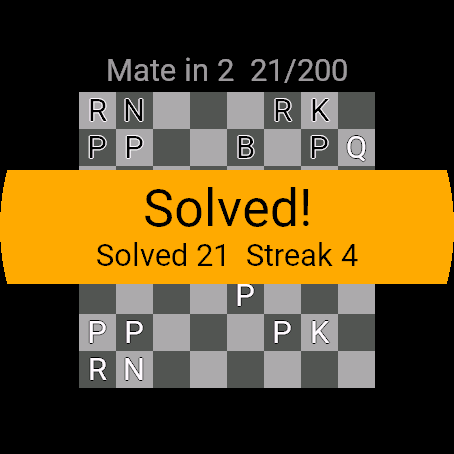
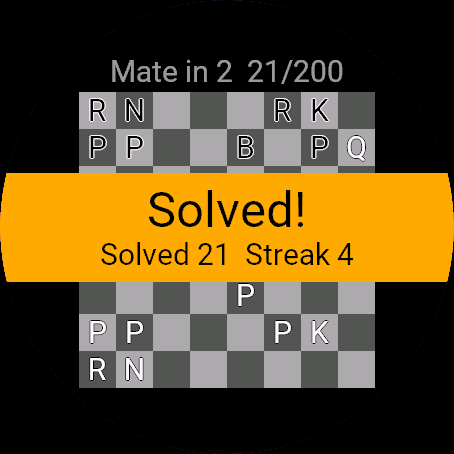
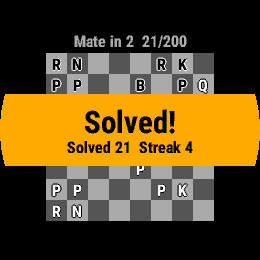
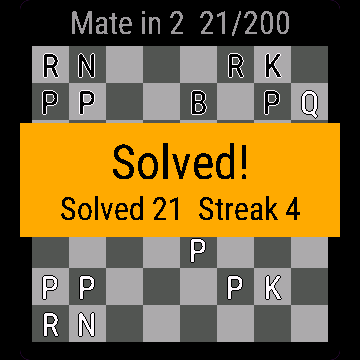
What happens after I solve one? Solved! shows for 3 seconds with your solved count and streak, then the next puzzle loads. Rating goes up by 3 to 40 points, more for harder puzzles.
Is my progress saved? Solved counts, streak, rating and the position in each set are saved on the watch. A puzzle you were midway through restarts from its first position.
Contact
kontakt@dialforge.dev or dialforge.dev. Please write before leaving a low rating.
Zadania szachowe: instrukcja obsługi
Do czego służy
Zadania szachowe to krótkie zadania z wymuszonym matem: mat w 1, w 2 i w 3, po 200 w każdym zestawie, od łatwych do trudnych. Grasz zwycięskie ruchy na małej planszy, a figury to wyraźne litery. Aplikacja liczy rozwiązane zadania, serię i prosty rating dla każdego zestawu.
Wymagania i obsługiwane zegarki
Wymaga Connect IQ 3.3.0+ i aplikacji Connect IQ albo Garmin Connect w telefonie. Obsługiwane zegarki:
- Okrągłe AMOLED: epix 2 i epix Pro 2, fēnix 8, E, Forerunner 165, 265, 570, 965, 970, Instinct 3 AMOLED, Crossover AMOLED, Venu 2, 3, 4, vivoactive 5, 6.
- Okrągłe MIP: enduro 3, seria fēnix 7, fēnix 8 Solar, Forerunner 55, 245, 255, vivoactive 4.
- Kwadratowe i prostokątne AMOLED: Venu Sq 2, Venu X1.
Instalacja
Na telefonie otwórz aplikację Connect IQ (albo Garmin Connect, a w niej sklep Connect IQ), wyszukaj "Zadania szachowe" od Dialforge, stuknij Zainstaluj i zsynchronizuj zegarek. Uruchom ją z listy aplikacji: na tarczy naciśnij START i wybierz Zadania szachowe.
Pierwsze uruchomienie
Zaczynasz w menu Wybierz zadania z trzema zestawami, przy każdym Twoje miejsce (np. 1/200) i Rating. Po wyborze plansza otwiera się zwrócona do strony, która ma ruch. Figury to litery: P, N, B, R, Q, K. 30-dniowa darmowa beta zaczyna się przy pierwszym otwarciu.
Sterowanie
Zegarki z przyciskami (START, GÓRA, DÓŁ, WSTECZ)
- GÓRA i DÓŁ przesuwają kursor po wszystkich 64 polach, jedno po drugim.
- START na własnej figurze ją wybiera, a kropki pokazują, dokąd może iść. START na kropce wykonuje ruch. START na innej Twojej figurze zmienia wybór, na tej samej zdejmuje go.
- MENU (przytrzymaj GÓRA) na 3 sekundy podświetla pole figury, którą trzeba ruszyć.
- WSTECZ anuluje wybór, a bez wyboru otwiera menu. Pion na ostatnim rzędzie pyta Przemień w: Hetman, Wieża, Goniec albo Skoczek.
Zegarki dotykowe (stuknięcie, przytrzymanie, przesunięcie)
- Stuknij figurę, żeby ją wybrać, stuknij kropkę, żeby zagrać ruch.
- Przesunięcia nic nie robią. Menu otwiera WSTECZ.
Ustawienia
Telefon: aplikacja Connect IQ, Zadania szachowe, Ustawienia (są tam też pola kodu odblokowania).
Na zegarku, w aplikacji:
- Podpowiedź: podświetla figurę do ruchu.
- Zmień zestaw: powrót do Wybierz zadania (Mat w 1, Mat w 2, Mat w 3).
- Zamknij: zamyka aplikację.
Licencja
- Darmowa beta: 30 dni od pierwszego uruchomienia, wszystko działa.
- Cena: jednorazowo 6,99 EUR na dialforge.dev, bez abonamentu. 8-znakowy kod jest przypisany do UID zegarka.
- Gdzie wpisać: telefon, aplikacja Connect IQ, Zadania szachowe, Ustawienia. Odczytaj UID w polu "UID zegarka (potrzebny do zakupu kodu)", kup kod i wpisz go w "Kod odblokowania z dialforge.dev". Ekran końca bety na zegarku też pokazuje UID.
- Po becie bez kodu: zamiast aplikacji pojawia się ekran końca bety z UID. Wpisz kod i otwórz aplikację ponownie. Nowy zegarek? Napisz do nas, przeniesiemy kod za darmo.
Prywatność i uprawnienia
Brak szczególnych uprawnień.
Zero połączeń z internetem. Dane zostają w zegarku.
Rozwiązywanie problemów
Kod nie działa. Sprawdź, czy UID, dla którego kupiono kod, zgadza się z polem "UID zegarka (potrzebny do zakupu kodu)", i wpisz wszystkie 8 znaków (wielkość liter bez znaczenia, bez 0, O, 1, I). Kod do innej aplikacji nie pasuje. Zsynchronizuj i otwórz ponownie.
A jeśli mój ruch daje inny mat? Liczy się tylko ruch zapisany jako rozwiązanie. Każdy inny pokazuje To nie najlepszy ruch, cofa pozycję, przerywa serię i kosztuje 6 punktów ratingu.
Co po rozwiązaniu zadania? Rozwiązane! widać 3 sekundy razem z licznikiem rozwiązanych i serią, potem wczytuje się następne zadanie. Rating rośnie o 3 do 40 punktów, więcej za trudniejsze.
Czy postęp się zapisuje? Licznik rozwiązanych, seria, rating i miejsce w każdym zestawie zapisują się w zegarku. Zadanie rozwiązywane w połowie zaczyna od pozycji wyjściowej.
Kontakt
kontakt@dialforge.dev albo dialforge.dev. Napisz, zanim wystawisz niską ocenę.
Permissions and privacy
This product does not use the internet and sends no data to our servers.
The full manual and the detailed permission descriptions are available in English and Polish.
Compatible watches
51mm, D2 Air X15, D2 Mach 1 Pro, Enduro 2, Enduro 3, epix (Gen 2), epix Pro (Gen 2) 42mm, epix Pro (Gen 2) 47mm, epix Pro (Gen 2) 51mm, Forerunner 165, Forerunner 165 Music, Forerunner 245, Forerunner 245 Music, Forerunner 255, Forerunner 255 Music, Forerunner 255s, Forerunner 255s Music, Forerunner 265, Forerunner 265s, Forerunner 55, Forerunner 570 42mm, Forerunner 570 47mm, Forerunner 965, Forerunner 970, fēnix 7, fēnix 7 Pro, fēnix 7 Pro - Solar Edition (no Wi-Fi), fēnix 7S, fēnix 7S Pro, fēnix 7X, fēnix 7X Pro, fēnix 7X Pro - Solar Edition (no Wi-Fi), fēnix 8 43mm, fēnix 8 47mm, fēnix 8 Pro 47mm, fēnix 8 Solar 47mm, fēnix 8 Solar 51mm, fēnix E, Instinct 3 AMOLED 45mm, Instinct 3 AMOLED 50mm, Instinct Crossover AMOLED, MicroLED, quatix 7, quatix 7 Pro, quatix 7 Sapphire, quatix 7X Solar, quatix 8 47mm, quatix 8 Pro 47mm, tactix 7, tactix 7 – AMOLED Edition, tactix 8 47mm, tactix 8 Solar 51mm, Venu 2, Venu 2 Plus, Venu 2S, Venu 3, Venu 3S, Venu 4 41mm, Venu 4 45mm, Venu Sq 2, Venu Sq 2 Music, Venu X1, vívoactive 4, vívoactive 4S, vívoactive 5, vívoactive 6
Screenshots
FAQ
What happens after the 30-day beta?
The app shows a screen asking for a one-time unlock code from dialforge.dev instead of opening normally. Buy the code once below, no subscription.
Does the app send my data to Dialforge?
No. The app works fully offline, and the unlock code is checked on the watch itself, without contacting any server.
The app does not work as described on my watch. Can I get a refund?
Yes. Write through the feedback form below, or to the e-mail in the footer. If we cannot fix it, we refund you, as described in the terms.
Changing your watch?
Write to me and I will move your code for free.
Changelog
- First release (beta).
- Pierwsze wydanie (beta).
- Erste Version (Beta).
- Première version (beta).
- Primera versión (beta).
- Eerste release (beta).
- 初回リリース(ベータ版)。
- Prima versione (beta).
- 首发版本(测试版)。
- Первый релиз (бета).
- Primeira versão (beta).
- První vydání (beta).
- Primeira versão (beta).
- 첫 출시(베타).
- Första versionen (beta).
- Første udgivelse (beta).
- Første versjon (beta).
- 首發版本(Beta)。
- Ensimmäinen julkaisu (beta).
- Prvá verzia (beta).
- Prva različica (beta).
- Rilis pertama (beta).
- Első kiadás (béta).
- เวอร์ชันแรก (เบต้า)
- Πρώτη έκδοση (beta).
- Prvo izdanje (beta).
- גרסה ראשונה (בטא).
- Keluaran pertama (beta).
Unlock
€6.99
One-time payment. No subscription. The code works on the watch whose UID you enter.
- Install the app from the Connect IQ store. It works fully and for free for the first 30 days.
- Find your 10-digit UID: Connect IQ app on the phone > My Device > Apps or Data Fields > this app > Settings > Watch UID.
- Enter UID and e-mail, pay with PayPal (cards work without a PayPal account). The code appears here at once.
- Type the code into the same settings page, field "Unlock code". The watch checks it offline.
Thank you! Your code:
Enter the code in the app settings, field "Unlock code". The watch checks it offline.
Tell us how to make it better
Missing a data field, a colour, a layout? Found a bug on your watch model? Write it here. We read every message and ship improvements in updates.