Running and cycling data fields
Effort Score
Real training load from your heart rate, not a guess.
Prawdziwe obciążenie treningowe z tętna, nie zgadywanka.
Echte Trainingsbelastung aus deiner Herzfrequenz, keine Schätzung.
Une vraie charge d'entraînement calculée à partir de votre fréquence cardiaque, pas une estimation approximative.
Carga de entrenamiento real a partir de tu frecuencia cardíaca, no una suposición.
Echte trainingsbelasting uit je hartslag, geen schatting.
推測ではなく、心拍数から算出する本物のトレーニング負荷。
Il carico di allenamento reale dalla tua frequenza cardiaca, non una stima a caso.
真正根据心率算出来的训练负荷,不是瞎猜。
Реальная тренировочная нагрузка по пульсу, а не догадка.
Carga real de treino calculada a partir da sua frequência cardíaca, não um palpite.
Reálná tréninková zátěž z vaší tepové frekvence, ne odhad.
Carga de treino real a partir da tua frequência cardíaca, não uma estimativa.
추측이 아니라 심박수로 계산하는 실제 트레이닝 부하입니다.
Verklig träningsbelastning från din puls, ingen gissning.
Reel træningsbelastning fra din puls, ikke et gæt.
Reell treningsbelastning fra pulsen din, ikke en gjetning.
從心率算出的真實訓練負荷,不是憑感覺猜的。
Todellinen harjoituskuormitus sykkeestäsi, ei arvaus.
Skutočná tréningová záťaž z vašej srdcovej frekvencie, nie odhad.
Resnična trenažna obremenitev iz srčnega utripa, ne ugibanje.
Beban latihan sungguhan dari detak jantungmu, bukan sekadar perkiraan.
Valódi edzésterhelés a pulzusodból, nem egy becslés.
โหลดการฝึกจริงจากอัตราการเต้นหัวใจ ไม่ใช่การเดา
Πραγματικό φορτίο προπόνησης από τον καρδιακό σου παλμό, όχι μια εκτίμηση.
Stvarno opterećenje treninga izračunato iz srčane frekvencije, ne procjena.
עומס אימון אמיתי מהדופק שלך, לא הערכה.
Beban latihan sebenar daripada kadar denyutan jantung anda, bukan tekaan.
Coming to Connect IQ Unlock €3.99
Beta: free for 30 days
The app works fully and for free for the first 30 days after you first open it. After that you can buy a one-time unlock code below. No subscription.
Effort Score turns your heart rate into a Banister TRIMP training load, using your resting HR, max HR and sex from your Garmin profile, with sensible fallbacks if any of that is missing. If your sex is not set in the profile (or set to unspecified), the male formula is used; only an explicit female setting switches to the female one. It adds up every second and works in any activity, including pool swims and indoor trainer rides, where GPS and pace do not help.
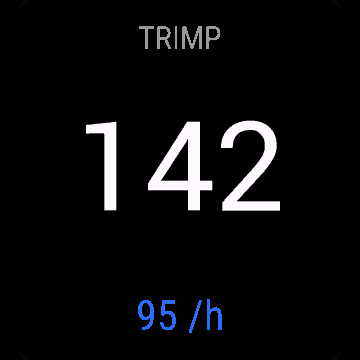
- TRIMP score and effort per hour on screen
- Works in any activity: run, ride, swim, indoor trainer
- Saves an "Effort" field to your FIT file, visible in Garmin Connect
- Adapts to full, half or smaller field size
- No setup needed, reads your Garmin user profile automatically
Wysiłek liczy TRIMP Banistera z Twojego tętna, na podstawie tętna spoczynkowego, maksymalnego i płci z profilu Garmin, z sensownymi wartościami zastępczymi, gdy czegoś brakuje. Jeśli płeć nie jest ustawiona w profilu (albo jest "nieokreślona"), liczy wzorem męskim; na wzór żeński przełącza dopiero wyraźne ustawienie kobiety. Sumuje wynik co sekundę i działa w każdej aktywności, także na basenie i na trenażerze, gdzie GPS i tempo nic nie dają.
- Wynik TRIMP i wysiłek na godzinę na ekranie
- Działa w każdej aktywności: bieganie, rower, pływanie, trenażer
- Zapisuje pole "Effort" w pliku FIT, widoczne w Garmin Connect
- Dopasowuje się do pełnego, połówkowego i mniejszych pól
- Bez ustawień, czyta profil użytkownika Garmin automatycznie
Effort Score wandelt deine Herzfrequenz in eine Banister-TRIMP-Trainingsbelastung um, anhand deiner Ruhe-Herzfrequenz, maximalen Herzfrequenz und deines Geschlechts aus deinem Garmin-Profil, mit sinnvollen Ersatzwerten, falls etwas davon fehlt. Sie summiert jede Sekunde und funktioniert in jeder Aktivität, auch beim Schwimmen im Becken oder auf dem Indoor-Trainer, wo GPS und Pace nicht helfen.
- TRIMP-Score und Belastung pro Stunde auf dem Display
- Funktioniert in jeder Aktivität: Laufen, Radfahren, Schwimmen, Indoor-Trainer
- Speichert ein "Effort"-Feld in deiner FIT-Datei, sichtbar in Garmin Connect
- Passt sich an volle, halbe oder kleinere Feldgröße an
- Keine Einrichtung nötig, liest dein Garmin-Benutzerprofil automatisch
Effort Score transforme votre fréquence cardiaque en charge d'entraînement TRIMP de Banister, en utilisant votre FC de repos, votre FC max et votre sexe depuis votre profil Garmin, avec des valeurs de repli sensées si l'une de ces données manque. Le calcul s'additionne seconde par seconde et fonctionne dans n'importe quelle activité, y compris la natation en piscine et le vélo sur home trainer, où le GPS et l'allure ne servent à rien.
- Score TRIMP et effort par heure à l'écran
- Fonctionne dans n'importe quelle activité : course, vélo, natation, home trainer
- Enregistre un champ "Effort" dans votre fichier FIT, visible dans Garmin Connect
- S'adapte aux tailles de champ pleine, demie ou plus petite
- Aucun réglage nécessaire, lit automatiquement votre profil utilisateur Garmin
Effort Score convierte tu frecuencia cardíaca en una carga de entrenamiento TRIMP de Banister, usando tu FC en reposo, tu FC máxima y tu sexo desde tu perfil de Garmin, con valores de reserva razonables si falta alguno de esos datos. Suma cada segundo y funciona en cualquier actividad, incluidas las sesiones de piscina y los rodillos de ciclismo indoor, donde el GPS y el ritmo no sirven de nada.
- Puntuación TRIMP y esfuerzo por hora en pantalla
- Funciona en cualquier actividad: carrera, ciclismo, natación, rodillo indoor
- Guarda un campo "Effort" en tu archivo FIT, visible en Garmin Connect
- Se adapta a campos de tamaño completo, mitad o más pequeños
- No necesita configuración, lee tu perfil de usuario de Garmin automáticamente
Effort Score zet je hartslag om in een Banister TRIMP-trainingsbelasting, met je rusthartslag, maximale hartslag en geslacht uit je Garmin-profiel, met verstandige standaardwaarden als iets daarvan ontbreekt. Het telt elke seconde op en werkt bij elke activiteit, ook bij baantjes zwemmen en indoor fietsen op de trainer, waar GPS en tempo niet helpen.
- TRIMP-score en inspanning per uur op het scherm
- Werkt bij elke activiteit: hardlopen, fietsen, zwemmen, indoor trainer
- Slaat een "Effort"-veld op in je FIT-bestand, zichtbaar in Garmin Connect
- Past zich aan aan volledig, half of kleiner veldformaat
- Geen instellingen nodig, leest je Garmin-gebruikersprofiel automatisch
Effort Scoreは、Garminプロフィールの安静時心拍数、最大心拍数、性別を使って、心拍数をBanister式のTRIMPトレーニング負荷に変換します。これらの情報がない場合も、適切な代替値で対応します。毎秒の値を積算するため、GPSやペースが役に立たないプールスイムやインドアトレーナーでのライドなど、どんなアクティビティでも使えます。
- 画面にTRIMPスコアと1時間あたりの負荷を表示
- ラン、ライド、スイム、インドアトレーナーなど、どんなアクティビティでも使用可能
- FITファイルに「Effort」フィールドを保存し、Garmin Connectで確認可能
- フルサイズ、半分、またはより小さいフィールドサイズに対応
- 設定不要。Garminのユーザープロフィールを自動で読み込みます
Effort Score trasforma la tua frequenza cardiaca in un carico di allenamento TRIMP di Banister, usando la frequenza a riposo, la frequenza massima e il sesso dal tuo profilo Garmin, con valori di riserva sensati se qualcosa manca. Somma ogni secondo e funziona in qualsiasi attività, incluso il nuoto in piscina e l'allenamento indoor, dove il GPS e il ritmo non aiutano.
- Punteggio TRIMP e sforzo all'ora a schermo
- Funziona in qualsiasi attività: corsa, bici, nuoto, rullo indoor
- Salva un campo "Effort" nel file FIT, visibile in Garmin Connect
- Si adatta a campo intero, metà o dimensioni più piccole
- Nessuna configurazione necessaria, legge automaticamente il tuo profilo utente Garmin
“训练负荷指数”把你的心率换算成Banister TRIMP训练负荷,用的是Garmin个人资料里的静息心率、最大心率和性别,如果缺了哪一项也有合理的默认值。它每一秒都在累加,在任何运动项目里都能用,包括泳池游泳和室内骑行台这类GPS和配速都帮不上忙的场景。
- 屏幕显示TRIMP分数和每小时训练负荷
- 适用于任何运动: 跑步、骑行、游泳、室内骑行台
- 会把“训练负荷”这个字段保存进FIT文件,在Garmin Connect里可以看到
- 自动适配整屏、半屏或更小的数据字段
- 不需要任何设置,自动读取你的Garmin用户资料
Effort Score превращает ваш пульс в тренировочную нагрузку TRIMP по методу Бэнистера, используя пульс в покое, максимальный пульс и пол из вашего профиля Garmin, с разумными значениями по умолчанию, если что-то из этого отсутствует. Приложение суммирует каждую секунду и работает в любой активности, включая бассейн и велотренажёр в помещении, где GPS и темп не помогают.
- Показатель TRIMP и нагрузка в час на экране
- Работает в любой активности: бег, велосипед, плавание, велотренажёр в помещении
- Сохраняет поле "Effort" в FIT-файл, видимое в Garmin Connect
- Подстраивается под полный, половинный или меньший размер поля
- Настройка не нужна, приложение само читает ваш профиль пользователя Garmin
Effort Score transforma sua frequência cardíaca em uma carga de treino TRIMP de Banister, usando sua FC de repouso, FC máxima e sexo do seu perfil Garmin, com valores padrão sensatos caso alguma dessas informações esteja faltando. Ele soma segundo a segundo e funciona em qualquer atividade, incluindo natação em piscina e pedaladas em rolo, onde GPS e ritmo não ajudam.
- Pontuação TRIMP e esforço por hora na tela
- Funciona em qualquer atividade: corrida, pedal, natação, rolo de treino
- Salva um campo "Effort" no seu arquivo FIT, visível no Garmin Connect
- Se adapta a campos de tamanho inteiro, metade ou menores
- Não precisa de configuração, lê automaticamente o seu perfil de usuário Garmin
Effort Score přepočítá vaši tepovou frekvenci na tréninkovou zátěž TRIMP podle Banistera, s využitím klidové tepové frekvence, maximální tepové frekvence a pohlaví z vašeho profilu v Garminu, s rozumnými náhradními hodnotami, pokud něco z toho chybí. Počítá to každou sekundu a funguje při jakékoli aktivitě, včetně plavání v bazénu a jízdy na trenažéru, kde GPS a tempo nepomůžou.
- Skóre TRIMP a zátěž za hodinu na displeji
- Funguje při jakékoli aktivitě: běh, jízda na kole, plavání, trenažér
- Uloží pole "Effort" do vašeho FIT souboru, viditelné v Garmin Connect
- Přizpůsobí se celému, polovičnímu nebo menšímu poli
- Bez nastavování, automaticky čte váš uživatelský profil v Garminu
Effort Score transforma a tua frequência cardíaca numa carga de treino TRIMP de Banister, usando a FC de repouso, a FC máxima e o sexo do teu perfil Garmin, com valores de reserva sensatos caso falte alguma dessa informação. Soma cada segundo e funciona em qualquer atividade, incluindo natação em piscina e rolos indoor, onde o GPS e o ritmo não ajudam.
- Pontuação TRIMP e esforço por hora no ecrã
- Funciona em qualquer atividade: corrida, ciclismo, natação, rolo indoor
- Guarda um campo "Effort" no teu ficheiro FIT, visível no Garmin Connect
- Adapta-se a campos de tamanho completo, meio ou menor
- Sem configuração necessária, lê automaticamente o teu perfil de utilizador Garmin
Effort Score는 Garmin 프로필의 안정시 심박수, 최대 심박수, 성별 정보를 사용해 심박수를 Banister TRIMP 트레이닝 부하로 환산하며, 정보가 없을 경우에는 적절한 기본값을 사용합니다. 매초 값을 누적하며, GPS와 페이스가 도움이 되지 않는 수영장 수영이나 실내 트레이너 라이딩을 포함한 모든 액티비티에서 작동합니다.
- 화면에 TRIMP 점수와 시간당 트레이닝 부하 표시
- 러닝, 라이딩, 수영, 실내 트레이너 등 모든 액티비티에서 작동
- FIT 파일에 "Effort" 필드를 저장하며, Garmin Connect에서 확인할 수 있습니다
- 전체, 절반, 또는 더 작은 필드 크기에 맞게 조정됩니다
- 별도 설정이 필요 없으며, Garmin 사용자 프로필을 자동으로 읽어옵니다
Effort Score omvandlar din puls till en Banister TRIMP-träningsbelastning, med hjälp av vilopuls, maxpuls och kön från din Garmin-profil, med vettiga standardvärden om något av det saknas. Den räknar ihop varje sekund och fungerar i alla aktiviteter, inklusive simning i bassäng och inomhuscykling, där GPS och tempo inte hjälper.
- TRIMP-poäng och ansträngning per timme på skärmen
- Fungerar i alla aktiviteter: löpning, cykling, simning, inomhuscykel
- Sparar ett "Effort"-fält i din FIT-fil, synligt i Garmin Connect
- Anpassar sig till helt, halvt eller mindre fältstorlek
- Ingen inställning behövs, läser din Garmin-användarprofil automatiskt
Effort Score omdanner din puls til en Banister TRIMP-træningsbelastning, ved brug af din hvilepuls, makspuls og køn fra din Garmin-profil, med fornuftige standardværdier, hvis noget af det mangler. Den lægger sammen hvert sekund og virker i enhver aktivitet, inklusive svømning i bassin og indendørs trainer-kørsel, hvor GPS og pace ikke hjælper.
- TRIMP-score og belastning per time på skærmen
- Virker i enhver aktivitet: løb, cykling, svømning, indendørs trainer
- Gemmer et "Effort"-felt i din FIT-fil, synligt i Garmin Connect
- Justerer sig til fuld, halv eller mindre feltstørrelse
- Ingen opsætning nødvendig, læser automatisk din Garmin-brugerprofil
Effort Score omgjør pulsen din til en Banister TRIMP-treningsbelastning, ved å bruke hvilepuls, makspuls og kjønn fra din Garmin-profil, med fornuftige reserveløsninger hvis noe av dette mangler. Den legger sammen hvert sekund og fungerer i alle aktiviteter, inkludert svømming i bassenget og innendørs sykling, hvor GPS og tempo ikke hjelper.
- TRIMP-poengsum og belastning per time på skjermen
- Fungerer i alle aktiviteter: løping, sykling, svømming, sykkelrulle innendørs
- Lagrer et "Effort"-felt i FIT-filen, synlig i Garmin Connect
- Tilpasser seg full, halv eller mindre feltstørrelse
- Ingen oppsett nødvendig, leser Garmin-brukerprofilen din automatisk
Effort Score把你的心率換算成Banister TRIMP訓練負荷,使用你Garmin個人資料裡的靜止心率、最大心率和性別,缺資料時也有合理的預設值。它每一秒都在累加,任何活動都能用,包括GPS和配速派不上用場的泳池游泳和室內訓練台。
- 畫面顯示TRIMP分數和每小時的訓練負荷
- 任何活動都能用:跑步、騎車、游泳、室內訓練台
- 把「Effort」欄位存進FIT檔案,在Garmin Connect可以看到
- 自動適應整格、半格或更小的欄位大小
- 不用設定,自動讀取你的Garmin個人資料
Effort Score muuttaa sykkeesi Banisterin TRIMP-harjoituskuormaksi, käyttäen leposykettäsi, maksimisykettäsi ja sukupuoltasi Garmin-profiilistasi, järkevin oletusarvoin, jos jokin näistä puuttuu. Se laskee yhteen joka sekunnin ja toimii missä tahansa aktiviteetissa, myös altaassa uidessa ja sisätrainerilla, missä GPS ja vauhti eivät auta.
- TRIMP-pisteet ja kuormitus tunnissa näkyvissä
- Toimii missä tahansa aktiviteetissa: juoksu, pyöräily, uinti, sisätraineri
- Tallentaa "Effort"-kentän FIT-tiedostoosi, näkyvissä Garmin Connectissa
- Mukautuu koko, puolikkaan tai pienemmän kokoiseen kenttään
- Ei vaadi asetuksia, lukee Garmin-käyttäjäprofiilisi automaattisesti
Effort Score prepočíta vašu srdcovú frekvenciu na tréningovú záťaž Banister TRIMP, pomocou vašej pokojovej SF, maximálnej SF a pohlavia z profilu Garmin, s rozumnými náhradnými hodnotami, ak niečo z toho chýba. Počíta každú sekundu a funguje v akejkoľvek aktivite, vrátane plávania v bazéne a jázd na trenažéri, kde GPS a tempo nepomôžu.
- Skóre TRIMP a záťaž za hodinu na displeji
- Funguje v akejkoľvek aktivite: beh, cyklistika, plávanie, trenažér
- Uloží pole "Effort" do vášho FIT súboru, viditeľné v Garmin Connect
- Prispôsobí sa veľkosti poľa: celé, polovičné alebo menšie
- Žiadne nastavovanie, automaticky číta váš profil používateľa Garmin
Effort Score pretvori tvoj srčni utrip v trenažno obremenitev po Banisterjevi metodi TRIMP, pri čemer uporabi tvoj mirovni srčni utrip, najvišji srčni utrip in spol iz Garmin profila, s smiselnimi privzetimi vrednostmi, če kateri od podatkov manjka. Sešteva vsako sekundo in deluje v vsaki aktivnosti, tudi pri plavanju v bazenu in kolesarjenju na trenažerju, kjer GPS in tempo ne pomagata.
- Rezultat TRIMP in obremenitev na uro na zaslonu
- Deluje v vsaki aktivnosti: tek, kolesarjenje, plavanje, trenažer
- V FIT datoteko shrani polje "Effort", vidno v Garmin Connect
- Prilagodi se polnemu, polovičnemu ali manjšemu polju
- Brez nastavljanja, samodejno prebere tvoj Garmin uporabniški profil
Effort Score mengubah detak jantungmu menjadi beban latihan TRIMP Banister, menggunakan HR istirahat, HR maksimum, dan jenis kelamin dari profil Garmin-mu, dengan nilai cadangan yang wajar jika data itu tidak ada. Dihitung setiap detik dan bekerja di aktivitas apa pun, termasuk renang kolam dan latihan indoor trainer, di mana GPS dan pace tidak membantu.
- Skor TRIMP dan effort per jam di layar
- Bekerja di aktivitas apa pun: lari, bersepeda, berenang, indoor trainer
- Menyimpan field "Effort" ke file FIT-mu, terlihat di Garmin Connect
- Menyesuaikan dengan ukuran field penuh, setengah, atau lebih kecil
- Tidak perlu pengaturan, membaca profil pengguna Garmin-mu secara otomatis
Az Effort Score a pulzusodat Banister-féle TRIMP edzésterheléssé alakítja, a nyugalmi pulzusod, a maximális pulzusod és a Garmin profilodban megadott nemed alapján, ésszerű alapértékekkel, ha valamelyik hiányzik. Minden másodpercet összeszámol, és bármilyen tevékenységben működik, beleértve az uszodai úszást és a hometrénert is, ahol a GPS és a tempó nem segít.
- TRIMP pontszám és óránkénti terhelés a képernyőn
- Bármilyen tevékenységben működik: futás, kerékpár, úszás, hometréner
- Egy "Effort" mezőt ment a FIT fájlba, amely a Garmin Connectben is látható
- Alkalmazkodik a teljes, fél vagy kisebb mezőmérethez
- Nem igényel beállítást, automatikusan beolvassa a Garmin felhasználói profilodat
Effort Score แปลงอัตราการเต้นหัวใจของคุณเป็นโหลดการฝึกแบบ Banister TRIMP โดยใช้ HR พัก, HR สูงสุด และเพศจากโปรไฟล์ Garmin ของคุณ พร้อมค่าสำรองที่สมเหตุสมผลถ้าข้อมูลใดขาดไป คำนวณทุกวินาทีและใช้ได้กับทุกกิจกรรม รวมถึงว่ายน้ำในสระและปั่นเทรนเนอร์ในบ้าน ที่ GPS และเพซช่วยไม่ได้
- แสดงคะแนน TRIMP และ effort ต่อชั่วโมงบนหน้าจอ
- ใช้ได้กับทุกกิจกรรม: วิ่ง ปั่น ว่ายน้ำ เทรนเนอร์ในบ้าน
- บันทึกฟิลด์ "Effort" ลงไฟล์ FIT ดูได้ใน Garmin Connect
- ปรับขนาดตามฟิลด์เต็ม ครึ่ง หรือเล็กกว่านั้น
- ไม่ต้องตั้งค่าใด ๆ อ่านโปรไฟล์ผู้ใช้ Garmin ให้อัตโนมัติ
Το Effort Score μετατρέπει τον καρδιακό σου παλμό σε φορτίο προπόνησης TRIMP κατά Banister, χρησιμοποιώντας τον καρδιακό παλμό ανάπαυσης, τον μέγιστο καρδιακό παλμό και το φύλο σου από το προφίλ σου στο Garmin, με λογικές εναλλακτικές αν λείπει κάτι από αυτά. Συσσωρεύεται κάθε δευτερόλεπτο και λειτουργεί σε οποιαδήποτε δραστηριότητα, συμπεριλαμβανομένης της κολύμβησης σε πισίνα και της ποδηλασίας σε προπονητήριο, όπου το GPS και ο ρυθμός δεν βοηθούν.
- Βαθμολογία TRIMP και προσπάθεια ανά ώρα στην οθόνη
- Λειτουργεί σε οποιαδήποτε δραστηριότητα: τρέξιμο, ποδηλασία, κολύμβηση, προπονητήριο
- Αποθηκεύει ένα πεδίο "Effort" στο αρχείο FIT, ορατό στο Garmin Connect
- Προσαρμόζεται σε πλήρες, μισό ή μικρότερο μέγεθος πεδίου
- Χωρίς ρυθμίσεις, διαβάζει αυτόματα το προφίλ χρήστη σου στο Garmin
Effort Score pretvara tvoju srčanu frekvenciju u Banister TRIMP opterećenje treninga, koristeći tvoj mirujući puls, maksimalnu srčanu frekvenciju i spol iz Garmin profila, s razumnim zamjenskim vrijednostima ako nešto od toga nedostaje. Zbraja svaku sekundu i radi u bilo kojoj aktivnosti, uključujući plivanje u bazenu i vožnju na indoor trenažeru, gdje GPS i tempo ne pomažu.
- TRIMP rezultat i opterećenje po satu na ekranu
- Radi u bilo kojoj aktivnosti: trčanje, vožnja, plivanje, indoor trenažer
- Sprema polje "Effort" u FIT datoteku, vidljivo u Garmin Connectu
- Prilagođava se veličini polja: cijelo, pola ili manje
- Nije potrebno podešavanje, automatski čita tvoj Garmin korisnički profil
ניקוד מאמץ מתרגם את הדופק שלך לעומס אימון TRIMP בשיטת בניסטר, באמצעות דופק מנוחה, דופק מקסימלי ומגדר מהפרופיל שלך ב-Garmin, עם ערכי ברירת מחדל הגיוניים אם משהו מהם חסר. הוא מצטבר כל שנייה ועובד בכל סוג פעילות, כולל שחיה בבריכה ורכיבה על טריינר בפנים, שם GPS וקצב לא עוזרים.
- ניקוד TRIMP ומאמץ לשעה על המסך
- עובד בכל פעילות: ריצה, רכיבה, שחיה, טריינר בפנים
- שומר שדה "Effort" בקובץ ה-FIT שלך, נראה ב-Garmin Connect
- מתאים את עצמו לשדה מלא, חצי, או קטן יותר
- אין צורך בהגדרה, קורא את פרופיל המשתמש שלך ב-Garmin אוטומטית
Effort Score menukar kadar denyutan jantung anda kepada beban latihan Banister TRIMP, menggunakan resting HR, max HR dan jantina daripada profil Garmin anda, dengan nilai fallback yang munasabah jika mana-mana data itu tiada. Ia mengumpul setiap saat dan berfungsi dalam apa-apa aktiviti, termasuk renang kolam dan latihan basikal indoor trainer, di mana GPS dan pace tak membantu.
- Skor TRIMP dan effort per jam di skrin
- Berfungsi dalam apa-apa aktiviti: lari, basikal, renang, indoor trainer
- Menyimpan field "Effort" ke fail FIT anda, boleh dilihat dalam Garmin Connect
- Menyesuaikan diri dengan saiz field penuh, separuh atau lebih kecil
- Tak perlu setup, baca profil pengguna Garmin anda secara automatik
How to use it
Add Effort Score as a data field in an activity, then set it up in its settings.
Add Effort Score as a data field on any activity screen and start your workout.
Dodaj Wysiłek jako pole danych w aktywności, potem skonfiguruj je w jego ustawieniach.
Dodaj Wysiłek jako pole danych na dowolnym ekranie aktywności i zacznij trening.
Füge Effort Score in einer Aktivität als Datenfeld hinzu und richte es dann in den Einstellungen ein.
Füge Effort Score als Datenfeld auf einem beliebigen Aktivitätsbildschirm hinzu und starte dein Training.
Ajoutez Effort Score comme champ de données dans une activité, puis configurez-le dans ses réglages.
Ajoutez Effort Score comme champ de données sur n'importe quel écran d'activité et démarrez votre séance.
Añade Effort Score como campo de datos en una actividad y luego configúralo en sus ajustes.
Añade Effort Score como campo de datos en cualquier pantalla de actividad y empieza tu entrenamiento.
Voeg Effort Score toe als gegevensveld in een activiteit en stel het daarna in bij de instellingen.
Voeg Effort Score toe als gegevensveld op elk activiteitenscherm en start je training.
アクティビティに Effort Score をデータフィールドとして追加し、その設定で調整してください。
Effort Scoreをアクティビティ画面にデータフィールドとして追加し、ワークアウトを開始してください。
Aggiungi Effort Score come campo dati in un'attività, poi configuralo nelle sue impostazioni.
Aggiungi Effort Score come campo dati su qualsiasi schermata di attività e inizia il tuo allenamento.
在某项活动中把 Effort Score 添加为数据字段,然后在其设置中进行配置。
把“训练负荷指数”添加到任意活动界面的数据字段,然后开始训练就行。
Добавьте Effort Score как поле данных в активности, затем настройте его в её параметрах.
Добавьте Effort Score как поле данных на любой экран активности и начните тренировку.
Adicione Effort Score como campo de dados em uma atividade e depois configure nas configurações dela.
Adicione o Effort Score como campo de dados em qualquer tela de atividade e comece seu treino.
Přidejte Effort Score jako datové pole do aktivity a pak ho nastavte v jejím nastavení.
Přidejte Effort Score jako datové pole na libovolnou obrazovku aktivity a spusťte trénink.
Adicione Effort Score como campo de dados numa atividade e depois configure-o nas definições dessa atividade.
Adiciona o Effort Score como campo de dados em qualquer ecrã de atividade e começa o teu treino.
활동에서 Effort Score을(를) 데이터 필드로 추가한 다음, 해당 설정에서 구성하세요.
원하는 액티비티 화면에 데이터 필드로 Effort Score를 추가하고 운동을 시작하세요.
Lägg till Effort Score som datafält i en aktivitet och ställ sedan in det i dess inställningar.
Lägg till Effort Score som ett datafält på valfri aktivitetsskärm och starta träningen.
Tilføj Effort Score som datafelt i en aktivitet, og indstil det derefter i dets indstillinger.
Tilføj Effort Score som et datafelt på en aktivitetsskærm og start din træning.
Legg til Effort Score som datafelt i en aktivitet, og still det inn i innstillingene.
Legg til Effort Score som et datafelt på hvilken som helst aktivitetsskjerm og start treningen.
在某項活動中把 Effort Score 新增為資料欄位,然後在其設定中進行調整。
在任何活動畫面把Effort Score加為資料欄位,開始你的訓練就可以了。
Lisää Effort Score datakentäksi aktiviteettiin ja määritä se sen asetuksista.
Lisää Effort Score -tietokenttä millä tahansa aktiviteettiruudulla ja aloita harjoituksesi.
Pridajte Effort Score ako dátové pole do aktivity a potom ho nastavte v jeho nastaveniach.
Pridajte Effort Score ako dátové pole na ľubovoľnú obrazovku aktivity a spustite tréning.
Dodajte Effort Score kot podatkovno polje v aktivnost, nato ga nastavite v njegovih nastavitvah.
Dodaj Effort Score kot podatkovno polje na katerikoli zaslon aktivnosti in začni trening.
Tambahkan Effort Score sebagai data field di sebuah aktivitas, lalu atur di pengaturannya.
Tambahkan Effort Score sebagai data field di layar aktivitas mana pun dan mulai latihanmu.
Adja hozzá a(z) Effort Score elemet adatmezőként egy tevékenységhez, majd állítsa be a tevékenység beállításaiban.
Add hozzá az Effort Score-t adatmezőként bármelyik tevékenység-képernyőhöz, és kezdd el az edzésed.
เพิ่ม Effort Score เป็นช่องข้อมูลในกิจกรรม แล้วตั้งค่าในหน้าการตั้งค่าของมัน
เพิ่ม Effort Score เป็น data field บนหน้าจอกิจกรรมใดก็ได้แล้วเริ่มออกกำลังกาย
Προσθέστε το Effort Score ως πεδίο δεδομένων σε μια δραστηριότητα και μετά ρυθμίστε το στις ρυθμίσεις του.
Πρόσθεσε το Effort Score ως πεδίο δεδομένων σε οποιαδήποτε οθόνη δραστηριότητας και ξεκίνα την προπόνησή σου.
Dodajte Effort Score kao polje podataka u aktivnost, a zatim ga podesite u njegovim postavkama.
Dodaj Effort Score kao podatkovno polje na bilo koji ekran aktivnosti i započni trening.
הוסיפו את Effort Score כשדה נתונים בפעילות, ואז הגדירו אותו בהגדרות שלו.
הוסף ניקוד מאמץ כשדה מידע בכל מסך פעילות והתחל את האימון שלך.
Tambah Effort Score sebagai medan data dalam aktiviti, kemudian sediakannya dalam tetapannya.
Tambah Effort Score sebagai data field pada mana-mana skrin aktiviti dan mulakan latihan anda.
Manual
The full manual and the detailed permission descriptions are available in English and Polish.
Effort Score: user manual
What it does
Effort Score is a data field that adds up your training load from heart rate as a Banister TRIMP. It needs only heart rate and time, so it works in the pool and on an indoor trainer too. The total is also saved with the activity.
Requirements and supported watches
Needs Connect IQ 3.3.0+ and the Connect IQ or Garmin Connect phone app. Supported watches:
- Round AMOLED: epix 2 and epix Pro 2, fēnix 8, E, Forerunner 165, 265, 570, 965, 970, Instinct 3 AMOLED, Crossover AMOLED, Venu 2, 3, 4, vivoactive 5, 6.
- Round MIP: enduro 3, fēnix 7 series, 8 Solar, Forerunner 245 (245 Music), 255.
- Square and rectangular AMOLED: Venu Sq 2, Venu X1.
Installation
In the Connect IQ app on your phone (or Garmin Connect, then the Connect IQ Store) find "Effort Score" by Dialforge, tap Install and sync the watch. Add it in an activity's settings: Data Screens, a field, Connect IQ, Effort Score.
First launch
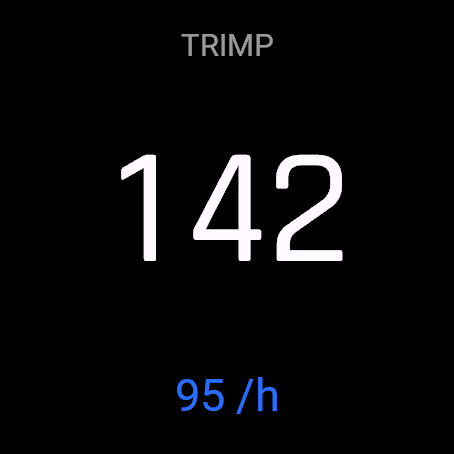
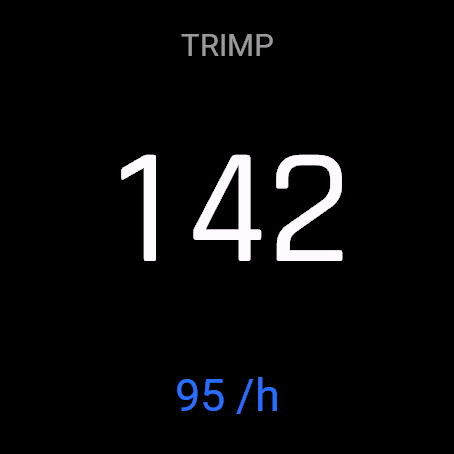
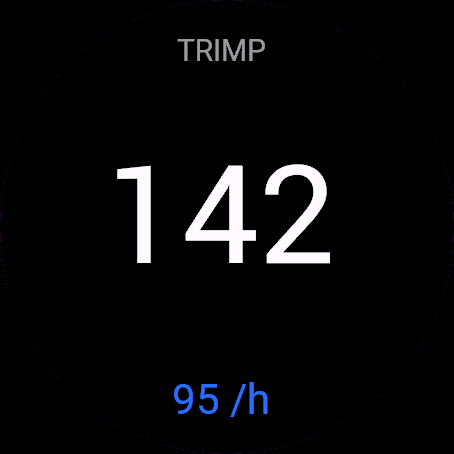
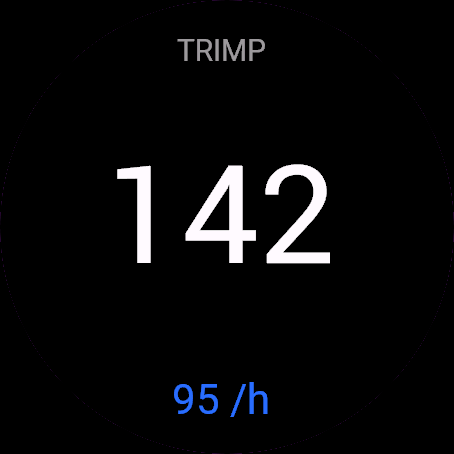
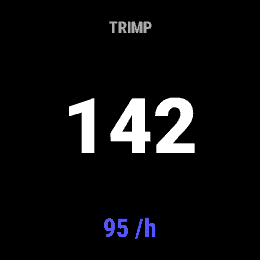
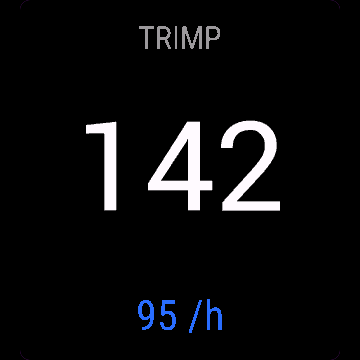
Add it to a data screen and start the activity. The big number is TRIMP so far. On larger fields the TRIMP label sits above it, and below it is the rate per hour, which shows "--" for the first minute. The 30-day free beta starts the first time you open it.
Controls
Watches with buttons (START, UP, DOWN, BACK)
- A data field has no buttons of its own. The watch's buttons work as they do on any activity screen.
Touch watches (tap, hold, swipe)
- No touch actions, the field only displays data.
Settings
Phone: Connect IQ app, Effort Score, Settings (the unlock code fields are there too).
License
- Free beta: 30 days from the first launch, everything works.
- Price: 3.99 EUR once at dialforge.dev, no subscription. The 8-character code is tied to your watch's UID.
- Where to enter it: phone, Connect IQ app, Effort Score, Settings. Read the UID in "Watch UID (needed to buy a code)", buy the code, then type it into "Unlock code from dialforge.dev".
- After the beta without a code: the field shows only the small text dialforge.dev instead of the numbers. It has no end-of-beta screen, the UID is in the phone settings. TRIMP keeps counting and saving in the background, and after you enter the code the field shows the total from the whole activity.
Privacy and permissions
Permissions:
- User profile: resting heart rate, birth year, sex and heart rate zones for the TRIMP formula.
- FIT contributor: saves the TRIMP total as an "Effort" field in the activity.
No internet use. Data stays on the watch.
Troubleshooting
The code does not work. Check that the UID you bought for matches "Watch UID (needed to buy a code)" and type all 8 characters (case is ignored, no 0, O, 1 or I). A code for another app does not fit. Sync, then reopen.
Where is the number in Garmin Connect? After you save the activity, the session has an "Effort" field in TRIMP. It is shown in the activity summary.
What does it take from my profile? Resting heart rate (30 to 120, else 60), max heart rate and sex. Max is the top of zone 5 for the current sport, else 208 minus 0.7 times your age, else 185. Unset or unspecified sex uses the male formula, only an explicit female setting switches it.
Does the number grow while paused? No. It adds time from the activity timer, so a pause adds nothing. A moment without a heart rate reading adds nothing either.
Why does a small field show only the number? Below about 40% of the screen the field drops the label and the per-hour line to fit a bigger number.
Contact
kontakt@dialforge.dev or dialforge.dev. Please write before leaving a low rating.
Wysiłek: instrukcja obsługi
Do czego służy
Wysiłek to pole danych, które sumuje obciążenie treningowe z tętna jako TRIMP Banistera. Potrzebuje tylko tętna i czasu, więc działa też na basenie i na trenażerze. Wynik zapisuje się razem z aktywnością.
Wymagania i obsługiwane zegarki
Wymaga Connect IQ 3.3.0+ i aplikacji Connect IQ albo Garmin Connect w telefonie. Obsługiwane zegarki:
- Okrągłe AMOLED: epix 2 i epix Pro 2, fēnix 8, E, Forerunner 165, 265, 570, 965, 970, Instinct 3 AMOLED, Crossover AMOLED, Venu 2, 3, 4, vivoactive 5, 6.
- Okrągłe MIP: enduro 3, seria fēnix 7, fēnix 8 Solar, Forerunner 245 (245 Music), 255.
- Kwadratowe i prostokątne AMOLED: Venu Sq 2, Venu X1.
Instalacja
Na telefonie otwórz aplikację Connect IQ (albo Garmin Connect, a w niej sklep Connect IQ), wyszukaj "Wysiłek" od Dialforge, stuknij Zainstaluj i zsynchronizuj zegarek. Dodaj je w ustawieniach aktywności: Ekrany danych, pole, Connect IQ, Wysiłek.
Pierwsze uruchomienie
Dodaj je na ekran danych i zacznij aktywność. Duża liczba to dotychczasowy TRIMP. Na większych polach nad nią stoi etykieta TRIMP, a pod nią tempo na godzinę, które przez pierwszą minutę pokazuje "--". 30-dniowa darmowa beta zaczyna się przy pierwszym otwarciu.
Sterowanie
Zegarki z przyciskami (START, GÓRA, DÓŁ, WSTECZ)
- Pole danych nie ma własnych przycisków. Przyciski zegarka działają tak jak na każdym ekranie aktywności.
Zegarki dotykowe (stuknięcie, przytrzymanie, przesunięcie)
- Brak akcji dotykowych, pole tylko wyświetla dane.
Ustawienia
Telefon: aplikacja Connect IQ, Wysiłek, Ustawienia (są tam też pola kodu odblokowania).
Licencja
- Darmowa beta: 30 dni od pierwszego uruchomienia, wszystko działa.
- Cena: jednorazowo 3,99 EUR na dialforge.dev, bez abonamentu. 8-znakowy kod jest przypisany do UID zegarka.
- Gdzie wpisać: telefon, aplikacja Connect IQ, Wysiłek, Ustawienia. Odczytaj UID w polu "UID zegarka (potrzebny do zakupu kodu)", kup kod i wpisz go w "Kod odblokowania z dialforge.dev".
- Po becie bez kodu: zamiast liczb pole pokazuje tylko mały napis dialforge.dev. Nie ma ekranu końca bety, UID jest w ustawieniach na telefonie. TRIMP liczy się i zapisuje dalej w tle, więc po wpisaniu kodu pole pokaże sumę z całej aktywności.
Prywatność i uprawnienia
Uprawnienia:
- Profil użytkownika: tętno spoczynkowe, rok urodzenia, płeć i strefy tętna do wzoru TRIMP.
- Zapis do FIT: suma TRIMP trafia do aktywności jako pole "Wysiłek".
Zero połączeń z internetem. Dane zostają w zegarku.
Rozwiązywanie problemów
Kod nie działa. Sprawdź, czy UID, dla którego kupiono kod, zgadza się z polem "UID zegarka (potrzebny do zakupu kodu)", i wpisz wszystkie 8 znaków (wielkość liter bez znaczenia, bez 0, O, 1, I). Kod do innej aplikacji nie pasuje. Zsynchronizuj i otwórz ponownie.
Gdzie jest ta liczba w Garmin Connect? Po zapisaniu aktywności sesja ma pole "Wysiłek" w jednostce TRIMP. Widać je w podsumowaniu aktywności.
Co bierze z mojego profilu? Tętno spoczynkowe (30 do 120, inaczej 60), tętno maksymalne i płeć. Maksimum to górna granica strefy 5 dla bieżącego sportu, a gdy jej brak, 208 minus 0,7 razy wiek, a w ostateczności 185. Płeć nieustawiona lub nieokreślona liczy wzorem męskim, na żeński przełącza tylko wyraźne ustawienie kobiety.
Czy liczba rośnie na pauzie? Nie. Dolicza czas z timera aktywności, więc pauza nic nie dodaje. Chwila bez odczytu tętna też nie.
Czemu małe pole pokazuje samą liczbę? Poniżej ok. 40% ekranu pole traci etykietę i linię z tempem na godzinę, żeby zmieścić większą liczbę.
Kontakt
kontakt@dialforge.dev albo dialforge.dev. Napisz, zanim wystawisz niską ocenę.
Permissions and privacy
This product asks the watch for the permissions below. Connect IQ shows them when you install it.
- Your profile: Reads your Garmin profile on the watch (for example age, weight, heart rate zones) to calculate values for you.Odczytuje Twój profil Garmin na zegarku (na przykład wiek, wagę, strefy tętna), żeby liczyć wartości dla Ciebie.
- Own data fields in the activity: Adds this app's own numbers (for example points or sets) to the saved activity.Dodaje do zapisanej aktywności liczby tej aplikacji (na przykład punkty albo serie).
This product does not use the internet and sends no data to our servers.
The full manual and the detailed permission descriptions are available in English and Polish.
Compatible watches
51mm, D2 Air X15, D2 Mach 1 Pro, Enduro 2, Enduro 3, epix (Gen 2), epix Pro (Gen 2) 42mm, epix Pro (Gen 2) 47mm, epix Pro (Gen 2) 51mm, Forerunner 165, Forerunner 165 Music, Forerunner 245 Music, Forerunner 255, Forerunner 255 Music, Forerunner 255s, Forerunner 255s Music, Forerunner 265, Forerunner 265s, Forerunner 570 42mm, Forerunner 570 47mm, Forerunner 965, Forerunner 970, fēnix 7, fēnix 7 Pro, fēnix 7 Pro - Solar Edition (no Wi-Fi), fēnix 7S, fēnix 7S Pro, fēnix 7X, fēnix 7X Pro, fēnix 7X Pro - Solar Edition (no Wi-Fi), fēnix 8 43mm, fēnix 8 47mm, fēnix 8 Pro 47mm, fēnix 8 Solar 47mm, fēnix 8 Solar 51mm, fēnix E, Instinct 3 AMOLED 45mm, Instinct 3 AMOLED 50mm, Instinct Crossover AMOLED, MicroLED, quatix 7, quatix 7 Pro, quatix 7 Sapphire, quatix 7X Solar, quatix 8 47mm, quatix 8 Pro 47mm, tactix 7, tactix 7 – AMOLED Edition, tactix 8 47mm, tactix 8 Solar 51mm, Venu 2, Venu 2 Plus, Venu 2S, Venu 3, Venu 3S, Venu 4 41mm, Venu 4 45mm, Venu Sq 2, Venu Sq 2 Music, Venu X1, vívoactive 5, vívoactive 6
Screenshots
FAQ
What happens after the 30-day beta?
The app shows a screen asking for a one-time unlock code from dialforge.dev instead of opening normally. Buy the code once below, no subscription.
Does the app send my data to Dialforge?
No. The app works fully offline, and the unlock code is checked on the watch itself, without contacting any server.
The app does not work as described on my watch. Can I get a refund?
Yes. Write through the feedback form below, or to the e-mail in the footer. If we cannot fix it, we refund you, as described in the terms.
Changing your watch?
Write to me and I will move your code for free.
Changelog
- First release (beta).
- Pierwsze wydanie (beta).
- Erste Veröffentlichung (Beta).
- Première version (bêta).
- Primera versión (beta).
- Eerste release (beta).
- 初回リリース(ベータ版)。
- Prima versione (beta).
- 首次发布(测试版)。
- Первый выпуск (бета).
- Primeira versão (beta).
- První verze (beta).
- Primeira versão (beta).
- 첫 출시 (베타).
- Första utgåvan (beta).
- Første udgivelse (beta).
- Første utgivelse (beta).
- 首次發布(測試版)。
- Ensimmäinen julkaisu (beta).
- Prvé vydanie (beta).
- Prva izdaja (beta).
- Rilis pertama (beta).
- Első kiadás (beta).
- เวอร์ชันแรก (เบต้า)
- Πρώτη έκδοση (μπέτα).
- Prvo izdanje (beta).
- מהדורה ראשונה (בטא).
- Keluaran pertama (beta).
Unlock
€3.99
One-time payment. No subscription. The code works on the watch whose UID you enter.
- Install the app from the Connect IQ store. It works fully and for free for the first 30 days.
- Find your 10-digit UID: Connect IQ app on the phone > My Device > Apps or Data Fields > this app > Settings > Watch UID.
- Enter UID and e-mail, pay with PayPal (cards work without a PayPal account). The code appears here at once.
- Type the code into the same settings page, field "Unlock code". The watch checks it offline.
Thank you! Your code:
Enter the code in the app settings, field "Unlock code". The watch checks it offline.
Tell us how to make it better
Missing a data field, a colour, a layout? Found a bug on your watch model? Write it here. We read every message and ship improvements in updates.