Strength, HIIT and hybrid racing
Interval Timer
Interval timer for EMOM, AMRAP, Tabata and custom workouts, built to survive newer watches.
Timer interwałów do EMOM, AMRAP, Tabaty i własnych treningów, zrobiony pod stabilność na nowszych zegarkach.
Intervall-Timer für EMOM, AMRAP, Tabata und eigene Workouts, gebaut, um auch auf neueren Uhren zuverlässig zu laufen.
Minuteur d'intervalles pour entraînements EMOM, AMRAP, Tabata et personnalisés, conçu pour rester fiable sur les montres récentes.
Temporizador de intervalos para entrenamientos EMOM, AMRAP, Tabata y personalizados, diseñado para resistir en los relojes más nuevos.
Intervaltimer voor EMOM, AMRAP, Tabata en aangepaste workouts, gebouwd om betrouwbaar te blijven werken op nieuwere horloges.
新しい世代のウォッチでも確実に動作するように作られた、EMOM、AMRAP、Tabata、およびカスタムワークアウト用インターバルタイマー。
Timer a intervalli per workout EMOM, AMRAP, Tabata e personalizzati, progettato per funzionare in modo affidabile anche sui modelli di orologio più recenti.
适用于 EMOM、AMRAP、Tabata 和自定义训练的间歇计时器,针对新型号手表打造,运行稳定。
Интервальный таймер для тренировок EMOM, AMRAP, Tabata и собственных программ, созданный для стабильной работы на современных часах.
Timer de intervalos para treinos EMOM, AMRAP, Tabata e personalizados, feito para funcionar sem travar também nos relógios mais novos.
Intervalový časovač pro EMOM, AMRAP, Tabatu a vlastní tréninky, navržený tak, aby spolehlivě fungoval i na novějších hodinkách.
Temporizador de intervalos para treinos EMOM, AMRAP, Tabata e personalizados, concebido para funcionar de forma estável nos relógios mais recentes.
최신 시계에서도 안정적으로 작동하도록 설계된 EMOM, AMRAP, Tabata 및 맞춤형 운동용 인터벌 타이머입니다.
Intervalltimer för EMOM, AMRAP, Tabata och egna träningspass, byggd för att fungera stabilt på nyare klockor.
Intervaltimer til EMOM, AMRAP, Tabata og tilpassede træningspas, bygget til at køre stabilt på nyere ure.
Intervalltimer for EMOM, AMRAP, Tabata og egentilpassede treningsøkter, bygget for å fungere pålitelig på nyere klokker.
適用於 EMOM、AMRAP、Tabata 及自訂訓練的間歇計時器,專為穩定運行於新款手錶而打造。
Intervalliajastin EMOM-, AMRAP-, Tabata- ja mukautetuille treeneille, luotu toimimaan luotettavasti myös uudemmissa kelloissa.
Intervalový časovač pre EMOM, AMRAP, Tabata a vlastné tréningy, vytvorený tak, aby spoľahlivo fungoval aj na novších hodinkách.
Intervalni časovnik za vadbe EMOM, AMRAP, Tabata in vadbe po meri, ustvarjen za brezhibno delovanje tudi na novejših urah.
Timer interval untuk latihan EMOM, AMRAP, Tabata, dan kustom, dibuat agar andal di jam tangan yang lebih baru.
Intervallum időzítő EMOM, AMRAP, Tabata és egyedi edzésekhez, úgy tervezve, hogy az újabb órákon is megbízhatóan fusson.
ตัวจับเวลาแบบช่วงสำหรับการออกกำลังกาย EMOM, AMRAP, Tabata และแบบกำหนดเอง สร้างขึ้นเพื่อให้ทำงานได้อย่างเสถียรบนนาฬิการุ่นใหม่
Χρονόμετρο διαστημάτων (interval) για προπονήσεις EMOM, AMRAP, Tabata και προσαρμοσμένες προπονήσεις, σχεδιασμένο να αντέχει στα νεότερα ρολόγια.
Intervalni mjerač vremena za EMOM, AMRAP, Tabata i prilagođene treninge, napravljen da pouzdano radi na novijim satovima.
טיימר אינטרוולים לאימוני EMOM, AMRAP, Tabata ואימונים מותאמים אישית, שנבנה לתפקד היטב גם בשעונים חדשים.
Pemasa selang masa untuk senaman EMOM, AMRAP, Tabata dan tersuai, dibina untuk bertahan pada jam tangan yang lebih baharu.
Coming to Connect IQ Unlock €5.99
Beta: free for 30 days
The app works fully and for free for the first 30 days after you first open it. After that you can buy a one-time unlock code below. No subscription.
Runs on elapsed time, not counted ticks, so it cannot drift or lock up. Always saves as HIIT with the correct EMOM, AMRAP or Tabata type in Garmin Connect.
- EMOM: interval length and rounds
- AMRAP: time cap, count rounds with the buttons
- Tabata: 20/10 x 8 or your own numbers
- Custom: work, rest, rounds, sets, rest between sets
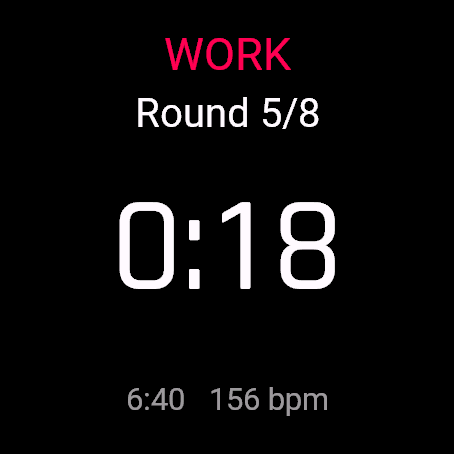
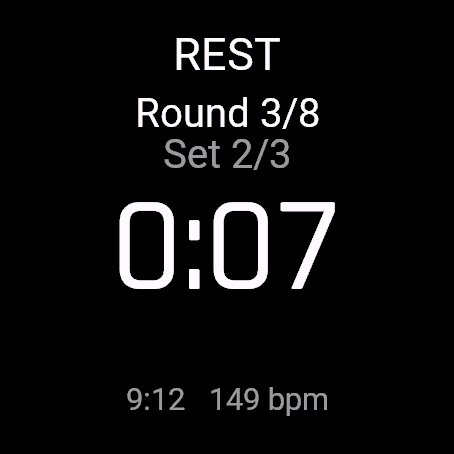
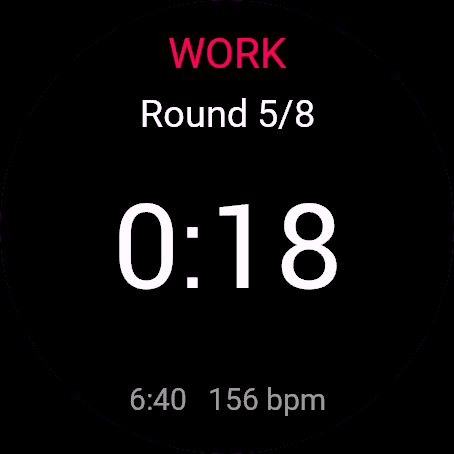
- Big countdown, phase colour, round/set count, elapsed time, heart rate
- Remembers your last settings per mode
Liczy czas od startu, a nie tykaniami w dół, więc się nie zawiesza i nie gubi rytmu. Zawsze zapisuje trening jako HIIT z poprawnym typem EMOM, AMRAP albo Tabata w Garmin Connect.
- EMOM: długość interwału i liczba rund
- AMRAP: limit czasu, rundy liczysz sam przyciskami
- Tabata: 20/10 x 8 albo własne liczby
- Własny: praca, odpoczynek, rundy, serie, przerwa między seriami
- Duże odliczanie, kolor fazy, licznik rund i serii, czas całkowity, tętno
- Pamięta ostatnie ustawienia dla każdego trybu
Läuft über die tatsächlich verstrichene Zeit statt über gezählte Ticks, sodass nichts abweicht oder einfriert. Speichert in Garmin Connect immer als HIIT mit dem passenden Typ EMOM, AMRAP oder Tabata.
- EMOM: Intervalllänge und Runden
- AMRAP: Time-Cap, Runden über die Tasten zählen
- Tabata: 20/10 x 8 oder eigene Werte
- Custom: Belastung, Pause, Runden, Sätze, Pause zwischen Sätzen
- Großer Countdown, Phasenfarbe, Runden-/Satz-Zähler, verstrichene Zeit, Herzfrequenz
- Merkt sich deine letzten Einstellungen pro Modus
Fonctionne sur le temps écoulé et non sur un comptage de tics, ce qui empêche toute dérive ou blocage. Enregistre toujours l'activité en tant que HIIT avec le bon type EMOM, AMRAP ou Tabata dans Garmin Connect.
- EMOM : durée de l'intervalle et nombre de tours
- AMRAP : time cap, comptage des tours avec les boutons
- Tabata : 20/10 x 8 ou vos propres valeurs
- Personnalisé : travail, repos, tours, séries, repos entre les séries
- Grand compte à rebours, couleur de phase, compte des tours/séries, temps écoulé, fréquence cardiaque
- Mémorise vos derniers réglages par mode
Funciona según el tiempo transcurrido, no contando pulsos de reloj, por lo que no puede desfasarse ni bloquearse. Siempre se guarda como HIIT con el tipo correcto de EMOM, AMRAP o Tabata en Garmin Connect.
- EMOM: duración del intervalo y rondas
- AMRAP: tiempo límite, cuenta las rondas con los botones
- Tabata: 20/10 x 8 o tus propios números
- Personalizado: trabajo, descanso, rondas, series, descanso entre series
- Cuenta atrás grande, color de fase, recuento de rondas/series, tiempo transcurrido, frecuencia cardíaca
- Recuerda tus últimos ajustes por modo
Draait op verstreken tijd, niet op getelde tikken, waardoor hij niet kan afdrijven of vastlopen. Slaat altijd op als HIIT met het juiste type EMOM, AMRAP of Tabata in Garmin Connect.
- EMOM: intervallengte en rondes
- AMRAP: tijdslimiet, rondes tellen met de knoppen
- Tabata: 20/10 x 8 of je eigen getallen
- Aangepast: inspanning, rust, rondes, sets, rust tussen sets
- Grote afteltimer, fasekleur, ronde-/settelling, verstreken tijd, hartslag
- Onthoudt je laatste instellingen per modus
カウントしたティック数ではなく経過時間に基づいて動作するため、時間のズレや動作停止が起こりません。Garmin Connect には常に正確な EMOM、AMRAP、または Tabata のタイプを持つ HIIT として保存されます。
- EMOM:インターバルの長さとラウンド数
- AMRAP:タイムキャップ、ボタンでラウンド数をカウント
- Tabata:20/10 x 8 または任意の数値
- Custom:ワーク、レスト、ラウンド、セット、セット間レスト
- 大きなカウントダウン表示、フェーズごとの色分け、ラウンド/セット数、経過時間、心拍数
- モードごとに前回の設定を記憶
Funziona sul tempo trascorso effettivo, non sul conteggio dei tick, quindi non accumula ritardi né si blocca. Salva sempre come HIIT con il tipo corretto EMOM, AMRAP o Tabata in Garmin Connect.
- EMOM: durata dell'intervallo e round
- AMRAP: time cap, conteggio dei round tramite pulsanti
- Tabata: 20/10 x 8 o i tuoi parametri personalizzati
- Personalizzato: lavoro, riposo, round, serie, riposo tra le serie
- Grande conto alla rovescia, colore della fase, conteggio round/serie, tempo trascorso, frequenza cardiaca
- Memorizza le ultime impostazioni per ciascuna modalità
基于已用时间运行而非脉冲计数,因此不会漂移或卡死。在 Garmin Connect 中始终以正确的 EMOM、AMRAP 或 Tabata 类型保存为 HIIT 活动。
- EMOM:间歇时长与轮数
- AMRAP:时间上限,通过按键记录轮数
- Tabata:20/10 x 8 或自定义数值
- Custom:训练、休息、轮数、组数、组间休息
- 大字倒计时、阶段颜色、轮数/组数统计、已用时间、心率
- 记住每种模式下的最后设置
Работает по прошедшему времени, а не по подсчету тиков, поэтому время не сбивается и таймер не зависает. Всегда сохраняется как HIIT с правильным типом EMOM, AMRAP или Tabata в Garmin Connect.
- EMOM: длительность интервала и количество раундов
- AMRAP: ограничение по времени, подсчет раундов кнопками
- Tabata: 20/10 x 8 или ваши собственные значения
- Custom: работа, отдых, раунды, сеты, отдых между сетами
- Крупный обратный отсчет, цвет фазы, счетчик раундов и сетов, прошедшее время, пульс
- Запоминает последние настройки для каждого режима
Funciona com base no tempo decorrido, e não em contagem de tiques, evitando atrasos ou travamentos. Sempre salva como HIIT com o tipo correto de EMOM, AMRAP ou Tabata no Garmin Connect.
- EMOM: duração do intervalo e rounds
- AMRAP: tempo limite (time cap), conte os rounds com os botões
- Tabata: 20/10 x 8 ou seus próprios números
- Personalizado: esforço, descanso, rounds, séries, descanso entre séries
- Contagem regressiva grande, cor da fase, contagem de rounds/séries, tempo decorrido, frequência cardíaca
- Lembra suas últimas configurações por modo
Běží na základě uplynulého času, nikoli počítaných tiků, takže se nemůže rozcházet ani zaseknout. V Garmin Connect se vždy uloží jako HIIT se správným typem EMOM, AMRAP nebo Tabata.
- EMOM: délka intervalu a počet kol
- AMRAP: časový limit (time cap), počítání kol tlačítky
- Tabata: 20/10 x 8 nebo vlastní čísla
- Vlastní: práce, odpočinek, kola, série, odpočinek mezi sériemi
- Velký odpočet, barva fáze, počet kol/sérií, uplynulý čas, tepová frekvence
- Pamatuje si vaše poslední nastavení pro každý režim
Funciona com base no tempo decorrido e não em ciclos contados, pelo que não sofre desvios nem bloqueia. Guarda sempre como HIIT com o tipo correto de EMOM, AMRAP ou Tabata no Garmin Connect.
- EMOM: duração do intervalo e rondas
- AMRAP: time cap, contagem de rondas com os botões
- Tabata: 20/10 x 8 ou os seus próprios números
- Personalizado: trabalho, descanso, rondas, séries, descanso entre séries
- Contagem decrescente grande, cor da fase, contagem de rondas/séries, tempo decorrido, frequência cardíaca
- Memoriza as suas últimas definições por modo
단순 틱 카운트가 아닌 실제 경과 시간을 기반으로 동작하여 시간 오차가 생기거나 멈추지 않습니다. Garmin Connect에 항상 올바른 EMOM, AMRAP 또는 Tabata 유형의 HIIT 운동으로 저장됩니다.
- EMOM: 인터벌 시간 및 라운드 설정
- AMRAP: 제한 시간 설정, 버튼으로 라운드 카운트
- Tabata: 20/10 x 8 또는 원하는 수치로 설정
- Custom: 운동 시간, 휴식 시간, 라운드, 세트, 세트 간 휴식 시간
- 큼직한 카운트다운, 단계별 색상 표시, 라운드/세트 수, 경과 시간, 심박수
- 모드별 마지막 설정 자동 기억
Körs på förfluten tid, inte räknade tick, så den kan varken driva eller låsa sig. Sparas alltid som HIIT med rätt EMOM-, AMRAP- eller Tabata-typ i Garmin Connect.
- EMOM: intervallängd och ronder
- AMRAP: tidsgräns, räkna ronder med knapparna
- Tabata: 20/10 x 8 eller dina egna siffror
- Anpassat: arbete, vila, ronder, set, vila mellan set
- Stor nedräkning, fasfärg, antal ronder/set, förfluten tid, puls
- Kommer ihåg dina senaste inställningar per läge
Kører på forløbet tid, ikke tællede tics, så den hverken kan drive eller gå i stå. Gemmer altid som HIIT med den korrekte EMOM-, AMRAP- eller Tabata-type i Garmin Connect.
- EMOM: intervallængde og runder
- AMRAP: tidsgrænse, tæl runder med knapperne
- Tabata: 20/10 x 8 eller dine egne tal
- Tilpasset: arbejde, pause, runder, sæt, pause mellem sæt
- Stor nedtælling, fasefarve, runde/sæt-tæller, forløbet tid, puls
- Husker dine seneste indstillinger for hver tilstand
Kjører på forløpt tid, ikke telte tikk, slik at den ikke kan komme ut av synk eller låse seg. Lagres alltid som HIIT med riktig EMOM-, AMRAP- eller Tabata-type i Garmin Connect.
- EMOM: intervallengde og runder
- AMRAP: tidsgrense, tell runder med knappene
- Tabata: 20/10 x 8 eller dine egne tall
- Egendefinert: arbeid, pause, runder, sett, pause mellom sett
- Stor nedtelling, fasefarge, runde-/setteller, forløpt tid, puls
- Husker de siste innstillingene dine for hver modus
採用經過時間而非累計計時脈衝(tick)運行,因此不會產生時間偏差或卡死。在 Garmin Connect 中一律儲存為 HIIT,並標記正確的 EMOM、AMRAP 或 Tabata 類型。
- EMOM:間歇長度與輪數
- AMRAP:時間上限,透過按鈕記錄完成輪數
- Tabata:20/10 x 8 或自訂數據
- 自訂:運動、休息、輪數、組數、組間休息
- 醒目倒數、階段顏色標示、輪數/組數計數、經過時間、心率
- 記憶各模式的最後設定
Toimii kuluneen ajan perusteella eikä laskettujen kelloniskujen varassa, joten se ei voi jätättää tai jumiutua. Tallentaa suorituksen aina HIIT-muodossa oikealla EMOM-, AMRAP- tai Tabata-tyypillä Garmin Connectiin.
- EMOM: intervallin pituus ja kierrokset
- AMRAP: aikaraja, kierrosten laskenta painikkeilla
- Tabata: 20/10 x 8 tai omat arvot
- Mukautettu: työosio, lepo, kierrokset, sarjat, lepo sarjojen välillä
- Selkeä laskuri, vaiheen väri, kierros-/sarjamäärä, kulunut aika, syke
- Muistaa tilakohtaiset viimeisimmät asetuksesi
Funguje na základe uplynutého času, nie počítaných cyklov, takže sa nemôže oneskoriť ani zamrznúť. V Garmin Connect sa vždy uloží ako HIIT so správnym typom EMOM, AMRAP alebo Tabata.
- EMOM: dĺžka intervalu a počet kôl
- AMRAP: časový limit, počítanie kôl pomocou tlačidiel
- Tabata: 20/10 x 8 alebo vaše vlastné čísla
- Vlastný: cvičenie, odpočinok, kolá, série, odpočinok medzi sériami
- Veľký odpočet, farba fázy, počet kôl/sérií, uplynutý čas, srdcový tep
- Pamätá si vaše posledné nastavenia pre každý režim
Deluje na podlagi pretečenega časa in ne štetja tikov, zato se čas ne more zamakniti ali zamrzniti. V Garmin Connect se vedno shrani kot HIIT s pravilno vrsto vadbe EMOM, AMRAP ali Tabata.
- EMOM: dolžina intervala in število krogov
- AMRAP: časovna omejitev, štetje krogov z gumbi
- Tabata: 20/10 x 8 ali lastne številke
- Po meri: delo, počitek, krogi, nizi, počitek med nizi
- Veliko odštevanje, barva faze, štetje krogov/nizov, pretečeni čas, srčni utrip
- Zapomni si vaše zadnje nastavitve za vsak način
Berjalan berdasarkan waktu yang telah berlalu, bukan hitungan tick, sehingga tidak akan meleset atau macet. Selalu tersimpan sebagai HIIT dengan jenis EMOM, AMRAP, atau Tabata yang sesuai di Garmin Connect.
- EMOM: durasi interval dan ronde
- AMRAP: batas waktu, hitung ronde dengan tombol
- Tabata: 20/10 x 8 atau angka Anda sendiri
- Kustom: kerja, istirahat, ronde, set, istirahat antar-set
- Hitung mundur besar, warna fase, hitungan ronde/set, waktu berlalu, detak jantung
- Mengingat pengaturan terakhir Anda untuk setiap mode
Az eltelt idő alapján fut, nem a számlált óraütésekből, így nem csúszik el és nem fagy le. Mindig HIIT edzésként ment a megfelelő EMOM, AMRAP vagy Tabata típussal a Garmin Connectben.
- EMOM: intervallum hossza és körök
- AMRAP: időkorlát, körök számlálása a gombokkal
- Tabata: 20/10 x 8 vagy saját számok
- Custom: munka, pihenő, körök, sorozatok, sorozatok közötti pihenő
- Nagy visszaszámláló, fázisszín, kör/sorozat számláló, eltelt idő, pulzus
- Módonként megjegyzi a legutóbbi beállításaidat
ทำงานโดยอิงจากเวลาที่ผ่านไปจริง ไม่ใช่การนับ tick เวลาจึงไม่คลาดเคลื่อนหรือค้าง บันทึกเป็น HIIT พร้อมระบุประเภท EMOM, AMRAP หรือ Tabata ที่ถูกต้องใน Garmin Connect เสมอ
- EMOM: ความยาวช่วงและจำนวนรอบ
- AMRAP: time cap, นับรอบด้วยปุ่มกด
- Tabata: 20/10 x 8 หรือตัวเลขที่คุณกำหนดเอง
- Custom: work, rest, จำนวนรอบ, เซต, เวลาพักระหว่างเซต
- ตัวนับถอยหลังขนาดใหญ่, สีบอกช่วง, ตัวนับรอบ/เซต, เวลาที่ผ่านไป, อัตราการเต้นของหัวใจ
- จดจำการตั้งค่าล่าสุดของคุณในแต่ละโหมด
Βασίζεται στον πραγματικό χρόνο που πέρασε και όχι σε καταμετρημένους κύκλους χρονισμού, επομένως δεν μπορεί να αποκλίνει ή να κολλήσει. Αποθηκεύεται πάντα ως HIIT με τον σωστό τύπο EMOM, AMRAP ή Tabata στο Garmin Connect.
- EMOM: διάρκεια διαστήματος και γύροι
- AMRAP: χρονικό όριο (time cap), καταμέτρηση γύρων με τα κουμπιά
- Tabata: 20/10 x 8 ή οι δικοί σου αριθμοί
- Custom: άσκηση, ξεκούραση, γύροι, σετ, ξεκούραση μεταξύ σετ
- Μεγάλη αντίστροφη μέτρηση, χρώμα φάσης, μέτρηση γύρων/σετ, χρόνος που πέρασε, καρδιακοί παλμοί
- Απομνημονεύει τις τελευταίες σου ρυθμίσεις ανά λειτουργία
Radi na temelju proteklog vremena, a ne brojanja taktova, pa ne može odstupati niti se blokirati. Uvijek se sprema kao HIIT s točnom vrstom EMOM, AMRAP ili Tabata u Garmin Connect.
- EMOM: duljina intervala i runde
- AMRAP: vremensko ograničenje, brojanje rundi pomoću gumba
- Tabata: 20/10 x 8 ili vaši vlastiti brojevi
- Prilagođeno: rad, odmor, runde, serije, odmor između serija
- Veliko odbrojavanje, boja faze, broj rundi/serija, proteklo vrijeme, puls
- Pamti vaše zadnje postavke po načinu rada
פועל לפי זמן שעבר ולא לפי ספירת פעימות שעון, כך שהוא אינו סוטה או נתקע. נשמר תמיד כאימון HIIT עם סוג ה-EMOM, AMRAP או Tabata הנכון ב-Garmin Connect.
- EMOM: אורך אינטרוול ומספר סבבים
- AMRAP: הגבלת זמן (time cap), ספירת סבבים באמצעות הכפתורים
- Tabata: 20/10 x 8 או מספרים משלכם
- מותאם אישית: עבודה, מנוחה, סבבים, סטים, מנוחה בין סטים
- ספירה לאחור גדולה, צבע לפי שלב, ספירת סבבים/סטים, זמן שחלף, דופק
- שומר את ההגדרות האחרונות שלכם לכל מצב
Berfungsi berdasarkan masa berlalu, bukan kiraan detikan, jadi ia tidak boleh tersasar atau tergantung. Sentiasa disimpan sebagai HIIT dengan jenis EMOM, AMRAP atau Tabata yang betul dalam Garmin Connect.
- EMOM: panjang selang masa dan pusingan
- AMRAP: had masa, kira pusingan dengan butang
- Tabata: 20/10 x 8 atau nombor anda sendiri
- Tersuai: senaman, rehat, pusingan, set, rehat antara set
- Kiraan detik besar, warna fasa, kiraan pusingan/set, masa berlalu, kadar denyutan jantung
- Mengingati tetapan terakhir anda mengikut mod
How to use it
Open Interval Timer from the watch's app menu.
Controls: START pauses/resumes. BACK opens the menu (resume, save, discard). UP/DOWN change rounds in AMRAP. On watches without UP/DOWN, tap the upper or lower half of the screen.
Otwórz Timer interwałów z menu aplikacji na zegarku.
Sterowanie: START pauzuje i wznawia. WSTECZ otwiera menu (wznów, zapisz, odrzuć). GÓRA/DÓŁ zmieniają rundy w AMRAP. Na zegarkach bez GÓRA/DÓŁ dotknij górnej albo dolnej połowy ekranu.
Öffne Interval Timer im App-Menü der Uhr.
Bedienung: START pausiert/setzt fort. BACK öffnet das Menü (Fortsetzen, Speichern, Verwerfen). UP/DOWN ändern die Runden in AMRAP. Auf Uhren ohne UP/DOWN auf die obere oder untere Bildschirmhälfte tippen.
Ouvrez Interval Timer depuis le menu des applications de la montre.
Commandes : START met en pause/reprend. BACK ouvre le menu (reprendre, enregistrer, supprimer). UP/DOWN change les tours en AMRAP. Sur les montres sans boutons UP/DOWN, touchez la moitié supérieure ou inférieure de l'écran.
Abre Interval Timer desde el menú de apps del reloj.
Controles: START pausa/reanuda. BACK abre el menú (reanudar, guardar, descartar). UP/DOWN cambian las rondas en AMRAP. En relojes sin UP/DOWN, toca la mitad superior o inferior de la pantalla.
Open Interval Timer via het appmenu van het horloge.
Bediening: START pauzeert/hervat. TERUG opent het menu (hervatten, opslaan, verwijderen). OMHOOG/OMLAAG wijzigt rondes in AMRAP. Op horloges zonder OMHOOG/OMLAAG tik je op de bovenste of onderste helft van het scherm.
時計のアプリメニューから Interval Timer を開いてください。
操作方法: START で一時停止/再開。BACK でメニューを開く(再開、保存、破棄)。AMRAP では UP/DOWN でラウンド数を変更。UP/DOWN ボタンのないウォッチでは、画面の上半分または下半分をタップ。
Apri Interval Timer dal menu delle app dell'orologio.
Comandi: START mette in pausa/riprende. BACK apre il menu (riprendi, salva, scarta). UP/DOWN modificano i round in AMRAP. Sugli orologi senza UP/DOWN, tocca la metà superiore o inferiore dello schermo.
在手表的应用菜单中打开 Interval Timer。
操作:START 暂停/继续。BACK 打开菜单(继续、保存、放弃)。UP/DOWN 在 AMRAP 中更改轮数。在没有 UP/DOWN 的手表上,轻触屏幕上半部分或下半部分。
Откройте Interval Timer из меню приложений на часах.
Управление: START ставит на паузу и возобновляет. BACK открывает меню (продолжить, сохранить, удалить). UP/DOWN переключают раунды в AMRAP. На часах без кнопок UP/DOWN коснитесь верхней или нижней половины экрана.
Abra Interval Timer pelo menu de apps do relógio.
Controles: START pausa/retoma. BACK abre o menu (retomar, salvar, descartar). UP/DOWN alteram os rounds no AMRAP. Em relógios sem UP/DOWN, toque na metade superior ou inferior da tela.
Otevřete Interval Timer z nabídky aplikací v hodinkách.
Ovládání: START pozastaví/znovu spustí. BACK otevře menu (pokračovat, uložit, zahodit). UP/DOWN mění počet kol v AMRAP. Na hodinkách bez tlačítek UP/DOWN klepněte na horní nebo dolní polovinu obrazovky.
Abra Interval Timer no menu de aplicações do relógio.
Controlos: START pausa/retoma. BACK abre o menu (retomar, guardar, descartar). UP/DOWN alteram as rondas no AMRAP. Em relógios sem UP/DOWN, toque na metade superior ou inferior do ecrã.
시계의 앱 메뉴에서 Interval Timer을(를) 여세요.
조작 방법: START는 일시 정지/재개. BACK은 메뉴(재개, 저장, 삭제)를 엽니다. AMRAP에서는 UP/DOWN으로 라운드를 변경합니다. UP/DOWN 버튼이 없는 시계에서는 화면의 상단 또는 하단을 탭하세요.
Öppna Interval Timer från klockans appmeny.
Kontroller: START pausar/återupptar. BACK öppnar menyn (återuppta, spara, kasta). UP/DOWN ändrar ronder i AMRAP. På klockor utan UP/DOWN, tryck på övre eller nedre halvan av skärmen.
Åbn Interval Timer fra urets appmenu.
Betjening: START pauser/genoptager. BACK åbner menuen (genoptag, gem, kassér). UP/DOWN ændrer runder i AMRAP. På ure uden UP/DOWN trykkes på øverste eller nederste halvdel af skærmen.
Åpne Interval Timer fra appmenyen på klokken.
Kontroller: START pauser/gjenopptar. BACK åpner menyen (gjenoppta, lagre, forkast). UP/DOWN endrer runder i AMRAP. På klokker uten UP/DOWN trykker du på øvre eller nedre halvdel av skjermen.
從手錶的應用程式選單開啟 Interval Timer。
操作方式:START 暫停/繼續。BACK 開啟選單(繼續、儲存、捨棄)。UP/DOWN 在 AMRAP 中調整輪數。在沒有 UP/DOWN 按鈕的手錶上,輕觸螢幕上半部或下半部。
Avaa Interval Timer kellon sovellusvalikosta.
Ohjaus: START keskeyttää/jatkaa. BACK avaa valikon (jatka, tallenna, hylkää). UP/DOWN muuttaa kierroksia AMRAP-tilassa. Kelloissa, joissa ei ole UP/DOWN-painikkeita, napauta näytön ylä- tai alapuoliskoa.
Otvorte Interval Timer z ponuky aplikácií v hodinkách.
Ovládanie: START pozastaví/obnoví. BACK otvorí menu (pokračovať, uložiť, zahodiť). UP/DOWN mení počet kôl v AMRAP. Na hodinkách bez tlačidiel UP/DOWN ťuknite na hornú alebo dolnú polovicu obrazovky.
Odprite Interval Timer v meniju aplikacij na uri.
Upravljanje: START začasno ustavi/nadaljuje. BACK odpre meni (nadaljuj, shrani, zavrzi). UP/DOWN spreminjata kroge v AMRAP. Na urah brez gumbov UP/DOWN tapnite zgornjo ali spodnjo polovico zaslona.
Buka Interval Timer dari menu aplikasi jam.
Kontrol: START menjeda/melanjutkan. BACK membuka menu (lanjutkan, simpan, buang). UP/DOWN mengubah ronde di AMRAP. Pada jam tangan tanpa UP/DOWN, ketuk bagian atas atau bawah layar.
Nyissa meg a(z) Interval Timer alkalmazást az óra alkalmazásmenüjéből.
Vezérlés: START szüneteltet/folytat. BACK megnyitja a menüt (folytatás, mentés, elvetés). UP/DOWN módosítja a köröket az AMRAP-ban. Azokon az órákon, ahol nincs UP/DOWN gomb, koppints a képernyő felső vagy alsó felére.
เปิด Interval Timer จากเมนูแอปของนาฬิกา
การควบคุม: START เพื่อหยุดชั่วคราว/เล่นต่อ BACK เพื่อเปิดเมนู (resume, save, discard) UP/DOWN เพื่อเปลี่ยนรอบใน AMRAP สำหรับนาฬิกาที่ไม่มีปุ่ม UP/DOWN ให้แตะที่ครึ่งบนหรือครึ่งล่างของหน้าจอ
Ανοίξτε το Interval Timer από το μενού εφαρμογών του ρολογιού.
Χειρισμός: Το START κάνει παύση/συνέχιση. Το BACK ανοίγει το μενού (συνέχιση, αποθήκευση, απόρριψη). Τα UP/DOWN αλλάζουν τους γύρους στο AMRAP. Σε ρολόγια χωρίς UP/DOWN, πάτα στο επάνω ή στο κάτω μισό της οθόνης.
Otvorite Interval Timer iz izbornika aplikacija na satu.
Kontrole: START pauzira/nastavlja. BACK otvara izbornik (nastavi, spremi, odbaci). UP/DOWN mijenjaju runde u AMRAP-u. Na satovima bez gumba UP/DOWN, dodirnite gornju ili donju polovicu zaslona.
פתחו את Interval Timer מתפריט האפליקציות של השעון.
פקדים: START משהה/מחדש. BACK פותח את התפריט (חידוש, שמירה, מחיקה). UP/DOWN משנים סבבים ב-AMRAP. בשעונים ללא כפתורי UP/DOWN, הקישו על החצי העליון או התחתון של המסך.
Buka Interval Timer daripada menu aplikasi jam.
Kawalan: START menjeda/menyambung semula. BACK membuka menu (sambung semula, simpan, buang). UP/DOWN menukar pusingan dalam AMRAP. Pada jam tangan tanpa UP/DOWN, ketik bahagian atas atau bawah skrin.
Manual
The full manual and the detailed permission descriptions are available in English and Polish.
Interval Timer: user manual
What it does
Interval Timer runs EMOM, AMRAP, Tabata and custom interval workouts. It reads time from the watch clock, so it does not drift, and saves the session to Garmin Connect as a HIIT activity with a lap per round.
Requirements and supported watches
Needs Connect IQ 3.3.0+ and the Connect IQ or Garmin Connect phone app. Supported watches:
- Round AMOLED: epix 2 and epix Pro 2, fēnix 8, E, Forerunner 165, 265, 570, 965, 970, Instinct 3 AMOLED, Crossover AMOLED, Venu 2, 3, 4, vivoactive 5, 6.
- Round MIP: enduro 3, fēnix 7 series, 8 Solar, Forerunner 55, 245, 255, vivoactive 4.
- Square and rectangular AMOLED: Venu Sq 2, Venu X1.
Installation
In the Connect IQ app on your phone (or Garmin Connect, then the Connect IQ Store) find "Interval Timer" by Dialforge, tap Install and sync the watch. Open it from the apps list: press START on the watch face, then pick Interval Timer.
First launch
The start screen shows the app name, "Press START" and the free beta days left. START (or a tap) opens the setup menu: Start, Mode and the values of that mode. Values are remembered per mode. The 30-day free beta starts the first time you open it.
Controls
Watches with buttons (START, UP, DOWN, BACK)
- Setup: START opens the menu. UP and DOWN scroll, START on a value raises it one step and wraps to the minimum after the maximum. Choose Start to begin.
- Workout: START pauses and resumes. BACK opens Resume, Save, Discard (Discard asks twice).
- AMRAP: UP adds a round, DOWN removes one.
Touch watches (tap, hold, swipe)
- Setup: tap opens the menu, tap a value to raise it a step.
- Workout: tap pauses and resumes. Swipes do nothing.
- AMRAP without UP and DOWN buttons: tap the upper half of the screen for +1 round, the lower half for -1. Pause then goes through BACK or holding the menu button.
Settings
Phone: Connect IQ app, Interval Timer, Settings (the unlock code fields are there too).
On the watch, inside the app:
- Mode: EMOM, AMRAP, Tabata or Custom.
- EMOM: interval 0:15 to 10:00, rounds 1 to 60.
- AMRAP: time cap 1:00 to 60:00.
- Tabata: work and rest 5 to 120 s, rounds 1 to 30.
- Custom: work 5 to 600 s, rest 0 to 300 s, rounds 1 to 30, sets 1 to 10, rest between sets 0 to 600 s.
License
- Free beta: 30 days from the first launch, everything works.
- Price: 5.99 EUR once at dialforge.dev, no subscription. The 8-character code is tied to your watch's UID.
- Where to enter it: phone, Connect IQ app, Interval Timer, Settings. Read the UID in "Watch UID (needed to buy a code)", buy the code, then type it into "Unlock code from dialforge.dev". The end-of-beta screen on the watch shows the UID too.
- After the beta without a code: an end-of-beta screen with the UID replaces the app. Enter the code, then open it again. New watch? Write to us and the code moves for free.
Privacy and permissions
Permissions:
- Activity recording: saves the session to Garmin Connect.
- Extra FIT fields: adds the app's values to the saved activity.
- Sensors: reads heart rate from the watch to show it during a workout.
No internet use. Data stays on the watch and in the activities you save.
Troubleshooting
The code does not work. Check that the UID you bought for matches "Watch UID (needed to buy a code)" and type all 8 characters (case is ignored, no 0, O, 1 or I). A code for another app does not fit. Sync, then reopen.
Where is my workout? Choose Save in the stop menu: it lands in Garmin Connect as HIIT (EMOM, AMRAP or Tabata type) with a lap per round.
No heart rate on screen. It shows once the watch has a reading. Wear it snug above the wrist bone.
Does pausing break the timing? No, phases come from elapsed time, so pause and resume keep time and laps right.
Contact
kontakt@dialforge.dev or dialforge.dev. Please write before leaving a low rating.
Timer interwałów: instrukcja obsługi
Do czego służy
Timer interwałów prowadzi treningi EMOM, AMRAP, Tabata i własne interwały. Czas bierze z zegara zegarka, więc nie ucieka, a sesję zapisuje w Garmin Connect jako aktywność HIIT z okrążeniem na rundę.
Wymagania i obsługiwane zegarki
Wymaga Connect IQ 3.3.0+ i aplikacji Connect IQ albo Garmin Connect w telefonie. Obsługiwane zegarki:
- Okrągłe AMOLED: epix 2 i epix Pro 2, fēnix 8, E, Forerunner 165, 265, 570, 965, 970, Instinct 3 AMOLED, Crossover AMOLED, Venu 2, 3, 4, vivoactive 5, 6.
- Okrągłe MIP: enduro 3, seria fēnix 7, fēnix 8 Solar, Forerunner 55, 245, 255, vivoactive 4.
- Kwadratowe i prostokątne AMOLED: Venu Sq 2, Venu X1.
Instalacja
Na telefonie otwórz aplikację Connect IQ (albo Garmin Connect, a w niej sklep Connect IQ), wyszukaj "Timer interwałów" od Dialforge, stuknij Zainstaluj i zsynchronizuj zegarek. Uruchom ją z listy aplikacji: na tarczy naciśnij START i wybierz Timer interwałów.
Pierwsze uruchomienie
Ekran startowy pokazuje nazwę, "Naciśnij START" i liczbę dni bety do końca. START (albo stuknięcie) otwiera menu: Start, Tryb i wartości tego trybu. Wartości są pamiętane osobno dla każdego trybu. 30-dniowa darmowa beta zaczyna się przy pierwszym otwarciu.
Sterowanie
Zegarki z przyciskami (START, GÓRA, DÓŁ, WSTECZ)
- Ustawienia: START otwiera menu. GÓRA i DÓŁ przewijają, START na wartości podnosi ją o krok, a po maksimum wraca do minimum. Wybierz Start, żeby zacząć.
- Trening: START wstrzymuje i wznawia. WSTECZ otwiera Wznów, Zapisz, Odrzuć (Odrzuć pyta dwa razy).
- AMRAP: GÓRA dodaje rundę, DÓŁ odejmuje.
Zegarki dotykowe (stuknięcie, przytrzymanie, przesunięcie)
- Ustawienia: stuknięcie otwiera menu, stuknięcie wartości podnosi ją o krok.
- Trening: stuknięcie wstrzymuje i wznawia. Przesunięcia nic nie robią.
- AMRAP na zegarku bez przycisków GÓRA i DÓŁ: górna połowa ekranu daje +1 rundę, dolna -1. Pauza idzie wtedy przez WSTECZ albo przytrzymanie przycisku menu.
Ustawienia
Telefon: aplikacja Connect IQ, Timer interwałów, Ustawienia (są tam też pola kodu odblokowania).
Na zegarku, w aplikacji:
- Tryb: EMOM, AMRAP, Tabata albo Własny.
- EMOM: interwał od 0:15 do 10:00, rundy od 1 do 60.
- AMRAP: limit czasu od 1:00 do 60:00.
- Tabata: praca i odpoczynek od 5 do 120 s, rundy od 1 do 30.
- Własny: praca od 5 do 600 s, odpoczynek od 0 do 300 s, rundy od 1 do 30, serie od 1 do 10, przerwa między seriami od 0 do 600 s.
Licencja
- Darmowa beta: 30 dni od pierwszego uruchomienia, wszystko działa.
- Cena: jednorazowo 5,99 EUR na dialforge.dev, bez abonamentu. 8-znakowy kod jest przypisany do UID zegarka.
- Gdzie wpisać: telefon, aplikacja Connect IQ, Timer interwałów, Ustawienia. Odczytaj UID w polu "UID zegarka (potrzebny do zakupu kodu)", kup kod i wpisz go w "Kod odblokowania z dialforge.dev". Ekran końca bety na zegarku też pokazuje UID.
- Po becie bez kodu: zamiast aplikacji pojawia się ekran końca bety z UID. Wpisz kod i otwórz aplikację ponownie. Nowy zegarek? Napisz do nas, przeniesiemy kod za darmo.
Prywatność i uprawnienia
Uprawnienia:
- Zapis aktywności: zapisuje sesję w Garmin Connect.
- Dodatkowe pola FIT: dopisuje wartości aplikacji do aktywności.
- Czujniki: odczyt tętna z zegarka, żeby pokazać je w trakcie treningu.
Zero połączeń z internetem. Dane zostają w zegarku i w zapisywanych aktywnościach.
Rozwiązywanie problemów
Kod nie działa. Sprawdź, czy UID, dla którego kupiono kod, zgadza się z polem "UID zegarka (potrzebny do zakupu kodu)", i wpisz wszystkie 8 znaków (wielkość liter bez znaczenia, bez 0, O, 1, I). Kod do innej aplikacji nie pasuje. Zsynchronizuj i otwórz ponownie.
Gdzie jest mój trening? Wybierz Zapisz w menu: trafi do Garmin Connect jako HIIT (typ EMOM, AMRAP lub Tabata) z okrążeniem na rundę.
Na ekranie nie ma tętna. Pojawia się, gdy zegarek ma odczyt. Załóż go ciasno nad kością nadgarstka.
Czy pauza psuje pomiar czasu? Nie, fazy wynikają z upływu czasu, więc pauza i wznowienie zachowują czas i okrążenia.
Kontakt
kontakt@dialforge.dev albo dialforge.dev. Napisz, zanim wystawisz niską ocenę.
Permissions and privacy
This product asks the watch for the permissions below. Connect IQ shows them when you install it.
- Activity recording: Saves your workout in Garmin Connect (the activity from this app). The data stays in your Garmin account.Zapisuje trening w Garmin Connect (aktywność z tej aplikacji). Dane zostają na Twoim koncie Garmin.
- Own data fields in the activity: Adds this app's own numbers (for example points or sets) to the saved activity.Dodaje do zapisanej aktywności liczby tej aplikacji (na przykład punkty albo serie).
- Heart rate and sensors: Reads heart rate and other sensors of the watch while the app runs.Odczytuje tętno i inne czujniki zegarka, gdy aplikacja działa.
This product does not use the internet and sends no data to our servers.
The full manual and the detailed permission descriptions are available in English and Polish.
Compatible watches
51mm, D2 Air X15, D2 Mach 1 Pro, Enduro 2, Enduro 3, epix (Gen 2), epix Pro (Gen 2) 42mm, epix Pro (Gen 2) 47mm, epix Pro (Gen 2) 51mm, Forerunner 165, Forerunner 165 Music, Forerunner 245, Forerunner 245 Music, Forerunner 255, Forerunner 255 Music, Forerunner 255s, Forerunner 255s Music, Forerunner 265, Forerunner 265s, Forerunner 55, Forerunner 570 42mm, Forerunner 570 47mm, Forerunner 965, Forerunner 970, fēnix 7, fēnix 7 Pro, fēnix 7 Pro - Solar Edition (no Wi-Fi), fēnix 7S, fēnix 7S Pro, fēnix 7X, fēnix 7X Pro, fēnix 7X Pro - Solar Edition (no Wi-Fi), fēnix 8 43mm, fēnix 8 47mm, fēnix 8 Pro 47mm, fēnix 8 Solar 47mm, fēnix 8 Solar 51mm, fēnix E, Instinct 3 AMOLED 45mm, Instinct 3 AMOLED 50mm, Instinct Crossover AMOLED, MicroLED, quatix 7, quatix 7 Pro, quatix 7 Sapphire, quatix 7X Solar, quatix 8 47mm, quatix 8 Pro 47mm, tactix 7, tactix 7 – AMOLED Edition, tactix 8 47mm, tactix 8 Solar 51mm, Venu 2, Venu 2 Plus, Venu 2S, Venu 3, Venu 3S, Venu 4 41mm, Venu 4 45mm, Venu Sq 2, Venu Sq 2 Music, Venu X1, vívoactive 4, vívoactive 4S, vívoactive 5, vívoactive 6
Screenshots
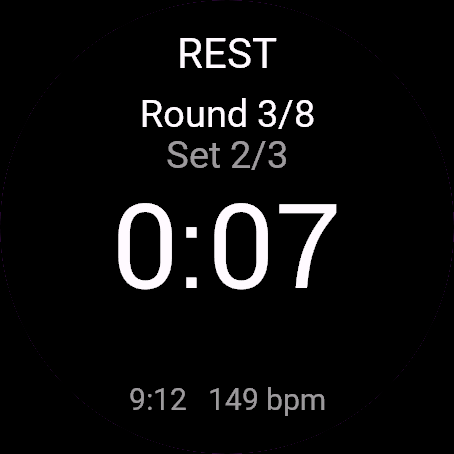
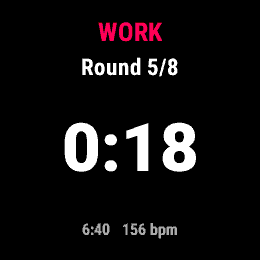
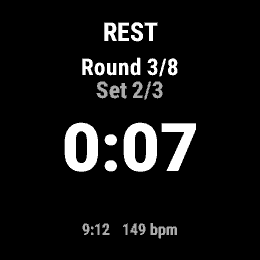
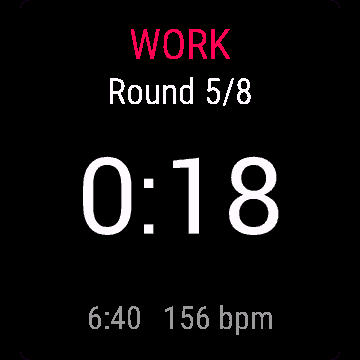
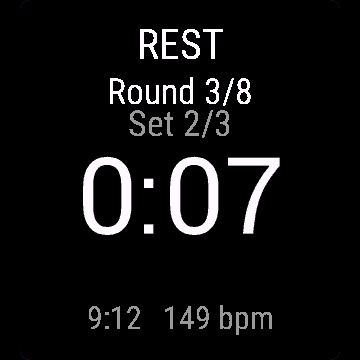
FAQ
What happens after the 30-day beta?
The app shows a screen asking for a one-time unlock code from dialforge.dev instead of opening normally. Buy the code once below, no subscription.
Does the app send my data to Dialforge?
No. The app works fully offline, and the unlock code is checked on the watch itself, without contacting any server.
The app does not work as described on my watch. Can I get a refund?
Yes. Write through the feedback form below, or to the e-mail in the footer. If we cannot fix it, we refund you, as described in the terms.
Changing your watch?
Write to me and I will move your code for free.
Changelog
- First release (beta).
- Pierwsze wydanie (beta).
- Erste Veröffentlichung (Beta).
- Première version (bêta).
- Primera versión (beta).
- Eerste release (beta).
- 初回リリース(ベータ版)。
- Prima versione (beta).
- 首次发布(测试版)。
- Первый релиз (бета).
- Primeiro lançamento (beta).
- První verze (beta).
- Primeira versão (beta).
- 첫 출시(베타).
- Första versionen (beta).
- Første udgivelse (beta).
- Første versjon (beta).
- 首發版本(beta)。
- Ensimmäinen julkaisu (beta).
- Prvé vydanie (beta).
- Prva različica (beta).
- Rilis pertama (beta).
- Első kiadás (béta).
- เวอร์ชันแรก (beta)
- Πρώτη έκδοση (beta).
- Prvo izdanje (beta).
- גרסה ראשונה (בטא).
- Keluaran pertama (beta).
Unlock
€5.99
One-time payment. No subscription. The code works on the watch whose UID you enter.
- Install the app from the Connect IQ store. It works fully and for free for the first 30 days.
- Find your 10-digit UID: Connect IQ app on the phone > My Device > Apps or Data Fields > this app > Settings > Watch UID.
- Enter UID and e-mail, pay with PayPal (cards work without a PayPal account). The code appears here at once.
- Type the code into the same settings page, field "Unlock code". The watch checks it offline.
Thank you! Your code:
Enter the code in the app settings, field "Unlock code". The watch checks it offline.
Tell us how to make it better
Missing a data field, a colour, a layout? Found a bug on your watch model? Write it here. We read every message and ship improvements in updates.