Games
Sudoku Watch
300 real sudoku puzzles, three difficulties, no ads, no wifi needed.
300 prawdziwych sudoku, trzy poziomy trudności, bez reklam i bez wifi.
300 echte Sudoku-Rätsel, drei Schwierigkeitsgrade, keine Werbung, kein WLAN nötig.
300 vraies grilles de sudoku, trois niveaux de difficulté, aucune publicité, aucun wifi nécessaire.
300 sudokus reales, tres niveles de dificultad, sin anuncios, sin necesidad de wifi.
300 echte sudokupuzzels, drie moeilijkheidsgraden, geen advertenties, geen wifi nodig.
300問の本格数独パズル、3段階の難易度、広告なし、Wi-Fi不要。
300 sudoku veri, tre livelli di difficoltà, niente pubblicità, niente wifi necessario.
300道真正的数独题目,三个难度,没有广告,也不需要联网。
300 настоящих судоку, три уровня сложности, без рекламы, без подключения к wifi.
300 sudokus de verdade, três níveis de dificuldade, sem anúncios, sem precisar de wifi.
300 skutečných sudoku hádanek, tři obtížnosti, žádné reklamy, bez nutnosti wifi.
300 puzzles de sudoku reais, três dificuldades, sem anúncios, sem precisar de wifi.
실제로 풀 수 있는 스도쿠 300문제, 난이도 3단계, 광고 없음, 와이파이도 필요 없음.
300 riktiga sudokupussel, tre svårighetsgrader, inga annonser, ingen wifi behövs.
300 rigtige sudoku-opgaver, tre sværhedsgrader, ingen reklamer, intet wifi nødvendigt.
300 ekte sudokuoppgaver, tre vanskelighetsgrader, ingen reklame, ingen wifi nødvendig.
300道真正的數獨題目,三種難度,沒有廣告,不需要wifi。
300 aitoa sudokutehtävää, kolme vaikeustasoa, ei mainoksia, ei wifiä tarvita.
300 skutočných sudoku hlavolamov, tri úrovne náročnosti, žiadne reklamy, wifi netreba.
300 resničnih sudoku ugank, tri težavnosti, brez reklam, brez potrebe po wifiju.
300 puzzle sudoku sungguhan, tiga tingkat kesulitan, tanpa iklan, tanpa perlu wifi.
300 valódi sudoku rejtvény, három nehézségi szint, hirdetések nélkül, wifi nélkül.
ซูโดกุจริง 300 ข้อ สามระดับความยาก ไม่มีโฆษณา ไม่ต้องใช้ wifi
300 αληθινά παζλ σουντόκου, τρία επίπεδα δυσκολίας, χωρίς διαφημίσεις, χωρίς ανάγκη για wifi.
300 stvarnih sudoku zagonetki, tri razine težine, bez reklama, bez potrebe za wifiem.
300 פאזלי סודוקו אמיתיים, שלוש רמות קושי, בלי פרסומות, בלי צורך ב-WiFi.
300 puzzle sudoku sebenar, tiga tahap kesukaran, tiada ads, tak perlu wifi.
Coming to Connect IQ Unlock €3.99
Beta: free for 30 days
The app works fully and for free for the first 30 days after you first open it. After that you can buy a one-time unlock code below. No subscription.
Every puzzle here has exactly one solution, checked with a solver before it reached the watch, not just pulled from a random generator. Move a cursor around the grid, pick a difficulty, and the app remembers your progress if you close it.
- 300 puzzles, easy, medium and hard, all verified unique
- Cursor over the grid, quick number picker for entry
- Conflicts highlighted the moment a digit repeats
- Optional pencil marks for candidates
- Timer, auto-save and resume, completion check
Każda łamigłówka ma dokładnie jedno rozwiązanie, sprawdzone solverem zanim trafiła na zegarek, a nie wylosowane na chybił trafił. Przesuwasz kursor po planszy, wybierasz poziom, a aplikacja pamięta, gdzie skończyłeś, nawet po zamknięciu.
- 300 układów: łatwe, średnie i trudne, każdy ze sprawdzoną jednoznacznością
- Kursor po planszy, szybki wybór cyfry
- Konflikty podświetlane od razu, gdy cyfra się powtórzy
- Opcjonalne notatki ołówkiem
- Stoper, autozapis i wznowienie, sprawdzanie ukończenia
Jedes Rätsel hier hat genau eine Lösung, geprüft mit einem Solver, bevor es auf die Uhr kam, nicht einfach aus einem Zufallsgenerator gezogen. Bewege einen Cursor über das Raster, wähle einen Schwierigkeitsgrad, und die App merkt sich deinen Fortschritt, wenn du sie schließt.
- 300 Rätsel, leicht, mittel und schwer, alle als eindeutig geprüft
- Cursor über dem Raster, schneller Zahlenwähler zur Eingabe
- Konflikte werden sofort markiert, sobald sich eine Ziffer wiederholt
- Optionale Bleistiftnotizen für Kandidaten
- Timer, automatisches Speichern und Fortsetzen, Fertigstellungs-Check
Chaque grille ici a exactement une solution, vérifiée par un solveur avant d'arriver sur la montre, pas simplement sortie d'un générateur aléatoire. Déplacez un curseur sur la grille, choisissez une difficulté, et l'application se souvient de votre progression si vous la fermez.
- 300 grilles, faciles, moyennes et difficiles, toutes vérifiées uniques
- Curseur sur la grille, sélecteur rapide de chiffres pour la saisie
- Conflits surlignés dès qu'un chiffre se répète
- Annotations au crayon optionnelles pour les candidats
- Chronomètre, sauvegarde automatique et reprise, vérification de fin de grille
Cada puzle tiene exactamente una solución, comprobada con un solucionador antes de llegar al reloj, no sacada sin más de un generador aleatorio. Mueve un cursor por la cuadrícula, elige una dificultad, y la app recuerda tu progreso si la cierras.
- 300 puzles, fácil, medio y difícil, todos verificados como únicos
- Cursor sobre la cuadrícula, selector rápido de números para introducirlos
- Los conflictos se resaltan en el momento en que un dígito se repite
- Anotaciones a lápiz opcionales para los candidatos
- Temporizador, guardado automático y reanudación, comprobación de finalización
Elke puzzel hier heeft precies een oplossing, gecontroleerd met een solver voordat hij op het horloge kwam, niet zomaar getrokken uit een willekeurige generator. Verplaats een cursor over het raster, kies een moeilijkheidsgraad, en de app onthoudt je voortgang als je hem afsluit.
- 300 puzzels, makkelijk, gemiddeld en moeilijk, allemaal gecontroleerd op een unieke oplossing
- Cursor over het raster, snelle cijferkiezer voor invoer
- Conflicten worden direct gemarkeerd zodra een cijfer zich herhaalt
- Optionele potloodnotaties voor kandidaten
- Timer, automatisch opslaan en hervatten, controle op voltooiing
このアプリのすべての問題は、時計に収録される前にソルバーで検証済みで、答えがただ1つに定まります。ランダム生成をそのまま使っているわけではありません。マス目上でカーソルを動かし、難易度を選べば、アプリを閉じても進行状況はそのまま記憶されます。
- 300問、初級・中級・上級の3段階、すべて解が一意であることを確認済み
- マス目上を動くカーソルと、すばやく数字を入力できるナンバーピッカー
- 数字が重複した瞬間にその箇所をハイライト表示
- 候補数字を書き込めるメモ機能(任意)
- タイマー、自動保存と再開、完成チェック
Ogni schema qui ha esattamente una soluzione, verificata con un risolutore prima di arrivare sull'orologio, non presa a caso da un generatore casuale. Muovi un cursore sulla griglia, scegli una difficoltà, e l'app ricorda i tuoi progressi anche se la chiudi.
- 300 schemi, facile, medio e difficile, tutti verificati con soluzione unica
- Cursore sulla griglia, selettore rapido dei numeri per l'inserimento
- Conflitti evidenziati nel momento in cui una cifra si ripete
- Segni a matita opzionali per i candidati
- Timer, salvataggio automatico e ripresa, controllo di completamento
这里每一道题都只有一个解,上手表之前都经过求解器验证,不是随机生成器随便拉出来的题目。在格子间移动光标,选好难度,退出应用后进度也会保留。
- 300道题目,简单、中等、困难三个难度,全部经过唯一解验证
- 光标在格子间移动,快速数字选择器输入
- 数字重复冲突会立刻高亮提示
- 可选候选数铅笔标记功能
- 计时、自动存档续玩、完成检测
Каждая головоломка здесь имеет ровно одно решение, проверенное решателем перед тем, как попасть на часы, а не просто взятое из случайного генератора. Двигайте курсор по сетке, выберите уровень сложности, и приложение запомнит ваш прогресс, если вы его закроете.
- 300 головоломок: лёгкий, средний и сложный уровень, все проверены на единственность решения
- Курсор по сетке, быстрый выбор цифры для ввода
- Конфликты подсвечиваются в момент повторения цифры
- Опциональные заметки-кандидаты
- Таймер, автосохранение и продолжение, проверка завершения
Cada sudoku aqui tem exatamente uma solução, verificada com um solver antes de chegar ao relógio, e não simplesmente tirada de um gerador aleatório. Mova um cursor pela grade, escolha uma dificuldade, e o aplicativo lembra seu progresso se você fechar.
- 300 sudokus, fácil, médio e difícil, todos com solução única verificada
- Cursor sobre a grade, seletor rápido de números para preencher
- Conflitos destacados no momento em que um número se repete
- Marcações a lápis opcionais para candidatos
- Cronômetro, salvamento automático e retomada, verificação de conclusão
Každá hádanka tady má přesně jedno řešení, ověřené solverem ještě před tím, než se dostala na hodinky, ne jen vytažené z náhodného generátoru. Posouvejte kurzor po mřížce, vyberte obtížnost, a aplikace si pamatuje váš postup, i když ji zavřete.
- 300 hádanek, lehká, střední a těžká obtížnost, všechny ověřené jako jedinečné
- Kurzor na mřížce, rychlý výběr čísla pro zadání
- Konflikty zvýrazněné ve chvíli, kdy se číslice opakuje
- Volitelné tužkové poznámky pro kandidáty
- Časovač, automatické ukládání a pokračování, kontrola dokončení
Todos os puzzles aqui têm exatamente uma solução, verificada com um solucionador antes de chegar ao relógio, e não apenas retirada de um gerador aleatório. Move um cursor pela grelha, escolhe uma dificuldade, e a aplicação lembra-se do teu progresso se a fechares.
- 300 puzzles, fácil, médio e difícil, todos com solução única verificada
- Cursor sobre a grelha, seletor rápido de números para introduzir valores
- Conflitos destacados no momento em que um dígito se repete
- Marcas a lápis opcionais para candidatos
- Cronómetro, guardado automático e continuação, verificação de conclusão
여기 실린 모든 퍼즐은 정답이 정확히 하나뿐이며, 무작위 생성기에서 그냥 뽑은 게 아니라 시계에 들어가기 전에 풀이 프로그램으로 검증했습니다. 그리드 위에서 커서를 움직이고 난이도를 고르면, 앱을 닫아도 진행 상황이 그대로 저장됩니다.
- 300문제, 쉬움/보통/어려움, 모두 유일해 검증 완료
- 그리드 위의 커서, 빠른 숫자 입력용 피커
- 같은 숫자가 겹치는 순간 충돌 표시
- 후보 숫자를 위한 선택적 메모 기능
- 타이머, 자동 저장과 이어하기, 완료 확인
Varje pussel här har exakt en lösning, kontrollerad med en lösare innan det hamnade på klockan, inte bara hämtat från en slumpgenerator. Flytta en markör runt i rutnätet, välj en svårighetsgrad, och appen kommer ihåg dina framsteg om du stänger den.
- 300 pussel, lätt, medel och svårt, alla verifierat unika
- Markör över rutnätet, snabb sifferväljare för inmatning
- Konflikter markeras i samma ögonblick en siffra upprepas
- Valfria pennanteckningar för kandidater
- Timer, automatisk sparning och återupptagning, kontroll av lösning
Hver opgave her har præcis én løsning, tjekket med en solver før den kom på uret, ikke bare hentet fra en tilfældig generator. Flyt en cursor rundt i gitteret, vælg en sværhedsgrad, og appen husker dine fremskridt, hvis du lukker den.
- 300 opgaver, let, middel og svær, alle verificeret unikke
- Cursor over gitteret, hurtig talvælger til indtastning
- Konflikter markeres, i det øjeblik et tal går igen
- Valgfrie kladdenoter til kandidater
- Timer, auto-gem og genoptag, færdig-tjek
Hver oppgave her har nøyaktig én løsning, kontrollert med en løser før den nådde klokken, ikke bare hentet fra en tilfeldig generator. Flytt en markør rundt i rutenettet, velg en vanskelighetsgrad, og appen husker fremgangen din hvis du lukker den.
- 300 oppgaver, lett, middels og vanskelig, alle verifisert unike
- Markør over rutenettet, rask tallvelger for inntasting
- Konflikter markeres i det øyeblikket et tall gjentas
- Valgfrie blyantnotater for kandidater
- Tidtaker, automatisk lagring og gjenoppta, fullføringskontroll
這裡每一道題目都只有一個解法,上架前都用求解程式驗證過,不是隨機產生器亂生的。用游標在格子間移動,選一個難度,關掉App之後進度也會記住。
- 300道題目,簡單、中等、困難,全部驗證過唯一解
- 游標在格子上移動,快速數字選單方便輸入
- 數字一重複就馬上標示衝突
- 可選的候選數字筆記功能
- 計時、自動存檔和繼續,還有完成檢查
Joka tehtävällä tässä on tarkalleen yksi ratkaisu, tarkistettu ratkaisualgoritmilla ennen kuin se päätyi kellolle, ei vain satunnaisgeneraattorista poimittu. Liikuta kursoria ruudukolla, valitse vaikeustaso, ja sovellus muistaa edistymisesi, jos suljet sen.
- 300 tehtävää, helppo, keskitaso ja vaikea, kaikki varmistetusti yksikäsitteisiä
- Kursori ruudukolla, nopea numerovalitsin syöttöä varten
- Ristiriidat korostetaan heti, kun numero toistuu
- Valinnaiset lyijykynämerkinnät ehdokkaille
- Ajastin, automaattinen tallennus ja jatkaminen, valmistumistarkistus
Každý hlavolam tu má presne jedno riešenie, overené riešiteľom skôr, než sa dostal na hodinky, nielen vytiahnuté z náhodného generátora. Posúvajte kurzor po mriežke, vyberte náročnosť, a aplikácia si pamätá váš postup, aj keď ju zavriete.
- 300 hlavolamov, ľahké, stredné a ťažké, všetky overené ako jednoznačné
- Kurzor na mriežke, rýchly výber čísla na zadanie
- Konflikty zvýraznené hneď, ako sa číslica zopakuje
- Voliteľné poznámky pre kandidátov
- Časovač, automatické uloženie a pokračovanie, kontrola dokončenia
Vsaka uganka tukaj ima natanko eno rešitev, preverjeno z reševalnikom, preden je prišla na uro, ne le izvlečeno iz naključnega generatorja. Kazalec premikaš po mreži, izbereš težavnost, aplikacija pa si zapomni tvoj napredek, če jo zapreš.
- 300 ugank, lahke, srednje in težke, vse preverjeno enolične
- Kazalec po mreži, hiter izbirnik številk za vnos
- Konflikti so poudarjeni takoj, ko se številka ponovi
- Neobvezne svinčnikove oznake za kandidate
- Časomer, samodejno shranjevanje in nadaljevanje, preverjanje dokončanja
Setiap puzzle di sini punya tepat satu solusi, diperiksa dengan solver sebelum masuk ke jam tangan, bukan sekadar diambil dari generator acak. Gerakkan kursor di sekitar grid, pilih tingkat kesulitan, dan aplikasi mengingat progresmu jika kamu menutupnya.
- 300 puzzle, mudah, sedang, dan sulit, semuanya terverifikasi unik
- Kursor di atas grid, pemilih angka cepat untuk mengisi
- Konflik langsung ditandai begitu ada angka yang berulang
- Opsi tanda pensil untuk kandidat angka
- Timer, simpan otomatis dan lanjutkan, pengecekan penyelesaian
Minden itt található rejtvénynek pontosan egy megoldása van, egy megoldóprogrammal ellenőrizve, mielőtt eljutott az órára, nem csak egy véletlen generátorból kiragadva. Mozgasd a kurzort a rácson, válassz nehézségi szintet, és az app megjegyzi a haladásodat, ha bezárod.
- 300 rejtvény, könnyű, közepes és nehéz, mind ellenőrizve, hogy egyedi megoldásuk van
- Kurzor a rácson, gyors számválasztó a beíráshoz
- Az ütközések kiemelve, amint egy szám megismétlődik
- Opcionális ceruzajelek a jelöltekhez
- Időzítő, automatikus mentés és folytatás, befejezés-ellenőrzés
ทุกข้อในนี้มีคำตอบเดียวเท่านั้น ตรวจสอบด้วยตัวแก้ปริศนาก่อนปล่อยขึ้นนาฬิกา ไม่ใช่สุ่มมาจากตัวสร้างเฉย ๆ เลื่อนเคอร์เซอร์ไปรอบตาราง เลือกระดับความยาก และแอปจำความคืบหน้าให้เมื่อคุณปิดแอป
- 300 ข้อ ง่าย กลาง และยาก ทุกข้อตรวจสอบแล้วว่ามีคำตอบเดียว
- เคอร์เซอร์เลื่อนบนตาราง มีปุ่มเลือกเลขให้กรอกเร็ว
- ไฮไลต์ข้อผิดพลาดทันทีที่เลขซ้ำกัน
- มีโหมดจดเลขที่เป็นไปได้ (pencil marks) เป็นตัวเลือก
- จับเวลา บันทึกอัตโนมัติ เล่นต่อได้ และตรวจว่าตอบครบหรือยัง
Κάθε παζλ εδώ έχει ακριβώς μία λύση, ελεγμένη με solver πριν φτάσει στο ρολόι, όχι απλά τραβηγμένη από μια τυχαία γεννήτρια. Μετακίνησε έναν δρομέα στο πλέγμα, διάλεξε δυσκολία, και η εφαρμογή θυμάται την πρόοδό σου αν την κλείσεις.
- 300 παζλ, εύκολα, μεσαία και δύσκολα, όλα επιβεβαιωμένα μοναδικά
- Δρομέας πάνω στο πλέγμα, γρήγορος επιλογέας αριθμών για καταχώρηση
- Οι συγκρούσεις επισημαίνονται τη στιγμή που επαναλαμβάνεται ένα ψηφίο
- Προαιρετικές μολυβένιες σημειώσεις για υποψήφιους αριθμούς
- Χρονόμετρο, αυτόματη αποθήκευση και συνέχιση, έλεγχος ολοκλήρωσης
Svaka zagonetka ovdje ima točno jedno rješenje, provjereno rješavačem prije nego što je stiglo na sat, a nije samo izvučeno iz nasumičnog generatora. Pomiči kursor po mreži, odaberi razinu težine, a aplikacija pamti tvoj napredak ako je zatvoriš.
- 300 zagonetki, lako, srednje i teško, sve provjerene kao jedinstvene
- Kursor po mreži, brzi birač brojeva za unos
- Sukobi se ističu u trenutku kad se znamenka ponovi
- Opcionalne olovne bilješke za kandidate
- Mjerač vremena, automatsko spremanje i nastavak, provjera dovršenosti
לכל פאזל כאן יש פתרון אחד ויחיד בדיוק, שנבדק באמצעות פותר לפני שהגיע לשעון, ולא רק נשלף ממחולל אקראי. מזיזים סמן על הלוח, בוחרים רמת קושי, והאפליקציה זוכרת את ההתקדמות שלך אם סוגרים אותה.
- 300 פאזלים, קל, בינוני וקשה, כולם מאומתים כיחידים
- סמן על הלוח, בורר מספרים מהיר להזנה
- התנגשויות מסומנות ברגע שספרה חוזרת על עצמה
- סימוני עיפרון אופציונליים למועמדים
- טיימר, שמירה אוטומטית וחידוש משחק, בדיקת סיום
Setiap puzzle di sini hanya ada satu penyelesaian tepat, disahkan dengan solver sebelum dimuatkan ke jam tangan, bukan sekadar diambil daripada random generator. Gerakkan kursor merentasi grid, pilih tahap kesukaran, dan aplikasi ingat progress anda jika anda tutup aplikasi.
- 300 puzzle, easy, medium dan hard, semua disahkan unique
- Kursor atas grid, pemilih nombor pantas untuk isi jawapan
- Konflik diserlahkan sebaik sahaja digit berulang
- Pencil mark pilihan untuk candidate
- Pemasa, auto-save dan resume, semakan completion
How to use it
Open Sudoku Watch from the watch's app menu.
Controls: UP and DOWN move the cursor, START opens the number picker (1 to 9 or clear, MENU inside it adds a pencil mark), BACK opens the menu. Touch screens: tap a cell then pick a number.
Otwórz Sudoku z menu aplikacji na zegarku.
Sterowanie: GÓRA i DÓŁ przesuwają kursor, START otwiera wybór cyfry (1-9 albo wyczyść, MENU w wyborze dodaje notatkę ołówkiem), WSTECZ otwiera menu. Ekran dotykowy: dotknij pola, a potem wybierz cyfrę.
Öffne Sudoku Watch im App-Menü der Uhr.
Bedienung: AUF und AB bewegen den Cursor, START öffnet den Zahlenwähler (1 bis 9 oder löschen, MENU darin fügt eine Bleistiftnotiz hinzu), ZURÜCK öffnet das Menü. Touch-Displays: Feld tippen, dann Zahl wählen.
Ouvrez Sudoku Watch depuis le menu des applications de la montre.
Commandes : HAUT et BAS déplacent le curseur, START ouvre le sélecteur de chiffres (1 à 9 ou effacer, MENU à l'intérieur ajoute une annotation au crayon), RETOUR ouvre le menu. Écrans tactiles : touchez une case puis choisissez un chiffre.
Abre Sudoku Watch desde el menú de apps del reloj.
Controles: ARRIBA y ABAJO mueven el cursor, START abre el selector de números (1 a 9 o borrar, MENU dentro añade una anotación a lápiz), ATRÁS abre el menú. Pantallas táctiles: toca una celda y luego elige un número.
Open Sudoku Watch via het appmenu van het horloge.
Bediening: OMHOOG en OMLAAG verplaatsen de cursor, START opent de cijferkiezer (1 tot 9 of wissen, MENU daarbinnen voegt een potloodnotatie toe), TERUG opent het menu. Aanraakschermen: tik op een vakje en kies dan een cijfer.
時計のアプリメニューから Sudoku Watch を開いてください。
操作方法: 上ボタンと下ボタンでカーソルを移動、STARTでナンバーピッカーを開く(1-9または消去、その中でMENUを押すとメモを追加)、戻るボタンでメニューを開く。タッチスクリーンでは、マスをタップしてから数字を選びます。
Apri Sudoku Watch dal menu delle app dell'orologio.
Comandi: SU e GIÙ muovono il cursore, START apre il selettore dei numeri (da 1 a 9 oppure cancella, MENU al suo interno aggiunge un segno a matita), INDIETRO apre il menu. Schermi touch: tocca una cella e poi scegli un numero.
在手表的应用菜单中打开 Sudoku Watch。
操作方式: 上键和下键移动光标,START打开数字选择器(1到9或清空,里面按MENU可以加铅笔标记),返回键打开菜单。触屏: 点击格子后选数字。
Откройте Sudoku Watch из меню приложений на часах.
Управление: ВВЕРХ и ВНИЗ двигают курсор, START открывает выбор цифры (от 1 до 9 или очистка, MENU внутри добавляет заметку-кандидата), BACK открывает меню. Сенсорные экраны: касание клетки, затем выбор цифры.
Abra Sudoku Watch pelo menu de apps do relógio.
Controles: CIMA e BAIXO movem o cursor, START abre o seletor de números (1 a 9 ou limpar, MENU dentro dele adiciona uma marcação a lápis), VOLTAR abre o menu. Telas touch: toque em uma célula e depois escolha um número.
Otevřete Sudoku Watch z nabídky aplikací v hodinkách.
Ovládání: NAHORU a DOLŮ posunují kurzor, START otevře výběr čísla (1 až 9 nebo vymazat, MENU uvnitř přidá tužkovou poznámku), ZPĚT otevře menu. Dotykové displeje: klepnutím na buňku pak vyberete číslo.
Abra Sudoku Watch no menu de aplicações do relógio.
Controlos: CIMA e BAIXO movem o cursor, START abre o seletor de números (1 a 9 ou limpar, MENU dentro dele adiciona uma marca a lápis), VOLTAR abre o menu. Ecrãs táteis: toca numa célula e depois escolhe um número.
시계의 앱 메뉴에서 Sudoku Watch을(를) 여세요.
조작: 위/아래 버튼으로 커서 이동, START로 숫자 피커 열기(1부터 9까지 또는 지우기, 피커 안에서 MENU를 누르면 메모 추가), 뒤로 버튼으로 메뉴 열기. 터치 화면: 칸을 탭한 다음 숫자를 고릅니다.
Öppna Sudoku Watch från klockans appmeny.
Kontroller: UPP och NER flyttar markören, START öppnar sifferväljaren (1 till 9 eller rensa, MENU inuti den lägger till en pennanteckning), TILLBAKA öppnar menyn. Pekskärmar: tryck på en ruta och välj sedan en siffra.
Åbn Sudoku Watch fra urets appmenu.
Kontrol: OP og NED flytter cursoren, START åbner talvælgeren (1 til 9 eller ryd, MENU inde i den tilføjer en kladdenote), TILBAGE åbner menuen. Touchskærme: tryk på en celle og vælg derefter et tal.
Åpne Sudoku Watch fra appmenyen på klokken.
Kontroller: OPP og NED flytter markøren, START åpner tallvelgeren (1 til 9 eller tøm, MENU inni den legger til et blyantnotat), TILBAKE åpner menyen. Touch-skjermer: trykk på en celle og velg deretter et tall.
從手錶的應用程式選單開啟 Sudoku Watch。
Controls: 上鍵和下鍵移動游標,START開啟數字選單(1到9或清除,裡面按MENU可以加候選數字筆記),返回開選單。觸控螢幕:點一下格子再選數字。
Avaa Sudoku Watch kellon sovellusvalikosta.
Painikkeet: YLÖS ja ALAS liikuttavat kursoria, START avaa numerovalitsimen (1-9 tai tyhjennä, MENU sen sisällä lisää lyijykynämerkinnän), TAKAISIN avaa valikon. Kosketusnäytöt: napauta ruutua ja valitse numero.
Otvorte Sudoku Watch z ponuky aplikácií v hodinkách.
Ovládanie: NAHOR a NADOL posúvajú kurzor, START otvorí výber čísla (1 až 9 alebo vymazať, MENU v ňom pridá poznámku), SPÄŤ otvorí menu. Dotykové displeje: ťuknite na bunku a potom vyberte číslo.
Odprite Sudoku Watch v meniju aplikacij na uri.
Upravljanje: GOR in DOL premikata kazalec, START odpre izbirnik številk (1 do 9 ali brisanje, MENU znotraj njega doda svinčnikovo oznako), NAZAJ odpre meni. Zasloni na dotik: tapni celico, nato izberi številko.
Buka Sudoku Watch dari menu aplikasi jam.
Kontrol: ATAS dan BAWAH menggerakkan kursor, START membuka pemilih angka (1 sampai 9 atau hapus, MENU di dalamnya menambahkan tanda pensil), KEMBALI membuka menu. Layar sentuh: ketuk sel lalu pilih angka.
Nyissa meg a(z) Sudoku Watch alkalmazást az óra alkalmazásmenüjéből.
Gombok: a FEL és LE mozgatja a kurzort, a START megnyitja a számválasztót (1-től 9-ig vagy törlés, a MENU benne ceruzajelet ad hozzá), a VISSZA megnyitja a menüt. Érintőképernyők: koppints egy cellára, majd válassz egy számot.
เปิด Sudoku Watch จากเมนูแอปของนาฬิกา
วิธีใช้ปุ่ม: UP และ DOWN เลื่อนเคอร์เซอร์, START เปิดตัวเลือกเลข (1 ถึง 9 หรือลบ, กด MENU ระหว่างนั้นเพื่อจดเลขที่เป็นไปได้), BACK เปิดเมนู จอสัมผัส: แตะช่องแล้วเลือกเลข
Ανοίξτε το Sudoku Watch από το μενού εφαρμογών του ρολογιού.
Χειριστήρια: πάνω και κάτω μετακινούν τον δρομέα, το START ανοίγει τον επιλογέα αριθμών (1 έως 9 ή διαγραφή, το MENU μέσα του προσθέτει μολυβένια σημείωση), το πίσω κουμπί ανοίγει το μενού. Οθόνες αφής: πάτημα σε ένα κελί και μετά επιλογή αριθμού.
Otvorite Sudoku Watch iz izbornika aplikacija na satu.
Upravljanje: GORE i DOLJE pomiču kursor, START otvara birač brojeva (1 do 9 ili brisanje, MENU unutar njega dodaje olovnu bilješku), NAZAD otvara izbornik. Ekrani na dodir: dodirni polje pa odaberi broj.
פתחו את Sudoku Watch מתפריט האפליקציות של השעון.
שליטה: מעלה ומטה מזיזים את הסמן, START פותח את בורר המספרים (1 עד 9 או ניקוי, MENU בתוכו מוסיף סימון עיפרון), חזרה פותחת את התפריט. מסכי מגע: הקשה על משבצת ואז בחירת מספר.
Buka Sudoku Watch daripada menu aplikasi jam.
Kawalan: UP dan DOWN gerakkan kursor, START buka pemilih nombor (1 hingga 9 atau clear, MENU dalam situ tambah pencil mark), BACK membuka menu. Skrin sentuh: ketik satu sel kemudian pilih nombor.
Manual
The full manual and the detailed permission descriptions are available in English and Polish.
Sudoku Watch: user manual
What it does
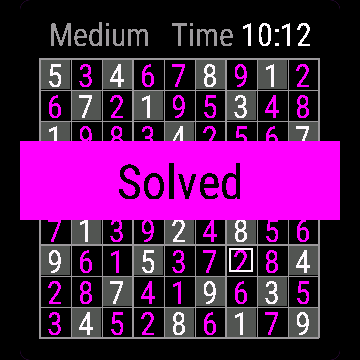
Sudoku Watch has 300 ready 9x9 puzzles in three levels: Easy, Medium and Hard, 100 each. The watch generates nothing; the puzzles come from a bank made on a computer. You get a timer, repeats highlighted at once, pencil notes, and your game is saved.
Requirements and supported watches
Needs Connect IQ 3.3.0+ and the Connect IQ or Garmin Connect phone app. Supported watches:
- Round AMOLED: epix 2 and epix Pro 2, fēnix 8, E, Forerunner 165, 265, 570, 965, 970, Instinct 3 AMOLED, Crossover AMOLED, Venu 2, 3, 4, vivoactive 5, 6.
- Round MIP: enduro 3, fēnix 7 series, 8 Solar, Forerunner 55, 245, 255, vivoactive 4.
- Square and rectangular AMOLED: Venu Sq 2, Venu X1.
Installation
In the Connect IQ app on your phone (or Garmin Connect, then the Connect IQ Store) find "Sudoku Watch" by Dialforge, tap Install and sync the watch. Open it from the apps list: press START on the watch face, then pick Sudoku Watch.
First launch
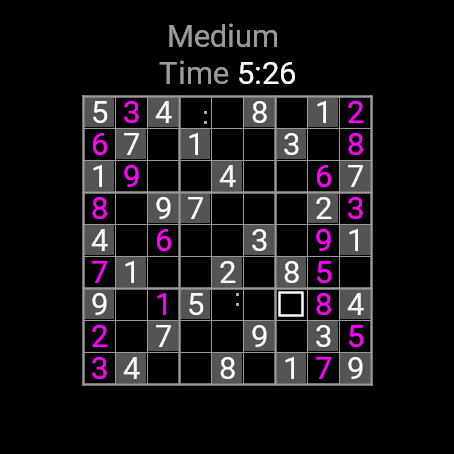
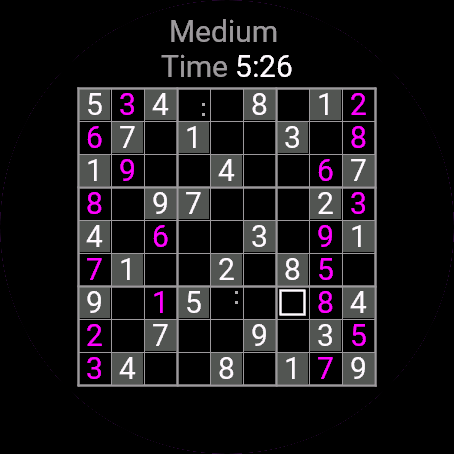
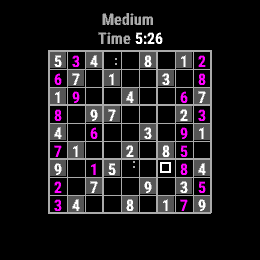
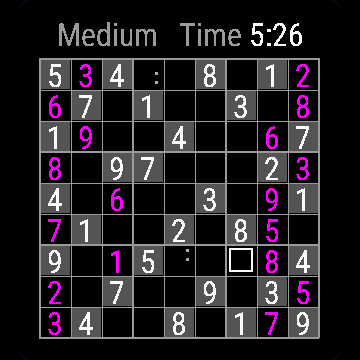
With no saved game you first see the New puzzle menu: Easy, Medium, Hard. The puzzle is picked at random from that level. Given digits sit on grey squares, yours show in the accent colour. The 30-day free beta starts the first time you open it.
Controls
Watches with buttons (START, UP, DOWN, BACK)
- UP and DOWN move the cursor square by square, row after row, wrapping at the ends.
- START on an empty or your own square opens the digit picker. Given squares cannot be changed.
- In the picker: UP and DOWN go through 1 to 9 and Clear, START confirms, BACK closes without a change.
- MENU (hold UP) in the picker toggles a pencil note for the chosen digit. BACK on the board opens the menu.
Touch watches (tap, hold, swipe)
- Tap a square to open the picker, tap a digit or Clear to enter it.
- Hold a digit in the picker to toggle a pencil note.
- Hold the board to open the menu. Swipes do nothing.
Settings
Phone: Connect IQ app, Sudoku Watch, Settings (the unlock code fields are there too).
On the watch, inside the app:
- Resume: back to the puzzle.
- Easy, Medium, Hard: a new random puzzle of that level replaces the current one.
- Quit: saves and closes the app.
License
- Free beta: 30 days from the first launch, everything works.
- Price: 3.99 EUR once at dialforge.dev, no subscription. The 8-character code is tied to your watch's UID.
- Where to enter it: phone, Connect IQ app, Sudoku Watch, Settings. Read the UID in "Watch UID (needed to buy a code)", buy the code, then type it into "Unlock code from dialforge.dev". The end-of-beta screen on the watch shows the UID too.
- After the beta without a code: an end-of-beta screen with the UID replaces the app. Enter the code, then open it again. New watch? Write to us and the code moves for free.
Privacy and permissions
No special permissions.
No internet use. Data stays on the watch.
Troubleshooting
The code does not work. Check that the UID you bought for matches "Watch UID (needed to buy a code)" and type all 8 characters (case is ignored, no 0, O, 1 or I). A code for another app does not fit. Sync, then reopen.
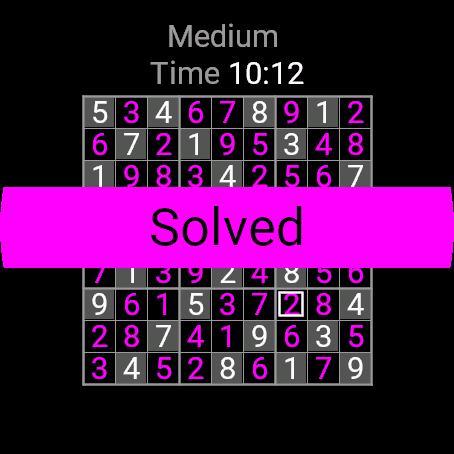
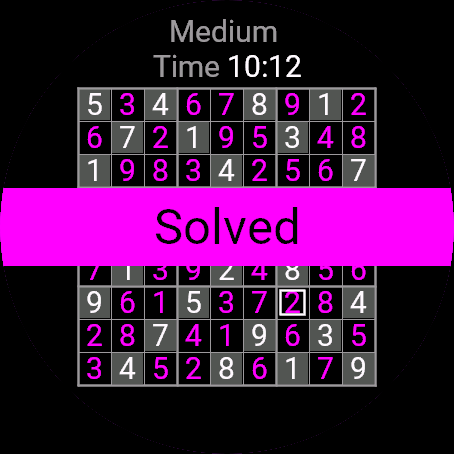
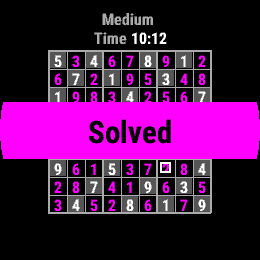
How do I see my mistakes? A digit repeated in its row, column or 3x3 box turns its square red. The puzzle counts as solved only when the grid is full with no repeats.
How do pencil notes work? A noted digit is marked in the picker and shown small in the square. Entering a real digit there clears the notes.
Is my progress saved? Yes. The puzzle, your digits, notes and time are saved when you leave and restored on reopening.
Contact
kontakt@dialforge.dev or dialforge.dev. Please write before leaving a low rating.
Sudoku: instrukcja obsługi
Do czego służy
Sudoku ma 300 gotowych układów 9x9 na trzech poziomach: Łatwy, Średni i Trudny, po 100 każdego. Zegarek niczego nie generuje, układy pochodzą z banku przygotowanego na komputerze. Jest stoper, natychmiastowe podświetlanie powtórzeń, notatki ołówkiem i zapis gry.
Wymagania i obsługiwane zegarki
Wymaga Connect IQ 3.3.0+ i aplikacji Connect IQ albo Garmin Connect w telefonie. Obsługiwane zegarki:
- Okrągłe AMOLED: epix 2 i epix Pro 2, fēnix 8, E, Forerunner 165, 265, 570, 965, 970, Instinct 3 AMOLED, Crossover AMOLED, Venu 2, 3, 4, vivoactive 5, 6.
- Okrągłe MIP: enduro 3, seria fēnix 7, fēnix 8 Solar, Forerunner 55, 245, 255, vivoactive 4.
- Kwadratowe i prostokątne AMOLED: Venu Sq 2, Venu X1.
Instalacja
Na telefonie otwórz aplikację Connect IQ (albo Garmin Connect, a w niej sklep Connect IQ), wyszukaj "Sudoku" od Dialforge, stuknij Zainstaluj i zsynchronizuj zegarek. Uruchom ją z listy aplikacji: na tarczy naciśnij START i wybierz Sudoku.
Pierwsze uruchomienie
Bez zapisanej gry zobaczysz najpierw menu Nowa łamigłówka: Łatwy, Średni, Trudny. Układ jest losowany z wybranego poziomu. Cyfry dane stoją na szarych polach, Twoje mają kolor akcentu. 30-dniowa darmowa beta zaczyna się przy pierwszym otwarciu.
Sterowanie
Zegarki z przyciskami (START, GÓRA, DÓŁ, WSTECZ)
- GÓRA i DÓŁ przesuwają kursor pole po polu, wiersz za wierszem, z zawinięciem na końcach.
- START na pustym lub Twoim polu otwiera wybór cyfry. Pól danych nie da się zmienić.
- W wyborze: GÓRA i DÓŁ przechodzą po 1-9 i Wyczyść, START zatwierdza, WSTECZ zamyka bez zmiany.
- MENU (przytrzymaj GÓRA) w wyborze włącza lub wyłącza notatkę ołówkiem. WSTECZ na planszy otwiera menu.
Zegarki dotykowe (stuknięcie, przytrzymanie, przesunięcie)
- Stuknij pole, żeby otworzyć wybór, potem stuknij cyfrę albo Wyczyść.
- Przytrzymaj cyfrę w wyborze, żeby przełączyć notatkę ołówkiem.
- Przytrzymaj planszę, żeby otworzyć menu. Przesunięcia nic nie robią.
Ustawienia
Telefon: aplikacja Connect IQ, Sudoku, Ustawienia (są tam też pola kodu odblokowania).
Na zegarku, w aplikacji:
- Wznów: powrót do łamigłówki.
- Łatwy, Średni, Trudny: nowy losowy układ tego poziomu zastępuje obecny.
- Zamknij: zapisuje i zamyka aplikację.
Licencja
- Darmowa beta: 30 dni od pierwszego uruchomienia, wszystko działa.
- Cena: jednorazowo 3,99 EUR na dialforge.dev, bez abonamentu. 8-znakowy kod jest przypisany do UID zegarka.
- Gdzie wpisać: telefon, aplikacja Connect IQ, Sudoku, Ustawienia. Odczytaj UID w polu "UID zegarka (potrzebny do zakupu kodu)", kup kod i wpisz go w "Kod odblokowania z dialforge.dev". Ekran końca bety na zegarku też pokazuje UID.
- Po becie bez kodu: zamiast aplikacji pojawia się ekran końca bety z UID. Wpisz kod i otwórz aplikację ponownie. Nowy zegarek? Napisz do nas, przeniesiemy kod za darmo.
Prywatność i uprawnienia
Brak szczególnych uprawnień.
Zero połączeń z internetem. Dane zostają w zegarku.
Rozwiązywanie problemów
Kod nie działa. Sprawdź, czy UID, dla którego kupiono kod, zgadza się z polem "UID zegarka (potrzebny do zakupu kodu)", i wpisz wszystkie 8 znaków (wielkość liter bez znaczenia, bez 0, O, 1, I). Kod do innej aplikacji nie pasuje. Zsynchronizuj i otwórz ponownie.
Jak zobaczę błędy? Cyfra powtórzona w wierszu, kolumnie albo kwadracie 3x3 zaczerwienia swoje pole. Układ jest rozwiązany, gdy siatka jest pełna i bez powtórzeń.
Jak działają notatki? Cyfra z notatką jest zaznaczona w wyborze i pokazana drobno w polu. Wpisanie tam prawdziwej cyfry kasuje notatki.
Czy postęp się zapisuje? Tak. Układ, Twoje cyfry, notatki i czas zapisują się przy wyjściu i wracają po otwarciu.
Kontakt
kontakt@dialforge.dev albo dialforge.dev. Napisz, zanim wystawisz niską ocenę.
Permissions and privacy
This product does not use the internet and sends no data to our servers.
The full manual and the detailed permission descriptions are available in English and Polish.
Compatible watches
51mm, D2 Air X15, D2 Mach 1 Pro, Enduro 2, Enduro 3, epix (Gen 2), epix Pro (Gen 2) 42mm, epix Pro (Gen 2) 47mm, epix Pro (Gen 2) 51mm, Forerunner 165, Forerunner 165 Music, Forerunner 245, Forerunner 245 Music, Forerunner 255, Forerunner 255 Music, Forerunner 255s, Forerunner 255s Music, Forerunner 265, Forerunner 265s, Forerunner 55, Forerunner 570 42mm, Forerunner 570 47mm, Forerunner 965, Forerunner 970, fēnix 7, fēnix 7 Pro, fēnix 7 Pro - Solar Edition (no Wi-Fi), fēnix 7S, fēnix 7S Pro, fēnix 7X, fēnix 7X Pro, fēnix 7X Pro - Solar Edition (no Wi-Fi), fēnix 8 43mm, fēnix 8 47mm, fēnix 8 Pro 47mm, fēnix 8 Solar 47mm, fēnix 8 Solar 51mm, fēnix E, Instinct 3 AMOLED 45mm, Instinct 3 AMOLED 50mm, Instinct Crossover AMOLED, MicroLED, quatix 7, quatix 7 Pro, quatix 7 Sapphire, quatix 7X Solar, quatix 8 47mm, quatix 8 Pro 47mm, tactix 7, tactix 7 – AMOLED Edition, tactix 8 47mm, tactix 8 Solar 51mm, Venu 2, Venu 2 Plus, Venu 2S, Venu 3, Venu 3S, Venu 4 41mm, Venu 4 45mm, Venu Sq 2, Venu Sq 2 Music, Venu X1, vívoactive 4, vívoactive 4S, vívoactive 5, vívoactive 6
Screenshots
FAQ
What happens after the 30-day beta?
The app shows a screen asking for a one-time unlock code from dialforge.dev instead of opening normally. Buy the code once below, no subscription.
Does the app send my data to Dialforge?
No. The app works fully offline, and the unlock code is checked on the watch itself, without contacting any server.
The app does not work as described on my watch. Can I get a refund?
Yes. Write through the feedback form below, or to the e-mail in the footer. If we cannot fix it, we refund you, as described in the terms.
Changing your watch?
Write to me and I will move your code for free.
Changelog
- First release (beta).
- Pierwsze wydanie (beta).
- Erste Veröffentlichung (Beta).
- Première version (bêta).
- Primera versión (beta).
- Eerste release (beta).
- 初回リリース(ベータ版)。
- Prima versione (beta).
- 首次发布(测试版)。
- Первый выпуск (бета).
- Primeira versão (beta).
- První verze (beta).
- Primeira versão (beta).
- 첫 출시 (베타).
- Första utgåvan (beta).
- Første udgivelse (beta).
- Første utgivelse (beta).
- 首次發布(測試版)。
- Ensimmäinen julkaisu (beta).
- Prvé vydanie (beta).
- Prva izdaja (beta).
- Rilis pertama (beta).
- Első kiadás (beta).
- เวอร์ชันแรก (เบต้า)
- Πρώτη έκδοση (μπέτα).
- Prvo izdanje (beta).
- מהדורה ראשונה (בטא).
- Keluaran pertama (beta).
Unlock
€3.99
One-time payment. No subscription. The code works on the watch whose UID you enter.
- Install the app from the Connect IQ store. It works fully and for free for the first 30 days.
- Find your 10-digit UID: Connect IQ app on the phone > My Device > Apps or Data Fields > this app > Settings > Watch UID.
- Enter UID and e-mail, pay with PayPal (cards work without a PayPal account). The code appears here at once.
- Type the code into the same settings page, field "Unlock code". The watch checks it offline.
Thank you! Your code:
Enter the code in the app settings, field "Unlock code". The watch checks it offline.
Tell us how to make it better
Missing a data field, a colour, a layout? Found a bug on your watch model? Write it here. We read every message and ship improvements in updates.