Games
Tiles 2048
Slide and merge tiles to reach 2048, right on your wrist.
Przesuwaj kafelki i dokładaj do 2048, prosto na nadgarstku.
Verschiebe und kombiniere Kacheln, um 2048 zu erreichen, direkt am Handgelenk.
Faites glisser et fusionnez les tuiles pour atteindre 2048, directement à votre poignet.
Desliza y combina fichas para llegar a 2048, directamente en tu muñeca.
Schuif en voeg tegels samen om 2048 te bereiken, direct om je pols.
手首の上でタイルをスライドして合体させ、2048を目指しましょう。
Fai scorrere e unisci le tessere per raggiungere 2048, direttamente al polso.
在手腕上滑动合并方块,达到 2048。
Сдвигайте и объединяйте плитки, чтобы собрать 2048, прямо на часах.
Deslize e combine blocos para chegar a 2048, direto no seu pulso.
Posouvejte a spojujte dlaždice a dosáhněte 2048 přímo na zápěstí.
Deslize e junte peças para alcançar o 2048, diretamente no seu pulso.
손목 위에서 타일을 밀고 합쳐 2048에 도달하세요.
Flytta och slå ihop brickor för att nå 2048, direkt på handleden.
Skub og flet brikker for at nå 2048, direkte på håndleddet.
Skyv og slå sammen brikker for å nå 2048, rett på håndleddet.
在手腕上滑動並合併方塊達到 2048。
Liu'uta ja yhdistä laattoja päästäksesi lukuun 2048, suoraan ranteessasi.
Posúvajte a spájajte dlaždice, aby ste dosiahli 2048, priamo na zápästí.
Drsite in združujte ploščice, da dosežete 2048, kar na svojem zapestju.
Geser dan gabungkan ubin untuk mencapai 2048, langsung di pergelangan tangan Anda.
Csúsztasd és egyesítsd a lapkákat, hogy elérd a 2048-at, közvetlenül a csuklódon.
เลื่อนและรวมช่องตัวเลขให้ถึง 2048 บนข้อมือของคุณ
Σύρετε και ενώστε πλακίδια για να φτάσετε στο 2048, απευθείας στον καρπό σας.
Pomičite i spajajte pločice kako biste došli do 2048, izravno na zapešću.
החליקו ומזגו אריחים כדי להגיע ל-2048, ישירות על פרק כף היד.
Luncur dan gabungkan jubin untuk mencapai 2048, terus di pergelangan tangan anda.
Coming to Connect IQ Unlock €3.99
Beta: free for 30 days
The app works fully and for free for the first 30 days after you first open it. After that you can buy a one-time unlock code below. No subscription.
Most Garmin clones are barely playable: tiny numbers, no resume, clumsy controls. This one uses the buttons you already have, saves the board after every move, and lets you keep going past 2048 for a higher score.
- Classic 4x4 slide-and-merge rules
- Auto-save and resume any time
- Score and best score kept on the watch
- Colours readable on AMOLED and on colour MIP screens
- Keep playing after 2048 for a higher score
Większość klonów 2048 na Garminie ledwo się nadaje do gry: małe cyfry, brak zapisu, niewygodne sterowanie. Ta wersja działa na przyciskach, które już masz, zapisuje stan po każdym ruchu i pozwala grać dalej po 2048, jeśli chcesz pobić własny wynik.
- Klasyczne zasady 4x4, przesuwanie i łączenie kafelków
- Autozapis i wznowienie w każdej chwili
- Wynik i rekord zapisywane na zegarku
- Kolory czytelne na AMOLED i na kolorowych ekranach MIP
- Gra dalej po 2048, dla wyższego wyniku
Die meisten Garmin-Klone sind kaum spielbar: winzige Zahlen, kein Fortsetzen, umständliche Steuerung. Diese App nutzt die Tasten, die du bereits hast, speichert das Spielfeld nach jedem Zug und lässt dich über 2048 hinaus weiterspielen für einen höheren Punktestand.
- Klassische 4x4-Regeln zum Verschieben und Kombinieren
- Automatisches Speichern und Fortsetzen jederzeit
- Punktestand und Highscore werden auf der Uhr gespeichert
- Farben gut ablesbar auf AMOLED- und Farb-MIP-Displays
- Weiterspielen nach 2048 für einen höheren Punktestand
La plupart des clones sur Garmin sont à peine jouables : chiffres minuscules, aucune reprise, commandes peu pratiques. Celui-ci utilise les boutons que vous avez déjà, sauvegarde le plateau après chaque mouvement et vous permet de continuer au-delà de 2048 pour obtenir un meilleur score.
- Règles classiques 4x4 de glissement et fusion
- Sauvegarde automatique et reprise à tout moment
- Score et meilleur score conservés sur la montre
- Couleurs lisibles sur les écrans AMOLED et MIP couleur
- Continuez à jouer après 2048 pour un meilleur score
La mayoría de clones en Garmin apenas se pueden jugar: números diminutos, sin opción de reanudar, controles incómodos. Este usa los botones que ya tienes, guarda el tablero tras cada movimiento y te permite seguir después de 2048 para conseguir una puntuación más alta.
- Reglas clásicas 4x4 de deslizar y combinar
- Guardado automático y reanudación en cualquier momento
- Puntuación y récord guardados en el reloj
- Colores legibles en pantallas AMOLED y MIP en color
- Sigue jugando después de 2048 para conseguir una puntuación más alta
De meeste Garmin-klonen zijn nauwelijks speelbaar: kleine cijfers, geen optie om te hervatten, onhandige bediening. Deze app gebruikt de knoppen die je al hebt, slaat het bord na elke zet op en laat je voorbij 2048 doorspelen voor een hogere score.
- Klassieke 4x4-regels voor schuiven en samenvoegen
- Automatisch opslaan en op elk moment hervatten
- Score en beste score bewaard op het horloge
- Kleuren leesbaar op AMOLED en op MIP-kleurenschermen
- Blijf doorspelen na 2048 voor een hogere score
Garmin向けのクローンゲームの多くは、数字が小さすぎる、再開機能がない、操作性が悪いなど、まともに遊べないものがほとんどです。このアプリならウォッチのボタンを活用でき、1手ごとに盤面を自動保存。さらに2048達成後もハイスコアを目指してプレイを続けられます。
- 定番の4x4スライド&合体ルール
- いつでも自動保存&再開可能
- スコアとベストスコアをウォッチ本体に保存
- AMOLEDやカラーMIP画面で見やすい配色
- 2048達成後もハイスコアを目指してプレイ続行可能
La maggior parte dei cloni per Garmin è a malapena giocabile: numeri minuscoli, nessuna ripresa della partita, comandi scomodi. Questo usa i pulsanti che hai già, salva la griglia dopo ogni mossa e ti permette di continuare oltre 2048 per un punteggio più alto.
- Regole classiche 4x4: scorri e unisci
- Salvataggio automatico e ripresa in qualsiasi momento
- Punteggio e miglior punteggio salvati sull'orologio
- Colori leggibili su schermi AMOLED e su schermi MIP a colori
- Continua a giocare dopo 2048 per un punteggio più alto
大多数 Garmin 仿制版几乎没法玩:数字太小、无法恢复、操作别扭。这款应用使用手表自带的按键,每步移动后都会保存棋盘,并且在超过 2048 后仍能继续挑战更高分。
- 经典 4x4 滑动合并规则
- 自动保存,随时恢复游戏
- 手表端记录当前得分与最高分
- 配色在 AMOLED 和彩色 MIP 屏幕上均清晰易读
- 超过 2048 后可继续游戏以获取更高分
В большинство клонов для Garmin практически невозможно играть: мелкие цифры, нет продолжения, неудобное управление. Здесь используются кнопки, которые у вас уже есть, поле сохраняется после каждого хода, а играть можно и дальше после 2048, чтобы набрать больше очков.
- Классические правила 4x4 со сдвигом и объединением
- Автосохранение и продолжение в любой момент
- Текущий и лучший счет сохраняются на часах
- Цвета хорошо различимы на экранах AMOLED и цветных MIP
- Продолжайте играть после 2048, чтобы набрать больше очков
A maioria dos clones para Garmin mal dá para jogar: números minúsculos, sem opção de continuar, controles desajeitados. Este usa os botões que você já tem, salva o tabuleiro a cada movimento e permite continuar jogando após 2048 para uma pontuação maior.
- Regras clássicas 4x4 de deslizar e combinar
- Salvamento automático e retomada a qualquer momento
- Pontuação e recorde mantidos no relógio
- Cores legíveis em telas AMOLED e MIP coloridas
- Continue jogando após 2048 para uma pontuação maior
Většina klonů pro Garmin je sotva hratelná: drobná čísla, nemožnost pokračovat, neohrabané ovládání. Tato verze využívá tlačítka, která už máte, po každém tahu ukládá herní plochu a umožňuje pokračovat i po 2048 pro vyšší skóre.
- Klasická pravidla 4x4 s posouváním a spojováním
- Automatické ukládání a možnost kdykoli pokračovat
- Skóre a nejlepší skóre se ukládá v hodinkách
- Barvy čitelné na AMOLED i na barevných MIP displejích
- Pokračujte ve hře i po 2048 pro vyšší skóre
A maioria dos clones para Garmin é quase injogável: números minúsculos, sem retoma, controlos desajeitados. Este usa os botões que já tem, guarda o tabuleiro após cada movimento e permite continuar além de 2048 para uma pontuação mais alta.
- Regras clássicas 4x4 de deslizar e juntar
- Gravação automática e retoma a qualquer momento
- Pontuação e melhor pontuação guardadas no relógio
- Cores legíveis em ecrãs AMOLED e MIP a cores
- Continue a jogar após 2048 para uma pontuação mais alta
대부분의 Garmin 클론 앱은 플레이하기 어렵습니다: 작은 숫자, 이어하기 불가, 불편한 조작. 이 앱은 시계의 기존 버튼을 활용하고, 이동할 때마다 보드를 저장하며, 더 높은 점수를 위해 2048 이후에도 계속 플레이할 수 있습니다.
- 클래식 4x4 슬라이드 및 병합 규칙
- 언제든지 자동 저장 및 이어하기
- 점수 및 최고 점수가 시계에 저장됨
- AMOLED 및 컬러 MIP 화면에서 잘 보이는 색상
- 더 높은 점수를 위해 2048 이후에도 계속 플레이 가능
De flesta Garmin-kloner är knappt spelbara: pyttesmå siffror, går inte att återuppta, klumpiga kontroller. Den här använder knapparna du redan har, sparar spelplanen efter varje drag och låter dig fortsätta förbi 2048 för en högre poäng.
- Klassiska 4x4-regler för att flytta och slå ihop
- Spara automatiskt och återuppta när som helst
- Poäng och bästa resultat sparas på klockan
- Lättlästa färger på AMOLED och på färg-MIP-skärmar
- Fortsätt spela efter 2048 för en högre poäng
De fleste Garmin-kloner er knap nok spilbare: bittesmå tal, ingen genoptagelse, klodset styring. Denne bruger de knapper, du allerede har, gemmer brættet efter hvert træk og lader dig fortsætte forbi 2048 for en højere score.
- Klassiske 4x4 skub-og-flet-regler
- Gemmer automatisk og kan genoptages når som helst
- Score og bedste score gemmes på uret
- Farver der er nemme at aflæse på AMOLED og på farve-MIP-skærme
- Fortsæt med at spille efter 2048 for en højere score
De fleste Garmin-kloner er knapt spillbare: små tall, ingen gjenopptaking, klønete kontroller. Denne bruker knappene du allerede har, lagrer brettet etter hvert trekk, og lar deg fortsette forbi 2048 for en høyere poengsum.
- Klassiske 4x4-regler for å skyve og slå sammen
- Automatisk lagring og gjenopptaking når som helst
- Poengsum og beste poengsum lagres på klokken
- Lettleste farger på AMOLED og på farge-MIP-skjermer
- Fortsett å spille etter 2048 for en høyere poengsum
大多數 Garmin 仿製版本幾乎難以遊玩:數字太小、無法繼續遊戲、操作不便。這款遊戲使用手錶現有的按鍵,每次移動後自動儲存盤面,並讓你在超過 2048 後繼續遊玩以取得更高分數。
- 經典 4x4 滑動與合併規則
- 自動儲存並可隨時繼續
- 分數與最高紀錄保存在手錶上
- 顏色在 AMOLED 與彩色 MIP 螢幕上清晰易讀
- 超過 2048 後可繼續遊玩以獲得更高分
Useimmat Garmin-kloonit ovat tuskin pelattavia: pienet numerot, peliä ei voi jatkaa, kömpelö ohjaus. Tämä käyttää kellon omia painikkeita, tallentaa pelilaudan jokaisen siirron jälkeen ja antaa jatkaa pelaamista luvun 2048 jälkeen suurempien pisteiden saamiseksi.
- Klassiset 4x4-säännöt laattojen liu'uttamiseen ja yhdistämiseen
- Automaattinen tallennus ja pelin jatkaminen milloin vain
- Pisteet ja paras tulos säilyvät kellossa
- Helppolukuiset värit AMOLED- ja värillisillä MIP-näytöillä
- Jatka pelaamista luvun 2048 jälkeen suuremman pistemäärän saamiseksi
Väčšina klonov pre Garmin sa dá sotva hrať: drobné čísla, žiadne pokračovanie v hre, neohrabané ovládanie. Táto verzia využíva tlačidlá, ktoré už máte, ukladá hraciu plochu po každom ťahu a umožňuje vám pokračovať aj po 2048 pre vyššie skóre.
- Klasické pravidlá 4x4 s posúvaním a spájaním
- Automatické ukladanie a pokračovanie kedykoľvek
- Skóre a najlepšie skóre uložené v hodinkách
- Farby čitateľné na AMOLED aj na farebných MIP displejoch
- Pokračujte v hre aj po 2048 pre vyššie skóre
Večina klonov za Garmin je komaj igrljiva: drobne številke, brez nadaljevanja, nerodno upravljanje. Ta uporablja gumbe, ki jih že imate, shrani ploščo po vsaki potezi in vam omogoča igranje naprej po 2048 za višji rezultat.
- Klasična 4x4 pravila drsenja in združevanja
- Samodejno shranjevanje in nadaljevanje kadarkoli
- Rezultat in najboljši rezultat se hranita na uri
- Barve, berljive na zaslonih AMOLED in barvnih zaslonih MIP
- Nadaljujte z igro po 2048 za višji rezultat
Sebagian besar klon Garmin hampir tidak bisa dimainkan: angka kecil, tidak bisa dilanjutkan, kontrol kaku. Yang satu ini menggunakan tombol yang sudah ada, menyimpan papan setelah setiap langkah, dan memungkinkan Anda terus bermain melewati 2048 untuk skor yang lebih tinggi.
- Aturan klasik geser dan gabung 4x4
- Simpan otomatis dan lanjutkan kapan saja
- Skor dan skor terbaik tersimpan di jam tangan
- Warna mudah dibaca di layar AMOLED dan layar MIP berwarna
- Tetap bermain setelah 2048 untuk skor yang lebih tinggi
A legtöbb Garmin klón alig játszható: apró számok, nincs folytatás, nehézkes irányítás. Ez a meglévő gombokat használja, minden lépés után elmenti a táblát, és engedi a játék folytatását 2048 után is a még magasabb pontszámért.
- Klasszikus 4x4 csúsztatási és egyesítési szabályok
- Automatikus mentés és folytatás bármikor
- Pontszám és legjobb pontszám az órán tárolva
- Jól olvasható színek AMOLED és színes MIP kijelzőkön
- Játssz tovább 2048 után is a még magasabb pontszámért
เกมเลียนแบบส่วนใหญ่บน Garmin แทบจะเล่นไม่ได้: ตัวเลขเล็กจิ๋ว เล่นต่อไม่ได้ ควบคุมติดขัด แอปนี้ใช้ปุ่มที่คุณมีอยู่แล้ว บันทึกกระดานหลังการเดินทุกตา และให้คุณเล่นต่อไปได้แม้จะเกิน 2048 เพื่อทำคะแนนให้สูงขึ้น
- กฎการเลื่อนและรวมช่องตัวเลขแบบคลาสสิก 4x4
- บันทึกอัตโนมัติและกลับมาเล่นต่อได้ตลอดเวลา
- บันทึกคะแนนและคะแนนสูงสุดไว้บนนาฬิกา
- สีสันอ่านง่ายทั้งบนหน้าจอ AMOLED และหน้าจอสี MIP
- เล่นต่อไปได้หลังจากถึง 2048 เพื่อทำคะแนนให้สูงขึ้น
Οι περισσότεροι κλώνοι για Garmin παίζονται μετά βίας: μικροσκοπικοί αριθμοί, χωρίς δυνατότητα συνέχισης, δύσχρηστος χειρισμός. Αυτό χρησιμοποιεί τα κουμπιά που έχετε ήδη, αποθηκεύει το ταμπλό μετά από κάθε κίνηση και σας επιτρέπει να συνεχίσετε μετά το 2048 για υψηλότερο σκορ.
- Κλασικοί κανόνες 4x4 με σύρσιμο και ένωση
- Αυτόματη αποθήκευση και συνέχιση ανά πάσα στιγμή
- Το σκορ και το καλύτερο σκορ αποθηκεύονται στο ρολόι
- Χρώματα ευανάγνωστα σε οθόνες AMOLED και έγχρωμες οθόνες MIP
- Συνεχίστε το παιχνίδι μετά το 2048 για υψηλότερο σκορ
Većina Garmin klonova jedva je igriva: sitni brojevi, nema nastavka igre, nespretne kontrole. Ova verzija koristi tipke koje već imate, sprema ploču nakon svakog poteza i omogućuje vam nastavak i nakon 2048 za još bolji rezultat.
- Klasična 4x4 pravila pomicanja i spajanja
- Automatsko spremanje i nastavak u bilo kojem trenutku
- Rezultat i najbolji rezultat čuvaju se na satu
- Boje čitljive na AMOLED i MIP zaslonima u boji
- Nastavite igrati i nakon 2048 za još bolji rezultat
רוב החיקויים ל-Garmin כמעט אינם ניתנים למשחק: מספרים זעירים, אין אפשרות המשך, ושליטה מסורבלת. המשחק הזה משתמש בכפתורים שכבר יש לכם, שומר את הלוח אחרי כל מהלך, ומאפשר לכם להמשיך מעבר ל-2048 כדי להשיג ניקוד גבוה יותר.
- חוקי 4x4 קלאסיים של החלקה ומיזוג
- שמירה אוטומטית ואפשרות המשך בכל עת
- הניקוד והשיא נשמרים בשעון
- צבעים קריאים במסכי AMOLED ובמסכי MIP צבעוניים
- המשיכו לשחק אחרי 2048 לניקוד גבוה יותר
Kebanyakan klon Garmin hampir tidak boleh dimainkan: nombor kecil, tiada fungsi sambung semula, kawalan kekok. Yang ini menggunakan butang sedia ada, menyimpan papan selepas setiap langkah, dan membolehkan anda terus bermain melepasi 2048 untuk skor yang lebih tinggi.
- Peraturan luncur dan gabung 4x4 klasik
- Simpan automatik dan sambung semula pada bila-bila masa
- Skor dan skor terbaik disimpan pada jam
- Warna mudah dibaca pada skrin AMOLED dan skrin MIP berwarna
- Terus bermain selepas 2048 untuk skor yang lebih tinggi
How to use it
Open Tiles 2048 from the watch's app menu.
Controls: UP up, DOWN down, START right, BACK left. Hold UP or press MENU for the pause menu (new game, resume, quit). Touch screens: swipe to move tiles, hold to open the menu.
Otwórz Kafelki 2048 z menu aplikacji na zegarku.
Sterowanie: GÓRA w górę, DÓŁ w dół, START w prawo, WSTECZ w lewo. Przytrzymanie GÓRA albo MENU otwiera menu pauzy (nowa gra, wznów, zamknij). Ekran dotykowy: przesunięcie palcem przesuwa kafelki, przytrzymanie otwiera menu.
Öffne Tiles 2048 im App-Menü der Uhr.
Steuerung: UP nach oben, DOWN nach unten, START nach rechts, BACK nach links. UP gedrückt halten oder MENU drücken für das Pausemenü (Neues Spiel, Fortsetzen, Beenden). Touchscreens: Wischen, um Kacheln zu verschieben, gedrückt halten, um das Menü zu öffnen.
Ouvrez Tiles 2048 depuis le menu des applications de la montre.
Commandes : UP haut, DOWN bas, START droite, BACK gauche. Maintenez UP ou appuyez sur MENU pour le menu pause (nouvelle partie, reprendre, quitter). Écrans tactiles : balayez pour déplacer les tuiles, maintenez appuyé pour ouvrir le menu.
Abre Tiles 2048 desde el menú de apps del reloj.
Controles: UP arriba, DOWN abajo, START derecha, BACK izquierda. Mantén pulsado UP o pulsa MENU para el menú de pausa (nueva partida, reanudar, salir). Pantallas táctiles: desliza para mover fichas, mantén pulsado para abrir el menú.
Open Tiles 2048 via het appmenu van het horloge.
Bediening: UP omhoog, DOWN omlaag, START naar rechts, BACK naar links. Houd UP ingedrukt of druk op MENU voor het pauzemenu (nieuw spel, hervatten, afsluiten). Touchscreens: veeg om tegels te verplaatsen, houd ingedrukt om het menu te openen.
時計のアプリメニューから Tiles 2048 を開いてください。
操作方法: UPで上、DOWNで下、STARTで右、BACKで左。UP長押しまたはMENUで一時停止メニュー(新規ゲーム、再開、終了)。タッチスクリーン: スワイプでタイルを移動、長押しでメニューを開く。
Apri Tiles 2048 dal menu delle app dell'orologio.
Comandi: UP su, DOWN giù, START a destra, BACK a sinistra. Tieni premuto UP o premi MENU per il menu di pausa (nuova partita, riprendi, esci). Touch screen: scorri per muovere le tessere, tieni premuto per aprire il menu.
在手表的应用菜单中打开 Tiles 2048。
操作:UP 向上,DOWN 向下,START 向右,BACK 向左。长按 UP 或按 MENU 打开暂停菜单(新游戏、继续、退出)。触摸屏:滑动移动方块,长按打开菜单。
Откройте Tiles 2048 из меню приложений на часах.
Управление: UP вверх, DOWN вниз, START вправо, BACK влево. Удерживайте UP или нажмите MENU для меню паузы (новая игра, продолжить, выход). Сенсорные экраны: свайп для перемещения плиток, удержание для открытия меню.
Abra Tiles 2048 pelo menu de apps do relógio.
Controles: UP para cima, DOWN para baixo, START para a direita, BACK para a esquerda. Segure UP ou pressione MENU para o menu de pausa (novo jogo, continuar, sair). Telas sensíveis ao toque: deslize para mover os blocos, segure para abrir o menu.
Otevřete Tiles 2048 z nabídky aplikací v hodinkách.
Ovládání: UP nahoru, DOWN dolů, START doprava, BACK doleva. Podržením UP nebo stisknutím MENU otevřete menu pauzy (nová hra, pokračovat, ukončit). Dotykové displeje: přejetím prstem posouváte dlaždice, podržením otevřete menu.
Abra Tiles 2048 no menu de aplicações do relógio.
Controlos: UP cima, DOWN baixo, START direita, BACK esquerda. Mantenha premido UP ou prima MENU para o menu de pausa (novo jogo, retomar, sair). Ecrãs táteis: deslize para mover as peças, mantenha premido para abrir o menu.
시계의 앱 메뉴에서 Tiles 2048을(를) 여세요.
조작 방법: UP 위, DOWN 아래, START 오른쪽, BACK 왼쪽. 일시정지 메뉴(새 게임, 이어하기, 종료)는 UP을 길게 누르거나 MENU를 누르세요. 터치스크린: 스와이프하여 타일 이동, 길게 눌러 메뉴 열기.
Öppna Tiles 2048 från klockans appmeny.
Kontroller: UP upp, DOWN ned, START höger, BACK vänster. Håll in UP eller tryck på MENU för pausmenyn (nytt spel, återuppta, avsluta). Pekskärmar: svep för att flytta brickor, håll in för att öppna menyn.
Åbn Tiles 2048 fra urets appmenu.
Styring: UP op, DOWN ned, START højre, BACK venstre. Hold UP eller tryk på MENU for pausemenuen (nyt spil, genoptag, afslut). Touchskærme: swipe for at flytte brikker, hold inde for at åbne menuen.
Åpne Tiles 2048 fra appmenyen på klokken.
Kontroller: UP opp, DOWN ned, START høyre, BACK venstre. Hold UP eller trykk MENU for pausemenyen (nytt spill, fortsett, avslutt). Berøringsskjermer: sveip for å flytte brikker, hold inne for å åpne menyen.
從手錶的應用程式選單開啟 Tiles 2048。
操作方式:UP 向上,DOWN 向下,START 向右,BACK 向左。長按 UP 或按 MENU 開啟暫停選單(新遊戲、繼續、退出)。觸控螢幕:滑動以移動方塊,長按以開啟選單。
Avaa Tiles 2048 kellon sovellusvalikosta.
Ohjaus: UP ylös, DOWN alas, START oikealle, BACK vasemmalle. Pidä UP painettuna tai paina MENU avataksesi taukovalikon (uusi peli, jatka, lopeta). Kosketusnäytöt: pyyhkäise siirtääksesi laattoja, pidä painettuna avataksesi valikon.
Otvorte Tiles 2048 z ponuky aplikácií v hodinkách.
Ovládanie: UP hore, DOWN dole, START doprava, BACK doľava. Podržte UP alebo stlačte MENU pre menu pozastavenia (nová hra, pokračovať, ukončiť). Dotykové displeje: potiahnutím posúvate dlaždice, podržaním otvoríte menu.
Odprite Tiles 2048 v meniju aplikacij na uri.
Upravljanje: UP navzgor, DOWN navzdol, START desno, BACK levo. Držite UP ali pritisnite MENU za meni za premor (nova igra, nadaljevanje, izhod). Zasloni na dotik: podrsajte za premik ploščic, pridržite za odpiranje menija.
Buka Tiles 2048 dari menu aplikasi jam.
Kontrol: UP atas, DOWN bawah, START kanan, BACK kiri. Tahan UP atau tekan MENU untuk menu jeda (permainan baru, lanjutkan, keluar). Layar sentuh: usap untuk memindahkan ubin, tahan untuk membuka menu.
Nyissa meg a(z) Tiles 2048 alkalmazást az óra alkalmazásmenüjéből.
Irányítás: UP fel, DOWN le, START jobbra, BACK balra. Tartsd nyomva az UP gombot vagy nyomd meg a MENU gombot a szünetmenühöz (új játék, folytatás, kilépés). Érintőképernyő: húzd az ujjad a lapkák mozgatásához, tartsd nyomva a menü megnyitásához.
เปิด Tiles 2048 จากเมนูแอปของนาฬิกา
การควบคุม: UP ขึ้น, DOWN ลง, START ขวา, BACK ซ้าย กด UP ค้างไว้หรือกด MENU เพื่อเปิดเมนูหยุดชั่วคราว (เริ่มเกมใหม่, เล่นต่อ, ออก) หน้าจอสัมผัส: ปัดเพื่อเลื่อนช่องตัวเลข กดค้างเพื่อเปิดเมนู
Ανοίξτε το Tiles 2048 από το μενού εφαρμογών του ρολογιού.
Χειρισμός: UP πάνω, DOWN κάτω, START δεξιά, BACK αριστερά. Κρατήστε πατημένο το UP ή πατήστε MENU για το μενού παύσης (νέο παιχνίδι, συνέχιση, έξοδος). Οθόνες αφής: σύρετε για να μετακινήσετε τα πλακίδια, κρατήστε πατημένο για να ανοίξετε το μενού.
Otvorite Tiles 2048 iz izbornika aplikacija na satu.
Kontrole: UP gore, DOWN dolje, START desno, BACK lijevo. Držite UP ili pritisnite MENU za izbornik pauze (nova igra, nastavak, izlaz). Zasloni na dodir: povucite prstom za pomicanje pločica, držite za otvaranje izbornika.
פתחו את Tiles 2048 מתפריט האפליקציות של השעון.
שליטה: UP למעלה, DOWN למטה, START ימינה, BACK שמאלה. החזיקו את UP או לחצו על MENU לתפריט ההשהיה (משחק חדש, המשך, יציאה). מסכי מגע: החליקו כדי להזיז אריחים, החזיקו כדי לפתוח את התפריט.
Buka Tiles 2048 daripada menu aplikasi jam.
Kawalan: UP atas, DOWN bawah, START kanan, BACK kiri. Tahan UP atau tekan MENU untuk menu jeda (permainan baharu, sambung, keluar). Skrin sentuh: leret untuk menggerakkan jubin, tahan untuk membuka menu.
Manual
The full manual and the detailed permission descriptions are available in English and Polish.
Tiles 2048: user manual
What it does
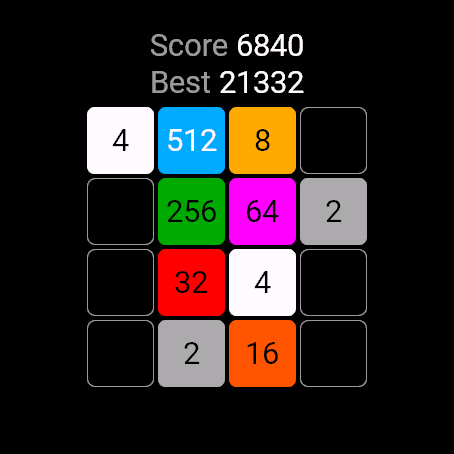
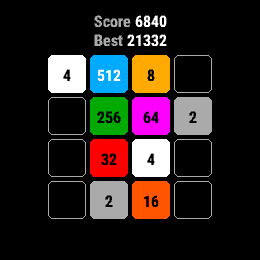
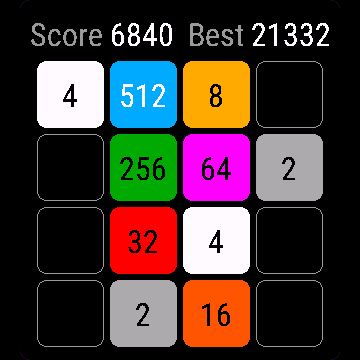
Tiles 2048 is the classic slide-and-merge puzzle on a 4x4 board. Slide all tiles one way, equal numbers merge into their sum, and a new 2 or 4 appears. Reach 2048, then keep going for a higher score. Score and best score stay on the watch.
Requirements and supported watches
Needs Connect IQ 3.3.0+ and the Connect IQ or Garmin Connect phone app. Supported watches:
- Round AMOLED: epix 2 and epix Pro 2, fēnix 8, E, Forerunner 165, 265, 570, 965, 970, Instinct 3 AMOLED, Crossover AMOLED, Venu 2, 3, 4, vivoactive 5, 6.
- Round MIP: enduro 3, fēnix 7 series, 8 Solar, Forerunner 55, 245, 255, vivoactive 4.
- Square and rectangular AMOLED: Venu Sq 2, Venu X1.
Installation
In the Connect IQ app on your phone (or Garmin Connect, then the Connect IQ Store) find "Tiles 2048" by Dialforge, tap Install and sync the watch. Open it from the apps list: press START on the watch face, then pick Tiles 2048.
First launch
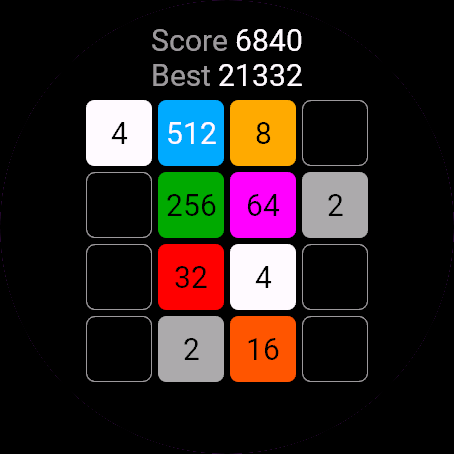
A new board with two tiles opens, with Score and Best in the header. A short hint at the bottom (Hold UP = menu, or Hold screen = menu on touch watches) disappears after your first move. The 30-day free beta starts the first time you open it.
Controls
Watches with buttons (START, UP, DOWN, BACK)
- UP slides tiles up, DOWN slides them down.
- START slides right, BACK slides left.
- MENU (hold UP) opens the pause menu.
- Any press while a banner is showing just clears the banner.
Touch watches (tap, hold, swipe)
- Swipe in any of the four directions to slide the tiles.
- Hold the screen to open the menu.
- A tap only clears a banner.
Settings
Phone: Connect IQ app, Tiles 2048, Settings (the unlock code fields are there too).
On the watch, inside the app:
- Resume: back to the board.
- New game: wipes the current board and starts again (the best score stays).
- Quit: saves the board and closes the app.
License
- Free beta: 30 days from the first launch, everything works.
- Price: 3.99 EUR once at dialforge.dev, no subscription. The 8-character code is tied to your watch's UID.
- Where to enter it: phone, Connect IQ app, Tiles 2048, Settings. Read the UID in "Watch UID (needed to buy a code)", buy the code, then type it into "Unlock code from dialforge.dev". The end-of-beta screen on the watch shows the UID too.
- After the beta without a code: an end-of-beta screen with the UID replaces the app. Enter the code, then open it again. New watch? Write to us and the code moves for free.
Privacy and permissions
No special permissions.
No internet use. Data stays on the watch.
Troubleshooting
The code does not work. Check that the UID you bought for matches "Watch UID (needed to buy a code)" and type all 8 characters (case is ignored, no 0, O, 1 or I). A code for another app does not fit. Sync, then reopen.
Why did nothing happen after my move? A move that changes nothing is ignored: no new tile, no points. Slide another way.
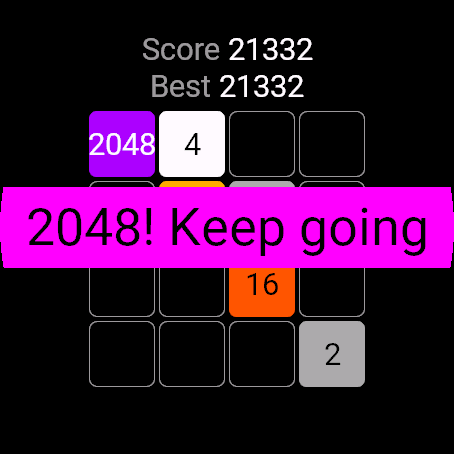
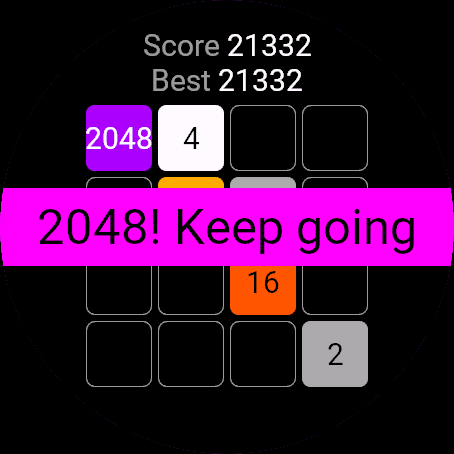
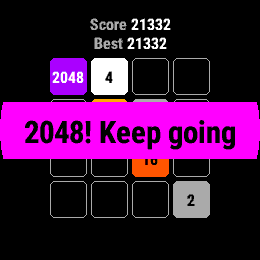
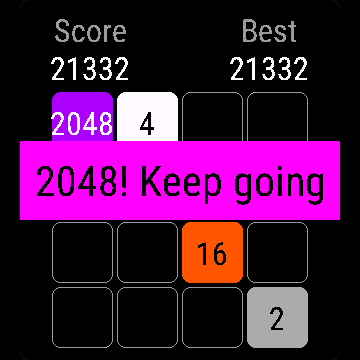
What happens at 2048? A banner says 2048! Keep going. Press anything and you play on, with no limit, for a higher score.
I see 1K or 2K on a tile. On very small screens the full number does not fit, so tiles from 1024 up are shortened to 1K, 2K and so on.
Is my game saved? Yes, after every move. The board and score come back when you reopen the app.
Contact
kontakt@dialforge.dev or dialforge.dev. Please write before leaving a low rating.
Kafelki 2048: instrukcja obsługi
Do czego służy
Kafelki 2048 to klasyczna łamigłówka z przesuwaniem na planszy 4x4. Przesuwasz wszystkie kafle w jedną stronę, równe liczby łączą się w sumę i pojawia się nowa dwójka albo czwórka. Dojdź do 2048, a potem graj dalej o wyższy wynik. Wynik i rekord zostają w zegarku.
Wymagania i obsługiwane zegarki
Wymaga Connect IQ 3.3.0+ i aplikacji Connect IQ albo Garmin Connect w telefonie. Obsługiwane zegarki:
- Okrągłe AMOLED: epix 2 i epix Pro 2, fēnix 8, E, Forerunner 165, 265, 570, 965, 970, Instinct 3 AMOLED, Crossover AMOLED, Venu 2, 3, 4, vivoactive 5, 6.
- Okrągłe MIP: enduro 3, seria fēnix 7, fēnix 8 Solar, Forerunner 55, 245, 255, vivoactive 4.
- Kwadratowe i prostokątne AMOLED: Venu Sq 2, Venu X1.
Instalacja
Na telefonie otwórz aplikację Connect IQ (albo Garmin Connect, a w niej sklep Connect IQ), wyszukaj "Kafelki 2048" od Dialforge, stuknij Zainstaluj i zsynchronizuj zegarek. Uruchom ją z listy aplikacji: na tarczy naciśnij START i wybierz Kafelki 2048.
Pierwsze uruchomienie
Otwiera się nowa plansza z dwoma kaflami, w nagłówku Wynik i Rekord. Krótka podpowiedź na dole (Przytrzymaj GÓRA = menu albo Przytrzymaj ekran = menu na zegarkach dotykowych) znika po pierwszym ruchu. 30-dniowa darmowa beta zaczyna się przy pierwszym otwarciu.
Sterowanie
Zegarki z przyciskami (START, GÓRA, DÓŁ, WSTECZ)
- GÓRA przesuwa kafle w górę, DÓŁ w dół.
- START przesuwa w prawo, WSTECZ w lewo.
- MENU (przytrzymaj GÓRA) otwiera menu pauzy.
- Każde naciśnięcie przy widocznym banerze tylko go zdejmuje.
Zegarki dotykowe (stuknięcie, przytrzymanie, przesunięcie)
- Przesuń palcem w jedną z czterech stron, żeby przesunąć kafle.
- Przytrzymaj ekran, żeby otworzyć menu.
- Stuknięcie tylko zdejmuje baner.
Ustawienia
Telefon: aplikacja Connect IQ, Kafelki 2048, Ustawienia (są tam też pola kodu odblokowania).
Na zegarku, w aplikacji:
- Wznów: powrót do planszy.
- Nowa gra: czyści planszę i zaczyna od nowa (rekord zostaje).
- Zamknij: zapisuje planszę i zamyka aplikację.
Licencja
- Darmowa beta: 30 dni od pierwszego uruchomienia, wszystko działa.
- Cena: jednorazowo 3,99 EUR na dialforge.dev, bez abonamentu. 8-znakowy kod jest przypisany do UID zegarka.
- Gdzie wpisać: telefon, aplikacja Connect IQ, Kafelki 2048, Ustawienia. Odczytaj UID w polu "UID zegarka (potrzebny do zakupu kodu)", kup kod i wpisz go w "Kod odblokowania z dialforge.dev". Ekran końca bety na zegarku też pokazuje UID.
- Po becie bez kodu: zamiast aplikacji pojawia się ekran końca bety z UID. Wpisz kod i otwórz aplikację ponownie. Nowy zegarek? Napisz do nas, przeniesiemy kod za darmo.
Prywatność i uprawnienia
Brak szczególnych uprawnień.
Zero połączeń z internetem. Dane zostają w zegarku.
Rozwiązywanie problemów
Kod nie działa. Sprawdź, czy UID, dla którego kupiono kod, zgadza się z polem "UID zegarka (potrzebny do zakupu kodu)", i wpisz wszystkie 8 znaków (wielkość liter bez znaczenia, bez 0, O, 1, I). Kod do innej aplikacji nie pasuje. Zsynchronizuj i otwórz ponownie.
Czemu po ruchu nic się nie stało? Ruch, który niczego nie zmienia, jest ignorowany: bez nowego kafla i bez punktów. Przesuń w inną stronę.
Co się dzieje przy 2048? Baner 2048! Graj dalej. Naciśnij cokolwiek i gra toczy się dalej, bez limitu, o wyższy wynik.
Na kaflu widzę 1K albo 2K. Na bardzo małych ekranach pełna liczba się nie mieści, więc kafle od 1024 w górę skraca się do 1K, 2K i tak dalej.
Czy gra się zapisuje? Tak, po każdym ruchu. Plansza i wynik wracają po ponownym otwarciu aplikacji.
Kontakt
kontakt@dialforge.dev albo dialforge.dev. Napisz, zanim wystawisz niską ocenę.
Permissions and privacy
This product does not use the internet and sends no data to our servers.
The full manual and the detailed permission descriptions are available in English and Polish.
Compatible watches
51mm, D2 Air X15, D2 Mach 1 Pro, Enduro 2, Enduro 3, epix (Gen 2), epix Pro (Gen 2) 42mm, epix Pro (Gen 2) 47mm, epix Pro (Gen 2) 51mm, Forerunner 165, Forerunner 165 Music, Forerunner 245, Forerunner 245 Music, Forerunner 255, Forerunner 255 Music, Forerunner 255s, Forerunner 255s Music, Forerunner 265, Forerunner 265s, Forerunner 55, Forerunner 570 42mm, Forerunner 570 47mm, Forerunner 965, Forerunner 970, fēnix 7, fēnix 7 Pro, fēnix 7 Pro - Solar Edition (no Wi-Fi), fēnix 7S, fēnix 7S Pro, fēnix 7X, fēnix 7X Pro, fēnix 7X Pro - Solar Edition (no Wi-Fi), fēnix 8 43mm, fēnix 8 47mm, fēnix 8 Pro 47mm, fēnix 8 Solar 47mm, fēnix 8 Solar 51mm, fēnix E, Instinct 3 AMOLED 45mm, Instinct 3 AMOLED 50mm, Instinct Crossover AMOLED, MicroLED, quatix 7, quatix 7 Pro, quatix 7 Sapphire, quatix 7X Solar, quatix 8 47mm, quatix 8 Pro 47mm, tactix 7, tactix 7 – AMOLED Edition, tactix 8 47mm, tactix 8 Solar 51mm, Venu 2, Venu 2 Plus, Venu 2S, Venu 3, Venu 3S, Venu 4 41mm, Venu 4 45mm, Venu Sq 2, Venu Sq 2 Music, Venu X1, vívoactive 4, vívoactive 4S, vívoactive 5, vívoactive 6
Screenshots
FAQ
What happens after the 30-day beta?
The app shows a screen asking for a one-time unlock code from dialforge.dev instead of opening normally. Buy the code once below, no subscription.
Does the app send my data to Dialforge?
No. The app works fully offline, and the unlock code is checked on the watch itself, without contacting any server.
The app does not work as described on my watch. Can I get a refund?
Yes. Write through the feedback form below, or to the e-mail in the footer. If we cannot fix it, we refund you, as described in the terms.
Changing your watch?
Write to me and I will move your code for free.
Changelog
- First release (beta).
- Pierwsze wydanie (beta).
- Erste Version (Beta).
- Première version (beta).
- Primera versión (beta).
- Eerste release (beta).
- 初回リリース(ベータ版)。
- Prima versione (beta).
- 首次发布(测试版)。
- Первый релиз (бета).
- Primeira versão (beta).
- První vydání (beta).
- Primeira versão (beta).
- 첫 출시 (베타).
- Första versionen (beta).
- Første udgivelse (beta).
- Første versjon (beta).
- 首次發布(Beta)。
- Ensimmäinen julkaisu (beta).
- Prvá verzia (beta).
- Prva izdaja (beta).
- Rilis pertama (beta).
- Első kiadás (béta).
- เวอร์ชันแรก (beta)
- Πρώτη έκδοση (beta).
- Prvo izdanje (beta).
- גרסה ראשונה (בטא).
- Keluaran pertama (beta).
Unlock
€3.99
One-time payment. No subscription. The code works on the watch whose UID you enter.
- Install the app from the Connect IQ store. It works fully and for free for the first 30 days.
- Find your 10-digit UID: Connect IQ app on the phone > My Device > Apps or Data Fields > this app > Settings > Watch UID.
- Enter UID and e-mail, pay with PayPal (cards work without a PayPal account). The code appears here at once.
- Type the code into the same settings page, field "Unlock code". The watch checks it offline.
Thank you! Your code:
Enter the code in the app settings, field "Unlock code". The watch checks it offline.
Tell us how to make it better
Missing a data field, a colour, a layout? Found a bug on your watch model? Write it here. We read every message and ship improvements in updates.