7-day free trial, then a one-time 3.99 EUR unlock code at dialforge.dev. No subscription.
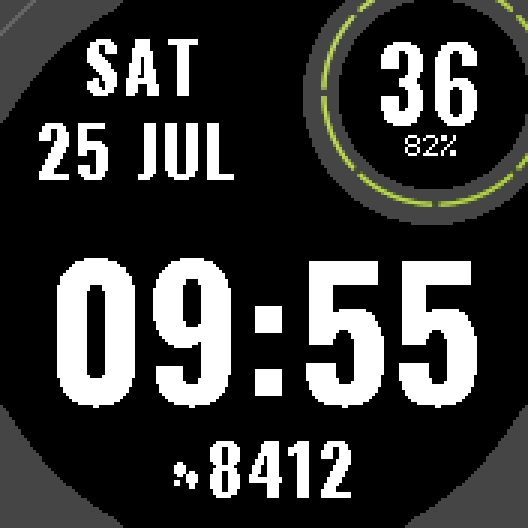
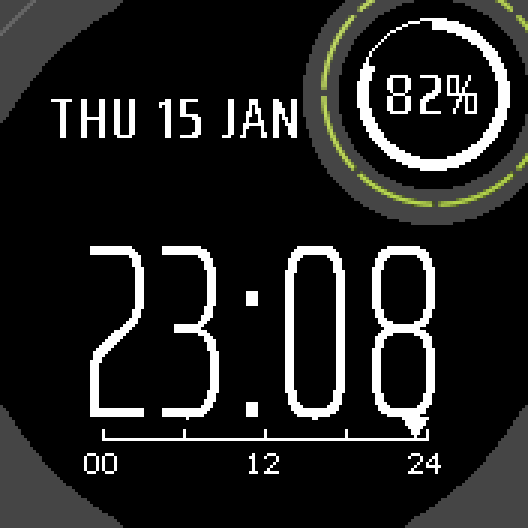
Big Digits is for reading the time without effort. Thick digits across the whole width of the screen, weekday and date in large letters, steps and battery in the same big type. Nothing small to squint at.
What you get
- Time across the full width of the screen in thick, wide digits
- Weekday and date in large bold letters
- Battery in the round subscreen, with seconds above it while the watch is awake
- Step count in large type at the bottom
- Second layout: digits cut out of a solid band, for even more contrast
- No seconds in low power mode, so the face redraws once a minute
- Dark or light background, 12 or 24 hour format
Settings
In Garmin Connect (phone): layout, time format, seconds, light background, unlock code.
Compatible watches
Instinct 2, 2S, 2X Solar, Instinct 3 Solar 45/50 mm, Instinct E 40/45 mm, Instinct Crossover, Descent G1.
Trial and unlock
Everything works for 7 days. After that the face keeps showing the time with default settings and a small "UNLOCK DIALFORGE.DEV" bar. Your watch ID is shown in the face settings; buy the code for that ID at dialforge.dev and paste it into the settings.
Questions or ideas: kontakt@dialforge.dev
A little request from the maker
Dialforge is my student project. I build these watch faces after classes, so they are still at an early stage, and I could not test every watch model myself. If something looks wrong on your watch, please do not leave a negative rating: write to me first at https://dialforge.dev/faces/bigdigits/ and I will fix it, usually within 24 hours. A kind review means more to me than you can imagine. And if you like my work, you can buy me a coffee (the link is at the bottom of dialforge.dev): I am saving up to pay for my studies. Thank you for your patience and for giving a young developer a chance.
7-day free trial, then a one-time 3.99 EUR unlock code at dialforge.dev. No subscription.
Big Digits is for reading the time without effort. Thick digits across the whole width of the screen, weekday and date in large letters, steps and battery in the same big type. Nothing small to squint at.
What you get
- Time across the full width of the screen in thick, wide digits
- Weekday and date in large bold letters
- Battery in the round subscreen, with seconds above it while the watch is awake
- Step count in large type at the bottom
- Second layout: digits cut out of a solid band, for even more contrast
- No seconds in low power mode, so the face redraws once a minute
- Dark or light background, 12 or 24 hour format
Settings
In Garmin Connect (phone): layout, time format, seconds, light background, unlock code.
Compatible watches
Instinct 2, 2S, 2X Solar, Instinct 3 Solar 45/50 mm, Instinct E 40/45 mm, Instinct Crossover, Descent G1.
Trial and unlock
Everything works for 7 days. After that the face keeps showing the time with default settings and a small "UNLOCK DIALFORGE.DEV" bar. Your watch ID is shown in the face settings; buy the code for that ID at dialforge.dev and paste it into the settings.
Questions or ideas: kontakt@dialforge.dev
A little request from the maker
Dialforge is my student project. I build these watch faces after classes, so they are still at an early stage, and I could not test every watch model myself. If something looks wrong on your watch, please do not leave a negative rating: write to me first at https://dialforge.dev/faces/bigdigits/ and I will fix it, usually within 24 hours. A kind review means more to me than you can imagine. And if you like my work, you can buy me a coffee (the link is at the bottom of dialforge.dev): I am saving up to pay for my studies. Thank you for your patience and for giving a young developer a chance.
Manual
The full manual and the detailed permission descriptions are available in English and Polish.
Big Digits: user manual
What it does
Big Digits is for reading the time without effort. Thick digits across the whole width of the screen, weekday and date in large letters, steps and battery in the same big type. Nothing small to squint at.
Requirements and supported watches
Needs Connect IQ 3.2.0+ and the Connect IQ or Garmin Connect phone app. Supported watches (all with a 1-bit screen):
- Instinct 2 family: Instinct 2, 2 Solar, Dual Power and dezl Edition (176 x 176), Instinct 2S, 2S Solar and Dual Power (163 x 156), Instinct 2X Solar (176 x 176).
- Instinct 3 Solar 45 mm and 50 mm, Instinct E 40 mm and 45 mm.
- Instinct Crossover.
- Descent G1 and G1 Solar.
All of them have a 1-bit MIP screen. Instinct Crossover has no subscreen, so the face draws a plain circle in that corner. The physical hands of the Crossover cover the middle of the screen.
Installation
In the Connect IQ app on your phone (or Garmin Connect, then the Connect IQ Store) find "Big Digits" by Dialforge, tap Install and sync the watch. Then hold the menu button (UP), choose Watch Face and select Big Digits.
First launch
Weekday and date at the top left, time across the full width in the middle, step count in large type at the bottom. The round subscreen shows seconds with the battery percentage under them while the watch is awake. The 7-day trial starts the first time the face runs.
Controls
Watches with buttons (START, UP, DOWN, BACK)
- No actions of its own. Settings are on the phone only.
Touch watches (tap, hold, swipe)
- None of the supported watches has a touch screen. The face has no touch actions.
Settings
Phone only: Connect IQ app, Big Digits, Settings. The face has no settings menu on the watch.
- Layout: Plain big digits (default), or Digits in a solid band (more contrast), where the digits are cut out of a solid band.
- Time format: Automatic (follows the watch setting), 12-hour, 24-hour. Default: Automatic.
- Seconds when the watch is active: on or off. Default: on.
- Light background: on or off (dark text on a light screen). Default: off.
- Watch ID (for the unlock code): read-only, you need it to buy the code.
- Unlock code from dialforge.dev: paste the code here.
- Seconds are shown only while the watch is awake after a wrist gesture. In low power mode there are no seconds and the face redraws once a minute.
- In low power mode the subscreen shows the battery level only, as a big number with a percent sign.
- In 12-hour mode AM or PM appears next to the weekday.
License
- Trial: 7 days from the first launch, everything works.
- Price: 3.99 EUR once at dialforge.dev, no subscription. The 8-character code is tied to your watch ID. The all-faces pack code also works.
- Where to enter it: phone, Connect IQ app, Big Digits, Settings. Read the ID in "Watch ID (for the unlock code)", buy the code, then paste it into "Unlock code from dialforge.dev".
- After the trial without a code: settings return to defaults and a small UNLOCK DIALFORGE.DEV bar appears. Time and data keep working.
Privacy and permissions
Permissions: none. The manifest is empty. The face does not use GPS, does not connect to the internet and sends no data. Nothing is collected.
It reads only the battery level and the step count from the watch.
Troubleshooting
The code does not work. Check that the watch ID you bought for matches "Watch ID (for the unlock code)" and type all 8 characters (case is ignored, no 0, O, 1 or I). A code for another face does not fit. Sync, then reopen.
Battery drain? Seconds are drawn only while the watch is awake. In low power mode the face redraws once a minute.
Where are the seconds? Turn on "Seconds when the watch is active" in the settings, then raise your wrist. Seconds never show in low power mode.
12-hour or 24-hour? Set "Time format" in the settings. Automatic follows the watch.
Contact
kontakt@dialforge.dev or dialforge.dev. Please write before leaving a low rating.
Big Digits: instrukcja obsługi
Do czego służy
Big Digits służy do odczytu czasu bez wysiłku. Grube cyfry na całą szerokość ekranu, dzień tygodnia i data dużymi literami, kroki i bateria tą samą dużą czcionką. Nic małego, w co trzeba się wpatrywać.
Wymagania i obsługiwane zegarki
Wymaga Connect IQ 3.2.0+ i aplikacji Connect IQ albo Garmin Connect w telefonie. Obsługiwane zegarki (wszystkie z ekranem 1-bit):
- Rodzina Instinct 2: Instinct 2, 2 Solar, Dual Power i dezl Edition (176 x 176), Instinct 2S, 2S Solar i Dual Power (163 x 156), Instinct 2X Solar (176 x 176).
- Instinct 3 Solar 45 mm i 50 mm, Instinct E 40 mm i 45 mm.
- Instinct Crossover.
- Descent G1 i G1 Solar.
Wszystkie mają ekran MIP 1-bit. Instinct Crossover nie ma subekranu, więc tarcza rysuje w tym rogu zwykłe koło. Fizyczne wskazówki Crossovera zasłaniają środek ekranu.
Instalacja
Na telefonie otwórz aplikację Connect IQ (albo Garmin Connect, a w niej sklep Connect IQ), wyszukaj "Big Digits" od Dialforge, stuknij Zainstaluj i zsynchronizuj zegarek. Potem przytrzymaj przycisk menu (GÓRA), wybierz Tarcza zegarka i wskaż Big Digits.
Pierwsze uruchomienie
Dzień tygodnia i data w lewym górnym rogu, czas na całą szerokość pośrodku, liczba kroków dużą czcionką na dole. Okrągły subekran pokazuje sekundy, a pod nimi procent baterii, gdy zegarek jest aktywny. 7-dniowy okres próbny zaczyna się przy pierwszym uruchomieniu tarczy.
Sterowanie
Zegarki z przyciskami (START, GÓRA, DÓŁ, WSTECZ)
- Brak własnych akcji. Ustawienia są tylko w telefonie.
Zegarki dotykowe (stuknięcie, przytrzymanie, przesunięcie)
- Żaden z obsługiwanych zegarków nie ma ekranu dotykowego. Tarcza nie ma akcji dotykowych.
Ustawienia
Tylko w telefonie: aplikacja Connect IQ, Big Digits, Ustawienia. Na zegarku tarcza nie ma menu ustawień.
- Układ: Zwykłe duże cyfry (domyślnie) albo Cyfry w pełnym pasie (większy kontrast), gdzie cyfry są wycięte w jednolitym pasie.
- Format czasu: Automatyczny (wg ustawień zegarka), 12-godzinny, 24-godzinny. Domyślnie: Automatyczny.
- Sekundy, gdy zegarek jest aktywny: włączone lub wyłączone. Domyślnie: włączone.
- Jasne tło: włączone lub wyłączone (ciemny tekst na jasnym ekranie). Domyślnie: wyłączone.
- ID zegarka (do kodu odblokowania): tylko do odczytu, potrzebne do zakupu kodu.
- Kod odblokowania z dialforge.dev: tu wklej kod.
- Sekundy widać tylko wtedy, gdy zegarek jest aktywny po geście nadgarstka. W trybie niskiego zużycia sekund nie ma, a tarcza odświeża się raz na minutę.
- W trybie niskiego zużycia subekran pokazuje tylko poziom baterii, dużą liczbą ze znakiem procentu.
- W trybie 12-godzinnym AM lub PM pojawia się obok dnia tygodnia.
Licencja
- Okres próbny: 7 dni od pierwszego uruchomienia, wszystko działa.
- Cena: jednorazowo 3,99 EUR na dialforge.dev, bez abonamentu. 8-znakowy kod jest przypisany do ID zegarka. Działa też kod pakietu wszystkich tarcz.
- Gdzie wpisać: telefon, aplikacja Connect IQ, Big Digits, Ustawienia. Odczytaj ID w polu "ID zegarka (do kodu odblokowania)", kup kod i wklej go w "Kod odblokowania z dialforge.dev".
- Po okresie próbnym bez kodu: ustawienia wracają do domyślnych, a na dole pojawia się mały pasek UNLOCK DIALFORGE.DEV. Czas i dane działają dalej.
Prywatność i uprawnienia
Uprawnienia: brak. Manifest jest pusty. Tarcza nie używa GPS, nie łączy się z internetem i niczego nie wysyła. Nic nie jest zbierane.
Z zegarka czyta tylko poziom baterii i liczbę kroków.
Rozwiązywanie problemów
Kod nie działa. Sprawdź, czy ID zegarka, dla którego kupiono kod, zgadza się z polem "ID zegarka (do kodu odblokowania)", i wpisz wszystkie 8 znaków (wielkość liter bez znaczenia, bez 0, O, 1, I). Kod do innej tarczy nie pasuje. Zsynchronizuj i otwórz ponownie.
Zużycie baterii? Sekundy są rysowane tylko przy aktywnym zegarku. W trybie niskiego zużycia tarcza odświeża się raz na minutę.
Gdzie są sekundy? Włącz w ustawieniach "Sekundy, gdy zegarek jest aktywny" i unieś nadgarstek. W trybie niskiego zużycia sekund nigdy nie ma.
12 czy 24 godziny? Ustaw "Format czasu" w ustawieniach. Automatyczny podąża za zegarkiem.
Kontakt
kontakt@dialforge.dev albo dialforge.dev. Napisz, zanim wystawisz niską ocenę.
Permissions and privacy
This product does not use the internet and sends no data to our servers.
The full manual and the detailed permission descriptions are available in English and Polish.
Unlock
€3.99
One-time payment. No subscription. The code works on the watch whose UID you enter.
- Install the face from the Connect IQ store. It is free for 7 days.
- Find your 10-digit UID: Connect IQ app on the phone > My Device > Watch faces > Big Digits > Settings (first field).
- Enter UID and e-mail, pay with PayPal (cards work without a PayPal account). The code appears here at once.
- Type the code into the same settings page, field "Unlock code". The watch checks it offline.
Thank you! Your code:
Enter it in the face settings, field "Unlock code". Keep it: you can recover it at dialforge.dev/code.
More faces
 1-BitSoon
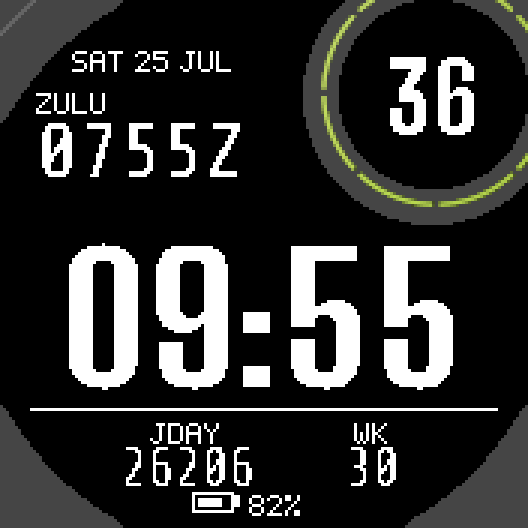
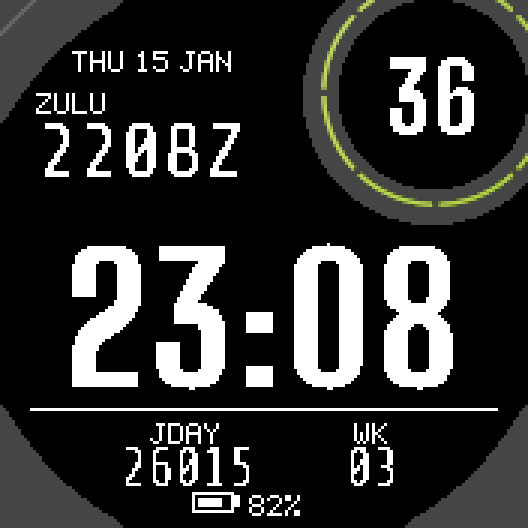
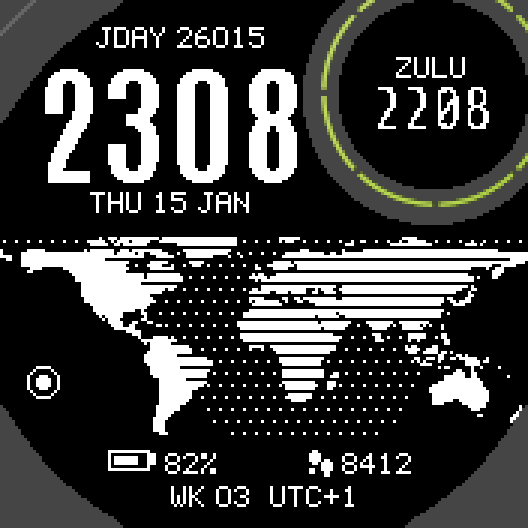
Zulu Julian Ops
Local time, Zulu time and Julian date. In plain text.
 1-BitSoon
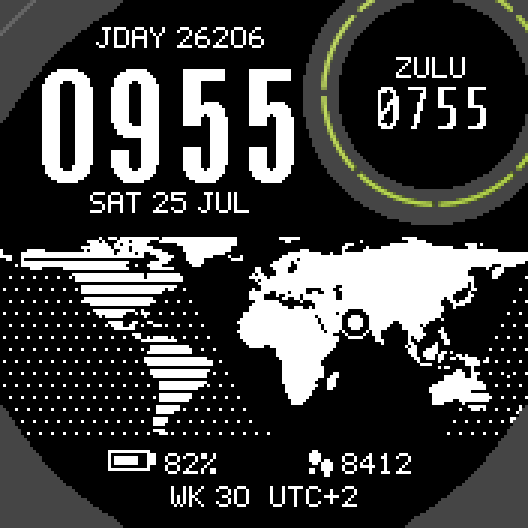
Tactical World
World map with the night side drawn live.
 1-BitSoon
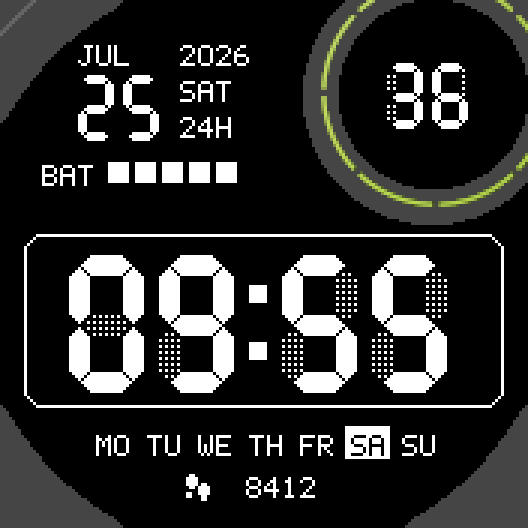
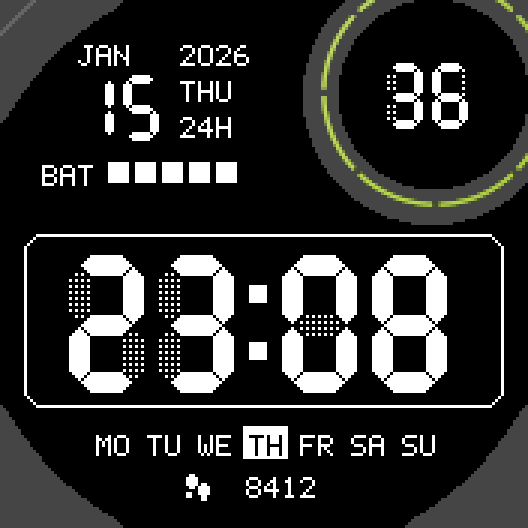
Retro LCD
7-segment digits with the faint off segments of an old LCD.
 1-BitSoon
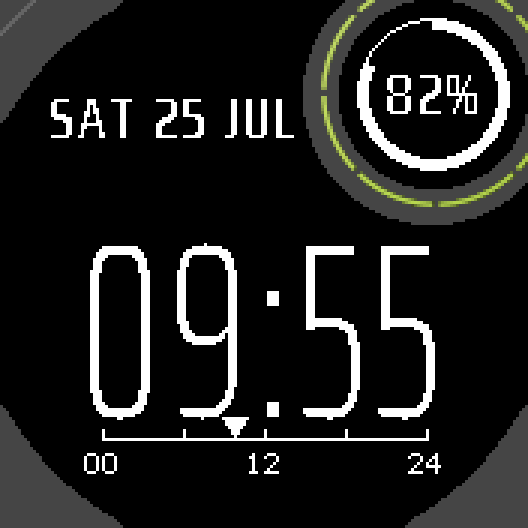
No Seconds Eco
Hours and minutes. Never seconds.
Tell us how to make it better
Missing a data field, a colour, a layout? Found a bug on your watch model? Write it here. We read every message and ship improvements in updates.