Racket sports
Badminton Score
A badminton score app for your watch: one button per point, rally scoring to 21, and doubles court positions tracked for you after every point.
Aplikacja do liczenia punktów w badmintonie na zegarek: jeden przycisk na punkt, gra do 21 punktów i śledzenie pozycji w deblu po każdym punkcie.
Badminton-Zählapp für Ihre Uhr: ein Knopf pro Punkt, Rallye-Zählung bis 21 und automatisch verfolgte Positionen im Doppel nach jedem Punkt.
Application de score de badminton pour votre montre : un bouton par point, comptage rally jusqu'à 21 et suivi automatique des positions en double après chaque point.
App de marcador de bádminton para tu reloj: un botón por punto, puntuación rally hasta 21 y posiciones de dobles registradas tras cada punto.
Badminton-scoreapp voor je horloge: één knop per punt, rally-puntentelling tot 21 en dubbelposities die na elk punt voor je worden bijgehouden.
ウォッチで使えるバドミントンのスコアアプリ。1ポイントにつきボタン1つ、21点までのラリーポイント制で、ダブルスの立ち位置も毎ポイント後に自動で管理します。
App per il punteggio del badminton sul tuo orologio: un pulsante per punto, punteggio rally a 21 e posizioni del doppio aggiornate dopo ogni punto.
每分一个按键,21分每球得分制,每得一分后自动记录双打站位。
Приложение для счёта в бадминтоне на часах: одна кнопка на очко, игра до 21 очка и автоматический учёт позиций в паре после каждого очка.
App de placar de badminton para o seu relógio: um botão por ponto, pontuação rally até 21 e posições de duplas acompanhadas após cada ponto.
Aplikace na počítání skóre v badmintonu do hodinek: jedno tlačítko na bod, hra do 21 bodů a sledování pozic ve čtyřhře po každém bodu.
App de resultado de badmínton para o seu relógio: um botão por ponto, pontuação rally até 21 e posições de pares acompanhadas após cada ponto.
워치로 쓰는 배드민턴 점수 앱입니다. 포인트마다 버튼 하나, 21점 랠리 포인트제, 복식 코트 위치도 매 포인트 후 자동으로 관리합니다.
Badmintonpoängapp till din klocka: en knapp per poäng, rallypoäng till 21 och dubbelpositioner som följs åt efter varje poäng.
Badmintonpointapp til dit ur: én knap pr. point, rallypoint til 21 og dobbeltpositioner, der følges efter hvert point.
Badmintonpoengapp til klokken din: én knapp per poeng, ralliscoring til 21 og dobbeltposisjoner som følges etter hvert poeng.
每分一個按鍵,21分每球得分制,每得一分後自動記錄雙打站位。
yksi painike pistettä kohti, rallipisteytys 21:een ja nelinpelin paikat seurataan jokaisen pisteen jälkeen.
Aplikácia na počítanie skóre v bedmintone do hodiniek: jedno tlačidlo na bod, hra do 21 bodov a sledovanie pozícií vo štvorhre po každom bode.
Aplikacija za štetje točk v badmintonu za vašo uro: en gumb na točko, točkovanje do 21 in sledenje položajem v dvojicah po vsaki točki.
Aplikasi skor bulu tangkis untuk jam Anda: satu tombol per poin, penilaian rally hingga 21, dan posisi ganda dicatat setelah setiap poin.
Tollaslabda pontszámláló alkalmazás az órádra: egy gomb pontonként, rally pontozás 21-ig, és a páros pozíciók követése minden pont után.
แอปนับคะแนนแบดมินตันสำหรับนาฬิกาของคุณ กดปุ่มเดียวต่อหนึ่งคะแนน นับคะแนนแบบแรลลีถึง 21 และติดตามตำแหน่งในประเภทคู่ให้หลังทุกคะแนน
Εφαρμογή σκορ μπάντμιντον για το ρολόι σας: ένα κουμπί ανά πόντο, βαθμολογία ράλι έως το 21 και παρακολούθηση θέσεων διπλού μετά από κάθε πόντο.
Aplikacija za bodovanje badmintona za vaš sat: jedna tipka po poenu, bodovanje do 21 i praćenje pozicija u paru nakon svakog poena.
אפליקציית ניקוד לבדמינטון לשעון שלך: כפתור אחד לכל נקודה, ניקוד ראלי עד 21 ומעקב אחר עמדות בזוגות אחרי כל נקודה.
Aplikasi markah badminton untuk jam anda: satu butang setiap mata, pemarkahan rali hingga 21 dan kedudukan beregu dijejak selepas setiap mata.
€6.9930-day free trial
Download on Garmin Connect IQ Buy unlock code
- Install the app from the Connect IQ store. It works fully and for free for the first 30 days.
- Enter the watch ID and pay. The code appears here at once and in the e-mail you give when paying.
- Enter the code in the app settings, field "Unlock code". The watch checks it offline.
Opens the Garmin store. Tap Install there and the Connect IQ app does the rest.
30-day free trial
The app works fully and for free for the first 30 days after you first open it. After that you can buy a one-time unlock code below. No subscription.
Badminton Score: one button per point, rally scoring to 21, doubles positions tracked.
Most scorekeeping apps lose track of who stands where in doubles. This one does not: UP is a point for us, DOWN a point for them, and it tracks the server, the serve side and which partner is due to serve.
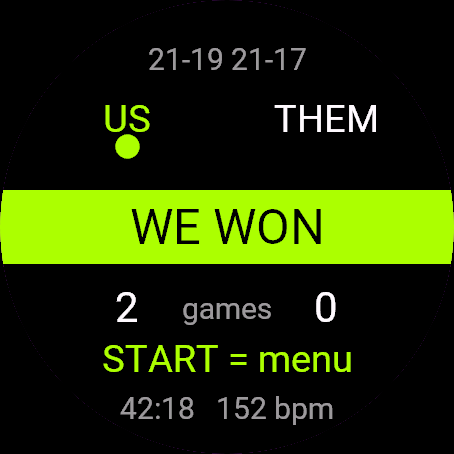
- Rally scoring to 21, win by 2, capped at 30
- Doubles court positions (which player is on the right) updated automatically after every point
- Interval and end change shown at 11 points in the deciding game
- Undo on BACK, no holding needed
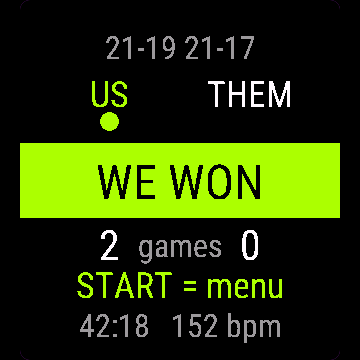
- Saved to Garmin Connect as Badminton, with a lap for every game
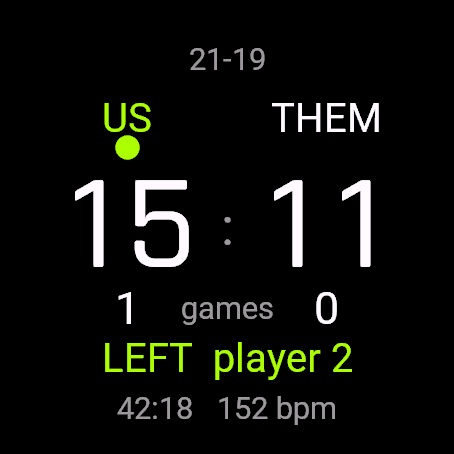
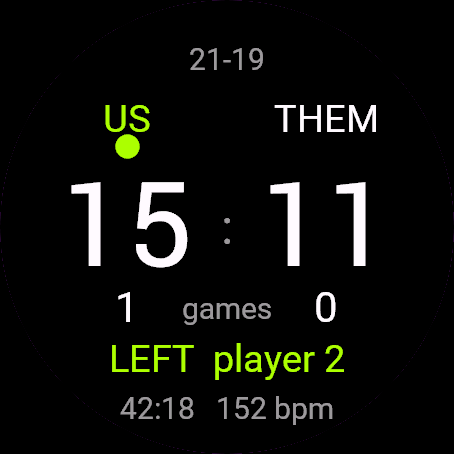
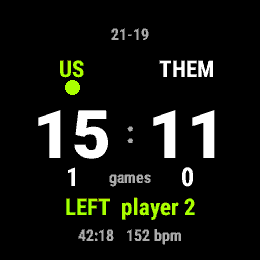
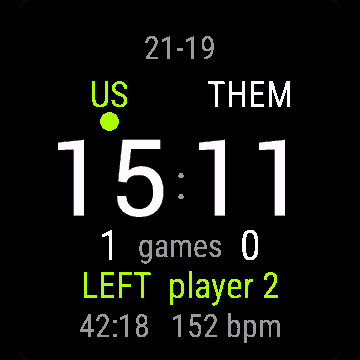
- Match clock and heart rate on screen
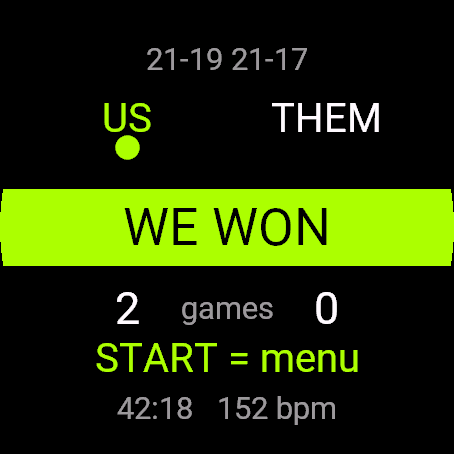
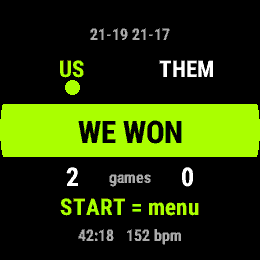
Controls: UP = point for us, DOWN = point for them, BACK = undo, START = menu (resume, save, discard). Touch-only watches: tap the left half for our point, the right half for theirs.
Free trial: the app works fully and for free for the first 30 days. After that you can buy a one-time code at dialforge.dev. Changing your watch? Write to me and I will move your code for free. No subscription. I am a student and I build these apps myself after hours. I do not own every watch model, so bugs can happen on some. If something does not work or is missing, write through the form at dialforge.dev. I fix every reported bug within 72 hours and send the update to Garmin (Garmin approval usually takes 1-3 days). If you reported a bug, check whether the fix is already there, and if the bug lowered your rating, I would be grateful if you reconsidered it. If the app is useful to you, leave a rating in the store. You can also buy me a coffee or buy the full version, it lets me build more. Purchase: at checkout you confirm immediate delivery of the code, so under EU law the right of withdrawal does not apply. If the app does not work on your watch as described, write to me and I will fix it.
Badminton Score: jeden przycisk na punkt, liczenie do 21, pozycje w deblu pod kontrolą.
Większość aplikacji do liczenia wyniku gubi się w deblu, kto stoi po której stronie. Ta nie: GÓRA to punkt dla nas, DÓŁ dla rywali, a zegarek pilnuje serwującego, strony serwisu i tego, który partner ma teraz serwować.
- Liczenie każdej wymiany do 21, przewaga dwóch punktów, limit 30
- Pozycje na korcie w deblu (kto stoi po prawej) aktualizowane automatycznie po każdym punkcie
- Przerwa i zmiana stron pokazana przy 11 punktach w decydującym secie
- Cofanie przyciskiem WSTECZ bez przytrzymywania
- Zapis do Garmin Connect jako Badminton, z okrążeniem na każdy set
- Czas meczu i tętno na ekranie
Sterowanie: GÓRA = punkt dla nas, DÓŁ = punkt dla rywali, WSTECZ = cofnij, START = menu (wznów, zapisz, odrzuć). Zegarki dotykowe: dotknięcie lewej połowy ekranu to punkt dla nas, prawej dla rywali.
Darmowa próba. Przez pierwsze 30 dni aplikacja działa w pełni i za darmo. Potem możesz kupić jednorazowy kod na dialforge.dev. Zmieniasz zegarek? Napisz do mnie, a przeniosę Twój kod bezpłatnie. Bez abonamentu. Jestem studentem i robię te aplikacje sam, po godzinach. Nie mam wszystkich modeli zegarków, więc na niektórych mogą zdarzyć się błędy. Jeśli coś nie działa albo czegoś brakuje, napisz przez formularz na dialforge.dev. Każdą zgłoszoną usterkę poprawiam w ciągu 72 godzin i wysyłam do Garmina (zatwierdzenie przez Garmina trwa zwykle 1-3 dni). Jeśli zgłaszałeś błąd, sprawdź, czy poprawka już jest. A jeśli przez ten błąd wystawiłeś niższą ocenę, będzie mi miło, jeśli ją przemyślisz jeszcze raz. Jeśli aplikacja Ci się przydaje, zostaw ocenę w sklepie. Możesz też postawić mi kawę albo kupić pełną wersję, to pozwala mi robić kolejne. Zakup kodu: przy płatności potwierdzasz natychmiastowe dostarczenie kodu, więc zgodnie z prawem UE nie przysługuje prawo odstąpienia. Jeśli aplikacja nie działa na Twoim zegarku zgodnie z opisem, napisz, a naprawię to.
Badminton Score: ein Knopf pro Punkt, Rally-Zählweise bis 21, Doppelpositionen werden mitgeführt.
Die meisten Zählapps verlieren im Doppel den Überblick, wer wo steht. Diese nicht: AUF ist ein Punkt für uns, AB ein Punkt für den Gegner, und sie merkt sich Aufschläger, Aufschlagseite und welcher Partner als Nächster aufschlagen muss.
- Rally-Zählweise bis 21, Gewinn mit 2 Punkten Vorsprung, gedeckelt bei 30
- Doppelpositionen auf dem Feld (welcher Spieler rechts steht) werden nach jedem Punkt automatisch aktualisiert
- Pause und Seitenwechsel werden bei 11 Punkten im Entscheidungssatz angezeigt
- Rückgängig über ZURÜCK, kein Halten nötig
- Wird in Garmin Connect als Badminton gespeichert, mit einer Runde pro Satz
- Spielzeit und Herzfrequenz auf dem Display
Bedienung: AUF = Punkt für uns, AB = Punkt für den Gegner, ZURÜCK = rückgängig, START = Menü (fortsetzen, speichern, verwerfen). Uhren nur mit Touch: linke Hälfte tippen für unseren Punkt, rechte Hälfte für den Gegner.
Kostenlose Testversion: Die App funktioniert in den ersten 30 Tagen uneingeschränkt und kostenlos. Danach kannst du einen Einmal-Code auf dialforge.dev kaufen. Du wechselst deine Uhr? Schreib mir und ich übertrage deinen Code kostenlos. Kein Abo. Ich bin Student und entwickle diese Apps selbst nach Feierabend. Ich besitze nicht jedes Uhrenmodell, daher können bei manchen Fehler auftreten. Wenn etwas nicht funktioniert oder fehlt, schreib über das Formular auf dialforge.dev. Ich behebe jeden gemeldeten Fehler innerhalb von 72 Stunden und sende das Update an Garmin (die Freigabe durch Garmin dauert üblicherweise 1-3 Tage). Falls du einen Fehler gemeldet hast, prüfe bitte, ob die Fehlerbehebung schon da ist, und falls der Fehler zu einer schlechteren Bewertung geführt hat, wäre ich dankbar, wenn du sie noch einmal überdenkst. Wenn die App für dich nützlich ist, hinterlasse eine Bewertung im Store. Du kannst mir auch einen Kaffee spendieren oder die Vollversion kaufen, das ermöglicht mir, weitere Apps zu entwickeln. Kauf: Beim Bezahlen bestätigst du die sofortige Bereitstellung des Codes, daher gilt nach EU-Recht kein Widerrufsrecht. Sollte die App auf deiner Uhr nicht wie beschrieben funktionieren, schreib mir und ich behebe das.
Score de badminton : un bouton par point, comptage à chaque échange jusqu'à 21, positions en double suivies.
La plupart des applications de score perdent la trace de qui se trouve où en double. Pas celle-ci : HAUT donne un point pour nous, BAS un point pour eux, et elle suit le serveur, le côté de service et quel partenaire doit servir.
- Comptage à chaque échange jusqu'à 21, victoire avec 2 points d'écart, plafonné à 30
- Positions sur le terrain en double (quel joueur est à droite) mises à jour automatiquement après chaque point
- Pause d'intervalle et changement de côté affichés à 11 points dans la manche décisive
- Annulation avec RETOUR, sans maintenir la pression
- Enregistré dans Garmin Connect comme Badminton, avec un tour par manche
- Chronomètre du match et fréquence cardiaque à l'écran
Commandes : HAUT = point pour nous, BAS = point pour eux, RETOUR = annuler, START = menu (reprendre, enregistrer, abandonner). Montres tactiles uniquement : touchez la moitié gauche pour notre point, la moitié droite pour le leur.
Essai gratuit : l'application fonctionne pleinement et gratuitement pendant les 30 premiers jours. Ensuite, vous pouvez acheter un code à paiement unique sur dialforge.dev. Vous changez de montre ? Écrivez-moi et je transférerai votre code gratuitement. Sans abonnement. Je suis étudiant et je développe ces applications moi-même sur mon temps libre. Je ne possède pas tous les modèles de montre, des bugs peuvent donc survenir sur certains. Si quelque chose ne fonctionne pas ou manque, écrivez-moi via le formulaire sur dialforge.dev. Je corrige chaque bug signalé sous 72 heures et j'envoie la mise à jour à Garmin (la validation par Garmin prend généralement 1 à 3 jours). Si vous avez signalé un bug, vérifiez si le correctif est déjà disponible, et si ce bug a fait baisser votre note, je vous serais reconnaissant de bien vouloir la réévaluer. Si l'application vous est utile, laissez une note dans la boutique. Vous pouvez aussi m'offrir un café ou acheter la version complète, cela me permet d'en développer d'autres. Achat : lors du paiement, vous confirmez la livraison immédiate du code, donc selon le droit de l'UE, le droit de rétractation ne s'applique pas. Si l'application ne fonctionne pas sur votre montre comme décrit, écrivez-moi et je corrigerai le problème.
Marcador de bádminton: un botón por punto, puntuación por rally a 21, posiciones de dobles controladas.
La mayoría de las apps de marcador pierden el hilo de quién está dónde en dobles. Esta no: ARRIBA es un punto para nosotros, ABAJO un punto para ellos, y controla quién saca, el lado de saque y a qué compañero le toca sacar.
- Puntuación por rally a 21, con 2 de diferencia para ganar, tope en 30
- Las posiciones en pista de dobles (qué jugador está a la derecha) se actualizan automáticamente después de cada punto
- Muestra el descanso y el cambio de lado a los 11 puntos en el juego decisivo
- Deshacer con ATRÁS, sin mantener pulsado
- Se guarda en Garmin Connect como Badminton, con una vuelta por cada juego
- Reloj del partido y frecuencia cardíaca en pantalla
Controles: ARRIBA = punto para nosotros, ABAJO = punto para ellos, ATRÁS = deshacer, START = menú (reanudar, guardar, descartar). Relojes solo táctiles: toca la mitad izquierda para nuestro punto, la mitad derecha para el suyo.
Prueba gratuita: la aplicación funciona al completo y gratis durante los primeros 30 días. Después de eso, puedes comprar un código de pago único en dialforge.dev. ¿Cambias de reloj? Escríbeme y transferiré tu código gratis. Sin suscripción. Soy estudiante y desarrollo estas aplicaciones por mi cuenta en mi tiempo libre. No tengo todos los modelos de reloj, por lo que pueden ocurrir errores en algunos. Si algo no funciona o falta, escribe a través del formulario en dialforge.dev. Corrijo cada error notificado en un plazo de 72 horas y envío la actualización a Garmin (la aprobación de Garmin suele tardar 1-3 días). Si notificaste un error, comprueba si la solución ya está disponible, y si el error hizo bajar tu valoración, te agradecería que la reconsideraras. Si la aplicación te resulta útil, deja una valoración en la tienda. También puedes invitarme a un café o comprar la versión completa, me permite seguir desarrollando. Compra: en el momento del pago confirmas la entrega inmediata del código, por lo que según la legislación de la UE no se aplica el derecho de desistimiento. Si la aplicación no funciona en tu reloj como se describe, escríbeme y lo solucionaré.
Badminton Score: een knop per punt, rallytelling tot 21, dubbelposities worden bijgehouden.
Bij de meeste scoreapps raak je bij dubbel het overzicht kwijt van wie waar staat. Bij deze niet: OMHOOG is een punt voor ons, OMLAAG een punt voor hen, en de app houdt de server, de opslagzijde en welke partner aan de beurt is bij.
- Rallytelling tot 21, met 2 punten verschil winnen, met een maximum van 30
- Dubbelposities op de baan (welke speler rechts staat) worden na elk punt automatisch bijgewerkt
- Pauze en wissel van speelhelft getoond bij 11 punten in de beslissende game
- Ongedaan maken met TERUG, niets hoeft ingedrukt te worden gehouden
- Opgeslagen in Garmin Connect als Badminton, met een ronde per game
- Wedstrijdklok en hartslag op het scherm
Bediening: OMHOOG = punt voor ons, OMLAAG = punt voor hen, TERUG = ongedaan maken, START = menu (verdergaan, opslaan, verwijderen). Horloges met alleen aanraakscherm: tik op de linkerkant voor ons punt, de rechterkant voor hen.
Gratis proefperiode: de app werkt de eerste 30 dagen volledig en gratis. Daarna kun je een eenmalige code kopen op dialforge.dev. Wissel je van horloge? Schrijf me en ik zet je code gratis over. Geen abonnement. Ik ben student en ik bouw deze apps zelf in mijn vrije tijd. Ik bezit niet elk horlogemodel, dus op sommige kunnen bugs voorkomen. Als er iets niet werkt of ontbreekt, schrijf dan via het formulier op dialforge.dev. Ik los elke gemelde bug binnen 72 uur op en stuur de update naar Garmin (goedkeuring door Garmin duurt meestal 1-3 dagen). Als je een bug hebt gemeld, controleer dan of de oplossing er al is, en als de bug je beoordeling heeft verlaagd, zou ik het op prijs stellen als je deze wilt heroverwegen. Als de app nuttig voor je is, laat dan een beoordeling achter in de store. Je kunt ook een kop koffie voor me kopen of de volledige versie aanschaffen; daarmee kan ik meer bouwen. Aankoop: bij het afrekenen bevestig je de directe levering van de code, waardoor volgens het EU-recht het herroepingsrecht niet van toepassing is. Als de app op jouw horloge niet werkt zoals beschreven, schrijf me dan en ik los het op.
バドミントンスコア: ワンボタンで1点、21点ラリーポイント制、ダブルスのポジションも自動管理。
多くのスコア記録アプリは、ダブルスで誰がどこに立つべきか管理できません。このアプリは違います。上ボタンで自分たちの得点、下ボタンで相手の得点、サーバー、サーブ側、次にサーブするパートナーまで自動で管理します。
- 21点ラリーポイント制、2点差で勝利、上限30点
- ダブルスのコートポジション(どちらの選手が右側か)をポイントごとに自動更新
- 最終ゲームの11点でインターバルとエンド交代を表示
- 戻るボタンで取り消し、長押し不要
- Garmin Connectにバドミントンとして保存され、ゲームごとにラップを記録
- 画面に試合時間と心拍数を表示
操作方法: 上ボタン = 自分たちの得点、下ボタン = 相手の得点、戻るボタン = 取り消し、START = メニュー(再開/保存/破棄)。タッチ専用の時計では、画面左半分をタップで自分たちの得点、右半分で相手の得点。
無料トライアル:最初の30日間はすべての機能を完全かつ無料でご利用いただけます。その後は dialforge.dev で買い切りコードをご購入いただけます。時計を買い替える場合はご連絡いただければ、無料でコードを移行します。サブスクリプションはありません。私は学生で、放課後や空き時間に自分でこれらのアプリを開発しています。すべての時計モデルを所有しているわけではないため、一部のモデルで不具合が発生することがあります。もし動作しない点や不足している機能があれば、dialforge.dev のフォームからご連絡ください。報告された不具合はすべて 72時間 以内に修正し、Garmin へアップデートを提出します(Garmin の承認には通常 1から3日 かかります)。不具合を報告された場合は、修正がすでに反映されているかご確認ください。また、その不具合により評価を下げていた場合は、再評価をご検討いただけますと幸いです。アプリがお役に立ちましたら、ストアで評価を残していただけると嬉しいです。コーヒーをおごっていただくか、製品版をご購入いただくこともできます。今後の開発の励みになります。購入について:チェックアウト時にコードの即時提供に同意いただくため、EU法に基づく撤回権は適用されません。説明どおりに時計でアプリが動作しない場合は、ご連絡いただければ修正いたします。
Punteggio Badminton: un tasto per punto, rally scoring a 21, posizioni nel doppio tracciate.
Nella maggior parte delle app per il punteggio si perde il conto di chi sta dove nel doppio. Qui no: SU è un punto per noi, GIÙ un punto per loro, e l'app traccia il battitore, il lato di servizio e a quale compagno tocca servire.
- Rally scoring a 21, vittoria con 2 punti di margine, tetto massimo a 30
- Posizioni in campo nel doppio (chi sta a destra) aggiornate in automatico dopo ogni punto
- Intervallo e cambio campo mostrati a 11 punti nella partita decisiva
- Annulla con INDIETRO, senza bisogno di tenerlo premuto
- Salvato su Garmin Connect come Badminton, con un giro per ogni partita
- Cronometro della partita e frequenza cardiaca sullo schermo
Comandi: SU = punto per noi, GIÙ = punto per loro, INDIETRO = annulla, START = menu (riprendi, salva, scarta). Orologi solo touch: tocca la metà sinistra per il nostro punto, la metà destra per il loro.
Prova gratuita: l'app funziona in modo completo e gratuito per i primi 30 giorni. Dopodiché puoi acquistare un codice una tantum su dialforge.dev. Cambi orologio? Scrivimi e trasferirò il tuo codice gratuitamente. Nessun abbonamento. Sono uno studente e creo queste app da solo nel tempo libero. Non possiedo tutti i modelli di orologio, quindi su alcuni possono verificarsi bug. Se qualcosa non funziona o manca, scrivimi tramite il modulo su dialforge.dev. Risolvo ogni bug segnalato entro 72 ore e invio l'aggiornamento a Garmin (l'approvazione di Garmin richiede solitamente 1-3 giorni). Se hai segnalato un bug, controlla se la correzione è già disponibile, e se il bug ha abbassato la tua valutazione, ti sarei grato se potessi riconsiderarla. Se trovi utile l'app, lascia una valutazione nello store. Puoi anche offrirmi un caffè o acquistare la versione completa: mi aiuta a sviluppare altre app. Acquisto: al momento del pagamento confermi la consegna immediata del codice, pertanto in base alla legge dell'UE il diritto di recesso non si applica. Se l'app non funziona sul tuo orologio come descritto, scrivimi e risolverò il problema.
羽毛球计分: 每球一键记分,21分每球得分制,双打站位自动跟踪。
大多数计分软件到了双打就搞不清谁站哪边。这个不会: 上键记我方一分,下键记对方一分,发球员、发球区和该谁发球的搭档,手表全部帮你记。
- 21分每球得分制,净胜2分,封顶30分
- 双打站位(谁站右边)在每一分后自动更新
- 决胜局打到11分时,会显示局间暂停和换边提示
- 按返回键撤销,不用长按
- 以“羽毛球”项目保存到Garmin Connect,每局记一圈
- 屏幕显示比赛计时和心率
操作方式: 上键=我方得分,下键=对方得分,返回键=撤销,START=菜单(继续、保存、放弃)。纯触屏手表: 点击左半边记我方得分,点击右半边记对方得分。
免费试用:应用在前 30 天内功能完整且完全免费。此后,你可以在 dialforge.dev 购买一次性激活码。更换了手表?联系我,我会免费为你迁移激活码。无需订阅。我是一名学生,利用业余时间独自开发这些应用。我无法拥有每一款手表型号,因此在某些机型上可能会出现错误。如果某些功能无法正常工作或有所缺失,请通过 dialforge.dev 上的表单联系我。我会在 72 小时内修复所有反馈的错误并将更新提交给 Garmin(Garmin 审核通常需要 1 到 3 天)。如果你反馈过错误,请查看是否已经修复;如果该错误影响了你的评分,若你能重新考虑评价,我将非常感激。如果这款应用对你有用,请在应用商店留下评价。你也可以请我喝杯咖啡或购买完整版,这能支持我开发更多应用。购买:结账时你确认立即交付激活码,因此根据欧盟法律,撤回权不适用。如果应用在你的手表上未能如描述般正常运行,请联系我,我会修复。
Badminton Score: одна кнопка на очко, счёт по розыгрышам до 21, позиции в парах под контролем.
Большинство приложений для счёта теряют, кто где стоит в парной игре. Здесь не так: ВВЕРХ - очко нам, ВНИЗ - очко им, а приложение следит за подающим, стороной подачи и тем, чья очередь партнёра подавать.
- Счёт по розыгрышам до 21, победа с разницей в 2 очка, максимум 30
- Позиции на площадке в парах (кто справа) обновляются автоматически после каждого очка
- Интервал и смена сторон показываются при 11 очках в решающем гейме
- Отмена по BACK, без удержания
- Сохраняется в Garmin Connect как Badminton, с кругом на каждый гейм
- Время матча и пульс на экране
Управление: ВВЕРХ = очко нам, ВНИЗ = очко им, BACK = отмена, START = меню (продолжить, сохранить, отменить). Часы только с сенсорным экраном: касание левой половины - очко нам, правой - очко им.
Бесплатный пробный период: приложение работает полностью и бесплатно первые 30 дней. После этого вы можете купить разовый код на dialforge.dev. Меняете часы? Напишите мне, и я перенесу ваш код бесплатно. Без подписки. Я студент и создаю эти приложения сам в свободное время. У меня нет всех моделей часов, поэтому на некоторых могут случаться ошибки. Если что-то не работает или чего-то не хватает, напишите через форму на dialforge.dev. Я исправляю каждую найденную ошибку в течение 72 часов и отправляю обновление в Garmin (одобрение Garmin обычно занимает 1-3 дня). Если вы сообщили об ошибке, проверьте, не вышло ли уже исправление, и если из-за ошибки вы снизили оценку, я буду благодарен, если вы ее пересмотрите. Если приложение вам полезно, оставьте оценку в магазине. Вы также можете угостить меня кофе или купить полную версию, это позволяет мне создавать больше приложений. Покупка: при оформлении заказа вы подтверждаете немедленное предоставление кода, поэтому по законам ЕС право на отказ от покупки не применяется. Если приложение работает на ваших часах не так, как описано, напишите мне, и я всё исправлю.
Placar de Badminton: um botão por ponto, pontuação por rali até 21, posições da dupla controladas.
A maioria dos aplicativos de placar perde o controle de quem está onde na dupla. Este não: CIMA é ponto nosso, BAIXO é ponto do adversário, e ele controla o sacador, o lado do saque e qual parceiro deve sacar.
- Pontuação por rali até 21, vencer por 2 pontos de diferença, com limite em 30
- Posições na quadra da dupla (qual jogador está do lado direito) atualizadas automaticamente depois de cada ponto
- Intervalo e troca de lado mostrados aos 11 pontos no jogo decisivo
- Desfazer com VOLTAR, sem precisar segurar o botão
- Salvo no Garmin Connect como Badminton, com uma volta para cada jogo
- Cronômetro da partida e frequência cardíaca na tela
Controles: CIMA = ponto nosso, BAIXO = ponto do adversário, VOLTAR = desfazer, START = menu (retomar, salvar, descartar). Relógios só touch: toque na metade esquerda para nosso ponto, na metade direita para o ponto do adversário.
Teste gratuito: o aplicativo funciona totalmente e de graça nos primeiros 30 dias. Depois disso, você pode comprar um código único em dialforge.dev. Vai trocar de relógio? Escreva para mim e eu transfiro o seu código de graça. Sem assinatura. Sou estudante e desenvolvo esses aplicativos sozinho nas horas vagas. Não possuo todos os modelos de relógio, por isso bugs podem acontecer em alguns. Se algo não funcionar ou estiver faltando, escreva pelo formulário em dialforge.dev. Corrijo todos os bugs relatados em até 72 horas e envio a atualização para a Garmin (a aprovação da Garmin costuma levar de 1 a 3 dias). Se você relatou um bug, veja se a correção já está disponível, e caso o bug tenha diminuído sua avaliação, eu ficaria grato se você pudesse reconsiderá-la. Se o aplicativo for útil para você, deixe uma avaliação na loja. Você também pode me pagar um café ou comprar a versão completa, isso me permite criar mais. Compra: na finalização da compra você confirma a entrega imediata do código, portanto, sob a legislação da UE, o direito de desistência não se aplica. Se o aplicativo não funcionar no seu relógio conforme descrito, escreva para mim e eu resolverei o problema.
Badminton Score: jedno tlačítko na bod, rally scoring do 21, pozice ve čtyřhře pod kontrolou.
Většina aplikací na počítání skóre ve čtyřhře ztratí přehled, kdo stojí kde. Tahle ne: NAHORU je bod pro nás, DOLŮ bod pro ně, a hlídá si podávajícího, stranu podání i to, který z partnerů má podávat.
- Rally scoring do 21, rozdíl dvou bodů, strop na 30
- Pozice na kurtu ve čtyřhře (kdo stojí vpravo) se aktualizují automaticky po každém bodu
- Přestávka a výměna stran zobrazená při 11 bodech v rozhodující hře
- Zpět tlačítkem ZPĚT, bez držení
- Ukládá se do Garmin Connect jako Badminton, s okruhem za každou hru
- Čas zápasu a tepová frekvence na displeji
Ovládání: NAHORU = bod pro nás, DOLŮ = bod pro ně, ZPĚT = zpět, START = menu (pokračovat, uložit, zahodit). Hodinky pouze s dotykem: klepnutím na levou půlku přidáte bod nám, na pravou jim.
Bezplatná zkušební verze: aplikace funguje plně a zdarma po dobu prvních 30 dní. Poté si můžeš koupit jednorázový kód na dialforge.dev. Měníš hodinky? Napiš mi a já ti kód bezplatně převedu. Žádné předplatné. Jsem student a tyto aplikace vytvářím sám po večerech. Nevlastním každý model hodinek, takže se na některých mohou objevit chyby. Pokud něco nefunguje nebo chybí, napiš přes formulář na dialforge.dev. Každou nahlášenou chybu opravuji do 72 hodin a posílám aktualizaci do Garmin (schválení ze strany Garmin obvykle trvá 1-3 dny). Pokud jsi nahlásil chybu, zkontroluj, zda už je oprava k dispozici, a pokud kvůli ní bylo tvé hodnocení nižší, budu vděčný, když ho ještě zvážíš. Pokud je pro tebe aplikace užitečná, zanech hodnocení v obchodě. Můžeš mi také koupit kávu nebo koupit plnou verzi, umožní mi to vytvářet další. Nákup: při dokončení objednávky potvrzuješ okamžité doručení kódu, takže podle práva EU se neuplatňuje právo na odstoupení od smlouvy. Pokud aplikace na tvých hodinkách nefunguje podle popisu, napiš mi a já to opravím.
Badminton Score: um botão por ponto, contagem por rally até 21, posições de pares controladas.
A maioria das aplicações de contagem de pontos perde o controlo de quem está onde nos pares. Esta não: CIMA é um ponto para nós, BAIXO um ponto para eles, e controla o servidor, o lado do serviço e qual dos parceiros deve servir.
- Contagem por rally até 21, vencer por 2, com limite em 30
- Posições no campo em pares (qual jogador está do lado direito) atualizadas automaticamente depois de cada ponto
- Intervalo e troca de lado mostrados aos 11 pontos no jogo decisivo
- Anular com VOLTAR, sem precisar de manter premido
- Guardado no Garmin Connect como Badminton, com uma volta por cada jogo
- Cronómetro do jogo e frequência cardíaca no ecrã
Controlos: CIMA = ponto para nós, BAIXO = ponto para eles, VOLTAR = anular, START = menu (retomar, guardar, descartar). Relógios só de toque: toca na metade esquerda para o nosso ponto, na metade direita para o deles.
Avaliação gratuita: a aplicação funciona de forma completa e gratuita durante os primeiros 30 dias. Depois disso, pode comprar um código único em dialforge.dev. Vai mudar de relógio? Escreva-me e transferirei o seu código gratuitamente. Sem subscrição. Sou estudante e crio estas aplicações sozinho nos meus tempos livres. Não possuo todos os modelos de relógio, pelo que podem ocorrer erros em alguns. Se algo não funcionar ou estiver em falta, escreva através do formulário em dialforge.dev. Corrijo todos os erros comunicados dentro de 72 horas e envio a atualização para a Garmin (a aprovação da Garmin costuma demorar 1-3 dias). Se comunicou um erro, verifique se a correção já está disponível e, se o erro baixou a sua classificação, ficaria grato se a reconsiderasse. Se a aplicação lhe for útil, deixe uma avaliação na loja. Também me pode pagar um café ou comprar a versão completa, permitindo-me criar mais. Compra: no checkout confirma a entrega imediata do código, pelo que, ao abrigo da legislação da UE, o direito de livre resolução não se aplica. Se a aplicação não funcionar no seu relógio como descrito, escreva-me e resolverei o problema.
Badminton Score: 포인트마다 버튼 한 번, 21점 랠리포인트제, 복식 포지션까지 추적.
대부분의 스코어 기록 앱은 복식에서 누가 어디에 서 있는지를 놓칩니다. 이 앱은 다릅니다. 위 버튼을 누르면 우리 팀 포인트, 아래 버튼을 누르면 상대 팀 포인트가 되고, 서버와 서브 사이드, 다음에 서브할 파트너까지 추적합니다.
- 21점 랠리포인트제, 2점 차 승리, 최대 30점
- 복식 코트 포지션(오른쪽에 서는 선수)이 매 포인트마다 자동으로 갱신됩니다
- 결정 게임에서 11점이 되면 인터벌과 코트 체인지가 표시됩니다
- 뒤로 버튼으로 실행 취소, 길게 누를 필요 없습니다
- Garmin Connect에 배드민턴으로 저장되며, 게임마다 랩이 생깁니다
- 화면에 경기 시간과 심박수가 표시됩니다
조작: 위 버튼 = 우리 팀 포인트, 아래 버튼 = 상대 팀 포인트, 뒤로 버튼 = 실행 취소, START = 메뉴(재개, 저장, 취소). 터치 전용 시계: 화면 왼쪽 절반을 누르면 우리 팀 포인트, 오른쪽 절반을 누르면 상대 팀 포인트입니다.
무료 체험: 처음 30일 동안 앱의 모든 기능을 무료로 이용할 수 있습니다. 그 후 dialforge.dev에서 일회성 코드를 구매할 수 있습니다. 시계를 변경하시나요? 저에게 메시지를 남겨주시면 무료로 코드를 이전해 드립니다. 구독은 없습니다. 저는 학생이며 방과 후 여가 시간에 직접 이 앱들을 개발하고 있습니다. 모든 시계 모델을 보유하고 있지는 않아 일부 기기에서 버그가 발생할 수 있습니다. 제대로 작동하지 않거나 누락된 부분이 있다면 dialforge.dev의 문의 양식을 통해 메시지를 남겨주세요. 보고된 모든 버그는 72시간 이내에 수정하여 Garmin에 업데이트를 전송합니다(Garmin 승인은 보통 1-3일 소요). 버그를 제보하셨다면 수정 사항이 이미 적용되었는지 확인해 주시고, 만약 그 버그로 인해 평점을 낮게 주셨다면 다시 평가해 주시면 감사하겠습니다. 앱이 유용하다면 스토어에 평점을 남겨주세요. 커피를 후원해 주시거나 정식 버전을 구매해 주실 수도 있으며, 이는 제가 더 많은 앱을 만드는 데 도움이 됩니다. 구매 안내: 결제 시 코드 즉시 제공에 동의하시게 되므로 EU 법률상 청약철회권이 적용되지 않습니다. 앱이 설명대로 시계에서 작동하지 않는 경우, 제게 메시지를 보내주시면 해결해 드리겠습니다.
Badminton Score: en knapp per poäng, rallypoängräkning till 21, dubbelpositioner hålls koll på.
De flesta poängappar tappar koll på vem som står var i dubbel. Den här gör inte det: UPP är en poäng för oss, NER en poäng för dem, och den håller koll på servaren, servsidan och vilken partner som ska serva.
- Rallypoängräkning till 21, vinst med 2 poängs skillnad, max 30
- Dubbelpositioner på planen (vilken spelare som står till höger) uppdateras automatiskt efter varje poäng
- Paus och byte av planhalva visas vid 11 poäng i det avgörande gamet
- Ångra med TILLBAKA, inget nedtryckt behövs
- Sparas i Garmin Connect som Badminton, med ett varv per game
- Matchklocka och puls på skärmen
Kontroller: UPP = poäng för oss, NER = poäng för dem, TILLBAKA = ångra, START = meny (återuppta, spara, kasta). Klockor med endast pekskärm: tryck på vänster halva för vår poäng, höger halva för deras.
Gratis provperiod: appen fungerar fullt ut och kostnadsfritt de första 30 dagarna. Därefter kan du köpa en engångskod på dialforge.dev. Byter du klocka? Skriv till mig så flyttar jag din kod gratis. Inget abonnemang. Jag är student och bygger dessa appar själv på fritiden. Jag äger inte alla klockmodeller, så buggar kan uppstå på vissa. Om något inte fungerar eller saknas, skriv via formuläret på dialforge.dev. Jag åtgärdar varje rapporterad bugg inom 72 timmar och skickar uppdateringen till Garmin (Garmins godkännande tar vanligtvis 1-3 dagar). Om du har rapporterat en bugg, se efter om rättelsen redan finns där, och om buggen sänkte ditt betyg vore jag tacksam om du övervägde att ändra det. Om appen är till nytta för dig, lämna gärna ett betyg i butiken. Du kan också bjuda mig på en kaffe eller köpa fullversionen, det gör att jag kan bygga mer. Köp: i kassan bekräftar du omedelbar leverans av koden, så enligt EU-lagstiftning gäller inte ångerrätten. Om appen inte fungerar på din klocka enligt beskrivningen, skriv till mig så återbetalar jag dig.
Badminton Score: en knap per point, rally-scoring til 21, double-positioner holdes styr på.
De fleste resultat-apps mister styr på, hvem der står hvor i double. Det gør denne ikke: OP er et point til os, NED et point til dem, og den holder styr på serveren, serveside og hvilken makker der skal serve.
- Rally-scoring til 21, vind med 2, maks 30
- Double-positioner på banen (hvilken spiller der står til højre) opdateres automatisk efter hvert point
- Pause og sideskift vises ved 11 point i det afgørende sæt
- Fortryd med TILBAGE, ingen grund til at holde knappen nede
- Gemmes i Garmin Connect som Badminton, med en omgang for hvert sæt
- Kampklokke og puls på skærmen
Kontrol: OP = point til os, NED = point til dem, TILBAGE = fortryd, START = menu (genoptag, gem, forkast). Ure med kun touch: tryk på venstre halvdel for vores point, højre halvdel for deres.
Gratis prøveperiode: appen fungerer fuldt ud og gratis i de første 30 dage. Derefter kan du købe en engangskode på dialforge.dev. Skifter du ur? Skriv til mig, så flytter jeg din kode gratis. Intet abonnement. Jeg er studerende og bygger selv disse apps i min fritid. Jeg ejer ikke alle urmodeller, så der kan opstå fejl på nogle af dem. Hvis noget ikke virker eller mangler, så skriv via formularen på dialforge.dev. Jeg retter enhver rapporteret fejl inden for 72 timer og sender opdateringen til Garmin (Garmin-godkendelse tager normalt 1-3 dage). Hvis du har rapporteret en fejl, så tjek om rettelsen allerede er der, og hvis fejlen fik dig til at give en lavere vurdering, vil jeg være taknemmelig, hvis du vil genoverveje den. Hvis appen er nyttig for dig, så læg en vurdering i butikken. Du kan også give mig en kop kaffe eller købe den fulde version, det giver mig mulighed for at bygge mere. Køb: ved betaling bekræfter du øjeblikkelig levering af koden, så ifølge EU-lovgivningen bortfalder fortrydelsesretten. Hvis appen ikke virker på dit ur som beskrevet, så skriv til mig, og jeg løser det.
Badminton Score: en knapp per poeng, poengtelling til 21, posisjoner i double holdes styr på.
De fleste apper for poengtelling mister oversikten over hvem som står hvor i double. Denne gjør ikke det: OPP er poeng til oss, NED poeng til dem, og appen holder styr på server, serveside og hvilken makker som skal serve.
- Poengtelling til 21, vinn med 2, med tak på 30
- Baneposisjoner i double (hvilken spiller som står til høyre) oppdateres automatisk etter hvert poeng
- Pause og baneskifte vises ved 11 poeng i det avgjørende settet
- Angre med TILBAKE, ingen behov for å holde inne knappen
- Lagres i Garmin Connect som Badminton, med en runde for hvert sett
- Kamptid og puls på skjermen
Kontroller: OPP = poeng til oss, NED = poeng til dem, TILBAKE = angre, START = meny (fortsett, lagre, forkast). Klokker med bare touch: trykk på venstre halvdel for vårt poeng, høyre halvdel for deres.
Gratis prøveperiode: appen fungerer fullt ut og helt gratis de første 30 dagene. Etter det kan du kjøpe en engangskode på dialforge.dev. Bytter du klokke? Skriv til meg, så flytter jeg koden din gratis. Ingen abonnement. Jeg er student og lager disse appene selv på fritiden. Jeg eier ikke alle klokkemodeller, så feil kan forekomme på enkelte. Hvis noe ikke fungerer eller mangler, skriv via skjemaet på dialforge.dev. Jeg retter alle innrapporterte feil innen 72 timer og sender oppdateringen til Garmin (godkjenning fra Garmin tar vanligvis 1-3 dager). Hvis du har meldt fra om en feil, sjekk om rettelsen allerede er på plass, og hvis feilen gjorde at du ga en lavere vurdering, setter jeg stor pris på om du vil vurdere den på nytt. Hvis appen er nyttig for deg, legg gjerne igjen en vurdering i butikken. Du kan også spandere en kaffe på meg eller kjøpe fullversjonen, det gjør at jeg kan utvikle mer. Kjøp: ved betaling bekrefter du umiddelbar levering av koden, så ifølge EU-retten gjelder ikke angreretten. Hvis appen ikke fungerer på klokken din som beskrevet, skriv til meg så fikser jeg det.
羽球計分:一鍵記一分,每球計分打到21分,雙打站位自動追蹤。
大部分記分App在雙打時容易搞混誰站在哪一邊。這款不會:上鍵是我方得分,下鍵是對方得分,發球員、發球邊和輪到哪位搭檔發球,都自動追蹤。
- 每球計分打到21分,淨勝2分,封頂30分
- 雙打站位(哪位球員站右邊)每得一分就自動更新
- 決勝局打到11分時會提示暫停和交換場地
- 按返回鍵復原,不用長按
- 以羽球分類存進Garmin Connect,每局一個分段
- 畫面同時顯示比賽時間和心率
Controls: 上鍵 = 我方得分,下鍵 = 對方得分,返回 = 復原,START = 選單(繼續、儲存、放棄)。純觸控手錶:點畫面左半邊算我方得分,右半邊算對方得分。
免費試用:前 30 天可免費使用應用程式的完整功能。之後你可以在 dialforge.dev 購買一次性代碼。更換手錶?寫信給我,我會免費為你轉移代碼。無需訂閱。我是一名學生,這些應用程式是我在課餘時間自己開發的。我並沒有每一款手錶型號,所以在某些型號上可能會出現錯誤。如果某些功能無法運作或有所缺漏,請透過 dialforge.dev 上的表單聯絡我。我會在 72 小時內修復所有回報的錯誤,並將更新提交給 Garmin(Garmin 的審查通常需要 1-3 天)。如果你曾回報錯誤,請確認修復是否已推出;若該錯誤曾影響你的評分,如果你願意重新考慮評價,我會非常感謝。如果這個應用程式對你有幫助,請在商店留下評價。你也可以請我喝杯咖啡或購買完整版,這能支持我開發更多內容。購買須知:結帳時你確認立即交付代碼,因此依歐盟法律規定不適用撤回權。如果應用程式無法如描述般在你的手錶上運作,請寫信給我,我會修復。
Badminton Score: yksi painike per piste, rally-pisteytys 21:een, nelinpelin paikat seurattuna.
Useimmat pisteidenlaskentasovellukset hukkaavat nelinpelissä sen, kuka seisoo missä. Tämä ei: YLÖS on piste meille, ALAS piste heille, ja se seuraa syöttäjää, syöttöpuolta ja kumman parin vuoro on syöttää.
- Rally-pisteytys 21:een, voitto kahden pisteen erolla, korkein mahdollinen 30
- Nelinpelin kenttäpaikat (kumpi pelaaja on oikealla) päivittyvät automaattisesti joka pisteen jälkeen
- Tauko ja puolenvaihto näytetään 11 pisteessä ratkaisevassa erässä
- Kumoa TAKAISIN-painikkeella, ei pohjassa pitämistä
- Tallentuu Garmin Connectiin lajilla Sulkapallo, kierros (lap) joka erästä
- Ottelun kello ja syke näkyvissä
Painikkeet: YLÖS = piste meille, ALAS = piste heille, TAKAISIN = kumoa, START = valikko (jatka, tallenna, hylkää). Kosketuskellot: napauta vasenta puoliskoa omasta pisteestä, oikeaa puoliskoa heidän pisteestään.
Ilmainen kokeilujakso: sovellus toimii täysin ja ilmaiseksi ensimmäiset 30 päivää. Sen jälkeen voit ostaa kertakoodin osoitteesta dialforge.dev. Vaihdatko kelloa? Kirjoita minulle, niin siirrän koodisi ilmaiseksi. Ei tilausta. Olen opiskelija ja rakennan nämä sovellukset itse vapaa-ajallani. En omista jokaista kellomallia, joten joissakin voi esiintyä bugeja. Jos jokin ei toimi tai puuttuu, kirjoita lomakkeen kautta osoitteessa dialforge.dev. Korjaan jokaisen ilmoitetun bugin 72 tunnin kuluessa ja lähetän päivityksen Garminille (Garmin-hyväksyntä kestää yleensä 1-3 päivää). Jos ilmoitit bugista, tarkista onko korjaus jo tullut, ja jos bugi laski arviotasi, olisin kiitollinen jos harkitsisit sitä uudelleen. Jos sovellus on sinulle hyödyllinen, jätä arvio sovelluskauppaan. Voit myös ostaa minulle kahvin tai ostaa täysversion, se auttaa minua kehittämään lisää. Osto: kassalla vahvistat koodin välittömän toimituksen, joten EU-lain mukaan peruutusoikeus ei päde. Jos sovellus ei toimi kellossasi kuvatulla tavalla, kirjoita minulle, niin korjaan asian.
Badminton Score: jedno tlačidlo na bod, rally skórovanie do 21, pozície vo štvorhre pod kontrolou.
Väčšina aplikácií na počítanie skóre stratí prehľad, kto stojí kde vo štvorhre. Táto nie: NAHOR je bod pre nás, NADOL bod pre nich, a sleduje podávajúceho, stranu podania aj to, ktorý partner má podávať.
- Rally skórovanie do 21, rozdiel 2 body, strop pri 30
- Pozície na kurte vo štvorhre (ktorý hráč stojí vpravo) sa aktualizujú automaticky po každom bode
- Prestávka a zmena strán zobrazená pri 11 bodoch v rozhodujúcej hre
- Vrátenie späť tlačidlom SPÄŤ, bez podržania
- Uloženie do Garmin Connect ako Badminton, s kolom za každú hru
- Čas zápasu a srdcová frekvencia na displeji
Ovládanie: NAHOR = bod pre nás, NADOL = bod pre nich, SPÄŤ = vrátiť späť, START = menu (pokračovať, uložiť, zahodiť). Hodinky len s dotykom: ťuknite na ľavú polovicu pre náš bod, na pravú pre ich bod.
Bezplatná skúšobná verzia: aplikácia funguje plnohodnotne a zadarmo počas prvých 30 dní. Potom si môžete zakúpiť jednorazový kód na dialforge.dev. Meníte hodinky? Napíšte mi a kód vám bezplatne presuniem. Žiadne predplatné. Som študent a tieto aplikácie vyvíjam sám vo voľnom čase. Nevlastním každý model hodiniek, takže na niektorých sa môžu vyskytnúť chyby. Ak niečo nefunguje alebo chýba, napíšte cez formulár na dialforge.dev. Každú nahlásenú chybu opravím do 72 hodín a aktualizáciu odošlem do Garmin (schválenie od Garmin zvyčajne trvá 1-3 dni). Ak ste nahlásili chybu, skontrolujte, či už je oprava dostupná, a ak vám chyba znížila hodnotenie, bol by som vďačný, keby ste ho prehodnotili. Ak je pre vás aplikácia užitočná, zanechajte hodnotenie v obchode. Môžete mi tiež kúpiť kávu alebo si kúpiť plnú verziu, umožní mi to tvoriť ďalej. Nákup: pri platbe potvrdzujete okamžité doručenie kódu, takže podľa práva EÚ sa na nákup nevzťahuje právo na odstúpenie od zmluvy. Ak aplikácia na vašich hodinkách nefunguje tak, ako je popísané, napíšte mi a opravím to.
Badminton Score: en gumb za vsako točko, rally štetje do 21, položaji v dvojicah pod nadzorom.
Večina aplikacij za štetje izgubi pregled, kdo stoji kje pri dvojicah. Ta ne: GOR je točka za nas, DOL točka za njih, ura pa spremlja serverja, stran servisa in kateri partner je na vrsti za servis.
- Rally štetje do 21, zmaga z razliko 2, najvišje do 30
- Položaji na igrišču pri dvojicah (kateri igralec je na desni) se posodobijo samodejno po vsaki točki
- Odmor in menjava strani prikazana pri 11 točkah v odločilni igri
- Razveljavitev z NAZAJ, brez pridržanja gumba
- Shranjeno v Garmin Connect kot Badminton, z odsekom (lap) za vsako igro
- Čas tekme in srčni utrip na zaslonu
Upravljanje: GOR = točka za nas, DOL = točka za njih, NAZAJ = razveljavi, START = meni (nadaljuj, shrani, zavrzi). Ure samo na dotik: tapni levo polovico za našo točko, desno polovico za njihovo.
Brezplačni preizkus: aplikacija deluje popolnoma in brezplačno prvih 30 dni. Po tem lahko kupite enkratno kodo na dialforge.dev. Menjate uro? Pišite mi in vašo kodo bom brezplačno prenesel. Brez naročnine. Sem študent in te aplikacije ustvarjam sam v svojem prostem času. Nimam vsakega modela ure, zato se lahko na nekaterih pojavijo napake. Če kaj ne deluje ali manjka, pišite prek obrazca na dialforge.dev. Vsako prijavljeno napako odpravim v 72 urah in pošljem posodobitev Garmin (odobritev Garmin običajno traja 1-3 dni). Če ste prijavili napako, preverite, ali je popravek že na voljo, in če je napaka znižala vašo oceno, bi bil hvaležen, če bi jo ponovno premislili. Če vam je aplikacija koristna, pustite oceno v trgovini. Lahko mi kupite tudi kavo ali kupite polno različico, kar mi omogoča, da ustvarim več. Nakup: pri zaključku nakupa potrdite takojšnjo dostavo kode, zato v skladu z zakonodajo EU pravica do odstopa od pogodbe ne velja. Če aplikacija na vaši uri ne deluje, kot je opisano, mi pišite in povrnil vam bom kupnino.
Skor Badminton: satu tombol per poin, sistem rally sampai 21, posisi ganda terlacak.
Kebanyakan aplikasi pencatat skor kehilangan jejak posisi pemain di permainan ganda. Aplikasi ini tidak: ATAS poin untuk kita, BAWAH poin untuk mereka, dan ia melacak server, sisi servis, dan partner mana yang seharusnya servis.
- Sistem rally sampai 21, menang selisih 2, maksimal 30
- Posisi lapangan ganda (pemain mana yang berada di sisi kanan) diperbarui otomatis setelah setiap poin
- Interval dan pergantian sisi ditampilkan pada 11 poin di game penentu
- Batalkan dengan KEMBALI, tidak perlu ditahan
- Tersimpan di Garmin Connect sebagai Badminton, dengan satu lap untuk setiap game
- Jam pertandingan dan detak jantung di layar
Kontrol: ATAS = poin untuk kita, BAWAH = poin untuk mereka, KEMBALI = batalkan, START = menu (lanjutkan, simpan, buang). Jam tangan layar sentuh saja: ketuk separuh kiri untuk poin kita, separuh kanan untuk poin mereka.
Uji coba gratis: aplikasi berfungsi penuh dan gratis selama 30 hari pertama. Setelah itu Anda dapat membeli kode satu kali di dialforge.dev. Ganti jam tangan? Hubungi saya dan saya akan memindahkan kode Anda secara gratis. Tanpa langganan. Saya seorang mahasiswa dan saya membuat aplikasi ini sendiri di waktu luang. Saya tidak memiliki semua model jam tangan, jadi bug bisa saja terjadi pada beberapa model. Jika ada yang tidak berfungsi atau kurang, kirim pesan melalui formulir di dialforge.dev. Saya memperbaiki setiap bug yang dilaporkan dalam 72 jam dan mengirimkan pembaruannya ke Garmin (persetujuan Garmin biasanya membutuhkan 1-3 hari). Jika Anda pernah melaporkan bug, periksa apakah perbaikannya sudah tersedia, dan jika bug tersebut menurunkan penilaian Anda, saya akan berterima kasih jika Anda mempertimbangkannya kembali. Jika aplikasi ini bermanfaat bagi Anda, berikan penilaian di toko. Anda juga bisa mentraktir saya kopi atau membeli versi lengkap, ini memungkinkan saya untuk membuat lebih banyak aplikasi. Pembelian: saat pembayaran Anda mengonfirmasi pengiriman langsung kode tersebut, sehingga berdasarkan hukum Uni Eropa hak pembatalan tidak berlaku. Jika aplikasi tidak berfungsi di jam tangan Anda seperti yang dijelaskan, hubungi saya dan saya akan mengembalikan dana Anda.
Badminton eredményjelző: egy gomb minden pontért, menetpontozás 21-ig, páros pozíciók követve.
A legtöbb eredményjelző alkalmazás elveszíti a fonalat, ki hol áll párosban. Ez nem ilyen: a FEL gomb pont nekünk, a LE gomb pont nekik, és az óra követi az adogatót, az adogatás oldalát és azt, melyik játékos van soron adogatni.
- Menetpontozás 21-ig, 2 pont előnnyel, legfeljebb 30-ig
- A páros pozíciók (melyik játékos van jobb oldalon) minden pont után automatikusan frissülnek
- Szünet és oldalcsere jelzése 11 pontnál a döntő játékban
- Visszavonás a VISSZA gombbal, nem kell tartani
- Mentés a Garmin Connectbe Badminton néven, körrel minden játékhoz
- Meccsóra és pulzus a képernyőn
Gombok: FEL = pont nekünk, LE = pont nekik, VISSZA = visszavonás, START = menü (folytatás, mentés, elvetés). Csak érintős órák: koppints a bal felére a mi pontunkért, a jobb felére az ő pontjukért.
Ingyenes próbaverzió: az alkalmazás teljesen és ingyenesen működik az első 30 napban. Ezt követően vásárolhatsz egy egyszeri kódot a dialforge.dev oldalon. Órát cserélsz? Írj nekem, és ingyen átviszem a kódodat. Nincs előfizetés. Diák vagyok, és ezeket az alkalmazásokat egymagam fejlesztem a szabadidőmben. Nem rendelkezem minden óramodellel, így egyes típusokon előfordulhatnak hibák. Ha valami nem működik vagy hiányzik, írj a dialforge.dev oldalon található űrlapon keresztül. Minden bejelentett hibát 72 órán belül kijavítok, és elküldöm a frissítést a Garminnak (a Garmin jóváhagyása általában 1-3 napot vesz igénybe). Ha hibát jelentettél, ellenőrizd, hogy megérkezett-e már a javítás, és ha a hiba miatt rosszabb értékelést adtál, hálás lennék, ha átgondolnád. Ha hasznosnak találod az alkalmazást, hagyj egy értékelést az áruházban. Meg is hívhatsz egy kávéra, vagy megvásárolhatod a teljes verziót, ez lehetővé teszi, hogy még többet készítsek. Vásárlás: a fizetéskor megerősíted a kód azonnali kézbesítését, így az uniós jog szerint az elállási jog nem érvényes. Ha az alkalmazás nem a leírtak szerint működik az órádon, írj nekem, és megjavítom.
แบดมินตัน สกอร์: กดปุ่มเดียวต่อแต้ม นับคะแนนแบบแรลลี่ถึง 21 ติดตามตำแหน่งประเภทคู่ให้อัตโนมัติ
แอปจดสกอร์ส่วนใหญ่มักสับสนว่าใครยืนตำแหน่งไหนในเกมคู่ แอปนี้ไม่พลาด กดปุ่มขึ้น (UP) ได้แต้มให้เรา กดปุ่มลง (DOWN) ได้แต้มให้ฝ่ายตรงข้าม และติดตามผู้เสิร์ฟ ฝั่งเสิร์ฟ และคู่หูที่ต้องเสิร์ฟต่อไปให้ทั้งหมด
- นับคะแนนแบบแรลลี่ถึง 21 ต้องนำห่าง 2 แต้ม สูงสุดไม่เกิน 30
- อัปเดตตำแหน่งในสนามประเภทคู่ (ใครอยู่ฝั่งขวา) ให้อัตโนมัติหลังทุกแต้ม
- แสดงช่วงพักและการเปลี่ยนฝั่งเมื่อถึง 11 แต้มในเกมตัดสิน
- ยกเลิกแต้มด้วยปุ่มย้อนกลับ (BACK) ไม่ต้องกดค้าง
- บันทึกลง Garmin Connect เป็นกิจกรรมแบดมินตัน มีแลปทุกเกม
- แสดงเวลาการแข่งขันและอัตราการเต้นหัวใจบนหน้าจอ
วิธีใช้ปุ่ม: ปุ่มขึ้น (UP) = แต้มของเรา, ปุ่มลง (DOWN) = แต้มของฝ่ายตรงข้าม, ปุ่มย้อนกลับ (BACK) = ยกเลิก, START = เมนู (ดำเนินการต่อ, บันทึก, ยกเลิกเกม) สำหรับนาฬิกาจอสัมผัสอย่างเดียว: แตะครึ่งซ้ายเพื่อแต้มของเรา แตะครึ่งขวาเพื่อแต้มของฝ่ายตรงข้าม
ทดลองใช้ฟรี: แอปทำงานได้อย่างสมบูรณ์และฟรีในช่วง 30 วันแรก หลังจากนั้นคุณสามารถซื้อรหัสแบบจ่ายครั้งเดียวได้ที่ dialforge.dev เปลี่ยนนาฬิกาใหม่ใช่ไหม? เขียนถึงผมแล้วผมจะย้ายรหัสให้ฟรี ไม่มีการสมัครสมาชิก ผมเป็นนักศึกษาและสร้างแอปเหล่านี้ด้วยตัวเองหลังเลิกเรียน ผมไม่ได้มีนาฬิกาทุกรุ่น ดังนั้นอาจเกิดข้อผิดพลาดขึ้นได้ในบางรุ่น หากมีสิ่งใดใช้งานไม่ได้หรือขาดหายไป โปรดเขียนแจ้งผ่านแบบฟอร์มที่ dialforge.dev ผมจะแก้ไขทุกข้อผิดพลาดที่ได้รับแจ้งภายใน 72 ชั่วโมง และส่งการอัปเดตไปยัง Garmin (โดยปกติการอนุมัติของ Garmin จะใช้เวลา 1-3 วัน) หากคุณเคยแจ้งข้อผิดพลาดไว้ โปรดตรวจสอบว่าได้รับการแก้ไขแล้วหรือยัง และหากข้อผิดพลาดนั้นทำให้คุณให้คะแนนลดลง ผมจะขอบคุณมากหากคุณพิจารณาให้คะแนนใหม่อีกครั้ง หากแอปนี้มีประโยชน์สำหรับคุณ โปรดให้คะแนนในสโตร์ คุณสามารถเลี้ยงกาแฟผมหรือซื้อเวอร์ชันเต็มได้ สิ่งนี้ช่วยให้ผมสร้างสรรค์ผลงานได้มากขึ้น การซื้อ: ในขั้นตอนชำระเงิน คุณยืนยันการรับรหัสทันที ดังนั้นตามกฎหมาย EU สิทธิ์ในการเพิกถอนคำสั่งซื้อจึงไม่มีผลบังคับใช้ หากแอปไม่ทำงานบนนาฬิกาของคุณตามที่ระบุไว้ โปรดเขียนถึงผมและผมจะแก้ไขให้
Σκορ Badminton: ένα κουμπί ανά πόντο, σκοράρισμα ανά ραλί μέχρι το 21, θέσεις διπλών υπό παρακολούθηση.
Οι περισσότερες εφαρμογές σκοραρίσματος χάνουν τον έλεγχο του ποιος στέκεται πού στα διπλά. Αυτή όχι: πάνω είναι πόντος για εμάς, κάτω πόντος για αυτούς, και παρακολουθεί ποιος σερβίρει, την πλευρά σερβίς και ποιος συμπαίκτης είναι η σειρά του να σερβίρει.
- Σκοράρισμα ανά ραλί μέχρι το 21, νίκη με διαφορά 2, με όριο το 30
- Οι θέσεις των παικτών στο γήπεδο διπλών (ποιος παίκτης είναι στη δεξιά πλευρά) ενημερώνονται αυτόματα μετά από κάθε πόντο
- Διάλειμμα και αλλαγή πλευράς εμφανίζονται στους 11 πόντους στο αποφασιστικό παιχνίδι
- Αναίρεση με το πίσω κουμπί, χωρίς κράτημα
- Αποθηκεύεται στο Garmin Connect ως Badminton, με γύρο για κάθε παιχνίδι
- Χρόνος αγώνα και καρδιακός παλμός στην οθόνη
Χειριστήρια: πάνω = πόντος για εμάς, κάτω = πόντος για αυτούς, πίσω = αναίρεση, START = μενού (συνέχιση, αποθήκευση, απόρριψη). Ρολόγια μόνο με οθόνη αφής: πάτησε το αριστερό μισό για δικό μας πόντο, το δεξί για δικό τους.
Δωρεάν δοκιμή: η εφαρμογή λειτουργεί πλήρως και δωρεάν για τις πρώτες 30 ημέρες. Μετά από αυτό μπορείτε να αγοράσετε έναν εφάπαξ κωδικό στο dialforge.dev. Αλλάζετε ρολόι; Γράψτε μου και θα μεταφέρω τον κωδικό σας δωρεάν. Χωρίς συνδρομή. Είμαι φοιτητής και φτιάχνω αυτές τις εφαρμογές μόνος μου στον ελεύθερο χρόνο μου. Δεν έχω στην κατοχή μου κάθε μοντέλο ρολογιού, επομένως μπορεί να παρουσιαστούν σφάλματα σε ορισμένα. Αν κάτι δεν λειτουργεί ή λείπει, γράψτε μου μέσω της φόρμας στο dialforge.dev. Διορθώνω κάθε αναφερόμενο σφάλμα εντός 72 ωρών και στέλνω την ενημέρωση στη Garmin (η έγκριση από τη Garmin συνήθως διαρκεί 1-3 ημέρες). Αν αναφέρατε κάποιο σφάλμα, ελέγξτε αν η διόρθωση είναι ήδη διαθέσιμη, και αν το σφάλμα μείωσε την αξιολόγησή σας, θα ήμουν ευγνώμων αν την επανεξετάζατε. Αν η εφαρμογή σας είναι χρήσιμη, αφήστε μια αξιολόγηση στο κατάστημα. Μπορείτε επίσης να με κεράσετε έναν καφέ ή να αγοράσετε την πλήρη έκδοση, κάτι που μου επιτρέπει να δημιουργώ περισσότερες. Αγορά: κατά την ολοκλήρωση της αγοράς επιβεβαιώνετε την άμεση παράδοση του κωδικού, επομένως σύμφωνα με τη νομοθεσία της ΕΕ το δικαίωμα υπαναχώρησης δεν ισχύει. Αν η εφαρμογή δεν λειτουργεί στο ρολόι σας όπως περιγράφεται, γράψτε μου και θα το διορθώσω.
Badminton Score: jedna tipka po bodu, rally bodovanje do 21, praćenje pozicija u parovima.
Većina aplikacija za vođenje rezultata gubi pregled tko stoji gdje u parovima. Ova ne: GORE je bod za nas, DOLJE bod za njih, a prati servera, stranu servisa i koji je partner na redu za servis.
- Rally bodovanje do 21, pobjeda s razlikom od 2, najviše do 30
- Pozicije na terenu u parovima (koji je igrač na desnoj strani) automatski se ažuriraju nakon svakog boda
- Pauza i promjena strana prikazana kod 11 bodova u odlučujućoj igri
- Poništavanje na NAZAD, bez potrebe za drženjem
- Spremljeno na Garmin Connect kao Badminton, s krugom za svaku igru
- Sat utakmice i srčana frekvencija na ekranu
Upravljanje: GORE = bod za nas, DOLJE = bod za njih, NAZAD = poništi, START = izbornik (nastavi, spremi, odbaci). Satovi samo na dodir: dodirni lijevu polovicu za naš bod, desnu za njihov.
Besplatno probno razdoblje: aplikacija radi u potpunosti i besplatno prvih 30 dana. Nakon toga možete kupiti jednokratni kod na dialforge.dev. Mijenjate sat? Javite mi se i besplatno ću vam prenijeti kod. Bez pretplate. Student sam i sam izrađujem ove aplikacije u slobodno vrijeme. Ne posjedujem svaki model sata, pa se na nekima mogu pojaviti greške. Ako nešto ne radi ili nedostaje, javite se putem obrasca na dialforge.dev. Svaku prijavljenu grešku ispravljam unutar 72 sata i šaljem ažuriranje za Garmin (Garmin odobrenje obično traje 1-3 dana). Ako ste prijavili grešku, provjerite je li ispravak već dostupan, a ako je greška utjecala na vašu ocjenu, bio bih zahvalan ako biste je ponovno razmotrili. Ako vam je aplikacija korisna, ostavite ocjenu u trgovini. Možete mi kupiti i kavu ili kupiti punu verziju, to mi omogućuje daljnji rad. Kupnja: prilikom plaćanja potvrđujete trenutačnu isporuku koda, pa se prema pravu EU-a pravo na odustanak ne primjenjuje. Ako aplikacija na vašem satu ne radi kako je opisano, javite mi se i riješit ću problem.
בדמינטון ניקוד: כפתור אחד לכל נקודה, ניקוד ראלי עד 21, עמדות זוגות במעקב.
רוב אפליקציות הניקוד מאבדות מעקב אחרי מי עומד איפה במשחקי זוגות. באפליקציה הזו לא: מעלה זו נקודה לנו, מטה נקודה להם, והיא עוקבת אחרי המגיש, צד ההגשה ואיזה שותף בתור להגיש.
- ניקוד ראלי עד 21, יתרון של 2, עם תקרה של 30
- עמדות המגרש בזוגות (איזה שחקן נמצא בימין) מתעדכנות אוטומטית אחרי כל נקודה
- הפסקה והחלפת צדדים מוצגות ב-11 נקודות במשחק המכריע
- ביטול בלחיצה על חזרה, בלי צורך להחזיק
- נשמר ב-Garmin Connect כבדמינטון, עם הקפה לכל משחק
- שעון משחק ודופק על המסך
שליטה: מעלה = נקודה לנו, מטה = נקודה להם, חזרה = ביטול, START = תפריט (המשך, שמירה, מחיקה). בשעונים עם מגע בלבד: הקשה על החצי השמאלי לנקודה שלנו, החצי הימני לנקודה שלהם.
ניסיון חינם: האפליקציה פועלת במלואה ובחינם במשך 30 הימים הראשונים. לאחר מכן תוכלו לרכוש קוד חד-פעמי ב-dialforge.dev. מחליפים שעון? כתבו לי ואעביר את הקוד שלכם בחינם. ללא מנוי. אני סטודנט ובונה את האפליקציות האלו בעצמי בשעות הפנאי. אין בבעלותי כל דגם של שעון, ולכן תקלות עלולות לקרות בחלקם. אם משהו אינו פועל או חסר, כתבו לי דרך הטופס ב-dialforge.dev. אני מתקן כל תקלה מדווחת תוך 72 שעות ושולח את העדכון ל-Garmin (אישור של Garmin אורך בדרך כלל 1-3 ימים). אם דיווחתם על תקלה, בדקו אם התיקון כבר זמין, ואם התקלה גרמה לכם להוריד את הדירוג, אודה לכם אם תשקלו אותו מחדש. אם האפליקציה מועילה לכם, השאירו דירוג בחנות. תוכלו גם להזמין אותי לקפה או לקנות את הגרסה המלאה, זה מאפשר לי לפתח עוד. רכישה: בעת התשלום אתם מאשרים קבלה מיידית של הקוד, ולכן על פי חוקי האיחוד האירופי זכות הביטול אינה חלה. אם האפליקציה אינה פועלת בשעון שלכם כמתואר, כתבו לי ואתקן את זה.
Badminton Score: satu butang untuk satu mata, sistem mata terus sehingga 21, posisi berganda dijejak.
Kebanyakan aplikasi kira markah hilang jejak siapa berdiri di mana dalam acara berganda. Aplikasi ini tidak: UP ialah mata untuk kita, DOWN mata untuk pihak lawan, dan ia menjejak server, sebelah servis serta rakan sepasukan mana yang perlu servis seterusnya.
- Sistem mata terus sehingga 21, menang dengan beza 2, dihadkan pada 30
- Kedudukan gelanggang beregu (pemain mana di sebelah kanan) dikemas kini automatik selepas setiap mata
- Rehat dan pertukaran gelanggang dipaparkan pada mata ke-11 dalam game penentu
- Buat asal dengan BACK, tak perlu tahan butang
- Disimpan ke Garmin Connect sebagai Badminton, dengan satu lap untuk setiap game
- Jam perlawanan dan kadar denyutan jantung di skrin
Kawalan: UP = mata untuk kita, DOWN = mata untuk pihak lawan, BACK = buat asal, START = menu (sambung, simpan, buang). Jam tangan sentuh sahaja: ketik separuh kiri untuk mata kita, separuh kanan untuk mata mereka.
Percubaan percuma: aplikasi ini berfungsi sepenuhnya dan secara percuma untuk 30 hari pertama. Selepas itu anda boleh membeli kod sekali bayar di dialforge.dev. Menukar jam tangan anda? Tulis kepada saya dan saya akan memindahkan kod anda secara percuma. Tiada langganan. Saya seorang pelajar dan saya membina aplikasi ini sendiri di luar waktu belajar. Saya tidak memiliki setiap model jam tangan, jadi pepijat boleh berlaku pada sesetengah model. Jika ada sesuatu yang tidak berfungsi atau tiada, tulis melalui borang di dialforge.dev. Saya membetulkan setiap pepijat yang dilaporkan dalam masa 72 jam dan menghantar kemas kini kepada Garmin (kelulusan Garmin biasanya mengambil masa 1-3 hari). Jika anda melaporkan pepijat, semak sama ada pembetulan sudah ada, dan jika pepijat tersebut mengurangkan penilaian anda, saya amat berterima kasih jika anda mempertimbangkannya semula. Jika aplikasi ini berguna kepada anda, tinggalkan penilaian di gedung. Anda juga boleh belanja saya secawan kopi atau beli versi penuh, ia membolehkan saya membina lebih banyak lagi. Pembelian: semasa membuat pembayaran anda mengesahkan penghantaran segera kod, jadi di bawah undang-undang EU hak untuk menarik diri tidak terpakai. Jika aplikasi tidak berfungsi pada jam tangan anda seperti yang diterangkan, tulis kepada saya dan saya akan membaikinya.
How to use it
Open Badminton Score from the watch's app menu.
Works on fenix 8, Forerunner 970, Forerunner 570, Venu 4, Forerunner 965, Forerunner 265, Venu 3, vivoactive 6 and more.
Otwórz Badminton Wynik z menu aplikacji na zegarku.
Działa na: fenix 8, Forerunner 970, Forerunner 570, Venu 4, Forerunner 965, Forerunner 265, Venu 3, vivoactive 6 i innych.
Öffne Badminton Score im App-Menü der Uhr.
Läuft auf fenix 8, Forerunner 970, Forerunner 570, Venu 4, Forerunner 965, Forerunner 265, Venu 3, vivoactive 6 und weiteren Modellen.
Ouvrez Badminton Score depuis le menu des applications de la montre.
Compatible avec fenix 8, Forerunner 970, Forerunner 570, Venu 4, Forerunner 965, Forerunner 265, Venu 3, vivoactive 6 et d'autres modèles.
Abre Badminton Score desde el menú de apps del reloj.
Compatible con fenix 8, Forerunner 970, Forerunner 570, Venu 4, Forerunner 965, Forerunner 265, Venu 3, vivoactive 6 y más.
Open Badminton Score via het appmenu van het horloge.
Werkt op fenix 8, Forerunner 970, Forerunner 570, Venu 4, Forerunner 965, Forerunner 265, Venu 3, vivoactive 6 en meer.
時計のアプリメニューから Badminton Score を開いてください。
対応モデル:fenix 8, Forerunner 970, Forerunner 570, Venu 4, Forerunner 965, Forerunner 265, Venu 3, vivoactive 6 ほか
Apri Badminton Score dal menu delle app dell'orologio.
Compatibile con fenix 8, Forerunner 970, Forerunner 570, Venu 4, Forerunner 965, Forerunner 265, Venu 3, vivoactive 6 e altri.
在手表的应用菜单中打开 Badminton Score。
适用于 fenix 8, Forerunner 970, Forerunner 570, Venu 4, Forerunner 965, Forerunner 265, Venu 3, vivoactive 6 等。
Откройте Badminton Score из меню приложений на часах.
Работает на fenix 8, Forerunner 970, Forerunner 570, Venu 4, Forerunner 965, Forerunner 265, Venu 3, vivoactive 6 и других.
Abra Badminton Score pelo menu de apps do relógio.
Funciona em fenix 8, Forerunner 970, Forerunner 570, Venu 4, Forerunner 965, Forerunner 265, Venu 3, vivoactive 6 e outros.
Otevřete Badminton Score z nabídky aplikací v hodinkách.
Funguje na fenix 8, Forerunner 970, Forerunner 570, Venu 4, Forerunner 965, Forerunner 265, Venu 3, vivoactive 6 a dalších.
Abra Badminton Score no menu de aplicações do relógio.
Funciona em fenix 8, Forerunner 970, Forerunner 570, Venu 4, Forerunner 965, Forerunner 265, Venu 3, vivoactive 6 e outros.
시계의 앱 메뉴에서 Badminton Score을(를) 여세요.
지원 모델: fenix 8, Forerunner 970, Forerunner 570, Venu 4, Forerunner 965, Forerunner 265, Venu 3, vivoactive 6 외
Öppna Badminton Score från klockans appmeny.
Fungerar på fenix 8, Forerunner 970, Forerunner 570, Venu 4, Forerunner 965, Forerunner 265, Venu 3, vivoactive 6 med flera.
Åbn Badminton Score fra urets appmenu.
Virker på fenix 8, Forerunner 970, Forerunner 570, Venu 4, Forerunner 965, Forerunner 265, Venu 3, vivoactive 6 og flere.
Åpne Badminton Score fra appmenyen på klokken.
Fungerer på fenix 8, Forerunner 970, Forerunner 570, Venu 4, Forerunner 965, Forerunner 265, Venu 3, vivoactive 6 og flere.
從手錶的應用程式選單開啟 Badminton Score。
適用於 fenix 8, Forerunner 970, Forerunner 570, Venu 4, Forerunner 965, Forerunner 265, Venu 3, vivoactive 6 等。
Avaa Badminton Score kellon sovellusvalikosta.
Toimii malleissa fenix 8, Forerunner 970, Forerunner 570, Venu 4, Forerunner 965, Forerunner 265, Venu 3, vivoactive 6 ja muissa.
Otvorte Badminton Score z ponuky aplikácií v hodinkách.
Funguje na fenix 8, Forerunner 970, Forerunner 570, Venu 4, Forerunner 965, Forerunner 265, Venu 3, vivoactive 6 a ďalších.
Odprite Badminton Score v meniju aplikacij na uri.
Deluje na fenix 8, Forerunner 970, Forerunner 570, Venu 4, Forerunner 965, Forerunner 265, Venu 3, vivoactive 6 in drugih.
Buka Badminton Score dari menu aplikasi jam.
Berfungsi di fenix 8, Forerunner 970, Forerunner 570, Venu 4, Forerunner 965, Forerunner 265, Venu 3, vivoactive 6 dan lainnya.
Nyissa meg a(z) Badminton Score alkalmazást az óra alkalmazásmenüjéből.
Működik ezeken: fenix 8, Forerunner 970, Forerunner 570, Venu 4, Forerunner 965, Forerunner 265, Venu 3, vivoactive 6 és továbbiak.
เปิด Badminton Score จากเมนูแอปของนาฬิกา
ใช้ได้กับ fenix 8, Forerunner 970, Forerunner 570, Venu 4, Forerunner 965, Forerunner 265, Venu 3, vivoactive 6 และรุ่นอื่น
Ανοίξτε το Badminton Score από το μενού εφαρμογών του ρολογιού.
Λειτουργεί σε fenix 8, Forerunner 970, Forerunner 570, Venu 4, Forerunner 965, Forerunner 265, Venu 3, vivoactive 6 και άλλα.
Otvorite Badminton Score iz izbornika aplikacija na satu.
Radi na fenix 8, Forerunner 970, Forerunner 570, Venu 4, Forerunner 965, Forerunner 265, Venu 3, vivoactive 6 i drugima.
פתחו את Badminton Score מתפריט האפליקציות של השעון.
עובד על fenix 8, Forerunner 970, Forerunner 570, Venu 4, Forerunner 965, Forerunner 265, Venu 3, vivoactive 6 ועוד.
Buka Badminton Score daripada menu aplikasi jam.
Berfungsi pada fenix 8, Forerunner 970, Forerunner 570, Venu 4, Forerunner 965, Forerunner 265, Venu 3, vivoactive 6 dan lain-lain.
Manual
The full manual and the detailed permission descriptions are available in English and Polish.
Badminton Score: user manual
What it does
Badminton Score counts rally points to 21 with a 2-point lead and a 30-point cap. In doubles it tracks which partner serves and from which side. It saves the match to Garmin Connect as Badminton with a lap per game.
Requirements and supported watches
Needs Connect IQ 3.3.0+ and the Connect IQ or Garmin Connect phone app. Supported watches:
- Round AMOLED: epix 2 and epix Pro 2, fēnix 8, E, Forerunner 165, 265, 570, 965, 970, Instinct 3 AMOLED, Crossover AMOLED, Venu 2, 3, 4, vivoactive 5, 6.
- Round MIP: enduro 3, fēnix 7 series, 8 Solar, Forerunner 55, 245, 255, vivoactive 4.
- Square and rectangular AMOLED: Venu Sq 2, Venu X1.
Installation
In the Connect IQ app on your phone (or Garmin Connect, then the Connect IQ Store) find "Badminton Score" by Dialforge, tap Install and sync the watch. Open it from the apps list: press START on the watch face, then pick Badminton Score.
First launch
The start screen shows the app name, "Press START" and the free trial days left. START opens setup: Start match, Mode, Serves first and Match. The game length is fixed at 21. The 30-day free trial starts the first time you open it.
Controls
Watches with buttons (START, UP, DOWN, BACK)
- Start screen: START opens setup.
- Setup: UP and DOWN scroll, START on a line changes its value (after the last it wraps to the first). Start match begins.
- Match: UP is a point for us, DOWN for them, BACK undoes the last point (up to 40). START or holding UP opens the menu.
- Menu: Resume, Save and finish, Discard (asks twice).
Touch watches (tap, hold, swipe)
- Start screen and setup: tap opens setup, tap a line to change its value.
- Match: tap the left half for a point for us, the right half for them. Swipes do nothing.
- Undo with BACK. Menu: long press, or START if the watch has it.
Settings
Phone: Connect IQ app, Badminton Score, Settings (the unlock code fields are there too).
On the watch, inside the app:
- Mode: Singles (default) or Doubles.
- Serves first: US or THEM.
- Match: Best of 1, Best of 3 (default) or Best of 5 games.
License
- Free trial: 30 days from the first launch, everything works.
- Price: 6.99 EUR once at dialforge.dev, no subscription. The 8-character code is tied to your watch's UID.
- Where to enter it: phone, Connect IQ app, Badminton Score, Settings. Read the UID in "Watch UID (needed to buy a code)", buy the code, then type it into "Unlock code from dialforge.dev". The trial-ended screen on the watch shows the UID too.
- After the free trial without a code: a trial-ended screen with the UID replaces the app. Enter the code, then open it again. New watch? Write to us and the code moves for free.
Privacy and permissions
Permissions:
- Activity recording: saves the session to Garmin Connect.
- Extra FIT fields: adds the app's values to the saved activity.
- Sensors: heart rate from the watch.
No internet use. Data stays on the watch and in the activities you save.
Troubleshooting
The code does not work. Check that the UID you bought for matches "Watch UID (needed to buy a code)" and type all 8 characters (case is ignored, no 0, O, 1 or I). A code for another app does not fit. Sync, then reopen.
Where is my match? Choose Save and finish in the menu. It lands in Garmin Connect as Badminton.
What do INTERVAL and CHANGE ENDS mean? INTERVAL shows when the first side reaches 11 in a game. After each game you get CHANGE ENDS. In the deciding game the interval at 11 comes with CHANGE ENDS right after it.
How do I read "RIGHT player 1"? In doubles the line shows the serving side and which of the serving pair serves. Player positions swap each time the serving side wins a rally.
Contact
kontakt@dialforge.dev or dialforge.dev. Please write before leaving a low rating.
Badminton Wynik: instrukcja obsługi
Do czego służy
Badminton Wynik liczy punkty z każdej wymiany do 21, z przewagą 2 punktów i limitem 30. W deblu pilnuje, który partner serwuje i z której strony. Mecz zapisuje w Garmin Connect jako Badminton z okrążeniem na każdy gem.
Wymagania i obsługiwane zegarki
Wymaga Connect IQ 3.3.0+ i aplikacji Connect IQ albo Garmin Connect w telefonie. Obsługiwane zegarki:
- Okrągłe AMOLED: epix 2 i epix Pro 2, fēnix 8, E, Forerunner 165, 265, 570, 965, 970, Instinct 3 AMOLED, Crossover AMOLED, Venu 2, 3, 4, vivoactive 5, 6.
- Okrągłe MIP: enduro 3, seria fēnix 7, fēnix 8 Solar, Forerunner 55, 245, 255, vivoactive 4.
- Kwadratowe i prostokątne AMOLED: Venu Sq 2, Venu X1.
Instalacja
Na telefonie otwórz aplikację Connect IQ (albo Garmin Connect, a w niej sklep Connect IQ), wyszukaj "Badminton Wynik" od Dialforge, stuknij Zainstaluj i zsynchronizuj zegarek. Uruchom ją z listy aplikacji: na tarczy naciśnij START i wybierz Badminton Wynik.
Pierwsze uruchomienie
Ekran startowy pokazuje nazwę, "Naciśnij START" i liczbę dni próby do końca. START otwiera ustawienia: Start meczu, Tryb, Pierwszy serwuje i Mecz. Długość gema jest stała i wynosi 21. 30-dniowa darmowa próba zaczyna się przy pierwszym otwarciu.
Sterowanie
Zegarki z przyciskami (START, GÓRA, DÓŁ, WSTECZ)
- Ekran startowy: START otwiera ustawienia.
- Ustawienia: GÓRA i DÓŁ przewijają, START na pozycji zmienia jej wartość (po ostatniej wraca do pierwszej). Start meczu zaczyna grę.
- Mecz: GÓRA to punkt dla nas, DÓŁ dla rywali, WSTECZ cofa ostatni punkt (do 40). START albo przytrzymanie GÓRY otwiera menu.
- Menu: Wznów, Zapisz i zakończ, Odrzuć (pyta dwa razy).
Zegarki dotykowe (stuknięcie, przytrzymanie, przesunięcie)
- Ekran startowy i ustawienia: stuknięcie otwiera ustawienia, stuknięcie pozycji zmienia jej wartość.
- Mecz: lewa połowa ekranu to punkt dla nas, prawa dla rywali. Przesunięcia nic nie robią.
- Cofanie: WSTECZ. Menu: długie przytrzymanie albo START, jeśli zegarek go ma.
Ustawienia
Telefon: aplikacja Connect IQ, Badminton Wynik, Ustawienia (są tam też pola kodu odblokowania).
Na zegarku, w aplikacji:
- Tryb: Singiel (domyślnie) albo Debel.
- Pierwszy serwuje: MY albo ONI.
- Mecz: Do 1 wygranej, Do 2 wygranych (domyślnie) albo Do 3 wygranych gemów.
Licencja
- Darmowa próba: 30 dni od pierwszego uruchomienia, wszystko działa.
- Cena: jednorazowo 6,99 EUR na dialforge.dev, bez abonamentu. 8-znakowy kod jest przypisany do UID zegarka.
- Gdzie wpisać: telefon, aplikacja Connect IQ, Badminton Wynik, Ustawienia. Odczytaj UID w polu "UID zegarka (potrzebny do zakupu kodu)", kup kod i wpisz go w "Kod odblokowania z dialforge.dev". Ekran końca próby na zegarku też pokazuje UID.
- Po becie bez kodu: zamiast aplikacji pojawia się ekran końca próby z UID. Wpisz kod i otwórz aplikację ponownie. Nowy zegarek? Napisz do nas, przeniesiemy kod za darmo.
Prywatność i uprawnienia
Uprawnienia:
- Zapis aktywności: zapisuje sesję w Garmin Connect.
- Dodatkowe pola FIT: dopisuje wartości aplikacji do aktywności.
- Czujniki: tętno z zegarka.
Zero połączeń z internetem. Dane zostają w zegarku i w zapisywanych aktywnościach.
Rozwiązywanie problemów
Kod nie działa. Sprawdź, czy UID, dla którego kupiono kod, zgadza się z polem "UID zegarka (potrzebny do zakupu kodu)", i wpisz wszystkie 8 znaków (wielkość liter bez znaczenia, bez 0, O, 1, I). Kod do innej aplikacji nie pasuje. Zsynchronizuj i otwórz ponownie.
Gdzie jest mój mecz? Wybierz w menu Zapisz i zakończ. Trafi do Garmin Connect jako Badminton.
Co znaczą PRZERWA i ZMIANA STRON? PRZERWA pojawia się, gdy pierwsza strona dojdzie do 11 w gemie. Po każdym gemie jest ZMIANA STRON. W decydującym gemie po przerwie przy 11 zaraz wchodzi ZMIANA STRON.
Jak czytać "PRAWA gracz 1"? W deblu linia pokazuje stronę serwisu i to, który z pary serwuje. Gracze zamieniają się miejscami po każdym wygranym przez serwującą stronę punkcie.
Kontakt
kontakt@dialforge.dev albo dialforge.dev. Napisz, zanim wystawisz niską ocenę.
Permissions and privacy
This product asks the watch for the permissions below. Connect IQ shows them when you install it.
- Activity recording: Saves your workout in Garmin Connect (the activity from this app). The data stays in your Garmin account.Zapisuje trening w Garmin Connect (aktywność z tej aplikacji). Dane zostają na Twoim koncie Garmin.
- Own data fields in the activity: Adds this app's own numbers (for example points or sets) to the saved activity.Dodaje do zapisanej aktywności liczby tej aplikacji (na przykład punkty albo serie).
- Heart rate and sensors: Reads heart rate and other sensors of the watch while the app runs.Odczytuje tętno i inne czujniki zegarka, gdy aplikacja działa.
This product does not use the internet and sends no data to our servers.
The full manual and the detailed permission descriptions are available in English and Polish.
Compatible watches
51mm, Adventurer, Captain, Carbon Edition, Commander - Carbon Edition, D2 Air X15, D2 Mach 1 Pro, Enduro 2, Enduro 3, epix (Gen 2), epix Pro (Gen 2) 42mm, epix Pro (Gen 2) 47mm, epix Pro (Gen 2) 51mm, Forerunner 165, Forerunner 165 Music, Forerunner 245, Forerunner 245 Music, Forerunner 255, Forerunner 255 Music, Forerunner 255s, Forerunner 255s Music, Forerunner 265, Forerunner 265s, Forerunner 55, Forerunner 570 42mm, Forerunner 570 47mm, Forerunner 965, Forerunner 970, fēnix 7, fēnix 7 Pro, fēnix 7 Pro - Solar Edition (no Wi-Fi), fēnix 7S, fēnix 7S Pro, fēnix 7X, fēnix 7X Pro, fēnix 7X Pro - Solar Edition (no Wi-Fi), fēnix 8 43mm, fēnix 8 47mm, fēnix 8 Pro 47mm, fēnix 8 Solar 47mm, fēnix 8 Solar 51mm, fēnix E, Golfer, Instinct 3 AMOLED 45mm, Instinct 3 AMOLED 50mm, Instinct Crossover AMOLED, MARQ (Gen 2) Athlete, MARQ (Gen 2) Aviator, MARQ Adventurer, MARQ Athlete, MARQ Aviator, MARQ Captain, MARQ Captain: American Magic Edition, MARQ Commander, MARQ Driver, MARQ Expedition, MARQ Golfer, MicroLED, quatix 7, quatix 7 Pro, quatix 7 Sapphire, quatix 7X Solar, quatix 8 47mm, quatix 8 Pro 47mm, tactix 7, tactix 7 – AMOLED Edition, tactix 8 47mm, tactix 8 Solar 51mm, Venu 2, Venu 2 Plus, Venu 2S, Venu 3, Venu 3S, Venu 4 41mm, Venu 4 45mm, Venu Sq 2, Venu Sq 2 Music, Venu X1, vívoactive 4, vívoactive 4S, vívoactive 5, vívoactive 6
Rate it
Screenshots
Video
FAQ
What happens after the 30-day free trial?
The app shows a screen asking for a one-time unlock code from dialforge.dev instead of opening normally. Buy the code once below, no subscription.
Does the app send my data to Dialforge?
No. The app works fully offline, and the unlock code is checked on the watch itself, without contacting any server.
The app does not work as described on my watch. What can I do?
Write through the feedback form below, or to the e-mail in the footer, and we will fix it.
Changing your watch?
Write to me and I will move your code for free.
Changelog
- Scoring by tapping the screen now works on every touchscreen watch, including fenix, epix and Forerunner 165/265/965 (the UP and DOWN buttons still work). A short hint about the controls appears at the start of a match.
- Liczenie punktów dotknięciem ekranu działa teraz na każdym zegarku z ekranem dotykowym, także fenix, epix i Forerunner 165/265/965 (przyciski GÓRA i DÓŁ nadal działają). Na początku meczu pojawia się krótka podpowiedź o sterowaniu.
- Punkte per Tippen auf den Bildschirm zählen jetzt auf jeder Touchscreen-Uhr, auch auf fenix, epix und Forerunner 165/265/965 (die Tasten OBEN und UNTEN funktionieren weiter). Zu Beginn eines Spiels erscheint ein kurzer Hinweis zur Bedienung.
- Le comptage des points en touchant l'écran fonctionne maintenant sur toutes les montres tactiles, y compris fenix, epix et Forerunner 165/265/965 (les boutons HAUT et BAS fonctionnent toujours). Un court rappel des commandes s'affiche au début du match.
- Ahora se puede puntuar tocando la pantalla en cualquier reloj con pantalla táctil, incluidos fenix, epix y Forerunner 165/265/965 (los botones ARRIBA y ABAJO siguen funcionando). Al empezar el partido aparece una breve pista sobre los controles.
- Punten tellen door op het scherm te tikken werkt nu op elk horloge met touchscreen, ook op fenix, epix en Forerunner 165/265/965 (de knoppen OMHOOG en OMLAAG werken nog steeds). Aan het begin van een wedstrijd verschijnt een korte tip over de bediening.
- fenix、epix、Forerunner 165/265/965を含むすべてのタッチスクリーン対応ウォッチで、画面をタップして得点を数えられるようになりました(上ボタンと下ボタンも引き続き使えます)。試合開始時に操作の簡単なヒントが表示されます。
- Ora si possono segnare i punti toccando lo schermo su ogni orologio touchscreen, inclusi fenix, epix e Forerunner 165/265/965 (i pulsanti SU e GIÙ funzionano ancora). All'inizio della partita compare un breve suggerimento sui comandi.
- 现在所有触摸屏手表都可以通过点按屏幕记分,包括 fenix、epix 和 Forerunner 165/265/965(上、下按键仍可使用)。比赛开始时会显示简短的操作提示。
- Подсчет очков касанием экрана теперь работает на любых часах с сенсорным экраном, включая fenix, epix и Forerunner 165/265/965 (кнопки ВВЕРХ и ВНИЗ по-прежнему работают). В начале матча показывается короткая подсказка по управлению.
- A pontuação por toque na tela agora funciona em todos os relógios com tela sensível ao toque, inclusive fenix, epix e Forerunner 165/265/965 (os botões PARA CIMA e PARA BAIXO continuam funcionando). No início da partida aparece uma dica curta sobre os controles.
- Počítání bodů klepnutím na displej nyní funguje na každých hodinkách s dotykovým displejem, včetně fenix, epix a Forerunner 165/265/965 (tlačítka NAHORU a DOLŮ nadále fungují). Na začátku zápasu se zobrazí krátká nápověda k ovládání.
- A pontuação por toque no ecrã funciona agora em todos os relógios com ecrã tátil, incluindo fenix, epix e Forerunner 165/265/965 (os botões PARA CIMA e PARA BAIXO continuam a funcionar). No início do jogo aparece uma dica curta sobre os comandos.
- 이제 fenix, epix, Forerunner 165/265/965를 포함한 모든 터치스크린 시계에서 화면을 탭해 점수를 올릴 수 있습니다(위, 아래 버튼도 그대로 작동합니다). 경기를 시작할 때 조작 방법에 대한 짧은 안내가 표시됩니다.
- Poängräkning genom att trycka på skärmen fungerar nu på alla klockor med pekskärm, även fenix, epix och Forerunner 165/265/965 (knapparna UPP och NER fungerar fortfarande). I början av en match visas en kort ledtråd om styrningen.
- Pointtælling ved at trykke på skærmen virker nu på alle ure med touchskærm, også fenix, epix og Forerunner 165/265/965 (knapperne OP og NED virker stadig). I starten af en kamp vises et kort tip om betjeningen.
- Poengtelling ved å trykke på skjermen fungerer nå på alle klokker med berøringsskjerm, også fenix, epix og Forerunner 165/265/965 (knappene OPP og NED fungerer fortsatt). Ved starten av en kamp vises et kort tips om betjeningen.
- 現在所有觸控螢幕手錶都可以透過點按螢幕計分,包括 fenix、epix 和 Forerunner 165/265/965(上、下按鍵仍可使用)。比賽開始時會顯示簡短的操作提示。
- Pisteiden laskeminen napauttamalla näyttöä toimii nyt kaikissa kosketusnäyttökelloissa, myös fenix-, epix- ja Forerunner 165/265/965 -malleissa (YLÖS- ja ALAS-painikkeet toimivat edelleen). Ottelun alussa näkyy lyhyt ohje ohjaimista.
- Počítanie bodov ťuknutím na displej teraz funguje na každých hodinkách s dotykovým displejom, vrátane fenix, epix a Forerunner 165/265/965 (tlačidlá HORE a DOLE naďalej fungujú). Na začiatku zápasu sa zobrazí krátka nápoveda k ovládaniu.
- Štetje točk s tapom na zaslon zdaj deluje na vseh urah z zaslonom na dotik, tudi na fenix, epix in Forerunner 165/265/965 (gumba GOR in DOL še naprej delujeta). Na začetku tekme se prikaže kratek namig o upravljanju.
- Penghitungan poin dengan mengetuk layar kini berfungsi di semua jam dengan layar sentuh, termasuk fenix, epix, dan Forerunner 165/265/965 (tombol ATAS dan BAWAH tetap berfungsi). Di awal pertandingan muncul petunjuk singkat tentang kontrol.
- A pontozás a képernyő megérintésével mostantól minden érintőképernyős órán működik, így a fenix, epix és Forerunner 165/265/965 modelleken is (a FEL és LE gombok továbbra is működnek). A meccs elején rövid útmutató jelenik meg a kezelésről.
- ตอนนี้การนับคะแนนด้วยการแตะหน้าจอใช้ได้กับนาฬิกาทุกรุ่นที่มีหน้าจอสัมผัส รวมถึง fenix, epix และ Forerunner 165/265/965 (ปุ่มขึ้นและปุ่มลงยังใช้ได้เหมือนเดิม) เมื่อเริ่มการแข่งขันจะมีคำแนะนำสั้นๆ เกี่ยวกับการควบคุมแสดงขึ้น
- Η καταγραφή πόντων με πάτημα στην οθόνη λειτουργεί πλέον σε κάθε ρολόι με οθόνη αφής, συμπεριλαμβανομένων των fenix, epix και Forerunner 165/265/965 (τα κουμπιά ΠΑΝΩ και ΚΑΤΩ συνεχίζουν να λειτουργούν). Στην αρχή του αγώνα εμφανίζεται μια σύντομη υπόδειξη για τα χειριστήρια.
- Bodovanje dodirom zaslona sada radi na svakom satu sa zaslonom osjetljivim na dodir, uključujući fenix, epix i Forerunner 165/265/965 (tipke GORE i DOLJE i dalje rade). Na početku meča prikazuje se kratki savjet o upravljanju.
- ספירת נקודות בהקשה על המסך פועלת כעת בכל שעון עם מסך מגע, כולל fenix, epix ו-Forerunner 165/265/965 (הכפתורים למעלה ולמטה ממשיכים לפעול). בתחילת המשחק מופיעה רמז קצר על השליטה.
- Pengiraan mata dengan mengetik skrin kini berfungsi pada setiap jam dengan skrin sentuh, termasuk fenix, epix dan Forerunner 165/265/965 (butang ATAS dan BAWAH masih berfungsi). Pada permulaan perlawanan, petunjuk ringkas tentang kawalan dipaparkan.
Unlock
€6.99
One-time payment. No subscription. The code works on the watch whose ID you enter.
- Install the app from the Connect IQ store. It works fully and for free for the first 30 days.
- Enter the watch ID and pay. The code appears here at once and in the e-mail you give when paying.
- Pay.
- Copy the code.
- Enter the code in the app settings, field "Unlock code". The watch checks it offline.
Payment works best in Safari or Chrome: menu (three dots) > Open in browser
Read it in the settings of this app, field UID. It is not the serial number of the watch.
Your ID, compare it with the watch:
Where do I find the ID?
The ID is different in every face and app, so read it in the one you are buying. Find your 10-digit UID: Connect IQ app on the phone > My Device > Apps or Data Fields > this app > Settings > UID.
Code not working on your watch? Write to me and I will fix it.
Payments by Stripe. Seller: Mateusz Kolarz, Lublin, Poland.
Paid. Code:
We show the code here too. If the e-mail does not arrive (check spam), you can recover the code in the Recover code section with just the UID. Recover code
Copying did not work. The code is selected: copy it by hand.
Enter the code in the app settings, field "Unlock code". The watch checks it offline.
Enjoying a face or app? A rating and comment in the Connect IQ Store helps a lot. Rate in Connect IQ