Unlock
€6.49
One-time payment. No subscription. The code works on the watch whose ID you enter.
- Install the face from Connect IQ (7 days free).
- On the watch: face settings > Buy / Unlock, scan the QR code.
- Pay and paste the code in the face settings.
- Pay.
- Copy the code.
- Paste it in Connect IQ: this face > Settings > Unlock code.
Payment works best in Safari or Chrome: menu (three dots) > Open in browser
Read it in this face, it is not the serial number of the watch.
Your ID, compare it with the watch:
Where do I find the ID?
On the watch: settings of this face > Buy / Unlock (first item). Scan the QR code with your phone or type the 10 digits. The ID is also at the top of the face settings in the Connect IQ app.
Code not working on your watch? Write to me and I refund within 14 days.
Payments by Stripe. Seller: Mateusz Kolarz, Lublin, Poland.
Paid. Code:
Copying did not work. The code is selected: copy it by hand.
The face unlocks by itself when the watch connects to the phone (usually within an hour; if the trial is still running, the purchase starts working when it ends).
Do not want to wait, or have an older watch? Paste the code in the Connect IQ app:
Connect IQ (or Garmin Connect) > My Device > Watch faces > Photo Analog > Settings > Unlock code > paste > Save
We show the code here too. If the e-mail does not arrive (check spam), you can recover the code in the Recover code section with the Face ID and e-mail from your order. Recover code
Like it? Rate this face in the Garmin store
Want to try new faces and apps before the release, for free? Join the testers program
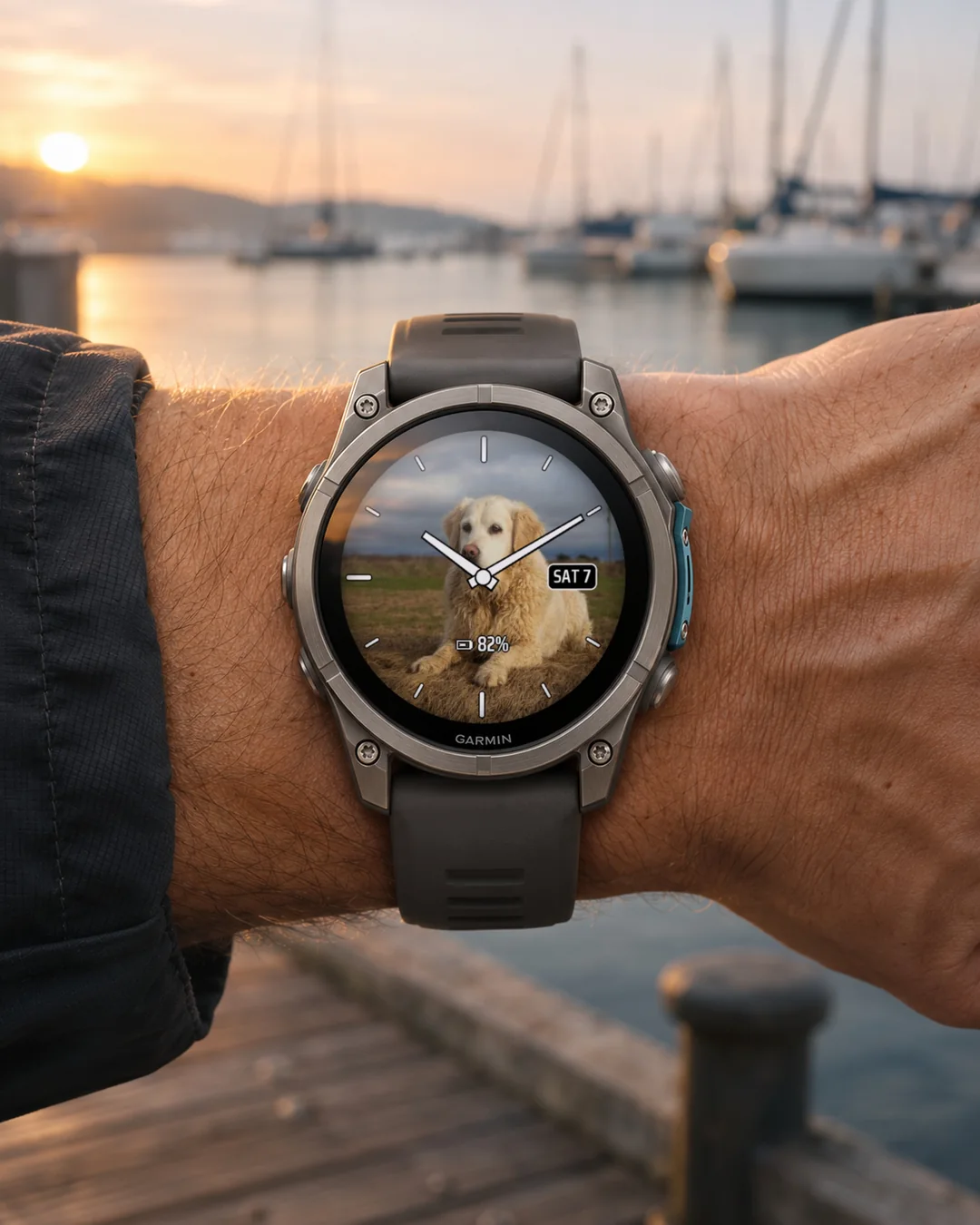
An analog watch face on your own photo: classic hands, the date and one data field over a picture you choose.
7-day free trial, one-time unlock, no subscription.
The face has no picture built in: until you send a photo, it shows a plain dark background with a short hint. It looks best on AMOLED. On MIP screens (fenix 7, Forerunner 255, Forerunner 955, Enduro 3) the photo has fewer colours: check it yourself during the 7-day trial.
How to add your photo
1. In the face settings on the watch turn on "Show photo QR code" (it turns off by itself when the photo arrives).
2. Scan it with your phone, or open foto.dialforge.dev and type the 8-character photo code shown under the QR code. The same code is in the face settings in Garmin Connect (Photo code).
3. Pick a photo, fit it in the circle, send it. The photo appears on the watch a few minutes later.
The watch needs a phone with Garmin Connect and internet nearby. For two hours after you show the QR code it checks every 5 minutes, then once an hour (Photo check in Garmin Connect).
Change or delete
Change the photo as often as you like: same code, send a new photo on foto.dialforge.dev, the watch downloads the new version. Show the QR code once to get it faster. "Delete my photo" on the same page removes it from the server and the watch goes back to the plain dark background.
Photo not showing?
The QR screen shows the minutes since the last check and a number after #. #0 or #1: all fine, wait a few minutes. #-1104 or other four digits starting with -1: the phone is not connected, open Garmin Connect. Four digits starting with -2, or #-404: the photo did not download, send it again. #-903: too big for the watch memory, the next try takes a smaller one. Anything else: send me the number.
On the face
- Hands with an outline, readable on any photo, in 7 colours (black too).
- Hour markers, seconds hand and date window in your language: each can be turned off.
- 2 data fields (battery at the bottom): heart rate, steps, distance, calories, floors, Body Battery, stress, Pulse Ox, sleep score, altitude and more. Hold a field to open its Garmin screen (touch screens).
- Data refresh profile in Garmin Connect: how often the face reads the data.
- Always-on mode on AMOLED: grey hands, shifted every minute.
Privacy
The server (Cloudflare) keeps only the cropped picture without EXIF or location, linked to the photo code, not to your name. Anyone who knows the code can see it, so keep it to yourself. More at dialforge.dev/privacy. The background service is used for the photo, so there is no glucose (CGM) field.
Trial: after 7 days the face shows your Face ID. Buy a code for that number at dialforge.dev and enter it in the Connect IQ app, in the face settings (Unlock code). Problems: kontakt@dialforge.dev.
Tarcza analogowa na Twoim zdjęciu: klasyczne wskazówki, data i jedno pole z danymi na obrazie, który sam wybierasz.
7 dni za darmo, jednorazowe odblokowanie, bez subskrypcji.
Tarcza nie ma żadnego wbudowanego obrazu: dopóki nie wyślesz zdjęcia, pokazuje jednolite ciemne tło i krótką podpowiedź. Najlepiej wygląda na AMOLED. Na ekranach MIP (fenix 7, Forerunner 255, Forerunner 955, Enduro 3) zdjęcie ma mniej kolorów: sprawdź sam w 7-dniowym okresie próbnym.
Jak dodać zdjęcie
1. W ustawieniach tarczy na zegarku włącz "Pokaż kod QR zdjęcia" (wyłączy się samo, gdy zdjęcie dojdzie).
2. Zeskanuj go telefonem albo otwórz foto.dialforge.dev i wpisz 8-znakowy kod zdjęcia spod kodu QR. Ten sam kod jest w ustawieniach tarczy w Garmin Connect (Kod zdjęcia).
3. Wybierz zdjęcie, dopasuj je w kole, wyślij. Zdjęcie pojawi się na zegarku po kilku minutach.
Zegarek potrzebuje w pobliżu telefonu z Garmin Connect i internetem. Przez dwie godziny od pokazania kodu QR sprawdza co 5 minut, potem raz na godzinę (Sprawdzanie zdjęcia w Garmin Connect).
Zmiana i usunięcie
Zmieniaj zdjęcie, ile chcesz: ten sam kod, nowe zdjęcie na foto.dialforge.dev, zegarek pobierze nową wersję. Szybciej będzie, gdy raz pokażesz kod QR. "Usuń moje zdjęcie" na tej samej stronie kasuje je z serwera, a zegarek wraca do jednolitego ciemnego tła.
Zdjęcie się nie pojawia?
Ekran z kodem QR pokazuje minuty od ostatniego sprawdzenia i liczbę po #. #0 albo #1: wszystko dobrze, poczekaj kilka minut. #-1104 albo inne cztery cyfry zaczynające się od -1: telefon nie jest połączony, otwórz Garmin Connect. Cztery cyfry zaczynające się od -2 albo #-404: zdjęcie się nie pobrało, wyślij je jeszcze raz. #-903: za duże dla pamięci zegarka, następna próba weźmie mniejsze. Coś innego: wyślij mi tę liczbę.
Na tarczy
- Wskazówki z konturem, czytelne na każdym zdjęciu, w 7 kolorach (także czarne).
- Znaczniki godzin, wskazówka sekundowa i okienko daty w Twoim języku: każde można wyłączyć.
- 2 pola z danymi (na dole bateria): tętno, kroki, dystans, kalorie, piętra, Body Battery, stres, Pulse Ox, ocena snu, wysokość i inne. Przytrzymaj pole, a otworzy się jego ekran Garmina (ekrany dotykowe).
- Profil odświeżania danych w Garmin Connect: jak często tarcza odczytuje dane.
- Tryb zawsze włączony na AMOLED: szare wskazówki, przesuwane co minutę.
Prywatność
Serwer (Cloudflare) trzyma tylko przycięty obraz bez EXIF i lokalizacji, powiązany z kodem zdjęcia, a nie z Twoim imieniem. Każdy, kto zna kod, może je zobaczyć, więc zachowaj go dla siebie. Więcej na dialforge.dev/privacy. Usługa w tle służy zdjęciu, dlatego nie ma pola glukozy (CGM).
Okres próbny: po 7 dniach tarcza pokazuje Twój ID tarczy. Kup kod dla tego numeru na dialforge.dev i wpisz go w aplikacji Connect IQ, w ustawieniach tarczy (Kod odblokowania). Problemy: kontakt@dialforge.dev.
Ein analoges Zifferblatt auf deinem eigenen Foto: klassische Zeiger, das Datum und ein Datenfeld über einem Bild deiner Wahl.
7 Tage kostenlos testen, einmalige Freischaltung, kein Abo.
Das Zifferblatt hat kein eingebautes Bild: Solange du kein Foto sendest, zeigt es einen einfarbig dunklen Hintergrund mit einem kurzen Hinweis. Am besten wirkt es auf AMOLED. Auf MIP-Displays (fenix 7, Forerunner 255, Forerunner 955, Enduro 3) hat das Foto weniger Farben: Prüf das selbst in der 7-tägigen Testphase.
So fügst du dein foto hinzu
1. Schalte in den Zifferblatt-Einstellungen auf der Uhr "Foto-QR-Code anzeigen" ein (es schaltet sich von selbst aus, sobald das Foto ankommt).
2. Scanne ihn mit dem Handy oder öffne foto.dialforge.dev und gib den 8-stelligen Fotocode ein, der unter dem QR-Code steht. Derselbe Code steht in den Zifferblatt-Einstellungen in Garmin Connect (Fotocode).
3. Wähle ein Foto, passe es im Kreis an und sende es. Das Foto erscheint wenige Minuten später auf der Uhr.
Die Uhr braucht ein Handy mit Garmin Connect und Internet in der Nähe. Zwei Stunden nach dem Anzeigen des QR-Codes prüft sie alle 5 Minuten, danach einmal pro Stunde (Fotoprüfung in Garmin Connect).
Ändern oder löschen
Ändere das Foto, so oft du willst: gleicher Code, neues Foto auf foto.dialforge.dev senden, die Uhr lädt die neue Version. Zeig den QR-Code einmal, dann geht es schneller. "Mein Foto löschen" auf derselben Seite entfernt es vom Server, und die Uhr zeigt wieder den einfarbig dunklen Hintergrund.
Foto erscheint nicht?
Der QR-Bildschirm zeigt die Minuten seit der letzten Prüfung und eine Zahl nach #. #0 oder #1: alles in Ordnung, warte ein paar Minuten. #-1104 oder andere vier Ziffern, die mit -1 beginnen: Das Handy ist nicht verbunden, öffne Garmin Connect. Vier Ziffern, die mit -2 beginnen, oder #-404: Das Foto wurde nicht geladen, sende es erneut. #-903: zu groß für den Speicher der Uhr, der nächste Versuch nimmt ein kleineres. Alles andere: Schick mir die Zahl.
Auf dem zifferblatt
- Zeiger mit Kontur, auf jedem Foto gut lesbar, in 7 Farben (auch Schwarz).
- Stundenmarkierungen, Sekundenzeiger und Datumsfenster in deiner Sprache: jedes lässt sich ausschalten.
- 2 Datenfelder (unten der Akku): Herzfrequenz, Schritte, Distanz, Kalorien, Stockwerke, Body Battery, Stress, Pulse Ox, Schlafwert, Höhe und mehr. Halte ein Feld gedrückt, um den zugehörigen Garmin-Bildschirm zu öffnen (Touchscreens).
- Aktualisierungsprofil für Daten in Garmin Connect: wie oft das Zifferblatt die Daten liest.
- Always-on-Modus auf AMOLED: graue Zeiger, jede Minute verschoben.
Datenschutz
Der Server (Cloudflare) speichert nur das zugeschnittene Bild ohne EXIF und Standort, verknüpft mit dem Fotocode, nicht mit deinem Namen. Jeder, der den Code kennt, kann es sehen, behalte ihn also für dich. Mehr unter dialforge.dev/privacy. Der Hintergrunddienst wird für das Foto genutzt, deshalb gibt es kein Glukosefeld (CGM).
Testphase: Nach 7 Tagen zeigt das Zifferblatt deine Watch ID. Kaufe unter dialforge.dev einen Code für diese Nummer und gib ihn in der Connect IQ App in den Zifferblatt-Einstellungen ein (Freischaltcode). Probleme: kontakt@dialforge.dev.
Un cadran analogique sur votre propre photo : aiguilles classiques, la date et un champ de données sur une image de votre choix.
7 jours d'essai gratuit, déverrouillage en une seule fois, sans abonnement.
Le cadran ne contient aucune image : tant que vous n'envoyez pas de photo, il affiche un fond sombre uni avec une courte indication. Rendu optimal sur AMOLED. Sur les écrans MIP (fenix 7, Forerunner 255, Forerunner 955, Enduro 3), la photo a moins de couleurs : vérifiez pendant l'essai de 7 jours.
Comment ajouter votre photo
1. Dans les réglages du cadran sur la montre, activez "Afficher le QR code de la photo" (il se désactive tout seul à l'arrivée de la photo).
2. Scannez-le avec votre téléphone ou ouvrez foto.dialforge.dev et saisissez le code photo à 8 caractères sous le QR code. Le même code se trouve dans les réglages du cadran dans Garmin Connect (Code photo).
3. Choisissez une photo, ajustez-la dans le cercle, envoyez-la. Elle apparaît sur la montre quelques minutes plus tard.
Il faut un téléphone avec Garmin Connect et internet à proximité. Pendant deux heures après l'affichage du QR code, la montre vérifie toutes les 5 minutes, puis une fois par heure (Vérification de la photo dans Garmin Connect).
Modifier ou supprimer
Changez la photo à volonté : même code, envoyez-en une nouvelle sur foto.dialforge.dev, la montre télécharge la nouvelle version. Affichez le QR code une fois pour accélérer. "Supprimer ma photo" sur la même page l'efface du serveur et la montre revient au fond sombre uni.
La photo ne s'affiche pas ?
L'écran QR indique les minutes depuis la dernière vérification et un nombre après #. #0 ou #1 : tout va bien, patientez quelques minutes. #-1104 ou autre nombre à quatre chiffres commençant par -1 : le téléphone n'est pas connecté, ouvrez Garmin Connect. Quatre chiffres commençant par -2, ou #-404 : la photo n'a pas été téléchargée, renvoyez-la. #-903 : trop lourde pour la montre, l'essai suivant en prendra une plus légère. Autre chose : envoyez-moi le numéro.
Sur le cadran
- Aiguilles avec contour, lisibles sur n'importe quelle photo, en 7 couleurs (noir aussi).
- Repères d'heures, trotteuse et fenêtre de date dans votre langue : chacun peut être désactivé.
- 2 champs de données (batterie en bas) : fréquence cardiaque, pas, distance, calories, étages, Body Battery, stress, Pulse Ox, score de sommeil, altitude et plus encore. Maintenez un champ pour ouvrir son écran Garmin (écrans tactiles).
- Profil d'actualisation des données dans Garmin Connect : à quelle fréquence le cadran lit les données.
- Mode toujours affiché sur AMOLED : aiguilles grises, déplacées chaque minute.
Confidentialité
Le serveur (Cloudflare) ne garde que l'image recadrée, sans EXIF ni position, liée au code photo et non à votre nom. Quiconque connaît le code peut la voir, gardez-le pour vous. Plus sur dialforge.dev/privacy. Le service en arrière-plan sert à la photo, d'où l'absence de champ glycémie (CGM).
Essai : après 7 jours, le cadran affiche votre Watch ID. Achetez un code pour ce numéro sur dialforge.dev et saisissez-le dans l'app Connect IQ, dans les réglages du cadran (Code de déverrouillage). Un problème : kontakt@dialforge.dev.
Una esfera analógica sobre tu propia foto: agujas clásicas, la fecha y un campo de datos sobre una imagen que tú eliges.
7 días de prueba gratis, desbloqueo de pago único, sin suscripción.
La esfera no lleva ninguna imagen incluida: hasta que envíes una foto, muestra un fondo oscuro liso con una breve indicación. Se ve mejor en AMOLED. En pantallas MIP (fenix 7, Forerunner 255, Forerunner 955, Enduro 3) la foto tiene menos colores: compruébalo tú mismo durante la prueba de 7 días.
Cómo añadir tu foto
1. En los ajustes de la esfera en el reloj, activa "Mostrar código QR de la foto" (se desactiva solo cuando llega la foto).
2. Escanéalo con el móvil, o abre foto.dialforge.dev y escribe el código de foto de 8 caracteres que aparece bajo el código QR. El mismo código está en los ajustes de la esfera en Garmin Connect (Código de foto).
3. Elige una foto, ajústala en el círculo y envíala. La foto aparece en el reloj unos minutos después.
El reloj necesita un móvil con Garmin Connect e internet cerca. Durante dos horas desde que muestras el código QR comprueba cada 5 minutos, y después una vez por hora (Comprobación de foto en Garmin Connect).
Cambiar o borrar
Cambia la foto tantas veces como quieras: mismo código, envía una foto nueva en foto.dialforge.dev y el reloj descarga la nueva versión. Muestra el código QR una vez para que sea más rápido. "Eliminar mi foto" en la misma página la borra del servidor y el reloj vuelve al fondo oscuro liso.
¿no aparece la foto?
La pantalla del QR muestra los minutos desde la última comprobación y un número después de #. #0 o #1: todo bien, espera unos minutos. #-1104 u otras cuatro cifras que empiecen por -1: el móvil no está conectado, abre Garmin Connect. Cuatro cifras que empiecen por -2, o #-404: la foto no se descargó, envíala de nuevo. #-903: demasiado grande para la memoria del reloj, el siguiente intento usará una más pequeña. Cualquier otra cosa: envíame el número.
En la esfera
- Agujas con contorno, legibles sobre cualquier foto, en 7 colores (también negro).
- Marcas de hora, segundero y ventana de fecha en tu idioma: cada uno se puede desactivar.
- 2 campos de datos (batería abajo): frecuencia cardiaca, pasos, distancia, calorías, pisos, Body Battery, estrés, Pulse Ox, puntuación de sueño, altitud y más. Mantén pulsado un campo para abrir su pantalla de Garmin (pantallas táctiles).
- Perfil de actualización de datos en Garmin Connect: con qué frecuencia la esfera lee los datos.
- Modo siempre activo en AMOLED: agujas grises, desplazadas cada minuto.
Privacidad
El servidor (Cloudflare) guarda solo la imagen recortada, sin EXIF ni ubicación, vinculada al código de foto y no a tu nombre. Cualquiera que conozca el código puede verla, así que guárdalo para ti. Más en dialforge.dev/privacy. El servicio en segundo plano se usa para la foto, por eso no hay campo de glucosa (CGM).
Prueba: tras 7 días la esfera muestra tu Watch ID. Compra un código para ese número en dialforge.dev e introdúcelo en la app Connect IQ, en los ajustes de la esfera (Código de desbloqueo). Problemas: kontakt@dialforge.dev.
Een analoge wijzerplaat op je eigen foto: klassieke wijzers, de datum en één gegevensveld over een afbeelding naar keuze.
7 dagen gratis proberen, eenmalig ontgrendelen, geen abonnement.
De wijzerplaat heeft geen ingebouwd beeld: zolang je geen foto stuurt, toont hij een effen donkere achtergrond met een korte hint. Hij ziet er het best uit op AMOLED. Op MIP-schermen (fenix 7, Forerunner 255, Forerunner 955, Enduro 3) heeft de foto minder kleuren: kijk zelf tijdens de proefperiode van 7 dagen.
Zo voeg je je foto toe
1. Zet in de instellingen van de wijzerplaat op het horloge "Foto-QR-code tonen" aan (het gaat vanzelf uit als de foto binnenkomt).
2. Scan hem met je telefoon, of open foto.dialforge.dev en typ de fotocode van 8 tekens die onder de QR-code staat. Dezelfde code staat in de instellingen van de wijzerplaat in Garmin Connect (Fotocode).
3. Kies een foto, pas hem aan in de cirkel en verstuur hem. De foto verschijnt na een paar minuten op het horloge.
Het horloge heeft een telefoon met Garmin Connect en internet in de buurt nodig. Twee uur nadat je de QR-code hebt getoond, controleert het elke 5 minuten, daarna één keer per uur (Fotocontrole in Garmin Connect).
Wijzigen of verwijderen
Wijzig de foto zo vaak je wilt: dezelfde code, stuur een nieuwe foto op foto.dialforge.dev, het horloge haalt de nieuwe versie op. Toon de QR-code één keer voor sneller resultaat. "Mijn foto verwijderen" op dezelfde pagina haalt hem van de server en het horloge toont weer de effen donkere achtergrond.
Foto verschijnt niet?
Het QR-scherm toont de minuten sinds de laatste controle en een getal na #. #0 of #1: alles goed, wacht even. #-1104 of andere vier cijfers die met -1 beginnen: de telefoon is niet verbonden, open Garmin Connect. Vier cijfers die met -2 beginnen, of #-404: de foto is niet gedownload, stuur hem opnieuw. #-903: te groot voor het geheugen van het horloge, de volgende poging neemt een kleinere. Iets anders: stuur me het getal.
Op de wijzerplaat
- Wijzers met een rand, leesbaar op elke foto, in 7 kleuren (ook zwart).
- Uurmarkeringen, secondewijzer en datumvenster in je eigen taal: elk is uit te schakelen.
- 2 gegevensvelden (onderaan de batterij): hartslag, stappen, afstand, calorieën, verdiepingen, Body Battery, stress, Pulse Ox, slaapscore, hoogte en meer. Houd een veld ingedrukt om het bijbehorende Garmin-scherm te openen (aanraakschermen).
- Vernieuwingsprofiel voor gegevens in Garmin Connect: hoe vaak de wijzerplaat de gegevens leest.
- Altijd-aan-modus op AMOLED: grijze wijzers, elke minuut verschoven.
Privacy
De server (Cloudflare) bewaart alleen de bijgesneden afbeelding zonder EXIF en locatie, gekoppeld aan de fotocode, niet aan je naam. Wie de code kent, kan hem zien, houd hem dus voor jezelf. Meer op dialforge.dev/privacy. De achtergrondservice wordt voor de foto gebruikt, daarom is er geen glucoseveld (CGM).
Proefperiode: na 7 dagen toont de wijzerplaat je Watch ID. Koop op dialforge.dev een code voor dat nummer en voer die in de Connect IQ app in, bij de instellingen van de wijzerplaat (Ontgrendelcode). Problemen: kontakt@dialforge.dev.
あなたの写真を使うアナログウォッチフェイスです。選んだ画像の上に、クラシックな針、日付、データフィールド一つを表示します。
7日間の無料お試し、買い切りのアンロック、サブスクリプションなし。
ウォッチフェイスには画像が内蔵されていません。写真を送るまでは、短いヒントが表示されたシンプルな暗い背景になります。AMOLEDで最も美しく表示されます。MIPディスプレイ(fenix 7、Forerunner 255、Forerunner 955、Enduro 3)では写真の色数が少なくなります。7日間の試用期間中にご自身でお確かめください。
写真の追加方法
1. ウォッチ上のウォッチフェイス設定で「写真のQRコードを表示」をオンにします(写真が届くと自動的にオフになります)。
2. スマートフォンでスキャンするか、foto.dialforge.dev を開いて、QRコードの下に表示される8文字の写真コードを入力します。同じコードはGarmin Connectのウォッチフェイス設定(写真コード)にもあります。
3. 写真を選び、円の中で位置を合わせて送信します。数分後にウォッチに写真が表示されます。
ウォッチの近くに、Garmin Connectとインターネットが使えるスマートフォンが必要です。QRコードを表示してから二時間は5分ごとに、その後は一時間に一回確認します(Garmin Connectの「写真の確認」)。
変更と削除
写真は何度でも変更できます。同じコードのまま、foto.dialforge.dev で新しい写真を送れば、ウォッチが新しいバージョンをダウンロードします。QRコードを一度表示すると、より早く反映されます。同じページの「写真を削除」を押すとサーバーから削除され、ウォッチは無地の暗い背景に戻ります。
写真が表示されない場合
QR画面には、前回の確認からの経過分数と、#の後ろの数字が表示されます。#0または#1:問題ありません。数分お待ちください。#-1104、または-1で始まるその他の四桁:スマートフォンが接続されていません。Garmin Connectを開いてください。-2で始まる四桁、または#-404:写真をダウンロードできませんでした。もう一度送信してください。#-903:ウォッチのメモリに対して大きすぎます。次回はより小さい写真が使われます。それ以外:その数字を私に送ってください。
ウォッチフェイスの機能
- 縁取り付きの針で、どんな写真でも読みやすく、7色から選べます(黒もあります)。
- 時間のマーカー、秒針、お使いの言語の日付窓は、それぞれオフにできます。
- データフィールドは2つ(下はバッテリー):心拍数、歩数、距離、カロリー、階数、Body Battery、ストレス、Pulse Ox、睡眠スコア、高度など。フィールドを長押しすると、そのGarminの画面が開きます(タッチスクリーン)。
- Garmin Connectのデータ更新プロファイル:ウォッチフェイスがデータを読み取る頻度を設定します。
- AMOLEDの常時表示モード:グレーの針が毎分位置をずらして表示されます。
プライバシー
サーバー(Cloudflare)が保存するのは、EXIFと位置情報を除いたトリミング済みの画像だけで、お名前ではなく写真コードに紐づきます。コードを知っている人は誰でも画像を見られるので、コードは他の人に教えないでください。詳しくは dialforge.dev/privacy をご覧ください。バックグラウンドサービスを写真に使うため、血糖値(CGM)のフィールドはありません。
お試し期間:7日後、ウォッチフェイスにWatch IDが表示されます。dialforge.dev でその番号用のコードを購入し、Connect IQアプリのウォッチフェイス設定(アンロックコード)に入力してください。不具合のご連絡:kontakt@dialforge.dev.
Un quadrante analogico sulla tua foto: lancette classiche, la data e un campo dati sopra un'immagine a tua scelta.
7 giorni di prova gratuita, sblocco una tantum, nessun abbonamento.
Il quadrante non ha immagini incorporate: finché non invii una foto, mostra uno sfondo scuro uniforme con un breve suggerimento. Rende meglio su AMOLED. Sugli schermi MIP (fenix 7, Forerunner 255, Forerunner 955, Enduro 3) la foto ha meno colori: controlla tu stesso durante la prova di 7 giorni.
Come aggiungere la tua foto
1. Nelle impostazioni del quadrante sull'orologio attiva "Mostra codice QR della foto" (si disattiva da solo quando arriva la foto).
2. Inquadralo con il telefono, oppure apri foto.dialforge.dev e scrivi il codice foto di 8 caratteri mostrato sotto il codice QR. Lo stesso codice è nelle impostazioni del quadrante in Garmin Connect (Codice foto).
3. Scegli una foto, adattala nel cerchio e inviala. La foto compare sull'orologio pochi minuti dopo.
L'orologio ha bisogno di un telefono con Garmin Connect e internet nelle vicinanze. Per due ore dopo aver mostrato il codice QR controlla ogni 5 minuti, poi una volta all'ora (Controllo foto in Garmin Connect).
Modificare o eliminare
Cambia la foto quante volte vuoi: stesso codice, invia una nuova foto su foto.dialforge.dev e l'orologio scarica la nuova versione. Mostra il codice QR una volta per fare più in fretta. "Elimina la mia foto" sulla stessa pagina la rimuove dal server e l'orologio torna allo sfondo scuro uniforme.
La foto non compare?
La schermata del QR mostra i minuti dall'ultimo controllo e un numero dopo #. #0 o #1: tutto a posto, aspetta qualche minuto. #-1104 o altre quattro cifre che iniziano con -1: il telefono non è collegato, apri Garmin Connect. Quattro cifre che iniziano con -2, oppure #-404: la foto non è stata scaricata, inviala di nuovo. #-903: troppo grande per la memoria dell'orologio, il prossimo tentativo ne userà una più piccola. Qualsiasi altro caso: mandami il numero.
Sul quadrante
- Lancette con contorno, leggibili su qualsiasi foto, in 7 colori (anche nero).
- Indici delle ore, lancetta dei secondi e finestra della data nella tua lingua: ognuno si può disattivare.
- 2 campi dati (batteria in basso): frequenza cardiaca, passi, distanza, calorie, piani, Body Battery, stress, Pulse Ox, punteggio del sonno, altitudine e altro. Tieni premuto un campo per aprire la sua schermata Garmin (touchscreen).
- Profilo di aggiornamento dei dati in Garmin Connect: ogni quanto il quadrante legge i dati.
- Modalità sempre attiva su AMOLED: lancette grigie, spostate ogni minuto.
Privacy
Il server (Cloudflare) conserva solo l'immagine ritagliata, senza EXIF né posizione, collegata al codice foto e non al tuo nome. Chiunque conosca il codice può vederla, quindi tienilo per te. Altre informazioni su dialforge.dev/privacy. Il servizio in background viene usato per la foto, perciò non c'è il campo glicemia (CGM).
Prova: dopo 7 giorni il quadrante mostra il tuo Watch ID. Acquista un codice per quel numero su dialforge.dev e inseriscilo nell'app Connect IQ, nelle impostazioni del quadrante (Codice di sblocco). Problemi: kontakt@dialforge.dev.
基于你自己照片的指针表盘:在你选择的图片上显示经典指针、日期和一个数据栏。
7天免费试用,一次性解锁,无需订阅。
表盘没有内置图片:在你发送照片之前,会显示简洁的深色背景和一条简短提示。在AMOLED上效果最好。在MIP屏幕(fenix 7、Forerunner 255、Forerunner 955、Enduro 3)上,照片的颜色较少:请在7天试用期内自己确认一下。
如何添加你的照片
1. 在手表上的表盘设置中打开"显示照片二维码"(照片送达时会自动关闭)。
2. 用手机扫描二维码,或打开 foto.dialforge.dev,输入二维码下方显示的8位照片码。同样的照片码也在Garmin Connect的表盘设置中(照片码)。
3. 选择照片,在圆形框中调整位置,然后发送。几分钟后,照片就会出现在手表上。
手表附近需要有装有Garmin Connect并已联网的手机。显示二维码后的两小时内,手表每5分钟检查一次,之后每小时检查一次(Garmin Connect中的"照片检查")。
更换或删除
照片可以随时更换:照片码不变,在 foto.dialforge.dev 上发送新照片,手表就会下载新版本。显示一次二维码可以更快生效。在同一页面点击"删除我的照片",就会从服务器删除,手表恢复为纯深色背景。
照片没有出现?
二维码界面会显示距上次检查的分钟数,以及#后面的一个数字。#0或#1:一切正常,请等几分钟。#-1104或其他以-1开头的四位数:手机未连接,请打开Garmin Connect。以-2开头的四位数,或#-404:照片没有下载成功,请重新发送。#-903:照片对手表内存来说太大,下次会使用更小的版本。其他情况:请把这个数字发给我。
表盘功能
- 带描边的指针,在任何照片上都清晰易读,共7种颜色(也有黑色)。
- 小时刻度、秒针和使用你的语言的日期窗口:每一项都可以关闭。
- 2个数据栏(下方显示电量):心率、步数、距离、卡路里、爬楼层数、Body Battery、压力、Pulse Ox、睡眠评分、海拔等。长按数据栏可打开对应的Garmin界面(触摸屏)。
- Garmin Connect中的数据刷新方案:设置表盘读取数据的频率。
- AMOLED息屏常亮模式:灰色指针,每分钟移动一次位置。
隐私
服务器(Cloudflare)只保存裁剪后的图片,不含EXIF和位置信息,并且只与照片码关联,不与你的姓名关联。任何知道照片码的人都能看到这张图片,请妥善保管。更多信息见 dialforge.dev/privacy。后台服务用于传送照片,因此没有血糖(CGM)数据栏。
试用:7天后,表盘会显示你的Watch ID。请在 dialforge.dev 为该编号购买解锁码,并在Connect IQ应用的表盘设置中输入(解锁码)。遇到问题:kontakt@dialforge.dev.
Аналоговый циферблат на вашем собственном фото: классические стрелки, дата и одно поле данных поверх выбранной картинки.
7 дней бесплатно, разовая разблокировка, без подписки.
На циферблате нет встроенных картинок: пока вы не отправите фото, он показывает однотонный тёмный фон и короткую подсказку. Лучше всего он выглядит на AMOLED. На экранах MIP (fenix 7, Forerunner 255, Forerunner 955, Enduro 3) у фото меньше цветов: проверьте сами за 7 дней пробного периода.
Как добавить фото
1. В настройках циферблата на часах включите "Показать QR-код фото" (он выключается сам, когда приходит фото).
2. Отсканируйте его телефоном или откройте foto.dialforge.dev и введите 8-значный код фото, указанный под QR-кодом. Тот же код есть в настройках циферблата в Garmin Connect (Код фото).
3. Выберите фото, подгоните его в круге и отправьте. Через несколько минут фото появится на часах.
Рядом с часами должен быть телефон с Garmin Connect и интернетом. Первые два часа после показа QR-кода часы проверяют каждые 5 минут, затем раз в час (Проверка фото в Garmin Connect).
Изменить или удалить
Меняйте фото сколько угодно: тот же код, отправьте новое фото на foto.dialforge.dev, и часы скачают новую версию. Чтобы это произошло быстрее, один раз покажите QR-код. "Удалить моё фото" на той же странице убирает снимок с сервера, а часы возвращаются к однотонному тёмному фону.
Фото не появляется?
На экране с QR-кодом показаны минуты с последней проверки и число после #. #0 или #1: всё в порядке, подождите несколько минут. #-1104 или другие четыре цифры, начинающиеся с -1: телефон не подключён, откройте Garmin Connect. Четыре цифры, начинающиеся с -2, или #-404: фото не скачалось, отправьте его ещё раз. #-903: слишком большое для памяти часов, при следующей попытке будет взято меньшее. Что-то другое: пришлите мне это число.
На циферблате
- Стрелки с контуром, хорошо читаются на любом фото, 7 цветов (есть и чёрный).
- Часовые метки, секундная стрелка и окошко даты на вашем языке: каждый элемент можно отключить.
- 2 поля данных (внизу заряд батареи): пульс, шаги, расстояние, калории, этажи, Body Battery, стресс, Pulse Ox, оценка сна, высота и другое. Удерживайте поле, чтобы открыть его экран Garmin (сенсорные экраны).
- Профиль обновления данных в Garmin Connect: как часто циферблат считывает данные.
- Режим Always-on на AMOLED: серые стрелки, смещаются каждую минуту.
Конфиденциальность
Сервер (Cloudflare) хранит только обрезанное изображение без EXIF и геолокации, привязанное к коду фото, а не к вашему имени. Любой, кто знает код, может его увидеть, поэтому не сообщайте код другим. Подробнее на dialforge.dev/privacy. Фоновая служба используется для фото, поэтому поля глюкозы (CGM) нет.
Пробный период: через 7 дней на циферблате появится ваш Watch ID. Купите код для этого номера на dialforge.dev и введите его в приложении Connect IQ, в настройках циферблата (Код разблокировки). Проблемы: kontakt@dialforge.dev.
Um mostrador analógico sobre a sua própria foto: ponteiros clássicos, a data e um campo de dados sobre uma imagem da sua escolha.
7 dias grátis para testar, desbloqueio único, sem assinatura.
O mostrador não traz nenhuma imagem embutida: enquanto você não enviar uma foto, ele exibe um fundo escuro liso com uma dica curta. Fica melhor em AMOLED. Em telas MIP (fenix 7, Forerunner 255, Forerunner 955, Enduro 3) a foto tem menos cores: confira você mesmo durante o teste de 7 dias.
Como adicionar sua foto
1. Nas configurações do mostrador no relógio, ative "Mostrar código QR da foto" (ele se desativa sozinho quando a foto chega).
2. Escaneie com o celular, ou abra foto.dialforge.dev e digite o código da foto de 8 caracteres que aparece abaixo do código QR. O mesmo código está nas configurações do mostrador no Garmin Connect (Código da foto).
3. Escolha uma foto, ajuste no círculo e envie. A foto aparece no relógio alguns minutos depois.
O relógio precisa de um celular com Garmin Connect e internet por perto. Por duas horas depois de mostrar o código QR, ele verifica a cada 5 minutos, e depois uma vez por hora (Verificação da foto no Garmin Connect).
Alterar ou excluir
Troque a foto quantas vezes quiser: mesmo código, envie uma nova foto em foto.dialforge.dev e o relógio baixa a nova versão. Mostre o código QR uma vez para ficar mais rápido. "Excluir minha foto" na mesma página a remove do servidor e o relógio volta para o fundo escuro liso.
A foto não aparece?
A tela do QR mostra os minutos desde a última verificação e um número depois de #. #0 ou #1: tudo certo, espere alguns minutos. #-1104 ou outros quatro dígitos começando com -1: o celular não está conectado, abra o Garmin Connect. Quatro dígitos começando com -2, ou #-404: a foto não foi baixada, envie de novo. #-903: grande demais para a memória do relógio, a próxima tentativa usa uma menor. Qualquer outro caso: me mande o número.
No mostrador
- Ponteiros com contorno, legíveis em qualquer foto, em 7 cores (preto também).
- Marcadores de hora, ponteiro de segundos e janela de data no seu idioma: cada um pode ser desativado.
- 2 campos de dados (bateria embaixo): frequência cardíaca, passos, distância, calorias, andares, Body Battery, estresse, Pulse Ox, pontuação do sono, altitude e mais. Mantenha um campo pressionado para abrir a tela dele do Garmin (telas sensíveis ao toque).
- Perfil de atualização dos dados no Garmin Connect: com que frequência o mostrador lê os dados.
- Modo sempre ativo em AMOLED: ponteiros cinza, deslocados a cada minuto.
Privacidade
O servidor (Cloudflare) guarda apenas a imagem recortada, sem EXIF nem localização, vinculada ao código da foto e não ao seu nome. Quem souber o código pode vê-la, então guarde-o só para você. Mais em dialforge.dev/privacy. O serviço em segundo plano é usado para a foto, por isso não há campo de glicose (CGM).
Teste: após 7 dias o mostrador exibe o seu Watch ID. Compre um código para esse número em dialforge.dev e digite no app Connect IQ, nas configurações do mostrador (Código de desbloqueio). Problemas: kontakt@dialforge.dev.
Analogový ciferník s vlastní fotkou: klasické ručičky, datum a jedno datové pole přes obrázek, který si vyberete.
7 dní zdarma na zkoušku, jednorázové odemknutí, žádné předplatné.
Ciferník nemá žádný vestavěný obrázek: dokud nepošlete fotku, ukazuje jednolité tmavé pozadí s krátkou nápovědou. Nejlépe vypadá na AMOLED. Na displejích MIP (fenix 7, Forerunner 255, Forerunner 955, Enduro 3) má fotka méně barev: ověřte si to sami během 7denní zkušební doby.
Jak přidat fotku
1. V nastavení ciferníku na hodinkách zapněte "Zobrazit QR kód fotky" (vypne se samo, když fotka dorazí).
2. Naskenujte ho telefonem, nebo otevřete foto.dialforge.dev a zadejte 8místný kód fotky, který je pod QR kódem. Stejný kód je v nastavení ciferníku v Garmin Connect (Kód fotky).
3. Vyberte fotku, upravte ji v kruhu a pošlete. Fotka se na hodinkách objeví za pár minut.
Hodinky potřebují poblíž telefon s Garmin Connect a internetem. Dvě hodiny po zobrazení QR kódu kontrolují každých 5 minut, poté jednou za hodinu (Kontrola fotky v Garmin Connect).
Změna nebo smazání
Fotku měňte, jak často chcete: stejný kód, pošlete novou fotku na foto.dialforge.dev a hodinky stáhnou novou verzi. Jednou zobrazte QR kód, bude to rychlejší. "Smazat moji fotku" na stejné stránce ji odstraní ze serveru a hodinky se vrátí k jednolitému tmavému pozadí.
Fotka se nezobrazuje?
Obrazovka s QR kódem ukazuje minuty od poslední kontroly a číslo za #. #0 nebo #1: vše v pořádku, počkejte pár minut. #-1104 nebo jiné čtyřčíslí začínající na -1: telefon není připojený, otevřete Garmin Connect. Čtyřčíslí začínající na -2 nebo #-404: fotka se nestáhla, pošlete ji znovu. #-903: příliš velká pro paměť hodinek, další pokus použije menší. Cokoli jiného: pošlete mi to číslo.
Na ciferníku
- Ručičky s obrysem, čitelné na jakékoli fotce, v 7 barvách (i černá).
- Značky hodin, vteřinová ručička a okénko s datem ve vašem jazyce: každé lze vypnout.
- 2 datová pole (dole baterie): tepová frekvence, kroky, vzdálenost, kalorie, patra, Body Battery, stres, Pulse Ox, skóre spánku, nadmořská výška a další. Podržením pole otevřete jeho obrazovku Garmin (dotykové displeje).
- Profil obnovování dat v Garmin Connect: jak často ciferník data čte.
- Režim Always-on na AMOLED: šedé ručičky, posunuté každou minutu.
Soukromí
Server (Cloudflare) uchovává jen ořezaný obrázek bez EXIF a polohy, navázaný na kód fotky, ne na vaše jméno. Kdokoli, kdo kód zná, ho může vidět, proto si ho nechte pro sebe. Více na dialforge.dev/privacy. Služba na pozadí se používá pro fotku, proto zde není pole glukózy (CGM).
Zkušební doba: po 7 dnech ciferník ukáže vaše Watch ID. Koupte si na dialforge.dev kód pro toto číslo a zadejte ho v aplikaci Connect IQ v nastavení ciferníku (Odemykací kód). Problémy: kontakt@dialforge.dev.
Um mostrador analógico sobre a sua própria fotografia: ponteiros clássicos, a data e um campo de dados sobre uma imagem à sua escolha.
7 dias grátis para experimentar, desbloqueio único, sem subscrição.
O mostrador não tem nenhuma imagem incorporada: enquanto não enviar uma fotografia, apresenta um fundo escuro liso com uma dica curta. Fica melhor em AMOLED. Em ecrãs MIP (fenix 7, Forerunner 255, Forerunner 955, Enduro 3) a fotografia tem menos cores: verifique por si no teste de 7 dias.
Como adicionar a sua fotografia
1. Nas definições do mostrador no relógio, ative "Mostrar código QR da fotografia" (desativa-se sozinho quando a fotografia chega).
2. Leia-o com o telemóvel, ou abra foto.dialforge.dev e introduza o código da fotografia de 8 caracteres que aparece por baixo do código QR. O mesmo código está nas definições do mostrador no Garmin Connect (Código da fotografia).
3. Escolha uma fotografia, ajuste-a no círculo e envie. A fotografia aparece no relógio alguns minutos depois.
O relógio precisa de um telemóvel com Garmin Connect e internet por perto. Durante duas horas depois de mostrar o código QR, verifica a cada 5 minutos e, depois, uma vez por hora (Verificação da fotografia no Garmin Connect).
Alterar ou eliminar
Mude a fotografia as vezes que quiser: mesmo código, envie uma nova fotografia em foto.dialforge.dev e o relógio descarrega a nova versão. Mostre o código QR uma vez para acelerar. "Eliminar a minha fotografia" na mesma página remove-a do servidor e o relógio volta ao fundo escuro liso.
A fotografia não aparece?
O ecrã do QR mostra os minutos desde a última verificação e um número depois de #. #0 ou #1: tudo bem, espere um pouco. #-1104 ou outros quatro dígitos a começar por -1: o telemóvel não está ligado, abra o Garmin Connect. Quatro dígitos a começar por -2, ou #-404: a fotografia não foi descarregada, envie-a novamente. #-903: demasiado grande para a memória do relógio, a próxima tentativa usa uma mais pequena. Qualquer outro caso: envie-me o número.
No mostrador
- Ponteiros com contorno, legíveis em qualquer fotografia, em 7 cores (também preto).
- Marcadores de horas, ponteiro dos segundos e janela da data no seu idioma: cada um pode ser desativado.
- 2 campos de dados (bateria em baixo): frequência cardíaca, passos, distância, calorias, andares, Body Battery, stress, Pulse Ox, pontuação do sono, altitude e mais. Mantenha um campo premido para abrir o respetivo ecrã Garmin (ecrãs táteis).
- Perfil de atualização dos dados no Garmin Connect: com que frequência o mostrador lê os dados.
- Modo sempre ativo em AMOLED: ponteiros cinzentos, deslocados a cada minuto.
Privacidade
O servidor (Cloudflare) guarda apenas a imagem recortada, sem EXIF nem localização, associada ao código da fotografia e não ao seu nome. Quem souber o código pode vê-la, guarde-o só para si. Mais em dialforge.dev/privacy. O serviço em segundo plano é usado para a fotografia, por isso não existe campo de glicose (CGM).
Teste: passados 7 dias, o mostrador apresenta o seu Watch ID. Compre um código para esse número em dialforge.dev e introduza-o na app Connect IQ, nas definições do mostrador (Código de desbloqueio). Problemas: kontakt@dialforge.dev.
나만의 사진 위에 올리는 아날로그 워치페이스입니다. 선택한 이미지 위에 클래식한 시곗바늘, 날짜, 데이터 필드 하나를 표시합니다.
7일 무료 체험, 한 번만 결제하는 잠금 해제, 구독 없음.
워치페이스에는 내장 이미지가 없습니다. 사진을 보내기 전에는 단색 어두운 배경과 짧은 안내가 표시됩니다. AMOLED에서 가장 보기 좋습니다. MIP 화면(fenix 7, Forerunner 255, Forerunner 955, Enduro 3)에서는 사진의 색상이 적습니다. 7일 체험 기간에 직접 확인해 보세요.
사진 추가 방법
1. 시계의 워치페이스 설정에서 "사진 QR 코드 표시"를 켭니다(사진이 도착하면 저절로 꺼집니다).
2. 휴대폰으로 스캔하거나, foto.dialforge.dev에 접속해 QR 코드 아래에 표시된 8자리 사진 코드를 입력하세요. 같은 코드는 Garmin Connect의 워치페이스 설정(사진 코드)에도 있습니다.
3. 사진을 고르고, 원 안에 맞춘 뒤 보내세요. 몇 분 뒤 시계에 사진이 나타납니다.
시계 근처에 Garmin Connect와 인터넷이 연결된 휴대폰이 필요합니다. QR 코드를 표시한 뒤 두 시간 동안은 5분마다, 그 이후에는 한 시간에 한 번 확인합니다(Garmin Connect의 사진 확인).
변경 또는 삭제
사진은 원하는 만큼 바꿀 수 있습니다. 같은 코드로 foto.dialforge.dev에 새 사진을 보내면 시계가 새 버전을 내려받습니다. QR 코드를 한 번 표시하면 더 빨리 반영됩니다. 같은 페이지의 "내 사진 삭제"를 누르면 서버에서 지워지고, 시계는 단색 어두운 배경으로 돌아갑니다.
사진이 나타나지 않나요?
QR 화면에는 마지막 확인 이후 경과한 분과 # 뒤의 숫자가 표시됩니다. #0 또는 #1: 정상입니다. 몇 분만 기다려 주세요. #-1104 또는 -1로 시작하는 다른 네 자리 숫자: 휴대폰이 연결되지 않았습니다. Garmin Connect를 열어 주세요. -2로 시작하는 네 자리 숫자 또는 #-404: 사진을 내려받지 못했습니다. 다시 보내 주세요. #-903: 시계 메모리에 비해 너무 큽니다. 다음 시도에서는 더 작은 사진을 사용합니다. 그 밖의 경우: 그 숫자를 저에게 보내 주세요.
워치페이스 기능
- 윤곽선이 있는 바늘로 어떤 사진에서도 잘 보이며, 7가지 색상이 있습니다(검은색 포함).
- 시간 표시, 초침, 사용 중인 언어의 날짜 창은 각각 끌 수 있습니다.
- 데이터 필드 2개(아래쪽은 배터리): 심박수, 걸음 수, 거리, 칼로리, 층수, Body Battery, 스트레스, Pulse Ox, 수면 점수, 고도 등. 필드를 길게 누르면 해당 Garmin 화면이 열립니다(터치스크린).
- Garmin Connect의 데이터 새로고침 프로필: 워치페이스가 데이터를 읽는 빈도입니다.
- AMOLED 상시 표시 모드: 회색 바늘이 매분 위치를 이동합니다.
개인정보 보호
서버(Cloudflare)에는 EXIF와 위치 정보를 제거한 잘라낸 이미지만 저장되며, 이름이 아니라 사진 코드에 연결됩니다. 코드를 아는 사람은 누구나 이미지를 볼 수 있으니 코드는 혼자만 알고 계세요. 자세한 내용은 dialforge.dev/privacy에서 확인하세요. 백그라운드 서비스를 사진에 사용하기 때문에 혈당(CGM) 필드는 없습니다.
체험: 7일이 지나면 워치페이스에 Watch ID가 표시됩니다. dialforge.dev에서 해당 번호용 코드를 구매해 Connect IQ 앱의 워치페이스 설정(잠금 해제 코드)에 입력하세요. 문제가 있으면: kontakt@dialforge.dev.
En analog urtavla på ditt eget foto: klassiska visare, datumet och ett datafält över en bild du väljer.
7 dagars gratis prov, engångsupplåsning, ingen prenumeration.
Urtavlan har ingen inbyggd bild: tills du skickar ett foto visar den en enfärgad mörk bakgrund med ett kort tips. Den ser bäst ut på AMOLED. På MIP-skärmar (fenix 7, Forerunner 255, Forerunner 955, Enduro 3) har fotot färre färger: kolla själv under de 7 dagarna av provperioden.
Så lägger du till ditt foto
1. Slå på "Visa QR-kod för foto" i urtavlans inställningar på klockan (den stängs av av sig själv när fotot anländer).
2. Skanna den med mobilen, eller öppna foto.dialforge.dev och skriv in den 8-teckens fotokod som visas under QR-koden. Samma kod finns i urtavlans inställningar i Garmin Connect (Fotokod).
3. Välj ett foto, anpassa det i cirkeln och skicka. Fotot visas på klockan några minuter senare.
Klockan behöver en mobil med Garmin Connect och internet i närheten. Under två timmar efter att du visat QR-koden kollar den var 5:e minut, sedan en gång i timmen (Fotokontroll i Garmin Connect).
Ändra eller ta bort
Byt foto så ofta du vill: samma kod, skicka ett nytt foto på foto.dialforge.dev, så hämtar klockan den nya versionen. Visa QR-koden en gång för att det ska gå snabbare. "Ta bort mitt foto" på samma sida tar bort det från servern, och klockan går tillbaka till den enfärgade mörka bakgrunden.
Visas inte fotot?
QR-skärmen visar minuterna sedan senaste kontrollen och ett nummer efter #. #0 eller #1: allt är bra, vänta några minuter. #-1104 eller andra fyra siffror som börjar med -1: mobilen är inte ansluten, öppna Garmin Connect. Fyra siffror som börjar med -2, eller #-404: fotot laddades inte ned, skicka det igen. #-903: för stort för klockans minne, nästa försök tar ett mindre. Något annat: skicka numret till mig.
På urtavlan
- Visare med kontur, läsbara på vilket foto som helst, i 7 färger (även svart).
- Timmarkeringar, sekundvisare och datumfönster på ditt språk: var och en kan stängas av.
- 2 datafält (batteriet längst ned): puls, steg, distans, kalorier, våningar, Body Battery, stress, Pulse Ox, sömnpoäng, höjd och mer. Håll ned ett fält för att öppna dess Garmin-skärm (pekskärmar).
- Uppdateringsprofil för data i Garmin Connect: hur ofta urtavlan läser data.
- Always-on-läge på AMOLED: grå visare, flyttade varje minut.
Integritet
Servern (Cloudflare) sparar bara den beskurna bilden utan EXIF och plats, kopplad till fotokoden och inte till ditt namn. Alla som känner till koden kan se den, så behåll den för dig själv. Mer på dialforge.dev/privacy. Bakgrundstjänsten används för fotot, därför finns det inget glukosfält (CGM).
Provperiod: efter 7 dagar visar urtavlan ditt Watch ID. Köp en kod för det numret på dialforge.dev och skriv in den i appen Connect IQ, i urtavlans inställningar (Upplåsningskod). Problem: kontakt@dialforge.dev.
En analog urskive på dit eget foto: klassiske visere, datoen og ét datafelt over et billede, du selv vælger.
7 dages gratis prøve, engangsoplåsning, intet abonnement.
Urskiven har intet indbygget billede: indtil du sender et foto, viser den en ensfarvet mørk baggrund med et kort tip. Den ser bedst ud på AMOLED. På MIP-skærme (fenix 7, Forerunner 255, Forerunner 955, Enduro 3) har fotoet færre farver: tjek det selv i løbet af de 7 dages prøveperiode.
Sådan tilføjer du dit foto
1. Tænd "Vis QR-kode til foto" i urskivens indstillinger på uret (den slukker af sig selv, når fotoet ankommer).
2. Scan den med din telefon, eller åbn foto.dialforge.dev og skriv den 8-tegns fotokode, der står under QR-koden. Samme kode står i urskivens indstillinger i Garmin Connect (Fotokode).
3. Vælg et foto, tilpas det i cirklen og send det. Fotoet vises på uret nogle minutter senere.
Uret skal have en telefon med Garmin Connect og internet i nærheden. I to timer efter du har vist QR-koden, tjekker det hvert 5. minut, derefter én gang i timen (Fototjek i Garmin Connect).
Skift eller slet
Skift fotoet så tit, du vil: samme kode, send et nyt foto på foto.dialforge.dev, og uret henter den nye version. Vis QR-koden én gang for at få det til at gå hurtigere. "Slet mit foto" på samme side fjerner det fra serveren, og uret går tilbage til den ensfarvede mørke baggrund.
Vises fotoet ikke?
QR-skærmen viser minutterne siden sidste tjek og et tal efter #. #0 eller #1: alt er fint, vent nogle minutter. #-1104 eller andre fire cifre, der starter med -1: telefonen er ikke forbundet, åbn Garmin Connect. Fire cifre, der starter med -2, eller #-404: fotoet blev ikke hentet, send det igen. #-903: for stort til urets hukommelse, næste forsøg tager et mindre. Noget andet: send mig tallet.
På urskiven
- Visere med kontur, læselige på ethvert foto, i 7 farver (også sort).
- Timemarkeringer, sekundviser og datovindue på dit sprog: hver kan slås fra.
- 2 datafelter (batteriet nederst): puls, skridt, distance, kalorier, etager, Body Battery, stress, Pulse Ox, søvnscore, højde og mere. Hold på et felt for at åbne dets Garmin-skærm (touchskærme).
- Opdateringsprofil for data i Garmin Connect: hvor ofte urskiven læser data.
- Always-on-tilstand på AMOLED: grå viser, flyttet hvert minut.
Privatliv
Serveren (Cloudflare) gemmer kun det beskårne billede uden EXIF og placering, knyttet til fotokoden og ikke til dit navn. Alle, der kender koden, kan se det, så hold den for dig selv. Mere på dialforge.dev/privacy. Baggrundstjenesten bruges til fotoet, derfor er der intet glukosefelt (CGM).
Prøveperiode: efter 7 dage viser urskiven dit Watch ID. Køb en kode til det nummer på dialforge.dev og indtast den i Connect IQ-appen, i urskivens indstillinger (Oplåsningskode). Problemer: kontakt@dialforge.dev.
En analog urskive på ditt eget bilde: klassiske visere, datoen og ett datafelt over et bilde du velger selv.
7 dagers gratis prøve, engangsopplåsing, ikke noe abonnement.
Urskiven har ikke noe innebygd bilde: helt til du sender et bilde, viser den en jevn mørk bakgrunn med et kort tips. Den ser best ut på AMOLED. På MIP-skjermer (fenix 7, Forerunner 255, Forerunner 955, Enduro 3) har bildet færre farger: sjekk selv i løpet av de 7 dagene med prøveperiode.
Slik legger du til bildet ditt
1. Slå på "Vis QR-kode for bilde" i urskivens innstillinger på klokken (den slås av av seg selv når bildet kommer).
2. Skann den med mobilen, eller åpne foto.dialforge.dev og skriv inn den 8-tegns bildekoden som står under QR-koden. Samme kode står i urskivens innstillinger i Garmin Connect (Bildekode).
3. Velg et bilde, tilpass det i sirkelen og send det. Bildet vises på klokken noen minutter senere.
Klokken trenger en mobil med Garmin Connect og internett i nærheten. I to timer etter at du har vist QR-koden sjekker den hvert 5. minutt, deretter én gang i timen (Bildesjekk i Garmin Connect).
Endre eller slette
Bytt bilde så ofte du vil: samme kode, send et nytt bilde på foto.dialforge.dev, så henter klokken den nye versjonen. Vis QR-koden én gang for å få det til å gå raskere. "Slett bildet mitt" på samme side fjerner det fra serveren, og klokken går tilbake til den jevne mørke bakgrunnen.
Vises ikke bildet?
QR-skjermen viser minuttene siden siste sjekk og et tall etter #. #0 eller #1: alt er fint, vent noen minutter. #-1104 eller andre fire sifre som starter med -1: mobilen er ikke koblet til, åpne Garmin Connect. Fire sifre som starter med -2, eller #-404: bildet ble ikke lastet ned, send det på nytt. #-903: for stort for klokkens minne, neste forsøk tar et mindre. Noe annet: send meg tallet.
På urskiven
- Visere med kontur, lesbare på alle bilder, i 7 farger (også svart).
- Timemarkeringer, sekundviser og datovindu på ditt språk: hver kan slås av.
- 2 datafelt (batteriet nederst): puls, skritt, distanse, kalorier, etasjer, Body Battery, stress, Pulse Ox, søvnscore, høyde og mer. Hold inne et felt for å åpne tilhørende Garmin-skjerm (berøringsskjermer).
- Oppdateringsprofil for data i Garmin Connect: hvor ofte urskiven leser data.
- Always-on-modus på AMOLED: grå visere, flyttet hvert minutt.
Personvern
Serveren (Cloudflare) lagrer bare det beskårne bildet uten EXIF og posisjon, knyttet til bildekoden og ikke til navnet ditt. Alle som kjenner koden, kan se det, så hold den for deg selv. Mer på dialforge.dev/privacy. Bakgrunnstjenesten brukes til bildet, derfor finnes det ikke noe glukosefelt (CGM).
Prøveperiode: etter 7 dager viser urskiven din Watch ID. Kjøp en kode for det nummeret på dialforge.dev og skriv den inn i Connect IQ-appen, i urskivens innstillinger (Opplåsingskode). Problemer: kontakt@dialforge.dev.
以你自己的照片為底的指針式錶面:在你選擇的圖片上顯示經典指針、日期和一個資料欄位。
7天免費試用,一次性解鎖,無需訂閱。
錶面沒有內建圖片:在你傳送照片之前,會顯示簡潔的深色背景和一則簡短提示。在AMOLED上效果最好。在MIP螢幕(fenix 7、Forerunner 255、Forerunner 955、Enduro 3)上,照片的顏色較少:請在7天試用期內自己確認一下。
如何新增你的照片
1. 在手錶上的錶面設定中開啟「顯示照片qr碼」(照片送達時會自動關閉)。
2. 用手機掃描QR碼,或開啟 foto.dialforge.dev,輸入QR碼下方顯示的8位照片碼。同樣的照片碼也在Garmin Connect的錶面設定中(照片碼)。
3. 選擇照片,在圓形框中調整位置,然後傳送。幾分鐘後,照片就會出現在手錶上。
手錶附近需要有安裝Garmin Connect並已連網的手機。顯示QR碼後的兩小時內,手錶每5分鐘檢查一次,之後每小時檢查一次(Garmin Connect中的「照片檢查」)。
更換或刪除
照片可以隨時更換:照片碼不變,在 foto.dialforge.dev 上傳送新照片,手錶就會下載新版本。顯示一次QR碼可以更快生效。在同一頁面點選「刪除我的照片」,就會從伺服器刪除,手錶恢復為純深色背景。
照片沒有出現?
QR碼畫面會顯示距上次檢查的分鐘數,以及#後面的一個數字。#0或#1:一切正常,請等幾分鐘。#-1104或其他以-1開頭的四位數:手機未連線,請開啟Garmin Connect。以-2開頭的四位數,或#-404:照片沒有下載成功,請重新傳送。#-903:照片對手錶記憶體來說太大,下次會使用更小的版本。其他情況:請把這個數字傳給我。
錶面功能
- 帶描邊的指針,在任何照片上都清晰易讀,共7種顏色(也有黑色)。
- 小時刻度、秒針和使用你的語言的日期視窗:每一項都可以關閉。
- 2個資料欄位(下方顯示電量):心率、步數、距離、卡路里、爬樓層數、Body Battery、壓力、Pulse Ox、睡眠分數、海拔等。長按欄位可開啟對應的Garmin畫面(觸控螢幕)。
- Garmin Connect中的資料更新方案:設定錶面讀取資料的頻率。
- AMOLED螢幕常亮模式:灰色指針,每分鐘移動一次位置。
隱私
伺服器(Cloudflare)只儲存裁切後的圖片,不含EXIF和位置資訊,並且只與照片碼關聯,不與你的姓名關聯。任何知道照片碼的人都能看到這張圖片,請妥善保管。更多資訊請見 dialforge.dev/privacy。背景服務用於傳送照片,因此沒有血糖(CGM)欄位。
試用:7天後,錶面會顯示你的Watch ID。請在 dialforge.dev 為該編號購買解鎖碼,並在Connect IQ應用程式的錶面設定中輸入(解鎖碼)。遇到問題:kontakt@dialforge.dev.
Analoginen kellotaulu omalla kuvallasi: klassiset viisarit, päivämäärä ja yksi tietokenttä valitsemasi kuvan päällä.
7 päivää ilmaiseksi, kertaluonteinen avaus, ei tilausta.
Kellotaulussa ei ole valmista kuvaa: kunnes lähetät kuvan, se näyttää tasaisen tumman taustan ja lyhyen vihjeen. Se näyttää parhaalta AMOLED-näytöllä. MIP-näytöillä (fenix 7, Forerunner 255, Forerunner 955, Enduro 3) kuvassa on vähemmän värejä: tarkista itse 7 päivän kokeilujakson aikana.
Näin lisäät kuvan
1. Ota kellon kellotaulun asetuksissa käyttöön "Näytä kuvan QR-koodi" (se kytkeytyy pois itsestään, kun kuva saapuu).
2. Skannaa se puhelimella tai avaa foto.dialforge.dev ja kirjoita QR-koodin alla näkyvä 8-merkkinen kuvakoodi. Sama koodi on kellotaulun asetuksissa Garmin Connectissa (Kuvakoodi).
3. Valitse kuva, sovita se ympyrään ja lähetä. Kuva ilmestyy kelloon muutaman minuutin kuluttua.
Kello tarvitsee lähelleen puhelimen, jossa on Garmin Connect ja internetyhteys. Kaksi tuntia QR-koodin näyttämisen jälkeen se tarkistaa 5 minuutin välein, sen jälkeen kerran tunnissa (Kuvan tarkistus Garmin Connectissa).
Vaihda tai poista
Vaihda kuvaa niin usein kuin haluat: sama koodi, lähetä uusi kuva osoitteessa foto.dialforge.dev, ja kello lataa uuden version. Näytä QR-koodi kerran, niin se käy nopeammin. "Poista kuvani" samalla sivulla poistaa sen palvelimelta, ja kello palaa tasaiseen tummaan taustaan.
Ei kuvaa näkyviin?
QR-näyttö kertoo minuutit edellisestä tarkistuksesta ja numeron #-merkin jälkeen. #0 tai #1: kaikki on hyvin, odota muutama minuutti. #-1104 tai muu nelinumeroinen luku, joka alkaa -1: puhelin ei ole yhteydessä, avaa Garmin Connect. Nelinumeroinen luku, joka alkaa -2, tai #-404: kuvaa ei ladattu, lähetä se uudelleen. #-903: liian suuri kellon muistille, seuraava yritys ottaa pienemmän. Jokin muu: lähetä numero minulle.
Kellotaulussa
- Reunuksella varustetut viisarit, luettavissa missä tahansa kuvassa, 7 värissä (myös musta).
- Tuntimerkit, sekuntiviisari ja päivämääräikkuna omalla kielelläsi: jokaisen voi kytkeä pois.
- 2 tietokenttää (akku alhaalla): syke, askeleet, matka, kalorit, kerrokset, Body Battery, stressi, Pulse Ox, unipisteet, korkeus ja paljon muuta. Pidä kenttää painettuna avataksesi sen Garmin-näytön (kosketusnäytöt).
- Tietojen päivitysprofiili Garmin Connectissa: kuinka usein kellotaulu lukee tiedot.
- Aina päällä -tila AMOLED-näytöllä: harmaat viisarit, siirretty joka minuutti.
Yksityisyys
Palvelin (Cloudflare) säilyttää vain rajatun kuvan ilman EXIF-tietoja ja sijaintia, liitettynä kuvakoodiin eikä nimeesi. Jokainen, joka tietää koodin, voi nähdä kuvan, joten pidä koodi omana tietonasi. Lisää osoitteessa dialforge.dev/privacy. Taustapalvelua käytetään kuvaan, siksi glukoosikenttää (CGM) ei ole.
Kokeilujakso: 7 päivän jälkeen kellotaulu näyttää Watch ID:si. Osta tälle numerolle koodi osoitteessa dialforge.dev ja syötä se Connect IQ -sovelluksessa kellotaulun asetuksiin (Avauskoodi). Ongelmat: kontakt@dialforge.dev.
Analógový ciferník s vlastnou fotkou: klasické ručičky, dátum a jedno dátové pole cez obrázok, ktorý si vyberiete.
7 dní zadarmo na skúšku, jednorazové odomknutie, žiadne predplatné.
Ciferník nemá žiadny vstavaný obrázok: kým nepošlete fotku, ukazuje jednofarebné tmavé pozadie s krátkou nápovedou. Najlepšie vyzerá na AMOLED. Na displejoch MIP (fenix 7, Forerunner 255, Forerunner 955, Enduro 3) má fotka menej farieb: overte si to sami počas 7-dňovej skúšobnej doby.
Ako pridať fotku
1. V nastaveniach ciferníka na hodinkách zapnite "Zobraziť QR kód fotky" (vypne sa samo, keď fotka dorazí).
2. Naskenujte ho telefónom, alebo otvorte foto.dialforge.dev a zadajte 8-miestny kód fotky, ktorý je pod QR kódom. Rovnaký kód je v nastaveniach ciferníka v Garmin Connect (Kód fotky).
3. Vyberte fotku, upravte ju v kruhu a pošlite. Fotka sa na hodinkách objaví za pár minút.
Hodinky potrebujú v blízkosti telefón s Garmin Connect a internetom. Dve hodiny po zobrazení QR kódu kontrolujú každých 5 minút, potom raz za hodinu (Kontrola fotky v Garmin Connect).
Zmena alebo vymazanie
Fotku meňte, ako často chcete: rovnaký kód, pošlite novú fotku na foto.dialforge.dev a hodinky stiahnu novú verziu. Raz zobrazte QR kód, bude to rýchlejšie. "Vymazať moju fotku" na rovnakej stránke ju odstráni zo servera a hodinky sa vrátia k jednofarebnému tmavému pozadiu.
Fotka sa nezobrazuje?
Obrazovka s QR kódom ukazuje minúty od poslednej kontroly a číslo za #. #0 alebo #1: všetko v poriadku, počkajte pár minút. #-1104 alebo iné štvorčíslie začínajúce na -1: telefón nie je pripojený, otvorte Garmin Connect. Štvorčíslie začínajúce na -2 alebo #-404: fotka sa nestiahla, pošlite ju znova. #-903: príliš veľká pre pamäť hodiniek, ďalší pokus použije menšiu. Čokoľvek iné: pošlite mi to číslo.
Na ciferníku
- Ručičky s obrysom, čitateľné na každej fotke, v 7 farbách (aj čierna).
- Značky hodín, sekundová ručička a okienko s dátumom vo vašom jazyku: každé možno vypnúť.
- 2 dátové polia (dole batéria): tepová frekvencia, kroky, vzdialenosť, kalórie, poschodia, Body Battery, stres, Pulse Ox, skóre spánku, nadmorská výška a ďalšie. Podržaním poľa otvoríte jeho obrazovku Garmin (dotykové displeje).
- Profil obnovovania údajov v Garmin Connect: ako často ciferník údaje číta.
- Režim Always-on na AMOLED: sivé ručičky, posunuté každú minútu.
Súkromie
Server (Cloudflare) uchováva iba orezaný obrázok bez EXIF a polohy, viazaný na kód fotky, nie na vaše meno. Ktokoľvek, kto kód pozná, ho môže vidieť, preto si ho nechajte pre seba. Viac na dialforge.dev/privacy. Služba na pozadí sa používa pre fotku, preto tu nie je pole glukózy (CGM).
Skúšobná doba: po 7 dňoch ciferník ukáže vaše Watch ID. Kúpte si na dialforge.dev kód pre toto číslo a zadajte ho v aplikácii Connect IQ v nastaveniach ciferníka (Odomykací kód). Problémy: kontakt@dialforge.dev.
Analogna številčnica na vaši lastni fotografiji: klasični kazalci, datum in eno podatkovno polje nad sliko po vaši izbiri.
7 dni brezplačnega preizkusa, enkratna odklenitev, brez naročnine.
Številčnica nima vgrajene slike: dokler ne pošljete fotografije, prikazuje enobarvno temno ozadje s kratkim namigom. Najlepše izgleda na AMOLED. Na zaslonih MIP (fenix 7, Forerunner 255, Forerunner 955, Enduro 3) ima fotografija manj barv: preverite sami med 7-dnevnim preizkusom.
Kako dodate fotografijo
1. V nastavitvah številčnice na uri vklopite "Prikaži kodo QR fotografije" (izklopi se sama, ko fotografija prispe).
2. Skenirajte jo s telefonom ali odprite foto.dialforge.dev in vpišite 8-mestno kodo fotografije, ki je pod kodo QR. Ista koda je v nastavitvah številčnice v Garmin Connect (Koda fotografije).
3. Izberite fotografijo, prilagodite jo v krogu in pošljite. Fotografija se na uri pojavi nekaj minut pozneje.
Ura potrebuje v bližini telefon z Garmin Connect in internetom. Dve uri po prikazu kode QR preverja vsakih 5 minut, nato enkrat na uro (Preverjanje fotografije v Garmin Connect).
Sprememba ali brisanje
Fotografijo menjajte, kolikor pogosto želite: ista koda, pošljite novo fotografijo na foto.dialforge.dev, ura prenese novo različico. Enkrat prikažite kodo QR, da bo hitreje. "Izbriši mojo fotografijo" na isti strani jo odstrani s strežnika in ura se vrne na enobarvno temno ozadje.
Se fotografija ne pojavi?
Zaslon s kodo QR kaže minute od zadnjega preverjanja in številko za #. #0 ali #1: vse je v redu, počakajte nekaj minut. #-1104 ali druge štiri števke, ki se začnejo z -1: telefon ni povezan, odprite Garmin Connect. Štiri števke, ki se začnejo z -2, ali #-404: fotografija se ni prenesla, pošljite jo znova. #-903: prevelika za pomnilnik ure, naslednji poskus vzame manjšo. Karkoli drugega: pošljite mi številko.
Na številčnici
- Kazalci z obrobom, berljivi na vsaki fotografiji, v 7 barvah (tudi črna).
- Oznake ur, sekundni kazalec in okence z datumom v vašem jeziku: vsakega lahko izklopite.
- 2 podatkovni polji (spodaj baterija): srčni utrip, koraki, razdalja, kalorije, nadstropja, Body Battery, stres, Pulse Ox, ocena spanja, nadmorska višina in več. Dolgo pritisnite polje, da odprete njegov zaslon Garmin (zasloni na dotik).
- Profil osveževanja podatkov v Garmin Connect: kako pogosto številčnica bere podatke.
- Način Always-on na AMOLED: sivi kazalci, premaknjeni vsako minuto.
Zasebnost
Strežnik (Cloudflare) hrani samo obrezano sliko brez EXIF in lokacije, povezano s kodo fotografije, ne z vašim imenom. Vsak, ki pozna kodo, jo lahko vidi, zato jo obdržite zase. Več na dialforge.dev/privacy. Storitev v ozadju se uporablja za fotografijo, zato polja za glukozo (CGM) ni.
Preizkus: po 7 dneh številčnica prikaže vaš Watch ID. Na dialforge.dev kupite kodo za to številko in jo vnesite v aplikaciji Connect IQ, v nastavitvah številčnice (Koda za odklepanje). Težave: kontakt@dialforge.dev.
Tampilan jam analog di atas foto Anda sendiri: jarum klasik, tanggal, dan satu kolom data di atas gambar pilihan Anda.
Gratis 7 hari, buka kunci sekali bayar, tanpa langganan.
Tampilan jam tidak memiliki gambar bawaan: sebelum Anda mengirim foto, yang tampil adalah latar gelap polos dengan petunjuk singkat. Hasilnya paling bagus di AMOLED. Di layar MIP (fenix 7, Forerunner 255, Forerunner 955, Enduro 3) foto memiliki lebih sedikit warna: cek sendiri selama masa percobaan 7 hari.
Cara menambahkan foto
1. Di pengaturan tampilan jam pada jam, aktifkan "Tampilkan kode QR foto" (mati sendiri saat foto tiba).
2. Pindai dengan ponsel, atau buka foto.dialforge.dev dan ketik kode foto 8 karakter yang tertera di bawah kode QR. Kode yang sama ada di pengaturan tampilan jam di Garmin Connect (Kode foto).
3. Pilih foto, sesuaikan di dalam lingkaran, lalu kirim. Foto muncul di jam beberapa menit kemudian.
Jam memerlukan ponsel dengan Garmin Connect dan internet di dekatnya. Selama dua jam setelah kode QR ditampilkan, jam memeriksa setiap 5 menit, lalu sekali sejam (Pemeriksaan foto di Garmin Connect).
Ubah atau hapus
Ganti foto sesering yang Anda mau: kode yang sama, kirim foto baru di foto.dialforge.dev, jam akan mengunduh versi barunya. Tampilkan kode QR sekali agar lebih cepat. "Hapus foto saya" di halaman yang sama menghapusnya dari server, dan jam kembali ke latar gelap polos.
Foto tidak muncul?
Layar QR menampilkan menit sejak pemeriksaan terakhir dan sebuah angka setelah #. #0 atau #1: semuanya baik, tunggu beberapa menit. #-1104 atau empat angka lain yang diawali -1: ponsel tidak terhubung, buka Garmin Connect. Empat angka yang diawali -2, atau #-404: foto tidak terunduh, kirim ulang. #-903: terlalu besar untuk memori jam, percobaan berikutnya memakai yang lebih kecil. Selain itu: kirimkan angkanya kepada saya.
Di tampilan jam
- Jarum dengan garis tepi, terbaca di foto apa pun, dalam 7 warna (hitam juga).
- Penanda jam, jarum detik, dan jendela tanggal dalam bahasa Anda: masing-masing bisa dimatikan.
- 2 kolom data (baterai di bawah): detak jantung, langkah, jarak, kalori, lantai, Body Battery, stres, Pulse Ox, skor tidur, ketinggian, dan lainnya. Tahan sebuah kolom untuk membuka layar Garmin-nya (layar sentuh).
- Profil penyegaran data di Garmin Connect: seberapa sering tampilan jam membaca data.
- Mode selalu aktif di AMOLED: jarum abu-abu, digeser setiap menit.
Privasi
Server (Cloudflare) hanya menyimpan gambar yang sudah dipotong tanpa EXIF dan lokasi, terkait dengan kode foto, bukan dengan nama Anda. Siapa pun yang tahu kodenya bisa melihatnya, jadi simpan untuk diri sendiri. Selengkapnya di dialforge.dev/privacy. Layanan latar belakang dipakai untuk foto, jadi tidak ada kolom glukosa (CGM).
Masa percobaan: setelah 7 hari, tampilan jam menampilkan Watch ID Anda. Beli kode untuk nomor itu di dialforge.dev dan masukkan di aplikasi Connect IQ, di pengaturan tampilan jam (Kode buka kunci). Masalah: kontakt@dialforge.dev.
Analóg számlap a saját fotódon: klasszikus mutatók, a dátum és egy adatmező a választott kép fölött.
7 nap ingyenes próba, egyszeri feloldás, előfizetés nélkül.
A számlapon nincs beépített kép: amíg nem küldesz fotót, egyszínű sötét hátteret mutat egy rövid útmutatóval. AMOLED kijelzőn mutat a legjobban. MIP kijelzőkön (fenix 7, Forerunner 255, Forerunner 955, Enduro 3) a fotónak kevesebb színe van: nézd meg magad a 7 napos próbaidő alatt.
Így add hozzá a fotódat
1. Az órán a számlap beállításaiban kapcsold be a "Fotó QR-kódjának mutatása" opciót (magától kikapcsol, amikor a fotó megérkezik).
2. Olvasd be a telefonoddal, vagy nyisd meg a foto.dialforge.dev oldalt, és írd be a QR-kód alatt látható 8 karakteres fotókódot. Ugyanez a kód a Garmin Connect számlap-beállításaiban is megvan (Fotókód).
3. Válassz egy fotót, igazítsd a körben, és küldd el. A fotó néhány perc múlva megjelenik az órán.
Az órának a közelében egy Garmin Connecttel és internettel rendelkező telefonra van szüksége. A QR-kód megjelenítése után két órán át 5 percenként ellenőriz, utána óránként egyszer (Fotóellenőrzés a Garmin Connectben).
Csere vagy törlés
Cseréld a fotót, ahányszor csak akarod: ugyanaz a kód, küldj új fotót a foto.dialforge.dev oldalon, az óra letölti az új verziót. Mutasd meg egyszer a QR-kódot, hogy gyorsabb legyen. A "Fotóm törlése" ugyanazon az oldalon törli a szerverről, az óra pedig visszavált az egyszínű sötét háttérre.
Nem jelenik meg a fotó?
A QR-képernyő az utolsó ellenőrzés óta eltelt perceket és a # utáni számot mutatja. #0 vagy #1: minden rendben, várj pár percet. #-1104 vagy más, -1-gyel kezdődő négy számjegy: a telefon nincs csatlakoztatva, nyisd meg a Garmin Connectet. -2-vel kezdődő négy számjegy vagy #-404: a fotó nem töltődött le, küldd el újra. #-903: túl nagy az óra memóriájához, a következő próbálkozás kisebbet vesz. Bármi más: küldd el nekem a számot.
A számlapon
- Körvonalas mutatók, bármelyik fotón jól olvashatók, 7 színben (feketében is).
- Óra jelölések, másodpercmutató és dátumablak a te nyelveden: mindegyik kikapcsolható.
- 2 adatmező (alul az akkumulátor): pulzus, lépések, távolság, kalória, emeletek, Body Battery, stressz, Pulse Ox, alvási pontszám, magasság és más. Tartsd nyomva a mezőt a hozzá tartozó Garmin képernyő megnyitásához (érintőképernyők).
- Adatfrissítési profil a Garmin Connectben: milyen gyakran olvassa az adatokat a számlap.
- Mindig bekapcsolt mód AMOLED kijelzőn: szürke mutatók, percenként elmozdítva.
Adatvédelem
A szerver (Cloudflare) csak a körbevágott képet tárolja EXIF és helyadat nélkül, a fotókódhoz kötve, nem a nevedhez. Aki ismeri a kódot, láthatja a képet, ezért tartsd meg magadnak. Bővebben: dialforge.dev/privacy. A háttérszolgáltatást a fotó használja, ezért nincs glükózmező (CGM).
Próbaidő: 7 nap után a számlap megmutatja a Watch ID-dat. Vásárolj ehhez a számhoz kódot a dialforge.dev oldalon, és írd be a Connect IQ alkalmazásban, a számlap beállításaiban (Feloldókód). Probléma esetén: kontakt@dialforge.dev.
หน้าปัดอนาล็อกบนรูปของคุณเอง: เข็มแบบคลาสสิก วันที่ และช่องข้อมูลหนึ่งช่องบนรูปที่คุณเลือก
ทดลองใช้ฟรี 7 วัน ปลดล็อกครั้งเดียว ไม่มีค่าสมาชิกรายเดือน
หน้าปัดไม่มีภาพในตัว ก่อนที่คุณจะส่งรูป หน้าปัดจะแสดงพื้นหลังสีเข้มเรียบพร้อมคำแนะนำสั้น ๆ แสดงผลได้สวยที่สุดบน AMOLED ส่วนหน้าจอ MIP (fenix 7, Forerunner 255, Forerunner 955, Enduro 3) รูปจะมีสีน้อยลง ลองดูด้วยตัวเองได้ในช่วงทดลองใช้ 7 วัน
วิธีเพิ่มรูปของคุณ
1. ในการตั้งค่าหน้าปัดบนนาฬิกา ให้เปิด "แสดงคิวอาร์โค้ดรูปภาพ" (ระบบจะปิดให้เองเมื่อรูปมาถึง)
2. สแกนด้วยโทรศัพท์ หรือเปิด foto.dialforge.dev แล้วพิมพ์รหัสรูป 8 ตัวอักษรที่แสดงใต้คิวอาร์โค้ด รหัสเดียวกันนี้อยู่ในการตั้งค่าหน้าปัดใน Garmin Connect (รหัสรูปภาพ)
3. เลือกรูป ปรับให้พอดีในวงกลม แล้วส่ง รูปจะขึ้นบนนาฬิกาหลังจากนั้นไม่กี่นาที
นาฬิกาต้องมีโทรศัพท์ที่ติดตั้ง Garmin Connect และเชื่อมต่ออินเทอร์เน็ตอยู่ใกล้ ๆ เป็นเวลาสองชั่วโมงหลังจากแสดงคิวอาร์โค้ด นาฬิกาจะตรวจสอบทุก 5 นาที จากนั้นตรวจสอบชั่วโมงละครั้ง (การตรวจสอบรูปภาพใน Garmin Connect)
เปลี่ยนหรือลบ
เปลี่ยนรูปได้บ่อยเท่าที่ต้องการ: ใช้รหัสเดิม ส่งรูปใหม่ที่ foto.dialforge.dev แล้วนาฬิกาจะดาวน์โหลดเวอร์ชันใหม่ หากแสดงคิวอาร์โค้ดหนึ่งครั้งจะเร็วขึ้น "ลบรูปของฉัน" ในหน้าเดียวกันจะลบรูปออกจากเซิร์ฟเวอร์ และนาฬิกาจะกลับไปแสดงพื้นหลังสีเข้มเรียบ
รูปไม่ขึ้น?
หน้าจอคิวอาร์โค้ดแสดงจำนวนนาทีนับจากการตรวจสอบครั้งล่าสุด และตัวเลขหลัง # #0 หรือ #1: ปกติดี รอสักสองสามนาที #-1104 หรือตัวเลขสี่หลักอื่นที่ขึ้นต้นด้วย -1: โทรศัพท์ไม่ได้เชื่อมต่อ ให้เปิด Garmin Connect ตัวเลขสี่หลักที่ขึ้นต้นด้วย -2 หรือ #-404: ดาวน์โหลดรูปไม่สำเร็จ ให้ส่งใหม่ #-903: ใหญ่เกินกว่าหน่วยความจำของนาฬิกา ครั้งต่อไประบบจะใช้รูปที่เล็กลง กรณีอื่น: ส่งตัวเลขนั้นมาให้ฉัน
บนหน้าปัด
- เข็มมีขอบ อ่านง่ายบนรูปทุกแบบ มี 7 สี (รวมสีดำ)
- เครื่องหมายชั่วโมง เข็มวินาที และช่องแสดงวันที่ในภาษาของคุณ: ปิดได้ทุกอย่าง
- ช่องข้อมูล 2 ช่อง (แบตเตอรี่อยู่ด้านล่าง): อัตราการเต้นของหัวใจ ก้าว ระยะทาง แคลอรี ชั้น Body Battery ความเครียด Pulse Ox คะแนนการนอน ความสูง และอื่น ๆ แตะค้างที่ช่องเพื่อเปิดหน้าจอ Garmin ของช่องนั้น (หน้าจอสัมผัส)
- โปรไฟล์การรีเฟรชข้อมูลใน Garmin Connect: หน้าปัดอ่านข้อมูลบ่อยแค่ไหน
- โหมดแสดงตลอดเวลาบน AMOLED: เข็มสีเทา เลื่อนตำแหน่งทุกนาที
ความเป็นส่วนตัว
เซิร์ฟเวอร์ (Cloudflare) เก็บเฉพาะภาพที่ครอปแล้วโดยไม่มี EXIF และตำแหน่ง ผูกกับรหัสรูปภาพ ไม่ใช่ชื่อของคุณ ใครที่รู้รหัสก็ดูภาพได้ ดังนั้นโปรดเก็บรหัสไว้เป็นความลับ ดูเพิ่มเติมที่ dialforge.dev/privacy บริการเบื้องหลังถูกใช้กับรูปภาพ จึงไม่มีช่องน้ำตาลในเลือด (CGM)
ช่วงทดลอง: หลัง 7 วัน หน้าปัดจะแสดง Watch ID ของคุณ ซื้อรหัสสำหรับหมายเลขนั้นที่ dialforge.dev แล้วกรอกในแอป Connect IQ ที่การตั้งค่าหน้าปัด (รหัสปลดล็อก) หากมีปัญหา: kontakt@dialforge.dev.
Ένα αναλογικό καντράν πάνω στη δική σας φωτογραφία: κλασικοί δείκτες, η ημερομηνία και ένα πεδίο δεδομένων πάνω από μια εικόνα της επιλογής σας.
7 ημέρες δωρεάν δοκιμή, εφάπαξ ξεκλείδωμα, χωρίς συνδρομή.
Το καντράν δεν έχει ενσωματωμένη εικόνα: μέχρι να στείλετε φωτογραφία, εμφανίζει ένα απλό σκούρο φόντο με μια σύντομη υπόδειξη. Φαίνεται καλύτερα σε AMOLED. Στις οθόνες MIP (fenix 7, Forerunner 255, Forerunner 955, Enduro 3) η φωτογραφία έχει λιγότερα χρώματα: δοκιμάστε το μόνοι σας κατά τη δοκιμαστική περίοδο των 7 ημερών.
Πως προσθετετε φωτογραφια
1. Στις ρυθμίσεις του καντράν στο ρολόι, ενεργοποιήστε το "Εμφάνιση κωδικού QR φωτογραφίας" (απενεργοποιείται μόνο του όταν φτάσει η φωτογραφία).
2. Σαρώστε τον με το κινητό ή ανοίξτε το foto.dialforge.dev και γράψτε τον κωδικό φωτογραφίας των 8 χαρακτήρων κάτω από τον κωδικό QR. Ίδιος κωδικός υπάρχει στις ρυθμίσεις του καντράν στο Garmin Connect (Κωδικός φωτογραφίας).
3. Διαλέξτε φωτογραφία, προσαρμόστε την στον κύκλο και στείλτε την. Εμφανίζεται στο ρολόι σε λίγα λεπτά.
Χρειάζεται κοντά κινητό με Garmin Connect και ίντερνετ. Για δύο ώρες μετά την εμφάνιση του κωδικού QR το ρολόι ελέγχει κάθε 5 λεπτά, μετά μία φορά την ώρα (Έλεγχος φωτογραφίας στο Garmin Connect).
Αλλαγη ή διαγραφη
Αλλάξτε τη φωτογραφία όποτε θέλετε: ίδιος κωδικός, νέα φωτογραφία στο foto.dialforge.dev και το ρολόι κατεβάζει τη νέα. Εμφανίστε τον κωδικό QR μία φορά για ταχύτερα. Το "Διαγραφή της φωτογραφίας μου" στην ίδια σελίδα την αφαιρεί από τον διακομιστή και το ρολόι γυρνά στο απλό σκούρο φόντο.
Δεν εμφανιζεται η φωτογραφια;
Η οθόνη QR δείχνει τα λεπτά από τον τελευταίο έλεγχο και έναν αριθμό μετά το #. #0 ή #1: όλα καλά, περιμένετε λίγο. #-1104 ή άλλα τέσσερα ψηφία με -1: το κινητό δεν είναι συνδεδεμένο, ανοίξτε το Garmin Connect. Τέσσερα ψηφία με -2, ή #-404: η φωτογραφία δεν κατέβηκε, στείλτε την ξανά. #-903: πολύ μεγάλη για τη μνήμη του ρολογιού, η επόμενη προσπάθεια θα πάρει μικρότερη. Κάτι άλλο: στείλτε μου τον αριθμό.
Στο καντραν
- Δείκτες με περίγραμμα, ευανάγνωστοι σε κάθε φωτογραφία, σε 7 χρώματα (και μαύρο).
- Ενδείξεις ωρών, δείκτης δευτερολέπτων και παράθυρο ημερομηνίας στη γλώσσα σας: καθένα μπορεί να απενεργοποιηθεί.
- 2 πεδία δεδομένων (μπαταρία κάτω): καρδιακός ρυθμός, βήματα, απόσταση, θερμίδες, όροφοι, Body Battery, άγχος, Pulse Ox, βαθμολογία ύπνου, υψόμετρο και άλλα. Κρατήστε πατημένο ένα πεδίο για να ανοίξει η οθόνη του στο Garmin (οθόνες αφής).
- Προφίλ ανανέωσης δεδομένων στο Garmin Connect: πόσο συχνά διαβάζει το καντράν τα δεδομένα.
- Λειτουργία πάντα ενεργής οθόνης σε AMOLED: γκρι δείκτες, μετατοπισμένοι κάθε λεπτό.
Απορρητο
Ο διακομιστής (Cloudflare) κρατά μόνο την περικομμένη εικόνα χωρίς EXIF και τοποθεσία, συνδεδεμένη με τον κωδικό φωτογραφίας και όχι με το όνομά σας. Όποιος ξέρει τον κωδικό μπορεί να τη δει, κρατήστε τον για εσάς. Περισσότερα στο dialforge.dev/privacy. Η υπηρεσία παρασκηνίου χρησιμοποιείται για τη φωτογραφία, γι' αυτό δεν υπάρχει πεδίο γλυκόζης (CGM).
Δοκιμή: μετά από 7 ημέρες το καντράν δείχνει το Watch ID σας. Αγοράστε κωδικό για αυτόν τον αριθμό στο dialforge.dev και βάλτε τον στην εφαρμογή Connect IQ, στις ρυθμίσεις του καντράν (Κωδικός ξεκλειδώματος). Προβλήματα: kontakt@dialforge.dev.
Analogni brojčanik na vašoj vlastitoj fotografiji: klasične kazaljke, datum i jedno polje s podacima preko slike po vašem izboru.
7 dana besplatnog probnog razdoblja, jednokratno otključavanje, bez pretplate.
Brojčanik nema ugrađenu sliku: dok ne pošaljete fotografiju, prikazuje jednobojnu tamnu pozadinu s kratkom uputom. Najbolje izgleda na AMOLED-u. Na MIP zaslonima (fenix 7, Forerunner 255, Forerunner 955, Enduro 3) fotografija ima manje boja: provjerite sami tijekom 7-dnevnog probnog razdoblja.
Kako dodati fotografiju
1. U postavkama brojčanika na satu uključite "Prikaži QR kod fotografije" (isključi se sam kad fotografija stigne).
2. Skenirajte ga telefonom ili otvorite foto.dialforge.dev i upišite 8-znakovni kod fotografije ispod QR koda. Isti kod je u postavkama brojčanika u Garmin Connectu (Kod fotografije).
3. Odaberite fotografiju, prilagodite je u krugu i pošaljite. Fotografija se na satu pojavljuje nekoliko minuta kasnije.
Satu je u blizini potreban telefon s Garmin Connectom i internetom. Dva sata nakon prikaza QR koda provjerava svakih 5 minuta, zatim jednom na sat (Provjera fotografije u Garmin Connectu).
Promjena ili brisanje
Mijenjajte fotografiju koliko god želite: isti kod, pošaljite novu fotografiju na foto.dialforge.dev, sat preuzima novu verziju. Jednom prikažite QR kod da bude brže. "Izbriši moju fotografiju" na istoj stranici uklanja je s poslužitelja i sat se vraća na jednobojnu tamnu pozadinu.
Fotografija se ne pojavljuje?
QR zaslon prikazuje minute od zadnje provjere i broj nakon #. #0 ili #1: sve je u redu, pričekajte nekoliko minuta. #-1104 ili druge četiri znamenke koje počinju s -1: telefon nije povezan, otvorite Garmin Connect. Četiri znamenke koje počinju s -2 ili #-404: fotografija se nije preuzela, pošaljite je ponovno. #-903: prevelika za memoriju sata, sljedeći pokušaj uzima manju. Bilo što drugo: pošaljite mi taj broj.
Na brojčaniku
- Kazaljke s obrubom, čitljive na svakoj fotografiji, u 7 boja (i crna).
- Oznake sati, kazaljka za sekunde i prozorčić s datumom na vašem jeziku: svaki se može isključiti.
- 2 polja s podacima (baterija dolje): puls, koraci, udaljenost, kalorije, katovi, Body Battery, stres, Pulse Ox, ocjena sna, nadmorska visina i više. Držite polje pritisnutim da otvorite njegov Garmin zaslon (zasloni osjetljivi na dodir).
- Profil osvježavanja podataka u Garmin Connectu: koliko često brojčanik čita podatke.
- Always-on način na AMOLED-u: sive kazaljke, pomaknute svake minute.
Privatnost
Poslužitelj (Cloudflare) čuva samo izrezanu sliku bez EXIF-a i lokacije, povezanu s kodom fotografije, a ne s vašim imenom. Tko god zna kod, može je vidjeti, zato ga zadržite za sebe. Više na dialforge.dev/privacy. Pozadinska usluga koristi se za fotografiju, zato nema polja za glukozu (CGM).
Probno razdoblje: nakon 7 dana brojčanik prikazuje vaš Watch ID. Kupite kod za taj broj na dialforge.dev i unesite ga u aplikaciji Connect IQ, u postavkama brojčanika (Kod za otključavanje). Problemi: kontakt@dialforge.dev.
לוח שעון אנלוגי על התמונה שלכם: מחוגים קלאסיים, התאריך ושדה נתונים אחד מעל תמונה לבחירתכם.
7 ימי ניסיון בחינם, פתיחה חד פעמית, בלי מנוי.
אין בלוח השעון תמונה מובנית: עד שתשלחו תמונה הוא מציג רקע כהה אחיד עם רמז קצר. הוא נראה הכי טוב על AMOLED. במסכי MIP (fenix 7, Forerunner 255, Forerunner 955, Enduro 3) יש בתמונה פחות צבעים: בדקו בעצמכם בתקופת הניסיון של 7 הימים.
איך מוסיפים את התמונה
1. בהגדרות לוח השעון בשעון הפעילו "הצג קוד QR של התמונה" (הוא נכבה מעצמו כשהתמונה מגיעה).
2. סרקו אותו בטלפון, או פתחו את foto.dialforge.dev והקלידו את קוד התמונה בן 8 התווים שמופיע מתחת לקוד ה-QR. אותו קוד נמצא בהגדרות לוח השעון ב-Garmin Connect (קוד תמונה).
3. בחרו תמונה, התאימו אותה בתוך העיגול ושלחו. התמונה תופיע בשעון כמה דקות אחר כך.
השעון צריך טלפון עם Garmin Connect ואינטרנט בקרבתו. במשך שעתיים מרגע הצגת קוד ה-QR הוא בודק כל 5 דקות, ואחר כך פעם בשעה (בדיקת תמונה ב-Garmin Connect).
שינוי או מחיקה
אפשר להחליף את התמונה כמה שרוצים: אותו קוד, שולחים תמונה חדשה ב-foto.dialforge.dev, והשעון מוריד את הגרסה החדשה. הציגו את קוד ה-QR פעם אחת כדי שזה יקרה מהר יותר. "מחק את התמונה שלי" באותו דף מסיר אותה מהשרת, והשעון חוזר לרקע הכהה האחיד.
התמונה לא מופיעה?
מסך ה-QR מציג את הדקות מאז הבדיקה האחרונה ומספר אחרי #. #0 או #1: הכול בסדר, חכו כמה דקות. #-1104 או ארבע ספרות אחרות שמתחילות ב--1: הטלפון לא מחובר, פתחו את Garmin Connect. ארבע ספרות שמתחילות ב--2, או #-404: התמונה לא ירדה, שלחו אותה שוב. #-903: גדולה מדי לזיכרון של השעון, בניסיון הבא תילקח קטנה יותר. כל דבר אחר: שלחו לי את המספר.
על לוח השעון
- מחוגים עם קו מתאר, קריאים על כל תמונה, ב-7 צבעים (גם שחור).
- סימוני שעות, מחוג שניות וחלונית תאריך בשפה שלכם: אפשר לכבות כל אחד מהם.
- 2 שדות נתונים (סוללה למטה): דופק, צעדים, מרחק, קלוריות, קומות, Body Battery, מתח, Pulse Ox, ציון שינה, גובה ועוד. החזיקו שדה לחוץ כדי לפתוח את מסך ה-Garmin שלו (מסכי מגע).
- פרופיל רענון נתונים ב-Garmin Connect: באיזו תדירות לוח השעון קורא את הנתונים.
- מצב תמיד דלוק ב-AMOLED: מחוגים אפורים, מוזזים בכל דקה.
פרטיות
השרת (Cloudflare) שומר רק את התמונה החתוכה בלי EXIF ובלי מיקום, מקושרת לקוד התמונה ולא לשם שלכם. כל מי שמכיר את הקוד יכול לראות אותה, אז שמרו אותו לעצמכם. עוד ב-dialforge.dev/privacy. שירות הרקע משמש לתמונה, ולכן אין שדה גלוקוז (CGM).
תקופת ניסיון: אחרי 7 ימים לוח השעון מציג את ה-Watch ID שלכם. קנו קוד למספר הזה ב-dialforge.dev והזינו אותו באפליקציית Connect IQ, בהגדרות לוח השעון (קוד פתיחה). בעיות: kontakt@dialforge.dev.
Muka jam analog pada foto anda sendiri: jarum klasik, tarikh dan satu medan data di atas imej pilihan anda.
Percubaan percuma 7 hari, buka kunci sekali bayar, tanpa langganan.
Muka jam tidak mempunyai gambar terbina dalam: sebelum anda menghantar foto, ia memaparkan latar gelap biasa dengan petunjuk ringkas. Paling cantik pada AMOLED. Pada skrin MIP (fenix 7, Forerunner 255, Forerunner 955, Enduro 3) foto mempunyai warna yang lebih sedikit: semak sendiri semasa percubaan 7 hari.
Cara menambah foto anda
1. Dalam tetapan muka jam pada jam, hidupkan "Papar kod QR foto" (ia mati sendiri apabila foto tiba).
2. Imbas dengan telefon, atau buka foto.dialforge.dev dan taip kod foto 8 aksara yang tertera di bawah kod QR. Kod yang sama ada dalam tetapan muka jam di Garmin Connect (Kod foto).
3. Pilih foto, sesuaikan dalam bulatan, kemudian hantar. Foto muncul pada jam beberapa minit kemudian.
Jam memerlukan telefon dengan Garmin Connect dan internet berdekatan. Selama dua jam selepas kod QR dipaparkan, jam menyemak setiap 5 minit, kemudian sekali sejam (Semakan foto di Garmin Connect).
Tukar atau padam
Tukar foto sebanyak yang anda mahu: kod yang sama, hantar foto baharu di foto.dialforge.dev, jam akan memuat turun versi baharu. Papar kod QR sekali supaya lebih pantas. "Padam foto saya" di halaman yang sama mengeluarkannya daripada pelayan, dan jam kembali kepada latar gelap biasa.
Foto tidak muncul?
Skrin QR menunjukkan minit sejak semakan terakhir dan satu nombor selepas #. #0 atau #1: semuanya baik, tunggu beberapa minit. #-1104 atau empat digit lain yang bermula dengan -1: telefon tidak disambungkan, buka Garmin Connect. Empat digit yang bermula dengan -2, atau #-404: foto tidak dimuat turun, hantar semula. #-903: terlalu besar untuk memori jam, percubaan seterusnya menggunakan yang lebih kecil. Selain itu: hantarkan nombor itu kepada saya.
Pada muka jam
- Jarum dengan garis luar, mudah dibaca pada mana-mana foto, dalam 7 warna (hitam juga).
- Penanda jam, jarum saat dan tetingkap tarikh dalam bahasa anda: setiap satu boleh dimatikan.
- 2 medan data (bateri di bawah): kadar denyutan jantung, langkah, jarak, kalori, tingkat, Body Battery, tekanan, Pulse Ox, skor tidur, ketinggian dan banyak lagi. Tahan sesuatu medan untuk membuka skrin Garmin-nya (skrin sentuh).
- Profil penyegaran data dalam Garmin Connect: kekerapan muka jam membaca data.
- Mod sentiasa hidup pada AMOLED: jarum kelabu, dianjak setiap minit.
Privasi
Pelayan (Cloudflare) hanya menyimpan imej yang telah dipangkas tanpa EXIF dan lokasi, dikaitkan dengan kod foto, bukan nama anda. Sesiapa yang tahu kod itu boleh melihatnya, jadi simpan untuk diri sendiri. Lagi di dialforge.dev/privacy. Perkhidmatan latar belakang digunakan untuk foto, jadi tiada medan glukosa (CGM).
Percubaan: selepas 7 hari, muka jam memaparkan Watch ID anda. Beli kod untuk nombor itu di dialforge.dev dan masukkan dalam aplikasi Connect IQ, dalam tetapan muka jam (Kod buka kunci). Masalah: kontakt@dialforge.dev.
Rate this face (only I see the rating)
Permissions and privacy
This product asks the watch for the permissions below. Connect IQ shows them when you install it.
- Sensor history: Reads recent values stored by the watch (for example Body Battery, stress, heart rate, steps trend).Odczytuje ostatnie wartości zapisane przez zegarek (na przykład Body Battery, stres, tętno, trend kroków).
- Your profile: Reads your Garmin profile on the watch (for example age, weight, heart rate zones) to calculate values for you.Odczytuje Twój profil Garmin na zegarku (na przykład wiek, wagę, strefy tętna), żeby liczyć wartości dla Ciebie.
- Watch data (complications): Shows data from other watch features, such as battery or steps, on the face.Pokazuje na tarczy dane z innych funkcji zegarka, takie jak bateria czy kroki.
- Background process: Lets the app run short tasks in the background, for example reminders.Pozwala aplikacji wykonywać krótkie zadania w tle, na przykład przypomnienia.
- Internet through the phone: Lets the watch make a web request through your phone. Used only for the colour service described below.Pozwala zegarkowi wysłać zapytanie internetowe przez telefon. Używane wyłącznie do usługi kolorów opisanej niżej.
Popular colour sets service
Every 6 hours the face downloads the list of popular colour sets from dialforge.dev. If you changed the colour set, it also sends that set's number. The request contains only the number, the face name and the face version. It contains no watch ID, no unlock code and no e-mail. We count choices, not people. Details: privacy policy.Co 6 godzin tarcza pobiera z dialforge.dev listę popularnych zestawów kolorów. Jeśli zmienisz zestaw kolorów, wysyła też jego numer. Zapytanie zawiera tylko ten numer, nazwę tarczy i jej wersję. Nie ma w nim ID zegarka, kodu odblokowującego ani e-maila. Liczymy wybory, nie osoby. Szczegóły: polityka prywatności.
The full manual and the detailed permission descriptions are available in English and Polish.
More faces
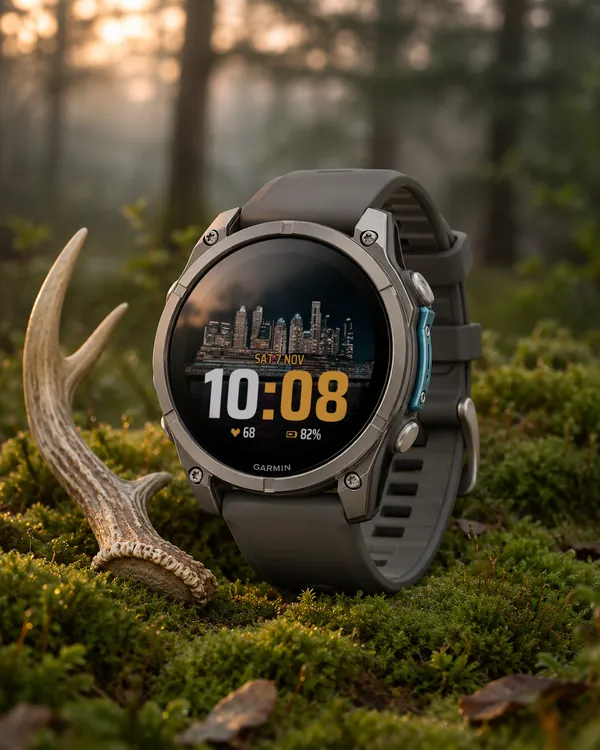 Photo
Photo Big Time
A big digital time on your own photo: at the bottom or at the top
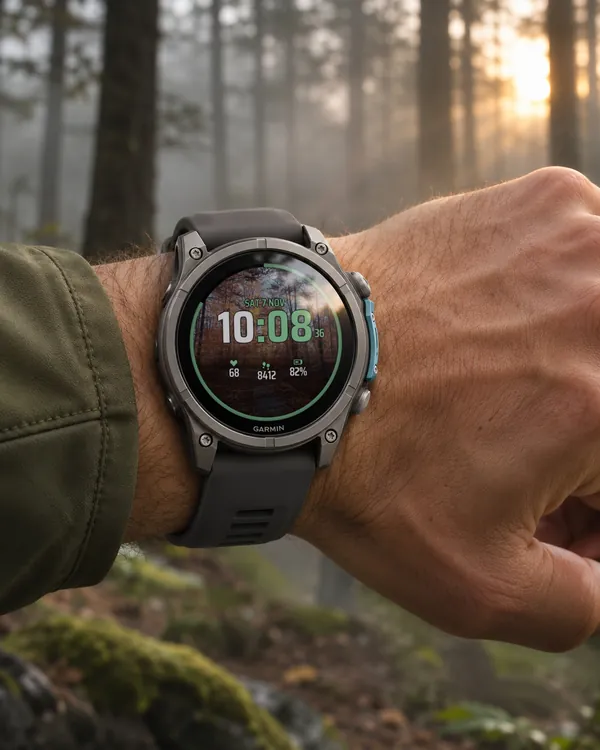 Photo
Photo Sport
A sport face on your own photo: the time
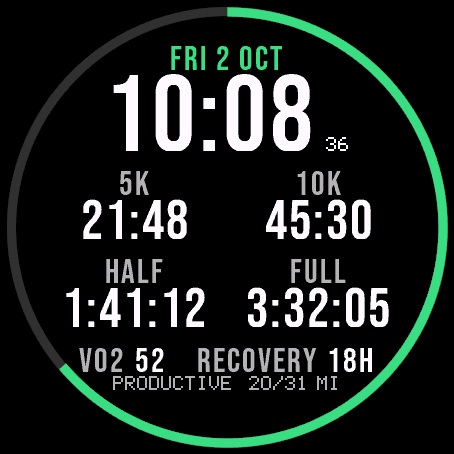 Running
Race Ready
5.0 (17)
Garmin race predictions and weekly mileage right on the face
 Photography
Amber Hour
5.0 (15)
Golden and blue hour countdown with the sun's path across your day