7-day free trial, then a one-time 4.49 EUR unlock code at dialforge.dev. No subscription.
Race Ready: the runner's dashboard your Forerunner or fenix deserves.
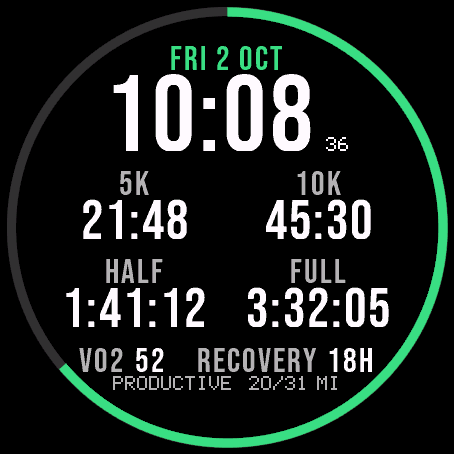
Your Garmin already predicts your 5K, 10K, half marathon and marathon time. Almost no watch face shows it. Race Ready puts all four on your wrist, next to VO2 max, weekly distance vs your goal, recovery hours and training status.
Features
- 5K / 10K / half marathon / marathon race predictions (choose all four or a pair; Venu Sq 2 shows the first two)
- Weekly running distance vs a goal you set, shown as a progress ring (the goal is set in km and converted on watches set to miles)
- VO2 max, recovery hours and the date on the main dial
- Training status (productive, recovering, peaking and so on)
- Seconds display, toggle on or off
- 10 accent colours
- Clean always-on display: time and weekly distance, dimmed, shifted to protect your screen
- Runs on round AMOLED and colour MIP watches
Data fields
Race predictor times, VO2 max, weekly run distance, recovery time, training status, heart rate, battery, calories, body battery, stress, respiration, pulse ox, resting heart rate, sleep score.
Race predictions, training status and weekly run distance need Connect IQ 4.2 or newer (most Forerunner and fenix models from 2022 on). Older watches show two regular data fields instead, so the face still looks complete.
Since 1.2.0: time format (12/24 h) and leading zero settings; 10 color sets (3 new) and a Popular list with the sets other users pick most; on touchscreen watches, touch and hold a field to open its screen.
Garmin does not give watch faces access to HRV status or Training Readiness, so no Connect IQ watch face can show them.
Code not working? Write to kontakt@dialforge.dev and we fix it or refund you.
Settings: on the watch (hold MENU, then Watch face, then Customize) or in the Connect IQ app.
Popular color sets: for that list only an anonymous color number is sent.
A little request from the maker
Dialforge is my student project. I build these watch faces after classes, so they are still at an early stage, and I could not test every watch model myself. If something looks wrong on your watch, please do not leave a negative rating: write to me first at https://dialforge.dev/faces/raceready/ and I will fix it, usually within 24 hours. A kind review means more to me than you can imagine. And if you like my work, you can buy me a coffee (the link is at the bottom of dialforge.dev): I am saving up to pay for my studies. Thank you for your patience and for giving a young developer a chance.
7 dni za darmo, potem jednorazowy kod za 4,49 EUR na dialforge.dev. Bez abonamentu.
Race Ready to tablica biegacza dla Forerunnera i fenixa.
Twój Garmin już teraz przewiduje Twój czas na 5 km, 10 km, półmaraton i maraton. Prawie żadna tarcza tego nie pokazuje. Race Ready wyświetla wszystkie cztery prognozy, a obok VO2 max, tygodniowy kilometraż na tle Twojego celu, godziny regeneracji i stan treningu.
Co jest na tarczy
- Prognozy na 5 km, 10 km, półmaraton i maraton (wszystkie cztery albo wybrana para; na Venu Sq 2 widać pierwsze dwie)
- Tygodniowy dystans biegowy na tle celu, który ustawiasz sam, jako pierścień postępu (cel jest w km, na zegarkach ustawionych na mile jest przeliczany)
- VO2 max, godziny regeneracji i data na głównej tarczy
- Stan treningu (produktywny, regeneracja, szczyt formy i inne)
- Sekundy do włączenia
- 10 kolorów akcentu
- Tryb zawsze włączony: przygaszona godzina i tygodniowy dystans, przesuwane co minutę
- Działa na okrągłych AMOLED i kolorowych MIP
Dane
Prognozy biegowe, VO2 max, kilometry biegu w tygodniu, czas regeneracji, stan treningu, tętno, bateria, kalorie, Body Battery, stres, oddech, pulsoksymetr, tętno spoczynkowe, ocena snu.
Prognozy, stan treningu i tygodniowy dystans wymagają Connect IQ 4.2 lub nowszego (większość Forerunnerów i fenixów od 2022 roku). Na starszych zegarkach w ich miejscu są dwa zwykłe pola, więc tarcza nie ma dziur.
Od wersji 1.2.0: ustawienia formatu godziny (12/24 h) i zera na początku; 10 zestawów kolorów (3 nowe) i lista Popularne z zestawami, które inni wybierają najczęściej; na zegarkach z ekranem dotykowym przytrzymanie pola otwiera jego ekran.
Garmin nie udostępnia tarczom statusu HRV ani gotowości treningowej, więc żadna tarcza Connect IQ ich nie pokaże.
Kod nie działa? Napisz na kontakt@dialforge.dev, a naprawimy problem albo oddamy pieniądze.
Ustawienia: na zegarku (przytrzymaj MENU, Tarcza zegarka, Dostosuj) albo w aplikacji Connect IQ.
Popularne zestawy kolorów: do tej listy wysyłany jest tylko anonimowy numer koloru.
Mała prośba od autora
Dialforge to mój studencki projekt. Robię te tarcze po zajęciach, więc są jeszcze na wczesnym etapie i nie mogłem przetestować każdego modelu zegarka. Jeśli coś wygląda źle na Twoim zegarku, proszę, nie wystawiaj negatywnej oceny: napisz najpierw do mnie na https://dialforge.dev/faces/raceready/, a naprawię to, zwykle w ciągu 24 godzin. Życzliwa opinia znaczy dla mnie więcej, niż myślisz. A jeśli podoba Ci się moja praca, możesz postawić mi kawę (link na dole strony dialforge.dev): zbieram na opłacenie studiów. Dziękuję za cierpliwość i za dane szansy młodemu twórcy.
7 Tage kostenlos testen, danach ein einmaliger Freischaltcode für 4,49 EUR auf dialforge.dev. Kein Abo.
Race Ready: das Läufer-Dashboard, das deine Forerunner oder fenix verdient.
Deine Garmin sagt schon deine Zeit für 5K, 10K, Halbmarathon und Marathon voraus. Fast kein Zifferblatt zeigt das an. Race Ready bringt alle vier auf dein Handgelenk, neben VO2 max, wöchentlicher Distanz gegen dein Ziel, Erholungsstunden und Trainingszustand.
Funktionen
- 5K-/10K-/Halbmarathon-/Marathon-Prognosen (wähle alle vier oder ein Paar; Venu Sq 2 zeigt die ersten zwei)
- Wöchentliche Laufdistanz gegen ein selbst gesetztes Ziel, als Fortschrittsring dargestellt (das Ziel wird in km gewählt und bei Uhren mit Meilen umgerechnet)
- VO2 max, Erholungsstunden und das Datum auf dem Hauptzifferblatt
- Trainingszustand (produktiv, erholend, im Höchststand und so weiter)
- Sekundenanzeige, ein- oder ausschaltbar
- 10 Akzentfarben
- Klare Always-on-Anzeige: Uhrzeit und wöchentliche Distanz, gedimmt, zum Schutz des Bildschirms verschoben
- Läuft auf rundem AMOLED und Farb-MIP-Uhren
Datenfelder
Prognosezeiten, VO2 max, wöchentliche Laufdistanz, Erholungszeit, Trainingszustand, Herzfrequenz, Akku, Kalorien, Body Battery, Stress, Atmung, Pulse Ox, Ruhepuls, Schlafwert.
Prognosen, Trainingszustand und wöchentliche Laufdistanz benötigen Connect IQ 4.2 oder neuer (die meisten Forerunner- und fenix-Modelle ab 2022). Ältere Uhren zeigen stattdessen zwei normale Datenfelder, sodass das Zifferblatt trotzdem vollständig wirkt.
Seit 1.2.0: Einstellungen für Zeitformat (12/24 h) und führende Null; 10 Farbsets (3 neue) und eine Liste Beliebt mit den Sets, die andere am häufigsten wählen; auf Uhren mit Touchscreen öffnet langes Drücken auf ein Feld die passende Ansicht.
Garmin gibt Zifferblättern keinen Zugriff auf den HRV-Status oder die Trainingsbereitschaft, daher kann kein Connect IQ Zifferblatt sie anzeigen.
Code funktioniert nicht? Schreib an kontakt@dialforge.dev, wir beheben es oder erstatten dein Geld zurück.
Einstellungen: auf der Uhr (MENU gedrückt halten, dann Watch face, dann Customize) oder in der Connect IQ App.
Beliebte Farbsets: Für diese Liste wird nur eine anonyme Farbnummer gesendet.
Eine kleine bitte des entwicklers
Dialforge ist mein Studentenprojekt. Ich baue diese Zifferblätter nach den Vorlesungen, deshalb sind sie noch in einer frühen Phase, und ich konnte nicht jedes Uhrenmodell selbst testen. Wenn auf deiner Uhr etwas nicht stimmt, hinterlasse bitte keine schlechte Bewertung: Schreib mir zuerst auf https://dialforge.dev/faces/raceready/, dann behebe ich es, meist innerhalb von 24 Stunden. Eine freundliche Bewertung bedeutet mir mehr, als du denkst. Und wenn dir meine Arbeit gefällt, kannst du mir einen Kaffee spendieren (den Link findest du unten auf dialforge.dev): Ich spare für mein Studium. Danke für deine Geduld und dafür, dass du einem jungen Entwickler eine Chance gibst.
Essai gratuit de 7 jours, puis un code de déverrouillage unique à 4,49 EUR sur dialforge.dev. Sans abonnement.
Race Ready : le tableau de bord du coureur que mérite votre Forerunner ou votre fenix.
Votre Garmin prédit déjà vos temps sur 5 km, 10 km, semi-marathon et marathon. Presque aucun cadran ne les affiche. Race Ready met les quatre sur votre poignet, à côté du VO2 max, de la distance hebdomadaire par rapport à votre objectif, des heures de récupération et du statut d'entraînement.
Caractéristiques
- Prédictions de course 5 km / 10 km / semi-marathon / marathon (choisissez les quatre ou une paire; la Venu Sq 2 affiche les deux premières)
- Distance de course hebdomadaire par rapport à un objectif que vous fixez, sous forme d'anneau de progression (l'objectif se règle en km et est converti sur les montres réglées en miles)
- VO2 max, heures de récupération et date sur le cadran principal
- Statut d'entraînement (productif, en récupération, au pic, et ainsi de suite)
- Affichage des secondes, activable ou non
- 10 couleurs d'accent
- Affichage toujours actif épuré : heure et distance hebdomadaire, atténuées, décalées pour protéger l'écran
- Fonctionne sur AMOLED rond et montres MIP couleur
Champs de données
Temps de prédiction de course, VO2 max, distance de course hebdomadaire, temps de récupération, statut d'entraînement, fréquence cardiaque, batterie, calories, body battery, stress, respiration, pulse ox, fréquence cardiaque au repos, score de sommeil.
Les prédictions de course, le statut d'entraînement et la distance de course hebdomadaire nécessitent Connect IQ 4.2 ou plus récent (la plupart des modèles Forerunner et fenix depuis 2022). Les montres plus anciennes affichent à la place deux champs de données classiques, pour que le cadran reste complet.
Depuis la 1.2.0 : réglages du format de l'heure (12/24 h) et du zéro initial; 10 jeux de couleurs (3 nouveaux) et une liste Populaires avec ceux que les autres choisissent le plus; sur les montres tactiles, un appui long sur un champ ouvre son écran.
Garmin ne donne pas aux cadrans l'accès au statut VFC ni à la disponibilité d'entraînement, aucun cadran Connect IQ ne peut donc les afficher.
Le code ne fonctionne pas ? Écrivez à kontakt@dialforge.dev, nous le réparons ou vous remboursons.
Réglages : sur la montre (maintenez MENU, puis Watch face, puis Customize) ou dans l'application Connect IQ.
Jeux de couleurs populaires : pour cette liste, seul un numéro de couleur anonyme est envoyé.
Une petite demande du créateur
Dialforge est mon projet étudiant. Je crée ces cadrans après les cours, ils en sont donc encore à un stade précoce, et je n'ai pas pu tester tous les modèles de montre. Si quelque chose ne va pas sur votre montre, s'il vous plaît, ne laissez pas de note négative : écrivez-moi d'abord sur https://dialforge.dev/faces/raceready/ et je corrigerai cela, en général sous 24 heures. Un avis bienveillant compte plus que vous ne l'imaginez. Et si vous aimez mon travail, vous pouvez m'offrir un café (le lien se trouve en bas de dialforge.dev) : j'économise pour payer mes études. Merci pour votre patience et pour la chance donnée à un jeune développeur.
Prueba gratuita de 7 días y luego un código de desbloqueo único de 4,49 EUR en dialforge.dev. Sin suscripción.
Race Ready: el panel del corredor que tu Forerunner o fenix se merece.
Tu Garmin ya predice tu tiempo en 5K, 10K, media maratón y maratón. Casi ninguna esfera lo muestra. Race Ready pone las cuatro en tu muñeca, junto al VO2 max, la distancia semanal frente a tu objetivo, las horas de recuperación y el estado de entrenamiento.
Características
- Predicciones de carrera 5K / 10K / media maratón / maratón (elige las cuatro o un par; Venu Sq 2 muestra las dos primeras)
- Distancia semanal de carrera frente a un objetivo que tú marcas, mostrada como anillo de progreso (el objetivo se elige en km y se convierte en relojes configurados en millas)
- VO2 max, horas de recuperación y la fecha en la esfera principal
- Estado de entrenamiento (productivo, en recuperación, en pico, y demás)
- Visualización de segundos, activable o no
- 10 colores de acento
- Pantalla siempre activa limpia: hora y distancia semanal, atenuadas, desplazadas para proteger la pantalla
- Funciona en AMOLED redondo y relojes MIP en color
Campos de datos
Tiempos de predicción de carrera, VO2 max, distancia semanal de carrera, tiempo de recuperación, estado de entrenamiento, frecuencia cardiaca, batería, calorías, body battery, estrés, respiración, pulse ox, frecuencia cardiaca en reposo, puntuación de sueño.
Las predicciones de carrera, el estado de entrenamiento y la distancia semanal de carrera necesitan Connect IQ 4.2 o posterior (la mayoría de los modelos Forerunner y fenix desde 2022). Los relojes más antiguos muestran en su lugar dos campos de datos normales, para que la esfera siga viéndose completa.
Desde la 1.2.0: ajustes de formato de hora (12/24 h) y cero inicial; 10 combinaciones de colores (3 nuevas) y una lista Populares con las que más eligen otros usuarios; en relojes táctiles, mantén pulsado un campo para abrir su pantalla.
Garmin no da a las esferas acceso al estado de VFC ni a la disponibilidad para entrenar, así que ninguna esfera Connect IQ puede mostrarlos.
¿El código no funciona? Escribe a kontakt@dialforge.dev y lo arreglamos o te devolvemos el dinero.
Ajustes: en el reloj (mantén pulsado MENU, luego Watch face, luego Customize) o en la app Connect IQ.
Combinaciones populares: para esa lista solo se envía un número de color anónimo.
Una pequeña petición del creador
Dialforge es mi proyecto de estudiante. Creo estas esferas después de clase, así que todavía están en una fase temprana y no pude probar todos los modelos de reloj. Si algo no se ve bien en tu reloj, por favor no dejes una valoración negativa: escríbeme primero en https://dialforge.dev/faces/raceready/ y lo arreglaré, normalmente en 24 horas. Una reseña amable significa para mí más de lo que imaginas. Y si te gusta mi trabajo, puedes invitarme a un café (el enlace está al final de dialforge.dev): estoy ahorrando para pagar mis estudios. Gracias por tu paciencia y por darle una oportunidad a un desarrollador joven.
7 dagen gratis proberen, daarna een eenmalige ontgrendelcode van 4,49 EUR op dialforge.dev. Geen abonnement.
Race Ready: het hardloopdashboard dat je Forerunner of fenix verdient.
Je Garmin voorspelt al je tijd op 5K, 10K, halve marathon en marathon. Bijna geen enkele wijzerplaat laat dit zien. Race Ready zet alle vier op je pols, naast VO2 max, wekelijkse afstand tegenover je doel, hersteluren en trainingsstatus.
Functies
- 5K-/10K-/halve marathon-/marathonvoorspellingen (kies alle vier of een paar; Venu Sq 2 toont de eerste twee)
- Wekelijkse hardloopafstand tegenover een zelf ingesteld doel, getoond als voortgangsring (het doel stel je in km in en wordt omgerekend op horloges die op mijlen staan)
- VO2 max, hersteluren en de datum op de hoofdwijzerplaat
- Trainingsstatus (productief, herstellend, op piek, enzovoort)
- Secondenweergave, aan of uit te zetten
- 10 accentkleuren
- Strak always-on scherm: tijd en wekelijkse afstand, gedimd, verschoven om het scherm te beschermen
- Werkt op rond AMOLED en kleuren-MIP-horloges
Datavelden
Race-voorspellingstijden, VO2 max, wekelijkse hardloopafstand, hersteltijd, trainingsstatus, hartslag, batterij, calorieën, body battery, stress, ademhaling, pulse ox, rusthartslag, slaapscore.
Race-voorspellingen, trainingsstatus en wekelijkse hardloopafstand vereisen Connect IQ 4.2 of nieuwer (de meeste Forerunner- en fenix-modellen vanaf 2022). Oudere horloges tonen in plaats daarvan twee gewone datavelden, zodat de wijzerplaat toch compleet aanvoelt.
Sinds 1.2.0: instellingen voor tijdnotatie (12/24 u) en voorloopnul; 10 kleurensets (3 nieuw) en een lijst Populair met de sets die anderen het vaakst kiezen; op horloges met touchscreen opent lang drukken op een veld het bijbehorende scherm.
Garmin geeft wijzerplaten geen toegang tot de HRV-status of trainingsgereedheid, dus geen enkele Connect IQ-wijzerplaat kan die tonen.
Werkt de code niet? Mail naar kontakt@dialforge.dev en we lossen het op of betalen je terug.
Instellingen: op het horloge (houd MENU ingedrukt, dan Watch face, dan Customize) of in de Connect IQ-app.
Populaire kleurensets: voor die lijst wordt alleen een anoniem kleurnummer verstuurd.
Een klein verzoek van de maker
Dialforge is mijn studentenproject. Ik maak deze wijzerplaten na de colleges, dus ze zijn nog in een vroeg stadium en ik kon niet elk horlogemodel zelf testen. Ziet er iets verkeerd uit op je horloge, geef dan alsjeblieft geen negatieve beoordeling: schrijf me eerst via https://dialforge.dev/faces/raceready/, dan los ik het op, meestal binnen 24 uur. Een vriendelijke review betekent meer voor me dan je denkt. En als je mijn werk waardeert, kun je een koffie voor me kopen (de link staat onderaan dialforge.dev): ik spaar om mijn studie te betalen. Bedankt voor je geduld en voor de kans die je een jonge ontwikkelaar geeft.
7日間無料でお試しいただけます。その後はdialforge.devで4.49ユーロの解除コードを一度だけ購入(サブスクリプションなし)。
Race Ready:あなたのForerunnerやfenixにふさわしい、ランナーのためのダッシュボード。
Garminはすでに5km、10km、ハーフマラソン、フルマラソンのタイムを予測していますが、それを表示する文字盤はほとんどありません。Race Readyはその4つすべてを手首に表示し、VO2 max、目標に対する週間走行距離、回復時間、トレーニング状況も並べて確認できます。
主な機能
- 5km/10km/ハーフマラソン/フルマラソンのレース予測タイム(4つすべて、または2つを選択可能)。Venu Sq 2では最初の2つを表示
- 目標に対する週間走行距離をプログレスリングで表示。目標はkmで設定し、マイル設定の時計では換算して表示
- メイン画面にVO2 max、回復時間、日付を表示
- トレーニング状況(効果的、回復中、ピークなど)
- 秒表示のオン・オフ切り替え
- 10色のアクセントカラー
- すっきりした常時表示:時刻と週間走行距離を暗く表示し、画面保護のため位置をずらします
- 丸型AMOLEDとカラーMIPに対応
データフィールド
レース予測タイム、VO2 max、週間走行距離、回復時間、トレーニング状況、心拍数、バッテリー、カロリー、Body Battery、ストレス、呼吸数、Pulse Ox、安静時心拍数、睡眠スコア。
レース予測、トレーニング状況、週間走行距離にはConnect IQ 4.2以降が必要です(2022年以降のほとんどのForerunnerとfenixモデルが対応)。対応していない古い時計では、代わりに通常のデータフィールドが2つ表示されるため、文字盤としての完成度は保たれます。
1.2.0から:時刻形式(12/24時間)と先頭ゼロの設定。10種類のカラーセット(新色3種)と、ほかのユーザーに人気のセット一覧。タッチ対応モデルではフィールドを長押しすると対応画面が開きます。
GarminはウォッチフェイスにHRVステータスやトレーニングレディネスを公開していないため、Connect IQのウォッチフェイスでは表示できません。
コードが使えない場合はkontakt@dialforge.devまでご連絡ください。修理するか返金いたします。
設定:時計側(MENUを長押し、Watch face、Customizeの順)またはConnect IQアプリから。
人気のカラーセット:この一覧のために送信されるのは匿名の色番号だけです。
作者からの小さなお願い
Dialforgeは私の学生プロジェクトです。授業のあとにこれらの文字盤を作っているため、まだ初期段階で、すべての時計モデルで試すことはできませんでした。お使いの時計で表示がおかしいときは、低い評価をつけずに、まずhttps://dialforge.dev/faces/raceready/ で私に連絡してください。通常24時間以内に修正します。温かいレビューは、想像以上にうれしいものです。私の仕事を気に入っていただけたら、コーヒーをおごっていただくこともできます(リンクはdialforge.devの一番下にあります)。学費を貯めているところです。ご辛抱いただき、若い開発者にチャンスをくださってありがとうございます。
Prova gratuita di 7 giorni, poi un codice di sblocco una tantum da 4,49 EUR su dialforge.dev. Nessun abbonamento.
Race Ready: il cruscotto da corridore che il tuo Forerunner o fenix merita.
Il tuo Garmin prevede già il tuo tempo sui 5K, 10K, mezza maratona e maratona. Quasi nessun quadrante lo mostra. Race Ready mette tutti e quattro sul tuo polso, accanto a VO2 max, distanza settimanale rispetto al tuo obiettivo, ore di recupero e stato di allenamento.
Caratteristiche
- Previsioni gara 5K / 10K / mezza maratona / maratona (scegli tutte e quattro o una coppia; Venu Sq 2 mostra le prime due)
- Distanza di corsa settimanale rispetto a un obiettivo che imposti tu, mostrata come anello di progresso (l'obiettivo si imposta in km e viene convertito sugli orologi impostati in miglia)
- VO2 max, ore di recupero e data sul quadrante principale
- Stato di allenamento (produttivo, in recupero, al picco e così via)
- Visualizzazione dei secondi, attivabile o disattivabile
- 10 colori di accento
- Display always-on pulito: ora e distanza settimanale, attenuate, spostate per proteggere lo schermo
- Funziona su AMOLED rotondo e orologi MIP a colori
Campi dati
Tempi di previsione gara, VO2 max, distanza di corsa settimanale, tempo di recupero, stato di allenamento, frequenza cardiaca, batteria, calorie, body battery, stress, respirazione, pulse ox, frequenza cardiaca a riposo, punteggio del sonno.
Le previsioni gara, lo stato di allenamento e la distanza di corsa settimanale richiedono Connect IQ 4.2 o successivo (la maggior parte dei modelli Forerunner e fenix dal 2022 in poi). Gli orologi più vecchi mostrano invece due normali campi dati, così il quadrante resta comunque completo.
Dalla 1.2.0: impostazioni del formato ora (12/24 h) e dello zero iniziale; 10 set di colori (3 nuovi) e un elenco Popolari con quelli scelti più spesso dagli altri; sugli orologi touch, tieni premuto un campo per aprire la sua schermata.
Garmin non dà ai quadranti accesso allo stato HRV né alla Training Readiness, quindi nessun quadrante Connect IQ può mostrarli.
Il codice non funziona? Scrivi a kontakt@dialforge.dev e lo sistemiamo o ti rimborsiamo.
Impostazioni: sull'orologio (tieni premuto MENU, poi Watch face, poi Customize) o nell'app Connect IQ.
Set di colori popolari: per quell'elenco viene inviato solo un numero di colore anonimo.
Una piccola richiesta dall'autore
Dialforge è il mio progetto da studente. Creo questi quadranti dopo le lezioni, quindi sono ancora in una fase iniziale e non ho potuto provare ogni modello di orologio. Se qualcosa sembra sbagliato sul tuo orologio, per favore non lasciare una valutazione negativa: scrivimi prima su https://dialforge.dev/faces/raceready/ e lo correggo, di solito entro 24 ore. Una recensione gentile per me conta più di quanto immagini. E se ti piace il mio lavoro, puoi offrirmi un caffè (il link è in fondo a dialforge.dev): sto mettendo da parte i soldi per pagarmi gli studi. Grazie per la pazienza e per aver dato una possibilità a un giovane sviluppatore.
7 天免费试用,之后在 dialforge.dev 以 4.49 欧元购买一次性解锁码(无需订阅)。
Race Ready:您的 Forerunner 或 fenix 值得拥有的跑者仪表盘。
您的 Garmin 手表其实早就能预测您的 5 公里、10 公里、半程马拉松和全程马拉松成绩,却几乎没有表盘会把它显示出来。Race Ready 把这四项成绩全部呈现在您的手腕上,同时还显示 VO2 max、每周跑步距离与目标的对比、恢复时间和训练状态。
功能特色
- 5 公里/10 公里/半马/全马成绩预测(可选全部四项或其中两项;Venu Sq 2 显示前两项)
- 每周跑步距离与您设定目标的对比,以进度环显示(目标以公里设定,手表设为英里时会自动换算)
- 主表盘显示 VO2 max、恢复时间和日期
- 训练状态(有效、恢复中、巅峰等)
- 秒针显示开关可选
- 10 种强调色
- 简洁的常亮显示:时间与每周跑步距离变暗显示,并偏移以保护屏幕
- 适用于圆形 AMOLED 及彩色 MIP 手表
数据字段
比赛预测成绩、VO2 max、每周跑步距离、恢复时间、训练状态、心率、电量、卡路里、Body Battery、压力、呼吸频率、Pulse Ox、静息心率、睡眠评分。
比赛预测、训练状态和每周跑步距离需要 Connect IQ 4.2 或更新版本(大多数 2022 年以后的 Forerunner 和 fenix 机型均支持)。较旧的手表会改为显示两个普通数据字段,表盘依然完整美观。
自 1.2.0 起:时间格式(12/24 小时)和前导零设置;10 套配色(3 套新配色),以及其他用户最常选择的热门配色列表;在触屏手表上,长按数据栏即可打开对应界面。
Garmin 不向表盘开放 HRV 状态和训练准备度,因此任何 Connect IQ 表盘都无法显示。
兑换码无法使用?请写信至 kontakt@dialforge.dev,我们会修复问题或为您退款。
设置:在手表上完成(长按 MENU,依次选择 Watch face、Customize)或在 Connect IQ 应用中完成。
热门配色:该列表只会发送匿名的颜色编号。
来自作者的一个小请求
Dialforge 是我的学生项目。我利用课余时间做这些表盘,所以它们还处于早期阶段,我也没法在每一款手表上测试。如果您的手表上有什么看起来不对劲,请不要给差评,请先写信到 https://dialforge.dev/faces/raceready/ 告诉我,我会修复,通常在 24 小时内。一条善意的评价对我来说比您想象的更有意义。如果您喜欢我的作品,也可以请我喝杯咖啡(链接在 dialforge.dev 页面底部):我在攒钱付学费。谢谢您的耐心,也谢谢您愿意给一个年轻开发者一个机会。
7-дневный бесплатный пробный период, затем разовый код разблокировки за 4,49 EUR на dialforge.dev. Без подписки.
Race Ready: панель бегуна, которую заслуживают ваши Forerunner или fenix.
Ваш Garmin уже прогнозирует время на 5K, 10K, полумарафон и марафон. Почти ни один циферблат этого не показывает. Race Ready выводит все четыре показателя прямо на экран, рядом с VO2 max, недельной дистанцией относительно вашей цели, часами восстановления и статусом тренировки.
Функции
- Прогнозы на забеги: 5K / 10K / полумарафон / марафон (выберите все четыре или пару; Venu Sq 2 показывает первые два)
- Недельная дистанция бега относительно заданной цели в виде кольца прогресса (цель задается в km и пересчитывается на часах с милями)
- VO2 max, часы восстановления и дата на основном циферблате
- Статус тренировки (продуктивный, восстановление, пик формы и так далее)
- Отображение секунд, можно включить или выключить
- 10 акцентных цветов
- Лаконичный режим всегда включенного экрана: приглушенные время и недельная дистанция, смещаемые для защиты экрана
- Работает на круглых часах с экранами AMOLED и цветными MIP
Поля данных
Прогнозы результатов на забегах, VO2 max, дистанция бега за неделю, время восстановления, статус тренировки, пульс, батарея, калории, Body Battery, стресс, частота дыхания, Pulse Ox, пульс в покое, оценка сна.
Для прогнозов забегов, статуса тренировки и недельной дистанции бега требуется Connect IQ 4.2 или новее (большинство моделей Forerunner и fenix с 2022 года). На более старых часах вместо них отображаются два обычных поля данных, поэтому циферблат сохраняет целостный вид.
С версии 1.2.0: настройки формата времени (12/24 h) и начального нуля; 10 цветовых наборов (3 новых) и список "Популярные" с наборами, которые чаще всего выбирают другие пользователи; на часах с сенсорным экраном коснитесь и удерживайте поле, чтобы открыть его экран.
Garmin не дает циферблатам доступа к статусу HRV или Training Readiness, поэтому ни один циферблат Connect IQ не может их показывать.
Код не работает? Напишите на kontakt@dialforge.dev, и мы все исправим или вернем деньги.
Настройки: на часах (удерживайте MENU, затем «Циферблат», затем «Настройка») или в приложении Connect IQ.
Популярные цветовые наборы: для этого списка отправляется только анонимный номер цвета.
Небольшая просьба от автора
Dialforge - это мой студенческий проект. Я делаю эти циферблаты после занятий, поэтому они ещё на раннем этапе, и я не мог проверить каждую модель часов. Если что-то выглядит неправильно на ваших часах, пожалуйста, не ставьте низкую оценку: сначала напишите мне на https://dialforge.dev/faces/raceready/, и я всё исправлю, обычно в течение 24 часов. Доброе слово в отзыве значит для меня больше, чем вы думаете. А если вам нравится моя работа, можете угостить меня кофе (ссылка внизу страницы dialforge.dev): я коплю на оплату учёбы. Спасибо за терпение и за то, что даёте шанс молодому разработчику.
Teste grátis de 7 dias, depois um código de desbloqueio único de 4,49 EUR em dialforge.dev. Sem assinatura.
Race Ready: o painel do corredor que seu Forerunner ou fenix merece.
Seu Garmin já prevê seu tempo de 5 km, 10 km, meia maratona e maratona. Quase nenhum mostrador exibe isso. O Race Ready coloca os quatro no seu pulso, ao lado do VO2 max, da distância semanal em relação à sua meta, das horas de recuperação e do status de treino.
Recursos
- Previsões de prova de 5 km / 10 km / meia maratona / maratona (escolha as quatro ou um par; o Venu Sq 2 mostra as duas primeiras)
- Distância semanal de corrida em relação a uma meta definida por você, mostrada como anel de progresso (a meta é definida em km e convertida em relógios configurados em milhas)
- VO2 max, horas de recuperação e a data no mostrador principal
- Status de treino (produtivo, recuperando, no pico e assim por diante)
- Exibição de segundos, para ligar ou desligar
- 10 cores de destaque
- Tela sempre ativa limpa: hora e distância semanal, atenuadas, deslocadas para proteger a tela
- Funciona em AMOLED redondo e relógios MIP coloridos
Campos de dados
Tempos de previsão de prova, VO2 max, distância semanal de corrida, tempo de recuperação, status de treino, frequência cardíaca, bateria, calorias, body battery, estresse, respiração, pulse ox, frequência cardíaca em repouso, pontuação de sono.
As previsões de prova, o status de treino e a distância semanal de corrida precisam de Connect IQ 4.2 ou mais novo (a maioria dos modelos Forerunner e fenix a partir de 2022). Relógios mais antigos mostram dois campos de dados comuns no lugar, para que o mostrador ainda pareça completo.
Desde a 1.2.0: ajustes de formato da hora (12/24 h) e zero à esquerda; 10 conjuntos de cores (3 novos) e uma lista Populares com os mais escolhidos pelos outros; em relógios com tela sensível ao toque, toque e segure um campo para abrir a tela dele.
A Garmin não dá aos mostradores acesso ao status de VFC nem à prontidão para treino, então nenhum mostrador Connect IQ consegue exibi-los.
O código não funciona? Escreva para kontakt@dialforge.dev e a gente resolve ou devolve seu dinheiro.
Configurações: no relógio (segure MENU, depois Watch face, depois Customize) ou no app Connect IQ.
Conjuntos de cores populares: para essa lista só é enviado um número de cor anônimo.
Um pequeno pedido do criador
O Dialforge é o meu projeto de estudante. Eu crio estes mostradores depois das aulas, então eles ainda estão numa fase inicial, e não consegui testar todos os modelos de relógio. Se algo parecer errado no seu relógio, por favor, não deixe uma avaliação negativa: escreva primeiro para mim em https://dialforge.dev/faces/raceready/ e eu corrijo, normalmente em até 24 horas. Uma avaliação gentil significa para mim mais do que você imagina. E se você gosta do meu trabalho, pode me pagar um café (o link está no final de dialforge.dev): estou juntando dinheiro para pagar meus estudos. Obrigado pela paciência e por dar uma chance a um desenvolvedor iniciante.
7denní bezplatná zkušební verze, poté jednorázový odemykací kód za 4,49 EUR na dialforge.dev. Žádné předplatné.
Race Ready: běžecký panel, jaký si váš Forerunner nebo fenix zaslouží.
Váš Garmin už předpovídá váš čas na 5K, 10K, půlmaraton i maraton. Téměř žádný ciferník to neukazuje. Race Ready přináší všechny čtyři přímo na vaše zápěstí, vedle VO2 max, týdenní vzdálenosti vůči vašemu cíli, hodin regenerace a stavu tréninku.
Funkce
- Závodní předpovědi na 5K / 10K / půlmaraton / maraton (vyberte všechny čtyři, nebo dvojici; Venu Sq 2 zobrazuje první dvě)
- Týdenní běžecká vzdálenost vůči vašemu cíli, zobrazená jako kruhový ukazatel postupu (cíl se nastavuje v km a na hodinkách nastavených na míle se přepočítá)
- VO2 max, hodiny regenerace a datum na hlavním ciferníku
- Stav tréninku (produktivní, regenerace, ve špičce a další)
- Zobrazení sekund, možnost zapnutí či vypnutí
- 10 akcentních barev
- Čistý režim always-on: ztlumený čas a týdenní vzdálenost, posouvané kvůli ochraně displeje
- Funguje na kulatých hodinkách AMOLED a barevných MIP
Datová pole
Časy závodních předpovědí, VO2 max, týdenní běžecká vzdálenost, doba regenerace, stav tréninku, srdeční tep, baterie, kalorie, Body Battery, stres, dýchání, Pulse Ox, klidový srdeční tep, skóre spánku.
Závodní předpovědi, stav tréninku a týdenní běžecká vzdálenost vyžadují Connect IQ 4.2 nebo novější (většina modelů Forerunner a fenix od roku 2022). Starší hodinky místo nich zobrazují dvě běžná datová pole, takže ciferník stále působí uceleně.
Od verze 1.2.0: nastavení formátu času (12/24 h) a úvodní nuly; 10 barevných sad (3 nové) a seznam Populární se sadami, které ostatní uživatelé vybírají nejčastěji; na hodinkách s dotykovým displejem otevřete obrazovku pole jeho stisknutím a podržením.
Garmin neposkytuje ciferníkům přístup ke stavu HRV ani k Training Readiness, takže je nemůže zobrazit žádný ciferník z Connect IQ.
Kód nefunguje? Napište na kontakt@dialforge.dev a my vše vyřešíme nebo vám vrátíme peníze.
Nastavení: v hodinkách (podržte MENU, pak Vzhled hodinek, pak Upravit) nebo v aplikaci Connect IQ.
Oblíbené barevné sady: pro tento seznam se odesílá pouze anonymní číslo barvy.
Malá prosba od tvůrce
Dialforge je můj studentský projekt. Tyto ciferníky dělám po škole, takže jsou zatím v rané fázi a nemohl jsem otestovat každý model hodinek. Pokud na vašich hodinkách něco nevypadá v pořádku, prosím, nedávejte negativní hodnocení: napište mi nejdřív na https://dialforge.dev/faces/raceready/ a já to opravím, obvykle do 24 hodin. Milá recenze pro mě znamená víc, než si dokážete představit. A pokud se vám moje práce líbí, můžete mi koupit kávu (odkaz je dole na dialforge.dev): šetřím si na zaplacení studia. Děkuji vám za trpělivost a za to, že dáváte mladému vývojáři šanci.
7 dias de teste gratuito, depois um código de desbloqueio único de 4,49 EUR em dialforge.dev. Sem subscrição.
Race Ready: o painel de corrida que o seu Forerunner ou fenix merece.
O seu Garmin já prevê o seu tempo para 5K, 10K, meia maratona e maratona. Quase nenhum mostrador o mostra. O Race Ready coloca os quatro no seu pulso, ao lado do VO2 max, da distância semanal face ao seu objetivo, das horas de recuperação e do estado de treino.
Funcionalidades
- Previsões de corrida para 5K / 10K / meia maratona / maratona (escolha as quatro ou um par; o Venu Sq 2 mostra as duas primeiras)
- Distância de corrida semanal face a um objetivo definido por si, apresentada como um anel de progresso (o objetivo é definido em km e convertido nos relógios configurados para milhas)
- VO2 max, horas de recuperação e a data no mostrador principal
- Estado de treino (produtivo, recuperação, pico e assim por diante)
- Apresentação de segundos, ative ou desative
- 10 cores de destaque
- Ecrã always-on limpo: hora e distância semanal, atenuadas, deslocadas para proteger o seu ecrã
- Funciona em relógios AMOLED redondos e MIP a cores
Campos de dados
Tempos de previsão de corrida, VO2 max, distância de corrida semanal, tempo de recuperação, estado de treino, frequência cardíaca, bateria, calorias, Body Battery, stress, respiração, Pulse Ox, frequência cardíaca em repouso, pontuação de sono.
As previsões de corrida, o estado de treino e a distância de corrida semanal necessitam do Connect IQ 4.2 ou mais recente (a maioria dos modelos Forerunner e fenix a partir de 2022). Os relógios mais antigos mostram dois campos de dados normais em substituição, para que o mostrador continue a parecer completo.
Desde a versão 1.2.0: definições de formato de hora (12/24 h) e zero inicial; 10 conjuntos de cores (3 novos) e uma lista Populares com os conjuntos que os outros utilizadores mais escolhem; em relógios com ecrã tátil, toque e mantenha premido um campo para abrir o respetivo ecrã.
A Garmin não dá aos mostradores acesso ao estado de HRV nem à Training Readiness, pelo que nenhum mostrador Connect IQ os pode apresentar.
O código não funciona? Escreva para kontakt@dialforge.dev e resolvemos o problema ou fazemos o reembolso.
Definições: no relógio (mantenha premido MENU, depois Mostrador e depois Personalizar) ou na aplicação Connect IQ.
Conjuntos de cores populares: para essa lista, apenas é enviado um número de cor anónimo.
Um pequeno pedido do criador
O Dialforge é o meu projeto de estudante. Crio estes mostradores depois das aulas, por isso ainda estão numa fase inicial, e não consegui testar todos os modelos de relógio. Se algo parecer errado no seu relógio, por favor não deixe uma avaliação negativa: escreva-me primeiro em https://dialforge.dev/faces/raceready/ e eu corrijo, normalmente em 24 horas. Uma avaliação simpática significa para mim mais do que imagina. E se gostar do meu trabalho, pode oferecer-me um café (a ligação está no fundo de dialforge.dev): estou a poupar para pagar os meus estudos. Obrigado pela sua paciência e por dar uma oportunidade a um jovem programador.
7일 무료 체험 후 dialforge.dev에서 일회성 4.49 EUR 잠금 해제 코드로 이용할 수 있습니다. 구독은 없습니다.
Race Ready: Forerunner와 fenix에 걸맞은 러너를 위한 대시보드입니다.
Garmin은 이미 5K, 10K, 하프 마라톤 및 마라톤 예상 시간을 예측하고 있습니다. 하지만 이를 보여주는 워치 페이스는 거의 없습니다. Race Ready는 VO2 max, 목표 대비 주간 거리, 회복 시간, 훈련 상태와 함께 이 네 가지 예상 시간을 손목 위에 모두 표시해 줍니다.
주요 기능
- 5K / 10K / 하프 마라톤 / 마라톤 레이스 예측 (네 가지 모두 선택 또는 한 쌍 선택; Venu Sq 2 에는 처음 두 개가 표시됨)
- 설정한 목표 대비 주간 러닝 거리, 진행 링으로 표시(목표는 km 단위로 설정되며 마일로 설정된 시계에서는 자동 변환됨)
- 메인 다이얼에 표시되는 VO2 max, 회복 시간 및 날짜
- 훈련 상태(생산적, 회복, 피킹 등)
- 초 표시, 켜기/끄기 전환 가능
- 10 가지 액센트 색상
- 깔끔한 항상 켜짐 디스플레이: 어두운 시간 및 주간 거리, 화면 보호를 위해 위치 이동
- 원형 AMOLED 및 컬러 MIP 시계에서 작동
데이터 필드
레이스 예측 시간, VO2 max, 주간 러닝 거리, 회복 시간, 훈련 상태, 심박수, 배터리, 칼로리, Body Battery, 스트레스, 호흡수, Pulse Ox, 안정 시 심박수, 수면 점수.
레이스 예측, 훈련 상태 및 주간 러닝 거리는 Connect IQ 4.2 이상이 필요합니다(2022 년 이후 출시된 대부분의 Forerunner 및 fenix 모델). 이전 시계에서는 대신 두 개의 일반 데이터 필드가 표시되므로 페이스가 여전히 완벽하게 보입니다.
1.2.0 버전 이후: 시간 형식(12/24 h) 및 선행 제로 설정; 10 가지 색상 세트(신규 3 가지) 및 다른 사용자가 가장 많이 선택한 세트가 포함된 Popular 목록; 터치스크린 시계에서는 필드를 길게 터치하여 해당 화면을 열 수 있습니다.
Garmin은 시계 화면에 HRV 상태나 Training Readiness에 대한 접근 권한을 제공하지 않으므로, 어떤 Connect IQ 시계 화면도 이를 표시할 수 없습니다.
코드가 작동하지 않나요? kontakt@dialforge.dev로 문의해 주시면 문제를 해결해 드리거나 환불해 드립니다.
설정: 시계(MENU를 길게 누른 후 시계 화면, 사용자 지정 선택) 또는 Connect IQ 앱에서 가능합니다.
인기 색상 세트: 해당 목록을 위해 익명의 색상 번호만 전송됩니다.
제작자의 작은 부탁
Dialforge는 제 학생 프로젝트입니다. 수업이 끝난 뒤에 이 워치페이스들을 만들고 있어서 아직 초기 단계이고, 모든 시계 모델을 직접 테스트하지는 못했습니다. 시계에서 이상한 점이 보이면 낮은 평점을 남기지 마시고 먼저 https://dialforge.dev/faces/raceready/에서 알려 주세요. 보통 24시간 안에 고치겠습니다. 따뜻한 리뷰 하나가 제게는 상상 이상으로 큰 힘이 됩니다. 제 작업이 마음에 드신다면 커피를 사주실 수도 있습니다(링크는 dialforge.dev 맨 아래에 있습니다). 학비를 모으고 있습니다. 기다려 주시고 젊은 개발자에게 기회를 주셔서 감사합니다.
7 dagars gratis provperiod, sedan en upplåsningskod som engångsköp för 4,49 EUR på dialforge.dev. Ingen prenumeration.
Race Ready: löparens instrumentpanel som din Forerunner eller fenix förtjänar.
Din Garmin förutspår redan din tid på 5K, 10K, halvmaraton och maraton. Nästan ingen urtavla visar det. Race Ready sätter alla fyra på din handled, bredvid VO2 max, veckodistans mot ditt mål, återhämtningstimmar och träningsstatus.
Funktioner
- Tävlingsprognoser för 5K / 10K / halvmaraton / maraton (välj alla fyra eller ett par; Venu Sq 2 visar de två första)
- Veckans löpdistans mot ett mål du ställt in, visas som en förloppsring (målet sätts i km och omvandlas på klockor inställda på miles)
- VO2 max, återhämtningstimmar och datum på huvudurtavlan
- Träningsstatus (produktiv, återhämtning, formtoppning och så vidare)
- Sekundvisning, kan slås på eller av
- 10 accentfärger
- Ren alltid på-skärm: tid och veckodistans, nedtonad, förskjuts för att skydda skärmen
- Fungerar på runda AMOLED- och färg-MIP-klockor
Datafält
Tider för tävlingsprognoser, VO2 max, veckans löpdistans, återhämtningstid, träningsstatus, puls, batteri, kalorier, Body Battery, stress, andning, Pulse Ox, vilopuls, sömnresultat.
Tävlingsprognoser, träningsstatus och veckans löpdistans kräver Connect IQ 4.2 eller senare (de flesta Forerunner- och fenix-modeller från 2022 och framåt). Äldre klockor visar två vanliga datafält i stället, så att urtavlan ändå ser komplett ut.
Sedan 1.2.0: tidsformat (12/24 h) och inställningar för inledande nolla; 10 färgset (3 nya) och en Populärt-lista med de set som andra användare väljer mest; på klockor med pekskärm, tryck och håll på ett fält för att öppna dess skärm.
Garmin ger inte urtavlor åtkomst till HRV-status eller Training Readiness, så ingen Connect IQ-urtavla kan visa dem.
Fungerar inte koden? Skriv till kontakt@dialforge.dev så löser vi det eller ger dig pengarna tillbaka.
Inställningar: på klockan (håll in MENU, sedan Urtavla, sedan Anpassa) eller i Connect IQ-appen.
Populära färgteman: för den listan skickas endast ett anonymt färgnummer.
En liten önskan från skaparen
Dialforge är mitt studentprojekt. Jag bygger de här urtavlorna efter lektionerna, så de är fortfarande på ett tidigt stadium och jag kunde inte testa varje klockmodell själv. Om något ser fel ut på din klocka, lämna gärna inget negativt betyg: skriv först till mig på https://dialforge.dev/faces/raceready/ så fixar jag det, vanligtvis inom 24 timmar. En vänlig recension betyder mer för mig än du kan ana. Och om du gillar mitt arbete kan du bjuda mig på en kaffe (länken finns längst ned på dialforge.dev): jag sparar ihop till mina studier. Tack för ditt tålamod och för att du ger en ung utvecklare en chans.
7 dages gratis prøveperiode, derefter en engangskode til 4,49 EUR på dialforge.dev. Intet abonnement.
Race Ready: løberens dashboard, som din Forerunner eller fenix fortjener.
Din Garmin forudsiger allerede din tid på 5K, 10K, halvmaraton og maraton. Næsten ingen urskive viser den. Race Ready sætter alle fire på dit håndled ved siden af VO2 max, ugentlig distance mod dit mål, restitutionstimer og træningsstatus.
Funktioner
- Løbsprognoser for 5K / 10K / halvmaraton / maraton (vælg alle fire eller et par, Venu Sq 2 viser de to første)
- Ugentlig løbedistance mod et mål, du selv sætter, vist som en statusring (målet sættes i km og omregnes på ure indstillet til miles)
- VO2 max, restitutionstimer og datoen på hovedskiven
- Træningsstatus (produktiv, restituerer, topform og så videre)
- Visning af sekunder, slå til eller fra
- 10 accentfarver
- Ren always-on-visning: klokkeslæt og ugentlig distance, dæmpet og flyttet for at skåne din skærm
- Kører på runde AMOLED-ure og MIP-ure med farver
Datafelter
Løbsprognoser, VO2 max, ugentlig løbedistance, restitutionstid, træningsstatus, puls, batteri, kalorier, Body Battery, stress, respiration, Pulse Ox, hvilepuls, søvnscore.
Løbsprognoser, træningsstatus og ugentlig løbedistance kræver Connect IQ 4.2 eller nyere (de fleste Forerunner- og fenix-modeller fra 2022 og frem). Ældre ure viser i stedet to almindelige datafelter, så urskiven stadig ser komplet ud.
Siden 1.2.0: indstillinger for tidsformat (12/24 timer) og forudgående nul. 10 farvesæt (3 nye) og en liste Populære med de sæt, som andre brugere vælger oftest. På ure med touchskærm kan du trykke og holde på et felt for at åbne dets skærmbillede.
Garmin giver ikke urskiver adgang til HRV-status eller Training Readiness, så ingen Connect IQ-urskive kan vise dem.
Virker koden ikke? Skriv til kontakt@dialforge.dev, så retter vi det eller refunderer dine penge.
Indstillinger: på uret (hold MENU, derefter Urskive, derefter Tilpas) eller i Connect IQ-appen.
Populære farvesæt: til den liste sendes kun et anonymt farvenummer.
En lille besked fra udvikleren
Dialforge er mit studieprojekt. Jeg bygger disse urskiver efter undervisningen, så de er stadig på et tidligt stadie, og jeg kunne ikke selv teste alle urmodeller. Hvis noget ser forkert ud på dit ur, så lad være med at give en dårlig bedømmelse: skriv først til mig på https://dialforge.dev/faces/raceready/, så retter jeg det, normalt inden for 24 timer. En venlig anmeldelse betyder mere for mig, end du forestiller dig. Og hvis du kan lide mit arbejde, kan du give mig en kop kaffe (linket står nederst på dialforge.dev): jeg sparer op til at betale for mine studier. Tak for din tålmodighed og for at give en ung udvikler en chance.
7 dagers gratis prøveperiode, deretter en engangs opplåsingskode til 4,49 EUR på dialforge.dev. Ingen abonnement.
Race Ready: løperens dashbord som Forerunner- eller fenix-klokken din fortjener.
Garmin forutsier allerede tiden din på 5K, 10K, halvmaraton og maraton. Nesten ingen urskiver viser den. Race Ready setter alle fire på håndleddet, ved siden av VO2 max, ukentlig distanse mot målet ditt, restitusjonstimer og treningsstatus.
Funksjoner
- Løpsprediksjoner for 5K / 10K / halvmaraton / maraton (velg alle fire eller et par; Venu Sq 2 viser de to første)
- Ukentlig løpedistanse mot et mål du setter, vist som en fremdriftsring (målet settes i km og regnes om på klokker satt til miles)
- VO2 max, restitusjonstimer og datoen på hovedskiven
- Treningsstatus (produktiv, restituerer, topper og så videre)
- Sekundvisning, slå av eller på
- 10 aksentfarger
- Ren alltid-på-visning: tid og ukentlig distanse, dempet, flyttet for å beskytte skjermen
- Kjører på runde AMOLED- og farge-MIP-klokker
Datafelt
Løpsprediksjonstider, VO2 max, ukentlig løpedistanse, restitusjonstid, treningsstatus, puls, batteri, kalorier, Body Battery, stress, respirasjon, Pulse Ox, hvilepuls, søvnskåre.
Løpsprediksjoner, treningsstatus og ukentlig løpedistanse krever Connect IQ 4.2 eller nyere (de fleste Forerunner- og fenix-modeller fra 2022 og senere). Eldre klokker viser to vanlige datafelt i stedet, så urskiven ser fortsatt komplett ut.
Fra 1.2.0: innstillinger for tidsformat (12/24 t) og innledende null; 10 fargesett (3 nye) og en Populær-liste med fargesettene andre brukere velger mest; på berøringsskjermklokker kan du trykke og holde på et felt for å åpne skjermbildet.
Garmin gir ikke urskiver tilgang til HRV-status eller Training Readiness, så ingen Connect IQ-urskive kan vise dem.
Fungerer ikke koden? Skriv til kontakt@dialforge.dev, så fikser vi det eller refunderer pengene.
Innstillinger: på klokken (hold MENU, deretter Urskive, deretter Tilpass) eller i Connect IQ-appen.
Populære fargesett: for den listen sendes bare et anonymt fargenummer.
En liten forespørsel fra utvikleren
Dialforge er studentprosjektet mitt. Jeg lager disse urskivene etter forelesning, så de er fortsatt på et tidlig stadium, og jeg har ikke kunnet teste alle klokkemodeller selv. Hvis noe ser feil ut på klokken din, vær snill og ikke gi en negativ vurdering: skriv til meg først på https://dialforge.dev/faces/raceready/, så fikser jeg det, vanligvis innen 24 timer. En vennlig omtale betyr mer for meg enn du kan forestille deg. Og hvis du liker arbeidet mitt, kan du kjøpe meg en kaffe (lenken ligger nederst på dialforge.dev): jeg sparer til studiene mine. Takk for tålmodigheten og for at du gir en ung utvikler en sjanse.
7 天免費試用,之後在 dialforge.dev 以 4.49 歐元購買一次性解鎖碼(不需訂閱)。
Race Ready:您的 Forerunner 或 fenix 值得擁有的跑者儀表板。
您的 Garmin 手錶其實早就能預測您的 5 公里、10 公里、半程馬拉松和全程馬拉松成績,卻幾乎沒有錶面會把它顯示出來。Race Ready 把這四項成績全部呈現在您的手腕上,同時還顯示 VO2 max、每週跑步距離與目標的對比、恢復時間和訓練狀態。
功能特色
- 5 公里/10 公里/半馬/全馬成績預測(可選全部四項或其中兩項;Venu Sq 2 顯示前兩項)
- 每週跑步距離與您設定目標的對比,以進度環顯示(目標以公里設定,手錶設為英里時會自動換算)
- 主錶面顯示 VO2 max、恢復時間與日期
- 訓練狀態(有效、恢復中、巔峰等)
- 秒針顯示開關可選
- 10 種強調色
- 簡潔的常亮顯示:時間與每週跑步距離變暗顯示,並偏移以保護螢幕
- 適用於圓形 AMOLED 及彩色 MIP 手錶
資料欄位
比賽預測成績、VO2 max、每週跑步距離、恢復時間、訓練狀態、心率、電量、卡路里、Body Battery、壓力、呼吸頻率、Pulse Ox、靜息心率、睡眠評分。
比賽預測、訓練狀態與每週跑步距離需要 Connect IQ 4.2 或更新版本(大多數 2022 年以後的 Forerunner 和 fenix 機型均支援)。較舊的手錶會改為顯示兩個一般資料欄位,錶面依然完整美觀。
自 1.2.0 起:時間格式(12/24 小時)與前導零設定;10 套配色(3 套新配色),以及其他使用者最常選擇的熱門配色清單;在觸控手錶上,長按資料欄即可開啟對應畫面。
Garmin 不向錶面開放 HRV 狀態與訓練準備度,因此任何 Connect IQ 錶面都無法顯示。
解鎖碼無法使用?請寫信至 kontakt@dialforge.dev,我們會修復問題或為您退費。
設定:在手錶上完成(長按 MENU,依序選擇 Watch face、Customize)或在 Connect IQ 應用程式中完成。
熱門配色:該清單只會傳送匿名的顏色編號。
來自作者的一個小請求
Dialforge 是我的學生專案。我利用課餘時間做這些錶面,所以目前還在早期階段,而且我沒辦法測試每一款手錶。如果您的手錶上有什麼看起來不對勁,請不要給負評:請先寫信到 https://dialforge.dev/faces/raceready/ 告訴我,我會修復,通常在 24 小時內。一則善意的評價對我的意義,超出您的想像。如果您喜歡我的作品,也可以請我喝杯咖啡(連結在 dialforge.dev 頁面最下方):我正在存錢支付學費。謝謝您的耐心,也謝謝您給一位年輕開發者一個機會。
7 päivän ilmainen kokeilu, sen jälkeen kertamaksuinen 4,49 EUR avauskoodi osoitteessa dialforge.dev. Ei tilausta.
Race Ready: juoksijan kojelauta, jonka Forerunnerisi tai fenixisi ansaitsee.
Garminisi ennustaa jo 5K-, 10K-, puolimaraton- ja maratonaikasi. Lähes mikään kellotaulu ei näytä sitä. Race Ready tuo kaikki neljä ranteeseesi VO2 maxin, viikon matkan tavoitteeseen verrattuna, palautumistuntien ja harjoitustilan rinnalle.
Ominaisuudet
- 5K / 10K / puolimaraton / maraton -kilpailuennusteet (valitse kaikki neljä tai pari; Venu Sq 2 näyttää kaksi ensimmäistä)
- Viikon juoksumatka asettamaasi tavoitteeseen verrattuna edistymisrenkaana (tavoite asetetaan kilometreinä ja muunnetaan mailien kelloissa)
- VO2 max, palautumistunnit ja päivämäärä pääkellotaululla
- Harjoitustila (tuottava, palautuva, huipentuva ja niin edelleen)
- Sekuntinäyttö, päälle tai pois
- 10 korostusväriä
- Selkeä always-on-näyttö: aika ja viikon matka, himmennettyinä ja siirrettyinä näytön suojaamiseksi
- Toimii pyöreillä AMOLED- ja värillisillä MIP-kelloilla
Tietokentät
Kilpailuennusteajat, VO2 max, viikon juoksumatka, palautumisaika, harjoitustila, syke, akku, kalorit, Body Battery, stressi, hengitys, Pulse Ox, leposyke, unipisteet.
Kilpailuennusteet, harjoitustila ja viikon juoksumatka vaativat Connect IQ 4.2:n tai uudemman (useimmat vuodesta 2022 alkaen julkaistut Forerunner- ja fenix-mallit). Vanhemmat kellot näyttävät niiden tilalla kaksi tavallista tietokenttää, joten kellotaulu näyttää silti täydeltä.
Versiosta 1.2.0 alkaen: aikamuoto (12/24 h) ja etunollan asetukset; 10 värisarjaa (3 uutta) ja Suositut-lista, jossa on muiden käyttäjien eniten valitsemat sarjat; kosketusnäyttökelloissa kentän avaa pitämällä sitä painettuna.
Garmin ei anna kellotauluille pääsyä HRV-tilaan eikä Training Readiness -tietoon, joten mikään Connect IQ -kellotaulu ei voi näyttää niitä.
Koodi ei toimi? Kirjoita osoitteeseen kontakt@dialforge.dev, niin korjaamme asian tai palautamme rahasi.
Asetukset: kellossa (pidä MENU painettuna, sitten Kellotaulu, sitten Mukauta) tai Connect IQ -sovelluksessa.
Suositut värisarjat: tätä listaa varten lähetetään vain nimetön värinumero.
Pieni pyyntö tekijältä
Dialforge on opiskelijaprojektini. Teen näitä kellotauluja tuntien jälkeen, joten ne ovat vielä varhaisessa vaiheessa, enkä voinut testata jokaista kellomallia itse. Jos jokin näyttää kellossasi väärältä, älä jätä negatiivista arvostelua: kirjoita ensin minulle osoitteessa https://dialforge.dev/faces/raceready/, niin korjaan sen yleensä 24 tunnin kuluessa. Ystävällinen arvostelu merkitsee minulle enemmän kuin arvaatkaan. Ja jos pidät työstäni, voit tarjota minulle kahvit (linkki on dialforge.dev-sivun alalaidassa): säästän opintojeni maksamiseen. Kiitos kärsivällisyydestäsi ja siitä, että annat nuorelle kehittäjälle mahdollisuuden.
7-dňová bezplatná skúška, potom jednorazový odblokovací kód za 4,49 EUR na dialforge.dev. Bez predplatného.
Race Ready: bežecký prehľad, ktorý si vaše hodinky Forerunner alebo fenix zaslúžia.
Váš Garmin už predpovedá váš čas na 5K, 10K, polmaratón aj maratón. Takmer žiadny ciferník ho nezobrazuje. Race Ready dá všetky štyri na vaše zápästie, vedľa VO2 max, týždennej vzdialenosti oproti cieľu, hodín regenerácie a stavu tréningu.
Funkcie
- Predikcie pretekov 5K / 10K / polmaratón / maratón (vyberte všetky štyri alebo dvojicu; Venu Sq 2 ukazuje prvé dve)
- Týždenná bežecká vzdialenosť oproti cieľu, ktorý si nastavíte, ako ukazovateľ v tvare prstenca (cieľ sa nastavuje v km a na hodinkách v míľach sa prepočíta)
- VO2 max, hodiny regenerácie a dátum na hlavnom ciferníku
- Stav tréningu (produktívny, regenerácia, na vrchole a podobne)
- Zobrazenie sekúnd, zapnuteľné alebo vypnuteľné
- 10 farieb zvýraznenia
- Čistý režim stále zapnutého displeja: čas a týždenná vzdialenosť, stlmené, posúvané na ochranu displeja
- Beží na okrúhlych AMOLED a farebných MIP hodinkách
Dátové polia
Predikované časy pretekov, VO2 max, týždenná bežecká vzdialenosť, čas regenerácie, stav tréningu, tepová frekvencia, batéria, kalórie, body battery, stres, dýchanie, pulse ox, pokojová tepová frekvencia, skóre spánku.
Predikcie pretekov, stav tréningu a týždenná bežecká vzdialenosť vyžadujú Connect IQ 4.2 alebo novší (väčšina modelov Forerunner a fenix od roku 2022). Staršie hodinky namiesto nich ukážu dve bežné dátové polia, takže ciferník vyzerá stále kompletne.
Od 1.2.0: nastavenia formátu času (12/24 h) a úvodnej nuly; 10 farebných sád (3 nové) a zoznam Obľúbené so sadami, ktoré si ostatní používatelia vyberajú najčastejšie; na hodinkách s dotykovým displejom podržaním poľa otvoríte jeho obrazovku.
Garmin nedáva ciferníkom prístup k stavu HRV ani k Training Readiness, takže ich nemôže zobraziť žiadny ciferník Connect IQ.
Kód nefunguje? Napíšte na kontakt@dialforge.dev a opravíme to alebo vám vrátime peniaze.
Nastavenia: na hodinkách (podržte MENU, potom Ciferník, potom Prispôsobiť) alebo v aplikácii Connect IQ.
Obľúbené farebné sady: pre tento zoznam sa odosiela iba anonymné číslo farby.
Malá prosba od tvorcu
Dialforge je môj študentský projekt. Tieto ciferníky robím po škole, takže sú ešte v ranej fáze a nemohol som otestovať každý model hodiniek. Ak vám niečo na hodinkách nesedí, prosím, nedávajte negatívne hodnotenie: napíšte mi najprv na https://dialforge.dev/faces/raceready/ a ja to opravím, zvyčajne do 24 hodín. Milá recenzia pre mňa znamená viac, než si viete predstaviť. A ak sa vám páči moja práca, môžete mi kúpiť kávu (odkaz je dolu na dialforge.dev): zbieram na zaplatenie štúdia. Ďakujem za trpezlivosť a za šancu pre mladého vývojára.
7-dnevni brezplačni preizkus, nato enkratna odklepna koda za 4,49 EUR na dialforge.dev. Brez naročnine.
Race Ready: tekaška nadzorna plošča, ki si jo zasluži vaš Forerunner ali fenix.
Vaš Garmin že napoveduje vaš čas na 5K, 10K, polmaratonu in maratonu. Skoraj noben ciferblat tega ne pokaže. Race Ready vse štiri postavi na vaše zapestje, ob VO2 max, tedenski razdalji glede na cilj, urah okrevanja in stanju treninga.
Funkcije
- Napovedi za 5K / 10K / polmaraton / maraton (izberete vse štiri ali par; Venu Sq 2 prikaže prvi dve)
- Tedenska pretečena razdalja glede na cilj, ki ga nastavite, prikazana kot krog napredka (cilj se nastavi v km in se na urah z miljami pretvori)
- VO2 max, ure okrevanja in datum na glavnem ciferblatu
- Stanje treninga (produktivno, okrevanje, vrhunska forma in podobno)
- Prikaz sekund, vklop ali izklop
- 10 barvnih poudarkov
- Čist način vedno vklopljen: čas in tedenska razdalja, zatemnjena, premaknjena za zaščito zaslona
- Deluje na okroglih urah AMOLED in barvnih urah MIP
Podatkovna polja
Napovedani časi tekmovanj, VO2 max, tedenska pretečena razdalja, čas okrevanja, stanje treninga, srčni utrip, baterija, kalorije, body battery, stres, dihanje, pulse ox, srčni utrip v mirovanju, ocena spanja.
Napovedi tekmovanj, stanje treninga in tedenska pretečena razdalja potrebujejo Connect IQ 4.2 ali novejši (večina modelov Forerunner in fenix od leta 2022). Starejše ure namesto tega prikažejo dve navadni podatkovni polji, tako da ciferblat še vedno izgleda dokončan.
Od 1.2.0: nastavitvi oblike časa (12/24 h) in vodilne ničle; 10 barvnih naborov (3 novi) in seznam Priljubljeni z nabori, ki jih drugi uporabniki izbirajo najpogosteje; na urah z zaslonom na dotik z dotikom in držanjem polja odprete njegov zaslon.
Garmin ne omogoča ciferblatom dostopa do stanja HRV ali Training Readiness, zato ju noben ciferblat Connect IQ ne more prikazati.
Koda ne deluje? Pišite na kontakt@dialforge.dev in jo bomo popravili ali vam vrnili denar.
Nastavitve: na uri (držite MENU, nato Watch face, nato Customize) ali v aplikaciji Connect IQ.
Priljubljeni barvni nabori: za ta seznam se pošlje samo anonimna številka barve.
Majhna prošnja avtorja
Dialforge je moj študentski projekt. Te ciferblate delam po predavanjih, zato so še v zgodnji fazi in nisem mogel preizkusiti vseh modelov ur. Če kaj na vaši uri ni videti prav, prosim, ne dajte negativne ocene: najprej mi pišite na https://dialforge.dev/faces/raceready/ in popravim, običajno v 24 urah. Prijazna ocena mi pomeni več, kot si lahko predstavljate. Če vam je moje delo všeč, mi lahko kupite kavo (povezava je na dnu strani dialforge.dev): varčujem za plačilo študija. Hvala za potrpežljivost in za priložnost, ki jo dajete mlademu razvijalcu.
Uji coba gratis 7 hari, lalu kode aktivasi sekali bayar 4,49 EUR di dialforge.dev. Tanpa langganan.
Race Ready: dasbor pelari yang pantas didapat Forerunner atau fenix kamu.
Garminmu sudah memprediksi waktu 5K, 10K, half marathon, dan marathon kamu. Hampir tidak ada watch face yang menampilkannya. Race Ready menaruh keempatnya di pergelangan tanganmu, berdampingan dengan VO2 max, jarak mingguan terhadap targetmu, jam pemulihan, dan status latihan.
Fitur
- Prediksi lomba 5K / 10K / half marathon / marathon (pilih keempatnya atau sepasang; Venu Sq 2 menampilkan dua yang pertama)
- Jarak lari mingguan terhadap target yang kamu tetapkan, ditampilkan sebagai cincin progres (target diatur dalam km dan dikonversi pada jam yang diset ke mil)
- VO2 max, jam pemulihan, dan tanggal di dial utama
- Status latihan (productive, recovering, peaking, dan seterusnya)
- Tampilan detik, bisa dinyalakan atau dimatikan
- 10 warna aksen
- Tampilan always-on yang bersih: jam dan jarak mingguan, diredupkan, bergeser untuk melindungi layarmu
- Berjalan di jam AMOLED bulat dan jam MIP berwarna
Kolom data
Waktu prediksi lomba, VO2 max, jarak lari mingguan, waktu pemulihan, status latihan, detak jantung, baterai, kalori, Body Battery, stres, pernapasan, Pulse Ox, detak jantung istirahat, skor tidur.
Prediksi lomba, status latihan, dan jarak lari mingguan butuh Connect IQ 4.2 atau lebih baru (sebagian besar model Forerunner dan fenix dari 2022 ke atas). Jam yang lebih lama menampilkan dua kolom data biasa, jadi tampilannya tetap terlihat lengkap.
Sejak 1.2.0: pengaturan format waktu (12/24 jam) dan angka nol di depan; 10 set warna (3 baru) dan daftar Populer berisi set yang paling banyak dipilih pengguna lain; di jam layar sentuh, tekan dan tahan sebuah kolom untuk membuka layarnya.
Garmin tidak memberi watch face akses ke status HRV maupun Training Readiness, jadi tidak ada watch face Connect IQ yang bisa menampilkannya.
Kode tidak berfungsi? Tulis ke kontakt@dialforge.dev dan kami perbaiki atau uangmu dikembalikan.
Pengaturan: di jam (tahan MENU, lalu Watch face, lalu Customize) atau di aplikasi Connect IQ.
Set warna Populer: untuk daftar itu hanya nomor warna anonim yang dikirim.
Permintaan kecil dari pembuatnya
Dialforge adalah proyek mahasiswa saya. Saya membuat watch face ini sepulang kuliah, jadi masih di tahap awal, dan saya tidak bisa menguji setiap model jam tangan. Kalau ada yang terlihat salah di jam kamu, tolong jangan beri rating negatif: tulis dulu kepada saya di https://dialforge.dev/faces/raceready/, dan saya akan memperbaikinya, biasanya dalam 24 jam. Ulasan yang baik artinya lebih besar bagi saya daripada yang kamu bayangkan. Dan kalau kamu suka karya saya, kamu bisa membelikan saya kopi (tautannya ada di bagian bawah dialforge.dev): saya menabung untuk membayar kuliah. Terima kasih atas kesabaran dan kesempatan yang kamu berikan kepada pengembang muda.
7 napos ingyenes próba, utána egyszeri 4,49 EUR a feloldó kódért a dialforge.dev oldalon. Nincs előfizetés.
Race Ready: a futók műszerfala, amelyet a Forerunner vagy fenix órád megérdemel.
A Garmin már előrejelzi az 5K, 10K, fél- és teljes maratoni idődet. Alig egy óralap mutatja meg. A Race Ready mind a négyet a csuklódra teszi, a VO2 max, a heti távolság a célhoz képest, a regenerációs órák és az edzésállapot mellé.
Funkciók
- 5K / 10K / félmaraton / maraton versenyidő-előrejelzések (mind a négy vagy egy páros; a Venu Sq 2 az első kettőt mutatja)
- Heti futótávolság a megadott célhoz képest, folyamatgyűrűként (a célt km-ben kell megadni, és mérföldre állított órákon átszámítjuk)
- VO2 max, regenerációs órák és a dátum a fő számlapon
- Edzésállapot (produktív, regenerálódó, csúcsformában és így tovább)
- Másodpercek kijelzése, be- vagy kikapcsolható
- 10 kiemelő szín
- Letisztult mindig bekapcsolt kijelző: idő és heti távolság, tompítva, eltolva a kijelző védelmében
- Kerek AMOLED és színes MIP órákon fut
Adatmezők
Versenyidő-előrejelzések, VO2 max, heti futótávolság, regenerációs idő, edzésállapot, pulzus, akkumulátor, kalória, Body Battery, stressz, légzés, Pulse Ox, nyugalmi pulzus, alvási pontszám.
A versenyidő-előrejelzésekhez, az edzésállapothoz és a heti futótávolsághoz Connect IQ 4.2 vagy újabb szükséges (a legtöbb 2022-től kapható Forerunner és fenix modell). A régebbi órákon helyette két sima adatmező látszik, így az óralap így is teljesnek tűnik.
Az 1.2.0 verziótól: időformátum (12/24 órás) és a vezető nulla beállítása; 10 színkészlet (3 új) és egy Népszerű lista a legtöbbek által választott készletekkel; érintőképernyős órákon egy mezőt hosszan megérintve megnyílik a hozzá tartozó képernyő.
A Garmin nem ad hozzáférést az óralapoknak a HRV státuszhoz és a Training Readiness értékhez, ezért egyetlen Connect IQ óralap sem tudja megjeleníteni őket.
Nem működik a kód? Írj a kontakt@dialforge.dev címre, és kijavítjuk, vagy visszatérítjük az árat.
Beállítások: az órán (tartsd lenyomva a MENU gombot, majd Watch face, aztán Customize) vagy a Connect IQ alkalmazásban.
Népszerű színkészletek: ehhez a listához csak egy névtelen színszám kerül elküldésre.
Egy kis kérés a készítőtől
A Dialforge a diákprojektem. Ezeket az óralapokat az órák után készítem, ezért még korai szakaszban vannak, és nem tudtam minden óramodellt kipróbálni. Ha valami rosszul néz ki az órádon, kérlek, ne adj negatív értékelést: írj nekem előbb itt: https://dialforge.dev/faces/raceready/, és kijavítom, általában 24 órán belül. Egy kedves vélemény többet jelent nekem, mint gondolnád. És ha tetszik a munkám, meghívhatsz egy kávéra (a link a dialforge.dev oldal alján található): a tanulmányaim kifizetésére gyűjtök. Köszönöm a türelmedet, és hogy esélyt adsz egy fiatal fejlesztőnek.
ทดลองใช้ฟรี 7 วัน จากนั้นซื้อรหัสปลดล็อกครั้งเดียว 4.49 EUR ที่ dialforge.dev ไม่มีค่าสมัครสมาชิก
Race Ready: แดชบอร์ดนักวิ่งที่ Forerunner หรือ fenix ของคุณสมควรได้
Garmin ของคุณคาดการณ์เวลา 5K, 10K, ฮาล์ฟมาราธอน และมาราธอนให้อยู่แล้ว แต่แทบไม่มีหน้าปัดไหนแสดงออกมา Race Ready นำทั้งสี่ค่ามาไว้บนข้อมือ เคียงข้าง VO2 max ระยะทางรายสัปดาห์เทียบกับเป้าหมาย ชั่วโมงฟื้นตัว และสถานะการฝึก
คุณสมบัติ
- คาดการณ์เวลาแข่ง 5K / 10K / ฮาล์ฟมาราธอน / มาราธอน (เลือกทั้งสี่หรือเลือกสองค่า Venu Sq 2 แสดงสองค่าแรก)
- ระยะวิ่งรายสัปดาห์เทียบกับเป้าหมายที่คุณตั้ง แสดงเป็นวงแหวนความคืบหน้า (ตั้งเป้าหมายเป็นกม. และแปลงให้เมื่อนาฬิกาตั้งเป็นไมล์)
- VO2 max ชั่วโมงฟื้นตัว และวันที่บนหน้าปัดหลัก
- สถานะการฝึก (productive, recovering, peaking และอื่น ๆ)
- แสดงวินาที เปิดหรือปิดได้
- สีเน้น 10 สี
- โหมดแสดงตลอดเวลาที่เรียบง่าย: เวลาและระยะทางรายสัปดาห์ แบบหรี่แสงและขยับตำแหน่งเพื่อปกป้องหน้าจอ
- ใช้งานได้บนนาฬิกา AMOLED ทรงกลมและนาฬิกา MIP สี
ช่องข้อมูล
เวลาคาดการณ์การแข่ง VO2 max ระยะวิ่งรายสัปดาห์ เวลาฟื้นตัว สถานะการฝึก อัตราการเต้นของหัวใจ แบตเตอรี่ แคลอรี่ Body Battery ความเครียด การหายใจ Pulse Ox อัตราการเต้นของหัวใจขณะพัก คะแนนการนอนหลับ
การคาดการณ์การแข่ง สถานะการฝึก และระยะวิ่งรายสัปดาห์ ต้องใช้ Connect IQ 4.2 ขึ้นไป (Forerunner และ fenix ส่วนใหญ่ตั้งแต่ปี 2022) นาฬิการุ่นเก่าจะแสดงช่องข้อมูลทั่วไปสองช่องแทน หน้าปัดจึงยังดูสมบูรณ์
ตั้งแต่ 1.2.0: การตั้งค่ารูปแบบเวลา (12/24 ชม.) และเลขศูนย์นำหน้า ชุดสี 10 ชุด (ใหม่ 3 ชุด) และรายการยอดนิยมที่แสดงชุดสีที่ผู้ใช้คนอื่นเลือกมากที่สุด บนนาฬิกาหน้าจอสัมผัส แตะค้างที่ช่องข้อมูลเพื่อเปิดหน้าจอของช่องนั้น
Garmin ไม่เปิดให้หน้าปัดนาฬิกาเข้าถึงสถานะ HRV หรือ Training Readiness ดังนั้นหน้าปัด Connect IQ ทุกแบบจึงแสดงสองค่านี้ไม่ได้
รหัสใช้ไม่ได้ใช่ไหม เขียนมาที่ kontakt@dialforge.dev แล้วเราจะแก้ให้หรือคืนเงินให้คุณ
การตั้งค่า: บนนาฬิกา (กด MENU ค้างไว้ แล้วเลือกหน้าปัดนาฬิกา จากนั้นเลือกปรับแต่ง) หรือในแอป Connect IQ
ชุดสียอดนิยม: สำหรับรายการนี้ ระบบจะส่งเฉพาะหมายเลขสีแบบไม่ระบุตัวตนเท่านั้น
คำขอเล็ก ๆ จากผู้สร้าง
Dialforge เป็นโปรเจกต์นักศึกษาของผม ผมสร้างหน้าปัดเหล่านี้หลังเลิกเรียน จึงยังอยู่ในช่วงเริ่มต้น และผมไม่สามารถทดสอบนาฬิกาได้ทุกรุ่น ถ้ามีอะไรดูผิดปกติบนนาฬิกาของคุณ รบกวนอย่าให้คะแนนต่ำ แต่เขียนหาผมก่อนที่ https://dialforge.dev/faces/raceready/ แล้วผมจะแก้ให้ ปกติภายใน 24 ชั่วโมง รีวิวดี ๆ มีความหมายกับผมมากกว่าที่คุณคิด และถ้าชอบงานของผม คุณสามารถเลี้ยงกาแฟผมได้ (ลิงก์อยู่ท้ายหน้า dialforge.dev) ผมกำลังเก็บเงินเพื่อจ่ายค่าเล่าเรียน ขอบคุณที่อดทนและให้โอกาสนักพัฒนารุ่นเยาว์
Δωρεάν δοκιμή 7 ημερών και στη συνέχεια κωδικός ενεργοποίησης με εφάπαξ πληρωμή 4,49 EUR στο dialforge.dev. Χωρίς συνδρομή.
Race Ready: ο πίνακας του δρομέα που αξίζει το Forerunner ή το fenix σου.
Η Garmin σου προβλέπει ήδη τους χρόνους σου σε 5K, 10K, ημιμαραθώνιο και μαραθώνιο. Σχεδόν καμία όψη δεν τους δείχνει. Το Race Ready βάζει και τους τέσσερις στον καρπό σου, δίπλα στο VO2 max, την εβδομαδιαία απόσταση σε σχέση με τον στόχο, τις ώρες αποκατάστασης και την κατάσταση προπόνησης.
Χαρακτηριστικα
- Προβλέψεις αγώνων 5K / 10K / ημιμαραθώνιος / μαραθώνιος (διάλεξε και τις τέσσερις ή ένα ζεύγος· το Venu Sq 2 δείχνει τις δύο πρώτες)
- Εβδομαδιαία απόσταση τρεξίματος σε σχέση με στόχο που ορίζεις, με δακτύλιο προόδου (ο στόχος ορίζεται σε km και μετατρέπεται στα ρολόγια που είναι ρυθμισμένα σε μίλια)
- VO2 max, ώρες αποκατάστασης και η ημερομηνία στο κύριο καντράν
- Κατάσταση προπόνησης (productive, recovering, peaking κ.λπ.)
- Εμφάνιση δευτερολέπτων, ενεργοποίηση ή απενεργοποίηση
- 10 χρώματα έμφασης
- Καθαρή οθόνη always-on: ώρα και εβδομαδιαία απόσταση, αμυδρά, με μετατόπιση για την προστασία της οθόνης
- Λειτουργεί σε στρογγυλά AMOLED και έγχρωμα ρολόγια MIP
Πεδια δεδομενων
Χρόνοι πρόβλεψης αγώνων, VO2 max, εβδομαδιαία απόσταση τρεξίματος, χρόνος αποκατάστασης, κατάσταση προπόνησης, καρδιακός ρυθμός, μπαταρία, θερμίδες, Body Battery, στρες, αναπνοή, Pulse Ox, καρδιακός ρυθμός ηρεμίας, βαθμολογία ύπνου.
Οι προβλέψεις αγώνων, η κατάσταση προπόνησης και η εβδομαδιαία απόσταση τρεξίματος απαιτούν Connect IQ 4.2 ή νεότερο (τα περισσότερα μοντέλα Forerunner και fenix από το 2022 και μετά). Τα παλαιότερα ρολόγια δείχνουν αντί γι' αυτά δύο κανονικά πεδία δεδομένων, ώστε η όψη να φαίνεται πάντα ολοκληρωμένη.
Από την 1.2.0: ρυθμίσεις μορφής ώρας (12/24 ω) και αρχικού μηδενικού, 10 σετ χρωμάτων (3 νέα) και λίστα Δημοφιλή με τα σετ που επιλέγουν περισσότερο οι άλλοι χρήστες. Στα ρολόγια αφής, πάτα παρατεταμένα ένα πεδίο για να ανοίξει η οθόνη του.
Η Garmin δεν δίνει στις ψηφιακές όψεις πρόσβαση στην κατάσταση HRV ή στο Training Readiness, επομένως καμία όψη Connect IQ δεν μπορεί να τα εμφανίσει.
Ο κωδικός δεν λειτουργεί; Γράψε στο kontakt@dialforge.dev και θα το διορθώσουμε ή θα σου επιστρέψουμε τα χρήματα.
Ρυθμίσεις: στο ρολόι (κράτα πατημένο το MENU, μετά Όψη ρολογιού, μετά Προσαρμογή) ή στην εφαρμογή Connect IQ.
Δημοφιλή σετ χρωμάτων: για αυτή τη λίστα στέλνεται μόνο ένας ανώνυμος αριθμός χρώματος.
Ενα μικρο αιτημα απο τον δημιουργο
Το Dialforge είναι το φοιτητικό μου project. Φτιάχνω αυτές τις όψεις μετά τα μαθήματα, οπότε βρίσκονται ακόμη σε πρώιμο στάδιο και δεν μπόρεσα να δοκιμάσω κάθε μοντέλο ρολογιού. Αν κάτι δεν φαίνεται σωστό στο ρολόι σου, σε παρακαλώ μην αφήσεις αρνητική βαθμολογία: γράψε πρώτα σε μένα στο https://dialforge.dev/faces/raceready/ και θα το διορθώσω, συνήθως εντός 24 ωρών. Μια καλή κριτική σημαίνει για μένα περισσότερα απ' όσα φαντάζεσαι. Κι αν σου αρέσει η δουλειά μου, μπορείς να μου κεράσεις έναν καφέ (ο σύνδεσμος είναι στο κάτω μέρος του dialforge.dev): μαζεύω χρήματα για να πληρώσω τις σπουδές μου. Ευχαριστώ για την υπομονή σου και που δίνεις μια ευκαιρία σε έναν νέο προγραμματιστή.
7 dana besplatnog probnog razdoblja, zatim jednokratni otključni kod za 4,49 EUR na dialforge.dev. Bez pretplate.
Race Ready: trkačka nadzorna ploča koju vaš Forerunner ili fenix zaslužuje.
Vaš Garmin već predviđa vaše vrijeme na 5K, 10K, polumaratonu i maratonu. Gotovo nijedan brojčanik to ne prikazuje. Race Ready stavlja sva četiri na vaše zapešće, uz VO2 max, tjednu udaljenost u odnosu na cilj, sate oporavka i status treninga.
Značajke
- Predviđanja utrka za 5K / 10K / polumaraton / maraton (sva četiri ili par; Venu Sq 2 prikazuje prva dva)
- Tjedna udaljenost trčanja u odnosu na cilj koji postavite, prikazana kao prsten napretka (cilj se postavlja u km i pretvara na satovima postavljenima na milje)
- VO2 max, sati oporavka i datum na glavnom brojčaniku
- Status treninga (produktivno, oporavak, vrhunska forma i slično)
- Prikaz sekundi, uključen ili isključen
- 10 naglasnih boja
- Čist uvijek uključen prikaz: vrijeme i tjedna udaljenost, prigušeno, pomiče se radi zaštite zaslona
- Radi na okruglim AMOLED satovima i MIP satovima u boji
Podatkovna polja
Vremena predviđanja utrka, VO2 max, tjedna udaljenost trčanja, vrijeme oporavka, status treninga, puls, baterija, kalorije, Body Battery, stres, disanje, Pulse Ox, puls u mirovanju, ocjena sna.
Predviđanja utrka, status treninga i tjedna udaljenost trčanja zahtijevaju Connect IQ 4.2 ili noviji (većina modela Forerunner i fenix od 2022.). Stariji satovi umjesto toga prikazuju dva obična podatkovna polja, pa brojčanik i dalje izgleda cjelovito.
Od verzije 1.2.0: postavke formata vremena (12/24 h) i vodeće nule; 10 skupova boja (3 nova) i popis Popularno sa skupovima koje drugi korisnici najčešće biraju; na satovima sa zaslonom osjetljivim na dodir dodirnite i držite polje da otvorite njegov zaslon.
Garmin ne daje brojčanicima pristup HRV statusu ni Training Readiness, pa ih nijedan Connect IQ brojčanik ne može prikazati.
Kod ne radi? Pišite na kontakt@dialforge.dev i popravit ćemo ga ili vratiti novac.
Postavke: na satu (držite MENU, zatim Brojčanik, zatim Prilagodi) ili u aplikaciji Connect IQ.
Popularni skupovi boja: za taj popis šalje se samo anoniman broj boje.
Mala molba od autora
Dialforge je moj studentski projekt. Ove brojčanike izrađujem nakon nastave, pa su još u ranoj fazi i nisam mogao testirati svaki model sata. Ako nešto na vašem satu ne izgleda dobro, molim vas, nemojte ostaviti negativnu ocjenu: javite mi se prvo na https://dialforge.dev/faces/raceready/, a ja ću to ispraviti, obično u roku od 24 sata. Ljubazna recenzija mi znači više nego što možete zamisliti. A ako vam se sviđa moj rad, možete mi kupiti kavu (poveznica je na dnu stranice dialforge.dev): skupljam za plaćanje studija. Hvala na strpljenju i što ste dali priliku mladom programeru.
7 ימי ניסיון חינם, ואז קוד פתיחה חד-פעמי בעלות 4.49 EUR באתר dialforge.dev. ללא מנוי.
Race Ready: לוח המחוונים של הרץ, מה ש-Forerunner או fenix שלכם ראויים לו.
ה-Garmin שלכם כבר מנבא את זמני ה-5K, ה-10K, חצי המרתון והמרתון. כמעט אף פני שעון לא מציגים את זה. Race Ready מביא את כל הארבעה לפרק כף היד, לצד VO2 max, מרחק שבועי מול היעד שלכם, שעות התאוששות וסטטוס אימון.
תכונות
- תחזיות מרוץ ל-5K / 10K / חצי מרתון / מרתון (בוחרים את כל הארבע או זוג; Venu Sq 2 מציג את שתי הראשונות)
- מרחק ריצה שבועי מול יעד שאתם קובעים, מוצג כטבעת התקדמות (היעד נקבע בק"מ ומומר בשעונים שמוגדרים למייל)
- VO2 max, שעות התאוששות ותאריך על החוגה הראשית
- סטטוס אימון (productive, recovering, peaking וכן הלאה)
- תצוגת שניות, הפעלה או כיבוי
- 10 צבעי הדגשה
- תצוגה תמידית נקייה: שעה ומרחק שבועי, מעומעמים, מוזזים כדי להגן על המסך
- פועל בשעוני AMOLED עגולים ובשעוני MIP צבעוניים
שדות נתונים
זמני תחזית מרוץ, VO2 max, מרחק ריצה שבועי, זמן התאוששות, סטטוס אימון, דופק, סוללה, קלוריות, Body Battery, מתח, נשימה, Pulse Ox, דופק במנוחה, ציון שינה.
תחזיות מרוץ, סטטוס אימון ומרחק ריצה שבועי דורשים Connect IQ 4.2 ומעלה (רוב דגמי Forerunner ו-fenix משנת 2022 ואילך). שעונים ישנים יותר מציגים במקומם שני שדות נתונים רגילים, כך שהפנים עדיין נראות שלמות.
מגרסה 1.2.0: הגדרות פורמט שעה (12/24 שעות) ואפס מוביל; 10 סטים של צבעים (3 חדשים) ורשימת פופולריים עם הסטים שמשתמשים אחרים בוחרים הכי הרבה; בשעונים עם מסך מגע, לחיצה ארוכה על שדה פותחת את המסך שלו.
Garmin לא נותנת לפני שעון גישה לסטטוס HRV או ל-Training Readiness, ולכן שום פני שעון של Connect IQ לא יכולים להציג אותם.
הקוד לא עובד? כתבו ל-kontakt@dialforge.dev ונתקן או נחזיר את הכסף.
הגדרות: בשעון (לחיצה ארוכה על MENU, אחר כך Watch face, ואז Customize) או באפליקציית Connect IQ.
סטים פופולריים של צבעים: לרשימה הזו נשלח רק מספר צבע אנונימי.
בקשה קטנה מהיוצר
Dialforge הוא פרויקט הסטודנטים שלי. אני בונה את פני השעון האלה אחרי הלימודים, ולכן הם עדיין בשלב מוקדם, ולא יכולתי לבדוק כל דגם שעון בעצמי. אם משהו נראה לא נכון בשעון שלכם, בבקשה אל תשאירו דירוג שלילי: כתבו לי קודם ב-https://dialforge.dev/faces/raceready/ ואתקן את זה, בדרך כלל תוך 24 שעות. ביקורת טובה אחת שווה לי יותר ממה שאפשר לדמיין. ואם אהבתם את העבודה שלי, אפשר להזמין לי קפה (הקישור בתחתית האתר dialforge.dev): אני חוסך כדי לשלם על הלימודים. תודה על הסבלנות ועל שנתתם הזדמנות למפתח צעיר.
Percubaan percuma 7 hari, kemudian kod buka kunci sekali bayar 4.49 EUR di dialforge.dev. Tiada langganan.
Race Ready: papan pemuka pelari yang layak untuk Forerunner atau fenix anda.
Garmin anda sudah meramalkan masa 5K, 10K, separuh maraton dan maraton anda. Hampir tiada muka jam yang menunjukkannya. Race Ready meletakkan keempat-empatnya di pergelangan tangan anda, bersebelahan VO2 max, jarak mingguan berbanding sasaran anda, jam pemulihan dan status latihan.
Ciri-ciri
- Ramalan perlumbaan 5K / 10K / separuh maraton / maraton (pilih keempat-empatnya atau sepasang; Venu Sq 2 menunjukkan dua yang pertama)
- Jarak larian mingguan berbanding sasaran yang anda tetapkan, ditunjukkan sebagai cincin kemajuan (sasaran ditetapkan dalam km dan ditukar pada jam yang ditetapkan kepada batu)
- VO2 max, jam pemulihan dan tarikh pada dail utama
- Status latihan (productive, recovering, peaking dan seterusnya)
- Paparan saat, hidupkan atau matikan
- 10 warna aksen
- Paparan sentiasa hidup yang bersih: masa dan jarak mingguan, malap, dialihkan untuk melindungi skrin anda
- Berfungsi pada jam AMOLED bulat dan MIP berwarna
Medan data
Masa ramalan perlumbaan, VO2 max, jarak larian mingguan, masa pemulihan, status latihan, kadar denyutan jantung, bateri, kalori, body battery, tekanan (stres), pernafasan, pulse ox, kadar denyutan jantung rehat, skor tidur.
Ramalan perlumbaan, status latihan dan jarak larian mingguan memerlukan Connect IQ 4.2 atau lebih baharu (kebanyakan model Forerunner dan fenix dari 2022). Jam yang lebih lama menunjukkan dua medan data biasa sebaliknya, supaya muka jam masih kelihatan lengkap.
Sejak 1.2.0: tetapan format masa (12/24 j) dan sifar di hadapan; 10 set warna (3 baharu) dan senarai Popular dengan set yang paling banyak dipilih oleh pengguna lain; pada jam skrin sentuh, sentuh dan tahan medan untuk membuka skrinnya.
Garmin tidak memberi akses kepada status HRV atau Training Readiness untuk muka jam, jadi tiada muka jam Connect IQ yang dapat menunjukkannya.
Kod tidak berfungsi? Tulis kepada kontakt@dialforge.dev dan kami akan membetulkannya atau memulangkan wang anda.
Tetapan: pada jam (tahan MENU, kemudian Muka jam, kemudian Sesuaikan) atau dalam aplikasi Connect IQ.
Set warna Popular: untuk senarai itu hanya nombor warna tanpa nama yang dihantar.
Permintaan kecil daripada pembuat
Dialforge ialah projek pelajar saya. Saya membuat muka jam ini selepas kelas, jadi ia masih di peringkat awal dan saya tidak dapat menguji setiap model jam tangan sendiri. Jika ada yang kelihatan tidak kena pada jam anda, tolong jangan beri penilaian negatif: tulis kepada saya dahulu di https://dialforge.dev/faces/raceready/ dan saya akan membetulkannya, biasanya dalam masa 24 jam. Ulasan yang baik bermakna lebih daripada yang anda bayangkan. Dan jika anda suka hasil kerja saya, anda boleh belanja saya kopi (pautan ada di bahagian bawah dialforge.dev): saya sedang menabung untuk membayar pengajian saya. Terima kasih atas kesabaran anda dan kerana memberi peluang kepada pembangun muda.
Manual
The full manual and the detailed permission descriptions are available in English and Polish.
Race Ready: user manual
What it does
Race Ready is a runner's dashboard: your Garmin's 5K, 10K, half and full marathon predictions, plus a ring that fills as weekly distance nears your goal.
Requirements and supported watches
Needs Connect IQ 3.3.0+ and the Connect IQ or Garmin Connect phone app. Supported watches:
- Round AMOLED: epix 2 and epix Pro 2, fēnix 8, E, Forerunner 165, 265, 570, 965, 970, Instinct 3 AMOLED, Crossover AMOLED, Venu 2, 3, 4, vivoactive 5, 6.
- Round MIP: enduro 3, fēnix 7 series, 8 Solar, Forerunner 55, 245, 255, vivoactive 4.
- Square and rectangular AMOLED: Venu Sq 2, Venu X1.
Installation
In the Connect IQ app on your phone (or Garmin Connect, then the Connect IQ Store) find "Race Ready" by Dialforge, tap Install and sync the watch. Then hold the watch face (or the menu button), choose Watch Face and select Race Ready.
First launch
You see date, time, predictions, VO2 and RECOVERY below, and training status with weekly km. Goal is 50 km. The 7-day trial starts the first time the face runs.
Controls
Watches with buttons (START, UP, DOWN, BACK)
- No actions of its own. Settings: menu button (UP), Watch Face, Customize.
Touch watches (tap, hold, swipe)
- Touch and hold a data field to open Garmin's screen for it. No matching screen, nothing happens.
- The edge ring (square screens: corner circle) opens weekly run distance. Predictions and bottom values are touch spots too.
Settings
Watch: menu button, Watch Face, Customize. Phone: Connect IQ app, Race Ready, Settings (code fields only there).
- Bottom field, left, Bottom field, right: each shows one of 11 data types. Defaults in that order: VO2 max, Recovery time.
- Weekly run goal: 10 options, 10 km to 150 km. Default: 50 km.
- Race predictions: 5K + 10K + Half + Full, 5K + 10K, Half + Full. Default: 5K + 10K + Half + Full.
- Accent color: 10 color sets, White to Lime. Default: Green. The watch menu adds "Popular", the sets others pick most.
- Seconds: on or off. Default: on.
- Time format: Automatic (watch setting), 12-hour, 24-hour. Default: Automatic.
- Date language: Automatic, English, Polski. Default: Automatic. It keeps working after the trial.
- Race predictions: which times are shown.
License
- Trial: 7 days from the first launch, everything works.
- Price: 4.49 EUR once at dialforge.dev, no subscription. The 8-character code is tied to your watch's UID.
- Where to enter it: phone, Connect IQ app, Race Ready, Settings. Read the UID in "UID (dialforge.dev)", buy the code, then type it into "Unlock code".
- After the trial without a code: settings return to defaults (the language setting stays) and UNLOCK DIALFORGE.DEV appears at the bottom. Time and data keep working.
Privacy and permissions
Permissions:
- Sensor history: recent body battery, stress and similar values.
- User profile: data like max heart rate and units.
- Complications: Garmin's own data for the fields.
- Background service: a periodic task.
- Internet: only for the color service below.
Color service (only faces with a color choice): every 6 hours the watch asks dialforge.dev for the popular color sets (the request carries only the face name). If you changed the set meanwhile, it also sends the set number and face version. No UID, e-mail or location.
Troubleshooting
The code does not work. Check that the UID you bought for matches "UID (dialforge.dev)" and type all 8 characters (case is ignored, no 0, O, 1 or I). A code for another face does not fit. Sync, then reopen.
A field shows --. The watch has no value for it right now: it may need a sensor reading, a connected phone (weather), a Garmin feature turned on, or a newer watch. The face never invents numbers.
Battery drain? Seconds are drawn only while the watch is awake, in low-power mode the face redraws once a minute.
What does always-on look like? On AMOLED, always-on shows only time and weekly distance (like 23 km), dimmed and shifted every minute. MIP watches have no separate always-on mode.
12-hour or 24-hour? Automatic follows the watch's 12/24-hour setting. You can force 12 or 24 hours in the settings.
Contact
kontakt@dialforge.dev or dialforge.dev. Please write before leaving a low rating.
Race Ready: instrukcja obsługi
Do czego służy
Race Ready to tablica biegacza: prognozy Twojego Garmina na 5K, 10K, półmaraton i maraton oraz pierścień przy brzegu, który wypełnia się, gdy tygodniowy dystans zbliża się do celu.
Wymagania i obsługiwane zegarki
Wymaga Connect IQ 3.3.0+ i aplikacji Connect IQ albo Garmin Connect w telefonie. Obsługiwane zegarki:
- Okrągłe AMOLED: epix 2 i epix Pro 2, fēnix 8, E, Forerunner 165, 265, 570, 965, 970, Instinct 3 AMOLED, Crossover AMOLED, Venu 2, 3, 4, vivoactive 5, 6.
- Okrągłe MIP: enduro 3, seria fēnix 7, fēnix 8 Solar, Forerunner 55, 245, 255, vivoactive 4.
- Kwadratowe i prostokątne AMOLED: Venu Sq 2, Venu X1.
Instalacja
Na telefonie otwórz aplikację Connect IQ (albo Garmin Connect, a w niej sklep Connect IQ), wyszukaj "Race Ready" od Dialforge, stuknij Zainstaluj i zsynchronizuj zegarek. Potem przytrzymaj obecną tarczę (albo przycisk menu), wybierz Tarcza zegarka i wskaż Race Ready.
Pierwsze uruchomienie
Widzisz datę, godzinę, prognozy, na dole VO2 i RECOVERY oraz stan treningu z kilometrami z tygodnia. Cel to 50 km. 7-dniowy okres próbny zaczyna się przy pierwszym uruchomieniu tarczy.
Sterowanie
Zegarki z przyciskami (START, GÓRA, DÓŁ, WSTECZ)
- Brak własnych akcji. Ustawienia: przycisk menu (GÓRA), Tarcza zegarka, Dostosuj.
Zegarki dotykowe (stuknięcie, przytrzymanie, przesunięcie)
- Przytrzymaj pole danych, żeby otworzyć jego ekran Garmina. Bez pasującego ekranu nic się nie dzieje.
- Pierścień przy brzegu (na ekranach kwadratowych: kółko w rogu) otwiera dystans biegowy z tygodnia. Punktem dotyku jest też każda prognoza i dolna wartość.
Ustawienia
Zegarek: przycisk menu, Tarcza zegarka, Dostosuj. Telefon: aplikacja Connect IQ, Race Ready, Ustawienia (pola kodu tylko tam).
- Dolne pole, lewe, Dolne pole, prawe: każde pokazuje jeden z 11 rodzajów danych. Domyślnie w tej kolejności: VO2 max, Czas regeneracji.
- Cel tygodniowy biegania: 10 opcji, od 10 km do 150 km. Domyślnie: 50 km.
- Prognozy biegowe: 5K + 10K + Polmaraton + Maraton, 5K + 10K, Polmaraton + Maraton. Domyślnie: 5K + 10K + Polmaraton + Maraton.
- Kolor akcentu: 10 zestawów kolorów, od bieli po limonkę. Domyślnie: Zielony. Menu zegarka dodaje "Popularne", czyli zestawy najczęściej wybierane przez innych.
- Sekundy: włączone lub wyłączone. Domyślnie: włączone.
- Format godziny: Automatycznie (ustawienie zegarka), 12-godzinny, 24-godzinny. Domyślnie: Automatycznie.
- Język daty: Automatycznie, English, Polski. Domyślnie: Automatycznie. Działa też po okresie próbnym.
- Prognozy biegowe: które czasy są pokazane.
Licencja
- Okres próbny: 7 dni od pierwszego uruchomienia, wszystko działa.
- Cena: jednorazowo 4,49 EUR na dialforge.dev, bez abonamentu. 8-znakowy kod jest przypisany do UID zegarka.
- Gdzie wpisać: telefon, aplikacja Connect IQ, Race Ready, Ustawienia. Odczytaj UID w polu "UID (dialforge.dev)", kup kod i wpisz go w "Kod odblokowania".
- Po okresie próbnym bez kodu: ustawienia wracają do domyślnych (zostaje ustawienie języka), a na dole pojawia się UNLOCK DIALFORGE.DEV. Czas i dane działają dalej.
Prywatność i uprawnienia
Uprawnienia:
- Historia czujników: ostatnie Body Battery, stres i podobne.
- Profil użytkownika: dane jak tętno maksymalne i jednostki.
- Komplikacje: dane Garmina dla pól.
- Usługa w tle: okresowe zadanie.
- Internet: tylko dla usługi kolorów niżej.
Usługa kolorów (tylko tarcze z wyborem koloru): co 6 godzin zegarek pyta dialforge.dev o popularne zestawy (zapytanie zawiera tylko nazwę tarczy). Jeśli w międzyczasie zmieniono zestaw, wysyła też jego numer i wersję tarczy. Bez UID, e-maila i lokalizacji.
Rozwiązywanie problemów
Kod nie działa. Sprawdź, czy UID, dla którego kupiono kod, zgadza się z polem "UID (dialforge.dev)", i wpisz wszystkie 8 znaków (wielkość liter bez znaczenia, bez 0, O, 1, I). Kod do innej tarczy nie pasuje. Zsynchronizuj i otwórz ponownie.
Pole pokazuje --. Zegarek nie ma teraz tej wartości: może brakować pomiaru czujnika, połączonego telefonu (pogoda), włączonej funkcji Garmina albo nowszego zegarka. Tarcza nie zmyśla liczb.
Zużycie baterii? Sekundy są rysowane tylko przy aktywnym zegarku, w trybie oszczędzania tarcza odświeża się raz na minutę.
Jak wygląda tryb zawsze włączony? Na AMOLED tryb zawsze włączony pokazuje tylko godzinę i dystans z tygodnia (np. 23 km), przygaszone i przesuwane co minutę. Zegarki MIP nie mają osobnego trybu zawsze włączonego.
12 czy 24 godziny? Automatycznie idzie za ustawieniem zegarka. W ustawieniach możesz wymusić 12 lub 24 godziny.
Kontakt
kontakt@dialforge.dev albo dialforge.dev. Napisz, zanim wystawisz niską ocenę.
Permissions and privacy
This product asks the watch for the permissions below. Connect IQ shows them when you install it.
- Sensor history: Reads recent values stored by the watch (for example Body Battery, stress, heart rate, steps trend).Odczytuje ostatnie wartości zapisane przez zegarek (na przykład Body Battery, stres, tętno, trend kroków).
- Your profile: Reads your Garmin profile on the watch (for example age, weight, heart rate zones) to calculate values for you.Odczytuje Twój profil Garmin na zegarku (na przykład wiek, wagę, strefy tętna), żeby liczyć wartości dla Ciebie.
- Watch data (complications): Shows data from other watch features, such as battery or steps, on the face.Pokazuje na tarczy dane z innych funkcji zegarka, takie jak bateria czy kroki.
- Background process: Lets the app run short tasks in the background, for example reminders.Pozwala aplikacji wykonywać krótkie zadania w tle, na przykład przypomnienia.
- Internet through the phone: Lets the watch make a web request through your phone. Used only for the colour service described below.Pozwala zegarkowi wysłać zapytanie internetowe przez telefon. Używane wyłącznie do usługi kolorów opisanej niżej.
Popular colour sets service
Every 6 hours the face downloads the list of popular colour sets from dialforge.dev. If you changed the colour set, it also sends that set's number. The request contains only the number, the face name and the face version. It contains no watch ID, no unlock code and no e-mail. We count choices, not people. Details: privacy policy.Co 6 godzin tarcza pobiera z dialforge.dev listę popularnych zestawów kolorów. Jeśli zmienisz zestaw kolorów, wysyła też jego numer. Zapytanie zawiera tylko ten numer, nazwę tarczy i jej wersję. Nie ma w nim ID zegarka, kodu odblokowującego ani e-maila. Liczymy wybory, nie osoby. Szczegóły: polityka prywatności.
The full manual and the detailed permission descriptions are available in English and Polish.
Unlock
€4.49
One-time payment. No subscription. The code works on the watch whose UID you enter.
- Install the face from the Connect IQ store. It is free for 7 days.
- Find your 10-digit UID: Connect IQ app on the phone > My Device > Watch faces > Race Ready > Settings (first field).
- Enter UID and e-mail, pay with PayPal (cards work without a PayPal account). The code appears here at once.
- Type the code into the same settings page, field "Unlock code". The watch checks it offline.
Thank you! Your code:
Enter it in the face settings, field "Unlock code". Keep it: you can recover it at dialforge.dev/code.
More faces
 Photography
Amber Hour
Golden and blue hour countdown with the sun's path across your day.
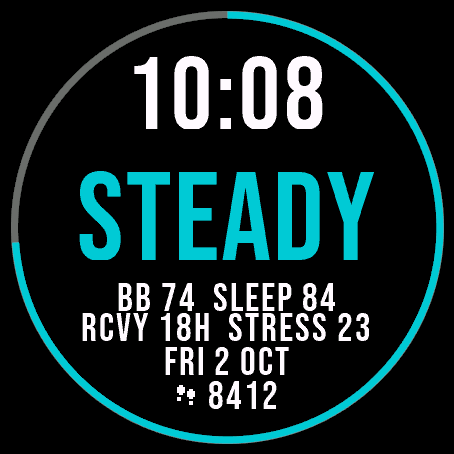
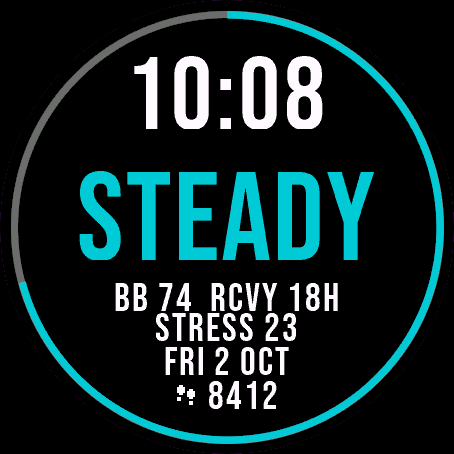 Readiness
Day Verdict
One word for your day: PUSH, STEADY, EASY or REST, from your sleep, Body Battery and recovery.
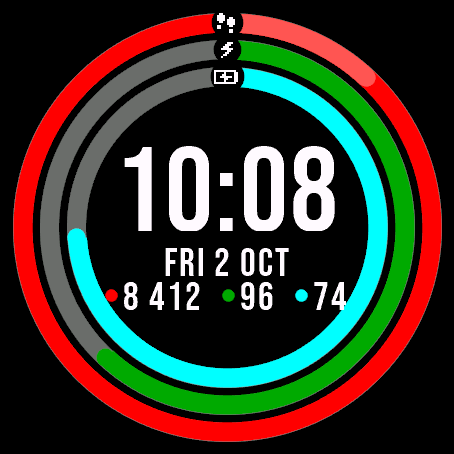
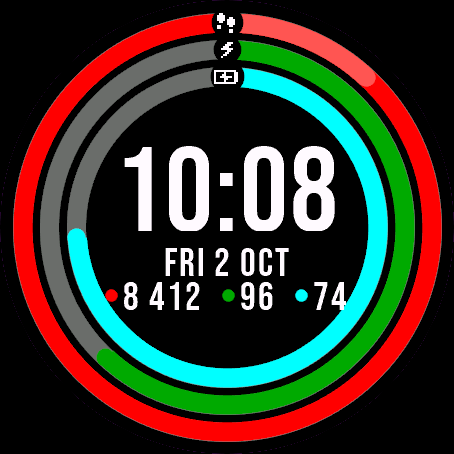 Activity
Ring Day
Three activity rings around the time, for people who close their rings.
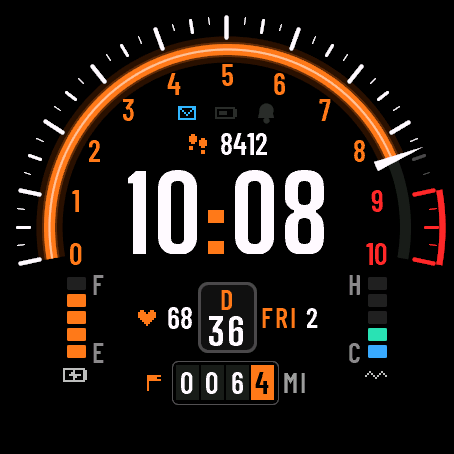
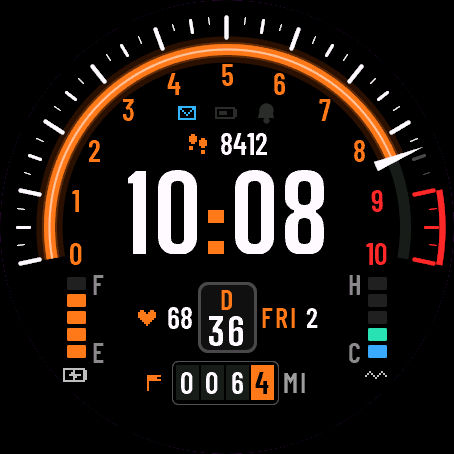 DashboardSoon
Torque Dash
A car instrument cluster on your wrist: steps as a tachometer, Body Battery as a fuel gauge.
Tell us how to make it better
Missing a data field, a colour, a layout? Found a bug on your watch model? Write it here. We read every message and ship improvements in updates.