Unlock
€6.49
One-time payment. No subscription. The code works on the watch whose ID you enter.
- Install the face from Connect IQ (7 days free).
- On the watch: face settings > Buy / Unlock, scan the QR code.
- Pay and paste the code in the face settings.
- Pay.
- Copy the code.
- Paste it in Connect IQ: this face > Settings > Unlock code.
Payment works best in Safari or Chrome: menu (three dots) > Open in browser
Read it in this face, it is not the serial number of the watch.
The code works only in the watch face it was bought for: a Summit Rings code will not work in Summit Tactic.
Your ID, compare it with the watch:
Where do I find the ID?
On the watch: settings of this face > Buy / Unlock (first item). Scan the QR code with your phone or type the 10 digits. The ID is also at the top of the face settings in the Connect IQ app.
Code not working on your watch? Write to me and I will fix it.
Payments by Stripe. Seller: Mateusz Kolarz, Lublin, Poland.
Paid. Code:
We show the code here too. If the e-mail does not arrive (check spam), you can recover the code in the Recover code section with just the Face ID. Recover code
Copying did not work. The code is selected: copy it by hand.
The face unlocks by itself when the watch connects to the phone (usually within an hour; if the trial is still running, the purchase starts working when it ends).
Do not want to wait, or have an older watch? Paste the code in the Connect IQ app:
Connect IQ (or Garmin Connect) > My Device > Watch faces > Day Verdict > Settings > Unlock code > paste > Save
Like it? Rate this face in the Garmin store
Want to try new faces and apps before the release, for free? Join the testers program
Set up the face before you download
A watch face that turns Body Battery, sleep score, recovery time and stress into one word of training advice: READY, GOOD, EASY DAY or REST, so you know whether to push or rest.
7-day free trial, then a one-time unlock at dialforge.dev. No subscription.
After the trial, the face checks online through your phone whether you have bought the unlock code, so it can unlock by itself. It sends only the watch ID and the face name, nothing else.
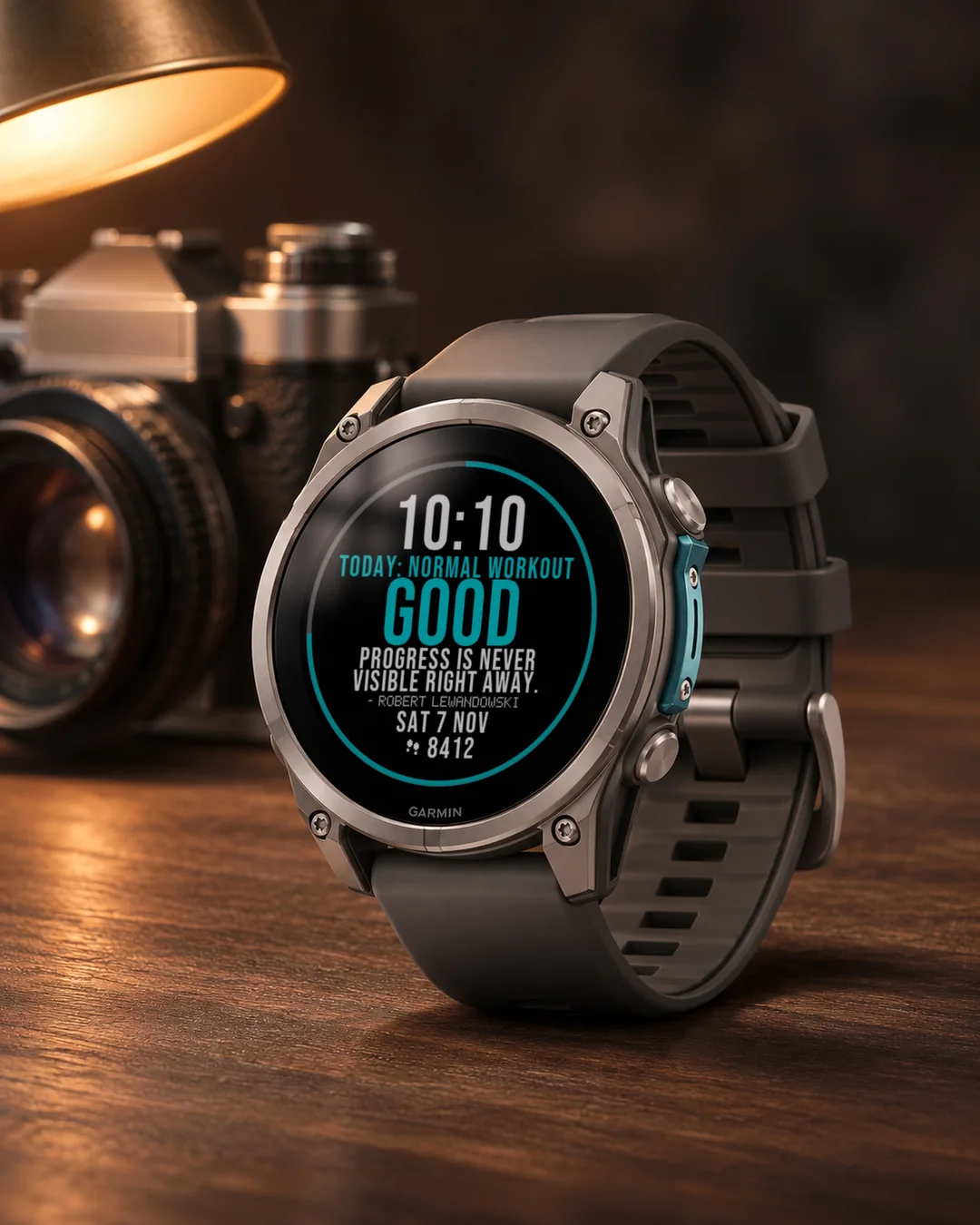
Stop reading numbers. One word and one short instruction tell you how to treat today: READY (train hard), GOOD (normal workout), EASY DAY (keep it light) or REST (recover). Under it, a short quote from a real athlete, new each day.
Day Verdict turns your current readiness into a single call, worked out in plain sight from metrics your Garmin already tracks: Body Battery, sleep score, recovery time and stress (an average of the last 30 minutes).
Scoring (0-100 per available signal, averaged):
- Body Battery: used as is
- Sleep score: used as is
- Recovery time: 100 pts at 0h, 0 pts at 48h+, linear
- Stress: 100 minus the average stress of the last 30 minutes
A missing signal is left out, never guessed. With nothing available the face shows "--".
Settings profile shifts the thresholds:
- Balanced: READY 75+, GOOD 55+, EASY DAY 35+, else REST
- Athlete: READY 70+, GOOD 50+, EASY DAY 30+ (harder to earn a rest day)
- Gentle: READY 80+, GOOD 60+, EASY DAY 40+ (quicker to ease off)
On screen: time, a small line saying what to do today, the verdict word large and color coded (green READY, teal GOOD, amber EASY DAY, red-orange REST), a quote of the day (it matches the verdict: fighting words when you are ready, rest and patience when you should recover; the quote can be switched off in settings), a thin score ring around the edge, the date, and one field of your choice. Always-on mode keeps time and verdict visible, dimmed and gently shifting.
How it updates: the verdict is recalculated every 5 minutes from your current data, so it can change during the day. The quote changes at midnight and comes from a set of 7 to 9 quotes for the current verdict, so it repeats after about a week, and a new verdict brings a new quote.
Data field: choose from 30+ options, steps, heart rate, battery, calories, distance and more.
Since 1.6.0 the verdict word, the line about what to do today and the quote of the day appear in your watch language: 24 languages for the word and the line, quotes translated into 13 languages (other languages show the original wording). You can also set English or Polish by hand.
Not medical advice. A readiness estimate built only from the health and activity metrics your Garmin device and Connect app provide.
Garmin does not give watch faces access to HRV status or Training Readiness, so no Connect IQ watch face can show them.
Trial: 7 days with everything working, then a reminder (days 8 to 14), a simple screen with the time and your Face ID (days 15 to 29), and from day 30 a lock screen with a QR code. Buy the code at dialforge.dev for the Face ID shown there and in the face settings.
Code not working? Write to kontakt@dialforge.dev and we fix it.
Settings: on the watch (hold MENU, then Watch face, then Customize) or in the Connect IQ app.
From the maker
I am a student and I build Dialforge watch faces myself, after classes. I do not own every watch model, so if something looks wrong on yours, write to me at https://dialforge.dev/faces/dayverdict/ and I will usually fix it within 24 hours. If you like the face, you can buy me a coffee: https://buycoffee.to/iwannaflysohigh
Tarcza, która z Body Battery, wyniku snu, czasu regeneracji i stresu robi jedną poradę treningową: READY, GOOD, EASY DAY albo REST. Od razu wiesz, czy dziś dać gaz, czy odpocząć.
7 dni za darmo, potem jednorazowe odblokowanie na dialforge.dev. Bez abonamentu.
Po okresie próbnym tarcza sprawdza przez telefon w internecie, czy kupiłeś kod odblokowania, żeby odblokować się sama. Wysyła tylko ID tarczy i nazwę tarczy, nic więcej.
Przestań czytać liczby. Jedno słowo i jedno krótkie polecenie mówią, jak potraktować dzisiejszy dzień: GOTOWY (trenuj mocno), DOBRZE (zwykły trening), LEKKO (tylko lekki ruch) albo ODPOCZYNEK (regeneracja). Pod spodem krótki cytat prawdziwego sportowca, nowy każdego dnia.
Day Verdict zamienia Twoją bieżącą gotowość w jedną decyzję, wyliczoną na jawnych zasadach z danych, które Twój Garmin już zbiera: Body Battery, oceny snu, czasu regeneracji i stresu (średnia z ostatnich 30 minut).
Punktacja (0-100 dla każdego dostępnego sygnału, uśredniona):
- Body Battery: bez zmian
- Ocena snu: bez zmian
- Czas regeneracji: 100 pkt przy 0 h, 0 pkt przy 48 h i więcej, liniowo
- Stres: 100 minus średni stres z ostatnich 30 minut
Brakujący sygnał jest pomijany, nigdy zgadywany. Gdy nic nie jest dostępne, tarcza pokazuje "--".
Profil w ustawieniach przesuwa progi:
- Zrównoważony: GOTOWY od 75, DOBRZE od 55, LEKKO od 35, poniżej ODPOCZYNEK
- Sportowiec: GOTOWY od 70, DOBRZE od 50, LEKKO od 30 (trudniej o dzień odpoczynku)
- Łagodny: GOTOWY od 80, DOBRZE od 60, LEKKO od 40 (łatwiej o zwolnienie)
Na ekranie: godzina, mały napis, co robić dziś, duże słowo werdyktu w kolorze (zielony GOTOWY, morski DOBRZE, bursztynowy LEKKO, czerwono-pomarańczowy ODPOCZYNEK), cytat dnia dopasowany do werdyktu (słowa o walce, gdy jesteś gotowy, o odpoczynku i cierpliwości, gdy masz się regenerować; cytat można wyłączyć w ustawieniach), cienki pierścień wyniku na brzegu, data i jedno pole do wyboru. Tryb zawsze włączony zostawia godzinę i werdykt widoczne, przygaszone i lekko przesuwane.
Jak się odświeża: werdykt liczy się od nowa co 5 minut z bieżących danych, więc w ciągu dnia może się zmienić. Cytat zmienia się o północy i pochodzi z puli 7 do 9 cytatów dla aktualnego werdyktu, więc wraca po około tygodniu, a nowy werdykt oznacza nowy cytat.
Pole danych: wybierz spośród ponad 30 opcji, kroki, tętno, bateria, kalorie, dystans i więcej.
Od wersji 1.6.0 słowo werdyktu, podpis z zaleceniem na dziś i cytat dnia pojawiają się w języku zegarka: 24 języki dla słowa i podpisu, cytaty przetłumaczone na 13 języków (pozostałe pokazują oryginalne brzmienie).
To nie jest porada medyczna. Oszacowanie gotowości zbudowane wyłącznie z danych o zdrowiu i aktywności, które dostarcza Twój zegarek Garmin i aplikacja Connect.
Garmin nie udostępnia tarczom statusu HRV ani gotowości treningowej, więc żadna tarcza Connect IQ ich nie pokaże.
Próba: 7 dni pełnego działania, potem przypomnienie (dni 8 do 14), prosty ekran z godziną i numerem ID tarczy (dni 15 do 29), a od 30. dnia ekran blokady z kodem QR. Kod kupisz na dialforge.dev dla numeru ID tarczy widocznego tam i w ustawieniach tarczy.
Kod nie działa? Napisz na kontakt@dialforge.dev, a naprawimy problem.
Ustawienia: na zegarku (przytrzymaj MENU, Tarcza zegarka, Dostosuj) albo w aplikacji Connect IQ.
Od autora
Jestem studentem i robię tarcze Dialforge sam, po zajęciach. Nie mam każdego modelu zegarka, więc jeśli coś wygląda źle na Twoim, napisz na https://dialforge.dev/faces/dayverdict/, zwykle poprawiam to w ciągu 24 godzin. Jeśli tarcza Ci się podoba, możesz postawić mi kawę: https://buycoffee.to/iwannaflysohigh
Ein Zifferblatt, das Body Battery, Schlafwert, Erholungszeit und Stress zu einem Trainingsrat macht: READY, GOOD, EASY DAY oder REST. So weißt du, ob du Gas geben oder pausieren sollst.
7 Tage kostenlos testen, danach einmalige Freischaltung auf dialforge.dev. Kein Abo.
Nach der Testphase prüft das Zifferblatt über dein Handy online, ob du den Freischaltcode gekauft hast, damit es sich selbst freischalten kann. Es sendet nur die Uhren-ID und den Namen des Zifferblatts.
Schluss mit dem Zahlenlesen. Ein Wort und eine kurze Anweisung sagen dir, wie du den heutigen Tag angehen sollst: READY (hart trainieren), GOOD (normales Training), EASY DAY (locker bleiben) oder REST (erholen). Darunter ein kurzes Zitat eines echten Sportlers, jeden Tag ein neues.
Day Verdict verwandelt deine aktuelle Bereitschaft in eine einzige klare Ansage, offen berechnet aus Werten, die deine Garmin ohnehin schon erfasst: Body Battery, Schlafwert, Erholungszeit und Stress (Durchschnitt der letzten 30 Minuten).
Berechnung (0-100 pro verfügbarem Signal, gemittelt):
- Body Battery: unverändert übernommen
- Schlafwert: unverändert übernommen
- Erholungszeit: 100 Punkte bei 0 h, 0 Punkte bei 48 h oder mehr, linear
- Stress: 100 minus der durchschnittliche Stress der letzten 30 Minuten
Ein fehlendes Signal wird ausgelassen, nie geraten. Ist nichts verfügbar, zeigt das Zifferblatt "--".
Das Einstellungsprofil verschiebt die Schwellenwerte:
- Ausgewogen: READY ab 75, GOOD ab 55, EASY DAY ab 35, sonst REST
- Athlet: READY ab 70, GOOD ab 50, EASY DAY ab 30 (ein Ruhetag ist schwerer zu verdienen)
- Sanft: READY ab 80, GOOD ab 60, EASY DAY ab 40 (schneller zurückschalten)
Auf dem Bildschirm: Uhrzeit, eine kleine Zeile, die sagt, was heute zu tun ist, das Urteilswort groß und farbcodiert (grün READY, türkis GOOD, bernstein EASY DAY, rotorange REST), ein Zitat des Tages (es passt zum Urteil: Kampfgeist, wenn du bereit bist, Ruhe und Geduld, wenn du dich erholen solltest; das Zitat lässt sich in den Einstellungen abschalten), ein dünner Wertungsring am Rand, das Datum und ein Feld deiner Wahl. Der Always-on-Modus hält Uhrzeit und Urteil sichtbar, gedimmt und leicht wandernd.
So wird aktualisiert: Die Ansage wird alle 5 Minuten aus deinen aktuellen Daten neu berechnet und kann sich daher im Laufe des Tages ändern. Das Zitat wechselt um Mitternacht und stammt aus einem Set von 7 bis 9 Zitaten zur aktuellen Ansage, es wiederholt sich also nach etwa einer Woche, und eine neue Ansage bringt ein neues Zitat.
Datenfeld: wähle aus über 30 Optionen, etwa Schritte, Herzfrequenz, Akku, Kalorien, Distanz und mehr.
Seit 1.6.0 erscheinen das Urteilswort, die Zeile mit der Empfehlung für heute und das Zitat des Tages in der Sprache deiner Uhr: 24 Sprachen für Wort und Zeile, Zitate in 13 Sprachen übersetzt (andere Sprachen zeigen den Originaltext). Du kannst auch von Hand Englisch oder Polnisch einstellen. Auf älteren Uhren mit weniger Speicher (Forerunner 55, 245, 745, 945, fenix 6, Enduro, Instinct 3 Solar 45 mm) sind das große Wort und das Zitat nur Englisch oder Polnisch, die Zeile gibt es in 13 Sprachen. Sprachen mit nichtlateinischer Schrift zeigen weiterhin Englisch.
Kein medizinischer Rat. Eine Einschätzung der Tagesbereitschaft, die ausschließlich auf den Gesundheits- und Aktivitätsdaten deiner Garmin-Uhr und der Connect App basiert.
Einstellungen: auf der Uhr (MENU gedrückt halten, dann Watch face, dann Customize) oder in der Connect IQ App.
Läuft auf fenix 9, fenix 8, Forerunner 970, Forerunner 570, Venu 4, Forerunner 965, Forerunner 265, Venu 3 und weiteren Modellen.
Un cadran qui transforme Body Battery, score de sommeil, temps de récupération et stress en un conseil d'entraînement : READY, GOOD, EASY DAY ou REST. Vous savez s'il faut forcer ou récupérer.
Essai gratuit de 7 jours, puis un déverrouillage unique sur dialforge.dev. Sans abonnement.
Après la période d'essai, le cadran vérifie en ligne via votre téléphone si vous avez acheté le code de déblocage, pour se débloquer tout seul. Il envoie seulement l'ID de la montre et le nom du cadran.
Fini de lire des chiffres. Un mot et une courte consigne vous disent comment aborder la journée : READY (entraînement intense), GOOD (séance normale), EASY DAY (rester léger) ou REST (récupérer). En dessous, une courte citation d'un vrai sportif, nouvelle chaque jour.
Day Verdict transforme votre forme actuelle en un verdict unique, calculé à livre ouvert à partir de données que votre Garmin suit déjà : Body Battery, score de sommeil, temps de récupération et stress (moyenne des 30 dernières minutes).
Calcul (0-100 par signal disponible, moyenné) :
- Body Battery : reprise telle quelle
- Score de sommeil : repris tel quel
- Temps de récupération : 100 points à 0 h, 0 point à 48 h ou plus, de façon linéaire
- Stress : 100 moins le stress moyen des 30 dernières minutes
Un signal manquant est simplement écarté, jamais deviné. Sans aucun signal disponible, le cadran affiche "--".
Le profil de réglages déplace les seuils :
- Équilibré : READY dès 75, GOOD dès 55, EASY DAY dès 35, sinon REST
- Athlète : READY dès 70, GOOD dès 50, EASY DAY dès 30 (un jour de repos est plus difficile à mériter)
- Doux : READY dès 80, GOOD dès 60, EASY DAY dès 40 (on lève le pied plus vite)
À l'écran : l'heure, une petite ligne qui dit quoi faire aujourd'hui, le mot du verdict en grand et codé par couleur (vert READY, turquoise GOOD, ambre EASY DAY, rouge-orange REST), une citation du jour (elle correspond au verdict : des mots de combat quand vous êtes prêt, repos et patience quand vous devriez récupérer ; la citation peut être désactivée dans les réglages), un fin anneau de score sur le bord, la date et un champ de votre choix. Le mode toujours actif garde l'heure et le verdict visibles, atténués et légèrement décalés.
Mise à jour : le verdict est recalculé toutes les 5 minutes à partir de vos données actuelles, il peut donc changer en cours de journée. La citation change à minuit et provient d'un lot de 7 à 9 citations pour le verdict en cours, elle revient donc après environ une semaine, et un nouveau verdict amène une nouvelle citation.
Champ de données : à choisir parmi plus de 30 options, pas, fréquence cardiaque, batterie, calories, distance et plus encore.
Depuis la 1.6.0, le mot du verdict, la ligne de conseil pour aujourd'hui et la citation du jour s'affichent dans la langue de votre montre : 24 langues pour le mot et la ligne, citations traduites en 13 langues (les autres gardent le texte original). Vous pouvez aussi choisir à la main l'anglais ou le polonais. Sur les montres plus anciennes à moins de mémoire (Forerunner 55, 245, 745, 945, fenix 6, Enduro, Instinct 3 Solar 45 mm), le grand mot et la citation restent en anglais ou en polonais, et la ligne existe en 13 langues.
Ce n'est pas un avis médical. Une estimation de votre forme du jour construite uniquement à partir des données de santé et d'activité que fournissent votre montre Garmin et l'application Connect.
Réglages : sur la montre (maintenez MENU, puis Watch face, puis Customize) ou dans l'application Connect IQ.
Compatible avec fenix 9, fenix 8, Forerunner 970, Forerunner 570, Venu 4, Forerunner 965, Forerunner 265, Venu 3 et d'autres modèles.
Una esfera que convierte Body Battery, puntuación de sueño, tiempo de recuperación y estrés en un consejo de entrenamiento: READY, GOOD, EASY DAY o REST. Sabrás si toca apretar o descansar.
Prueba gratuita de 7 días y luego un desbloqueo único en dialforge.dev. Sin suscripción.
Después de la prueba, la esfera comprueba por internet, a través del móvil, si has comprado el código de desbloqueo, para desbloquearse sola. Solo envía el ID del reloj y el nombre de la esfera.
Deja de leer números. Una palabra y una instrucción breve te dicen cómo afrontar el día: READY (entrenar fuerte), GOOD (entrenamiento normal), EASY DAY (ir suave) o REST (recuperarse). Debajo, una cita corta de un deportista real, nueva cada día.
Day Verdict convierte tu estado de forma actual en un veredicto único, calculado a la vista a partir de datos que tu Garmin ya recoge: Body Battery, puntuación de sueño, tiempo de recuperación y estrés (una media de los últimos 30 minutos).
Cálculo (0-100 por señal disponible, promediado):
- Body Battery: se usa tal cual
- Puntuación de sueño: se usa tal cual
- Tiempo de recuperación: 100 puntos a las 0 h, 0 puntos a las 48 h o más, de forma lineal
- Estrés: 100 menos el estrés medio de los últimos 30 minutos
Una señal ausente se deja fuera, nunca se adivina. Sin ninguna señal disponible, la esfera muestra "--".
El perfil de ajustes desplaza los umbrales:
- Equilibrado: READY desde 75, GOOD desde 55, EASY DAY desde 35, si no REST
- Atleta: READY desde 70, GOOD desde 50, EASY DAY desde 30 (es más difícil ganarse un día de descanso)
- Suave: READY desde 80, GOOD desde 60, EASY DAY desde 40 (se baja el ritmo antes)
En pantalla: la hora, una línea pequeña que dice qué hacer hoy, la palabra del veredicto en grande y con código de color (verde READY, turquesa GOOD, ámbar EASY DAY, rojo anaranjado REST), una cita del día (coincide con el veredicto: palabras de lucha cuando estás listo, descanso y paciencia cuando deberías recuperarte; la cita se puede desactivar en los ajustes), un fino anillo de puntuación en el borde, la fecha y un campo a tu elección. El modo siempre activo mantiene visibles la hora y el veredicto, atenuados y con un leve desplazamiento.
Cómo se actualiza: el veredicto se recalcula cada 5 minutos con tus datos actuales, así que puede cambiar a lo largo del día.
Campo de datos: elige entre más de 30 opciones, pasos, frecuencia cardiaca, batería, calorías, distancia y más.
Desde la 1.6.0, la palabra del veredicto, la línea con lo que conviene hacer hoy y la cita del día aparecen en el idioma de tu reloj: 24 idiomas para la palabra y la línea, citas traducidas a 13 idiomas (los demás muestran el texto original). También puedes elegir a mano inglés o polaco.
No es un consejo médico. Una estimación de tu estado de forma basada solo en los datos de salud y actividad que aportan tu reloj Garmin y la app Connect.
Garmin no da a las esferas acceso al estado de VFC ni a la disponibilidad para entrenar, así que ninguna esfera Connect IQ puede mostrarlos.
Prueba: 7 días con todo funcionando, luego un recordatorio (días 8 a 14), una pantalla sencilla con la hora y tu Watch ID (días 15 a 29) y, desde el día 30, una pantalla de bloqueo con un código QR. Compras el código en dialforge.dev para el Watch ID que se muestra allí y en los ajustes de la esfera.
¿El código no funciona? Escribe a kontakt@dialforge.dev y lo arreglamos.
Ajustes: en el reloj (mantén pulsado MENU, luego Watch face, luego Customize) o en la app Connect IQ.
Compatible con fenix 9, fenix 8, Forerunner 970, Forerunner 570, Venu 4, Forerunner 965, Forerunner 265, Venu 3 y más.
Een wijzerplaat die Body Battery, slaapscore, hersteltijd en stress omzet in één trainingsadvies: READY, GOOD, EASY DAY of REST. Zo weet je of je moet doorpakken of rusten.
7 dagen gratis proberen, daarna een eenmalige ontgrendeling op dialforge.dev. Geen abonnement.
Na de proefperiode controleert de wijzerplaat via je telefoon online of je de ontgrendelcode hebt gekocht, zodat hij zichzelf kan ontgrendelen. Hij stuurt alleen de horloge-ID en de naam van de wijzerplaat.
Stop met cijfers lezen. Eén woord en één korte instructie vertellen je hoe je vandaag moet aanpakken: READY (hard trainen), GOOD (normale training), EASY DAY (rustig houden) of REST (herstellen). Eronder een korte quote van een echte atleet, elke dag een nieuwe.
Day Verdict verandert je huidige paraatheid in één duidelijk oordeel, in het volle zicht berekend uit gegevens die je Garmin toch al bijhoudt: Body Battery, slaapscore, hersteltijd en stress (een gemiddelde van de laatste 30 minuten).
Berekening (0-100 per beschikbaar signaal, gemiddeld):
- Body Battery: ongewijzigd overgenomen
- Slaapscore: ongewijzigd overgenomen
- Hersteltijd: 100 punten bij 0 uur, 0 punten bij 48 uur of meer, lineair
- Stress: 100 min de gemiddelde stress van de laatste 30 minuten
Een ontbrekend signaal wordt gewoon weggelaten, nooit geraden. Is er niets beschikbaar, dan toont de wijzerplaat "--".
Het instellingenprofiel verschuift de drempels:
- Gebalanceerd: READY vanaf 75, GOOD vanaf 55, EASY DAY vanaf 35, anders REST
- Atleet: READY vanaf 70, GOOD vanaf 50, EASY DAY vanaf 30 (een rustdag is moeilijker te verdienen)
- Mild: READY vanaf 80, GOOD vanaf 60, EASY DAY vanaf 40 (sneller gas terugnemen)
Op het scherm: de tijd, een klein regeltje dat zegt wat je vandaag moet doen, het oordeelwoord groot en kleurgecodeerd (groen READY, blauwgroen GOOD, amber EASY DAY, roodoranje REST), een quote van de dag (die past bij het oordeel: strijdlustige woorden als je er klaar voor bent, rust en geduld als je moet herstellen; de quote kan in de instellingen worden uitgezet), een dunne scorering langs de rand, de datum en één veld naar keuze. De altijd-aan-modus houdt tijd en oordeel zichtbaar, gedimd en zacht verschuivend.
Zo wordt het bijgewerkt: het oordeel wordt elke 5 minuten opnieuw berekend op basis van je huidige gegevens, dus het kan tijdens de dag veranderen. De quote wisselt om middernacht en komt uit een set van 7 tot 9 quotes bij het huidige oordeel, dus hij herhaalt zich na ongeveer een week, en een nieuw oordeel brengt een nieuwe quote.
Dataveld: kies uit meer dan 30 opties, stappen, hartslag, batterij, calorieën, afstand en meer.
Vanaf 1.6.0 verschijnen het oordeelwoord, de regel met het advies voor vandaag en het citaat van de dag in de taal van je horloge: 24 talen voor het woord en de regel, citaten vertaald in 13 talen (andere talen tonen de originele tekst). Je kunt ook handmatig Engels of Pools instellen. Op oudere horloges met minder geheugen (Forerunner 55, 245, 745, 945, fenix 6, Enduro, Instinct 3 Solar 45 mm) zijn het grote woord en het citaat alleen Engels of Pools, en de regel is er in 13 talen. Talen met een niet-Latijns schrift tonen nog steeds Engels.
Geen medisch advies. Een inschatting van je paraatheid, uitsluitend gebaseerd op de gezondheids- en activiteitsgegevens die je Garmin-horloge en de Connect-app leveren.
Instellingen: op het horloge (houd MENU ingedrukt, dan Watch face, dan Customize) of in de Connect IQ-app.
Werkt op fenix 9, fenix 8, Forerunner 970, Forerunner 570, Venu 4, Forerunner 965, Forerunner 265, Venu 3 en meer.
Body Battery、睡眠スコア、回復時間、ストレスをもとに、今日のトレーニングの目安を READY、GOOD、EASY DAY、REST のひと言で示す文字盤です。攻めるか休むか、ひと目で分かります。
7日間無料でお試しいただけます。その後はdialforge.devで解除を一度だけ購入(サブスクリプションなし)。
試用期間の後、文字盤はスマホ経由でオンラインで解除コードの購入を確認し、自動で解除されます。送信するのは時計IDと文字盤名だけです。
数字を読むのはもう終わりです。ひと言と短い指示で、今日の過ごし方がわかります: READY(しっかりトレーニング)、GOOD(いつも通りのワークアウト)、EASY DAY(軽めに)、REST(回復)。その下には、実在するアスリートの短い言葉が毎日新しく表示されます。
Day Verdictは、Garminがすでに計測しているBody Battery、睡眠スコア、回復時間、ストレス(直近30分の平均)といった指標から、現在のコンディションを一目でわかる一言に変換します。
スコアリング(利用可能な指標ごとに0〜100点、平均を算出)
- Body Battery:そのまま使用
- 睡眠スコア:そのまま使用
- 回復時間:0時間で100点、48時間以上で0点、線形計算
- ストレス:100から直近30分の平均ストレス値を引いた値
不足している指標は除外され、推測されることはありません。何も取得できない場合は「--」と表示されます。
設定プロファイルでしきい値を変更できます
- バランス型: READY 75以上、GOOD 55以上、EASY DAY 35以上、それ未満はREST
- アスリート型: READY 70以上、GOOD 50以上、EASY DAY 30以上(休養日はとりにくくなります)
- やさしい型: READY 80以上、GOOD 60以上、EASY DAY 40以上(早めに休めます)
画面表示: 時刻、今日やることを伝える小さな一行、色分けされた大きな判定の単語(緑の READY、青緑の GOOD、琥珀色の EASY DAY、赤橙の REST)、今日の名言(判定に合わせたもの: 準備ができているときは闘志の言葉、回復すべきときは休息と忍耐の言葉。名言は設定でオフにできます)、縁を囲む細いスコアリング、日付、好きなフィールド一つ。常時表示モードでは時刻と判定が暗めに、少しずつ位置を変えながら表示されます。
更新のしくみ:判定は現在のデータをもとに5分ごとに再計算されるため、日中に変わることがあります。言葉は午前0時に切り替わり、現在の判定に用意された7個から9個の言葉の中から選ばれるため、約1週間でひと巡りし、判定が変わると新しい言葉になります。
データフィールド:歩数、心拍数、バッテリー、カロリー、距離など30種類以上から選択可能。
1.6.0 以降、判定ワード、今日の行動を示す一行、今日の名言が時計の言語で表示されます。ワードと一行は24言語、名言は13言語に翻訳(その他の言語は原文のまま)。英語またはポーランド語を手動で選ぶこともできます。メモリの少ない旧モデル(Forerunner 55, 245, 745, 945, fenix 6, Enduro, Instinct 3 Solar 45 mm)では、大きなワードと名言は英語またはポーランド語のみで、一行は13言語に対応します。ラテン文字以外の言語では英語表示のままです。
医療的な助言ではありません。Garminデバイスと Connect アプリが提供する健康・活動指標のみから算出した、コンディションの推定値です。
GarminはウォッチフェイスにHRVステータスやトレーニングレディネスを公開していないため、Connect IQのウォッチフェイスでは表示できません。
お試し:最初の7日間はすべての機能が使えます。その後、8日目から14日目はリマインダー、15日目から29日目は時刻とWatch IDだけのシンプルな画面、30日目からはQRコード付きのロック画面になります。コードはdialforge.devで、そこやウォッチフェイスの設定に表示されるWatch ID用に購入します。
コードが使えない場合はkontakt@dialforge.devまでご連絡ください。問題を解決いたします。
設定:時計側(MENUを長押し、Watch face、Customizeの順)またはConnect IQアプリから。
作者より
私は学生で、Dialforgeの文字盤を授業のあとに一人で作っています。すべての時計モデルを持っているわけではないので、お使いの時計で表示がおかしい場合は https://dialforge.dev/faces/dayverdict/ からご連絡ください。通常24時間以内に修正します。文字盤を気に入っていただけたら、コーヒーをおごっていただけるとうれしいです: https://buycoffee.to/iwannaflysohigh
対応モデル:fenix 9, fenix 8, Forerunner 970, Forerunner 570, Venu 4, Forerunner 965, Forerunner 265, Venu 3 ほか
Un quadrante che trasforma Body Battery, punteggio del sonno, tempo di recupero e stress in un consiglio di allenamento: READY, GOOD, EASY DAY o REST. Così sai se spingere o riposare.
Prova gratuita di 7 giorni, poi uno sblocco una tantum su dialforge.dev. Nessun abbonamento.
Dopo la prova, il quadrante controlla online tramite il telefono se hai acquistato il codice di sblocco, per sbloccarsi da solo. Invia solo l'ID dell'orologio e il nome del quadrante.
Basta leggere numeri. Una parola e una breve istruzione ti dicono come affrontare la giornata: READY (allenati forte), GOOD (allenamento normale), EASY DAY (vai leggero) o REST (recupera). Sotto, una breve citazione di un vero atleta, nuova ogni giorno.
Day Verdict trasforma la tua forma attuale in un verdetto unico, calcolato alla luce del sole a partire da dati che il tuo Garmin raccoglie già: Body Battery, punteggio del sonno, tempo di recupero e stress (una media degli ultimi 30 minuti).
Calcolo (0-100 per ogni segnale disponibile, in media):
- Body Battery: usata così com'è
- Punteggio del sonno: usato così com'è
- Tempo di recupero: 100 punti a 0 h, 0 punti a 48 h o più, in modo lineare
- Stress: 100 meno lo stress medio degli ultimi 30 minuti
Un segnale mancante viene semplicemente escluso, mai indovinato. Senza alcun segnale disponibile, il quadrante mostra "--".
Il profilo delle impostazioni sposta le soglie:
- Equilibrato: READY da 75, GOOD da 55, EASY DAY da 35, altrimenti REST
- Atleta: READY da 70, GOOD da 50, EASY DAY da 30 (è più difficile guadagnarsi un giorno di riposo)
- Dolce: READY da 80, GOOD da 60, EASY DAY da 40 (si rallenta prima)
Sullo schermo: l'ora, una piccola riga che dice cosa fare oggi, la parola del verdetto in grande e con codice colore (verde READY, verde acqua GOOD, ambra EASY DAY, rosso-arancio REST), una citazione del giorno (corrisponde al verdetto: parole combattive quando sei pronto, riposo e pazienza quando dovresti recuperare; la citazione si può disattivare nelle impostazioni), un sottile anello del punteggio sul bordo, la data e un campo a tua scelta. La modalità sempre attiva mantiene visibili ora e verdetto, attenuati e leggermente spostati.
Come si aggiorna: il verdetto viene ricalcolato ogni 5 minuti a partire dai tuoi dati attuali, quindi può cambiare durante la giornata. La citazione cambia a mezzanotte e arriva da un insieme di 7-9 citazioni per il verdetto in corso, quindi si ripete dopo circa una settimana, e un nuovo verdetto porta una nuova citazione.
Campo dati: scegli tra oltre 30 opzioni, passi, frequenza cardiaca, batteria, calorie, distanza e altro.
Dalla 1.6.0 parola del verdetto, consiglio per oggi e citazione del giorno nella lingua dell'orologio (24 lingue, citazioni in 13).
Non è un consiglio medico. Una stima della forma del giorno costruita solo sui dati di salute e attività forniti dal tuo orologio Garmin e dall'app Connect.
Garmin non dà ai quadranti accesso allo stato HRV né alla Training Readiness, quindi nessun quadrante Connect IQ può mostrarli.
Prova: 7 giorni con tutto funzionante, poi un promemoria (giorni da 8 a 14), una schermata semplice con l'ora e il tuo Watch ID (giorni da 15 a 29) e dal giorno 30 una schermata di blocco con un codice QR. Il codice si acquista su dialforge.dev per il Watch ID mostrato lì e nelle impostazioni del quadrante.
Il codice non funziona? Scrivi a kontakt@dialforge.dev e lo sistemiamo.
Impostazioni: sull'orologio (tieni premuto MENU, poi Watch face, poi Customize) o nell'app Connect IQ.
Compatibile con fenix 9, fenix 8, Forerunner 970, Forerunner 570, Venu 4, Forerunner 965, Forerunner 265, Venu 3 e altri.
把 Body Battery、睡眠评分、恢复时间和压力变成一句训练建议的表盘:READY、GOOD、EASY DAY 或 REST,让你知道今天该加练还是休息。
7 天免费试用,之后在 dialforge.dev 一次性解锁。无需订阅。
试用期结束后,表盘会通过手机在线检查你是否已购买解锁码,以便自动解锁。只发送手表 ID 和表盘名称,不发送其他内容。
不用再读数字。一个词和一句简短的指引,告诉你今天该怎么对待自己:READY(大强度训练)、GOOD(正常锻炼)、EASY DAY(轻松一点)或 REST(恢复)。下面是一句真实运动员的短语,每天都是新的。
Day Verdict 把您当前的身体状态,浓缩成一个一目了然的判断结果,依据的正是 Garmin 手表已经在追踪的指标:Body Battery、睡眠评分、恢复时间和压力值(最近 30 分钟的平均值)。
评分方式(每项可用指标各占 0-100 分,取平均值):
- Body Battery:直接采用
- 睡眠评分:直接采用
- 恢复时间:0 小时记 100 分,48 小时及以上记 0 分,线性计算
- 压力:100 减去最近 30 分钟的平均压力值
缺失的指标会被直接忽略,绝不会凭空猜测。如果所有数据都不可用,表盘会显示"--"。
设置档案会调整判断的门槛:
- 均衡:READY 75 以上,GOOD 55 以上,EASY DAY 35 以上,否则为 REST
- 运动员:READY 70 以上,GOOD 50 以上,EASY DAY 30 以上(更难获得休息日)
- 温和:READY 80 以上,GOOD 60 以上,EASY DAY 40 以上(更快放松下来)
屏幕上显示:时间、一行说明今天该做什么的小字、用颜色区分的大号判定词(绿色 READY、青绿色 GOOD、琥珀色 EASY DAY、红橙色 REST)、每日一句(与判定相符:状态好时是斗志昂扬的话,该恢复时是休息与耐心的话;这句话可以在设置中关闭)、边缘一圈细细的分数环、日期,以及一个你选择的字段。常亮模式会让时间和判定保持可见,调暗并缓缓移动。
更新方式:判定每 5 分钟根据您当前的数据重新计算,所以白天可能会变化。短语在午夜更换,从当前判定对应的 7 到 9 条短语中选取,因此大约一周后会重复,判定改变时也会换成新的短语。
数据字段:从 30 多个选项中挑选,包括步数、心率、电量、卡路里、距离等等。
自 1.6.0 起,判定词、今日行动提示行和每日名言会以手表语言显示:判定词和提示行支持 24 种语言,名言翻译为 13 种语言(其他语言显示原文)。你也可以手动选择英语或波兰语。内存较小的旧款手表(Forerunner 55, 245, 745, 945, fenix 6, Enduro, Instinct 3 Solar 45 mm)上,大号判定词和名言仅有英语或波兰语,提示行支持 13 种语言。非拉丁文字的语言仍显示英语。
这不是医疗建议,只是根据 Garmin 设备和 Connect 应用所提供的健康与活动指标估算出的身体状态参考。
Garmin 不向表盘开放 HRV 状态和训练准备度,因此任何 Connect IQ 表盘都无法显示。
试用:7 天内一切功能正常,之后依次是提醒(第 8 至 14 天)、只显示时间和你的 Watch ID 的简易屏幕(第 15 至 29 天),从第 30 天起是带 QR 码的锁屏。请在 dialforge.dev 为那里和表盘设置中显示的 Watch ID 购买解锁码。
兑换码无法使用?请写信至 kontakt@dialforge.dev,我们会修复问题。
设置:在手表上完成(长按 MENU,依次选择 Watch face、Customize)或在 Connect IQ 应用中完成。
作者的话
我是一名学生,利用课余时间独自制作 Dialforge 表盘。我没有每一款手表,所以如果表盘在您的手表上显示不对,请到 https://dialforge.dev/faces/dayverdict/ 告诉我,我通常会在 24 小时内修复。如果您喜欢这款表盘,可以请我喝杯咖啡:https://buycoffee.to/iwannaflysohigh
适用于 fenix 9, fenix 8, Forerunner 970, Forerunner 570, Venu 4, Forerunner 965, Forerunner 265, Venu 3 等。
Циферблат, который превращает Body Battery, оценку сна, время восстановления и стресс в один совет по тренировке: READY, GOOD, EASY DAY или REST. Сразу видно, нагружаться сегодня или отдыхать.
7-дневный бесплатный пробный период, затем разовая разблокировка на dialforge.dev. Без подписки.
После пробного периода циферблат через телефон проверяет онлайн, купили ли вы код разблокировки, чтобы разблокироваться самостоятельно. Он отправляет только ID часов и название циферблата.
Хватит разбирать цифры. Одно слово и одна короткая подсказка говорят, как отнестись к сегодняшнему дню: READY (тренируйтесь в полную силу), GOOD (обычная тренировка), EASY DAY (полегче) или REST (восстановление). Под ним - короткая цитата настоящего спортсмена, каждый день новая.
Day Verdict превращает вашу текущую готовность в одно понятное решение, прозрачно рассчитанное на основе показателей, которые ваш Garmin уже отслеживает: Body Battery, оценка сна, время восстановления и стресс (среднее за последние 30 минут).
Оценка (0-100 за каждый доступный показатель, усредняется):
- Body Battery: используется как есть
- Оценка сна: используется как есть
- Время восстановления: 100 баллов при 0 ч, 0 баллов при 48 ч и более, линейно
- Стресс: 100 минус средний стресс за последние 30 минут
Отсутствующий показатель пропускается и никогда не угадывается. Если данных нет совсем, циферблат показывает "--".
Профиль настроек сдвигает пороги:
- Сбалансированный: READY от 75, GOOD от 55, EASY DAY от 35, иначе REST
- Атлет: READY от 70, GOOD от 50, EASY DAY от 30 (день отдыха заработать сложнее)
- Мягкий: READY от 80, GOOD от 60, EASY DAY от 40 (сбавить темп проще)
На экране: время, небольшая строка о том, что делать сегодня, крупное слово-вердикт с цветовой маркировкой (зелёный READY, бирюзовый GOOD, янтарный EASY DAY, красно-оранжевый REST), цитата дня (она соответствует вердикту: боевые слова, когда вы готовы, отдых и терпение, когда нужно восстановиться; цитату можно отключить в настройках), тонкое кольцо оценки по краю, дата и одно поле на ваш выбор. Режим Always-on оставляет время и вердикт видимыми, приглушёнными и слегка смещающимися.
Как обновляется: решение пересчитывается каждые 5 минут по вашим текущим данным, поэтому в течение дня оно может меняться. Цитата меняется в полночь и берется из набора из 7-9 цитат для текущего решения, поэтому повторяется примерно через неделю, а новое решение приносит новую цитату.
Поле данных: более 30 вариантов на выбор, шаги, пульс, батарея, калории, расстояние и многое другое.
Начиная с 1.6.0 слово вердикта, совет на сегодня и цитата дня отображаются на языке часов (24 языка, цитаты на 13). Языки с нелатинским алфавитом, в том числе русский, пока показываются на английском.
Не является медицинской рекомендацией. Оценка готовности, основанная исключительно на показателях здоровья и активности, которые предоставляют ваше устройство Garmin и приложение Connect.
Garmin не предоставляет циферблатам доступ к HRV status или Training Readiness, поэтому ни один циферблат Connect IQ не может их отображать.
Пробный период: 7 дней всё работает, затем напоминание (дни с 8 по 14), простой экран со временем и вашим Watch ID (дни с 15 по 29), а с 30-го дня экран блокировки с QR-кодом. Код покупается на dialforge.dev для Watch ID, который показан там и в настройках циферблата.
Не работает код? Напишите на kontakt@dialforge.dev, и мы все исправим.
Настройки: на часах (удерживайте MENU, затем Циферблат, затем Настройка) или в приложении Connect IQ.
Работает на fenix 9, fenix 8, Forerunner 970, Forerunner 570, Venu 4, Forerunner 965, Forerunner 265, Venu 3 и других.
Um mostrador que transforma Body Battery, pontuação de sono, tempo de recuperação e estresse em um conselho de treino: READY, GOOD, EASY DAY ou REST. Assim você sabe se é dia de pegar pesado ou descansar.
Teste grátis de 7 dias, depois um desbloqueio único em dialforge.dev. Sem assinatura.
Depois do período de teste, o mostrador verifica on-line, pelo celular, se você comprou o código de desbloqueio, para se desbloquear sozinho. Ele envia só o ID do relógio e o nome do mostrador.
Chega de ficar lendo números. Uma palavra e uma instrução curta dizem como tratar o dia de hoje: READY (treino forte), GOOD (treino normal), EASY DAY (pegue leve) ou REST (recupere-se). Abaixo, uma frase curta de um atleta de verdade, nova a cada dia.
Day Verdict transforma sua prontidão atual em um veredito único, calculado às claras a partir de dados que o seu Garmin já coleta: Body Battery, pontuação de sono, tempo de recuperação e estresse (média dos últimos 30 minutos).
Cálculo (0-100 por sinal disponível, com média):
- Body Battery: usada como está
- Pontuação de sono: usada como está
- Tempo de recuperação: 100 pontos em 0h, 0 pontos em 48h ou mais, de forma linear
- Estresse: 100 menos a média de estresse dos últimos 30 minutos
Um sinal ausente fica de fora, nunca é chutado. Sem nenhum sinal disponível, o mostrador exibe "--".
O perfil de configurações desloca os limites:
- Equilibrado: READY 75+, GOOD 55+, EASY DAY 35+, senão REST
- Atleta: READY 70+, GOOD 50+, EASY DAY 30+ (mais difícil conquistar um dia de descanso)
- Suave: READY 80+, GOOD 60+, EASY DAY 40+ (mais rápido para aliviar)
Na tela: hora, uma linha pequena dizendo o que fazer hoje, a palavra do veredito grande e com código de cores (verde READY, azul-petróleo GOOD, âmbar EASY DAY, vermelho-alaranjado REST), uma frase do dia (combina com o veredito: palavras de luta quando você está pronto, descanso e paciência quando deve se recuperar; a frase pode ser desligada nas configurações), um anel fino da pontuação em volta da borda, a data e um campo à sua escolha. O modo sempre ligado mantém hora e veredito visíveis, esmaecidos e se movendo de leve.
Como se atualiza: o veredito é recalculado a cada 5 minutos com os seus dados atuais, então pode mudar durante o dia. A frase muda à meia-noite e vem de um conjunto de 7 a 9 frases para o veredito atual, por isso se repete depois de cerca de uma semana, e um novo veredito traz uma frase nova.
Campo de dados: escolha entre mais de 30 opções, passos, frequência cardíaca, bateria, calorias, distância e mais.
Desde a 1.6.0, a palavra do veredito, a linha com o conselho para hoje e a citação do dia aparecem no idioma do seu relógio: 24 idiomas para a palavra e a linha, citações traduzidas para 13 idiomas (os outros mostram o texto original).
Isso não é um conselho médico. Uma estimativa de prontidão construída só com os dados de saúde e atividade que o seu relógio Garmin e o app Connect fornecem.
A Garmin não dá aos mostradores acesso ao status de VFC nem à prontidão para treino, então nenhum mostrador Connect IQ consegue exibi-los.
Teste: 7 dias com tudo funcionando, depois um lembrete (dias 8 a 14), uma tela simples com a hora e o seu Watch ID (dias 15 a 29) e, a partir do dia 30, uma tela de bloqueio com QR code. O código é comprado em dialforge.dev para o Watch ID mostrado lá e nas configurações do mostrador.
O código não funciona? Escreva para kontakt@dialforge.dev e a gente resolve.
Configurações: no relógio (segure MENU, depois Watch face, depois Customize) ou no app Connect IQ.
Funciona em fenix 9, fenix 8, Forerunner 970, Forerunner 570, Venu 4, Forerunner 965, Forerunner 265, Venu 3 e outros.
Ciferník, který z Body Battery, skóre spánku, doby regenerace a stresu udělá jednu radu pro trénink: READY, GOOD, EASY DAY nebo REST. Hned víte, jestli přidat, nebo odpočívat.
7denní bezplatná zkušební verze, poté jednorázové odemknutí na dialforge.dev. Žádné předplatné.
Po zkušební době ciferník přes telefon online ověří, zda jste koupili odemykací kód, aby se mohl sám odemknout. Posílá jen ID hodinek a název ciferníku.
Přestaňte louskat čísla. Jedno slovo a jedna krátká instrukce vám řeknou, jak naložit s dnešním dnem: READY (trénuj naplno), GOOD (běžný trénink), EASY DAY (nech to lehké) nebo REST (regeneruj). Pod tím krátký citát skutečného sportovce, každý den nový.
Day Verdict promění vaši aktuální připravenost v jediné doporučení, přehledně odvozené z metrik, které váš Garmin už sleduje: Body Battery, skóre spánku, doba regenerace a stres (průměr za posledních 30 minut).
Bodování (0-100 za každý dostupný signál, průměr):
- Body Battery: použito tak, jak je
- Skóre spánku: použito tak, jak je
- Doba regenerace: 100 bodů při 0h, 0 bodů při 48h+, lineárně
- Stres: 100 minus průměrný stres za posledních 30 minut
Chybějící signál se vynechá, nikdy se neodhaduje. Pokud není k dispozici vůbec nic, ciferník zobrazí "--".
Profil nastavení posouvá prahové hodnoty:
- Balanced: READY 75+, GOOD 55+, EASY DAY 35+, jinak REST
- Athlete: READY 70+, GOOD 50+, EASY DAY 30+ (den odpočinku se získává hůř)
- Gentle: READY 80+, GOOD 60+, EASY DAY 40+ (rychleji zvolníte)
Na displeji: čas, malý řádek s tím, co dnes dělat, velké slovo verdiktu barevně odlišené (zelené READY, tyrkysové GOOD, jantarové EASY DAY, červenooranžové REST), citát dne (odpovídá verdiktu: bojovná slova, když jste připraveni, odpočinek a trpělivost, když máte regenerovat; citát lze vypnout v nastavení), tenký kruh skóre po obvodu, datum a jedno pole podle vašeho výběru. Režim Always-on udržuje čas a verdikt viditelné, ztlumené a jemně posouvané.
Jak se aktualizuje: verdikt se každých 5 minut přepočítá z vašich aktuálních dat, takže se může během dne změnit. Citát se mění o půlnoci a pochází ze sady 7 až 9 citátů pro aktuální verdikt, takže se opakuje zhruba po týdnu, a nový verdikt přináší nový citát.
Datové pole: vyberte si z 30+ možností: kroky, srdeční tep, baterie, kalorie, vzdálenost a další.
Můžete také ručně nastavit angličtinu nebo polštinu. Jazyky s nelatinským písmem nadále ukazují angličtinu.
Neslouží jako lékařské doporučení. Jde o odhad připravenosti založený výhradně na metrikách zdraví a aktivity, které poskytuje vaše zařízení Garmin a aplikace Connect.
Garmin neposkytuje ciferníkům přístup ke stavu HRV ani k Training Readiness, takže je nemůže zobrazit žádný ciferník z Connect IQ.
Zkušební doba: 7 dní vše funguje, poté následuje připomenutí (dny 8 až 14), jednoduchá obrazovka s časem a vaším Watch ID (dny 15 až 29) a od 30. dne zamykací obrazovka s QR kódem. Kód zakoupíte na dialforge.dev pro Watch ID zobrazené tam i v nastavení ciferníku.
Kód nefunguje? Napište na kontakt@dialforge.dev a my vše vyřešíme.
Nastavení: v hodinkách (podržte MENU, pak Vzhled hodinek, pak Upravit) nebo v aplikaci Connect IQ.
Od autora
Jsem student a ciferníky Dialforge dělám sám, po škole. Nemám každý model hodinek, takže pokud na vašich něco nevypadá dobře, napište mi na https://dialforge.dev/faces/dayverdict/, obvykle to opravím do 24 hodin. Pokud se vám ciferník líbí, můžete mi koupit kávu: https://buycoffee.to/iwannaflysohigh
Funguje na fenix 9, fenix 8, Forerunner 970, Forerunner 570, Venu 4, Forerunner 965, Forerunner 265, Venu 3 a dalších.
Um mostrador que transforma Body Battery, pontuação de sono, tempo de recuperação e stress num conselho de treino: READY, GOOD, EASY DAY ou REST. Fica a saber se é dia de apertar ou descansar.
7 dias de teste gratuito, depois um desbloqueio único em dialforge.dev. Sem subscrição.
Depois do período de teste, o mostrador verifica online, através do telemóvel, se comprou o código de desbloqueio, para se desbloquear sozinho. Envia apenas o ID do relógio e o nome do mostrador.
Chega de ler números. Uma palavra e uma instrução curta dizem-lhe como tratar o dia de hoje: READY (treino a sério), GOOD (treino normal), EASY DAY (leve) ou REST (recuperar). Por baixo, uma frase curta de um atleta verdadeiro, nova todos os dias.
O Day Verdict transforma a sua prontidão atual numa decisão única, calculada de forma transparente a partir de métricas que o seu Garmin já monitoriza: Body Battery, pontuação de sono, tempo de recuperação e stress (uma média dos últimos 30 minutos).
Pontuação (0-100 por sinal disponível, calculada a média):
- Body Battery: utilizado tal como está
- Pontuação de sono: utilizada tal como está
- Tempo de recuperação: 100 pts a 0h, 0 pts a 48h+, linear
- Stress: 100 menos o stress médio dos últimos 30 minutos
Um sinal em falta é excluído, nunca adivinhado. Sem nada disponível, o mostrador apresenta "--".
O perfil de definições ajusta os limiares:
- Equilibrado: READY 75+, GOOD 55+, EASY DAY 35+, caso contrário REST
- Atleta: READY 70+, GOOD 50+, EASY DAY 30+ (mais difícil merecer um dia de descanso)
- Suave: READY 80+, GOOD 60+, EASY DAY 40+ (mais rápido a aliviar)
No ecrã: hora, uma linha pequena a dizer o que fazer hoje, a palavra do veredicto grande e com código de cores (verde READY, azul-petróleo GOOD, âmbar EASY DAY, vermelho-alaranjado REST), uma frase do dia (combina com o veredicto: palavras de luta quando está pronto, descanso e paciência quando deve recuperar; a frase pode ser desligada nas definições), um anel fino da pontuação em redor da margem, a data e um campo à sua escolha. O modo sempre ligado mantém a hora e o veredicto visíveis, esbatidos e com um ligeiro deslocamento.
Como é atualizado: a decisão é recalculada de 5 em 5 minutos com base nos seus dados atuais, por isso pode mudar ao longo do dia. A frase muda à meia-noite e vem de um conjunto de 7 a 9 frases para a decisão atual, pelo que se repete ao fim de cerca de uma semana, e uma nova decisão traz uma frase nova.
Campo de dados: escolha entre 30+ opções, passos, frequência cardíaca, bateria, calorias, distância e muito mais.
Desde a 1.6.0, a palavra do veredicto, o conselho para hoje e a citação do dia aparecem no idioma do relógio (24 idiomas, citações em 13).
Não constitui aconselhamento médico. Uma estimativa de prontidão baseada unicamente nas métricas de saúde e atividade fornecidas pelo seu dispositivo Garmin e pela aplicação Connect.
A Garmin não dá aos mostradores acesso ao estado de HRV nem à Training Readiness, pelo que nenhum mostrador Connect IQ os pode apresentar.
Teste: 7 dias com tudo a funcionar, depois um lembrete (dias 8 a 14), um ecrã simples com a hora e o seu Watch ID (dias 15 a 29) e, a partir do dia 30, um ecrã de bloqueio com código QR. O código compra-se em dialforge.dev para o Watch ID mostrado aí e nas definições do mostrador.
O código não funciona? Escreva para kontakt@dialforge.dev e resolvemos o problema.
Definições: no relógio (mantenha premido MENU, depois Mostrador e depois Personalizar) ou na aplicação Connect IQ.
Funciona em fenix 9, fenix 8, Forerunner 970, Forerunner 570, Venu 4, Forerunner 965, Forerunner 265, Venu 3 e outros.
Body Battery, 수면 점수, 회복 시간, 스트레스를 READY, GOOD, EASY DAY, REST 중 한마디 훈련 조언으로 바꿔 주는 워치 페이스입니다. 오늘 강하게 할지 쉴지 바로 알 수 있습니다.
7일 무료 체험 후, dialforge.dev에서 일회성 잠금 해제를 구매하세요. 구독은 없습니다.
체험 기간이 끝나면 워치 페이스가 휴대폰을 통해 잠금 해제 코드를 구매했는지 온라인으로 확인하여 자동으로 잠금 해제됩니다. 시계 ID와 페이스 이름만 보냅니다.
숫자를 읽을 필요 없습니다. 한 단어와 짧은 안내 한 줄이 오늘을 어떻게 보낼지 알려 줍니다: READY(강하게 훈련), GOOD(평소 운동), EASY DAY(가볍게), REST(회복). 그 아래에는 실제 운동선수의 짧은 한마디가 매일 새로 나옵니다.
Day Verdict는 현재 컨디션을 하나의 판단으로 바꿔 줍니다. Garmin이 이미 추적하는 Body Battery, 수면 점수, 회복 시간, 스트레스(최근 30분 평균)를 바탕으로 계산 과정을 숨김없이 보여 줍니다.
점수 계산(사용 가능한 신호마다 0-100점, 평균):
- Body Battery: 그대로 사용
- 수면 점수: 그대로 사용
- 회복 시간: 0시간이면 100점, 48시간 이상이면 0점, 선형
- 스트레스: 100에서 최근 30분 평균 스트레스를 뺀 값
없는 신호는 제외하며, 추측하지 않습니다. 사용할 수 있는 것이 하나도 없으면 워치페이스에 "--"가 표시됩니다.
설정 프로필에 따라 기준값이 달라집니다:
- 균형형: READY 75 이상, GOOD 55 이상, EASY DAY 35 이상, 그 미만은 REST
- 선수형: READY 70 이상, GOOD 50 이상, EASY DAY 30 이상(휴식일을 얻기가 더 어렵습니다)
- 부드러운형: READY 80 이상, GOOD 60 이상, EASY DAY 40 이상(더 빨리 힘을 뺄 수 있습니다)
화면 구성: 시간, 오늘 무엇을 할지 알려 주는 작은 한 줄, 색으로 구분된 큰 판정 단어(초록 READY, 청록 GOOD, 앰버 EASY DAY, 붉은 주황 REST), 오늘의 한마디(판정에 맞춰 나옵니다. 준비됐을 때는 싸우는 말, 회복해야 할 때는 휴식과 인내의 말입니다. 한마디는 설정에서 끌 수 있습니다), 가장자리를 두른 얇은 점수 링, 날짜, 그리고 원하는 필드 하나. 상시 표시 모드에서는 시간과 판정이 어둡게, 천천히 위치를 옮기며 계속 보입니다.
업데이트 방식: 판정은 현재 데이터를 기준으로 5분마다 다시 계산되므로 하루 중에도 바뀔 수 있습니다. 한마디는 자정에 바뀌며, 현재 판정에 맞는 7개에서 9개의 문구 중에서 나옵니다. 그래서 약 일주일 뒤에 다시 나오고, 판정이 새로 바뀌면 새로운 한마디가 나옵니다.
데이터 필드: 걸음 수, 심박수, 배터리, 칼로리, 거리 등 30개 이상의 옵션 중에서 선택합니다.
1.6.0부터 판정 단어, 오늘 할 일을 알려 주는 한 줄, 오늘의 명언이 시계 언어로 표시됩니다. 단어와 한 줄은 24개 언어, 명언은 13개 언어로 번역했습니다(나머지 언어는 원문 그대로). 영어나 폴란드어를 직접 선택할 수도 있습니다. 메모리가 적은 구형 시계(Forerunner 55, 245, 745, 945, fenix 6, Enduro, Instinct 3 Solar 45 mm)에서는 큰 단어와 명언이 영어 또는 폴란드어로만 표시되고, 한 줄은 13개 언어로 제공됩니다. 라틴 문자가 아닌 언어는 영어로 표시됩니다.
의학적 조언이 아닙니다. Garmin 기기와 Connect 앱이 제공하는 건강 및 활동 지표만으로 만든 컨디션 추정치입니다.
Garmin은 워치페이스에 HRV 상태나 Training Readiness에 대한 접근을 허용하지 않으므로, 어떤 Connect IQ 워치페이스도 이를 표시할 수 없습니다.
체험: 7일 동안 모든 기능이 작동하고, 이후 알림(8일째부터 14일째), 시간과 Watch ID만 보이는 간단한 화면(15일째부터 29일째), 30일째부터는 QR 코드가 있는 잠금 화면이 표시됩니다. 코드는 dialforge.dev에서 그 화면과 시계 화면 설정에 표시된 Watch ID로 구매하세요.
코드가 작동하지 않나요? kontakt@dialforge.dev로 연락 주시면 해결해 드립니다.
설정: 시계에서(MENU를 길게 누른 다음 워치페이스, 사용자 설정) 또는 Connect IQ 앱에서 변경할 수 있습니다.
제작자의 한마디
저는 학생이고 수업이 끝난 뒤 Dialforge 워치페이스를 혼자 만들고 있습니다. 모든 시계 모델을 갖고 있지는 않아서, 시계에서 이상하게 보이는 부분이 있으면 https://dialforge.dev/faces/dayverdict/에서 알려 주세요. 보통 24시간 안에 고칩니다. 워치페이스가 마음에 드신다면 커피 한 잔 사주실 수 있습니다: https://buycoffee.to/iwannaflysohigh
지원 모델: fenix 9, fenix 8, Forerunner 970, Forerunner 570, Venu 4, Forerunner 965, Forerunner 265, Venu 3 외
En urtavla som gör om Body Battery, sömnpoäng, återhämtningstid och stress till ett träningsråd: READY, GOOD, EASY DAY eller REST. Så vet du om du ska köra hårt eller vila.
7 dagars gratis provperiod, sedan en engångsupplåsning på dialforge.dev. Ingen prenumeration.
Efter provperioden kontrollerar urtavlan online via telefonen om du har köpt upplåsningskoden, så att den kan låsa upp sig själv. Den skickar bara klock-ID och urtavlans namn.
Sluta läsa siffror. Ett ord och en kort instruktion talar om hur du ska behandla dagen: READY (träna hårt), GOOD (vanligt pass), EASY DAY (ta det lugnt) eller REST (återhämta dig). Under det står ett kort citat från en riktig idrottare, ett nytt varje dag.
Day Verdict förvandlar din aktuella beredskap till ett enda besked, uträknat helt öppet från mätvärden som din Garmin redan mäter: Body Battery, sömnpoäng, återhämtningstid och stress (ett genomsnitt av de senaste 30 minuterna).
Poängsättning (0-100 per tillgänglig signal, i genomsnitt):
- Body Battery: används som det är
- Sömnpoäng: används som det är
- Återhämtningstid: 100 poäng vid 0h, 0 poäng vid 48h+, linjärt
- Stress: 100 minus den genomsnittliga stressen under de senaste 30 minuterna
En saknad signal utelämnas och gissas aldrig. Om inget finns tillgängligt visar urtavlan "--".
Inställningsprofilen flyttar tröskelvärdena:
- Balanserad: READY 75+, GOOD 55+, EASY DAY 35+, annars REST
- Idrottare: READY 70+, GOOD 50+, EASY DAY 30+ (svårare att förtjäna en vilodag)
- Mild: READY 80+, GOOD 60+, EASY DAY 40+ (snabbare att varva ner)
På skärmen: tid, en liten rad som säger vad du ska göra i dag, domsordet stort och färgkodat (grönt READY, blågrönt GOOD, bärnsten EASY DAY, rödorange REST), ett dagens citat (det passar domen: kampord när du är redo, vila och tålamod när du ska återhämta dig; citatet kan stängas av i inställningarna), en tunn poängring runt kanten, datumet och ett fält du väljer själv. Always-on-läget håller tid och dom synliga, dämpade och med en mjuk förskjutning.
Så uppdateras beskedet: beskedet räknas om var 5:e minut utifrån dina aktuella mätvärden, så det kan ändras under dagen.
Datafält: välj bland 30+ alternativ, steg, puls, batteri, kalorier, distans och mer.
Från 1.6.0 visas domsordet, raden med dagens råd och dagens citat på klockans språk: 24 språk för ordet och raden, citat översatta till 13 språk (övriga visar originaltexten). Du kan också ställa in engelska eller polska manuellt.
Inte medicinsk rådgivning. En beredskapsuppskattning baserad enbart på den hälso- och aktivitetsdata som din Garmin-enhet och Connect-app ger.
Garmin ger inte urtavlor åtkomst till HRV-status eller Training Readiness, så ingen Connect IQ-urtavla kan visa dem.
Provperiod: 7 dagar där allt fungerar, sedan en påminnelse (dag 8 till 14), en enkel skärm med tid och ditt Watch ID (dag 15 till 29) och från dag 30 en låsskärm med QR-kod. Du köper koden på dialforge.dev för det Watch ID som visas där och i urtavlans inställningar.
Fungerar inte koden? Skriv till kontakt@dialforge.dev så löser vi det.
Inställningar: på klockan (håll in MENU, sedan Urtavla, sedan Anpassa) eller i Connect IQ-appen.
Från skaparen
Jag är student och gör Dialforge-urtavlorna själv, efter föreläsningarna. Jag har inte alla klockmodeller, så om något ser fel ut på din, skriv till mig på https://dialforge.dev/faces/dayverdict/, oftast fixar jag det inom 24 timmar. Gillar du urtavlan kan du bjuda mig på en kaffe: https://buycoffee.to/iwannaflysohigh
Fungerar på fenix 9, fenix 8, Forerunner 970, Forerunner 570, Venu 4, Forerunner 965, Forerunner 265, Venu 3 med flera.
En urskive, der gør Body Battery, søvnscore, restitutionstid og stress til ét træningsråd: READY, GOOD, EASY DAY eller REST. Så ved du, om du skal presse på eller hvile.
7 dages gratis prøveperiode, derefter en engangsoplåsning på dialforge.dev. Intet abonnement.
Efter prøveperioden tjekker urskiven online via telefonen, om du har købt oplåsningskoden, så den kan låse sig selv op. Den sender kun ur-ID og urskivens navn.
Hold op med at læse tal. Ét ord og én kort besked fortæller, hvordan du skal tage dagen i dag: READY (træn hårdt), GOOD (almindelig træning), EASY DAY (tag den med ro) eller REST (hvil ud). Under det står et kort citat fra en rigtig atlet, et nyt hver dag.
Day Verdict gør din aktuelle parathed til én enkelt melding, udregnet åbent ud fra tal, din Garmin allerede registrerer: Body Battery, søvnscore, restitutionstid og stress (et gennemsnit af de sidste 30 minutter).
Pointgivning (0-100 for hvert tilgængeligt signal, gennemsnit):
- Body Battery: bruges uændret
- Søvnscore: bruges uændret
- Restitutionstid: 100 point ved 0 t, 0 point ved 48 t+, lineært
- Stress: 100 minus det gennemsnitlige stressniveau de sidste 30 minutter
Et manglende signal udelades og gættes aldrig. Er der intet tilgængeligt, viser urskiven "--".
Indstillingen Profil flytter grænserne:
- Balanceret: READY 75+, GOOD 55+, EASY DAY 35+, ellers REST
- Atlet: READY 70+, GOOD 50+, EASY DAY 30+ (sværere at fortjene en hviledag)
- Blid: READY 80+, GOOD 60+, EASY DAY 40+ (hurtigere til at trappe ned)
På skærmen: tid, en lille linje der siger, hvad du skal i dag, dommen som stort, farvekodet ord (grøn READY, blågrøn GOOD, rav EASY DAY, rødorange REST), et citat for dagen (det passer til dommen: kampord, når du er klar, hvile og tålmodighed, når du skal restituere; citatet kan slås fra i indstillingerne), en tynd pointring rundt langs kanten, datoen og ét felt efter eget valg. Always-on-tilstand holder tid og dom synlige, dæmpede og med en blød forskydning.
Sådan opdateres meldingen: meldingen genberegnes hvert 5. minut ud fra dine aktuelle data, så den kan ændre sig i løbet af dagen.
Datafelt: vælg mellem over 30 muligheder, skridt, puls, batteri, kalorier, distance og mere.
Fra 1.6.0 vises dommen, linjen med dagens råd og dagens citat på urets sprog: 24 sprog til ordet og linjen, citater oversat til 13 sprog (de øvrige viser den oprindelige tekst). Du kan også vælge engelsk eller polsk manuelt.
Ikke medicinsk rådgivning. Et skøn over din parathed, bygget kun på de sundheds- og aktivitetsmålinger, som din Garmin-enhed og Connect-appen leverer.
Garmin giver ikke urskiver adgang til HRV status eller Training Readiness, så ingen Connect IQ-urskive kan vise dem.
Prøveperiode: 7 dage hvor alt virker, derefter en påmindelse (dag 8 til 14), en enkel skærm med tid og dit Watch ID (dag 15 til 29) og fra dag 30 en låseskærm med QR-kode. Du køber koden på dialforge.dev til det Watch ID, der vises dér og i urskivens indstillinger.
Virker koden ikke? Skriv til kontakt@dialforge.dev, så løser vi det.
Indstillinger: på uret (hold MENU, derefter Urskive, derefter Tilpas) eller i Connect IQ-appen.
Fra skaberen
Jeg er studerende og laver Dialforge-urskiverne selv, efter undervisningen. Jeg har ikke alle urmodeller, så hvis noget ser forkert ud på dit ur, så skriv til mig på https://dialforge.dev/faces/dayverdict/. Som regel retter jeg det inden for 24 timer. Kan du lide urskiven, kan du give mig en kop kaffe: https://buycoffee.to/iwannaflysohigh
Virker på fenix 9, fenix 8, Forerunner 970, Forerunner 570, Venu 4, Forerunner 965, Forerunner 265, Venu 3 og flere.
En urskive som gjør Body Battery, søvnscore, restitusjonstid og stress om til ett treningsråd: READY, GOOD, EASY DAY eller REST. Da vet du om du skal presse på eller hvile.
7 dagers gratis prøveperiode, deretter en engangsopplåsing på dialforge.dev. Ingen abonnement.
Etter prøveperioden sjekker urskiven på nett via telefonen om du har kjøpt opplåsingskoden, slik at den kan låse seg opp selv. Den sender bare klokke-ID og navnet på urskiven.
Slutt å lese tall. Ett ord og én kort beskjed forteller hvordan du skal ta dagen i dag: READY (tren hardt), GOOD (vanlig økt), EASY DAY (ta det rolig) eller REST (hvil ut). Under står et kort sitat fra en ekte utøver, et nytt hver dag.
Day Verdict gjør beredskapen din akkurat nå til én enkelt dom, utregnet åpent ut fra målinger Garmin allerede følger: Body Battery, søvnskåre, restitusjonstid og stress (et gjennomsnitt av de siste 30 minuttene).
Poengberegning (0-100 per tilgjengelig signal, gjennomsnitt):
- Body Battery: brukes som den er
- Søvnskåre: brukes som den er
- Restitusjonstid: 100 poeng ved 0 t, 0 poeng ved 48 t+, lineært
- Stress: 100 minus gjennomsnittsstresset de siste 30 minuttene
Et manglende signal utelates, aldri gjettes. Uten tilgjengelige data viser urskiven "--".
Innstillingsprofilen flytter grensene:
- Balansert: READY 75+, GOOD 55+, EASY DAY 35+, ellers REST
- Utøver: READY 70+, GOOD 50+, EASY DAY 30+ (vanskeligere å fortjene en hviledag)
- Mild: READY 80+, GOOD 60+, EASY DAY 40+ (raskere å trappe ned)
På skjermen: tid, en liten linje som sier hva du skal gjøre i dag, dommen som stort, fargekodet ord (grønn READY, blågrønn GOOD, rav EASY DAY, rødoransje REST), et sitat for dagen (det passer til dommen: kampord når du er klar, hvile og tålmodighet når du skal restituere; sitatet kan slås av i innstillingene), en tynn poengring rundt kanten, datoen og ett felt etter eget valg. Always-on-modus holder tid og dom synlige, dempet og med en myk forskyvning.
Slik oppdateres dommen: dommen regnes ut på nytt hvert 5. minutt ut fra dine nåværende data, så den kan endre seg i løpet av dagen. Sitatet bytter ved midnatt og hentes fra et sett på 7 til 9 sitater for den gjeldende dommen, så det gjentar seg etter omtrent en uke, og en ny dom gir et nytt sitat.
Datafelt: velg blant 30+ alternativer, skritt, puls, batteri, kalorier, distanse og mer.
Fra 1.6.0 vises dommen, dagens råd og dagens sitat på klokkens språk (24 språk, sitater på 13).
Ikke medisinsk rådgivning. Et estimat av beredskap bygget bare på helse- og aktivitetsmålingene som Garmin-enheten og Connect-appen gir.
Garmin gir ikke urskiver tilgang til HRV-status eller Training Readiness, så ingen Connect IQ-urskive kan vise dem.
Prøveperiode: 7 dager der alt fungerer, deretter en påminnelse (dag 8 til 14), en enkel skjerm med klokkeslett og din Watch ID (dag 15 til 29) og fra dag 30 en låseskjerm med QR-kode. Du kjøper koden på dialforge.dev for den Watch ID-en som vises der og i innstillingene for urskiven.
Fungerer ikke koden? Skriv til kontakt@dialforge.dev, så fikser vi det.
Innstillinger: på klokken (hold MENU, deretter Urskive, deretter Tilpass) eller i Connect IQ-appen.
Fra utvikleren
Jeg er student og lager Dialforge-urskivene selv, etter forelesningene. Jeg har ikke alle klokkemodeller, så hvis noe ser feil ut på din, skriv til meg på https://dialforge.dev/faces/dayverdict/, vanligvis fikser jeg det innen 24 timer. Liker du urskiven, kan du spandere en kaffe på meg: https://buycoffee.to/iwannaflysohigh
Fungerer på fenix 9, fenix 8, Forerunner 970, Forerunner 570, Venu 4, Forerunner 965, Forerunner 265, Venu 3 og flere.
把 Body Battery、睡眠評分、恢復時間和壓力變成一句訓練建議的錶面:READY、GOOD、EASY DAY 或 REST,讓你知道今天該加強訓練還是休息。
7 天免費試用,之後在 dialforge.dev 一次性解鎖。不需訂閱。
試用期結束後,錶面會透過手機在線上檢查你是否已購買解鎖碼,以便自動解鎖。只傳送手錶 ID 和錶面名稱,不傳送其他內容。
不用再讀數字。一個詞和一句簡短的指引,告訴你今天該怎麼安排:READY(大強度訓練)、GOOD(正常運動)、EASY DAY(輕鬆一點)或 REST(恢復)。下面是一句真實運動員的短語,每天都是新的。
Day Verdict 把您目前的身體狀態,濃縮成一個一目瞭然的判斷結果,依據的正是 Garmin 手錶已經在追蹤的指標:Body Battery、睡眠評分、恢復時間和壓力值(最近 30 分鐘的平均值)。
評分方式(每項可用指標各佔 0-100 分,取平均值):
- Body Battery:直接採用
- 睡眠評分:直接採用
- 恢復時間:0 小時記 100 分,48 小時以上記 0 分,線性計算
- 壓力:100 減去最近 30 分鐘的平均壓力值
缺少的指標會直接省略,絕不會憑空猜測。如果所有資料都無法取得,錶面會顯示「--」。
設定檔會調整判斷的門檻:
- 均衡:READY 75 以上,GOOD 55 以上,EASY DAY 35 以上,否則為 REST
- 運動員:READY 70 以上,GOOD 50 以上,EASY DAY 30 以上(更難獲得休息日)
- 溫和:READY 80 以上,GOOD 60 以上,EASY DAY 40 以上(更快放鬆下來)
螢幕上顯示:時間、一行說明今天該做什麼的小字、用顏色區分的大號判定詞(綠色 READY、青綠色 GOOD、琥珀色 EASY DAY、紅橙色 REST)、每日一句(與判定相符:狀態好時是鬥志昂揚的話,該恢復時是休息與耐心的話;這句話可以在設定中關閉)、邊緣一圈細細的分數環、日期,以及一個你選擇的欄位。常亮模式會讓時間和判定保持可見,調暗並緩緩移動。
更新方式:判定每 5 分鐘依據您目前的資料重新計算,所以白天可能會改變。短語在午夜更換,從目前判定對應的 7 到 9 條短語中選取,因此大約一週後會重複,判定改變時也會換成新的短語。
資料欄位:從 30 多個選項中挑選,包括步數、心率、電量、卡路里、距離等等。
自 1.6.0 起,判定詞、今日行動提示行與每日名言會以手錶語言顯示:判定詞與提示行支援 24 種語言,名言翻譯為 13 種語言(其他語言顯示原文)。你也可以手動選擇英文或波蘭文。記憶體較小的舊款手錶(Forerunner 55, 245, 745, 945, fenix 6, Enduro, Instinct 3 Solar 45 mm)上,大型判定詞與名言僅有英文或波蘭文,提示行支援 13 種語言。非拉丁文字的語言仍顯示英文。
這不是醫療建議,只是根據 Garmin 裝置與 Connect 應用程式所提供的健康與活動指標估算出的身體狀態參考。
Garmin 不向錶面開放 HRV 狀態與訓練準備度,因此任何 Connect IQ 錶面都無法顯示。
試用:7 天內一切功能正常,之後依序是提醒(第 8 至 14 天)、只顯示時間和你的 Watch ID 的簡易畫面(第 15 至 29 天),從第 30 天起是附 QR 碼的鎖定畫面。請在 dialforge.dev 為該畫面和錶面設定中顯示的 Watch ID 購買解鎖碼。
解鎖碼無法使用?請寫信至 kontakt@dialforge.dev,我們會修復問題。
設定:在手錶上完成(長按 MENU,依序選擇 Watch face、Customize)或在 Connect IQ 應用程式中完成。
作者的話
我是一名學生,利用課餘時間獨自製作 Dialforge 錶面。我沒有每一款手錶,所以如果錶面在您的手錶上顯示不對,請到 https://dialforge.dev/faces/dayverdict/ 告訴我,我通常會在 24 小時內修復。如果您喜歡這款錶面,可以請我喝杯咖啡:https://buycoffee.to/iwannaflysohigh
適用於 fenix 9, fenix 8, Forerunner 970, Forerunner 570, Venu 4, Forerunner 965, Forerunner 265, Venu 3 等。
Kellotaulu, joka muuttaa Body Batteryn, unipisteet, palautumisajan ja stressin yhdeksi harjoitusneuvoksi: READY, GOOD, EASY DAY tai REST. Näet heti, kannattaako painaa vai levätä.
7 päivän ilmainen kokeilu, sen jälkeen kertaluonteinen avaus osoitteessa dialforge.dev. Ei tilausta.
Kokeilujakson jälkeen kellotaulu tarkistaa puhelimen kautta verkosta, oletko ostanut avauskoodin, jotta se voi avautua itsestään. Se lähettää vain kellon tunnuksen ja kellotaulun nimen.
Lopeta lukujen tuijottaminen. Yksi sana ja yksi lyhyt ohje kertovat, miten tähän päivään kannattaa suhtautua: READY (treenaa kovaa), GOOD (tavallinen treeni), EASY DAY (pidä kevyenä) tai REST (palaudu). Sen alla on lyhyt lainaus oikealta urheilijalta, joka päivä uusi.
Day Verdict tiivistää nykyisen valmiutesi yhdeksi arvioksi, joka lasketaan avoimesti mittareista, joita Garminisi jo seuraa: Body Battery, unipisteet, palautumisaika ja stressi (viimeisen 30 minuutin keskiarvo).
Pisteytys (0-100 jokaiselle käytettävissä olevalle signaalille, keskiarvo):
- Body Battery: sellaisenaan
- Unipisteet: sellaisenaan
- Palautumisaika: 100 pistettä kohdassa 0 h, 0 pistettä kohdassa 48 h+, lineaarisesti
- Stressi: 100 miinus viimeisen 30 minuutin keskimääräinen stressi
Puuttuva signaali jätetään pois, sitä ei koskaan arvata. Jos mitään ei ole saatavilla, kellotaulu näyttää "--".
Asetusprofiili siirtää rajoja:
- Tasapainoinen: READY 75+, GOOD 55+, EASY DAY 35+, muuten REST
- Urheilija: READY 70+, GOOD 50+, EASY DAY 30+ (lepopäivän ansaitseminen on vaikeampaa)
- Lempeä: READY 80+, GOOD 60+, EASY DAY 40+ (helpottamaan pääsee nopeammin)
Näytöllä: kellonaika, pieni rivi, joka kertoo mitä tehdä tänään, tuomiosana suurena ja värikoodattuna (vihreä READY, sinivihreä GOOD, meripihka EASY DAY, punaoranssi REST), päivän lainaus (se sopii tuomioon: taistelusanoja kun olet valmis, lepoa ja kärsivällisyyttä kun sinun pitää palautua; lainauksen voi kytkeä pois asetuksista), ohut pisterengas reunan ympärillä, päivämäärä ja yksi valitsemasi kenttä. Aina päällä -tila pitää ajan ja tuomion näkyvissä, himmennettyinä ja hiljalleen siirtyen.
Näin se päivittyy: arvio lasketaan uudelleen 5 minuutin välein nykyisistä tiedoistasi, joten se voi muuttua päivän aikana. Lainaus vaihtuu keskiyöllä ja valitaan 7-9 lainauksen joukosta, jotka kuuluvat nykyiseen arvioon, joten se toistuu noin viikon kuluttua, ja uusi arvio tuo uuden lainauksen.
Tietokenttä: valitse yli 30 vaihtoehdosta, askeleet, syke, akku, kalorit, matka ja muita.
Versiosta 1.6.0 alkaen tuomiosana, päivän ohjerivi ja päivän lainaus näkyvät kellosi kielellä: 24 kieltä sanalle ja riville, lainaukset käännetty 13 kielelle (muilla kielillä alkuperäinen teksti). Voit myös asettaa englannin tai puolan käsin.
Ei lääketieteellinen neuvo. Valmiusarvio, joka perustuu vain Garmin-laitteesi ja Connect-sovelluksen tarjoamiin terveys- ja aktiivisuusmittareihin.
Garmin ei anna kellotauluille pääsyä HRV-tilaan eikä Training Readiness -tietoon, joten mikään Connect IQ -kellotaulu ei voi näyttää niitä.
Kokeilujakso: 7 päivää, jolloin kaikki toimii, sen jälkeen muistutus (päivästä 8 päivään 14), yksinkertainen näyttö, jossa on aika ja Watch ID (päivästä 15 päivään 29), ja päivästä 30 alkaen lukitusnäyttö QR-koodilla. Koodin ostat osoitteessa dialforge.dev sille Watch ID:lle, joka näkyy siellä ja kellotaulun asetuksissa.
Koodi ei toimi? Kirjoita osoitteeseen kontakt@dialforge.dev, niin korjaamme asian.
Asetukset: kellossa (pidä MENU painettuna, sitten Kellotaulu, sitten Mukauta) tai Connect IQ -sovelluksessa.
Ciferník, ktorý z Body Battery, skóre spánku, času regenerácie a stresu urobí jednu radu na tréning: READY, GOOD, EASY DAY alebo REST. Hneď viete, či pridať, alebo odpočívať.
7-dňová bezplatná skúška, potom jednorazové odomknutie na dialforge.dev. Bez predplatného.
Po skúšobnej dobe ciferník cez telefón online overí, či ste kúpili odomykací kód, aby sa mohol sám odomknúť. Posiela len ID hodiniek a názov ciferníka.
Prestaňte lúštiť čísla. Jedno slovo a jedna krátka inštrukcia vám povedia, ako naložiť s dnešným dňom: READY (trénuj naplno), GOOD (bežný tréning), EASY DAY (nechaj to ľahké) alebo REST (regeneruj). Pod tým krátky citát skutočného športovca, každý deň nový.
Day Verdict premení vašu aktuálnu pripravenosť na jediný verdikt, vypočítaný transparentne z ukazovateľov, ktoré váš Garmin už sleduje: Body Battery, skóre spánku, čas regenerácie a stres (priemer za posledných 30 minút).
Bodovanie (0-100 za každý dostupný signál, spriemerované):
- Body Battery: berie sa tak, ako je
- Skóre spánku: berie sa tak, ako je
- Čas regenerácie: 100 bodov pri 0 h, 0 bodov pri 48 h a viac, lineárne
- Stres: 100 mínus priemerný stres za posledných 30 minút
Chýbajúci signál sa vynechá, nikdy sa neuhaduje. Ak nie je k dispozícii nič, ciferník ukáže "--".
Profil v nastaveniach posúva prahy:
- Balanced: READY 75+, GOOD 55+, EASY DAY 35+, inak REST
- Athlete: READY 70+, GOOD 50+, EASY DAY 30+ (deň odpočinku sa získava ťažšie)
- Gentle: READY 80+, GOOD 60+, EASY DAY 40+ (rýchlejšie spomalíte)
Na displeji: čas, malý riadok s tým, čo dnes robiť, veľké slovo verdiktu farebne odlíšené (zelené READY, tyrkysové GOOD, jantárové EASY DAY, červenooranžové REST), citát dňa (zodpovedá verdiktu: bojovné slová, keď ste pripravení, odpočinok a trpezlivosť, keď máte regenerovať; citát sa dá vypnúť v nastaveniach), tenký kruh skóre po obvode, dátum a jedno pole podľa vášho výberu. Režim Always-on udržiava čas a verdikt viditeľné, stlmené a jemne posúvané.
Ako sa aktualizuje: verdikt sa každých 5 minút prepočíta z vašich aktuálnych údajov, takže sa môže počas dňa zmeniť. Citát sa mení o polnoci a pochádza zo súboru 7 až 9 citátov pre aktuálny verdikt, takže sa opakuje zhruba po týždni, a nový verdikt prináša nový citát.
Dátové pole: vyberte z viac ako 30 možností, kroky, tepová frekvencia, batéria, kalórie, vzdialenosť a ďalšie.
Od verzie 1.6.0 sa slovo verdiktu, odporúčanie na dnes a citát dňa zobrazujú v jazyku hodiniek (24 jazykov, citáty v 13). Môžete tiež ručne nastaviť angličtinu alebo poľštinu.
Nejde o lekársku radu. Odhad pripravenosti vytvorený iba zo zdravotných a aktivitných ukazovateľov, ktoré poskytujú vaše zariadenie Garmin a aplikácia Connect.
Garmin nedáva ciferníkom prístup k stavu HRV ani k Training Readiness, takže ich nemôže zobraziť žiadny ciferník Connect IQ.
Skúšobná doba: 7 dní všetko funguje, potom pripomienka (dni 8 až 14), jednoduchá obrazovka s časom a vaším Watch ID (dni 15 až 29) a od 30. dňa zamykacia obrazovka s QR kódom. Kód si kúpite na dialforge.dev pre Watch ID zobrazené tam aj v nastaveniach ciferníka.
Kód nefunguje? Napíšte na kontakt@dialforge.dev a opravíme to.
Nastavenia: na hodinkách (podržte MENU, potom Ciferník, potom Prispôsobiť) alebo v aplikácii Connect IQ.
Od autora
Som študent a ciferníky Dialforge robím sám, po škole. Nemám každý model hodiniek, takže ak vám niečo na hodinkách nesedí, napíšte mi na https://dialforge.dev/faces/dayverdict/, zvyčajne to opravím do 24 hodín. Ak sa vám ciferník páči, môžete mi kúpiť kávu: https://buycoffee.to/iwannaflysohigh
Funguje na fenix 9, fenix 8, Forerunner 970, Forerunner 570, Venu 4, Forerunner 965, Forerunner 265, Venu 3 a ďalších.
Številčnica, ki iz Body Battery, ocene spanca, časa okrevanja in stresa naredi en nasvet za trening: READY, GOOD, EASY DAY ali REST. Takoj veste, ali je čas za polni plin ali počitek.
7-dnevni brezplačni preizkus, nato enkratno odklepanje na dialforge.dev. Brez naročnine.
Po preizkusnem obdobju številčnica prek telefona na spletu preveri, ali ste kupili kodo za odklep, da se lahko odklene sama. Pošlje samo ID ure in ime številčnice.
Nehajte brati številke. Ena beseda in en kratek napotek vam povesta, kako ravnati z današnjim dnem: READY (trenirajte močno), GOOD (običajen trening), EASY DAY (ostanite pri lahkem) ali REST (počivajte). Pod tem kratek citat resničnega športnika, vsak dan nov.
Day Verdict spremeni vašo trenutno pripravljenost v eno samo oceno, izračunano pregledno iz meritev, ki jih vaš Garmin že spremlja: Body Battery, ocena spanja, čas okrevanja in stres (povprečje zadnjih 30 minut).
Točkovanje (0-100 za vsak razpoložljiv signal, povprečeno):
- Body Battery: uporabljen kot je
- Ocena spanja: uporabljena kot je
- Čas okrevanja: 100 točk pri 0 h, 0 točk pri 48 h ali več, linearno
- Stres: 100 minus povprečni stres zadnjih 30 minut
Manjkajoč signal se izpusti, nikoli ne ugiba. Če ni na voljo nič, ciferblat prikaže "--".
Profil v nastavitvah premakne pragove:
- Balanced: READY 75+, GOOD 55+, EASY DAY 35+, sicer REST
- Athlete: READY 70+, GOOD 50+, EASY DAY 30+ (dan počitka si je težje prislužiti)
- Gentle: READY 80+, GOOD 60+, EASY DAY 40+ (hitreje popustite)
Na zaslonu: čas, majhna vrstica, kaj storiti danes, velika beseda razsodbe v barvah (zeleno READY, turkizno GOOD, jantarno EASY DAY, rdeče-oranžno REST), citat dneva (ujema se z razsodbo: bojevite besede, ko ste pripravljeni, počitek in potrpežljivost, ko si morate opomoči; citat je mogoče izklopiti v nastavitvah), tanek obroč rezultata ob robu, datum in eno polje po vaši izbiri. Način Always-on ohranja čas in razsodbo vidna, zatemnjena in rahlo premikajoča se.
Kako se posodablja: ocena se vsakih 5 minut izračuna znova iz vaših trenutnih podatkov, zato se lahko čez dan spremeni. Citat se zamenja ob polnoči in izhaja iz nabora 7 do 9 citatov za trenutno oceno, zato se ponovi po približno tednu dni, nova ocena pa prinese nov citat.
Podatkovno polje: izberite med več kot 30 možnostmi, koraki, srčni utrip, baterija, kalorije, razdalja in drugo.
Od različice 1.6.0 se beseda razsodbe, vrstica s priporočilom za danes in citat dneva prikazujejo v jeziku vaše ure: 24 jezikov za besedo in vrstico, citati prevedeni v 13 jezikov (drugi jeziki kažejo izvirno besedilo).
Ni zdravniški nasvet. Ocena pripravljenosti, zgrajena samo iz zdravstvenih in aktivnostnih meritev, ki jih zagotavljata vaša naprava Garmin in aplikacija Connect.
Garmin ne omogoča ciferblatom dostopa do stanja HRV ali Training Readiness, zato ju noben ciferblat Connect IQ ne more prikazati.
Preizkus: 7 dni vse deluje, nato opomnik (dnevi od 8 do 14), preprost zaslon z uro in vašim Watch ID (dnevi od 15 do 29) in od 30. dne zaklenjen zaslon s kodo QR. Kodo kupite na dialforge.dev za Watch ID, ki je prikazan tam in v nastavitvah številčnice.
Koda ne deluje? Pišite na kontakt@dialforge.dev in jo bomo popravili.
Nastavitve: na uri (držite MENU, nato Watch face, nato Customize) ali v aplikaciji Connect IQ.
Od avtorja
Sem študent in ciferblate Dialforge izdelujem sam, po predavanjih. Nimam vseh modelov ur, zato mi, če kaj na vaši uri ni videti prav, pišite na https://dialforge.dev/faces/dayverdict/, običajno to popravim v 24 urah. Če vam je ciferblat všeč, me lahko povabite na kavo: https://buycoffee.to/iwannaflysohigh
Tampilan jam yang mengubah Body Battery, skor tidur, waktu pemulihan, dan stres menjadi satu saran latihan: READY, GOOD, EASY DAY, atau REST. Jadi kamu tahu harus tancap gas atau istirahat.
Uji coba gratis 7 hari, lalu buka kunci sekali bayar di dialforge.dev. Tanpa langganan.
Setelah masa uji coba, tampilan jam memeriksa secara online melalui ponsel apakah Anda sudah membeli kode buka kunci, agar dapat terbuka sendiri. Yang dikirim hanya ID jam dan nama tampilan jam.
Berhenti membaca angka. Satu kata dan satu instruksi singkat memberi tahu cara menjalani hari ini: READY (latihan keras), GOOD (latihan normal), EASY DAY (santai saja) atau REST (pemulihan). Di bawahnya, kutipan singkat dari atlet sungguhan, baru setiap hari.
Day Verdict mengubah kesiapanmu saat ini menjadi satu keputusan, dihitung secara terbuka dari metrik yang sudah dilacak Garminmu: Body Battery, skor tidur, waktu pemulihan, dan stres (rata-rata 30 menit terakhir).
Penilaian (0-100 per sinyal yang tersedia, dirata-rata):
- Body Battery: dipakai apa adanya
- Skor tidur: dipakai apa adanya
- Waktu pemulihan: 100 poin di 0 jam, 0 poin di 48 jam ke atas, linear
- Stres: 100 dikurangi rata-rata stres 30 menit terakhir
Sinyal yang tidak ada dilewati, tidak pernah ditebak. Kalau tidak ada yang tersedia, watch face menampilkan "--".
Profil pengaturan menggeser ambang batasnya:
- Balanced: READY 75+, GOOD 55+, EASY DAY 35+, selain itu REST
- Athlete: READY 70+, GOOD 50+, EASY DAY 30+ (hari istirahat lebih sulit didapat)
- Gentle: READY 80+, GOOD 60+, EASY DAY 40+ (lebih cepat mengurangi intensitas)
Di layar: waktu, baris kecil yang menyatakan apa yang harus dilakukan hari ini, kata vonis berukuran besar dengan kode warna (hijau READY, teal GOOD, amber EASY DAY, merah-oranye REST), kutipan hari ini (sesuai dengan vonis: kata-kata penyemangat saat Anda siap, istirahat dan kesabaran saat Anda perlu pulih; kutipan bisa dimatikan di pengaturan), cincin skor tipis di tepi, tanggal, dan satu kolom pilihan Anda. Mode Always-on menjaga waktu dan vonis tetap terlihat, diredupkan dan bergeser perlahan.
Cara pembaruan: keputusan dihitung ulang setiap 5 menit dari datamu saat ini, jadi bisa berubah sepanjang hari. Kutipan berganti pada tengah malam dan berasal dari kumpulan 7 sampai 9 kutipan untuk keputusan saat ini, sehingga berulang setelah sekitar seminggu, dan keputusan baru membawa kutipan baru.
Kolom data: pilih dari 30+ opsi, langkah, detak jantung, baterai, kalori, jarak, dan lainnya.
Sejak 1.6.0, kata vonis, baris saran untuk hari ini, dan kutipan harian tampil dalam bahasa jammu: 24 bahasa untuk kata dan baris, kutipan diterjemahkan ke 13 bahasa (bahasa lain menampilkan teks asli). Kamu juga bisa mengatur bahasa Inggris atau Polandia secara manual.
Bukan saran medis. Perkiraan kesiapan yang dibuat hanya dari metrik kesehatan dan aktivitas yang disediakan perangkat Garmin dan aplikasi Connect kamu.
Garmin tidak memberi watch face akses ke status HRV maupun Training Readiness, jadi tidak ada watch face Connect IQ yang bisa menampilkannya.
Uji coba: 7 hari semua berfungsi, lalu pengingat (hari ke-8 sampai 14), layar sederhana dengan jam dan Watch ID Anda (hari ke-15 sampai 29), dan mulai hari ke-30 layar kunci dengan kode QR. Kode dibeli di dialforge.dev untuk Watch ID yang tampil di sana dan di pengaturan tampilan jam.
Kode tidak berfungsi? Tulis ke kontakt@dialforge.dev dan kami perbaiki.
Pengaturan: di jam (tahan MENU, lalu Watch face, lalu Customize) atau di aplikasi Connect IQ.
Berfungsi di fenix 9, fenix 8, Forerunner 970, Forerunner 570, Venu 4, Forerunner 965, Forerunner 265, Venu 3 dan lainnya.
Számlap, amely a Body Battery, az alvási pontszám, a regenerációs idő és a stressz alapján egyetlen edzéstanáccsal szolgál: READY, GOOD, EASY DAY vagy REST. Azonnal látod, hogy ma nyomni kell vagy pihenni.
7 napos ingyenes próba, utána egyszeri feloldás a dialforge.dev oldalon. Nincs előfizetés.
A próbaidő után a számlap a telefonon keresztül online ellenőrzi, megvetted-e a feloldókódot, hogy magától feloldódhasson. Csak az óra azonosítóját és a számlap nevét küldi el.
Ne számokat olvasson. Egy szó és egy rövid utasítás megmondja, hogyan bánjon a mai nappal: READY (edzen keményen), GOOD (szokásos edzés), EASY DAY (maradjon könnyű) vagy REST (pihenjen). Alatta egy rövid idézet egy valódi sportolótól, minden nap új.
A Day Verdict a jelenlegi felkészültségedet egyetlen döntéssé alakítja, nyílt számítással, a Garmin által már mért adatokból: Body Battery, alvási pontszám, regenerációs idő és stressz (az utolsó 30 perc átlaga).
Pontozás (0-100 minden elérhető jelre, átlagolva):
- Body Battery: ahogy van
- Alvási pontszám: ahogy van
- Regenerációs idő: 100 pont 0 óránál, 0 pont 48 óránál és fölötte, lineárisan
- Stressz: 100 mínusz az utolsó 30 perc átlagos stressze
A hiányzó jelet kihagyja, soha nem találgat. Ha semmi sem érhető el, az óralap "--" jelet mutat.
A Profil beállítás eltolja a küszöböket:
- Balanced: READY 75+, GOOD 55+, EASY DAY 35+, egyébként REST
- Athlete: READY 70+, GOOD 50+, EASY DAY 30+ (nehezebb pihenőnapot kiérdemelni)
- Gentle: READY 80+, GOOD 60+, EASY DAY 40+ (hamarabb vesz vissza)
A kijelzőn: idő, egy kis sor arról, mit tegyen ma, a nagy ítélet szó színkóddal (zöld READY, kékeszöld GOOD, borostyán EASY DAY, vörösesnarancs REST), a nap idézete (illik az ítélethez: harcos szavak, ha kész van, pihenés és türelem, ha regenerálódnia kell; az idézet a beállításokban kikapcsolható), vékony pontszámgyűrű a szélén, a dátum és egy tetszőleges mező. Az Always-on mód láthatóan tartja az időt és az ítéletet, tompítva és finoman eltolva.
Hogyan frissül: az ítélet 5 percenként újraszámolódik az aktuális adataidból, ezért napközben változhat. Az idézet éjfélkor vált, és az aktuális ítélethez tartozó 7-9 idézetből álló készletből kerül ki, így nagyjából egy hét után ismétlődik, az új ítélet pedig új idézetet hoz.
Adatmező: válassz 30+ lehetőség közül, lépések, pulzus, akkumulátor, kalória, távolság és más.
Az 1.6.0 verziótól az ítélet szava, a mai napra szóló tanács sora és a nap idézete az óra nyelvén jelenik meg: 24 nyelv a szóhoz és a sorhoz, az idézetek 13 nyelvre fordítva (a többi nyelven az eredeti szöveg látszik). Kézzel angolt vagy lengyelt is beállíthat. A nem latin írású nyelvek továbbra is angolul jelennek meg.
Nem orvosi tanács. Felkészültségi becslés, amely kizárólag a Garmin eszközöd és a Connect alkalmazás által nyújtott egészségügyi és aktivitási adatokból készül.
A Garmin nem ad hozzáférést az óralapoknak a HRV státuszhoz és a Training Readiness értékhez, ezért egyetlen Connect IQ óralap sem tudja megjeleníteni őket.
Próbaidőszak: 7 napig minden működik, utána emlékeztető (8. naptól 14. napig), egyszerű képernyő az idővel és a Watch ID-ddel (15. naptól 29. napig), a 30. naptól pedig zárolási képernyő QR-kóddal. A kódot a dialforge.dev oldalon vásárolhatod meg az ott és a számlap beállításaiban látható Watch ID-hez.
Nem működik a kód? Írj a kontakt@dialforge.dev címre, és kijavítjuk.
Beállítások: az órán (tartsd lenyomva a MENU gombot, majd Watch face, aztán Customize) vagy a Connect IQ alkalmazásban.
Működik ezeken: fenix 9, fenix 8, Forerunner 970, Forerunner 570, Venu 4, Forerunner 965, Forerunner 265, Venu 3 és továbbiak.
หน้าปัดที่เปลี่ยน Body Battery คะแนนการนอน เวลาฟื้นตัว และความเครียด ให้เป็นคำแนะนำการฝึกคำเดียว: READY, GOOD, EASY DAY หรือ REST ให้รู้ทันทีว่าวันนี้ควรหนักหรือพัก
ทดลองใช้ฟรี 7 วัน จากนั้นปลดล็อกครั้งเดียวที่ dialforge.dev ไม่มีค่าสมัครสมาชิก
หลังช่วงทดลองใช้ หน้าปัดจะตรวจสอบออนไลน์ผ่านโทรศัพท์ว่าคุณซื้อรหัสปลดล็อกแล้วหรือไม่ เพื่อให้ปลดล็อกได้เอง โดยส่งเพียง ID นาฬิกาและชื่อหน้าปัดเท่านั้น
เลิกอ่านตัวเลขได้แล้ว คำเดียวกับคำแนะนำสั้นๆ หนึ่งบรรทัดบอกว่าวันนี้ควรทำอย่างไร: READY (ซ้อมหนัก) GOOD (ซ้อมตามปกติ) EASY DAY (เบาๆ) หรือ REST (พักฟื้น) ใต้คำนั้นคือคำพูดสั้นๆ ของนักกีฬาตัวจริง เปลี่ยนใหม่ทุกวัน
Day Verdict เปลี่ยนความพร้อมของคุณในตอนนี้ให้เป็นคำตัดสินเดียว คำนวณอย่างโปร่งใสจากค่าที่ Garmin ของคุณติดตามอยู่แล้ว ได้แก่ Body Battery คะแนนการนอนหลับ เวลาฟื้นตัว และความเครียด (ค่าเฉลี่ย 30 นาทีล่าสุด)
การให้คะแนน (0-100 ต่อสัญญาณที่มี แล้วหาค่าเฉลี่ย):
- Body Battery: ใช้ค่าตามจริง
- คะแนนการนอนหลับ: ใช้ค่าตามจริง
- เวลาฟื้นตัว: 100 คะแนนที่ 0 ชม. 0 คะแนนที่ 48 ชม. ขึ้นไป แบบเส้นตรง
- ความเครียด: 100 ลบค่าเฉลี่ยความเครียดใน 30 นาทีล่าสุด
สัญญาณที่ไม่มีจะถูกตัดออก ไม่เดาเด็ดขาด ถ้าไม่มีอะไรเลย หน้าปัดจะแสดง "--"
โปรไฟล์ในการตั้งค่าจะเลื่อนเกณฑ์:
- Balanced: READY 75+, GOOD 55+, EASY DAY 35+ นอกนั้น REST
- Athlete: READY 70+, GOOD 50+, EASY DAY 30+ (ได้วันพักยากขึ้น)
- Gentle: READY 80+, GOOD 60+, EASY DAY 40+ (ผ่อนเบาได้เร็วขึ้น)
บนหน้าจอ: เวลา บรรทัดเล็กๆ ที่บอกว่าวันนี้ควรทำอะไร คำตัดสินตัวใหญ่แยกสี (เขียว READY, เขียวอมฟ้า GOOD, เหลืองอำพัน EASY DAY, แดงส้ม REST) คำพูดประจำวัน (เข้ากับคำตัดสิน: คำพูดปลุกใจเมื่อคุณพร้อม การพักและความอดทนเมื่อควรฟื้นตัว ปิดคำพูดได้ในการตั้งค่า) วงแหวนคะแนนบางๆ รอบขอบ วันที่ และหนึ่งช่องที่คุณเลือก โหมด Always-on ทำให้เวลาและคำตัดสินยังมองเห็นได้ แต่สลัวและขยับเล็กน้อย
อัปเดตอย่างไร: คำตัดสินจะถูกคำนวณใหม่ทุก 5 นาทีจากข้อมูลล่าสุดของคุณ จึงเปลี่ยนได้ระหว่างวัน คำพูดจะเปลี่ยนตอนเที่ยงคืน และมาจากชุดคำพูด 7 ถึง 9 ข้อสำหรับคำตัดสินปัจจุบัน จึงวนกลับมาซ้ำหลังผ่านไปราว 1 สัปดาห์ และเมื่อคำตัดสินใหม่ก็จะได้คำพูดใหม่
ช่องข้อมูล: เลือกได้จากกว่า 30 ตัวเลือก ก้าว อัตราการเต้นของหัวใจ แบตเตอรี่ แคลอรี่ ระยะทาง และอื่น ๆ
ตั้งแต่ 1.6.0 คำตัดสิน บรรทัดคำแนะนำสำหรับวันนี้ และคำคมประจำวันจะแสดงเป็นภาษาของนาฬิกา: คำและบรรทัดรองรับ 24 ภาษา คำคมแปลเป็น 13 ภาษา (ภาษาอื่นแสดงข้อความต้นฉบับ) คุณยังตั้งเป็นภาษาอังกฤษหรือโปแลนด์ด้วยตัวเองได้ ในนาฬิการุ่นเก่าที่มีหน่วยความจำน้อย (Forerunner 55, 245, 745, 945, fenix 6, Enduro, Instinct 3 Solar 45 mm) คำใหญ่และคำคมจะเป็นภาษาอังกฤษหรือโปแลนด์เท่านั้น ส่วนบรรทัดมี 13 ภาษา ภาษาที่ไม่ใช้อักษรละตินจะแสดงเป็นภาษาอังกฤษ
ไม่ใช่คำแนะนำทางการแพทย์ เป็นการประเมินความพร้อมที่สร้างจากข้อมูลสุขภาพและกิจกรรมที่อุปกรณ์ Garmin และแอป Connect ของคุณให้มาเท่านั้น
Garmin ไม่เปิดให้หน้าปัดนาฬิกาเข้าถึงสถานะ HRV หรือ Training Readiness ดังนั้นหน้าปัด Connect IQ ทุกแบบจึงแสดงสองค่านี้ไม่ได้
ช่วงทดลอง: 7 วันแรกใช้งานได้ครบทุกอย่าง จากนั้นจะมีการแจ้งเตือน (วันที่ 8 ถึง 14) หน้าจอแบบเรียบง่ายที่แสดงเวลาและ Watch ID ของคุณ (วันที่ 15 ถึง 29) และตั้งแต่วันที่ 30 เป็นหน้าจอล็อกพร้อม QR code ซื้อรหัสได้ที่ dialforge.dev สำหรับ Watch ID ที่แสดงบนหน้าจอนั้นและในการตั้งค่าหน้าปัด
รหัสใช้ไม่ได้ใช่ไหม เขียนมาที่ kontakt@dialforge.dev แล้วเราจะแก้ให้
การตั้งค่า: บนนาฬิกา (กด MENU ค้างไว้ แล้วเลือกหน้าปัดนาฬิกา จากนั้นเลือกปรับแต่ง) หรือในแอป Connect IQ
จากผู้สร้าง
ผมเป็นนักศึกษาและสร้างหน้าปัด Dialforge เองหลังเลิกเรียน ผมไม่มีนาฬิกาทุกรุ่น ถ้ามีอะไรดูผิดปกติบนนาฬิกาของคุณ เขียนหาผมได้ที่ https://dialforge.dev/faces/dayverdict/ ปกติผมแก้ให้ภายใน 24 ชั่วโมง ถ้าชอบหน้าปัดนี้ เลี้ยงกาแฟผมสักแก้วได้ที่ https://buycoffee.to/iwannaflysohigh
ใช้ได้กับ fenix 9, fenix 8, Forerunner 970, Forerunner 570, Venu 4, Forerunner 965, Forerunner 265, Venu 3 และรุ่นอื่น
Καντράν που μετατρέπει το Body Battery, τη βαθμολογία ύπνου, τον χρόνο ανάρρωσης και το στρες σε μία συμβουλή προπόνησης: READY, GOOD, EASY DAY ή REST. Ξέρετε αμέσως αν θα δώσετε τα πάντα ή θα ξεκουραστείτε.
Δωρεάν δοκιμή 7 ημερών και στη συνέχεια εφάπαξ ξεκλείδωμα στο dialforge.dev. Χωρίς συνδρομή.
Μετά τη δοκιμαστική περίοδο, το καντράν ελέγχει online μέσω του κινητού αν αγοράσατε τον κωδικό ξεκλειδώματος, ώστε να ξεκλειδώσει μόνο του. Στέλνει μόνο το ID του ρολογιού και το όνομα του καντράν.
Σταματήστε να διαβάζετε αριθμούς. Μία λέξη και μία σύντομη οδηγία σας λένε πώς να αντιμετωπίσετε τη σημερινή μέρα: READY (προπόνηση στο φουλ), GOOD (κανονική προπόνηση), EASY DAY (ελαφριά μέρα) ή REST (ανάρρωση). Από κάτω, ένα σύντομο απόφθεγμα ενός πραγματικού αθλητή, νέο κάθε μέρα.
Το Day Verdict μετατρέπει την τρέχουσα ετοιμότητά σου σε μία μόνο κρίση, που υπολογίζεται φανερά από μετρικές που η Garmin σου ήδη παρακολουθεί: Body Battery, βαθμολογία ύπνου, χρόνος αποκατάστασης και στρες (μέσος όρος των τελευταίων 30 λεπτών).
Βαθμολόγηση (0-100 ανά διαθέσιμο σήμα, με μέσο όρο):
- Body Battery: χρησιμοποιείται όπως είναι
- Βαθμολογία ύπνου: χρησιμοποιείται όπως είναι
- Χρόνος αποκατάστασης: 100 πόντοι στις 0 ώρες, 0 πόντοι στις 48 ώρες και πάνω, γραμμικά
- Στρες: 100 μείον το μέσο στρες των τελευταίων 30 λεπτών
Ένα σήμα που λείπει παραλείπεται, ποτέ δεν μαντεύεται. Αν δεν υπάρχει τίποτα διαθέσιμο, η όψη δείχνει "--".
Το προφίλ στις ρυθμίσεις μετατοπίζει τα όρια:
- Balanced: READY 75+, GOOD 55+, EASY DAY 35+, αλλιώς REST
- Athlete: READY 70+, GOOD 50+, EASY DAY 30+ (πιο δύσκολα κερδίζεται μέρα ξεκούρασης)
- Gentle: READY 80+, GOOD 60+, EASY DAY 40+ (πιο γρήγορα χαμηλώνεις ένταση)
Στην οθόνη: ώρα, μια μικρή γραμμή που λέει τι να κάνετε σήμερα, η λέξη της κρίσης μεγάλη και χρωματισμένη (πράσινο READY, τιρκουάζ GOOD, κεχριμπαρί EASY DAY, κόκκινο-πορτοκαλί REST), ένα απόφθεγμα της ημέρας (ταιριάζει με την κρίση: μαχητικά λόγια όταν είστε έτοιμοι, ξεκούραση και υπομονή όταν πρέπει να αναρρώσετε· το απόφθεγμα μπορεί να απενεργοποιηθεί στις ρυθμίσεις), ένας λεπτός δακτύλιος βαθμολογίας γύρω από την άκρη, η ημερομηνία και ένα πεδίο της επιλογής σας. Η λειτουργία Always-on κρατά την ώρα και την κρίση ορατές, αμυδρές και με ελαφριά μετατόπιση.
Πώς ενημερώνεται: η κρίση υπολογίζεται ξανά κάθε 5 λεπτά από τα τρέχοντα δεδομένα σου, οπότε μπορεί να αλλάξει μέσα στην ημέρα. Το απόφθεγμα αλλάζει τα μεσάνυχτα και προέρχεται από ένα σύνολο 7 έως 9 αποφθεγμάτων για την τρέχουσα κρίση, άρα επαναλαμβάνεται μετά από περίπου μία εβδομάδα, και μια νέα κρίση φέρνει νέο απόφθεγμα.
Πεδίο δεδομένων: διάλεξε από 30+ επιλογές, βήματα, καρδιακός ρυθμός, μπαταρία, θερμίδες, απόσταση και άλλα.
Από την έκδοση 1.6.0 η λέξη της ετυμηγορίας, η γραμμή με τη σύσταση για σήμερα και το απόφθεγμα της ημέρας εμφανίζονται στη γλώσσα του ρολογιού σου: 24 γλώσσες για τη λέξη και τη γραμμή, αποφθέγματα μεταφρασμένα σε 13 γλώσσες (οι υπόλοιπες δείχνουν το πρωτότυπο). Γλώσσες με μη λατινικό αλφάβητο εμφανίζονται στα αγγλικά.
Δεν αποτελεί ιατρική συμβουλή. Μια εκτίμηση ετοιμότητας που βασίζεται μόνο στις μετρικές υγείας και δραστηριότητας που παρέχουν η συσκευή Garmin και η εφαρμογή Connect.
Ρυθμίσεις: στο ρολόι (κράτα πατημένο το MENU, μετά Όψη ρολογιού, μετά Προσαρμογή) ή στην εφαρμογή Connect IQ.
Brojčanik koji od Body Battery, ocjene sna, vremena oporavka i stresa radi jedan savjet za trening: READY, GOOD, EASY DAY ili REST. Odmah znate treba li pritisnuti ili odmoriti.
7 dana besplatnog probnog razdoblja, zatim jednokratno otključavanje na dialforge.dev. Bez pretplate.
Nakon probnog razdoblja brojčanik preko mobitela na internetu provjerava jeste li kupili kod za otključavanje, kako bi se sam otključao. Šalje samo ID sata i naziv brojčanika.
Prestanite čitati brojke. Jedna riječ i jedna kratka uputa govore vam kako postupiti s današnjim danom: READY (treniraj jako), GOOD (uobičajen trening), EASY DAY (neka bude lagano) ili REST (oporavi se). Ispod toga kratki citat stvarnog sportaša, svaki dan novi.
Day Verdict pretvara vašu trenutačnu spremnost u jedinstvenu odluku, izračunatu otvoreno iz mjerenja koja vaš Garmin već prati: Body Battery, ocjena sna, vrijeme oporavka i stres (prosjek posljednjih 30 minuta).
Bodovanje (0-100 po svakom dostupnom signalu, uprosječeno):
- Body Battery: uzima se kakav jest
- Ocjena sna: uzima se kakva jest
- Vrijeme oporavka: 100 bodova na 0 h, 0 bodova na 48 h i više, linearno
- Stres: 100 minus prosječni stres posljednjih 30 minuta
Signal koji nedostaje izostavlja se, nikad se ne pogađa. Ako nema ničega dostupnog, brojčanik prikazuje "--".
Profil u postavkama pomiče pragove:
- Balanced: READY 75+, GOOD 55+, EASY DAY 35+, inače REST
- Athlete: READY 70+, GOOD 50+, EASY DAY 30+ (dan odmora teže je zaslužiti)
- Gentle: READY 80+, GOOD 60+, EASY DAY 40+ (brže usporite)
Na zaslonu: vrijeme, mali redak koji kaže što danas činiti, velika riječ presude obojena po značenju (zeleni READY, tirkizni GOOD, jantarni EASY DAY, crveno-narančasti REST), citat dana (odgovara presudi: borbene riječi kad ste spremni, odmor i strpljenje kad se trebate oporaviti; citat se može isključiti u postavkama), tanak krug ocjene uz rub, datum i jedno polje po vašem izboru. Always-on način drži vrijeme i presudu vidljivima, prigušenima i blago pomičnima.
Kako se ažurira: odluka se ponovno izračunava svakih 5 minuta iz vaših trenutačnih podataka, pa se tijekom dana može promijeniti. Citat se mijenja u ponoć i dolazi iz skupa od 7 do 9 citata za trenutačnu odluku, pa se ponavlja nakon otprilike tjedan dana, a nova odluka donosi novi citat.
Podatkovno polje: birajte među više od 30 opcija, koraci, puls, baterija, kalorije, udaljenost i drugo.
Od 1.6.0 riječ presude, savjet za danas i citat dana prikazuju se na jeziku sata (24 jezika, citati na 13).
Nije medicinski savjet. Procjena spremnosti izrađena isključivo iz zdravstvenih mjerenja i mjerenja aktivnosti koje pružaju vaš Garmin uređaj i aplikacija Connect.
Garmin ne daje brojčanicima pristup HRV statusu ni Training Readiness, pa ih nijedan Connect IQ brojčanik ne može prikazati.
Probno razdoblje: 7 dana sve radi, zatim podsjetnik (dani 8 do 14), jednostavan zaslon s vremenom i vašim Watch ID-jem (dani 15 do 29), a od 30. dana zaslon zaključavanja s QR kodom. Kod kupujete na dialforge.dev za Watch ID koji se prikazuje ondje i u postavkama brojčanika.
Kod ne radi? Pišite na kontakt@dialforge.dev i popravit ćemo ga.
Postavke: na satu (držite MENU, zatim Brojčanik, zatim Prilagodi) ili u aplikaciji Connect IQ.
Od autora
Student sam i brojčanike Dialforge izrađujem sam, nakon nastave. Nemam svaki model sata, pa ako nešto na vašem ne izgleda dobro, pišite mi na https://dialforge.dev/faces/dayverdict/, obično to popravim unutar 24 sata. Ako vam se brojčanik sviđa, možete me častiti kavom: https://buycoffee.to/iwannaflysohigh
Radi na fenix 9, fenix 8, Forerunner 970, Forerunner 570, Venu 4, Forerunner 965, Forerunner 265, Venu 3 i drugima.
פני שעון שהופכים את Body Battery, ציון השינה, זמן ההתאוששות והלחץ להמלצת אימון אחת: READY, GOOD, EASY DAY או REST. כך תדעו אם ללחוץ או לנוח.
7 ימי ניסיון חינם, ואז פתיחה חד-פעמית באתר dialforge.dev. ללא מנוי.
אחרי תקופת הניסיון השעון בודק באינטרנט דרך הטלפון אם קנית את קוד השחרור, כדי להשתחרר מעצמו. הוא שולח רק את מזהה השעון ואת שם הפנים.
תפסיקו לקרוא מספרים. מילה אחת והוראה קצרה אחת אומרות לכם איך להתייחס להיום: READY (מתאמנים חזק), GOOD (אימון רגיל), EASY DAY (לוקחים בקלות) או REST (מתאוששים). מתחתיה, ציטוט קצר של ספורטאי אמיתי, חדש בכל יום.
Day Verdict הופך את המוכנות הנוכחית שלכם להחלטה אחת, שמחושבת בשקיפות מנתונים ש-Garmin שלכם כבר עוקב אחריהם: Body Battery, ציון שינה, זמן התאוששות ומתח (ממוצע של 30 הדקות האחרונות).
חישוב ציון (0-100 לכל אות זמין, ממוצע):
- Body Battery: כפי שהוא
- ציון שינה: כפי שהוא
- זמן התאוששות: 100 נקודות ב-0 שעות, 0 נקודות ב-48 שעות ומעלה, ליניארי
- מתח: 100 פחות ממוצע המתח ב-30 הדקות האחרונות
אות חסר מושמט ולא מנוחש. כשאין שום נתון זמין, הפנים מציגות "--".
פרופיל ההגדרות משנה את הספים:
- Balanced: READY מ-75, GOOD מ-55, EASY DAY מ-35, אחרת REST
- Athlete: READY מ-70, GOOD מ-50, EASY DAY מ-30 (יותר קשה להרוויח יום מנוחה)
- Gentle: READY מ-80, GOOD מ-60, EASY DAY מ-40 (קל יותר להאט)
על המסך: שעה, שורה קטנה שאומרת מה לעשות היום, מילת הפסק גדולה ומסומנת בצבע (ירוק READY, טורקיז GOOD, ענבר EASY DAY, אדום-כתום REST), ציטוט היום (הוא מתאים לפסק: מילים לוחמות כשאתם מוכנים, מנוחה וסבלנות כשצריך להתאושש; אפשר לכבות את הציטוט בהגדרות), טבעת ציון דקה סביב הקצה, התאריך ושדה אחד לבחירתכם. מצב Always-on משאיר את השעה והפסק גלויים, עמומים וזזים קלות.
איך זה מתעדכן: ההחלטה מחושבת מחדש כל 5 דקות לפי הנתונים הנוכחיים שלכם, ולכן היא יכולה להשתנות במהלך היום. הציטוט מתחלף בחצות ונבחר מתוך קבוצה של 7 עד 9 ציטוטים להחלטה הנוכחית, ולכן הוא חוזר אחרי בערך שבוע, וכשיש החלטה חדשה מקבלים ציטוט חדש.
שדה נתונים: בוחרים מתוך 30+ אפשרויות, צעדים, דופק, סוללה, קלוריות, מרחק ועוד.
החל מגרסה 1.6.0 מילת פסק הדין, שורת ההמלצה להיום וציטוט היום מוצגים בשפת השעון: 24 שפות למילה ולשורה, ציטוטים מתורגמים ל-13 שפות (בשפות האחרות מוצג הנוסח המקורי). אפשר גם לבחור ידנית אנגלית או פולנית. בשעונים ישנים עם פחות זיכרון (Forerunner 55, 245, 745, 945, fenix 6, Enduro, Instinct 3 Solar 45 mm) המילה הגדולה והציטוט רק באנגלית או בפולנית, והשורה זמינה ב-13 שפות. שפות שאינן בכתב לטיני מוצגות באנגלית.
זה לא ייעוץ רפואי. הערכת מוכנות שנבנית רק מנתוני הבריאות והפעילות שמכשיר Garmin ואפליקציית Connect מספקים.
Garmin לא נותנת לפני שעון גישה לסטטוס HRV או ל-Training Readiness, ולכן שום פני שעון של Connect IQ לא יכולים להציג אותם.
תקופת ניסיון: 7 ימים שבהם הכול עובד, אחר כך תזכורת (ימים 8 עד 14), מסך פשוט עם השעה וה-Watch ID שלך (ימים 15 עד 29), ומיום 30 מסך נעילה עם קוד QR. את הקוד קונים ב-dialforge.dev עבור ה-Watch ID שמוצג שם ובהגדרות תצוגת השעון.
הקוד לא עובד? כתבו ל-kontakt@dialforge.dev ונתקן את זה.
הגדרות: בשעון (לחיצה ארוכה על MENU, אחר כך Watch face, ואז Customize) או באפליקציית Connect IQ.
מהיוצר
אני סטודנט ובונה את פני השעון של Dialforge לבד, אחרי הלימודים. אין לי כל דגם שעון, אז אם משהו נראה לא טוב בשעון שלכם, כתבו לי ב-https://dialforge.dev/faces/dayverdict/ ובדרך כלל אתקן תוך 24 שעות. אם פני השעון מוצאים חן בעיניכם, אפשר לקנות לי קפה: https://buycoffee.to/iwannaflysohigh
עובד על fenix 9, fenix 8, Forerunner 970, Forerunner 570, Venu 4, Forerunner 965, Forerunner 265, Venu 3 ועוד.
Muka jam yang menukar Body Battery, skor tidur, masa pemulihan dan tekanan kepada satu nasihat latihan: READY, GOOD, EASY DAY atau REST. Anda terus tahu sama ada perlu menekan atau berehat.
Percubaan percuma 7 hari, kemudian buka kunci sekali bayar di dialforge.dev. Tiada langganan.
Selepas tempoh percubaan, muka jam menyemak dalam talian melalui telefon sama ada anda telah membeli kod buka kunci, supaya ia boleh terbuka sendiri. Ia hanya menghantar ID jam dan nama muka jam.
Berhenti membaca nombor. Satu perkataan dan satu arahan ringkas memberitahu cara menjalani hari ini: READY (latihan berat), GOOD (latihan biasa), EASY DAY (ringan sahaja) atau REST (pemulihan). Di bawahnya, petikan ringkas daripada atlet sebenar, baharu setiap hari.
Day Verdict menukar kesediaan semasa anda kepada satu keputusan, dikira secara terbuka daripada metrik yang sudah dijejak oleh Garmin anda: Body Battery, skor tidur, masa pemulihan dan tekanan (stres) (purata 30 minit terakhir).
Pemarkahan (0-100 bagi setiap isyarat yang ada, dipuratakan):
- Body Battery: digunakan seperti sedia ada
- Skor tidur: digunakan seperti sedia ada
- Masa pemulihan: 100 mata pada 0 j, 0 mata pada 48 j ke atas, secara linear
- Tekanan (stres): 100 tolak purata tekanan 30 minit terakhir
Isyarat yang tiada ditinggalkan, tidak pernah diagak. Jika tiada apa-apa yang ada, muka jam menunjukkan "--".
Profil dalam tetapan mengubah ambang:
- Balanced: READY 75+, GOOD 55+, EASY DAY 35+, selain itu REST
- Athlete: READY 70+, GOOD 50+, EASY DAY 30+ (hari rehat lebih sukar diperoleh)
- Gentle: READY 80+, GOOD 60+, EASY DAY 40+ (lebih cepat mengurangkan intensiti)
Pada skrin: masa, baris kecil yang menyatakan apa yang perlu dilakukan hari ini, perkataan keputusan yang besar dengan kod warna (hijau READY, teal GOOD, ambar EASY DAY, merah-oren REST), petikan hari ini (ia sepadan dengan keputusan: kata-kata semangat apabila anda bersedia, rehat dan kesabaran apabila anda perlu pulih; petikan boleh dimatikan dalam tetapan), gelang skor nipis di sekeliling tepi, tarikh dan satu medan pilihan anda. Mod Always-on mengekalkan masa dan keputusan kelihatan, dimalapkan dan beralih perlahan-lahan.
Cara ia dikemas kini: keputusan dikira semula setiap 5 minit daripada data semasa anda, jadi ia boleh berubah pada waktu siang. Petikan bertukar pada tengah malam dan datang daripada set 7 hingga 9 petikan untuk keputusan semasa, jadi ia berulang selepas kira-kira seminggu, dan keputusan baharu membawa petikan baharu.
Medan data: pilih daripada 30+ pilihan, langkah, kadar denyutan jantung, bateri, kalori, jarak dan banyak lagi.
Sejak 1.6.0, perkataan keputusan, cadangan hari ini dan petikan harian dipaparkan dalam bahasa jam anda (24 bahasa, petikan dalam 13 bahasa).
Bukan nasihat perubatan. Anggaran kesediaan yang dibina hanya daripada metrik kesihatan dan aktiviti yang disediakan oleh peranti Garmin dan aplikasi Connect anda.
Garmin tidak memberi akses kepada status HRV atau Training Readiness untuk muka jam, jadi tiada muka jam Connect IQ yang dapat menunjukkannya.
Percubaan: 7 hari semuanya berfungsi, kemudian peringatan (hari ke-8 hingga 14), skrin ringkas dengan masa dan Watch ID anda (hari ke-15 hingga 29), dan mulai hari ke-30 skrin kunci dengan kod QR. Kod dibeli di dialforge.dev untuk Watch ID yang dipaparkan di sana dan dalam tetapan muka jam.
Kod tidak berfungsi? Tulis kepada kontakt@dialforge.dev dan kami akan membetulkannya.
Tetapan: pada jam (tahan MENU, kemudian Muka jam, kemudian Sesuaikan) atau dalam aplikasi Connect IQ.
Rate this face (only I see the rating)
Manual
The full manual and the detailed permission descriptions are available in English and Polish.
Day Verdict: user manual
What it does
Day Verdict gives one word for how to treat today: READY, GOOD, EASY DAY or REST. It averages body battery, sleep score, recovery time and stress, and shows the score as a ring around the edge.
The verdict is not fixed in the morning. It is recalculated about every 5 minutes from your current data, so it can change during the day. The line under the word and the quote depend on the verdict. The quote changes at midnight and comes from a set of 7 to 9 quotes for the current verdict, so it repeats after about a week; when the verdict changes, the quote changes too. You can switch the quote off in settings.
Requirements and supported watches
Needs Connect IQ 3.3.0+ and the Connect IQ or Garmin Connect phone app. Supported watches:
- Round AMOLED: epix 2 and epix Pro 2, fēnix 8, E, Forerunner 165, 265, 570, 965, 970, Instinct 3 AMOLED, Crossover AMOLED, Venu 2, 3, 4, vivoactive 5, 6.
- Round MIP: enduro 3, fēnix 7 series, 8 Solar, Forerunner 55, 245, 255, vivoactive 4.
- Square and rectangular AMOLED: Venu Sq 2, Venu X1.
Installation
In the Connect IQ app on your phone (or Garmin Connect, then the Connect IQ Store) find "Day Verdict" by Dialforge, tap Install and sync the watch. Then hold the watch face (or the menu button), choose Watch Face and select Day Verdict.
First launch
You see the time, the colored verdict word, a line with the inputs behind it, the date and one field (steps). Profile is Balanced, seconds are off. The 7-day trial starts the first time the face runs.
Controls
Watches with buttons (START, UP, DOWN, BACK)
- No actions of its own. Settings: menu button (UP), Watch Face, Customize.
Touch watches (tap, hold, swipe)
- Touch and hold a data field to open Garmin's screen for it. No matching screen, nothing happens.
- The bottom field row is the only touch spot.
Settings
Watch: menu button, Watch Face, Customize. Phone: Connect IQ app, Day Verdict, Settings (code fields only there).
- Bottom field: each shows one of 47 data types, from heart rate to weather, or stays empty. Defaults in that order: Steps.
- Profile: Balanced, Athlete, Gentle. Default: Balanced.
- Seconds: on or off. Default: off.
- Time format: Automatic (watch setting), 12-hour, 24-hour. Default: Automatic.
- Second time zone: fixed UTC offset, UTC-12 to UTC+14 with half-hour zones, no automatic daylight saving.
- Date language: Automatic, English, Polski. Default: Automatic. It keeps working after the trial.
- Profile moves the cut-offs. Balanced: READY from 75, GOOD 55, EASY DAY 35, below that REST. Athlete is 5 points lower, Gentle 5 points higher.
- A missing input is left out of the average, never guessed. With none, the word shows --. Stress is an average of about the last 30 minutes.
License
- Trial: 7 days from the first launch, everything works.
- Price: 6.49 EUR once at dialforge.dev, no subscription. The 8-character code is tied to your watch's UID.
- Where to enter it: phone, Connect IQ app, Day Verdict, Settings. Read the UID in "UID (dialforge.dev)", buy the code, then type it into "Unlock code".
- After the trial without a code: settings return to defaults (the language setting stays) and UNLOCK DIALFORGE.DEV appears at the bottom. Time and data keep working.
Privacy and permissions
Permissions:
- Sensor history: recent body battery, stress and similar values.
- User profile: data like max heart rate and units.
- Complications: Garmin's own data for the fields.
No internet use at all.
Troubleshooting
The code does not work. Check that the UID you bought for matches "UID (dialforge.dev)" and type all 8 characters (case is ignored, no 0, O, 1 or I). A code for another face does not fit. Sync, then reopen.
A field shows --. The watch has no value for it right now: it may need a sensor reading, a connected phone (weather), a Garmin feature turned on, or a newer watch. The face never invents numbers.
Battery drain? Seconds are drawn only while the watch is awake, in low-power mode the face redraws once a minute.
What does always-on look like? On AMOLED, always-on shows only the time and the verdict word in a smaller size, dimmed and shifted every minute. MIP watches have no separate always-on mode.
12-hour or 24-hour? Automatic follows the watch's 12/24-hour setting. You can force 12 or 24 hours in the settings.
Contact
kontakt@dialforge.dev or dialforge.dev. Please write before leaving a low rating.
Day Verdict: instrukcja obsługi
Do czego służy
Day Verdict podaje jedno słowo, jak potraktować dzisiejszy dzień. Po polsku to GOTOWY, DOBRZE, LEKKO albo ODPOCZYNEK. Uśrednia Body Battery, wynik snu, czas regeneracji i stres, a wynik pokazuje jako pierścień przy brzegu.
Werdykt nie jest ustalany raz rano. Liczy się od nowa mniej więcej co 5 minut z bieżących danych, więc w ciągu dnia może się zmienić. Napis pod słowem i cytat zależą od werdyktu. Cytat zmienia się o północy i pochodzi z puli 7 do 9 cytatów dla aktualnego werdyktu, więc wraca po około tygodniu; gdy zmieni się werdykt, zmienia się też cytat. Cytat można wyłączyć w ustawieniach.
Wymagania i obsługiwane zegarki
Wymaga Connect IQ 3.3.0+ i aplikacji Connect IQ albo Garmin Connect w telefonie. Obsługiwane zegarki:
- Okrągłe AMOLED: epix 2 i epix Pro 2, fēnix 8, E, Forerunner 165, 265, 570, 965, 970, Instinct 3 AMOLED, Crossover AMOLED, Venu 2, 3, 4, vivoactive 5, 6.
- Okrągłe MIP: enduro 3, seria fēnix 7, fēnix 8 Solar, Forerunner 55, 245, 255, vivoactive 4.
- Kwadratowe i prostokątne AMOLED: Venu Sq 2, Venu X1.
Instalacja
Na telefonie otwórz aplikację Connect IQ (albo Garmin Connect, a w niej sklep Connect IQ), wyszukaj "Day Verdict" od Dialforge, stuknij Zainstaluj i zsynchronizuj zegarek. Potem przytrzymaj obecną tarczę (albo przycisk menu), wybierz Tarcza zegarka i wskaż Day Verdict.
Pierwsze uruchomienie
Widzisz godzinę, kolorowe słowo werdyktu, linię z danymi, z których powstał, datę i jedno pole (kroki). Profil to Zrównoważony, sekundy są wyłączone. 7-dniowy okres próbny zaczyna się przy pierwszym uruchomieniu tarczy.
Sterowanie
Zegarki z przyciskami (START, GÓRA, DÓŁ, WSTECZ)
- Brak własnych akcji. Ustawienia: przycisk menu (GÓRA), Tarcza zegarka, Dostosuj.
Zegarki dotykowe (stuknięcie, przytrzymanie, przesunięcie)
- Przytrzymaj pole danych, żeby otworzyć jego ekran Garmina. Bez pasującego ekranu nic się nie dzieje.
- Jedynym punktem dotyku jest wiersz dolnego pola.
Ustawienia
Zegarek: przycisk menu, Tarcza zegarka, Dostosuj. Telefon: aplikacja Connect IQ, Day Verdict, Ustawienia (pola kodu tylko tam).
- Dolne pole: każde pokazuje jeden z 47 rodzajów danych, od tętna po pogodę albo zostaje puste. Domyślnie w tej kolejności: Kroki.
- Profil: Zrównoważony, Sportowiec, Łagodny. Domyślnie: Zrównoważony.
- Sekundy: włączone lub wyłączone. Domyślnie: wyłączone.
- Format godziny: Automatycznie (ustawienie zegarka), 12-godzinny, 24-godzinny. Domyślnie: Automatycznie.
- Druga strefa czasu: stałe przesunięcie od UTC-12 do UTC+14 z połówkami godzin, bez automatycznego czasu letniego.
- Język daty: Automatycznie, English, Polski. Domyślnie: Automatycznie. Działa też po okresie próbnym.
- Profil przesuwa progi. Zrównoważony: GOTOWY od 75, DOBRZE od 55, LEKKO od 35, niżej ODPOCZYNEK. Sportowiec ma progi o 5 punktów niżej, Łagodny o 5 wyżej.
- Brakujące dane są pomijane w średniej, nigdy zgadywane. Gdy nie ma żadnych, słowo to --. Stres to średnia z ok. 30 ostatnich minut.
Licencja
- Okres próbny: 7 dni od pierwszego uruchomienia, wszystko działa.
- Cena: jednorazowo 6,49 EUR na dialforge.dev, bez abonamentu. 8-znakowy kod jest przypisany do UID zegarka.
- Gdzie wpisać: telefon, aplikacja Connect IQ, Day Verdict, Ustawienia. Odczytaj UID w polu "UID (dialforge.dev)", kup kod i wpisz go w "Kod odblokowania".
- Po okresie próbnym bez kodu: ustawienia wracają do domyślnych (zostaje ustawienie języka), a na dole pojawia się UNLOCK DIALFORGE.DEV. Czas i dane działają dalej.
Prywatność i uprawnienia
Uprawnienia:
- Historia czujników: ostatnie Body Battery, stres i podobne.
- Profil użytkownika: dane jak tętno maksymalne i jednostki.
- Komplikacje: dane Garmina dla pól.
Zero połączeń z internetem.
Rozwiązywanie problemów
Kod nie działa. Sprawdź, czy UID, dla którego kupiono kod, zgadza się z polem "UID (dialforge.dev)", i wpisz wszystkie 8 znaków (wielkość liter bez znaczenia, bez 0, O, 1, I). Kod do innej tarczy nie pasuje. Zsynchronizuj i otwórz ponownie.
Pole pokazuje --. Zegarek nie ma teraz tej wartości: może brakować pomiaru czujnika, połączonego telefonu (pogoda), włączonej funkcji Garmina albo nowszego zegarka. Tarcza nie zmyśla liczb.
Zużycie baterii? Sekundy są rysowane tylko przy aktywnym zegarku, w trybie oszczędzania tarcza odświeża się raz na minutę.
Jak wygląda tryb zawsze włączony? Na AMOLED tryb zawsze włączony pokazuje tylko godzinę i słowo werdyktu w mniejszym rozmiarze, przygaszone i przesuwane co minutę. Zegarki MIP nie mają osobnego trybu zawsze włączonego.
12 czy 24 godziny? Automatycznie idzie za ustawieniem zegarka. W ustawieniach możesz wymusić 12 lub 24 godziny.
Kontakt
kontakt@dialforge.dev albo dialforge.dev. Napisz, zanim wystawisz niską ocenę.
Permissions and privacy
This product asks the watch for the permissions below. Connect IQ shows them when you install it.
- Sensor history: Reads recent values stored by the watch (for example Body Battery, stress, heart rate, steps trend).Odczytuje ostatnie wartości zapisane przez zegarek (na przykład Body Battery, stres, tętno, trend kroków).
- Your profile: Reads your Garmin profile on the watch (for example age, weight, heart rate zones) to calculate values for you.Odczytuje Twój profil Garmin na zegarku (na przykład wiek, wagę, strefy tętna), żeby liczyć wartości dla Ciebie.
- Watch data (complications): Shows data from other watch features, such as battery or steps, on the face.Pokazuje na tarczy dane z innych funkcji zegarka, takie jak bateria czy kroki.
- Location (GPS): Uses the watch location for distance, speed or sun and moon times. The location is not sent anywhere.Używa lokalizacji zegarka do dystansu, prędkości albo godzin słońca i księżyca. Lokalizacja nigdzie nie jest wysyłana.
- Background process: Lets the app run short tasks in the background, for example reminders.Pozwala aplikacji wykonywać krótkie zadania w tle, na przykład przypomnienia.
- Internet through the phone: Lets the watch make a web request through your phone. Used only for the colour service described below.Pozwala zegarkowi wysłać zapytanie internetowe przez telefon. Używane wyłącznie do usługi kolorów opisanej niżej.
Popular colour sets service
Every 6 hours the face downloads the list of popular colour sets from dialforge.dev. If you changed the colour set, it also sends that set's number. The request contains only the number, the face name and the face version. It contains no watch ID, no unlock code and no e-mail. We count choices, not people. Details: privacy policy.Co 6 godzin tarcza pobiera z dialforge.dev listę popularnych zestawów kolorów. Jeśli zmienisz zestaw kolorów, wysyła też jego numer. Zapytanie zawiera tylko ten numer, nazwę tarczy i jej wersję. Nie ma w nim ID zegarka, kodu odblokowującego ani e-maila. Liczymy wybory, nie osoby. Szczegóły: polityka prywatności.
The full manual and the detailed permission descriptions are available in English and Polish.
Video
More faces
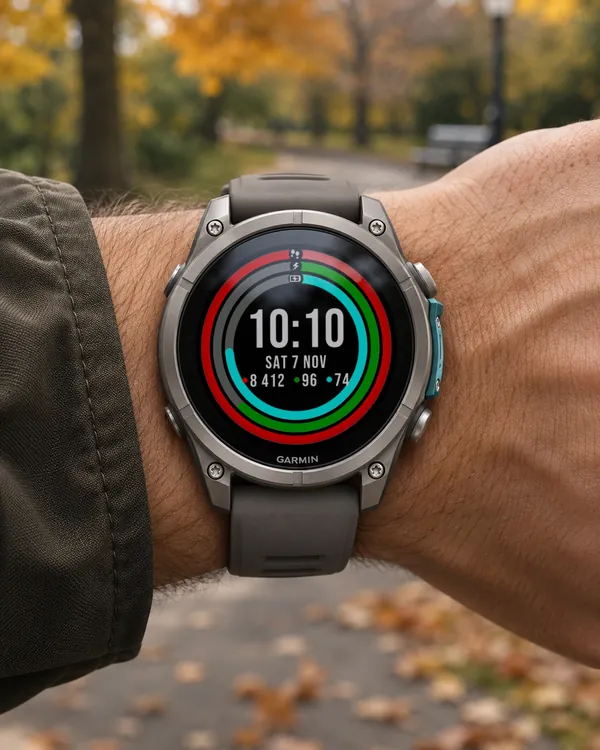 Activity
Ring Day
5.0 (16)
Three activity rings around the time, for people who close their rings
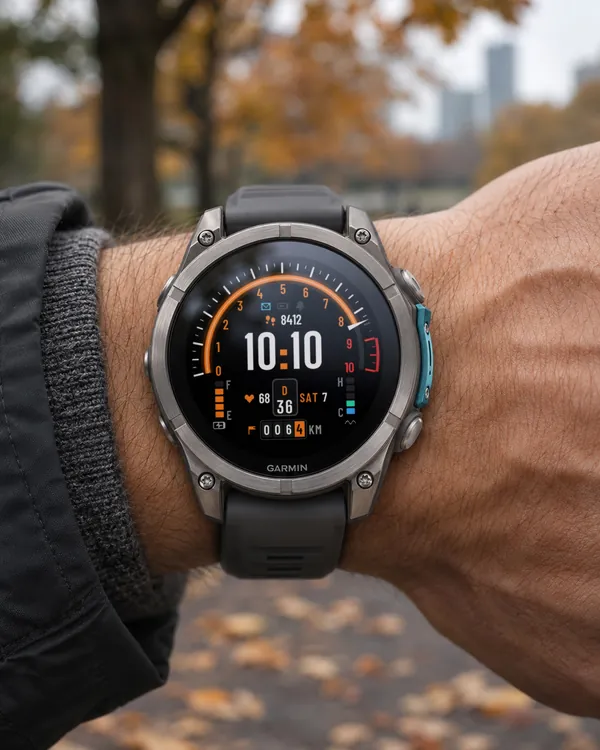 Dashboard
Torque Dash
A car instrument cluster on your wrist: steps as a tachometer, Body Battery as a fuel gauge
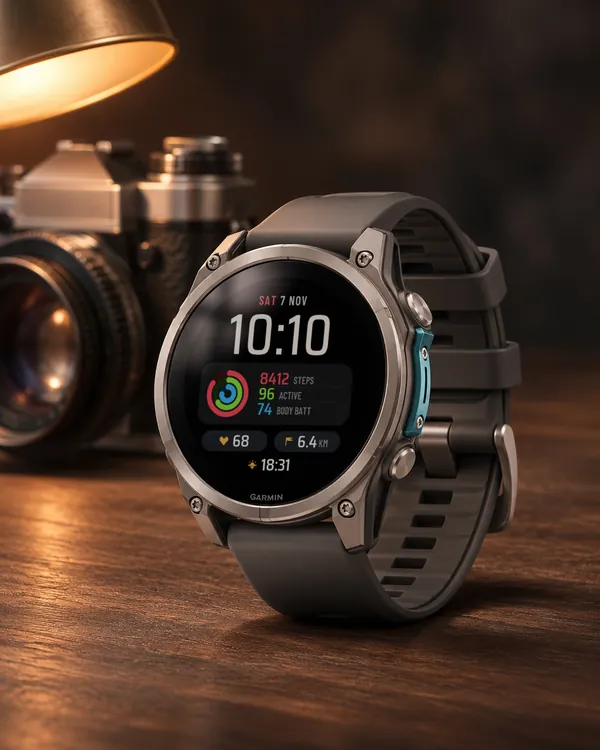 Rings
Daily Stack
Three activity rings on a clean card with colour-coded values
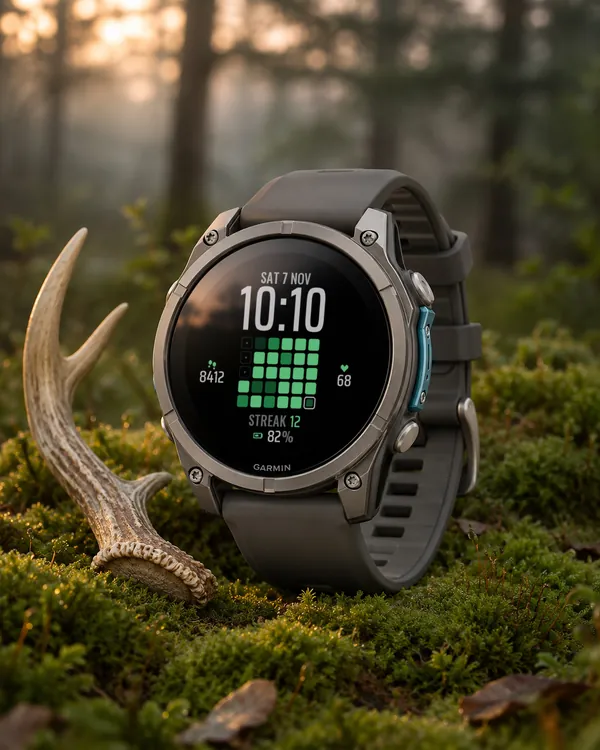 Habits
Habit Grid
Your last 30 days of step goals as a colour grid, with your streak