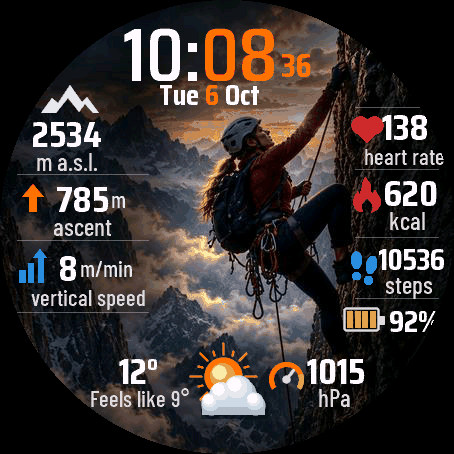
A watch face for people who climb. A woman on a rock face fills the dial, and the numbers you want on the wall sit around her: altitude, elevation gain, vertical speed, heart rate, calories, steps, battery, temperature and pressure.
7-day free trial, then a one-time unlock code at dialforge.dev (no subscription).
- 9 data fields, each one picked from 20 options: altitude, elevation gain, vertical speed, heart rate, calories, steps, watch battery, temperature, pressure, feels like, max and min, distance, floors, descent, Body Battery, stress, active minutes, sunrise and sunset. A new field brings its own icon, colour, value and unit.
- 5 scenes with the climber, 3 mountain scenes without her (switch Figure off) or plain black. Scene 1 is the default and the background never changes by itself.
- 9 accent colours, separate colours for icons and numbers, seconds on or off, text size, 12 or 24 hour time, date in 13 languages.
- Always-on mode: black with only the dimmed time, shifted every minute. About 2 percent of the pixels are lit.
- Made for round AMOLED watches (47 models).
Honest limits: vertical speed is worked out from your altitude history, so it needs a few minutes of movement and shows "--" before that. Feels like needs a phone connection. Sunrise and sunset need a location fix at least once. Where Garmin has no data for a field, the face shows "--", never a made-up value. The face does not connect to the internet.
After 7 days without a code the face still shows the time and your data, the settings go back to defaults and a short note about the code appears at the bottom. You get the code for your watch UID: in the settings, the last item (Unlock code) shows the UID and the days left and lets you type the code. The same code works in the Garmin Connect app.
Settings: hold MENU on the watch, then Watch face, then Customize, or use the Garmin Connect app. The watch menu has no live preview: press SELECT on a list item for the next value, and the change shows on the face when you leave the menu.
Something looks wrong on your watch? Write to me at https://dialforge.dev/faces/womanclimb/ and I will fix it. Dialforge is a small project and I could not test every watch model myself.
Tarcza dla ludzi, którzy się wspinają. Na środku kobieta na skale, a wokół niej liczby, które chcesz mieć na ścianie: wysokość, przewyższenie, prędkość pionowa, tętno, kalorie, kroki, bateria, temperatura i ciśnienie.
7 dni za darmo, potem jednorazowy kod odblokowania na dialforge.dev (bez abonamentu).
- 9 pól danych, każde do wyboru z 20 pozycji: wysokość, przewyższenie, prędkość pionowa, tętno, kalorie, kroki, bateria zegarka, temperatura, ciśnienie, temperatura odczuwalna, max i min, dystans, piętra, spadek, Body Battery, stres, minuty aktywności, wschód i zachód słońca. Nowe pole ma własną ikonę, kolor, wartość i jednostkę.
- 5 scen z wspinaczką, 3 sceny gór bez postaci (wyłącz przełącznik Postać) albo czarne tło. Domyślna jest scena 1, tło nigdy nie zmienia się samo.
- 9 kolorów akcentu, osobne kolory ikon i liczb, sekundy włączone lub wyłączone, rozmiar tekstu, godzina 12 lub 24 h, data w 13 językach.
- Tryb zawsze włączony: czerń i tylko przygaszona godzina, przesuwana co minutę. Świeci około 2 procent pikseli.
- Dla okrągłych zegarków z ekranem AMOLED (47 modeli).
Ograniczenia: prędkość pionową tarcza liczy z historii wysokości, więc potrzebuje kilku minut ruchu, a wcześniej pokazuje "--". Temperatura odczuwalna wymaga połączenia z telefonem. Wschód i zachód słońca wymagają choć raz złapanej lokalizacji. Gdy Garmin nie ma danych dla pola, tarcza pokazuje "--", nigdy zmyśloną wartość. Tarcza nie łączy się z internetem.
Po 7 dniach bez kodu tarcza dalej pokazuje godzinę i dane, ustawienia wracają do domyślnych, a na dole pojawia się krótki napis o kodzie. Kod dostajesz dla UID swojego zegarka: w ustawieniach ostatnia pozycja (Kod odblokowania) pokazuje UID i dni próby i pozwala wpisać kod. Ten sam kod działa w aplikacji Garmin Connect.
Ustawienia: przytrzymaj MENU na zegarku, potem Tarcza zegarka, potem Dostosuj, albo aplikacja Garmin Connect. Menu na zegarku nie ma podglądu na żywo: SELECT na pozycji listy przełącza na następną wartość, a zmianę widać na tarczy po wyjściu z menu.
Coś wygląda źle na Twoim zegarku? Napisz do mnie na https://dialforge.dev/faces/womanclimb/, a to naprawię. Dialforge to mały projekt i nie mogłem sprawdzić każdego modelu zegarka.
Permissions and privacy
This product asks the watch for the permissions below. Connect IQ shows them when you install it.
- Sensor history: Reads recent values stored by the watch (for example Body Battery, stress, heart rate, steps trend).Odczytuje ostatnie wartości zapisane przez zegarek (na przykład Body Battery, stres, tętno, trend kroków).
- Your profile: Reads your Garmin profile on the watch (for example age, weight, heart rate zones) to calculate values for you.Odczytuje Twój profil Garmin na zegarku (na przykład wiek, wagę, strefy tętna), żeby liczyć wartości dla Ciebie.
- Watch data (complications): Shows data from other watch features, such as battery or steps, on the face.Pokazuje na tarczy dane z innych funkcji zegarka, takie jak bateria czy kroki.
- Location (GPS): Uses the watch location for distance, speed or sun and moon times. The location is not sent anywhere.Używa lokalizacji zegarka do dystansu, prędkości albo godzin słońca i księżyca. Lokalizacja nigdzie nie jest wysyłana.
This product does not use the internet and sends no data to our servers.
The full manual and the detailed permission descriptions are available in English and Polish.
In preparation
Woman Climber is not in the Connect IQ store yet. It will appear there when Garmin approves it. This page will then get the install button and the price.
More faces
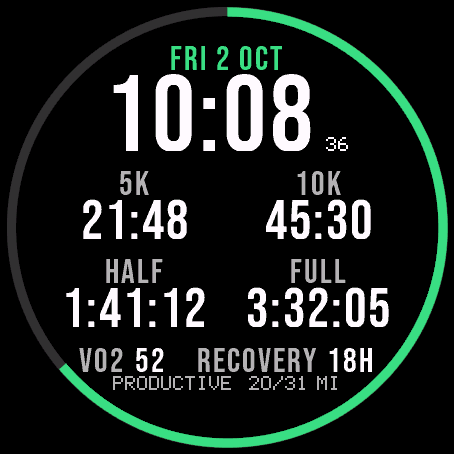
 Running
Race Ready
Garmin race predictions and weekly mileage right on the face.
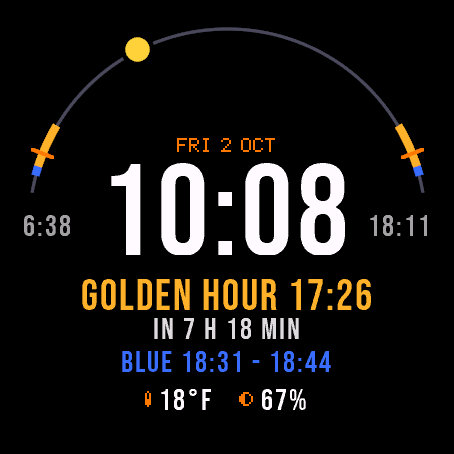
 Photography
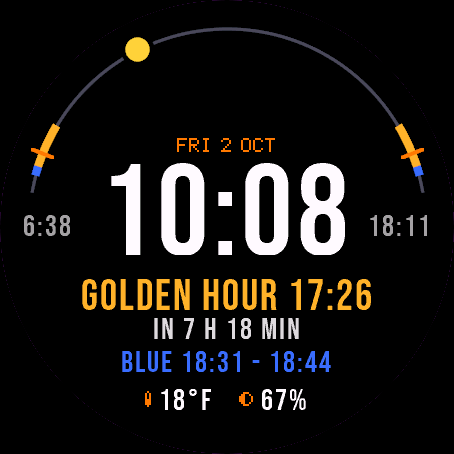
Amber Hour
Golden and blue hour countdown with the sun's path across your day.
 Readiness
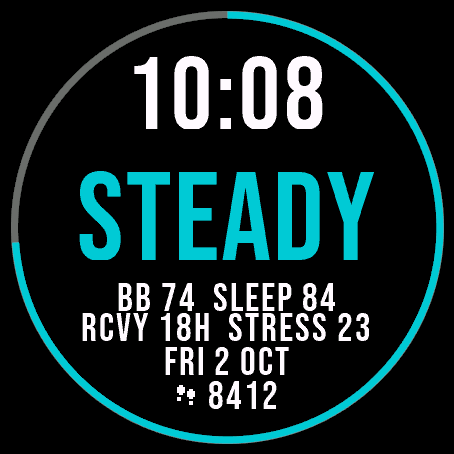
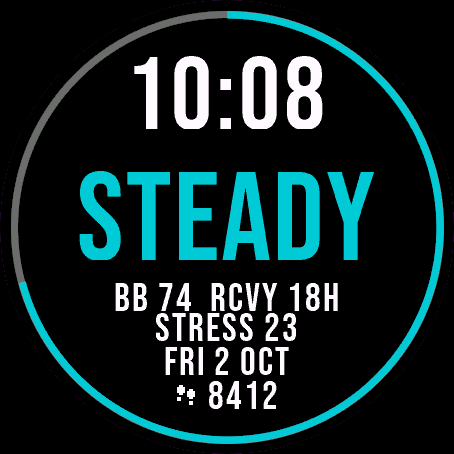
Day Verdict
One word for your day: PUSH, STEADY, EASY or REST, from your sleep, Body Battery and recovery.
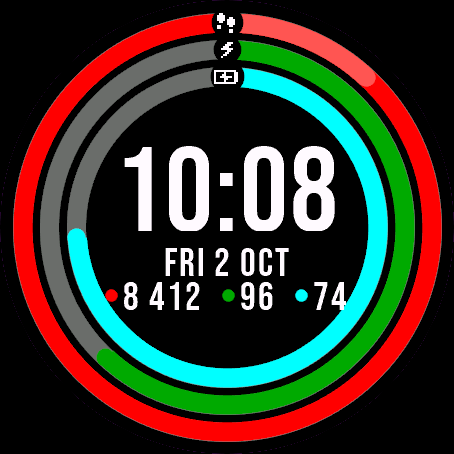 Activity
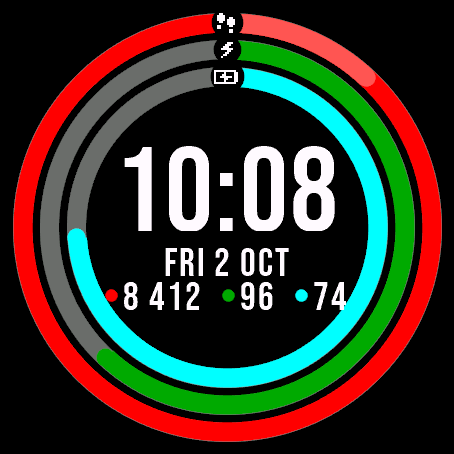
Ring Day
Three activity rings around the time, for people who close their rings.