7-day free trial, then a one-time 3.99 EUR unlock code at dialforge.dev. No subscription.
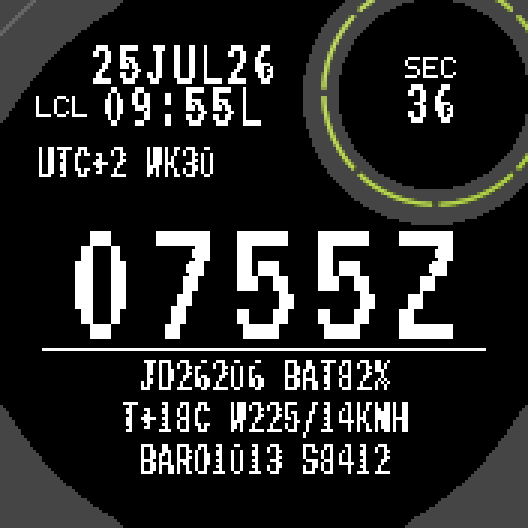
Zulu Teletype reads like a line from an old teleprinter: Zulu time in big terminal digits, the date as 25JUL26, and short coded lines below with the Julian date, battery, temperature, wind, pressure and steps.
What you get
- Big Zulu time (0755Z), or swap it: big local time with Zulu in the header
- Date in DDMMMYY form (25JUL26), local time with L, your UTC offset and ISO week
- Julian date (JD26206) and battery
- Temperature and wind (direction and speed) from Garmin weather on your phone
- Pressure from the watch barometer (BARO, raw reading in hPa) and steps
- Seconds in the round subscreen while the watch is awake, day of year in low power mode
- Dark or light background, 12 or 24 hour local time
Important
The lines are styled like a teleprinter message. They are not an aviation weather report: the pressure is the watch sensor reading, not corrected to sea level, and the weather comes from the forecast service in Garmin Connect. This face is not a flight planning or navigation tool.
How it works
Zulu time comes from the watch clock. Weather needs the watch to be connected to Garmin Connect on your phone; without it you see dashes. The face itself needs no permissions and sends no data.
Settings
In Garmin Connect (phone): layout, time format, seconds, light background, unlock code.
Compatible watches
Instinct 2, 2S, 2X Solar, Instinct 3 Solar 45/50 mm, Instinct E 40/45 mm, Instinct Crossover, Descent G1.
Trial and unlock
Everything works for 7 days. After that the face keeps showing the time with default settings and a small "UNLOCK DIALFORGE.DEV" bar. Your watch ID is shown in the face settings; buy the code for that ID at dialforge.dev and paste it into the settings.
Questions or ideas: kontakt@dialforge.dev
A little request from the maker
Dialforge is my student project. I build these watch faces after classes, so they are still at an early stage, and I could not test every watch model myself. If something looks wrong on your watch, please do not leave a negative rating: write to me first at https://dialforge.dev/faces/zuluteletype/ and I will fix it, usually within 24 hours. A kind review means more to me than you can imagine. And if you like my work, you can buy me a coffee (the link is at the bottom of dialforge.dev): I am saving up to pay for my studies. Thank you for your patience and for giving a young developer a chance.
7-day free trial, then a one-time 3.99 EUR unlock code at dialforge.dev. No subscription.
Zulu Teletype reads like a line from an old teleprinter: Zulu time in big terminal digits, the date as 25JUL26, and short coded lines below with the Julian date, battery, temperature, wind, pressure and steps.
What you get
- Big Zulu time (0755Z), or swap it: big local time with Zulu in the header
- Date in DDMMMYY form (25JUL26), local time with L, your UTC offset and ISO week
- Julian date (JD26206) and battery
- Temperature and wind (direction and speed) from Garmin weather on your phone
- Pressure from the watch barometer (BARO, raw reading in hPa) and steps
- Seconds in the round subscreen while the watch is awake, day of year in low power mode
- Dark or light background, 12 or 24 hour local time
Important
The lines are styled like a teleprinter message. They are not an aviation weather report: the pressure is the watch sensor reading, not corrected to sea level, and the weather comes from the forecast service in Garmin Connect. This face is not a flight planning or navigation tool.
How it works
Zulu time comes from the watch clock. Weather needs the watch to be connected to Garmin Connect on your phone; without it you see dashes. The face itself needs no permissions and sends no data.
Settings
In Garmin Connect (phone): layout, time format, seconds, light background, unlock code.
Compatible watches
Instinct 2, 2S, 2X Solar, Instinct 3 Solar 45/50 mm, Instinct E 40/45 mm, Instinct Crossover, Descent G1.
Trial and unlock
Everything works for 7 days. After that the face keeps showing the time with default settings and a small "UNLOCK DIALFORGE.DEV" bar. Your watch ID is shown in the face settings; buy the code for that ID at dialforge.dev and paste it into the settings.
Questions or ideas: kontakt@dialforge.dev
A little request from the maker
Dialforge is my student project. I build these watch faces after classes, so they are still at an early stage, and I could not test every watch model myself. If something looks wrong on your watch, please do not leave a negative rating: write to me first at https://dialforge.dev/faces/zuluteletype/ and I will fix it, usually within 24 hours. A kind review means more to me than you can imagine. And if you like my work, you can buy me a coffee (the link is at the bottom of dialforge.dev): I am saving up to pay for my studies. Thank you for your patience and for giving a young developer a chance.
Manual
The full manual and the detailed permission descriptions are available in English and Polish.
Zulu Teletype: user manual
What it does
Zulu Teletype reads like a line from an old teleprinter: Zulu time in big terminal digits, the date as 25JUL26, and short coded lines below with the Julian date, battery, temperature, wind, pressure and steps. It is not an aviation weather report and not a flight planning tool: the pressure is the raw watch barometer reading in hPa (not corrected to sea level), and temperature and wind come from the weather data of Garmin Connect on your phone.
Requirements and supported watches
Needs Connect IQ 3.2.0+ and the Connect IQ or Garmin Connect phone app. Supported watches: Instinct 2, 2S, 2X Solar (also Solar, Dual Power and dezl Edition variants), Instinct 3 Solar 45 mm and 50 mm, Instinct E 40 mm and 45 mm, Instinct Crossover, Descent G1 and G1 Solar. All have a 1-bit MIP screen.
The Instinct Crossover has no subscreen and physical hands cover the middle of its screen. On it the face draws a plain circle in the corner where other watches have the subscreen.
Installation
In the Connect IQ app on your phone (or Garmin Connect, then the Connect IQ Store) find "Zulu Teletype" by Dialforge, tap Install and sync the watch. Then hold the watch face (or the menu button), choose Watch Face and select Zulu Teletype.
First launch
Big Zulu time (for example 0755Z) in the middle, local time with L (for example 09:55L) in the header together with the date as DDMMMYY, then your UTC offset and ISO week (UTC+2 WK30). Below the line: Julian date and battery (JD26206 BAT82%), temperature and wind (T+18C W225/14KMH, wind direction in degrees and speed), then pressure and steps (BARO1013 S8412). In the round subscreen: seconds while the watch is awake, the day of the year (DOY) in low-power mode. Dark background, time format taken from the watch. The 7-day trial starts the first time the face runs.
Controls
Watches with buttons (START, UP, DOWN, BACK)
- No actions of its own. Settings are changed on the phone (see Settings).
Touch watches (tap, hold, swipe)
- Not applicable: all supported watches have buttons and no touch screen. The face has no touch actions.
Settings
Phone only: Garmin Connect (or the Connect IQ app), Zulu Teletype, Settings.
- Layout: Zulu time big, local in the header, or Local time big, Zulu in the header. Default: Zulu time big. With big Zulu the header date is the UTC date. With big local time the header shows UTC and the header date is the local date; the big time ends with L in 24-hour format.
- Time format: Automatic (watch setting), 12-hour or 24-hour. Default: Automatic.
- Light background: on or off. Default: off (white on black).
- Seconds when the watch is active: on or off. Default: on. Shown in the subscreen only while the watch is awake.
- Temperature and wind speed follow the units of your watch (C or F, km/h or mph).
- Watch ID (for the unlock code): read-only, the number you need to buy the code.
- Unlock code from dialforge.dev: field for the purchased code.
License
- Trial: 7 days from the first launch, everything works.
- Price: 3.99 EUR once at dialforge.dev, no subscription. The 8-character code is tied to your watch's UID.
- Where to enter it: phone, Garmin Connect, Zulu Teletype, Settings. Read the number in "Watch ID (for the unlock code)", buy the code for it at dialforge.dev, then type it into "Unlock code from dialforge.dev".
- After the trial without a code: layout, seconds, time format and background return to defaults (big Zulu time, seconds on, time format from the watch, dark background), and the bar UNLOCK DIALFORGE.DEV appears at the bottom (the last line (BARO and steps) is replaced by the bar). Time and data keep working.
Privacy and permissions
Permissions: none. The manifest of this face is empty and declares no permission. It uses only what the watch gives any face without permissions: clock, battery, steps and its own settings. It sends no data and has no internet access, no background service and no color service.
Weather: the face reads Garmin's own weather data (Toybox.Weather), which your watch gets from Garmin Connect on your phone. The face does not connect to any other service itself.
Troubleshooting
The code does not work. Check that the number you bought the code for matches "Watch ID (for the unlock code)" and type all 8 characters (case is ignored, no 0, O, 1 or I). A code for another face does not fit (a code for the whole pack does). Sync the watch, then reopen the face.
Temperature and wind show dashes. The face reads Garmin's own weather data, which the watch gets from Garmin Connect on your phone. Without a connection (or before the first weather update) you see dashes (-- for temperature, --- for wind direction). Connect the watch to the phone and wait for the weather to refresh.
Is BARO a weather report? No. BARO is the raw reading of the barometer in the watch, in hPa, not corrected to sea level. Do not use this face for flight planning or navigation.
What does low power look like? The screen of these watches is always on. In low-power mode the face redraws once a minute and the subscreen shows the day of the year instead of seconds. Seconds are drawn only in active mode, after a wrist gesture, and only if enabled in the settings.
12-hour or 24-hour? Set "Time format" in the face settings. Automatic follows the watch.
Contact
kontakt@dialforge.dev or dialforge.dev. Please write before leaving a low rating.
Zulu Teletype: instrukcja obsługi
Do czego służy
Zulu Teletype wygląda jak linijka ze starego dalekopisu: czas Zulu dużymi cyframi terminala, data w postaci 25JUL26 i krótkie zakodowane wiersze poniżej: data juliańska, bateria, temperatura, wiatr, ciśnienie i kroki. To nie jest raport pogodowy do lotów ani narzędzie do planowania lotu: ciśnienie to surowy odczyt barometru zegarka w hPa (bez przeliczenia na poziom morza), a temperatura i wiatr pochodzą z danych pogodowych Garmin Connect w telefonie.
Wymagania i obsługiwane zegarki
Wymaga Connect IQ 3.2.0+ i aplikacji Connect IQ albo Garmin Connect w telefonie. Obsługiwane zegarki: Instinct 2, 2S, 2X Solar (także warianty Solar, Dual Power i dezl Edition), Instinct 3 Solar 45 mm i 50 mm, Instinct E 40 mm i 45 mm, Instinct Crossover, Descent G1 i G1 Solar. Wszystkie mają ekran MIP 1-bit.
Instinct Crossover nie ma subscreenu, a fizyczne wskazówki zasłaniają środek ekranu. Tarcza rysuje tam zwykłe koło w rogu, w którym inne zegarki mają subscreen.
Instalacja
Na telefonie otwórz aplikację Connect IQ (albo Garmin Connect, a w niej sklep Connect IQ), wyszukaj "Zulu Teletype" od Dialforge, stuknij Zainstaluj i zsynchronizuj zegarek. Potem przytrzymaj obecną tarczę (albo przycisk menu), wybierz Tarcza zegarka i wskaż Zulu Teletype.
Pierwsze uruchomienie
Duży czas Zulu (na przykład 0755Z) pośrodku, w nagłówku czas lokalny z literą L (na przykład 09:55L) i data w postaci DDMMMYY, potem przesunięcie UTC i tydzień ISO (UTC+2 WK30). Pod kreską: data juliańska i bateria (JD26206 BAT82%), temperatura i wiatr (T+18C W225/14KMH, kierunek wiatru w stopniach i prędkość), potem ciśnienie i kroki (BARO1013 S8412). W okrągłym subscreenie: sekundy, gdy zegarek jest aktywny, a w trybie niskiego zużycia dzień roku (DOY). Ciemne tło, format czasu z ustawień zegarka. 7-dniowy okres próbny zaczyna się przy pierwszym uruchomieniu tarczy.
Sterowanie
Zegarki z przyciskami (START, GÓRA, DÓŁ, WSTECZ)
- Brak własnych akcji. Ustawienia zmienia się w telefonie (patrz Ustawienia).
Zegarki dotykowe (stuknięcie, przytrzymanie, przesunięcie)
- Nie dotyczy: wszystkie obsługiwane zegarki mają przyciski i nie mają ekranu dotykowego. Tarcza nie ma akcji dotykowych.
Ustawienia
Tylko w telefonie: Garmin Connect (albo aplikacja Connect IQ), Zulu Teletype, Ustawienia.
- Układ: Czas Zulu duży, lokalny w nagłówku albo Czas lokalny duży, Zulu w nagłówku. Domyślnie: czas Zulu duży. Przy dużym Zulu data w nagłówku jest datą UTC. Przy dużym czasie lokalnym w nagłówku jest czas UTC, data jest lokalna, a duży czas w formacie 24-godzinnym kończy się literą L.
- Format czasu: Automatyczny (ustawienie zegarka), 12-godzinny albo 24-godzinny. Domyślnie: automatyczny.
- Jasne tło: włączone lub wyłączone. Domyślnie: wyłączone (biały na czarnym).
- Sekundy, gdy zegarek jest aktywny: włączone lub wyłączone. Domyślnie: włączone. Widać je w subscreenie tylko przy aktywnym zegarku.
- Temperatura i prędkość wiatru zgodne z jednostkami zegarka (C lub F, km/h lub mph).
- ID zegarka (do kodu odblokowania): tylko do odczytu, to numer potrzebny do zakupu kodu.
- Kod odblokowania z dialforge.dev: pole na kupiony kod.
Licencja
- Okres próbny: 7 dni od pierwszego uruchomienia, wszystko działa.
- Cena: jednorazowo 3,99 EUR na dialforge.dev, bez abonamentu. 8-znakowy kod jest przypisany do UID zegarka.
- Gdzie wpisać: telefon, Garmin Connect, Zulu Teletype, Ustawienia. Odczytaj numer w polu "ID zegarka (do kodu odblokowania)", kup do niego kod na dialforge.dev i wpisz go w "Kod odblokowania z dialforge.dev".
- Po okresie próbnym bez kodu: układ, sekundy, format czasu i tło wracają do domyślnych (duży czas Zulu, sekundy włączone, format czasu z zegarka, ciemne tło), a na dole pojawia się pasek UNLOCK DIALFORGE.DEV (ostatni wiersz (BARO i kroki) zastępuje pasek). Czas i dane działają dalej.
Prywatność i uprawnienia
Uprawnienia: brak. Manifest tej tarczy jest pusty i nie deklaruje żadnego uprawnienia. Tarcza korzysta tylko z tego, co zegarek daje każdej tarczy bez uprawnień: zegar, bateria, kroki i własne ustawienia. Niczego nie wysyła, nie ma dostępu do internetu, usługi w tle ani usługi kolorów.
Pogoda: tarcza czyta własne dane pogodowe Garmina (Toybox.Weather), które zegarek dostaje z Garmin Connect w telefonie. Sama nie łączy się z żadną inną usługą.
Rozwiązywanie problemów
Kod nie działa. Sprawdź, czy numer, dla którego kupiono kod, zgadza się z polem "ID zegarka (do kodu odblokowania)", i wpisz wszystkie 8 znaków (wielkość liter bez znaczenia, bez 0, O, 1, I). Kod do innej tarczy nie pasuje (kod na cały pakiet pasuje). Zsynchronizuj zegarek i otwórz tarczę ponownie.
Temperatura i wiatr pokazują kreski. Tarcza czyta własne dane pogodowe Garmina, które zegarek dostaje z Garmin Connect w telefonie. Bez połączenia (albo przed pierwszą aktualizacją pogody) widać kreski (-- przy temperaturze, --- przy kierunku wiatru). Połącz zegarek z telefonem i poczekaj na odświeżenie pogody.
Czy BARO to raport pogodowy? Nie. BARO to surowy odczyt barometru w zegarku, w hPa, bez przeliczenia na poziom morza. Nie używaj tej tarczy do planowania lotu ani nawigacji.
Jak wygląda tryb niskiego zużycia? Ekran tych zegarków jest zawsze włączony. W trybie niskiego zużycia tarcza odświeża się raz na minutę, a subscreen pokazuje dzień roku zamiast sekund. Sekundy są rysowane tylko w trybie aktywnym, po geście nadgarstka, i tylko gdy są włączone w ustawieniach.
12 czy 24 godziny? Ustaw "Format czasu" w ustawieniach tarczy. Automatyczny podąża za zegarkiem.
Kontakt
kontakt@dialforge.dev albo dialforge.dev. Napisz, zanim wystawisz niską ocenę.
Permissions and privacy
This product does not use the internet and sends no data to our servers.
The full manual and the detailed permission descriptions are available in English and Polish.
Unlock
€3.99
One-time payment. No subscription. The code works on the watch whose UID you enter.
- Install the face from the Connect IQ store. It is free for 7 days.
- Find your 10-digit UID: Connect IQ app on the phone > My Device > Watch faces > Zulu Teletype > Settings (first field).
- Enter UID and e-mail, pay with PayPal (cards work without a PayPal account). The code appears here at once.
- Type the code into the same settings page, field "Unlock code". The watch checks it offline.
Thank you! Your code:
Enter it in the face settings, field "Unlock code". Keep it: you can recover it at dialforge.dev/code.
More faces
 1-BitSoon
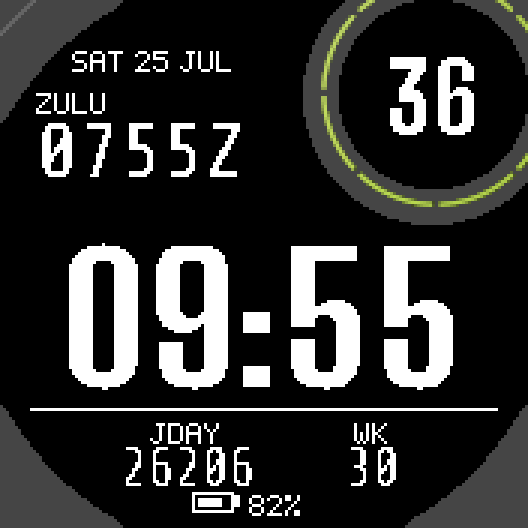
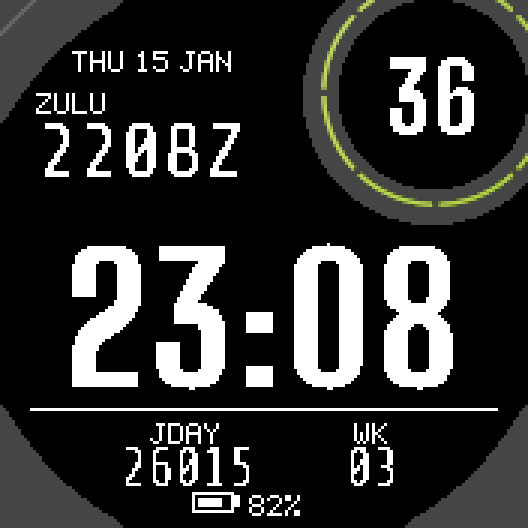
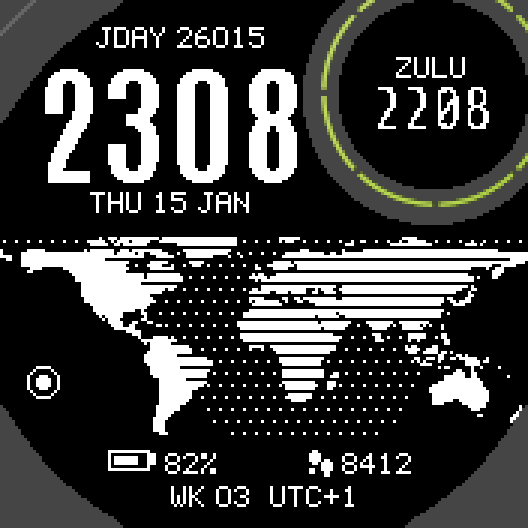
Zulu Julian Ops
Local time, Zulu time and Julian date. In plain text.
 1-BitSoon
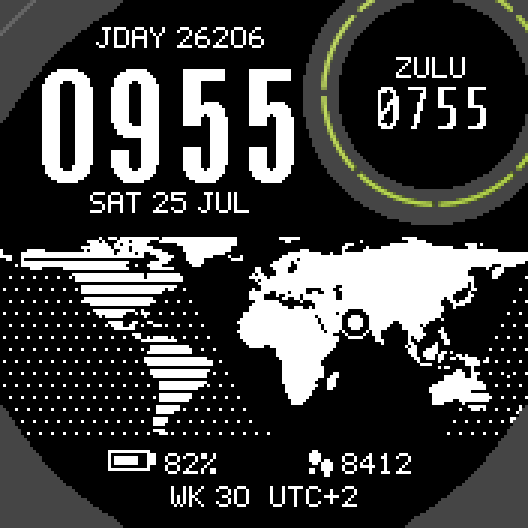
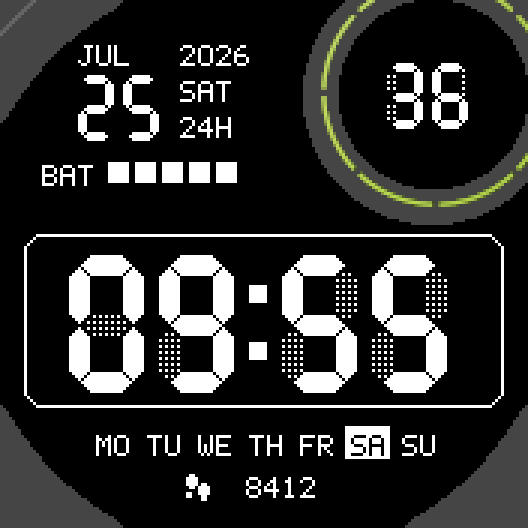
Tactical World
World map with the night side drawn live.
 1-BitSoon
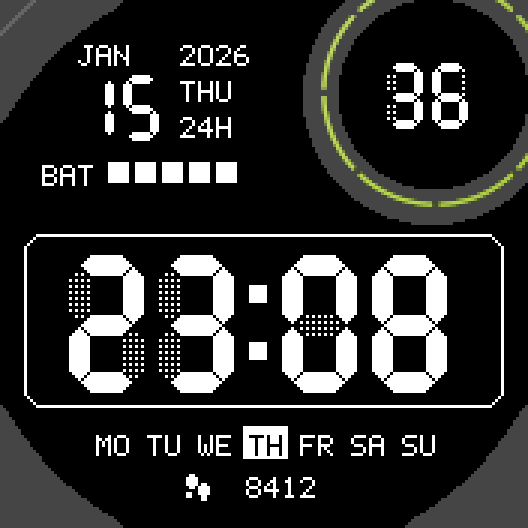
Retro LCD
7-segment digits with the faint off segments of an old LCD.
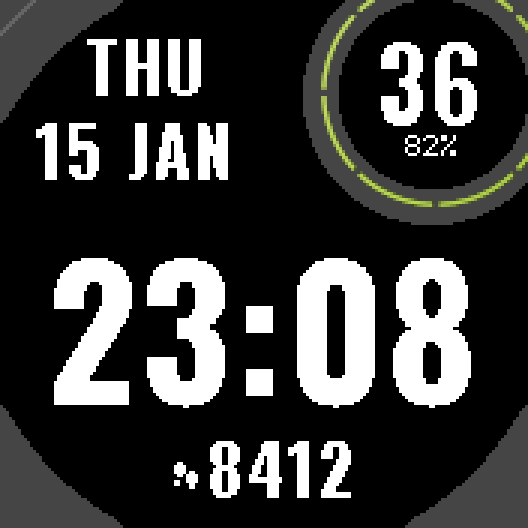 1-BitSoon
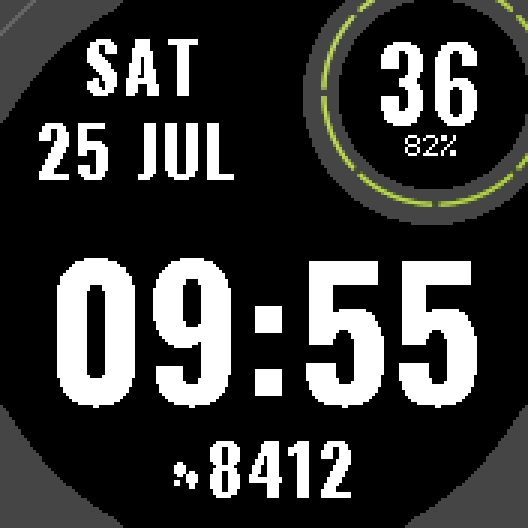
Big Digits
Thick digits across the whole screen. Nothing small.
Tell us how to make it better
Missing a data field, a colour, a layout? Found a bug on your watch model? Write it here. We read every message and ship improvements in updates.