Unlock
€6.49
One-time payment. No subscription. The code works on the watch whose ID you enter.
- Install the face from Connect IQ (7 days free).
- On the watch: face settings > Buy / Unlock, scan the QR code.
- Pay and paste the code in the face settings.
- Pay.
- Copy the code.
- Paste it in Connect IQ: this face > Settings > Unlock code.
Payment works best in Safari or Chrome: menu (three dots) > Open in browser
Read it in this face, it is not the serial number of the watch.
The code works only in the watch face it was bought for: a Summit Rings code will not work in Summit Tactic.
Your ID, compare it with the watch:
Where do I find the ID?
On the watch: settings of this face > Buy / Unlock (first item). Scan the QR code with your phone or type the 10 digits. The ID is also at the top of the face settings in the Connect IQ app.
Code not working on your watch? Write to me and I will fix it.
Payments by Stripe. Seller: Mateusz Kolarz, Lublin, Poland.
Paid. Code:
We show the code here too. If the e-mail does not arrive (check spam), you can recover the code in the Recover code section with just the UID. Recover code
Copying did not work. The code is selected: copy it by hand.
The face unlocks by itself when the watch connects to the phone (usually within an hour; if the trial is still running, the purchase starts working when it ends).
Do not want to wait, or have an older watch? Paste the code in the Connect IQ app:
Connect IQ (or Garmin Connect) > My Device > Watch faces > Big Digits > Settings > Unlock code > paste > Save
Like it? Rate this face in the Garmin store
Want to try new faces and apps before the release, for free? Join the testers program
7-day free trial, then a one-time 6.49 EUR unlock code at dialforge.dev. No subscription.
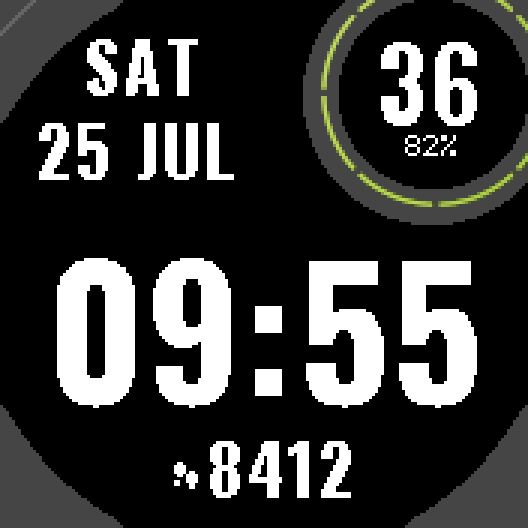
Big Digits is for reading the time without effort. Thick digits across the whole width of the screen, weekday and date in large letters, steps and battery in the same big type. Nothing small to squint at.
What you get
- Time across the full width of the screen in thick, wide digits
- Weekday and date in large bold letters
- Battery in the round subscreen, with seconds above it while the watch is awake
- Step count in large type at the bottom
- Second layout: digits cut out of a solid band, for even more contrast
- No seconds in low power mode, so the face redraws once a minute
- Dark or light background, 12 or 24 hour format
Settings
In Garmin Connect (phone): layout, time format, seconds, light background, unlock code.
Compatible watches
Instinct 2, 2S, 2X Solar, Instinct 3 Solar 45/50 mm, Instinct E 40/45 mm, Instinct Crossover, Descent G1.
Trial and unlock
Everything works for 7 days. After that the face keeps showing the time with default settings and a small "UNLOCK DIALFORGE.DEV" bar. Your watch ID is shown in the face settings; buy the code for that ID at dialforge.dev and paste it into the settings.
Questions or ideas: kontakt@dialforge.dev
A little request from the maker
Dialforge is my student project. I build these watch faces after classes, so they are still at an early stage, and I could not test every watch model myself. If something looks wrong on your watch, please do not leave a negative rating: write to me first at https://dialforge.dev/faces/bigdigits/ and I will fix it, usually within 24 hours. A kind review means more to me than you can imagine. And if you like my work, you can buy me a coffee (the link is at the bottom of dialforge.dev): I am saving up to pay for my studies. Thank you for your patience and for giving a young developer a chance.
7 dni za darmo, potem jednorazowy kod odblokowujący za 6,49 EUR na dialforge.dev. Bez abonamentu.
Big Digits jest do czytania godziny bez wysiłku. Grube cyfry na całą szerokość ekranu, dzień tygodnia i data dużymi literami, kroki i bateria tą samą dużą czcionką. Nic małego, w co trzeba się wpatrywać.
Co jest na tarczy
- Czas na całą szerokość ekranu, grubymi, szerokimi cyframi
- Dzień tygodnia i data dużymi, pogrubionymi literami
- Bateria w okrągłym podekranie, nad nią sekundy przy aktywnym zegarku
- Liczba kroków dużą czcionką na dole
- Drugi układ: cyfry wycięte z pełnego pasa, dla jeszcze większego kontrastu
- Bez sekund w trybie niskiego zużycia energii, więc tarcza odświeża się raz na minutę
- Ciemne lub jasne tło, format 12 lub 24 godziny
Ustawienia
W Garmin Connect (telefon): układ, format czasu, sekundy, jasne tło, kod odblokowujący.
Obsługiwane zegarki
Instinct 2, 2S, 2X Solar, Instinct 3 Solar 45/50 mm, Instinct E 40/45 mm, Instinct Crossover, Descent G1.
Okres próbny i kod
Wszystko działa przez 7 dni. Potem tarcza dalej pokazuje czas z ustawieniami domyślnymi i mały pasek "UNLOCK DIALFORGE.DEV". Identyfikator zegarka widać w ustawieniach tarczy. Kup kod dla tego identyfikatora na dialforge.dev i wklej go w ustawieniach.
Pytania albo pomysły: kontakt@dialforge.dev
Mała prośba od autora
Dialforge to mój studencki projekt. Robię te tarcze po zajęciach, więc są jeszcze na wczesnym etapie i nie mogłem przetestować każdego modelu zegarka. Jeśli coś wygląda źle na Twoim zegarku, proszę, nie wystawiaj negatywnej oceny: napisz najpierw do mnie na https://dialforge.dev/faces/bigdigits/, a naprawię to, zwykle w ciągu 24 godzin. Życzliwa opinia znaczy dla mnie więcej, niż myślisz. A jeśli podoba Ci się moja praca, możesz postawić mi kawę (link na dole strony dialforge.dev): zbieram na opłacenie studiów. Dziękuję za cierpliwość i za dane szansy młodemu twórcy.
7 Tage kostenlos testen, danach ein einmaliger Freischaltcode für 6,49 EUR auf dialforge.dev. Kein Abo.
Big Digits ist zum mühelosen Ablesen der Uhrzeit gemacht. Dicke Ziffern über die ganze Breite des Displays, Wochentag und Datum in großen Buchstaben, Schritte und Akku in derselben großen Schrift. Nichts Kleines, bei dem man die Augen zusammenkneifen muss.
Was du bekommst
- Uhrzeit über die volle Displaybreite in dicken, breiten Ziffern
- Wochentag und Datum in großen, fetten Buchstaben
- Akku im runden Nebendisplay, darüber Sekunden, solange die Uhr aktiv ist
- Schrittzahl in großer Schrift unten
- Zweites Layout: Ziffern aus einem vollen Balken ausgespart, für noch mehr Kontrast
- Keine Sekunden im Energiesparmodus, das Zifferblatt wird also nur einmal pro Minute neu gezeichnet
- Dunkler oder heller Hintergrund, 12- oder 24-Stunden-Format
Einstellungen
In Garmin Connect (Smartphone): Layout, Zeitformat, Sekunden, heller Hintergrund, Freischaltcode.
Kompatible uhren
Instinct 2, 2S, 2X Solar, Instinct 3 Solar 45/50 mm, Instinct E 40/45 mm, Instinct Crossover, Descent G1.
Testzeit und freischaltung
Alles funktioniert 7 Tage lang. Danach zeigt das Zifferblatt weiter die Uhrzeit mit den Standardeinstellungen und eine kleine Leiste "UNLOCK DIALFORGE.DEV". Deine Uhren-ID steht in den Einstellungen des Zifferblatts. Kaufe den Code für diese ID auf dialforge.dev und füge ihn in den Einstellungen ein.
Fragen oder Ideen: kontakt@dialforge.dev
Eine kleine bitte des entwicklers
Dialforge ist mein Studentenprojekt. Ich baue diese Zifferblätter nach den Vorlesungen, deshalb sind sie noch in einer frühen Phase, und ich konnte nicht jedes Uhrenmodell selbst testen. Wenn auf deiner Uhr etwas nicht stimmt, hinterlasse bitte keine schlechte Bewertung: Schreib mir zuerst auf https://dialforge.dev/faces/bigdigits/, dann behebe ich es, meist innerhalb von 24 Stunden. Eine freundliche Bewertung bedeutet mir mehr, als du denkst. Und wenn dir meine Arbeit gefällt, kannst du mir einen Kaffee spendieren (den Link findest du unten auf dialforge.dev): Ich spare für mein Studium. Danke für deine Geduld und dafür, dass du einem jungen Entwickler eine Chance gibst.
Essai gratuit de 7 jours, puis un code de déverrouillage unique à 6,49 EUR sur dialforge.dev. Sans abonnement.
Big Digits sert à lire l'heure sans effort. Des chiffres épais sur toute la largeur de l'écran, jour de la semaine et date en grandes lettres, pas et batterie dans la même grande police. Rien de petit qui oblige à plisser les yeux.
Ce que vous obtenez
- Heure sur toute la largeur de l'écran, en chiffres épais et larges
- Jour de la semaine et date en grandes lettres grasses
- Batterie dans le sous-écran rond, avec les secondes au-dessus quand la montre est active
- Nombre de pas en grande police en bas
- Deuxième disposition : chiffres découpés dans une bande pleine, pour encore plus de contraste
- Pas de secondes en mode basse consommation, le cadran ne se redessine donc qu'une fois par minute
- Fond sombre ou clair, format 12 ou 24 heures
Réglages
Dans Garmin Connect (téléphone) : disposition, format de l'heure, secondes, fond clair, code de déverrouillage.
Montres compatibles
Instinct 2, 2S, 2X Solar, Instinct 3 Solar 45/50 mm, Instinct E 40/45 mm, Instinct Crossover, Descent G1.
Essai et déverrouillage
Tout fonctionne pendant 7 jours. Ensuite, le cadran continue d'afficher l'heure avec les réglages par défaut et une petite barre "UNLOCK DIALFORGE.DEV". L'ID de votre montre apparaît dans les réglages du cadran. Achetez le code pour cet ID sur dialforge.dev et collez-le dans les réglages.
Questions ou idées : kontakt@dialforge.dev
Une petite demande du créateur
Dialforge est mon projet étudiant. Je crée ces cadrans après les cours, ils en sont donc encore à un stade précoce, et je n'ai pas pu tester tous les modèles de montre. Si quelque chose ne va pas sur votre montre, s'il vous plaît, ne laissez pas de note négative : écrivez-moi d'abord sur https://dialforge.dev/faces/bigdigits/ et je corrigerai cela, en général sous 24 heures. Un avis bienveillant compte plus que vous ne l'imaginez. Et si vous aimez mon travail, vous pouvez m'offrir un café (le lien se trouve en bas de dialforge.dev) : j'économise pour payer mes études. Merci pour votre patience et pour la chance donnée à un jeune développeur.
Prueba gratuita de 7 días y luego un código de desbloqueo único de 6,49 EUR en dialforge.dev. Sin suscripción.
Big Digits sirve para leer la hora sin esfuerzo. Dígitos gruesos a todo lo ancho de la pantalla, día de la semana y fecha en letras grandes, pasos y batería con la misma letra grande. Nada pequeño que obligue a entrecerrar los ojos.
Lo que obtienes
- Hora a todo lo ancho de la pantalla, en dígitos gruesos y anchos
- Día de la semana y fecha en letras grandes y en negrita
- Batería en la subpantalla redonda, con los segundos encima mientras el reloj está activo
- Número de pasos en letra grande, abajo
- Segunda disposición: dígitos recortados en una banda sólida, para aún más contraste
- Sin segundos en modo de bajo consumo, así que la esfera se redibuja una vez por minuto
- Fondo oscuro o claro, formato de 12 o 24 horas
Ajustes
En Garmin Connect (teléfono): disposición, formato de hora, segundos, fondo claro, código de desbloqueo.
Relojes compatibles
Instinct 2, 2S, 2X Solar, Instinct 3 Solar 45/50 mm, Instinct E 40/45 mm, Instinct Crossover, Descent G1.
Prueba y desbloqueo
Todo funciona durante 7 días. Después la esfera sigue mostrando la hora con los ajustes por defecto y una pequeña barra "UNLOCK DIALFORGE.DEV". El ID de tu reloj aparece en los ajustes de la esfera. Compra el código para ese ID en dialforge.dev y pégalo en los ajustes.
Preguntas o ideas: kontakt@dialforge.dev
Una pequeña petición del creador
Dialforge es mi proyecto de estudiante. Creo estas esferas después de clase, así que todavía están en una fase temprana y no pude probar todos los modelos de reloj. Si algo no se ve bien en tu reloj, por favor no dejes una valoración negativa: escríbeme primero en https://dialforge.dev/faces/bigdigits/ y lo arreglaré, normalmente en 24 horas. Una reseña amable significa para mí más de lo que imaginas. Y si te gusta mi trabajo, puedes invitarme a un café (el enlace está al final de dialforge.dev): estoy ahorrando para pagar mis estudios. Gracias por tu paciencia y por darle una oportunidad a un desarrollador joven.
7 dagen gratis proberen, daarna een eenmalige ontgrendelcode van 6,49 EUR op dialforge.dev. Geen abonnement.
Big Digits is voor moeiteloos de tijd lezen. Dikke cijfers over de hele breedte van het scherm, weekdag en datum in grote letters, stappen en batterij in hetzelfde grote lettertype. Niets kleins waar je naar moet turen.
Wat je krijgt
- Tijd over de volle breedte van het scherm in dikke, brede cijfers
- Weekdag en datum in grote vette letters
- Batterij in het ronde subscherm, met daarboven de seconden zolang het horloge actief is
- Stappenteller in groot lettertype onderaan
- Tweede indeling: cijfers uitgesneden uit een egale band, voor nog meer contrast
- Geen seconden in de energiebesparende modus, dus de wijzerplaat wordt één keer per minuut opnieuw getekend
- Donkere of lichte achtergrond, 12- of 24-uursnotatie
Instellingen
In Garmin Connect (telefoon): indeling, tijdnotatie, seconden, lichte achtergrond, ontgrendelcode.
Compatibele horloges
Instinct 2, 2S, 2X Solar, Instinct 3 Solar 45/50 mm, Instinct E 40/45 mm, Instinct Crossover, Descent G1.
Proefperiode en ontgrendelen
Alles werkt 7 dagen. Daarna blijft de wijzerplaat de tijd tonen met standaardinstellingen en een kleine balk "UNLOCK DIALFORGE.DEV". Het ID van je horloge staat in de instellingen van de wijzerplaat; koop de code voor dat ID op dialforge.dev en plak die in de instellingen.
Vragen of ideeën: kontakt@dialforge.dev
Een klein verzoek van de maker
Dialforge is mijn studentenproject. Ik maak deze wijzerplaten na de colleges, dus ze zijn nog in een vroeg stadium en ik kon niet elk horlogemodel zelf testen. Ziet er iets verkeerd uit op je horloge, geef dan alsjeblieft geen negatieve beoordeling: schrijf me eerst via https://dialforge.dev/faces/bigdigits/, dan los ik het op, meestal binnen 24 uur. Een vriendelijke review betekent meer voor me dan je denkt. En als je mijn werk waardeert, kun je een koffie voor me kopen (de link staat onderaan dialforge.dev): ik spaar om mijn studie te betalen. Bedankt voor je geduld en voor de kans die je een jonge ontwikkelaar geeft.
7日間無料でお試しいただけます。その後はdialforge.devで6.49ユーロの解除コードを一度だけ購入(サブスクリプションなし)。
Big Digitsは、苦労せず時刻を読むための文字盤です。画面の全幅に広がる太い数字、大きな文字の曜日と日付、同じ大きな書体の歩数とバッテリー。目を細めて見るような小さな表示はありません。
主な機能
- 画面の全幅に太く幅広の数字で表示する時刻
- 大きな太字の曜日と日付
- 丸いサブスクリーンにバッテリー。ウォッチが起動中は、その上に秒
- 下部に大きな文字の歩数
- 2つ目のレイアウト:ベタ塗りの帯から数字を抜いた形で、さらに高いコントラスト
- 低電力モードでは秒を表示しないため、画面の再描画は1分に1回です
- 暗い背景または明るい背景、12時間または24時間表示
設定
Garmin Connect(スマホ)で:レイアウト、時刻形式、秒、明るい背景、解除コード。
対応ウォッチ
Instinct 2, 2S, 2X Solar, Instinct 3 Solar 45/50 mm, Instinct E 40/45 mm, Instinct Crossover, Descent G1。
お試しと解除
7日間はすべて使えます。その後は初期設定のまま時刻を表示し続け、小さな「UNLOCK DIALFORGE.DEV」バーが出ます。ウォッチIDは文字盤の設定に表示されます。そのIDに合うコードをdialforge.devで購入し、設定に貼り付けてください。
ご質問やアイデア:kontakt@dialforge.dev
作者からの小さなお願い
Dialforgeは私の学生プロジェクトです。授業のあとにこれらの文字盤を作っているため、まだ初期段階で、すべての時計モデルで試すことはできませんでした。お使いの時計で表示がおかしいときは、低い評価をつけずに、まずhttps://dialforge.dev/faces/bigdigits/ で私に連絡してください。通常24時間以内に修正します。温かいレビューは、想像以上にうれしいものです。私の仕事を気に入っていただけたら、コーヒーをおごっていただくこともできます(リンクはdialforge.devの一番下にあります)。学費を貯めているところです。ご辛抱いただき、若い開発者にチャンスをくださってありがとうございます。
Prova gratuita di 7 giorni, poi un codice di sblocco una tantum da 6,49 EUR su dialforge.dev. Nessun abbonamento.
Big Digits serve per leggere l'ora senza fatica. Cifre spesse su tutta la larghezza dello schermo, giorno della settimana e data in lettere grandi, passi e batteria con lo stesso carattere grande. Niente di piccolo da leggere strizzando gli occhi.
Cosa ottieni
- Ora a tutta larghezza dello schermo, con cifre spesse e larghe
- Giorno della settimana e data in lettere grandi e in grassetto
- Batteria nel sottoschermo rotondo, con i secondi sopra mentre l'orologio è attivo
- Conteggio dei passi in caratteri grandi in basso
- Secondo layout: cifre ritagliate in una fascia piena, per ancora più contrasto
- Nessun secondo in modalità a basso consumo, quindi il quadrante si ridisegna una volta al minuto
- Sfondo scuro o chiaro, formato 12 o 24 ore
Impostazioni
In Garmin Connect (telefono): layout, formato dell'ora, secondi, sfondo chiaro, codice di sblocco.
Orologi compatibili
Instinct 2, 2S, 2X Solar, Instinct 3 Solar 45/50 mm, Instinct E 40/45 mm, Instinct Crossover, Descent G1.
Prova e sblocco
Tutto funziona per 7 giorni. Dopo, il quadrante continua a mostrare l'ora con le impostazioni predefinite e una piccola barra "UNLOCK DIALFORGE.DEV". L'ID del tuo orologio è nelle impostazioni del quadrante; acquista il codice per quell'ID su dialforge.dev e incollalo nelle impostazioni.
Domande o idee: kontakt@dialforge.dev
Una piccola richiesta dall'autore
Dialforge è il mio progetto da studente. Creo questi quadranti dopo le lezioni, quindi sono ancora in una fase iniziale e non ho potuto provare ogni modello di orologio. Se qualcosa sembra sbagliato sul tuo orologio, per favore non lasciare una valutazione negativa: scrivimi prima su https://dialforge.dev/faces/bigdigits/ e lo correggo, di solito entro 24 ore. Una recensione gentile per me conta più di quanto immagini. E se ti piace il mio lavoro, puoi offrirmi un caffè (il link è in fondo a dialforge.dev): sto mettendo da parte i soldi per pagarmi gli studi. Grazie per la pazienza e per aver dato una possibilità a un giovane sviluppatore.
7 天免费试用,之后在 dialforge.dev 以 6.49 欧元购买一次性解锁码(无需订阅)。
Big Digits 让你毫不费力地看清时间。粗壮的数字铺满屏幕整个宽度,星期和日期用大号字母,步数和电量也用同样的大字体。没有任何需要眯眼去看的小字。
主要功能
- 时间以粗而宽的数字铺满屏幕整个宽度
- 星期和日期用大号粗体字母
- 圆形子屏幕显示电量,手表亮屏时,上方显示秒
- 底部用大号字体显示步数
- 第二种布局:数字从一条实心色带中镂空而出,对比度更高
- 低功耗模式下不显示秒,因此表盘每分钟只重绘一次
- 深色或浅色背景,12 或 24 小时制
设置
在 Garmin Connect(手机)中:布局、时间格式、秒、浅色背景、解锁码。
兼容手表
Instinct 2, 2S, 2X Solar, Instinct 3 Solar 45/50 mm, Instinct E 40/45 mm, Instinct Crossover, Descent G1。
试用与解锁
7 天内所有功能均可使用。之后表盘会以默认设置继续显示时间,并出现一条小小的 "UNLOCK DIALFORGE.DEV" 提示栏。手表 ID 显示在表盘设置中;请在 dialforge.dev 为该 ID 购买解锁码,并粘贴到设置里。
问题或想法:kontakt@dialforge.dev
来自作者的一个小请求
Dialforge 是我的学生项目。我利用课余时间做这些表盘,所以它们还处于早期阶段,我也没法在每一款手表上测试。如果您的手表上有什么看起来不对劲,请不要给差评,请先写信到 https://dialforge.dev/faces/bigdigits/ 告诉我,我会修复,通常在 24 小时内。一条善意的评价对我来说比您想象的更有意义。如果您喜欢我的作品,也可以请我喝杯咖啡(链接在 dialforge.dev 页面底部):我在攒钱付学费。谢谢您的耐心,也谢谢您愿意给一个年轻开发者一个机会。
7-дневный бесплатный пробный период, затем разовый код разблокировки за 6,49 EUR на dialforge.dev. Без подписки.
Big Digits нужен, чтобы читать время без усилий. Толстые цифры на всю ширину экрана, день недели и дата крупными буквами, шаги и заряд тем же крупным шрифтом. Ничего мелкого, во что надо вглядываться.
Что вы получаете
- Время на всю ширину экрана толстыми широкими цифрами
- День недели и дата крупными жирными буквами
- Заряд на круглом мини-экране, а над ним секунды, пока часы активны
- Число шагов крупным шрифтом внизу
- Вторая раскладка: цифры, вырезанные из сплошной полосы, для ещё большего контраста
- В экономном режиме секунд нет, поэтому циферблат перерисовывается раз в минуту
- Тёмный или светлый фон, 12- или 24-часовой формат
Настройки
В Garmin Connect (на телефоне): раскладка, формат времени, секунды, светлый фон, код разблокировки.
Совместимые часы
Instinct 2, 2S, 2X Solar, Instinct 3 Solar 45/50 mm, Instinct E 40/45 mm, Instinct Crossover, Descent G1.
Пробный период и разблокировка
Всё работает 7 дней. После этого циферблат продолжает показывать время с настройками по умолчанию и небольшую полосу "UNLOCK DIALFORGE.DEV". ID ваших часов указан в настройках циферблата; купите код для этого ID на dialforge.dev и вставьте его в настройки.
Вопросы и идеи: kontakt@dialforge.dev
Небольшая просьба от автора
Dialforge - это мой студенческий проект. Я делаю эти циферблаты после занятий, поэтому они ещё на раннем этапе, и я не мог проверить каждую модель часов. Если что-то выглядит неправильно на ваших часах, пожалуйста, не ставьте низкую оценку: сначала напишите мне на https://dialforge.dev/faces/bigdigits/, и я всё исправлю, обычно в течение 24 часов. Доброе слово в отзыве значит для меня больше, чем вы думаете. А если вам нравится моя работа, можете угостить меня кофе (ссылка внизу страницы dialforge.dev): я коплю на оплату учёбы. Спасибо за терпение и за то, что даёте шанс молодому разработчику.
Teste grátis de 7 dias, depois um código de desbloqueio único de 6,49 EUR em dialforge.dev. Sem assinatura.
O Big Digits é para ler a hora sem esforço. Dígitos grossos ocupando toda a largura da tela, dia da semana e data em letras grandes, passos e bateria no mesmo tamanho. Nada pequeno para apertar os olhos.
O que você recebe
- Hora ocupando toda a largura da tela, em dígitos grossos e largos
- Dia da semana e data em letras grandes e em negrito
- Bateria na subtela redonda, com os segundos acima enquanto o relógio está ativo
- Contagem de passos em letras grandes na parte de baixo
- Segundo layout: dígitos vazados em uma faixa sólida, para ainda mais contraste
- Sem segundos no modo de baixo consumo, então o mostrador é redesenhado uma vez por minuto
- Fundo escuro ou claro, formato de 12 ou 24 horas
Configurações
No Garmin Connect (celular): layout, formato da hora, segundos, fundo claro, código de desbloqueio.
Relógios compatíveis
Instinct 2, 2S, 2X Solar, Instinct 3 Solar 45/50 mm, Instinct E 40/45 mm, Instinct Crossover, Descent G1.
Teste e desbloqueio
Tudo funciona por 7 dias. Depois disso, o mostrador continua exibindo a hora com as configurações padrão e uma pequena barra "UNLOCK DIALFORGE.DEV". O ID do seu relógio aparece nas configurações do mostrador; compre o código para esse ID em dialforge.dev e cole nas configurações.
Dúvidas ou ideias: kontakt@dialforge.dev
Um pequeno pedido do criador
O Dialforge é o meu projeto de estudante. Eu crio estes mostradores depois das aulas, então eles ainda estão numa fase inicial, e não consegui testar todos os modelos de relógio. Se algo parecer errado no seu relógio, por favor, não deixe uma avaliação negativa: escreva primeiro para mim em https://dialforge.dev/faces/bigdigits/ e eu corrijo, normalmente em até 24 horas. Uma avaliação gentil significa para mim mais do que você imagina. E se você gosta do meu trabalho, pode me pagar um café (o link está no final de dialforge.dev): estou juntando dinheiro para pagar meus estudos. Obrigado pela paciência e por dar uma chance a um desenvolvedor iniciante.
7denní bezplatná zkušební verze, poté jednorázový odemykací kód za 6,49 EUR na dialforge.dev. Žádné předplatné.
Big Digits je ciferník pro čtení času bez námahy. Tlusté číslice přes celou šířku displeje, den v týdnu a datum velkým písmem, kroky a baterie stejně velkým typem. Nic malého, na co by bylo potřeba mhouřit oči.
Co získáte
- Čas přes celou šířku displeje v tlustých, širokých číslicích
- Den v týdnu a datum velkými tučnými písmeny
- Baterie v kulatém podružném displeji a nad ní sekundy, když je displej aktivní
- Počet kroků velkým písmem dole
- Druhé rozvržení: číslice vyříznuté z plného pruhu pro ještě větší kontrast
- Žádné sekundy v úsporném režimu, takže se ciferník překresluje jednou za minutu
- Tmavé nebo světlé pozadí, 12hodinový nebo 24hodinový formát
Nastavení
V Garmin Connect (v telefonu): rozvržení, formát času, sekundy, světlé pozadí, odemykací kód.
Kompatibilní hodinky
Instinct 2, 2S, 2X Solar, Instinct 3 Solar 45/50 mm, Instinct E 40/45 mm, Instinct Crossover, Descent G1.
Zkušební verze a odemčení
Vše funguje 7 dní. Poté ciferník dál ukazuje čas s výchozím nastavením a malým pruhem "UNLOCK DIALFORGE.DEV". ID vašich hodinek najdete v nastavení ciferníku; kód pro toto ID si koupíte na dialforge.dev a vložíte ho do nastavení.
Dotazy nebo nápady: kontakt@dialforge.dev
Malá prosba od tvůrce
Dialforge je můj studentský projekt. Tyto ciferníky dělám po škole, takže jsou zatím v rané fázi a nemohl jsem otestovat každý model hodinek. Pokud na vašich hodinkách něco nevypadá v pořádku, prosím, nedávejte negativní hodnocení: napište mi nejdřív na https://dialforge.dev/faces/bigdigits/ a já to opravím, obvykle do 24 hodin. Milá recenze pro mě znamená víc, než si dokážete představit. A pokud se vám moje práce líbí, můžete mi koupit kávu (odkaz je dole na dialforge.dev): šetřím si na zaplacení studia. Děkuji vám za trpělivost a za to, že dáváte mladému vývojáři šanci.
7 dias de teste gratuito, depois um código de desbloqueio único de 6,49 EUR em dialforge.dev. Sem subscrição.
O Big Digits serve para ler as horas sem esforço. Dígitos grossos em toda a largura do ecrã, dia da semana e data em letras grandes, passos e bateria no mesmo tamanho. Nada pequeno que obrigue a semicerrar os olhos.
O que recebe
- Hora em toda a largura do ecrã, em dígitos grossos e largos
- Dia da semana e data em letras grandes e a negrito
- Bateria no subecrã redondo, com os segundos por cima enquanto o relógio está ativo
- Contagem de passos em letras grandes na parte inferior
- Segunda disposição: dígitos recortados numa faixa sólida, para ainda mais contraste
- Sem segundos no modo de baixo consumo, por isso o mostrador é redesenhado uma vez por minuto
- Fundo escuro ou claro, formato de 12 ou 24 horas
Definições
No Garmin Connect (telemóvel): disposição, formato da hora, segundos, fundo claro, código de desbloqueio.
Relógios compatíveis
Instinct 2, 2S, 2X Solar, Instinct 3 Solar 45/50 mm, Instinct E 40/45 mm, Instinct Crossover, Descent G1.
Teste e desbloqueio
Tudo funciona durante 7 dias. Depois disso, o mostrador continua a apresentar a hora com as definições predefinidas e uma pequena barra "UNLOCK DIALFORGE.DEV". O ID do seu relógio aparece nas definições do mostrador; compre o código para esse ID em dialforge.dev e cole-o nas definições.
Questões ou ideias: kontakt@dialforge.dev
Um pequeno pedido do criador
O Dialforge é o meu projeto de estudante. Crio estes mostradores depois das aulas, por isso ainda estão numa fase inicial, e não consegui testar todos os modelos de relógio. Se algo parecer errado no seu relógio, por favor não deixe uma avaliação negativa: escreva-me primeiro em https://dialforge.dev/faces/bigdigits/ e eu corrijo, normalmente em 24 horas. Uma avaliação simpática significa para mim mais do que imagina. E se gostar do meu trabalho, pode oferecer-me um café (a ligação está no fundo de dialforge.dev): estou a poupar para pagar os meus estudos. Obrigado pela sua paciência e por dar uma oportunidade a um jovem programador.
7일 무료 체험 후 dialforge.dev에서 일회성 6.49 EUR 잠금 해제 코드로 이용할 수 있습니다. 구독은 없습니다.
Big Digits는 힘들이지 않고 시간을 읽기 위한 워치페이스입니다. 화면 전체 너비를 채우는 굵은 숫자, 큰 글씨의 요일과 날짜, 같은 큰 글꼴의 걸음 수와 배터리. 눈을 찡그리고 볼 만큼 작은 것은 없습니다.
주요 기능
- 화면 전체 너비에 굵고 넓은 숫자로 표시되는 시간
- 큰 굵은 글씨의 요일과 날짜
- 원형 서브화면에 배터리, 시계가 켜져 있는 동안에는 그 위에 초
- 아래쪽에 큰 글씨의 걸음 수
- 두 번째 레이아웃: 단색 띠를 숫자 모양으로 도려낸 형태로, 대비가 한층 더 강합니다
- 저전력 모드에서는 초를 표시하지 않으므로 화면은 1분에 한 번만 다시 그려집니다
- 어두운 배경 또는 밝은 배경, 12시간 또는 24시간 형식
설정
Garmin Connect(휴대전화)에서: 레이아웃, 시간 형식, 초, 밝은 배경, 잠금 해제 코드.
호환 시계
Instinct 2, 2S, 2X Solar, Instinct 3 Solar 45/50 mm, Instinct E 40/45 mm, Instinct Crossover, Descent G1.
체험과 잠금 해제
7일 동안 모든 기능이 작동합니다. 이후에는 기본 설정으로 시간을 계속 표시하며 작은 "UNLOCK DIALFORGE.DEV" 막대가 나타납니다. 시계 ID는 워치페이스 설정에 표시됩니다. dialforge.dev에서 그 ID에 맞는 코드를 구매해 설정에 붙여 넣으세요.
문의나 아이디어: kontakt@dialforge.dev
제작자의 작은 부탁
Dialforge는 제 학생 프로젝트입니다. 수업이 끝난 뒤에 이 워치페이스들을 만들고 있어서 아직 초기 단계이고, 모든 시계 모델을 직접 테스트하지는 못했습니다. 시계에서 이상한 점이 보이면 낮은 평점을 남기지 마시고 먼저 https://dialforge.dev/faces/bigdigits/에서 알려 주세요. 보통 24시간 안에 고치겠습니다. 따뜻한 리뷰 하나가 제게는 상상 이상으로 큰 힘이 됩니다. 제 작업이 마음에 드신다면 커피를 사주실 수도 있습니다(링크는 dialforge.dev 맨 아래에 있습니다). 학비를 모으고 있습니다. 기다려 주시고 젊은 개발자에게 기회를 주셔서 감사합니다.
7 dagars gratis provperiod, sedan en upplåsningskod som engångsköp för 6,49 EUR på dialforge.dev. Ingen prenumeration.
Big Digits är till för att läsa av tiden utan ansträngning. Tjocka siffror över hela skärmens bredd, veckodag och datum med stora bokstäver, steg och batteri i samma stora stil. Inget smått att kisa åt.
Vad du får
- Tid över hela skärmens bredd i tjocka, breda siffror
- Veckodag och datum med stora, feta bokstäver
- Batteri på den runda underskärmen, med sekunder ovanför medan klockan är aktiv
- Stegräknare i stor stil längst ner
- Andra layouten: siffror utskurna ur ett heltäckande band, för ännu mer kontrast
- Inga sekunder i strömsparläge, så urtavlan ritas om en gång i minuten
- Mörk eller ljus bakgrund, 12- eller 24-timmarsformat
Inställningar
I Garmin Connect (telefon): layout, tidsformat, sekunder, ljus bakgrund, upplåsningskod.
Kompatibla klockor
Instinct 2, 2S, 2X Solar, Instinct 3 Solar 45/50 mm, Instinct E 40/45 mm, Instinct Crossover, Descent G1.
Provperiod och upplåsning
Allt fungerar i 7 dagar. Efter det visar urtavlan fortfarande tiden med standardinställningar och en liten stapel med texten "UNLOCK DIALFORGE.DEV". Ditt klock-ID visas i urtavlans inställningar; köp koden för det ID:t på dialforge.dev och klistra in den i inställningarna.
Frågor eller idéer: kontakt@dialforge.dev
En liten önskan från skaparen
Dialforge är mitt studentprojekt. Jag bygger de här urtavlorna efter lektionerna, så de är fortfarande på ett tidigt stadium och jag kunde inte testa varje klockmodell själv. Om något ser fel ut på din klocka, lämna gärna inget negativt betyg: skriv först till mig på https://dialforge.dev/faces/bigdigits/ så fixar jag det, vanligtvis inom 24 timmar. En vänlig recension betyder mer för mig än du kan ana. Och om du gillar mitt arbete kan du bjuda mig på en kaffe (länken finns längst ned på dialforge.dev): jag sparar ihop till mina studier. Tack för ditt tålamod och för att du ger en ung utvecklare en chans.
7 dages gratis prøveperiode, derefter en engangskode til oplåsning til 6,49 EUR på dialforge.dev. Intet abonnement.
Big Digits er til at aflæse tiden uden besvær. Tykke cifre over hele skærmens bredde, ugedag og dato med store bogstaver, skridt og batteri i samme store skrift. Intet småt at skele til.
Hvad du får
- Klokkeslæt over hele skærmens bredde i tykke, brede cifre
- Ugedag og dato med store, fede bogstaver
- Batteri i den runde underskærm, med sekunder over, mens uret er aktivt
- Skridttæller i stor skrift nederst
- Andet layout: cifre skåret ud af et massivt bånd for endnu mere kontrast
- Ingen sekunder i strømsparetilstand, så urskiven opdateres én gang i minuttet
- Mørk eller lys baggrund, 12- eller 24-timersformat
Indstillinger
I Garmin Connect (telefon): layout, tidsformat, sekunder, lys baggrund, oplåsningskode.
Kompatible ure
Instinct 2, 2S, 2X Solar, Instinct 3 Solar 45/50 mm, Instinct E 40/45 mm, Instinct Crossover, Descent G1.
Prøve og oplåsning
Alt virker i 7 dage. Derefter viser urskiven stadig klokkeslættet med standardindstillinger og en lille bjælke med teksten "UNLOCK DIALFORGE.DEV". Dit ur-ID vises i urskivens indstillinger; køb koden til det ID på dialforge.dev og indsæt den i indstillingerne.
Spørgsmål eller idéer: kontakt@dialforge.dev
En lille bøn fra skaberen
Dialforge er mit studieprojekt. Jeg bygger disse urskiver efter undervisningen, så de er stadig på et tidligt stadie, og jeg kunne ikke selv teste alle urmodeller. Hvis noget ser forkert ud på dit ur, så lad være med at give en dårlig bedømmelse: skriv først til mig på https://dialforge.dev/faces/bigdigits/, så retter jeg det, normalt inden for 24 timer. En venlig anmeldelse betyder mere for mig, end du forestiller dig. Og hvis du kan lide mit arbejde, kan du give mig en kop kaffe (linket står nederst på dialforge.dev): jeg sparer op til at betale for mine studier. Tak for din tålmodighed og for at give en ung udvikler en chance.
7 dagers gratis prøveperiode, deretter en engangs opplåsingskode til 6,49 EUR på dialforge.dev. Ingen abonnement.
Big Digits er laget for å lese av tiden uten anstrengelse. Tykke sifre over hele skjermens bredde, ukedag og dato med store bokstaver, skritt og batteri i samme store skrift. Ingenting smått å myse mot.
Dette får du
- Tid over hele skjermens bredde i tykke, brede sifre
- Ukedag og dato med store, fete bokstaver
- Batteri i den runde underskjermen, med sekunder over mens klokken er våken
- Skrittall i stor skrift nederst
- Andre layout: sifre skåret ut av et heldekkende bånd, for enda mer kontrast
- Ingen sekunder i strømsparemodus, så urskiven tegnes på nytt én gang i minuttet
- Mørk eller lys bakgrunn, 12- eller 24-timersformat
Innstillinger
I Garmin Connect (telefon): layout, tidsformat, sekunder, lys bakgrunn, opplåsingskode.
Kompatible klokker
Instinct 2, 2S, 2X Solar, Instinct 3 Solar 45/50 mm, Instinct E 40/45 mm, Instinct Crossover, Descent G1.
Prøve og opplåsing
Alt fungerer i 7 dager. Etter det viser urskiven fortsatt klokkeslettet med standardinnstillinger og en liten stripe med teksten "UNLOCK DIALFORGE.DEV". Klokke-ID-en din vises i urskivens innstillinger; kjøp koden for den ID-en på dialforge.dev og lim den inn i innstillingene.
Spørsmål eller ideer: kontakt@dialforge.dev
En liten forespørsel fra utvikleren
Dialforge er studentprosjektet mitt. Jeg lager disse urskivene etter forelesning, så de er fortsatt på et tidlig stadium, og jeg har ikke kunnet teste alle klokkemodeller selv. Hvis noe ser feil ut på klokken din, vær snill og ikke gi en negativ vurdering: skriv til meg først på https://dialforge.dev/faces/bigdigits/, så fikser jeg det, vanligvis innen 24 timer. En vennlig omtale betyr mer for meg enn du kan forestille deg. Og hvis du liker arbeidet mitt, kan du kjøpe meg en kaffe (lenken ligger nederst på dialforge.dev): jeg sparer til studiene mine. Takk for tålmodigheten og for at du gir en ung utvikler en sjanse.
7 天免費試用,之後在 dialforge.dev 以 6.49 歐元購買一次性解鎖碼(不需訂閱)。
Big Digits 讓你毫不費力地看清時間。粗壯的數字鋪滿螢幕整個寬度,星期和日期用大字母,步數和電量也用同樣的大字型。沒有任何需要瞇眼去看的小字。
主要功能
- 時間以粗而寬的數字鋪滿螢幕整個寬度
- 星期和日期用大字粗體字母
- 圓形子螢幕顯示電量,手錶亮屏時,上方顯示秒
- 底部用大字顯示步數
- 第二種版面:數字從一條實心色帶中鏤空而出,對比更高
- 低功耗模式下不顯示秒,因此錶面每分鐘只重繪一次
- 深色或淺色背景,12 或 24 小時制
設定
在 Garmin Connect(手機)中:版面配置、時間格式、秒、淺色背景、解鎖碼。
相容手錶
Instinct 2, 2S, 2X Solar, Instinct 3 Solar 45/50 mm, Instinct E 40/45 mm, Instinct Crossover, Descent G1。
試用與解鎖
7 天內所有功能均可使用。之後錶面會以預設設定繼續顯示時間,並出現一條小小的 "UNLOCK DIALFORGE.DEV" 提示列。手錶 ID 顯示在錶面設定中;請在 dialforge.dev 為該 ID 購買解鎖碼,並貼到設定裡。
問題或想法:kontakt@dialforge.dev
來自作者的一個小請求
Dialforge 是我的學生專案。我利用課餘時間做這些錶面,所以目前還在早期階段,而且我沒辦法測試每一款手錶。如果您的手錶上有什麼看起來不對勁,請不要給負評:請先寫信到 https://dialforge.dev/faces/bigdigits/ 告訴我,我會修復,通常在 24 小時內。一則善意的評價對我的意義,超出您的想像。如果您喜歡我的作品,也可以請我喝杯咖啡(連結在 dialforge.dev 頁面最下方):我正在存錢支付學費。謝謝您的耐心,也謝謝您給一位年輕開發者一個機會。
7 päivän ilmainen kokeilu, sen jälkeen kertamaksuinen 6,49 EUR avauskoodi osoitteessa dialforge.dev. Ei tilausta.
Big Digits on tehty ajan lukemiseen vaivatta. Paksut numerot koko näytön leveydeltä, viikonpäivä ja päivämäärä isoilla kirjaimilla, askeleet ja akku samalla isolla tekstillä. Ei mitään pientä, jota pitäisi siristellä.
Mitä saat
- Aika koko näytön leveydeltä paksuin, levein numeroin
- Viikonpäivä ja päivämäärä isoilla lihavilla kirjaimilla
- Akku pyöreällä apunäytöllä, sen yläpuolella sekunnit kun kello on hereillä
- Askelmäärä isolla tekstillä alareunassa
- Toinen asettelu: numerot leikattu umpinaisesta palkista, vielä suuremman kontrastin vuoksi
- Ei sekunteja virransäästötilassa, joten kellotaulu piirretään uudelleen kerran minuutissa
- Tumma tai vaalea tausta, 12 tai 24 tunnin aikamuoto
Asetukset
Garmin Connectissa (puhelimessa): asettelu, aikamuoto, sekunnit, vaalea tausta, avauskoodi.
Yhteensopivat kellot
Instinct 2, 2S, 2X Solar, Instinct 3 Solar 45/50 mm, Instinct E 40/45 mm, Instinct Crossover, Descent G1.
Kokeilu ja avaus
Kaikki toimii 7 päivää. Sen jälkeen kellotaulu näyttää ajan oletusasetuksilla ja pienen "UNLOCK DIALFORGE.DEV" -palkin. Kellosi tunnus näkyy kellotaulun asetuksissa; osta koodi kyseiselle tunnukselle osoitteessa dialforge.dev ja liitä se asetuksiin.
Kysyttävää tai ideoita: kontakt@dialforge.dev
Pieni pyyntö tekijältä
Dialforge on opiskelijaprojektini. Teen näitä kellotauluja tuntien jälkeen, joten ne ovat vielä varhaisessa vaiheessa, enkä voinut testata jokaista kellomallia itse. Jos jokin näyttää kellossasi väärältä, älä jätä negatiivista arvostelua: kirjoita ensin minulle osoitteessa https://dialforge.dev/faces/bigdigits/, niin korjaan sen yleensä 24 tunnin kuluessa. Ystävällinen arvostelu merkitsee minulle enemmän kuin arvaatkaan. Ja jos pidät työstäni, voit tarjota minulle kahvit (linkki on dialforge.dev-sivun alalaidassa): säästän opintojeni maksamiseen. Kiitos kärsivällisyydestäsi ja siitä, että annat nuorelle kehittäjälle mahdollisuuden.
7-dňová bezplatná skúška, potom jednorazový odblokovací kód za 6,49 EUR na dialforge.dev. Bez predplatného.
Big Digits je ciferník na čítanie času bez námahy. Hrubé číslice cez celú šírku displeja, deň v týždni a dátum veľkým písmom, kroky a batéria rovnako veľkým typom. Nič malé, na čo by ste si museli žmúriť.
Čo získate
- Čas cez celú šírku displeja v hrubých, širokých číslicach
- Deň v týždni a dátum veľkými tučnými písmenami
- Batéria v okrúhlom podružnom displeji a nad ňou sekundy, keď je displej zapnutý
- Počet krokov veľkým písmom dole
- Druhé rozloženie: číslice vyrezané z plného pruhu pre ešte väčší kontrast
- Žiadne sekundy v úspornom režime, takže sa ciferník prekresľuje raz za minútu
- Tmavé alebo svetlé pozadie, 12-hodinový alebo 24-hodinový formát
Nastavenia
V Garmin Connect (v telefóne): rozloženie, formát času, sekundy, svetlé pozadie, odblokovací kód.
Kompatibilné hodinky
Instinct 2, 2S, 2X Solar, Instinct 3 Solar 45/50 mm, Instinct E 40/45 mm, Instinct Crossover, Descent G1.
Skúška a odblokovanie
Všetko funguje 7 dní. Potom ciferník ďalej ukazuje čas s predvoleným nastavením a malým pruhom "UNLOCK DIALFORGE.DEV". ID vašich hodiniek nájdete v nastaveniach ciferníka; kód pre toto ID si kúpite na dialforge.dev a vložíte ho do nastavení.
Otázky alebo nápady: kontakt@dialforge.dev
Malá prosba od tvorcu
Dialforge je môj študentský projekt. Tieto ciferníky robím po škole, takže sú ešte v ranej fáze a nemohol som otestovať každý model hodiniek. Ak vám niečo na hodinkách nesedí, prosím, nedávajte negatívne hodnotenie: napíšte mi najprv na https://dialforge.dev/faces/bigdigits/ a ja to opravím, zvyčajne do 24 hodín. Milá recenzia pre mňa znamená viac, než si viete predstaviť. A ak sa vám páči moja práca, môžete mi kúpiť kávu (odkaz je dolu na dialforge.dev): zbieram na zaplatenie štúdia. Ďakujem za trpezlivosť a za šancu pre mladého vývojára.
7-dnevni brezplačni preizkus, nato enkratna odklepna koda za 6,49 EUR na dialforge.dev. Brez naročnine.
Big Digits je ciferblat za branje časa brez napora. Debele številke čez celotno širino zaslona, dan v tednu in datum z velikimi črkami, koraki in baterija v enako velikem tisku. Nič majhnega, kar bi bilo treba pomhuriti.
Kaj dobite
- Čas čez celotno širino zaslona v debelih, širokih številkah
- Dan v tednu in datum z velikimi krepkimi črkami
- Baterija v okroglem podzaslonu, nad njo pa sekunde, ko je zaslon aktiven
- Število korakov z velikim tiskom spodaj
- Druga postavitev: številke, izrezane iz polnega traku, za še več kontrasta
- Brez sekund v načinu varčevanja z energijo, zato se ciferblat osveži enkrat na minuto
- Temno ali svetlo ozadje, 12-urni ali 24-urni zapis
Nastavitve
V Garmin Connect (na telefonu): postavitev, oblika časa, sekunde, svetlo ozadje, odklepna koda.
Združljive ure
Instinct 2, 2S, 2X Solar, Instinct 3 Solar 45/50 mm, Instinct E 40/45 mm, Instinct Crossover, Descent G1.
Preizkus in odklepanje
Vse deluje 7 dni. Nato ciferblat še naprej kaže čas s privzetimi nastavitvami in majhno vrstico "UNLOCK DIALFORGE.DEV". ID vaše ure je prikazan v nastavitvah ciferblata; kodo za ta ID kupite na dialforge.dev in jo prilepite v nastavitve.
Vprašanja ali ideje: kontakt@dialforge.dev
Majhna prošnja avtorja
Dialforge je moj študentski projekt. Te ciferblate delam po predavanjih, zato so še v zgodnji fazi in nisem mogel preizkusiti vseh modelov ur. Če kaj na vaši uri ni videti prav, prosim, ne dajte negativne ocene: najprej mi pišite na https://dialforge.dev/faces/bigdigits/ in popravim, običajno v 24 urah. Prijazna ocena mi pomeni več, kot si lahko predstavljate. Če vam je moje delo všeč, mi lahko kupite kavo (povezava je na dnu strani dialforge.dev): varčujem za plačilo študija. Hvala za potrpežljivost in za priložnost, ki jo dajete mlademu razvijalcu.
Uji coba gratis 7 hari, lalu kode aktivasi sekali bayar 6,49 EUR di dialforge.dev. Tanpa langganan.
Big Digits dibuat untuk membaca waktu tanpa usaha. Angka tebal selebar layar, hari dan tanggal dalam huruf besar, langkah dan baterai dalam huruf besar yang sama. Tidak ada yang kecil sampai harus menyipitkan mata.
Yang kamu dapatkan
- Waktu selebar layar dengan angka tebal dan lebar
- Hari dan tanggal dalam huruf besar yang tebal
- Baterai di subscreen bulat, dengan detik di atasnya saat jam menyala
- Jumlah langkah dalam huruf besar di bagian bawah
- Tata letak kedua: angka dipotong dari pita solid, untuk kontras yang lebih tinggi lagi
- Tanpa detik dalam mode hemat daya, jadi tampilan digambar ulang sekali per menit
- Latar gelap atau terang, format 12 atau 24 jam
Pengaturan
Di Garmin Connect (ponsel): tata letak, format waktu, detik, latar terang, kode aktivasi.
Jam yang kompatibel
Instinct 2, 2S, 2X Solar, Instinct 3 Solar 45/50 mm, Instinct E 40/45 mm, Instinct Crossover, Descent G1.
Uji coba dan aktivasi
Semuanya berfungsi selama 7 hari. Setelah itu watch face tetap menampilkan waktu dengan pengaturan default dan bilah kecil "UNLOCK DIALFORGE.DEV". ID jam kamu tampil di pengaturan watch face; beli kode untuk ID itu di dialforge.dev lalu tempel di pengaturan.
Pertanyaan atau ide: kontakt@dialforge.dev
Permintaan kecil dari pembuatnya
Dialforge adalah proyek mahasiswa saya. Saya membuat watch face ini sepulang kuliah, jadi masih di tahap awal, dan saya tidak bisa menguji setiap model jam tangan. Kalau ada yang terlihat salah di jam kamu, tolong jangan beri rating negatif: tulis dulu kepada saya di https://dialforge.dev/faces/bigdigits/, dan saya akan memperbaikinya, biasanya dalam 24 jam. Ulasan yang baik artinya lebih besar bagi saya daripada yang kamu bayangkan. Dan kalau kamu suka karya saya, kamu bisa membelikan saya kopi (tautannya ada di bagian bawah dialforge.dev): saya menabung untuk membayar kuliah. Terima kasih atas kesabaran dan kesempatan yang kamu berikan kepada pengembang muda.
7 napos ingyenes próba, utána egyszeri 6,49 EUR a feloldó kódért a dialforge.dev oldalon. Nincs előfizetés.
A Big Digits arra való, hogy fáradság nélkül leolvashasd az időt. Vastag számjegyek a kijelző teljes szélességében, a hét napja és a dátum nagy betűkkel, a lépések és az akkumulátor ugyanilyen nagy írással. Semmi sem apró, amit hunyorogva kellene silabizálni.
Mit kapsz
- Idő a kijelző teljes szélességében, vastag, széles számjegyekkel
- Hét napja és dátum nagy, félkövér betűkkel
- Akkumulátor a kerek alkijelzőn, fölötte másodpercek, amíg az óra ébren van
- Lépésszám nagy betűkkel alul
- Második elrendezés: egy tömör sávból kivágott számjegyek, még nagyobb kontraszttal
- Energiatakarékos módban nincs másodperc, így az óralap percenként egyszer frissül
- Sötét vagy világos háttér, 12 vagy 24 órás formátum
Beállítások
A Garmin Connectben (telefon): elrendezés, időformátum, másodpercek, világos háttér, feloldó kód.
Kompatibilis órák
Instinct 2, 2S, 2X Solar, Instinct 3 Solar 45/50 mm, Instinct E 40/45 mm, Instinct Crossover, Descent G1.
Próba és feloldás
Mindent 7 napig használhatsz. Utána az óralap alapbeállításokkal tovább mutatja az időt, és megjelenik egy kis "UNLOCK DIALFORGE.DEV" sáv. Az óra azonosítója az óralap beállításaiban látható; vedd meg a kódot erre az azonosítóra a dialforge.dev oldalon, és illeszd be a beállításokba.
Kérdés vagy ötlet: kontakt@dialforge.dev
Egy kis kérés a készítőtől
A Dialforge a diákprojektem. Ezeket az óralapokat az órák után készítem, ezért még korai szakaszban vannak, és nem tudtam minden óramodellt kipróbálni. Ha valami rosszul néz ki az órádon, kérlek, ne adj negatív értékelést: írj nekem előbb itt: https://dialforge.dev/faces/bigdigits/, és kijavítom, általában 24 órán belül. Egy kedves vélemény többet jelent nekem, mint gondolnád. És ha tetszik a munkám, meghívhatsz egy kávéra (a link a dialforge.dev oldal alján található): a tanulmányaim kifizetésére gyűjtök. Köszönöm a türelmedet, és hogy esélyt adsz egy fiatal fejlesztőnek.
ทดลองใช้ฟรี 7 วัน จากนั้นซื้อรหัสปลดล็อกครั้งเดียว 6.49 EUR ที่ dialforge.dev ไม่มีค่าสมัครสมาชิก
Big Digits สร้างมาเพื่ออ่านเวลาได้โดยไม่ต้องเพ่ง ตัวเลขหนาเต็มความกว้างหน้าจอ วันในสัปดาห์และวันที่เป็นตัวอักษรใหญ่ จำนวนก้าวและแบตเตอรี่ใช้ตัวอักษรใหญ่แบบเดียวกัน ไม่มีอะไรเล็กจนต้องหรี่ตามอง
คุณจะได้อะไรบ้าง
- เวลาเต็มความกว้างหน้าจอ ด้วยตัวเลขหนาและกว้าง
- วันในสัปดาห์และวันที่เป็นตัวอักษรใหญ่ตัวหนา
- แบตเตอรี่ในหน้าจอย่อยทรงกลม และวินาทีอยู่ด้านบนขณะนาฬิกาตื่นอยู่
- จำนวนก้าวเป็นตัวอักษรใหญ่ที่ด้านล่าง
- เลย์เอาต์ที่สอง: ตัวเลขที่เจาะออกจากแถบสีทึบ เพื่อคอนทราสต์ที่สูงยิ่งขึ้น
- ไม่มีวินาทีในโหมดประหยัดพลังงาน หน้าปัดจึงวาดใหม่นาทีละครั้ง
- พื้นหลังมืดหรือสว่าง รูปแบบเวลา 12 หรือ 24 ชั่วโมง
การตั้งค่า
ใน Garmin Connect (บนโทรศัพท์): เลย์เอาต์ รูปแบบเวลา วินาที พื้นหลังสว่าง รหัสปลดล็อก
นาฬิกาที่รองรับ
Instinct 2, 2S, 2X Solar, Instinct 3 Solar 45/50 mm, Instinct E 40/45 mm, Instinct Crossover, Descent G1.
ทดลองใช้และปลดล็อก
ทุกอย่างใช้งานได้ 7 วัน หลังจากนั้นหน้าปัดจะยังแสดงเวลาด้วยการตั้งค่าเริ่มต้น พร้อมแถบเล็ก ๆ ที่เขียนว่า "UNLOCK DIALFORGE.DEV" ID นาฬิกาของคุณแสดงอยู่ในการตั้งค่าหน้าปัด ให้ซื้อรหัสสำหรับ ID นั้นที่ dialforge.dev แล้ววางลงในการตั้งค่า
มีคำถามหรือไอเดีย: kontakt@dialforge.dev
คำขอเล็ก ๆ จากผู้สร้าง
Dialforge เป็นโปรเจกต์นักศึกษาของผม ผมสร้างหน้าปัดเหล่านี้หลังเลิกเรียน จึงยังอยู่ในช่วงเริ่มต้น และผมไม่สามารถทดสอบนาฬิกาได้ทุกรุ่น ถ้ามีอะไรดูผิดปกติบนนาฬิกาของคุณ รบกวนอย่าให้คะแนนต่ำ แต่เขียนหาผมก่อนที่ https://dialforge.dev/faces/bigdigits/ แล้วผมจะแก้ให้ ปกติภายใน 24 ชั่วโมง รีวิวดี ๆ มีความหมายกับผมมากกว่าที่คุณคิด และถ้าชอบงานของผม คุณสามารถเลี้ยงกาแฟผมได้ (ลิงก์อยู่ท้ายหน้า dialforge.dev) ผมกำลังเก็บเงินเพื่อจ่ายค่าเล่าเรียน ขอบคุณที่อดทนและให้โอกาสนักพัฒนารุ่นเยาว์
Δωρεάν δοκιμή 7 ημερών και στη συνέχεια κωδικός ενεργοποίησης με εφάπαξ πληρωμή 6,49 EUR στο dialforge.dev. Χωρίς συνδρομή.
Το Big Digits είναι φτιαγμένο για να διαβάζεις την ώρα χωρίς προσπάθεια. Χοντρά ψηφία σε όλο το πλάτος της οθόνης, ημέρα και ημερομηνία με μεγάλα γράμματα, βήματα και μπαταρία στην ίδια μεγάλη γραφή. Τίποτα μικρό για να στραβώνεις τα μάτια.
Τι παιρνεις
- Ώρα σε όλο το πλάτος της οθόνης, με χοντρά, πλατιά ψηφία
- Ημέρα και ημερομηνία με μεγάλα έντονα γράμματα
- Μπαταρία στην κυκλική υποοθόνη, με τα δευτερόλεπτα από πάνω όσο το ρολόι είναι ενεργό
- Αριθμός βημάτων με μεγάλη γραφή στο κάτω μέρος
- Δεύτερη διάταξη: ψηφία κομμένα μέσα από μια συμπαγή λωρίδα, για ακόμη μεγαλύτερη αντίθεση
- Χωρίς δευτερόλεπτα σε λειτουργία χαμηλής κατανάλωσης, οπότε η όψη ξαναζωγραφίζεται μία φορά το λεπτό
- Σκούρο ή ανοιχτό φόντο, μορφή 12 ή 24 ωρών
Ρυθμισεις
Στο Garmin Connect (κινητό): διάταξη, μορφή ώρας, δευτερόλεπτα, ανοιχτό φόντο, κωδικός ενεργοποίησης.
Συμβατα ρολογια
Instinct 2, 2S, 2X Solar, Instinct 3 Solar 45/50 mm, Instinct E 40/45 mm, Instinct Crossover, Descent G1.
Δοκιμη και ενεργοποιηση
Τα πάντα λειτουργούν για 7 ημέρες. Μετά, η όψη συνεχίζει να δείχνει την ώρα με τις προεπιλεγμένες ρυθμίσεις και μια μικρή γραμμή "UNLOCK DIALFORGE.DEV". Το ID του ρολογιού σου εμφανίζεται στις ρυθμίσεις της όψης· αγόρασε τον κωδικό για αυτό το ID στο dialforge.dev και επικόλλησέ τον στις ρυθμίσεις.
Ερωτήσεις ή ιδέες: kontakt@dialforge.dev
Ενα μικρο αιτημα απο τον δημιουργο
Το Dialforge είναι το φοιτητικό μου project. Φτιάχνω αυτές τις όψεις μετά τα μαθήματα, οπότε βρίσκονται ακόμη σε πρώιμο στάδιο και δεν μπόρεσα να δοκιμάσω κάθε μοντέλο ρολογιού. Αν κάτι δεν φαίνεται σωστό στο ρολόι σου, σε παρακαλώ μην αφήσεις αρνητική βαθμολογία: γράψε πρώτα σε μένα στο https://dialforge.dev/faces/bigdigits/ και θα το διορθώσω, συνήθως εντός 24 ωρών. Μια καλή κριτική σημαίνει για μένα περισσότερα απ' όσα φαντάζεσαι. Κι αν σου αρέσει η δουλειά μου, μπορείς να μου κεράσεις έναν καφέ (ο σύνδεσμος είναι στο κάτω μέρος του dialforge.dev): μαζεύω χρήματα για να πληρώσω τις σπουδές μου. Ευχαριστώ για την υπομονή σου και που δίνεις μια ευκαιρία σε έναν νέο προγραμματιστή.
7 dana besplatnog probnog razdoblja, zatim jednokratni otključni kod za 6,49 EUR na dialforge.dev. Bez pretplate.
Big Digits je brojčanik za čitanje vremena bez napora. Debele znamenke preko cijele širine zaslona, dan u tjednu i datum velikim slovima, koraci i baterija istom velikom vrstom pisma. Ništa sitno zbog čega biste škiljili.
Što dobivate
- Vrijeme preko cijele širine zaslona u debelim, širokim znamenkama
- Dan u tjednu i datum velikim podebljanim slovima
- Baterija u okruglom podzaslonu, a iznad nje sekunde dok je zaslon budan
- Broj koraka velikim pismom pri dnu
- Drugi raspored: znamenke izrezane iz punog pojasa, za još veći kontrast
- Bez sekundi u načinu niske potrošnje, pa se brojčanik iscrtava jednom u minuti
- Tamna ili svijetla pozadina, 12-satni ili 24-satni format
Postavke
U Garmin Connectu (na telefonu): raspored, format vremena, sekunde, svijetla pozadina, otključni kod.
Kompatibilni satovi
Instinct 2, 2S, 2X Solar, Instinct 3 Solar 45/50 mm, Instinct E 40/45 mm, Instinct Crossover, Descent G1.
Probno razdoblje i otključavanje
Sve radi 7 dana. Nakon toga brojčanik i dalje prikazuje vrijeme sa zadanim postavkama i malom trakom "UNLOCK DIALFORGE.DEV". ID vašeg sata prikazan je u postavkama brojčanika; kod za taj ID kupite na dialforge.dev i zalijepite ga u postavke.
Pitanja ili ideje: kontakt@dialforge.dev
Mala molba od autora
Dialforge je moj studentski projekt. Ove brojčanike izrađujem nakon nastave, pa su još u ranoj fazi i nisam mogao testirati svaki model sata. Ako nešto na vašem satu ne izgleda dobro, molim vas, nemojte ostaviti negativnu ocjenu: javite mi se prvo na https://dialforge.dev/faces/bigdigits/, a ja ću to ispraviti, obično u roku od 24 sata. Ljubazna recenzija mi znači više nego što možete zamisliti. A ako vam se sviđa moj rad, možete mi kupiti kavu (poveznica je na dnu stranice dialforge.dev): skupljam za plaćanje studija. Hvala na strpljenju i što ste dali priliku mladom programeru.
7 ימי ניסיון חינם, ואז קוד פתיחה חד-פעמי בעלות 6.49 EUR באתר dialforge.dev. ללא מנוי.
Big Digits נועדו לקרוא את השעה בלי מאמץ. ספרות עבות לכל רוחב המסך, יום בשבוע ותאריך באותיות גדולות, צעדים וסוללה באותו כתב גדול. שום דבר קטן שצריך לצמצם אליו את העיניים.
מה מקבלים
- השעה לכל רוחב המסך בספרות עבות ורחבות
- יום בשבוע ותאריך באותיות גדולות ומודגשות
- סוללה במסך המשנה העגול, ומעליה שניות כשהשעון ער
- ספירת צעדים בכתב גדול בתחתית
- פריסה שנייה: ספרות חתוכות מתוך פס מלא, לניגודיות גבוהה עוד יותר
- אין שניות במצב חיסכון, ולכן פני השעון מתרעננים פעם בדקה
- רקע כהה או בהיר, פורמט 12 או 24 שעות
הגדרות
ב-Garmin Connect (בטלפון): פריסה, פורמט שעה, שניות, רקע בהיר, קוד פתיחה.
שעונים תואמים
Instinct 2, 2S, 2X Solar, Instinct 3 Solar 45/50 mm, Instinct E 40/45 mm, Instinct Crossover, Descent G1.
ניסיון ופתיחה
הכול עובד במשך 7 ימים. אחרי זה פני השעון ממשיכים להציג את השעה עם הגדרות ברירת מחדל ופס קטן עם הכיתוב "UNLOCK DIALFORGE.DEV". מזהה השעון שלכם מופיע בהגדרות פני השעון; קנו את הקוד למזהה הזה ב-dialforge.dev והדביקו אותו בהגדרות.
שאלות או רעיונות: kontakt@dialforge.dev
בקשה קטנה מהיוצר
Dialforge הוא פרויקט הסטודנטים שלי. אני בונה את פני השעון האלה אחרי הלימודים, ולכן הם עדיין בשלב מוקדם, ולא יכולתי לבדוק כל דגם שעון בעצמי. אם משהו נראה לא נכון בשעון שלכם, בבקשה אל תשאירו דירוג שלילי: כתבו לי קודם ב-https://dialforge.dev/faces/bigdigits/ ואתקן את זה, בדרך כלל תוך 24 שעות. ביקורת טובה אחת שווה לי יותר ממה שאפשר לדמיין. ואם אהבתם את העבודה שלי, אפשר להזמין לי קפה (הקישור בתחתית האתר dialforge.dev): אני חוסך כדי לשלם על הלימודים. תודה על הסבלנות ועל שנתתם הזדמנות למפתח צעיר.
Percubaan percuma 7 hari, kemudian kod buka kunci sekali bayar 6.49 EUR di dialforge.dev. Tiada langganan.
Big Digits dibuat untuk membaca masa tanpa susah. Digit tebal sepanjang lebar skrin, hari dan tarikh dalam huruf besar, langkah dan bateri dalam huruf besar yang sama. Tiada yang kecil sehingga perlu menyipitkan mata.
Apa yang anda dapat
- Masa sepanjang lebar penuh skrin dalam digit yang tebal dan lebar
- Hari dan tarikh dalam huruf besar yang tebal
- Bateri dalam subskrin bulat, dengan saat di atasnya semasa jam aktif
- Kiraan langkah dalam huruf besar di bahagian bawah
- Susun atur kedua: digit dipotong daripada jalur pepejal, untuk kontras yang lebih tinggi
- Tiada saat dalam mod kuasa rendah, jadi muka jam dilukis semula sekali seminit
- Latar gelap atau cerah, format 12 atau 24 jam
Tetapan
Dalam Garmin Connect (telefon): susun atur, format masa, saat, latar cerah, kod buka kunci.
Jam tangan yang serasi
Instinct 2, 2S, 2X Solar, Instinct 3 Solar 45/50 mm, Instinct E 40/45 mm, Instinct Crossover, Descent G1.
Percubaan dan buka kunci
Semuanya berfungsi selama 7 hari. Selepas itu muka jam terus menunjukkan masa dengan tetapan lalai dan bar kecil "UNLOCK DIALFORGE.DEV". ID jam anda dipaparkan dalam tetapan muka jam; beli kod untuk ID itu di dialforge.dev dan tampalkan dalam tetapan.
Soalan atau idea: kontakt@dialforge.dev
Permintaan kecil daripada pembuat
Dialforge ialah projek pelajar saya. Saya membuat muka jam ini selepas kelas, jadi ia masih di peringkat awal dan saya tidak dapat menguji setiap model jam tangan sendiri. Jika ada yang kelihatan tidak kena pada jam anda, tolong jangan beri penilaian negatif: tulis kepada saya dahulu di https://dialforge.dev/faces/bigdigits/ dan saya akan membetulkannya, biasanya dalam masa 24 jam. Ulasan yang baik bermakna lebih daripada yang anda bayangkan. Dan jika anda suka hasil kerja saya, anda boleh belanja saya kopi (pautan ada di bahagian bawah dialforge.dev): saya sedang menabung untuk membayar pengajian saya. Terima kasih atas kesabaran anda dan kerana memberi peluang kepada pembangun muda.
Rate this face (only I see the rating)
Manual
The full manual and the detailed permission descriptions are available in English and Polish.
Big Digits: user manual
What it does
Big Digits is for reading the time without effort. Thick digits across the whole width of the screen, weekday and date in large letters, steps and battery in the same big type. Nothing small to squint at.
Requirements and supported watches
Needs Connect IQ 3.2.0+ and the Connect IQ or Garmin Connect phone app. Supported watches (all with a 1-bit screen):
- Instinct 2 family: Instinct 2, 2 Solar, Dual Power and dezl Edition (176 x 176), Instinct 2S, 2S Solar and Dual Power (163 x 156), Instinct 2X Solar (176 x 176).
- Instinct 3 Solar 45 mm and 50 mm, Instinct E 40 mm and 45 mm.
- Instinct Crossover.
- Descent G1 and G1 Solar.
All of them have a 1-bit MIP screen. Instinct Crossover has no subscreen, so the face draws a plain circle in that corner. The physical hands of the Crossover cover the middle of the screen.
Installation
In the Connect IQ app on your phone (or Garmin Connect, then the Connect IQ Store) find "Big Digits" by Dialforge, tap Install and sync the watch. Then hold the menu button (UP), choose Watch Face and select Big Digits.
First launch
Weekday and date at the top left, time across the full width in the middle, step count in large type at the bottom. The round subscreen shows seconds with the battery percentage under them while the watch is awake. The 7-day trial starts the first time the face runs.
Controls
Watches with buttons (START, UP, DOWN, BACK)
- No actions of its own. Settings are on the phone only.
Touch watches (tap, hold, swipe)
- None of the supported watches has a touch screen. The face has no touch actions.
Settings
Phone only: Connect IQ app, Big Digits, Settings. The face has no settings menu on the watch.
- Layout: Plain big digits (default), or Digits in a solid band (more contrast), where the digits are cut out of a solid band.
- Time format: Automatic (follows the watch setting), 12-hour, 24-hour. Default: Automatic.
- Seconds when the watch is active: on or off. Default: on.
- Light background: on or off (dark text on a light screen). Default: off.
- Watch ID (for the unlock code): read-only, you need it to buy the code.
- Unlock code from dialforge.dev: paste the code here.
- Seconds are shown only while the watch is awake after a wrist gesture. In low power mode there are no seconds and the face redraws once a minute.
- In low power mode the subscreen shows the battery level only, as a big number with a percent sign.
- In 12-hour mode AM or PM appears next to the weekday.
License
- Trial: 7 days from the first launch, everything works.
- Price: 6.49 EUR once at dialforge.dev, no subscription. The 8-character code is tied to your watch ID. The all-faces pack code also works.
- Where to enter it: phone, Connect IQ app, Big Digits, Settings. Read the ID in "Watch ID (for the unlock code)", buy the code, then paste it into "Unlock code from dialforge.dev".
- After the trial without a code: settings return to defaults and an UNLOCK DIALFORGE.DEV bar appears directly below the time and the step count is hidden. Time and the other data keep working.
Privacy and permissions
Permissions: none. The manifest is empty. The face does not use GPS, does not connect to the internet and sends no data. Nothing is collected.
It reads only the battery level and the step count from the watch.
Troubleshooting
The code does not work. Check that the watch ID you bought for matches "Watch ID (for the unlock code)" and type all 8 characters (case is ignored, no 0, O, 1 or I). A code for another face does not fit. Sync, then reopen.
Battery drain? Seconds are drawn only while the watch is awake. In low power mode the face redraws once a minute.
Where are the seconds? Turn on "Seconds when the watch is active" in the settings, then raise your wrist. Seconds never show in low power mode.
12-hour or 24-hour? Set "Time format" in the settings. Automatic follows the watch.
Contact
kontakt@dialforge.dev or dialforge.dev. Please write before leaving a low rating.
Big Digits: instrukcja obsługi
Do czego służy
Big Digits służy do odczytu czasu bez wysiłku. Grube cyfry na całą szerokość ekranu, dzień tygodnia i data dużymi literami, kroki i bateria tą samą dużą czcionką. Nic małego, w co trzeba się wpatrywać.
Wymagania i obsługiwane zegarki
Wymaga Connect IQ 3.2.0+ i aplikacji Connect IQ albo Garmin Connect w telefonie. Obsługiwane zegarki (wszystkie z ekranem 1-bit):
- Rodzina Instinct 2: Instinct 2, 2 Solar, Dual Power i dezl Edition (176 x 176), Instinct 2S, 2S Solar i Dual Power (163 x 156), Instinct 2X Solar (176 x 176).
- Instinct 3 Solar 45 mm i 50 mm, Instinct E 40 mm i 45 mm.
- Instinct Crossover.
- Descent G1 i G1 Solar.
Wszystkie mają ekran MIP 1-bit. Instinct Crossover nie ma subekranu, więc tarcza rysuje w tym rogu zwykłe koło. Fizyczne wskazówki Crossovera zasłaniają środek ekranu.
Instalacja
Na telefonie otwórz aplikację Connect IQ (albo Garmin Connect, a w niej sklep Connect IQ), wyszukaj "Big Digits" od Dialforge, stuknij Zainstaluj i zsynchronizuj zegarek. Potem przytrzymaj przycisk menu (GÓRA), wybierz Tarcza zegarka i wskaż Big Digits.
Pierwsze uruchomienie
Dzień tygodnia i data w lewym górnym rogu, czas na całą szerokość pośrodku, liczba kroków dużą czcionką na dole. Okrągły subekran pokazuje sekundy, a pod nimi procent baterii, gdy zegarek jest aktywny. 7-dniowy okres próbny zaczyna się przy pierwszym uruchomieniu tarczy.
Sterowanie
Zegarki z przyciskami (START, GÓRA, DÓŁ, WSTECZ)
- Brak własnych akcji. Ustawienia są tylko w telefonie.
Zegarki dotykowe (stuknięcie, przytrzymanie, przesunięcie)
- Żaden z obsługiwanych zegarków nie ma ekranu dotykowego. Tarcza nie ma akcji dotykowych.
Ustawienia
Tylko w telefonie: aplikacja Connect IQ, Big Digits, Ustawienia. Na zegarku tarcza nie ma menu ustawień.
- Układ: Zwykłe duże cyfry (domyślnie) albo Cyfry w pełnym pasie (większy kontrast), gdzie cyfry są wycięte w jednolitym pasie.
- Format czasu: Automatyczny (wg ustawień zegarka), 12-godzinny, 24-godzinny. Domyślnie: Automatyczny.
- Sekundy, gdy zegarek jest aktywny: włączone lub wyłączone. Domyślnie: włączone.
- Jasne tło: włączone lub wyłączone (ciemny tekst na jasnym ekranie). Domyślnie: wyłączone.
- ID zegarka (do kodu odblokowania): tylko do odczytu, potrzebne do zakupu kodu.
- Kod odblokowania z dialforge.dev: tu wklej kod.
- Sekundy widać tylko wtedy, gdy zegarek jest aktywny po geście nadgarstka. W trybie niskiego zużycia sekund nie ma, a tarcza odświeża się raz na minutę.
- W trybie niskiego zużycia subekran pokazuje tylko poziom baterii, dużą liczbą ze znakiem procentu.
- W trybie 12-godzinnym AM lub PM pojawia się obok dnia tygodnia.
Licencja
- Okres próbny: 7 dni od pierwszego uruchomienia, wszystko działa.
- Cena: jednorazowo 6,49 EUR na dialforge.dev, bez abonamentu. 8-znakowy kod jest przypisany do ID zegarka. Działa też kod pakietu wszystkich tarcz.
- Gdzie wpisać: telefon, aplikacja Connect IQ, Big Digits, Ustawienia. Odczytaj ID w polu "ID zegarka (do kodu odblokowania)", kup kod i wklej go w "Kod odblokowania z dialforge.dev".
- Po okresie próbnym bez kodu: ustawienia wracają do domyślnych, a tuż pod czasem pojawia się pasek UNLOCK DIALFORGE.DEV, a liczba kroków jest ukryta. Czas i pozostałe dane działają dalej.
Prywatność i uprawnienia
Uprawnienia: brak. Manifest jest pusty. Tarcza nie używa GPS, nie łączy się z internetem i niczego nie wysyła. Nic nie jest zbierane.
Z zegarka czyta tylko poziom baterii i liczbę kroków.
Rozwiązywanie problemów
Kod nie działa. Sprawdź, czy ID zegarka, dla którego kupiono kod, zgadza się z polem "ID zegarka (do kodu odblokowania)", i wpisz wszystkie 8 znaków (wielkość liter bez znaczenia, bez 0, O, 1, I). Kod do innej tarczy nie pasuje. Zsynchronizuj i otwórz ponownie.
Zużycie baterii? Sekundy są rysowane tylko przy aktywnym zegarku. W trybie niskiego zużycia tarcza odświeża się raz na minutę.
Gdzie są sekundy? Włącz w ustawieniach "Sekundy, gdy zegarek jest aktywny" i unieś nadgarstek. W trybie niskiego zużycia sekund nigdy nie ma.
12 czy 24 godziny? Ustaw "Format czasu" w ustawieniach. Automatyczny podąża za zegarkiem.
Kontakt
kontakt@dialforge.dev albo dialforge.dev. Napisz, zanim wystawisz niską ocenę.
Permissions and privacy
This product does not use the internet and sends no data to our servers.
The full manual and the detailed permission descriptions are available in English and Polish.
More faces
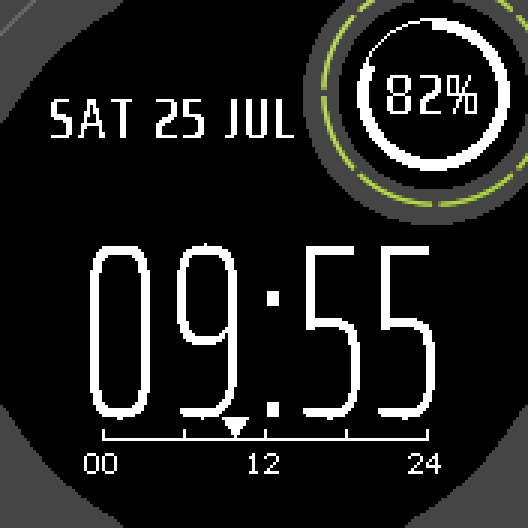 1-Bit
No Seconds Eco
Hours and minutes
 1-Bit
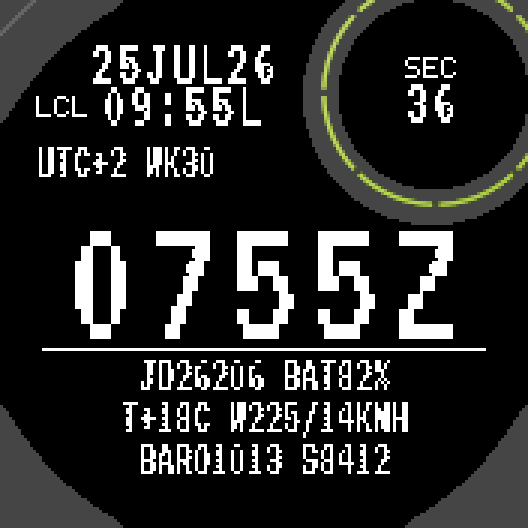
Zulu Teletype
Zulu time and data lines in teleprinter style
 1-Bit
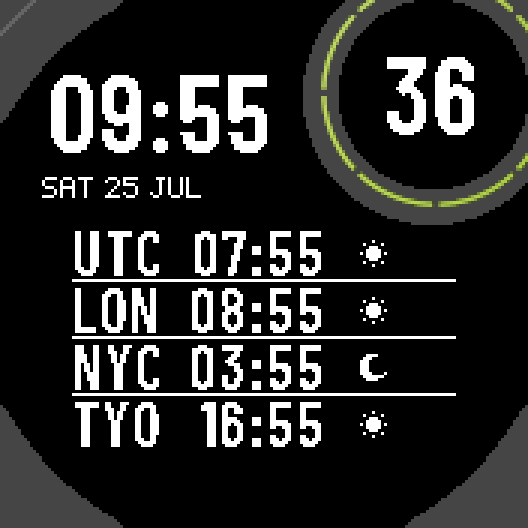
World Time 4
Your time and four cities, daylight saving included
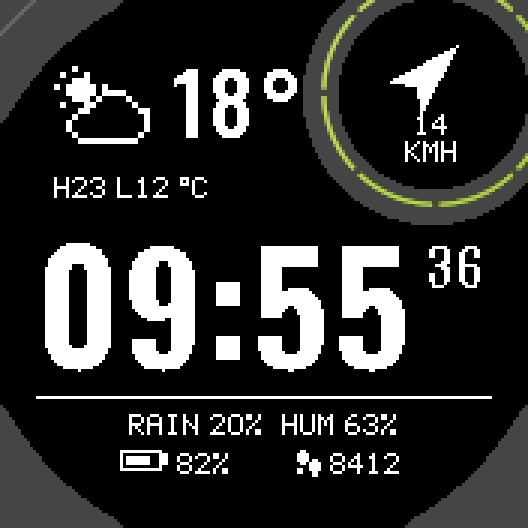 1-Bit
Weather Glance
Weather next to the time, in 1-bit icons