Unlock
€6.49
One-time payment. No subscription. The code works on the watch whose ID you enter.
- Install the face from Connect IQ (7 days free).
- On the watch: face settings > Buy / Unlock, scan the QR code.
- Pay and paste the code in the face settings.
- Pay.
- Copy the code.
- Paste it in Connect IQ: this face > Settings > Unlock code.
Payment works best in Safari or Chrome: menu (three dots) > Open in browser
Read it in this face, it is not the serial number of the watch.
Your ID, compare it with the watch:
Where do I find the ID?
On the watch: settings of this face > Buy / Unlock (first item). Scan the QR code with your phone or type the 10 digits. The ID is also at the top of the face settings in the Connect IQ app.
Code not working on your watch? Write to me and I refund within 14 days.
Payments by Stripe. Seller: Mateusz Kolarz, Lublin, Poland.
Paid. Code:
Copying did not work. The code is selected: copy it by hand.
The face unlocks by itself when the watch connects to the phone (usually within an hour; if the trial is still running, the purchase starts working when it ends).
Do not want to wait, or have an older watch? Paste the code in the Connect IQ app:
Connect IQ (or Garmin Connect) > My Device > Watch faces > Data Deck > Settings > Unlock code > paste > Save
We show the code here too. If the e-mail does not arrive (check spam), you can recover the code in the Recover code section with the Face ID and e-mail from your order. Recover code
Like it? Rate this face in the Garmin store
Want to try new faces and apps before the release, for free? Join the testers program
7-day free trial, then a one-time unlock at dialforge.dev. No subscription.
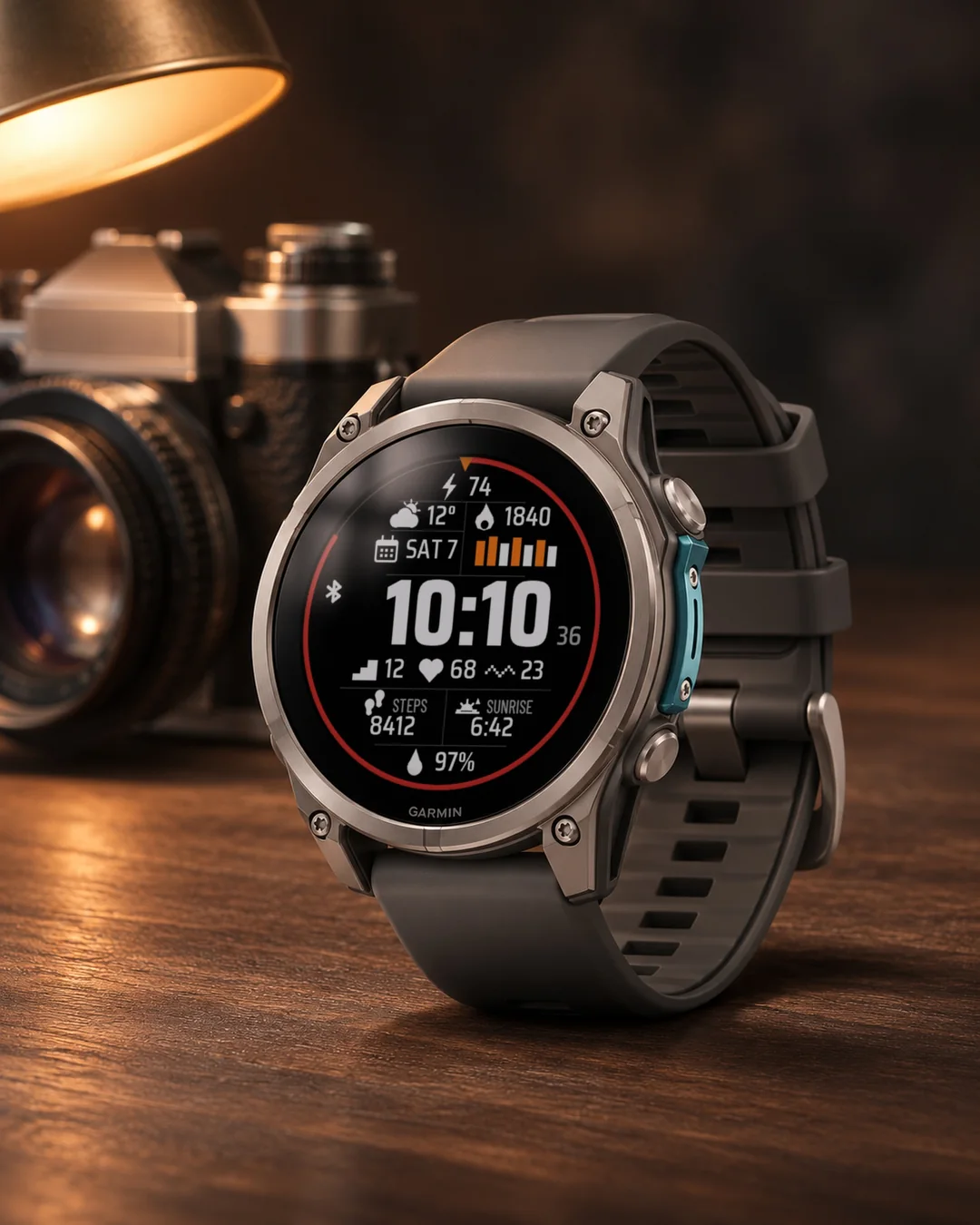
Data Deck puts the time in huge digits in the middle and ten fields of data around it. Black background, a red progress ring along the edge, thin separating lines and a small bar chart of the last seven days. Built from a layout a customer asked for, for people with a fenix, Forerunner, Venu, Epix or Enduro who want everything at a glance. This is an independent face by dialforge.dev, not made or endorsed by Garmin.
- Ten fields: body battery, weather, calories, date, floors, heart rate, stress, steps, sunrise and blood oxygen by default. Each one can show any of 31 kinds of data or stay empty, for example distance, altitude, pressure, time zones, sunset and more.
- A ring along the edge shows your progress: the step goal, the battery, body battery or active minutes, or it can be switched off. A small marker sits at the top.
- A bar chart of the last seven days (steps, or calories if the step field is changed). The bar turns orange when the goal is reached.
- Small seconds next to the time, a Bluetooth icon and an AM/PM mark for 12 hour time. Field names under the values can be switched off.
- Colours for the time, seconds, values, icons, lines, bars and the ring. Field value size. Data refresh: a profile (More often, Economy, Less often) or your own interval for each source, with an Off option.
- On touch watches press and hold a field to open the matching Garmin screen (steps, calendar, heart rate, weather).
- MIP screens use the 64 colour palette and lines that read well in the sun. AMOLED watches get an always-on mode: time and date, the whole face dimmed, or the time only, moved a little every minute.
- Menu in 35 languages, weekday in your language, 12 or 24 hour time like the watch. Weekdays, dates and field captions in your language, including Russian, Ukrainian, Bulgarian, Greek, Hebrew, Thai, Korean, Japanese and Chinese.
All settings are in Garmin Connect (Connect IQ, watch face settings): all ten fields, colours, own intervals and Off for every data source. On the watch, in Customise: the first six fields, the ring, seconds, data refresh profile, time format, language and the always-on screen.
When the watch has no reading, the field shows --. Weather needs the phone connected from time to time.
7 dni za darmo, potem jednorazowe odblokowanie na dialforge.dev. Bez abonamentu.
Data Deck stawia w środku ogromną godzinę, a wokół niej dziesięć pól z danymi. Czarne tło, czerwony pierścień postępu na brzegu, cienkie linie podziału i mały wykres słupkowy z ostatnich siedmiu dni. Powstała według układu, o który poprosił klient, dla osób z fenixem, Forerunnerem, Venu, Epixem lub Enduro, które chcą mieć wszystko od razu przed oczami. To niezależna tarcza dialforge.dev, nie jest wykonana ani zatwierdzona przez Garmin.
- Dziesięć pól: domyślnie Body Battery, pogoda, kalorie, data, piętra, tętno, stres, kroki, wschód słońca i saturacja. Każde pokaże dowolną z 31 danych albo zostanie puste, na przykład dystans, wysokość, ciśnienie, strefy czasowe, zachód słońca i inne.
- Pierścień na brzegu pokazuje postęp: cel kroków, baterię, Body Battery albo aktywne minuty, można go też wyłączyć. Na górze jest mały znacznik.
- Wykres słupkowy z ostatnich siedmiu dni (kroki albo kalorie, jeśli zmienisz pole kroków). Słupek robi się pomarańczowy po osiągnięciu celu.
- Małe sekundy obok godziny, ikona Bluetooth i znacznik AM/PM przy godzinie 12-godzinnej. Nazwy pól pod wartościami można wyłączyć.
- Kolory godziny, sekund, wartości, ikon, linii, słupków i pierścienia. Wielkość wartości pól. Odświeżanie danych: profil (Częściej, Oszczędny, Rzadziej) albo własny interwał dla każdego źródła, z opcją Wyłączone.
- Na zegarkach dotykowych przytrzymaj pole, żeby otworzyć odpowiedni ekran Garmina (kroki, kalendarz, tętno, pogoda).
- Ekrany MIP używają palety 64 kolorów i linii, które dobrze czyta się w słońcu. Zegarki AMOLED mają tryb ekranu wygaszonego: godzina i data, cała tarcza przygaszona albo sama godzina, przesuwana co minutę.
- Menu w 35 językach, dzień tygodnia w Twoim języku, godzina 12- lub 24-godzinna jak w zegarku. Dni tygodnia, daty i podpisy pól w Twoim języku, także po rosyjsku, ukraińsku, bułgarsku, grecku, hebrajsku, tajsku, koreańsku, japońsku i chińsku.
Wszystkie ustawienia są w Garmin Connect (Connect IQ, ustawienia tarczy): wszystkie dziesięć pól, kolory, własne interwały i Wyłączone dla każdego źródła danych. Na zegarku w Dostosuj: pierwsze sześć pól, pierścień, sekundy, profil odświeżania danych, format godziny, język i ekran wygaszony.
Gdy zegarek nie ma odczytu, pole pokazuje --. Pogoda wymaga, żeby telefon był co jakiś czas połączony.
7 Tage kostenlos testen, danach einmalige Freischaltung auf dialforge.dev. Kein Abo.
Data Deck zeigt die Uhrzeit in riesigen Ziffern in der Mitte und darum herum zehn Datenfelder. Schwarzer Hintergrund, ein roter Fortschrittsring am Rand, dünne Trennlinien und ein kleines Balkendiagramm der letzten sieben Tage. Entstanden nach einem Layout, um das ein Kunde gebeten hat, für alle mit einer fenix, Forerunner, Venu, Epix oder Enduro, die alles auf einen Blick haben möchten. Das ist ein unabhängiges Zifferblatt von dialforge.dev, nicht von Garmin hergestellt oder zugelassen.
- Zehn Felder: standardmäßig Body Battery, Wetter, Kalorien, Datum, Etagen, Herzfrequenz, Stress, Schritte, Sonnenaufgang und Blutsauerstoff. Jedes zeigt eine von 31 Datenarten oder bleibt leer, zum Beispiel Distanz, Höhe, Druck, Zeitzonen, Sonnenuntergang und mehr.
- Ein Ring am Rand zeigt deinen Fortschritt: das Schrittziel, den Akku, die Body Battery oder die aktiven Minuten, oder er lässt sich ausschalten. Oben sitzt eine kleine Markierung.
- Ein Balkendiagramm der letzten sieben Tage (Schritte, oder Kalorien, wenn das Schrittefeld geändert wird). Der Balken wird orange, sobald das Ziel erreicht ist.
- Kleine Sekunden neben der Uhrzeit, ein Bluetooth-Symbol und eine AM/PM-Markierung bei 12-Stunden-Zeit. Die Feldnamen unter den Werten lassen sich ausschalten.
- Farben für Uhrzeit, Sekunden, Werte, Symbole, Linien, Balken und den Ring. Größe der Feldwerte. Datenaktualisierung: ein Profil (Häufiger, Sparsam, Seltener) oder ein eigenes Intervall für jede Quelle, mit der Option Aus.
- Auf Touch-Uhren ein Feld gedrückt halten, um den passenden Garmin-Bildschirm zu öffnen (Schritte, Kalender, Herzfrequenz, Wetter).
- MIP-Displays nutzen die 64-Farben-Palette und Linien, die in der Sonne gut lesbar sind. AMOLED-Uhren bekommen einen Always-on-Modus: Uhrzeit und Datum, das ganze Zifferblatt gedimmt, oder nur die Uhrzeit, jede Minute ein Stück verschoben.
- Menü in 35 Sprachen, Wochentag in deiner Sprache, 12- oder 24-Stunden-Zeit wie auf der Uhr. Wochentage, Datum und Feldbeschriftungen in Ihrer Sprache, auch auf Russisch, Ukrainisch, Bulgarisch, Griechisch, Hebräisch, Thai, Koreanisch, Japanisch und Chinesisch.
Alle Einstellungen findest du in Garmin Connect (Connect IQ, Einstellungen des Zifferblatts): alle zehn Felder, Farben, eigene Intervalle und Aus für jede Datenquelle. Auf der Uhr unter Anpassen: die ersten sechs Felder, der Ring, Sekunden, Profil der Datenaktualisierung, Zeitformat, Sprache und der Always-on-Bildschirm.
Wenn die Uhr keinen Messwert hat, zeigt das Feld --. Für das Wetter muss das Smartphone von Zeit zu Zeit verbunden sein.
Essai gratuit de 7 jours, puis un déverrouillage unique sur dialforge.dev. Sans abonnement.
Data Deck place l'heure en énormes chiffres au centre et dix champs de données tout autour. Fond noir, un anneau de progression rouge sur le bord, de fines lignes de séparation et un petit graphique en barres des sept derniers jours. Conçu d'après une disposition demandée par un client, pour ceux qui ont une fenix, une Forerunner, une Venu, une Epix ou une Enduro et veulent tout voir d'un coup d'œil. C'est un cadran indépendant de dialforge.dev, ni fabriqué ni approuvé par Garmin.
- Dix champs : par défaut Body Battery, météo, calories, date, étages, fréquence cardiaque, stress, pas, lever du soleil et oxygène dans le sang. Chacun peut afficher l'une des 31 données ou rester vide, par exemple distance, altitude, pression, fuseaux horaires, coucher du soleil et plus.
- Un anneau sur le bord montre votre progression : l'objectif de pas, la batterie, la Body Battery ou les minutes actives, ou bien il peut être désactivé. Un petit repère se trouve en haut.
- Un graphique en barres des sept derniers jours (les pas, ou les calories si le champ des pas est changé). La barre devient orange quand l'objectif est atteint.
- De petites secondes à côté de l'heure, une icône Bluetooth et un repère AM/PM pour l'heure sur 12 heures. Les noms des champs sous les valeurs peuvent être désactivés.
- Couleurs pour l'heure, les secondes, les valeurs, les icônes, les lignes, les barres et l'anneau. Taille des valeurs des champs. Actualisation des données : un profil (Plus souvent, Économique, Moins souvent) ou votre propre intervalle pour chaque source, avec l'option Désactivé.
- Sur les montres tactiles, maintenez un champ appuyé pour ouvrir l'écran Garmin correspondant (pas, calendrier, fréquence cardiaque, météo).
- Les écrans MIP utilisent la palette de 64 couleurs et des lignes bien lisibles au soleil. Les montres AMOLED ont un mode toujours actif : heure et date, tout le cadran atténué, ou l'heure seule, déplacée un peu chaque minute.
- Menu en 35 langues, jour de la semaine dans votre langue, heure sur 12 ou 24 heures comme la montre. Jours de la semaine, dates et libellés des champs dans votre langue, y compris en russe, ukrainien, bulgare, grec, hébreu, thaï, coréen, japonais et chinois.
Tous les réglages se trouvent dans Garmin Connect (Connect IQ, réglages du cadran) : les dix champs, les couleurs, vos propres intervalles et Désactivé pour chaque source de données. Sur la montre, dans Personnaliser : les six premiers champs, l'anneau, les secondes, le profil d'actualisation des données, le format de l'heure, la langue et l'écran toujours actif.
Quand la montre n'a pas de mesure, le champ affiche --. La météo demande que le téléphone soit connecté de temps en temps.
Prueba gratuita de 7 días y luego un desbloqueo único en dialforge.dev. Sin suscripción.
Data Deck pone la hora en números enormes en el centro y diez campos de datos alrededor. Fondo negro, un anillo de progreso rojo en el borde, finas líneas de separación y un pequeño gráfico de barras de los últimos siete días. Nació de un diseño que pidió un cliente, para quienes tienen un fenix, Forerunner, Venu, Epix o Enduro y quieren verlo todo de un vistazo. Es una esfera independiente de dialforge.dev, no creada ni aprobada por Garmin.
- Diez campos: por defecto Body Battery, tiempo, calorías, fecha, pisos, pulsaciones, estrés, pasos, amanecer y oxígeno en sangre. Cada uno puede mostrar cualquiera de 31 tipos de datos o quedar vacío, por ejemplo distancia, altitud, presión, zonas horarias, atardecer y más.
- Un anillo en el borde muestra tu progreso: el objetivo de pasos, la batería, la Body Battery o los minutos activos, o se puede desactivar. Arriba hay una pequeña marca.
- Un gráfico de barras de los últimos siete días (pasos, o calorías si se cambia el campo de pasos). La barra se vuelve naranja cuando se alcanza el objetivo.
- Segundos pequeños junto a la hora, un icono de Bluetooth y una marca AM/PM para la hora de 12 horas. Los nombres de los campos bajo los valores se pueden desactivar.
- Colores para la hora, los segundos, los valores, los iconos, las líneas, las barras y el anillo. Tamaño de los valores de los campos. Actualización de datos: un perfil (Más a menudo, Ahorro, Menos a menudo) o tu propio intervalo para cada fuente, con la opción Desactivado.
- En relojes táctiles, mantén pulsado un campo para abrir la pantalla de Garmin correspondiente (pasos, calendario, pulsaciones, tiempo).
- Las pantallas MIP usan la paleta de 64 colores y líneas que se leen bien al sol. Los relojes AMOLED tienen modo siempre activo: hora y fecha, toda la esfera atenuada o solo la hora, desplazada un poco cada minuto.
- Menú en 35 idiomas, día de la semana en tu idioma, hora de 12 o 24 horas como en el reloj. Días de la semana, fechas y etiquetas de los campos en tu idioma, también en ruso, ucraniano, búlgaro, griego, hebreo, tailandés, coreano, japonés y chino.
Todos los ajustes están en Garmin Connect (Connect IQ, ajustes de la esfera): los diez campos, colores, intervalos propios y Desactivado para cada fuente de datos. En el reloj, en Personalizar: los seis primeros campos, el anillo, los segundos, perfil de actualización de datos, formato de hora, idioma y la pantalla siempre activa.
Cuando el reloj no tiene lectura, el campo muestra --. El tiempo necesita que el teléfono esté conectado de vez en cuando.
7 dagen gratis proberen, daarna een eenmalige ontgrendeling op dialforge.dev. Geen abonnement.
Data Deck zet de tijd in reusachtige cijfers in het midden en tien gegevensvelden eromheen. Zwarte achtergrond, een rode voortgangsring langs de rand, dunne scheidingslijnen en een klein staafdiagram van de laatste zeven dagen. Gemaakt naar een indeling waar een klant om vroeg, voor wie een fenix, Forerunner, Venu, Epix of Enduro heeft en alles in één oogopslag wil zien. Dit is een onafhankelijke wijzerplaat van dialforge.dev, niet gemaakt of goedgekeurd door Garmin.
- Tien velden: standaard Body Battery, weer, calorieën, datum, verdiepingen, hartslag, stress, stappen, zonsopkomst en bloedzuurstof. Elk veld kan een van 31 soorten gegevens tonen of leeg blijven, bijvoorbeeld afstand, hoogte, luchtdruk, tijdzones, zonsondergang en meer.
- Een ring langs de rand toont je voortgang: het stappendoel, de batterij, de Body Battery of actieve minuten, of hij kan worden uitgezet. Bovenaan zit een klein streepje.
- Een staafdiagram van de laatste zeven dagen (stappen, of calorieën als het stappenveld is gewijzigd). De balk wordt oranje als het doel is bereikt.
- Kleine seconden naast de tijd, een Bluetooth-pictogram en een AM/PM-markering bij 12-uurstijd. De veldnamen onder de waarden kunnen worden uitgezet.
- Kleuren voor de tijd, seconden, waarden, pictogrammen, lijnen, balken en de ring. Grootte van de veldwaarden. Gegevens vernieuwen: een profiel (Vaker, Zuinig, Minder vaak) of een eigen interval voor elke bron, met een optie Uit.
- Houd op horloges met aanraakscherm een veld ingedrukt om het bijbehorende Garmin-scherm te openen (stappen, agenda, hartslag, weer).
- MIP-schermen gebruiken het palet van 64 kleuren en lijnen die in de zon goed leesbaar zijn. AMOLED-horloges krijgen een altijd-aan-modus: tijd en datum, de hele wijzerplaat gedimd, of alleen de tijd, elke minuut een stukje verschoven.
- Menu in 35 talen, weekdag in je eigen taal, 12- of 24-uursklok zoals op het horloge. Weekdagen, datums en veldlabels in je eigen taal, ook in het Russisch, Oekraïens, Bulgaars, Grieks, Hebreeuws, Thai, Koreaans, Japans en Chinees.
Alle instellingen staan in Garmin Connect (Connect IQ, instellingen van de wijzerplaat): alle tien de velden, kleuren, eigen intervallen en Uit voor elke gegevensbron. Op het horloge, bij Aanpassen: de eerste zes velden, de ring, seconden, profiel voor gegevensvernieuwing, tijdnotatie, taal en het altijd-aan-scherm.
Als het horloge geen meting heeft, toont het veld --. Voor het weer moet de telefoon af en toe verbonden zijn.
7日間無料でお試しいただけます。その後はdialforge.devで解除を一度だけ購入(サブスクリプションなし)。
Data Deck は、中央に特大の数字で時刻を表示し、その周りに 10 個のデータフィールドを配置します。黒い背景、縁に沿った赤い進捗リング、細い区切り線、直近 7 日間の小さな棒グラフ。お客様から依頼されたレイアウトをもとに作りました。fenix、Forerunner、Venu、Epix、Enduro をお使いで、すべてを一目で確認したい方のためのウォッチフェイスです。dialforge.dev の独立したウォッチフェイスで、Garmin が作成または承認したものではありません。
- 10 個のフィールド: 初期設定では Body Battery、天気、カロリー、日付、階数、心拍数、ストレス、歩数、日の出、血中酸素。それぞれ 31 種類のデータのどれでも表示でき、空にもできます。例えば距離、高度、気圧、タイムゾーン、日の入りなどです。
- 縁に沿ったリングで進捗を表示します: 歩数の目標、バッテリー、Body Battery、またはアクティブ時間。オフにもできます。上部に小さなマークがあります。
- 直近 7 日間の棒グラフ (歩数。歩数のフィールドを変更した場合はカロリー)。目標に達すると棒がオレンジになります。
- 時刻の横に小さな秒、Bluetooth アイコン、12 時間表示の AM/PM マーク。値の下のフィールド名はオフにできます。
- 時刻、秒、値、アイコン、線、棒、リングの色。フィールドの値のサイズ。データ更新: プロファイル (頻繁、節約、低頻度) か、データソースごとの独自の間隔を選べ、オフにもできます。
- タッチ操作の時計では、フィールドを長押しすると対応する Garmin の画面 (歩数、カレンダー、心拍数、天気) が開きます。
- MIP 画面では 64 色パレットと、日差しの下でも読みやすい線を使います。AMOLED の時計には常時表示モードがあり、時刻と日付、フェイス全体を暗くした表示、または毎分少しずつ位置を動かす時刻のみの表示が選べます。
- 35 言語のメニュー、お使いの言語の曜日、時計と同じ 12 時間または 24 時間表示。曜日、日付、フィールド名はお使いの言語で表示され、ロシア語、ウクライナ語、ブルガリア語、ギリシャ語、ヘブライ語、タイ語、韓国語、日本語、中国語にも対応します。
すべての設定は Garmin Connect (Connect IQ、ウォッチフェイスの設定) にあり、10 個すべてのフィールド、色、独自の間隔、各データソースのオフもそこで設定できます。時計ではカスタマイズから、最初の 6 個のフィールド、リング、秒、データ更新プロファイル、時刻の形式、言語、常時表示画面を設定します。
時計に測定値がないときは、フィールドに -- と表示されます。天気は、ときどきスマートフォンと接続している必要があります。
Prova gratuita di 7 giorni, poi uno sblocco una tantum su dialforge.dev. Nessun abbonamento.
Data Deck mette al centro l'ora in cifre enormi e tutt'intorno dieci campi di dati. Sfondo nero, un anello di avanzamento rosso sul bordo, sottili linee di separazione e un piccolo grafico a barre degli ultimi sette giorni. Nato da un layout richiesto da un cliente, per chi ha un fenix, Forerunner, Venu, Epix o Enduro e vuole avere tutto sott'occhio. È un quadrante indipendente di dialforge.dev, non realizzato né approvato da Garmin.
- Dieci campi: di default Body Battery, meteo, calorie, data, piani, frequenza cardiaca, stress, passi, alba e ossigenazione del sangue. Ognuno può mostrare uno dei 31 tipi di dati o restare vuoto, per esempio distanza, altitudine, pressione, fusi orari, tramonto e altro.
- Un anello sul bordo mostra i tuoi progressi: l'obiettivo di passi, la batteria, la Body Battery o i minuti attivi, oppure si può disattivare. In alto c'è un piccolo segno.
- Un grafico a barre degli ultimi sette giorni (passi, oppure calorie se si cambia il campo dei passi). La barra diventa arancione quando l'obiettivo è raggiunto.
- Piccoli secondi accanto all'ora, un'icona Bluetooth e un segno AM/PM per l'ora a 12 ore. I nomi dei campi sotto i valori si possono disattivare.
- Colori per ora, secondi, valori, icone, linee, barre e anello. Dimensione dei valori dei campi. Aggiornamento dei dati: un profilo (Più spesso, Risparmio, Meno spesso) o un intervallo tuo per ogni fonte, con l'opzione Disattivato.
- Sugli orologi touch tieni premuto un campo per aprire la schermata Garmin corrispondente (passi, calendario, frequenza cardiaca, meteo).
- Gli schermi MIP usano la tavolozza a 64 colori e linee che si leggono bene al sole. Gli orologi AMOLED hanno una modalità sempre attiva: ora e data, tutto il quadrante attenuato, oppure solo l'ora, spostata un po' ogni minuto.
- Menu in 35 lingue, giorno della settimana nella tua lingua, ora a 12 o 24 ore come sull'orologio. Giorni della settimana, date e didascalie dei campi nella tua lingua, anche in russo, ucraino, bulgaro, greco, ebraico, thailandese, coreano, giapponese e cinese.
Tutte le impostazioni sono in Garmin Connect (Connect IQ, impostazioni del quadrante): tutti e dieci i campi, colori, intervalli personalizzati e Disattivato per ogni fonte di dati. Sull'orologio, in Personalizza: i primi sei campi, l'anello, i secondi, profilo di aggiornamento dei dati, formato dell'ora, lingua e schermo sempre attivo.
Quando l'orologio non ha una lettura, il campo mostra --. Il meteo richiede che il telefono sia collegato di tanto in tanto.
7 天免费试用,之后在 dialforge.dev 一次性解锁。无需订阅。
Data Deck 把时间用超大的数字放在中间,周围是十个数据字段。黑色背景,沿边缘的红色进度环,细细的分隔线,还有一张显示最近七天的小柱状图。它按照一位客户提出的布局制作,适合使用 fenix、Forerunner、Venu、Epix 或 Enduro、希望一眼看到所有信息的人。这是 dialforge.dev 的独立表盘,并非 Garmin 制作或认可。
- 十个字段:默认是 Body Battery、天气、卡路里、日期、楼层、心率、压力、步数、日出和血氧。每个字段都可以显示 31 种数据中的任意一种,也可以留空,例如距离、海拔、气压、时区、日落等。
- 沿边缘的圆环显示进度:步数目标、电量、Body Battery 或活动分钟数,也可以关闭。顶部有一个小标记。
- 最近七天的柱状图(步数;如果更改了步数字段,则为卡路里)。达到目标时柱子会变成橙色。
- 时间旁边有小号秒数,另有蓝牙图标,12 小时制时显示 AM/PM 标记。数值下方的字段名称可以关闭。
- 时间、秒数、数值、图标、线条、柱子和圆环都可以选颜色。字段数值大小可调。数据刷新:配置(更频繁、节能、较少)或为每个来源自定义间隔,并有关闭选项。
- 在触屏手表上,长按某个字段即可打开对应的 Garmin 界面(步数、日历、心率、天气)。
- MIP 屏幕使用 64 色调色板和在阳光下也易读的线条。AMOLED 手表有息屏常亮模式:显示时间和日期,整个表盘调暗,或只显示时间,并且每分钟稍微移动一点位置。
- 菜单支持 35 种语言,星期使用你的语言,12 或 24 小时制与手表一致。星期、日期和字段名称使用你的语言,包括俄语、乌克兰语、保加利亚语、希腊语、希伯来语、泰语、韩语、日语和中文。
所有设置都在 Garmin Connect 中(Connect IQ,表盘设置),包括全部十个字段、颜色、自定义间隔和每个数据来源的关闭选项。在手表上:通过自定义来设置前六个字段、圆环、秒数、数据刷新配置、时间格式、语言和息屏常亮。
当手表没有读数时,字段显示 --。天气需要手机时不时连接一下。
7-дневный бесплатный пробный период, затем разовая разблокировка на dialforge.dev. Без подписки.
Data Deck ставит в центр огромное время, а вокруг него десять полей с данными. Чёрный фон, красное кольцо прогресса по краю, тонкие разделительные линии и маленькая столбчатая диаграмма за последние семь дней. Сделан по макету, который попросил клиент, для тех, у кого fenix, Forerunner, Venu, Epix или Enduro и кто хочет видеть всё с первого взгляда. Это независимый циферблат dialforge.dev, он не создан и не одобрен компанией Garmin.
- Десять полей: по умолчанию Body Battery, погода, калории, дата, этажи, пульс, стресс, шаги, восход и насыщение крови кислородом. Каждое может показывать любой из 31 типов данных или оставаться пустым, например расстояние, высоту, давление, часовые пояса, закат и другое.
- Кольцо по краю показывает ваш прогресс: цель по шагам, батарею, Body Battery или активные минуты, его также можно отключить. Наверху есть маленькая метка.
- Столбчатая диаграмма за последние семь дней (шаги или калории, если изменить поле шагов). Столбец становится оранжевым, когда цель достигнута.
- Маленькие секунды рядом со временем, значок Bluetooth и метка AM/PM для 12-часового формата. Названия полей под значениями можно отключить.
- Цвета для времени, секунд, значений, значков, линий, столбцов и кольца. Размер значений полей. Обновление данных: профиль (Чаще, Экономия, Реже) или свой интервал для каждого источника, с вариантом Выкл.
- На часах с сенсорным экраном нажмите и удерживайте поле, чтобы открыть соответствующий экран Garmin (шаги, календарь, пульс, погода).
- Экраны MIP используют палитру из 64 цветов и линии, которые хорошо читаются на солнце. У часов с AMOLED есть режим always-on: время и дата, весь циферблат приглушён или только время, каждую минуту немного смещаемое.
- Меню на 35 языках, день недели на вашем языке, 12- или 24-часовой формат времени, как в часах. Дни недели, даты и подписи полей на вашем языке, в том числе на русском, украинском, болгарском, греческом, иврите, тайском, корейском, японском и китайском.
Все настройки находятся в Garmin Connect (Connect IQ, настройки циферблата): все десять полей, цвета, собственные интервалы и Выкл для каждого источника данных. На часах в разделе Настроить: первые шесть полей, кольцо, секунды, профиль обновления данных, формат времени, язык и экран always-on.
Когда у часов нет показаний, поле показывает --. Для погоды нужно, чтобы телефон время от времени был подключён.
Teste grátis de 7 dias, depois um desbloqueio único em dialforge.dev. Sem assinatura.
O Data Deck coloca a hora em números enormes no meio e dez campos de dados em volta. Fundo preto, um anel de progresso vermelho na borda, linhas finas de separação e um pequeno gráfico de barras dos últimos sete dias. Criado a partir de um layout que um cliente pediu, para quem tem um fenix, Forerunner, Venu, Epix ou Enduro e quer ver tudo de relance. Este é um mostrador independente da dialforge.dev, não feito nem aprovado pela Garmin.
- Dez campos: por padrão Body Battery, clima, calorias, data, andares, frequência cardíaca, estresse, passos, nascer do sol e oxigênio no sangue. Cada um pode mostrar qualquer um de 31 tipos de dados ou ficar vazio, por exemplo distância, altitude, pressão, fusos horários, pôr do sol e mais.
- Um anel na borda mostra seu progresso: a meta de passos, a bateria, a Body Battery ou os minutos ativos, ou ele pode ser desativado. Há uma pequena marca no alto.
- Um gráfico de barras dos últimos sete dias (passos, ou calorias se o campo de passos for alterado). A barra fica laranja quando a meta é atingida.
- Segundos pequenos ao lado da hora, um ícone de Bluetooth e uma marca AM/PM para a hora em 12 horas. Os nomes dos campos abaixo dos valores podem ser desativados.
- Cores para a hora, os segundos, os valores, os ícones, as linhas, as barras e o anel. Tamanho dos valores dos campos. Atualização de dados: um perfil (Com mais frequência, Economia, Com menos frequência) ou seu intervalo para cada fonte, com a opção Desativado.
- Nos relógios com tela sensível ao toque, mantenha um campo pressionado para abrir a tela correspondente da Garmin (passos, calendário, frequência cardíaca, clima).
- As telas MIP usam a paleta de 64 cores e linhas fáceis de ler no sol. Os relógios AMOLED têm um modo sempre ligado: hora e data, o mostrador inteiro escurecido, ou só a hora, deslocada um pouco a cada minuto.
- Menu em 35 idiomas, dia da semana no seu idioma, hora em 12 ou 24 horas como no relógio. Dias da semana, datas e rótulos dos campos no seu idioma, inclusive em russo, ucraniano, búlgaro, grego, hebraico, tailandês, coreano, japonês e chinês.
Todas as configurações ficam no Garmin Connect (Connect IQ, configurações do mostrador): os dez campos, cores, intervalos próprios e Desativado para cada fonte de dados. No relógio, em Personalizar: os seis primeiros campos, o anel, os segundos, perfil de atualização de dados, formato da hora, idioma e a tela sempre ligada.
Quando o relógio não tem leitura, o campo mostra --. O clima precisa que o celular esteja conectado de vez em quando.
7denní bezplatná zkušební verze, poté jednorázové odemknutí na dialforge.dev. Žádné předplatné.
Data Deck staví doprostřed obří čas a kolem něj deset polí s daty. Černé pozadí, červený kruh postupu u okraje, tenké dělicí čáry a malý sloupcový graf z posledních sedmi dnů. Vznikl podle rozložení, o které požádal zákazník, pro každého s hodinkami fenix, Forerunner, Venu, Epix nebo Enduro, kdo chce mít vše na první pohled. Je to nezávislý ciferník od dialforge.dev, nevytvořený ani neschválený společností Garmin.
- Deset polí: ve výchozím nastavení Body Battery, počasí, kalorie, datum, patra, tep, stres, kroky, východ slunce a saturace kyslíkem. Každé zobrazí libovolný z 31 druhů dat, nebo zůstane prázdné, například vzdálenost, nadmořskou výšku, tlak, časová pásma, západ slunce a další.
- Kruh u okraje ukazuje váš postup: cíl kroků, baterii, Body Battery nebo aktivní minuty, nebo jej lze vypnout. Nahoře je malá značka.
- Sloupcový graf z posledních sedmi dnů (kroky, nebo kalorie, pokud změníte pole kroků). Sloupec zoranžoví, když je cíl splněn.
- Malé sekundy vedle času, ikona Bluetooth a značka AM/PM pro 12hodinový čas. Názvy polí pod hodnotami lze vypnout.
- Barvy času, sekund, hodnot, ikon, čar, sloupců a kruhu. Velikost hodnot v polích. Obnovování dat: profil (Častěji, Úsporný, Méně často) nebo vlastní interval pro každý zdroj, s možností Vypnuto.
- Na dotykových hodinkách podržte pole a otevře se příslušná obrazovka Garminu (kroky, kalendář, tep, počasí).
- Displeje MIP používají paletu 64 barev a čáry dobře čitelné na slunci. Hodinky AMOLED mají režim always-on: čas a datum, celý ciferník ztlumený, nebo jen čas, každou minutu mírně posunutý.
- Menu ve 35 jazycích, den v týdnu ve vašem jazyce, 12hodinový nebo 24hodinový čas jako v hodinkách. Dny v týdnu, data a popisky polí ve vašem jazyce, také rusky, ukrajinsky, bulharsky, řecky, hebrejsky, thajsky, korejsky, japonsky a čínsky.
Všechna nastavení najdete v Garmin Connect (Connect IQ, nastavení ciferníku): všech deset polí, barvy, vlastní intervaly a Vypnuto pro každý zdroj dat. V hodinkách v Přizpůsobit: prvních šest polí, kruh, sekundy, profil obnovování dat, formát času, jazyk a always-on obrazovka.
Když hodinky nemají žádnou hodnotu, pole ukáže --. Počasí vyžaduje, aby byl telefon čas od času připojen.
7 dias de teste gratuito, depois um desbloqueio único em dialforge.dev. Sem subscrição.
O Data Deck coloca a hora em números enormes ao centro e dez campos de dados à volta. Fundo preto, um anel de progresso vermelho na margem, linhas finas de separação e um pequeno gráfico de barras dos últimos sete dias. Criado a partir de um esquema que um cliente pediu, para quem tem um fenix, Forerunner, Venu, Epix ou Enduro e quer ver tudo de relance. Este é um mostrador independente do dialforge.dev, não foi feito nem aprovado pela Garmin.
- Dez campos: por predefinição Body Battery, tempo, calorias, data, andares, frequência cardíaca, stresse, passos, nascer do sol e oxigénio no sangue. Cada um pode mostrar qualquer um de 31 tipos de dados ou ficar vazio, por exemplo distância, altitude, pressão, fusos horários, pôr do sol e mais.
- Um anel na margem mostra o teu progresso: o objetivo de passos, a bateria, a Body Battery ou os minutos ativos, ou pode ser desativado. Há uma pequena marca em cima.
- Um gráfico de barras dos últimos sete dias (passos, ou calorias se o campo de passos for alterado). A barra fica laranja quando o objetivo é atingido.
- Segundos pequenos ao lado da hora, um ícone de Bluetooth e uma marca AM/PM para a hora de 12 horas. Os nomes dos campos por baixo dos valores podem ser desativados.
- Cores para a hora, os segundos, os valores, os ícones, as linhas, as barras e o anel. Tamanho dos valores dos campos. Atualização de dados: um perfil (Com mais frequência, Economia, Com menos frequência) ou o teu próprio intervalo para cada fonte, com a opção Desativado.
- Nos relógios com ecrã tátil, mantém premido um campo para abrir o ecrã Garmin correspondente (passos, calendário, frequência cardíaca, tempo).
- Os ecrãs MIP usam a paleta de 64 cores e linhas que se leem bem ao sol. Os relógios AMOLED têm um modo sempre ligado: hora e data, o mostrador todo esbatido, ou só a hora, deslocada um pouco a cada minuto.
- Menu em 35 idiomas, dia da semana no teu idioma, hora de 12 ou 24 horas como no relógio. Dias da semana, datas e legendas dos campos no seu idioma, incluindo russo, ucraniano, búlgaro, grego, hebraico, tailandês, coreano, japonês e chinês.
Todas as definições estão no Garmin Connect (Connect IQ, definições do mostrador): os dez campos, cores, intervalos próprios e Desativado para cada fonte de dados. No relógio, em Personalizar: os primeiros seis campos, o anel, os segundos, perfil de atualização de dados, formato da hora, idioma e ecrã sempre ligado.
Quando o relógio não tem leitura, o campo mostra --. O tempo precisa que o telemóvel esteja ligado de vez em quando.
7일 무료 체험 후, dialforge.dev에서 일회성 잠금 해제를 구매하세요. 구독은 없습니다.
Data Deck은 가운데에 아주 큰 숫자로 시간을 보여 주고, 그 주위에 데이터 필드 10개를 배치합니다. 검은 배경, 가장자리를 따라 도는 빨간 진행 링, 얇은 구분선, 최근 7일을 보여 주는 작은 막대 그래프가 있습니다. 고객이 요청한 레이아웃으로 만들었으며, fenix, Forerunner, Venu, Epix 또는 Enduro를 쓰면서 모든 것을 한눈에 보고 싶은 분을 위한 워치 페이스입니다. dialforge.dev의 독립 워치 페이스이며 Garmin이 만들거나 승인한 것이 아닙니다.
- 필드 10개: 기본값은 Body Battery, 날씨, 칼로리, 날짜, 층수, 심박수, 스트레스, 걸음 수, 일출, 혈중 산소입니다. 각 필드에는 31가지 데이터 중 무엇이든 표시하거나 비워 둘 수 있습니다. 예를 들어 거리, 고도, 기압, 시간대, 일몰 등이 있습니다.
- 가장자리를 따라 도는 링이 진행 상황을 보여 줍니다: 걸음 수 목표, 배터리, Body Battery 또는 활동 시간이며, 끌 수도 있습니다. 위쪽에 작은 표시가 있습니다.
- 최근 7일 막대 그래프(걸음 수, 걸음 수 필드를 바꾸면 칼로리). 목표를 달성하면 막대가 주황색으로 바뀝니다.
- 시간 옆의 작은 초, Bluetooth 아이콘, 12시간제의 AM/PM 표시. 값 아래의 필드 이름은 끌 수 있습니다.
- 시간, 초, 값, 아이콘, 선, 막대, 링의 색. 필드 값 크기. 데이터 갱신: 프로필(더 자주, 절약, 덜 자주) 또는 소스별로 직접 정한 간격을 쓸 수 있고, 끄기 옵션도 있습니다.
- 터치 워치에서는 필드를 길게 누르면 해당하는 Garmin 화면(걸음 수, 캘린더, 심박수, 날씨)이 열립니다.
- MIP 화면은 64색 팔레트와 햇빛 아래에서도 잘 읽히는 선을 사용합니다. AMOLED 워치에는 상시 표시 모드가 있습니다: 시간과 날짜, 전체 페이스를 어둡게 하거나 시간만 표시하며 매분 조금씩 위치를 옮깁니다.
- 35개 언어의 메뉴, 내 언어로 표시되는 요일, 워치와 같은 12시간 또는 24시간 시계. 요일, 날짜, 필드 이름이 사용 언어로 표시되며 러시아어, 우크라이나어, 불가리아어, 그리스어, 히브리어, 태국어, 한국어, 일본어, 중국어도 지원합니다.
모든 설정은 Garmin Connect(Connect IQ, 워치 페이스 설정)에 있으며, 필드 10개 전체, 색, 직접 정한 간격, 모든 데이터 소스의 끄기도 여기서 설정합니다. 워치에서는 사용자 지정에서 처음 여섯 개의 필드, 링, 초, 데이터 갱신 프로필, 시간 형식, 언어, 상시 표시 화면을 설정합니다.
워치에 측정값이 없으면 필드에 --가 표시됩니다. 날씨는 가끔 휴대폰이 연결되어 있어야 합니다.
7 dagars gratis provperiod, sedan en engångsupplåsning på dialforge.dev. Ingen prenumeration.
Data Deck sätter tiden i jättestora siffror i mitten och tio datafält runt den. Svart bakgrund, en röd framstegsring längs kanten, tunna avgränsande linjer och ett litet stapeldiagram över de senaste sju dagarna. Gjord efter en layout som en kund bad om, för dig som har en fenix, Forerunner, Venu, Epix eller Enduro och vill ha allt i ett ögonkast. Det här är en oberoende urtavla från dialforge.dev, inte tillverkad eller godkänd av Garmin.
- Tio fält: som standard Body Battery, väder, kalorier, datum, våningar, puls, stress, steg, soluppgång och blodsyre. Varje fält kan visa vilken som helst av 31 datatyper eller vara tomt, till exempel distans, höjd, tryck, tidszoner, solnedgång och mer.
- En ring längs kanten visar dina framsteg: stegmålet, batteriet, Body Battery eller aktiva minuter, eller så kan den stängas av. Överst sitter ett litet märke.
- Ett stapeldiagram över de senaste sju dagarna (steg, eller kalorier om stegfältet ändras). Stapeln blir orange när målet är nått.
- Små sekunder bredvid tiden, en Bluetooth-ikon och en AM/PM-markering för 12-timmarsklocka. Fältnamnen under värdena kan stängas av.
- Färger för tiden, sekunderna, värdena, ikonerna, linjerna, staplarna och ringen. Storlek på fältvärdena. Datauppdatering: en profil (Oftare, Sparläge, Mer sällan) eller ett eget intervall för varje källa, med alternativet Av.
- Tryck och håll på ett fält på klockor med pekskärm för att öppna motsvarande Garmin-skärm (steg, kalender, puls, väder).
- MIP-skärmar använder paletten med 64 färger och linjer som är lätta att läsa i solen. AMOLED-klockor får ett alltid-på-läge: klockan och datum, hela urtavlan dämpad, eller bara klockan, flyttad lite varje minut.
- Meny på 35 språk, veckodag på ditt språk, 12- eller 24-timmarsklocka som i klockan. Veckodagar, datum och fältnamn på ditt språk, även på ryska, ukrainska, bulgariska, grekiska, hebreiska, thailändska, koreanska, japanska och kinesiska.
Alla inställningar finns i Garmin Connect (Connect IQ, urtavlans inställningar): alla tio fälten, färger, egna intervall och Av för varje datakälla. På klockan under Anpassa: de första sex fälten, ringen, sekunder, profil för datauppdatering, tidsformat, språk och alltid-på-skärmen.
När klockan inte har något värde visar fältet --. Vädret kräver att telefonen är ansluten då och då.
7 dages gratis prøveperiode, derefter en engangsoplåsning på dialforge.dev. Intet abonnement.
Data Deck sætter klokkeslættet i kæmpe cifre i midten og ti datafelter rundt om. Sort baggrund, en rød fremskridtsring langs kanten, tynde delelinjer og et lille søjlediagram over de seneste syv dage. Lavet efter et layout, som en kunde bad om, til dig med en fenix, Forerunner, Venu, Epix eller Enduro, som vil have alt på ét blik. Det er en uafhængig urskive fra dialforge.dev, ikke lavet eller godkendt af Garmin.
- Ti felter: som standard Body Battery, vejr, kalorier, dato, etager, puls, stress, skridt, solopgang og blodilt. Hvert felt kan vise en af 31 slags data eller være tomt, for eksempel distance, højde, tryk, tidszoner, solnedgang og mere.
- En ring langs kanten viser dine fremskridt: skridtmålet, batteriet, Body Battery eller aktive minutter, eller den kan slås fra. Øverst sidder et lille mærke.
- Et søjlediagram over de seneste syv dage (skridt, eller kalorier hvis skridtfeltet ændres). Søjlen bliver orange, når målet er nået.
- Små sekunder ved siden af klokkeslættet, et Bluetooth-ikon og et AM/PM-mærke ved 12-timers tid. Feltnavnene under værdierne kan slås fra.
- Farver til klokkeslættet, sekunderne, værdierne, ikonerne, linjerne, søjlerne og ringen. Størrelse på feltværdierne. Dataopdatering: en profil (Oftere, Sparsom, Sjældnere) eller dit eget interval for hver kilde, med valget Fra.
- På ure med touchskærm kan du holde et felt nede for at åbne den tilsvarende Garmin-skærm (skridt, kalender, puls, vejr).
- MIP-skærme bruger paletten med 64 farver og linjer, der er lette at læse i solen. AMOLED-ure får en always-on-tilstand: tid og dato, hele urskiven dæmpet, eller kun tiden, flyttet lidt hvert minut.
- Menu på 35 sprog, ugedag på dit sprog, 12- eller 24-timers tid som på uret. Ugedage, datoer og feltnavne på dit sprog, også på russisk, ukrainsk, bulgarsk, græsk, hebraisk, thai, koreansk, japansk og kinesisk.
Alle indstillinger findes i Garmin Connect (Connect IQ, urskiveindstillinger): alle ti felter, farver, egne intervaller og Fra for hver datakilde. På uret under Tilpas: de første seks felter, ringen, sekunder, profil for dataopdatering, tidsformat, sprog og always-on-skærmen.
Når uret ikke har en måling, viser feltet --. Vejret kræver, at telefonen er forbundet en gang imellem.
7 dagers gratis prøveperiode, deretter en engangsopplåsing på dialforge.dev. Ingen abonnement.
Data Deck setter klokkeslettet i digre sifre i midten og ti datafelt rundt det. Svart bakgrunn, en rød fremdriftsring langs kanten, tynne skillelinjer og et lite stolpediagram for de siste sju dagene. Laget etter en layout en kunde ba om, for deg med en fenix, Forerunner, Venu, Epix eller Enduro som vil ha alt på et øyeblikk. Dette er en uavhengig urskive fra dialforge.dev, ikke laget eller godkjent av Garmin.
- Ti felt: som standard Body Battery, vær, kalorier, dato, etasjer, puls, stress, skritt, soloppgang og oksygenmetning. Hvert felt kan vise en av 31 datatyper eller stå tomt, for eksempel avstand, høyde, trykk, tidssoner, solnedgang og mer.
- En ring langs kanten viser fremdriften din: skrittmålet, batteriet, Body Battery eller aktive minutter, eller den kan slås av. Et lite merke sitter øverst.
- Et stolpediagram for de siste sju dagene (skritt, eller kalorier hvis skrittfeltet endres). Stolpen blir oransje når målet er nådd.
- Små sekunder ved siden av klokkeslettet, et Bluetooth-ikon og en AM/PM-markering for 12-timers klokke. Feltnavnene under verdiene kan slås av.
- Farger for klokkeslettet, sekundene, verdiene, ikonene, linjene, stolpene og ringen. Størrelse på feltverdiene. Dataoppdatering: en profil (Oftere, Sparemodus, Sjeldnere) eller ditt eget intervall for hver kilde, med valget Av.
- På klokker med berøringsskjerm trykker og holder du på et felt for å åpne den tilhørende Garmin-skjermen (skritt, kalender, puls, vær).
- MIP-skjermer bruker paletten med 64 farger og linjer som er lette å lese i sol. AMOLED-klokker får en alltid-på-modus: klokkeslett og dato, hele urskiven dempet, eller bare klokkeslettet, flyttet litt hvert minutt.
- Meny på 35 språk, ukedag på ditt språk, 12- eller 24-timers klokke som på klokken. Ukedager, datoer og feltnavn på ditt språk, også på russisk, ukrainsk, bulgarsk, gresk, hebraisk, thai, koreansk, japansk og kinesisk.
Alle innstillinger finnes i Garmin Connect (Connect IQ, urskiveinnstillinger): alle ti feltene, farger, egne intervaller og Av for hver datakilde. På klokken, i Tilpass: de seks første feltene, ringen, sekunder, profil for dataoppdatering, tidsformat, språk og alltid-på-skjermen.
Når klokken ikke har noen avlesning, viser feltet --. Været krever at telefonen er koblet til av og til.
7 天免費試用,之後在 dialforge.dev 一次性解鎖。不需訂閱。
Data Deck 把時間用超大的數字放在中間,周圍是十個資料欄位。黑色背景,沿邊緣的紅色進度環,細細的分隔線,還有一張顯示最近七天的小長條圖。它依照一位客戶提出的版面製作,適合使用 fenix、Forerunner、Venu、Epix 或 Enduro、希望一眼看到所有資訊的人。這是 dialforge.dev 的獨立錶面,並非 Garmin 製作或認可。
- 十個欄位:預設是 Body Battery、天氣、卡路里、日期、樓層、心率、壓力、步數、日出和血氧。每個欄位都可以顯示 31 種資料中的任意一種,也可以留空,例如距離、海拔、氣壓、時區、日落等。
- 沿邊緣的圓環顯示進度:步數目標、電量、Body Battery 或活動分鐘數,也可以關閉。頂部有一個小標記。
- 最近七天的長條圖(步數;如果更改了步數欄位,則為卡路里)。達到目標時長條會變成橙色。
- 時間旁邊有小號秒數,另有藍牙圖示,12 小時制時顯示 AM/PM 標記。數值下方的欄位名稱可以關閉。
- 時間、秒數、數值、圖示、線條、長條和圓環都可以選顏色。欄位數值大小可調。資料更新:設定檔(較頻繁、省電、較少)或為每個來源自訂間隔,並有關閉選項。
- 在觸控手錶上,長按某個欄位即可開啟對應的 Garmin 畫面(步數、行事曆、心率、天氣)。
- MIP 螢幕使用 64 色調色盤和在陽光下也易讀的線條。AMOLED 手錶有螢幕常亮模式:顯示時間和日期,整個錶面調暗,或只顯示時間,並且每分鐘稍微移動一點位置。
- 選單支援 35 種語言,星期使用你的語言,12 或 24 小時制與手錶一致。星期、日期和欄位名稱使用你的語言,包括俄語、烏克蘭語、保加利亞語、希臘語、希伯來語、泰語、韓語、日語和中文。
所有設定都在 Garmin Connect 中(Connect IQ,錶面設定),包括全部十個欄位、顏色、自訂間隔和每個資料來源的關閉選項。在手錶上:透過自訂來設定前六個欄位、圓環、秒數、資料更新設定檔、時間格式、語言和螢幕常亮。
當手錶沒有讀數時,欄位會顯示 --。天氣需要手機偶爾連線一下。
7 päivän ilmainen kokeilu, sen jälkeen kertaluonteinen avaus osoitteessa dialforge.dev. Ei tilausta.
Data Deck asettaa kellonajan valtaviksi numeroiksi keskelle ja kymmenen datakenttää sen ympärille. Musta tausta, punainen etenemisrengas reunalla, ohuet jakoviivat ja pieni pylväskaavio viimeisestä seitsemästä päivästä. Tehty asiakkaan toivoman asettelun mukaan niille, joilla on fenix, Forerunner, Venu, Epix tai Enduro ja jotka haluavat kaiken yhdellä silmäyksellä. Tämä on dialforge.devin itsenäinen kellotaulu, jota Garmin ei ole tehnyt eikä hyväksynyt.
- Kymmenen kenttää: oletuksena Body Battery, sää, kalorit, päivämäärä, kerrokset, syke, stressi, askeleet, auringonnousu ja veren happisaturaatio. Jokainen näyttää minkä tahansa 31 tietolajista tai voi olla tyhjä, esimerkiksi matka, korkeus, ilmanpaine, aikavyöhykkeet, auringonlasku ja muuta.
- Reunan rengas näyttää etenemisesi: askeltavoitteen, akun, Body Batteryn tai aktiiviset minuutit, tai sen voi kytkeä pois. Ylhäällä on pieni merkki.
- Pylväskaavio viimeisestä seitsemästä päivästä (askeleet tai kalorit, jos askelkenttä vaihdetaan). Pylväs muuttuu oranssiksi, kun tavoite täyttyy.
- Pienet sekunnit kellonajan vieressä, Bluetooth-kuvake ja AM/PM-merkki 12 tunnin ajalle. Kenttien nimet arvojen alla voi kytkeä pois.
- Värit kellonajalle, sekunneille, arvoille, kuvakkeille, viivoille, pylväille ja renkaalle. Kenttien arvojen koko. Tietojen päivitys: profiili (Useammin, Säästö, Harvemmin) tai oma aikaväli jokaiselle lähteelle, ja vaihtoehto Pois.
- Kosketuskelloissa pidä kenttää painettuna avataksesi vastaavan Garmin-näytön (askeleet, kalenteri, syke, sää).
- MIP-näytöt käyttävät 64 värin palettia ja viivoja, jotka näkyvät hyvin auringossa. AMOLED-kelloissa on aina päällä -tila: aika ja päivämäärä, koko kellotaulu himmennettynä tai vain aika, joka siirtyy hieman joka minuutti.
- Valikko 35 kielellä, viikonpäivä omalla kielelläsi, 12 tai 24 tunnin aika kuten kellossa. Viikonpäivät, päivämäärät ja kenttien nimet omalla kielelläsi, myös venäjäksi, ukrainaksi, bulgariaksi, kreikaksi, heprean kielellä, thaiksi, koreaksi, japaniksi ja kiinaksi.
Kaikki asetukset ovat Garmin Connectissa (Connect IQ, kellotaulun asetukset): kaikki kymmenen kenttää, värit, omat aikavälit ja Pois jokaiselle tietolähteelle. Kellossa kohdassa Muokkaa: kuusi ensimmäistä kenttää, rengas, sekunnit, tietojen päivitysprofiili, ajan muoto, kieli ja aina päällä oleva näyttö.
Kun kellolla ei ole lukemaa, kenttä näyttää --. Sää vaatii, että puhelin on yhdistettynä aina silloin tällöin.
7-dňová bezplatná skúška, potom jednorazové odomknutie na dialforge.dev. Bez predplatného.
Data Deck dáva do stredu obrovský čas a okolo neho desať polí s údajmi. Čierne pozadie, červený prstenec postupu pri okraji, tenké deliace čiary a malý stĺpcový graf z posledných siedmich dní. Vznikol podľa rozloženia, o ktoré požiadal zákazník, pre tých, ktorí majú fenix, Forerunner, Venu, Epix alebo Enduro a chcú mať všetko na prvý pohľad. Je to nezávislý ciferník od dialforge.dev, nie je vyrobený ani schválený spoločnosťou Garmin.
- Desať polí: predvolene Body Battery, počasie, kalórie, dátum, poschodia, tep, stres, kroky, východ slnka a saturácia kyslíkom. Každé môže ukázať ktorýkoľvek z 31 typov údajov alebo zostať prázdne, napríklad vzdialenosť, nadmorskú výšku, tlak, časové pásma, západ slnka a ďalšie.
- Prstenec pri okraji ukazuje váš postup: cieľ krokov, batériu, Body Battery alebo aktívne minúty, alebo ho možno vypnúť. Hore je malá značka.
- Stĺpcový graf z posledných siedmich dní (kroky, alebo kalórie, ak zmeníte pole krokov). Stĺpec sa zafarbí na oranžovo, keď je cieľ splnený.
- Malé sekundy vedľa času, ikona Bluetooth a značka AM/PM pre 12-hodinový čas. Názvy polí pod hodnotami možno vypnúť.
- Farby pre čas, sekundy, hodnoty, ikony, čiary, stĺpce a prstenec. Veľkosť hodnôt v poliach. Obnovenie údajov: profil (Častejšie, Úsporný, Menej často) alebo vlastný interval pre každý zdroj, s možnosťou Vypnuté.
- Na dotykových hodinkách podržte pole a otvorí sa príslušná obrazovka Garminu (kroky, kalendár, tep, počasie).
- Displeje MIP používajú paletu 64 farieb a čiary, ktoré sú na slnku dobre čitateľné. Hodinky s AMOLED majú režim stále zapnuté: čas a dátum, celý ciferník stlmený, alebo len čas, každú minútu mierne posunutý.
- Ponuka v 35 jazykoch, deň v týždni vo vašom jazyku, 12-hodinový alebo 24-hodinový čas ako v hodinkách. Dni v týždni, dátumy a popisy polí vo vašom jazyku, aj po rusky, ukrajinsky, bulharsky, grécky, hebrejsky, thajsky, kórejsky, japonsky a čínsky.
Všetky nastavenia sú v Garmin Connect (Connect IQ, nastavenia ciferníka): všetkých desať polí, farby, vlastné intervaly a Vypnuté pre každý zdroj údajov. Na hodinkách v Prispôsobiť: prvých šesť polí, prstenec, sekundy, profil obnovenia údajov, formát času, jazyk a displej stále zapnutý.
Keď hodinky nemajú žiadnu hodnotu, pole ukazuje --. Počasie potrebuje, aby bol telefón raz za čas pripojený.
7-dnevni brezplačni preizkus, nato enkratno odklepanje na dialforge.dev. Brez naročnine.
Data Deck postavi v sredino ogromen čas, okoli njega pa deset polj s podatki. Črno ozadje, rdeč obroč napredka ob robu, tanke ločilne črte in majhen stolpčni grafikon zadnjih sedmih dni. Nastal je po postavitvi, ki jo je zahteval stranka, za vse z uro fenix, Forerunner, Venu, Epix ali Enduro, ki želite vse imeti na prvi pogled. To je neodvisen kazalčnik dialforge.dev, ki ga Garmin ni izdelal ali odobril.
- Deset polj: privzeto Body Battery, vreme, kalorije, datum, nadstropja, srčni utrip, stres, koraki, sončni vzhod in nasičenost s kisikom. Vsako lahko prikaže katero koli od 31 vrst podatkov ali ostane prazno, na primer razdaljo, nadmorsko višino, tlak, časovne pasove, sončni zahod in več.
- Obroč ob robu kaže vaš napredek: cilj korakov, baterijo, Body Battery ali aktivne minute, lahko pa ga izklopite. Zgoraj je majhna oznaka.
- Stolpčni grafikon zadnjih sedmih dni (koraki ali kalorije, če polje korakov zamenjate). Stolpec postane oranžen, ko je cilj dosežen.
- Majhne sekunde ob času, ikona Bluetooth in oznaka AM/PM za 12-urni čas. Imena polj pod vrednostmi lahko izklopite.
- Barve za čas, sekunde, vrednosti, ikone, črte, stolpce in obroč. Velikost vrednosti polj. Osveževanje podatkov: profil (Pogosteje, Varčno, Redkeje) ali lasten interval za vsak vir, z možnostjo Izklopljeno.
- Na urah z zaslonom na dotik pridržite polje, da se odpre ustrezen Garminov zaslon (koraki, koledar, srčni utrip, vreme).
- Zasloni MIP uporabljajo paleto 64 barv in črte, ki so na soncu dobro berljive. Ure AMOLED imajo način vedno vklopljeno: čas in datum, celoten kazalčnik zatemnjen ali samo čas, vsako minuto malo premaknjen.
- Meni v 35 jezikih, dan v tednu v vašem jeziku, 12-urni ali 24-urni čas kot na uri. Dnevi v tednu, datumi in oznake polj v vašem jeziku, tudi v ruščini, ukrajinščini, bolgarščini, grščini, hebrejščini, tajščini, korejščini, japonščini in kitajščini.
Vse nastavitve so v aplikaciji Garmin Connect (Connect IQ, nastavitve kazalčnika): vseh deset polj, barve, lastni intervali in Izklopljeno za vsak vir podatkov. Na uri v Prilagodi: prvih šest polj, obroč, sekunde, profil osveževanja podatkov, oblika časa, jezik in zaslon, ki je vedno vklopljen.
Ko ura nima meritve, polje prikaže --. Vreme zahteva, da je telefon občasno povezan.
Uji coba gratis 7 hari, lalu buka kunci sekali bayar di dialforge.dev. Tanpa langganan.
Data Deck menempatkan jam dalam angka yang sangat besar di tengah, dengan sepuluh bidang data di sekelilingnya. Latar hitam, cincin kemajuan merah di tepi, garis pemisah tipis, dan diagram batang kecil untuk tujuh hari terakhir. Dibuat dari tata letak yang diminta pelanggan, untuk kamu yang punya fenix, Forerunner, Venu, Epix, atau Enduro dan ingin melihat semuanya sekilas. Ini tampilan jam independen dari dialforge.dev, tidak dibuat atau disetujui oleh Garmin.
- Sepuluh bidang: secara default Body Battery, cuaca, kalori, tanggal, lantai, detak jantung, stres, langkah, matahari terbit, dan oksigen darah. Masing-masing bisa menampilkan salah satu dari 31 jenis data atau dikosongkan, misalnya jarak, ketinggian, tekanan, zona waktu, matahari terbenam, dan lainnya.
- Cincin di tepi menunjukkan kemajuanmu: target langkah, baterai, Body Battery, atau menit aktif, atau bisa dimatikan. Ada penanda kecil di bagian atas.
- Diagram batang tujuh hari terakhir (langkah, atau kalori jika bidang langkah diubah). Batang berubah oranye saat target tercapai.
- Detik kecil di samping jam, ikon Bluetooth, dan tanda AM/PM untuk waktu 12 jam. Nama bidang di bawah nilai bisa dimatikan.
- Warna untuk jam, detik, nilai, ikon, garis, batang, dan cincin. Ukuran nilai bidang. Pembaruan data: profil (Lebih sering, Hemat, Lebih jarang) atau interval sendiri untuk setiap sumber, dengan opsi Mati.
- Di jam layar sentuh, tekan dan tahan sebuah bidang untuk membuka layar Garmin yang sesuai (langkah, kalender, detak jantung, cuaca).
- Layar MIP memakai palet 64 warna dan garis yang terbaca jelas di bawah matahari. Jam AMOLED punya mode selalu menyala: waktu dan tanggal, seluruh tampilan diredupkan, atau hanya waktu yang bergeser sedikit setiap menit.
- Menu dalam 35 bahasa, hari dalam bahasamu, waktu 12 atau 24 jam seperti di jam. Hari, tanggal, dan label kolom dalam bahasa Anda, termasuk bahasa Rusia, Ukraina, Bulgaria, Yunani, Ibrani, Thailand, Korea, Jepang, dan Mandarin.
Semua pengaturan ada di Garmin Connect (Connect IQ, pengaturan tampilan jam): kesepuluh bidang, warna, interval sendiri, dan Mati untuk setiap sumber data. Di jam, lewat Sesuaikan: enam bidang pertama, cincin, detik, profil pembaruan data, format waktu, bahasa, dan layar selalu menyala.
Jika jam tidak punya data bacaan, bidang menampilkan --. Cuaca membutuhkan ponsel yang sesekali terhubung.
7 napos ingyenes próba, utána egyszeri feloldás a dialforge.dev oldalon. Nincs előfizetés.
A Data Deck középre teszi a hatalmas időt, körülötte tíz adatmezővel. Fekete háttér, piros haladásjelző gyűrű a szélén, vékony elválasztó vonalak és egy kis oszlopdiagram az elmúlt hét napról. Egy ügyfél kérte elrendezés alapján készült azoknak, akiknek fenix, Forerunner, Venu, Epix vagy Enduro órájuk van, és mindent egy pillantással látni szeretnének. Ez a dialforge.dev független számlapja, amelyet nem a Garmin készített, és nem is hagyott jóvá.
- Tíz mező: alapból Body Battery, időjárás, kalória, dátum, emeletek, pulzus, stressz, lépések, napkelte és vér oxigénszint. Mindegyik a 31 adattípus bármelyikét mutatja, vagy üres marad, például távolság, magasság, légnyomás, időzónák, napnyugta és más.
- A szélén lévő gyűrű a haladásodat mutatja: a lépéscélt, az akkumulátort, a Body Battery-t vagy az aktív perceket, vagy kikapcsolható. Fent egy kis jelölés van.
- Oszlopdiagram az elmúlt hét napról (lépések, vagy kalória, ha a lépésmezőt átállítod). Az oszlop narancssárga lesz, ha a cél teljesült.
- Kis másodpercek az idő mellett, Bluetooth-ikon és AM/PM jelölés a 12 órás időhöz. A mezők neve az értékek alatt kikapcsolható.
- Színek az időhöz, másodpercekhez, értékekhez, ikonokhoz, vonalakhoz, oszlopokhoz és a gyűrűhöz. A mezőértékek mérete. Adatfrissítés: egy profil (Gyakrabban, Takarékos, Ritkábban) vagy saját időköz minden forráshoz, Ki opcióval.
- Érintőképernyős órákon tartsd nyomva a mezőt a megfelelő Garmin-képernyő megnyitásához (lépések, naptár, pulzus, időjárás).
- A MIP kijelzők a 64 színű palettát és napfényben jól olvasható vonalakat használnak. Az AMOLED órák always-on módot kapnak: idő és dátum, az egész számlap tompítva, vagy csak az idő, percenként kissé arrébb téve.
- Menü 35 nyelven, a hét napja a saját nyelveden, 12 vagy 24 órás idő, mint az órán. A hét napjai, a dátumok és a mezőfeliratok az Ön nyelvén, oroszul, ukránul, bolgárul, görögül, héberül, thaiul, koreaiul, japánul és kínaiul is.
Minden beállítás a Garmin Connectben található (Connect IQ, a számlap beállításai): mind a tíz mező, színek, saját időközök és a Ki opció minden adatforráshoz. Az órán a Testreszabás menüben: az első hat mező, a gyűrű, a másodpercek, az adatfrissítés profilja, az időformátum, a nyelv és az always-on képernyő.
Ha az órának nincs mérése, a mező ezt mutatja: --. Az időjáráshoz kell, hogy a telefon időnként csatlakoztatva legyen.
ทดลองใช้ฟรี 7 วัน จากนั้นปลดล็อกครั้งเดียวที่ dialforge.dev ไม่มีค่าสมัครสมาชิก
Data Deck วางเวลาเป็นตัวเลขขนาดใหญ่มากไว้ตรงกลาง และมีช่องข้อมูลสิบช่องล้อมรอบ พื้นหลังสีดำ วงแหวนความคืบหน้าสีแดงตามขอบ เส้นแบ่งบาง ๆ และแผนภูมิแท่งเล็ก ๆ ของเจ็ดวันล่าสุด สร้างจากเลย์เอาต์ที่ลูกค้าขอ สำหรับคนที่มี fenix, Forerunner, Venu, Epix หรือ Enduro และอยากเห็นทุกอย่างได้ในพริบตา นี่คือหน้าปัดอิสระจาก dialforge.dev ไม่ได้สร้างหรือรับรองโดย Garmin
- สิบช่อง: ค่าเริ่มต้นคือ Body Battery สภาพอากาศ แคลอรี วันที่ จำนวนชั้น อัตราการเต้นของหัวใจ ความเครียด จำนวนก้าว เวลาพระอาทิตย์ขึ้น และออกซิเจนในเลือด แต่ละช่องแสดงข้อมูลได้ทุกชนิดจาก 31 ชนิด หรือเว้นว่างไว้ก็ได้ เช่น ระยะทาง ความสูง ความดันอากาศ เขตเวลา เวลาพระอาทิตย์ตก และอื่น ๆ
- วงแหวนตามขอบแสดงความคืบหน้า: เป้าหมายจำนวนก้าว แบตเตอรี่ Body Battery หรือนาทีที่ออกกำลังกาย หรือจะปิดก็ได้ ด้านบนมีเครื่องหมายเล็ก ๆ
- แผนภูมิแท่งของเจ็ดวันล่าสุด (จำนวนก้าว หรือแคลอรีถ้าเปลี่ยนช่องจำนวนก้าว) แท่งจะเป็นสีส้มเมื่อถึงเป้าหมาย
- วินาทีตัวเล็กข้างเวลา ไอคอน Bluetooth และเครื่องหมาย AM/PM สำหรับเวลาแบบ 12 ชั่วโมง ปิดชื่อช่องใต้ค่าได้
- เลือกสีของเวลา วินาที ค่าต่าง ๆ ไอคอน เส้น แท่ง และวงแหวนได้ ปรับขนาดค่าในช่องได้ รีเฟรชข้อมูล: โปรไฟล์ (บ่อยขึ้น, ประหยัด, น้อยลง) หรือช่วงเวลาที่คุณกำหนดเองสำหรับแต่ละแหล่งข้อมูล โดยมีตัวเลือกปิด
- บนนาฬิกาแบบสัมผัส ให้แตะค้างที่ช่องเพื่อเปิดหน้าจอ Garmin ที่ตรงกัน (จำนวนก้าว ปฏิทิน อัตราการเต้นของหัวใจ สภาพอากาศ)
- หน้าจอ MIP ใช้จานสี 64 สีและเส้นที่อ่านได้ชัดเจนกลางแดด นาฬิกา AMOLED มีโหมดแสดงผลตลอดเวลา: เวลาและวันที่ หน้าปัดทั้งหมดหรี่ลง หรือแสดงเฉพาะเวลาที่ขยับเล็กน้อยทุกนาที
- เมนู 35 ภาษา วันในสัปดาห์เป็นภาษาของคุณ เวลาแบบ 12 หรือ 24 ชั่วโมงตามนาฬิกา วันในสัปดาห์ วันที่ และชื่อช่องข้อมูลเป็นภาษาของคุณ รวมถึงรัสเซีย ยูเครน บัลแกเรีย กรีก ฮีบรู ไทย เกาหลี ญี่ปุ่น และจีน
การตั้งค่าทั้งหมดอยู่ใน Garmin Connect (Connect IQ, การตั้งค่าหน้าปัด) ได้แก่ ทั้งสิบช่อง สี ช่วงเวลาที่กำหนดเอง และตัวเลือกปิดสำหรับทุกแหล่งข้อมูล บนนาฬิกา: ปรับแต่ง สำหรับหกช่องแรก วงแหวน วินาที โปรไฟล์การรีเฟรชข้อมูล รูปแบบเวลา ภาษา และหน้าจอแสดงผลตลอดเวลา
เมื่อนาฬิกาไม่มีค่าที่อ่านได้ ช่องจะแสดง -- สภาพอากาศต้องเชื่อมต่อโทรศัพท์เป็นครั้งคราว
Δωρεάν δοκιμή 7 ημερών και στη συνέχεια εφάπαξ ξεκλείδωμα στο dialforge.dev. Χωρίς συνδρομή.
Το Data Deck βάζει στο κέντρο την ώρα με τεράστια ψηφία και γύρω της δέκα πεδία δεδομένων. Μαύρο φόντο, κόκκινο δαχτυλίδι προόδου στην άκρη, λεπτές γραμμές διαχωρισμού και ένα μικρό ραβδογράφημα των τελευταίων επτά ημερών. Φτιάχτηκε με βάση μια διάταξη που ζήτησε ένας πελάτης, για όσους έχουν fenix, Forerunner, Venu, Epix ή Enduro και θέλουν τα πάντα με μια ματιά. Είναι ένα ανεξάρτητο καντράν του dialforge.dev, που δεν έχει κατασκευαστεί ούτε εγκριθεί από την Garmin.
- Δέκα πεδία: από προεπιλογή Body Battery, καιρός, θερμίδες, ημερομηνία, όροφοι, παλμοί, άγχος, βήματα, ανατολή ηλίου και κορεσμός οξυγόνου. Κάθε πεδίο δείχνει οποιοδήποτε από 31 είδη δεδομένων ή μένει κενό, για παράδειγμα απόσταση, υψόμετρο, πίεση, ζώνες ώρας, δύση ηλίου και άλλα.
- Ένα δαχτυλίδι στην άκρη δείχνει την πρόοδό σας: τον στόχο βημάτων, τη μπαταρία, το Body Battery ή τα ενεργά λεπτά, ή μπορεί να απενεργοποιηθεί. Πάνω υπάρχει μια μικρή ένδειξη.
- Ραβδογράφημα των τελευταίων επτά ημερών (βήματα ή θερμίδες, αν αλλάξει το πεδίο βημάτων). Η μπάρα γίνεται πορτοκαλί όταν επιτευχθεί ο στόχος.
- Μικρά δευτερόλεπτα δίπλα στην ώρα, εικονίδιο Bluetooth και ένδειξη AM/PM για 12ωρη ώρα. Τα ονόματα των πεδίων κάτω από τις τιμές μπορούν να απενεργοποιηθούν.
- Χρώματα για την ώρα, τα δευτερόλεπτα, τις τιμές, τα εικονίδια, τις γραμμές, τις μπάρες και το δαχτυλίδι. Μέγεθος τιμών πεδίων. Ανανέωση δεδομένων: προφίλ (Πιο συχνά, Οικονομικό, Πιο σπάνια) ή δικό σας διάστημα για κάθε πηγή, με επιλογή Ανενεργό.
- Στα ρολόγια αφής κρατήστε πατημένο ένα πεδίο για να ανοίξει η αντίστοιχη οθόνη της Garmin (βήματα, ημερολόγιο, παλμοί, καιρός).
- Οι οθόνες MIP χρησιμοποιούν παλέτα 64 χρωμάτων και γραμμές που διαβάζονται καλά στον ήλιο. Τα ρολόγια AMOLED έχουν λειτουργία always-on: ώρα και ημερομηνία, ολόκληρο το καντράν αμυδρό ή μόνο η ώρα, που μετακινείται λίγο κάθε λεπτό.
- Μενού σε 35 γλώσσες, ημέρα της εβδομάδας στη γλώσσα σας, ώρα 12ωρη ή 24ωρη όπως στο ρολόι. Ημέρες της εβδομάδας, ημερομηνίες και ετικέτες πεδίων στη γλώσσα σας, και στα ρωσικά, ουκρανικά, βουλγαρικά, ελληνικά, εβραϊκά, ταϊλανδικά, κορεατικά, ιαπωνικά και κινεζικά.
Όλες οι ρυθμίσεις βρίσκονται στο Garmin Connect (Connect IQ, ρυθμίσεις καντράν): και τα δέκα πεδία, χρώματα, δικά σας διαστήματα και Ανενεργό για κάθε πηγή δεδομένων. Στο ρολόι στην Προσαρμογή: τα πρώτα έξι πεδία, το δαχτυλίδι, τα δευτερόλεπτα, το προφίλ ανανέωσης δεδομένων, η μορφή ώρας, η γλώσσα και η οθόνη always-on.
Όταν το ρολόι δεν έχει μέτρηση, το πεδίο δείχνει --. Ο καιρός χρειάζεται το κινητό να είναι συνδεδεμένο κατά διαστήματα.
7 dana besplatnog probnog razdoblja, zatim jednokratno otključavanje na dialforge.dev. Bez pretplate.
Data Deck stavlja golemo vrijeme u sredinu, a oko njega deset polja s podacima. Crna pozadina, crveni prsten napretka uz rub, tanke linije podjele i mali stupčasti grafikon posljednjih sedam dana. Nastao je prema rasporedu koji je tražio kupac, za one s fenixom, Forerunnerom, Venuom, Epixom ili Enduroom koji žele sve na prvi pogled. Ovo je neovisni brojčanik tvrtke dialforge.dev, nije izrađen niti odobren od strane Garmina.
- Deset polja: zadano Body Battery, vrijeme, kalorije, datum, katovi, puls, stres, koraci, izlazak sunca i zasićenost kisikom. Svako prikazuje bilo koju od 31 vrste podataka ili ostaje prazno, na primjer udaljenost, visinu, tlak, vremenske zone, zalazak sunca i još toga.
- Prsten uz rub prikazuje vaš napredak: cilj koraka, bateriju, Body Battery ili aktivne minute, a može se i isključiti. Gore je mala oznaka.
- Stupčasti grafikon posljednjih sedam dana (koraci ili kalorije ako promijenite polje koraka). Stupac postaje narančast kad je cilj postignut.
- Male sekunde pokraj vremena, ikona Bluetootha i oznaka AM/PM za 12-satno vrijeme. Nazivi polja ispod vrijednosti mogu se isključiti.
- Boje za vrijeme, sekunde, vrijednosti, ikone, linije, stupce i prsten. Veličina vrijednosti polja. Osvježavanje podataka: profil (Češće, Štedljivo, Rjeđe) ili vlastiti interval za svaki izvor, uz opciju Isključeno.
- Na satovima s dodirom zadržite prst na polju da otvorite odgovarajući Garminov zaslon (koraci, kalendar, puls, vrijeme).
- MIP zasloni koriste paletu od 64 boje i linije koje se dobro čitaju na suncu. AMOLED satovi imaju always-on način: vrijeme i datum, cijeli brojčanik zatamnjen ili samo vrijeme, pomaknuto malo svake minute.
- Izbornik na 35 jezika, dan u tjednu na vašem jeziku, 12- ili 24-satno vrijeme kao na satu. Dani u tjednu, datumi i nazivi polja na vašem jeziku, također na ruskom, ukrajinskom, bugarskom, grčkom, hebrejskom, tajlandskom, korejskom, japanskom i kineskom.
Sve postavke su u Garmin Connectu (Connect IQ, postavke brojčanika): svih deset polja, boje, vlastiti intervali i Isključeno za svaki izvor podataka. Na satu u Prilagodi: prvih šest polja, prsten, sekunde, profil osvježavanja podataka, format vremena, jezik i always-on zaslon.
Kad sat nema očitanje, polje prikazuje --. Vrijeme traži da mobitel povremeno bude povezan.
7 ימי ניסיון חינם, ואז פתיחה חד-פעמית באתר dialforge.dev. ללא מנוי.
Data Deck מציג את השעה בספרות ענקיות באמצע, ועשרה שדות נתונים סביבה. רקע שחור, טבעת התקדמות אדומה לאורך הקצה, קווי הפרדה דקים ותרשים עמודות קטן של שבעת הימים האחרונים. נבנה לפי פריסה שלקוח ביקש, למי שיש fenix, Forerunner, Venu, Epix או Enduro ורוצה לראות הכול במבט אחד. זהו לוח שעון עצמאי של dialforge.dev, שלא נוצר ולא אושר על ידי Garmin.
- עשרה שדות: כברירת מחדל Body Battery, מזג אוויר, קלוריות, תאריך, קומות, דופק, מתח, צעדים, זריחה וחמצן בדם. כל שדה יכול להציג אחד מ-31 סוגי נתונים או להישאר ריק, למשל מרחק, גובה, לחץ, אזורי זמן, שקיעה ועוד.
- טבעת לאורך הקצה מציגה את ההתקדמות: יעד הצעדים, הסוללה, Body Battery או דקות פעילות, ואפשר גם לכבות אותה. למעלה יש סימן קטן.
- תרשים עמודות של שבעת הימים האחרונים (צעדים, או קלוריות אם משנים את שדה הצעדים). העמודה הופכת לכתומה כשמגיעים ליעד.
- שניות קטנות לצד השעה, סמל Bluetooth וסימן AM/PM לשעון של 12 שעות. אפשר לכבות את שמות השדות מתחת לערכים.
- צבעים לשעה, לשניות, לערכים, לסמלים, לקווים, לעמודות ולטבעת. גודל ערכי השדות. רענון נתונים: פרופיל (לעיתים קרובות יותר, חיסכון, לעיתים רחוקות יותר) או מרווח משלך לכל מקור, עם אפשרות כבוי.
- בשעונים עם מסך מגע, לחיצה ארוכה על שדה פותחת את מסך Garmin המתאים (צעדים, לוח שנה, דופק, מזג אוויר).
- מסכי MIP משתמשים בפלטה של 64 צבעים ובקווים שקריאים היטב בשמש. בשעוני AMOLED יש מצב תצוגה תמידית: שעה ותאריך, כל הלוח מעומעם, או רק השעה, שזזה מעט בכל דקה.
- תפריט ב-35 שפות, יום בשבוע בשפה שלך, שעון של 12 או 24 שעות כמו בשעון. ימי השבוע, תאריכים ותוויות השדות בשפה שלך, גם ברוסית, אוקראינית, בולגרית, יוונית, עברית, תאית, קוריאנית, יפנית וסינית.
כל ההגדרות נמצאות ב-Garmin Connect (Connect IQ, הגדרות לוח השעון): כל עשרת השדות, צבעים, מרווחים משלך והאפשרות כבוי לכל מקור נתונים. בשעון, בהתאמה אישית: ששת השדות הראשונים, הטבעת, שניות, פרופיל רענון הנתונים, פורמט השעה, שפה ומסך התצוגה התמידית.
כשאין לשעון קריאה, השדה מציג --. מזג האוויר דורש שהטלפון יהיה מחובר מדי פעם.
Percubaan percuma 7 hari, kemudian buka kunci sekali bayar di dialforge.dev. Tiada langganan.
Data Deck meletakkan masa dalam digit yang sangat besar di tengah, dengan sepuluh medan data di sekelilingnya. Latar hitam, cincin kemajuan merah di tepi, garisan pemisah nipis dan carta bar kecil untuk tujuh hari terakhir. Dibina daripada susun atur yang diminta pelanggan, untuk anda yang memiliki fenix, Forerunner, Venu, Epix atau Enduro dan mahu melihat semuanya sekali pandang. Ini wajah jam bebas daripada dialforge.dev, tidak dibuat atau diluluskan oleh Garmin.
- Sepuluh medan: secara lalai Body Battery, cuaca, kalori, tarikh, tingkat, kadar denyutan jantung, stres, langkah, matahari terbit dan oksigen darah. Setiap satu boleh menunjukkan mana-mana daripada 31 jenis data atau dibiarkan kosong, contohnya jarak, ketinggian, tekanan udara, zon waktu, matahari terbenam dan lain-lain.
- Cincin di tepi menunjukkan kemajuan anda: sasaran langkah, bateri, Body Battery atau minit aktif, atau boleh dimatikan. Terdapat penanda kecil di bahagian atas.
- Carta bar tujuh hari terakhir (langkah, atau kalori jika medan langkah ditukar). Bar bertukar oren apabila sasaran dicapai.
- Saat kecil di sebelah masa, ikon Bluetooth dan tanda AM/PM untuk masa 12 jam. Nama medan di bawah nilai boleh dimatikan.
- Warna untuk masa, saat, nilai, ikon, garisan, bar dan cincin. Saiz nilai medan. Muat semula data: profil (Lebih kerap, Jimat, Kurang kerap) atau selang anda sendiri untuk setiap sumber, dengan pilihan Mati.
- Pada jam skrin sentuh, tekan dan tahan sesuatu medan untuk membuka skrin Garmin yang sepadan (langkah, kalendar, kadar denyutan jantung, cuaca).
- Skrin MIP menggunakan palet 64 warna dan garisan yang jelas dibaca di bawah matahari. Jam AMOLED mendapat mod sentiasa hidup: masa dan tarikh, seluruh wajah jam dimalapkan, atau masa sahaja, dianjak sedikit setiap minit.
- Menu dalam 35 bahasa, hari minggu dalam bahasa anda, masa 12 atau 24 jam seperti pada jam. Hari dalam minggu, tarikh dan label medan dalam bahasa anda, termasuk bahasa Rusia, Ukraine, Bulgaria, Yunani, Ibrani, Thai, Korea, Jepun dan Cina.
Semua tetapan terdapat dalam Garmin Connect (Connect IQ, tetapan wajah jam): kesemua sepuluh medan, warna, selang sendiri dan Mati untuk setiap sumber data. Pada jam, dalam Suaikan: enam medan pertama, cincin, saat, profil muat semula data, format masa, bahasa dan skrin sentiasa hidup.
Apabila jam tiada bacaan, medan memaparkan --. Cuaca memerlukan telefon disambungkan dari semasa ke semasa.
Rate this face (only I see the rating)
Permissions and privacy
This product asks the watch for the permissions below. Connect IQ shows them when you install it.
- Sensor history: Reads recent values stored by the watch (for example Body Battery, stress, heart rate, steps trend).Odczytuje ostatnie wartości zapisane przez zegarek (na przykład Body Battery, stres, tętno, trend kroków).
- Your profile: Reads your Garmin profile on the watch (for example age, weight, heart rate zones) to calculate values for you.Odczytuje Twój profil Garmin na zegarku (na przykład wiek, wagę, strefy tętna), żeby liczyć wartości dla Ciebie.
- Watch data (complications): Shows data from other watch features, such as battery or steps, on the face.Pokazuje na tarczy dane z innych funkcji zegarka, takie jak bateria czy kroki.
- Location (GPS): Uses the watch location for distance, speed or sun and moon times. The location is not sent anywhere.Używa lokalizacji zegarka do dystansu, prędkości albo godzin słońca i księżyca. Lokalizacja nigdzie nie jest wysyłana.
This product does not use the internet and sends no data to our servers.
The full manual and the detailed permission descriptions are available in English and Polish.
More faces
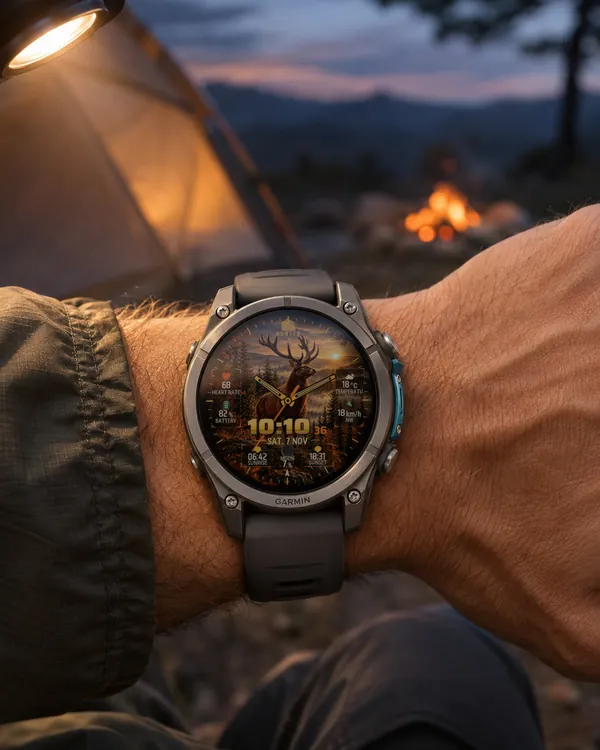 Hunter
 Deer
A watch face for hunters: a stag on a rock in an autumn forest at sunset fills the screen
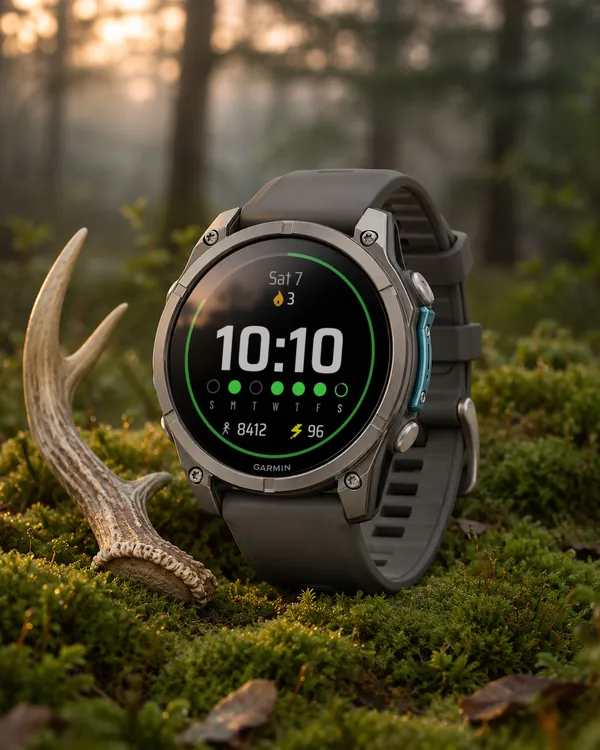 StreakSoon in Connect IQ too
Streak Goals
A watch face that turns your daily step goal into a streak
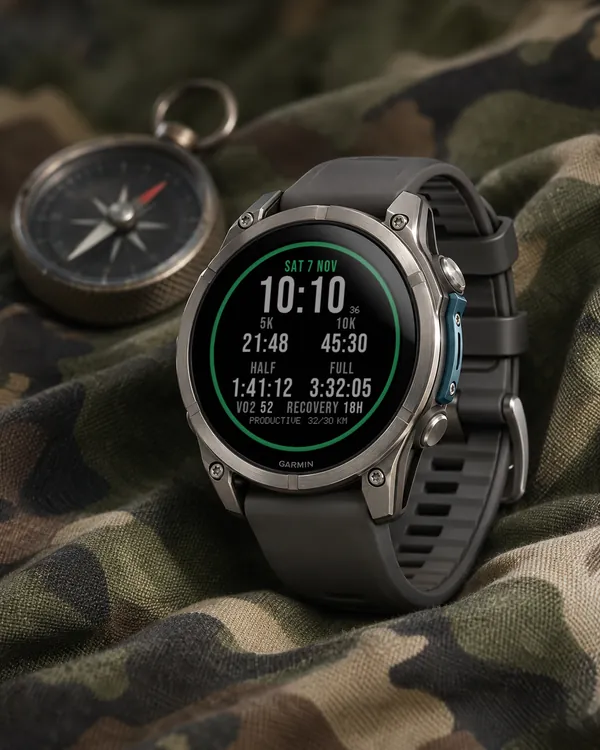 Running
Race Ready
5.0 (17)
Garmin race predictions and weekly mileage right on the face
 Photography
Amber Hour
5.0 (15)
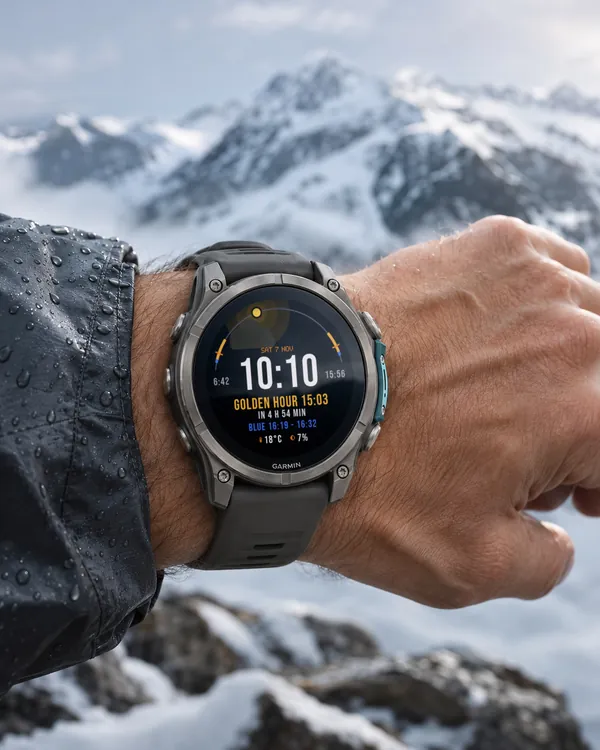
Golden and blue hour countdown with the sun's path across your day