Download and test free for 7 days
- Download the file yourself and install it on your watch with a cable. Test it free for 7 days.
- Like it? Buy a code once, yours forever. No subscription.
- Do not like it? Do nothing. The face simply stops working. Nobody takes any money from you.
How: enter your e-mail, click the link we send, download the file for your watch and copy it with a USB cable. The panel shows every step.
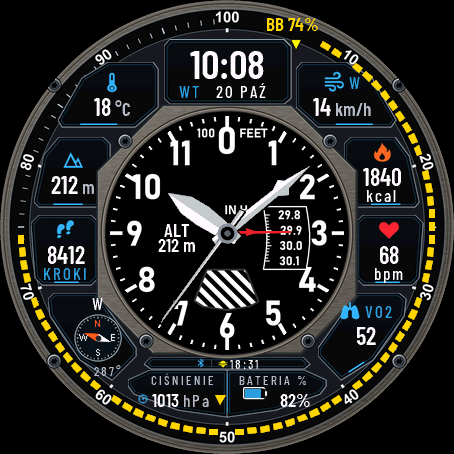
A watch face styled after an aircraft instrument panel. The centre is a round cockpit gauge with six instruments you can switch between: altimeter clock, airspeed, attitude, turn coordinator, heading and vertical speed. Around it sit eight data fields on dark panels, a status strip, a mini compass and a Body Battery ring.
Raise your wrist and the needles sweep into place, the horizon ball and the heading card settle, the Body Battery ring fills and the turn coordinator rocks for a moment. The animation lasts about a second and a half, only runs while the screen is fully awake, and can be switched off.
Two layouts: Concept, with eight fields and a compass in the corner, and Large, with a big clock and four large values (temperature, heart rate, steps, battery).
What the instruments really show:
- Altimeter clock: analogue time, barometric pressure on the drum and the needle, altitude from the watch.
- Airspeed: a decorative gauge. The needle shows your heart rate or your step goal progress (your choice). It is not an aircraft speed.
- Attitude: the horizon ball tilts gently with the pressure trend of the last three hours. The face cannot read wrist tilt.
- Turn coordinator: a decorative gauge that rocks when you raise your wrist.
- Heading: wind direction from the phone weather, the last compass reading, north up, or Auto. The watch only refreshes its compass reading shortly after you use the Compass app, so an old reading is marked OLD and wind direction is marked WND.
- Vertical speed: climb or descent trend from the altitude history, smoothed.
Each of the eight fields can show one of more than 30 kinds of data (temperature, wind, altitude, steps, calories, heart rate, VO2 max, pressure, stress, floors, sunrise and sunset and more) or stay empty. Each field has its icon, the value with a small unit and a short label; a label that does not fit in your language is left out rather than cut in half. The pressure field shows a trend arrow for the last three hours.
The status strip above the bottom panels shows the phone connection, the number of notifications, alarms, Do Not Disturb and the next sunrise or sunset.
You can also set the always-on screen on AMOLED (time and date, time only, or off; the hands are drawn as thin outlines and the picture shifts every minute), the seconds hand, the date language and the data refresh. Everything can be changed on the watch too, in the Customize menu with a live preview. The menu is translated into 35 languages.
Works on fenix 8 and fenix 9 watches with an AMOLED or MIP (Solar) screen, in the 43, 47 and 51 mm sizes. The MIP version uses clean colours from the screen palette so it stays readable in sunlight.
The face asks for location access only to read the last known position for weather and sunrise data. It sends nothing to the internet.
Trial: the face works fully for 7 days. After that the settings go back to defaults and the face shows your Watch ID and dialforge.dev. Buy a code for that number and enter it in the Connect IQ app, in the face settings. Code not working? Write to kontakt@dialforge.dev and I will fix it or refund you.
Tarcza w stylu tablicy przyrządów samolotu. Pośrodku okrągły przyrząd z kokpitu, który przełączasz między sześcioma wersjami: zegar wysokościomierz, prędkościomierz, sztuczny horyzont, wskaźnik zakrętu, kurs i wariometr. Dookoła osiem pól danych na ciemnych panelach, pasek statusu, minikompas i żółty pierścień Body Battery.
Po podniesieniu ręki igły dojeżdżają na miejsce, kula horyzontu i róża kursu się ustawiają, pierścień Body Battery się napełnia, a wskaźnik zakrętu chwilę się kołysze. Trwa to około półtorej sekundy, działa tylko przy w pełni włączonym ekranie i da się to wyłączyć.
Dwa układy: Koncept, z ośmioma polami i kompasem w rogu, oraz Duży, z dużym zegarem i czterema dużymi wartościami (temperatura, tętno, kroki, bateria).
Co naprawdę pokazują przyrządy:
- Zegar wysokościomierz: godzina wskazówkami, ciśnienie na bębnie i igle, wysokość z zegarka.
- Prędkościomierz: przyrząd ozdobny. Igła pokazuje tętno albo postęp celu kroków (do wyboru). To nie jest prędkość samolotu.
- Horyzont: kula lekko się przechyla zgodnie z trendem ciśnienia z ostatnich trzech godzin. Tarcza nie umie odczytać pochylenia nadgarstka.
- Wskaźnik zakrętu: przyrząd ozdobny, kołysze się po podniesieniu ręki.
- Kurs: kierunek wiatru z pogody w telefonie, ostatni odczyt kompasu, północ u góry albo Auto. Zegarek odświeża odczyt kompasu tylko chwilę po użyciu aplikacji Kompas, więc stary odczyt ma dopisek OLD, a kierunek wiatru WND.
- Wariometr: wznoszenie albo opadanie liczone z historii wysokości, wygładzone.
Każde z ośmiu pól pokaże jeden z ponad 30 rodzajów danych (temperatura, wiatr, wysokość, kroki, kalorie, tętno, VO2 max, ciśnienie, stres, piętra, wschód i zachód słońca i inne) albo zostanie puste. W polu jest ikona, wartość z małą jednostką i krótki opis. Opis, który w danym języku się nie mieści, znika w całości, zamiast być ucięty w połowie słowa. Pole ciśnienia ma strzałkę trendu z ostatnich trzech godzin.
Pasek statusu nad dolnymi panelami pokazuje połączenie z telefonem, liczbę powiadomień, budzik, tryb Nie przeszkadzać i najbliższy wschód albo zachód słońca.
Ustawisz też ekran wygaszony na AMOLED (godzina i data, sama godzina albo nic; wskazówki są wtedy cienkim konturem, a obraz przesuwa się co minutę), wskazówkę sekund, język daty i odświeżanie danych. Wszystko zmienisz również na zegarku, w menu Dostosuj z podglądem tarczy. Menu jest przetłumaczone na 35 języków.
Działa na zegarkach fenix 8 i fenix 9 z ekranem AMOLED albo MIP (Solar), w rozmiarach 43, 47 i 51 mm. Wersja MIP ma czyste kolory z palety ekranu, żeby była czytelna w słońcu.
Tarcza prosi o dostęp do lokalizacji tylko po to, żeby odczytać ostatnią znaną pozycję do pogody i wschodu słońca. Nic nie wysyła do internetu.
Próba: przez 7 dni tarcza działa w całości. Potem ustawienia wracają do domyślnych, a tarcza pokazuje numer ID zegarka i adres dialforge.dev. Kod kupujesz dla tego numeru i wpisujesz w aplikacji Connect IQ, w ustawieniach tarczy. Kod nie działa? Napisz na kontakt@dialforge.dev, poprawię albo oddam pieniądze.
Rate this face (only I see the rating)
Permissions and privacy
This product asks the watch for the permissions below. Connect IQ shows them when you install it.
- Sensor history: Reads recent values stored by the watch (for example Body Battery, stress, heart rate, steps trend).Odczytuje ostatnie wartości zapisane przez zegarek (na przykład Body Battery, stres, tętno, trend kroków).
- Your profile: Reads your Garmin profile on the watch (for example age, weight, heart rate zones) to calculate values for you.Odczytuje Twój profil Garmin na zegarku (na przykład wiek, wagę, strefy tętna), żeby liczyć wartości dla Ciebie.
- Watch data (complications): Shows data from other watch features, such as battery or steps, on the face.Pokazuje na tarczy dane z innych funkcji zegarka, takie jak bateria czy kroki.
- Location (GPS): Uses the watch location for distance, speed or sun and moon times. The location is not sent anywhere.Używa lokalizacji zegarka do dystansu, prędkości albo godzin słońca i księżyca. Lokalizacja nigdzie nie jest wysyłana.
This product does not use the internet and sends no data to our servers.
The full manual and the detailed permission descriptions are available in English and Polish.
Unlock
€4.49
One-time payment. No subscription. The code works on the watch whose ID you enter.
- Download the face for free (button at the top) and copy it to the watch with a USB cable. You pay nothing for 7 days.
- Find the watch ID (10 digits): a face installed by cable shows it on its screen when the 7-day trial ends.
- Enter the watch ID and e-mail, pay by card, Apple Pay, Google Pay or PayPal. The code appears here at once and in your e-mail.
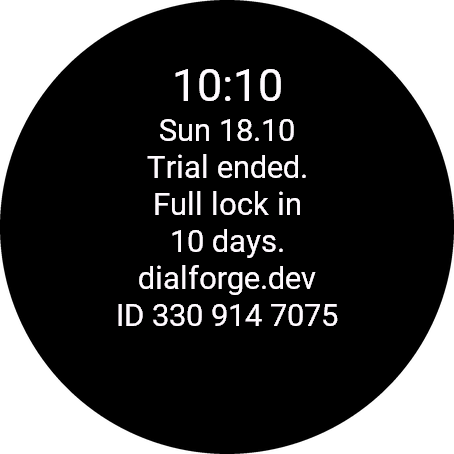
Paste the whole text from the watch, for example ID 123 456 7890. The number is different in every face, so read it in the one you are unlocking.
Optional. Tells us which watches our faces run on. It does not change your code.
Code not working on your watch? Write to me and I refund within 14 days.
or with PayPal
In the Facebook or Instagram browser? If the payment window does not open, open this page in Chrome or Safari (three-dot menu, Open in browser).
Payments by Stripe and PayPal. Seller: Mateusz Kolarz, Lublin, Poland.
Thank you! Your code:
Where to paste the code
- The watch checks the code offline, usually within a minute. A face installed by cable has no settings on the phone: it unlocks by itself after the trial, when the watch is connected to the phone. This can take a few hours. If it does not, write to kontakt@dialforge.dev.
We show the code here too. If the e-mail does not arrive (check spam), you can recover the code in the Recover code section with the UID and e-mail from your order. Recover code
More faces
 RunningIn the Garmin store
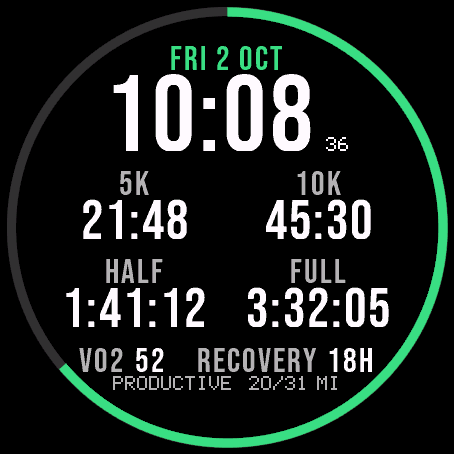
Race Ready
5.0 from 16 ratings in the Garmin store
Garmin race predictions and weekly mileage right on the face.
 PhotographyIn the Garmin store
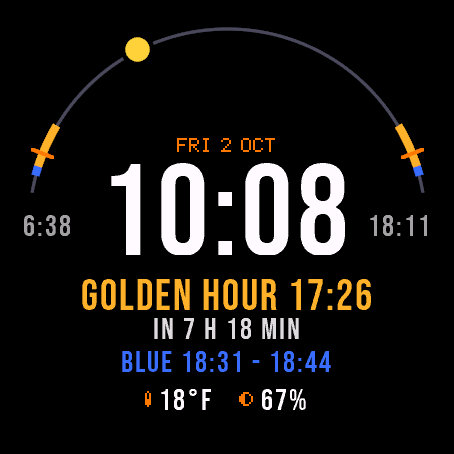
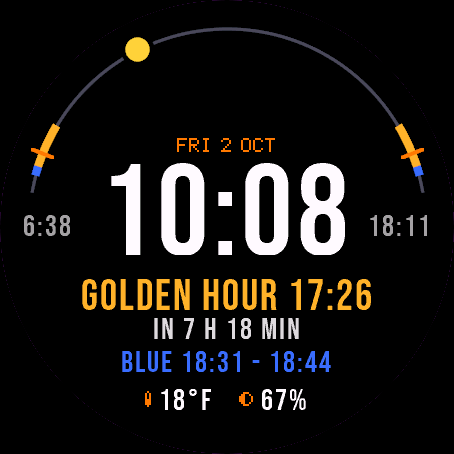
Amber Hour
5.0 from 14 ratings in the Garmin store
Golden and blue hour countdown with the sun's path across your day.
 ReadinessIn the Garmin store
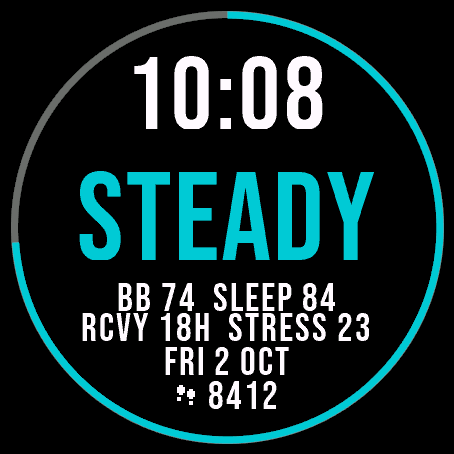
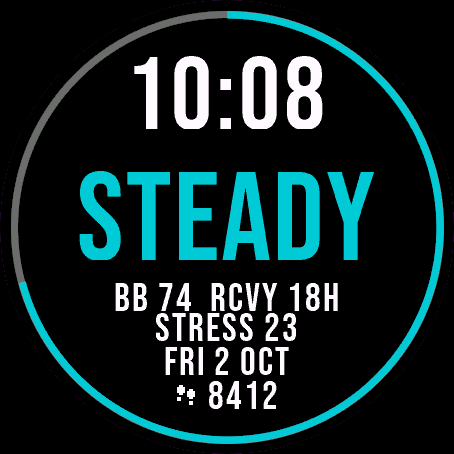
Day Verdict
5.0 from 10 ratings in the Garmin store
One word for your day: PUSH, STEADY, EASY or REST, from your sleep, Body Battery and recovery.
 ActivityIn the Garmin store
Ring Day
5.0 from 15 ratings in the Garmin store
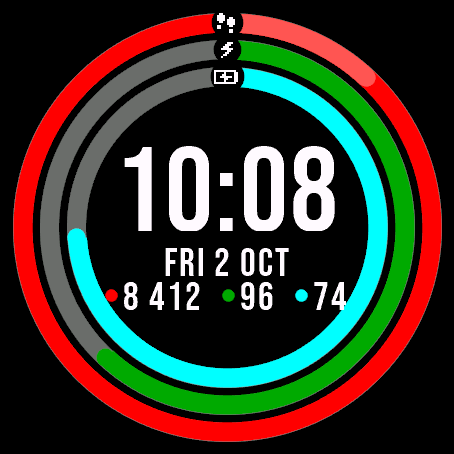
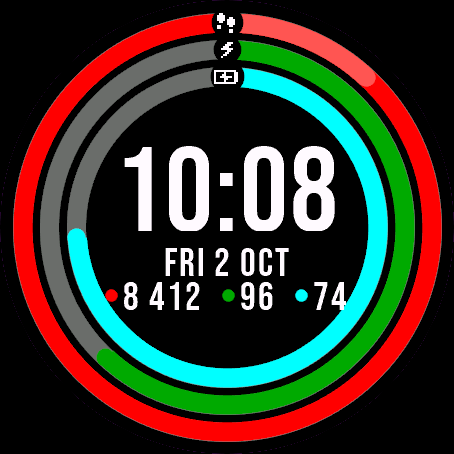
Three activity rings around the time, for people who close their rings.