Unlock
€6.49
One-time payment. No subscription. The code works on the watch whose ID you enter.
- Install the face from Connect IQ (7 days free).
- On the watch: face settings > Buy / Unlock, scan the QR code.
- Pay and paste the code in the face settings.
- Pay.
- Copy the code.
- Paste it in Connect IQ: this face > Settings > Unlock code.
Payment works best in Safari or Chrome: menu (three dots) > Open in browser
Read it in this face, it is not the serial number of the watch.
The code works only in the watch face it was bought for: a Summit Rings code will not work in Summit Tactic.
Your ID, compare it with the watch:
Where do I find the ID?
On the watch: settings of this face > Buy / Unlock (first item). Scan the QR code with your phone or type the 10 digits. The ID is also at the top of the face settings in the Connect IQ app.
Code not working on your watch? Write to me and I will fix it.
Payments by Stripe. Seller: Mateusz Kolarz, Lublin, Poland.
Paid. Code:
We show the code here too. If the e-mail does not arrive (check spam), you can recover the code in the Recover code section with just the Face ID. Recover code
Copying did not work. The code is selected: copy it by hand.
The face unlocks by itself when the watch connects to the phone (usually within an hour; if the trial is still running, the purchase starts working when it ends).
Do not want to wait, or have an older watch? Paste the code in the Connect IQ app:
Connect IQ (or Garmin Connect) > My Device > Watch faces > Hex Tactical Ops > Settings > Unlock code > paste > Save
Like it? Rate this face in the Garmin store
Want to try new faces and apps before the release, for free? Join the testers program
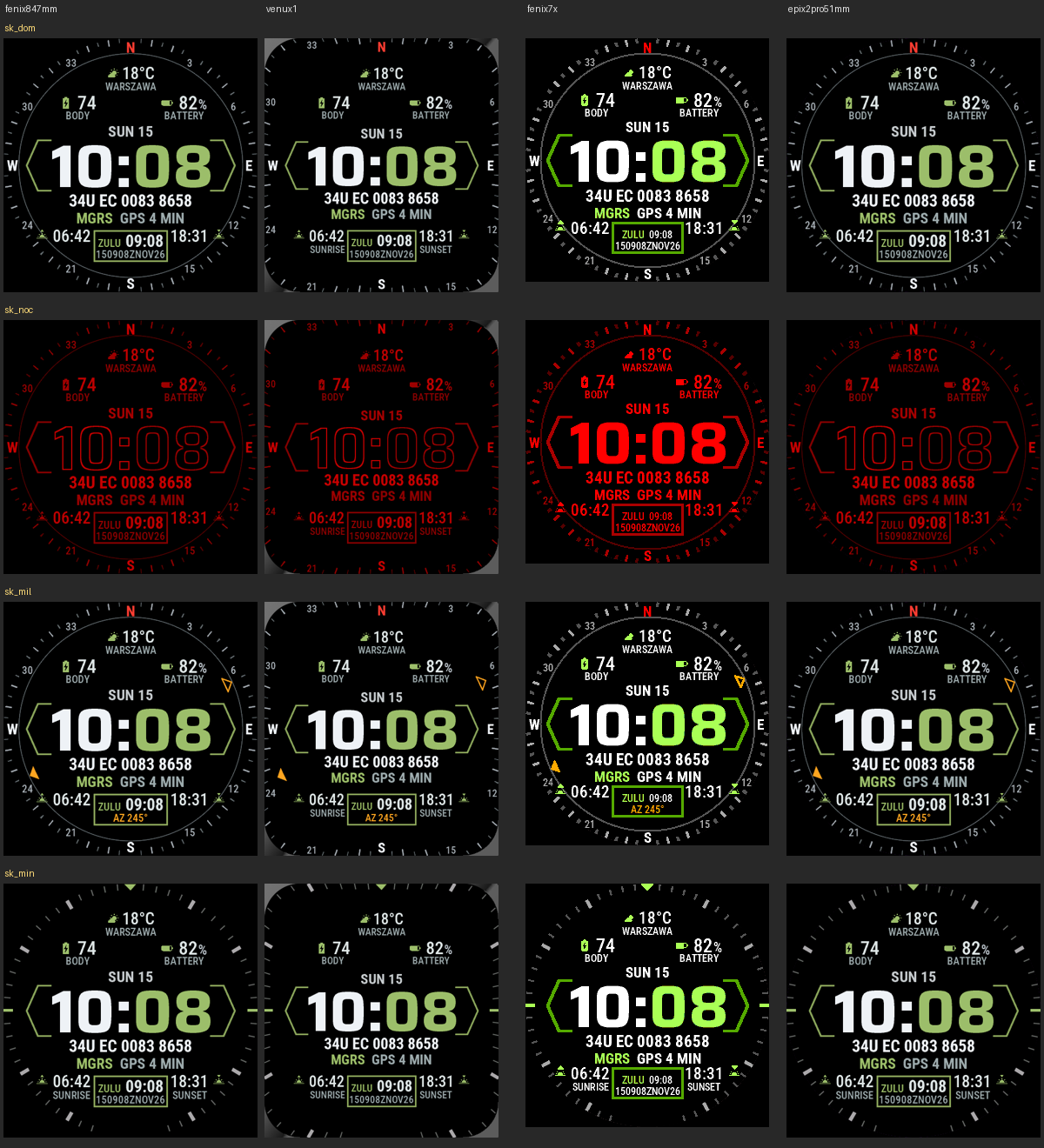
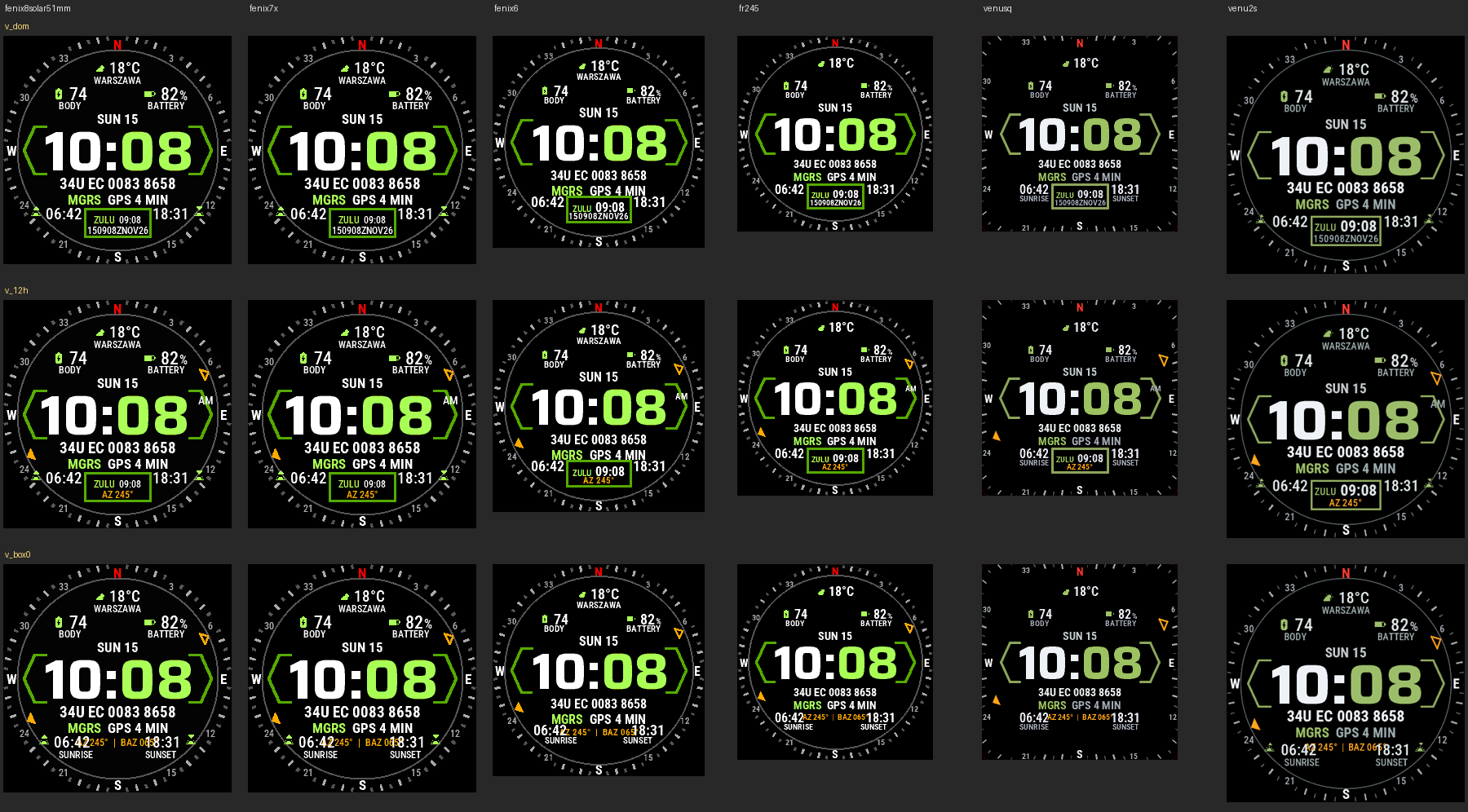
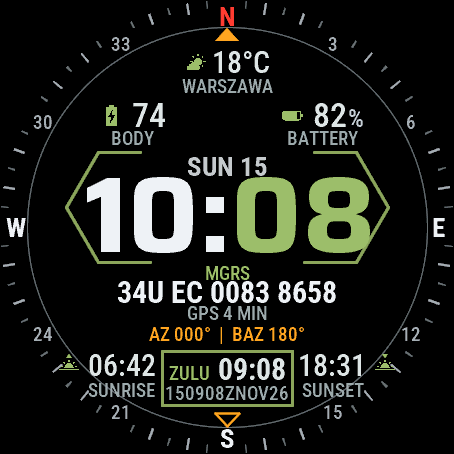
Hex Tactical Ops was designed from a serving soldier's requirements. In the middle you have the time in a hexagon frame, under it your MGRS grid with the age of the GPS fix, and at the bottom ZULU time with a DTG line for reports. Around the face runs a compass ring with your azimuth and back azimuth. At night the whole face turns dim red. The face has no internet permission and no background service: your position stays on the watch. An independent face by dialforge.dev.
- MGRS grid from the watch's last GPS fix, with its age: GPS 4 MIN, GPS 5 H or NO GPS. Precision 10 m, 100 m or 1 m. After 7 days the grid turns grey.
- Compass ring around the face: marks every 5 degrees, numbers every 30, red N. You can switch it to minute marks.
- Azimuth you set (0 to 359): AZ and BAZ marks on the ring, shown in degrees, mils (6400) or both.
- ZULU box: UTC time and a DTG line (DDHHMMZ MON YY). Instead you can show a second time zone or a data field.
- Night mode: the whole face in dim red, always or after sunset.
- Weather with temperature and place name, Body Battery, battery, sunrise and sunset. Four fields to choose from.
- Always-on screen on AMOLED: time, date, MGRS and ZULU, shifted every minute.
- Menu in 35 languages. MGRS, AZ, BAZ, ZULU, DTG and MIL stay in English, as on a map.
Settings are in Garmin Connect (Connect IQ, watch face settings) and on the watch under Customise: azimuth and its unit, MGRS precision, compass ring, night mode, DTG line, ZULU box or second time zone, fields, accent colour and text size. Watches with less memory get a lighter version with fewer options; MGRS with its age is on every watch.
Privacy: no internet permission, no background service, no account. The position is read on the watch and is not sent anywhere. The face never switches GPS on, it shows the last fix the watch already has. It is not a navigation device, so check the grid against your map. When the watch has no reading, a field shows --.
Hex Tactical Ops powstała według wytycznych żołnierza w służbie. Na środku jest godzina w sześciokątnej ramce, pod nią siatka MGRS z wiekiem pozycji GPS, a na dole czas ZULU z linią DTG do meldunków. Dookoła tarczy biegnie pierścień kompasu z azymutem i azymutem wstecznym. W nocy cała tarcza robi się przygaszona i czerwona. Tarcza nie ma uprawnień do internetu ani usługi w tle, więc pozycja zostaje w zegarku. Niezależna tarcza dialforge.dev.
- Siatka MGRS z ostatniej pozycji GPS zegarka, z jej wiekiem: GPS 4 MIN, GPS 5 H albo NO GPS. Dokładność 10 m, 100 m albo 1 m. Po 7 dniach siatka robi się szara.
- Pierścień kompasu dookoła tarczy: kreski co 5 stopni, liczby co 30, czerwone N. Możesz go zamienić na znaczniki minut.
- Azymut, który sam ustawiasz (od 0 do 359): znaczniki AZ i BAZ na pierścieniu, w stopniach, tysięcznych (6400) albo w obu.
- Okienko ZULU: czas UTC i linia DTG (DDHHMMZ MON YY). Zamiast tego może pokazywać drugą strefę czasu albo pole danych.
- Tryb nocny: cała tarcza przygaszona na czerwono, stale albo po zachodzie słońca.
- Pogoda z temperaturą i nazwą miejscowości, Body Battery, bateria, wschód i zachód słońca. Cztery pola do wyboru.
- Ekran wygaszony na AMOLED: godzina, data, MGRS i ZULU, przesuwane co minutę.
- Menu w 35 językach. MGRS, AZ, BAZ, ZULU, DTG i MIL zostają po angielsku, jak na mapie.
Ustawienia są w Garmin Connect (Connect IQ, ustawienia tarczy) i na zegarku w Dostosuj: azymut i jego jednostka, dokładność MGRS, pierścień kompasu, tryb nocny, linia DTG, okienko ZULU albo druga strefa, pola, kolor akcentu i rozmiar tekstu. Zegarki z mniejszą pamięcią dostają lżejszą wersję z mniejszą liczbą opcji; MGRS z wiekiem pozycji jest na każdym.
Prywatność: bez uprawnień do internetu, bez usługi w tle, bez konta. Pozycja jest czytana w zegarku i nigdzie nie jest wysyłana. Tarcza nie włącza GPS, pokazuje ostatnią pozycję, którą zegarek już ma. To nie jest urządzenie nawigacyjne, więc siatkę sprawdzaj z mapą. Gdy zegarek nie ma odczytu, pole pokazuje --.
Hex Tactical Ops wurde nach den Anforderungen eines aktiven Soldaten entwickelt. In der Mitte steht die Uhrzeit in einem Sechseckrahmen, darunter dein MGRS-Gitter mit dem Alter der GPS-Position und unten die ZULU-Zeit mit einer DTG-Zeile für Meldungen. Um das Zifferblatt läuft ein Kompassring mit deinem Azimut und Rückazimut. Nachts wird das ganze Zifferblatt gedimmt rot. Das Zifferblatt hat keine Internetberechtigung und keinen Hintergrunddienst: Deine Position bleibt auf der Uhr. Ein unabhängiges Zifferblatt von dialforge.dev.
- MGRS-Gitter von der letzten GPS-Position der Uhr, mit ihrem Alter: GPS 4 MIN, GPS 5 H oder NO GPS. Genauigkeit 10 m, 100 m oder 1 m. Nach 7 Tagen wird das Gitter grau.
- Kompassring um das Zifferblatt: Striche alle 5 Grad, Zahlen alle 30, rote Nordmarke. Du kannst auf Minutenmarken umschalten.
- Azimut, den du selbst einstellst (0 bis 359): AZ- und BAZ-Marken auf dem Ring, in Grad, Strich (6400) oder beidem.
- ZULU-Feld: UTC-Zeit und eine DTG-Zeile (DDHHMMZ MON YY). Stattdessen kannst du eine zweite Zeitzone oder ein Datenfeld anzeigen.
- Nachtmodus: das ganze Zifferblatt in gedimmtem Rot, immer oder nach Sonnenuntergang.
- Wetter mit Temperatur und Ortsname, Body Battery, Akku, Sonnenauf- und -untergang. Vier Felder zur Auswahl.
- Always-On-Display bei AMOLED: Uhrzeit, Datum, MGRS und ZULU, jede Minute verschoben.
- Menü in 35 Sprachen. MGRS, AZ, BAZ, ZULU, DTG und MIL bleiben englisch, wie auf einer Karte.
Die Einstellungen findest du in Garmin Connect (Connect IQ, Zifferblatt-Einstellungen) und auf der Uhr unter Anpassen: Azimut und seine Einheit, MGRS-Genauigkeit, Kompassring, Nachtmodus, DTG-Zeile, ZULU-Feld oder zweite Zeitzone, Felder, Akzentfarbe und Textgröße. Uhren mit weniger Speicher bekommen eine leichtere Version mit weniger Optionen; MGRS mit Alter gibt es auf jeder Uhr.
Datenschutz: keine Internetberechtigung, kein Hintergrunddienst, kein Konto. Die Position wird auf der Uhr gelesen und nirgendwohin gesendet. Das Zifferblatt schaltet GPS nie ein, es zeigt die letzte Position, die die Uhr schon hat. Es ist kein Navigationsgerät, prüfe das Gitter also an deiner Karte. Wenn die Uhr keinen Messwert hat, zeigt ein Feld -- an.
Hex Tactical Ops a été conçu d'après les exigences d'un militaire d'active. Au centre, l'heure dans un cadre hexagonal, dessous ta grille MGRS avec l'âge de la position GPS, et en bas l'heure ZULU avec une ligne DTG pour les comptes rendus. Autour du cadran court un anneau de boussole avec ton azimut et ton azimut inverse. La nuit, tout le cadran passe en rouge atténué. Le cadran n'a pas d'autorisation internet ni de service en arrière-plan : ta position reste sur la montre. Un cadran indépendant de dialforge.dev.
- Grille MGRS de la dernière position GPS de la montre, avec son âge : GPS 4 MIN, GPS 5 H ou NO GPS. Précision de 10 m, 100 m ou 1 m. Après 7 jours, la grille devient grise.
- Anneau de boussole autour du cadran : traits tous les 5 degrés, chiffres tous les 30, repère rouge du nord. Tu peux le remplacer par des repères de minutes.
- Azimut que tu règles toi-même (de 0 à 359) : repères AZ et BAZ sur l'anneau, en degrés, en millièmes (6400) ou les deux.
- Case ZULU : heure UTC et ligne DTG (DDHHMMZ MON YY). À la place, tu peux afficher un second fuseau horaire ou un champ de données.
- Mode nuit : tout le cadran en rouge atténué, en permanence ou après le coucher du soleil.
- Météo avec température et nom du lieu, Body Battery, batterie, lever et coucher du soleil. Quatre champs au choix.
- Écran toujours allumé sur AMOLED : heure, date, MGRS et ZULU, décalés chaque minute.
- Menu en 35 langues. MGRS, AZ, BAZ, ZULU, DTG et MIL restent en anglais, comme sur une carte.
Les réglages se trouvent dans Garmin Connect (Connect IQ, réglages du cadran) et sur la montre sous Personnaliser : azimut et son unité, précision MGRS, anneau de boussole, mode nuit, ligne DTG, case ZULU ou second fuseau horaire, champs, couleur d'accent et taille du texte. Les montres avec moins de mémoire reçoivent une version plus légère avec moins d'options ; le MGRS avec son âge est sur toutes les montres.
Confidentialité : pas d'autorisation internet, pas de service en arrière-plan, pas de compte. La position est lue sur la montre et n'est envoyée nulle part. Le cadran n'active jamais le GPS, il affiche la dernière position que la montre a déjà. Ce n'est pas un appareil de navigation : vérifie la grille sur ta carte. Quand la montre n'a pas de mesure, un champ affiche --.
Hex Tactical Ops se diseñó a partir de los requisitos de un soldado en activo. En el centro está la hora en un marco hexagonal, debajo tu cuadrícula MGRS con la antigüedad de la posición GPS y abajo la hora ZULU con una línea DTG para los partes. Alrededor de la esfera corre un anillo de brújula con tu acimut y tu acimut inverso. De noche toda la esfera se vuelve rojo tenue. La esfera no tiene permiso de internet ni servicio en segundo plano: tu posición se queda en el reloj. Una esfera independiente de dialforge.dev.
- Cuadrícula MGRS de la última posición GPS del reloj, con su antigüedad: GPS 4 MIN, GPS 5 H o NO GPS. Precisión de 10 m, 100 m o 1 m. Tras 7 días la cuadrícula se pone gris.
- Anillo de brújula alrededor de la esfera: marcas cada 5 grados, números cada 30, marca roja del norte. Puedes cambiarlo por marcas de minutos.
- Acimut que fijas tú (de 0 a 359): marcas AZ y BAZ en el anillo, en grados, milésimas (6400) o ambos.
- Cuadro ZULU: hora UTC y una línea DTG (DDHHMMZ MON YY). En su lugar puedes mostrar una segunda zona horaria o un campo de datos.
- Modo nocturno: toda la esfera en rojo tenue, siempre o después de la puesta de sol.
- Tiempo con temperatura y nombre del lugar, Body Battery, batería, salida y puesta del sol. Cuatro campos a elegir.
- Pantalla siempre activa en AMOLED: hora, fecha, MGRS y ZULU, desplazados cada minuto.
- Menú en 35 idiomas. MGRS, AZ, BAZ, ZULU, DTG y MIL se quedan en inglés, como en un mapa.
Los ajustes están en Garmin Connect (Connect IQ, ajustes de la esfera) y en el reloj, en Personalizar: acimut y su unidad, precisión MGRS, anillo de brújula, modo nocturno, línea DTG, cuadro ZULU o segunda zona horaria, campos, color de acento y tamaño del texto. Los relojes con menos memoria reciben una versión más ligera con menos opciones; MGRS con su antigüedad está en todos los relojes.
Privacidad: sin permiso de internet, sin servicio en segundo plano, sin cuenta. La posición se lee en el reloj y no se envía a ninguna parte. La esfera nunca activa el GPS, muestra la última posición que el reloj ya tiene. No es un dispositivo de navegación, así que comprueba la cuadrícula con tu mapa. Cuando el reloj no tiene una lectura, un campo muestra --.
Hex Tactical Ops is ontworpen op basis van de eisen van een dienende militair. In het midden staat de tijd in een zeshoekig kader, eronder je MGRS-raster met de leeftijd van de GPS-positie en onderaan ZULU-tijd met een DTG-regel voor meldingen. Rond de wijzerplaat loopt een kompasring met je azimut en terugazimut. 's Nachts wordt de hele wijzerplaat gedimd rood. De wijzerplaat heeft geen internettoestemming en geen achtergrondservice: je positie blijft op het horloge. Een onafhankelijke wijzerplaat van dialforge.dev.
- MGRS-raster van de laatste GPS-positie van het horloge, met de leeftijd ervan: GPS 4 MIN, GPS 5 H of NO GPS. Nauwkeurigheid 10 m, 100 m of 1 m. Na 7 dagen wordt het raster grijs.
- Kompasring rond de wijzerplaat: streepjes elke 5 graden, cijfers elke 30, rode noordmarkering. Je kunt overschakelen op minuutmarkeringen.
- Azimut dat je zelf instelt (0 tot 359): AZ- en BAZ-markeringen op de ring, in graden, strepen (6400) of beide.
- ZULU-vak: UTC-tijd en een DTG-regel (DDHHMMZ MON YY). In plaats daarvan kun je een tweede tijdzone of een gegevensveld tonen.
- Nachtmodus: de hele wijzerplaat in gedimd rood, altijd of na zonsondergang.
- Weer met temperatuur en plaatsnaam, Body Battery, batterij, zonsopkomst en zonsondergang. Vier velden om uit te kiezen.
- Always-on scherm op AMOLED: tijd, datum, MGRS en ZULU, elke minuut verschoven.
- Menu in 35 talen. MGRS, AZ, BAZ, ZULU, DTG en MIL blijven Engels, zoals op een kaart.
De instellingen vind je in Garmin Connect (Connect IQ, instellingen van de wijzerplaat) en op het horloge onder Aanpassen: azimut en de eenheid ervan, MGRS-nauwkeurigheid, kompasring, nachtmodus, DTG-regel, ZULU-vak of tweede tijdzone, velden, accentkleur en tekstgrootte. Horloges met minder geheugen krijgen een lichtere versie met minder opties; MGRS met de leeftijd staat op elk horloge.
Privacy: geen internettoestemming, geen achtergrondservice, geen account. De positie wordt op het horloge gelezen en nergens naartoe gestuurd. De wijzerplaat zet GPS nooit aan, hij toont de laatste positie die het horloge al heeft. Het is geen navigatieapparaat, controleer het raster dus op je kaart. Als het horloge geen meting heeft, toont een veld --.
Hex Tactical Opsは、現役兵士の要望に基づいて設計されました。中央に六角形の枠で時刻、その下にGPS位置の経過時間つきのMGRSグリッド、下部に報告用のDTG行つきZULU時刻を表示します。文字盤の周囲には、方位角と逆方位角を示すコンパスリングがあります。夜は画面全体が暗い赤になります。インターネット権限もバックグラウンドサービスもないため、位置情報は時計の外に出ません。dialforge.devの独立したウォッチフェイスです。
- 時計が最後に取得したGPS位置からのMGRSグリッドと、その経過時間:GPS 4 MIN、GPS 5 H、NO GPS。精度は10 m、100 m、1 mから選択。7日後にグリッドはグレーになります。
- 文字盤を囲むコンパスリング:5度ごとに目盛り、30度ごとに数字、北は赤の印。分の目盛りに切り替えることもできます。
- 自分で設定する方位角(0から359):リング上にAZとBAZの印を表示し、度、ミル(6400)、または両方で表示。
- ZULU枠:UTC時刻とDTG行(DDHHMMZ MON YY)。代わりに第2タイムゾーンやデータフィールドも表示できます。
- 夜間モード:画面全体を暗い赤にします。常時、または日没後。
- 気温と地名つきの天気、Body Battery、バッテリー、日の出と日の入り。4つのフィールドから選べます。
- AMOLEDの常時表示:時刻、日付、MGRS、ZULUを1分ごとにずらして表示。
- メニューは35言語対応。MGRS、AZ、BAZ、ZULU、DTG、MILは地図と同じく英語のままです。
設定はGarmin Connect(Connect IQ、ウォッチフェイス設定)と、時計のカスタマイズで行います:方位角とその単位、MGRSの精度、コンパスリング、夜間モード、DTG行、ZULU枠または第2タイムゾーン、フィールド、アクセントカラー、文字サイズ。メモリの少ない時計では選択肢の少ない軽量版になりますが、経過時間つきのMGRSはすべての時計で使えます。
プライバシー:インターネット権限なし、バックグラウンドサービスなし、アカウントなし。位置は時計の中で読み取られ、どこにも送信されません。このウォッチフェイスはGPSを起動せず、時計がすでに持っている最後の位置を表示します。ナビゲーション機器ではないため、グリッドは地図で確認してください。時計に測定値がないときは、フィールドに--と表示されます。
Hex Tactical Ops è stato progettato sulla base dei requisiti di un soldato in servizio. Al centro c'è l'ora in una cornice esagonale, sotto la tua griglia MGRS con l'età della posizione GPS e in basso l'ora ZULU con una riga DTG per i rapporti. Intorno al quadrante corre un anello bussola con il tuo azimut e l'azimut inverso. Di notte l'intero quadrante diventa rosso attenuato. Il quadrante non ha il permesso internet né servizi in background: la tua posizione resta sull'orologio. Un quadrante indipendente di dialforge.dev.
- Griglia MGRS dall'ultima posizione GPS dell'orologio, con la sua età: GPS 4 MIN, GPS 5 H o NO GPS. Precisione di 10 m, 100 m o 1 m. Dopo 7 giorni la griglia diventa grigia.
- Anello bussola intorno al quadrante: tacche ogni 5 gradi, numeri ogni 30, segno rosso del nord. Puoi passare ai segni dei minuti.
- Azimut che imposti tu (da 0 a 359): segni AZ e BAZ sull'anello, in gradi, millesimi (6400) o entrambi.
- Riquadro ZULU: ora UTC e una riga DTG (DDHHMMZ MON YY). In alternativa puoi mostrare un secondo fuso orario o un campo dati.
- Modalità notte: l'intero quadrante in rosso attenuato, sempre o dopo il tramonto.
- Meteo con temperatura e nome del luogo, Body Battery, batteria, alba e tramonto. Quattro campi a scelta.
- Schermo sempre attivo su AMOLED: ora, data, MGRS e ZULU, spostati ogni minuto.
- Menu in 35 lingue. MGRS, AZ, BAZ, ZULU, DTG e MIL restano in inglese, come su una mappa.
Le impostazioni si trovano in Garmin Connect (Connect IQ, impostazioni del quadrante) e sull'orologio in Personalizza: azimut e la sua unità, precisione MGRS, anello bussola, modalità notte, riga DTG, riquadro ZULU o secondo fuso orario, campi, colore d'accento e dimensione del testo. Gli orologi con meno memoria ricevono una versione più leggera con meno opzioni; MGRS con la sua età è su ogni orologio.
Privacy: nessun permesso internet, nessun servizio in background, nessun account. La posizione viene letta sull'orologio e non è inviata da nessuna parte. Il quadrante non accende mai il GPS, mostra l'ultima posizione che l'orologio ha già. Non è un dispositivo di navigazione, quindi controlla la griglia sulla tua mappa. Quando l'orologio non ha una lettura, un campo mostra --.
Hex Tactical Ops 按现役军人的需求设计。中间是六边形边框里的时间,下面是带 GPS 定位时长的 MGRS 网格,底部是带 DTG 行的 ZULU 时间,方便报告。表盘四周是指南针环,显示你的方位角和反方位角。夜间整个表盘变为暗红色。表盘没有联网权限,也没有后台服务:你的位置只留在手表上。dialforge.dev 的独立表盘。
- MGRS 网格来自手表最近一次 GPS 定位,并显示其时长:GPS 4 MIN、GPS 5 H 或 NO GPS。精度可选 10 米、100 米或 1 米。7 天后网格变灰。
- 表盘四周的指南针环:每 5 度一条刻线,每 30 度一个数字,北向为红色标记。可切换为分钟刻度。
- 你自己设定的方位角(0 到 359):环上显示 AZ 和 BAZ 标记,单位可选度、密位(6400)或两者。
- ZULU 栏:UTC 时间和 DTG 行(DDHHMMZ MON YY)。也可以改为显示第二时区或数据栏。
- 夜间模式:整个表盘显示暗红色,可常开或日落后启用。
- 天气含温度和地名,另有 Body Battery、电量、日出和日落。四个数据栏可选。
- AMOLED 息屏常亮:时间、日期、MGRS 和 ZULU,每分钟移位一次。
- 菜单支持 35 种语言。MGRS、AZ、BAZ、ZULU、DTG 和 MIL 与地图一样保留英文。
设置位于 Garmin Connect(Connect IQ,表盘设置)以及手表上的自定义菜单:方位角及其单位、MGRS 精度、指南针环、夜间模式、DTG 行、ZULU 栏或第二时区、数据栏、强调色和文字大小。内存较小的手表会获得选项较少的轻量版,带时长的 MGRS 在每款手表上都有。
隐私:无联网权限,无后台服务,无需账号。位置在手表上读取,不会发送到任何地方。表盘不会打开 GPS,只显示手表已有的最近一次定位。它不是导航设备,请对照地图核对网格。当手表没有读数时,数据栏显示 --。
Hex Tactical Ops разработан по требованиям действующего военнослужащего. В центре время в шестиугольной рамке, под ним сетка MGRS с возрастом позиции GPS, а внизу время ZULU со строкой DTG для донесений. По краю циферблата идёт кольцо компаса с твоим азимутом и обратным азимутом. Ночью весь циферблат становится тускло-красным. У циферблата нет доступа в интернет и фоновой службы: твоя позиция остаётся в часах. Независимый циферблат от dialforge.dev.
- Сетка MGRS по последней позиции GPS часов с её возрастом: GPS 4 MIN, GPS 5 H или NO GPS. Точность 10 м, 100 м или 1 м. Через 7 дней сетка становится серой.
- Кольцо компаса вокруг циферблата: риски каждые 5 градусов, цифры каждые 30, красная отметка севера. Его можно заменить отметками минут.
- Азимут, который ты задаёшь сам (от 0 до 359): отметки AZ и BAZ на кольце, в градусах, тысячных (6400) или в обоих видах.
- Блок ZULU: время UTC и строка DTG (DDHHMMZ MON YY). Вместо него можно показать второй часовой пояс или поле данных.
- Ночной режим: весь циферблат тускло-красный, всегда или после заката.
- Погода с температурой и названием места, Body Battery, батарея, восход и закат. Четыре поля на выбор.
- Экран Always-On на AMOLED: время, дата, MGRS и ZULU, сдвигаются каждую минуту.
- Меню на 35 языках. MGRS, AZ, BAZ, ZULU, DTG и MIL остаются на английском, как на карте.
Настройки находятся в Garmin Connect (Connect IQ, настройки циферблата) и на часах в разделе «Настроить»: азимут и его единица, точность MGRS, кольцо компаса, ночной режим, строка DTG, блок ZULU или второй часовой пояс, поля, акцентный цвет и размер текста. Часы с меньшей памятью получают облегчённую версию с меньшим числом опций; MGRS с возрастом позиции есть на каждых часах.
Конфиденциальность: без доступа в интернет, без фоновой службы, без аккаунта. Позиция читается в часах и никуда не отправляется. Циферблат никогда не включает GPS, он показывает последнюю позицию, которая уже есть у часов. Это не навигатор, поэтому сверяй сетку с картой. Когда у часов нет показания, поле показывает --.
O Hex Tactical Ops foi projetado a partir dos requisitos de um soldado da ativa. No centro fica a hora em uma moldura hexagonal, abaixo dela sua grade MGRS com a idade da posição GPS e embaixo a hora ZULU com uma linha DTG para relatórios. Em volta do mostrador corre um anel de bússola com seu azimute e azimute inverso. À noite todo o mostrador fica vermelho escuro. O mostrador não tem permissão de internet nem serviço em segundo plano: sua posição fica no relógio. Um mostrador independente da dialforge.dev.
- Grade MGRS da última posição GPS do relógio, com a idade dela: GPS 4 MIN, GPS 5 H ou NO GPS. Precisão de 10 m, 100 m ou 1 m. Depois de 7 dias a grade fica cinza.
- Anel de bússola em volta do mostrador: marcas a cada 5 graus, números a cada 30, marca vermelha do norte. Dá para trocar por marcas de minutos.
- Azimute que você define (de 0 a 359): marcas AZ e BAZ no anel, em graus, milésimos (6400) ou ambos.
- Caixa ZULU: hora UTC e uma linha DTG (DDHHMMZ MON YY). No lugar dela, você pode mostrar um segundo fuso horário ou um campo de dados.
- Modo noturno: todo o mostrador em vermelho escuro, sempre ou depois do pôr do sol.
- Clima com temperatura e nome do local, Body Battery, bateria, nascer e pôr do sol. Quatro campos à escolha.
- Tela sempre ativa no AMOLED: hora, data, MGRS e ZULU, deslocados a cada minuto.
- Menu em 35 idiomas. MGRS, AZ, BAZ, ZULU, DTG e MIL ficam em inglês, como em um mapa.
As configurações ficam no Garmin Connect (Connect IQ, configurações do mostrador) e no relógio em Personalizar: azimute e sua unidade, precisão MGRS, anel de bússola, modo noturno, linha DTG, caixa ZULU ou segundo fuso horário, campos, cor de destaque e tamanho do texto. Relógios com menos memória recebem uma versão mais leve, com menos opções; o MGRS com a idade está em todos os relógios.
Privacidade: sem permissão de internet, sem serviço em segundo plano, sem conta. A posição é lida no relógio e não é enviada a lugar nenhum. O mostrador nunca liga o GPS, ele mostra a última posição que o relógio já tem. Não é um aparelho de navegação, então confira a grade no seu mapa. Quando o relógio não tem leitura, o campo mostra --.
Hex Tactical Ops vznikl podle požadavků vojáka v činné službě. Uprostřed je čas v šestiúhelníkovém rámečku, pod ním mřížka MGRS se stářím polohy GPS a dole čas ZULU s řádkem DTG pro hlášení. Kolem ciferníku vede kompasový prstenec s azimutem a zpětným azimutem. V noci je celý ciferník tlumeně červený. Ciferník nemá oprávnění k internetu ani službu na pozadí: poloha zůstává v hodinkách. Nezávislý ciferník od dialforge.dev.
- Mřížka MGRS z poslední polohy GPS hodinek s jejím stářím: GPS 4 MIN, GPS 5 H nebo NO GPS. Přesnost 10 m, 100 m nebo 1 m. Po 7 dnech mřížka zešedne.
- Kompasový prstenec kolem ciferníku: čárky po 5 stupních, čísla po 30, červená značka severu. Lze ho přepnout na značky minut.
- Azimut, který si nastavíš (0 až 359): značky AZ a BAZ na prstenci, ve stupních, tisícinách (6400) nebo v obou.
- Pole ZULU: čas UTC a řádek DTG (DDHHMMZ MON YY). Místo toho lze zobrazit druhé časové pásmo nebo datové pole.
- Noční režim: celý ciferník tlumeně červený, trvale nebo po západu slunce.
- Počasí s teplotou a názvem místa, Body Battery, baterie, východ a západ slunce. Čtyři pole na výběr.
- Stále zapnutý displej u AMOLED: čas, datum, MGRS a ZULU, posunuté každou minutu.
- Menu v 35 jazycích. MGRS, AZ, BAZ, ZULU, DTG a MIL zůstávají anglicky, jako na mapě.
Nastavení najdeš v Garmin Connect (Connect IQ, nastavení ciferníku) a v hodinkách v části Upravit: azimut a jeho jednotka, přesnost MGRS, kompasový prstenec, noční režim, řádek DTG, pole ZULU nebo druhé časové pásmo, pole, akcentní barva a velikost textu. Hodinky s menší pamětí dostanou lehčí verzi s méně volbami; MGRS se stářím polohy je na každých hodinkách.
Soukromí: bez oprávnění k internetu, bez služby na pozadí, bez účtu. Poloha se čte v hodinkách a nikam se neposílá. Ciferník nikdy nezapíná GPS, ukazuje poslední polohu, kterou hodinky už mají. Není to navigační přístroj, mřížku si proto ověř podle mapy. Když hodinky nemají hodnotu, pole ukazuje --.
O Hex Tactical Ops foi concebido a partir dos requisitos de um militar no ativo. No centro está a hora numa moldura hexagonal, por baixo a tua grelha MGRS com a idade da posição GPS e em baixo a hora ZULU com uma linha DTG para os relatórios. À volta do mostrador corre um anel de bússola com o teu azimute e azimute inverso. À noite, todo o mostrador fica vermelho escuro. O mostrador não tem permissão de internet nem serviço em segundo plano: a tua posição fica no relógio. Um mostrador independente da dialforge.dev.
- Grelha MGRS da última posição GPS do relógio, com a respetiva idade: GPS 4 MIN, GPS 5 H ou NO GPS. Precisão de 10 m, 100 m ou 1 m. Passados 7 dias, a grelha fica cinzenta.
- Anel de bússola à volta do mostrador: marcas a cada 5 graus, números a cada 30, marca vermelha do norte. Podes trocar por marcas dos minutos.
- Azimute que defines tu (de 0 a 359): marcas AZ e BAZ no anel, em graus, milésimos (6400) ou ambos.
- Caixa ZULU: hora UTC e uma linha DTG (DDHHMMZ MON YY). Em vez disso, podes mostrar um segundo fuso horário ou um campo de dados.
- Modo noturno: todo o mostrador em vermelho escuro, sempre ou depois do pôr do sol.
- Meteorologia com temperatura e nome do local, Body Battery, bateria, nascer e pôr do sol. Quatro campos à escolha.
- Ecrã sempre ligado no AMOLED: hora, data, MGRS e ZULU, deslocados a cada minuto.
- Menu em 35 idiomas. MGRS, AZ, BAZ, ZULU, DTG e MIL ficam em inglês, como num mapa.
As definições estão no Garmin Connect (Connect IQ, definições do mostrador) e no relógio em Personalizar: azimute e a sua unidade, precisão MGRS, anel de bússola, modo noturno, linha DTG, caixa ZULU ou segundo fuso horário, campos, cor de destaque e tamanho do texto. Os relógios com menos memória recebem uma versão mais leve, com menos opções; o MGRS com a idade está em todos os relógios.
Privacidade: sem permissão de internet, sem serviço em segundo plano, sem conta. A posição é lida no relógio e não é enviada para lado nenhum. O mostrador nunca liga o GPS, mostra a última posição que o relógio já tem. Não é um aparelho de navegação, por isso confirma a grelha no teu mapa. Quando o relógio não tem leitura, o campo mostra --.
Hex Tactical Ops는 현역 군인의 요구 사항에 맞춰 설계되었습니다. 가운데에는 육각형 프레임 안의 시간, 그 아래에는 GPS 위치의 경과 시간이 붙은 MGRS 격자, 아래쪽에는 보고용 DTG 줄이 있는 ZULU 시간이 표시됩니다. 화면 둘레에는 방위각과 역방위각을 보여 주는 나침반 링이 있습니다. 밤에는 화면 전체가 어두운 빨간색이 됩니다. 인터넷 권한도 백그라운드 서비스도 없어서 위치 정보는 시계 안에만 남습니다. dialforge.dev의 독립 워치페이스입니다.
- 시계의 마지막 GPS 위치로 만든 MGRS 격자와 경과 시간: GPS 4 MIN, GPS 5 H 또는 NO GPS. 정밀도 10 m, 100 m 또는 1 m. 7일이 지나면 격자가 회색으로 바뀝니다.
- 화면 둘레의 나침반 링: 5도마다 눈금, 30도마다 숫자, 북쪽은 빨간 표시. 분 눈금으로 바꿀 수 있습니다.
- 직접 설정하는 방위각(0에서 359): 링에 AZ와 BAZ 표시, 도, 밀(6400) 또는 둘 다로 표시.
- ZULU 칸: UTC 시간과 DTG 줄(DDHHMMZ MON YY). 대신 두 번째 시간대나 데이터 필드를 표시할 수도 있습니다.
- 야간 모드: 화면 전체를 어두운 빨간색으로, 항상 또는 일몰 후.
- 기온과 지역 이름이 있는 날씨, Body Battery, 배터리, 일출과 일몰. 필드 4개 중에서 선택.
- AMOLED 상시 표시 화면: 시간, 날짜, MGRS, ZULU를 1분마다 이동.
- 메뉴 35개 언어. MGRS, AZ, BAZ, ZULU, DTG, MIL은 지도처럼 영어로 유지됩니다.
설정은 Garmin Connect(Connect IQ, 워치페이스 설정)와 시계의 맞춤 설정에서 할 수 있습니다. 방위각과 단위, MGRS 정밀도, 나침반 링, 야간 모드, DTG 줄, ZULU 칸 또는 두 번째 시간대, 필드, 강조 색상, 글자 크기를 설정합니다. 메모리가 적은 시계는 옵션이 적은 가벼운 버전을 받으며, 경과 시간이 붙은 MGRS는 모든 시계에서 쓸 수 있습니다.
개인정보: 인터넷 권한 없음, 백그라운드 서비스 없음, 계정 없음. 위치는 시계에서 읽으며 어디로도 전송되지 않습니다. 워치페이스는 GPS를 켜지 않고 시계가 이미 가진 마지막 위치를 표시합니다. 내비게이션 기기가 아니므로 격자는 지도로 확인하세요. 시계에 측정값이 없으면 필드에 --가 표시됩니다.
Hex Tactical Ops har utformats efter kraven från en tjänstgörande soldat. I mitten visas klockslaget i en sexkantig ram, under det ditt MGRS-rutnät med åldern på GPS-positionen och längst ned ZULU-tid med en DTG-rad för rapporter. Runt urtavlan går en kompassring med ditt azimut och bakazimut. På natten blir hela urtavlan dämpat röd. Urtavlan har ingen internetbehörighet och ingen bakgrundstjänst: din position stannar i klockan. En oberoende urtavla från dialforge.dev.
- MGRS-rutnät från klockans senaste GPS-position, med dess ålder: GPS 4 MIN, GPS 5 H eller NO GPS. Precision 10 m, 100 m eller 1 m. Efter 7 dagar blir rutnätet grått.
- Kompassring runt urtavlan: streck var 5:e grad, siffror var 30:e, röd nordmarkering. Du kan byta till minutmarkeringar.
- Azimut som du ställer in själv (0 till 359): AZ- och BAZ-markeringar på ringen, i grader, streck (6400) eller båda.
- ZULU-ruta: UTC-tid och en DTG-rad (DDHHMMZ MON YY). I stället kan du visa en andra tidszon eller ett datafält.
- Nattläge: hela urtavlan i dämpad röd, alltid eller efter solnedgången.
- Väder med temperatur och ortnamn, Body Battery, batteri, soluppgång och solnedgång. Fyra fält att välja bland.
- Alltid-på-skärm på AMOLED: klockslag, datum, MGRS och ZULU, flyttade varje minut.
- Meny på 35 språk. MGRS, AZ, BAZ, ZULU, DTG och MIL förblir på engelska, som på en karta.
Inställningarna finns i Garmin Connect (Connect IQ, urtavlans inställningar) och på klockan under Anpassa: azimut och dess enhet, MGRS-precision, kompassring, nattläge, DTG-rad, ZULU-ruta eller andra tidszon, fält, accentfärg och textstorlek. Klockor med mindre minne får en lättare version med färre val; MGRS med ålder finns på alla klockor.
Integritet: ingen internetbehörighet, ingen bakgrundstjänst, inget konto. Positionen läses i klockan och skickas ingenstans. Urtavlan slår aldrig på GPS, den visar den senaste position som klockan redan har. Det här är inte en navigationsutrustning, så kontrollera rutnätet mot din karta. När klockan inte har något mätvärde visar ett fält --.
Hex Tactical Ops er designet ud fra en tjenestegørende soldats krav. I midten er klokkeslættet i en sekskantet ramme, under det dit MGRS-gitter med alderen på GPS-positionen og nederst ZULU-tid med en DTG-linje til meldinger. Rundt om skiven løber en kompasring med dit azimut og modsat azimut. Om natten bliver hele skiven dæmpet rød. Urskiven har ingen internettilladelse og ingen baggrundstjeneste: din position bliver på uret. En uafhængig urskive fra dialforge.dev.
- MGRS-gitter fra urets sidste GPS-position med dens alder: GPS 4 MIN, GPS 5 H eller NO GPS. Præcision 10 m, 100 m eller 1 m. Efter 7 dage bliver gitteret gråt.
- Kompasring rundt om skiven: streger hver 5. grad, tal hver 30., rød nordmarkering. Du kan skifte til minutmærker.
- Azimut, du selv indstiller (0 til 359): AZ- og BAZ-mærker på ringen, vist i grader, streger (6400) eller begge.
- ZULU-felt: UTC-tid og en DTG-linje (DDHHMMZ MON YY). I stedet kan du vise en anden tidszone eller et datafelt.
- Nattetilstand: hele skiven i dæmpet rød, altid eller efter solnedgang.
- Vejr med temperatur og stedsnavn, Body Battery, batteri, solopgang og solnedgang. Fire felter at vælge imellem.
- Altid-tændt skærm på AMOLED: klokkeslæt, dato, MGRS og ZULU, flyttet hvert minut.
- Menu på 35 sprog. MGRS, AZ, BAZ, ZULU, DTG og MIL forbliver på engelsk, som på et kort.
Indstillingerne findes i Garmin Connect (Connect IQ, urskiveindstillinger) og på uret under Tilpas: azimut og dets enhed, MGRS-præcision, kompasring, nattetilstand, DTG-linje, ZULU-felt eller anden tidszone, felter, accentfarve og tekststørrelse. Ure med mindre hukommelse får en lettere version med færre valg; MGRS med alder findes på alle ure.
Privatliv: ingen internettilladelse, ingen baggrundstjeneste, ingen konto. Positionen læses på uret og sendes ingen steder hen. Urskiven tænder aldrig for GPS, den viser den sidste position, uret allerede har. Det er ikke et navigationsinstrument, så tjek gitteret mod dit kort. Når uret ikke har en måling, viser et felt --.
Hex Tactical Ops er utformet etter kravene til en soldat i tjeneste. I midten er klokkeslettet i en sekskantet ramme, under det MGRS-rutenettet ditt med alderen på GPS-posisjonen, og nederst ZULU-tid med en DTG-linje til meldinger. Rundt skiven går en kompassring med asimut og bakasimut. Om natten blir hele skiven dempet rød. Urskiven har ingen internettillatelse og ingen bakgrunnstjeneste: posisjonen din blir på klokken. En uavhengig urskive fra dialforge.dev.
- MGRS-rutenett fra klokkens siste GPS-posisjon, med alderen: GPS 4 MIN, GPS 5 H eller NO GPS. Presisjon 10 m, 100 m eller 1 m. Etter 7 dager blir rutenettet grått.
- Kompassring rundt skiven: streker hver 5. grad, tall hver 30., rød nordmarkering. Du kan bytte til minuttmarkeringer.
- Asimut du stiller inn selv (0 til 359): AZ- og BAZ-merker på ringen, vist i grader, streker (6400) eller begge.
- ZULU-felt: UTC-tid og en DTG-linje (DDHHMMZ MON YY). I stedet kan du vise en ekstra tidssone eller et datafelt.
- Nattmodus: hele skiven i dempet rød, alltid eller etter solnedgang.
- Vær med temperatur og stedsnavn, Body Battery, batteri, soloppgang og solnedgang. Fire felt å velge mellom.
- Alltid-på-skjerm på AMOLED: klokkeslett, dato, MGRS og ZULU, flyttet hvert minutt.
- Meny på 35 språk. MGRS, AZ, BAZ, ZULU, DTG og MIL blir på engelsk, som på et kart.
Innstillingene finner du i Garmin Connect (Connect IQ, innstillinger for urskiven) og på klokken under Tilpass: asimut og enheten, MGRS-presisjon, kompassring, nattmodus, DTG-linje, ZULU-felt eller ekstra tidssone, felt, aksentfarge og tekststørrelse. Klokker med mindre minne får en lettere versjon med færre valg; MGRS med alder finnes på alle klokker.
Personvern: ingen internettillatelse, ingen bakgrunnstjeneste, ingen konto. Posisjonen leses på klokken og sendes ingen steder. Urskiven slår aldri på GPS, den viser den siste posisjonen klokken allerede har. Dette er ikke et navigasjonsinstrument, så kontroller rutenettet mot kartet. Når klokken ikke har en måling, viser et felt --.
Hex Tactical Ops 依現役軍人的需求設計。中間是六角形邊框裡的時間,下面是附 GPS 定位時長的 MGRS 網格,底部是帶 DTG 行的 ZULU 時間,方便回報。錶面四周是指南針環,顯示你的方位角和反方位角。夜間整個錶面變為暗紅色。錶面沒有網路權限,也沒有背景服務:你的位置只留在手錶上。dialforge.dev 的獨立錶面。
- MGRS 網格來自手錶最近一次 GPS 定位,並顯示其時長:GPS 4 MIN、GPS 5 H 或 NO GPS。精度可選 10 公尺、100 公尺或 1 公尺。7 天後網格變灰。
- 錶面四周的指南針環:每 5 度一條刻線,每 30 度一個數字,北向為紅色標記。可切換為分鐘刻度。
- 你自己設定的方位角(0 到 359):環上顯示 AZ 和 BAZ 標記,單位可選度、密位(6400)或兩者。
- ZULU 欄:UTC 時間和 DTG 行(DDHHMMZ MON YY)。也可以改為顯示第二時區或資料欄。
- 夜間模式:整個錶面顯示暗紅色,可常開或日落後啟用。
- 天氣含溫度和地名,另有 Body Battery、電量、日出和日落。四個資料欄可選。
- AMOLED 螢幕常亮:時間、日期、MGRS 和 ZULU,每分鐘移位一次。
- 選單支援 35 種語言。MGRS、AZ、BAZ、ZULU、DTG 和 MIL 與地圖一樣保留英文。
設定位於 Garmin Connect(Connect IQ,錶面設定)以及手錶上的自訂選單:方位角及其單位、MGRS 精度、指南針環、夜間模式、DTG 行、ZULU 欄或第二時區、資料欄、強調色和文字大小。記憶體較小的手錶會獲得選項較少的輕量版,附時長的 MGRS 在每款手錶上都有。
隱私:無網路權限,無背景服務,無需帳號。位置在手錶上讀取,不會傳送到任何地方。錶面不會開啟 GPS,只顯示手錶已有的最近一次定位。它不是導航裝置,請對照地圖核對網格。當手錶沒有讀數時,資料欄顯示 --。
Hex Tactical Ops on suunniteltu palveluksessa olevan sotilaan vaatimusten mukaan. Keskellä on kellonaika kuusikulmaisessa kehyksessä, sen alla MGRS-ruudukko GPS-sijainnin iän kanssa ja alhaalla ZULU-aika DTG-rivillä ilmoituksia varten. Kellotaulun ympärillä kulkee kompassirengas, jossa näkyvät atsimuutti ja vastaatsimuutti. Yöllä koko kellotaulu muuttuu himmeän punaiseksi. Kellotaululla ei ole internet-oikeutta eikä taustapalvelua: sijaintisi pysyy kellossa. Riippumaton kellotaulu, tekijä dialforge.dev.
- MGRS-ruudukko kellon viimeisestä GPS-sijainnista ja sen ikä: GPS 4 MIN, GPS 5 H tai NO GPS. Tarkkuus 10 m, 100 m tai 1 m. 7 päivän jälkeen ruudukko muuttuu harmaaksi.
- Kompassirengas kellotaulun ympärillä: viivat 5 asteen välein, numerot 30 välein, punainen pohjoismerkki. Voit vaihtaa sen minuuttimerkkeihin.
- Itse asettamasi atsimuutti (0-359): AZ- ja BAZ-merkit renkaassa, asteina, piiruina (6400) tai molempina.
- ZULU-ruutu: UTC-aika ja DTG-rivi (DDHHMMZ MON YY). Sen sijaan voit näyttää toisen aikavyöhykkeen tai tietokentän.
- Yötila: koko kellotaulu himmeän punaisena, aina tai auringonlaskun jälkeen.
- Sää lämpötilan ja paikkakunnan nimen kanssa, Body Battery, akku, auringonnousu ja -lasku. Neljä kenttää valittavissa.
- Aina päällä oleva näyttö AMOLEDilla: kellonaika, päivämäärä, MGRS ja ZULU, siirtyen minuutin välein.
- Valikko 35 kielellä. MGRS, AZ, BAZ, ZULU, DTG ja MIL pysyvät englanniksi, kuten kartalla.
Asetukset löytyvät Garmin Connectista (Connect IQ, kellotaulun asetukset) ja kellosta kohdasta Mukauta: atsimuutti ja sen yksikkö, MGRS-tarkkuus, kompassirengas, yötila, DTG-rivi, ZULU-ruutu tai toinen aikavyöhyke, kentät, korostusväri ja tekstin koko. Vähemmän muistia omaavat kellot saavat kevyemmän version, jossa on vähemmän valintoja; MGRS ja sen ikä ovat jokaisessa kellossa.
Yksityisyys: ei internet-oikeutta, ei taustapalvelua, ei tiliä. Sijainti luetaan kellossa, eikä sitä lähetetä minnekään. Kellotaulu ei koskaan kytke GPS:ää päälle, se näyttää viimeisen sijainnin, jonka kello jo tietää. Tämä ei ole navigointilaite, joten tarkista ruudukko kartasta. Kun kellolla ei ole lukemaa, kenttä näyttää --.
Hex Tactical Ops vznikol podľa požiadaviek vojaka v činnej službe. Uprostred je čas v šesťhrannom rámiku, pod ním mriežka MGRS s vekom polohy GPS a dole čas ZULU s riadkom DTG pre hlásenia. Okolo ciferníka vedie kompasový prstenec s azimutom a spätným azimutom. V noci je celý ciferník tlmene červený. Ciferník nemá oprávnenie na internet ani službu na pozadí: poloha zostáva v hodinkách. Nezávislý ciferník od dialforge.dev.
- Mriežka MGRS z poslednej polohy GPS hodiniek s jej vekom: GPS 4 MIN, GPS 5 H alebo NO GPS. Presnosť 10 m, 100 m alebo 1 m. Po 7 dňoch mriežka zošedne.
- Kompasový prstenec okolo ciferníka: čiarky po 5 stupňoch, čísla po 30, červená značka severu. Môžeš ho prepnúť na značky minút.
- Azimut, ktorý si nastavíš (0 až 359): značky AZ a BAZ na prstenci, v stupňoch, tisícinách (6400) alebo v oboch.
- Pole ZULU: čas UTC a riadok DTG (DDHHMMZ MON YY). Namiesto toho môže zobrazovať druhé časové pásmo alebo dátové pole.
- Nočný režim: celý ciferník tlmene červený, stále alebo po západe slnka.
- Počasie s teplotou a názvom miesta, Body Battery, batéria, východ a západ slnka. Štyri polia na výber.
- Stále zapnutý displej pri AMOLED: čas, dátum, MGRS a ZULU, posúvané každú minútu.
- Menu v 35 jazykoch. MGRS, AZ, BAZ, ZULU, DTG a MIL zostávajú po anglicky, ako na mape.
Nastavenia nájdeš v Garmin Connect (Connect IQ, nastavenia ciferníka) a na hodinkách v časti Prispôsobiť: azimut a jeho jednotka, presnosť MGRS, kompasový prstenec, nočný režim, riadok DTG, pole ZULU alebo druhé časové pásmo, polia, akcentová farba a veľkosť textu. Hodinky s menšou pamäťou dostanú ľahšiu verziu s menším počtom volieb; MGRS s vekom polohy je na každých hodinkách.
Súkromie: bez oprávnenia na internet, bez služby na pozadí, bez účtu. Poloha sa číta v hodinkách a nikam sa neposiela. Ciferník nikdy nezapína GPS, ukazuje poslednú polohu, ktorú hodinky už majú. Nie je to navigačný prístroj, preto mriežku skontroluj podľa mapy. Keď hodinky nemajú meranie, pole ukáže --.
Hex Tactical Ops je nastal po zahtevah vojaka v aktivni službi. Na sredini je čas v šesterokotnem okvirju, pod njim mreža MGRS s starostjo položaja GPS, spodaj pa čas ZULU z vrstico DTG za poročila. Okoli ciferblata teče obroč kompasa z vašim azimutom in obratnim azimutom. Ponoči ves ciferblat postane zatemnjeno rdeč. Ciferblat nima dovoljenja za internet ne storitve v ozadju: vaš položaj ostane na uri. Neodvisen ciferblat podjetja dialforge.dev.
- Mreža MGRS iz zadnjega položaja GPS ure s starostjo: GPS 4 MIN, GPS 5 H ali NO GPS. Natančnost 10 m, 100 m ali 1 m. Po 7 dneh mreža posivi.
- Obroč kompasa okoli ciferblata: črtice na vsakih 5 stopinj, številke na vsakih 30, rdeča oznaka severa. Lahko ga zamenjate z oznakami minut.
- Azimut, ki ga nastavite sami (od 0 do 359): oznaki AZ in BAZ na obroču, v stopinjah, tisočinkah (6400) ali obojem.
- Polje ZULU: čas UTC in vrstica DTG (DDHHMMZ MON YY). Namesto tega lahko prikaže drugi časovni pas ali podatkovno polje.
- Nočni način: ves ciferblat v zatemnjeni rdeči, vedno ali po sončnem zahodu.
- Vreme s temperaturo in imenom kraja, Body Battery, baterija, sončni vzhod in zahod. Štiri polja po izbiri.
- Vedno vklopljen zaslon na AMOLED: čas, datum, MGRS in ZULU, premaknjeni vsako minuto.
- Meni v 35 jezikih. MGRS, AZ, BAZ, ZULU, DTG in MIL ostanejo v angleščini, kot na karti.
Nastavitve so v aplikaciji Garmin Connect (Connect IQ, nastavitve ciferblata) in na uri pod Prilagodi: azimut in njegova enota, natančnost MGRS, obroč kompasa, nočni način, vrstica DTG, polje ZULU ali drugi časovni pas, polja, poudarna barva in velikost besedila. Ure z manj pomnilnika dobijo lažjo različico z manj možnostmi; MGRS s starostjo je na vsaki uri.
Zasebnost: brez dovoljenja za internet, brez storitve v ozadju, brez računa. Položaj se bere na uri in se nikamor ne pošilja. Ciferblat nikoli ne vklopi GPS, prikaže zadnji položaj, ki ga ura že ima. Ni navigacijska naprava, zato mrežo preverite na karti. Ko ura nima meritve, polje prikaže --.
Hex Tactical Ops dirancang berdasarkan kebutuhan seorang prajurit yang masih bertugas. Di tengah ada waktu dalam bingkai segi enam, di bawahnya grid MGRS dengan usia posisi GPS, dan di bagian bawah waktu ZULU dengan baris DTG untuk laporan. Di sekeliling watch face ada cincin kompas dengan azimut dan azimut balik Anda. Pada malam hari seluruh tampilan menjadi merah redup. Watch face ini tidak punya izin internet dan tidak ada layanan latar belakang: posisi Anda tetap di jam. Watch face independen dari dialforge.dev.
- Grid MGRS dari posisi GPS terakhir jam, beserta usianya: GPS 4 MIN, GPS 5 H atau NO GPS. Presisi 10 m, 100 m atau 1 m. Setelah 7 hari grid menjadi abu-abu.
- Cincin kompas di sekeliling tampilan: garis tiap 5 derajat, angka tiap 30, penanda utara merah. Bisa diganti dengan penanda menit.
- Azimut yang Anda atur sendiri (0 sampai 359): penanda AZ dan BAZ di cincin, dalam derajat, mil (6400) atau keduanya.
- Kotak ZULU: waktu UTC dan baris DTG (DDHHMMZ MON YY). Sebagai gantinya bisa menampilkan zona waktu kedua atau kolom data.
- Mode malam: seluruh tampilan merah redup, selalu atau setelah matahari terbenam.
- Cuaca dengan suhu dan nama tempat, Body Battery, baterai, matahari terbit dan terbenam. Empat kolom untuk dipilih.
- Layar always-on di AMOLED: waktu, tanggal, MGRS dan ZULU, bergeser tiap menit.
- Menu dalam 35 bahasa. MGRS, AZ, BAZ, ZULU, DTG dan MIL tetap dalam bahasa Inggris, seperti di peta.
Pengaturan ada di Garmin Connect (Connect IQ, pengaturan watch face) dan di jam pada menu Sesuaikan: azimut dan satuannya, presisi MGRS, cincin kompas, mode malam, baris DTG, kotak ZULU atau zona waktu kedua, kolom, warna aksen, dan ukuran teks. Jam dengan memori lebih kecil mendapat versi lebih ringan dengan opsi lebih sedikit; MGRS beserta usianya ada di setiap jam.
Privasi: tanpa izin internet, tanpa layanan latar belakang, tanpa akun. Posisi dibaca di jam dan tidak dikirim ke mana pun. Watch face tidak pernah menyalakan GPS, hanya menampilkan posisi terakhir yang sudah dimiliki jam. Ini bukan alat navigasi, jadi cocokkan grid dengan peta Anda. Saat jam tidak punya data bacaan, kolom menampilkan --.
A Hex Tactical Ops egy tényleges állományú katona követelményei alapján készült. Középen az idő látszik hatszögletű keretben, alatta az MGRS-rács a GPS-pozíció korával, alul pedig a ZULU idő DTG-sorral a jelentésekhez. A számlap körül iránytűgyűrű fut az azimuttal és az ellenazimuttal. Éjszaka az egész számlap tompa vörös lesz. A számlapnak nincs internetengedélye és háttérszolgáltatása: a pozíciód az órán marad. Független számlap a dialforge.dev-től.
- MGRS-rács az óra utolsó GPS-pozíciójából, annak korával: GPS 4 MIN, GPS 5 H vagy NO GPS. Pontosság 10 m, 100 m vagy 1 m. 7 nap után a rács szürke lesz.
- Iránytűgyűrű a számlap körül: jelek 5 fokonként, számok 30 fokonként, piros északjel. Átállíthatod percjelölőkre.
- Általad beállított azimut (0-tól 359-ig): AZ és BAZ jelek a gyűrűn, fokban, ezredben (6400) vagy mindkettőben.
- ZULU mező: UTC idő és DTG-sor (DDHHMMZ MON YY). Helyette második időzónát vagy adatmezőt is mutathat.
- Éjszakai mód: az egész számlap tompa vörösben, mindig vagy napnyugta után.
- Időjárás hőmérséklettel és helynévvel, Body Battery, akkumulátor, napkelte és napnyugta. Négy mező közül választhatsz.
- Always-on képernyő AMOLED-on: idő, dátum, MGRS és ZULU, percenként eltolva.
- Menü 35 nyelven. Az MGRS, AZ, BAZ, ZULU, DTG és MIL angolul marad, mint a térképen.
A beállítások a Garmin Connectben (Connect IQ, számlap beállításai) és az órán a Testreszabás menüben vannak: azimut és mértékegysége, MGRS-pontosság, iránytűgyűrű, éjszakai mód, DTG-sor, ZULU mező vagy második időzóna, mezők, kiemelő szín és szövegméret. A kevesebb memóriájú órák könnyebb, kevesebb opciós változatot kapnak; az MGRS a korával minden órán megvan.
Adatvédelem: nincs internetengedély, nincs háttérszolgáltatás, nincs fiók. A pozíciót az óra olvassa, és sehová nem küldi el. A számlap soha nem kapcsolja be a GPS-t, az óra által már ismert utolsó pozíciót mutatja. Nem navigációs eszköz, ezért a rácsot ellenőrizd a térképeden. Ha az órának nincs mérése, a mező -- jelet mutat.
Hex Tactical Ops ออกแบบตามความต้องการของทหารที่ประจำการอยู่ ตรงกลางคือเวลาในกรอบหกเหลี่ยม ด้านล่างเป็นตาราง MGRS พร้อมอายุของตำแหน่ง GPS และด้านล่างสุดเป็นเวลา ZULU พร้อมบรรทัด DTG สำหรับการรายงาน รอบหน้าปัดมีวงแหวนเข็มทิศที่แสดงแอซิมุทและแอซิมุทย้อนกลับของคุณ ตอนกลางคืนทั้งหน้าปัดจะเป็นสีแดงสลัว หน้าปัดไม่มีสิทธิ์เข้าถึงอินเทอร์เน็ตและไม่มีบริการเบื้องหลัง ตำแหน่งของคุณอยู่ในนาฬิกาเท่านั้น หน้าปัดอิสระจาก dialforge.dev
- ตาราง MGRS จากตำแหน่ง GPS ล่าสุดของนาฬิกา พร้อมอายุ: GPS 4 MIN, GPS 5 H หรือ NO GPS ความละเอียด 10 ม. 100 ม. หรือ 1 ม. หลัง 7 วันตารางจะเป็นสีเทา
- วงแหวนเข็มทิศรอบหน้าปัด: ขีดทุก 5 องศา ตัวเลขทุก 30 เครื่องหมายทิศเหนือสีแดง สลับเป็นเส้นนาทีได้
- แอซิมุทที่คุณตั้งเอง (0 ถึง 359): เครื่องหมาย AZ และ BAZ บนวงแหวน แสดงเป็นองศา มิล (6400) หรือทั้งสองอย่าง
- ช่อง ZULU: เวลา UTC และบรรทัด DTG (DDHHMMZ MON YY) หรือจะแสดงเขตเวลาที่สองหรือช่องข้อมูลแทนก็ได้
- โหมดกลางคืน: ทั้งหน้าปัดเป็นสีแดงสลัว เปิดตลอดหรือหลังดวงอาทิตย์ตก
- สภาพอากาศพร้อมอุณหภูมิและชื่อสถานที่ Body Battery แบตเตอรี่ เวลาพระอาทิตย์ขึ้นและตก เลือกได้สี่ช่อง
- หน้าจอ Always-On บน AMOLED: เวลา วันที่ MGRS และ ZULU ขยับทุกนาที
- เมนู 35 ภาษา MGRS, AZ, BAZ, ZULU, DTG และ MIL คงเป็นภาษาอังกฤษ เหมือนบนแผนที่
การตั้งค่าอยู่ใน Garmin Connect (Connect IQ, การตั้งค่าหน้าปัด) และบนนาฬิกาในเมนูปรับแต่ง: แอซิมุทและหน่วย ความละเอียด MGRS วงแหวนเข็มทิศ โหมดกลางคืน บรรทัด DTG ช่อง ZULU หรือเขตเวลาที่สอง ช่องข้อมูล สีเน้น และขนาดข้อความ นาฬิกาที่มีหน่วยความจำน้อยจะได้เวอร์ชันที่เบากว่าและมีตัวเลือกน้อยกว่า ส่วน MGRS พร้อมอายุมีในนาฬิกาทุกรุ่น
ความเป็นส่วนตัว: ไม่มีสิทธิ์เข้าถึงอินเทอร์เน็ต ไม่มีบริการเบื้องหลัง ไม่มีบัญชี ตำแหน่งถูกอ่านบนนาฬิกาและไม่ส่งไปที่ไหน หน้าปัดไม่เปิด GPS เลย แสดงเฉพาะตำแหน่งล่าสุดที่นาฬิกามีอยู่แล้ว นี่ไม่ใช่อุปกรณ์นำทาง ควรตรวจตารางกับแผนที่ของคุณ เมื่อนาฬิกายังไม่มีค่าที่อ่านได้ ช่องจะแสดง --
Το Hex Tactical Ops σχεδιάστηκε με βάση τις απαιτήσεις ενός εν ενεργεία στρατιώτη. Στη μέση είναι η ώρα σε εξαγωνικό πλαίσιο, από κάτω το πλέγμα MGRS με την ηλικία της θέσης GPS και στο κάτω μέρος η ώρα ZULU με γραμμή DTG για αναφορές. Γύρω από την πρόσοψη τρέχει δακτύλιος πυξίδας με το αζιμούθιο και το αντίστροφο αζιμούθιο. Τη νύχτα όλη η πρόσοψη γίνεται αχνή κόκκινη. Δεν έχει άδεια πρόσβασης στο διαδίκτυο ούτε υπηρεσία στο παρασκήνιο: η θέση σου μένει στο ρολόι. Μια ανεξάρτητη πρόσοψη από το dialforge.dev.
- Πλέγμα MGRS από την τελευταία θέση GPS του ρολογιού, με την ηλικία της: GPS 4 MIN, GPS 5 H ή NO GPS. Ακρίβεια 10 m, 100 m ή 1 m. Μετά από 7 ημέρες το πλέγμα γίνεται γκρι.
- Δακτύλιος πυξίδας γύρω από την πρόσοψη: γραμμές ανά 5 μοίρες, αριθμοί ανά 30, κόκκινη ένδειξη βορρά. Μπορείς να τον αλλάξεις σε ενδείξεις λεπτών.
- Αζιμούθιο που ορίζεις εσύ (0 έως 359): ενδείξεις AZ και BAZ στον δακτύλιο, σε μοίρες, μιλ (6400) ή και τα δύο.
- Πεδίο ZULU: ώρα UTC και γραμμή DTG (DDHHMMZ MON YY). Εναλλακτικά μπορεί να δείχνει δεύτερη ζώνη ώρας ή πεδίο δεδομένων.
- Νυχτερινή λειτουργία: όλη η πρόσοψη σε αχνό κόκκινο, πάντα ή μετά τη δύση του ηλίου.
- Καιρός με θερμοκρασία και όνομα τοποθεσίας, Body Battery, μπαταρία, ανατολή και δύση ηλίου. Τέσσερα πεδία προς επιλογή.
- Always-on οθόνη σε AMOLED: ώρα, ημερομηνία, MGRS και ZULU, μετατοπισμένα κάθε λεπτό.
- Μενού σε 35 γλώσσες. Τα MGRS, AZ, BAZ, ZULU, DTG και MIL μένουν στα αγγλικά, όπως σε χάρτη.
Οι ρυθμίσεις βρίσκονται στο Garmin Connect (Connect IQ, ρυθμίσεις ρολογιού) και στο ρολόι, στο Προσαρμογή: αζιμούθιο και η μονάδα του, ακρίβεια MGRS, δακτύλιος πυξίδας, νυχτερινή λειτουργία, γραμμή DTG, πεδίο ZULU ή δεύτερη ζώνη ώρας, πεδία, χρώμα έμφασης και μέγεθος κειμένου. Τα ρολόγια με λιγότερη μνήμη παίρνουν ελαφρύτερη έκδοση με λιγότερες επιλογές· το MGRS με την ηλικία υπάρχει σε κάθε ρολόι.
Απόρρητο: χωρίς άδεια διαδικτύου, χωρίς υπηρεσία στο παρασκήνιο, χωρίς λογαριασμό. Η θέση διαβάζεται στο ρολόι και δεν στέλνεται πουθενά. Η πρόσοψη δεν ενεργοποιεί ποτέ το GPS, δείχνει την τελευταία θέση που έχει ήδη το ρολόι. Δεν είναι συσκευή πλοήγησης, γι' αυτό έλεγξε το πλέγμα με τον χάρτη σου. Όταν το ρολόι δεν έχει μέτρηση, το πεδίο δείχνει --.
Hex Tactical Ops osmišljen je prema zahtjevima vojnika u službi. Na sredini je vrijeme u šesterokutnom okviru, ispod njega MGRS mreža sa starošću GPS pozicije, a dolje ZULU vrijeme s DTG retkom za izvješća. Oko brojčanika ide prsten kompasa s tvojim azimutom i obrnutim azimutom. Noću cijeli brojčanik postaje prigušeno crven. Brojčanik nema dozvolu za internet ni uslugu u pozadini: tvoja pozicija ostaje na satu. Neovisni brojčanik tvrtke dialforge.dev.
- MGRS mreža iz zadnje GPS pozicije sata, s njezinom starošću: GPS 4 MIN, GPS 5 H ili NO GPS. Preciznost 10 m, 100 m ili 1 m. Nakon 7 dana mreža posivi.
- Prsten kompasa oko brojčanika: crtice svakih 5 stupnjeva, brojevi svakih 30, crvena oznaka sjevera. Možeš ga zamijeniti oznakama minuta.
- Azimut koji sam postaviš (od 0 do 359): oznake AZ i BAZ na prstenu, u stupnjevima, tisućinkama (6400) ili oboje.
- ZULU okvir: UTC vrijeme i DTG redak (DDHHMMZ MON YY). Umjesto toga možeš prikazati drugu vremensku zonu ili podatkovno polje.
- Noćni način: cijeli brojčanik prigušeno crven, stalno ili nakon zalaska sunca.
- Vrijeme s temperaturom i nazivom mjesta, Body Battery, baterija, izlazak i zalazak sunca. Četiri polja za odabir.
- Uvijek uključen zaslon na AMOLED-u: vrijeme, datum, MGRS i ZULU, pomaknuti svake minute.
- Izbornik na 35 jezika. MGRS, AZ, BAZ, ZULU, DTG i MIL ostaju na engleskom, kao na karti.
Postavke su u aplikaciji Garmin Connect (Connect IQ, postavke brojčanika) i na satu pod Prilagodi: azimut i njegova jedinica, preciznost MGRS-a, prsten kompasa, noćni način, DTG redak, ZULU okvir ili druga vremenska zona, polja, akcentna boja i veličina teksta. Satovi s manje memorije dobivaju lakšu inačicu s manje opcija; MGRS sa starošću pozicije ima svaki sat.
Privatnost: bez dozvole za internet, bez usluge u pozadini, bez računa. Pozicija se čita na satu i nigdje se ne šalje. Brojčanik nikad ne uključuje GPS, prikazuje zadnju poziciju koju sat već ima. Nije navigacijski uređaj, stoga mrežu provjeri na karti. Kad sat nema očitanje, polje prikazuje --.
Hex Tactical Ops תוכנן לפי דרישות של חייל בשירות פעיל. באמצע מופיעה השעה במסגרת משושה, מתחתיה רשת MGRS עם גיל מיקום ה-GPS, ובתחתית שעת ZULU עם שורת DTG לדיווחים. סביב השעון עוברת טבעת מצפן עם האזימוט והאזימוט ההפוך שלך. בלילה כל השעון הופך לאדום עמום. לשעון אין הרשאת אינטרנט ואין שירות רקע: המיקום שלך נשאר בשעון. שעון תצוגה עצמאי מבית dialforge.dev.
- רשת MGRS ממיקום ה-GPS האחרון של השעון, עם גילו: GPS 4 MIN, GPS 5 H או NO GPS. דיוק של 10 מ', 100 מ' או 1 מ'. אחרי 7 ימים הרשת הופכת לאפורה.
- טבעת מצפן סביב השעון: קווים כל 5 מעלות, מספרים כל 30, סימון צפון באדום. אפשר להחליף לסימני דקות.
- אזימוט שאתה קובע (0 עד 359): סימני AZ ו-BAZ על הטבעת, במעלות, במיל (6400) או בשניהם.
- תיבת ZULU: שעת UTC ושורת DTG (DDHHMMZ MON YY). במקומה אפשר להציג אזור זמן שני או שדה נתונים.
- מצב לילה: כל השעון באדום עמום, תמיד או אחרי השקיעה.
- מזג אוויר עם טמפרטורה ושם מקום, Body Battery, סוללה, זריחה ושקיעה. ארבעה שדות לבחירה.
- מסך Always-On ב-AMOLED: שעה, תאריך, MGRS ו-ZULU, זזים בכל דקה.
- תפריט ב-35 שפות. MGRS, AZ, BAZ, ZULU, DTG ו-MIL נשארים באנגלית, כמו במפה.
ההגדרות נמצאות ב-Garmin Connect (Connect IQ, הגדרות השעון) ובשעון תחת התאמה אישית: אזימוט והיחידה שלו, דיוק MGRS, טבעת מצפן, מצב לילה, שורת DTG, תיבת ZULU או אזור זמן שני, שדות, צבע הדגשה וגודל טקסט. שעונים עם פחות זיכרון מקבלים גרסה קלה יותר עם פחות אפשרויות; MGRS עם גילו קיים בכל שעון.
פרטיות: בלי הרשאת אינטרנט, בלי שירות רקע, בלי חשבון. המיקום נקרא בשעון ולא נשלח לשום מקום. השעון אינו מפעיל GPS לעולם, הוא מציג את המיקום האחרון שכבר יש לשעון. זה אינו מכשיר ניווט, לכן בדוק את הרשת מול המפה שלך. כשאין לשעון קריאה, השדה מציג --.
Hex Tactical Ops direka berdasarkan keperluan seorang askar yang sedang berkhidmat. Di tengah ada masa dalam bingkai heksagon, di bawahnya grid MGRS dengan usia kedudukan GPS, dan di bahagian bawah masa ZULU dengan baris DTG untuk laporan. Di sekeliling muka jam ada cincin kompas dengan azimut dan azimut balik anda. Pada waktu malam seluruh muka jam menjadi merah malap. Muka jam ini tiada kebenaran internet dan tiada perkhidmatan latar: kedudukan anda kekal pada jam. Muka jam bebas daripada dialforge.dev.
- Grid MGRS daripada kedudukan GPS terakhir jam, dengan usianya: GPS 4 MIN, GPS 5 H atau NO GPS. Ketepatan 10 m, 100 m atau 1 m. Selepas 7 hari grid menjadi kelabu.
- Cincin kompas di sekeliling muka jam: garis setiap 5 darjah, nombor setiap 30, penanda utara merah. Boleh ditukar kepada penanda minit.
- Azimut yang anda tetapkan sendiri (0 hingga 359): penanda AZ dan BAZ pada cincin, dalam darjah, mil (6400) atau kedua-duanya.
- Kotak ZULU: masa UTC dan baris DTG (DDHHMMZ MON YY). Sebagai ganti, boleh tunjuk zon waktu kedua atau medan data.
- Mod malam: seluruh muka jam dalam merah malap, sentiasa atau selepas matahari terbenam.
- Cuaca dengan suhu dan nama tempat, Body Battery, bateri, matahari terbit dan terbenam. Empat medan untuk dipilih.
- Skrin always-on pada AMOLED: masa, tarikh, MGRS dan ZULU, dialihkan setiap minit.
- Menu dalam 35 bahasa. MGRS, AZ, BAZ, ZULU, DTG dan MIL kekal dalam bahasa Inggeris, seperti pada peta.
Tetapan ada dalam Garmin Connect (Connect IQ, tetapan muka jam) dan pada jam di bawah Suaikan: azimut dan unitnya, ketepatan MGRS, cincin kompas, mod malam, baris DTG, kotak ZULU atau zon waktu kedua, medan, warna aksen dan saiz teks. Jam dengan memori lebih kecil mendapat versi lebih ringan dengan pilihan lebih sedikit; MGRS dengan usianya ada pada setiap jam.
Privasi: tiada kebenaran internet, tiada perkhidmatan latar, tiada akaun. Kedudukan dibaca pada jam dan tidak dihantar ke mana-mana. Muka jam tidak pernah menghidupkan GPS, ia menunjukkan kedudukan terakhir yang sudah ada pada jam. Ini bukan alat navigasi, jadi semak grid pada peta anda. Apabila jam tiada bacaan, medan menunjukkan --.
Rate this face (only I see the rating)
Permissions and privacy
This product asks the watch for the permissions below. Connect IQ shows them when you install it.
- Sensor history: Reads recent values stored by the watch (for example Body Battery, stress, heart rate, steps trend).Odczytuje ostatnie wartości zapisane przez zegarek (na przykład Body Battery, stres, tętno, trend kroków).
- Your profile: Reads your Garmin profile on the watch (for example age, weight, heart rate zones) to calculate values for you.Odczytuje Twój profil Garmin na zegarku (na przykład wiek, wagę, strefy tętna), żeby liczyć wartości dla Ciebie.
- Watch data (complications): Shows data from other watch features, such as battery or steps, on the face.Pokazuje na tarczy dane z innych funkcji zegarka, takie jak bateria czy kroki.
- Location (GPS): Uses the watch location for distance, speed or sun and moon times. The location is not sent anywhere.Używa lokalizacji zegarka do dystansu, prędkości albo godzin słońca i księżyca. Lokalizacja nigdzie nie jest wysyłana.
This product does not use the internet and sends no data to our servers.
The full manual and the detailed permission descriptions are available in English and Polish.
More faces
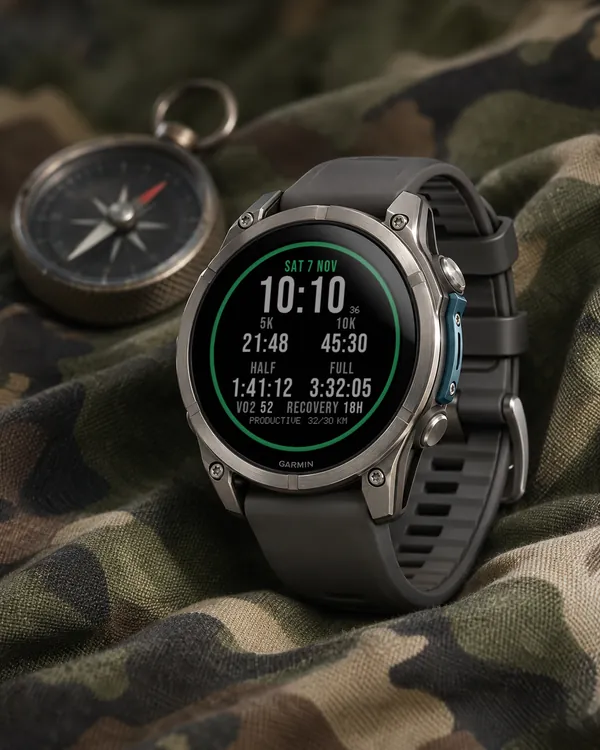 Running
Race Ready
5.0 (17)
Garmin race predictions and weekly mileage right on the face
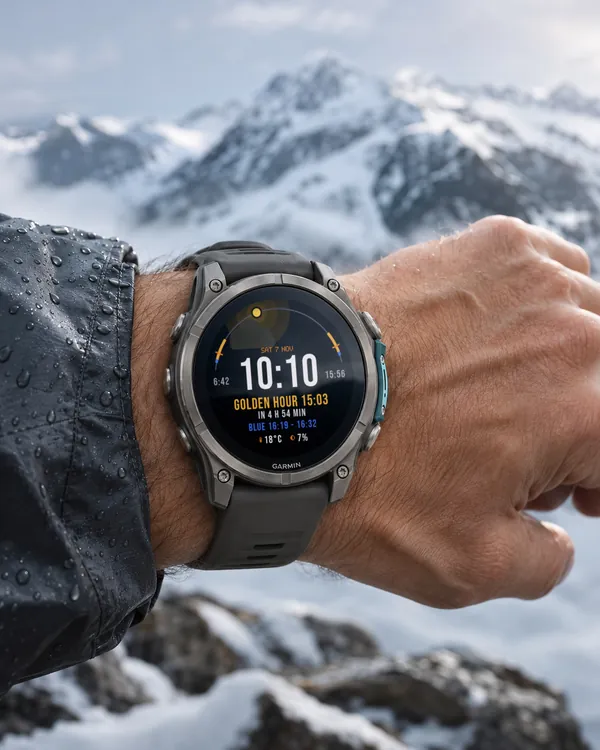 Photography
Amber Hour
5.0 (15)
Golden and blue hour countdown with the sun's path across your day
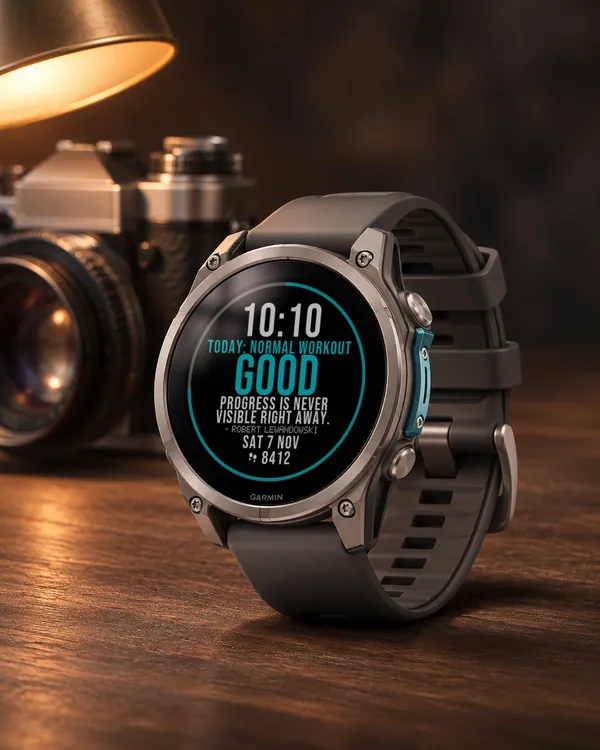 Readiness
Day Verdict
4.8 (12)
One word for your day: PUSH, STEADY, EASY or REST, from your sleep, Body Battery and recovery
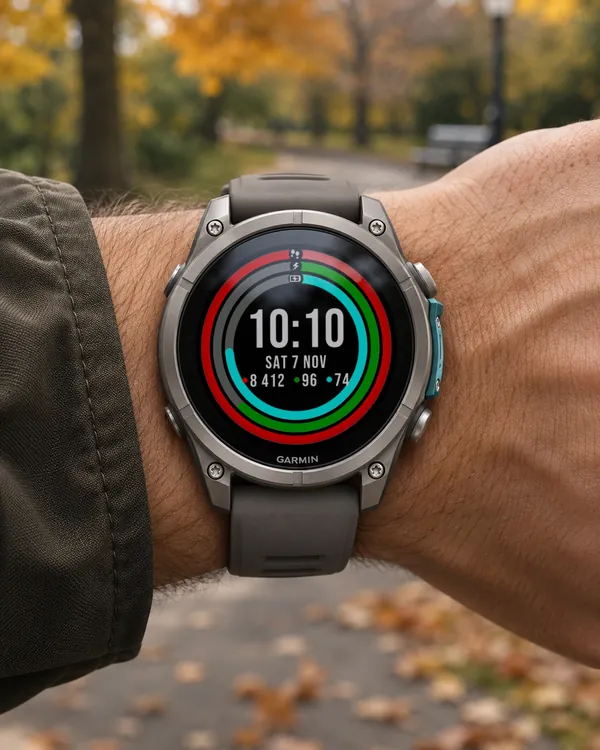 Activity
Ring Day
5.0 (16)
Three activity rings around the time, for people who close their rings