Download and test free for 7 days
- Download the file yourself and install it on your watch with a cable. Test it free for 7 days.
- Like it? Buy a code once, yours forever. No subscription.
- Do not like it? Do nothing. The face simply stops working. Nobody takes any money from you.
How: enter your e-mail, click the link we send, download the file for your watch and copy it with a USB cable. The panel shows every step.
Set up the face before you download
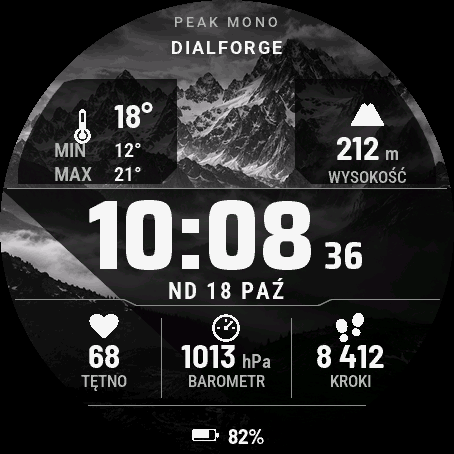
A black and white digital watch face on a photo of mountains. A large time with small seconds, the weekday, date and short month under it (SAT 11 OCT). Six fields with an icon, a value and a label: weather with the temperature and the day's min and max, altitude, heart rate, pressure, steps and battery.
There are two layouts. In the first one two big fields sit at the top, under the time is a row of three fields split by thin lines, and the battery hangs below them. In the second the time is on the left and a column of six fields runs down the right side. You switch the layout with one setting.
Pick the background: a ridge, a single peak, snowy Alps, a contour map drawn with lines, or plain black. The photos are greyscale, no colour. The fields sit on dark tiles, so the numbers stay readable in sunlight. The tiles can be translucent, outline only or solid black. On MIP watches (fenix 7, fenix 8 Solar, Forerunner 255 and 955, Enduro 3) the photo has four grey levels with dithering and the tiles are always black, because translucency on 64 colours would put noise under the numbers.
By default the fields show weather, altitude, heart rate, pressure, steps and battery. Each of the six places can be changed. You can pick from 33 kinds of data, including energy level, stress, temperature, sunrise and sunset, floors, VO2 max, sleep score, wind, humidity, UV index and chance of rain. A field can also stay empty. The phone sends the weather and the face cannot force it to fetch new data, so data older than the limit shows as "--".
You can also set:
- the layout, the background and the look of the tiles,
- thin minute marks on the edge of the screen,
- the label at the top: watch model, your own text up to 16 characters (ready-made: DIALFORGE, PEAK, ALPINE, MTB) or nothing,
- seconds (hidden automatically when the watch saves the screen),
- how long weather data counts as current,
- the always-on screen on AMOLED: whole face dimmed (default), time with date, time only or off. The time is then just an outline and moves every minute,
- the date language (13 languages), time format and leading zero.
You can change everything on the watch too, in the Customize menu, with a live preview.
Works on 65 round Garmin watches with an AMOLED or MIP screen: fenix 7 (all versions), fenix 8, fenix E, fenix 9, epix Gen 2 and epix Pro, Enduro 3, MARQ Gen 2, D2 Air X10, Mach 1 and Mach 2, Descent G2 and Mk3, Approach S50 and S70, Forerunner 70, 165, 170, 255, 265, 570, 955, 965 and 970, Venu 2, 2 Plus, 2S, 3, 3S and 4, vivoactive 5 and 6, and Instinct 3 AMOLED. On the Forerunner 255S and 255S Music the text is small because the screen is 218 pixels wide. Older watches with little memory (fenix 6, Forerunner 245 and 945, Venu Sq and others) and rectangular watches are not supported.
The face asks for location access only to calculate sunrise and sunset on the watch. It sends nothing to the internet.
Trial: the face works fully for 7 days. In the last 3 days the number of days left appears at the top. After that the face shows your Watch ID and dialforge.dev. Buy a code for that number and enter it in the Connect IQ app, in the face settings (Unlock code).
Code not working? Write to kontakt@dialforge.dev and I will fix it or refund you.
If the face is useful to you, you can buy me a coffee: buycoffee.to/iwannaflysohigh
Czarno-biała tarcza cyfrowa na zdjęciu gór. Duża godzina z małymi sekundami, pod nią dzień tygodnia, data i skrócony miesiąc (SOB 11 PAŹ). Do tego sześć pól z ikoną, wartością i podpisem: pogoda z temperaturą oraz min i max z dnia, wysokość, tętno, ciśnienie, kroki i bateria.
Są dwa układy. W pierwszym dwa duże pola stoją u góry, pod godziną jest rząd trzech pól rozdzielonych cienkimi kreskami, a bateria wisi pod nimi. W drugim godzina jest po lewej, a po prawej biegnie kolumna sześciu pól. Układ zmieniasz jednym ustawieniem.
Tło do wyboru: granie, pojedynczy szczyt, ośnieżone Alpy, mapa poziomic rysowana liniami albo czysta czerń. Zdjęcia są w odcieniach szarości, bez koloru. Pola leżą na ciemnych płytkach, więc liczby są czytelne także w słońcu. Płytki mogą być półprzezroczyste, tylko w obrysie albo pełne czarne. Na zegarkach z ekranem MIP (fenix 7, fenix 8 Solar, Forerunner 255 i 955, Enduro 3) zdjęcie ma cztery poziomy szarości z rozpraszaniem, a płytki są zawsze czarne, bo przy 64 kolorach półprzezroczystość dawałaby szum pod liczbami.
Domyślnie pola pokazują pogodę, wysokość, tętno, ciśnienie, kroki i baterię. Każde z sześciu miejsc możesz zmienić. Rodzajów danych do wyboru jest 33, między innymi poziom energii, stres, temperatura, wschód i zachód słońca, piętra, VO2 max, wynik snu, wiatr, wilgotność, indeks UV i szansa opadów. Pole może też zostać puste. Pogodę wysyła telefon, tarcza nie zmusi go do pobrania nowej, więc dane starsze niż limit pokazuje jako "--".
Co jeszcze ustawisz:
- układ, tło i wygląd płytek,
- cienkie kreski minutowe na brzegu ekranu,
- napis u góry: model zegarka, własny tekst do 16 znaków (gotowe: DIALFORGE, PEAK, ALPINE, MTB) albo nic,
- sekundy (znikają same, gdy zegarek oszczędza ekran),
- jak długo dane pogody są uznawane za aktualne,
- ekran wygaszony na AMOLED: cała tarcza przygaszona (domyślnie), godzina z datą, sama godzina albo nic. Godzina jest wtedy samym konturem i przesuwa się co minutę,
- język daty (13 języków), format godziny i zero na początku.
Wszystko zmienisz też na zegarku, w menu Dostosuj, z podglądem na żywo.
Działa na 65 okrągłych zegarkach Garmin z ekranem AMOLED i MIP: fenix 7 (wszystkie wersje), fenix 8, fenix E, fenix 9, epix Gen 2 i epix Pro, Enduro 3, MARQ Gen 2, D2 Air X10, Mach 1 i Mach 2, Descent G2 i Mk3, Approach S50 i S70, Forerunner 70, 165, 170, 255, 265, 570, 955, 965 i 970, Venu 2, 2 Plus, 2S, 3, 3S i 4, vivoactive 5 i 6 oraz Instinct 3 AMOLED. Na Forerunnerze 255S i 255S Music tekst jest drobny, bo ekran ma 218 pikseli. Starsze zegarki z małą pamięcią (fenix 6, Forerunner 245 i 945, Venu Sq i inne) i zegarki prostokątne nie są wspierane.
Tarcza prosi o dostęp do lokalizacji tylko po to, żeby policzyć na zegarku wschód i zachód słońca. Nic nie wysyła do internetu.
Próba: przez 7 dni tarcza działa w całości. W ostatnich 3 dniach u góry pojawia się liczba dni, które zostały. Potem tarcza pokazuje numer ID zegarka i adres dialforge.dev. Kod kupujesz dla tego numeru i wpisujesz w aplikacji Connect IQ, w ustawieniach tarczy (pole Kod odblokowania).
Kod nie działa? Napisz na kontakt@dialforge.dev, poprawię albo oddam pieniądze.
Jeśli tarcza Ci się przyda, możesz postawić mi kawę: buycoffee.to/iwannaflysohigh
Rate this face (only I see the rating)
Permissions and privacy
This product asks the watch for the permissions below. Connect IQ shows them when you install it.
- Sensor history: Reads recent values stored by the watch (for example Body Battery, stress, heart rate, steps trend).Odczytuje ostatnie wartości zapisane przez zegarek (na przykład Body Battery, stres, tętno, trend kroków).
- Your profile: Reads your Garmin profile on the watch (for example age, weight, heart rate zones) to calculate values for you.Odczytuje Twój profil Garmin na zegarku (na przykład wiek, wagę, strefy tętna), żeby liczyć wartości dla Ciebie.
- Watch data (complications): Shows data from other watch features, such as battery or steps, on the face.Pokazuje na tarczy dane z innych funkcji zegarka, takie jak bateria czy kroki.
- Location (GPS): Uses the watch location for distance, speed or sun and moon times. The location is not sent anywhere.Używa lokalizacji zegarka do dystansu, prędkości albo godzin słońca i księżyca. Lokalizacja nigdzie nie jest wysyłana.
This product does not use the internet and sends no data to our servers.
The full manual and the detailed permission descriptions are available in English and Polish.
Unlock
€4.49
One-time payment. No subscription. The code works on the watch whose ID you enter.
- Download the face for free (button at the top) and copy it to the watch with a USB cable. You pay nothing for 7 days.
- Find the watch ID (10 digits): a face installed by cable shows it on its screen when the 7-day trial ends.
- Enter the watch ID and e-mail, pay by card, Apple Pay, Google Pay or PayPal. The code appears here at once and in your e-mail.
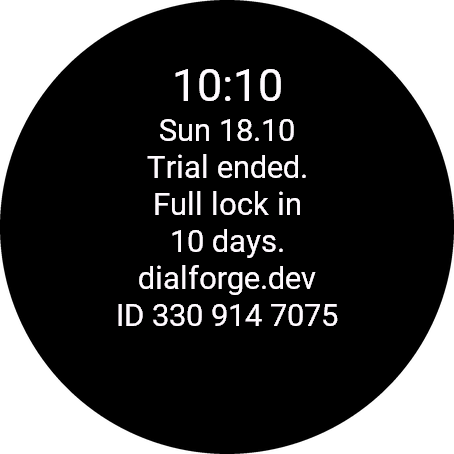
Paste the whole text from the watch, for example ID 123 456 7890. The number is different in every face, so read it in the one you are unlocking.
Optional. Tells us which watches our faces run on. It does not change your code.
Code not working on your watch? Write to me and I refund within 14 days.
or with PayPal
In the Facebook or Instagram browser? If the payment window does not open, open this page in Chrome or Safari (three-dot menu, Open in browser).
Payments by Stripe and PayPal. Seller: Mateusz Kolarz, Lublin, Poland.
Thank you! Your code:
Where to paste the code
- The watch checks the code offline, usually within a minute. A face installed by cable has no settings on the phone: it unlocks by itself after the trial, when the watch is connected to the phone. This can take a few hours. If it does not, write to kontakt@dialforge.dev.
We show the code here too. If the e-mail does not arrive (check spam), you can recover the code in the Recover code section with the UID and e-mail from your order. Recover code
From the same family
More faces
 RunningIn the Garmin store
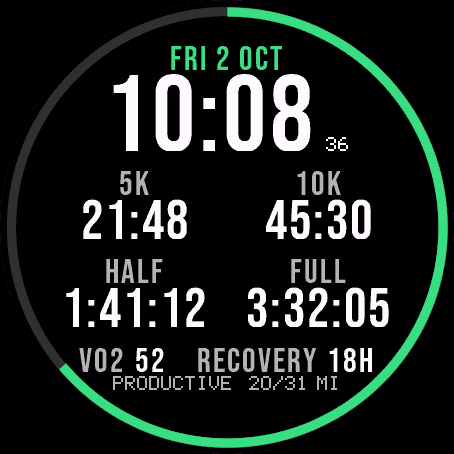
Race Ready
5.0 from 16 ratings in the Garmin store
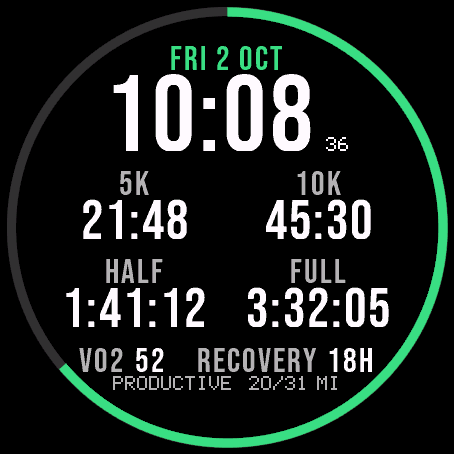
Garmin race predictions and weekly mileage right on the face.
 PhotographyIn the Garmin store
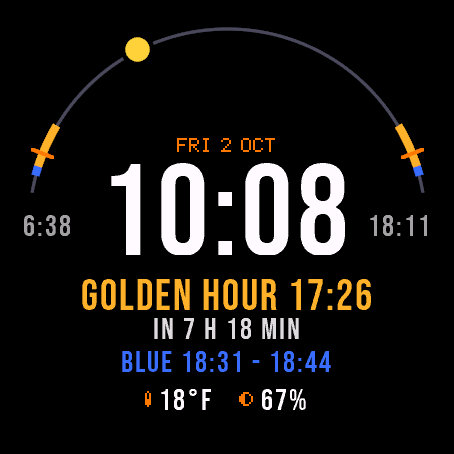
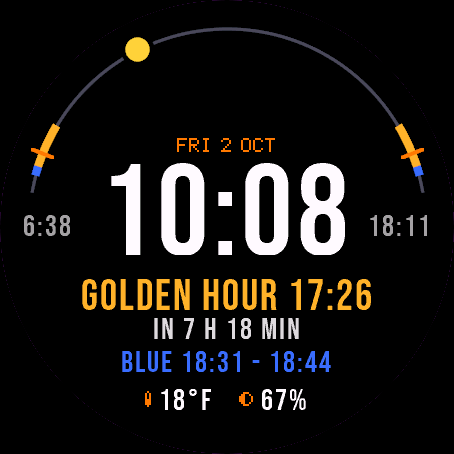
Amber Hour
5.0 from 14 ratings in the Garmin store
Golden and blue hour countdown with the sun's path across your day.
 ReadinessIn the Garmin store
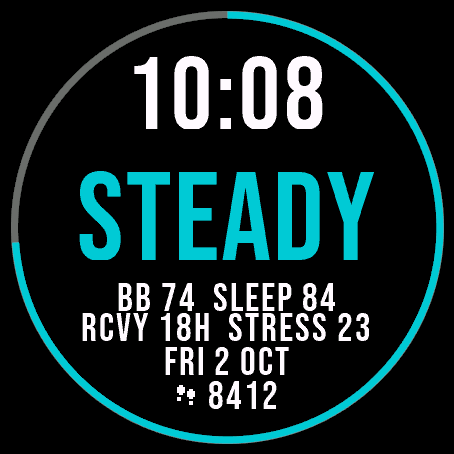
Day Verdict
5.0 from 9 ratings in the Garmin store
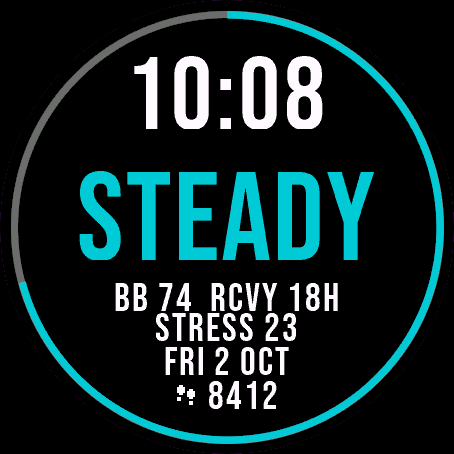
One word for your day: PUSH, STEADY, EASY or REST, from your sleep, Body Battery and recovery.
 ActivityIn the Garmin store
Ring Day
5.0 from 15 ratings in the Garmin store
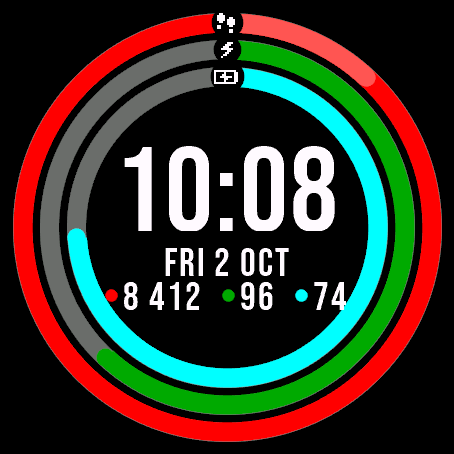
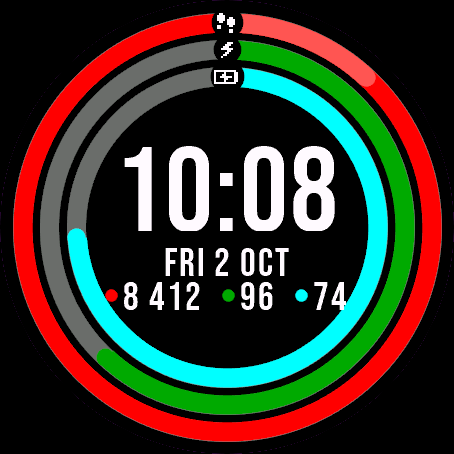
Three activity rings around the time, for people who close their rings.