Unlock
€6.49
One-time payment. No subscription. The code works on the watch whose ID you enter.
- Install the face from Connect IQ (7 days free).
- On the watch: face settings > Buy / Unlock, scan the QR code.
- Pay and paste the code in the face settings.
- Pay.
- Copy the code.
- Paste it in Connect IQ: this face > Settings > Unlock code.
Payment works best in Safari or Chrome: menu (three dots) > Open in browser
Read it in this face, it is not the serial number of the watch.
The code works only in the watch face it was bought for: a Summit Rings code will not work in Summit Tactic.
Your ID, compare it with the watch:
Where do I find the ID?
On the watch: settings of this face > Buy / Unlock (first item). Scan the QR code with your phone or type the 10 digits. The ID is also at the top of the face settings in the Connect IQ app.
Code not working on your watch? Write to me and I will fix it.
Payments by Stripe. Seller: Mateusz Kolarz, Lublin, Poland.
Paid. Code:
We show the code here too. If the e-mail does not arrive (check spam), you can recover the code in the Recover code section with just the Face ID. Recover code
Copying did not work. The code is selected: copy it by hand.
The face unlocks by itself when the watch connects to the phone (usually within an hour; if the trial is still running, the purchase starts working when it ends).
Do not want to wait, or have an older watch? Paste the code in the Connect IQ app:
Connect IQ (or Garmin Connect) > My Device > Watch faces > Woman Runner Photo > Settings > Unlock code > paste > Save
Like it? Rate this face in the Garmin store
Want to try new faces and apps before the release, for free? Join the testers program
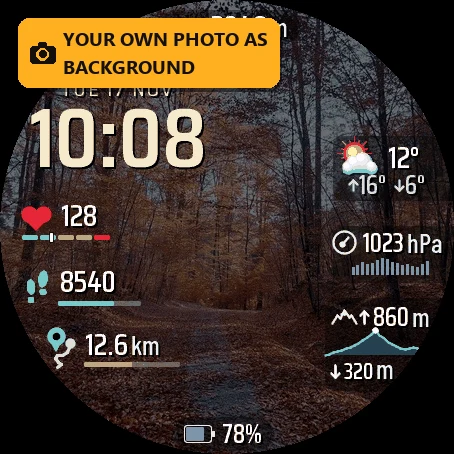
A running watch face with your own photo as the background: heart rate zones, steps, distance, weather, pressure and elevation over a picture you choose.
7-day free trial, one-time unlock, no subscription.
The photo edition of Woman Runner: same layout, fonts and icons, with your own picture behind them.
How to add your photo
1. Open the QR code. Touch screen: hold your finger on the face, away from the data fields (90 seconds). No touch or touch turned off: in the face settings on the watch turn on "Show photo QR code", and turn it off when the photo is there.
2. Scan it with your phone, or open foto.dialforge.dev and type the 8-character photo code shown under the QR code. The same code is in the face settings in Garmin Connect (Photo code).
3. Pick a photo, fit it in the circle, send it. The photo appears on the watch a few minutes later.
The watch needs a phone with Garmin Connect and internet nearby. For two hours after you show the QR code it checks every 5 minutes, then once an hour (Photo check in Garmin Connect).
Readable on any photo
The face darkens your photo and adds a thin shadow under every number, so the fields stay readable on snow or bright rock. Four levels of dimming in Garmin Connect (Photo dimming).
Change or delete
Change the photo as often as you like: same code, send a new photo on foto.dialforge.dev, the watch downloads the new version. "Delete my photo" on the same page removes it from the server and the watch goes back to the plain dark background.
Photo not showing?
The QR screen shows the minutes since the last check and a number after #. #0 or #1: all fine, wait a few minutes. #-1104 or other four digits starting with -1: the phone is not connected, open Garmin Connect. Four digits starting with -2, or #-404: the photo did not download, send it again. #-903: too big for the watch memory, the next try takes a smaller one. Anything else: send me the number.
On the face
- Heart rate with a five colour zone bar and a marker at the current rate. The zones come from your Garmin profile.
- Steps and distance, each with a progress bar. Garmin has no daily distance goal, so the face has its own setting, Distance goal, from 1 to 100 (km or miles, as your watch is set). The default is 25.
- Weather panel with the temperature and arrows for max and min. Pressure panel with hPa and 16 bars from the last 24 hours. Elevation panel with the gain, a 24 hour altitude profile and the descent.
- A top capsule with altitude and a bottom capsule with the watch battery.
- 8 fields, each one picked from 22 options (altitude, elevation gain, vertical speed, heart rate, calories, steps, battery, temperature, pressure, feels like, max and min, distance, floors, descent, Body Battery, stress, active minutes, sunrise, sunset, weekly cycling distance, wind speed). A new field brings its own icon, colour, unit and small chart.
- 10 accent colours (cream by default), separate colours for icons and numbers, three text sizes (normal, large, extra large) that enlarge the values and the panels, battery as percent or days, 12 or 24 hour time, date in 24 languages. Seconds are off by default.
- Hold a field to open its Garmin screen (touch screens).
- Always-on mode: black with only the dimmed time, shifted every minute. About 3 percent of the pixels are lit.
Honest limits: the pressure chart and the altitude profile use the last 24 hours of sensor history. On a new watch or after a short time on the wrist the panel shows no chart. Without heart rate zones in your profile the bar has no marker. Weather needs a phone connection. Where Garmin has no data for a field, the face shows "--", never a made-up value.
Privacy
The server (Cloudflare) keeps only the cropped picture without EXIF or location, linked to the photo code, not to your name. Anyone who knows the code can see it, so keep it to yourself. More at dialforge.dev/privacy. The background service is used for the photo, so there is no glucose (CGM) field.
Trial: after 7 days buy a code for your Face ID at dialforge.dev and enter it in the Connect IQ app, in the face settings (Unlock code). Problems: kontakt@dialforge.dev.
Works on fenix 7, fenix 8, Forerunner 255, 970, Venu 4 and more AMOLED and MIP watches.
Tarcza do biegania z własnym zdjęciem w tle: strefy tętna, kroki, dystans, pogoda, ciśnienie i przewyższenie na zdjęciu, które sam wybierzesz.
7 dni za darmo, jednorazowe odblokowanie, bez subskrypcji.
Woman Runner w wydaniu ze zdjęciem: ten sam układ, czcionki i ikony, a pod nimi Twoje zdjęcie.
Jak dodać zdjęcie
1. Otwórz kod QR. Ekran dotykowy: przytrzymaj palec na tarczy, z dala od pól z danymi (90 sekund). Bez dotyku albo z wyłączonym dotykiem: w ustawieniach tarczy na zegarku włącz "Pokaż kod QR zdjęcia", a gdy zdjęcie już będzie, wyłącz.
2. Zeskanuj go telefonem albo otwórz foto.dialforge.dev i wpisz 8-znakowy kod zdjęcia spod kodu QR. Ten sam kod jest w ustawieniach tarczy w Garmin Connect (Kod zdjęcia).
3. Wybierz zdjęcie, dopasuj je w kole, wyślij. Zdjęcie pojawi się na zegarku po kilku minutach.
Zegarek potrzebuje w pobliżu telefonu z Garmin Connect i internetem. Przez dwie godziny od pokazania kodu QR sprawdza co 5 minut, potem raz na godzinę (Sprawdzanie zdjęcia w Garmin Connect).
Czytelna na każdym zdjęciu
Tarcza przyciemnia zdjęcie i daje cienki cień pod każdą liczbą, więc pola da się odczytać także na śniegu albo jasnej skale. Cztery poziomy przyciemnienia w Garmin Connect (Przyciemnienie zdjęcia).
Zmiana i usunięcie
Zmieniaj zdjęcie, ile chcesz: ten sam kod, nowe zdjęcie na foto.dialforge.dev, zegarek pobierze nową wersję. "Usuń moje zdjęcie" na tej samej stronie kasuje je z serwera, a zegarek wraca do jednolitego ciemnego tła.
Zdjęcie się nie pojawia?
Ekran z kodem QR pokazuje minuty od ostatniego sprawdzenia i liczbę po #. #0 albo #1: wszystko dobrze, poczekaj kilka minut. #-1104 albo inne cztery cyfry zaczynające się od -1: telefon nie jest połączony, otwórz Garmin Connect. Cztery cyfry zaczynające się od -2 albo #-404: zdjęcie się nie pobrało, wyślij je jeszcze raz. #-903: za duże dla pamięci zegarka, następna próba weźmie mniejsze. Coś innego: wyślij mi tę liczbę.
Na tarczy
- Tętno z pięciokolorowym paskiem stref i znacznikiem przy bieżącym tętnie. Strefy pochodzą z Twojego profilu Garmin.
- Kroki i dystans, każde z paskiem postępu. Garmin nie ma dziennego celu dystansu, więc tarcza ma własne ustawienie, Cel dystansu, od 1 do 100 (km albo mile, zależnie od zegarka). Domyślnie 25.
- Panel pogody z temperaturą i strzałkami max i min. Panel ciśnienia z hPa i 16 słupkami z ostatniej doby. Panel przewyższenia z wartością, profilem wysokości z doby i spadkiem.
- Górna kapsułka z wysokością i dolna z baterią zegarka.
- 8 pól, każde do wyboru z 22 pozycji (wysokość, przewyższenie, prędkość pionowa, tętno, kalorie, kroki, bateria, temperatura, ciśnienie, odczuwalna, max i min, dystans, piętra, spadek, Body Battery, stres, minuty aktywności, wschód, zachód, tygodniowy dystans rowerowy, siła wiatru). Nowe pole ma własną ikonę, kolor, jednostkę i mały wykres.
- 10 kolorów akcentu (domyślnie kremowy), osobne kolory ikon i liczb, trzy rozmiary tekstu (normalny, duży, bardzo duży), które powiększają wartości i panele, bateria w procentach lub dniach, godzina 12 lub 24 h, data w 24 językach. Sekundy są domyślnie wyłączone.
- Przytrzymaj pole, a otworzy się jego ekran Garmina (ekrany dotykowe).
- Tryb zawsze włączony: czerń i tylko przygaszona godzina, przesuwana co minutę. Świeci około 3 procent pikseli.
Ograniczenia: wykres ciśnienia i profil wysokości korzystają z historii czujników z ostatnich 24 godzin. Na nowym zegarku albo po krótkim noszeniu panel jest bez wykresu. Bez stref tętna w profilu pasek nie ma znacznika. Pogoda wymaga połączenia z telefonem. Gdy Garmin nie ma danych dla pola, tarcza pokazuje "--", nigdy zmyśloną wartość.
Prywatność
Serwer (Cloudflare) trzyma tylko przycięty obraz bez EXIF i lokalizacji, powiązany z kodem zdjęcia, a nie z Twoim imieniem. Każdy, kto zna kod, może je zobaczyć, więc zachowaj go dla siebie. Więcej na dialforge.dev/privacy. Usługa w tle służy zdjęciu, dlatego nie ma pola glukozy (CGM).
Okres próbny: po 7 dniach kup kod dla swojego ID tarczy na dialforge.dev i wpisz go w aplikacji Connect IQ, w ustawieniach tarczy (Kod odblokowania). Problemy: kontakt@dialforge.dev.
Działa na fenix 7, fenix 8, Forerunner 255, 970, Venu 4 i innych zegarkach AMOLED i MIP.
Ein Lauf-Zifferblatt mit deinem eigenen Foto als Hintergrund: Herzfrequenzzonen, Schritte, Distanz, Wetter, Luftdruck und Höhe über einem Bild deiner Wahl.
7 Tage kostenlos testen, einmalige Freischaltung, kein Abo.
Die Foto-Ausgabe von Woman Runner: gleiches Layout, gleiche Schriften und Symbole, mit deinem eigenen Bild dahinter.
So fügst du dein foto hinzu
1. Öffne den QR-Code. Touchscreen: Halte den Finger auf dem Zifferblatt, abseits der Datenfelder (90 Sekunden). Ohne Touch oder bei ausgeschaltetem Touch: Schalte in den Zifferblatt-Einstellungen auf der Uhr "Foto-QR-Code anzeigen" ein und wieder aus, sobald das Foto da ist.
2. Scanne ihn mit dem Handy oder öffne foto.dialforge.dev und gib den 8-stelligen Fotocode ein, der unter dem QR-Code steht. Derselbe Code steht in den Zifferblatt-Einstellungen in Garmin Connect (Fotocode).
3. Wähle ein Foto, passe es im Kreis an und sende es. Das Foto erscheint wenige Minuten später auf der Uhr.
Die Uhr braucht ein Handy mit Garmin Connect und Internet in der Nähe. Zwei Stunden nach dem Anzeigen des QR-Codes prüft sie alle 5 Minuten, danach einmal pro Stunde (Fotoprüfung in Garmin Connect).
Lesbar auf jedem foto
Das Zifferblatt dunkelt dein Foto ab und legt einen dünnen Schatten unter jede Zahl, damit die Felder auf Schnee oder hellem Fels lesbar bleiben. Vier Stufen in Garmin Connect (Fotoabdunklung).
Ändern oder löschen
Ändere das Foto, so oft du willst: gleicher Code, neues Foto auf foto.dialforge.dev senden, die Uhr lädt die neue Version. "Mein Foto löschen" auf derselben Seite entfernt es vom Server, und die Uhr zeigt wieder den einfarbig dunklen Hintergrund.
Foto erscheint nicht?
Der QR-Bildschirm zeigt die Minuten seit der letzten Prüfung und eine Zahl nach #. #0 oder #1: alles gut. #-1104 oder andere vier Ziffern mit -1 am Anfang: Handy getrennt, öffne Garmin Connect. Vier Ziffern mit -2 am Anfang oder #-404: Foto nicht geladen, sende es erneut. #-903: zu groß für die Uhr, der nächste Versuch nimmt ein kleineres. Sonst: Schick mir die Zahl.
Auf dem zifferblatt
- Herzfrequenz mit einer fünffarbigen Zonenleiste und einer Markierung beim aktuellen Wert. Die Zonen stammen aus deinem Garmin-Profil.
- Schritte und Distanz, jeweils mit einem Fortschrittsbalken. Garmin bietet kein tägliches Distanzziel, daher hat das Zifferblatt eine eigene Einstellung, Distanzziel, von 1 bis 100 (km oder Meilen, je nach Einstellung deiner Uhr). Der Standardwert ist 25.
- Wetter-Panel mit der Temperatur und Pfeilen für Max und Min. Luftdruck-Panel mit hPa und 16 Balken aus den letzten 24 Stunden. Höhen-Panel mit dem Anstieg, einem 24-Stunden-Höhenprofil und dem Abstieg.
- Eine obere Kapsel mit der Höhe und eine untere Kapsel mit dem Akku der Uhr.
- 8 Felder, jedes wählbar aus 22 Optionen (Höhe, Anstieg, Vertikalgeschwindigkeit, Herzfrequenz, Kalorien, Schritte, Akku, Temperatur, Luftdruck, gefühlte Temperatur, Max und Min, Distanz, Stockwerke, Abstieg, Body Battery, Stress, Aktivitätsminuten, Sonnenaufgang, Sonnenuntergang, wöchentliche Raddistanz, Windgeschwindigkeit). Ein neues Feld bringt sein eigenes Symbol, seine eigene Farbe, seine eigene Einheit und ein kleines Diagramm mit.
- 10 Akzentfarben (standardmäßig Creme), separate Farben für Symbole und Zahlen, drei Textgrößen (normal, groß, extra groß), die die Werte und die Panels vergrößern, Akku in Prozent oder Tagen, 12- oder 24-Stunden-Format, Datum in 24 Sprachen. Sekunden sind standardmäßig ausgeschaltet.
- Halte ein Feld gedrückt, um den zugehörigen Garmin-Bildschirm zu öffnen (Touchscreens).
- Always-on-Modus: Schwarz mit nur der gedimmten Uhrzeit, jede Minute verschoben. Etwa 3 Prozent der Pixel leuchten.
Ehrliche Grenzen: Das Luftdruckdiagramm und das Höhenprofil nutzen die Sensorhistorie der letzten 24 Stunden. Bei einer neuen Uhr oder nach kurzer Tragezeit zeigt das Panel kein Diagramm an. Ohne Herzfrequenzzonen in deinem Profil hat die Leiste keine Markierung. Das Wetter erfordert eine Verbindung zum Telefon. Wenn Garmin keine Daten für ein Feld hat, zeigt das Zifferblatt "--" an, niemals einen erfundenen Wert.
Datenschutz
Der Server (Cloudflare) speichert nur das zugeschnittene Bild ohne EXIF und Standort, verknüpft mit dem Fotocode, nicht mit deinem Namen. Jeder, der den Code kennt, kann es sehen, behalte ihn also für dich. Mehr unter dialforge.dev/privacy. Der Hintergrunddienst wird für das Foto genutzt, deshalb gibt es kein Glukosefeld (CGM).
Testphase: Kaufe nach 7 Tagen unter dialforge.dev einen Code für deine Watch ID und gib ihn in der Connect IQ App in den Zifferblatt-Einstellungen ein (Freischaltcode). Probleme: kontakt@dialforge.dev.
Funktioniert auf fenix 7, fenix 8, Forerunner 255, 970, Venu 4 und weiteren AMOLED- und MIP-Uhren.
Un cadran de course avec votre propre photo en fond : zones de fréquence cardiaque, pas, distance, météo, pression et dénivelé sur une image de votre choix.
7 jours d'essai gratuit, déverrouillage en une seule fois, sans abonnement.
L'édition photo de Woman Runner : même disposition, mêmes polices et mêmes icônes, avec votre propre image derrière.
Comment ajouter votre photo
1. Ouvrez le QR code. Écran tactile : maintenez le doigt sur le cadran, loin des champs de données (90 secondes). Sans tactile ou tactile coupé : activez "Afficher le QR code de la photo" dans les réglages du cadran sur la montre, puis désactivez-le une fois la photo en place.
2. Scannez-le avec votre téléphone ou ouvrez foto.dialforge.dev et saisissez le code photo à 8 caractères sous le QR code. Le même code se trouve dans les réglages du cadran dans Garmin Connect (Code photo).
3. Choisissez une photo, ajustez-la dans le cercle, envoyez-la. Elle apparaît sur la montre quelques minutes plus tard.
Il faut un téléphone avec Garmin Connect et internet à proximité. Pendant deux heures après l'affichage du QR code, la montre vérifie toutes les 5 minutes, puis une fois par heure (Vérification de la photo dans Garmin Connect).
Lisible sur toute photo
Le cadran assombrit votre photo et ajoute une fine ombre sous chaque chiffre : champs lisibles sur neige ou roche claire. Quatre niveaux dans Garmin Connect (Assombrissement de la photo).
Modifier ou supprimer
Changez la photo à volonté : même code, envoyez-en une nouvelle sur foto.dialforge.dev, la montre télécharge la nouvelle version. "Supprimer ma photo" sur la même page l'efface du serveur et la montre revient au fond sombre uni.
La photo ne s'affiche pas ?
L'écran QR indique les minutes depuis la dernière vérification et un nombre après #. #0 ou #1 : tout va bien. #-1104 ou autre nombre à quatre chiffres en -1 : téléphone non connecté, ouvrez Garmin Connect. Quatre chiffres en -2, ou #-404 : photo non téléchargée, renvoyez-la. #-903 : trop lourde pour la montre, l'essai suivant en prendra une plus légère. Autre : envoyez-moi le numéro.
Sur le cadran
- Fréquence cardiaque avec une barre de zones à cinq couleurs et un repère indiquant la fréquence actuelle. Les zones proviennent de votre profil Garmin.
- Pas et distance, chacun avec une barre de progression. Garmin n'ayant pas d'objectif de distance quotidienne, le cadran possède son propre paramètre, Objectif de distance, de 1 à 100 (km ou miles, selon le réglage de votre montre). La valeur par défaut est 25.
- Panneau météo avec la température et des flèches pour max et min. Panneau de pression avec les hPa et 16 barres des dernières 24 heures. Panneau d'altitude avec le dénivelé positif, un profil d'altitude sur 24 heures et le dénivelé négatif.
- Une capsule en haut avec l'altitude et une capsule en bas avec la batterie de la montre.
- 8 champs, chacun choisi parmi 22 options (altitude, dénivelé positif, vitesse verticale, fréquence cardiaque, calories, pas, batterie, température, pression, température ressentie, max et min, distance, étages, dénivelé négatif, Body Battery, stress, minutes actives, lever, coucher, distance hebdomadaire à vélo, vitesse du vent). Un nouveau champ apporte sa propre icône, couleur, unité et un petit graphique.
- 10 couleurs d'accentuation (crème par défaut), couleurs distinctes pour les icônes et les chiffres, trois tailles de texte (normale, grande, très grande) qui agrandissent les valeurs et les panneaux, batterie en pourcentage ou en jours, heure au format 12 ou 24 h, date en 24 langues. Les secondes sont désactivées par défaut.
- Maintenez un champ pour ouvrir son écran Garmin (écrans tactiles).
- Affichage permanent : noir avec seulement l'heure atténuée, déplacée chaque minute. Environ 3 pour cent des pixels sont allumés.
Limites en toute franchise : le graphique de pression et le profil d'altitude utilisent les dernières 24 heures d'historique des capteurs. Sur une montre neuve ou après un court temps au poignet, le panneau n'affiche aucun graphique. Sans zones de fréquence cardiaque dans votre profil, la barre n'a pas de repère. La météo nécessite une connexion au téléphone. Lorsque Garmin n'a pas de données pour un champ, le cadran affiche "--", jamais une valeur inventée.
Confidentialité
Le serveur (Cloudflare) ne garde que l'image recadrée, sans EXIF ni position, liée au code photo et non à votre nom. Quiconque connaît le code peut la voir, gardez-le pour vous. Plus sur dialforge.dev/privacy. Le service en arrière-plan sert à la photo, d'où l'absence de champ glycémie (CGM).
Essai : après 7 jours, achetez un code pour votre Watch ID sur dialforge.dev et saisissez-le dans l'app Connect IQ, réglages du cadran (Code de déverrouillage). Un problème : kontakt@dialforge.dev.
Fonctionne sur fenix 7, fenix 8, Forerunner 255, 970, Venu 4 et d'autres montres AMOLED et MIP.
Una esfera de running con tu propia foto de fondo: zonas de frecuencia cardíaca, pasos, distancia, tiempo, presión y desnivel sobre una imagen que tú eliges.
7 días de prueba gratis, desbloqueo de pago único, sin suscripción.
La edición con foto de Woman Runner: mismo diseño, mismas fuentes e iconos, con tu propia imagen detrás.
Cómo añadir tu foto
1. Abre el código QR. Pantalla táctil: mantén el dedo sobre la esfera, lejos de los campos de datos (90 segundos). Sin pantalla táctil o con el tacto desactivado: en los ajustes de la esfera en el reloj activa "Mostrar código QR de la foto" y desactívalo cuando la foto ya esté.
2. Escanéalo con el móvil, o abre foto.dialforge.dev y escribe el código de foto de 8 caracteres que aparece bajo el código QR. El mismo código está en los ajustes de la esfera en Garmin Connect (Código de foto).
3. Elige una foto, ajústala en el círculo y envíala. La foto aparece en el reloj unos minutos después.
El reloj necesita un móvil con Garmin Connect e internet cerca. Durante dos horas desde que muestras el código QR comprueba cada 5 minutos, y después una vez por hora (Comprobación de foto en Garmin Connect).
Legible con cualquier foto
La esfera oscurece tu foto y añade una sombra fina bajo cada número, para que los campos se lean bien sobre nieve o roca clara. Cuatro niveles de atenuación en Garmin Connect (Atenuación de la foto).
Cambiar o borrar
Cambia la foto tantas veces como quieras: mismo código, envía una foto nueva en foto.dialforge.dev y el reloj descarga la nueva versión. "Eliminar mi foto" en la misma página la borra del servidor y el reloj vuelve al fondo oscuro liso.
¿no aparece la foto?
La pantalla del QR muestra los minutos desde la última comprobación y un número después de #. #0 o #1: todo bien, espera. #-1104 u otras cuatro cifras que empiecen por -1: móvil no conectado, abre Garmin Connect. Cuatro cifras que empiecen por -2, o #-404: la foto no se descargó, envíala de nuevo. #-903: demasiado grande para la memoria del reloj, el siguiente intento usará una más pequeña. Otro caso: envíame el número.
En la esfera
- Frecuencia cardíaca con una barra de zonas de cinco colores y un marcador en la frecuencia actual. Las zonas provienen de tu perfil de Garmin.
- Pasos y distancia, cada uno con una barra de progreso. Garmin no tiene un objetivo diario de distancia, por lo que la pantalla incluye su propio ajuste, Objetivo de distancia, de 1 a 100 (km o millas, según la configuración de tu reloj). El valor predeterminado es 25.
- Panel del tiempo con la temperatura y flechas para máxima y mínima. Panel de presión con hPa y 16 barras de las últimas 24 horas. Panel de altitud con el desnivel positivo, un perfil de altitud de 24 horas y el descenso.
- Una cápsula superior con la altitud y una cápsula inferior con la batería del reloj.
- 8 campos, cada uno elegido entre 22 opciones (altitud, desnivel positivo, velocidad vertical, frecuencia cardíaca, calorías, pasos, batería, temperatura, presión, sensación térmica, máxima y mínima, distancia, pisos, descenso, Body Battery, estrés, minutos de actividad, amanecer, atardecer, distancia semanal en bicicleta, velocidad del viento). Un campo nuevo trae su propio icono, color, unidad y un pequeño gráfico.
- 10 colores de acento (crema por defecto), colores independientes para iconos y números, tres tamaños de texto (normal, grande, extra grande) que agrandan los valores y los paneles, batería en porcentaje o en días, formato de 12 o 24 horas, fecha en 24 idiomas. Los segundos están desactivados por defecto.
- Mantén pulsado un campo para abrir su pantalla de Garmin (pantallas táctiles).
- Modo siempre activo: fondo negro solo con la hora atenuada, desplazada cada minuto. Se enciende cerca del 3 por ciento de los píxeles.
Límites honestos: el gráfico de presión y el perfil de altitud utilizan las últimas 24 horas del historial de los sensores. En un reloj nuevo o tras poco tiempo en la muñeca, el panel no muestra ningún gráfico. Sin zonas de frecuencia cardíaca en tu perfil, la barra no tiene marcador. El tiempo necesita conexión con el teléfono. Cuando Garmin no tiene datos para un campo, la pantalla muestra "--", nunca un valor inventado.
Privacidad
El servidor (Cloudflare) guarda solo la imagen recortada, sin EXIF ni ubicación, vinculada al código de foto y no a tu nombre. Cualquiera que conozca el código puede verla, así que guárdalo para ti. Más en dialforge.dev/privacy. El servicio en segundo plano se usa para la foto, por eso no hay campo de glucosa (CGM).
Prueba: tras 7 días, compra un código para tu Watch ID en dialforge.dev e introdúcelo en la app Connect IQ, en los ajustes de la esfera (Código de desbloqueo). Problemas: kontakt@dialforge.dev.
Funciona en fenix 7, fenix 8, Forerunner 255, 970, Venu 4 y más relojes AMOLED y MIP.
Een hardlopen-wijzerplaat met je eigen foto als achtergrond: hartslagzones, stappen, afstand, weer, luchtdruk en hoogte over een afbeelding naar keuze.
7 dagen gratis proberen, eenmalig ontgrendelen, geen abonnement.
De foto-editie van Woman Runner: dezelfde indeling, lettertypen en pictogrammen, met je eigen foto erachter.
Zo voeg je je foto toe
1. Open de QR-code. Aanraakscherm: houd je vinger op de wijzerplaat, weg van de gegevensvelden (90 seconden). Zonder aanraking of met uitgeschakelde aanraking: zet in de instellingen van de wijzerplaat op het horloge "Foto-QR-code tonen" aan en zet het uit zodra de foto er is.
2. Scan hem met je telefoon, of open foto.dialforge.dev en typ de fotocode van 8 tekens die onder de QR-code staat. Dezelfde code staat in de instellingen van de wijzerplaat in Garmin Connect (Fotocode).
3. Kies een foto, pas hem aan in de cirkel en verstuur hem. De foto verschijnt na een paar minuten op het horloge.
Het horloge heeft een telefoon met Garmin Connect en internet in de buurt nodig. Twee uur nadat je de QR-code hebt getoond, controleert het elke 5 minuten, daarna één keer per uur (Fotocontrole in Garmin Connect).
Leesbaar op elke foto
De wijzerplaat maakt je foto donkerder en zet een dunne schaduw onder elk getal, zodat de velden leesbaar blijven op sneeuw of lichte rots. Vier dimniveaus in Garmin Connect (Fotodimming).
Wijzigen of verwijderen
Wijzig de foto zo vaak je wilt: dezelfde code, stuur een nieuwe foto op foto.dialforge.dev, het horloge haalt de nieuwe versie op. "Mijn foto verwijderen" op dezelfde pagina haalt hem van de server en het horloge toont weer de effen donkere achtergrond.
Foto verschijnt niet?
Het QR-scherm toont de minuten sinds de laatste controle en een getal na #. #0 of #1: alles goed, wacht even. #-1104 of andere vier cijfers die met -1 beginnen: telefoon niet verbonden, open Garmin Connect. Vier cijfers die met -2 beginnen, of #-404: foto niet gedownload, stuur hem opnieuw. #-903: te groot voor het geheugen van het horloge, de volgende poging neemt een kleinere. Anders: stuur me het getal.
Op de wijzerplaat
- Hartslag met een zonebalk in vijf kleuren en een markering bij de huidige hartslag. De zones komen uit je Garmin profiel.
- Stappen en afstand, elk met een voortgangsbalk. Garmin heeft geen dagelijks afstandsdoel, dus de wijzerplaat heeft een eigen instelling, Afstandsdoel, van 1 tot 100 (km of mijl, zoals je horloge is ingesteld). De standaard is 25.
- Weerpaneel met de temperatuur en pijltjes voor max en min. Luchtdrukpaneel met hPa en 16 balken van de afgelopen 24 uur. Hoogtepaneel met de stijging, een 24-uurs hoogteprofiel en de daling.
- Een bovenste capsule met de hoogte en een onderste capsule met de batterij van het horloge.
- 8 velden, elk gekozen uit 22 opties (hoogte, stijging, verticale snelheid, hartslag, calorieën, stappen, batterij, temperatuur, luchtdruk, gevoelstemperatuur, max en min, afstand, verdiepingen, daling, Body Battery, stress, actieve minuten, zonsopgang, zonsondergang, wekelijkse fietsafstand, windsnelheid). Een nieuw veld brengt een eigen pictogram, kleur, eenheid en een kleine grafiek mee.
- 10 accentkleuren (standaard crème), aparte kleuren voor pictogrammen en cijfers, drie tekstgroottes (normaal, groot, extra groot) die de waarden en de panelen vergroten, batterij in procenten of dagen, 12 of 24 uur tijd, datum in 24 talen. Seconden staan standaard uit.
- Houd een veld ingedrukt om het bijbehorende Garmin-scherm te openen (touchscreens).
- Always-on modus: zwart met alleen de gedimde tijd, elke minuut verschoven. Ongeveer 3 procent van de pixels licht op.
Eerlijke beperkingen: de luchtdrukgrafiek en het hoogteprofiel gebruiken de sensorgeschiedenis van de afgelopen 24 uur. Op een nieuw horloge of na een korte tijd om de pols toont het paneel geen grafiek. Zonder hartslagzones in je profiel heeft de balk geen markering. Weer heeft een telefoonverbinding nodig. Waar Garmin geen gegevens heeft voor een veld, toont de wijzerplaat "--", nooit een verzonnen waarde.
Privacy
De server (Cloudflare) bewaart alleen de bijgesneden afbeelding zonder EXIF en locatie, gekoppeld aan de fotocode, niet aan je naam. Wie de code kent, kan hem zien, houd hem dus voor jezelf. Meer op dialforge.dev/privacy. De achtergrondservice wordt voor de foto gebruikt, daarom is er geen glucoseveld (CGM).
Proefperiode: koop na 7 dagen op dialforge.dev een code voor je Watch ID en voer die in de Connect IQ app in, bij de instellingen van de wijzerplaat (Ontgrendelcode). Problemen: kontakt@dialforge.dev.
Werkt op fenix 7, fenix 8, Forerunner 255, 970, Venu 4 en meer AMOLED- en MIP-horloges.
自分の写真を背景にできるランニング用ウォッチフェイス:選んだ写真の上に、心拍ゾーン、歩数、距離、天気、気圧、上昇量を表示します。
7日間の無料お試し、買い切りのアンロック、サブスクリプションなし。
Woman Runnerのフォト版:レイアウト、フォント、アイコンは同じで、背後に自分の写真が入ります。
写真の追加方法
1. QRコードを開きます。タッチスクリーン:データフィールドから離れた場所を指で押し続けます(90秒)。タッチ非対応、またはタッチをオフにしている場合:ウォッチ上のウォッチフェイス設定で「写真のQRコードを表示」をオンにし、写真が表示されたらオフに戻します。
2. スマートフォンでスキャンするか、foto.dialforge.dev を開いて、QRコードの下に表示される8文字の写真コードを入力します。同じコードはGarmin Connectのウォッチフェイス設定(写真コード)にもあります。
3. 写真を選び、円の中で位置を合わせて送信します。数分後にウォッチに写真が表示されます。
ウォッチの近くに、Garmin Connectとインターネットが使えるスマートフォンが必要です。QRコードを表示してから2時間は5分ごとに、その後は1時間に1回確認します(Garmin Connectの「写真の確認」)。
どんな写真でも読みやすく
写真を暗くし、すべての数字の下に薄い影を付けるので、雪や明るい岩の上でもフィールドが読みやすいままです。Garmin Connectで4段階の暗さを選べます(写真の暗さ)。
変更と削除
写真は何度でも変更できます。同じコードのまま、foto.dialforge.dev で新しい写真を送れば、ウォッチが新しいバージョンをダウンロードします。同じページの「写真を削除」を押すとサーバーから削除され、ウォッチは無地の暗い背景に戻ります。
写真が表示されない場合
QR画面には、前回の確認からの経過分数と、#の後ろの数字が表示されます。#0または#1:問題ありません。数分お待ちください。#-1104、または-1で始まるその他の4桁:スマートフォンが接続されていません。Garmin Connectを開いてください。-2で始まる4桁、または#-404:写真をダウンロードできませんでした。もう一度送信してください。#-903:ウォッチのメモリに対して大きすぎます。次回はより小さい写真が使われます。それ以外:その数字を私に送ってください。
ウォッチフェイスの機能
- 五色のゾーンバーと現在の心拍数を示すマーカーが付いた心拍数表示。ゾーンはお使いのGarminプロフィールに基づきます。
- 歩数と距離、それぞれに進捗バー付き。Garminには毎日の距離目標がないため、このウォッチフェイスには独自の設定「距離目標」があり、1から100まで(時計の設定に応じたkmまたはマイル)設定可能です。デフォルトは25です。
- 気温と最高・最低を示す矢印付きの天気パネル。hPa単位と過去24時間の16本のバーを表示する気圧パネル。上昇量、24時間の高度プロファイル、下降量を表示する高度パネル。
- 上部のカプセルに高度、下部のカプセルに時計のバッテリーを表示。
- 8個の項目、それぞれ22種類の選択肢から選択可能(高度、上昇量、垂直速度、心拍数、カロリー、歩数、バッテリー、温度、気圧、体感温度、最高・最低、距離、階数、下降量、Body Battery、ストレス、アクティブ分、日の出、日の入り、週間サイクリング距離、風速)。項目を変更すると、専用のアイコン、カラー、単位、小さなグラフが表示されます。
- 10色のアクセントカラー(デフォルトはクリーム)、アイコンと数字で分けられる個別カラー設定、3段階のテキストサイズ(標準、大、特大)で値とパネルを拡大、バッテリーはパーセントまたは日数で表示、12時間または24時間表示、24言語の日付。秒表示はデフォルトでオフです。
- 項目を長押しすると、その項目のGarmin画面が開きます(タッチスクリーン)。
- 常時表示モード:黒を基調に減光された時刻のみを表示し、毎分位置をシフト。点灯するピクセルは約3%です。
正直な制限事項:気圧グラフと高度プロファイルは過去24時間のセンサー履歴を使用します。新しい時計や手首に装着して間もない場合は、パネルにグラフが表示されません。プロフィールに心拍ゾーンが設定されていない場合、バーにマーカーは表示されません。天気にはスマートフォンとの接続が必要です。Garminに項目のデータがない場合、ウォッチフェイスには架空の数値ではなく"--"が表示されます。
プライバシー
サーバー(Cloudflare)が保存するのは、EXIFと位置情報を除いたトリミング済みの画像だけで、お名前ではなく写真コードに紐づきます。コードを知っている人は誰でも画像を見られるので、コードは他の人に教えないでください。詳しくは dialforge.dev/privacy をご覧ください。バックグラウンドサービスを写真に使うため、血糖値(CGM)のフィールドはありません。
お試し期間:7日後、dialforge.dev でお使いのWatch ID用のコードを購入し、Connect IQアプリのウォッチフェイス設定(アンロックコード)に入力してください。不具合のご連絡:kontakt@dialforge.dev
fenix 7、fenix 8、Forerunner 255、970、Venu 4など、AMOLEDおよびMIPウォッチで動作します。
Un quadrante da corsa con la tua foto come sfondo: zone della frequenza cardiaca, passi, distanza, meteo, pressione e dislivello su un'immagine a tua scelta.
7 giorni di prova gratuita, sblocco una tantum, nessun abbonamento.
L'edizione con foto di Woman Runner: stesso layout, stessi caratteri e stesse icone, con la tua immagine dietro.
Come aggiungere la tua foto
1. Apri il codice QR. Touchscreen: tieni il dito sul quadrante, lontano dai campi dati (90 secondi). Senza touch o con il touch disattivato: nelle impostazioni del quadrante sull'orologio attiva "Mostra codice QR della foto" e disattivalo quando la foto è arrivata.
2. Inquadralo con il telefono, oppure apri foto.dialforge.dev e scrivi il codice foto di 8 caratteri mostrato sotto il codice QR. Lo stesso codice è nelle impostazioni del quadrante in Garmin Connect (Codice foto).
3. Scegli una foto, adattala nel cerchio e inviala. La foto compare sull'orologio pochi minuti dopo.
L'orologio ha bisogno di un telefono con Garmin Connect e internet nelle vicinanze. Per due ore dopo aver mostrato il codice QR controlla ogni 5 minuti, poi una volta all'ora (Controllo foto in Garmin Connect).
Leggibile su qualsiasi foto
Il quadrante scurisce la tua foto e aggiunge una sottile ombra sotto ogni numero, così i campi restano leggibili su neve o roccia chiara. Quattro livelli in Garmin Connect (Attenuazione della foto).
Modificare o eliminare
Cambia la foto quante volte vuoi: stesso codice, invia una nuova foto su foto.dialforge.dev e l'orologio scarica la nuova versione. "Elimina la mia foto" sulla stessa pagina la rimuove dal server e l'orologio torna allo sfondo scuro uniforme.
La foto non compare?
La schermata del QR mostra i minuti dall'ultimo controllo e un numero dopo #. #0 o #1: tutto a posto. #-1104 o altre quattro cifre che iniziano con -1: telefono non collegato, apri Garmin Connect. Quattro cifre con -2, oppure #-404: foto non scaricata, inviala di nuovo. #-903: troppo grande per la l'orologio, il prossimo tentativo ne userà una più piccola. Altro: mandami il numero.
Sul quadrante
- Frequenza cardiaca con una barra delle zone a cinque colori e un indicatore sulla frequenza attuale. Le zone provengono dal tuo profilo Garmin.
- Passi e distanza, ciascuno con una barra di avanzamento. Garmin non ha un obiettivo giornaliero di distanza, quindi il quadrante ha una propria impostazione, Obiettivo distanza, da 1 a 100 (km o miglia, in base all'impostazione dell'orologio). Il valore predefinito è 25.
- Riquadro meteo con la temperatura e le frecce per max e min. Riquadro pressione con hPa e 16 barre delle ultime 24 ore. Riquadro quota con il dislivello positivo, un profilo di quota delle 24 ore e la discesa.
- Una capsula in alto con la quota e una capsula in basso con la batteria dell'orologio.
- 8 campi, ciascuno selezionabile tra 22 opzioni (quota, dislivello positivo, velocità verticale, frequenza cardiaca, calorie, passi, batteria, temperatura, pressione, temperatura percepita, max e min, distanza, piani saliti, discesa, Body Battery, stress, minuti attivi, alba, tramonto, distanza settimanale in bicicletta, velocità del vento). Un nuovo campo porta con sé la propria icona, il proprio colore, la propria unità e un piccolo grafico.
- 10 colori d'accento (crema come impostazione predefinita), colori separati per icone e numeri, tre dimensioni del testo (normale, grande, extra grande) che ingrandiscono i valori e i pannelli, batteria in percentuale o in giorni, orario 12 o 24 ore, data in 24 lingue. I secondi sono disattivati come impostazione predefinita.
- Tieni premuto un campo per aprire la sua schermata Garmin (schermi touch).
- Modalità Always-on: sfondo nero solo con l'orario attenuato, spostato ogni minuto. Circa il 3 per cento dei pixel è acceso.
Limiti reali: il grafico della pressione e il profilo della quota utilizzano la cronologia dei sensori delle ultime 24 ore. Su un orologio nuovo o dopo averlo indossato per poco tempo il riquadro non mostra alcun grafico. Senza le zone di frequenza cardiaca nel tuo profilo la barra non ha alcun indicatore. Il meteo richiede la connessione al telefono. Dove Garmin non ha dati per un campo, il quadrante mostra "--", mai un valore inventato.
Privacy
Il server (Cloudflare) conserva solo l'immagine ritagliata, senza EXIF né posizione, collegata al codice foto e non al tuo nome. Chiunque conosca il codice può vederla, quindi tienilo per te. Altre informazioni su dialforge.dev/privacy. Il servizio in background viene usato per la foto, perciò non c'è il campo glicemia (CGM).
Prova: dopo 7 giorni acquista un codice per il tuo Watch ID su dialforge.dev e inseriscilo nell'app Connect IQ, nelle impostazioni del quadrante (Codice di sblocco). Problemi: kontakt@dialforge.dev.
Funziona su fenix 7, fenix 8, Forerunner 255, 970, Venu 4 e altri orologi AMOLED e MIP.
用你自己的照片做背景的跑步表盘:在你选的图片上显示心率区间、步数、距离、天气、气压和爬升。
7天免费试用,一次性解锁,无需订阅。
Woman Runner 照片版:布局、字体和图标不变,背后是你自己的照片。
如何添加你的照片
1. 打开二维码。触摸屏:手指按住表盘,避开数据栏(90秒)。无触摸屏或已关闭触摸:在手表上的表盘设置中打开"显示照片二维码",照片出现后再关闭。
2. 用手机扫描二维码,或打开 foto.dialforge.dev,输入二维码下方显示的8位照片码。同样的照片码也在Garmin Connect的表盘设置中(照片码)。
3. 选择照片,在圆形框中调整位置,然后发送。几分钟后,照片就会出现在手表上。
手表附近需要有装有Garmin Connect并已联网的手机。显示二维码后的两小时内,手表每5分钟检查一次,之后每小时检查一次(Garmin Connect中的"照片检查")。
任何照片都清晰可读
表盘会压暗你的照片,并在每个数字下加一层淡淡的阴影,所以在雪地或明亮的岩石上,数据栏依然清晰可读。Garmin Connect中有四档变暗程度(照片变暗)。
更换或删除
照片可以随时更换:照片码不变,在 foto.dialforge.dev 上发送新照片,手表就会下载新版本。在同一页面点击"删除我的照片",就会从服务器删除,手表恢复为纯深色背景。
照片没有出现?
二维码界面会显示距上次检查的分钟数,以及#后面的一个数字。#0或#1:一切正常,请等几分钟。#-1104或其他以-1开头的四位数:手机未连接,请打开Garmin Connect。以-2开头的四位数,或#-404:照片没有下载成功,请重新发送。#-903:照片对手表内存来说太大,下次会使用更小的版本。其他情况:请把这个数字发给我。
表盘功能
- 心率显示带有五色区间条,并在当前心率处标有指示标记。心率区间来自你的 Garmin 个人资料。
- 步数与距离,均配有进度条。Garmin 没有每日距离目标,因此表盘自带设置项距离目标,范围从 1 到 100(根据手表设置以 km 或英里为单位)。默认值为 25。
- 天气面板显示温度及最高与最低箭头指示。气压面板显示 hPa 以及过去 24 小时的 16 根柱状图。海拔面板显示累计爬升、24 小时海拔曲线图及累计下降。
- 顶部胶囊区域显示海拔,底部胶囊区域显示手表电量。
- 8 个字段,每个均可从 22 个选项中选择(海拔、累计爬升、垂直速度、心率、卡路里、步数、电量、温度、气压、体感温度、最高与最低、距离、楼层、累计下降、Body Battery、压力、活动分钟数、日出、日落、每周骑行距离、风速)。更换新字段会显示其专属图标、颜色、单位及小型图表。
- 10 种强调色(默认为米色),图标与数字支持独立配色,三种文字大小(标准、大、特大)可放大数值和面板,电量可按百分比或天数显示,12 或 24 小时制时间,24 种语言的日期。秒数默认关闭。
- 长按字段可打开对应的 Garmin 界面(触屏手表)。
- 常亮模式:黑色背景,仅显示变暗的时间,每分钟移动一次位置。约 3% 的像素点亮。
客观限制:气压图表和海拔曲线图使用过去 24 小时的传感器历史数据。在新手表上或佩戴时间较短时,面板不会显示图表。若个人资料中未设置心率区间,指示条将没有标记。天气需要连接手机。如果 Garmin 在某个字段上没有数据,表盘会显示"--",绝不会捏造数值。
隐私
服务器(Cloudflare)只保存裁剪后的图片,不含EXIF和位置信息,并且只与照片码关联,不与你的姓名关联。任何知道照片码的人都能看到这张图片,请妥善保管。更多信息见 dialforge.dev/privacy。后台服务用于传送照片,因此没有血糖(CGM)数据栏。
试用:7天后,请在 dialforge.dev 为你的Watch ID购买解锁码,并在Connect IQ应用的表盘设置中输入(解锁码)。遇到问题:kontakt@dialforge.dev。
适用于 fenix 7、fenix 8、Forerunner 255、970、Venu 4 等更多AMOLED和MIP手表。
Беговой циферблат с вашим собственным фото на фоне: зоны пульса, шаги, расстояние, погода, давление и набор высоты поверх выбранного вами снимка.
7 дней бесплатно, разовая разблокировка, без подписки.
Фото-версия Woman Runner: та же компоновка, шрифты и значки, а за ними ваше собственное фото.
Как добавить фото
1. Откройте QR-код. Сенсорный экран: удерживайте палец на циферблате вдали от полей с данными (90 секунд). Без сенсора или с отключённым сенсором: в настройках циферблата на часах включите "Показать QR-код фото", а когда фото появится, выключите.
2. Отсканируйте его телефоном или откройте foto.dialforge.dev и введите 8-значный код фото, указанный под QR-кодом. Тот же код есть в настройках циферблата в Garmin Connect (Код фото).
3. Выберите фото, подгоните его в круге и отправьте. Через несколько минут фото появится на часах.
Рядом с часами должен быть телефон с Garmin Connect и интернетом. Первые два часа после показа QR-кода часы проверяют каждые 5 минут, затем раз в час (Проверка фото в Garmin Connect).
Читается на любом фото
Циферблат затемняет ваше фото и добавляет тонкую тень под каждой цифрой, поэтому поля остаются читаемыми на снегу или светлой скале. Четыре уровня затемнения в Garmin Connect (Затемнение фото).
Изменить или удалить
Меняйте фото сколько угодно: тот же код, отправьте новое фото на foto.dialforge.dev, и часы скачают новую версию. "Удалить моё фото" на той же странице убирает снимок с сервера, а часы возвращаются к однотонному тёмному фону.
Фото не появляется?
На экране с QR-кодом показаны минуты с последней проверки и число после #. #0 или #1: всё в порядке, подождите несколько минут. #-1104 или другие четыре цифры, начинающиеся с -1: телефон не подключён, откройте Garmin Connect. Четыре цифры, начинающиеся с -2, или #-404: фото не скачалось, отправьте его ещё раз. #-903: слишком большое для памяти часов, при следующей попытке будет взято меньшее. Что-то другое: пришлите мне это число.
На циферблате
- Пульс с пятицветной шкалой зон и отметкой текущего значения. Зоны берутся из вашего профиля Garmin.
- Шаги и расстояние, каждое со шкалой прогресса. У Garmin нет ежедневной цели по расстоянию, поэтому у циферблата есть собственная настройка, Цель по расстоянию, от 1 до 100 (km или мили, в зависимости от настроек часов). По умолчанию установлено 25.
- Панель погоды с температурой и стрелками максимума и минимума. Панель давления с hPa и 16 столбцами за последние 24 часа. Панель высоты с набором высоты, 24-часовым профилем высоты и спуском.
- Верхняя капсула с высотой и нижняя капсула с батареей часов.
- 8 полей, каждое на выбор из 22 вариантов (высота, набор высоты, вертикальная скорость, пульс, калории, шаги, батарея, температура, давление, ощущается как, максимум и минимум, расстояние, этажи, спуск, Body Battery, стресс, минуты активности, восход, закат, недельная дистанция велопоездок, скорость ветра). Новое поле приносит свой значок, цвет, единицу измерения и небольшой график.
- 10 акцентных цветов (по умолчанию кремовый), отдельные цвета для значков и цифр, три размера текста (обычный, крупный, очень крупный), которые увеличивают значения и панели, батарея в процентах или днях, 12- или 24-часовой формат времени, дата на 24 языках. Секунды по умолчанию выключены.
- Удерживайте поле, чтобы открыть его экран Garmin (сенсорные экраны).
- Режим всегда включенного экрана: черный фон и только приглушенное время, сдвигаемое каждую минуту. Горит около 3 процентов пикселей.
Честные ограничения: график давления и профиль высоты используют историю датчиков за последние 24 часа. На новых часах или после недолгого ношения на запястье панель не показывает график. Без зон пульса в вашем профиле на шкале не будет отметки. Для погоды требуется подключение к телефону. Если у Garmin нет данных для поля, циферблат показывает "--", а не выдуманное значение.
Конфиденциальность
Сервер (Cloudflare) хранит только обрезанное изображение без EXIF и геолокации, привязанное к коду фото, а не к вашему имени. Любой, кто знает код, может его увидеть, поэтому не сообщайте код другим. Подробнее на dialforge.dev/privacy. Фоновая служба используется для фото, поэтому поля глюкозы (CGM) нет.
Пробный период: через 7 дней купите код для вашего Watch ID на dialforge.dev и введите его в приложении Connect IQ, в настройках циферблата (Код разблокировки). Проблемы: kontakt@dialforge.dev.
Работает на fenix 7, fenix 8, Forerunner 255, 970, Venu 4 и других часах с AMOLED и MIP.
Um mostrador de corrida com sua própria foto de fundo: zonas de frequência cardíaca, passos, distância, clima, pressão e elevação sobre uma imagem que você escolhe.
7 dias grátis para testar, desbloqueio único, sem assinatura.
A edição com foto do Woman Runner: mesmo layout, mesmas fontes e ícones, com a sua própria imagem atrás.
Como adicionar sua foto
1. Abra o código QR. Tela sensível ao toque: segure o dedo no mostrador, longe dos campos de dados (90 segundos). Sem toque ou com o toque desligado: nas configurações do mostrador no relógio, ative "Mostrar código QR da foto" e desative quando a foto já estiver lá.
2. Escaneie com o celular, ou abra foto.dialforge.dev e digite o código da foto de 8 caracteres que aparece abaixo do código QR. O mesmo código está nas configurações do mostrador no Garmin Connect (Código da foto).
3. Escolha uma foto, ajuste no círculo e envie. A foto aparece no relógio alguns minutos depois.
O relógio precisa de um celular com Garmin Connect e internet por perto. Por duas horas depois de mostrar o código QR, ele verifica a cada 5 minutos, e depois uma vez por hora (Verificação da foto no Garmin Connect).
Legível em qualquer foto
O mostrador escurece a sua foto e coloca uma sombra fina sob cada número, para que os campos continuem legíveis na neve ou numa rocha clara. Quatro níveis de escurecimento no Garmin Connect (Escurecimento da foto).
Alterar ou excluir
Troque a foto quantas vezes quiser: mesmo código, envie uma nova foto em foto.dialforge.dev e o relógio baixa a nova versão. "Excluir minha foto" na mesma página a remove do servidor e o relógio volta para o fundo escuro liso.
A foto não aparece?
A tela do QR mostra os minutos desde a última verificação e um número depois de #. #0 ou #1: tudo certo, espere. #-1104 ou outros quatro dígitos começando com -1: celular não conectado, abra o Garmin Connect. Quatro dígitos começando com -2, ou #-404: foto não baixada, envie de novo. #-903: grande demais para a memória do relógio, a próxima tentativa usa uma menor. Outro caso: me mande o número.
No mostrador
- Frequência cardíaca com uma barra de zonas em cinco cores e um marcador na frequência atual. As zonas vêm do seu perfil Garmin.
- Passos e distância, cada um com uma barra de progresso. A Garmin não tem uma meta diária de distância, então o mostrador tem sua própria configuração, Meta de distância, de 1 a 100 (km ou milhas, conforme configurado no seu relógio). O padrão é 25.
- Painel de clima com a temperatura e setas para máxima e mínima. Painel de pressão com hPa e 16 barras das últimas 24 horas. Painel de elevação com o ganho, perfil de altitude de 24 horas e a descida.
- Uma cápsula superior com altitude e uma cápsula inferior com a bateria do relógio.
- 8 campos, cada um escolhido entre 22 opções (altitude, ganho de elevação, velocidade vertical, frequência cardíaca, calorias, passos, bateria, temperatura, pressão, sensação térmica, máxima e mínima, distância, andares, descida, Body Battery, estresse, minutos ativos, nascer do sol, pôr do sol, distância semanal de ciclismo, velocidade do vento). Um novo campo traz seu próprio ícone, cor, unidade e um pequeno gráfico.
- 10 cores de destaque (creme por padrão), cores separadas para ícones e números, três tamanhos de texto (normal, grande, extragrande) que aumentam os valores e os painéis, bateria em porcentagem ou dias, formato de 12 ou 24 horas, data em 24 idiomas. Os segundos vêm desativados por padrão.
- Segure um campo para abrir a tela dele no Garmin (telas sensíveis ao toque).
- Modo sempre ativo: preto apenas com a hora esmaecida, deslocada a cada minuto. Cerca de 3 por cento dos pixels ficam acesos.
Limitações honestas: o gráfico de pressão e o perfil de altitude usam as últimas 24 horas do histórico dos sensores. Em um relógio novo ou após pouco tempo no pulso, o painel não mostra nenhum gráfico. Sem zonas de frequência cardíaca no seu perfil, a barra não tem marcador. O clima precisa de conexão com o telefone. Onde a Garmin não tem dados para um campo, o mostrador exibe "--", nunca um valor inventado.
Privacidade
O servidor (Cloudflare) guarda apenas a imagem recortada, sem EXIF nem localização, vinculada ao código da foto e não ao seu nome. Quem souber o código pode vê-la, então guarde-o só para você. Mais em dialforge.dev/privacy. O serviço em segundo plano é usado para a foto, por isso não há campo de glicose (CGM).
Teste: após 7 dias, compre um código para o seu Watch ID em dialforge.dev e digite no app Connect IQ, nas configurações do mostrador (Código de desbloqueio). Problemas: kontakt@dialforge.dev.
Funciona em fenix 7, fenix 8, Forerunner 255, 970, Venu 4 e mais relógios AMOLED e MIP.
Běžecký ciferník s vaší vlastní fotkou na pozadí: zóny tepu, kroky, vzdálenost, počasí, tlak a převýšení přes obrázek, který si vyberete.
7 dní zdarma na zkoušku, jednorázové odemknutí, žádné předplatné.
Fotoverze Woman Runner: stejné rozložení, písma a ikony, s vaší vlastní fotkou za nimi.
Jak přidat fotku
1. Otevřete QR kód. Dotykový displej: podržte prst na ciferníku mimo datová pole (90 sekund). Bez dotyku nebo s vypnutým dotykem: v nastavení ciferníku na hodinkách zapněte "Zobrazit QR kód fotky" a až bude fotka na místě, vypněte ho.
2. Naskenujte ho telefonem, nebo otevřete foto.dialforge.dev a zadejte 8místný kód fotky, který je pod QR kódem. Stejný kód je v nastavení ciferníku v Garmin Connect (Kód fotky).
3. Vyberte fotku, upravte ji v kruhu a pošlete. Fotka se na hodinkách objeví za pár minut.
Hodinky potřebují poblíž telefon s Garmin Connect a internetem. Dvě hodiny po zobrazení QR kódu kontrolují každých 5 minut, poté jednou za hodinu (Kontrola fotky v Garmin Connect).
Čitelné na každé fotce
Ciferník vaši fotku ztmaví a pod každé číslo dá tenký stín, aby pole zůstala čitelná na sněhu nebo na světlé skále. Čtyři úrovně ztmavení v Garmin Connect (Ztmavení fotky).
Změna nebo smazání
Fotku měňte, jak často chcete: stejný kód, pošlete novou fotku na foto.dialforge.dev a hodinky stáhnou novou verzi. "Smazat moji fotku" na stejné stránce ji odstraní ze serveru a hodinky se vrátí k jednolitému tmavému pozadí.
Fotka se nezobrazuje?
Obrazovka s QR kódem ukazuje minuty od poslední kontroly a číslo za #. #0 nebo #1: vše v pořádku, počkejte pár minut. #-1104 nebo jiné čtyřčíslí začínající na -1: telefon není připojený, otevřete Garmin Connect. Čtyřčíslí začínající na -2 nebo #-404: fotka se nestáhla, pošlete ji znovu. #-903: příliš velká pro paměť hodinek, další pokus použije menší. Cokoli jiného: pošlete mi to číslo.
Na ciferníku
- Srdeční tep s pětibarevným pruhem zón a značkou aktuálního tepu. Zóny vycházejí z vašeho profilu Garmin.
- Kroky a vzdálenost, obojí s ukazatelem průběhu. Garmin nemá denní cíl vzdálenosti, takže ciferník má vlastní nastavení Cíl vzdálenosti, od 1 do 100 (km nebo míle, podle nastavení hodinek). Výchozí hodnota je 25.
- Panel počasí s teplotou a šipkami pro max a min. Panel tlaku s hPa a 16 sloupci z posledních 24 hodin. Panel nadmořské výšky s převýšením, 24hodinovým výškovým profilem a klesáním.
- Horní kapsle s nadmořskou výškou a dolní kapsle s baterií hodinek.
- 8 polí, každé na výběr z 22 možností (nadmořská výška, převýšení, vertikální rychlost, srdeční tep, kalorie, kroky, baterie, teplota, tlak, pocitová teplota, max a min, vzdálenost, patra, klesání, Body Battery, stres, minuty aktivity, východ, západ, týdenní cyklistická vzdálenost, rychlost větru). Nové pole přináší vlastní ikonu, barvu, jednotku a malý graf.
- 10 barev akcentu (ve výchozím nastavení krémová), samostatné barvy pro ikony a čísla, tři velikosti textu (normální, velká, extra velká), které zvětšují hodnoty a panely, baterie v procentech nebo dnech, 12 nebo 24hodinový čas, datum ve 24 jazycích. Sekundy jsou ve výchozím nastavení vypnuté.
- Podržením pole otevřete jeho obrazovku Garmin (dotykové displeje).
- Režim trvale zapnutého displeje: černá a pouze ztlumený čas, posouvaný každou minutu. Svítí přibližně 3 procenta pixelů.
Upřímná omezení: graf tlaku a výškový profil využívají historii snímačů za posledních 24 hodin. Na nových hodinkách nebo po krátké době na zápěstí panel nezobrazuje žádný graf. Bez zón srdečního tepu ve vašem profilu nemá pruh žádnou značku. Počasí vyžaduje připojení k telefonu. Kde Garmin nemá pro pole data, ciferník ukazuje "--", nikdy vymyšlenou hodnotu.
Soukromí
Server (Cloudflare) uchovává jen ořezaný obrázek bez EXIF a polohy, navázaný na kód fotky, ne na vaše jméno. Kdokoli, kdo kód zná, ho může vidět, proto si ho nechte pro sebe. Více na dialforge.dev/privacy. Služba na pozadí se používá pro fotku, proto zde není pole glukózy (CGM).
Zkušební doba: po 7 dnech si na dialforge.dev kupte kód pro vaše Watch ID a zadejte ho v aplikaci Connect IQ v nastavení ciferníku (Odemykací kód). Problémy: kontakt@dialforge.dev.
Funguje na fenix 7, fenix 8, Forerunner 255, 970, Venu 4 a dalších hodinkách AMOLED a MIP.
Um mostrador de corrida com a tua própria foto como fundo: zonas de frequência cardíaca, passos, distância, meteorologia, pressão e elevação sobre uma imagem à tua escolha.
7 dias grátis para experimentar, desbloqueio único, sem subscrição.
A edição com foto do Woman Runner: mesmo layout, mesmos tipos de letra e ícones, com a tua própria imagem atrás.
Como adicionar a sua fotografia
1. Abra o código QR. Ecrã tátil: mantenha o dedo no mostrador, longe dos campos de dados (90 segundos). Sem toque ou com o toque desligado: nas definições do mostrador no relógio, ative "Mostrar código QR da fotografia" e desative quando a fotografia já lá estiver.
2. Leia-o com o telemóvel, ou abra foto.dialforge.dev e introduza o código da fotografia de 8 caracteres que aparece por baixo do código QR. O mesmo código está nas definições do mostrador no Garmin Connect (Código da fotografia).
3. Escolha uma fotografia, ajuste-a no círculo e envie. A fotografia aparece no relógio alguns minutos depois.
Precisa de um telemóvel com Garmin Connect e internet por perto. Durante duas horas depois de mostrar o código QR, o relógio verifica de 5 em 5 minutos e depois uma vez por hora (Verificação da fotografia no Garmin Connect).
Legível em qualquer fotografia
O mostrador escurece a sua fotografia e põe uma sombra fina sob cada número, para manter os campos legíveis na neve ou em rocha clara. Quatro níveis no Garmin Connect (Escurecimento da fotografia).
Alterar ou eliminar
Mude a fotografia as vezes que quiser: mesmo código, envie uma nova fotografia em foto.dialforge.dev e o relógio descarrega a nova versão. "Eliminar a minha fotografia" na mesma página remove-a do servidor e o relógio volta ao fundo escuro liso.
A fotografia não aparece?
O ecrã do QR mostra os minutos desde a última verificação e um número depois de #. #0 ou #1: tudo bem. #-1104 ou quatro dígitos a começar por -1: telemóvel não ligado, abra o Garmin Connect. Quatro dígitos com -2, ou #-404: fotografia não descarregada, envie-a novamente. #-903: demasiado grande para o relógio, a seguinte usa uma mais pequena. Outro caso: envie-me o número.
No mostrador
- Frequência cardíaca com uma barra de zonas em cinco cores e um marcador no valor atual. As zonas provêm do teu perfil Garmin.
- Passos e distância, cada um com uma barra de progresso. A Garmin não tem um objetivo diário de distância, por isso o mostrador tem a sua própria definição, Objetivo de distância, de 1 a 100 (km ou milhas, conforme o teu relógio estiver configurado). A predefinição é 25.
- Painel de meteorologia com a temperatura e setas para máximo e mínimo. Painel de pressão com hPa e 16 barras das últimas 24 horas. Painel de elevação com o desnível, um perfil de altitude de 24 horas e a descida.
- Uma cápsula superior com a altitude e uma cápsula inferior com a bateria do relógio.
- 8 campos, cada um escolhido entre 22 opções (altitude, desnível, velocidade vertical, frequência cardíaca, calorias, passos, bateria, temperatura, pressão, sensação térmica, máximo e mínimo, distância, andares, descida, Body Battery, stress, minutos ativos, nascer do sol, pôr do sol, distância semanal de ciclismo, velocidade do vento). Um novo campo traz o seu próprio ícone, cor, unidade e pequeno gráfico.
- 10 cores de destaque (creme por predefinição), cores separadas para ícones e números, três tamanhos de texto (normal, grande, extragrande) que aumentam os valores e os painéis, bateria em percentagem ou dias, hora de 12 ou 24 horas, data em 24 idiomas. Os segundos estão desativados por predefinição.
- Mantém premido um campo para abrir o respetivo ecrã da Garmin (ecrãs táteis).
- Modo sempre ativo: preto apenas com a hora atenuada, deslocada a cada minuto. Cerca de 3 por cento dos píxeis estão acesos.
Limites honestos: o gráfico de pressão e o perfil de altitude utilizam as últimas 24 horas do histórico dos sensores. Num relógio novo ou após pouco tempo no pulso, o painel não apresenta qualquer gráfico. Sem zonas de frequência cardíaca no teu perfil, a barra não tem marcador. A meteorologia necessita de ligação ao telemóvel. Onde a Garmin não tem dados para um campo, o mostrador apresenta "--", nunca um valor inventado.
Privacidade
O servidor (Cloudflare) guarda apenas a imagem recortada, sem EXIF nem localização, associada ao código da fotografia e não ao seu nome. Quem souber o código pode vê-la, guarde-o só para si. Mais em dialforge.dev/privacy. O serviço em segundo plano é usado para a fotografia, por isso não existe campo de glicose (CGM).
Teste: passados 7 dias, compre um código para o seu Watch ID em dialforge.dev e introduza-o na app Connect IQ, nas definições (Código de desbloqueio). Problemas: kontakt@dialforge.dev.
Funciona em fenix 7, fenix 8, Forerunner 255, 970, Venu 4 e mais relógios AMOLED e MIP.
내 사진을 배경으로 쓰는 러닝 시계 화면: 직접 고른 사진 위에 심박수 영역, 걸음 수, 거리, 날씨, 기압, 상승 고도가 표시됩니다.
7일 무료 체험, 한 번만 결제하는 잠금 해제, 구독 없음.
Woman Runner의 사진 에디션: 같은 레이아웃, 글꼴, 아이콘에 내 사진이 뒤에 깔립니다.
사진 추가 방법
1. QR 코드를 엽니다. 터치스크린: 데이터 필드에서 떨어진 곳에 손가락을 대고 누르고 있으세요(90초). 터치가 없거나 꺼져 있는 경우: 시계의 워치페이스 설정에서 "사진 QR 코드 표시"를 켜고, 사진이 표시되면 끕니다.
2. 휴대폰으로 스캔하거나, foto.dialforge.dev에 접속해 QR 코드 아래에 표시된 8자리 사진 코드를 입력하세요. 같은 코드는 Garmin Connect의 워치페이스 설정(사진 코드)에도 있습니다.
3. 사진을 고르고, 원 안에 맞춘 뒤 보내세요. 몇 분 뒤 시계에 사진이 나타납니다.
시계 근처에 Garmin Connect와 인터넷이 연결된 휴대폰이 필요합니다. QR 코드를 표시한 뒤 2시간 동안은 5분마다, 그 이후에는 1시간에 한 번 확인합니다(Garmin Connect의 사진 확인).
어떤 사진에서도 잘 보이게
워치페이스가 사진을 어둡게 하고 모든 숫자 아래에 얇은 그림자를 넣어, 눈이나 밝은 바위 위에서도 필드가 잘 보입니다. Garmin Connect에서 4단계로 어둡기를 조절할 수 있습니다(사진 어둡기).
변경 또는 삭제
사진은 원하는 만큼 바꿀 수 있습니다. 같은 코드로 foto.dialforge.dev에 새 사진을 보내면 시계가 새 버전을 내려받습니다. 같은 페이지의 "내 사진 삭제"를 누르면 서버에서 지워지고, 시계는 단색 어두운 배경으로 돌아갑니다.
사진이 나타나지 않나요?
QR 화면에는 마지막 확인 이후 경과한 분과 # 뒤의 숫자가 표시됩니다. #0 또는 #1: 정상입니다. 몇 분만 기다려 주세요. #-1104 또는 -1로 시작하는 다른 네 자리 숫자: 휴대폰이 연결되지 않았습니다. Garmin Connect를 열어 주세요. -2로 시작하는 네 자리 숫자 또는 #-404: 사진을 내려받지 못했습니다. 다시 보내 주세요. #-903: 시계 메모리에 비해 너무 큽니다. 다음 시도에서는 더 작은 사진을 사용합니다. 그 밖의 경우: 그 숫자를 저에게 보내 주세요.
워치페이스 기능
- 다섯 가지 색상의 영역 바와 현재 심박수 위치를 나타내는 마커가 포함된 심박수. 심박수 영역은 Garmin 프로필을 기반으로 합니다.
- 각각 진행률 표시줄이 있는 걸음 수와 거리. Garmin에는 일일 거리 목표가 없기 때문에 시계 화면 자체 설정인 거리 목표에서 1부터 100까지 설정할 수 있습니다(시계 설정에 따라 km 또는 miles). 기본값은 25입니다.
- 기온과 최고 및 최저 화살표가 있는 날씨 패널. hPa 및 지난 24시간 동안의 16개 바로 구성된 기압 패널. 상승 고도, 24시간 고도 프로필, 하강 고도가 표시되는 고도 패널.
- 고도가 표시되는 상단 캡슐과 시계 배터리가 표시되는 하단 캡슐.
- 22가지 옵션 중에서 선택할 수 있는 8개의 필드 (고도, 상승 고도, 수직 속도, 심박수, 칼로리, 걸음 수, 배터리, 기온, 기압, 체감 온도, 최고 및 최저, 거리, 오른 층수, 하강 고도, Body Battery, 스트레스, 운동 시간, 일출, 일몰, 주간 사이클링 거리, 풍속). 새로운 필드를 선택하면 고유한 아이콘, 색상, 단위 및 작은 차트가 함께 표시됩니다.
- 10가지 악센트 색상(기본값은 크림색), 아이콘과 숫자의 개별 색상, 값과 패널을 키우는 세 가지 텍스트 크기(보통, 크게, 매우 크게), 퍼센트 또는 일수로 표시하는 배터리, 12시간 또는 24시간 형식, 24개 언어로 표시되는 날짜. 초 표시는 기본적으로 꺼져 있습니다.
- 필드를 길게 누르면 해당 Garmin 화면이 열립니다(터치스크린).
- Always-on 모드: 어둡게 표시된 시간만 나타나는 블랙 화면으로, 매분 위치가 이동합니다. 약 3퍼센트의 픽셀만 켜집니다.
정직하게 알려드리는 제한 사항: 기압 차트와 고도 프로필은 센서의 최근 24시간 기록을 사용합니다. 새 시계이거나 손목에 착용한 지 얼마 되지 않은 경우 패널에 차트가 표시되지 않습니다. 프로필에 심박수 영역이 없으면 바에 마커가 표시되지 않습니다. 날씨는 휴대폰 연결이 필요합니다. Garmin에 필드 데이터가 없는 경우 시계 화면은 임의의 값이 아닌 "--"를 표시합니다.
개인정보 보호
서버(Cloudflare)에는 EXIF와 위치 정보를 제거한 잘라낸 이미지만 저장되며, 이름이 아니라 사진 코드에 연결됩니다. 코드를 아는 사람은 누구나 이미지를 볼 수 있으니 코드는 혼자만 알고 계세요. 자세한 내용은 dialforge.dev/privacy에서 확인하세요. 백그라운드 서비스를 사진에 사용하기 때문에 혈당(CGM) 필드는 없습니다.
체험: 7일이 지나면 dialforge.dev에서 내 Watch ID용 코드를 구매해 Connect IQ 앱의 워치페이스 설정(잠금 해제 코드)에 입력하세요. 문제가 있으면: kontakt@dialforge.dev
fenix 7, fenix 8, Forerunner 255, 970, Venu 4 등 더 많은 AMOLED 및 MIP 시계에서 작동합니다.
En löpurtavla med ditt eget foto som bakgrund: pulszoner, steg, distans, väder, tryck och höjdmeter ovanpå en bild som du väljer.
7 dagars gratis prov, engångsupplåsning, ingen prenumeration.
Fotoutgåvan av Woman Runner: samma layout, typsnitt och ikoner, med din egen bild bakom.
Så lägger du till ditt foto
1. Öppna QR-koden. Pekskärm: håll fingret på urtavlan, bort från datafälten (90 sekunder). Utan touch eller med touch avstängd: slå på "Visa QR-kod för foto" i urtavlans inställningar på klockan och stäng av den när fotot har kommit.
2. Skanna den med mobilen, eller öppna foto.dialforge.dev och skriv in den 8-teckens fotokod som visas under QR-koden. Samma kod finns i urtavlans inställningar i Garmin Connect (Fotokod).
3. Välj ett foto, anpassa det i cirkeln och skicka. Fotot visas på klockan några minuter senare.
Klockan behöver en mobil med Garmin Connect och internet i närheten. Under två timmar efter att du visat QR-koden kollar den var 5:e minut, sedan en gång i timmen (Fotokontroll i Garmin Connect).
Läsbart på vilket foto som helst
Urtavlan mörkar ditt foto och lägger en tunn skugga under varje siffra, så fälten förblir läsbara på snö eller ljus klippa. Fyra nivåer av dämpning i Garmin Connect (Fotodämpning).
Ändra eller ta bort
Byt foto så ofta du vill: samma kod, skicka ett nytt foto på foto.dialforge.dev, så hämtar klockan den nya versionen. "Ta bort mitt foto" på samma sida tar bort det från servern, och klockan går tillbaka till den enfärgade mörka bakgrunden.
Visas inte fotot?
QR-skärmen visar minuterna sedan senaste kontrollen och ett nummer efter #. #0 eller #1: allt är bra, vänta några minuter. #-1104 eller andra fyra siffror som börjar med -1: mobilen är inte ansluten, öppna Garmin Connect. Fyra siffror som börjar med -2, eller #-404: fotot laddades inte ned, skicka det igen. #-903: för stort för klockans minne, nästa försök tar ett mindre. Något annat: skicka numret till mig.
På urtavlan
- Puls med en femfärgad zonstapel och en markör vid aktuell puls. Zonerna kommer från din Garmin-profil.
- Steg och distans, var och en med en förloppsstapel. Garmin har inget dagligt distansmål, så urtavlan har en egen inställning, Distansmål, från 1 till 100 (km eller miles, beroende på hur din klocka är inställd). Standardvärdet är 25.
- Väderpanel med temperatur och pilar för max och min. Tryckpanel med hPa och 16 staplar från de senaste 24 timmarna. Höjdpanel med stigning, en 24-timmars höjdprofil och sänkning.
- En övre kapsel med höjd och en nedre kapsel med klockans batteri.
- 8 fält, vart och ett valt bland 22 alternativ (höjd, stigning, vertikal hastighet, puls, kalorier, steg, batteri, temperatur, tryck, upplevd temperatur, max och min, distans, våningar, sänkning, Body Battery, stress, aktiva minuter, soluppgång, solnedgång, veckans cykeldistans, vindhastighet). Ett nytt fält har sin egen ikon, färg, enhet och ett litet diagram.
- 10 accentfärger (krämvit som standard), separata färger för ikoner och siffror, tre textstorlekar (normal, stor, extra stor) som förstorar värdena och panelerna, batteri i procent eller dagar, 12- eller 24-timmarsvisning, datum på 24 språk. Sekunder är avstängda som standard.
- Håll in ett fält för att öppna dess Garmin-skärm (pekskärmar).
- Alltid på-läge: svart med endast den dämpade tiden, som flyttas varje minut. Cirka 3 procent av pixlarna lyser.
Ärliga begränsningar: tryckdiagrammet och höjdprofilen använder de senaste 24 timmarnas sensorhistorik. På en ny klocka eller efter kort tid på handleden visar panelen inget diagram. Utan pulszoner i din profil har stapeln ingen markör. Väder kräver telefonanslutning. Där Garmin saknar data för ett fält visar urtavlan "--", aldrig ett påhittat värde.
Integritet
Servern (Cloudflare) sparar bara den beskurna bilden utan EXIF och plats, kopplad till fotokoden och inte till ditt namn. Alla som känner till koden kan se den, så behåll den för dig själv. Mer på dialforge.dev/privacy. Bakgrundstjänsten används för fotot, därför finns det inget glukosfält (CGM).
Provperiod: efter 7 dagar köper du en kod för ditt Watch ID på dialforge.dev och skriver in den i appen Connect IQ, i urtavlans inställningar (Upplåsningskod). Problem: kontakt@dialforge.dev.
Fungerar på fenix 7, fenix 8, Forerunner 255, 970, Venu 4 och fler AMOLED- och MIP-klockor.
En løbeurskive med dit eget foto som baggrund: pulszoner, skridt, distance, vejr, tryk og højdemeter oven på et billede, du selv vælger.
7 dages gratis prøve, engangsoplåsning, intet abonnement.
Fotoudgaven af Woman Runner: samme layout, skrifttyper og ikoner, med dit eget billede bagved.
Sådan tilføjer du dit foto
1. Åbn QR-koden. Touchskærm: hold fingeren på urskiven, væk fra datafelterne (90 sekunder). Uden touch eller med touch slået fra: tænd "Vis QR-kode til foto" i urskivens indstillinger på uret, og sluk den igen, når fotoet er kommet.
2. Scan den med din telefon, eller åbn foto.dialforge.dev og skriv den 8-tegns fotokode, der står under QR-koden. Samme kode står i urskivens indstillinger i Garmin Connect (Fotokode).
3. Vælg et foto, tilpas det i cirklen og send det. Fotoet vises på uret nogle minutter senere.
Uret skal have en telefon med Garmin Connect og internet i nærheden. I to timer efter du har vist QR-koden, tjekker det hvert 5. minut, derefter én gang i timen (Fototjek i Garmin Connect).
Læseligt på alle fotos
Urskiven gør dit foto mørkere og lægger en tynd skygge under hvert tal, så felterne forbliver læselige på sne eller lys klippe. Fire niveauer af dæmpning i Garmin Connect (Fotodæmpning).
Skift eller slet
Skift fotoet så tit, du vil: samme kode, send et nyt foto på foto.dialforge.dev, og uret henter den nye version. "Slet mit foto" på samme side fjerner det fra serveren, og uret går tilbage til den ensfarvede mørke baggrund.
Vises fotoet ikke?
QR-skærmen viser minutterne siden sidste tjek og et tal efter #. #0 eller #1: alt er fint, vent nogle minutter. #-1104 eller andre fire cifre, der starter med -1: telefonen er ikke forbundet, åbn Garmin Connect. Fire cifre, der starter med -2, eller #-404: fotoet blev ikke hentet, send det igen. #-903: for stort til urets hukommelse, næste forsøg tager et mindre. Noget andet: send mig tallet.
På urskiven
- Puls med en femfarvet zonebjælke og en markør ved den aktuelle puls. Zonerne kommer fra din Garmin-profil.
- Skridt og distance, hver med en statusbjælke. Garmin har ikke noget dagligt distancemål, så urskiven har sin egen indstilling, Distancemål, fra 1 til 100 (km eller miles, afhængigt af hvad dit ur er indstillet til). Standarden er 25.
- Vejrpanel med temperaturen og pile for maks. og min. Trykpanel med hPa og 16 søjler fra de seneste 24 timer. Højdepanel med stigningen, en 24-timers højdeprofil og nedstigningen.
- En øverste kapsel med højde og en nederste kapsel med urets batteri.
- 8 felter, hvert felt valgt blandt 22 muligheder (højde, højdestigning, vertikal hastighed, puls, kalorier, skridt, batteri, temperatur, tryk, føles som, maks. og min., distance, etager, nedstigning, Body Battery, stress, aktive minutter, solopgang, solnedgang, ugentlig cyklingdistance, vindhastighed). Et nyt felt har sit eget ikon, sin egen farve, enhed og en lille graf.
- 10 accentfarver (creme som standard), separate farver til ikoner og tal, tre tekststørrelser (normal, stor, ekstra stor), der forstørrer værdierne og panelerne, batteri i procent eller dage, 12- eller 24-timers visning, dato på 24 sprog. Sekunder er slået fra som standard.
- Hold et felt nede for at åbne dets Garmin-skærm (touchskærme).
- Always-on-tilstand: sort med kun det dæmpede klokkeslæt, som flyttes hvert minut. Cirka 3 procent af pixlerne er tændt.
Ærlige begrænsninger: trykgrafen og højdeprofilen bruger de seneste 24 timers sensorhistorik. På et nyt ur eller efter kort tid på håndleddet viser panelet ingen graf. Uden pulszoner i din profil har bjælken ingen markør. Vejr kræver forbindelse til en telefon. Hvor Garmin ikke har data for et felt, viser urskiven "--", aldrig en opdigtet værdi.
Privatliv
Serveren (Cloudflare) gemmer kun det beskårne billede uden EXIF og placering, knyttet til fotokoden og ikke til dit navn. Alle, der kender koden, kan se det, så hold den for dig selv. Mere på dialforge.dev/privacy. Baggrundstjenesten bruges til fotoet, derfor er der intet glukosefelt (CGM).
Prøveperiode: efter 7 dage køber du en kode til dit Watch ID på dialforge.dev og indtaster den i Connect IQ-appen, i urskivens indstillinger (Oplåsningskode). Problemer: kontakt@dialforge.dev.
Virker på fenix 7, fenix 8, Forerunner 255, 970, Venu 4 og flere AMOLED- og MIP-ure.
En løpeurskive med ditt eget bilde som bakgrunn: pulssoner, skritt, distanse, vær, trykk og høydemeter oppå et bilde du selv velger.
7 dagers gratis prøve, engangsopplåsing, ikke noe abonnement.
Bildeutgaven av Woman Runner: samme oppsett, skrifttyper og ikoner, med ditt eget bilde bak.
Slik legger du til bildet ditt
1. Åpne QR-koden. Berøringsskjerm: hold fingeren på urskiven, borte fra datafeltene (90 sekunder). Uten berøring eller med berøring slått av: slå på "Vis QR-kode for bilde" i urskivens innstillinger på klokken, og slå den av igjen når bildet er på plass.
2. Skann den med mobilen, eller åpne foto.dialforge.dev og skriv inn den 8-tegns bildekoden som står under QR-koden. Samme kode står i urskivens innstillinger i Garmin Connect (Bildekode).
3. Velg et bilde, tilpass det i sirkelen og send det. Bildet vises på klokken noen minutter senere.
Klokken trenger en mobil med Garmin Connect og internett i nærheten. I to timer etter at du har vist QR-koden sjekker den hvert 5. minutt, deretter én gang i timen (Bildesjekk i Garmin Connect).
Lesbart på alle bilder
Urskiven gjør bildet ditt mørkere og legger en tynn skygge under hvert tall, så feltene forblir lesbare på snø eller lys klippe. Fire nivåer av demping i Garmin Connect (Bildedemping).
Endre eller slette
Bytt bilde så ofte du vil: samme kode, send et nytt bilde på foto.dialforge.dev, så henter klokken den nye versjonen. "Slett bildet mitt" på samme side fjerner det fra serveren, og klokken går tilbake til den jevne mørke bakgrunnen.
Vises ikke bildet?
QR-skjermen viser minuttene siden siste sjekk og et tall etter #. #0 eller #1: alt er fint, vent noen minutter. #-1104 eller andre fire sifre som starter med -1: mobilen er ikke koblet til, åpne Garmin Connect. Fire sifre som starter med -2, eller #-404: bildet ble ikke lastet ned, send det på nytt. #-903: for stort for klokkens minne, neste forsøk tar et mindre. Noe annet: send meg tallet.
På urskiven
- Puls med en femfarget sonelinje og en markør ved gjeldende puls. Sonene hentes fra Garmin-profilen din.
- Skritt og distanse, hver med en fremdriftslinje. Garmin har ikke noe daglig distansemål, så urskiven har sin egen innstilling, Distansemål, fra 1 til 100 (km eller miles, avhengig av hvordan klokken din er stilt inn). Standard er 25.
- Værpanel med temperatur og piler for maks og min. Trykkpanel med hPa og 16 stolper fra de siste 24 timene. Høydepanel med stigning, en 24-timers høydeprofil og nedstigning.
- En øvre kapsel med høyde og en nedre kapsel med klokkebatteriet.
- 8 felter, hvert enkelt valgt fra 22 alternativer (høyde, stigning, vertikal hastighet, puls, kalorier, skritt, batteri, temperatur, trykk, føles som, maks og min, distanse, etasjer, nedstigning, Body Battery, stress, aktive minutter, soloppgang, solnedgang, ukentlig sykkeldistanse, vindhastighet). Et nytt felt har med seg sitt eget ikon, farge, enhet og et lite diagram.
- 10 aksentfarger (kremfarget som standard), separate farger for ikoner og tall, tre tekststørrelser (normal, stor, ekstra stor) som forstørrer verdiene og panelene, batteri i prosent eller dager, 12- eller 24-timers tid, dato på 24 språk. Sekunder er slått av som standard.
- Hold inne et felt for å åpne Garmin-skjermen til feltet (berøringsskjermer).
- Alltid på-modus: svart med bare den dempede tiden, flyttet hvert minutt. Omtrent 3 prosent av pikslene lyser.
Ærlige begrensninger: trykkdiagrammet og høydeprofilen bruker sensorhistorikken fra de siste 24 timene. På en ny klokke eller etter kort tid på håndleddet viser panelet ikke noe diagram. Uten pulssoner i profilen din har linjen ingen markør. Vær trenger tilkobling til telefonen. Der Garmin ikke har data for et felt, viser urskiven "--", aldri en oppdiktet verdi.
Personvern
Serveren (Cloudflare) lagrer bare det beskårne bildet uten EXIF og posisjon, knyttet til bildekoden og ikke til navnet ditt. Alle som kjenner koden, kan se det, så hold den for deg selv. Mer på dialforge.dev/privacy. Bakgrunnstjenesten brukes til bildet, derfor finnes det ikke noe glukosefelt (CGM).
Prøveperiode: etter 7 dager kjøper du en kode for din Watch ID på dialforge.dev og skriver den inn i Connect IQ-appen, i urskivens innstillinger (Opplåsingskode). Problemer: kontakt@dialforge.dev.
Fungerer på fenix 7, fenix 8, Forerunner 255, 970, Venu 4 og flere AMOLED- og MIP-klokker.
用你自己的照片做背景的跑步錶面:在你選的圖片上顯示心率區間、步數、距離、天氣、氣壓和爬升。
7天免費試用,一次性解鎖,無需訂閱。
Woman Runner 照片版:版面、字型和圖示不變,背後是你自己的照片。
如何新增你的照片
1. 開啟QR碼。觸控螢幕:手指按住錶面,避開資料欄位(90秒)。沒有觸控或已關閉觸控:在手錶上的錶面設定中開啟「顯示照片QR碼」,照片出現後再關閉。
2. 用手機掃描QR碼,或開啟 foto.dialforge.dev,輸入QR碼下方顯示的8位照片碼。同樣的照片碼也在Garmin Connect的錶面設定中(照片碼)。
3. 選擇照片,在圓形框中調整位置,然後傳送。幾分鐘後,照片就會出現在手錶上。
手錶附近需要有安裝Garmin Connect並已連網的手機。顯示QR碼後的兩小時內,手錶每5分鐘檢查一次,之後每小時檢查一次(Garmin Connect中的「照片檢查」)。
任何照片都清晰可讀
錶面會壓暗你的照片,並在每個數字下加一層淡淡的陰影,所以在雪地或明亮的岩石上,資料欄位依然清晰可讀。Garmin Connect中有四檔變暗程度(照片變暗)。
更換或刪除
照片可以隨時更換:照片碼不變,在 foto.dialforge.dev 上傳送新照片,手錶就會下載新版本。在同一頁面點選「刪除我的照片」,就會從伺服器刪除,手錶恢復為純深色背景。
照片沒有出現?
QR碼畫面會顯示距上次檢查的分鐘數,以及#後面的一個數字。#0或#1:一切正常,請等幾分鐘。#-1104或其他以-1開頭的四位數:手機未連線,請開啟Garmin Connect。以-2開頭的四位數,或#-404:照片沒有下載成功,請重新傳送。#-903:照片對手錶記憶體來說太大,下次會使用更小的版本。其他情況:請把這個數字傳給我。
錶面功能
- 心率顯示配有五色區間條,並在當前心率處設有標記。區間資料取自你的 Garmin 個人設定檔。
- 步數與距離,兩者皆附有進度條。Garmin 沒有每日距離目標,因此本錶面提供專屬設定「距離目標」,可設定為 1 到 100(公里或英里,取決於手錶設定)。預設值為 25。
- 天氣面板顯示溫度以及最高溫與最低溫箭頭。氣壓面板顯示 hPa 及過去 24 小時的 16 格長條圖。高度面板顯示爬升量、24 小時高度變化趨勢圖與下降量。
- 頂部膠囊顯示高度,底部膠囊顯示手錶電量。
- 8 個欄位,各可從 22 種選項中自訂(高度、總爬升、垂直速度、心率、卡路里、步數、電量、溫度、氣壓、體感溫度、最高與最低溫、距離、樓層、總下降、Body Battery、壓力、活動分鐘數、日出、日落、每週騎行距離、風速)。每個新欄位皆帶有專屬圖示、顏色、單位及小型圖表。
- 10 種強調色(預設為奶油色)、圖示與數字可分開設定顏色、三種文字大小(標準、大、特大)可放大數值和面板、電量可顯示百分比或天數、12 或 24 小時制、24 種語言日期。秒數預設為關閉。
- 長按欄位可開啟對應的 Garmin 畫面(觸控螢幕)。
- 恆亮模式:純黑背景僅顯示微暗的時間,每分鐘微調位置。約 3% 的像素點會亮起。
誠實限制說明:氣壓圖表與高度剖面圖使用過去 24 小時的感測器記錄。在全新手錶上或剛配戴不久時,面板不會顯示圖表。若個人設定檔中沒有設定心率區間,指標條將不會顯示標記。天氣資訊需要連接手機。當 Garmin 在該欄位沒有資料時,錶面會顯示 "--",絕不會顯示虛構數值。
隱私
伺服器(Cloudflare)只儲存裁切後的圖片,不含EXIF和位置資訊,並且只與照片碼關聯,不與你的姓名關聯。任何知道照片碼的人都能看到這張圖片,請妥善保管。更多資訊請見 dialforge.dev/privacy。背景服務用於傳送照片,因此沒有血糖(CGM)欄位。
試用:7天後,請在 dialforge.dev 為你的Watch ID購買解鎖碼,並在Connect IQ應用程式的錶面設定中輸入(解鎖碼)。遇到問題:kontakt@dialforge.dev。
適用於 fenix 7、fenix 8、Forerunner 255、970、Venu 4 等更多AMOLED和MIP手錶。
Juoksukellotaulu, jonka taustana on oma kuvasi: sykealueet, askeleet, matka, sää, ilmanpaine ja nousu valitsemasi kuvan päällä.
7 päivää ilmaiseksi, kertaluonteinen avaus, ei tilausta.
Woman Runnerin kuvaversio: sama asettelu, samat fontit ja kuvakkeet, taustalla oma kuvasi.
Näin lisäät kuvan
1. Avaa QR-koodi. Kosketusnäyttö: pidä sormea kellotaulun päällä kauempana tietokentistä (90 sekuntia). Ilman kosketusta tai kosketus pois päältä: ota kellon kellotaulun asetuksissa käyttöön "Näytä kuvan QR-koodi" ja kytke se pois, kun kuva on paikallaan.
2. Skannaa se puhelimella tai avaa foto.dialforge.dev ja kirjoita QR-koodin alla näkyvä 8-merkkinen kuvakoodi. Sama koodi on kellotaulun asetuksissa Garmin Connectissa (Kuvakoodi).
3. Valitse kuva, sovita se ympyrään ja lähetä. Kuva ilmestyy kelloon muutaman minuutin kuluttua.
Kello tarvitsee lähelleen puhelimen, jossa on Garmin Connect ja internetyhteys. Kaksi tuntia QR-koodin näyttämisen jälkeen se tarkistaa 5 minuutin välein, sen jälkeen kerran tunnissa (Kuvan tarkistus Garmin Connectissa).
Luettava missä kuvassa tahansa
Kellotaulu tummentaa kuvasi ja lisää ohuen varjon jokaisen numeron alle, jotta kentät pysyvät luettavina lumella tai vaalealla kalliolla. Neljä himmennystasoa Garmin Connectissa (Kuvan himmennys).
Vaihda tai poista
Vaihda kuvaa niin usein kuin haluat: sama koodi, lähetä uusi kuva osoitteessa foto.dialforge.dev, ja kello lataa uuden version. "Poista kuvani" samalla sivulla poistaa sen palvelimelta, ja kello palaa tasaiseen tummaan taustaan.
Ei kuvaa näkyviin?
QR-näyttö kertoo minuutit edellisestä tarkistuksesta ja numeron #-merkin jälkeen. #0 tai #1: kaikki on hyvin, odota muutama minuutti. #-1104 tai muu nelinumeroinen luku, joka alkaa -1: puhelin ei ole yhteydessä, avaa Garmin Connect. Nelinumeroinen luku, joka alkaa -2, tai #-404: kuvaa ei ladattu, lähetä se uudelleen. #-903: liian suuri kellon muistille, seuraava yritys ottaa pienemmän. Jokin muu: lähetä numero minulle.
Kellotaulussa
- Syke viisivärisellä sykealuepalkilla ja nykyisen sykkeen osoittimella. Sykealueet tulevat Garmin-profiilistasi.
- Askeleet ja matka, kumpikin edistymispalkilla. Garminilla ei ole päivittäistä matkatavoitetta, joten kellotaulussa on oma asetus, Matkatavoite, 1-100 (km tai mailia kellosi asetusten mukaan). Oletus on 25.
- Sääpaneeli, jossa on lämpötila sekä nuolet maksimille ja minimille. Ilmanpainepaneeli, jossa on hPa ja 16 pylvästä viimeiseltä 24 tunnilta. Korkeuspaneeli, jossa on nousu, 24 tunnin korkeusprofiili ja lasku.
- Yläkapseli, jossa on korkeus, ja alakapseli, jossa on kellon akku.
- 8 kenttää, joista jokainen on valittavissa 22 vaihtoehdosta (korkeus, nousu, pystynopeus, syke, kalorit, askeleet, akku, lämpötila, ilmanpaine, tuntuu kuin, maksimi ja minimi, matka, kerrokset, lasku, Body Battery, stressi, aktiiviset minuutit, auringonnousu, auringonlasku, viikon pyöräilymatka, tuulen nopeus). Uusi kenttä tuo mukanaan oman kuvakkeen, värin, yksikön ja pienen kaavion.
- 10 korostusväriä (oletuksena kermanvalkoinen), erilliset värit kuvakkeille ja numeroille, kolme tekstikokoa (normaali, suuri, erittäin suuri), jotka suurentavat arvot ja paneelit, akku prosentteina tai päivinä, 12 tai 24 tunnin kellonaika, päivämäärä 24 kielellä. Sekunnit ovat oletuksena pois päältä.
- Pidä kenttää painettuna, niin sen Garmin-näyttö aukeaa (kosketusnäytöt).
- Always-on-tila: musta tausta ja vain himmennetty kellonaika, jota siirretään minuutin välein. Noin 3 prosenttia pikseleistä palaa.
Rehelliset rajoitukset: ilmanpainekaavio ja korkeusprofiili käyttävät anturihistoriaa viimeisen 24 tunnin ajalta. Uudessa kellossa tai kun kello on ollut ranteessa vasta vähän aikaa, paneelissa ei näy kaaviota. Ilman profiilisi sykealueita palkissa ei ole osoitinta. Sää vaatii puhelinyhteyden. Jos Garminilla ei ole tietoja kentälle, kellotaulu näyttää "--", ei koskaan keksittyä arvoa.
Yksityisyys
Palvelin (Cloudflare) säilyttää vain rajatun kuvan ilman EXIF-tietoja ja sijaintia, liitettynä kuvakoodiin eikä nimeesi. Jokainen, joka tietää koodin, voi nähdä kuvan, joten pidä koodi omana tietonasi. Lisää osoitteessa dialforge.dev/privacy. Taustapalvelua käytetään kuvaan, siksi glukoosikenttää (CGM) ei ole.
Kokeilujakso: 7 päivän jälkeen osta Watch ID:llesi koodi osoitteessa dialforge.dev ja syötä se Connect IQ -sovelluksessa kellotaulun asetuksiin (Avauskoodi). Ongelmat: kontakt@dialforge.dev.
Toimii malleilla fenix 7, fenix 8, Forerunner 255, 970, Venu 4 ja useat muut AMOLED- ja MIP-kellot.
Bežecký ciferník s tvojou vlastnou fotkou na pozadí: zóny tepu, kroky, vzdialenosť, počasie, tlak a prevýšenie cez obrázok, ktorý si vyberieš.
7 dní zadarmo na skúšku, jednorazové odomknutie, žiadne predplatné.
Fotoverzia Woman Runner: rovnaké rozloženie, písma a ikony, s tvojou vlastnou fotkou za nimi.
Ako pridať fotku
1. Otvorte QR kód. Dotykový displej: podržte prst na ciferníku mimo dátových polí (90 sekúnd). Bez dotyku alebo s vypnutým dotykom: v nastaveniach ciferníka na hodinkách zapnite "Zobraziť QR kód fotky" a keď bude fotka na mieste, vypnite ho.
2. Naskenujte ho telefónom, alebo otvorte foto.dialforge.dev a zadajte 8-miestny kód fotky, ktorý je pod QR kódom. Rovnaký kód je v nastaveniach ciferníka v Garmin Connect (Kód fotky).
3. Vyberte fotku, upravte ju v kruhu a pošlite. Fotka sa na hodinkách objaví za pár minút.
Hodinky potrebujú v blízkosti telefón s Garmin Connect a internetom. Dve hodiny po zobrazení QR kódu kontrolujú každých 5 minút, potom raz za hodinu (Kontrola fotky v Garmin Connect).
Čitateľné na každej fotke
Ciferník vašu fotku stmaví a pod každé číslo dá tenký tieň, aby boli polia čitateľné na snehu alebo na svetlej skale. Štyri úrovne stmavenia v Garmin Connect (Stmavenie fotky).
Zmena alebo vymazanie
Fotku meňte, ako často chcete: rovnaký kód, pošlite novú fotku na foto.dialforge.dev a hodinky stiahnu novú verziu. "Vymazať moju fotku" na rovnakej stránke ju odstráni zo servera a hodinky sa vrátia k jednofarebnému tmavému pozadiu.
Fotka sa nezobrazuje?
Obrazovka s QR kódom ukazuje minúty od poslednej kontroly a číslo za #. #0 alebo #1: všetko v poriadku, počkajte pár minút. #-1104 alebo iné štvorčíslie začínajúce na -1: telefón nie je pripojený, otvorte Garmin Connect. Štvorčíslie začínajúce na -2 alebo #-404: fotka sa nestiahla, pošlite ju znova. #-903: príliš veľká pre pamäť hodiniek, ďalší pokus použije menšiu. Čokoľvek iné: pošlite mi to číslo.
Na ciferníku
- Srdcový tep s päťfarebným pásikom zón a ukazovateľom pri aktuálnom tepe. Zóny pochádzajú z tvojho profilu Garmin.
- Kroky a vzdialenosť, každé s indikátorom priebehu. Garmin nemá denný cieľ vzdialenosti, takže ciferník má vlastné nastavenie, Cieľ vzdialenosti, od 1 do 100 (km alebo míle, podľa nastavenia tvojich hodiniek). Predvolená hodnota je 25.
- Panel počasia s teplotou a šípkami pre max a min. Panel tlaku s hPa a 16 stĺpcami za posledných 24 hodín. Panel nadmorskej výšky s prevýšením, 24-hodinovým výškovým profilom a klesaním.
- Horná kapsula s nadmorskou výškou a dolná kapsula s batériou hodiniek.
- 8 polí, každé na výber z 22 možností (nadmorská výška, prevýšenie, vertikálna rýchlosť, srdcový tep, kalórie, kroky, batéria, teplota, tlak, pocitová teplota, max a min, vzdialenosť, poschodia, klesanie, Body Battery, stres, minúty aktivity, východ slnka, západ slnka, týždenná cyklistická vzdialenosť, rýchlosť vetra). Nové pole prináša vlastnú ikonu, farbu, jednotku a malý graf.
- 10 farieb akcentu (predvolená je krémová), samostatné farby pre ikony a čísla, tri veľkosti textu (normálna, veľká, extra veľká), ktoré zväčšujú hodnoty a panely, batéria v percentách alebo dňoch, 12 alebo 24-hodinový čas, dátum v 24 jazykoch. Sekundy sú predvolene vypnuté.
- Podržaním poľa otvoríš jeho obrazovku Garmin (dotykové displeje).
- Režim vždy zapnuté: čierna a iba stlmený čas, posúvaný každú minútu. Svietia približne 3 percentá pixelov.
Úprimné obmedzenia: graf tlaku a výškový profil využívajú históriu senzorov za posledných 24 hodín. Na nových hodinkách alebo po krátkom čase na zápästí panel nezobrazuje žiadny graf. Bez zón srdcového tepu v profile nemá pásik žiadny ukazovateľ. Počasie vyžaduje pripojenie k telefónu. Kde Garmin nemá pre pole žiadne údaje, ciferník zobrazuje "--", nikdy nie vymyslenú hodnotu.
Súkromie
Server (Cloudflare) uchováva iba orezaný obrázok bez EXIF a polohy, viazaný na kód fotky, nie na vaše meno. Ktokoľvek, kto kód pozná, ho môže vidieť, preto si ho nechajte pre seba. Viac na dialforge.dev/privacy. Služba na pozadí sa používa pre fotku, preto tu nie je pole glukózy (CGM).
Skúšobná doba: po 7 dňoch si na dialforge.dev kúpte kód pre vaše Watch ID a zadajte ho v aplikácii Connect IQ v nastaveniach ciferníka (Odomykací kód). Problémy: kontakt@dialforge.dev.
Funguje na fenix 7, fenix 8, Forerunner 255, 970, Venu 4 a ďalších hodinkách AMOLED a MIP.
Tekaška številčnica z vašo lastno fotografijo v ozadju: območja srčnega utripa, koraki, razdalja, vreme, tlak in višinska razlika čez sliko, ki jo izberete.
7 dni brezplačnega preizkusa, enkratna odklenitev, brez naročnine.
Fotografska izdaja Woman Runner: enaka postavitev, pisave in ikone, z vašo lastno sliko za njimi.
Kako dodate fotografijo
1. Odprite kodo QR. Zaslon na dotik: držite prst na številčnici, stran od podatkovnih polj (90 sekund). Brez dotika ali z izklopljenim dotikom: v nastavitvah številčnice na uri vklopite "Prikaži kodo QR fotografije" in jo izklopite, ko je fotografija na uri.
2. Skenirajte jo s telefonom ali odprite foto.dialforge.dev in vpišite 8-mestno kodo fotografije, ki je pod kodo QR. Ista koda je v nastavitvah številčnice v Garmin Connect (Koda fotografije).
3. Izberite fotografijo, prilagodite jo v krogu in pošljite. Fotografija se na uri pojavi nekaj minut pozneje.
Ura potrebuje v bližini telefon z Garmin Connect in internetom. Dve uri po prikazu kode QR preverja vsakih 5 minut, nato enkrat na uro (Preverjanje fotografije v Garmin Connect).
Berljivo na vsaki fotografiji
Številčnica zatemni vašo fotografijo in pod vsako številko doda tanko senco, zato polja ostanejo berljiva na snegu ali svetli skali. Štiri stopnje zatemnitve v Garmin Connect (Zatemnitev fotografije).
Sprememba ali brisanje
Fotografijo menjajte, kolikor pogosto želite: ista koda, pošljite novo fotografijo na foto.dialforge.dev, ura prenese novo različico. "Izbriši mojo fotografijo" na isti strani jo odstrani s strežnika in ura se vrne na enobarvno temno ozadje.
Se fotografija ne pojavi?
Zaslon s kodo QR kaže minute od zadnjega preverjanja in številko za #. #0 ali #1: vse je v redu, počakajte nekaj minut. #-1104 ali druge štiri števke, ki se začnejo z -1: telefon ni povezan, odprite Garmin Connect. Štiri števke, ki se začnejo z -2, ali #-404: fotografija se ni prenesla, pošljite jo znova. #-903: prevelika za pomnilnik ure, naslednji poskus vzame manjšo. Karkoli drugega: pošljite mi številko.
Na številčnici
- Srčni utrip s petbarvno vrstico območij in oznako pri trenutnem utripu. Območja izvirajo iz vašega profila Garmin.
- Koraki in razdalja, vsako z vrstico napredka. Garmin nima dnevnega cilja razdalje, zato ima številčnica lastno nastavitev, Cilj razdalje, od 1 do 100 (km ali milje, glede na nastavitve vaše ure). Privzeta vrednost je 25.
- Plošča za vreme s temperaturo in puščicama za najvišjo in najnižjo vrednost. Plošča za tlak s hPa in 16 stolpci iz zadnjih 24 ur. Plošča za višino z vzponom, 24-urnim profilom nadmorske višine in spustom.
- Zgornja kapsula z nadmorsko višino in spodnja kapsula z baterijo ure.
- 8 polj, vsako izbrano med 22 možnostmi (nadmorska višina, vzpon, navpična hitrost, srčni utrip, kalorije, koraki, baterija, temperatura, tlak, občutena temperatura, najvišja in najnižja, razdalja, nadstropja, spust, Body Battery, stres, minute aktivnosti, sončni vzhod, sončni zahod, tedenska kolesarska razdalja, hitrost vetra). Novo polje prinaša lastno ikono, barvo, enoto in majhen grafikon.
- 10 barv poudarka (privzeto kremna), ločeni barvi za ikone in številke, tri velikosti besedila (običajna, velika, zelo velika), ki povečajo vrednosti in plošče, baterija v odstotkih ali dneh, 12- ali 24-urni čas, datum v 24 jezikih. Sekunde so privzeto izklopljene.
- Pridržite polje, da odprete njegov zaslon Garmin (zasloni na dotik).
- Vedno vklopljen način: črnina s samo zatemnjenim časom, ki se premakne vsako minuto. Osvetljeni so približno 3 odstotki slikovnih pik.
Iskrene omejitve: grafikon tlaka in profil nadmorske višine uporabljata zadnjih 24 ur zgodovine senzorjev. Na novi uri ali po kratkem času na zapestju plošča ne prikazuje grafikona. Brez območij srčnega utripa v vašem profilu vrstica nima oznake. Vreme potrebuje povezavo s telefonom. Kjer Garmin nima podatkov za polje, številčnica prikazuje "--", nikoli izmišljene vrednosti.
Zasebnost
Strežnik (Cloudflare) hrani samo obrezano sliko brez EXIF in lokacije, povezano s kodo fotografije, ne z vašim imenom. Vsak, ki pozna kodo, jo lahko vidi, zato jo obdržite zase. Več na dialforge.dev/privacy. Storitev v ozadju se uporablja za fotografijo, zato polja za glukozo (CGM) ni.
Preizkus: po 7 dneh na dialforge.dev kupite kodo za svoj Watch ID in jo vnesite v aplikaciji Connect IQ, v nastavitvah številčnice (Koda za odklepanje). Težave: kontakt@dialforge.dev.
Deluje na fenix 7, fenix 8, Forerunner 255, 970, Venu 4 in drugih urah AMOLED in MIP.
Tampilan jam untuk lari dengan foto Anda sendiri sebagai latar: zona denyut jantung, langkah, jarak, cuaca, tekanan, dan elevasi di atas gambar pilihan Anda.
Gratis 7 hari, buka kunci sekali bayar, tanpa langganan.
Edisi foto dari Woman Runner: tata letak, font, dan ikon yang sama, dengan gambar Anda sendiri di belakangnya.
Cara menambahkan foto
1. Buka kode QR. Layar sentuh: tahan jari di tampilan jam, jauh dari kolom data (90 detik). Tanpa layar sentuh atau sentuhan dimatikan: di pengaturan tampilan jam pada jam, aktifkan "Tampilkan kode QR foto", lalu matikan setelah fotonya muncul.
2. Pindai dengan ponsel, atau buka foto.dialforge.dev dan ketik kode foto 8 karakter yang tertera di bawah kode QR. Kode yang sama ada di pengaturan tampilan jam di Garmin Connect (Kode foto).
3. Pilih foto, sesuaikan di dalam lingkaran, lalu kirim. Foto muncul di jam beberapa menit kemudian.
Jam memerlukan ponsel dengan Garmin Connect dan internet di dekatnya. Selama dua jam setelah kode QR ditampilkan, jam memeriksa setiap 5 menit, lalu sekali sejam (Pemeriksaan foto di Garmin Connect).
Terbaca di foto apa pun
Tampilan jam menggelapkan foto Anda dan memberi bayangan tipis di bawah setiap angka, sehingga kolom tetap terbaca di atas salju atau batu yang terang. Empat tingkat peredupan di Garmin Connect (Peredupan foto).
Ubah atau hapus
Ganti foto sesering yang Anda mau: kode yang sama, kirim foto baru di foto.dialforge.dev, jam akan mengunduh versi barunya. "Hapus foto saya" di halaman yang sama menghapusnya dari server, dan jam kembali ke latar gelap polos.
Foto tidak muncul?
Layar QR menampilkan menit sejak pemeriksaan terakhir dan sebuah angka setelah #. #0 atau #1: semuanya baik, tunggu beberapa menit. #-1104 atau empat angka lain yang diawali -1: ponsel tidak terhubung, buka Garmin Connect. Empat angka yang diawali -2, atau #-404: foto tidak terunduh, kirim ulang. #-903: terlalu besar untuk memori jam, percobaan berikutnya memakai yang lebih kecil. Selain itu: kirimkan angkanya kepada saya.
Di tampilan jam
- Denyut jantung dengan bilah zona lima warna dan penanda pada denyut saat ini. Zona tersebut berasal dari profil Garmin Anda.
- Langkah dan jarak, masing-masing dengan bilah progres. Garmin tidak memiliki target jarak harian, sehingga tampilan jam memiliki pengaturannya sendiri, Target jarak, dari 1 hingga 100 (km atau mil, sesuai pengaturan jam tangan Anda). Default-nya adalah 25.
- Panel cuaca dengan suhu dan tanda panah untuk maks dan min. Panel tekanan dengan hPa dan 16 batang dari 24 jam terakhir. Panel elevasi dengan kenaikan, profil ketinggian 24 jam, dan penurunan.
- Kapsul atas dengan ketinggian dan kapsul bawah dengan baterai jam tangan.
- 8 kolom, masing-masing dipilih dari 22 opsi (ketinggian, kenaikan elevasi, kecepatan vertikal, denyut jantung, kalori, langkah, baterai, suhu, tekanan, suhu terasa, maks dan min, jarak, lantai, penurunan, Body Battery, stres, menit aktif, matahari terbit, matahari terbenam, jarak bersepeda mingguan, kecepatan angin). Kolom baru membawa ikon, warna, satuan, dan grafik kecilnya sendiri.
- 10 warna aksen (krem secara default), warna terpisah untuk ikon dan angka, tiga ukuran teks (normal, besar, ekstra besar) yang memperbesar nilai dan panel, baterai dalam persen atau hari, waktu 12 atau 24 jam, tanggal dalam 24 bahasa. Detik dinonaktifkan secara default.
- Tahan sebuah kolom untuk membuka layar Garmin miliknya (layar sentuh).
- Mode selalu aktif: hitam hanya dengan waktu yang redup, bergeser setiap menit. Sekitar 3 persen piksel menyala.
Batasan jujur: grafik tekanan dan profil ketinggian menggunakan riwayat sensor 24 jam terakhir. Pada jam tangan baru atau setelah pemakaian singkat di pergelangan tangan, panel tidak menampilkan grafik. Tanpa zona denyut jantung di profil Anda, bilah tidak memiliki penanda. Cuaca membutuhkan koneksi ponsel. Jika Garmin tidak memiliki data untuk suatu kolom, tampilan jam menampilkan "--", tidak pernah nilai rekaan.
Privasi
Server (Cloudflare) hanya menyimpan gambar yang sudah dipotong tanpa EXIF dan lokasi, terkait dengan kode foto, bukan dengan nama Anda. Siapa pun yang tahu kodenya bisa melihatnya, jadi simpan untuk diri sendiri. Selengkapnya di dialforge.dev/privacy. Layanan latar belakang dipakai untuk foto, jadi tidak ada kolom glukosa (CGM).
Masa percobaan: setelah 7 hari, beli kode untuk Watch ID Anda di dialforge.dev dan masukkan di aplikasi Connect IQ, di pengaturan tampilan jam (Kode buka kunci). Masalah: kontakt@dialforge.dev.
Berfungsi di fenix 7, fenix 8, Forerunner 255, 970, Venu 4, dan jam AMOLED dan MIP lainnya.
Futós számlap saját fotóval a háttérben: pulzuszónák, lépések, távolság, időjárás, légnyomás és szintemelkedés a te választásod szerinti kép felett.
7 nap ingyenes próba, egyszeri feloldás, előfizetés nélkül.
A Woman Runner fotós kiadása: ugyanaz az elrendezés, betűk és ikonok, mögöttük a saját képeddel.
Így add hozzá a fotódat
1. Nyisd meg a QR-kódot. Érintőképernyő: tartsd az ujjadat a számlapon, az adatmezőktől távol (90 másodperc). Érintés nélkül vagy kikapcsolt érintéssel: az órán a számlap beállításaiban kapcsold be a "Fotó QR-kódjának mutatása" opciót, és kapcsold ki, amint a fotó megjelent.
2. Olvasd be a telefonoddal, vagy nyisd meg a foto.dialforge.dev oldalt, és írd be a QR-kód alatt látható 8 karakteres fotókódot. Ugyanez a kód a Garmin Connect számlap-beállításaiban is megvan (Fotókód).
3. Válassz egy fotót, igazítsd a körben, és küldd el. A fotó néhány perc múlva megjelenik az órán.
Az órának a közelében egy Garmin Connecttel és internettel rendelkező telefonra van szüksége. A QR-kód megjelenítése után két órán át 5 percenként ellenőriz, utána óránként egyszer (Fotóellenőrzés a Garmin Connectben).
Olvasható bármely fotón
A számlap sötétíti a fotódat, és vékony árnyékot tesz minden szám alá, így a mezők hóban vagy világos sziklán is olvashatók maradnak. Négy sötétítési szint a Garmin Connectben (Fotó sötétítése).
Csere vagy törlés
Cseréld a fotót, ahányszor csak akarod: ugyanaz a kód, küldj új fotót a foto.dialforge.dev oldalon, az óra letölti az új verziót. A "Fotóm törlése" ugyanazon az oldalon törli a szerverről, az óra pedig visszavált az egyszínű sötét háttérre.
Nem jelenik meg a fotó?
A QR-képernyő az utolsó ellenőrzés óta eltelt perceket és a # utáni számot mutatja. #0 vagy #1: minden rendben, várj pár percet. #-1104 vagy más, -1-gyel kezdődő négy számjegy: a telefon nincs csatlakoztatva, nyisd meg a Garmin Connectet. -2-vel kezdődő négy számjegy vagy #-404: a fotó nem töltődött le, küldd el újra. #-903: túl nagy az óra memóriájához, a következő próbálkozás kisebbet vesz. Bármi más: küldd el nekem a számot.
A számlapon
- Pulzus ötszínű zónasávval és egy jelölővel az aktuális értéknél. A zónák a Garmin profilodból származnak.
- Lépések és távolság, mindkettő folyamatjelző sávval. A Garmin nem rendelkezik napi távolsági céllal, így a számlap saját beállítással bír (Távolsági cél), 1-től 100-ig (km vagy mérföld, az órád beállítása szerint). Az alapértelmezett érték 25.
- Időjárás panel hőmérséklettel és nyilakkal a max és min értékhez. Légnyomás panel hPa mértékegységgel és az elmúlt 24 óra 16 oszlopával. Magassági panel szintemelkedéssel, 24 órás magassági profillal és szintcsökkenéssel.
- Felső kapszula a magassággal és alsó kapszula az óra akkumulátorával.
- 8 mező, mindegyik 22 opcióból választható (magasság, szintemelkedés, függőleges sebesség, pulzus, kalória, lépések, akkumulátor, hőmérséklet, légnyomás, hőérzet, max és min, távolság, emeletek, szintcsökkenés, Body Battery, stressz, aktív percek, napkelte, napnyugta, heti kerékpáros távolság, szélsebesség). Az új mező saját ikont, színt, mértékegységet és kis grafikont kap.
- 10 kiemelőszín (alapértelmezetten krém), külön színek az ikonokhoz és a számokhoz, három szövegméret (normál, nagy, extra nagy), amelyek megnövelik az értékeket és a paneleket, akkumulátor százalékban vagy napokban, 12 vagy 24 órás időformátum, dátum 24 nyelven. A másodpercek alapértelmezés szerint ki vannak kapcsolva.
- Tartsd lenyomva a mezőt, és megnyílik a hozzá tartozó Garmin képernyő (érintőképernyők).
- Mindig bekapcsolt mód: fekete háttér csak a halványított idővel, percenként eltolva. A képpontok körülbelül 3 százaléka világít.
Őszinte korlátok: a légnyomás-grafikon és a magassági profil az elmúlt 24 óra érzékelő-előzményeit használja. Új órán vagy rövid viselés után a panel nem mutat grafikont. A profilodban lévő pulzuszónák nélkül a sávon nincs jelölő. Az időjáráshoz telefonos kapcsolat szükséges. Ahol a Garmin nem rendelkezik adattal egy mezőhöz, a számlap a "--" értéket mutatja, soha nem kitalált értéket.
Adatvédelem
A szerver (Cloudflare) csak a körbevágott képet tárolja EXIF és helyadat nélkül, a fotókódhoz kötve, nem a nevedhez. Aki ismeri a kódot, láthatja a képet, ezért tartsd meg magadnak. Bővebben: dialforge.dev/privacy. A háttérszolgáltatást a fotó használja, ezért nincs glükózmező (CGM).
Próbaidő: 7 nap után vásárolj kódot a Watch ID-dhoz a dialforge.dev oldalon, és írd be a Connect IQ alkalmazásban, a számlap beállításaiban (Feloldókód). Probléma esetén: kontakt@dialforge.dev.
Működik: fenix 7, fenix 8, Forerunner 255, 970, Venu 4 és más AMOLED és MIP órákon.
หน้าปัดนาฬิกาสำหรับวิ่งที่ใช้รูปของคุณเองเป็นพื้นหลัง: โซนอัตราการเต้นของหัวใจ ก้าวเดิน ระยะทาง สภาพอากาศ ความกดอากาศ และความสูงที่ไต่ขึ้น บนรูปที่คุณเลือก
ทดลองใช้ฟรี 7 วัน ปลดล็อกครั้งเดียว ไม่มีค่าสมาชิกรายเดือน
รุ่นใส่รูปของ Woman Runner: เลย์เอาต์ ฟอนต์ และไอคอนเหมือนเดิม โดยมีรูปของคุณเองอยู่ด้านหลัง
วิธีเพิ่มรูปของคุณ
1. เปิดคิวอาร์โค้ด หน้าจอสัมผัส: ใช้นิ้วแตะค้างบนหน้าปัดในจุดที่ห่างจากช่องข้อมูล (90 วินาที) หากไม่มีหน้าจอสัมผัสหรือปิดการสัมผัสอยู่: ในการตั้งค่าหน้าปัดบนนาฬิกา ให้เปิด "แสดงคิวอาร์โค้ดรูปภาพ" และปิดเมื่อรูปขึ้นแล้ว
2. สแกนด้วยโทรศัพท์ หรือเปิด foto.dialforge.dev แล้วพิมพ์รหัสรูป 8 ตัวอักษรที่แสดงใต้คิวอาร์โค้ด รหัสเดียวกันนี้อยู่ในการตั้งค่าหน้าปัดใน Garmin Connect (รหัสรูปภาพ)
3. เลือกรูป ปรับให้พอดีในวงกลม แล้วส่ง รูปจะขึ้นบนนาฬิกาหลังจากนั้นไม่กี่นาที
นาฬิกาต้องมีโทรศัพท์ที่ติดตั้ง Garmin Connect และเชื่อมต่ออินเทอร์เน็ตอยู่ใกล้ ๆ เป็นเวลาสองชั่วโมงหลังจากแสดงคิวอาร์โค้ด นาฬิกาจะตรวจสอบทุก 5 นาที จากนั้นตรวจสอบชั่วโมงละครั้ง (การตรวจสอบรูปภาพใน Garmin Connect)
อ่านง่ายบนทุกรูป
หน้าปัดจะทำให้รูปของคุณมืดลงและใส่เงาบาง ๆ ไว้ใต้ตัวเลขทุกตัว ช่องข้อมูลจึงยังอ่านง่ายบนหิมะหรือหินสีสว่าง มีการหรี่แสงสี่ระดับใน Garmin Connect (การหรี่แสงรูปภาพ)
เปลี่ยนหรือลบ
เปลี่ยนรูปได้บ่อยเท่าที่ต้องการ: ใช้รหัสเดิม ส่งรูปใหม่ที่ foto.dialforge.dev แล้วนาฬิกาจะดาวน์โหลดเวอร์ชันใหม่ "ลบรูปของฉัน" ในหน้าเดียวกันจะลบรูปออกจากเซิร์ฟเวอร์ และนาฬิกาจะกลับไปแสดงพื้นหลังสีเข้มเรียบ
รูปไม่ขึ้น?
หน้าจอคิวอาร์โค้ดแสดงจำนวนนาทีนับจากการตรวจสอบครั้งล่าสุด และตัวเลขหลัง # #0 หรือ #1: ปกติดี รอสักสองสามนาที #-1104 หรือตัวเลขสี่หลักอื่นที่ขึ้นต้นด้วย -1: โทรศัพท์ไม่ได้เชื่อมต่อ ให้เปิด Garmin Connect ตัวเลขสี่หลักที่ขึ้นต้นด้วย -2 หรือ #-404: ดาวน์โหลดรูปไม่สำเร็จ ให้ส่งใหม่ #-903: ใหญ่เกินกว่าหน่วยความจำของนาฬิกา ครั้งต่อไประบบจะใช้รูปที่เล็กลง กรณีอื่น: ส่งตัวเลขนั้นมาให้ฉัน
บนหน้าปัด
- อัตราการเต้นของหัวใจพร้อมแถบโซนห้าสีและตัวระบุตำแหน่งที่อัตราปัจจุบัน โซนต่างๆ มาจากโปรไฟล์ Garmin ของคุณ
- ก้าวเดินและระยะทาง โดยแต่ละรายการมีแถบแสดงความคืบหน้า Garmin ไม่มีเป้าหมายระยะทางรายวัน หน้าปัดจึงมีการตั้งค่าของตัวเอง คือ เป้าหมายระยะทาง ตั้งแต่ 1 ถึง 100 (km หรือ miles ตามที่ตั้งค่าในนาฬิกาของคุณ) ค่าเริ่มต้นคือ 25
- แผงสภาพอากาศพร้อมอุณหภูมิและลูกศรแสดงค่าสูงสุดและต่ำสุด แผงความกดอากาศพร้อม hPa และกราฟแท่ง 16 แท่งจาก 24 ชั่วโมงที่ผ่านมา แผงความสูงพร้อมความสูงที่เพิ่มขึ้น, โปรไฟล์ระดับความสูง 24 ชั่วโมง และความสูงที่ลดลง
- แคปซูลด้านบนแสดงระดับความสูง และแคปซูลด้านล่างแสดงแบตเตอรี่นาฬิกา
- ช่องข้อมูล 8 ช่อง แต่ละช่องเลือกได้จาก 22 ตัวเลือก (ระดับความสูง, ความสูงที่เพิ่มขึ้น, ความเร็วในแนวตั้ง, อัตราการเต้นของหัวใจ, แคลอรี่, ก้าวเดิน, แบตเตอรี่, อุณหภูมิ, ความกดอากาศ, อุณหภูมิที่รู้สึกได้, สูงสุดและต่ำสุด, ระยะทาง, จำนวนชั้น, ความสูงที่ลดลง, Body Battery, ความเครียด, นาทีแอคทีฟ, พระอาทิตย์ขึ้น, พระอาทิตย์ตก, ระยะทางปั่นจักรยานรายสัปดาห์, ความเร็วลม) ช่องข้อมูลใหม่จะมาพร้อมไอคอน, สี, หน่วย และกราฟขนาดเล็กของตัวเอง
- สีไฮไลต์ 10 สี (ค่าเริ่มต้นเป็นสีครีม), แยกสีสำหรับไอคอนและตัวเลข, ขนาดตัวอักษร 3 ระดับ (ปกติ, ใหญ่, ใหญ่พิเศษ) ที่ขยายค่าและแผงข้อมูลให้ใหญ่ขึ้น, แบตเตอรี่แสดงเป็นเปอร์เซ็นต์หรือจำนวนวัน, เวลาแบบ 12 หรือ 24 ชั่วโมง, วันที่ใน 24 ภาษา วินาทีจะปิดไว้เป็นค่าเริ่มต้น
- กดค้างที่ช่องข้อมูลเพื่อเปิดหน้าจอ Garmin ของช่องนั้น (หน้าจอสัมผัส)
- โหมด Always-on: สีดำโดยแสดงเฉพาะเวลาแบบหรี่แสง และเลื่อนตำแหน่งทุกนาที พิกเซลสว่างเพียงประมาณ 3 เปอร์เซ็นต์
ข้อจำกัดตามจริง: กราฟความกดอากาศและโปรไฟล์ระดับความสูงใช้ประวัติเซนเซอร์จาก 24 ชั่วโมงที่ผ่านมา บนนาฬิกาใหม่หรือหลังจากใส่บนข้อมือเพียงไม่นาน แผงจะไม่แสดงกราฟ หากไม่มีโซนอัตราการเต้นของหัวใจในโปรไฟล์ของคุณ แถบจะไม่มีตัวระบุตำแหน่ง สภาพอากาศจำเป็นต้องเชื่อมต่อกับโทรศัพท์ หาก Garmin ไม่มีข้อมูลสำหรับช่องใด หน้าปัดจะแสดง "--" และไม่แสดงค่าที่สร้างขึ้นเอง
ความเป็นส่วนตัว
เซิร์ฟเวอร์ (Cloudflare) เก็บเฉพาะภาพที่ครอปแล้วโดยไม่มี EXIF และตำแหน่ง ผูกกับรหัสรูปภาพ ไม่ใช่ชื่อของคุณ ใครที่รู้รหัสก็ดูภาพได้ ดังนั้นโปรดเก็บรหัสไว้เป็นความลับ ดูเพิ่มเติมที่ dialforge.dev/privacy บริการเบื้องหลังถูกใช้กับรูปภาพ จึงไม่มีช่องน้ำตาลในเลือด (CGM)
ช่วงทดลอง: หลัง 7 วัน ซื้อรหัสสำหรับ Watch ID ของคุณที่ dialforge.dev แล้วกรอกในแอป Connect IQ ที่การตั้งค่าหน้าปัด (รหัสปลดล็อก) หากมีปัญหา: kontakt@dialforge.dev
ใช้งานได้กับ fenix 7, fenix 8, Forerunner 255, 970, Venu 4 และนาฬิกาแบบ AMOLED และ MIP รุ่นอื่น ๆ
Ένα καντράν για τρέξιμο με τη δική σας φωτογραφία ως φόντο: ζώνες καρδιακών παλμών, βήματα, απόσταση, καιρός, πίεση και υψομετρική άνοδος πάνω σε μια εικόνα της επιλογής σας.
7 ημέρες δωρεάν δοκιμή, εφάπαξ ξεκλείδωμα, χωρίς συνδρομή.
Η έκδοση με φωτογραφία του Woman Runner: ίδια διάταξη, γραμματοσειρές και εικονίδια, με τη δική σας εικόνα πίσω τους.
Πως προσθετετε φωτογραφια
1. Ανοίξτε το QR. Οθόνη αφής: κρατήστε το δάχτυλο στο καντράν, μακριά από τα πεδία (90 δευτερόλεπτα). Χωρίς αφή ή με ανενεργή αφή: ενεργοποιήστε στις ρυθμίσεις το "Εμφάνιση κωδικού QR φωτογραφίας" και κλείστε το όταν εμφανιστεί η φωτογραφία.
2. Σαρώστε το με το κινητό ή ανοίξτε το foto.dialforge.dev και γράψτε τον κωδικό των 8 χαρακτήρων κάτω από το QR. Ίδιος κωδικός υπάρχει στο Garmin Connect (Κωδικός φωτογραφίας).
3. Διαλέξτε φωτογραφία, προσαρμόστε την στον κύκλο και στείλτε την. Εμφανίζεται στο ρολόι σε λίγα λεπτά.
Χρειάζεται κοντινό κινητό με Garmin Connect και ίντερνετ. Για 2 ώρες μετά το QR το ρολόι ελέγχει κάθε 5 λεπτά, μετά ανά ώρα (Έλεγχος φωτογραφίας στο Garmin Connect).
Διαβασιμο σε καθε φωτογραφια
Το καντράν σκουραίνει τη φωτογραφία και βάζει σκιά κάτω από κάθε αριθμό, ώστε τα πεδία να διαβάζονται σε χιόνι ή φωτεινό βράχο. Τέσσερα επίπεδα στο Garmin Connect (Σκούρυνση φωτογραφίας).
Αλλαγη ή διαγραφη
Αλλάξτε τη φωτογραφία όποτε θέλετε: ίδιος κωδικός, νέα φωτογραφία στο foto.dialforge.dev και το ρολόι την κατεβάζει. Το "Διαγραφή της φωτογραφίας μου" στην ίδια σελίδα την αφαιρεί από τον διακομιστή και το ρολόι γυρνά στο απλό σκούρο φόντο.
Δεν εμφανιζεται η φωτογραφια;
Η οθόνη QR δείχνει τα λεπτά από τον τελευταίο έλεγχο και έναν αριθμό μετά το #. #0 ή #1: όλα καλά, περιμένετε. #-1104 ή άλλα τέσσερα ψηφία με -1: το κινητό δεν συνδέεται, ανοίξτε το Garmin Connect. Ψηφία με -2, ή #-404: δεν κατέβηκε, στείλτε ξανά. #-903: πολύ μεγάλη για τη μνήμη, η επόμενη θα είναι μικρότερη. Άλλο: στείλτε μου τον αριθμό.
Στο καντραν
- Καρδιακοί παλμοί με γραμμή ζωνών πέντε χρωμάτων και δείκτη στον τρέχοντα ρυθμό. Οι ζώνες προέρχονται από το προφίλ σας στο Garmin.
- Βήματα και απόσταση, το καθένα με γραμμή προόδου. Η Garmin δεν έχει ημερήσιο στόχο απόστασης, επομένως το καντράν διαθέτει τη δική του ρύθμιση, Στόχος απόστασης, από 1 έως 100 (km ή μίλια, ανάλογα με τη ρύθμιση του ρολογιού σας). Η προεπιλογή είναι 25.
- Πλαίσιο καιρού με τη θερμοκρασία και βέλη για μέγιστη και ελάχιστη. Πλαίσιο πίεσης με hPa και 16 μπάρες από τις τελευταίες 24 ώρες. Πλαίσιο υψομέτρου με την αύξηση, ένα προφίλ υψομέτρου 24 ωρών και την κάθοδο.
- Μια επάνω κάψουλα με το υψόμετρο και μια κάτω κάψουλα με την μπαταρία του ρολογιού.
- 8 πεδία, το καθένα επιλεγμένο από 22 επιλογές (υψόμετρο, αύξηση υψομέτρου, κατακόρυφη ταχύτητα, καρδιακοί παλμοί, θερμίδες, βήματα, μπαταρία, θερμοκρασία, πίεση, αισθητή θερμοκρασία, μέγιστη και ελάχιστη, απόσταση, όροφοι, κάθοδος, Body Battery, στρες, λεπτά δραστηριότητας, ανατολή, δύση, εβδομαδιαία απόσταση ποδηλασίας, ταχύτητα ανέμου). Ένα νέο πεδίο φέρνει το δικό του εικονίδιο, χρώμα, μονάδα και μικρό γράφημα.
- 10 χρώματα έμφασης (κρεμ από προεπιλογή), ξεχωριστά χρώματα για εικονίδια και αριθμούς, τρία μεγέθη κειμένου (κανονικό, μεγάλο, πολύ μεγάλο) που μεγεθύνουν τις τιμές και τα πλαίσια, μπαταρία σε ποσοστό ή σε ημέρες, ώρα 12 ή 24 ωρών, ημερομηνία σε 24 γλώσσες. Τα δευτερόλεπτα είναι ανενεργά από προεπιλογή.
- Κρατήστε πατημένο ένα πεδίο για να ανοίξει η οθόνη του στο Garmin (οθόνες αφής).
- Λειτουργία Always-on: μαύρο μόνο με τη χαμηλωμένη ώρα, που μετατοπίζεται κάθε λεπτό. Περίπου το 3 τοις εκατό των pixel είναι αναμμένα.
Ειλικρινείς περιορισμοί: το γράφημα πίεσης και το προφίλ υψομέτρου χρησιμοποιούν το ιστορικό αισθητήρων των τελευταίων 24 ωρών. Σε ένα νέο ρολόι ή μετά από σύντομο διάστημα στον καρπό, το πλαίσιο δεν εμφανίζει γράφημα. Χωρίς ζώνες καρδιακών παλμών στο προφίλ σας, η γραμμή δεν έχει δείκτη. Ο καιρός χρειάζεται σύνδεση με το τηλέφωνο. Όπου η Garmin δεν διαθέτει δεδομένα για ένα πεδίο, το καντράν εμφανίζει "--", ποτέ μια φανταστική τιμή.
Απορρητο
Ο διακομιστής (Cloudflare) κρατά μόνο την περικομμένη εικόνα χωρίς EXIF και τοποθεσία, με τον κωδικό φωτογραφίας, όχι με το όνομά σας. Όποιος έχει τον κωδικό τη βλέπει, κρατήστε τον για εσάς. Περισσότερα στο dialforge.dev/privacy. Η υπηρεσία παρασκηνίου χρησιμοποιείται για τη φωτογραφία, γι' αυτό δεν υπάρχει πεδίο γλυκόζης (CGM).
Δοκιμή: μετά από 7 ημέρες αγοράστε κωδικό για το Watch ID σας στο dialforge.dev και βάλτε τον στο Connect IQ, στις ρυθμίσεις του καντράν (Κωδικός ξεκλειδώματος). Προβλήματα: kontakt@dialforge.dev.
Λειτουργεί σε fenix 7, fenix 8, Forerunner 255, 970, Venu 4 και άλλα AMOLED και MIP.
Trkački brojčanik s vašom vlastitom fotografijom kao pozadinom: zone pulsa, koraci, udaljenost, vrijeme, tlak i uspon preko slike koju sami odaberete.
7 dana besplatnog probnog razdoblja, jednokratno otključavanje, bez pretplate.
Foto izdanje Woman Runner: isti raspored, fontovi i ikone, s vašom vlastitom slikom iza njih.
Kako dodati fotografiju
1. Otvorite QR kod. Zaslon osjetljiv na dodir: držite prst na brojčaniku, podalje od polja s podacima (90 sekundi). Bez dodira ili s isključenim dodirom: u postavkama brojčanika na satu uključite "Prikaži QR kod fotografije" i isključite ga kad se fotografija pojavi.
2. Skenirajte ga telefonom ili otvorite foto.dialforge.dev i upišite 8-znakovni kod fotografije ispod QR koda. Isti kod je u postavkama brojčanika u Garmin Connectu (Kod fotografije).
3. Odaberite fotografiju, prilagodite je u krugu i pošaljite. Fotografija se na satu pojavljuje nekoliko minuta kasnije.
Satu je u blizini potreban telefon s Garmin Connectom i internetom. Dva sata nakon prikaza QR koda provjerava svakih 5 minuta, zatim jednom na sat (Provjera fotografije u Garmin Connectu).
Čitljivo na svakoj fotografiji
Brojčanik zatamnjuje vašu fotografiju i stavlja tanku sjenu ispod svakog broja, pa polja ostaju čitljiva na snijegu ili svijetloj stijeni. Četiri razine zatamnjenja u Garmin Connectu (Zatamnjenje fotografije).
Promjena ili brisanje
Mijenjajte fotografiju koliko god želite: isti kod, pošaljite novu fotografiju na foto.dialforge.dev, sat preuzima novu verziju. "Izbriši moju fotografiju" na istoj stranici uklanja je s poslužitelja i sat se vraća na jednobojnu tamnu pozadinu.
Fotografija se ne pojavljuje?
QR zaslon prikazuje minute od zadnje provjere i broj nakon #. #0 ili #1: sve je u redu, pričekajte nekoliko minuta. #-1104 ili druge četiri znamenke koje počinju s -1: telefon nije povezan, otvorite Garmin Connect. Četiri znamenke koje počinju s -2 ili #-404: fotografija se nije preuzela, pošaljite je ponovno. #-903: prevelika za memoriju sata, sljedeći pokušaj uzima manju. Bilo što drugo: pošaljite mi taj broj.
Na brojčaniku
- Puls s trakom zona u pet boja i oznakom pri trenutnom pulsu. Zone dolaze iz vašeg Garmin profila.
- Koraci i udaljenost, svako s trakom napretka. Garmin nema dnevni cilj udaljenosti, pa brojčanik ima vlastitu postavku, Cilj udaljenosti, od 1 do 100 (km ili milja, kako je vaš sat postavljen). Zadana vrijednost je 25.
- Ploča za vremenske prilike s temperaturom i strelicama za maksimum i minimum. Ploča za tlak s hPa i 16 stupaca iz posljednja 24 sata. Ploča za visinu s usponom, 24-satnim profilom nadmorske visine i spustom.
- Gornja kapsula s nadmorskom visinom i donja kapsula s baterijom sata.
- 8 polja, svako odabrano između 22 opcije (nadmorska visina, uspon, vertikalna brzina, puls, kalorije, koraci, baterija, temperatura, tlak, osjetna temperatura, maksimum i minimum, udaljenost, katovi, spust, Body Battery, stres, minute aktivnosti, izlazak sunca, zalazak sunca, tjedna biciklistička udaljenost, brzina vjetra). Novo polje donosi vlastitu ikonu, boju, jedinicu i mali grafikon.
- 10 naglasnih boja (po zadanom krem), zasebne boje za ikone i brojeve, tri veličine teksta (normalna, velika, vrlo velika) koje povećavaju vrijednosti i ploče, baterija u postocima ili danima, 12- ili 24-satno vrijeme, datum na 24 jezika. Sekunde su po zadanom isključene.
- Dugo pritisnite polje da otvorite njegov Garmin zaslon (zasloni osjetljivi na dodir).
- Uvijek uključen način rada: crna pozadina sa samo prigušenim vremenom, pomaknutim svake minute. Osvijetljeno je oko 3 posto piksela.
Iskrena ograničenja: grafikon tlaka i profil nadmorske visine koriste povijest senzora iz posljednja 24 sata. Na novom satu ili nakon kratkog vremena na zapešću, ploča ne prikazuje grafikon. Bez zona pulsa u vašem profilu traka nema oznaku. Vrijeme zahtijeva vezu s telefonom. Ondje gdje Garmin nema podatke za polje, brojčanik prikazuje "--", nikada izmišljenu vrijednost.
Privatnost
Poslužitelj (Cloudflare) čuva samo izrezanu sliku bez EXIF-a i lokacije, povezanu s kodom fotografije, a ne s vašim imenom. Tko god zna kod, može je vidjeti, zato ga zadržite za sebe. Više na dialforge.dev/privacy. Pozadinska usluga koristi se za fotografiju, zato nema polja za glukozu (CGM).
Probno razdoblje: nakon 7 dana kupite kod za svoj Watch ID na dialforge.dev i unesite ga u aplikaciji Connect IQ, u postavkama brojčanika (Kod za otključavanje). Problemi: kontakt@dialforge.dev.
Radi na fenix 7, fenix 8, Forerunner 255, 970, Venu 4 i drugim AMOLED i MIP satovima.
לוח שעון לריצה עם התמונה שלכם כרקע: אזורי דופק, צעדים, מרחק, מזג אוויר, לחץ וגובה מעל תמונה לבחירתכם.
7 ימי ניסיון בחינם, פתיחה חד פעמית, בלי מנוי.
מהדורת התמונה של Woman Runner: אותה פריסה, אותם פונטים ואותם אייקונים, עם התמונה שלכם מאחוריהם.
איך מוסיפים את התמונה
1. פתחו את קוד ה-QR. מסך מגע: החזיקו את האצבע על לוח השעון, הרחק משדות הנתונים (90 שניות). בלי מגע או כשהמגע כבוי: בהגדרות לוח השעון בשעון הפעילו "הצג קוד QR של התמונה", וכבו אותו כשהתמונה כבר מופיעה.
2. סרקו אותו בטלפון, או פתחו את foto.dialforge.dev והקלידו את קוד התמונה בן 8 התווים שמופיע מתחת לקוד ה-QR. אותו קוד נמצא בהגדרות לוח השעון ב-Garmin Connect (קוד תמונה).
3. בחרו תמונה, התאימו אותה בתוך העיגול ושלחו. התמונה תופיע בשעון כמה דקות אחר כך.
השעון צריך טלפון עם Garmin Connect ואינטרנט בקרבתו. במשך שעתיים מרגע הצגת קוד ה-QR הוא בודק כל 5 דקות, ואחר כך פעם בשעה (בדיקת תמונה ב-Garmin Connect).
קריא על כל תמונה
לוח השעון מחשיך את התמונה שלכם ומוסיף צל דק מתחת לכל מספר, כך שהשדות נשארים קריאים על שלג או סלע בהיר. ארבע רמות עמעום ב-Garmin Connect (עמעום תמונה).
שינוי או מחיקה
אפשר להחליף את התמונה כמה שרוצים: אותו קוד, שולחים תמונה חדשה ב-foto.dialforge.dev, והשעון מוריד את הגרסה החדשה. "מחק את התמונה שלי" באותו דף מסיר אותה מהשרת, והשעון חוזר לרקע הכהה האחיד.
התמונה לא מופיעה?
מסך ה-QR מציג את הדקות מאז הבדיקה האחרונה ומספר אחרי #. #0 או #1: הכול בסדר, חכו כמה דקות. #-1104 או ארבע ספרות אחרות שמתחילות ב--1: הטלפון לא מחובר, פתחו את Garmin Connect. ארבע ספרות שמתחילות ב--2, או #-404: התמונה לא ירדה, שלחו אותה שוב. #-903: גדולה מדי לזיכרון של השעון, בניסיון הבא תילקח קטנה יותר. כל דבר אחר: שלחו לי את המספר.
על לוח השעון
- דופק עם פס אזורים בחמישה צבעים וסמן בדופק הנוכחי. האזורים נלקחים מפרופיל ה-Garmin שלכם.
- צעדים ומרחק, כל אחד עם פס התקדמות. ל-Garmin אין יעד מרחק יומי, ולכן ללוח יש הגדרה משלו, יעד מרחק, מ-1 עד 100 (km או מיילים, לפי הגדרת השעון שלכם). ברירת המחדל היא 25.
- לוח מזג אוויר עם הטמפרטורה וחצים למקסימום ומינימום. לוח לחץ עם hPa ו-16 עמודות מ-24 השעות האחרונות. לוח גובה עם העלייה המצטברת, פרופיל גובה של 24 שעות והירידה.
- קפסולה עליונה עם גובה וקפסולה תחתונה עם סוללת השעון.
- 8 שדות, כל אחד נבחר מתוך 22 אפשרויות (גובה, עלייה מצטברת, מהירות אנכית, דופק, קלוריות, צעדים, סוללה, טמפרטורה, לחץ, מרגיש כמו, מקסימום ומינימום, מרחק, קומות, ירידה, Body Battery, מתח, דקות פעילות, זריחה, שקיעה, מרחק רכיבה שבועי, מהירות רוח). שדה חדש מביא אייקון, צבע, יחידת מידה ותרשים קטן משלו.
- 10 צבעי הדגשה (קרם כברירת מחדל), צבעים נפרדים לאייקונים ולמספרים, שלושה גדלי טקסט (רגיל, גדול, גדול במיוחד) שמגדילים את הערכים ואת הלוחות, סוללה באחוזים או בימים, תצוגת זמן של 12 או 24 שעות, תאריך ב-24 שפות. השניות כבויות כברירת מחדל.
- החזיקו שדה לחוץ כדי לפתוח את מסך ה-Garmin שלו (מסכי מגע).
- מצב תצוגה פועלת תמיד: שחור עם השעה המעומעמת בלבד, שמוזזת מדי דקה. כ-3 אחוז מהפיקסלים מוארים.
מגבלות כנות: תרשים הלחץ ופרופיל הגובה משתמשים בהיסטוריית החיישנים של 24 השעות האחרונות. בשעון חדש או לאחר זמן קצר על פרק כף היד, הלוח אינו מציג תרשים. ללא אזורי דופק בפרופיל שלכם, לסרגל לא יהיה סמן. מזג אוויר דורש חיבור לטלפון. כאשר ל-Garmin אין נתונים עבור שדה מסוים, הלוח מציג "--", לעולם לא ערך מומצא.
פרטיות
השרת (Cloudflare) שומר רק את התמונה החתוכה בלי EXIF ובלי מיקום, מקושרת לקוד התמונה ולא לשם שלכם. כל מי שמכיר את הקוד יכול לראות אותה, אז שמרו אותו לעצמכם. עוד ב-dialforge.dev/privacy. שירות הרקע משמש לתמונה, ולכן אין שדה גלוקוז (CGM).
תקופת ניסיון: אחרי 7 ימים קנו קוד עבור ה-Watch ID שלכם ב-dialforge.dev והזינו אותו באפליקציית Connect IQ, בהגדרות לוח השעון (קוד פתיחה). בעיות: kontakt@dialforge.dev.
עובד על fenix 7, fenix 8, Forerunner 255, 970, Venu 4 ועוד שעונים עם AMOLED ו-MIP.
Muka jam larian dengan foto anda sendiri sebagai latar: zon kadar denyutan jantung, langkah, jarak, cuaca, tekanan dan ketinggian di atas gambar pilihan anda.
Percubaan percuma 7 hari, buka kunci sekali bayar, tanpa langganan.
Edisi foto Woman Runner: reka letak, fon dan ikon yang sama, dengan gambar anda sendiri di belakangnya.
Cara menambah foto anda
1. Buka kod QR. Skrin sentuh: tahan jari pada muka jam, jauh dari medan data (90 saat). Tanpa sentuhan atau sentuhan dimatikan: dalam tetapan muka jam pada jam, hidupkan "Papar kod QR foto", dan matikannya selepas foto muncul.
2. Imbas dengan telefon, atau buka foto.dialforge.dev dan taip kod foto 8 aksara yang tertera di bawah kod QR. Kod yang sama ada dalam tetapan muka jam di Garmin Connect (Kod foto).
3. Pilih foto, sesuaikan dalam bulatan, kemudian hantar. Foto muncul pada jam beberapa minit kemudian.
Jam memerlukan telefon dengan Garmin Connect dan internet berdekatan. Selama dua jam selepas kod QR dipaparkan, jam menyemak setiap 5 minit, kemudian sekali sejam (Semakan foto di Garmin Connect).
Boleh dibaca pada apa-apa foto
Muka jam menggelapkan foto anda dan meletakkan bayang nipis di bawah setiap nombor, jadi medan kekal boleh dibaca pada salji atau batu yang cerah. Empat tahap pemalapan di Garmin Connect (Pemalapan foto).
Tukar atau padam
Tukar foto sebanyak yang anda mahu: kod yang sama, hantar foto baharu di foto.dialforge.dev, jam akan memuat turun versi baharu. "Padam foto saya" di halaman yang sama mengeluarkannya daripada pelayan, dan jam kembali kepada latar gelap biasa.
Foto tidak muncul?
Skrin QR menunjukkan minit sejak semakan terakhir dan satu nombor selepas #. #0 atau #1: semuanya baik, tunggu beberapa minit. #-1104 atau empat digit lain yang bermula dengan -1: telefon tidak disambungkan, buka Garmin Connect. Empat digit yang bermula dengan -2, atau #-404: foto tidak dimuat turun, hantar semula. #-903: terlalu besar untuk memori jam, percubaan seterusnya menggunakan yang lebih kecil. Selain itu: hantarkan nombor itu kepada saya.
Pada muka jam
- Kadar denyutan jantung dengan bar zon lima warna dan penanda pada kadar semasa. Zon tersebut diambil daripada profil Garmin anda.
- Langkah dan jarak, masing-masing dengan bar kemajuan. Garmin tidak mempunyai sasaran jarak harian, jadi muka jam mempunyai tetapannya sendiri, Sasaran jarak, daripada 1 hingga 100 (km atau batu, mengikut tetapan jam anda). Nilai lalai ialah 25.
- Panel cuaca dengan suhu dan anak panah untuk maks dan min. Panel tekanan dengan hPa dan 16 bar daripada 24 jam yang lalu. Panel ketinggian dengan peningkatan, profil altitud 24 jam dan penurunan.
- Kapsul atas dengan altitud dan kapsul bawah dengan bateri jam tangan.
- 8 medan, setiap satu dipilih daripada 22 pilihan (altitud, peningkatan ketinggian, kelajuan menegak, kadar denyutan jantung, kalori, langkah, bateri, suhu, tekanan, suhu dirasai, maks dan min, jarak, tingkat, penurunan, Body Battery, tekanan, minit aktif, matahari terbit, matahari terbenam, jarak berbasikal mingguan, kelajuan angin). Medan baharu membawakan ikon, warna, unit dan carta kecilnya yang tersendiri.
- 10 warna aksen (krim secara lalai), warna berasingan untuk ikon dan nombor, tiga saiz teks (biasa, besar, lebih besar) yang membesarkan nilai dan panel, bateri dalam peratus atau hari, masa 12 atau 24 jam, tarikh dalam 24 bahasa. Saat dimatikan secara lalai.
- Tahan satu medan untuk membuka skrin Garmin miliknya (skrin sentuh).
- Mod sentiasa hidup: hitam dengan hanya masa yang dimalapkan, berganjak setiap minit. Sekitar 3 peratus piksel menyala.
Had sebenar: carta tekanan dan profil altitud menggunakan sejarah penderia 24 jam yang lalu. Pada jam tangan baharu atau selepas masa yang singkat di pergelangan tangan, panel tidak menunjukkan sebarang carta. Tanpa zon kadar denyutan jantung dalam profil anda, bar tidak mempunyai penanda. Cuaca memerlukan sambungan telefon. Jika Garmin tidak mempunyai data untuk sesuatu medan, muka jam menunjukkan "--", tidak sesekali nilai rekaan.
Privasi
Pelayan (Cloudflare) hanya menyimpan imej yang telah dipangkas tanpa EXIF dan lokasi, dikaitkan dengan kod foto, bukan nama anda. Sesiapa yang tahu kod itu boleh melihatnya, jadi simpan untuk diri sendiri. Lagi di dialforge.dev/privacy. Perkhidmatan latar belakang digunakan untuk foto, jadi tiada medan glukosa (CGM).
Percubaan: selepas 7 hari, beli kod untuk Watch ID anda di dialforge.dev dan masukkan dalam aplikasi Connect IQ, dalam tetapan muka jam (Kod buka kunci). Masalah: kontakt@dialforge.dev.
Berfungsi pada fenix 7, fenix 8, Forerunner 255, 970, Venu 4 dan jam AMOLED dan MIP lainnya.
Rate this face (only I see the rating)
Permissions and privacy
This product asks the watch for the permissions below. Connect IQ shows them when you install it.
- Sensor history: Reads recent values stored by the watch (for example Body Battery, stress, heart rate, steps trend).Odczytuje ostatnie wartości zapisane przez zegarek (na przykład Body Battery, stres, tętno, trend kroków).
- Your profile: Reads your Garmin profile on the watch (for example age, weight, heart rate zones) to calculate values for you.Odczytuje Twój profil Garmin na zegarku (na przykład wiek, wagę, strefy tętna), żeby liczyć wartości dla Ciebie.
- Watch data (complications): Shows data from other watch features, such as battery or steps, on the face.Pokazuje na tarczy dane z innych funkcji zegarka, takie jak bateria czy kroki.
- Background process: Lets the face check in the background whether you have a new photo.Pozwala tarczy sprawdzać w tle, czy jest Twoje nowe zdjęcie.
- Internet through the phone: Lets the watch make a web request through your phone. Used only to download your own photo from foto.dialforge.dev.Pozwala zegarkowi wysłać zapytanie internetowe przez telefon. Używane wyłącznie do pobrania Twojego zdjęcia z foto.dialforge.dev.
- Location (GPS): Uses the watch location for distance, speed or sun and moon times. The location is not sent anywhere.Używa lokalizacji zegarka do dystansu, prędkości albo godzin słońca i księżyca. Lokalizacja nigdzie nie jest wysyłana.
Your photoTwoje zdjęcie
In the background the watch asks foto.dialforge.dev, through your phone, whether there is a new picture for the photo code shown on your watch, and downloads it. The request is identified by that photo code, not by your name or e-mail. Details: privacy policy.Zegarek w tle pyta przez telefon foto.dialforge.dev, czy jest nowe zdjęcie dla kodu zdjęcia widocznego na zegarku, i je pobiera. Zapytanie rozpoznaje się po tym kodzie, a nie po imieniu ani e-mailu. Szczegóły: polityka prywatności.
The full manual and the detailed permission descriptions are available in English and Polish.
More faces
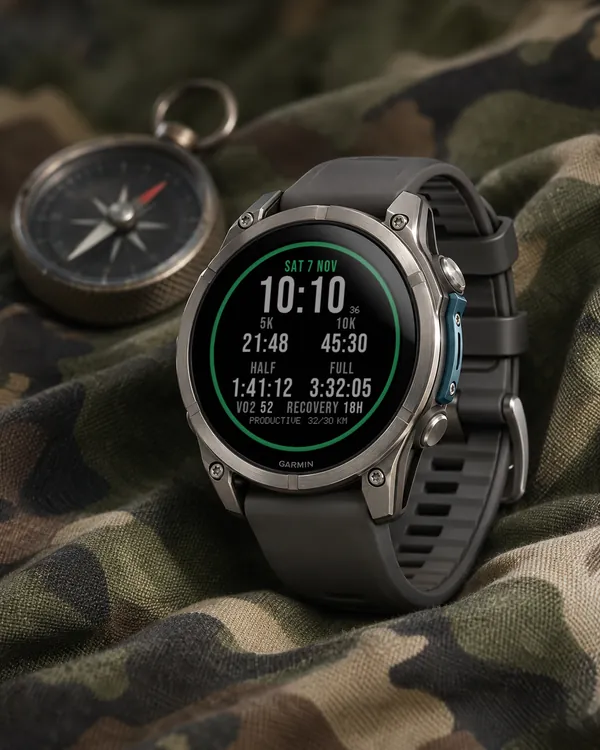 Running
Race Ready
5.0 (17)
Garmin race predictions and weekly mileage right on the face
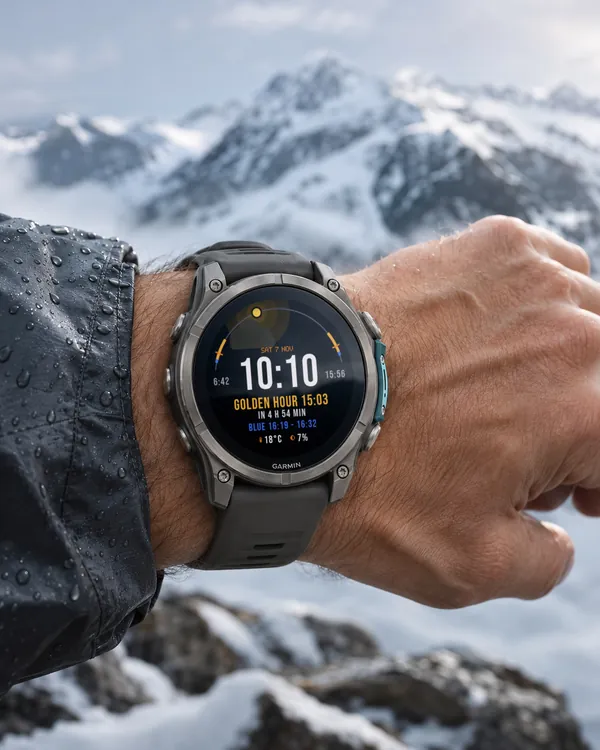 Photography
Amber Hour
5.0 (15)
Golden and blue hour countdown with the sun's path across your day
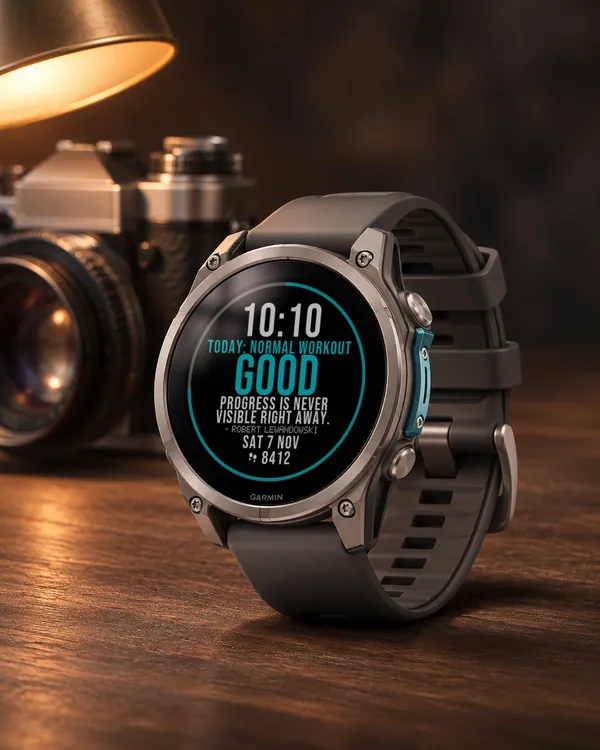 Readiness
Day Verdict
4.8 (12)
One word for your day: PUSH, STEADY, EASY or REST, from your sleep, Body Battery and recovery
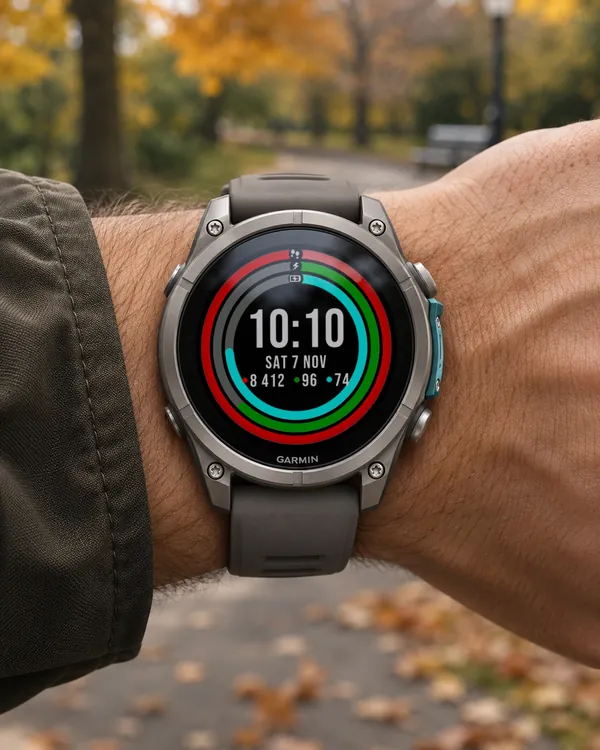 Activity
Ring Day
5.0 (16)
Three activity rings around the time, for people who close their rings