Unlock
€6.49
One-time payment. No subscription. The code works on the watch whose ID you enter.
- Install the face from Connect IQ (7 days free).
- On the watch: face settings > Buy / Unlock, scan the QR code.
- Pay and paste the code in the face settings.
- Pay.
- Copy the code.
- Paste it in Connect IQ: this face > Settings > Unlock code.
Payment works best in Safari or Chrome: menu (three dots) > Open in browser
Read it in this face, it is not the serial number of the watch.
The code works only in the watch face it was bought for: a Summit Rings code will not work in Summit Tactic.
Your ID, compare it with the watch:
Where do I find the ID?
On the watch: settings of this face > Buy / Unlock (first item). Scan the QR code with your phone or type the 10 digits. The ID is also at the top of the face settings in the Connect IQ app.
Code not working on your watch? Write to me and I will fix it.
Payments by Stripe. Seller: Mateusz Kolarz, Lublin, Poland.
Paid. Code:
We show the code here too. If the e-mail does not arrive (check spam), you can recover the code in the Recover code section with just the Face ID. Recover code
Copying did not work. The code is selected: copy it by hand.
The face unlocks by itself when the watch connects to the phone (usually within an hour; if the trial is still running, the purchase starts working when it ends).
Do not want to wait, or have an older watch? Paste the code in the Connect IQ app:
Connect IQ (or Garmin Connect) > My Device > Watch faces > Shell Time > Settings > Unlock code > paste > Save
Like it? Rate this face in the Garmin store
Want to try new faces and apps before the release, for free? Join the testers program
Set up the face before you download
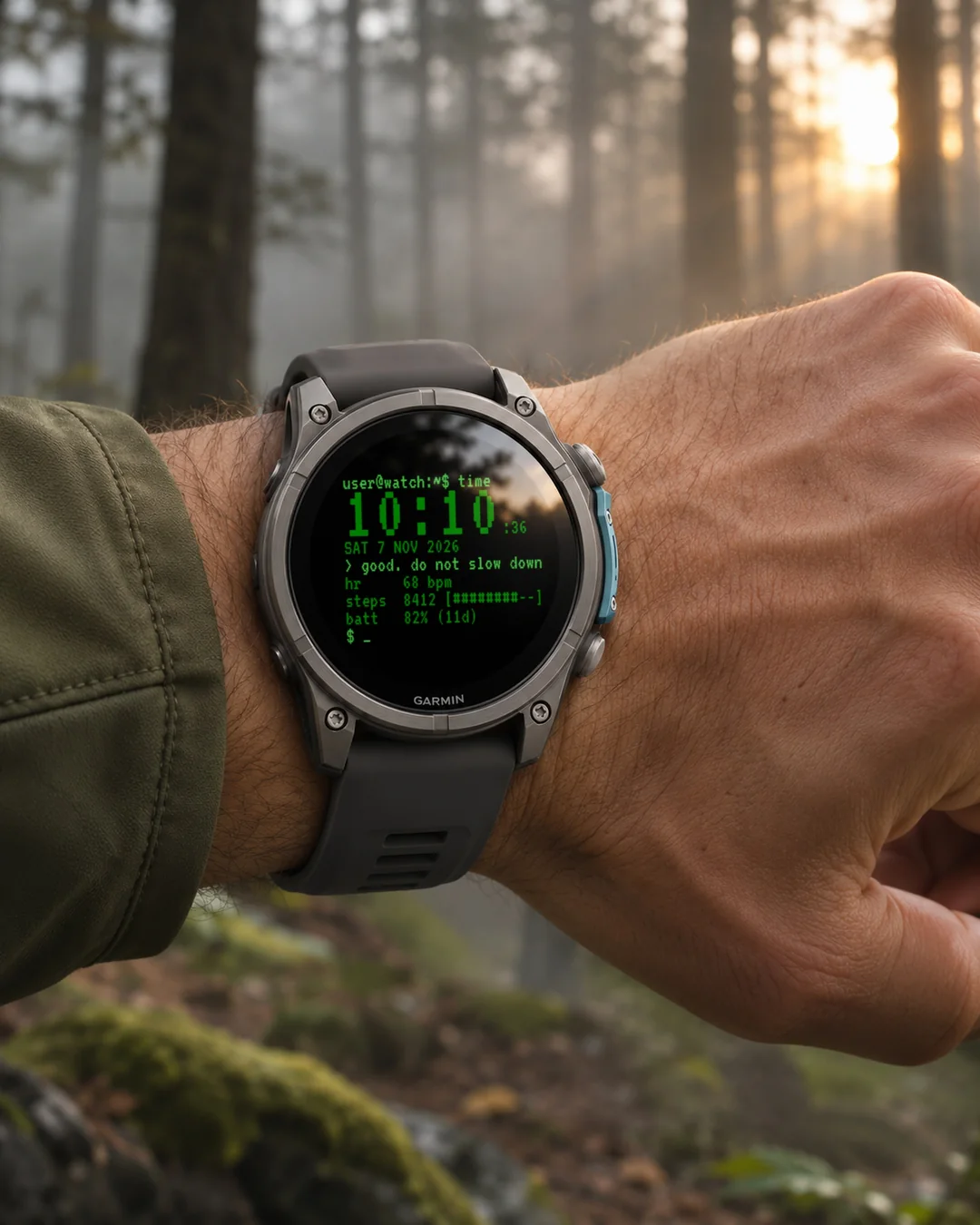
A terminal watch face for developers and programmers: a blinking command line prompt, a big monospace clock and your stats printed like command output.
7-day free trial, then a one-time unlock at dialforge.dev. No subscription.
After the trial, the face checks online through your phone whether you have bought the unlock code, so it can unlock by itself. It sends only the watch ID and the face name, nothing else.
Your wrist is now a terminal session.
Shell Time turns the watch face into a login shell: a blinking prompt, a big monospace
clock, and your stats printed out like command output. Built for developers, sysadmins
and anyone who feels more at home in a terminal than a dashboard.
mateusz@run:~$ time
14:12:08
Tue 29 sep 2026
watching: steps 4200/8000
hr 68 bpm
steps 4200 [#####--]
batt 82% (11d)
$ _
Features:
- Monospace VT323 font, real blinking block cursor (only ticks while the screen is awake)
- Three configurable status lines with ASCII progress bars
- Your own prompt: pick a name on the watch (user, runner, athlete, n30, agent) with a live preview on most watches, or type your own in the Connect IQ app on your phone (max 12 characters), plus a host name (garmin, run, fit, wrist, gym). Result: name@host
- A log line that watches you: 45 short messages in 13 languages, chosen from your real day (steps against goal, time of day, heart rate, battery, streak, sitting too long). It changes every minute and types itself out. Switch it off with Watched mode
- Four terminal color themes: Green, Amber, White, Cyan
- Clean always-on display: dim clock and prompt, no burn-in
Data fields (pick any 3 for the status lines):
heart rate, steps, battery, distance, calories, floors, active minutes, body battery,
stress, altitude, notifications, solar intensity, battery days, temperature, sunrise,
sunset, next sun event, respiration, SpO2, recovery time, pressure, resting HR, VO2max,
sleep score, training status, 5K predictor, calendar, weekly run distance, moon phase,
week number, day of year.
Settings: on the watch (hold MENU, then Watch face, then Customize) or in the Connect IQ app.
Sunrise and sunset: the times are worked out from the last known location of your watch, so the face asks for the Location permission. If a field shows --, start GPS once, for example with an outdoor activity.
Garmin does not give watch faces access to HRV status or Training Readiness, so no Connect IQ watch face can show them.
Trial: 7 days with everything working, then a reminder (days 8 to 14), a simple screen with the time and your Face ID (days 15 to 29), and from day 30 a lock screen with a QR code. Buy the code at dialforge.dev for the Face ID shown there and in the face settings.
Code not working? Write to kontakt@dialforge.dev and we fix it.
From the maker
I am a student and I build Dialforge watch faces myself, after classes. I do not own every watch model, so if something looks wrong on yours, write to me at https://dialforge.dev/faces/shelltime/ and I will usually fix it within 24 hours. If you like the face, you can buy me a coffee: https://buycoffee.to/iwannaflysohigh
Works on fenix 9, fenix 8, Forerunner 970, Forerunner 570, Venu 4, Forerunner 965, Forerunner 265, Venu 3 and more.
Tarcza w stylu terminala dla programistów: migający znak zachęty wiersza poleceń, duży zegar w czcionce monospace i statystyki wypisane jak wynik komendy.
7 dni za darmo, potem jednorazowe odblokowanie na dialforge.dev. Bez abonamentu.
Po okresie próbnym tarcza sprawdza przez telefon w internecie, czy kupiłeś kod odblokowania, żeby odblokować się sama. Wysyła tylko ID tarczy i nazwę tarczy, nic więcej.
Twój nadgarstek to teraz sesja w terminalu.
Shell Time zamienia tarczę w powłokę logowania: migający znak zachęty, duży zegar
czcionką o stałej szerokości i Twoje statystyki wypisane jak wynik polecenia. Dla programistów, adminów
i każdego, komu bliżej do terminala niż do kokpitu.
mateusz@run:~$ time
14:12:08
Tue 29 sep 2026
obserwuję: kroki 4200/8000
hr 68 bpm
steps 4200 [#####--]
batt 82% (11d)
$ _
Co jest na tarczy:
- Czcionka VT323 o stałej szerokości, prawdziwy migający kursor blokowy (miga tylko przy aktywnym ekranie)
- Trzy konfigurowalne linie statusu z paskami postępu w ASCII
- Własny znak zachęty: wybierz nazwę na zegarku (user, runner, athlete, n30, agent) z podglądem na żywo na większości zegarków albo wpisz swoją w aplikacji Connect IQ na telefonie (do 12 znaków), do tego nazwa hosta (garmin, run, fit, wrist, gym). Wychodzi nazwa@host
- Wiersz dziennika, który cię obserwuje: 45 krótkich komunikatów w 13 językach, dobieranych do twojego prawdziwego dnia (kroki wobec celu, pora dnia, tętno, bateria, seria dni, za długie siedzenie). Zmienia się co minutę i sam się wypisuje. Wyłączysz go ustawieniem Tryb obserwowany
- Cztery kolorystyki terminala: zielona, bursztynowa, biała, cyjan
- Czysty tryb zawsze włączony: przygaszony zegar i znak zachęty, bez wypalania ekranu
Pola danych (wybierz dowolne 3 do linii statusu):
tętno, kroki, bateria, dystans, kalorie, piętra, aktywne minuty, Body Battery,
stres, wysokość, powiadomienia, nasłonecznienie, dni na baterii, temperatura, wschód słońca,
zachód słońca, następne zdarzenie słońca, oddech, SpO2, czas regeneracji, ciśnienie, tętno spoczynkowe, VO2max,
ocena snu, stan treningu, prognoza na 5 km, kalendarz, kilometry biegu w tygodniu, faza księżyca,
numer tygodnia, dzień roku.
Ustawienia: na zegarku (przytrzymaj MENU, Tarcza zegarka, Dostosuj) albo w aplikacji Connect IQ.
Wschód i zachód słońca: czasy są liczone z ostatniej znanej lokalizacji zegarka, dlatego tarcza prosi o uprawnienie Lokalizacja. Jeśli pole pokazuje --, uruchom raz GPS, na przykład przy dowolnej aktywności na zewnątrz.
Garmin nie udostępnia tarczom statusu HRV ani gotowości treningowej, więc żadna tarcza Connect IQ ich nie pokaże.
Próba: 7 dni pełnego działania, potem przypomnienie (dni 8 do 14), prosty ekran z godziną i numerem ID tarczy (dni 15 do 29), a od 30. dnia ekran blokady z kodem QR. Kod kupisz na dialforge.dev dla numeru ID tarczy widocznego tam i w ustawieniach tarczy.
Kod nie działa? Napisz na kontakt@dialforge.dev, a naprawimy problem.
Od autora
Jestem studentem i robię tarcze Dialforge sam, po zajęciach. Nie mam każdego modelu zegarka, więc jeśli coś wygląda źle na Twoim, napisz na https://dialforge.dev/faces/shelltime/, zwykle poprawiam to w ciągu 24 godzin. Jeśli tarcza Ci się podoba, możesz postawić mi kawę: https://buycoffee.to/iwannaflysohigh
Działa na: fenix 9, fenix 8, Forerunner 970, Forerunner 570, Venu 4, Forerunner 965, Forerunner 265, Venu 3 i innych.
Ein Terminal-Zifferblatt für Entwickler und Programmierer: blinkender Kommandozeilen-Prompt, große Monospace-Uhr und Ihre Werte wie eine Befehlsausgabe.
7 Tage kostenlos testen, danach einmalige Freischaltung auf dialforge.dev. Kein Abo.
Nach der Testphase prüft das Zifferblatt über dein Handy online, ob du den Freischaltcode gekauft hast, damit es sich selbst freischalten kann. Es sendet nur die Uhren-ID und den Namen des Zifferblatts.
Dein Handgelenk ist jetzt eine Terminal-Sitzung.
Shell Time macht aus dem Zifferblatt eine Login-Shell: ein blinkender Prompt, eine große Monospace-Uhr
und deine Werte ausgegeben wie eine Kommandozeile. Gebaut für Entwickler, Systemadmins
und alle, die sich in einem Terminal wohler fühlen als in einem Dashboard.
mateusz@run:~$ time
14:12:08
Tue 29 sep 2026
watching: steps 4200/8000
hr 68 bpm
steps 4200 [#####--]
batt 82% (11d)
$ _
Funktionen:
- Monospace-Schrift VT323, echter blinkender Blockcursor (tickt nur bei aktivem Bildschirm)
- Drei konfigurierbare Statuszeilen mit ASCII-Fortschrittsbalken
- Dein eigener Prompt: Wähle auf der Uhr einen Namen (user, runner, athlete, n30, agent) mit Live-Vorschau oder tippe in der Connect IQ App auf deinem Telefon einen eigenen ein (max. 12 Zeichen), dazu einen Hostnamen (garmin, run, fit, wrist, gym). Ergebnis: name@host
- Eine Logzeile, die dich beobachtet: 45 kurze Meldungen in 13 Sprachen, ausgewählt nach deinem echten Tag (Schritte im Verhältnis zum Ziel, Tageszeit, Herzfrequenz, Akku, Serie, zu langes Sitzen). Sie wechselt jede Minute und tippt sich selbst aus. Mit dem Beobachtungsmodus schaltest du sie ab
- Vier Terminal-Farbthemen: Green, Amber, White, Cyan
- Klare Always-on-Anzeige: gedimmte Uhr und Prompt, kein Einbrennen
Datenfelder (wähle beliebige 3 für die Statuszeilen):
Herzfrequenz, Schritte, Akku, Distanz, Kalorien, Etagen, aktive Minuten, Body Battery,
Stress, Höhe, Benachrichtigungen, Sonnenintensität, Akkutage, Temperatur, Sonnenaufgang,
Sonnenuntergang, nächstes Sonnenereignis, Atmung, SpO2, Erholungszeit, Luftdruck, Ruhepuls, VO2max,
Schlafwert, Trainingszustand, 5K-Prognose, Kalender, wöchentliche Laufdistanz, Mondphase,
Wochennummer, Tag des Jahres.
Einstellungen: auf der Uhr (MENU gedrückt halten, dann Watch face, dann Customize) oder in der Connect IQ App.
Sonnenaufgang und Sonnenuntergang: Die Zeiten werden aus dem zuletzt bekannten Standort deiner Uhr berechnet, daher fragt das Zifferblatt nach der Berechtigung Location. Zeigt ein Feld --, starte einmal GPS, zum Beispiel mit einer Outdoor-Aktivität.
Garmin gibt Zifferblättern keinen Zugriff auf den HRV-Status oder die Trainingsbereitschaft, daher kann kein Connect IQ Zifferblatt sie anzeigen.
Testphase: 7 Tage lang funktioniert alles, danach folgen eine Erinnerung (Tage 8 bis 14), ein einfacher Bildschirm mit Uhrzeit und deiner Watch ID (Tage 15 bis 29) und ab Tag 30 ein Sperrbildschirm mit QR-Code. Den Code kaufst du auf dialforge.dev für die Watch ID, die dort und in den Zifferblatt-Einstellungen angezeigt wird.
Code funktioniert nicht? Schreib an kontakt@dialforge.dev, wir beheben es.
Läuft auf fenix 9, fenix 8, Forerunner 970, Forerunner 570, Venu 4, Forerunner 965, Forerunner 265, Venu 3 und weiteren Modellen.
Un cadran terminal pour développeurs et programmeurs : invite de ligne de commande clignotante, grande horloge monospace et vos statistiques affichées comme une sortie de commande.
Essai gratuit de 7 jours, puis un déverrouillage unique sur dialforge.dev. Sans abonnement.
Après la période d'essai, le cadran vérifie en ligne via votre téléphone si vous avez acheté le code de déblocage, pour se débloquer tout seul. Il envoie seulement l'ID de la montre et le nom du cadran.
Votre poignet est maintenant une session de terminal.
Shell Time transforme le cadran en shell de connexion : un prompt clignotant, une grande horloge
à chasse fixe, et vos statistiques affichées comme une sortie de commande. Conçu pour les développeurs, les administrateurs système
et tous ceux qui se sentent plus à l'aise dans un terminal que dans un tableau de bord.
mateusz@run:~$ time
14:12:08
Tue 29 sep 2026
watching: steps 4200/8000
hr 68 bpm
steps 4200 [#####--]
batt 82% (11d)
$ _
Caractéristiques :
- Police à chasse fixe VT323, vrai curseur bloc clignotant (ne bat que quand l'écran est actif)
- Trois lignes de statut configurables avec des barres de progression ASCII
- Votre propre invite : choisissez un nom sur la montre (user, runner, athlete, n30, agent) avec aperçu en direct, ou saisissez le vôtre dans l'application Connect IQ sur votre téléphone (12 caractères max.), plus un nom d'hôte (garmin, run, fit, wrist, gym). Résultat : name@host
- Une ligne de journal qui vous surveille : 45 courts messages en 13 langues, choisis selon votre vraie journée (pas par rapport à l'objectif, moment de la journée, fréquence cardiaque, batterie, série, trop longtemps assis). Elle change chaque minute et s'écrit toute seule. Désactivez-la avec le mode Surveillé
- Quatre thèmes de couleur terminal : Green, Amber, White, Cyan
- Affichage toujours actif épuré : horloge et prompt atténués, sans marque d'écran
Champs de données (choisissez-en 3 pour les lignes de statut) :
fréquence cardiaque, pas, batterie, distance, calories, étages, minutes actives, body battery,
stress, altitude, notifications, intensité solaire, jours de batterie, température, lever du soleil,
coucher du soleil, prochain événement solaire, respiration, SpO2, temps de récupération, pression, FC au repos, VO2max,
score de sommeil, statut d'entraînement, prédicteur 5 km, calendrier, distance de course hebdomadaire, phase lunaire,
numéro de semaine, jour de l'année.
Réglages : sur la montre (maintenez MENU, puis Watch face, puis Customize) ou dans l'application Connect IQ.
Lever et coucher du soleil : les heures sont calculées à partir de la dernière position connue de votre montre, le cadran demande donc l'autorisation Location. Si un champ affiche --, lancez le GPS une fois, par exemple avec une activité en extérieur.
Garmin ne donne pas aux cadrans l'accès au statut VFC ni à la disponibilité d'entraînement, aucun cadran Connect IQ ne peut donc les afficher.
Essai : 7 jours avec tout qui fonctionne, puis un rappel (jours 8 à 14), un écran simple avec l'heure et ton Watch ID (jours 15 à 29), et dès le jour 30 un écran de verrouillage avec un QR code. Tu achètes le code sur dialforge.dev pour le Watch ID affiché là et dans les réglages du cadran.
Le code ne fonctionne pas ? Écrivez à kontakt@dialforge.dev, nous le réparons.
Una esfera estilo terminal para desarrolladores y programadores: línea de comandos parpadeante, reloj grande monoespaciado y tus datos como la salida de un comando.
Prueba gratuita de 7 días y luego un desbloqueo único en dialforge.dev. Sin suscripción.
Después de la prueba, la esfera comprueba por internet, a través del móvil, si has comprado el código de desbloqueo, para desbloquearse sola. Solo envía el ID del reloj y el nombre de la esfera.
Tu muñeca ahora es una sesión de terminal.
Shell Time convierte la esfera en una shell de inicio de sesión: un prompt parpadeante, un reloj grande
de fuente monoespaciada y tus datos impresos como la salida de un comando. Pensado para desarrolladores, administradores de sistemas
y cualquiera que se sienta más cómodo en una terminal que en un panel de control.
mateusz@run:~$ time
14:12:08
Tue 29 sep 2026
watching: steps 4200/8000
hr 68 bpm
steps 4200 [#####--]
batt 82% (11d)
$ _
Características:
- Fuente monoespaciada VT323, cursor de bloque parpadeante real (solo late con la pantalla activa)
- Tres líneas de estado configurables con barras de progreso ASCII
- Tu propio prompt: elige un nombre en el reloj (user, runner, athlete, n30, agent) con vista previa en directo, o escribe el tuyo en la app Connect IQ del teléfono (máx. 12 caracteres), además de un nombre de host (garmin, run, fit, wrist, gym). Resultado: name@host
- Una línea de registro que te vigila: 45 mensajes cortos en 13 idiomas, elegidos según tu día real (pasos frente a la meta, hora del día, frecuencia cardíaca, batería, racha, demasiado tiempo sentado). Cambia cada minuto y se escribe sola. Se desactiva con el modo Vigilado
- Cuatro temas de color de terminal: Green, Amber, White, Cyan
- Pantalla siempre activa limpia: reloj y prompt atenuados, sin marcas en la pantalla
Campos de datos (elige 3 cualesquiera para las líneas de estado):
frecuencia cardiaca, pasos, batería, distancia, calorías, pisos, minutos activos, body battery,
estrés, altitud, notificaciones, intensidad solar, días de batería, temperatura, amanecer,
atardecer, próximo evento solar, respiración, SpO2, tiempo de recuperación, presión, FC en reposo, VO2max,
puntuación de sueño, estado de entrenamiento, predictor de 5 km, calendario, distancia semanal de carrera, fase lunar,
número de semana, día del año.
Ajustes: en el reloj (mantén pulsado MENU, luego Watch face, luego Customize) o en la app Connect IQ.
Amanecer y atardecer: las horas se calculan a partir de la última ubicación conocida de tu reloj, por eso la esfera pide el permiso Location. Si un campo muestra --, inicia el GPS una vez, por ejemplo con una actividad al aire libre.
Garmin no da a las esferas acceso al estado de VFC ni a la disponibilidad para entrenar, así que ninguna esfera Connect IQ puede mostrarlos.
Prueba: 7 días con todo funcionando, luego un recordatorio (días 8 a 14), una pantalla sencilla con la hora y tu Watch ID (días 15 a 29) y, desde el día 30, una pantalla de bloqueo con un código QR. Compras el código en dialforge.dev para el Watch ID que se muestra allí y en los ajustes de la esfera.
¿El código no funciona? Escribe a kontakt@dialforge.dev y lo arreglamos.
Compatible con fenix 9, fenix 8, Forerunner 970, Forerunner 570, Venu 4, Forerunner 965, Forerunner 265, Venu 3 y más.
Een terminal-wijzerplaat voor ontwikkelaars en programmeurs: knipperende opdrachtprompt, grote monospace-klok en je gegevens als uitvoer van een commando.
7 dagen gratis proberen, daarna een eenmalige ontgrendeling op dialforge.dev. Geen abonnement.
Na de proefperiode controleert de wijzerplaat via je telefoon online of je de ontgrendelcode hebt gekocht, zodat hij zichzelf kan ontgrendelen. Hij stuurt alleen de horloge-ID en de naam van de wijzerplaat.
Je pols is nu een terminalsessie.
Shell Time maakt van de wijzerplaat een login-shell: een knipperende prompt, een grote klok
in monospace-lettertype en je statistieken afgedrukt als commandoregel-uitvoer. Gemaakt voor developers, sysadmins
en iedereen die zich meer thuis voelt in een terminal dan in een dashboard.
mateusz@run:~$ time
14:12:08
Tue 29 sep 2026
watching: steps 4200/8000
hr 68 bpm
steps 4200 [#####--]
batt 82% (11d)
$ _
Functies:
- Monospace-lettertype VT323, echte knipperende blokcursor (tikt alleen als het scherm actief is)
- Drie instelbare statusregels met ASCII-voortgangsbalken
- Je eigen prompt: kies op het horloge een naam (user, runner, athlete, n30, agent) met live voorbeeld, of typ er zelf een in de Connect IQ-app op je telefoon (max. 12 tekens), plus een hostnaam (garmin, run, fit, wrist, gym). Resultaat: name@host
- Een logregel die jou in de gaten houdt: 45 korte berichten in 13 talen, gekozen op basis van je echte dag (stappen tegenover doel, tijdstip, hartslag, batterij, reeks, te lang zitten). Hij verandert elke minuut en typt zichzelf uit. Zet hem uit met de bewaakte modus
- Vier terminal-kleurthema's: Green, Amber, White, Cyan
- Strak always-on scherm: gedimde klok en prompt, geen inbranden
Datavelden (kies er 3 voor de statusregels):
hartslag, stappen, batterij, afstand, calorieën, verdiepingen, actieve minuten, body battery,
stress, hoogte, meldingen, zonintensiteit, batterijdagen, temperatuur, zonsopkomst,
zonsondergang, volgende zongebeurtenis, ademhaling, SpO2, hersteltijd, luchtdruk, rusthartslag, VO2max,
slaapscore, trainingsstatus, 5K-voorspeller, agenda, wekelijkse hardloopafstand, maanfase,
weeknummer, dag van het jaar.
Instellingen: op het horloge (houd MENU ingedrukt, dan Watch face, dan Customize) of in de Connect IQ-app.
Zonsopgang en zonsondergang: de tijden worden berekend uit de laatst bekende locatie van je horloge, dus de wijzerplaat vraagt om de toestemming Location. Toont een veld --, start dan eenmalig GPS, bijvoorbeeld met een buitenactiviteit.
Garmin geeft wijzerplaten geen toegang tot de HRV-status of trainingsgereedheid, dus geen enkele Connect IQ-wijzerplaat kan die tonen.
Proefperiode: 7 dagen waarin alles werkt, daarna een herinnering (dag 8 tot 14), een eenvoudig scherm met de tijd en je Watch ID (dag 15 tot 29) en vanaf dag 30 een vergrendelscherm met een QR-code. De code koop je op dialforge.dev voor de Watch ID die daar en in de instellingen van de wijzerplaat staat.
Werkt de code niet? Mail naar kontakt@dialforge.dev en we lossen het op.
Van de maker
Ik ben student en maak de Dialforge-wijzerplaten zelf, na de colleges. Ik heb niet elk horlogemodel, dus ziet er iets verkeerd uit op het jouwe, schrijf me dan via https://dialforge.dev/faces/shelltime/. Meestal los ik het binnen 24 uur op. Vind je de wijzerplaat mooi, dan kun je me een koffie trakteren: https://buycoffee.to/iwannaflysohigh
Werkt op fenix 9, fenix 8, Forerunner 970, Forerunner 570, Venu 4, Forerunner 965, Forerunner 265, Venu 3 en meer.
開発者やプログラマー向けのターミナル風文字盤です。点滅するコマンドラインのプロンプト、大きな等幅フォントの時計、コマンド出力のように表示されるデータを備えています。
7日間無料でお試しいただけます。その後はdialforge.devで解除を一度だけ購入(サブスクリプションなし)。
試用期間の後、文字盤はスマホ経由でオンラインで解除コードの購入を確認し、自動で解除されます。送信するのは時計IDと文字盤名だけです。
あなたの手首が、ターミナルセッションになります。
Shell Time はウォッチフェイスをログインシェルに変えます。点滅するプロンプト、大きな等幅フォントの
時計、そしてコマンドの出力のように表示されるデータ。開発者、システム管理者、
ダッシュボードよりターミナルのほうが落ち着く人のために作りました。
mateusz@run:~$ time
14:12:08
Tue 29 sep 2026
watching: steps 4200/8000
hr 68 bpm
steps 4200 [#####--]
batt 82% (11d)
$ _
特長:
- 等幅フォント VT323、本物のブロックカーソルが点滅(画面が点灯している間だけ動作)
- ASCII のプログレスバー付きで、ステータス行を三行まで設定可能
- 自分だけのプロンプト: ウォッチ上でライブプレビューを見ながら名前を選ぶ(user、runner、athlete、n30、agent)か、スマートフォンのConnect IQアプリで好きな名前を入力できます(最大12文字)。ホスト名も選べます(garmin、run、fit、wrist、gym)。結果は name@host の形になります
- あなたを見ているログ行: 13言語の短いメッセージ45件。実際の一日(目標に対する歩数、時間帯、心拍数、バッテリー、連続記録、座りすぎ)から選ばれます。毎分変わり、自分でタイプするように表示されます。Watched mode でオフにできます
- ターミナル風カラーテーマ四種類: グリーン、アンバー、ホワイト、シアン
- すっきりしたAlways-on表示: 時計とプロンプトを暗く表示し、焼き付きを防止
データ項目(ステータス行に好きな3つを選択):
心拍数、歩数、バッテリー、距離、カロリー、上った階数、アクティブ時間、Body Battery、
ストレス、高度、通知、日射強度、バッテリー残り日数、気温、日の出、
日の入り、次の太陽イベント、呼吸数、SpO2、回復時間、気圧、安静時心拍数、VO2max、
睡眠スコア、トレーニングステータス、5K予測、カレンダー、週間ランニング距離、月齢、
週番号、年間通算日。
設定:時計側(MENUを長押し、Watch face、Customizeの順)またはConnect IQアプリから。
日の出と日の入り: 時刻はウォッチが最後に取得した位置情報から計算されるため、このウォッチフェイスは位置情報(Location)の権限を求めます。フィールドに--と表示される場合は、屋外アクティビティなどでGPSを一度起動してください。
GarminはウォッチフェイスにHRVステータスやトレーニングレディネスを公開していないため、Connect IQのウォッチフェイスでは表示できません。
お試し:最初の7日間はすべての機能が使えます。その後、8日目から14日目はリマインダー、15日目から29日目は時刻とWatch IDだけのシンプルな画面、30日目からはQRコード付きのロック画面になります。コードはdialforge.devで、そこやウォッチフェイスの設定に表示されるWatch ID用に購入します。
コードが使えない場合はkontakt@dialforge.devまでご連絡ください。問題を解決いたします。
作者より
私は学生で、Dialforgeの文字盤を授業のあとに一人で作っています。すべての時計モデルを持っているわけではないので、お使いの時計で表示がおかしい場合は https://dialforge.dev/faces/shelltime/ からご連絡ください。通常24時間以内に修正します。文字盤を気に入っていただけたら、コーヒーをおごっていただけるとうれしいです: https://buycoffee.to/iwannaflysohigh
対応モデル:fenix 9, fenix 8, Forerunner 970, Forerunner 570, Venu 4, Forerunner 965, Forerunner 265, Venu 3 ほか
Un quadrante stile terminale per sviluppatori e programmatori: prompt della riga di comando lampeggiante, grande orologio monospazio e i tuoi dati come output di un comando.
Prova gratuita di 7 giorni, poi uno sblocco una tantum su dialforge.dev. Nessun abbonamento.
Dopo la prova, il quadrante controlla online tramite il telefono se hai acquistato il codice di sblocco, per sbloccarsi da solo. Invia solo l'ID dell'orologio e il nome del quadrante.
Il tuo polso adesso è una sessione di terminale.
Shell Time trasforma il quadrante in una shell di login: un prompt lampeggiante, un grande orologio
a spaziatura fissa e le tue statistiche stampate come output di un comando. Pensato per sviluppatori, sysadmin
e chiunque si senta più a suo agio in un terminale che in una dashboard.
mateusz@run:~$ time
14:12:08
Tue 29 sep 2026
watching: steps 4200/8000
hr 68 bpm
steps 4200 [#####--]
batt 82% (11d)
$ _
Caratteristiche:
- Font a spaziatura fissa VT323, vero cursore a blocco lampeggiante (batte solo a schermo attivo)
- Tre righe di stato configurabili con barre di avanzamento ASCII
- Il tuo prompt personale: scegli un nome sull'orologio (user, runner, athlete, n30, agent) con anteprima in tempo reale, oppure scrivine uno tuo nell'app Connect IQ sul telefono (max 12 caratteri), più un nome host (garmin, run, fit, wrist, gym). Risultato: name@host
- Una riga di log che ti osserva: 45 brevi messaggi in 13 lingue, scelti in base alla tua giornata reale (passi rispetto all'obiettivo, ora del giorno, frequenza cardiaca, batteria, serie, troppo tempo seduto). Cambia ogni minuto e si scrive da sola. Si disattiva con la modalità Osservato
- Quattro temi colore terminale: Green, Amber, White, Cyan
- Display always-on pulito: orologio e prompt attenuati, senza burn-in
Campi dati (scegline 3 qualsiasi per le righe di stato):
frequenza cardiaca, passi, batteria, distanza, calorie, piani, minuti attivi, body battery,
stress, altitudine, notifiche, intensità solare, giorni di batteria, temperatura, alba,
tramonto, prossimo evento solare, respirazione, SpO2, tempo di recupero, pressione, FC a riposo, VO2max,
punteggio del sonno, stato di allenamento, predittore 5 km, calendario, distanza di corsa settimanale, fase lunare,
numero di settimana, giorno dell'anno.
Impostazioni: sull'orologio (tieni premuto MENU, poi Watch face, poi Customize) o nell'app Connect IQ.
Alba e tramonto: gli orari sono calcolati dall'ultima posizione nota del tuo orologio, quindi il quadrante richiede l'autorizzazione Location. Se un campo mostra --, avvia il GPS una volta, per esempio con un'attività all'aperto.
Garmin non dà ai quadranti accesso allo stato HRV né alla Training Readiness, quindi nessun quadrante Connect IQ può mostrarli.
Prova: 7 giorni con tutto funzionante, poi un promemoria (giorni da 8 a 14), una schermata semplice con l'ora e il tuo Watch ID (giorni da 15 a 29) e dal giorno 30 una schermata di blocco con un codice QR. Il codice si acquista su dialforge.dev per il Watch ID mostrato lì e nelle impostazioni del quadrante.
Il codice non funziona? Scrivi a kontakt@dialforge.dev e lo sistemiamo.
Dall'autore
Sono uno studente e creo da solo i quadranti Dialforge, dopo le lezioni. Non ho tutti i modelli di orologio, quindi se qualcosa sembra sbagliato sul tuo, scrivimi su https://dialforge.dev/faces/shelltime/, di solito lo correggo entro 24 ore. Se il quadrante ti piace, puoi offrirmi un caffè: https://buycoffee.to/iwannaflysohigh
Compatibile con fenix 9, fenix 8, Forerunner 970, Forerunner 570, Venu 4, Forerunner 965, Forerunner 265, Venu 3 e altri.
面向开发者和程序员的终端风格表盘:闪烁的命令行提示符、大号等宽字体时钟,数据像命令输出一样显示。
7 天免费试用,之后在 dialforge.dev 一次性解锁。无需订阅。
试用期结束后,表盘会通过手机在线检查你是否已购买解锁码,以便自动解锁。只发送手表 ID 和表盘名称,不发送其他内容。
你的手腕现在就是一个终端会话。
Shell Time 把表盘变成登录 shell:闪烁的提示符、大号等宽时钟,
以及像命令输出一样打印出来的各项数据。为开发者、系统管理员,
以及所有觉得终端比仪表盘更顺手的人打造。
mateusz@run:~$ time
14:12:08
Tue 29 sep 2026
watching: steps 4200/8000
hr 68 bpm
steps 4200 [#####--]
batt 82% (11d)
$ _
功能特色:
- 等宽 VT323 字体,真实闪烁的方块光标(仅在屏幕亮起时跳动)
- 三行可配置的状态行,带 ASCII 进度条
- 你自己的提示符:在手表上选择一个名字(user、runner、athlete、n30、agent)并实时预览,或在手机的 Connect IQ 应用中输入自己的名字(最多 12 个字符),再加上主机名(garmin、run、fit、wrist、gym)。结果为 name@host
- 一行盯着你的日志:13 种语言的 45 条短消息,根据你真实的一天来挑选(步数与目标、一天中的时间、心率、电量、连续天数、久坐)。每分钟变化一次,并像打字一样逐字显示。用“监视模式”可以关闭
- 四种终端配色:绿色、琥珀色、白色、青色
- 简洁的息屏常亮显示:时钟和提示符调暗,不会烧屏
数据项(任选 3 项显示在状态行中):
心率、步数、电量、距离、卡路里、楼层、活动分钟数、Body Battery、
压力、海拔、通知、太阳辐射强度、电池天数、温度、日出、
日落、下一个日照事件、呼吸、SpO2、恢复时间、气压、静息心率、VO2max、
睡眠评分、训练状态、5k 预测、日历、每周跑步距离、月相、
周数、年内第几天。
设置:在手表上完成(长按 MENU,依次选择 Watch face、Customize)或在 Connect IQ 应用中完成。
日出和日落:时间根据手表最近一次已知的位置计算,因此表盘会请求位置(Location)权限。如果某个字段显示 --,请启动一次 GPS,例如开始一项户外活动。
Garmin 不向表盘开放 HRV 状态和训练准备度,因此任何 Connect IQ 表盘都无法显示。
试用:7 天内一切功能正常,之后依次是提醒(第 8 至 14 天)、只显示时间和你的 Watch ID 的简易屏幕(第 15 至 29 天),从第 30 天起是带 QR 码的锁屏。请在 dialforge.dev 为那里和表盘设置中显示的 Watch ID 购买解锁码。
兑换码无法使用?请写信至 kontakt@dialforge.dev,我们会修复问题。
作者的话
我是一名学生,利用课余时间独自制作 Dialforge 表盘。我没有每一款手表,所以如果表盘在您的手表上显示不对,请到 https://dialforge.dev/faces/shelltime/ 告诉我,我通常会在 24 小时内修复。如果您喜欢这款表盘,可以请我喝杯咖啡:https://buycoffee.to/iwannaflysohigh
适用于 fenix 9, fenix 8, Forerunner 970, Forerunner 570, Venu 4, Forerunner 965, Forerunner 265, Venu 3 等。
Циферблат в стиле терминала для разработчиков и программистов: мигающее приглашение командной строки, крупные моноширинные часы и данные, выведенные как результат команды.
7-дневный бесплатный пробный период, затем разовая разблокировка на dialforge.dev. Без подписки.
После пробного периода циферблат через телефон проверяет онлайн, купили ли вы код разблокировки, чтобы разблокироваться самостоятельно. Он отправляет только ID часов и название циферблата.
Ваше запястье теперь - терминальная сессия.
Shell Time превращает циферблат в командную оболочку: мигающее приглашение, крупные моноширинные
часы и статистика, выводимая как результат выполнения команды. Создан для разработчиков, системных администраторов
и всех, кто в терминале чувствует себя уютнее, чем на обычной панели приборов.
mateusz@run:~$ time
14:12:08
Tue 29 sep 2026
watching: steps 4200/8000
hr 68 bpm
steps 4200 [#####--]
batt 82% (11d)
$ _
Особенности:
- Моноширинный шрифт VT323, настоящий мигающий блочный курсор (мигает только при активном экране)
- Три настраиваемые строки состояния со шкалами прогресса ASCII
- Собственное приглашение: выберите имя на часах (user, runner, athlete, n30, agent) с живым предпросмотром или введите своё в приложении Connect IQ на телефоне (максимум 12 символов), а также имя хоста (garmin, run, fit, wrist, gym). Результат: name@host
- Строка журнала, которая следит за вами: 45 коротких сообщений на 13 языках, выбираются по вашему реальному дню (шаги относительно цели, время суток, пульс, батарея, серия, долгое сидение). Меняется каждую минуту и печатается сама. Отключается режимом Watched
- Четыре цветовые темы терминала: Green, Amber, White, Cyan
- Лаконичный режим всегда включенного экрана: приглушенные часы и командная строка, защита от выгорания
Поля данных (выберите любые 3 для строк состояния):
пульс, шаги, батарея, расстояние, калории, этажи, минуты активности, Body Battery,
стресс, высота, уведомления, интенсивность солнечной энергии, дни работы батареи, температура, восход,
закат, следующее солнечное событие, частота дыхания, SpO2, время восстановления, давление, пульс в покое, VO2max,
оценка сна, статус тренировки, прогноз на 5K, календарь, дистанция бега за неделю, фаза луны,
номер недели, день года.
Настройки: на часах (удерживайте MENU, затем Циферблат, затем Настройка) или в приложении Connect IQ.
Восход и закат: время рассчитывается по последнему известному местоположению часов, поэтому циферблат запрашивает разрешение Location. Если в поле показано --, один раз запустите GPS, например с помощью активности на улице.
Garmin не предоставляет циферблатам доступ к HRV status или Training Readiness, поэтому ни один циферблат Connect IQ не может их отображать.
Пробный период: 7 дней всё работает, затем напоминание (дни с 8 по 14), простой экран со временем и вашим Watch ID (дни с 15 по 29), а с 30-го дня экран блокировки с QR-кодом. Код покупается на dialforge.dev для Watch ID, который показан там и в настройках циферблата.
Не работает код? Напишите на kontakt@dialforge.dev, и мы все исправим.
От автора
Я студент и делаю циферблаты Dialforge сам, после занятий. У меня есть не все модели часов, поэтому если на ваших что-то выглядит неправильно, напишите мне на https://dialforge.dev/faces/shelltime/, обычно я исправляю это в течение 24 часов. Если циферблат вам нравится, можете угостить меня кофе: https://buycoffee.to/iwannaflysohigh
Работает на fenix 9, fenix 8, Forerunner 970, Forerunner 570, Venu 4, Forerunner 965, Forerunner 265, Venu 3 и других.
Um mostrador estilo terminal para desenvolvedores e programadores: prompt de linha de comando piscando, relógio grande monoespaçado e seus dados como saída de comando.
Teste grátis de 7 dias, depois um desbloqueio único em dialforge.dev. Sem assinatura.
Depois do período de teste, o mostrador verifica on-line, pelo celular, se você comprou o código de desbloqueio, para se desbloquear sozinho. Ele envia só o ID do relógio e o nome do mostrador.
Seu pulso agora é uma sessão de terminal.
Shell Time transforma o mostrador em um login shell: um prompt piscando, um relógio grande
em fonte monoespaçada e suas estatísticas impressas como saída de comando. Feito para desenvolvedores, sysadmins
e qualquer um que se sinta mais em casa num terminal do que num dashboard.
mateusz@run:~$ time
14:12:08
Tue 29 sep 2026
watching: steps 4200/8000
hr 68 bpm
steps 4200 [#####--]
batt 82% (11d)
$ _
Recursos:
- Fonte monoespaçada VT323, cursor de bloco piscando de verdade (só pisca com a tela ativa)
- Três linhas de status configuráveis com barras de progresso em ASCII
- Seu próprio prompt: escolha um nome no relógio (user, runner, athlete, n30, agent) com pré-visualização ao vivo, ou digite o seu no app Connect IQ do celular (máx. 12 caracteres), mais um nome de host (garmin, run, fit, wrist, gym). Resultado: name@host
- Uma linha de log que observa você: 45 mensagens curtas em 13 idiomas, escolhidas de acordo com o seu dia real (passos em relação à meta, hora do dia, frequência cardíaca, bateria, sequência, tempo demais sentado). Muda a cada minuto e se digita sozinha. Desligue com o modo Observado
- Quatro temas de cor do terminal: Green, Amber, White, Cyan
- Tela sempre ativa limpa: relógio e prompt atenuados, sem burn-in
Campos de dados (escolha 3 quaisquer para as linhas de status):
frequência cardíaca, passos, bateria, distância, calorias, andares, minutos ativos, body battery,
estresse, altitude, notificações, intensidade solar, dias de bateria, temperatura, nascer do sol,
pôr do sol, próximo evento solar, respiração, SpO2, tempo de recuperação, pressão, FC em repouso, VO2max,
pontuação de sono, status de treino, previsor de 5 km, calendário, distância semanal de corrida, fase da lua,
número da semana, dia do ano.
Configurações: no relógio (segure MENU, depois Watch face, depois Customize) ou no app Connect IQ.
Nascer e pôr do sol: os horários são calculados a partir da última localização conhecida do seu relógio, por isso o mostrador pede a permissão Location. Se um campo mostrar --, ligue o GPS uma vez, por exemplo com uma atividade ao ar livre.
A Garmin não dá aos mostradores acesso ao status de VFC nem à prontidão para treino, então nenhum mostrador Connect IQ consegue exibi-los.
Teste: 7 dias com tudo funcionando, depois um lembrete (dias 8 a 14), uma tela simples com a hora e o seu Watch ID (dias 15 a 29) e, a partir do dia 30, uma tela de bloqueio com QR code. O código é comprado em dialforge.dev para o Watch ID mostrado lá e nas configurações do mostrador.
O código não funciona? Escreva para kontakt@dialforge.dev e a gente resolve.
Do criador
Sou estudante e faço os mostradores Dialforge sozinho, depois das aulas. Não tenho todos os modelos de relógio, então se algo parecer errado no seu, escreva para mim em https://dialforge.dev/faces/shelltime/, normalmente eu corrijo em até 24 horas. Se você gostou do mostrador, pode me pagar um café: https://buycoffee.to/iwannaflysohigh
Funciona em fenix 9, fenix 8, Forerunner 970, Forerunner 570, Venu 4, Forerunner 965, Forerunner 265, Venu 3 e outros.
Ciferník ve stylu terminálu pro vývojáře a programátory: blikající příkazový řádek, velké neproporcionální hodiny a vaše údaje jako výstup příkazu.
7denní bezplatná zkušební verze, poté jednorázové odemknutí na dialforge.dev. Žádné předplatné.
Po zkušební době ciferník přes telefon online ověří, zda jste koupili odemykací kód, aby se mohl sám odemknout. Posílá jen ID hodinek a název ciferníku.
Vaše zápěstí je teď relace terminálu.
Shell Time promění ciferník v přihlašovací shell: blikající prompt, velké neproporcionální
hodiny a vaše statistiky vypsané jako výstup příkazu. Vytvořeno pro vývojáře, správce systémů
a každého, kdo se cítí více doma v terminálu než na ovládacím panelu.
mateusz@run:~$ time
14:12:08
Tue 29 sep 2026
watching: steps 4200/8000
hr 68 bpm
steps 4200 [#####--]
batt 82% (11d)
$ _
Funkce:
- Neproporcionální písmo VT323, skutečný blikající blokový kurzor (bliká pouze při aktivním displeji)
- Tři nastavitelné stavové řádky s ASCII ukazateli průběhu
- Vlastní prompt: vyberte na hodinkách jméno (user, runner, athlete, n30, agent) s živým náhledem, nebo napište vlastní v aplikaci Connect IQ v telefonu (max. 12 znaků), a k tomu název hostitele (garmin, run, fit, wrist, gym). Výsledek: name@host
- Řádek logu, který vás sleduje: 45 krátkých zpráv ve 13 jazycích, vybraných podle vašeho skutečného dne (kroky vůči cíli, denní doba, tepová frekvence, baterie, série, příliš dlouhé sezení). Mění se každou minutu a vypisuje se jako psaný text. Vypnete ho režimem Watched
- Čtyři barevné motivy terminálu: zelená, jantarová, bílá, azurová
- Čistý režim always-on: ztlumené hodiny a prompt, bez vypalování displeje
Datová pole (vyberte libovolná 3 pro stavové řádky):
srdeční tep, kroky, baterie, vzdálenost, kalorie, patra, minuty aktivity, Body Battery,
stres, nadmořská výška, oznámení, intenzita slunečního záření, výdrž baterie ve dnech, teplota, východ slunce,
západ slunce, další sluneční událost, dýchání, SpO2, doba regenerace, tlak, klidový srdeční tep, VO2 max,
skóre spánku, stav tréninku, předpověď na 5K, kalendář, týdenní běžecká vzdálenost, fáze měsíce,
číslo týdne, den v roce.
Nastavení: v hodinkách (podržte MENU, pak Vzhled hodinek, pak Upravit) nebo v aplikaci Connect IQ.
Východ a západ slunce: časy se počítají z poslední známé polohy hodinek, proto ciferník žádá o oprávnění Location. Pokud pole zobrazuje --, jednou spusťte GPS, například venkovní aktivitou.
Garmin neposkytuje ciferníkům přístup ke stavu HRV ani k Training Readiness, takže je nemůže zobrazit žádný ciferník z Connect IQ.
Zkušební doba: 7 dní vše funguje, poté následuje připomenutí (dny 8 až 14), jednoduchá obrazovka s časem a vaším Watch ID (dny 15 až 29) a od 30. dne zamykací obrazovka s QR kódem. Kód zakoupíte na dialforge.dev pro Watch ID zobrazené tam i v nastavení ciferníku.
Kód nefunguje? Napište na kontakt@dialforge.dev a my vše vyřešíme.
Od autora
Jsem student a ciferníky Dialforge dělám sám, po škole. Nemám každý model hodinek, takže pokud na vašich něco nevypadá dobře, napište mi na https://dialforge.dev/faces/shelltime/, obvykle to opravím do 24 hodin. Pokud se vám ciferník líbí, můžete mi koupit kávu: https://buycoffee.to/iwannaflysohigh
Funguje na fenix 9, fenix 8, Forerunner 970, Forerunner 570, Venu 4, Forerunner 965, Forerunner 265, Venu 3 a dalších.
Um mostrador estilo terminal para programadores: linha de comandos intermitente, relógio grande monoespaçado e os seus dados como saída de um comando.
7 dias de teste gratuito, depois um desbloqueio único em dialforge.dev. Sem subscrição.
Depois do período de teste, o mostrador verifica online, através do telemóvel, se comprou o código de desbloqueio, para se desbloquear sozinho. Envia apenas o ID do relógio e o nome do mostrador.
O seu pulso é agora uma sessão de terminal.
O Shell Time transforma o mostrador do relógio numa shell de início de sessão: uma prompt a piscar, um relógio
monoespaçado grande e as suas estatísticas apresentadas como a saída de um comando. Concebido para programadores, administradores de sistemas
e qualquer pessoa que se sinta mais à vontade num terminal do que num painel de instrumentos.
mateusz@run:~$ time
14:12:08
Tue 29 sep 2026
watching: steps 4200/8000
hr 68 bpm
steps 4200 [#####--]
batt 82% (11d)
$ _
Funcionalidades:
- Tipo de letra monoespaçado VT323, cursor de bloco intermitente real (só pisca enquanto o ecrã estiver ativo)
- Três linhas de estado configuráveis com barras de progresso ASCII
- O seu próprio prompt: escolha um nome no relógio (user, runner, athlete, n30, agent) com pré-visualização em direto, ou escreva o seu na app Connect IQ do telemóvel (máx. 12 carateres), mais um nome de host (garmin, run, fit, wrist, gym). Resultado: name@host
- Uma linha de registo que o vigia: 45 mensagens curtas em 13 idiomas, escolhidas a partir do seu dia real (passos face ao objetivo, hora do dia, frequência cardíaca, bateria, sequência, demasiado tempo sentado). Muda a cada minuto e escreve-se sozinha. Desligue com o modo Vigiado
- Quatro temas de cor de terminal: Verde, Âmbar, Branco, Ciano
- Ecrã always-on limpo: relógio e prompt atenuados, sem burn-in
Campos de dados (escolha 3 quaisquer para as linhas de estado):
frequência cardíaca, passos, bateria, distância, calorias, andares, minutos ativos, Body Battery,
stress, altitude, notificações, intensidade solar, dias de bateria, temperatura, nascer do sol,
pôr do sol, próximo evento solar, respiração, SpO2, tempo de recuperação, pressão, FC em repouso, VO2max,
pontuação de sono, estado de treino, previsão de 5K, calendário, distância de corrida semanal, fase da lua,
número da semana, dia do ano.
Definições: no relógio (mantenha premido MENU, depois Mostrador e depois Personalizar) ou na aplicação Connect IQ.
Nascer e pôr do sol: as horas são calculadas a partir da última localização conhecida do seu relógio, por isso o mostrador pede a permissão Location. Se um campo mostrar --, ligue o GPS uma vez, por exemplo com uma atividade ao ar livre.
A Garmin não dá aos mostradores acesso ao estado de HRV nem à Training Readiness, pelo que nenhum mostrador Connect IQ os pode apresentar.
Teste: 7 dias com tudo a funcionar, depois um lembrete (dias 8 a 14), um ecrã simples com a hora e o seu Watch ID (dias 15 a 29) e, a partir do dia 30, um ecrã de bloqueio com código QR. O código compra-se em dialforge.dev para o Watch ID mostrado aí e nas definições do mostrador.
O código não funciona? Escreva para kontakt@dialforge.dev e resolvemos o problema.
Funciona em fenix 9, fenix 8, Forerunner 970, Forerunner 570, Venu 4, Forerunner 965, Forerunner 265, Venu 3 e outros.
개발자와 프로그래머를 위한 터미널 스타일 워치 페이스입니다. 깜박이는 명령줄 프롬프트, 큰 고정폭 시계, 명령 출력처럼 보이는 내 데이터를 보여 줍니다.
7일 무료 체험 후, dialforge.dev에서 일회성 잠금 해제를 구매하세요. 구독은 없습니다.
체험 기간이 끝나면 워치 페이스가 휴대폰을 통해 잠금 해제 코드를 구매했는지 온라인으로 확인하여 자동으로 잠금 해제됩니다. 시계 ID와 페이스 이름만 보냅니다.
이제 손목이 터미널 세션이 됩니다.
Shell Time은 워치페이스를 로그인 셸로 바꿉니다. 깜박이는 프롬프트, 큰 고정폭
시계, 그리고 명령어 출력처럼 찍혀 나오는 통계. 개발자, 시스템 관리자,
그리고 대시보드보다 터미널이 편한 모든 분을 위해 만들었습니다.
mateusz@run:~$ time
14:12:08
Tue 29 sep 2026
watching: steps 4200/8000
hr 68 bpm
steps 4200 [#####--]
batt 82% (11d)
$ _
기능:
- 고정폭 VT323 글꼴, 실제처럼 깜박이는 블록 커서(화면이 켜져 있는 동안에만 작동)
- ASCII 진행 막대가 있는 설정 가능한 상태 줄 세 개
- 나만의 프롬프트: 워치에서 실시간 미리보기를 보며 이름을 고르거나(user, runner, athlete, n30, agent), 폰의 Connect IQ 앱에서 직접 입력하세요(최대 12자). 호스트 이름도 고를 수 있습니다(garmin, run, fit, wrist, gym). 결과는 name@host 형태입니다
- 당신을 지켜보는 로그 한 줄: 13개 언어의 짧은 메시지 45개가 실제 하루(목표 대비 걸음 수, 시간대, 심박수, 배터리, 연속 기록, 너무 오래 앉아 있음)에 맞춰 선택됩니다. 매분 바뀌고 스스로 타이핑하듯 나타납니다. Watched mode로 끌 수 있습니다
- 네 가지 터미널 색상 테마: Green, Amber, White, Cyan
- 깔끔한 상시 표시 화면: 어두운 시계와 프롬프트, 번인 없음
데이터 필드(상태 줄 3개에 원하는 항목을 선택):
심박수, 걸음 수, 배터리, 거리, 칼로리, 층수, 활동 시간, Body Battery,
스트레스, 고도, 알림, 태양광 강도, 배터리 잔여 일수, 온도, 일출,
일몰, 다음 태양 이벤트, 호흡, SpO2, 회복 시간, 기압, 안정 시 심박수, VO2max,
수면 점수, 트레이닝 상태, 5K 예측, 캘린더, 주간 달리기 거리, 월상,
주차, 연중 일수.
설정: 시계에서(MENU를 길게 누른 다음 워치페이스, 사용자 설정) 또는 Connect IQ 앱에서 변경할 수 있습니다.
일출과 일몰: 시각은 워치가 마지막으로 확인한 위치로 계산하므로 이 워치페이스는 위치(Location) 권한을 요청합니다. 필드에 --가 표시되면 야외 활동 등으로 GPS를 한 번 켜 주세요.
Garmin은 워치페이스에 HRV 상태나 Training Readiness에 대한 접근을 허용하지 않으므로, 어떤 Connect IQ 워치페이스도 이를 표시할 수 없습니다.
체험: 7일 동안 모든 기능이 작동하고, 이후 알림(8일째부터 14일째), 시간과 Watch ID만 보이는 간단한 화면(15일째부터 29일째), 30일째부터는 QR 코드가 있는 잠금 화면이 표시됩니다. 코드는 dialforge.dev에서 그 화면과 시계 화면 설정에 표시된 Watch ID로 구매하세요.
코드가 작동하지 않나요? kontakt@dialforge.dev로 연락 주시면 해결해 드립니다.
제작자의 한마디
저는 학생이고 수업이 끝난 뒤 Dialforge 워치페이스를 혼자 만들고 있습니다. 모든 시계 모델을 갖고 있지는 않아서, 시계에서 이상하게 보이는 부분이 있으면 https://dialforge.dev/faces/shelltime/에서 알려 주세요. 보통 24시간 안에 고칩니다. 워치페이스가 마음에 드신다면 커피 한 잔 사주실 수 있습니다: https://buycoffee.to/iwannaflysohigh
지원 모델: fenix 9, fenix 8, Forerunner 970, Forerunner 570, Venu 4, Forerunner 965, Forerunner 265, Venu 3 외
En terminalurtavla för utvecklare och programmerare: blinkande kommandoprompt, stor monospace-klocka och dina värden som utdata från ett kommando.
7 dagars gratis provperiod, sedan en engångsupplåsning på dialforge.dev. Ingen prenumeration.
Efter provperioden kontrollerar urtavlan online via telefonen om du har köpt upplåsningskoden, så att den kan låsa upp sig själv. Den skickar bara klock-ID och urtavlans namn.
Din handled är nu en terminalsession.
Shell Time förvandlar urtavlan till ett inloggningsskal: en blinkande prompt, en stor monospace-
klocka och din statistik utskriven som kommandoutdata. Byggd för utvecklare, sysadmins
och alla som känner sig mer hemma i en terminal än i en instrumentpanel.
mateusz@run:~$ time
14:12:08
Tue 29 sep 2026
watching: steps 4200/8000
hr 68 bpm
steps 4200 [#####--]
batt 82% (11d)
$ _
Funktioner:
- Monospace VT323-typsnitt, äkta blinkande blockmarkör (tickar bara medan skärmen är aktiv)
- Tre anpassningsbara statusrader med ASCII-förloppsindikatorer
- Din egen prompt: välj ett namn på klockan (user, runner, athlete, n30, agent) med live-förhandsvisning, eller skriv ditt eget i Connect IQ-appen i telefonen (max 12 tecken), plus ett värdnamn (garmin, run, fit, wrist, gym). Resultat: name@host
- En loggrad som håller koll på dig: 45 korta meddelanden på 13 språk, valda utifrån din verkliga dag (steg mot målet, tid på dygnet, puls, batteri, svit, för mycket sittande). Den ändras varje minut och skriver ut sig själv. Stäng av med Bevakat läge
- Fyra färgteman för terminalen: Grön, Bärnsten, Vit, Cyan
- Ren alltid på-skärm: dämpad klocka och prompt, ingen inbränning
Datafält (välj vilka 3 som helst för statusraderna):
puls, steg, batteri, distans, kalorier, våningar, aktiva minuter, Body Battery,
stress, höjd, aviseringar, solintensitet, batteridagar, temperatur, soluppgång,
solnedgång, nästa solhändelse, andning, SpO2, återhämtningstid, lufttryck, vilopuls, VO2 max,
sömnresultat, träningsstatus, 5K-prognos, kalender, veckans löpdistans, månfas,
veckonummer, dag på året.
Inställningar: på klockan (håll in MENU, sedan Urtavla, sedan Anpassa) eller i Connect IQ-appen.
Soluppgång och solnedgång: tiderna räknas ut från klockans senast kända plats, så urtavlan ber om behörigheten Location. Om ett fält visar -- startar du GPS en gång, till exempel med en utomhusaktivitet.
Garmin ger inte urtavlor åtkomst till HRV-status eller Training Readiness, så ingen Connect IQ-urtavla kan visa dem.
Provperiod: 7 dagar där allt fungerar, sedan en påminnelse (dag 8 till 14), en enkel skärm med tid och ditt Watch ID (dag 15 till 29) och från dag 30 en låsskärm med QR-kod. Du köper koden på dialforge.dev för det Watch ID som visas där och i urtavlans inställningar.
Fungerar inte koden? Skriv till kontakt@dialforge.dev så löser vi det.
Från skaparen
Jag är student och gör Dialforge-urtavlorna själv, efter föreläsningarna. Jag har inte alla klockmodeller, så om något ser fel ut på din, skriv till mig på https://dialforge.dev/faces/shelltime/, oftast fixar jag det inom 24 timmar. Gillar du urtavlan kan du bjuda mig på en kaffe: https://buycoffee.to/iwannaflysohigh
Fungerar på fenix 9, fenix 8, Forerunner 970, Forerunner 570, Venu 4, Forerunner 965, Forerunner 265, Venu 3 med flera.
En terminal-urskive til udviklere og programmører: blinkende kommandoprompt, stort monospace-ur og dine data som output fra en kommando.
7 dages gratis prøveperiode, derefter en engangsoplåsning på dialforge.dev. Intet abonnement.
Efter prøveperioden tjekker urskiven online via telefonen, om du har købt oplåsningskoden, så den kan låse sig selv op. Den sender kun ur-ID og urskivens navn.
Dit håndled er nu en terminalsession.
Shell Time gør urskiven til en login-shell: en blinkende prompt, et stort monospace-
ur og dine tal skrevet ud som kommandooutput. Lavet til udviklere, sysadmins
og alle, der er mere hjemme i en terminal end i et dashboard.
mateusz@run:~$ time
14:12:08
Tir 29 sep 2026
watching: steps 4200/8000
hr 68 bpm
steps 4200 [#####--]
batt 82% (11d)
$ _
Funktioner:
- Monospace-skrifttypen VT323, rigtig blinkende blokmarkør (blinker kun, mens skærmen er vågen)
- Tre indstillelige statuslinjer med ASCII-statusbjælker
- Din egen prompt: vælg et navn på uret (user, runner, athlete, n30, agent) med live-forhåndsvisning, eller skriv dit eget i Connect IQ-appen på telefonen (maks. 12 tegn), plus et værtsnavn (garmin, run, fit, wrist, gym). Resultat: name@host
- En loglinje, der holder øje med dig: 45 korte beskeder på 13 sprog, valgt ud fra din rigtige dag (skridt i forhold til målet, tidspunkt på dagen, puls, batteri, stribe, for lang tid siddende). Den skifter hvert minut og skriver sig selv ud. Slå den fra med Overvåget tilstand
- Fire farvetemaer til terminalen: Grøn, Rav, Hvid, Cyan
- Ren always-on-visning: dæmpet ur og prompt, ingen indbrænding
Datafelter (vælg vilkårlige 3 til statuslinjerne):
puls, skridt, batteri, distance, kalorier, etager, aktive minutter, Body Battery,
stress, højde, notifikationer, solintensitet, batteridage, temperatur, solopgang,
solnedgang, næste solhændelse, respiration, SpO2, restitutionstid, tryk, hvilepuls, VO2max,
søvnscore, træningsstatus, 5K-prognose, kalender, ugentlig løbedistance, månefase,
ugenummer, dag på året.
Indstillinger: på uret (hold MENU, derefter Urskive, derefter Tilpas) eller i Connect IQ-appen.
Solopgang og solnedgang: tiderne beregnes ud fra urets senest kendte position, så urskiven beder om tilladelsen Location. Hvis et felt viser --, så start GPS én gang, for eksempel med en udendørsaktivitet.
Garmin giver ikke urskiver adgang til HRV status eller Training Readiness, så ingen Connect IQ-urskive kan vise dem.
Prøveperiode: 7 dage hvor alt virker, derefter en påmindelse (dag 8 til 14), en enkel skærm med tid og dit Watch ID (dag 15 til 29) og fra dag 30 en låseskærm med QR-kode. Du køber koden på dialforge.dev til det Watch ID, der vises dér og i urskivens indstillinger.
Virker koden ikke? Skriv til kontakt@dialforge.dev, så løser vi det.
Fra skaberen
Jeg er studerende og laver Dialforge-urskiverne selv, efter undervisningen. Jeg har ikke alle urmodeller, så hvis noget ser forkert ud på dit ur, så skriv til mig på https://dialforge.dev/faces/shelltime/. Som regel retter jeg det inden for 24 timer. Kan du lide urskiven, kan du give mig en kop kaffe: https://buycoffee.to/iwannaflysohigh
Virker på fenix 9, fenix 8, Forerunner 970, Forerunner 570, Venu 4, Forerunner 965, Forerunner 265, Venu 3 og flere.
En terminal-urskive for utviklere og programmerere: blinkende kommandoprompt, stor monospace-klokke og dataene dine som utdata fra en kommando.
7 dagers gratis prøveperiode, deretter en engangsopplåsing på dialforge.dev. Ingen abonnement.
Etter prøveperioden sjekker urskiven på nett via telefonen om du har kjøpt opplåsingskoden, slik at den kan låse seg opp selv. Den sender bare klokke-ID og navnet på urskiven.
Håndleddet ditt er nå en terminaløkt.
Shell Time gjør urskiven om til et login-skall: en blinkende prompt, en stor monospace-
klokke, og statistikken din skrevet ut som kommandoutdata. Laget for utviklere, sysadmins
og alle som føler seg mer hjemme i en terminal enn på et dashbord.
mateusz@run:~$ time
14:12:08
Tue 29 sep 2026
watching: steps 4200/8000
hr 68 bpm
steps 4200 [#####--]
batt 82% (11d)
$ _
Funksjoner:
- Monospace-fonten VT323, ekte blinkende blokkmarkør (tikker bare mens skjermen er våken)
- Tre konfigurerbare statuslinjer med ASCII-fremdriftslinjer
- Din egen prompt: velg et navn på klokken (user, runner, athlete, n30, agent) med live-forhåndsvisning, eller skriv ditt eget i Connect IQ-appen på telefonen (maks. 12 tegn), pluss et vertsnavn (garmin, run, fit, wrist, gym). Resultat: name@host
- En loggrad som følger med på deg: 45 korte meldinger på 13 språk, valgt ut fra den virkelige dagen din (skritt mot målet, tid på døgnet, puls, batteri, rekke, for lang tid sittende). Den endres hvert minutt og skriver seg selv ut. Slå den av med Overvåket modus
- Fire terminalfargetemaer: Grønn, Rav, Hvit, Cyan
- Ren alltid-på-visning: dempet klokke og prompt, ingen innbrenning
Datafelt (velg hvilke som helst 3 til statuslinjene):
puls, skritt, batteri, distanse, kalorier, etasjer, aktive minutter, Body Battery,
stress, høyde, varsler, solintensitet, batteridager, temperatur, soloppgang,
solnedgang, neste solhendelse, respirasjon, SpO2, restitusjonstid, trykk, hvilepuls, VO2max,
søvnskåre, treningsstatus, 5K-prediktor, kalender, ukentlig løpedistanse, månefase,
ukenummer, dag i året.
Innstillinger: på klokken (hold MENU, deretter Urskive, deretter Tilpass) eller i Connect IQ-appen.
Soloppgang og solnedgang: tidene regnes ut fra klokkens sist kjente posisjon, så urskiven ber om tillatelsen Location. Hvis et felt viser --, start GPS én gang, for eksempel med en utendørsaktivitet.
Garmin gir ikke urskiver tilgang til HRV-status eller Training Readiness, så ingen Connect IQ-urskive kan vise dem.
Prøveperiode: 7 dager der alt fungerer, deretter en påminnelse (dag 8 til 14), en enkel skjerm med klokkeslett og din Watch ID (dag 15 til 29) og fra dag 30 en låseskjerm med QR-kode. Du kjøper koden på dialforge.dev for den Watch ID-en som vises der og i innstillingene for urskiven.
Fungerer ikke koden? Skriv til kontakt@dialforge.dev, så fikser vi det.
Fra utvikleren
Jeg er student og lager Dialforge-urskivene selv, etter forelesningene. Jeg har ikke alle klokkemodeller, så hvis noe ser feil ut på din, skriv til meg på https://dialforge.dev/faces/shelltime/, vanligvis fikser jeg det innen 24 timer. Liker du urskiven, kan du spandere en kaffe på meg: https://buycoffee.to/iwannaflysohigh
Fungerer på fenix 9, fenix 8, Forerunner 970, Forerunner 570, Venu 4, Forerunner 965, Forerunner 265, Venu 3 og flere.
給開發者與程式設計師的終端機風格錶面:閃爍的命令列提示符號、大型等寬字型時鐘,資料就像指令輸出一樣顯示。
7 天免費試用,之後在 dialforge.dev 一次性解鎖。不需訂閱。
試用期結束後,錶面會透過手機在線上檢查你是否已購買解鎖碼,以便自動解鎖。只傳送手錶 ID 和錶面名稱,不傳送其他內容。
您的手腕,現在是一個終端機工作階段。
Shell Time 把錶面變成登入 shell:閃爍的提示符號、大字等寬字體時鐘,
以及像指令輸出一樣印出來的統計資料。專為開發者、系統管理員,
以及比起儀表板更習慣終端機的人打造。
mateusz@run:~$ time
14:12:08
Tue 29 sep 2026
watching: steps 4200/8000
hr 68 bpm
steps 4200 [#####--]
batt 82% (11d)
$ _
功能特色:
- 等寬字體 VT323,真正閃爍的方塊游標(僅在螢幕喚醒時跳動)
- 三行可設定的狀態列,附 ASCII 進度條
- 你自己的提示符號:在手錶上選擇一個名字(user、runner、athlete、n30、agent)並即時預覽,或在手機的 Connect IQ 應用程式中輸入自己的名字(最多 12 個字元),再加上主機名稱(garmin、run、fit、wrist、gym)。結果為 name@host
- 一行盯著你的日誌:13 種語言的 45 則短訊息,依據你真實的一天來挑選(步數與目標、一天中的時間、心率、電量、連續天數、久坐)。每分鐘變化一次,並像打字一樣逐字顯示。用「監看模式」可以關閉
- 四種終端機配色:綠色、琥珀色、白色、青色
- 簡潔的永遠顯示畫面:時鐘與提示符號調暗,不會烙印
資料欄位(可任選 3 項顯示在狀態列):
心率、步數、電量、距離、卡路里、樓層、活動分鐘數、Body Battery、
壓力、海拔、通知、太陽能強度、電池天數、溫度、日出、
日落、下一個日照事件、呼吸、SpO2、恢復時間、氣壓、靜止心率、VO2max、
睡眠分數、訓練狀態、5k 預測、行事曆、每週跑步距離、月相、
週數、年內第幾天。
設定:在手錶上完成(長按 MENU,依序選擇 Watch face、Customize)或在 Connect IQ 應用程式中完成。
日出和日落:時間依據手錶最近一次已知的位置計算,因此錶面會要求位置(Location)權限。如果某個欄位顯示 --,請啟動一次 GPS,例如開始一項戶外活動。
Garmin 不向錶面開放 HRV 狀態與訓練準備度,因此任何 Connect IQ 錶面都無法顯示。
試用:7 天內一切功能正常,之後依序是提醒(第 8 至 14 天)、只顯示時間和你的 Watch ID 的簡易畫面(第 15 至 29 天),從第 30 天起是附 QR 碼的鎖定畫面。請在 dialforge.dev 為該畫面和錶面設定中顯示的 Watch ID 購買解鎖碼。
解鎖碼無法使用?請寫信至 kontakt@dialforge.dev,我們會修復問題。
作者的話
我是一名學生,利用課餘時間獨自製作 Dialforge 錶面。我沒有每一款手錶,所以如果錶面在您的手錶上顯示不對,請到 https://dialforge.dev/faces/shelltime/ 告訴我,我通常會在 24 小時內修復。如果您喜歡這款錶面,可以請我喝杯咖啡:https://buycoffee.to/iwannaflysohigh
適用於 fenix 9, fenix 8, Forerunner 970, Forerunner 570, Venu 4, Forerunner 965, Forerunner 265, Venu 3 等。
Pääte-kellotaulu kehittäjille ja ohjelmoijille: vilkkuva komentorivin kehote, iso tasalevyinen kello ja tiedot komennon tulosteen tapaan.
7 päivän ilmainen kokeilu, sen jälkeen kertaluonteinen avaus osoitteessa dialforge.dev. Ei tilausta.
Kokeilujakson jälkeen kellotaulu tarkistaa puhelimen kautta verkosta, oletko ostanut avauskoodin, jotta se voi avautua itsestään. Se lähettää vain kellon tunnuksen ja kellotaulun nimen.
Rannettasi on nyt pääteistunto.
Shell Time muuttaa kellotaulun kirjautumisshelliksi: vilkkuva kehote, iso tasalevyinen
kello ja tilastosi tulostettuna kuin komennon tuloste. Tehty kehittäjille, järjestelmänvalvojille
ja kaikille, jotka viihtyvät päätteellä paremmin kuin kojelaudalla.
mateusz@run:~$ time
14:12:08
Tue 29 sep 2026
watching: steps 4200/8000
hr 68 bpm
steps 4200 [#####--]
batt 82% (11d)
$ _
Ominaisuudet:
- Tasalevyinen VT323-fontti, oikea vilkkuva lohkokohdistin (tikittää vain kun näyttö on hereillä)
- Kolme muokattavaa tilariviä ASCII-edistymispalkeilla
- Oma kehote: valitse nimi kellosta (user, runner, athlete, n30, agent) reaaliaikaisella esikatselulla tai kirjoita omasi puhelimen Connect IQ -sovelluksessa (enintään 12 merkkiä) sekä isäntänimi (garmin, run, fit, wrist, gym). Tulos: name@host
- Lokirivi, joka vahtii sinua: 45 lyhyttä viestiä 13 kielellä, valittu todellisen päiväsi mukaan (askeleet tavoitteeseen nähden, vuorokaudenaika, syke, akku, putki, liian pitkä istuminen). Se vaihtuu joka minuutti ja kirjoittaa itsensä näkyviin. Kytke pois Valvottu tila -asetuksella
- Neljä päätteen väriteemaa: Green, Amber, White, Cyan
- Selkeä always-on-näyttö: himmeä kello ja kehote, ei sisäänpolttoa
Tietokentät (valitse mitkä tahansa 3 tilariveille):
syke, askeleet, akku, matka, kalorit, kerrokset, aktiiviset minuutit, Body Battery,
stressi, korkeus, ilmoitukset, auringon voimakkuus, akun päivät, lämpötila, auringonnousu,
auringonlasku, seuraava aurinkotapahtuma, hengitys, SpO2, palautumisaika, ilmanpaine, leposyke, VO2max,
unipisteet, harjoitustila, 5K-ennuste, kalenteri, viikon juoksumatka, kuun vaihe,
viikkonumero, vuoden päivä.
Asetukset: kellossa (pidä MENU painettuna, sitten Kellotaulu, sitten Mukauta) tai Connect IQ -sovelluksessa.
Auringonnousu ja auringonlasku: ajat lasketaan kellosi viimeksi tunnetusta sijainnista, joten kellotaulu pyytää Location-oikeutta. Jos kenttä näyttää --, käynnistä GPS kerran, esimerkiksi ulkoilmaharjoituksella.
Garmin ei anna kellotauluille pääsyä HRV-tilaan eikä Training Readiness -tietoon, joten mikään Connect IQ -kellotaulu ei voi näyttää niitä.
Kokeilujakso: 7 päivää, jolloin kaikki toimii, sen jälkeen muistutus (päivästä 8 päivään 14), yksinkertainen näyttö, jossa on aika ja Watch ID (päivästä 15 päivään 29), ja päivästä 30 alkaen lukitusnäyttö QR-koodilla. Koodin ostat osoitteessa dialforge.dev sille Watch ID:lle, joka näkyy siellä ja kellotaulun asetuksissa.
Koodi ei toimi? Kirjoita osoitteeseen kontakt@dialforge.dev, niin korjaamme asian.
Tekijältä
Olen opiskelija ja teen Dialforge-kellotaulut itse, luentojen jälkeen. Minulla ei ole jokaista kellomallia, joten jos jokin näyttää kellossasi väärältä, kirjoita minulle osoitteessa https://dialforge.dev/faces/shelltime/. Korjaan sen yleensä 24 tunnin kuluessa. Jos pidät kellotaulusta, voit tarjota minulle kahvin: https://buycoffee.to/iwannaflysohigh
Ciferník v štýle terminálu pre vývojárov a programátorov: blikajúci príkazový riadok, veľké hodiny s pevnou šírkou písma a vaše údaje ako výstup príkazu.
7-dňová bezplatná skúška, potom jednorazové odomknutie na dialforge.dev. Bez predplatného.
Po skúšobnej dobe ciferník cez telefón online overí, či ste kúpili odomykací kód, aby sa mohol sám odomknúť. Posiela len ID hodiniek a názov ciferníka.
Vaše zápästie je teraz terminálová relácia.
Shell Time premení ciferník na prihlasovací shell: blikajúci prompt, veľké monospace
hodiny a vaše štatistiky vypísané ako výstup príkazu. Určené pre vývojárov, správcov systémov
a každého, komu je v termináli bližšie než pri dashboarde.
mateusz@run:~$ time
14:12:08
Ut 29 sep 2026
watching: steps 4200/8000
hr 68 bpm
steps 4200 [#####--]
batt 82% (11d)
$ _
Funkcie:
- Monospace písmo VT323, skutočný blikajúci blokový kurzor (bliká iba pri zapnutom displeji)
- Tri nastaviteľné stavové riadky s ASCII ukazovateľmi priebehu
- Vlastný prompt: vyberte na hodinkách meno (user, runner, athlete, n30, agent) so živým náhľadom, alebo napíšte vlastné v aplikácii Connect IQ v telefóne (max. 12 znakov), a k tomu názov hostiteľa (garmin, run, fit, wrist, gym). Výsledok: name@host
- Riadok logu, ktorý vás sleduje: 45 krátkych správ v 13 jazykoch, vybraných podľa vášho skutočného dňa (kroky voči cieľu, denná doba, tepová frekvencia, batéria, séria, príliš dlhé sedenie). Mení sa každú minútu a vypisuje sa ako písaný text. Vypnete ho režimom Watched
- Štyri farebné témy terminálu: zelená, jantárová, biela, cyan
- Čistý režim stále zapnutého displeja: stlmené hodiny a prompt, bez vypálenia
Dátové polia (vyberte ľubovoľné 3 pre stavové riadky):
tepová frekvencia, kroky, batéria, vzdialenosť, kalórie, podlažia, aktívne minúty, body battery,
stres, nadmorská výška, oznámenia, solárna intenzita, dni batérie, teplota, východ slnka,
západ slnka, nasledujúca slnečná udalosť, dýchanie, SpO2, čas regenerácie, tlak, pokojová tepová frekvencia, VO2max,
skóre spánku, stav tréningu, predikcia 5K, kalendár, týždenná bežecká vzdialenosť, fáza mesiaca,
číslo týždňa, deň v roku.
Nastavenia: na hodinkách (podržte MENU, potom Ciferník, potom Prispôsobiť) alebo v aplikácii Connect IQ.
Východ a západ slnka: časy sa počítajú z poslednej známej polohy hodiniek, preto ciferník žiada o povolenie Location. Ak pole zobrazuje --, raz spustite GPS, napríklad vonkajšou aktivitou.
Garmin nedáva ciferníkom prístup k stavu HRV ani k Training Readiness, takže ich nemôže zobraziť žiadny ciferník Connect IQ.
Skúšobná doba: 7 dní všetko funguje, potom pripomienka (dni 8 až 14), jednoduchá obrazovka s časom a vaším Watch ID (dni 15 až 29) a od 30. dňa zamykacia obrazovka s QR kódom. Kód si kúpite na dialforge.dev pre Watch ID zobrazené tam aj v nastaveniach ciferníka.
Kód nefunguje? Napíšte na kontakt@dialforge.dev a opravíme to.
Od autora
Som študent a ciferníky Dialforge robím sám, po škole. Nemám každý model hodiniek, takže ak vám niečo na hodinkách nesedí, napíšte mi na https://dialforge.dev/faces/shelltime/, zvyčajne to opravím do 24 hodín. Ak sa vám ciferník páči, môžete mi kúpiť kávu: https://buycoffee.to/iwannaflysohigh
Funguje na fenix 9, fenix 8, Forerunner 970, Forerunner 570, Venu 4, Forerunner 965, Forerunner 265, Venu 3 a ďalších.
Terminalska številčnica za razvijalce in programerje: utripajoč ukazni poziv, velika ura z enakomerno širino črk in vaši podatki kot izpis ukaza.
7-dnevni brezplačni preizkus, nato enkratno odklepanje na dialforge.dev. Brez naročnine.
Po preizkusnem obdobju številčnica prek telefona na spletu preveri, ali ste kupili kodo za odklep, da se lahko odklene sama. Pošlje samo ID ure in ime številčnice.
Vaše zapestje je zdaj terminalska seja.
Shell Time spremeni ciferblat v prijavno lupino: utripajoč poziv, velika enoprostorna
ura in vaši podatki, izpisani kot izhod ukaza. Narejeno za razvijalce, sistemske skrbnike
in vse, ki se v terminalu počutijo bolj doma kot na nadzorni plošči.
mateusz@run:~$ time
14:12:08
Tue 29 sep 2026
watching: steps 4200/8000
hr 68 bpm
steps 4200 [#####--]
batt 82% (11d)
$ _
Funkcije:
- Enoprostorna pisava VT323, pravi utripajoči blokovni kazalec (utripa samo, ko je zaslon aktiven)
- Tri nastavljive statusne vrstice z ASCII vrsticami napredka
- Lasten poziv: na uri izberite ime (user, runner, athlete, n30, agent) z živim predogledom ali vtipkajte svoje v aplikaciji Connect IQ v telefonu (največ 12 znakov), poleg tega še ime gostitelja (garmin, run, fit, wrist, gym). Rezultat: name@host
- Vrstica dnevnika, ki vas opazuje: 45 kratkih sporočil v 13 jezikih, izbranih glede na vaš resnični dan (koraki glede na cilj, čas dneva, srčni utrip, baterija, zaporedje, predolgo sedenje). Spreminja se vsako minuto in se sama natipka. Izklopite jo z načinom Watched
- Štiri barvne teme terminala: Green, Amber, White, Cyan
- Čist način vedno vklopljen: zatemnjena ura in poziv, brez vžiga zaslona
Podatkovna polja (izberite poljubna 3 za statusne vrstice):
srčni utrip, koraki, baterija, razdalja, kalorije, nadstropja, aktivne minute, body battery,
stres, nadmorska višina, obvestila, sončno obsevanje, dnevi baterije, temperatura, sončni vzhod,
sončni zahod, naslednji sončni dogodek, dihanje, SpO2, čas okrevanja, tlak, srčni utrip v mirovanju, VO2max,
ocena spanja, stanje treninga, napoved za 5K, koledar, tedenska pretečena razdalja, luna,
številka tedna, dan v letu.
Nastavitve: na uri (držite MENU, nato Watch face, nato Customize) ali v aplikaciji Connect IQ.
Sončni vzhod in zahod: časi se izračunajo iz zadnje znane lokacije ure, zato številčnica zahteva dovoljenje Location. Če polje kaže --, enkrat zaženite GPS, na primer z aktivnostjo na prostem.
Garmin ne omogoča ciferblatom dostopa do stanja HRV ali Training Readiness, zato ju noben ciferblat Connect IQ ne more prikazati.
Preizkus: 7 dni vse deluje, nato opomnik (dnevi od 8 do 14), preprost zaslon z uro in vašim Watch ID (dnevi od 15 do 29) in od 30. dne zaklenjen zaslon s kodo QR. Kodo kupite na dialforge.dev za Watch ID, ki je prikazan tam in v nastavitvah številčnice.
Koda ne deluje? Pišite na kontakt@dialforge.dev in jo bomo popravili.
Od avtorja
Sem študent in ciferblate Dialforge izdelujem sam, po predavanjih. Nimam vseh modelov ur, zato mi, če kaj na vaši uri ni videti prav, pišite na https://dialforge.dev/faces/shelltime/, običajno to popravim v 24 urah. Če vam je ciferblat všeč, me lahko povabite na kavo: https://buycoffee.to/iwannaflysohigh
Deluje na fenix 9, fenix 8, Forerunner 970, Forerunner 570, Venu 4, Forerunner 965, Forerunner 265, Venu 3 in drugih.
Tampilan jam bergaya terminal untuk pengembang dan programmer: prompt baris perintah yang berkedip, jam besar monospace, dan data Anda seperti keluaran perintah.
Uji coba gratis 7 hari, lalu buka kunci sekali bayar di dialforge.dev. Tanpa langganan.
Setelah masa uji coba, tampilan jam memeriksa secara online melalui ponsel apakah Anda sudah membeli kode buka kunci, agar dapat terbuka sendiri. Yang dikirim hanya ID jam dan nama tampilan jam.
Pergelangan tanganmu kini jadi sesi terminal.
Shell Time mengubah watch face jadi login shell: prompt yang berkedip, jam monospace
besar, dan statistikmu dicetak seperti keluaran perintah. Dibuat untuk developer, sysadmin
dan siapa saja yang lebih betah di terminal daripada di dasbor.
mateusz@run:~$ time
14:12:08
Tue 29 sep 2026
watching: steps 4200/8000
hr 68 bpm
steps 4200 [#####--]
batt 82% (11d)
$ _
Fitur:
- Font monospace VT323, kursor blok yang benar-benar berkedip (hanya berdetak saat layar menyala)
- Tiga baris status yang bisa diatur dengan bilah progres ASCII
- Prompt Anda sendiri: pilih nama di jam (user, runner, athlete, n30, agent) dengan pratinjau langsung, atau ketik nama sendiri di aplikasi Connect IQ di ponsel (maks. 12 karakter), ditambah nama host (garmin, run, fit, wrist, gym). Hasilnya: name@host
- Baris log yang mengawasi Anda: 45 pesan pendek dalam 13 bahasa, dipilih dari hari Anda yang sebenarnya (langkah terhadap target, waktu dalam sehari, detak jantung, baterai, rentetan, terlalu lama duduk). Berubah setiap menit dan mengetik sendiri. Matikan dengan mode Watched
- Empat tema warna terminal: Hijau, Amber, Putih, Cyan
- Tampilan always-on yang bersih: jam dan prompt redup, tanpa burn-in
Kolom data (pilih 3 mana saja untuk baris status):
detak jantung, langkah, baterai, jarak, kalori, lantai, menit aktif, Body Battery,
stres, ketinggian, notifikasi, intensitas sinar matahari, hari baterai, suhu, matahari terbit,
matahari terbenam, peristiwa matahari berikutnya, pernapasan, SpO2, waktu pemulihan, tekanan udara, detak jantung istirahat, VO2max,
skor tidur, status latihan, prediktor 5K, kalender, jarak lari mingguan, fase bulan,
nomor minggu, hari dalam setahun.
Pengaturan: di jam (tahan MENU, lalu Watch face, lalu Customize) atau di aplikasi Connect IQ.
Matahari terbit dan terbenam: waktunya dihitung dari lokasi terakhir yang diketahui jam Anda, jadi tampilan jam meminta izin Location. Jika sebuah kolom menampilkan --, nyalakan GPS sekali, misalnya dengan aktivitas luar ruangan.
Garmin tidak memberi watch face akses ke status HRV maupun Training Readiness, jadi tidak ada watch face Connect IQ yang bisa menampilkannya.
Uji coba: 7 hari semua berfungsi, lalu pengingat (hari ke-8 sampai 14), layar sederhana dengan jam dan Watch ID Anda (hari ke-15 sampai 29), dan mulai hari ke-30 layar kunci dengan kode QR. Kode dibeli di dialforge.dev untuk Watch ID yang tampil di sana dan di pengaturan tampilan jam.
Kode tidak berfungsi? Tulis ke kontakt@dialforge.dev dan kami perbaiki.
Dari pembuatnya
Saya mahasiswa dan membuat watch face Dialforge sendiri, sepulang kuliah. Saya tidak punya semua model jam tangan, jadi kalau ada yang terlihat salah di jam Anda, tulis ke saya di https://dialforge.dev/faces/shelltime/, biasanya saya perbaiki dalam 24 jam. Kalau Anda suka watch face ini, Anda bisa mentraktir saya kopi: https://buycoffee.to/iwannaflysohigh
Terminál stílusú számlap fejlesztőknek és programozóknak: villogó parancssori prompt, nagy monospace óra és az adataid parancs kimenetként kiírva.
7 napos ingyenes próba, utána egyszeri feloldás a dialforge.dev oldalon. Nincs előfizetés.
A próbaidő után a számlap a telefonon keresztül online ellenőrzi, megvetted-e a feloldókódot, hogy magától feloldódhasson. Csak az óra azonosítóját és a számlap nevét küldi el.
A csuklód mostantól egy terminálmunkamenet.
A Shell Time az óralapot bejelentkezési shellé alakítja: villogó prompt, nagy monospace
óra, és az adataid parancskimenetként kiírva. Fejlesztőknek, rendszergazdáknak
és mindenkinek, aki a terminálban jobban otthon van, mint egy műszerfalon.
mateusz@run:~$ time
14:12:08
Tue 29 sep 2026
watching: steps 4200/8000
hr 68 bpm
steps 4200 [#####--]
batt 82% (11d)
$ _
Funkciók:
- VT323 monospace betűtípus, valódi villogó blokk-kurzor (csak ébren lévő kijelzőnél ketyeg)
- Három beállítható állapotsor ASCII folyamatjelző sávokkal
- Saját prompt: válasszon nevet az órán (user, runner, athlete, n30, agent) élő előnézettel, vagy írja be a sajátját a telefonon a Connect IQ alkalmazásban (legfeljebb 12 karakter), mellé egy gépnevet (garmin, run, fit, wrist, gym). Eredmény: name@host
- Egy naplósor, amely figyeli Önt: 45 rövid üzenet 13 nyelven, a valódi napjából választva (lépések a célhoz képest, napszak, pulzus, akku, sorozat, túl hosszú ülés). Percenként változik, és gépelve íródik ki. A Watched móddal kikapcsolható
- Négy terminál színtéma: Zöld, Borostyán, Fehér, Cián
- Letisztult mindig bekapcsolt kijelző: tompított óra és prompt, beégés nélkül
Adatmezők (bármelyik 3-at választhatod az állapotsorokhoz):
pulzus, lépések, akkumulátor, távolság, kalória, megtett emeletek, aktív percek, Body Battery,
stressz, magasság, értesítések, napsugárzás erőssége, akkumulátor-napok, hőmérséklet, napkelte,
napnyugta, következő nap-esemény, légzés, SpO2, regenerációs idő, légnyomás, nyugalmi pulzus, VO2max,
alvási pontszám, edzésállapot, 5K előrejelzés, naptár, heti futótávolság, holdfázis,
hétszám, az év napja.
Beállítások: az órán (tartsd lenyomva a MENU gombot, majd Watch face, aztán Customize) vagy a Connect IQ alkalmazásban.
Napkelte és napnyugta: az időpontokat az óra utolsó ismert helyéből számolja, ezért a számlap a Location engedélyt kéri. Ha egy mező --, indítsa el egyszer a GPS-t, például egy szabadtéri tevékenységgel.
A Garmin nem ad hozzáférést az óralapoknak a HRV státuszhoz és a Training Readiness értékhez, ezért egyetlen Connect IQ óralap sem tudja megjeleníteni őket.
Próbaidőszak: 7 napig minden működik, utána emlékeztető (8. naptól 14. napig), egyszerű képernyő az idővel és a Watch ID-ddel (15. naptól 29. napig), a 30. naptól pedig zárolási képernyő QR-kóddal. A kódot a dialforge.dev oldalon vásárolhatod meg az ott és a számlap beállításaiban látható Watch ID-hez.
Nem működik a kód? Írj a kontakt@dialforge.dev címre, és kijavítjuk.
A készítőtől
Egyetemista vagyok, és a Dialforge óralapokat egyedül készítem, órák után. Nincs meg minden óramodellem, ezért ha valami rosszul néz ki a tiéden, írj nekem itt: https://dialforge.dev/faces/shelltime/, általában 24 órán belül kijavítom. Ha tetszik az óralap, meghívhatsz egy kávéra: https://buycoffee.to/iwannaflysohigh
หน้าปัดสไตล์เทอร์มินัลสำหรับนักพัฒนาและโปรแกรมเมอร์ มีพรอมต์บรรทัดคำสั่งที่กะพริบ นาฬิกาตัวใหญ่แบบโมโนสเปซ และข้อมูลที่แสดงเหมือนผลลัพธ์ของคำสั่ง
ทดลองใช้ฟรี 7 วัน จากนั้นปลดล็อกครั้งเดียวที่ dialforge.dev ไม่มีค่าสมัครสมาชิก
หลังช่วงทดลองใช้ หน้าปัดจะตรวจสอบออนไลน์ผ่านโทรศัพท์ว่าคุณซื้อรหัสปลดล็อกแล้วหรือไม่ เพื่อให้ปลดล็อกได้เอง โดยส่งเพียง ID นาฬิกาและชื่อหน้าปัดเท่านั้น
ข้อมือของคุณกลายเป็นเซสชันเทอร์มินัลแล้ว
Shell Time เปลี่ยนหน้าปัดนาฬิกาให้เป็น login shell: พรอมต์กะพริบ นาฬิกา monospace
ตัวใหญ่ และสถิติของคุณพิมพ์ออกมาเหมือนผลลัพธ์ของคำสั่ง สร้างมาสำหรับนักพัฒนา ผู้ดูแลระบบ
และทุกคนที่รู้สึกคุ้นเคยกับเทอร์มินัลมากกว่าแดชบอร์ด
mateusz@run:~$ time
14:12:08
Tue 29 sep 2026
watching: steps 4200/8000
hr 68 bpm
steps 4200 [#####--]
batt 82% (11d)
$ _
คุณสมบัติ:
- ฟอนต์ monospace VT323 เคอร์เซอร์บล็อกกะพริบจริง (ทำงานเฉพาะตอนหน้าจอตื่น)
- บรรทัดสถานะสามบรรทัดที่ปรับแต่งได้ พร้อมแถบความคืบหน้าแบบ ASCII
- พรอมต์ของคุณเอง: เลือกชื่อบนนาฬิกา (user, runner, athlete, n30, agent) พร้อมตัวอย่างสด หรือพิมพ์ชื่อของคุณเองในแอป Connect IQ บนโทรศัพท์ (สูงสุด 12 ตัวอักษร) พร้อมชื่อโฮสต์ (garmin, run, fit, wrist, gym) ผลลัพธ์: name@host
- บรรทัดล็อกที่คอยจับตาดูคุณ: ข้อความสั้นๆ 45 ข้อความใน 13 ภาษา เลือกจากวันจริงของคุณ (ก้าวเดินเทียบกับเป้าหมาย ช่วงเวลาของวัน อัตราการเต้นของหัวใจ แบตเตอรี่ สถิติต่อเนื่อง นั่งนานเกินไป) เปลี่ยนทุกนาทีและพิมพ์ตัวเองออกมา ปิดได้ด้วยโหมด Watched
- ธีมสีเทอร์มินัลสี่แบบ: เขียว อำพัน ขาว ฟ้าไซแอน
- โหมดแสดงตลอดเวลาที่เรียบง่าย: นาฬิกาและพรอมต์แบบหรี่แสง ไม่มีภาพไหม้
ช่องข้อมูล (เลือกอะไรก็ได้ 3 ช่องสำหรับบรรทัดสถานะ):
อัตราการเต้นของหัวใจ ก้าว แบตเตอรี่ ระยะทาง แคลอรี่ ชั้น นาทีที่ออกแรง Body Battery
ความเครียด ระดับความสูง การแจ้งเตือน ความเข้มแสงอาทิตย์ จำนวนวันของแบตเตอรี่ อุณหภูมิ เวลาพระอาทิตย์ขึ้น
เวลาพระอาทิตย์ตก เหตุการณ์ดวงอาทิตย์ถัดไป การหายใจ SpO2 เวลาฟื้นตัว ความกดอากาศ อัตราการเต้นของหัวใจขณะพัก VO2max
คะแนนการนอนหลับ สถานะการฝึก ตัวคาดการณ์ 5K ปฏิทิน ระยะวิ่งรายสัปดาห์ ข้างขึ้นข้างแรม
เลขสัปดาห์ วันที่ของปี
การตั้งค่า: บนนาฬิกา (กด MENU ค้างไว้ แล้วเลือกหน้าปัดนาฬิกา จากนั้นเลือกปรับแต่ง) หรือในแอป Connect IQ
พระอาทิตย์ขึ้นและตก: เวลาคำนวณจากตำแหน่งล่าสุดที่นาฬิกาของคุณรู้จัก หน้าปัดจึงขอสิทธิ์ Location ถ้าช่องไหนแสดง -- ให้เปิด GPS สักครั้ง เช่น ด้วยกิจกรรมกลางแจ้ง
Garmin ไม่เปิดให้หน้าปัดนาฬิกาเข้าถึงสถานะ HRV หรือ Training Readiness ดังนั้นหน้าปัด Connect IQ ทุกแบบจึงแสดงสองค่านี้ไม่ได้
ช่วงทดลอง: 7 วันแรกใช้งานได้ครบทุกอย่าง จากนั้นจะมีการแจ้งเตือน (วันที่ 8 ถึง 14) หน้าจอแบบเรียบง่ายที่แสดงเวลาและ Watch ID ของคุณ (วันที่ 15 ถึง 29) และตั้งแต่วันที่ 30 เป็นหน้าจอล็อกพร้อม QR code ซื้อรหัสได้ที่ dialforge.dev สำหรับ Watch ID ที่แสดงบนหน้าจอนั้นและในการตั้งค่าหน้าปัด
รหัสใช้ไม่ได้ใช่ไหม เขียนมาที่ kontakt@dialforge.dev แล้วเราจะแก้ให้
จากผู้สร้าง
ผมเป็นนักศึกษาและสร้างหน้าปัด Dialforge เองหลังเลิกเรียน ผมไม่มีนาฬิกาทุกรุ่น ถ้ามีอะไรดูผิดปกติบนนาฬิกาของคุณ เขียนหาผมได้ที่ https://dialforge.dev/faces/shelltime/ ปกติผมแก้ให้ภายใน 24 ชั่วโมง ถ้าชอบหน้าปัดนี้ เลี้ยงกาแฟผมสักแก้วได้ที่ https://buycoffee.to/iwannaflysohigh
ใช้ได้กับ fenix 9, fenix 8, Forerunner 970, Forerunner 570, Venu 4, Forerunner 965, Forerunner 265, Venu 3 และรุ่นอื่น
Καντράν τερματικού για προγραμματιστές: αναβοσβήνουσα γραμμή εντολών, μεγάλο ρολόι monospace και τα στοιχεία σας σαν έξοδος εντολής.
Δωρεάν δοκιμή 7 ημερών και στη συνέχεια εφάπαξ ξεκλείδωμα στο dialforge.dev. Χωρίς συνδρομή.
Μετά τη δοκιμαστική περίοδο, το καντράν ελέγχει online μέσω του κινητού αν αγοράσατε τον κωδικό ξεκλειδώματος, ώστε να ξεκλειδώσει μόνο του. Στέλνει μόνο το ID του ρολογιού και το όνομα του καντράν.
Ο καρπός σου είναι τώρα μια συνεδρία τερματικού.
Το Shell Time μετατρέπει την όψη σε κέλυφος σύνδεσης: ένα αναβοσβήνον prompt, ένα μεγάλο monospace
ρολόι και τα στατιστικά σου τυπωμένα σαν έξοδος εντολής. Φτιαγμένο για προγραμματιστές, διαχειριστές συστημάτων
και για όποιον νιώθει πιο άνετα σε τερματικό παρά σε ταμπλό.
mateusz@run:~$ time
14:12:08
Τρι 29 σεπ 2026
watching: steps 4200/8000
hr 68 bpm
steps 4200 [#####--]
batt 82% (11d)
$ _
Χαρακτηριστικά:
- Γραμματοσειρά monospace VT323, πραγματικός αναβοσβήνων κέρσορας-μπλοκ (χτυπά μόνο όσο η οθόνη είναι ενεργή)
- Τρεις ρυθμιζόμενες γραμμές κατάστασης με γραμμές προόδου ASCII
- Δικό σας prompt: διαλέξτε όνομα στο ρολόι (user, runner, athlete, n30, agent) με ζωντανή προεπισκόπηση, ή πληκτρολογήστε δικό σας στην εφαρμογή Connect IQ στο τηλέφωνο (έως 12 χαρακτήρες), καθώς και όνομα host (garmin, run, fit, wrist, gym). Αποτέλεσμα: name@host
- Μια γραμμή log που σας παρακολουθεί: 45 σύντομα μηνύματα σε 13 γλώσσες, επιλεγμένα από την πραγματική σας μέρα (βήματα σε σχέση με τον στόχο, ώρα της ημέρας, καρδιακός ρυθμός, μπαταρία, σερί, πολλή ώρα καθιστοί). Αλλάζει κάθε λεπτό και πληκτρολογείται μόνη της. Απενεργοποιείται με τη λειτουργία Watched
- Τέσσερα χρωματικά θέματα τερματικού: Green, Amber, White, Cyan
- Καθαρή οθόνη always-on: αμυδρό ρολόι και prompt, χωρίς burn-in
Πεδία δεδομένων (διάλεξε οποιαδήποτε 3 για τις γραμμές κατάστασης):
καρδιακός ρυθμός, βήματα, μπαταρία, απόσταση, θερμίδες, όροφοι, ενεργά λεπτά, Body Battery,
στρες, υψόμετρο, ειδοποιήσεις, ηλιακή ένταση, ημέρες μπαταρίας, θερμοκρασία, ανατολή,
δύση, επόμενο ηλιακό γεγονός, αναπνοή, SpO2, χρόνος αποκατάστασης, πίεση, καρδιακός ρυθμός ηρεμίας, VO2max,
βαθμολογία ύπνου, κατάσταση προπόνησης, πρόβλεψη 5K, ημερολόγιο, εβδομαδιαία απόσταση τρεξίματος, φάση σελήνης,
αριθμός εβδομάδας, ημέρα του έτους.
Ρυθμίσεις: στο ρολόι (κράτα πατημένο το MENU, μετά Όψη ρολογιού, μετά Προσαρμογή) ή στην εφαρμογή Connect IQ.
Ανατολή και δύση: οι ώρες υπολογίζονται από την τελευταία γνωστή τοποθεσία του ρολογιού σας, γι' αυτό η όψη ζητά την άδεια Location. Αν ένα πεδίο δείχνει --, ξεκινήστε μία φορά το GPS, για παράδειγμα με μια δραστηριότητα σε εξωτερικό χώρο.
Η Garmin δεν δίνει στις ψηφιακές όψεις πρόσβαση στην κατάσταση HRV ή στο Training Readiness, επομένως καμία όψη Connect IQ δεν μπορεί να τα εμφανίσει.
Δοκιμή: 7 ημέρες με όλα να λειτουργούν, μετά υπενθύμιση (ημέρες 8 έως 14), μια απλή οθόνη με την ώρα και το Watch ID σου (ημέρες 15 έως 29) και από την ημέρα 30 οθόνη κλειδώματος με κωδικό QR. Τον κωδικό τον αγοράζεις στο dialforge.dev για το Watch ID που εμφανίζεται εκεί και στις ρυθμίσεις της όψης.
Ο κωδικός δεν λειτουργεί; Γράψε στο kontakt@dialforge.dev και θα το διορθώσουμε.
Λειτουργεί σε fenix 9, fenix 8, Forerunner 970, Forerunner 570, Venu 4, Forerunner 965, Forerunner 265, Venu 3 και άλλα.
Brojčanik u stilu terminala za programere: treperavi prompt naredbenog retka, veliki monospace sat i vaši podaci ispisani kao izlaz naredbe.
7 dana besplatnog probnog razdoblja, zatim jednokratno otključavanje na dialforge.dev. Bez pretplate.
Nakon probnog razdoblja brojčanik preko mobitela na internetu provjerava jeste li kupili kod za otključavanje, kako bi se sam otključao. Šalje samo ID sata i naziv brojčanika.
Vaše zapešće sada je terminalska sesija.
Shell Time pretvara brojčanik u login shell: trepćući prompt, veliki monospace
sat i vaše statistike ispisane kao izlaz naredbi. Napravljen za programere, administratore sustava
i sve koji se u terminalu osjećaju prirodnije nego pred nadzornom pločom.
mateusz@run:~$ time
14:12:08
Uto 29 ruj 2026
watching: steps 4200/8000
hr 68 bpm
steps 4200 [#####--]
batt 82% (11d)
$ _
Značajke:
- Monospace font VT323, pravi trepćući blok kursor (kuca samo dok je zaslon budan)
- Tri podesive statusne linije s ASCII trakama napretka
- Vlastiti prompt: na satu odaberite ime (user, runner, athlete, n30, agent) uz pretpregled uživo ili utipkajte svoje u aplikaciji Connect IQ na telefonu (najviše 12 znakova), uz to ime računala (garmin, run, fit, wrist, gym). Rezultat: name@host
- Redak dnevnika koji vas promatra: 45 kratkih poruka na 13 jezika, odabranih prema vašem stvarnom danu (koraci prema cilju, doba dana, puls, baterija, niz, predugo sjedenje). Mijenja se svake minute i sam se ispisuje. Isključuje se načinom Watched
- Četiri boje terminala: Green, Amber, White, Cyan
- Čist uvijek uključen prikaz: prigušen sat i prompt, bez urezivanja slike
Podatkovna polja (odaberite bilo koja 3 za statusne linije):
puls, koraci, baterija, udaljenost, kalorije, katovi, aktivne minute, Body Battery,
stres, nadmorska visina, obavijesti, intenzitet sunčeve svjetlosti, dani baterije, temperatura, izlazak sunca,
zalazak sunca, sljedeći događaj sunca, disanje, SpO2, vrijeme oporavka, tlak zraka, puls u mirovanju, VO2max,
ocjena sna, status treninga, predviđanje za 5K, kalendar, tjedna udaljenost trčanja, mjesečeva mijena,
broj tjedna, dan u godini.
Postavke: na satu (držite MENU, zatim Brojčanik, zatim Prilagodi) ili u aplikaciji Connect IQ.
Izlazak i zalazak sunca: vremena se računaju iz zadnje poznate lokacije sata, pa brojčanik traži dopuštenje Location. Ako polje prikazuje --, jednom pokrenite GPS, na primjer vanjskom aktivnošću.
Garmin ne daje brojčanicima pristup HRV statusu ni Training Readiness, pa ih nijedan Connect IQ brojčanik ne može prikazati.
Probno razdoblje: 7 dana sve radi, zatim podsjetnik (dani 8 do 14), jednostavan zaslon s vremenom i vašim Watch ID-jem (dani 15 do 29), a od 30. dana zaslon zaključavanja s QR kodom. Kod kupujete na dialforge.dev za Watch ID koji se prikazuje ondje i u postavkama brojčanika.
Kod ne radi? Pišite na kontakt@dialforge.dev i popravit ćemo ga.
Od autora
Student sam i brojčanike Dialforge izrađujem sam, nakon nastave. Nemam svaki model sata, pa ako nešto na vašem ne izgleda dobro, pišite mi na https://dialforge.dev/faces/shelltime/, obično to popravim unutar 24 sata. Ako vam se brojčanik sviđa, možete me častiti kavom: https://buycoffee.to/iwannaflysohigh
Radi na fenix 9, fenix 8, Forerunner 970, Forerunner 570, Venu 4, Forerunner 965, Forerunner 265, Venu 3 i drugima.
פני שעון בסגנון טרמינל למפתחים ולמתכנתים: סמן שורת פקודה מהבהב, שעון גדול בגופן monospace והנתונים שלך מוצגים כמו פלט של פקודה.
7 ימי ניסיון חינם, ואז פתיחה חד-פעמית באתר dialforge.dev. ללא מנוי.
אחרי תקופת הניסיון השעון בודק באינטרנט דרך הטלפון אם קנית את קוד השחרור, כדי להשתחרר מעצמו. הוא שולח רק את מזהה השעון ואת שם הפנים.
פרק כף היד שלכם הוא עכשיו סשן טרמינל.
Shell Time הופך את פני השעון ל-login shell: סמן מהבהב, שעון
גדול במונוספייס, והנתונים שלכם מודפסים כמו פלט של פקודה. נבנה למפתחים, מנהלי מערכות
ולכל מי שמרגיש בבית בטרמינל יותר מאשר בלוח מחוונים.
mateusz@run:~$ time
14:12:08
Tue 29 sep 2026
watching: steps 4200/8000
hr 68 bpm
steps 4200 [#####--]
batt 82% (11d)
$ _
תכונות:
- גופן מונוספייס VT323, סמן בלוק מהבהב אמיתי (מהבהב רק כשהמסך פעיל)
- שלוש שורות סטטוס שניתנות להגדרה עם פסי התקדמות ב-ASCII
- פרומפט משלכם: בחרו שם בשעון (user, runner, athlete, n30, agent) עם תצוגה מקדימה חיה, או הקלידו שם משלכם באפליקציית Connect IQ בטלפון (עד 12 תווים), וגם שם מארח (garmin, run, fit, wrist, gym). התוצאה: name@host
- שורת לוג שמשגיחה עליכם: 45 הודעות קצרות ב-13 שפות, שנבחרות לפי היום האמיתי שלכם (צעדים מול יעד, שעה ביום, דופק, סוללה, רצף, ישיבה ממושכת). היא משתנה כל דקה ומקלידה את עצמה. מכבים אותה עם מצב Watched
- ארבע ערכות צבע של טרמינל: Green, Amber, White, Cyan
- תצוגה תמידית נקייה: שעון ופרומפט מעומעמים, בלי צריבת מסך
שדות נתונים (בוחרים כל 3 לשורות הסטטוס):
דופק, צעדים, סוללה, מרחק, קלוריות, קומות, דקות פעילות, Body Battery,
מתח, גובה, התראות, עוצמת שמש, ימי סוללה, טמפרטורה, זריחה,
שקיעה, אירוע שמש הבא, נשימה, SpO2, זמן התאוששות, לחץ אוויר, דופק במנוחה, VO2max,
ציון שינה, סטטוס אימון, תחזית ל-5K, לוח שנה, מרחק ריצה שבועי, שלב הירח,
מספר שבוע, יום בשנה.
הגדרות: בשעון (לחיצה ארוכה על MENU, אחר כך Watch face, ואז Customize) או באפליקציית Connect IQ.
זריחה ושקיעה: השעות מחושבות לפי המיקום האחרון הידוע של השעון שלכם, ולכן פני השעון מבקשים את ההרשאה Location. אם שדה מציג --, הפעילו GPS פעם אחת, למשל עם פעילות בחוץ.
Garmin לא נותנת לפני שעון גישה לסטטוס HRV או ל-Training Readiness, ולכן שום פני שעון של Connect IQ לא יכולים להציג אותם.
תקופת ניסיון: 7 ימים שבהם הכול עובד, אחר כך תזכורת (ימים 8 עד 14), מסך פשוט עם השעה וה-Watch ID שלך (ימים 15 עד 29), ומיום 30 מסך נעילה עם קוד QR. את הקוד קונים ב-dialforge.dev עבור ה-Watch ID שמוצג שם ובהגדרות תצוגת השעון.
הקוד לא עובד? כתבו ל-kontakt@dialforge.dev ונתקן את זה.
מהיוצר
אני סטודנט ובונה את פני השעון של Dialforge לבד, אחרי הלימודים. אין לי כל דגם שעון, אז אם משהו נראה לא טוב בשעון שלכם, כתבו לי ב-https://dialforge.dev/faces/shelltime/ ובדרך כלל אתקן תוך 24 שעות. אם פני השעון מוצאים חן בעיניכם, אפשר לקנות לי קפה: https://buycoffee.to/iwannaflysohigh
עובד על fenix 9, fenix 8, Forerunner 970, Forerunner 570, Venu 4, Forerunner 965, Forerunner 265, Venu 3 ועוד.
Muka jam gaya terminal untuk pembangun dan pengaturcara: prompt baris arahan berkelip, jam monospace besar dan data anda seperti output arahan.
Percubaan percuma 7 hari, kemudian buka kunci sekali bayar di dialforge.dev. Tiada langganan.
Selepas tempoh percubaan, muka jam menyemak dalam talian melalui telefon sama ada anda telah membeli kod buka kunci, supaya ia boleh terbuka sendiri. Ia hanya menghantar ID jam dan nama muka jam.
Pergelangan tangan anda kini sesi terminal.
Shell Time menukar muka jam menjadi shell log masuk: prompt berkelip, jam monospace
besar, dan statistik anda dicetak seperti output arahan. Dibina untuk pembangun, pentadbir sistem
dan sesiapa yang lebih selesa dengan terminal daripada papan pemuka.
mateusz@run:~$ time
14:12:08
Tue 29 sep 2026
watching: steps 4200/8000
hr 68 bpm
steps 4200 [#####--]
batt 82% (11d)
$ _
Ciri-ciri:
- Fon monospace VT323, kursor blok berkelip sebenar (hanya berdetik semasa skrin aktif)
- Tiga baris status yang boleh dikonfigurasi dengan bar kemajuan ASCII
- Prompt anda sendiri: pilih nama pada jam (user, runner, athlete, n30, agent) dengan pratonton langsung, atau taip nama sendiri dalam aplikasi Connect IQ pada telefon (maks. 12 aksara), serta nama hos (garmin, run, fit, wrist, gym). Hasilnya: name@host
- Satu baris log yang memerhatikan anda: 45 mesej pendek dalam 13 bahasa, dipilih daripada hari sebenar anda (langkah berbanding sasaran, waktu dalam sehari, kadar denyutan jantung, bateri, rentetan, terlalu lama duduk). Ia berubah setiap minit dan menaip sendiri. Matikan dengan mod Watched
- Empat tema warna terminal: Green, Amber, White, Cyan
- Paparan sentiasa hidup yang bersih: jam dan prompt malap, tiada burn-in
Medan data (pilih mana-mana 3 untuk baris status):
kadar denyutan jantung, langkah, bateri, jarak, kalori, tingkat, minit aktif, body battery,
tekanan (stres), altitud, pemberitahuan, keamatan suria, hari bateri, suhu, matahari terbit,
matahari terbenam, peristiwa matahari seterusnya, pernafasan, SpO2, masa pemulihan, tekanan udara, kadar denyutan jantung rehat, VO2max,
skor tidur, status latihan, peramal 5K, kalendar, jarak larian mingguan, fasa bulan,
nombor minggu, hari dalam tahun.
Tetapan: pada jam (tahan MENU, kemudian Muka jam, kemudian Sesuaikan) atau dalam aplikasi Connect IQ.
Matahari terbit dan terbenam: masa dikira daripada lokasi terakhir yang diketahui jam anda, jadi muka jam meminta kebenaran Location. Jika sesuatu medan menunjukkan --, hidupkan GPS sekali, contohnya dengan aktiviti luar.
Garmin tidak memberi akses kepada status HRV atau Training Readiness untuk muka jam, jadi tiada muka jam Connect IQ yang dapat menunjukkannya.
Percubaan: 7 hari semuanya berfungsi, kemudian peringatan (hari ke-8 hingga 14), skrin ringkas dengan masa dan Watch ID anda (hari ke-15 hingga 29), dan mulai hari ke-30 skrin kunci dengan kod QR. Kod dibeli di dialforge.dev untuk Watch ID yang dipaparkan di sana dan dalam tetapan muka jam.
Kod tidak berfungsi? Tulis kepada kontakt@dialforge.dev dan kami akan membetulkannya.
Daripada pembuat
Saya seorang pelajar dan membuat muka jam Dialforge sendiri, selepas kelas. Saya tidak mempunyai setiap model jam tangan, jadi jika ada yang kelihatan salah pada jam anda, tulis kepada saya di https://dialforge.dev/faces/shelltime/, biasanya saya membetulkannya dalam masa 24 jam. Jika anda suka muka jam ini, anda boleh belanja saya kopi: https://buycoffee.to/iwannaflysohigh
Berfungsi pada fenix 9, fenix 8, Forerunner 970, Forerunner 570, Venu 4, Forerunner 965, Forerunner 265, Venu 3 dan lain-lain.
Rate this face (only I see the rating)
Manual
The full manual and the detailed permission descriptions are available in English and Polish.
Shell Time: user manual
What it does
Shell Time turns the watch face into a terminal session: a prompt, a big monospace clock, the date and three status lines that print your data like command output.
Requirements and supported watches
Needs Connect IQ 3.3.0+ and the Connect IQ or Garmin Connect phone app. Supported watches:
- Round AMOLED: epix 2 and epix Pro 2, fēnix 8, E, Forerunner 165, 265, 570, 965, 970, Instinct 3 AMOLED, Crossover AMOLED, Venu 2, 3, 4, vivoactive 5, 6.
- Round MIP: enduro 3, fēnix 7 series, 8 Solar, Forerunner 55, 245, 255, vivoactive 4.
- Square and rectangular AMOLED: Venu Sq 2, Venu X1.
Installation
In the Connect IQ app on your phone (or Garmin Connect, then the Connect IQ Store) find "Shell Time" by Dialforge, tap Install and sync the watch. Then hold the watch face (or the menu button), choose Watch Face and select Shell Time.
First launch
Prompt user@garmin, time, date, a log line that watches you (for example "> watching: steps 4200/8000"), then status lines for heart rate, steps and battery (with days left), in green. Seconds are on. The 7-day trial starts the first time the face runs.
Controls
Watches with buttons (START, UP, DOWN, BACK)
- No actions of its own. Settings: menu button (UP), Watch Face, Customize.
Touch watches (tap, hold, swipe)
- Touch and hold a data field to open Garmin's screen for it. No matching screen, nothing happens.
- Each of the three status lines is a touch spot (the whole line when it has a progress bar).
Settings
Watch: menu button, Watch Face, Customize. Phone: Connect IQ app, Shell Time, Settings (code fields only there).
- Status line 1, Status line 2, Status line 3: each shows one of 47 data types, from heart rate to weather, or stays empty. Defaults in that order: Heart rate, Steps, Battery %.
- Who are you: user, runner, athlete, n30, agent, or your own name. Default: user. On the watch you pick from the list and see the prompt change live; your own name is typed in the Connect IQ app on the phone and then shows first in that list (max 12 characters: letters, digits, _ - . and one @; accents are simplified, an empty name falls back to user). If you type name@host yourself, it is used as written.
- Host name: garmin, run, fit, wrist, gym or none. The prompt is name@host. Default: garmin.
- Watched mode: the log line shows a short message chosen from your real day (steps against goal, time of day, heart rate, battery, streak of goal days, sitting too long), in your watch language. It changes every minute and types itself out. Off: a plain "$ status" line. Default: on.
- Theme: Green, Amber, White, Cyan. Default: Green.
- Seconds: on or off. Default: on.
- Time format: Automatic (watch setting), 12-hour, 24-hour. Default: Automatic.
- Second time zone: fixed UTC offset, UTC-12 to UTC+14 with half-hour zones, no automatic daylight saving.
- Date language: Automatic, English, Polski. Default: Automatic. It keeps working after the trial.
License
- Trial: 7 days from the first launch, everything works.
- Price: 6.49 EUR once at dialforge.dev, no subscription. The 8-character code is tied to your watch's UID.
- Where to enter it: phone, Connect IQ app, Shell Time, Settings. Read the UID in "UID (dialforge.dev)", buy the code, then type it into "Unlock code".
- After the trial without a code: settings return to defaults (the language setting stays) and UNLOCK DIALFORGE.DEV appears at the bottom. Time and data keep working.
Privacy and permissions
Permissions:
- Sensor history: recent body battery, stress and similar values.
- User profile: data like max heart rate and units.
- Complications: Garmin's own data for the fields.
No internet use at all.
Troubleshooting
The code does not work. Check that the UID you bought for matches "UID (dialforge.dev)" and type all 8 characters (case is ignored, no 0, O, 1 or I). A code for another face does not fit. Sync, then reopen.
A field shows --. The watch has no value for it right now: it may need a sensor reading, a connected phone (weather), a Garmin feature turned on, or a newer watch. The face never invents numbers.
Battery drain? Seconds are drawn only while the watch is awake, in low-power mode the face redraws once a minute.
What does always-on look like? On AMOLED, always-on shows only the time and your name@host, in the dimmed theme color and shifted every minute. MIP watches have no separate always-on mode.
12-hour or 24-hour? Automatic follows the watch's 12/24-hour setting. You can force 12 or 24 hours in the settings.
Contact
kontakt@dialforge.dev or dialforge.dev. Please write before leaving a low rating.
Shell Time: instrukcja obsługi
Do czego służy
Shell Time zamienia tarczę w sesję terminala: prompt, duży zegar w czcionce o stałej szerokości, data i trzy linie stanu, które wypisują dane jak wynik polecenia.
Wymagania i obsługiwane zegarki
Wymaga Connect IQ 3.3.0+ i aplikacji Connect IQ albo Garmin Connect w telefonie. Obsługiwane zegarki:
- Okrągłe AMOLED: epix 2 i epix Pro 2, fēnix 8, E, Forerunner 165, 265, 570, 965, 970, Instinct 3 AMOLED, Crossover AMOLED, Venu 2, 3, 4, vivoactive 5, 6.
- Okrągłe MIP: enduro 3, seria fēnix 7, fēnix 8 Solar, Forerunner 55, 245, 255, vivoactive 4.
- Kwadratowe i prostokątne AMOLED: Venu Sq 2, Venu X1.
Instalacja
Na telefonie otwórz aplikację Connect IQ (albo Garmin Connect, a w niej sklep Connect IQ), wyszukaj "Shell Time" od Dialforge, stuknij Zainstaluj i zsynchronizuj zegarek. Potem przytrzymaj obecną tarczę (albo przycisk menu), wybierz Tarcza zegarka i wskaż Shell Time.
Pierwsze uruchomienie
Prompt user@garmin, godzina, data, wiersz dziennika, który cię obserwuje (na przykład "> obserwuję: kroki 4200/8000"), potem linie stanu: tętno, kroki i bateria (z liczbą dni), na zielono. Sekundy są włączone. 7-dniowy okres próbny zaczyna się przy pierwszym uruchomieniu tarczy.
Sterowanie
Zegarki z przyciskami (START, GÓRA, DÓŁ, WSTECZ)
- Brak własnych akcji. Ustawienia: przycisk menu (GÓRA), Tarcza zegarka, Dostosuj.
Zegarki dotykowe (stuknięcie, przytrzymanie, przesunięcie)
- Przytrzymaj pole danych, żeby otworzyć jego ekran Garmina. Bez pasującego ekranu nic się nie dzieje.
- Punktem dotyku jest każda z trzech linii stanu (cała linia, gdy ma pasek postępu).
Ustawienia
Zegarek: przycisk menu, Tarcza zegarka, Dostosuj. Telefon: aplikacja Connect IQ, Shell Time, Ustawienia (pola kodu tylko tam).
- Linia stanu 1, Linia stanu 2, Linia stanu 3: każde pokazuje jeden z 47 rodzajów danych, od tętna po pogodę albo zostaje puste. Domyślnie w tej kolejności: Tętno, Kroki, Bateria %.
- Kim jesteś: user, runner, athlete, n30, agent albo własna nazwa. Domyślnie: user. Na zegarku wybierasz z listy i widzisz zmianę promptu na żywo; własną nazwę wpisujesz w aplikacji Connect IQ na telefonie, potem pojawia się na początku tej listy (maks. 12 znaków: litery, cyfry, _ - . i jedno @; polskie litery są upraszczane, pusta nazwa wraca do user). Jeśli wpiszesz sam nazwa@host, zostanie użyte tak, jak wpisano.
- Nazwa hosta: garmin, run, fit, wrist, gym albo brak. Prompt to nazwa@host. Domyślnie: garmin.
- Tryb obserwowany: wiersz dziennika pokazuje krótki komunikat dobrany do twojego prawdziwego dnia (kroki wobec celu, pora dnia, tętno, bateria, seria dni z celem, za długie siedzenie), w języku zegarka. Zmienia się co minutę i sam się wypisuje. Wyłączony: zwykły wiersz "$ status". Domyślnie: włączony.
- Motyw: Zielony, Bursztynowy, Biały, Turkusowy. Domyślnie: Zielony.
- Sekundy: włączone lub wyłączone. Domyślnie: włączone.
- Format godziny: Automatycznie (ustawienie zegarka), 12-godzinny, 24-godzinny. Domyślnie: Automatycznie.
- Druga strefa czasu: stałe przesunięcie od UTC-12 do UTC+14 z połówkami godzin, bez automatycznego czasu letniego.
- Język daty: Automatycznie, English, Polski. Domyślnie: Automatycznie. Działa też po okresie próbnym.
Licencja
- Okres próbny: 7 dni od pierwszego uruchomienia, wszystko działa.
- Cena: jednorazowo 6,49 EUR na dialforge.dev, bez abonamentu. 8-znakowy kod jest przypisany do UID zegarka.
- Gdzie wpisać: telefon, aplikacja Connect IQ, Shell Time, Ustawienia. Odczytaj UID w polu "UID (dialforge.dev)", kup kod i wpisz go w "Kod odblokowania".
- Po okresie próbnym bez kodu: ustawienia wracają do domyślnych (zostaje ustawienie języka), a na dole pojawia się UNLOCK DIALFORGE.DEV. Czas i dane działają dalej.
Prywatność i uprawnienia
Uprawnienia:
- Historia czujników: ostatnie Body Battery, stres i podobne.
- Profil użytkownika: dane jak tętno maksymalne i jednostki.
- Komplikacje: dane Garmina dla pól.
Zero połączeń z internetem.
Rozwiązywanie problemów
Kod nie działa. Sprawdź, czy UID, dla którego kupiono kod, zgadza się z polem "UID (dialforge.dev)", i wpisz wszystkie 8 znaków (wielkość liter bez znaczenia, bez 0, O, 1, I). Kod do innej tarczy nie pasuje. Zsynchronizuj i otwórz ponownie.
Pole pokazuje --. Zegarek nie ma teraz tej wartości: może brakować pomiaru czujnika, połączonego telefonu (pogoda), włączonej funkcji Garmina albo nowszego zegarka. Tarcza nie zmyśla liczb.
Zużycie baterii? Sekundy są rysowane tylko przy aktywnym zegarku, w trybie oszczędzania tarcza odświeża się raz na minutę.
Jak wygląda tryb zawsze włączony? Na AMOLED tryb zawsze włączony pokazuje tylko godzinę i nazwa@host, w przygaszonym kolorze motywu i przesuwane co minutę. Zegarki MIP nie mają osobnego trybu zawsze włączonego.
12 czy 24 godziny? Automatycznie idzie za ustawieniem zegarka. W ustawieniach możesz wymusić 12 lub 24 godziny.
Kontakt
kontakt@dialforge.dev albo dialforge.dev. Napisz, zanim wystawisz niską ocenę.
Permissions and privacy
This product asks the watch for the permissions below. Connect IQ shows them when you install it.
- Sensor history: Reads recent values stored by the watch (for example Body Battery, stress, heart rate, steps trend).Odczytuje ostatnie wartości zapisane przez zegarek (na przykład Body Battery, stres, tętno, trend kroków).
- Your profile: Reads your Garmin profile on the watch (for example age, weight, heart rate zones) to calculate values for you.Odczytuje Twój profil Garmin na zegarku (na przykład wiek, wagę, strefy tętna), żeby liczyć wartości dla Ciebie.
- Watch data (complications): Shows data from other watch features, such as battery or steps, on the face.Pokazuje na tarczy dane z innych funkcji zegarka, takie jak bateria czy kroki.
- Location (GPS): Uses the watch location for distance, speed or sun and moon times. The location is not sent anywhere.Używa lokalizacji zegarka do dystansu, prędkości albo godzin słońca i księżyca. Lokalizacja nigdzie nie jest wysyłana.
- Background process: Lets the app run short tasks in the background, for example reminders.Pozwala aplikacji wykonywać krótkie zadania w tle, na przykład przypomnienia.
- Internet through the phone: Lets the watch make a web request through your phone. Used only for the colour service described below.Pozwala zegarkowi wysłać zapytanie internetowe przez telefon. Używane wyłącznie do usługi kolorów opisanej niżej.
Popular colour sets service
Every 6 hours the face downloads the list of popular colour sets from dialforge.dev. If you changed the colour set, it also sends that set's number. The request contains only the number, the face name and the face version. It contains no watch ID, no unlock code and no e-mail. We count choices, not people. Details: privacy policy.Co 6 godzin tarcza pobiera z dialforge.dev listę popularnych zestawów kolorów. Jeśli zmienisz zestaw kolorów, wysyła też jego numer. Zapytanie zawiera tylko ten numer, nazwę tarczy i jej wersję. Nie ma w nim ID zegarka, kodu odblokowującego ani e-maila. Liczymy wybory, nie osoby. Szczegóły: polityka prywatności.
The full manual and the detailed permission descriptions are available in English and Polish.
Video
More faces
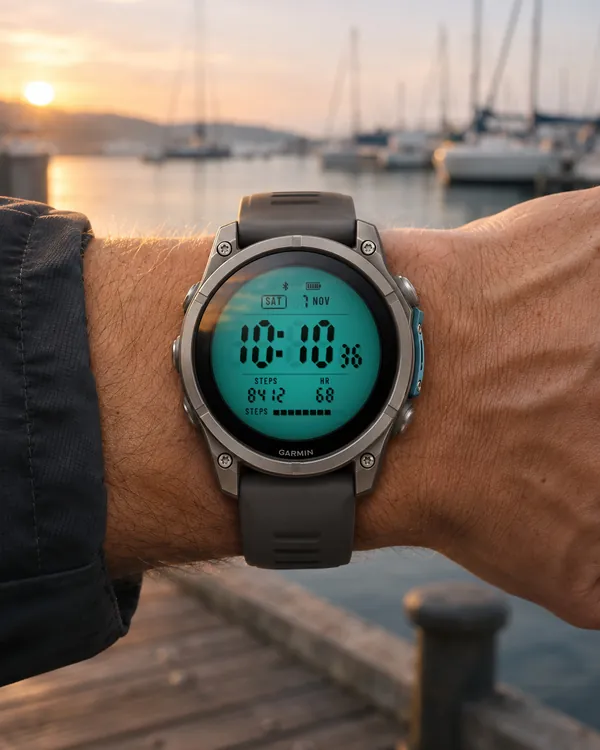 Backlit Lcd
Lume Panel
A colour backlit LCD panel with glowing segments, in six backlight colours
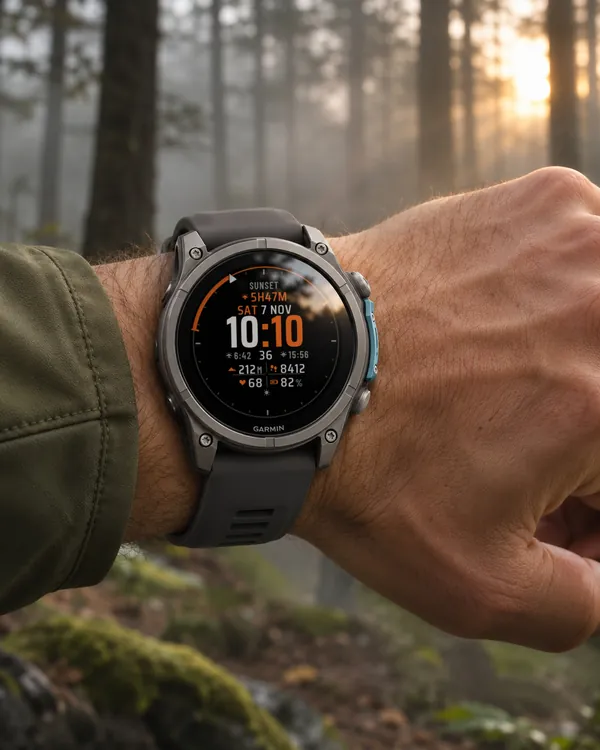 Night Vision
Red Hours
Turns red after sunset to protect your night vision, with a sun ring and countdown
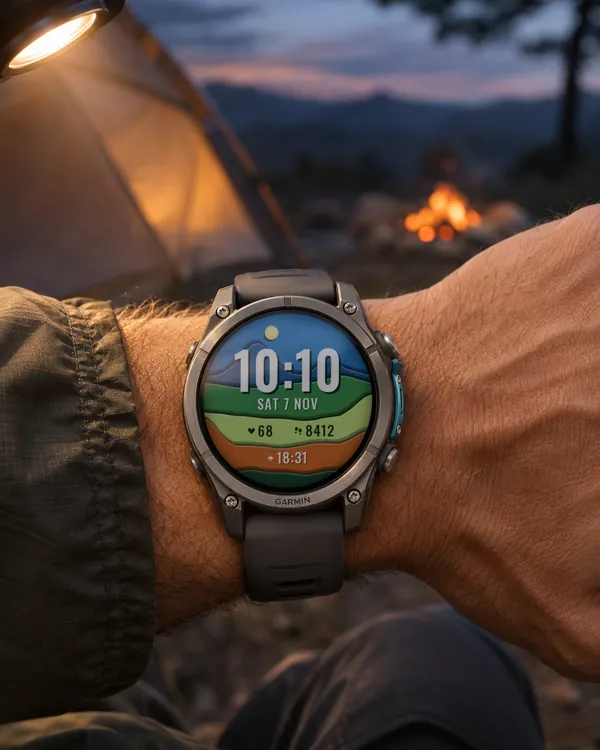 Art
Paper Cut
A layered paper landscape whose colours follow the time of day
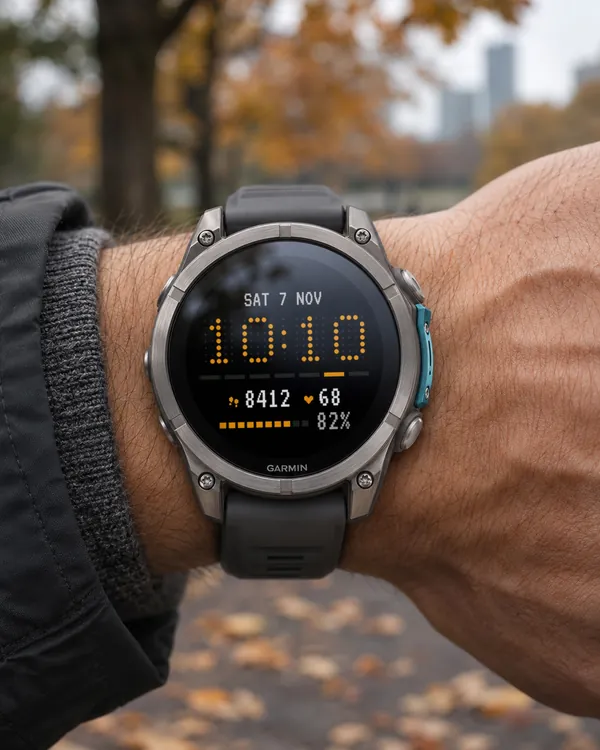 Matrix
Retro Matrix
The time as a grid of LED dots