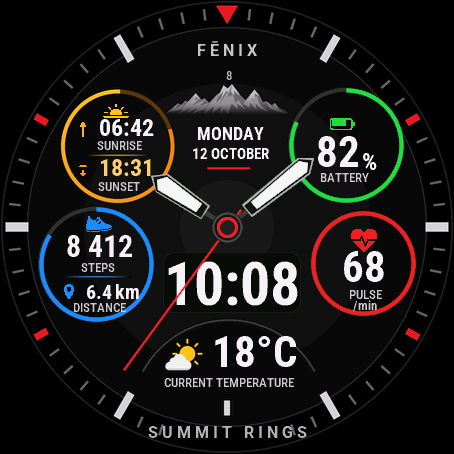
A sporty watch face with four coloured rings, hands and a large digital time. Everything you check during the day sits on one screen: sunrise and sunset, battery, steps with distance, heart rate and temperature.
By default the face shows:
- sunrise and sunset, calculated on the watch from your last location, no internet needed,
- battery with an icon and ring that turn orange at 30% and red at 10% (you can change both thresholds),
- steps with progress to your daily goal and the distance covered,
- heart rate,
- temperature from your phone's weather with a condition icon, separate for day and night,
- the full date, weekday and your watch model name.
Each of the 7 fields can be changed. You can pick from 33 kinds of data, including energy level, stress, pulse ox, respiration, altitude, pressure, calories, floors, intensity minutes, VO2 max, sleep score, wind, humidity, UV index, chance of rain, moon phase and week number. A field can also stay empty. When the data has progress (steps, battery, intensity minutes), the ring shows how much is left.
You can also set:
- hands and digits together, hands only or digits only,
- the seconds hand,
- field labels and the watch name (hide both for a cleaner screen),
- how often the face reads the weather: every 15, 30 or 60 minutes. The watch cannot force the phone to fetch new weather, so data older than 3 hours shows as "--",
- the always-on screen on AMOLED: time with hands, time only or off,
- the language of the date and labels (13 languages), time format and leading zero.
When the watch has no value for a field, it shows "--". The face never guesses.
AMOLED screens get a background with soft shadows and a gentle gradient. Colour MIP screens get their own version made for 64 colours, with crisp ticks.
Trial: the face works fully for 30 days, with all settings. A few days before the end, the number of days left appears at the bottom. After that the face shows your Watch ID and dialforge.dev. Buy a code for that number and enter it in the Connect IQ app, in the face settings (Unlock code).
Code not working? Write to kontakt@dialforge.dev and I will fix it or refund you.
Settings: on the watch, hold the face screen or the MENU button and choose Customize. The same options are in the Connect IQ app. On watches with little memory the menu works without live preview.
If the face is useful to you, you can buy me a coffee: buycoffee.to/iwannaflysohigh
Sportowa tarcza z czterema kolorowymi okręgami, wskazówkami i dużą godziną cyfrową. Na jednym ekranie masz to, na co patrzy się w ciągu dnia najczęściej: wschód i zachód słońca, baterię, kroki z dystansem, tętno i temperaturę.
Domyślnie tarcza pokazuje:
- wschód i zachód słońca, liczone na zegarku z ostatniej lokalizacji, bez internetu,
- baterię z ikoną i okręgiem, które robią się pomarańczowe przy 30% i czerwone przy 10% (oba progi zmienisz),
- kroki z postępem do dziennego celu i przebyty dystans,
- tętno,
- temperaturę z pogody w telefonie razem z ikoną warunków, osobną na dzień i na noc,
- pełną datę, dzień tygodnia i nazwę modelu zegarka.
Każde z 7 pól możesz zmienić. Do wyboru jest 33 rodzaje danych, między innymi poziom energii, stres, pulsoksymetr, oddech, wysokość, ciśnienie, kalorie, piętra, minuty intensywności, VO2 max, wynik snu, wiatr, wilgotność, indeks UV, szansa opadów, faza księżyca i numer tygodnia. Pole może też zostać puste. Gdy dane mają postęp (kroki, bateria, minuty intensywności), okrąg pokazuje, ile zostało.
Co jeszcze ustawisz:
- wskazówki i cyfry razem, same wskazówki albo same cyfry,
- sekundnik,
- podpisy pól i nazwę zegarka (oba da się schować, jeśli wolisz czystszy ekran),
- jak często tarcza czyta pogodę: co 15, 30 albo 60 minut. Zegarek nie zmusi telefonu do pobrania nowej pogody, więc dane starsze niż 3 godziny tarcza pokazuje jako "--",
- ekran wygaszony na AMOLED: godzina ze wskazówkami, sama godzina albo nic,
- język daty i podpisów (13 języków), format godziny i zero na początku.
Gdy zegarek nie ma jakiejś danej, w polu jest "--". Tarcza niczego nie zgaduje.
Ekrany AMOLED dostają tło z miękkimi cieniami i delikatnym gradientem. Kolorowe ekrany MIP mają osobną wersję zrobioną pod 64 kolory, z ostrymi kreskami.
Próba: przez 30 dni tarcza działa w całości, ze wszystkimi ustawieniami. Kilka dni przed końcem na dole pojawia się liczba dni, które zostały. Potem tarcza pokazuje numer ID zegarka i adres dialforge.dev. Kod kupujesz dla tego numeru i wpisujesz w aplikacji Connect IQ, w ustawieniach tarczy (pole Kod odblokowania).
Kod nie działa? Napisz na kontakt@dialforge.dev, poprawię albo oddam pieniądze.
Ustawienia: na zegarku przytrzymaj ekran tarczy albo przycisk MENU i wybierz Dostosuj. Te same opcje są w aplikacji Connect IQ. Na zegarkach z małą pamięcią menu działa bez podglądu na żywo.
Jeśli tarcza Ci się przyda, możesz postawić mi kawę: buycoffee.to/iwannaflysohigh
Permissions and privacy
This product asks the watch for the permissions below. Connect IQ shows them when you install it.
- Sensor history: Reads recent values stored by the watch (for example Body Battery, stress, heart rate, steps trend).Odczytuje ostatnie wartości zapisane przez zegarek (na przykład Body Battery, stres, tętno, trend kroków).
- Your profile: Reads your Garmin profile on the watch (for example age, weight, heart rate zones) to calculate values for you.Odczytuje Twój profil Garmin na zegarku (na przykład wiek, wagę, strefy tętna), żeby liczyć wartości dla Ciebie.
- Watch data (complications): Shows data from other watch features, such as battery or steps, on the face.Pokazuje na tarczy dane z innych funkcji zegarka, takie jak bateria czy kroki.
- Location (GPS): Uses the watch location for distance, speed or sun and moon times. The location is not sent anywhere.Używa lokalizacji zegarka do dystansu, prędkości albo godzin słońca i księżyca. Lokalizacja nigdzie nie jest wysyłana.
This product does not use the internet and sends no data to our servers.
The full manual and the detailed permission descriptions are available in English and Polish.
In preparation
Summit Rings is not in the Connect IQ store yet. It will appear there when Garmin approves it. This page will then get the install button and the price.
More faces
 Running
Race Ready
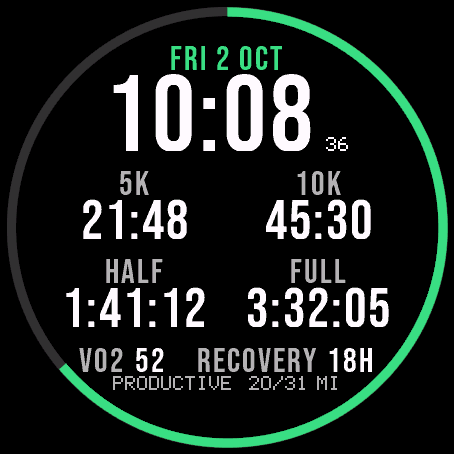
Garmin race predictions and weekly mileage right on the face.
 Photography
Amber Hour
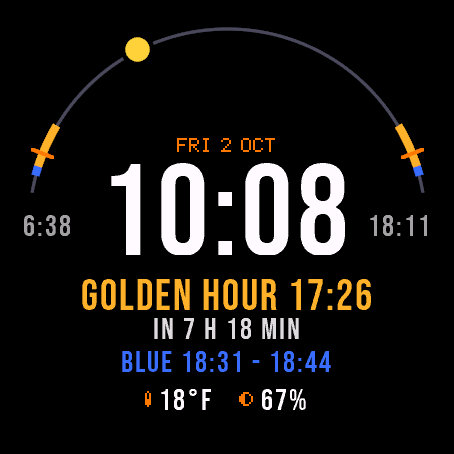
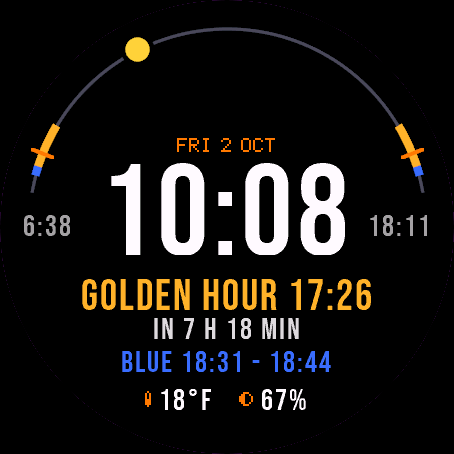
Golden and blue hour countdown with the sun's path across your day.
 Readiness
Day Verdict
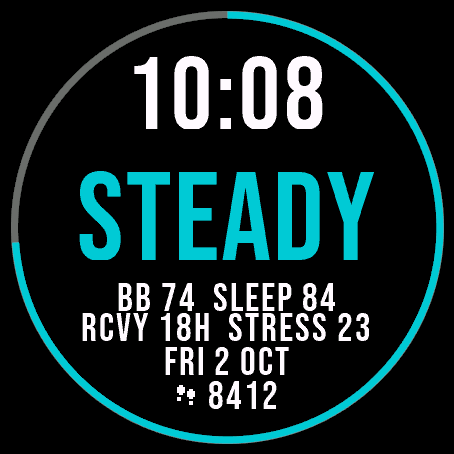
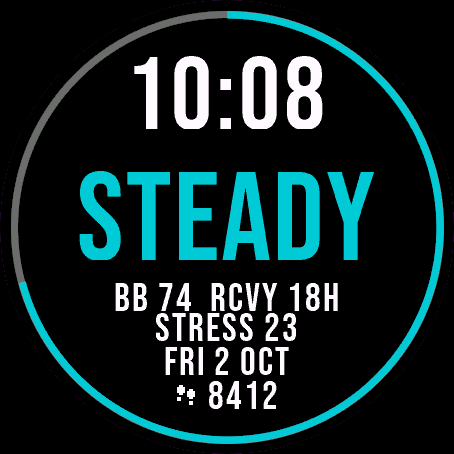
One word for your day: PUSH, STEADY, EASY or REST, from your sleep, Body Battery and recovery.
 Activity
Ring Day
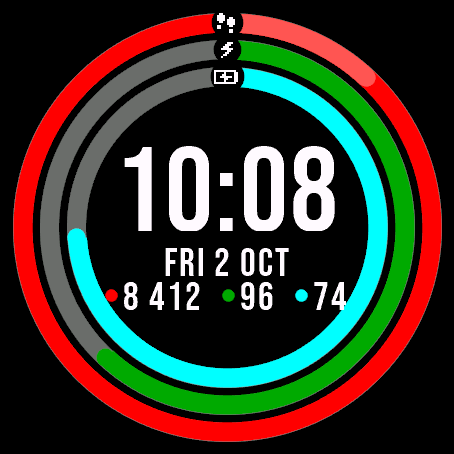
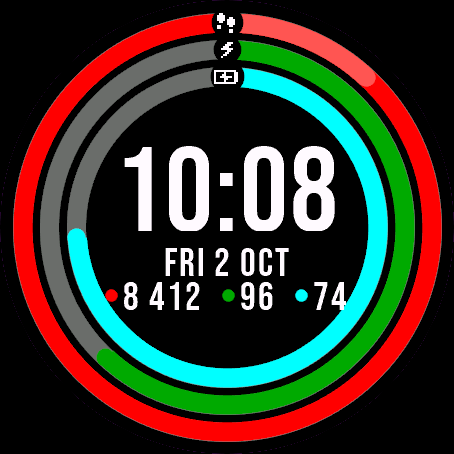
Three activity rings around the time, for people who close their rings.