Water sports
Big Stopwatch
A big stopwatch app for your watch: one huge number of minutes and seconds on a black screen, made for low vision and swimmers who train without glasses.
Jedna wielka liczba na czarnym ekranie: minuty i sekundy. Zrobiony dla osób słabo widzących, na przykład dla pływaka, który trenuje bez okularów.
€5.9930-day free trial
Download on Garmin Connect IQ Buy unlock code
- Install the app from the Connect IQ store. It works fully and for free for the first 30 days.
- Enter the watch ID and pay. The code appears here at once and in the e-mail you give when paying.
- Enter the code in the app settings, field "Unlock code". The watch checks it offline.
Opens the Garmin store. Tap Install there and the Connect IQ app does the rest.
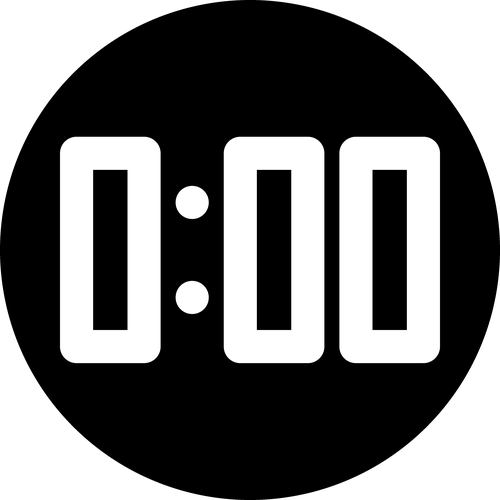
30-day free trial
The app works fully and for free for the first 30 days after you first open it. After that you can buy a one-time unlock code below. No subscription.
One huge number on a black screen: minutes and seconds. Made for low vision, for example a swimmer who trains without glasses.
What you see
- Only the time as M:SS, like 0:07 or 12:45. No clock, no lines, no icons, no hundredths, no leading zero.
- The digits fill almost the whole screen. The size is calculated for your watch, so nothing is cut off by a round display.
- Thick, plain digits with fixed width, so they do not jump while counting.
- After 59:59 the time shows as H:MM:SS in a smaller size.
- Pure black background. Digit color: white, yellow, cyan, green or orange.
Buttons (touch is off by default, a wet screen does not react well)
- START: start and stop.
- DOWN: reset when stopped. Press twice, the first press asks RESET?
- BACK: exit. While running, press twice.
- Hold UP when stopped: settings.
- Watches without a DOWN button: BACK when stopped resets (twice), BACK at 0:00 exits.
Signals
- Short buzz on start, long buzz on stop.
- Optional buzz every 0:30, 1:00, 1:30, 2:00, 3:00 or 5:00.
- Sound off by default.
Keeps counting
- The stopwatch keeps running when the screen turns off or when you leave the app. Open it again and the time is still right.
- Nothing is recorded as an activity and nothing is sent anywhere.
Settings in Garmin Connect or on the watch: digit color, buzz interval, buzz on start and stop, sound, touch, keep screen lit while running (some AMOLED watches limit how long an app can keep the screen on).
The trial and the unlock screen use the same big letters. Your watch UID and the unlock code field are in the app settings in Garmin Connect.
Never train breath holds in water alone. This app is a stopwatch, not a safety device.
Free trial: the app works fully and for free for the first 30 days. After that you can buy a one-time code at dialforge.dev. Changing your watch? Write to me and I will move your code for free. No subscription. I am a student and I build these apps myself after hours. I do not own every watch model, so bugs can happen on some. If something does not work or is missing, write through the form at dialforge.dev. I fix every reported bug within 72 hours and send the update to Garmin (Garmin approval usually takes 1-3 days). If you reported a bug, check whether the fix is already there, and if the bug lowered your rating, I would be grateful if you reconsidered it. If the app is useful to you, leave a rating in the store. You can also buy me a coffee or buy the full version, it lets me build more. Purchase: at checkout you confirm immediate delivery of the code, so under EU law the right of withdrawal does not apply. If the app does not work on your watch as described, write to me and I will fix it.
Co widać
- Sam czas w formacie M:SS, na przykład 0:07 albo 12:45. Bez zegara, kresek, ikon, setnych i bez zera z przodu.
- Cyfry zajmują prawie cały ekran. Rozmiar jest liczony pod Twój zegarek, więc okrągły wyświetlacz niczego nie ucina.
- Grube, proste cyfry o stałej szerokości, więc nie skaczą podczas liczenia.
- Po 59:59 czas pokazuje się jako G:MM:SS, mniejszymi cyframi.
- Czysto czarne tło. Kolor cyfr: biały, żółty, błękitny, zielony albo pomarańczowy.
Przyciski (dotyk jest domyślnie wyłączony, mokry ekran źle reaguje)
- START: start i stop.
- DÓŁ: zerowanie po zatrzymaniu. Dwa naciśnięcia, pierwsze pyta ZEROWAĆ?
- WSTECZ: wyjście. W trakcie biegu dwa naciśnięcia.
- Przytrzymanie GÓRY po zatrzymaniu: ustawienia.
- Zegarki bez przycisku DÓŁ: WSTECZ po zatrzymaniu zeruje (dwa razy), WSTECZ przy 0:00 wychodzi.
Sygnały
- Krótka wibracja przy starcie, długa przy stopie.
- Opcjonalna wibracja co 0:30, 1:00, 1:30, 2:00, 3:00 albo 5:00.
- Dźwięk domyślnie wyłączony.
Liczy dalej
- Stoper idzie, gdy ekran zgaśnie albo gdy wyjdziesz z aplikacji. Otwierasz ją znowu i czas dalej się zgadza.
- Nic nie zapisuje się jako aktywność i nic nie jest nigdzie wysyłane.
Ustawienia w Garmin Connect albo na zegarku: kolor cyfr, odstęp wibracji, wibracja na start i stop, dźwięk, dotyk, podświetlenie w trakcie biegu (niektóre zegarki AMOLED ograniczają, jak długo aplikacja może trzymać ekran włączony).
Próba i ekran odblokowania mają te same duże litery. UID zegarka i pole na kod są w ustawieniach aplikacji w Garmin Connect.
How to use it
Open Big Stopwatch from the watch's app menu.
Works on fenix 8, Forerunner 970, Forerunner 570, Venu 4, Forerunner 965, Forerunner 265, Venu 3, vivoactive 6 and more.
Otwórz Duży stoper z menu aplikacji na zegarku.
Nigdy nie trenuj zatrzymywania oddechu sam w wodzie. Ta aplikacja to stoper, nie urządzenie bezpieczeństwa.
Permissions and privacy
This product does not use the internet and sends no data to our servers.
The full manual and the detailed permission descriptions are available in English and Polish.
Compatible watches
50mm, 51mm, Adventurer, Captain, Carbon Edition, Commander - Carbon Edition, D2 Air X15, D2 Mach 1 Pro, Dual Power, dēzl Edition, Enduro 2, Enduro 3, epix (Gen 2), epix Pro (Gen 2) 42mm, epix Pro (Gen 2) 47mm, epix Pro (Gen 2) 51mm, Forerunner 165, Forerunner 165 Music, Forerunner 245, Forerunner 245 Music, Forerunner 255, Forerunner 255 Music, Forerunner 255s, Forerunner 255s Music, Forerunner 265, Forerunner 265s, Forerunner 55, Forerunner 570 42mm, Forerunner 570 47mm, Forerunner 965, Forerunner 970, fēnix 7, fēnix 7 Pro, fēnix 7 Pro - Solar Edition (no Wi-Fi), fēnix 7S, fēnix 7S Pro, fēnix 7X, fēnix 7X Pro, fēnix 7X Pro - Solar Edition (no Wi-Fi), fēnix 8 43mm, fēnix 8 47mm, fēnix 8 Pro 47mm, fēnix 8 Solar 47mm, fēnix 8 Solar 51mm, fēnix E, Golfer, Instinct 2, Instinct 2S, Instinct 2X Solar, Instinct 3 AMOLED 45mm, Instinct 3 AMOLED 50mm, Instinct 3 Solar 45mm, Instinct Crossover AMOLED, Instinct E 40mm, Instinct E 45mm, MARQ (Gen 2) Athlete, MARQ (Gen 2) Aviator, MARQ Adventurer, MARQ Athlete, MARQ Aviator, MARQ Captain, MARQ Captain: American Magic Edition, MARQ Commander, MARQ Driver, MARQ Expedition, MARQ Golfer, MicroLED, quatix 7, quatix 7 Pro, quatix 7 Sapphire, quatix 7X Solar, quatix 8 47mm, quatix 8 Pro 47mm, Solar, tactix 7, tactix 7 – AMOLED Edition, tactix 8 47mm, tactix 8 Solar 51mm, Venu 2, Venu 2 Plus, Venu 2S, Venu 3, Venu 3S, Venu 4 41mm, Venu 4 45mm, Venu Sq 2, Venu Sq 2 Music, Venu X1, vívoactive 4, vívoactive 4S, vívoactive 5, vívoactive 6
Rate it
Video
FAQ
What happens after the 30-day free trial?
The app shows a screen asking for a one-time unlock code from dialforge.dev instead of opening normally. Buy the code once below, no subscription.
Does the app send my data to Dialforge?
No. The app works fully offline, and the unlock code is checked on the watch itself, without contacting any server.
The app does not work as described on my watch. What can I do?
Write through the feedback form below, or to the e-mail in the footer, and we will fix it.
Changing your watch?
Write to me and I will move your code for free.
Changelog
- New app icon.
- Nowa ikona aplikacji.
Unlock
€5.99
One-time payment. No subscription. The code works on the watch whose ID you enter.
- Install the app from the Connect IQ store. It works fully and for free for the first 30 days.
- Enter the watch ID and pay. The code appears here at once and in the e-mail you give when paying.
- Pay.
- Copy the code.
- Enter the code in the app settings, field "Unlock code". The watch checks it offline.
Payment works best in Safari or Chrome: menu (three dots) > Open in browser
Read it in the settings of this app, field UID. It is not the serial number of the watch.
Your ID, compare it with the watch:
Where do I find the ID?
The ID is different in every face and app, so read it in the one you are buying. Find your 10-digit UID: Connect IQ app on the phone > My Device > Apps or Data Fields > this app > Settings > UID.
Code not working on your watch? Write to me and I will fix it.
Payments by Stripe. Seller: Mateusz Kolarz, Lublin, Poland.
Paid. Code:
We show the code here too. If the e-mail does not arrive (check spam), you can recover the code in the Recover code section with just the UID. Recover code
Copying did not work. The code is selected: copy it by hand.
Enter the code in the app settings, field "Unlock code". The watch checks it offline.
Enjoying a face or app? A rating and comment in the Connect IQ Store helps a lot. Rate in Connect IQ
Tell us how to make it better
Apps
Breath Hold Coach · Cold Plunge · Paddle Rate · Regatta Start Timer · Swim Sets · Critter Park