Unlock
€6.49
One-time payment. No subscription. The code works on the watch whose ID you enter.
- Install the face from Connect IQ (7 days free).
- On the watch: face settings > Buy / Unlock, scan the QR code.
- Pay and paste the code in the face settings.
- Pay.
- Copy the code.
- Paste it in Connect IQ: this face > Settings > Unlock code.
Payment works best in Safari or Chrome: menu (three dots) > Open in browser
Read it in this face, it is not the serial number of the watch.
Your ID, compare it with the watch:
Where do I find the ID?
On the watch: settings of this face > Buy / Unlock (first item). Scan the QR code with your phone or type the 10 digits. The ID is also at the top of the face settings in the Connect IQ app.
Code not working on your watch? Write to me and I refund within 14 days.
Payments by Stripe. Seller: Mateusz Kolarz, Lublin, Poland.
Paid. Code:
Copying did not work. The code is selected: copy it by hand.
The face unlocks by itself when the watch connects to the phone (usually within an hour; if the trial is still running, the purchase starts working when it ends).
Do not want to wait, or have an older watch? Paste the code in the Connect IQ app:
Connect IQ (or Garmin Connect) > My Device > Watch faces > Clear Time V2 > Settings > Unlock code > paste > Save
We show the code here too. If the e-mail does not arrive (check spam), you can recover the code in the Recover code section with the Face ID and e-mail from your order. Recover code
Like it? Rate this face in the Garmin store
Want to try new faces and apps before the release, for free? Join the testers program
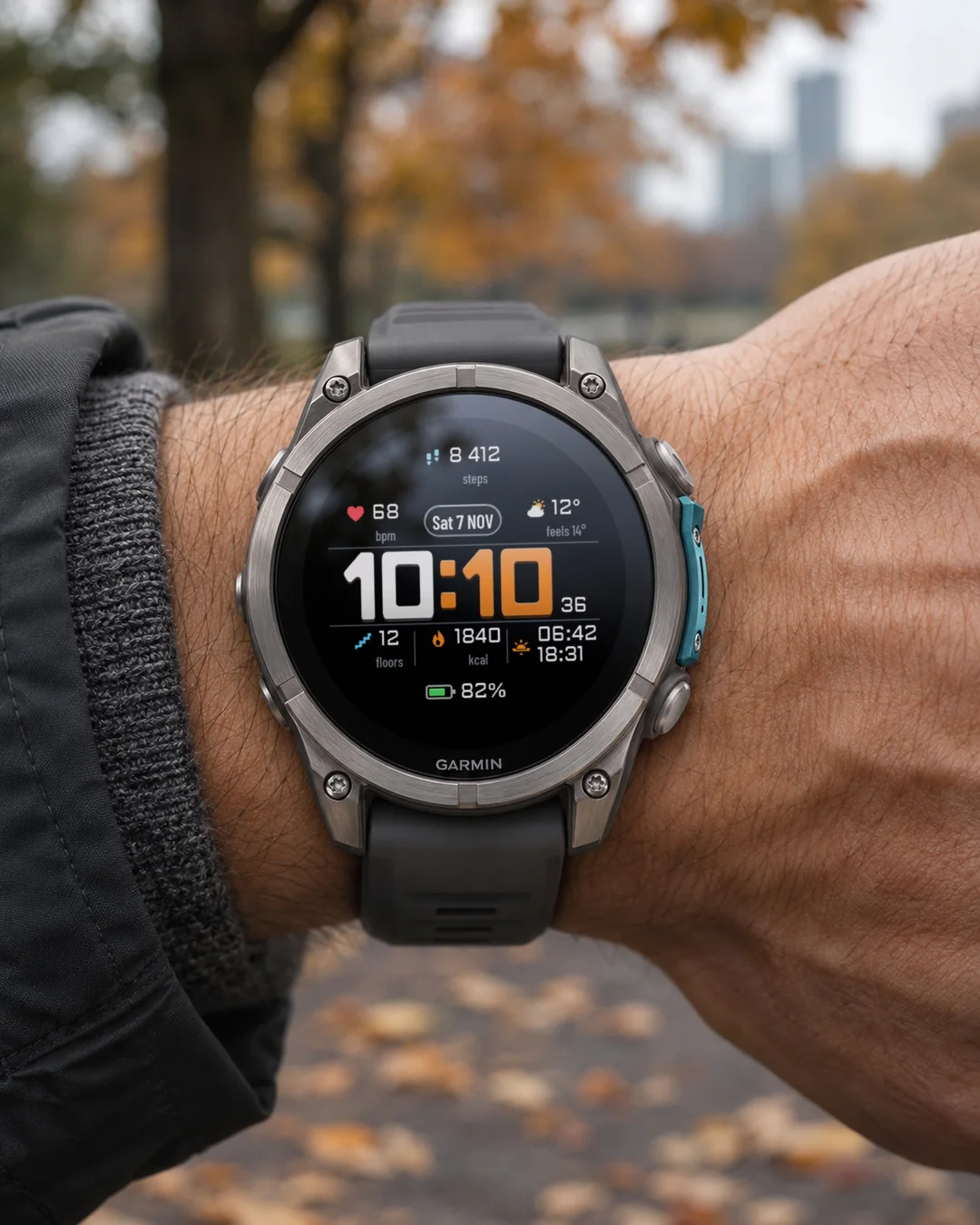
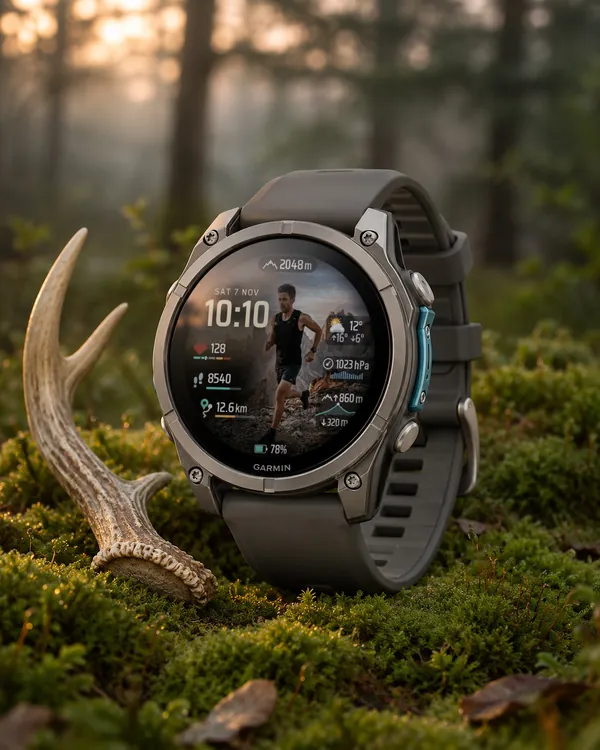
A big, bold digital face you can read at a glance, with every field and every colour yours to choose.
- ClearDigits, our own heavy rounded digits, plus three more time styles.
- Six sizes each for the time, field values and date. When text grows, less important fields step aside, so nothing overlaps.
- Eight data fields, each picked from a list of 30: heart rate, steps, calories, floors, alarms, town name from the weather, date, battery, Body Battery, stress, distance, active minutes, altitude, pressure, temperature, sunrise and sunset, notifications, Pulse Ox, weather, feels like, wind, humidity, Bluetooth, week number, day of year and moon phase. Availability depends on your watch and data.
- A colour for every element: each time digit, seconds, date, each field, labels, icons, lines, glass.
- Dark background or one of six scenes: New York, Matterhorn, mountain lake, desert, sea, forest.
- Optional arc gauges at the top and bottom, plus an optional light sweep on wrist raise (off by default).
- Battery in percent or days left, date in six formats, week number.
- Three always-on modes: time and date, the whole face dimmed, or time only.
- 12/24-hour format. Date in your watch language (13 languages), field labels in English or Polish; English or Polish can be forced in the menu. Settings menu in 35 languages.
Designed for 39 supported watches: 37 AMOLED watches and the fenix 7X Pro. Backgrounds, glass panels, the light sweep and the always-on modes are for AMOLED screens.
7-day free trial, then a one-time unlock code at https://dialforge.dev/faces/cleartimev2/ (no subscription).
Settings: on the watch (hold MENU, then Watch face, then Customize).
Duża, wyraźna tarcza cyfrowa, którą odczytasz jednym spojrzeniem. Każde pole i każdy kolor ustawiasz sam.
- ClearDigits, nasze własne ciężkie, zaokrąglone cyfry, i trzy inne style godziny.
- Po sześć wielkości godziny, wartości pól i daty. Gdy tekst rośnie, mniej ważne pola ustępują miejsca, więc nic na siebie nie nachodzi.
- Osiem pól, każde wybierane z listy 30: tętno, kroki, kalorie, piętra, budzik, miejscowość z pogody, data, bateria, Body Battery, stres, dystans, minuty aktywne, wysokość, ciśnienie, temperatura, wschód i zachód słońca, powiadomienia, SpO2, pogoda, odczuwalna, wiatr, wilgotność, Bluetooth, numer tygodnia, dzień roku i faza księżyca. Dostępność zależy od zegarka i danych.
- Kolor każdego elementu: każdej cyfry godziny, sekund, daty, każdego pola, opisów, ikon, linii, paneli.
- Ciemne tło albo jedna z sześciu scen: Nowy Jork, Matterhorn, górskie jezioro, pustynia, morze, las.
- Opcjonalne łuki wskaźników na górze i na dole oraz opcjonalna smuga światła po podniesieniu ręki (domyślnie wyłączona).
- Bateria w procentach albo dniach pracy, data w sześciu formatach, numer tygodnia.
- Trzy tryby ekranu wygaszonego: godzina i data, przygaszona cała tarcza albo sama godzina.
- Format 12/24 h. Data w języku zegarka (13 języków), opisy pól po polsku albo po angielsku, polski albo angielski można wymusić w menu. Menu ustawień w 35 językach.
Dla 39 zegarków: 37 z ekranem AMOLED i fenix 7X Pro. Tła, szklane panele, smuga światła i tryby ekranu wygaszonego są dla ekranów AMOLED.
7 dni za darmo, potem jednorazowy kod odblokowania na https://dialforge.dev/faces/cleartimev2/ (bez subskrypcji).
Ustawienia: na zegarku (przytrzymaj MENU, potem Tarcza zegarka, potem Dostosuj).
Ein großes, markantes digitales Displaydesign, das du auf einen Blick ablesen kannst, bei dem jedes Feld und jede Farbe frei wählbar ist.
- ClearDigits, unsere eigenen kräftigen, abgerundeten Ziffern, plus drei weitere Uhrzeit-Stile.
- Je sechs Größen für Uhrzeit, Feldwerte und Datum. Wenn Text größer wird, weichen weniger wichtige Felder aus, sodass sich nichts überlappt.
- Acht Datenfelder, jeweils aus einer Liste von 30 wählbar: Herzfrequenz, Schritte, Kalorien, Stockwerke, Alarme, Ortsname vom Wetter, Datum, Akku, Body Battery, Stress, Distanz, aktive Minuten, Höhe, Luftdruck, Temperatur, Sonnenaufgang und Sonnenuntergang, Benachrichtigungen, Pulse Ox, Wetter, gefühlte Temperatur, Wind, Luftfeuchtigkeit, Bluetooth, Kalenderwoche, Tag des Jahres und Mondphase. Die Verfügbarkeit hängt von deiner Uhr und den Daten ab.
- Eine Farbe für jedes Element: jede Ziffer der Uhrzeit, Sekunden, Datum, jedes Feld, Beschriftungen, Symbole, Linien, Glas.
- Dunkler Hintergrund oder eine von sechs Szenen: New York, Matterhorn, Bergsee, Wüste, Meer, Wald.
- Opcjonalne Bogenanzeigen oben und unten sowie ein optionaler Lichteffekt beim Anheben des Handgelenks (standardmäßig aus).
- Akku in Prozent oder verbleibenden Tagen, Datum in sechs Formaten, Kalenderwoche.
- Drei Always-on-Modi: Uhrzeit und Datum, das gesamte Displaydesign abgedunkelt oder nur die Uhrzeit.
- 12/24-Stunden-Format. Datum in der Sprache deiner Uhr (13 Sprachen), Feldbeschriftungen auf Englisch oder Polnisch; Englisch oder Polnisch lässt sich im Menü erzwingen. Einstellungsmenü in 35 Sprachen.
Entwickelt für 39 unterstützte Uhren: 37 AMOLED-Uhren und die fenix 7X Pro. Hintergründe, Glaspaneele, der Lichteffekt und die Always-on-Modi sind für AMOLED-Displays gedacht.
7 Tage kostenlos testen, danach ein einmaliger Freischaltcode unter https://dialforge.dev/faces/cleartimev2/ (kein Abo).
Einstellungen: auf der Uhr (MENU gedrückt halten, dann Displaydesign, dann Anpassen).
Un grand cadran numérique bien visible, lisible en un coup d'œil, où vous choisissez chaque champ et chaque couleur.
- ClearDigits, nos propres chiffres épais et arrondis, plus trois autres styles d'heure.
- Six tailles chacune pour l'heure, les valeurs des champs et la date. Quand le texte grandit, les champs moins importants s'effacent pour que rien ne se chevauche.
- Huit champs de données, chacun à choisir parmi une liste de 30 : fréquence cardiaque, pas, calories, étages, alarmes, nom de la ville issu de la météo, date, batterie, Body Battery, stress, distance, minutes actives, altitude, pression, température, lever et coucher du soleil, notifications, Pulse Ox, météo, température ressentie, vent, humidité, Bluetooth, numéro de semaine, jour de l'année et phase de lune. La disponibilité dépend de votre montre et de vos données.
- Une couleur pour chaque élément : chaque chiffre de l'heure, secondes, date, chaque champ, libellés, icônes, lignes, verre.
- Fond sombre ou l'une des six scènes : New York, Matterhorn, lac de montagne, désert, mer, forêt.
- Jauges en arc optionnelles en haut et en bas, plus un balayage lumineux optionnel au lever du poignet (désactivé par défaut).
- Batterie en pourcentage ou en jours restants, date en six formats, numéro de semaine.
- Trois modes d'affichage permanent : heure et date, tout le cadran atténué ou heure uniquement.
- Format 12/24 heures. Date dans la langue de votre montre (13 langues), libellés des champs en anglais ou en polonais ; l'anglais ou le polonais peut être forcé dans le menu. Menu des paramètres en 35 langues.
Conçu pour 39 montres compatibles : 37 montres AMOLED et la fenix 7X Pro. Les arrière-plans, les panneaux en verre, le balayage lumineux et les modes d'affichage permanent sont destinés aux écrans AMOLED.
Essai gratuit de 7 jours, puis code de déverrouillage unique sur https://dialforge.dev/faces/cleartimev2/ (sans abonnement).
Paramètres : sur la montre (maintenez MENU, puis Cadran de montre, puis Personnaliser).
Una pantalla digital grande y llamativa que puedes leer de un vistazo, con cada campo y cada color a tu elección.
- ClearDigits, nuestros propios dígitos gruesos y redondeados, además de otros tres estilos de hora.
- Seis tamaños para la hora, los valores de los campos y la fecha. Cuando el texto crece, los campos menos importantes se apartan para que nada se superponga.
- Ocho campos de datos, cada uno elegido de una lista de 30: frecuencia cardiaca, pasos, calorías, pisos, alarmas, nombre de la localidad del tiempo, fecha, batería, Body Battery, estrés, distancia, minutos de actividad, altitud, presión, temperatura, amanecer y atardecer, notificaciones, Pulse Ox, tiempo, sensación térmica, viento, humedad, Bluetooth, número de semana, día del año y fase lunar. La disponibilidad depende de tu reloj y de los datos.
- Un color para cada elemento: cada dígito de la hora, segundos, fecha, cada campo, etiquetas, iconos, líneas, cristal.
- Fondo oscuro o una de seis escenas: Nueva York, Matterhorn, lago de montaña, desierto, mar, bosque.
- Indicadores de arco opcionales en la parte superior e inferior, además de un barrido de luz opcional al levantar la muñeca (desactivado por defecto).
- Batería en porcentaje o días restantes, fecha en seis formatos, número de semana.
- Tres modos de pantalla siempre activa: hora y fecha, toda la pantalla atenuada o solo la hora.
- Formato de 12/24 horas. Fecha en el idioma de tu reloj (13 idiomas), etiquetas de los campos en inglés o polaco; se puede forzar el inglés o el polaco en el menú. Menú de ajustes en 35 idiomas.
Diseñada para 39 relojes compatibles: 37 relojes AMOLED y el fenix 7X Pro. Los fondos, los paneles de cristal, el barrido de luz y los modos de pantalla siempre activa son para pantallas AMOLED.
Prueba gratuita de 7 días, luego un código de desbloqueo de pago único en https://dialforge.dev/faces/cleartimev2/ (sin suscripción).
Ajustes: en el reloj (mantén pulsado MENU, luego Pantalla del reloj, después Personalizar).
Een grote, duidelijke digitale wijzerplaat die je in één oogopslag kunt aflezen, waarbij je elk veld en elke kleur zelf kunt kiezen.
- ClearDigits, onze eigen stevige, afgeronde cijfers, plus nog drie tijdstijlen.
- Telkens zes formaten voor de tijd, veldwaarden en datum. Wanneer tekst groter wordt, maken minder belangrijke velden plaats, zodat niets overlapt.
- Acht gegevensvelden, elk te kiezen uit een lijst van 30: hartslag, stappen, calorieën, verdiepingen, alarmen, plaatsnaam uit het weer, datum, batterij, Body Battery, stress, afstand, actieve minuten, hoogte, luchtdruk, temperatuur, zonsopkomst en zonsondergang, meldingen, Pulse Ox, weer, gevoelstemperatuur, wind, luchtvochtigheid, Bluetooth, weeknummer, dag van het jaar en maanfase. De beschikbaarheid hangt af van je horloge en gegevens.
- Een kleur voor elk element: elk cijfer van de tijd, seconden, datum, elk veld, labels, iconen, lijnen, glas.
- Donkere achtergrond of een van de zes scènes: New York, Matterhorn, bergmeer, woestijn, zee, bos.
- Optionele boogmeters aan de boven- en onderkant, plus een optionele lichtveeg bij het optillen van de pols (standaard uitgeschakeld).
- Batterij in procenten of resterende dagen, datum in zes formaten, weeknummer.
- Drie always-on-modi: tijd en datum, de hele wijzerplaat gedimd of alleen de tijd.
- 12/24-uursnotatie. Datum in de taal van je horloge (13 talen), veldlabels in het Engels of Pools; Engels of Pools kan worden geforceerd in het menu. Instellingenmenu in 35 talen.
Ontworpen voor 39 ondersteunde horloges: 37 AMOLED-horloges en de fenix 7X Pro. Achtergronden, glazen panelen, de lichtveeg en de always-on-modi zijn voor AMOLED-schermen.
7-daagse gratis proefperiode, daarna een eenmalige ontgrendelcode op https://dialforge.dev/faces/cleartimev2/ (geen abonnement).
Instellingen: op het horloge (houd MENU ingedrukt, daarna Wijzerplaat, daarna Pas aan).
ひと目で読み取れる、大きく太いデジタル文字盤。すべての項目とカラーを自由に選べます。
- ClearDigits(私たちが独自にデザインした太く丸みのある数字)に加え、さらに三つの時刻スタイル。
- 時刻、項目の値、日付にそれぞれ六種類のサイズ。文字が大きくなると、重要度の低い項目が場所を譲るため、重なることはありません。
- 30種類から選べる八つのデータ項目:心拍数、歩数、カロリー、上昇階数、アラーム、天気情報の都市名、日付、バッテリー、Body Battery、ストレス、距離、運動時間、高度、気圧、気温、日の出と日の入り、通知、Pulse Ox、天気、体感温度、風、湿度、Bluetooth、週番号、通算日、月相。利用できる項目はお使いのウォッチやデータによって異なります。
- すべての要素にカラーを設定可能:時刻の各数字、秒、日付、各項目、ラベル、アイコン、ライン、ガラス。
- ダーク背景、または六つのシーンから選択:ニューヨーク、マッターホルン、山の湖、砂漠、海、森。
- 上部と下部の円弧ゲージ(オプション)に加え、手首を上げた際のライトスイープ(オプション、デフォルトはオフ)。
- バッテリー残量(パーセントまたは残り日数)、六種類の日付フォーマット、週番号。
- 三つの常時表示モード:時刻と日付、文字盤全体の減光、または時刻のみ。
- 12/24時間表示。日付はお使いのウォッチの言語(13言語)、項目ラベルは英語またはポーランド語(メニューで英語またはポーランド語に固定可能)。設定メニューは35言語に対応。
対応する39機種のウォッチ向けに設計:37機種のAMOLEDウォッチおよびfenix 7X Pro。背景、ガラスパネル、ライトスイープ、常時表示モードはAMOLED画面向けです。
7日間の無料トライアル、その後はhttps://dialforge.dev/faces/cleartimev2/で一度限りのアンロックコード(サブスクリプションなし)。
設定:ウォッチ本体(menu長押し、次にウォッチフェイス、次にカスタマイズ)。
Un quadrante digitale grande e ben visibile, che puoi leggere a colpo d'occhio, con ogni campo e ogni colore a tua scelta.
- ClearDigits, le nostre cifre spesse e arrotondate, più altri tre stili per l'ora.
- Sei dimensioni ciascuno per l'ora, i valori dei campi e la data. Quando il testo cresce, i campi meno importanti si fanno da parte, così nulla si sovrappone.
- Otto campi dati, ciascuno scelto da un elenco di 30: frequenza cardiaca, passi, calorie, piani, sveglie, nome della città dal meteo, data, batteria, Body Battery, stress, distanza, minuti attivi, altitudine, pressione, temperatura, alba e tramonto, notifiche, Pulse Ox, meteo, temperatura percepita, vento, umidità, Bluetooth, numero della settimana, giorno dell'anno e fase lunare. La disponibilità dipende dall'orologio e dai dati.
- Un colore per ogni elemento: ogni cifra dell'ora, secondi, data, ogni campo, etichette, icone, linee, vetro.
- Sfondo scuro o una delle sei scene: New York, Matterhorn, lago di montagna, deserto, mare, foresta.
- Indicatori ad arco opzionali in alto e in basso, più un fascio di luce opzionale al sollevamento del polso (disattivato per impostazione predefinita).
- Batteria in percentuale o giorni rimanenti, data in sei formati, numero della settimana.
- Tre modalità always-on: ora e data, intero quadrante attenuato o solo ora.
- Formato 12/24 ore. Data nella lingua dell'orologio (13 lingue), etichette dei campi in inglese o polacco; inglese o polacco possono essere forzati nel menu. Menu delle impostazioni in 35 lingue.
Progettato per 39 orologi supportati: 37 orologi AMOLED e il fenix 7X Pro. Gli sfondi, i pannelli in vetro, il fascio di luce e le modalità always-on sono per schermi AMOLED.
7 giorni di prova gratuita, poi un codice di sblocco una tantum su https://dialforge.dev/faces/cleartimev2/ (nessun abbonamento).
Impostazioni: sull'orologio (tieni premuto MENU, poi Quadrante, poi Personalizza).
醒目的大号数字表盘,一眼即可看清,每个字段与每种颜色均可随心选择。
- ClearDigits,我们自主设计的粗体圆角数字,外加另外三种时间样式。
- 时间、字段数值与日期各有六种尺寸。当文字变大时,次要字段会自动避让,因此内容不会重叠。
- 八个数据字段,每个均可从 30 项列表中挑选:心率、步数、卡路里、楼层、闹钟、天气中的城镇名称、日期、电量、Body Battery、压力、距离、活动分钟数、海拔、气压、温度、日出与日落、通知、Pulse Ox、天气、体感温度、风速、湿度、Bluetooth、周数、一年中的第几天以及月相。具体可用性取决于你的手表和数据。
- 每个元素均可自定义颜色:各个时间数字、秒数、日期、每个字段、标签、图标、线条、玻璃面板。
- 深色背景或六种场景之一:纽约、马特洪峰、高山湖泊、沙漠、海洋、森林。
- 顶部和底部可选弧形仪表,外加抬腕时可选的扫光效果(默认关闭)。
- 电池电量支持百分比或剩余天数显示,六种日期格式,周数。
- 三种常亮模式:时间和日期、全表盘变暗,或仅显示时间。
- 12/24 小时制。日期支持你的手表系统语言(13 种语言),字段标签支持英语或波兰语;可在菜单中强制设定为英语或波兰语。设置菜单支持 35 种语言。
专为 39 款受支持的手表设计:37 款 AMOLED 手表及 fenix 7X Pro。背景、玻璃面板、扫光效果和常亮模式专用于 AMOLED 屏幕。
7 天免费试用,之后在 https://dialforge.dev/faces/cleartimev2/ 获取一次性解锁码(无订阅)。
设置:在手表上(长按 menu,然后选择 表盘,再选择 自定义)。
Большой, четкий цифровой циферблат, который легко читается с первого взгляда, где каждое поле и каждый цвет вы выбираете сами.
- ClearDigits, наши собственные массивные скругленные цифры, плюс еще три стиля отображения времени.
- По шесть размеров для времени, значений полей и даты. Когда текст увеличивается, менее важные поля уступают место, поэтому ничего не перекрывается.
- Восемь полей данных, каждое выбирается из списка 30: пульс, шаги, калории, этажи, будильники, город из прогноза погоды, дата, батарея, Body Battery, стресс, расстояние, минуты активности, высота, давление, температура, восход и закат, уведомления, Pulse Ox, погода, ощущается как, ветер, влажность, Bluetooth, номер недели, день года и фаза луны. Доступность зависит от ваших часов и данных.
- Цвет для каждого элемента: каждой цифры времени, секунд, даты, каждого поля, подписей, значков, линий, стекла.
- Темный фон или одна из шести сцен: Нью-Йорк, Маттерхорн, горное озеро, пустыня, море, лес.
- Опциональные дуговые шкалы вверху и внизу, плюс опциональный световой блик при поднятии запястья (по умолчанию выключен).
- Батарея в процентах или оставшихся днях работы, дата в шести форматах, номер недели.
- Три режима всегда включенного экрана: время и дата, приглушенный циферблат целиком или только время.
- 12/24-часовой формат. Дата на языке ваших часов (13 языков), подписи полей на английском или польском; английский или польский язык можно принудительно выбрать в меню. Меню настроек на 35 языках.
Создано для 39 поддерживаемых моделей часов: 37 часов с экраном AMOLED и fenix 7X Pro. Фоны, стеклянные панели, световой блик и режимы всегда включенного экрана предназначены для экранов AMOLED.
7-дневный бесплатный пробный период, затем разовый код разблокировки на https://dialforge.dev/faces/cleartimev2/ (без подписки).
Настройки: на часах (удерживайте MENU, затем Циферблат, затем Настройка).
Um mostrador digital grande e marcante que você lê num piscar de olhos, com cada campo e cada cor à sua escolha.
- ClearDigits, nossos próprios dígitos arredondados e encorpados, além de mais três estilos de hora.
- Seis tamanhos cada para a hora, valores dos campos e data. Quando o texto aumenta, os campos menos importantes abrem espaço, para que nada se sobreponha.
- Oito campos de dados, cada um escolhido a partir de uma lista de 30: frequência cardíaca, passos, calorias, andares, alarmes, nome da cidade pela previsão do tempo, data, bateria, Body Battery, estresse, distância, minutos ativos, altitude, pressão, temperatura, nascer e pôr do sol, notificações, Pulse Ox, clima, sensação térmica, vento, umidade, Bluetooth, número da semana, dia do ano e fase da lua. A disponibilidade depende do seu relógio e dos dados.
- Uma cor para cada elemento: cada dígito da hora, segundos, data, cada campo, rótulos, ícones, linhas, vidro.
- Fundo escuro ou uma de seis cenas: Nova York, Matterhorn, lago de montanha, deserto, mar, floresta.
- Indicadores em arco opcionais na parte superior e inferior, além de uma varredura de luz opcional ao levantar o pulso (desativado por padrão).
- Bateria em porcentagem ou dias restantes, data em seis formatos, número da semana.
- Três modos de tela sempre ativa: hora e data, o mostrador inteiro esmaecido ou apenas a hora.
- Formato 12/24 horas. Data no idioma do seu relógio (13 idiomas), rótulos dos campos em inglês ou polonês; inglês ou polonês podem ser forçados no menu. Menu de configurações em 35 idiomas.
Projetado para 39 relógios compatíveis: 37 relógios AMOLED e o fenix 7X Pro. Planos de fundo, painéis de vidro, a varredura de luz e os modos de tela sempre ativa são para telas AMOLED.
Teste gratuito de 7 dias, depois um código de desbloqueio único em https://dialforge.dev/faces/cleartimev2/ (sem assinatura).
Configurações: no relógio (segure MENU, depois Visor do relógio, depois Personalizar).
Velký, výrazný digitální ciferník, který přečtete na první pohled, kde si každé pole i každou barvu zvolíte sami.
- ClearDigits, naše vlastní tučné zaoblené číslice, plus tři další styly času.
- Po šesti velikostech pro čas, hodnoty polí i datum. Když se text zvětší, méně důležitá pole ustoupí, takže se nic nepřekrývá.
- Osm datových polí, každé vybrané ze seznamu 30: srdeční tep, kroky, kalorie, patra, budíky, název města z počasí, datum, baterie, Body Battery, stres, vzdálenost, aktivní minuty, nadmořská výška, tlak, teplota, východ a západ slunce, oznámení, Pulse Ox, počasí, pocitová teplota, vítr, vlhkost, Bluetooth, číslo týdne, den v roce a fáze měsíce. Dostupnost závisí na vašich hodinkách a datech.
- Barva pro každý prvek: každá číslice času, sekundy, datum, každé pole, popisky, ikony, linky, sklo.
- Tmavé pozadí nebo jedna ze šesti scén: New York, Matterhorn, horské jezero, poušť, moře, les.
- Volitelné obloukové ukazatele nahoře a dole plus volitelný světelný efekt při zvednutí zápěstí (ve výchozím stavu vypnuto).
- Baterie v procentech nebo zbývajících dnech, datum v šesti formátech, číslo týdne.
- Tři režimy trvale zapnutého displeje: čas a datum, celý ztlumený ciferník nebo pouze čas.
- Formát 12/24 h. Datum v jazyce vašich hodinek (13 jazyků), popisky polí v angličtině nebo polštině; angličtinu nebo polštinu lze vynutit v menu. Menu nastavení v 35 jazycích.
Navrženo pro 39 podporovaných hodinek: 37 hodinek AMOLED a fenix 7X Pro. Pozadí, skleněné panely, světelný efekt a režimy trvale zapnutého displeje jsou pro displeje AMOLED.
7denní zkušební verze zdarma, poté jednorázový odemykací kód na https://dialforge.dev/faces/cleartimev2/ (žádné předplatné).
Nastavení: na hodinkách (podržte MENU, poté Vzhled hodinek, poté Přizpůsobit).
Um mostrador digital grande e marcante que pode ler num relance, com cada campo e cada cor à sua escolha.
- ClearDigits, os nossos próprios dígitos arredondados e encorpados, e mais três estilos de hora.
- Seis tamanhos para a hora, valores dos campos e data. Quando o texto aumenta, os campos menos importantes afastam-se, para que nada se sobreponha.
- Oito campos de dados, cada um escolhido a partir de uma lista de 30: frequência cardíaca, passos, calorias, andares, alarmes, nome da localidade da meteorologia, data, bateria, Body Battery, stress, distância, minutos de atividade, altitude, pressão, temperatura, nascer e pôr do sol, notificações, Pulse Ox, meteorologia, sensação térmica, vento, humidade, Bluetooth, número da semana, dia do ano e fase da lua. A disponibilidade depende do seu relógio e dos dados.
- Uma cor para cada elemento: cada dígito da hora, segundos, data, cada campo, legendas, ícones, linhas, vidro.
- Fundo escuro ou um de seis cenários: Nova Iorque, Matterhorn, lago de montanha, deserto, mar, floresta.
- Indicadores em arco opcionais na parte superior e inferior, além de um feixe de luz opcional ao levantar o pulso (desativado por predefinição).
- Bateria em percentagem ou dias restantes, data em seis formatos, número da semana.
- Três modos de ecrã sempre ligado: hora e data, todo o mostrador atenuado ou apenas a hora.
- Formato de 12/24 horas. Data no idioma do seu relógio (13 idiomas), legendas dos campos em inglês ou polaco; pode forçar o inglês ou polaco no menu. Menu de definições em 35 idiomas.
Concebido para 39 relógios compatíveis: 37 relógios AMOLED e o fenix 7X Pro. Os fundos, os painéis de vidro, o feixe de luz e os modos de ecrã sempre ligado destinam-se a ecrãs AMOLED.
Teste gratuito de 7 dias, depois um código de desbloqueio único em https://dialforge.dev/faces/cleartimev2/ (sem subscrição).
Definições: no relógio (mantenha premido MENU, depois Mostrador, depois Personalizar).
한눈에 알아볼 수 있는 크고 또렷한 디지털 시계 화면으로, 모든 필드와 모든 색상을 원하는 대로 직접 선택할 수 있습니다.
- 자체 제작한 묵직하고 둥근 숫자인 ClearDigits와 세 가지 추가 시간 스타일.
- 시간, 필드 값, 날짜 각각 여섯 가지 크기 지원. 글자가 커지면 덜 중요한 필드가 자리를 비켜주므로 서로 겹치지 않습니다.
- 30개 목록에서 각각 선택할 수 있는 여덟 개의 데이터 필드: 심박수, 걸음 수, 칼로리, 오른 층수, 알람, 날씨 지역명, 날짜, 배터리, Body Battery, 스트레스, 거리, 활동 시간, 고도, 기압, 기온, 일출 및 일몰, 알림, Pulse Ox, 날씨, 체감 온도, 바람, 습도, Bluetooth, 주차, 연중 일수, 달의 위상. 지원 여부는 시계 모델 및 데이터에 따라 달라집니다.
- 모든 요소를 위한 색상 설정: 시간의 각 자릿수, 초, 날짜, 각 필드, 라벨, 아이콘, 라인, 글래스.
- 어두운 배경 또는 여섯 가지 풍경 중 하나: New York, Matterhorn, 산속 호수, 사막, 바다, 숲.
- 상단 및 하단 원호 게이지(선택 사항), 손목을 들어 올릴 때 켜지는 라이트 스윕 효과(선택 사항, 기본적으로 꺼짐).
- 배터리 잔량(백분율 또는 남은 일수), 여섯 가지 형식의 날짜, 주차.
- 세 가지 상시 표시 모드: 시간 및 날짜, 화면 전체 어둡게, 또는 시간만 표시.
- 12/24시간 형식. 시계 언어로 표시되는 날짜(13개 언어), 영어 또는 폴란드어 필드 라벨(메뉴에서 영어 또는 폴란드어로 고정 가능). 설정 메뉴는 35개 언어를 지원합니다.
39종의 지원 시계용으로 제작: 37종의 AMOLED 시계 및 fenix 7X Pro. 배경, 글래스 패널, 라이트 스윕 및 상시 표시 모드는 AMOLED 화면 전용입니다.
7일 무료 체험 후 https://dialforge.dev/faces/cleartimev2/에서 일회성 잠금 해제 코드로 이용(정기 구독 없음).
설정: 시계에서 설정(MENU 길게 누르기, 시계 화면, 사용자 지정).
En stor och tydlig digital urtavla som du kan läsa av med ett ögonkast, där du själv väljer varje fält och varje färg.
- ClearDigits, våra egna kraftiga, rundade siffror, plus ytterligare tre tidsstilar.
- Sex storlekar vardera för tid, fältvärden och datum. När texten växer flyttar mindre viktiga fält på sig, så att ingenting överlappar.
- Åtta datafält, vart och ett valt från en lista med 30: puls, steg, kalorier, våningar, larm, ortnamn från vädret, datum, batteri, Body Battery, stress, distans, aktiva minuter, höjd, lufttryck, temperatur, soluppgång och solnedgång, aviseringar, Pulse Ox, väder, känns som, vind, luftfuktighet, Bluetooth, veckonummer, dag på året och månfas. Tillgängligheten beror på din klocka och data.
- En färg för varje element: varje tidssiffra, sekunder, datum, varje fält, etiketter, ikoner, linjer, glas.
- Mörk bakgrund eller en av sex scener: New York, Matterhorn, bergssjö, öken, hav, skog.
- Valfria bågformade mätare upptill och nertill, plus ett valfritt ljussvep vid handledslyft (avstängt som standard).
- Batteri i procent eller dagar kvar, datum i sex format, veckonummer.
- Tre alltid på-lägen: tid och datum, hela urtavlan nedtonad eller endast tid.
- 12/24-timmarsformat. Datum på klockans språk (13 språk), fältetiketter på engelska eller polska; engelska eller polska kan tvingas fram i menyn. Inställningsmeny på 35 språk.
Designad för 39 klockor som stöds: 37 AMOLED-klockor och fenix 7X Pro. Bakgrunder, glaspaneler, ljussvepet och alltid på-lägena är för AMOLED-skärmar.
7 dagars gratis provperiod, därefter en engångskod för upplåsning på https://dialforge.dev/faces/cleartimev2/ (ingen prenumeration).
Inställningar: på klockan (håll in MENU, sedan Urtavla, sedan Anpassa).
En stor, tydelig digital urskive, du kan aflæse med et enkelt blik, hvor du selv kan vælge hvert felt og hver farve.
- ClearDigits, vores egne kraftige, afrundede cifre, plus tre andre tidsstile.
- Seks størrelser hver til klokkeslæt, feltværdier og dato. Når teksten vokser, træder mindre vigtige felter til side, så intet overlapper.
- Otte datafelter, hvert valgt fra en liste med 30: puls, skridt, kalorier, etager, alarmer, bynavn fra vejret, dato, batteri, Body Battery, stress, distance, aktive minutter, højde, tryk, temperatur, solopgang og solnedgang, notifikationer, Pulse Ox, vejr, føles som, vind, luftfugtighed, Bluetooth, ugenummer, dag på året og månefase. Tilgængelighed afhænger af dit ur og dine data.
- En farve til hvert element: hvert ciffer i klokkeslættet, sekunder, dato, hvert felt, etiketter, ikoner, linjer, glas.
- Mørk baggrund eller en af seks scener: New York, Matterhorn, bjergsø, ørken, hav, skov.
- Valgfrie bueformede målere i toppen og bunden, plus en valgfri lysfejning ved håndledsløft (slået fra som standard).
- Batteri i procent eller dage tilbage, dato i seks formater, ugenummer.
- Tre always-on-tilstande: klokkeslæt og dato, hele urskiven dæmpet eller kun klokkeslæt.
- 12/24-timers format. Dato på dit urs sprog (13 sprog), feltetiketter på engelsk eller polsk; engelsk eller polsk kan gennemtvinges i menuen. Indstillingsmenu på 35 sprog.
Designet til 39 understøttede ure: 37 AMOLED-ure og fenix 7X Pro. Baggrunde, glaspaneler, lysfejningen og always-on-tilstandene er til AMOLED-skærme.
7 dages gratis prøveperiode, derefter en engangsoplåsningskode på https://dialforge.dev/faces/cleartimev2/ (intet abonnement).
Indstillinger: på uret (hold MENU nede, derefter Urskive, derefter Tilpas).
En stor og tydelig digital urskive du kan lese av med et raskt blikk, der du kan velge hvert felt og hver farge selv.
- ClearDigits, våre egne kraftige, avrundede sifre, pluss tre andre tidsstiler.
- Seks størrelser hver for klokkeslett, feltverdier og dato. Når teksten blir større, viker mindre viktige felt unna, slik at ingenting overlapper.
- Åtte datafelt, hvert valgt fra en liste over 30: puls, skritt, kalorier, etasjer, alarmer, stedsnavn fra været, dato, batteri, Body Battery, stress, distanse, aktive minutter, høyde, lufttrykk, temperatur, soloppgang og solnedgang, varsler, Pulse Ox, vær, føles som, vind, luftfuktighet, Bluetooth, ukenummer, dag i året og månefase. Tilgjengeligheten avhenger av klokken og dataene dine.
- En farge for hvert element: hvert tidssiffer, sekunder, dato, hvert felt, etiketter, ikoner, linjer, glass.
- Mørk bakgrunn eller en av seks scener: New York, Matterhorn, fjellvann, ørken, hav, skog.
- Valgfrie buemålere øverst og nederst, pluss et valgfritt lyssveip når du hever håndleddet (av som standard).
- Batteri i prosent eller dager igjen, dato i seks formater, ukenummer.
- Tre alltid på-moduser: klokkeslett og dato, hele urskiven dempet, eller bare klokkeslett.
- 12/24-timers format. Dato på klokkespråket ditt (13 språk), feltetiketter på engelsk eller polsk; engelsk eller polsk kan overstyres i menyen. Innstillingsmeny på 35 språk.
Utviklet for 39 støttede klokker: 37 AMOLED-klokker og fenix 7X Pro. Bakgrunner, glasspaneler, lyssveipet og alltid på-modusene er for AMOLED-skjermer.
7 dagers gratis prøveperiode, deretter en engangskode for opplåsing på https://dialforge.dev/faces/cleartimev2/ (ingen abonnement).
Innstillinger: på klokken (hold MENU, deretter Urskive, deretter Tilpass).
清晰醒目的大字體數位錶面,一眼就能看清,每個欄位與每種顏色都能由你自由選擇。
- ClearDigits,我們自製的圓角粗體數字,以及另外三種時間樣式。
- 時間、欄位數值與日期各有六種尺寸。當文字變大時,次要欄位會自動退讓,因此內容絕不重疊。
- 八個資料欄位,每個皆可從 30 項清單中挑選:心率、步數、卡路里、樓層、鬧鐘、天氣中的城鎮名稱、日期、電量、Body Battery、壓力、距離、活動分鐘數、海拔、氣壓、溫度、日出與日落、通知、Pulse Ox、天氣、體感溫度、風速、濕度、Bluetooth、週數、一年中的第幾天與月相。可用項目取決於你的手錶與資料。
- 每個元素皆可自選顏色:每個時間數字、秒數、日期、每個欄位、標籤、圖示、線條、玻璃面板。
- 深色背景或六種場景之一:紐約、馬特洪峰、高山湖泊、沙漠、海洋、森林。
- 頂部與底部可選用的弧形量表,以及抬腕時可選用的掃光效果(預設關閉)。
- 電量可顯示百分比或剩餘天數、六種日期格式、週數。
- 三種恆亮模式:時間與日期、整個錶面微暗,或僅顯示時間。
- 12/24 小時制。日期以你的手錶語言顯示(13 種語言),欄位標籤為英文或波蘭文;可在選單中強制設定為英文或波蘭文。設定選單支援 35 種語言。
專為 39 款支援的手錶設計:37 款 AMOLED 手錶以及 fenix 7X Pro。背景、玻璃面板、掃光效果與恆亮模式適用於 AMOLED 螢幕。
7 天免費試用,之後可在 https://dialforge.dev/faces/cleartimev2/ 取得一次性解鎖碼(無訂閱制)。
設定:在手錶上(長按 menu,然後選擇 錶面,再選擇 自訂)。
Suuri ja selkeä digitaalinen kellotaulu, jonka luet yhdellä silmäyksellä ja jossa jokainen kenttä sekä väri on valittavissasi.
- ClearDigits, omat paksut, pyöristetyt numeromme sekä kolme muuta aikatyyliä.
- Kuusi eri kokoa ajalle, kenttien arvoille ja päivämäärälle. Kun teksti kasvaa, vähemmän tärkeät kentät väistyvät, joten mikään ei mene päällekkäin.
- Kahdeksan tietokenttää, joista jokainen valitaan 30 vaihtoehdon luettelosta: syke, askeleet, kalorit, kerrokset, hälytykset, paikkakunta säätiedoista, päivämäärä, akku, Body Battery, stressi, matka, aktiiviset minuutit, korkeus, ilmanpaine, lämpötila, auringonnousu ja -lasku, ilmoitukset, Pulse Ox, sää, tuntuu kuin, tuuli, ilmankosteus, Bluetooth, viikkonumero, vuoden päivä ja kuun vaihe. Saatavuus riippuu kellostasi ja tiedoista.
- Väri jokaiselle elementille: ajan jokainen numero, sekunnit, päivämäärä, jokainen kenttä, nimikkeet, kuvakkeet, viivat, lasi.
- Tumma tausta tai yksi kuudesta maisemasta: New York, Matterhorn, vuoristojärvi, aavikko, meri, metsä.
- Valinnaiset kaarimittarit ylhäällä ja alhaalla sekä valinnainen valopyyhkäisy rannetta nostettaessa (oletuksena pois päältä).
- Akku prosentteina tai jäljellä olevina päivinä, päivämäärä kuudessa muodossa, viikkonumero.
- Kolme aina päällä -tilaa: aika ja päivämäärä, koko kellotaulu himmennettynä tai vain aika.
- 12/24 tunnin muoto. Päivämäärä kellosi kielellä (13 kieltä), kenttien otsikot englanniksi tai puolaksi; englanti tai puola voidaan pakottaa valikossa. Asetusvalikko 35 kielellä.
Suunniteltu 39 tuetulle kellolle: 37 AMOLED-kellolle ja fenix 7X Pro -mallille. Taustat, lasipaneelit, valopyyhkäisy ja aina päällä -tilat on tarkoitettu AMOLED-näytöille.
7 päivän ilmainen kokeilu, sen jälkeen kertaluonteinen avauskoodi osoitteesta https://dialforge.dev/faces/cleartimev2/ (ei tilausta).
Asetukset: kellossa (pidä MENU painettuna, sitten Kellotaulu, sitten Mukauta).
Veľký, výrazný digitálny ciferník, ktorý prečítate na jeden pohľad, pričom každé pole a každú farbu si vyberáte sami.
- ClearDigits, naše vlastné hrubé zaoblené číslice a tri ďalšie štýly času.
- Po šesť veľkostí pre čas, hodnoty polí a dátum. Keď sa text zväčší, menej dôležité polia ustúpia, takže sa nič neprekrýva.
- Osem dátových polí, každé voliteľné zo zoznamu 30: srdcový tep, kroky, kalórie, poschodia, budíky, názov mesta z počasia, dátum, batéria, Body Battery, stres, vzdialenosť, minúty aktivity, nadmorská výška, tlak, teplota, východ a západ slnka, oznámenia, Pulse Ox, počasie, pocitová teplota, vietor, vlhkosť, Bluetooth, číslo týždňa, deň v roku a fáza mesiaca. Dostupnosť závisí od vašich hodiniek a údajov.
- Farba pre každý prvok: každá číslica času, sekundy, dátum, každé pole, popisy, ikony, línie, sklo.
- Tmavé pozadie alebo jedna zo šiestich scén: New York, Matterhorn, horské jazero, púšť, more, les.
- Voliteľné oblúkové ukazovatele hore a dole, plus voliteľný svetelný efekt pri zdvihnutí zápästia (predvolene vypnutý).
- Batéria v percentách alebo zostávajúcich dňoch, dátum v šiestich formátoch, číslo týždňa.
- Tri režimy trvalo zapnutého displeja: čas a dátum, stlmený celý ciferník alebo iba čas.
- 12/24-hodinový formát. Dátum v jazyku vašich hodiniek (13 jazykov), popisy polí v angličtine alebo poľštine; angličtinu alebo poľštinu možno vynútiť v menu. Menu nastavení v 35 jazykoch.
Navrhnuté pre 39 podporovaných hodiniek: 37 hodiniek AMOLED a fenix 7X Pro. Pozadia, sklenené panely, svetelný efekt a režimy trvalo zapnutého displeja sú pre obrazovky AMOLED.
7-dňová bezplatná skúšobná verzia, potom jednorazový odomykací kód na https://dialforge.dev/faces/cleartimev2/ (bez predplatného).
Nastavenia: na hodinkách (podržte MENU, potom Vzhľad hodiniek, potom Prispôsobiť).
Velika, poudarjena digitalna številčnica, ki jo odčitate z enim pogledom, pri čemer lahko vsako polje in vsako barvo izberete sami.
- ClearDigits, naše lastne odebeljene zaobljene številke, ter še trije slogi prikaza časa.
- Po šest velikosti za čas, vrednosti polj in datum. Ko se besedilo poveča, se manj pomembna polja umaknejo, tako da se nič ne prekriva.
- Osem podatkovnih polj, vsako izbrano s seznama 30: srčni utrip, koraki, kalorije, nadstropja, alarmi, ime kraja iz vremena, datum, baterija, Body Battery, stres, razdalja, aktivne minute, nadmorska višina, zračni tlak, temperatura, sončni vzhod in zahod, obvestila, Pulse Ox, vreme, občutena temperatura, veter, vlažnost, Bluetooth, številka tedna, dan v letu in lunina mena. Razpoložljivost je odvisna od vaše ure in podatkov.
- Barva za vsak element: vsaka številka časa, sekunde, datum, vsako polje, oznake, ikone, črte, steklo.
- Temno ozadje ali eden od šestih prizorov: New York, Matterhorn, gorsko jezero, puščava, morje, gozd.
- Izbirni ločni merilniki na vrhu in dnu ter izbirni svetlobni prelet ob dvigu zapestja (privzeto izklopljeno).
- Baterija v odstotkih ali preostalih dneh, datum v šestih formatih, številka tedna.
- Trije načini vedno vklopljenega zaslona: čas in datum, zatemnjena celotna številčnica ali samo čas.
- 12/24-urni format. Datum v jeziku vaše ure (13 jezikov), oznake polj v angleščini ali poljščini; v meniju lahko vsilite angleščino ali poljščino. Meni z nastavitvami v 35 jezikih.
Zasnovano za 39 podprtih ur: 37 ur AMOLED in fenix 7X Pro. Ozadja, stekleni paneli, svetlobni prelet in načini vedno vklopljenega zaslona so za zaslone AMOLED.
7-dnevni brezplačni preizkus, nato enkratna koda za odklepanje na https://dialforge.dev/faces/cleartimev2/ (brez naročnine).
Nastavitve: na uri (pridržite MENU, nato Videz ure, nato Prilagodi).
Tampilan jam digital besar dan tegas yang mudah dibaca dalam sekejap, dengan setiap bidang data dan warna bebas Anda pilih.
- ClearDigits, angka tebal membulat rancangan kami sendiri, ditambah tiga gaya waktu lainnya.
- Masing-masing enam ukuran untuk waktu, nilai bidang data, dan tanggal. Ketika teks membesar, bidang yang kurang penting akan bergeser agar tidak ada yang saling bertumpuk.
- Delapan bidang data, masing-masing dipilih dari daftar berisi 30: denyut jantung, langkah, kalori, lantai, alarm, nama kota dari cuaca, tanggal, baterai, Body Battery, stres, jarak, menit aktif, ketinggian, tekanan, suhu, matahari terbit dan terbenam, notifikasi, Pulse Ox, cuaca, suhu terasa, angin, kelembapan, Bluetooth, nomor minggu, hari dalam setahun, dan fase bulan. Ketersediaan tergantung pada jam tangan dan data Anda.
- Pilihan warna untuk setiap elemen: setiap angka waktu, detik, tanggal, setiap bidang data, label, ikon, garis, dan panel kaca.
- Latar belakang gelap atau satu dari enam pemandangan: New York, Matterhorn, danau gunung, padang pasir, laut, hutan.
- Pengukur busur opsional di bagian atas dan bawah, ditambah sapuan cahaya opsional saat pergelangan tangan diangkat (nonaktif secara default).
- Baterai dalam persen atau sisa hari, tanggal dalam enam format, nomor minggu.
- Tiga mode always-on: waktu dan tanggal, seluruh tampilan diredupkan, atau hanya waktu.
- Format 12/24 jam. Tanggal dalam bahasa jam tangan Anda (13 bahasa), label bidang data dalam bahasa Inggris atau Polandia; bahasa Inggris atau Polandia dapat dipaksakan di menu. Menu pengaturan dalam 35 bahasa.
Dirancang untuk 39 jam tangan yang didukung: 37 jam tangan AMOLED dan fenix 7X Pro. Latar belakang, panel kaca, sapuan cahaya, dan mode always-on ditujukan untuk layar AMOLED.
Uji coba gratis 7 hari, lalu kode buka kunci sekali beli di https://dialforge.dev/faces/cleartimev2/ (tanpa langganan).
Pengaturan: di jam tangan (tahan MENU, lalu Watch face, lalu Customize).
Nagy, jól látható digitális óraszámlap, amely egyetlen pillantással leolvasható, ahol minden mezőt és színt te magad választhatsz ki.
- ClearDigits, a saját vastag, lekerekített számjegyeink, valamint három további időkijelzési stílus.
- Hat méret az időhöz, a mezőértékekhez és a dátumhoz. Ha a szöveg mérete nő, a kevésbé fontos mezők helyet adnak, így semmi sem fedi át egymást.
- Nyolc adatmező, mindegyik egy 30 elemből álló listából választható: pulzus, lépések, kalória, emeletek, ébresztések, városnév az időjárásból, dátum, akkumulátor, Body Battery, stressz, távolság, aktív percek, magasság, légnyomás, hőmérséklet, napkelte és napnyugta, értesítések, Pulse Ox, időjárás, hőérzet, szél, páratartalom, Bluetooth, hétszám, az év napja és holdfázis. Az elérhetőség az órától és az adatoktól függ.
- Szín minden elemhez: az idő minden számjegye, másodpercek, dátum, minden mező, feliratok, ikonok, vonalak, üveg.
- Sötét háttér vagy a hat jelenet egyike: New York, Matterhorn, hegyi tó, sivatag, tenger, erdő.
- Opcionális íves mérők felül és alul, valamint opcionális fénycsík a csukló felemelésekor (alapértelmezés szerint kikapcsolva).
- Akkumulátor százalékban vagy hátralévő napokban, dátum hat formátumban, hétszám.
- Három mindig bekapcsolt mód: idő és dátum, a teljes óraszámlap elhalványítva, vagy csak az idő.
- 12/24 órás formátum. Dátum az óra nyelvén (13 nyelv), mezőfeliratok angolul vagy lengyelül; az angol vagy a lengyel nyelv kényszeríthető a menüben. Beállítások menü 35 nyelven.
39 támogatott órához tervezve: 37 AMOLED órához és a fenix 7X Pro modellhez. A hátterek, az üvegpanelek, a fénycsík és a mindig bekapcsolt módok AMOLED képernyőkhöz készültek.
7 napos ingyenes próbaidőszak, majd egyszeri feloldókód a https://dialforge.dev/faces/cleartimev2/ oldalon (előfizetés nélkül).
Beállítások: az órán (tartsd lenyomva a MENU gombot, majd Óraszámlap, majd Testreszabás).
หน้าปัดดิจิทัลขนาดใหญ่ ตัวหนาชัดเจน มองแวบเดียวก็อ่านค่าได้ พร้อมให้คุณเลือกปรับได้เองทุกช่องข้อมูลและทุกสี
- ClearDigits ตัวเลขทรงมนหนาพิเศษเฉพาะของเรา พร้อมสไตล์บอกเวลาเพิ่มเติมอีกสามแบบ
- ปรับได้หกขนาดสำหรับเวลา ค่าในช่องข้อมูล และวันที่ เมื่อข้อความขยายใหญ่ขึ้น ช่องข้อมูลที่สำคัญน้อยกว่าจะหลบให้ เพื่อไม่ให้มีอะไรแสดงทับซ้อนกัน
- ช่องข้อมูลแปดช่อง แต่ละช่องเลือกได้จาก 30 รายการ: อัตราการเต้นของหัวใจ, จำนวนก้าว, แคลอรี, จำนวนชั้น, นาฬิกาปลุก, ชื่อเมืองจากสภาพอากาศ, วันที่, แบตเตอรี่, Body Battery, ความเครียด, ระยะทาง, นาทีกิจกรรม, ระดับความสูง, ความกดอากาศ, อุณหภูมิ, พระอาทิตย์ขึ้นและพระอาทิตย์ตก, การแจ้งเตือน, Pulse Ox, สภาพอากาศ, อุณหภูมิที่รู้สึกได้, ลม, ความชื้น, Bluetooth, หมายเลขสัปดาห์, วันของปี และข้างขึ้นข้างแรม ความพร้อมใช้งานขึ้นอยู่กับนาฬิกาและข้อมูลของคุณ
- เลือกสีได้ทุกองค์ประกอบ: ตัวเลขเวลาแต่ละหลัก, วินาที, วันที่, แต่ละช่องข้อมูล, ป้ายกำกับ, ไอคอน, เส้นสาย, กระจก
- พื้นหลังสีเข้ม หรือหนึ่งในหกทิวทัศน์: New York, Matterhorn, ทะเลสาบบนภูเขา, ทะเลทราย, ทะเล, ป่าไม้
- เกจวัดทรงโค้งเสริมที่ด้านบนและด้านล่าง พร้อมลูกเล่นแสงกวาดเสริมเมื่อยกข้อมือ (ปิดไว้เป็นค่าเริ่มต้น)
- แบตเตอรี่แสดงเป็นเปอร์เซ็นต์หรือจำนวนวันที่เหลือ, วันที่ในหกรูปแบบ, หมายเลขสัปดาห์
- โหมด always-on สามรูปแบบ: เวลาและวันที่, หรี่แสงลงทั้งหน้าปัด หรือเฉพาะเวลาเท่านั้น
- รูปแบบ 12/24 ชั่วโมง วันที่แสดงตามภาษาของนาฬิกา (13 ภาษา), ป้ายกำกับช่องข้อมูลเป็นภาษาอังกฤษหรือโปแลนด์ โดยสามารถเลือกบังคับใช้ภาษาอังกฤษหรือโปแลนด์ได้ในเมนู เมนูการตั้งค่ารองรับ 35 ภาษา
ออกแบบมาสำหรับนาฬิกาที่รองรับ 39 รุ่น: นาฬิกาจอ AMOLED 37 รุ่น และ fenix 7X Pro โดยภาพพื้นหลัง, แผงกระจก, แสงกวาด และโหมด always-on มีไว้สำหรับหน้าจอ AMOLED
ทดลองใช้งานฟรี 7 วัน จากนั้นใช้รหัสปลดล็อกแบบจ่ายครั้งเดียวที่ https://dialforge.dev/faces/cleartimev2/ (ไม่มีการสมัครสมาชิก)
การตั้งค่า: บนนาฬิกา (กด MENU ค้างไว้, จากนั้นเลือก หน้าปัดนาฬิกา, แล้วเลือก ปรับแต่ง)
Ένα μεγάλο, έντονο ψηφιακό καντράν που διαβάζετε με μια ματιά, με κάθε πεδίο και κάθε χρώμα δική σας επιλογή.
- ClearDigits, τα δικά μας έντονα στρογγυλεμένα ψηφία, συν τρία ακόμη στυλ ώρας.
- Από έξι μεγέθη για την ώρα, τις τιμές των πεδίων και την ημερομηνία. Όταν το κείμενο μεγαλώνει, τα λιγότερο σημαντικά πεδία παραμερίζουν, ώστε να μην επικαλύπτεται τίποτα.
- Οκτώ πεδία δεδομένων, το καθένα επιλεγμένο από μια λίστα 30: καρδιακοί παλμοί, βήματα, θερμίδες, όροφοι, αφυπνίσεις, όνομα πόλης από τον καιρό, ημερομηνία, μπαταρία, Body Battery, στρες, απόσταση, ενεργά λεπτά, υψόμετρο, πίεση, θερμοκρασία, ανατολή και δύση ηλίου, ειδοποιήσεις, Pulse Ox, καιρός, αισθητή θερμοκρασία, άνεμος, υγρασία, Bluetooth, αριθμός εβδομάδας, ημέρα του έτους και φάση σελήνης. Η διαθεσιμότητα εξαρτάται από το ρολόι και τα δεδομένα σας.
- Ένα χρώμα για κάθε στοιχείο: κάθε ψηφίο της ώρας, δευτερόλεπτα, ημερομηνία, κάθε πεδίο, ετικέτες, εικονίδια, γραμμές, γυαλί.
- Σκούρο φόντο ή μία από έξι σκηνές: Νέα Υόρκη, Matterhorn, ορεινή λίμνη, έρημος, θάλασσα, δάσος.
- Προαιρετικοί τοξωτοί δείκτες στο επάνω και κάτω μέρος, συν μια προαιρετική φωτεινή σάρωση με το σήκωμα του καρπού (απενεργοποιημένη από προεπιλογή).
- Μπαταρία σε ποσοστό ή ημέρες που απομένουν, ημερομηνία σε έξι μορφές, αριθμός εβδομάδας.
- Τρεις λειτουργίες πάντα ενεργής οθόνης: ώρα και ημερομηνία, ολόκληρο το καντράν σε χαμηλό φωτισμό ή μόνο ώρα.
- Μορφή 12/24 ωρών. Ημερομηνία στη γλώσσα του ρολογιού σας (13 γλώσσες), ετικέτες πεδίων στα αγγλικά ή στα πολωνικά, με δυνατότητα επιβολής αγγλικών ή πολωνικών στο μενού. Μενού ρυθμίσεων σε 35 γλώσσες.
Σχεδιασμένο για 39 υποστηριζόμενα ρολόγια: 37 ρολόγια AMOLED και το fenix 7X Pro. Τα φόντα, τα γυάλινα πάνελ, η φωτεινή σάρωση και οι λειτουργίες πάντα ενεργής οθόνης προορίζονται για οθόνες AMOLED.
Δωρεάν δοκιμή 7 ημερών, μετά ένας εφάπαξ κωδικός ξεκλειδώματος στο https://dialforge.dev/faces/cleartimev2/ (χωρίς συνδρομή).
Ρυθμίσεις: στο ρολόι (κρατήστε πατημένο το MENU, μετά Καντράν, μετά Προσαρμογή).
Velik, uočljiv digitalni brojčanik koji možete očitati jednim pogledom, gdje svako polje i svaku boju birate sami.
- ClearDigits, naše vlastite podebljane zaobljene znamenke, plus još tri stila prikaza vremena.
- Po šest veličina za vrijeme, vrijednosti polja i datum. Kada se tekst poveća, manje važna polja ustupaju mjesto kako se ništa ne bi preklapalo.
- Osam podatkovnih polja, svako odabrano s popisa od 30: puls, koraci, kalorije, katovi, alarmi, naziv mjesta iz vremenske prognoze, datum, baterija, Body Battery, stres, udaljenost, minute aktivnosti, nadmorska visina, tlak, temperatura, izlazak i zalazak sunca, obavijesti, Pulse Ox, vrijeme, osjetna temperatura, vjetar, vlažnost, Bluetooth, broj tjedna, dan u godini i mjesečeva mijena. Dostupnost ovisi o vašem satu i podacima.
- Boja za svaki element: svaka znamenka vremena, sekunde, datum, svako polje, oznake, ikone, linije, staklo.
- Tamna pozadina ili jedna od šest scena: New York, Matterhorn, planinsko jezero, pustinja, more, šuma.
- Izborni lučni mjerači na vrhu i dnu, plus izborni svjetlosni efekt pri podizanju zapešća (zadano isključeno).
- Baterija u postocima ili preostalim danima, datum u šest formata, broj tjedna.
- Tri načina rada za uvijek uključeni zaslon: vrijeme i datum, cijeli zatamnjeni brojčanik ili samo vrijeme.
- 12/24-satni format. Datum na jeziku vašeg sata (13 jezika), oznake polja na engleskom ili poljskom; engleski ili poljski mogu se prisilno postaviti u izborniku. Izbornik postavki na 35 jezika.
Dizajnirano za 39 podržanih satova: 37 AMOLED satova i fenix 7X Pro. Pozadine, stakleni paneli, svjetlosni efekt i načini rada za uvijek uključeni zaslon namijenjeni su AMOLED zaslonima.
7 dana besplatnog probnog razdoblja, zatim jednokratni kod za otključavanje na https://dialforge.dev/faces/cleartimev2/ (bez pretplate).
Postavke: na satu (držite MENU, zatim Izgled sata, zatim Prilagodi).
תצוגת שעון דיגיטלית גדולה ובולטת שתוכל לקרוא במבט חטוף, עם כל שדה וכל צבע לבחירתך.
- ClearDigits, הספרות העבות והמעוגלות שלנו, ועוד שלושה סגנונות שעה.
- שישה גדלים לכל אחד: השעה, ערכי השדות והתאריך. כאשר הטקסט גדל, שדות פחות חשובים מפנים מקום, כך ששום דבר אינו חופף.
- שמונה שדות נתונים, שכל אחד מהם נבחר מתוך רשימה של 30: דופק, צעדים, קלוריות, קומות, שעונים מעוררים, שם העיר ממזג האוויר, תאריך, סוללה, Body Battery, מתח, מרחק, דקות פעילות, גובה, לחץ, טמפרטורה, זריחה ושקיעה, התראות, Pulse Ox, מזג אוויר, מרגיש כמו, רוח, לחות, Bluetooth, מספר שבוע, יום בשנה ומופע הירח. הזמינות תלויה בשעון ובנתונים שלך.
- צבע לכל רכיב: כל ספרת שעה, שניות, תאריך, כל שדה, תוויות, סמלים, קווים, זכוכית.
- רקע כהה או אחת משש סצנות: ניו יורק, מטרהורן, אגם הררי, מדבר, ים, יער.
- מדי קשת אופציונליים בחלק העליון והתחתון, בתוספת פס אור אופציונלי בעת הרמת פרק כף היד (כבוי כברירת מחדל).
- סוללה באחוזים או בימים שנותרו, תאריך בשישה פורמטים, מספר שבוע.
- שלושה מצבי תצוגה פועלת תמיד: שעה ותאריך, כל לוח השעון מעומעם, או שעה בלבד.
- פורמט 12/24 שעות. תאריך בשפת השעון שלך (13 שפות), תוויות שדות באנגלית או בפולנית; ניתן לאלץ אנגלית או פולנית בתפריט. תפריט הגדרות ב-35 שפות.
מיועד עבור 39 שעונים נתמכים: 37 שעוני AMOLED ו-fenix 7X Pro. רקעים, לוחות זכוכית, פס האור ומצבי תצוגה פועלת תמיד מיועדים למסכי AMOLED.
7 ימי ניסיון חינם, ולאחר מכן קוד פתיחה חד-פעמי ב-https://dialforge.dev/faces/cleartimev2/ (ללא מנוי).
הגדרות: בשעון (החזק את MENU, לאחר מכן תצוגת שעון, ואז התאם אישית).
Muka jam digital yang besar dan tebal yang boleh anda baca sekilas pandang, dengan setiap medan dan setiap warna pilihan anda sendiri.
- ClearDigits, digit tebal dan membulat rekaan kami sendiri, serta tiga lagi gaya masa.
- Enam saiz setiap satu untuk masa, nilai medan dan tarikh. Apabila teks membesar, medan yang kurang penting beralih ke tepi, jadi tiada yang bertindih.
- Lapan medan data, setiap satu dipilih daripada senarai 30: kadar denyutan jantung, langkah, kalori, tingkat, penggera, nama bandar daripada cuaca, tarikh, bateri, Body Battery, tekanan, jarak, minit aktif, altitud, tekanan udara, suhu, matahari terbit dan terbenam, pemberitahuan, Pulse Ox, cuaca, suhu dirasai, angin, kelembapan, Bluetooth, nombor minggu, hari dalam tahun dan fasa bulan. Ketersediaan bergantung pada jam tangan dan data anda.
- Warna untuk setiap elemen: setiap digit masa, saat, tarikh, setiap medan, label, ikon, garisan, kaca.
- Latar belakang gelap atau salah satu daripada enam pemandangan: New York, Matterhorn, tasik gunung, padang pasir, laut, hutan.
- Tolok lengkok pilihan di bahagian atas dan bawah, serta sapuan cahaya pilihan apabila pergelangan tangan diangkat (dimatikan secara lalai).
- Bateri dalam peratus atau baki hari, tarikh dalam enam format, nombor minggu.
- Tiga mod sentiasa hidup: masa dan tarikh, keseluruhan muka jam dimalapkan, atau masa sahaja.
- Format 12/24 jam. Tarikh dalam bahasa jam tangan anda (13 bahasa), label medan dalam bahasa Inggeris atau Poland; bahasa Inggeris atau Poland boleh dipaksa dalam menu. Menu tetapan dalam 35 bahasa.
Direka untuk 39 jam tangan yang disokong: 37 jam tangan AMOLED dan fenix 7X Pro. Latar belakang, panel kaca, sapuan cahaya dan mod sentiasa hidup adalah untuk skrin AMOLED.
Percubaan percuma 7 hari, kemudian kod buka kunci sekali sahaja di https://dialforge.dev/faces/cleartimev2/ (tiada langganan).
Tetapan: pada jam tangan (tahan MENU, kemudian Muka jam, kemudian Sesuaikan).
Rate this face (only I see the rating)
Permissions and privacy
This product asks the watch for the permissions below. Connect IQ shows them when you install it.
- Sensor history: Reads recent values stored by the watch (for example Body Battery, stress, heart rate, steps trend).Odczytuje ostatnie wartości zapisane przez zegarek (na przykład Body Battery, stres, tętno, trend kroków).
- Your profile: Reads your Garmin profile on the watch (for example age, weight, heart rate zones) to calculate values for you.Odczytuje Twój profil Garmin na zegarku (na przykład wiek, wagę, strefy tętna), żeby liczyć wartości dla Ciebie.
- Watch data (complications): Shows data from other watch features, such as battery or steps, on the face.Pokazuje na tarczy dane z innych funkcji zegarka, takie jak bateria czy kroki.
- Location (GPS): Uses the watch location for distance, speed or sun and moon times. The location is not sent anywhere.Używa lokalizacji zegarka do dystansu, prędkości albo godzin słońca i księżyca. Lokalizacja nigdzie nie jest wysyłana.
This product does not use the internet and sends no data to our servers.
The full manual and the detailed permission descriptions are available in English and Polish.
More faces
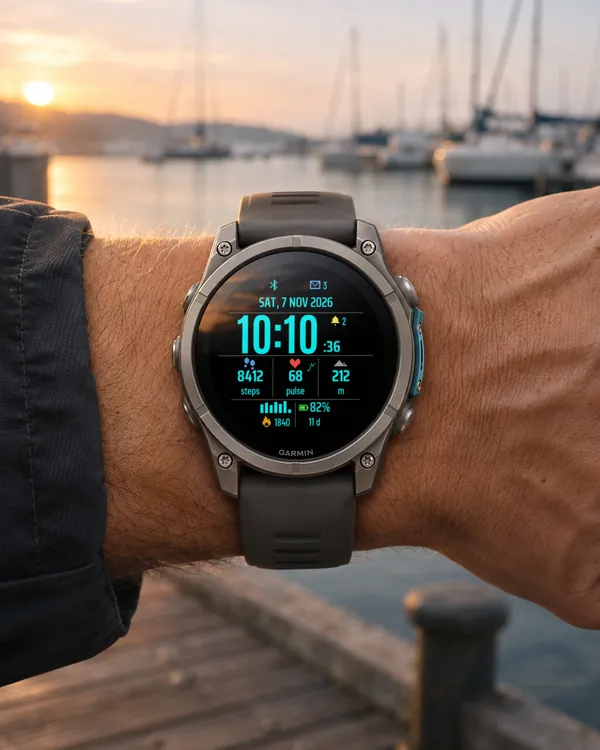 Digital
Trail Dash
A digital dashboard watch face: big time with seconds, full date, three data columns
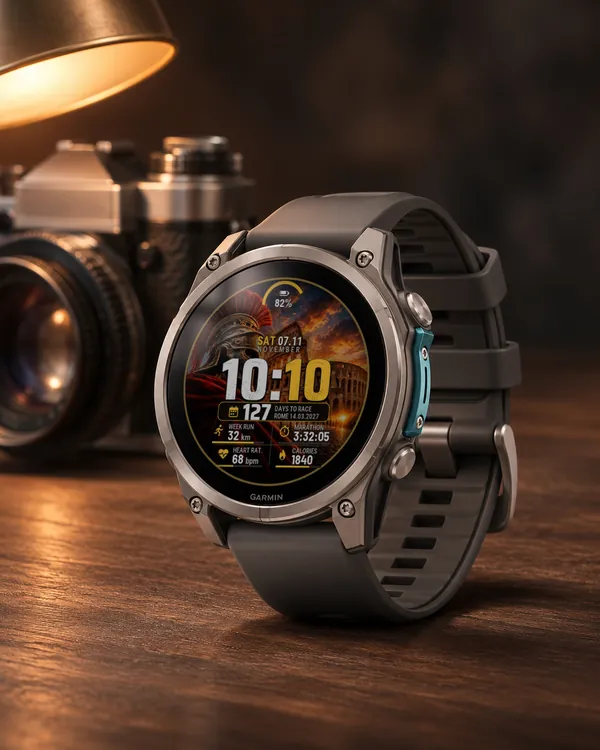 Marathon
 Countdown
A watch face for marathon training: a big time and a plate with the days left to your race
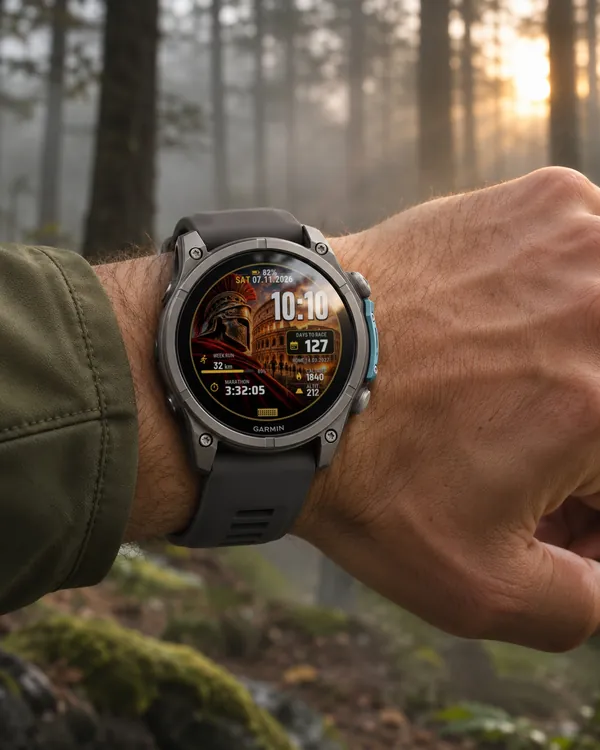 Marathon V2
Marathon Countdown V2
The second Marathon Countdown: time, date and a plate with the days left to your race
 Run
Man Runner
A running watch face built around a picture of a male runner at sunrise, with heart rate zones