7-day free trial, then a one-time 4.49 EUR unlock code at dialforge.dev. No subscription.
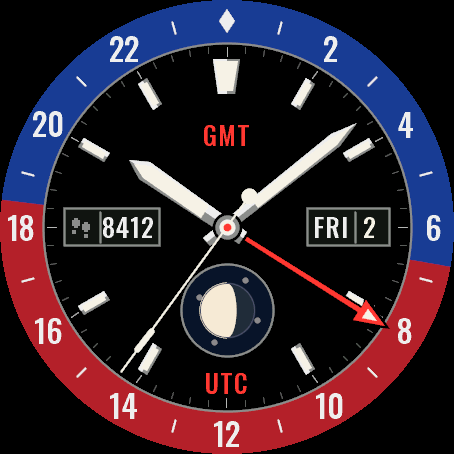
A GMT watch for your Garmin: two-tone 24-hour ring, an arrow hand for a second time zone and a moon phase sub-dial.
Features
- 24h ring split into day and night at your local sunrise and sunset (6 and 18 when there is no position)
- Arrow hand reads the second zone on the ring: UTC-12 to UTC+14, UTC by default. The zone name (UTC, UTC+3 and so on) is printed under the sub-dial at 6
- Moon phase sub-dial at 6, or any data field as a gauge
- Date window at 3, weekday in 13 languages (by watch language, or fixed to English or Polish)
- Ring colours: Blue-Red, Blue-Black, Brown-Gold (gold hands and indices), White
- Hour markers: batons with lume inserts, or numerals at 12, 3 and 9
- Field at 9 (steps by default) and an optional field under 12
- Seconds hand while the screen is awake (can be turned off), GMT arrow in your accent colour
- AMOLED always-on: ring ticks every 3 hours, thin hands, arrow outline, dimmed and shifted every minute
Data fields: heart rate, steps, battery, distance, calories, floors, active minutes, Body Battery, stress, altitude, notifications, solar, battery days, temperature, sunrise, sunset, next sun event, respiration, SpO2, recovery, pressure, resting heart rate, VO2 max, sleep score*, training status*, 5K prediction*, calendar*, weekly run distance*, moon phase, week number, day of year, or empty.
* needs Connect IQ 4.2 or newer
Since 1.2.0: new data to choose from: weather with icon, wind, humidity, UV, chance of rain, active calories, alarms, phone connection, do not disturb, move bar, 10K, half and full marathon predictions, cycling VO2 max, weekly ride distance and a second time zone (a fixed UTC offset, no daylight saving); 10 color sets (3 new) and a Popular list with the sets other users pick most; on touchscreen watches, touch and hold a field to open its screen.
Garmin does not give watch faces access to HRV status or Training Readiness, so no Connect IQ watch face can show them.
Settings: on the watch (hold MENU, then Watch face, then Customize) or in the Connect IQ app.
Popular color sets: for that list only an anonymous color number is sent.
A little request from the maker
Dialforge is my student project. I build these watch faces after classes, so they are still at an early stage, and I could not test every watch model myself. If something looks wrong on your watch, please do not leave a negative rating: write to me first at https://dialforge.dev/faces/longitude24/ and I will fix it, usually within 24 hours. A kind review means more to me than you can imagine. And if you like my work, you can buy me a coffee (the link is at the bottom of dialforge.dev): I am saving up to pay for my studies. Thank you for your patience and for giving a young developer a chance.
7 dni za darmo, potem jednorazowy kod za 4,49 EUR na dialforge.dev. Bez abonamentu.
Zegarek GMT na Twoim Garminie: dwukolorowy pierścień 24h, strzałka drugiej strefy czasowej i licznik fazy księżyca.
Co jest na tarczy
- Pierścień 24h dzieli się na dzień i noc według wschodu i zachodu słońca w Twojej okolicy (bez pozycji 6 i 18)
- Strzałka pokazuje drugą strefę na pierścieniu: od UTC-12 do UTC+14, domyślnie UTC. Nazwa strefy (UTC, UTC+3 i tak dalej) jest wypisana pod licznikiem na 6
- Licznik na 6 z fazą księżyca albo z dowolnym polem danych
- Okienko daty na 3, dzień tygodnia w 13 językach (wg języka zegarka albo na stałe po angielsku lub po polsku)
- Kolory pierścienia: niebiesko-czerwony, niebiesko-czarny, brązowo-złoty (ze złotymi wskazówkami), biały
- Indeksy: pałeczki z wypełnieniem lume albo cyfry 12, 3 i 9
- Pole na 9 (domyślnie kroki) i dodatkowe pole pod 12
- Sekundnik przy aktywnym ekranie (można wyłączyć), strzałka GMT w kolorze akcentu
- Tryb zawsze włączony na AMOLED: kreski co 3 godziny, cienkie wskazówki i kontur strzałki, przesuwane co minutę
Dane do wyboru: tętno, kroki, bateria, dystans, kalorie, piętra, minuty intensywne, Body Battery, stres, wysokość, powiadomienia, nasłonecznienie, dni na baterii, temperatura, wschód, zachód, najbliższy wschód lub zachód, oddech, pulsoksymetr, regeneracja, ciśnienie, tętno spoczynkowe, VO2 max, ocena snu*, stan treningu*, prognoza na 5 km*, kalendarz*, kilometry biegu w tygodniu*, faza księżyca, numer tygodnia, dzień roku, albo puste pole.
* wymaga Connect IQ 4.2 lub nowszego
Od wersji 1.2.0: nowe dane do wyboru: pogoda z ikoną, wiatr, wilgotność, UV, szansa opadów, kalorie aktywne, budziki, połączenie z telefonem, nie przeszkadzać, pasek ruchu, prognozy na 10 km, półmaraton i maraton, VO2 max na rowerze, dystans rowerowy w tygodniu i druga strefa czasu (stałe przesunięcie od UTC, bez zmiany czasu); 10 zestawów kolorów (3 nowe) i lista Popularne z zestawami, które inni wybierają najczęściej; na zegarkach z ekranem dotykowym przytrzymanie pola otwiera jego ekran.
Garmin nie udostępnia tarczom statusu HRV ani gotowości treningowej, więc żadna tarcza Connect IQ ich nie pokaże.
Ustawienia: na zegarku (przytrzymaj MENU, potem Tarcza zegarka, potem Dostosuj) albo w aplikacji Connect IQ.
Popularne zestawy kolorów: do tej listy wysyłany jest tylko anonimowy numer koloru.
Mała prośba od autora
Dialforge to mój studencki projekt. Robię te tarcze po zajęciach, więc są jeszcze na wczesnym etapie i nie mogłem przetestować każdego modelu zegarka. Jeśli coś wygląda źle na Twoim zegarku, proszę, nie wystawiaj negatywnej oceny: napisz najpierw do mnie na https://dialforge.dev/faces/longitude24/, a naprawię to, zwykle w ciągu 24 godzin. Życzliwa opinia znaczy dla mnie więcej, niż myślisz. A jeśli podoba Ci się moja praca, możesz postawić mi kawę (link na dole strony dialforge.dev): zbieram na opłacenie studiów. Dziękuję za cierpliwość i za dane szansy młodemu twórcy.
7 Tage kostenlos testen, danach ein einmaliger Freischaltcode für 4,49 EUR auf dialforge.dev. Kein Abo.
Eine GMT-Uhr für deine Garmin: zweifarbiger 24-Stunden-Ring, ein Pfeilzeiger für eine zweite Zeitzone und ein Mondphasen-Hilfszifferblatt.
Funktionen
- 24-Stunden-Ring, geteilt in Tag und Nacht anhand deines lokalen Sonnenauf- und -untergangs (6 und 18 Uhr ohne Positionsdaten)
- Der Pfeilzeiger liest die zweite Zeitzone auf dem Ring ab: UTC-12 bis UTC+14, standardmäßig UTC. Der Zonenname (UTC, UTC+3 und so weiter) steht unter dem Hilfszifferblatt bei 6 Uhr
- Mondphasen-Hilfszifferblatt bei 6 Uhr, oder ein beliebiges Datenfeld als Anzeige
- Datumsfenster bei 3 Uhr, Wochentag in 13 Sprachen (nach Uhrsprache oder fest auf Englisch oder Polnisch)
- Ringfarben: Blau-Rot, Blau-Schwarz, Braun-Gold (goldene Zeiger und Indizes), Weiß
- Stundenmarkierungen: Balken mit Leuchteinsätzen, oder Ziffern bei 12, 3 und 9
- Feld bei 9 Uhr (standardmäßig Schritte) und ein optionales Feld unter der 12
- Sekundenzeiger, während der Bildschirm aktiv ist (lässt sich ausschalten), GMT-Pfeil in deiner Akzentfarbe
- AMOLED Always-on: Ring-Markierungen alle 3 Stunden, dünne Zeiger, Pfeilumriss, gedimmt und jede Minute verschoben
Datenfelder: Herzfrequenz, Schritte, Akku, Distanz, Kalorien, Stockwerke, Intensitätsminuten, Body Battery, Stress, Höhe, Benachrichtigungen, Solar, Akkutage, Temperatur, Sonnenaufgang, Sonnenuntergang, nächstes Sonnenereignis, Atemfrequenz, SpO2, Erholungszeit, Luftdruck, Ruheherzfrequenz, VO2max, Schlafwert*, Trainingszustand*, 5-km-Prognose*, Kalender*, wöchentliche Laufdistanz*, Mondphase, Kalenderwoche, Tag des Jahres oder leer.
* erfordert Connect IQ 4.2 oder neuer
Seit 1.2.0: neue Daten zur Auswahl: Wetter mit Symbol, Wind, Luftfeuchte, UV, Regenrisiko, aktive Kalorien, Wecker, Telefonverbindung, Nicht stören, Inaktivitätsleiste, Prognosen für 10 km, Halbmarathon und Marathon, VO2max Rad, Rad-Wochendistanz und eine zweite Zeitzone (fester UTC-Versatz, ohne Zeitumstellung); 10 Farbsets (3 neue) und eine Liste Beliebt mit den Sets, die andere am häufigsten wählen; auf Uhren mit Touchscreen öffnet langes Drücken auf ein Feld die passende Ansicht.
Garmin gibt Zifferblättern keinen Zugriff auf den HRV-Status oder die Trainingsbereitschaft, daher kann kein Connect IQ Zifferblatt sie anzeigen.
Einstellungen: auf der Uhr (MENU gedrückt halten, dann Displaydesign, dann Anpassen) oder in der Connect IQ App.
Beliebte Farbsets: Für diese Liste wird nur eine anonyme Farbnummer gesendet.
Eine kleine bitte des entwicklers
Dialforge ist mein Studentenprojekt. Ich baue diese Zifferblätter nach den Vorlesungen, deshalb sind sie noch in einer frühen Phase, und ich konnte nicht jedes Uhrenmodell selbst testen. Wenn auf deiner Uhr etwas nicht stimmt, hinterlasse bitte keine schlechte Bewertung: Schreib mir zuerst auf https://dialforge.dev/faces/longitude24/, dann behebe ich es, meist innerhalb von 24 Stunden. Eine freundliche Bewertung bedeutet mir mehr, als du denkst. Und wenn dir meine Arbeit gefällt, kannst du mir einen Kaffee spendieren (den Link findest du unten auf dialforge.dev): Ich spare für mein Studium. Danke für deine Geduld und dafür, dass du einem jungen Entwickler eine Chance gibst.
Essai gratuit de 7 jours, puis un code de déverrouillage unique à 4,49 EUR sur dialforge.dev. Sans abonnement.
Une montre GMT pour votre Garmin : lunette 24 heures bicolore, une aiguille flèche pour un second fuseau horaire et un sous-cadran de phase lunaire.
Fonctionnalités
- Anneau 24h divisé en jour et nuit selon le lever et le coucher du soleil locaux (6 h et 18 h sans position connue)
- L'aiguille flèche lit le second fuseau sur l'anneau : UTC-12 à UTC+14, UTC par défaut. Le nom du fuseau (UTC, UTC+3 et ainsi de suite) est imprimé sous le sous-cadran à 6 heures
- Sous-cadran de phase lunaire à 6 heures, ou n'importe quel champ de données sous forme de jauge
- Fenêtre de date à 3 heures, jour de la semaine en 13 langues (selon la langue de la montre, ou fixée en anglais ou en polonais)
- Couleurs d'anneau : Bleu-Rouge, Bleu-Noir, Marron-Or (aiguilles et index dorés), Blanc
- Index horaires : bâtons avec inserts lume, ou chiffres à 12, 3 et 9 heures
- Champ à 9 heures (les pas par défaut) et un champ optionnel sous le 12
- Aiguille des secondes quand l'écran est actif (peut être désactivée), flèche GMT dans votre couleur d'accent
- AMOLED toujours actif : graduations de l'anneau toutes les 3 heures, aiguilles fines, contour de la flèche, atténué et décalé chaque minute
Champs de données : fréquence cardiaque, pas, batterie, distance, calories, étages, minutes actives, Body Battery, stress, altitude, notifications, solaire, jours d'autonomie, température, lever du soleil, coucher du soleil, prochain événement solaire, respiration, SpO2, récupération, pression, fréquence cardiaque au repos, VO2max, score de sommeil*, statut d'entraînement*, prédiction 5 km*, calendrier*, distance de course hebdomadaire*, phase lunaire, numéro de semaine, jour de l'année, ou vide.
* nécessite Connect IQ 4.2 ou plus récent
Depuis la 1.2.0 : nouvelles données au choix : météo avec icône, vent, humidité, UV, risque de pluie, calories actives, alarmes, connexion du téléphone, ne pas déranger, barre d'activité, prévisions 10 km, semi et marathon, VO2 max vélo, distance vélo de la semaine et un second fuseau horaire (décalage UTC fixe, sans changement d'heure); 10 jeux de couleurs (3 nouveaux) et une liste Populaires avec ceux que les autres choisissent le plus; sur les montres tactiles, un appui long sur un champ ouvre son écran.
Garmin ne donne pas aux cadrans l'accès au statut VFC ni à la Préparation à l'entraînement, aucun cadran Connect IQ ne peut donc les afficher.
Réglages : sur la montre (maintenez MENU, puis Cadran, puis Personnaliser) ou dans l'application Connect IQ.
Jeux de couleurs populaires : pour cette liste, seul un numéro de couleur anonyme est envoyé.
Une petite demande du créateur
Dialforge est mon projet étudiant. Je crée ces cadrans après les cours, ils en sont donc encore à un stade précoce, et je n'ai pas pu tester tous les modèles de montre. Si quelque chose ne va pas sur votre montre, s'il vous plaît, ne laissez pas de note négative : écrivez-moi d'abord sur https://dialforge.dev/faces/longitude24/ et je corrigerai cela, en général sous 24 heures. Un avis bienveillant compte plus que vous ne l'imaginez. Et si vous aimez mon travail, vous pouvez m'offrir un café (le lien se trouve en bas de dialforge.dev) : j'économise pour payer mes études. Merci pour votre patience et pour la chance donnée à un jeune développeur.
Prueba gratuita de 7 días y luego un código de desbloqueo único de 4,49 EUR en dialforge.dev. Sin suscripción.
Un reloj GMT para tu Garmin: anillo de 24 horas en dos tonos, una aguja de flecha para un segundo huso horario y una subesfera de fase lunar.
Características
- Anillo de 24 horas dividido en día y noche según tu amanecer y atardecer locales (6 y 18 cuando no hay posición)
- La aguja de flecha marca el segundo huso en el anillo: de UTC-12 a UTC+14, UTC por defecto. El nombre del huso (UTC, UTC+3 y así sucesivamente) aparece impreso bajo la subesfera de las 6
- Subesfera de fase lunar a las 6, o cualquier campo de datos como indicador
- Ventana de fecha a las 3, día de la semana en 13 idiomas (según el idioma del reloj, o fijo en inglés o polaco)
- Colores de anillo: Azul-Rojo, Azul-Negro, Marrón-Oro (agujas e índices dorados), Blanco
- Marcadores de hora: Barras con detalles luminiscentes, o Números 12, 3, 9
- Campo a las 9 (pasos por defecto) y un campo opcional bajo las 12
- Segundero mientras la pantalla está encendida (se puede desactivar), flecha GMT en tu color de acento
- Siempre activo en AMOLED: marcas del anillo cada 3 horas, agujas finas, contorno de la flecha, atenuado y desplazado cada minuto
Campos de datos: frecuencia cardiaca, pasos, batería, distancia, calorías, pisos, minutos de intensidad, Body Battery, estrés, altitud, notificaciones, solar, días de batería, temperatura, amanecer, atardecer, próximo evento solar, respiración, SpO2, recuperación, presión, frecuencia cardiaca en reposo, VO2 max, puntuación de sueño*, estado de entrenamiento*, predicción de 5 km*, calendario*, distancia semanal corriendo*, fase lunar, número de semana, día del año, o vacío.
* necesita Connect IQ 4.2 o posterior
Desde la 1.2.0: nuevos datos para elegir: tiempo con icono, viento, humedad, UV, probabilidad de lluvia, calorías activas, alarmas, conexión del teléfono, no molestar, barra de movimiento, predicciones de 10 km, media maratón y maratón, VO2 máx. en bici, distancia semanal en bici y una segunda zona horaria (desfase UTC fijo, sin cambio de hora); 10 combinaciones de colores (3 nuevas) y una lista Populares con las que más eligen otros usuarios; en relojes táctiles, mantén pulsado un campo para abrir su pantalla.
Garmin no da a las esferas acceso al estado de VFC ni a la Preparación para el entrenamiento, así que ninguna esfera Connect IQ puede mostrarlos.
Ajustes: en el reloj (mantén pulsado MENU, luego Esfera y después Personalizar) o en la app Connect IQ.
Combinaciones populares: para esa lista solo se envía un número de color anónimo.
Una pequeña petición del creador
Dialforge es mi proyecto de estudiante. Creo estas esferas después de clase, así que todavía están en una fase temprana y no pude probar todos los modelos de reloj. Si algo no se ve bien en tu reloj, por favor no dejes una valoración negativa: escríbeme primero en https://dialforge.dev/faces/longitude24/ y lo arreglaré, normalmente en 24 horas. Una reseña amable significa para mí más de lo que imaginas. Y si te gusta mi trabajo, puedes invitarme a un café (el enlace está al final de dialforge.dev): estoy ahorrando para pagar mis estudios. Gracias por tu paciencia y por darle una oportunidad a un desarrollador joven.
7 dagen gratis proberen, daarna een eenmalige ontgrendelcode van 4,49 EUR op dialforge.dev. Geen abonnement.
Een GMT-horloge voor je Garmin: tweekleurige 24-uursring, een pijlwijzer voor een tweede tijdzone en een subwijzerplaat voor de maanfase.
Functies
- 24-uursring verdeeld in dag en nacht op basis van je lokale zonsopkomst en zonsondergang (6 en 18 uur wanneer er geen positie is)
- De pijlwijzer geeft de tweede zone op de ring aan: UTC-12 tot UTC+14, standaard UTC. De zonenaam (UTC, UTC+3 enzovoort) staat gedrukt onder de subwijzerplaat op 6 uur
- Subwijzerplaat met maanfase op 6 uur, of een willekeurig dataveld als meter
- Datumvenster op 3 uur, weekdag in 13 talen (volgens de taal van het horloge, of vast op Engels of Pools)
- Ringkleuren: Blauw-Rood, Blauw-Zwart, Bruin-Goud (gouden wijzers en indexen), Wit
- Uurmarkeringen: Streepjes met lume-inzetstukken, of Cijfers 12, 3 en 9
- Veld op 9 uur (standaard stappen) en een optioneel veld onder 12 uur
- Secondewijzer terwijl het scherm actief is (kan worden uitgeschakeld), GMT-pijl in je accentkleur
- AMOLED always-on: ringstreepjes om de 3 uur, dunne wijzers, pijlomtrek, gedimd en elke minuut verschoven
Datavelden: hartslag, stappen, batterij, afstand, calorieën, verdiepingen, actieve minuten, Body Battery, stress, hoogte, meldingen, zonne-energie, batterijdagen, temperatuur, zonsopkomst, zonsondergang, volgende zonsopkomst of zonsondergang, ademhaling, SpO2, herstel, luchtdruk, rusthartslag, VO2max, slaapscore*, trainingsstatus*, 5K-voorspelling*, agenda*, wekelijkse hardloopafstand*, maanfase, weeknummer, dag van het jaar, of leeg.
* vereist Connect IQ 4.2 of nieuwer
Sinds 1.2.0: nieuwe gegevens om te kiezen: weer met pictogram, wind, luchtvochtigheid, UV, kans op regen, actieve calorieën, alarmen, telefoonverbinding, niet storen, beweegbalk, voorspellingen voor 10 km, halve en hele marathon, VO2 max fietsen, fietsafstand deze week en een tweede tijdzone (vaste UTC-afwijking, zonder zomertijd); 10 kleurensets (3 nieuw) en een lijst Populair met de sets die anderen het vaakst kiezen; op horloges met touchscreen opent lang drukken op een veld het bijbehorende scherm.
Garmin geeft wijzerplaten geen toegang tot de HRV-status of trainingsgereedheid, dus geen enkele Connect IQ-wijzerplaat kan die tonen.
Instellingen: op het horloge (houd MENU ingedrukt, dan Wijzerplaat, dan Aanpassen) of in de Connect IQ-app.
Populaire kleurensets: voor die lijst wordt alleen een anoniem kleurnummer verstuurd.
Een klein verzoek van de maker
Dialforge is mijn studentenproject. Ik maak deze wijzerplaten na de colleges, dus ze zijn nog in een vroeg stadium en ik kon niet elk horlogemodel zelf testen. Ziet er iets verkeerd uit op je horloge, geef dan alsjeblieft geen negatieve beoordeling: schrijf me eerst via https://dialforge.dev/faces/longitude24/, dan los ik het op, meestal binnen 24 uur. Een vriendelijke review betekent meer voor me dan je denkt. En als je mijn werk waardeert, kun je een koffie voor me kopen (de link staat onderaan dialforge.dev): ik spaar om mijn studie te betalen. Bedankt voor je geduld en voor de kans die je een jonge ontwikkelaar geeft.
7日間無料でお試しいただけます。その後はdialforge.devで4.49ユーロの解除コードを一度だけ購入(サブスクリプションなし)。
Garmin向けのGMTウォッチ。ツートーンの24時間リング、セカンドタイムゾーンを示すアロー針、月相サブダイヤルを備えています。
特徴
- 24時間リングは現地の日の出・日の入りで昼と夜に分割されます(位置情報がない場合は6時と18時)
- アロー針がリング上でセカンドタイムゾーンを示します:UTC-12からUTC+14まで、初期設定はUTC。ゾーン名(UTC、UTC+3など)は6時位置のサブダイヤルの下に表示
- 6時位置に月相サブダイヤル、または任意のデータフィールドをゲージとして表示
- 3時位置に日付ウィンドウ、曜日は13言語に対応(ウォッチの言語に合わせるか、英語またはポーランド語に固定)
- リングカラー:ブルー×レッド、ブルー×ブラック、ブラウン×ゴールド(針とインデックスもゴールド)、ホワイト
- 時字インデックス:蓄光インサート付きのバトン、または12時・3時・9時のアラビア数字
- 9時位置にフィールド(初期設定は歩数)、12時下にオプションのフィールド
- 画面点灯中は秒針を表示(オフ可能)、GMTアローはアクセントカラーで表示
- AMOLED常時表示:リングの目盛りは3時間おき、針は細く、アローはアウトラインのみ、減光して毎分表示位置がずれます
データフィールド:心拍数、歩数、バッテリー、距離、カロリー、階数、強度活動時間、Body Battery、ストレス、高度、通知、ソーラー、バッテリー日数、気温、日の出、日の入り、次の日の出/日の入り、呼吸数、血中酸素、回復時間、気圧、安静時心拍数、VO2 max、睡眠スコア*、トレーニングステータス*、5kmレース予測*、カレンダー*、週間ランニング距離*、月相、週番号、年間通算日、または空欄。
* Connect IQ 4.2以降が必要です
1.2.0から:選べるデータを追加:アイコン付き天気、風、湿度、UV、降水確率、アクティブカロリー、アラーム、スマホ接続、おやすみモード、ムーブバー、10km・ハーフ・フルマラソン予測、サイクリングVO2max、週間ライド距離、第2タイムゾーン(UTCからの固定オフセット、夏時間なし)。10種類のカラーセット(新色3種)と、ほかのユーザーに人気のセット一覧。タッチ対応モデルではフィールドを長押しすると対応画面が開きます。
GarminはウォッチフェイスにHRVステータスやトレーニングレディネスを公開していないため、Connect IQのウォッチフェイスでは表示できません。
設定:時計本体(MENUを長押し→文字盤→カスタマイズ)またはConnect IQアプリから。
人気のカラーセット:この一覧のために送信されるのは匿名の色番号だけです。
作者からの小さなお願い
Dialforgeは私の学生プロジェクトです。授業のあとにこれらの文字盤を作っているため、まだ初期段階で、すべての時計モデルで試すことはできませんでした。お使いの時計で表示がおかしいときは、低い評価をつけずに、まずhttps://dialforge.dev/faces/longitude24/ で私に連絡してください。通常24時間以内に修正します。温かいレビューは、想像以上にうれしいものです。私の仕事を気に入っていただけたら、コーヒーをおごっていただくこともできます(リンクはdialforge.devの一番下にあります)。学費を貯めているところです。ご辛抱いただき、若い開発者にチャンスをくださってありがとうございます。
Prova gratuita di 7 giorni, poi un codice di sblocco una tantum da 4,49 EUR su dialforge.dev. Nessun abbonamento.
Un orologio GMT per il tuo Garmin: ghiera 24 ore bicolore, una lancetta a freccia per un secondo fuso orario e un sotto-quadrante con la fase lunare.
Funzioni
- Ghiera 24h divisa in giorno e notte in base all'alba e al tramonto locali (6 e 18 quando non c'è posizione)
- La lancetta a freccia legge il secondo fuso sulla ghiera: da UTC-12 a UTC+14, UTC di default. Il nome del fuso (UTC, UTC+3 e così via) è stampato sotto il sotto-quadrante alle 6
- Sotto-quadrante della fase lunare alle 6, oppure un campo dati qualsiasi come indicatore
- Finestrella della data alle 3, giorno della settimana in 13 lingue (in base alla lingua dell'orologio, oppure fissa su inglese o polacco)
- Colori della ghiera: Blu-Rosso, Blu-Nero, Marrone-Oro (lancette e indici dorati), Bianco
- Indici delle ore: Barrette con inserti luminosi, oppure Numeri 12, 3 e 9
- Campo alle 9 (passi di default) e un campo opzionale sotto le 12
- Lancetta dei secondi mentre lo schermo è acceso (disattivabile), freccia GMT nel colore d'accento
- Always-on per AMOLED: tacche della ghiera ogni 3 ore, lancette sottili, contorno della freccia, attenuato e spostato ogni minuto
Campi dati: frequenza cardiaca, passi, batteria, distanza, calorie, piani, minuti attivi, Body Battery, stress, altitudine, notifiche, solare, giorni di autonomia, temperatura, alba, tramonto, prossimo evento solare, respirazione, SpO2, recupero, pressione, frequenza cardiaca a riposo, VO2max, punteggio del sonno*, stato di allenamento*, previsione 5K*, calendario*, distanza settimanale di corsa*, fase lunare, numero della settimana, giorno dell'anno, oppure vuoto.
* richiede Connect IQ 4.2 o successivo
Dalla 1.2.0: nuovi dati da scegliere: meteo con icona, vento, umidità, UV, probabilità di pioggia, calorie attive, sveglie, connessione del telefono, non disturbare, barra movimento, previsioni 10 km, mezza e maratona, VO2 max bici, distanza settimanale in bici e un secondo fuso orario (scarto UTC fisso, senza ora legale); 10 set di colori (3 nuovi) e un elenco Popolari con quelli scelti più spesso dagli altri; sugli orologi touch, tieni premuto un campo per aprire la sua schermata.
Garmin non dà ai quadranti accesso allo stato HRV né alla Training Readiness, quindi nessun quadrante Connect IQ può mostrarli.
Impostazioni: sull'orologio (tieni premuto MENU, poi Quadrante, poi Personalizza) oppure nell'app Connect IQ.
Set di colori popolari: per quell'elenco viene inviato solo un numero di colore anonimo.
Una piccola richiesta dall'autore
Dialforge è il mio progetto da studente. Creo questi quadranti dopo le lezioni, quindi sono ancora in una fase iniziale e non ho potuto provare ogni modello di orologio. Se qualcosa sembra sbagliato sul tuo orologio, per favore non lasciare una valutazione negativa: scrivimi prima su https://dialforge.dev/faces/longitude24/ e lo correggo, di solito entro 24 ore. Una recensione gentile per me conta più di quanto immagini. E se ti piace il mio lavoro, puoi offrirmi un caffè (il link è in fondo a dialforge.dev): sto mettendo da parte i soldi per pagarmi gli studi. Grazie per la pazienza e per aver dato una possibilità a un giovane sviluppatore.
7 天免费试用,之后在 dialforge.dev 以 4.49 欧元购买一次性解锁码(无需订阅)。
为您的 Garmin 打造的 GMT 手表:双色 24 小时表圈,一根箭形指针显示第二时区,还有月相子表盘。
功能特色
- 24 小时表圈按本地日出和日落分为昼夜两部分(无定位时默认 6 点和 18 点)
- 箭形指针在表圈上读取第二时区:范围从 UTC-12 到 UTC+14,默认 UTC。时区名称(UTC、UTC+3 等)印在 6 点位置的小表盘下方
- 6 点位置是月相子表盘,也可以改为任意数据字段的仪表盘
- 3 点位置是日期窗口,星期支持 13 种语言(跟随手表语言,或固定为英语或波兰语)
- 表圈颜色:蓝红、蓝黑、棕金(金色指针和刻度)、白色
- 时标:带夜光嵌件的棒形时标,或 12、3、9 点位置的数字时标
- 9 点位置一个字段(默认步数),12 点下方还有一个可选字段
- 屏幕唤醒时显示秒针(可关闭),GMT 箭形指针采用主题强调色
- AMOLED 息屏常亮:表圈每 3 小时显示一个刻度,指针变细,箭形指针只剩轮廓,整体变暗并每分钟偏移一次位置
数据字段:心率、步数、电量、距离、卡路里、楼层、强度分钟、Body Battery、压力、海拔、通知、太阳能强度、电池续航天数、温度、日出、日落、下一次日出或日落、呼吸频率、血氧、恢复时间、气压、静息心率、VO2 max、睡眠分数*、训练状态*、5公里比赛预测*、日历*、每周跑步距离*、月相、周数、一年中的第几天,或留空。
* 需要 Connect IQ 4.2 或更高版本
自 1.2.0 起:新增可选数据:带图标的天气、风、湿度、紫外线、降水概率、活动卡路里、闹钟、手机连接、勿扰、活动提醒条、10 公里、半马和全马预测、骑行最大摄氧量、本周骑行距离和第二时区(与 UTC 的固定偏移,无夏令时);10 套配色(3 套新配色),以及其他用户最常选择的热门配色列表;在触屏手表上,长按数据栏即可打开对应界面。
Garmin 不向表盘开放 HRV 状态和训练准备度,因此任何 Connect IQ 表盘都无法显示。
设置:在手表上,长按 MENU,然后依次点击表盘、自定义;或在 Connect IQ 应用中设置。
热门配色:该列表只会发送匿名的颜色编号。
来自作者的一个小请求
Dialforge 是我的学生项目。我利用课余时间,一行一行地写代码,边学边做出这些表盘。如果您的手表上有什么看起来不对劲,请先写信到 https://dialforge.dev/faces/longitude24/ 告诉我,不要急着给差评。每一条消息都会直接送到我手上,收到的问题我会在 24 小时内修复。对一个学生来说,一条善意的评价比您想象的更有意义。谢谢您的耐心,也谢谢您愿意给一个年轻开发者一个机会。
7-дневный бесплатный пробный период, затем разовый код разблокировки за 4,49 EUR на dialforge.dev. Без подписки.
Часы GMT для вашего Garmin: двухцветное 24-часовое кольцо, стрелка-указатель для второго часового пояса и дополнительный циферблат с фазой луны.
Особенности
- Кольцо 24h разделено на день и ночь по местному восходу и закату (6 и 18, когда нет координат)
- Стрелка-указатель показывает вторую зону на кольце: от UTC-12 до UTC+14, по умолчанию UTC. Название зоны (UTC, UTC+3 и так далее) напечатано под малым циферблатом на 6
- Дополнительный циферблат с фазой луны на 6 или любое поле данных в виде шкалы
- Окошко даты на 3, день недели на 13 языках (по языку часов или закрепить английский или польский)
- Цвета кольца: Blue-Red, Blue-Black, Brown-Gold (золотые стрелки и метки), White
- Часовые метки: палочки со светящимися вставками или цифры на 12, 3 и 9
- Поле на 9 (по умолчанию шаги) и дополнительное поле под 12
- Секундная стрелка при активном экране (можно отключить), стрелка GMT в цвете акцента
- Режим Always-on для AMOLED: деления кольца каждые 3 часа, тонкие стрелки, контур стрелки-указателя, приглушенные и со сдвигом каждую минуту
Поля данных: пульс, шаги, батарея, расстояние, калории, этажи, активные минуты, Body Battery, стресс, высота, уведомления, солнце, дни работы от батареи, температура, восход, закат, следующий восход/закат, частота дыхания, SpO2, время восстановления, давление, пульс в покое, VO2 max, оценка сна*, состояние тренировки*, прогноз на 5K*, календарь*, дистанция бега за неделю*, фаза луны, номер недели, день года или пустое поле.
* требуется Connect IQ 4.2 или новее
С версии 1.2.0: новые данные на выбор: погода со значком, ветер, влажность, UV, вероятность дождя, активные калории, будильники, подключение к телефону, не беспокоить, индикатор движения, прогнозы на 10K, полумарафон и марафон, VO2 max для велоспорта, дистанция поездок на велосипеде за неделю и второй часовой пояс (фиксированное смещение UTC, без перехода на летнее время); 10 цветовых наборов (3 новых) и список "Популярные" с наборами, которые чаще всего выбирают другие пользователи; на часах с сенсорным экраном коснитесь и удерживайте поле, чтобы открыть его экран.
Garmin не дает циферблатам доступа к статусу HRV или Training Readiness, поэтому ни один циферблат Connect IQ не может их показывать.
Настройки: на часах (удерживайте MENU, затем «Циферблат», затем «Настройка») или в приложении Connect IQ.
Популярные цветовые наборы: для этого списка отправляется только анонимный номер цвета.
Небольшая просьба от автора
Dialforge - это мой студенческий проект. Я делаю эти циферблаты после занятий, поэтому они ещё на раннем этапе, и я не мог проверить каждую модель часов. Если что-то выглядит неправильно на ваших часах, пожалуйста, не ставьте низкую оценку: сначала напишите мне на https://dialforge.dev/faces/longitude24/, и я всё исправлю, обычно в течение 24 часов. Доброе слово в отзыве значит для меня больше, чем вы думаете. А если вам нравится моя работа, можете угостить меня кофе (ссылка внизу страницы dialforge.dev): я коплю на оплату учёбы. Спасибо за терпение и за то, что даёте шанс молодому разработчику.
Teste grátis de 7 dias, depois um código de desbloqueio único de 4,49 EUR em dialforge.dev. Sem assinatura.
Um relógio GMT para o seu Garmin: anel de 24 horas bicolor, um ponteiro em forma de seta para um segundo fuso horário e um sub-mostrador de fase da lua.
Recursos
- Anel de 24h dividido em dia e noite conforme o nascer e o pôr do sol locais (6 e 18 quando não há posição)
- O ponteiro em forma de seta lê o segundo fuso no anel: de UTC-12 a UTC+14, UTC por padrão. O nome do fuso (UTC, UTC+3 e assim por diante) fica impresso sob o sub-mostrador na posição 6
- Sub-mostrador de fase da lua na posição 6, ou qualquer campo de dados como medidor
- Janela de data na posição 3, dia da semana em 13 idiomas (conforme o idioma do relógio, ou fixo em inglês ou polonês)
- Cores do anel: Azul-Vermelho, Azul-Preto, Marrom-Dourado (ponteiros e índices dourados), Branco
- Marcadores de hora: Barras com inserções luminescentes, ou Números 12, 3 e 9
- Campo na posição 9 (passos por padrão) e um campo opcional abaixo do 12
- Ponteiro de segundos enquanto a tela está ativa (pode ser desativado), seta GMT na cor de destaque escolhida
- Always-on em AMOLED: marcações do anel a cada 3 horas, ponteiros finos, contorno da seta, escurecido e deslocado a cada minuto
Campos de dados: frequência cardíaca, passos, bateria, distância, calorias, andares, minutos ativos, Body Battery, estresse, altitude, notificações, solar, dias de bateria, temperatura, nascer do sol, pôr do sol, próximo evento solar, respiração, SpO2, recuperação, pressão, frequência cardíaca de repouso, VO2 máx, pontuação de sono*, status de treino*, previsão de 5 km*, calendário*, distância semanal de corrida*, fase da lua, número da semana, dia do ano, ou vazio.
* precisa de Connect IQ 4.2 ou mais recente
Desde a 1.2.0: novos dados para escolher: tempo com ícone, vento, umidade, UV, chance de chuva, calorias ativas, alarmes, conexão do telefone, não perturbe, barra de movimento, previsões de 10 km, meia e maratona, VO2 máx. no ciclismo, distância semanal de bike e um segundo fuso horário (deslocamento UTC fixo, sem horário de verão); 10 conjuntos de cores (3 novos) e uma lista Populares com os mais escolhidos pelos outros; em relógios com tela sensível ao toque, toque e segure um campo para abrir a tela dele.
A Garmin não dá aos mostradores acesso ao status de VFC nem à prontidão para treino, então nenhum mostrador Connect IQ consegue exibi-los.
Configurações: no relógio (segure MENU, depois Mostrador, depois Personalizar) ou no aplicativo Connect IQ.
Conjuntos de cores populares: para essa lista só é enviado um número de cor anônimo.
Um pequeno pedido do criador
O Dialforge é o meu projeto de estudante. Eu crio estes mostradores depois das aulas, então eles ainda estão numa fase inicial, e não consegui testar todos os modelos de relógio. Se algo parecer errado no seu relógio, por favor, não deixe uma avaliação negativa: escreva primeiro para mim em https://dialforge.dev/faces/longitude24/ e eu corrijo, normalmente em até 24 horas. Uma avaliação gentil significa para mim mais do que você imagina. E se você gosta do meu trabalho, pode me pagar um café (o link está no final de dialforge.dev): estou juntando dinheiro para pagar meus estudos. Obrigado pela paciência e por dar uma chance a um desenvolvedor iniciante.
7denní bezplatná zkušební verze, poté jednorázový odemykací kód za 4,49 EUR na dialforge.dev. Žádné předplatné.
Hodinky GMT pro váš Garmin: dvoubarevný 24-hodinový kroužek, ručička se šipkou pro druhé časové pásmo a malý ciferník s fází měsíce.
Funkce
- 24h kroužek rozdělený na den a noc podle místního východu a západu slunce (6 a 18, pokud není k dispozici poloha)
- Ručička se šipkou ukazuje druhé pásmo na kroužku: UTC-12 až UTC+14, výchozí je UTC. Název pásma (UTC, UTC+3 a podobně) je vytištěn pod malým ciferníkem na pozici 6
- Malý ciferník s fází měsíce na pozici 6 nebo jakékoli datové pole jako ukazatel
- Okénko data na pozici 3, den v týdnu ve 13 jazycích (podle jazyka hodinek, nebo napevno angličtina či polština)
- Barvy kroužku: modro-červená, modro-černá, hnědo-zlatá (zlaté ručičky a indexy), bílá
- Hodinové indexy: čárky s výplní lume nebo číslice na 12, 3 a 9
- Pole na pozici 9 (výchozí kroky) a volitelné pole pod 12
- Sekundová ručička při aktivním displeji (lze vypnout), šipka GMT v barvě vašeho akcentu
- AMOLED always-on: rysky na kroužku každé 3 hodiny, tenké ručičky, obrys šipky, ztlumené a posouvané každou minutu
Datová pole: srdeční tep, kroky, baterie, vzdálenost, kalorie, patra, aktivní minuty, Body Battery, stres, nadmořská výška, oznámení, sluneční svit, dny výdrže baterie, teplota, východ slunce, západ slunce, další sluneční událost, dýchání, SpO2, doba regenerace, tlak, klidový srdeční tep, VO2 max, skóre spánku*, stav tréninku*, předpověď na 5K*, kalendář*, týdenní běžecká vzdálenost*, fáze měsíce, číslo týdne, den v roce nebo prázdné pole.
* vyžaduje Connect IQ 4.2 nebo novější
Od verze 1.2.0: nová data na výběr: počasí s ikonou, vítr, vlhkost, UV, pravděpodobnost deště, aktivní kalorie, budíky, připojení k telefonu, nerušit, výzva k pohybu, předpovědi na 10K, půlmaraton a maraton, cyklistické VO2 max, týdenní vzdálenost na kole a druhé časové pásmo (pevný posun vůči UTC, bez letního času); 10 barevných sad (3 nové) a seznam Populární se sadami, které ostatní uživatelé vybírají nejčastěji; na hodinkách s dotykovým displejem otevřete obrazovku pole jeho stisknutím a podržením.
Garmin neposkytuje ciferníkům přístup ke stavu HRV ani k Training Readiness, takže je nemůže zobrazit žádný ciferník z Connect IQ.
Nastavení: v hodinkách (podržte MENU, pak Vzhled hodinek, pak Upravit) nebo v aplikaci Connect IQ.
Oblíbené barevné sady: pro tento seznam se odesílá pouze anonymní číslo barvy.
Malá prosba od tvůrce
Dialforge je můj studentský projekt. Tyto ciferníky dělám po škole, takže jsou zatím v rané fázi a nemohl jsem otestovat každý model hodinek. Pokud na vašich hodinkách něco nevypadá v pořádku, prosím, nedávejte negativní hodnocení: napište mi nejdřív na https://dialforge.dev/faces/longitude24/ a já to opravím, obvykle do 24 hodin. Milá recenze pro mě znamená víc, než si dokážete představit. A pokud se vám moje práce líbí, můžete mi koupit kávu (odkaz je dole na dialforge.dev): šetřím si na zaplacení studia. Děkuji vám za trpělivost a za to, že dáváte mladému vývojáři šanci.
7 dias de teste gratuito, depois um código de desbloqueio único de 4,49 EUR em dialforge.dev. Sem subscrição.
Um relógio GMT para o seu Garmin: anel de 24 horas em dois tons, um ponteiro em seta para um segundo fuso horário e um submostrador de fase da lua.
Funcionalidades
- Anel de 24h dividido em dia e noite de acordo com o nascer e o pôr do sol locais (6 e 18 quando não há posição)
- O ponteiro em seta indica o segundo fuso no anel: de UTC-12 a UTC+14, UTC por predefinição. O nome do fuso (UTC, UTC+3 e assim por diante) está impresso por baixo do mostrador secundário às 6
- Submostrador de fase da lua às 6, ou qualquer campo de dados como indicador
- Janela de data às 3, dia da semana em 13 idiomas (consoante o idioma do relógio, ou fixo em inglês ou polaco)
- Cores do anel: Azul-Vermelho, Azul-Preto, Castanho-Dourado (ponteiros e índices dourados), Branco
- Marcadores de horas: barras com inserções luminescentes ou numerais às 12, 3 e 9
- Campo às 9 (passos por predefinição) e um campo opcional por baixo das 12
- Ponteiro dos segundos enquanto o ecrã está ativo (pode ser desativado), seta GMT na sua cor de destaque
- Always-on em AMOLED: marcas no anel a cada 3 horas, ponteiros finos, contorno da seta, atenuados e deslocados a cada minuto
Campos de dados: frequência cardíaca, passos, bateria, distância, calorias, andares, minutos ativos, Body Battery, stress, altitude, notificações, solar, dias de bateria, temperatura, nascer do sol, pôr do sol, próximo evento solar, respiração, SpO2, recuperação, pressão, frequência cardíaca em repouso, VO2 max, pontuação de sono*, estado de treino*, previsão de 5K*, calendário*, distância de corrida semanal*, fase da lua, número da semana, dia do ano ou vazio.
* necessita do Connect IQ 4.2 ou mais recente
Desde a versão 1.2.0: novos dados à escolha: meteorologia com ícone, vento, humidade, UV, probabilidade de chuva, calorias ativas, alarmes, ligação ao telemóvel, não incomodar, barra de movimento, previsões para 10K, meia maratona e maratona completa, VO2 max de ciclismo, distância de ciclismo semanal e um segundo fuso horário (um desvio fixo UTC, sem horário de verão); 10 conjuntos de cores (3 novos) e uma lista Populares com os conjuntos que os outros utilizadores mais escolhem; em relógios com ecrã tátil, toque e mantenha premido um campo para abrir o respetivo ecrã.
A Garmin não dá aos mostradores acesso ao estado de HRV nem à Training Readiness, pelo que nenhum mostrador Connect IQ os pode apresentar.
Definições: no relógio (mantenha premido MENU, depois Mostrador e depois Personalizar) ou na aplicação Connect IQ.
Conjuntos de cores populares: para essa lista, apenas é enviado um número de cor anónimo.
Um pequeno pedido do criador
O Dialforge é o meu projeto de estudante. Crio estes mostradores depois das aulas, por isso ainda estão numa fase inicial, e não consegui testar todos os modelos de relógio. Se algo parecer errado no seu relógio, por favor não deixe uma avaliação negativa: escreva-me primeiro em https://dialforge.dev/faces/longitude24/ e eu corrijo, normalmente em 24 horas. Uma avaliação simpática significa para mim mais do que imagina. E se gostar do meu trabalho, pode oferecer-me um café (a ligação está no fundo de dialforge.dev): estou a poupar para pagar os meus estudos. Obrigado pela sua paciência e por dar uma oportunidade a um jovem programador.
7일 무료 체험 후, dialforge.dev에서 4.49 EUR 일회성 잠금 해제 코드를 구매하세요. 구독은 없습니다.
Garmin을 위한 GMT 워치: 투톤 24시간 링, 두 번째 시간대를 가리키는 화살표 바늘, 월상 서브 다이얼.
기능
- 현지 일출과 일몰을 기준으로 낮과 밤으로 나뉘는 24시간 링(위치가 없으면 6시와 18시)
- 화살표 바늘이 링에서 두 번째 시간대를 읽습니다: UTC-12부터 UTC+14까지, 기본값은 UTC. 시간대 이름(UTC, UTC+3 등)은 6시 방향 서브 다이얼 아래에 인쇄되어 있습니다
- 6시 방향의 월상 서브 다이얼, 또는 게이지로 표시되는 아무 데이터 필드
- 3시 방향의 날짜 창, 13개 언어의 요일(시계 언어에 따르거나, 영어 또는 폴란드어로 고정)
- 링 색상: Blue-Red, Blue-Black, Brown-Gold(금색 바늘과 인덱스), White
- 시간 표식: 야광 인서트가 있는 바 인덱스, 또는 12, 3, 9의 숫자
- 9시 방향의 필드(기본값은 걸음 수)와 12 아래의 선택 사항인 필드
- 화면이 켜져 있는 동안의 초침(끌 수 있음), 강조 색상의 GMT 화살표
- AMOLED 상시 표시: 3시간마다 링 눈금, 가는 바늘, 화살표 윤곽, 어둡게 하고 매분 위치 이동
데이터 필드: 심박수, 걸음 수, 배터리, 거리, 칼로리, 층수, 활동 시간, Body Battery, 스트레스, 고도, 알림, 태양광, 배터리 잔여 일수, 온도, 일출, 일몰, 다음 태양 이벤트, 호흡, SpO2, 회복, 기압, 안정 시 심박수, VO2 max, 수면 점수*, 훈련 상태*, 5K 예측*, 캘린더*, 주간 달리기 거리*, 월상, 주차, 연중 일수, 또는 비움.
* Connect IQ 4.2 이상이 필요합니다
1.2.0부터 선택 가능한 새 데이터: 아이콘이 있는 날씨, 바람, 습도, UV, 강수 확률, 활동 칼로리, 알람, 휴대전화 연결, 방해 금지, 활동 알림 바, 10K, 하프 및 풀 마라톤 예측, 사이클링 VO2 max, 주간 라이딩 거리, 두 번째 시간대(고정 UTC 오프셋, 서머타임 없음); 10가지 색상 세트(3개 추가)와 다른 사용자가 가장 많이 고르는 세트를 보여 주는 인기 목록; 터치스크린 시계에서는 필드를 길게 누르면 해당 화면이 열립니다.
Garmin은 워치페이스에 HRV 상태나 Training Readiness에 대한 접근을 허용하지 않으므로, 어떤 Connect IQ 워치페이스도 이를 표시할 수 없습니다.
설정: 시계에서(MENU를 길게 누른 다음 워치페이스, 사용자 설정) 또는 Connect IQ 앱에서 변경할 수 있습니다.
인기 색상 세트: 이 목록에는 익명의 색상 번호만 전송됩니다.
제작자의 작은 부탁
Dialforge는 제 학생 프로젝트입니다. 수업이 끝난 뒤에 이 워치페이스들을 만들고 있어서 아직 초기 단계이고, 모든 시계 모델을 직접 테스트하지는 못했습니다. 시계에서 이상한 점이 보이면 낮은 평점을 남기지 마시고 먼저 https://dialforge.dev/faces/longitude24/에서 알려 주세요. 보통 24시간 안에 고치겠습니다. 따뜻한 리뷰 하나가 제게는 상상 이상으로 큰 힘이 됩니다. 제 작업이 마음에 드신다면 커피를 사주실 수도 있습니다(링크는 dialforge.dev 맨 아래에 있습니다). 학비를 모으고 있습니다. 기다려 주시고 젊은 개발자에게 기회를 주셔서 감사합니다.
7 dagars gratis provperiod, sedan en upplåsningskod som engångsköp för 4,49 EUR på dialforge.dev. Ingen prenumeration.
En GMT-klocka för din Garmin: tvåfärgad 24-timmarsring, en pilvisare för en andra tidszon och en undertavla för månfas.
Funktioner
- 24h-ring uppdelad i dag och natt efter din lokala soluppgång och solnedgång (6 och 18 när position saknas)
- Pilvisaren visar den andra zonen på ringen: UTC-12 till UTC+14, UTC som standard. Zonnamnet (UTC, UTC+3 och så vidare) är tryckt under undertavlan vid 6
- Undertavla för månfas vid 6, eller valfritt datafält som en mätare
- Datumfönster vid 3, veckodag på 13 språk (efter klockans språk, eller fast på engelska eller polska)
- Ringfärger: Blue-Red, Blue-Black, Brown-Gold (guldvisare och guldindex), White
- Timmarkeringar: stavar med lume-inlägg, eller siffror vid 12, 3 och 9
- Fält vid 9 (steg som standard) och ett valfritt fält under 12
- Sekundvisare medan skärmen är aktiv (kan stängas av), GMT-pil i din accentfärg
- AMOLED always-on: ringmarkeringar var 3:e timme, tunna visare, pilkontur, nedtonat och flyttas varje minut
Datafält: puls, steg, batteri, distans, kalorier, våningar, aktiva minuter, Body Battery, stress, höjd, aviseringar, solenergi, batteridagar, temperatur, soluppgång, solnedgång, nästa solhändelse, andning, SpO2, återhämtning, lufttryck, vilopuls, VO2 max, sömnresultat*, träningsstatus*, 5K-prognos*, kalender*, löpdistans per vecka*, månfas, veckonummer, dag på året eller tomt.
* kräver Connect IQ 4.2 eller senare
Sedan 1.2.0: nya data att välja bland: väder med ikon, vind, luftfuktighet, UV, risk för regn, aktiva kalorier, larm, telefonanslutning, stör ej, rörelsestapel, 10K-, halv- och helmaratonprognoser, cykling VO2 max, veckans cykeldistans och en andra tidszon (en fast UTC-förskjutning, ingen sommartid); 10 färgset (3 nya) och en Populärt-lista med de set som andra användare väljer mest; på klockor med pekskärm, tryck och håll på ett fält för att öppna dess skärm.
Garmin ger inte urtavlor åtkomst till HRV-status eller Training Readiness, så ingen Connect IQ-urtavla kan visa dem.
Inställningar: på klockan (håll in MENU, sedan Urtavla, sedan Anpassa) eller i Connect IQ-appen.
Populära färgteman: för den listan skickas endast ett anonymt färgnummer.
En liten önskan från skaparen
Dialforge är mitt studentprojekt. Jag bygger de här urtavlorna efter lektionerna, så de är fortfarande på ett tidigt stadium och jag kunde inte testa varje klockmodell själv. Om något ser fel ut på din klocka, lämna gärna inget negativt betyg: skriv först till mig på https://dialforge.dev/faces/longitude24/ så fixar jag det, vanligtvis inom 24 timmar. En vänlig recension betyder mer för mig än du kan ana. Och om du gillar mitt arbete kan du bjuda mig på en kaffe (länken finns längst ned på dialforge.dev): jag sparar ihop till mina studier. Tack för ditt tålamod och för att du ger en ung utvecklare en chans.
7 dages gratis prøveperiode, derefter en engangskode til 4,49 EUR på dialforge.dev. Intet abonnement.
Et GMT-ur til din Garmin: tofarvet 24-timers ring, en pilviser til en ekstra tidszone og en underskive med månefase.
Funktioner
- 24-timers ring delt i dag og nat ved din lokale solopgang og solnedgang (6 og 18, når der ikke er nogen position)
- Pilviseren aflæser den anden zone på ringen: UTC-12 til UTC+14, som standard UTC. Zonenavnet (UTC, UTC+3 og så videre) står trykt under underskiven ved 6
- Underskive med månefase ved 6, eller et vilkårligt datafelt som måler
- Datovindue ved 3, ugedag på 13 sprog (efter urets sprog, eller fast engelsk eller polsk)
- Ringfarver: Blå-rød, Blå-sort, Brun-guld (gyldne visere og indeks), Hvid
- Timemarkører: streger med lume-indlæg, eller tal ved 12, 3 og 9
- Felt ved 9 (som standard skridt) og et valgfrit felt under 12
- Sekundviser, mens skærmen er vågen (kan slås fra), GMT-pil i din accentfarve
- AMOLED always-on: ringstreger for hver 3. time, tynde visere, pilkontur, dæmpet og flyttet hvert minut
Datafelter: puls, skridt, batteri, distance, kalorier, etager, aktive minutter, Body Battery, stress, højde, notifikationer, sol, batteridage, temperatur, solopgang, solnedgang, næste solhændelse, respiration, SpO2, restitution, tryk, hvilepuls, VO2 max, søvnscore*, træningsstatus*, 5K-prognose*, kalender*, ugentlig løbedistance*, månefase, ugenummer, dag på året eller tomt.
* kræver Connect IQ 4.2 eller nyere
Siden 1.2.0: nye data at vælge imellem: vejr med ikon, vind, luftfugtighed, UV, regnrisiko, aktive kalorier, alarmer, telefonforbindelse, forstyr ikke, bevægelsesbjælke, 10K, halv- og helmaratonprognoser, VO2 max til cykling, ugentlig cykeldistance og en ekstra tidszone (en fast UTC-forskydning, ingen sommertid). 10 farvesæt (3 nye) og en liste Populære med de sæt, som andre brugere vælger oftest. På ure med touchskærm kan du trykke og holde på et felt for at åbne dets skærmbillede.
Garmin giver ikke urskiver adgang til HRV-status eller Training Readiness, så ingen Connect IQ-urskive kan vise dem.
Indstillinger: på uret (hold MENU, derefter Urskive, derefter Tilpas) eller i Connect IQ-appen.
Populære farvesæt: til den liste sendes kun et anonymt farvenummer.
En lille besked fra udvikleren
Dialforge er mit studieprojekt. Jeg bygger disse urskiver efter undervisningen, så de er stadig på et tidligt stadie, og jeg kunne ikke selv teste alle urmodeller. Hvis noget ser forkert ud på dit ur, så lad være med at give en dårlig bedømmelse: skriv først til mig på https://dialforge.dev/faces/longitude24/, så retter jeg det, normalt inden for 24 timer. En venlig anmeldelse betyder mere for mig, end du forestiller dig. Og hvis du kan lide mit arbejde, kan du give mig en kop kaffe (linket står nederst på dialforge.dev): jeg sparer op til at betale for mine studier. Tak for din tålmodighed og for at give en ung udvikler en chance.
7 dagers gratis prøveperiode, deretter en engangs opplåsingskode til 4,49 EUR på dialforge.dev. Ingen abonnement.
En GMT-klokke til Garmin-en din: totonet 24-timers ring, en pilviser for en ekstra tidssone og en delskive med månefase.
Funksjoner
- 24-timers ring delt i dag og natt ved din lokale soloppgang og solnedgang (6 og 18 når posisjon mangler)
- Pilviseren leser den andre sonen på ringen: UTC-12 til UTC+14, UTC som standard. Sonenavnet (UTC, UTC+3 og så videre) står under delskiven ved 6
- Delskive med månefase ved 6, eller et hvilket som helst datafelt som måler
- Datovindu ved 3, ukedag på 13 språk (etter klokkens språk, eller låst til engelsk eller polsk)
- Ringfarger: Blue-Red, Blue-Black, Brown-Gold (gullvisere og -indekser), White
- Timemarkører: streker med lumeinnlegg, eller tall ved 12, 3 og 9
- Felt ved 9 (skritt som standard) og et valgfritt felt under 12
- Sekundviser mens skjermen er våken (kan slås av), GMT-pil i aksentfargen din
- AMOLED alltid-på: ringmarkeringer hver 3. time, tynne visere, pilkontur, dempet og flyttet hvert minutt
Datafelt: puls, skritt, batteri, distanse, kalorier, etasjer, aktive minutter, Body Battery, stress, høyde, varsler, sol, batteridager, temperatur, soloppgang, solnedgang, neste solhendelse, respirasjon, SpO2, restitusjon, trykk, hvilepuls, VO2 max, søvnskåre*, treningsstatus*, 5K-prediksjon*, kalender*, ukentlig løpedistanse*, månefase, ukenummer, dag i året, eller tomt.
* krever Connect IQ 4.2 eller nyere
Fra 1.2.0: nye data å velge mellom: vær med ikon, vind, luftfuktighet, UV, regnsjanse, aktive kalorier, alarmer, telefonforbindelse, ikke forstyrr, bevegelseslinje, 10K-, halvmaraton- og maratonprediksjoner, VO2 max for sykling, ukentlig sykkeldistanse og en ekstra tidssone (en fast UTC-forskyvning, uten sommertid); 10 fargesett (3 nye) og en Populær-liste med fargesettene andre brukere velger mest; på berøringsskjermklokker kan du trykke og holde på et felt for å åpne skjermbildet.
Garmin gir ikke urskiver tilgang til HRV-status eller Training Readiness, så ingen Connect IQ-urskive kan vise dem.
Innstillinger: på klokken (hold MENU, deretter Urskive, deretter Tilpass) eller i Connect IQ-appen.
Populære fargesett: for den listen sendes bare et anonymt fargenummer.
En liten forespørsel fra utvikleren
Dialforge er studentprosjektet mitt. Jeg lager disse urskivene etter forelesning, så de er fortsatt på et tidlig stadium, og jeg har ikke kunnet teste alle klokkemodeller selv. Hvis noe ser feil ut på klokken din, vær snill og ikke gi en negativ vurdering: skriv til meg først på https://dialforge.dev/faces/longitude24/, så fikser jeg det, vanligvis innen 24 timer. En vennlig omtale betyr mer for meg enn du kan forestille deg. Og hvis du liker arbeidet mitt, kan du kjøpe meg en kaffe (lenken ligger nederst på dialforge.dev): jeg sparer til studiene mine. Takk for tålmodigheten og for at du gir en ung utvikler en sjanse.
7 天免費試用,之後在 dialforge.dev 以 4.49 歐元購買一次性解鎖碼(不需訂閱)。
為您的 Garmin 打造的 GMT 錶面:雙色 24 小時錶圈、指示第二時區的箭形指針,以及月相副錶盤。
功能特色
- 24 小時錶圈依您當地的日出與日落分為晝夜兩色(無定位時則以 6 點與 18 點區分)
- 箭形指針在錶圈上指示第二時區:範圍為 UTC-12 至 UTC+14,預設為 UTC。時區名稱(UTC、UTC+3 等)印在 6 點鐘位置的副錶盤下方
- 6 點鐘位置為月相副錶盤,亦可改為顯示任一資料欄位的儀表
- 3 點鐘位置為日期視窗,星期支援 13 種語言(依手錶語言,或固定為英文或波蘭文)
- 錶圈顏色:藍紅、藍黑、棕金(指針與刻度皆為金色)、白色
- 時標:附夜光嵌條的棒狀時標,或在 12 點鐘、3 點鐘、9 點鐘位置改用數字
- 9 點鐘位置有一個欄位(預設為步數),12 點鐘下方可另外選配一個欄位
- 螢幕喚醒時顯示秒針(可關閉),GMT 箭形指針採您的強調色
- AMOLED 常亮模式:錶圈每 3 小時顯示刻度,指針變細,箭形指針僅顯示輪廓,畫面變暗並每分鐘偏移
資料欄位:心率、步數、電量、距離、卡路里、樓層、強度分鐘、Body Battery、壓力、海拔、通知、太陽能強度、電池續航天數、溫度、日出、日落、下一次日出或日落、呼吸頻率、血氧、恢復時間、氣壓、靜止心率、VO2 max、睡眠評分*、訓練狀態*、5 公里比賽預測*、行事曆*、每週跑步距離*、月相、週數、當年第幾天,或留空。
* 需要 Connect IQ 4.2 或以上版本
自 1.2.0 起:新增可選資料:附圖示的天氣、風、濕度、紫外線、降雨機率、活動卡路里、鬧鐘、手機連線、勿擾、活動提醒列、10 公里、半馬與全馬預測、自行車最大攝氧量、本週騎乘距離與第二時區(與 UTC 的固定偏移,無夏令時);10 套配色(3 套新配色),以及其他使用者最常選擇的熱門配色清單;在觸控手錶上,長按資料欄即可開啟對應畫面。
Garmin 不向錶面開放 HRV 狀態與訓練準備度,因此任何 Connect IQ 錶面都無法顯示。
設定:在手錶上(長按 MENU,依序選擇錶面、自訂)或在 Connect IQ 應用程式中設定。
熱門配色:該清單只會傳送匿名的顏色編號。
來自作者的一個小請求
Dialforge 是我的學生專案。我利用課餘時間,一行一行寫程式,邊學邊做出這些錶面。如果您的手錶上有什麼看起來不對勁,請先寫信到 https://dialforge.dev/faces/longitude24/ 告訴我,別急著給低分評價。每一則訊息都會直接送到我手上,收到的問題我會在 24 小時內修好。對一個學生來說,一則善意的評價比您想像的更有意義。謝謝您的耐心,也謝謝您願意給一個年輕開發者一個機會。
7 päivän ilmainen kokeilu, sen jälkeen kertamaksuinen 4,49 EUR avauskoodi osoitteessa dialforge.dev. Ei tilausta.
GMT-kello Garminiisi: kaksivärinen 24 tunnin rengas, nuolen muotoinen osoitin toiselle aikavyöhykkeelle ja kuun vaiheen apukellotaulu.
Ominaisuudet
- 24 h rengas jaettu päivään ja yöhön paikallisen auringonnousun ja -laskun mukaan (6 ja 18, kun sijaintia ei ole)
- Nuoliosoitin lukee toisen vyöhykkeen renkaalta: UTC-12 - UTC+14, oletuksena UTC. Vyöhykkeen nimi (UTC, UTC+3 ja niin edelleen) on painettu apukellotaulun alle klo 6 kohdalla
- Kuun vaiheen apukellotaulu klo 6 kohdalla tai mikä tahansa tietokenttä mittarina
- Päivämääräikkuna klo 3 kohdalla, viikonpäivä 13 kielellä (kellon kielen mukaan tai kiinteästi englanniksi tai puolaksi)
- Renkaan värit: Blue-Red, Blue-Black, Brown-Gold (kultaiset osoittimet ja tuntimerkit), White
- Tuntimerkit: tikut valoinserteillä tai numerot 12, 3 ja 9 kohdalla
- Kenttä klo 9 kohdalla (oletuksena askeleet) ja valinnainen kenttä 12:n alla
- Sekuntiosoitin kun näyttö on hereillä (voi kytkeä pois), GMT-nuoli korostusvärilläsi
- AMOLED always-on: renkaan merkit 3 tunnin välein, ohuet osoittimet, nuolen ääriviiva, himmennettyinä ja siirrettyinä joka minuutti
Tietokentät: syke, askeleet, akku, matka, kalorit, kerrokset, aktiiviset minuutit, Body Battery, stressi, korkeus, ilmoitukset, aurinko, akun päivät, lämpötila, auringonnousu, auringonlasku, seuraava aurinkotapahtuma, hengitys, SpO2, palautuminen, ilmanpaine, leposyke, VO2 max, unipisteet*, harjoitustila*, 5K-ennuste*, kalenteri*, viikon juoksumatka*, kuun vaihe, viikkonumero, vuoden päivä tai tyhjä.
* vaatii Connect IQ 4.2:n tai uudemman
Versiosta 1.2.0 alkaen: uusia valittavia tietoja: sää kuvakkeella, tuuli, ilmankosteus, UV, sateen todennäköisyys, aktiiviset kalorit, herätykset, puhelinyhteys, älä häiritse, liikepalkki, 10K, puoli- ja täysmaratonennusteet, pyöräilyn VO2 max, viikon pyöräilymatka ja toinen aikavyöhyke (kiinteä UTC-ero, ei kesäaikaa); 10 värisarjaa (3 uutta) ja Suositut-lista, jossa on muiden käyttäjien eniten valitsemat sarjat; kosketusnäyttökelloissa kentän avaa pitämällä sitä painettuna.
Garmin ei anna kellotauluille pääsyä HRV-tilaan eikä Training Readiness -tietoon, joten mikään Connect IQ -kellotaulu ei voi näyttää niitä.
Asetukset: kellossa (pidä MENU painettuna, sitten Kellotaulu, sitten Mukauta) tai Connect IQ -sovelluksessa.
Suositut värisarjat: tätä listaa varten lähetetään vain nimetön värinumero.
Pieni pyyntö tekijältä
Dialforge on opiskelijaprojektini. Teen näitä kellotauluja tuntien jälkeen, joten ne ovat vielä varhaisessa vaiheessa, enkä voinut testata jokaista kellomallia itse. Jos jokin näyttää kellossasi väärältä, älä jätä negatiivista arvostelua: kirjoita ensin minulle osoitteessa https://dialforge.dev/faces/longitude24/, niin korjaan sen yleensä 24 tunnin kuluessa. Ystävällinen arvostelu merkitsee minulle enemmän kuin arvaatkaan. Ja jos pidät työstäni, voit tarjota minulle kahvit (linkki on dialforge.dev-sivun alalaidassa): säästän opintojeni maksamiseen. Kiitos kärsivällisyydestäsi ja siitä, että annat nuorelle kehittäjälle mahdollisuuden.
7-dňová bezplatná skúška, potom jednorazový odblokovací kód za 4,49 EUR na dialforge.dev. Bez predplatného.
Hodinky GMT pre váš Garmin: dvojfarebný 24-hodinový prstenec, šípková ručička pre druhé časové pásmo a pomocný ciferník s fázou mesiaca.
Funkcie
- 24-hodinový prstenec rozdelený na deň a noc podľa vášho miestneho východu a západu slnka (6 a 18, keď nie je poloha)
- Šípková ručička ukazuje druhé pásmo na prstenci: UTC-12 až UTC+14, predvolene UTC. Názov pásma (UTC, UTC+3 a podobne) je vytlačený pod pomocným ciferníkom na 6
- Pomocný ciferník s fázou mesiaca na 6, alebo ľubovoľné dátové pole ako ukazovateľ
- Okienko s dátumom na 3, názov dňa v 13 jazykoch (podľa jazyka hodiniek alebo pevne v angličtine či poľštine)
- Farby prstenca: Blue-Red, Blue-Black, Brown-Gold (zlaté ručičky a značky), White
- Značky hodín: ryskové s výplňou lume, alebo číslice na 12, 3 a 9
- Pole na 9 (predvolene kroky) a voliteľné pole pod 12
- Sekundová ručička, kým je displej zapnutý (dá sa vypnúť), šípka GMT vo farbe zvýraznenia
- AMOLED stále zapnutý displej: značky prstenca každé 3 hodiny, tenké ručičky, obrys šípky, stlmené a posúvané každú minútu
Dátové polia: tepová frekvencia, kroky, batéria, vzdialenosť, kalórie, podlažia, aktívne minúty, Body Battery, stres, nadmorská výška, oznámenia, solárna intenzita, dni batérie, teplota, východ slnka, západ slnka, nasledujúca slnečná udalosť, dýchanie, SpO2, čas regenerácie, tlak, pokojová tepová frekvencia, VO2 max, skóre spánku*, stav tréningu*, predikcia 5K*, kalendár*, týždenná bežecká vzdialenosť*, fáza mesiaca, číslo týždňa, deň v roku, alebo prázdne.
* vyžaduje Connect IQ 4.2 alebo novší
Od 1.2.0: nové údaje na výber: počasie s ikonou, vietor, vlhkosť, UV, pravdepodobnosť dažďa, aktívne kalórie, budíky, spojenie s telefónom, nerušiť, pruh pohybu, predikcie 10K, polmaratónu a maratónu, VO2 max pri bicyklovaní, týždenná vzdialenosť na bicykli a druhé časové pásmo (pevný posun od UTC, bez letného času); 10 farebných sád (3 nové) a zoznam Obľúbené so sadami, ktoré si ostatní používatelia vyberajú najčastejšie; na hodinkách s dotykovým displejom podržaním poľa otvoríte jeho obrazovku.
Garmin nedáva ciferníkom prístup k stavu HRV ani k Training Readiness, takže ich nemôže zobraziť žiadny ciferník Connect IQ.
Nastavenia: na hodinkách (podržte MENU, potom Ciferník, potom Prispôsobiť) alebo v aplikácii Connect IQ.
Obľúbené farebné sady: pre tento zoznam sa odosiela iba anonymné číslo farby.
Malá prosba od tvorcu
Dialforge je môj študentský projekt. Tieto ciferníky robím po škole, takže sú ešte v ranej fáze a nemohol som otestovať každý model hodiniek. Ak vám niečo na hodinkách nesedí, prosím, nedávajte negatívne hodnotenie: napíšte mi najprv na https://dialforge.dev/faces/longitude24/ a ja to opravím, zvyčajne do 24 hodín. Milá recenzia pre mňa znamená viac, než si viete predstaviť. A ak sa vám páči moja práca, môžete mi kúpiť kávu (odkaz je dolu na dialforge.dev): zbieram na zaplatenie štúdia. Ďakujem za trpezlivosť a za šancu pre mladého vývojára.
7-dnevni brezplačni preizkus, nato enkratna odklepna koda za 4,49 EUR na dialforge.dev. Brez naročnine.
Ura GMT za vaš Garmin: dvobarven 24-urni obroč, kazalka s puščico za drugi časovni pas in podciferblat z lunino fazo.
Funkcije
- 24-urni obroč, razdeljen na dan in noč ob vašem lokalnem sončnem vzhodu in zahodu (6 in 18, kadar ni položaja)
- Kazalka s puščico bere drugi pas na obroču: od UTC-12 do UTC+14, privzeto UTC. Ime pasu (UTC, UTC+3 in tako naprej) je izpisano pod podciferblatom pri 6
- Podciferblat z lunino fazo pri 6 ali poljubno podatkovno polje kot kazalnik
- Okence z datumom pri 3, dan v tednu v 13 jezikih (glede na jezik ure ali nastavljen na angleščino ali poljščino)
- Barve obroča: Blue-Red, Blue-Black, Brown-Gold (zlate kazalke in oznake), White
- Označbe ur: palčke z lume vložki ali številke pri 12, 3 in 9
- Polje pri 9 (privzeto koraki) in neobvezno polje pod 12
- Sekundni kazalec, ko je zaslon aktiven (lahko ga izklopite), puščica GMT v barvi poudarka
- AMOLED vedno vklopljen: oznake obroča na vsake 3 ure, tanke kazalke, obris puščice, zatemnjeni in vsako minuto premaknjeni
Podatkovna polja: srčni utrip, koraki, baterija, razdalja, kalorije, nadstropja, aktivne minute, Body Battery, stres, nadmorska višina, obvestila, sonce, dnevi baterije, temperatura, sončni vzhod, sončni zahod, naslednji sončni dogodek, dihanje, SpO2, okrevanje, tlak, srčni utrip v mirovanju, VO2 max, ocena spanja*, stanje treninga*, napoved za 5K*, koledar*, tedenska pretečena razdalja*, luna, številka tedna, dan v letu ali prazno.
* potrebuje Connect IQ 4.2 ali novejši
Od 1.2.0: novi podatki za izbiro: vreme z ikono, veter, vlažnost, UV, verjetnost padavin, aktivne kalorije, alarmi, povezava s telefonom, ne moti, vrstica gibanja, 10K, napovedi za polmaraton in maraton, VO2 pri kolesarjenju, tedenska razdalja kolesarjenja in drugi časovni pas (fiksni odmik od UTC, brez poletnega časa); 10 barvnih naborov (3 novi) in seznam Priljubljeni z nabori, ki jih drugi uporabniki izbirajo najpogosteje; na urah z zaslonom na dotik z dotikom in držanjem polja odprete njegov zaslon.
Garmin ne omogoča ciferblatom dostopa do stanja HRV ali Training Readiness, zato ju noben ciferblat Connect IQ ne more prikazati.
Nastavitve: na uri (držite MENU, nato Watch face, nato Customize) ali v aplikaciji Connect IQ.
Priljubljeni barvni nabori: za ta seznam se pošlje samo anonimna številka barve.
Majhna prošnja avtorja
Dialforge je moj študentski projekt. Te ciferblate delam po predavanjih, zato so še v zgodnji fazi in nisem mogel preizkusiti vseh modelov ur. Če kaj na vaši uri ni videti prav, prosim, ne dajte negativne ocene: najprej mi pišite na https://dialforge.dev/faces/longitude24/ in popravim, običajno v 24 urah. Prijazna ocena mi pomeni več, kot si lahko predstavljate. Če vam je moje delo všeč, mi lahko kupite kavo (povezava je na dnu strani dialforge.dev): varčujem za plačilo študija. Hvala za potrpežljivost in za priložnost, ki jo dajete mlademu razvijalcu.
Uji coba gratis 7 hari, lalu kode aktivasi sekali bayar 4,49 EUR di dialforge.dev. Tanpa langganan.
Jam GMT untuk Garminmu: cincin 24 jam dua warna, jarum panah untuk zona waktu kedua, dan sub-dial fase bulan.
Fitur
- Cincin 24 jam dibagi siang dan malam menurut matahari terbit dan terbenam lokalmu (pukul 6 dan 18 kalau tidak ada posisi)
- Jarum panah menunjukkan zona kedua di cincin: UTC-12 sampai UTC+14, default UTC. Nama zona (UTC, UTC+3, dan seterusnya) dicetak di bawah sub-dial di posisi jam 6
- Sub-dial fase bulan di posisi jam 6, atau kolom data apa pun sebagai pengukur
- Jendela tanggal di posisi jam 3, nama hari dalam 13 bahasa (sesuai bahasa jam, atau dikunci ke bahasa Inggris atau Polandia)
- Warna cincin: Blue-Red, Blue-Black, Brown-Gold (jarum dan indeks emas), White
- Penanda jam: batang dengan sisipan lume, atau angka di 12, 3, dan 9
- Kolom di posisi 9 (langkah secara default) dan satu kolom opsional di bawah 12
- Jarum detik saat layar menyala (bisa dimatikan), panah GMT dengan warna aksenmu
- Always-on AMOLED: tanda cincin setiap 3 jam, jarum tipis, kontur panah, diredupkan dan bergeser setiap menit
Kolom data: detak jantung, langkah, baterai, jarak, kalori, lantai, menit aktif, Body Battery, stres, ketinggian, notifikasi, sinar matahari, hari baterai, suhu, matahari terbit, matahari terbenam, peristiwa matahari berikutnya, pernapasan, SpO2, pemulihan, tekanan udara, detak jantung istirahat, VO2 max, skor tidur*, status latihan*, prediksi 5K*, kalender*, jarak lari mingguan*, fase bulan, nomor minggu, hari dalam setahun, atau kosong.
* butuh Connect IQ 4.2 atau lebih baru
Sejak 1.2.0: data baru yang bisa dipilih: cuaca dengan ikon, angin, kelembapan, UV, peluang hujan, kalori aktif, alarm, koneksi ponsel, jangan ganggu, bilah gerak, prediksi 10K, half marathon dan marathon, VO2 max bersepeda, jarak bersepeda mingguan, dan zona waktu kedua (selisih UTC tetap, tanpa waktu musim panas); 10 set warna (3 baru) dan daftar Populer berisi set yang paling banyak dipilih pengguna lain; di jam layar sentuh, tekan dan tahan sebuah kolom untuk membuka layarnya.
Garmin tidak memberi watch face akses ke status HRV maupun Training Readiness, jadi tidak ada watch face Connect IQ yang bisa menampilkannya.
Pengaturan: di jam (tahan MENU, lalu Watch face, lalu Customize) atau di aplikasi Connect IQ.
Set warna Populer: untuk daftar itu hanya nomor warna anonim yang dikirim.
Permintaan kecil dari pembuatnya
Dialforge adalah proyek mahasiswa saya. Saya membuat watch face ini sepulang kuliah, untuk belajar, satu baris kode demi satu baris. Kalau ada yang terlihat salah di jam kamu, tolong kabari saya dulu di https://dialforge.dev/faces/longitude24/ sebelum memberi rating rendah. Setiap pesan masuk langsung ke saya dan bug yang dilaporkan saya perbaiki dalam 24 jam. Bagi seorang mahasiswa, satu ulasan yang baik artinya lebih besar daripada yang kamu bayangkan. Terima kasih atas kesabaran dan kesempatan yang kamu berikan kepada pengembang muda.
7 napos ingyenes próba, utána egyszeri 4,49 EUR a feloldó kódért a dialforge.dev oldalon. Nincs előfizetés.
GMT óra a Garminodra: kéttónusú 24 órás gyűrű, nyílmutató a második időzónához és holdfázis segédszámlap.
Funkciók
- A 24 órás gyűrű a helyi napkelte és napnyugta szerint nappalra és éjszakára osztva (6 és 18, ha nincs helyadat)
- A nyílmutató a gyűrűn olvassa le a második zónát: UTC-12-től UTC+14-ig, alapból UTC. A zóna neve (UTC, UTC+3 és így tovább) a 6 órás segédszámlap alatt látszik
- Holdfázis segédszámlap 6 óránál, vagy bármely adatmező mérőként
- Dátumablak 3 óránál, a hét napja 13 nyelven (az óra nyelve szerint, vagy fixen angolul vagy lengyelül)
- Gyűrűszínek: Blue-Red, Blue-Black, Brown-Gold (arany mutatók és jelzők), White
- Óra-jelzők: vonalak lume betéttel, vagy számok 12, 3 és 9 helyén
- Mező 9 óránál (alapból lépések) és egy opcionális mező a 12 alatt
- Másodpercmutató, amíg a kijelző ébren van (kikapcsolható), GMT nyíl a kiemelő színeddel
- AMOLED mindig bekapcsolt mód: gyűrűjelek 3 óránként, vékony mutatók, nyílkontúr, tompítva és percenként eltolva
Adatmezők: pulzus, lépések, akkumulátor, távolság, kalória, megtett emeletek, aktív percek, Body Battery, stressz, magasság, értesítések, napsugárzás, akkumulátor-napok, hőmérséklet, napkelte, napnyugta, következő nap-esemény, légzés, SpO2, regeneráció, légnyomás, nyugalmi pulzus, VO2 max, alvási pontszám*, edzésállapot*, 5K előrejelzés*, naptár*, heti futótávolság*, holdfázis, hétszám, az év napja, vagy üres.
* Connect IQ 4.2 vagy újabb szükséges
Az 1.2.0 verziótól: új választható adatok: időjárás ikonnal, szél, páratartalom, UV, eső valószínűsége, aktív kalória, ébresztők, telefonkapcsolat, ne zavarjanak mód, mozgásjelző sáv, 10K, fél- és teljes maratoni előrejelzés, kerékpáros VO2 max, heti kerékpáros távolság és egy második időzóna (fix UTC-eltolás, nyári időszámítás nélkül); 10 színkészlet (3 új) és egy Népszerű lista a legtöbbek által választott készletekkel; érintőképernyős órákon egy mezőt hosszan megérintve megnyílik a hozzá tartozó képernyő.
A Garmin nem ad hozzáférést az óralapoknak a HRV státuszhoz és a Training Readiness értékhez, ezért egyetlen Connect IQ óralap sem tudja megjeleníteni őket.
Beállítások: az órán (tartsd lenyomva a MENU gombot, majd Watch face, aztán Customize) vagy a Connect IQ alkalmazásban.
Népszerű színkészletek: ehhez a listához csak egy névtelen színszám kerül elküldésre.
Egy kis kérés a készítőtől
A Dialforge a diákprojektem. Ezeket az óralapokat az órák után készítem, ezért még korai szakaszban vannak, és nem tudtam minden óramodellt kipróbálni. Ha valami rosszul néz ki az órádon, kérlek, ne adj negatív értékelést: írj nekem előbb itt: https://dialforge.dev/faces/longitude24/, és kijavítom, általában 24 órán belül. Egy kedves vélemény többet jelent nekem, mint gondolnád. És ha tetszik a munkám, meghívhatsz egy kávéra (a link a dialforge.dev oldal alján található): a tanulmányaim kifizetésére gyűjtök. Köszönöm a türelmedet, és hogy esélyt adsz egy fiatal fejlesztőnek.
ทดลองใช้ฟรี 7 วัน จากนั้นซื้อรหัสปลดล็อกครั้งเดียว 4.49 EUR ที่ dialforge.dev ไม่มีค่าสมัครสมาชิก
นาฬิกา GMT สำหรับ Garmin ของคุณ: วงแหวน 24 ชั่วโมงสองโทน เข็มลูกศรสำหรับเขตเวลาที่สอง และหน้าปัดย่อยข้างขึ้นข้างแรม
คุณสมบัติ
- วงแหวน 24 ชม. แบ่งเป็นกลางวันและกลางคืนตามเวลาพระอาทิตย์ขึ้นและตกในท้องถิ่นของคุณ (6 และ 18 เมื่อไม่มีตำแหน่ง)
- เข็มลูกศรอ่านเขตเวลาที่สองบนวงแหวน: UTC-12 ถึง UTC+14 ค่าเริ่มต้นคือ UTC ชื่อเขตเวลา (UTC, UTC+3 และอื่น ๆ) พิมพ์อยู่ใต้หน้าปัดย่อยที่ตำแหน่ง 6
- หน้าปัดย่อยข้างขึ้นข้างแรมที่ตำแหน่ง 6 หรือช่องข้อมูลใดก็ได้แบบเกจ
- หน้าต่างวันที่ที่ตำแหน่ง 3 ชื่อวันใน 13 ภาษา (ตามภาษาของนาฬิกา หรือกำหนดเป็นอังกฤษหรือโปแลนด์)
- สีวงแหวน: Blue-Red, Blue-Black, Brown-Gold (เข็มและขีดบอกเวลาสีทอง), White
- ขีดบอกชั่วโมง: ขีดแท่งพร้อมแถบเรืองแสง หรือตัวเลขที่ 12, 3 และ 9
- ช่องที่ตำแหน่ง 9 (ค่าเริ่มต้นคือก้าว) และช่องเสริมใต้เลข 12
- เข็มวินาทีขณะหน้าจอตื่น (ปิดได้) ลูกศร GMT ด้วยสีเน้นของคุณ
- AMOLED แสดงตลอดเวลา: ขีดบนวงแหวนทุก 3 ชั่วโมง เข็มบาง เส้นขอบลูกศร แบบหรี่แสงและขยับทุกนาที
ช่องข้อมูล: อัตราการเต้นของหัวใจ ก้าว แบตเตอรี่ ระยะทาง แคลอรี่ ชั้น นาทีที่ออกแรง Body Battery ความเครียด ระดับความสูง การแจ้งเตือน แสงอาทิตย์ จำนวนวันของแบตเตอรี่ อุณหภูมิ เวลาพระอาทิตย์ขึ้น เวลาพระอาทิตย์ตก เหตุการณ์ดวงอาทิตย์ถัดไป การหายใจ SpO2 การฟื้นตัว ความกดอากาศ อัตราการเต้นของหัวใจขณะพัก VO2 max คะแนนการนอนหลับ* สถานะการฝึก* คาดการณ์ 5K* ปฏิทิน* ระยะวิ่งรายสัปดาห์* ข้างขึ้นข้างแรม เลขสัปดาห์ วันที่ของปี หรือปล่อยว่าง
* ต้องใช้ Connect IQ 4.2 ขึ้นไป
ตั้งแต่ 1.2.0: ข้อมูลใหม่ให้เลือก ได้แก่ สภาพอากาศพร้อมไอคอน ลม ความชื้น UV โอกาสฝนตก แคลอรี่จากกิจกรรม นาฬิกาปลุก การเชื่อมต่อโทรศัพท์ ห้ามรบกวน แถบเตือนให้ขยับ คาดการณ์ 10K ฮาล์ฟและฟูลมาราธอน VO2 max ของการปั่นจักรยาน ระยะปั่นรายสัปดาห์ และเขตเวลาที่สอง (ค่าชดเชย UTC คงที่ ไม่มีเวลาออมแสง) ชุดสี 10 ชุด (ใหม่ 3 ชุด) และรายการยอดนิยมที่แสดงชุดสีที่ผู้ใช้คนอื่นเลือกมากที่สุด บนนาฬิกาหน้าจอสัมผัส แตะค้างที่ช่องข้อมูลเพื่อเปิดหน้าจอของช่องนั้น
Garmin ไม่เปิดให้หน้าปัดนาฬิกาเข้าถึงสถานะ HRV หรือ Training Readiness ดังนั้นหน้าปัด Connect IQ ทุกแบบจึงแสดงสองค่านี้ไม่ได้
การตั้งค่า: บนนาฬิกา (กด MENU ค้างไว้ แล้วเลือกหน้าปัดนาฬิกา จากนั้นเลือกปรับแต่ง) หรือในแอป Connect IQ
ชุดสียอดนิยม: สำหรับรายการนี้ ระบบจะส่งเฉพาะหมายเลขสีแบบไม่ระบุตัวตนเท่านั้น
คำขอเล็ก ๆ จากผู้สร้าง
Dialforge เป็นโปรเจกต์นักศึกษาของผม ผมสร้างหน้าปัดเหล่านี้หลังเลิกเรียนเพื่อเรียนรู้ ทีละบรรทัดโค้ด ถ้ามีอะไรดูผิดปกติบนนาฬิกาของคุณ รบกวนบอกผมก่อนที่ https://dialforge.dev/faces/longitude24/ แทนการให้คะแนนต่ำ ทุกข้อความมาถึงผมโดยตรง และผมแก้บั๊กที่แจ้งมาภายใน 24 ชั่วโมง สำหรับนักศึกษาคนหนึ่ง รีวิวดี ๆ สักข้อความมีความหมายมากกว่าที่คุณจะนึกออก ขอบคุณที่อดทนและให้โอกาสนักพัฒนารุ่นเยาว์
Δωρεάν δοκιμή 7 ημερών και στη συνέχεια κωδικός ενεργοποίησης με εφάπαξ πληρωμή 4,49 EUR στο dialforge.dev. Χωρίς συνδρομή.
Ένα ρολόι GMT για τη Garmin σου: δίτονος δακτύλιος 24 ωρών, δείκτης-βέλος για δεύτερη ζώνη ώρας και βοηθητικό καντράν φάσης σελήνης.
Χαρακτηριστικά
- Δακτύλιος 24 ωρών χωρισμένος σε μέρα και νύχτα με βάση την τοπική ανατολή και δύση (6 και 18 όταν δεν υπάρχει θέση)
- Ο δείκτης-βέλος διαβάζει τη δεύτερη ζώνη στον δακτύλιο: UTC-12 έως UTC+14, UTC από προεπιλογή. Το όνομα της ζώνης (UTC, UTC+3 κ.λπ.) τυπώνεται κάτω από το βοηθητικό καντράν στο 6
- Βοηθητικό καντράν φάσης σελήνης στο 6 ή οποιοδήποτε πεδίο δεδομένων ως δείκτης
- Παράθυρο ημερομηνίας στο 3, ημέρα της εβδομάδας σε 13 γλώσσες (ανάλογα με τη γλώσσα του ρολογιού ή σταθερά στα αγγλικά ή στα πολωνικά)
- Χρώματα δακτυλίου: Blue-Red, Blue-Black, Brown-Gold (χρυσοί δείκτες και ενδείξεις), White
- Δείκτες ωρών: ράβδοι με ένθετα lume ή αριθμοί στα 12, 3 και 9
- Πεδίο στο 9 (βήματα από προεπιλογή) και προαιρετικό πεδίο κάτω από το 12
- Δείκτης δευτερολέπτων όσο η οθόνη είναι ενεργή (μπορεί να απενεργοποιηθεί), βέλος GMT στο χρώμα έμφασής σου
- AMOLED always-on: διαβαθμίσεις δακτυλίου κάθε 3 ώρες, λεπτοί δείκτες, περίγραμμα βέλους, αμυδρά και με μετατόπιση κάθε λεπτό
Πεδία δεδομένων: καρδιακός ρυθμός, βήματα, μπαταρία, απόσταση, θερμίδες, όροφοι, ενεργά λεπτά, Body Battery, στρες, υψόμετρο, ειδοποιήσεις, ηλιακή ένταση, ημέρες μπαταρίας, θερμοκρασία, ανατολή, δύση, επόμενο ηλιακό γεγονός, αναπνοή, SpO2, αποκατάσταση, πίεση, καρδιακός ρυθμός ηρεμίας, VO2 max, βαθμολογία ύπνου*, κατάσταση προπόνησης*, πρόβλεψη 5K*, ημερολόγιο*, εβδομαδιαία απόσταση τρεξίματος*, φάση σελήνης, αριθμός εβδομάδας, ημέρα του έτους ή κενό.
* απαιτεί Connect IQ 4.2 ή νεότερο
Από την 1.2.0: νέα δεδομένα για επιλογή: καιρός με εικονίδιο, άνεμος, υγρασία, UV, πιθανότητα βροχής, ενεργές θερμίδες, ξυπνητήρια, σύνδεση με το κινητό, μην ενοχλείτε, γραμμή κίνησης, προβλέψεις 10K, ημιμαραθωνίου και μαραθωνίου, VO2 max για ποδηλασία, εβδομαδιαία απόσταση ποδηλασίας και δεύτερη ζώνη ώρας (σταθερή απόκλιση UTC, χωρίς θερινή ώρα), 10 σετ χρωμάτων (3 νέα) και λίστα Δημοφιλή με τα σετ που επιλέγουν περισσότερο οι άλλοι χρήστες. Στα ρολόγια αφής, πάτα παρατεταμένα ένα πεδίο για να ανοίξει η οθόνη του.
Η Garmin δεν δίνει στις όψεις ρολογιού πρόσβαση στην κατάσταση HRV ή στο Training Readiness, επομένως καμία όψη Connect IQ δεν μπορεί να τα εμφανίσει.
Ρυθμίσεις: στο ρολόι (κράτα πατημένο το MENU, μετά Όψη ρολογιού, μετά Προσαρμογή) ή στην εφαρμογή Connect IQ.
Δημοφιλή σετ χρωμάτων: για αυτή τη λίστα στέλνεται μόνο ένας ανώνυμος αριθμός χρώματος.
Ενα μικρο αιτημα απο τον δημιουργο
Το Dialforge είναι το φοιτητικό μου project. Φτιάχνω αυτές τις όψεις μετά τα μαθήματα, οπότε βρίσκονται ακόμη σε πρώιμο στάδιο και δεν μπόρεσα να δοκιμάσω κάθε μοντέλο ρολογιού. Αν κάτι δεν φαίνεται σωστό στο ρολόι σου, σε παρακαλώ μην αφήσεις αρνητική βαθμολογία: γράψε πρώτα σε μένα στο https://dialforge.dev/faces/longitude24/ και θα το διορθώσω, συνήθως εντός 24 ωρών. Μια καλή κριτική σημαίνει για μένα περισσότερα απ' όσα φαντάζεσαι. Κι αν σου αρέσει η δουλειά μου, μπορείς να μου κεράσεις έναν καφέ (ο σύνδεσμος είναι στο κάτω μέρος του dialforge.dev): μαζεύω χρήματα για να πληρώσω τις σπουδές μου. Ευχαριστώ για την υπομονή σου και που δίνεις μια ευκαιρία σε έναν νέο προγραμματιστή.
7 dana besplatnog probnog razdoblja, zatim jednokratni otključni kod za 4,49 EUR na dialforge.dev. Bez pretplate.
GMT sat za vaš Garmin: dvobojni 24-satni prsten, kazaljka sa strelicom za drugu vremensku zonu i podbrojčanik s mjesečevim mijenama.
Značajke
- 24-satni prsten podijeljen na dan i noć prema vašem lokalnom izlasku i zalasku sunca (6 i 18 kad nema položaja)
- Kazaljka sa strelicom pokazuje drugu zonu na prstenu: od UTC-12 do UTC+14, po zadanom UTC. Naziv zone (UTC, UTC+3 i tako dalje) ispisan je ispod podbrojčanika na 6
- Podbrojčanik s mjesečevim mijenama na 6 ili bilo koje podatkovno polje kao mjerač
- Prozorčić s datumom na 3, dan u tjednu na 13 jezika (prema jeziku sata ili fiksno na engleski ili poljski)
- Boje prstena: Blue-Red, Blue-Black, Brown-Gold (zlatne kazaljke i oznake), White
- Oznake sati: crtice s lume umetcima ili brojevi na 12, 3 i 9
- Polje na 9 (po zadanom koraci) i neobavezno polje ispod 12
- Kazaljka sekundi dok je zaslon budan (može se isključiti), GMT strelica u vašoj naglasnoj boji
- AMOLED uvijek uključen: oznake prstena svaka 3 sata, tanke kazaljke, obris strelice, prigušeno i pomiče se svake minute
Podatkovna polja: puls, koraci, baterija, udaljenost, kalorije, katovi, aktivne minute, Body Battery, stres, nadmorska visina, obavijesti, sunce, dani baterije, temperatura, izlazak sunca, zalazak sunca, sljedeći događaj sunca, disanje, SpO2, vrijeme oporavka, tlak zraka, puls u mirovanju, VO2 max, ocjena sna*, status treninga*, predviđanje za 5K*, kalendar*, tjedna udaljenost trčanja*, mjesečeva mijena, broj tjedna, dan u godini, ili prazno.
* zahtijeva Connect IQ 4.2 ili noviji
Od verzije 1.2.0: novi podaci za odabir: vrijeme s ikonom, vjetar, vlaga, UV, vjerojatnost kiše, aktivne kalorije, alarmi, veza s telefonom, ne uznemiravaj, traka kretanja, predviđanja za 10K, polumaraton i maraton, VO2 max u biciklizmu, tjedna udaljenost vožnje i druga vremenska zona (fiksni UTC pomak, bez ljetnog računanja vremena); 10 skupova boja (3 nova) i popis Popularno sa skupovima koje drugi korisnici najčešće biraju; na satovima sa zaslonom osjetljivim na dodir dodirnite i držite polje da otvorite njegov zaslon.
Garmin ne daje brojčanicima pristup HRV statusu ni Training Readiness, pa ih nijedan Connect IQ brojčanik ne može prikazati.
Postavke: na satu (držite MENU, zatim Brojčanik, zatim Prilagodi) ili u aplikaciji Connect IQ.
Popularni skupovi boja: za taj popis šalje se samo anoniman broj boje.
Mala molba od autora
Dialforge je moj studentski projekt. Ove brojčanike izrađujem nakon nastave, pa su još u ranoj fazi i nisam mogao testirati svaki model sata. Ako nešto na vašem satu ne izgleda dobro, molim vas, nemojte ostaviti negativnu ocjenu: javite mi se prvo na https://dialforge.dev/faces/longitude24/, a ja ću to ispraviti, obično u roku od 24 sata. Ljubazna recenzija mi znači više nego što možete zamisliti. A ako vam se sviđa moj rad, možete mi kupiti kavu (poveznica je na dnu stranice dialforge.dev): skupljam za plaćanje studija. Hvala na strpljenju i što ste dali priliku mladom programeru.
7 ימי ניסיון חינם, ואז קוד פתיחה חד-פעמי בעלות 4.49 EUR באתר dialforge.dev. ללא מנוי.
שעון GMT ל-Garmin שלכם: טבעת 24 שעות דו-גוונית, מחוג חץ לאזור זמן שני וחוגת משנה של שלבי הירח.
תכונות
- טבעת 24 שעות שמחולקת ליום ולילה לפי הזריחה והשקיעה המקומיות שלכם (6 ו-18 כשאין מיקום)
- מחוג חץ קורא את האזור השני על הטבעת: UTC-12 עד UTC+14, ברירת המחדל UTC. שם האזור (UTC, UTC+3 וכן הלאה) מודפס מתחת לחוגת המשנה ב-6
- חוגת משנה של שלבי הירח ב-6, או כל שדה נתונים כמד
- חלון תאריך ב-3, יום בשבוע ב-13 שפות (לפי שפת השעון, או קבוע באנגלית או בפולנית)
- צבעי טבעת: כחול-אדום, כחול-שחור, חום-זהב (מחוגים וסימונים בזהב), לבן
- סימוני שעות: מקלות עם שיבוצים זוהרים, או ספרות ב-12, 3 ו-9
- שדה ב-9 (צעדים כברירת מחדל) ושדה נוסף לבחירה מתחת ל-12
- מחוג שניות כשהמסך פעיל (אפשר לכבות), חץ GMT בצבע ההדגשה שלכם
- תצוגה תמידית ב-AMOLED: סימוני טבעת כל 3 שעות, מחוגים דקים, מתאר החץ, מעומעמים ומוזזים בכל דקה
שדות נתונים: דופק, צעדים, סוללה, מרחק, קלוריות, קומות, דקות פעילות, Body Battery, מתח, גובה, התראות, שמש, ימי סוללה, טמפרטורה, זריחה, שקיעה, אירוע שמש הבא, נשימה, SpO2, התאוששות, לחץ אוויר, דופק במנוחה, VO2 max, ציון שינה*, סטטוס אימון*, תחזית ל-5K*, לוח שנה*, מרחק ריצה שבועי*, שלב הירח, מספר שבוע, יום בשנה, או ריק.
* דורש Connect IQ 4.2 ומעלה
מגרסה 1.2.0: נתונים חדשים לבחירה: מזג אוויר עם אייקון, רוח, לחות, UV, סיכוי לגשם, קלוריות פעילות, התראות שעון מעורר, חיבור לטלפון, נא לא להפריע, פס תנועה, תחזיות ל-10K, חצי מרתון ומרתון מלא, VO2 max באופניים, מרחק רכיבה שבועי ואזור זמן שני (הפרש קבוע מ-UTC, בלי שעון קיץ); 10 סטים של צבעים (3 חדשים) ורשימת פופולריים עם הסטים שמשתמשים אחרים בוחרים הכי הרבה; בשעונים עם מסך מגע, לחיצה ארוכה על שדה פותחת את המסך שלו.
Garmin לא נותנת לפני שעון גישה לסטטוס HRV או ל-Training Readiness, ולכן שום פני שעון של Connect IQ לא יכולים להציג אותם.
הגדרות: בשעון (לחיצה ארוכה על MENU, אחר כך Watch face, ואז Customize) או באפליקציית Connect IQ.
סטים פופולריים של צבעים: לרשימה הזו נשלח רק מספר צבע אנונימי.
בקשה קטנה מהיוצר
Dialforge הוא הפרויקט שלי כסטודנט. אני בונה את פני השעון האלה אחרי הלימודים, כדי ללמוד, שורת קוד אחת בכל פעם. אם משהו נראה לא נכון בשעון שלכם, בבקשה כתבו לי קודם ב-https://dialforge.dev/faces/longitude24/ במקום להשאיר דירוג נמוך. כל הודעה מגיעה אליי אישית, ואני מתקן באגים שדווחו תוך 24 שעות. לסטודנט, ביקורת טובה אחת שווה יותר ממה שאפשר לדמיין. תודה על הסבלנות ועל שנתתם הזדמנות למפתח צעיר.
Percubaan percuma 7 hari, kemudian kod buka kunci sekali bayar 4.49 EUR di dialforge.dev. Tiada langganan.
Jam GMT untuk Garmin anda: cincin 24 jam dua warna, jarum anak panah untuk zon waktu kedua dan sub-dail fasa bulan.
Ciri-ciri
- Cincin 24 j dibahagi kepada siang dan malam pada matahari terbit dan terbenam tempatan anda (6 dan 18 apabila tiada kedudukan)
- Jarum anak panah membaca zon kedua pada cincin: UTC-12 hingga UTC+14, UTC secara lalai. Nama zon (UTC, UTC+3 dan seterusnya) dicetak di bawah sub-dail pada pukul 6
- Sub-dail fasa bulan pada pukul 6, atau mana-mana medan data sebagai tolok
- Tetingkap tarikh pada pukul 3, nama hari dalam 13 bahasa (mengikut bahasa jam, atau ditetapkan kepada bahasa Inggeris atau Poland)
- Warna cincin: Blue-Red, Blue-Black, Brown-Gold (jarum dan indeks emas), White
- Penanda jam: baton dengan sisipan lume, atau angka pada 12, 3 dan 9
- Medan pada pukul 9 (langkah secara lalai) dan satu medan pilihan di bawah 12
- Jarum saat semasa skrin aktif (boleh dimatikan), anak panah GMT dalam warna aksen anda
- AMOLED sentiasa hidup: tanda cincin setiap 3 jam, jarum nipis, garis anak panah, malap dan dialihkan setiap minit
Medan data: kadar denyutan jantung, langkah, bateri, jarak, kalori, tingkat, minit aktif, Body Battery, tekanan (stres), altitud, pemberitahuan, suria, hari bateri, suhu, matahari terbit, matahari terbenam, peristiwa matahari seterusnya, pernafasan, SpO2, pemulihan, tekanan udara, kadar denyutan jantung rehat, VO2 max, skor tidur*, status latihan*, ramalan 5K*, kalendar*, jarak larian mingguan*, fasa bulan, nombor minggu, hari dalam tahun, atau kosong.
* memerlukan Connect IQ 4.2 atau lebih baharu
Sejak 1.2.0: data baharu untuk dipilih: cuaca dengan ikon, angin, kelembapan, UV, kebarangkalian hujan, kalori aktif, penggera, sambungan telefon, jangan ganggu, bar bergerak, ramalan 10K, separuh maraton dan maraton penuh, VO2 max berbasikal, jarak berbasikal mingguan dan zon waktu kedua (ofset UTC tetap, tanpa waktu jimat siang); 10 set warna (3 baharu) dan senarai Popular dengan set yang paling banyak dipilih oleh pengguna lain; pada jam skrin sentuh, sentuh dan tahan medan untuk membuka skrinnya.
Garmin tidak memberi akses kepada status HRV atau Training Readiness untuk muka jam, jadi tiada muka jam Connect IQ yang dapat menunjukkannya.
Tetapan: pada jam (tahan MENU, kemudian Muka jam, kemudian Sesuaikan) atau dalam aplikasi Connect IQ.
Set warna Popular: untuk senarai itu hanya nombor warna tanpa nama yang dihantar.
Permintaan kecil daripada pembuat
Dialforge ialah projek pelajar saya. Saya membuat muka jam ini selepas kelas, untuk belajar, satu baris kod pada satu masa. Jika ada yang kelihatan tidak kena pada jam anda, tolong beritahu saya dahulu di https://dialforge.dev/faces/longitude24/ dan bukannya memberi penilaian rendah. Setiap mesej sampai kepada saya sendiri dan saya membetulkan pepijat yang dilaporkan dalam masa 24 jam. Bagi seorang pelajar, satu ulasan yang baik bermakna lebih daripada yang anda bayangkan. Terima kasih atas kesabaran anda dan kerana memberi peluang kepada pembangun muda.
Manual
The full manual and the detailed permission descriptions are available in English and Polish.
Longitude 24: user manual
What it does
Longitude 24 is a GMT watch: a two-tone 24-hour ring, an arrow hand that reads a second time zone on it, a moon phase sub-dial at 6 and a date window at 3.
Requirements and supported watches
Needs Connect IQ 3.3.0+ and the Connect IQ or Garmin Connect phone app. Supported watches:
- Round AMOLED: epix 2 and epix Pro 2, fēnix 8, E, Forerunner 165, 265, 570, 965, 970, Instinct 3 AMOLED, Crossover AMOLED (Instinct 3 AMOLED 45 mm, Instinct 3 AMOLED 50 mm), Venu 2, 3, 4, vivoactive 5, 6.
- Round MIP: enduro 3, fēnix 7 series, 8 Solar, Forerunner 55, 245, 255, vivoactive 4.
- Square and rectangular AMOLED: Venu Sq 2, Venu X1.
Installation
In the Connect IQ app on your phone (or Garmin Connect, then the Connect IQ Store) find "Longitude 24" by Dialforge, tap Install and sync the watch. Then hold the watch face (or the menu button), choose Watch Face and select Longitude 24.
First launch
Day and night split at your local sunrise and sunset (6 and 18 without a position). The arrow shows UTC, the field at 9 steps. The 7-day trial starts the first time the face runs.
Controls
Watches with buttons (START, UP, DOWN, BACK)
- No actions of its own. Settings: menu button (UP), Watch Face, Customize.
Touch watches (tap, hold, swipe)
- Touch and hold a data field to open Garmin's screen for it. No matching screen, nothing happens.
Settings
Watch: menu button, Watch Face, Customize. Phone: Connect IQ app, Longitude 24, Settings (code fields only there).
- Field at 9, Sub-dial at 6, Field under 12: each shows one of 47 data types, from heart rate to weather, or stays empty. Defaults in that order: Steps, Moon phase, Empty.
- 24h ring colours: Blue-Red, Blue-Black, Brown-Gold, White. Default: Blue-Red.
- Second time zone: 27 options, UTC-12 to UTC+14. Default: UTC.
- Hour markers: Batons, Numerals 12, 3, 9. Default: Batons.
- Accent color: 10 color sets, White to Lime. Default: Red. The watch menu adds "Popular", the sets others pick most.
- Seconds hand: on or off. Default: on.
- Date language: Automatic, English, Polski. Default: Automatic. It keeps working after the trial.
- Sub-dial at 6: moon phase, or any other data as a gauge.
License
- Trial: 7 days from the first launch, everything works.
- Price: 4.49 EUR once at dialforge.dev, no subscription. The 8-character code is tied to your watch's UID.
- Where to enter it: phone, Connect IQ app, Longitude 24, Settings. Read the UID in "UID (dialforge.dev)", buy the code, then type it into "Unlock code".
- After the trial without a code: settings return to defaults (the language setting stays) and UNLOCK DIALFORGE.DEV appears at the bottom. Time and data keep working.
Privacy and permissions
Permissions:
- Sensor history: recent body battery, stress and similar values.
- User profile: data like max heart rate and units.
- Complications: Garmin's own data for the fields.
- Background service: a periodic task.
- Internet: only for the color service below.
Color service (only faces with a color choice): every 6 hours the watch asks dialforge.dev for the popular color sets (the request carries only the face name). If you changed the set meanwhile, it also sends the set number and face version. No UID, e-mail or location.
Troubleshooting
The code does not work. Check that the UID you bought for matches "UID (dialforge.dev)" and type all 8 characters (case is ignored, no 0, O, 1 or I). A code for another face does not fit. Sync, then reopen.
A field shows --. The watch has no value for it right now: it may need a sensor reading, a connected phone (weather), a Garmin feature turned on, or a newer watch. The face never invents numbers.
Battery drain? Seconds are drawn only while the watch is awake, in low-power mode the face redraws once a minute.
What does always-on look like? On AMOLED, always-on shows ring ticks every 3 hours, the day number, the GMT arrow outline and thin hands, dimmed and shifted every minute. MIP watches have no separate always-on mode.
12-hour or 24-hour? Analog face, so there is no 12/24 setting.
Contact
kontakt@dialforge.dev or dialforge.dev. Please write before leaving a low rating.
Longitude 24: instrukcja obsługi
Do czego służy
Longitude 24 to zegarek GMT: dwukolorowy pierścień 24-godzinny, strzałka odczytująca na nim drugą strefę czasową, licznik z fazą księżyca na 6 i okienko daty na 3.
Wymagania i obsługiwane zegarki
Wymaga Connect IQ 3.3.0+ i aplikacji Connect IQ albo Garmin Connect w telefonie. Obsługiwane zegarki:
- Okrągłe AMOLED: epix 2 i epix Pro 2, fēnix 8, E, Forerunner 165, 265, 570, 965, 970, Instinct 3 AMOLED, Crossover AMOLED (Instinct 3 AMOLED 45 mm, Instinct 3 AMOLED 50 mm), Venu 2, 3, 4, vivoactive 5, 6.
- Okrągłe MIP: enduro 3, seria fēnix 7, fēnix 8 Solar, Forerunner 55, 245, 255, vivoactive 4.
- Kwadratowe i prostokątne AMOLED: Venu Sq 2, Venu X1.
Instalacja
Na telefonie otwórz aplikację Connect IQ (albo Garmin Connect, a w niej sklep Connect IQ), wyszukaj "Longitude 24" od Dialforge, stuknij Zainstaluj i zsynchronizuj zegarek. Potem przytrzymaj obecną tarczę (albo przycisk menu), wybierz Tarcza zegarka i wskaż Longitude 24.
Pierwsze uruchomienie
Dzień i noc dzielą się według lokalnego wschodu i zachodu słońca (6 i 18 bez pozycji). Strzałka pokazuje UTC, pole na 9 kroki. 7-dniowy okres próbny zaczyna się przy pierwszym uruchomieniu tarczy.
Sterowanie
Zegarki z przyciskami (START, GÓRA, DÓŁ, WSTECZ)
- Brak własnych akcji. Ustawienia: przycisk menu (GÓRA), Tarcza zegarka, Dostosuj.
Zegarki dotykowe (stuknięcie, przytrzymanie, przesunięcie)
- Przytrzymaj pole danych, żeby otworzyć jego ekran Garmina. Bez pasującego ekranu nic się nie dzieje.
Ustawienia
Zegarek: przycisk menu, Tarcza zegarka, Dostosuj. Telefon: aplikacja Connect IQ, Longitude 24, Ustawienia (pola kodu tylko tam).
- Pole na 9, Licznik na 6, Pole pod 12: każde pokazuje jeden z 47 rodzajów danych, od tętna po pogodę albo zostaje puste. Domyślnie w tej kolejności: Kroki, Faza księżyca, Puste.
- Kolory pierścienia 24h: Niebiesko-czerwony, Niebiesko-czarny, Brązowo-złoty, Biały. Domyślnie: Niebiesko-czerwony.
- Druga strefa czasowa: 27 opcji, od UTC-12 do UTC+14. Domyślnie: UTC.
- Indeksy godzin: Pałeczki, Cyfry 12, 3, 9. Domyślnie: Pałeczki.
- Kolor akcentu: 10 zestawów kolorów, od bieli po limonkę. Domyślnie: Czerwony. Menu zegarka dodaje "Popularne", czyli zestawy najczęściej wybierane przez innych.
- Sekundnik: włączone lub wyłączone. Domyślnie: włączone.
- Język daty: Automatycznie, English, Polski. Domyślnie: Automatycznie. Działa też po okresie próbnym.
- Licznik na 6: faza księżyca albo dowolne inne dane jako wskaźnik.
Licencja
- Okres próbny: 7 dni od pierwszego uruchomienia, wszystko działa.
- Cena: jednorazowo 4,49 EUR na dialforge.dev, bez abonamentu. 8-znakowy kod jest przypisany do UID zegarka.
- Gdzie wpisać: telefon, aplikacja Connect IQ, Longitude 24, Ustawienia. Odczytaj UID w polu "UID (dialforge.dev)", kup kod i wpisz go w "Kod odblokowania".
- Po okresie próbnym bez kodu: ustawienia wracają do domyślnych (zostaje ustawienie języka), a na dole pojawia się UNLOCK DIALFORGE.DEV. Czas i dane działają dalej.
Prywatność i uprawnienia
Uprawnienia:
- Historia czujników: ostatnie Body Battery, stres i podobne.
- Profil użytkownika: dane jak tętno maksymalne i jednostki.
- Komplikacje: dane Garmina dla pól.
- Usługa w tle: okresowe zadanie.
- Internet: tylko dla usługi kolorów niżej.
Usługa kolorów (tylko tarcze z wyborem koloru): co 6 godzin zegarek pyta dialforge.dev o popularne zestawy (zapytanie zawiera tylko nazwę tarczy). Jeśli w międzyczasie zmieniono zestaw, wysyła też jego numer i wersję tarczy. Bez UID, e-maila i lokalizacji.
Rozwiązywanie problemów
Kod nie działa. Sprawdź, czy UID, dla którego kupiono kod, zgadza się z polem "UID (dialforge.dev)", i wpisz wszystkie 8 znaków (wielkość liter bez znaczenia, bez 0, O, 1, I). Kod do innej tarczy nie pasuje. Zsynchronizuj i otwórz ponownie.
Pole pokazuje --. Zegarek nie ma teraz tej wartości: może brakować pomiaru czujnika, połączonego telefonu (pogoda), włączonej funkcji Garmina albo nowszego zegarka. Tarcza nie zmyśla liczb.
Zużycie baterii? Sekundy są rysowane tylko przy aktywnym zegarku, w trybie oszczędzania tarcza odświeża się raz na minutę.
Jak wygląda tryb zawsze włączony? Na AMOLED tryb zawsze włączony pokazuje kreski pierścienia co 3 godziny, numer dnia, strzałkę GMT jako obrys i cienkie wskazówki, przygaszone i przesuwane co minutę. Zegarki MIP nie mają osobnego trybu zawsze włączonego.
12 czy 24 godziny? Tarcza analogowa, więc ustawienia 12/24 nie ma.
Kontakt
kontakt@dialforge.dev albo dialforge.dev. Napisz, zanim wystawisz niską ocenę.
Permissions and privacy
This product asks the watch for the permissions below. Connect IQ shows them when you install it.
- Sensor history: Reads recent values stored by the watch (for example Body Battery, stress, heart rate, steps trend).Odczytuje ostatnie wartości zapisane przez zegarek (na przykład Body Battery, stres, tętno, trend kroków).
- Your profile: Reads your Garmin profile on the watch (for example age, weight, heart rate zones) to calculate values for you.Odczytuje Twój profil Garmin na zegarku (na przykład wiek, wagę, strefy tętna), żeby liczyć wartości dla Ciebie.
- Watch data (complications): Shows data from other watch features, such as battery or steps, on the face.Pokazuje na tarczy dane z innych funkcji zegarka, takie jak bateria czy kroki.
- Background process: Lets the app run short tasks in the background, for example reminders.Pozwala aplikacji wykonywać krótkie zadania w tle, na przykład przypomnienia.
- Internet through the phone: Lets the watch make a web request through your phone. Used only for the colour service described below.Pozwala zegarkowi wysłać zapytanie internetowe przez telefon. Używane wyłącznie do usługi kolorów opisanej niżej.
Popular colour sets service
Every 6 hours the face downloads the list of popular colour sets from dialforge.dev. If you changed the colour set, it also sends that set's number. The request contains only the number, the face name and the face version. It contains no watch ID, no unlock code and no e-mail. We count choices, not people. Details: privacy policy.Co 6 godzin tarcza pobiera z dialforge.dev listę popularnych zestawów kolorów. Jeśli zmienisz zestaw kolorów, wysyła też jego numer. Zapytanie zawiera tylko ten numer, nazwę tarczy i jej wersję. Nie ma w nim ID zegarka, kodu odblokowującego ani e-maila. Liczymy wybory, nie osoby. Szczegóły: polityka prywatności.
The full manual and the detailed permission descriptions are available in English and Polish.
Unlock
€4.49
One-time payment. No subscription. The code works on the watch whose UID you enter.
- Install the face from the Connect IQ store. It is free for 7 days.
- Find your 10-digit UID: Connect IQ app on the phone > My Device > Watch faces > Longitude 24 > Settings (first field).
- Enter UID and e-mail, pay with PayPal (cards work without a PayPal account). The code appears here at once.
- Type the code into the same settings page, field "Unlock code". The watch checks it offline.
Thank you! Your code:
Enter it in the face settings, field "Unlock code". Keep it: you can recover it at dialforge.dev/code.
More faces
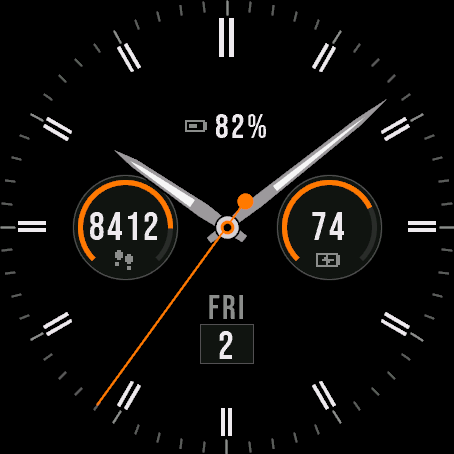
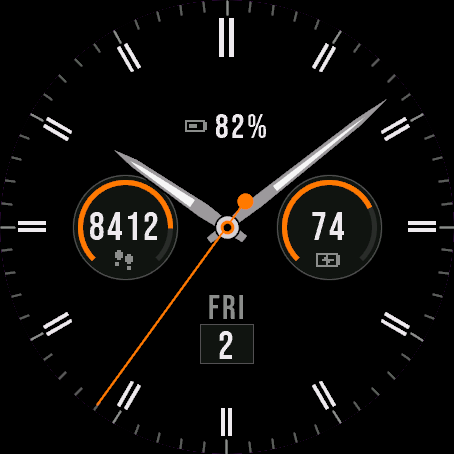 Analog
Atlas Hybrid
An elegant analog dial with data sub-dials.
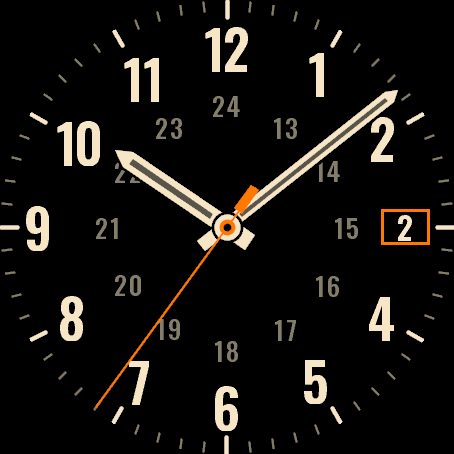
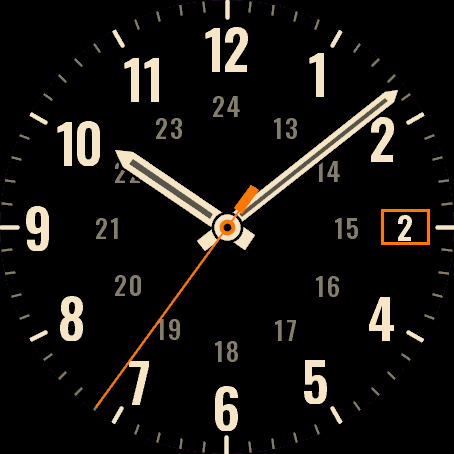 Field Watch
Plain Field
A plain analog field watch. Numbers 1 to 12, a 24-hour ring, nothing loud.
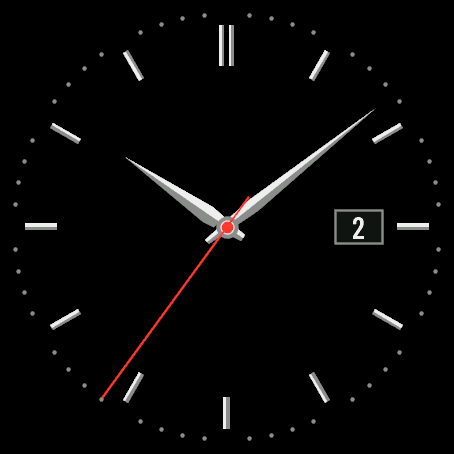
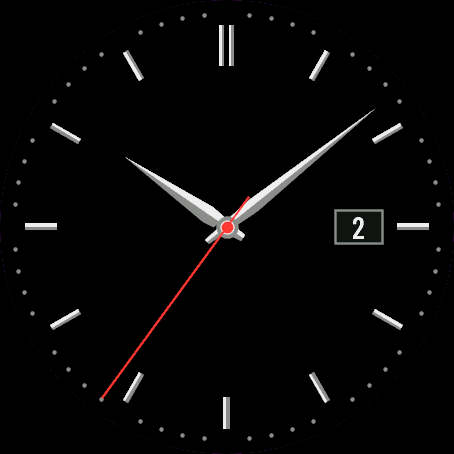 Dress Watch
Quiet Dial
A quiet dress watch. Slim batons, faceted hands and a date window.
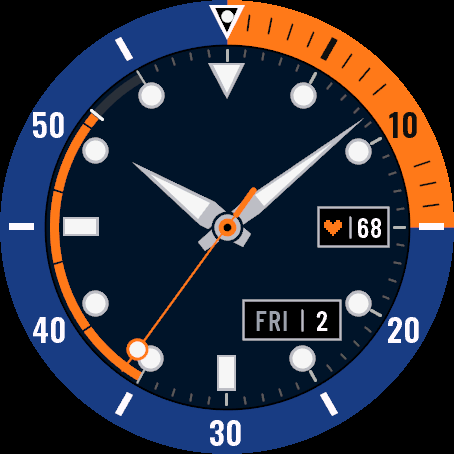
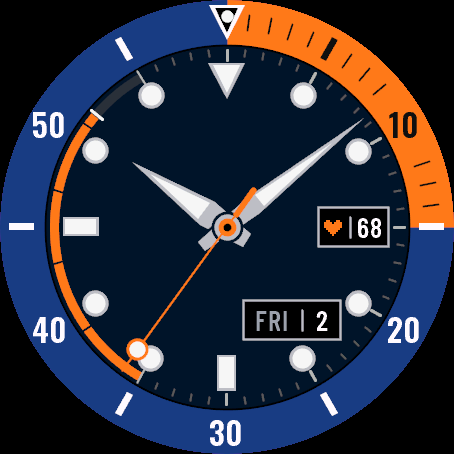 DiverSoon
Deep Bezel
A bold dive watch with a coloured bezel, big lume indices and a steps depth arc.
Tell us how to make it better
Missing a data field, a colour, a layout? Found a bug on your watch model? Write it here. We read every message and ship improvements in updates.