Unlock
€6.49
One-time payment. No subscription. The code works on the watch whose ID you enter.
- Install the face from Connect IQ (7 days free).
- On the watch: face settings > Buy / Unlock, scan the QR code.
- Pay and paste the code in the face settings.
- Pay.
- Copy the code.
- Paste it in Connect IQ: this face > Settings > Unlock code.
Payment works best in Safari or Chrome: menu (three dots) > Open in browser
Read it in this face, it is not the serial number of the watch.
Your ID, compare it with the watch:
Where do I find the ID?
On the watch: settings of this face > Buy / Unlock (first item). Scan the QR code with your phone or type the 10 digits. The ID is also at the top of the face settings in the Connect IQ app.
Code not working on your watch? Write to me and I refund within 14 days.
Payments by Stripe. Seller: Mateusz Kolarz, Lublin, Poland.
Paid. Code:
Copying did not work. The code is selected: copy it by hand.
The face unlocks by itself when the watch connects to the phone (usually within an hour; if the trial is still running, the purchase starts working when it ends).
Do not want to wait, or have an older watch? Paste the code in the Connect IQ app:
Connect IQ (or Garmin Connect) > My Device > Watch faces > Panel HUD > Settings > Unlock code > paste > Save
We show the code here too. If the e-mail does not arrive (check spam), you can recover the code in the Recover code section with the Face ID and e-mail from your order. Recover code
Like it? Rate this face in the Garmin store
Want to try new faces and apps before the release, for free? Join the testers program
7-day free trial, then a one-time unlock at dialforge.dev. No subscription.
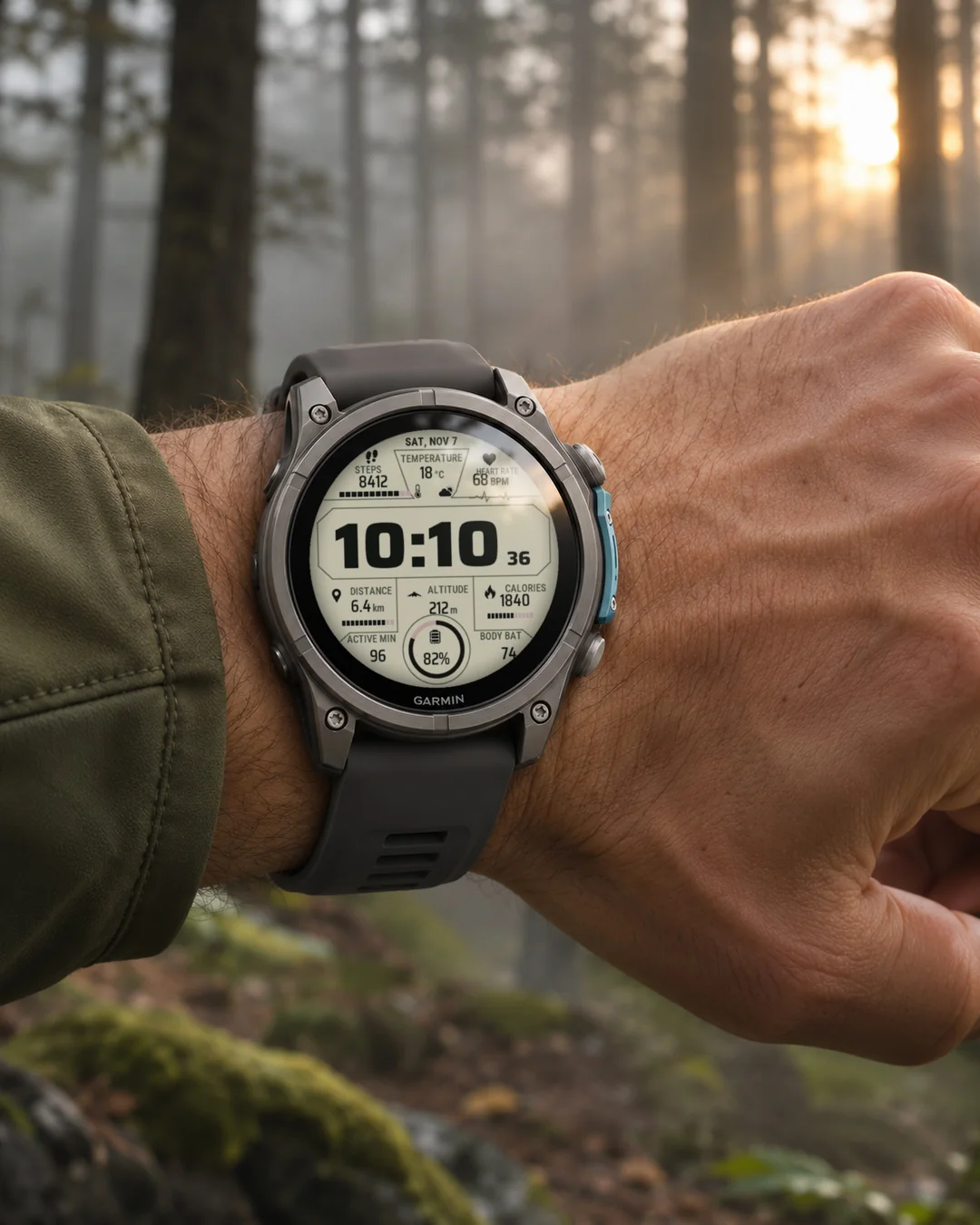
Panel HUD puts nine data panels around a big time panel, in a clean technical layout with cut corners, segmented progress bars and a round battery gauge. The default is a cream background that is easy to read in daylight; Dark, Ice, Amber and Green themes are one tap away. Every panel can show any data your watch has, and every colour can be changed. An independent face by dialforge.dev, not made or endorsed by Garmin.
- Top row: steps with a progress bar, temperature with a weather icon, heart rate with a pulse line. In the middle the time with seconds, below it distance, altitude and calories, then active minutes, body battery and a round gauge.
- Each of the nine panels can show any data: steps, calories, distance, floors, altitude, pressure, temperature and weather, wind, humidity, sunrise and sunset, body battery, stress, recovery, SpO2 and more, or stay empty.
- Five themes (Cream, Dark, Ice, Amber, Green) and separate colours for the time, values, captions, frames, bars and icons.
- Segmented progress bars for steps, distance and calories, and a round gauge that fills with the battery level or another percentage.
- Metric or imperial units, 12 or 24 hour time, the date in your language like SUN, OCT 18. Seconds can be switched off.
- On touch watches press and hold a panel to open the matching watch screen.
- AMOLED watches get an always-on mode: time, date and dimmed values, time and date, or the time only, moved a little every minute. MIP screens (Forerunner 255 and 955, fenix 7, Enduro 3) use the 64 colour palette and lines that read well in the sun.
- Menu in 35 languages. Weekdays, dates and field captions in your language, including Russian, Ukrainian, Bulgarian, Greek, Hebrew, Thai, Korean, Japanese and Chinese.
Optional glucose (CGM) field: pick Glucose in any panel to see your reading from LibreLinkUp, Dexcom Share or Nightscout, with the age of the reading when it is old. Available on watches with enough memory. This is not a medical device. It has no alarms and does not replace your reader or the sensor app. Do not use it to decide on treatment. Your glucose data goes straight from the manufacturer's server to your phone and watch. It is never sent to Dialforge. Names of glucose systems are trademarks of their owners and are used only to say what the watch face can read.
All settings are in Garmin Connect (Connect IQ, watch face settings): the nine panels, theme, colours, units, seconds, language and time format. On the watch: Customise for the nine panels, theme, seconds and the always-on screen.
When the watch has no reading, the panel shows --. Weather needs the phone connected from time to time.
7 dni za darmo, potem jednorazowe odblokowanie na dialforge.dev. Bez abonamentu.
Panel HUD ustawia dziewięć paneli z danymi wokół dużej godziny, w technicznym układzie ze ściętymi rogami, segmentowymi paskami postępu i okrągłym wskaźnikiem baterii. Domyślnie ma kremowe tło, które dobrze czyta się w słońcu, a motywy Ciemny, Lodowy, Bursztynowy i Zielony są pod ręką. Każdy panel pokaże dowolne dane z zegarka, a każdy kolor można zmienić. To niezależna tarcza dialforge.dev, nie jest wykonana ani zatwierdzona przez Garmin.
- Górny rząd: kroki z paskiem postępu, temperatura z ikoną pogody, tętno z linią pulsu. Na środku godzina z sekundami, pod nią dystans, wysokość i kalorie, a niżej minuty aktywne, Body Battery i okrągły wskaźnik.
- Każdy z dziewięciu paneli pokaże dowolne dane: kroki, kalorie, dystans, piętra, wysokość, ciśnienie, temperaturę i pogodę, wiatr, wilgotność, wschód i zachód słońca, Body Battery, stres, regenerację, SpO2 i inne, albo zostanie pusty.
- Pięć motywów (Kremowy, Ciemny, Lodowy, Bursztynowy, Zielony) i osobne kolory godziny, wartości, podpisów, ramek, pasków i ikon.
- Segmentowe paski postępu dla kroków, dystansu i kalorii oraz okrągły wskaźnik, który wypełnia się poziomem baterii albo innym procentem.
- Jednostki metryczne albo imperialne, czas 12 lub 24 godzinny, data w Twoim języku w rodzaju SUN, OCT 18. Sekundy można wyłączyć.
- Na zegarkach dotykowych przytrzymaj panel, żeby otworzyć odpowiedni ekran zegarka.
- Zegarki AMOLED mają tryb ekranu wygaszonego: godzina, data i przygaszone wartości, godzina z datą albo sama godzina, przesuwana co minutę. Ekrany MIP (Forerunner 255 i 955, fenix 7, Enduro 3) używają palety 64 kolorów i linii czytelnych w słońcu.
- Menu w 35 językach. Dni tygodnia, daty i podpisy pól w Twoim języku, także po rosyjsku, ukraińsku, bułgarsku, grecku, hebrajsku, tajsku, koreańsku, japońsku i chińsku.
Opcjonalne pole glukozy (CGM): wybierz Cukier w dowolnym panelu, aby zobaczyć odczyt z LibreLinkUp, Dexcom Share lub Nightscout, z wiekiem odczytu, gdy jest stary. Dostępne na zegarkach z wystarczającą ilością pamięci. To nie jest wyrób medyczny. Nie ma alarmów i nie zastępuje czytnika ani aplikacji czujnika. Nie podejmuj na jego podstawie decyzji o leczeniu. Dane glukozy idą prosto z serwera producenta do telefonu i zegarka. Nigdy nie trafiają do Dialforge. Nazwy systemów glukozy są znakami towarowymi ich właścicieli i służą tylko do podania, z czego tarcza potrafi czytać.
Wszystkie ustawienia są w Garmin Connect (Connect IQ, ustawienia tarczy): dziewięć paneli, motyw, kolory, jednostki, sekundy, język i format czasu. Na zegarku w Dostosuj: dziewięć paneli, motyw, sekundy i ekran wygaszony.
Gdy zegarek nie ma odczytu, panel pokazuje --. Pogoda wymaga, żeby telefon był co jakiś czas połączony.
7 Tage kostenlos testen, danach einmalige Freischaltung auf dialforge.dev. Kein Abo.
Panel HUD ordnet neun Datenpanels um ein großes Zeitpanel an, in einem klaren technischen Layout mit abgeschnittenen Ecken, segmentierten Fortschrittsbalken und einer runden Akkuanzeige. Standard ist ein cremefarbener Hintergrund, der bei Tageslicht gut lesbar ist; die Designs Dunkel, Eis, Bernstein und Grün sind nur einen Fingertipp entfernt. Jedes Panel kann alle Daten anzeigen, die deine Uhr hat, und jede Farbe lässt sich ändern. Ein unabhängiges Zifferblatt von dialforge.dev, nicht von Garmin hergestellt oder zugelassen.
- Obere Reihe: Schritte mit Fortschrittsbalken, Temperatur mit Wettersymbol, Herzfrequenz mit Pulslinie. In der Mitte die Uhrzeit mit Sekunden, darunter Distanz, Höhe und Kalorien, weiter unten aktive Minuten, Body Battery und eine runde Anzeige.
- Jedes der neun Panels kann beliebige Daten zeigen: Schritte, Kalorien, Distanz, Etagen, Höhe, Luftdruck, Temperatur und Wetter, Wind, Luftfeuchtigkeit, Sonnenaufgang und Sonnenuntergang, Body Battery, Stress, Erholung, SpO2 und mehr, oder leer bleiben.
- Fünf Designs (Creme, Dunkel, Eis, Bernstein, Grün) und getrennte Farben für Uhrzeit, Werte, Beschriftungen, Rahmen, Balken und Symbole.
- Segmentierte Fortschrittsbalken für Schritte, Distanz und Kalorien sowie eine runde Anzeige, die sich mit dem Akkustand oder einem anderen Prozentwert füllt.
- Metrische oder imperiale Einheiten, 12- oder 24-Stunden-Zeit, das Datum in deiner Sprache, zum Beispiel SUN, OCT 18. Die Sekunden lassen sich ausschalten.
- Auf Touch-Uhren ein Panel gedrückt halten, um den passenden Bildschirm der Uhr zu öffnen.
- Wochentage, Datum und Feldbeschriftungen in Ihrer Sprache, auch auf Russisch, Ukrainisch, Bulgarisch, Griechisch, Hebräisch, Thai, Koreanisch, Japanisch und Chinesisch.
Optionales Glukosefeld (CGM): Wählen Sie in einem beliebigen Panel Glukose, um Ihren Wert aus LibreLinkUp, Dexcom Share oder Nightscout zu sehen, bei älteren Werten mit Altersangabe. Verfügbar auf Uhren mit ausreichend Speicher. Das ist kein Medizinprodukt. Es hat keine Alarme und ersetzt weder dein Lesegerät noch die App des Sensors. Triff damit keine Entscheidungen zur Behandlung. Deine Glukosedaten gehen direkt vom Server des Herstellers an dein Smartphone und deine Uhr. Sie werden nie an Dialforge gesendet. Die Namen der Glukosesysteme sind Marken ihrer Inhaber und dienen nur dazu, anzugeben, was die Uhrenfläche lesen kann.
Alle Einstellungen findest du in Garmin Connect (Connect IQ, Einstellungen des Zifferblatts): die neun Panels, Design, Farben, Einheiten, Sekunden, Sprache und Zeitformat. Auf der Uhr unter Anpassen: die neun Panels, Design, Sekunden und der Always-on-Bildschirm.
Wenn die Uhr keinen Messwert hat, zeigt das Panel --. Für das Wetter muss das Smartphone von Zeit zu Zeit verbunden sein.
Essai gratuit de 7 jours, puis un déverrouillage unique sur dialforge.dev. Sans abonnement.
Panel HUD place neuf panneaux de données autour d'un grand panneau d'heure, dans une mise en page technique et épurée avec des coins coupés, des barres de progression segmentées et une jauge de batterie ronde. Par défaut, le fond est crème, facile à lire en plein jour ; les thèmes Sombre, Glace, Ambre et Vert sont à portée de doigt. Chaque panneau peut afficher n'importe quelle donnée de votre montre, et chaque couleur peut être modifiée. Un cadran indépendant de dialforge.dev, non créé ni approuvé par Garmin.
- Rangée du haut : pas avec une barre de progression, température avec une icône météo, fréquence cardiaque avec une ligne de pouls. Au centre l'heure avec les secondes, dessous distance, altitude et calories, puis minutes actives, Body Battery et une jauge ronde.
- Chacun des neuf panneaux peut afficher n'importe quelle donnée : pas, calories, distance, étages, altitude, pression, température et météo, vent, humidité, lever et coucher du soleil, Body Battery, stress, récupération, SpO2 et plus, ou rester vide.
- Cinq thèmes (Crème, Sombre, Glace, Ambre, Vert) et des couleurs distinctes pour l'heure, les valeurs, les légendes, les cadres, les barres et les icônes.
- Barres de progression segmentées pour les pas, la distance et les calories, et une jauge ronde qui se remplit selon le niveau de batterie ou un autre pourcentage.
- Unités métriques ou impériales, heure sur 12 ou 24 heures, date dans votre langue, par exemple SUN, OCT 18. Les secondes peuvent être désactivées.
- Sur les montres tactiles, appuyez longuement sur un panneau pour ouvrir l'écran correspondant de la montre.
- Jours de la semaine, dates et libellés des champs dans votre langue, y compris en russe, ukrainien, bulgare, grec, hébreu, thaï, coréen, japonais et chinois.
Champ glycémie facultatif (CGM) : choisissez Glycémie dans n'importe quel panneau pour voir votre valeur de LibreLinkUp, Dexcom Share ou Nightscout, avec l'ancienneté de la mesure lorsqu'elle est ancienne. Disponible sur les montres disposant de assez de mémoire. Ce n'est pas un dispositif médical. Il n'a pas d'alarmes et ne remplace ni votre lecteur ni l'application du capteur. Ne l'utilisez pas pour décider d'un traitement. Vos données de glycémie vont directement du serveur du fabricant à votre téléphone et à votre montre. Elles ne sont jamais envoyées à Dialforge. Les noms des systèmes de glycémie sont des marques de leurs propriétaires et servent uniquement à indiquer ce que le cadran peut lire.
Tous les réglages se trouvent dans Garmin Connect (Connect IQ, réglages du cadran) : les neuf panneaux, thème, couleurs, unités, secondes, langue et format de l'heure. Sur la montre, dans Personnaliser : les neuf panneaux, thème, secondes et écran toujours actif.
Quand la montre n'a aucune mesure, le panneau affiche --. La météo nécessite que le téléphone soit connecté de temps en temps.
Prueba gratuita de 7 días y luego un desbloqueo único en dialforge.dev. Sin suscripción.
Panel HUD coloca nueve paneles de datos alrededor de un gran panel de hora, con un diseño técnico y limpio de esquinas cortadas, barras de progreso segmentadas y un indicador de batería redondo. Por defecto tiene un fondo crema que se lee bien a la luz del día; los temas Oscuro, Hielo, Ámbar y Verde están a un toque. Cada panel puede mostrar cualquier dato que tenga tu reloj y se puede cambiar cada color. Una esfera independiente de dialforge.dev, no creada ni aprobada por Garmin.
- Fila superior: pasos con barra de progreso, temperatura con icono del tiempo, frecuencia cardiaca con línea de pulso. En el centro la hora con segundos, debajo distancia, altitud y calorías, y más abajo minutos activos, Body Battery y un indicador redondo.
- Cada uno de los nueve paneles puede mostrar cualquier dato: pasos, calorías, distancia, pisos, altitud, presión, temperatura y tiempo, viento, humedad, amanecer y atardecer, Body Battery, estrés, recuperación, SpO2 y más, o quedarse vacío.
- Cinco temas (Crema, Oscuro, Hielo, Ámbar, Verde) y colores independientes para la hora, los valores, los textos, los marcos, las barras y los iconos.
- Barras de progreso segmentadas para pasos, distancia y calorías, y un indicador redondo que se llena con el nivel de batería u otro porcentaje.
- Unidades métricas o imperiales, hora de 12 o 24 horas, la fecha en tu idioma, como SUN, OCT 18. Los segundos se pueden desactivar.
- En relojes táctiles, mantén pulsado un panel para abrir la pantalla correspondiente del reloj.
- Días de la semana, fechas y etiquetas de los campos en tu idioma, también en ruso, ucraniano, búlgaro, griego, hebreo, tailandés, coreano, japonés y chino.
Campo opcional de glucosa (CGM): elige Glucosa en cualquier panel para ver tu lectura de LibreLinkUp, Dexcom Share o Nightscout, con la antigüedad de la lectura cuando es antigua. Disponible en relojes con memoria suficiente. Esto no es un producto sanitario. No tiene alarmas y no sustituye a tu lector ni a la app del sensor. No lo uses para decidir un tratamiento. Tus datos de glucosa van directamente del servidor del fabricante a tu teléfono y a tu reloj. Nunca se envían a Dialforge. Los nombres de los sistemas de glucosa son marcas de sus propietarios y se usan solo para indicar qué puede leer la esfera.
Todos los ajustes están en Garmin Connect (Connect IQ, ajustes de la esfera): los nueve paneles, tema, colores, unidades, segundos, idioma y formato de hora. En el reloj, en Personalizar: los nueve paneles, tema, segundos y la pantalla siempre activa.
Cuando el reloj no tiene lectura, el panel muestra --. El tiempo necesita que el teléfono esté conectado de vez en cuando.
7 dagen gratis proberen, daarna een eenmalige ontgrendeling op dialforge.dev. Geen abonnement.
Panel HUD plaatst negen gegevenspanelen rond een groot tijdpaneel, in een strakke technische opmaak met afgesneden hoeken, gesegmenteerde voortgangsbalken en een ronde batterijmeter. Standaard is de achtergrond crème, goed leesbaar bij daglicht; de thema's Donker, IJs, Amber en Groen zijn één tik verwijderd. Elk paneel kan alle gegevens tonen die je horloge heeft en elke kleur is aan te passen. Een onafhankelijke wijzerplaat van dialforge.dev, niet gemaakt of goedgekeurd door Garmin.
- Bovenste rij: stappen met een voortgangsbalk, temperatuur met een weericoon, hartslag met een polslijn. In het midden de tijd met seconden, daaronder afstand, hoogte en calorieën, daaronder actieve minuten, Body Battery en een ronde meter.
- Elk van de negen panelen kan alle gegevens tonen: stappen, calorieën, afstand, verdiepingen, hoogte, luchtdruk, temperatuur en weer, wind, luchtvochtigheid, zonsopkomst en zonsondergang, Body Battery, stress, herstel, SpO2 en meer, of leeg blijven.
- Vijf thema's (Crème, Donker, IJs, Amber, Groen) en aparte kleuren voor de tijd, waarden, bijschriften, kaders, balken en pictogrammen.
- Gesegmenteerde voortgangsbalken voor stappen, afstand en calorieën en een ronde meter die zich vult met het batterijniveau of een ander percentage.
- Metrische of imperiale eenheden, 12- of 24-uursklok, de datum in jouw taal, zoals SUN, OCT 18. Seconden kunnen worden uitgezet.
- Houd op touchscreen-horloges een paneel ingedrukt om het bijbehorende scherm van het horloge te openen.
- Weekdagen, datums en veldlabels in je eigen taal, ook in het Russisch, Oekraïens, Bulgaars, Grieks, Hebreeuws, Thai, Koreaans, Japans en Chinees.
Optioneel glucoseveld (CGM): kies Glucose in een willekeurig paneel om je meting van LibreLinkUp, Dexcom Share of Nightscout te zien, met de leeftijd van de meting als die oud is. Beschikbaar op horloges met voldoende geheugen. Dit is geen medisch hulpmiddel. Het heeft geen alarmen en vervangt je lezer of de app van de sensor niet. Gebruik het niet om beslissingen over behandeling te nemen. Je glucosegegevens gaan rechtstreeks van de server van de fabrikant naar je telefoon en horloge. Ze worden nooit naar Dialforge gestuurd. De namen van glucosesystemen zijn merken van hun eigenaren en worden alleen gebruikt om te zeggen wat de wijzerplaat kan lezen.
Alle instellingen staan in Garmin Connect (Connect IQ, instellingen van de wijzerplaat): de negen panelen, thema, kleuren, eenheden, seconden, taal en tijdnotatie. Op het horloge bij Aanpassen: de negen panelen, thema, seconden en het always-on-scherm.
Als het horloge geen meting heeft, toont het paneel --. Voor het weer moet de telefoon af en toe verbonden zijn.
7日間無料でお試しいただけます。その後はdialforge.devで解除を一度だけ購入(サブスクリプションなし)。
Panel HUD は、大きな時刻パネルのまわりに 9 つのデータパネルを配置したウォッチフェイスです。角を斜めに落としたすっきりしたテクニカルなレイアウトに、区切り付きの進捗バーと丸いバッテリーゲージを組み合わせました。初期設定は日差しの下でも読みやすいクリーム色の背景で、ダーク、アイス、アンバー、グリーンのテーマにもワンタップで切り替えられます。どのパネルにも時計が持つ好きなデータを表示でき、色もすべて変更できます。dialforge.dev の独立したウォッチフェイスで、Garmin が作成または承認したものではありません。
- 上段: 進捗バー付きの歩数、天気アイコン付きの気温、脈拍ライン付きの心拍数。中央に秒付きの時刻、その下に距離、高度、カロリー、さらに下にアクティブ時間、Body Battery、丸いゲージを表示します。
- 9 つのパネルそれぞれに、歩数、カロリー、距離、階数、高度、気圧、気温と天気、風、湿度、日の出と日の入り、Body Battery、ストレス、リカバリー、SpO2 など好きなデータを表示でき、空にもできます。
- 5 つのテーマ (クリーム、ダーク、アイス、アンバー、グリーン) と、時刻、値、キャプション、枠、バー、アイコンごとに個別の色。
- 歩数、距離、カロリー用の区切り付き進捗バーと、バッテリー残量やほかの割合で満ちていく丸いゲージ。
- メートル法またはヤード・ポンド法、12 時間または 24 時間表示、お使いの言語の日付 (例: SUN, OCT 18)。秒はオフにできます。
- タッチ操作の時計では、パネルを長押しすると対応する時計の画面が開きます。
- AMOLED の時計には常時表示モードがあり、時刻と日付と減光した値、時刻と日付、または時刻のみから選べ、毎分少しずつ位置が動きます。MIP 画面 (Forerunner 255 と 955、fenix 7、Enduro 3) では 64 色パレットと、日差しの下でも読みやすい線を使います。
- 35 言語のメニュー。曜日、日付、フィールド名はお使いの言語で表示され、ロシア語、ウクライナ語、ブルガリア語、ギリシャ語、ヘブライ語、タイ語、韓国語、日本語、中国語にも対応します。
オプションのグルコース欄 (CGM): 任意のパネルでグルコースを選ぶと、LibreLinkUp、Dexcom Share、Nightscout の測定値を表示します。古い測定値には経過時間も表示されます。十分なメモリを搭載したウォッチで利用できます。 これは医療機器ではありません。アラームはなく、お使いのリーダーやセンサーのアプリの代わりにもなりません。治療の判断には使わないでください。血糖データは、メーカーのサーバーから直接スマートフォンと時計に届きます。Dialforgeに送信されることはありません。血糖システムの名称はそれぞれの所有者の商標で、このウォッチフェイスが何を読み取れるかを示すためだけに使っています。
すべての設定は Garmin Connect (Connect IQ、ウォッチフェイスの設定) にあります: 9 つのパネル、テーマ、色、単位、秒、言語、時刻の形式。時計ではカスタマイズから、9 つのパネル、テーマ、秒、常時表示画面を設定します。
時計に測定値がないときは、パネルに -- と表示されます。天気は、ときどきスマートフォンと接続している必要があります。
Prova gratuita di 7 giorni, poi uno sblocco una tantum su dialforge.dev. Nessun abbonamento.
Panel HUD dispone nove pannelli dati attorno a un grande pannello dell'ora, con un layout tecnico e pulito dagli angoli smussati, barre di avanzamento a segmenti e un indicatore rotondo della batteria. Di default ha uno sfondo crema, facile da leggere alla luce del giorno; i temi Scuro, Ghiaccio, Ambra e Verde sono a un tocco di distanza. Ogni pannello può mostrare qualsiasi dato del tuo orologio e ogni colore si può cambiare. Un quadrante indipendente di dialforge.dev, non creato né approvato da Garmin.
- Riga superiore: passi con barra di avanzamento, temperatura con icona meteo, frequenza cardiaca con linea del battito. Al centro l'ora con i secondi, sotto distanza, altitudine e calorie, poi minuti attivi, Body Battery e un indicatore rotondo.
- Ognuno dei nove pannelli può mostrare qualsiasi dato: passi, calorie, distanza, piani, altitudine, pressione, temperatura e meteo, vento, umidità, alba e tramonto, Body Battery, stress, recupero, SpO2 e altro, oppure restare vuoto.
- Cinque temi (Crema, Scuro, Ghiaccio, Ambra, Verde) e colori separati per ora, valori, didascalie, cornici, barre e icone.
- Barre di avanzamento a segmenti per passi, distanza e calorie e un indicatore rotondo che si riempie con il livello della batteria o con un'altra percentuale.
- Unità metriche o imperiali, ora a 12 o 24 ore, data nella tua lingua, per esempio SUN, OCT 18. I secondi si possono disattivare.
- Sugli orologi touch tieni premuto un pannello per aprire la schermata corrispondente dell'orologio.
- Giorni della settimana, date e didascalie dei campi nella tua lingua, anche in russo, ucraino, bulgaro, greco, ebraico, thailandese, coreano, giapponese e cinese.
Campo glicemia facoltativo (CGM): scegli Glicemia in qualsiasi pannello per vedere la tua lettura da LibreLinkUp, Dexcom Share o Nightscout, con l'età della lettura quando è vecchia. Disponibile sugli orologi con memoria sufficiente. Non è un dispositivo medico. Non ha allarmi e non sostituisce il tuo lettore né l'app del sensore. Non usarlo per decidere una terapia. I tuoi dati sulla glicemia vanno direttamente dal server del produttore al telefono e all'orologio. Non vengono mai inviati a Dialforge. I nomi dei sistemi per la glicemia sono marchi dei rispettivi proprietari e servono solo a dire cosa può leggere il quadrante.
Tutte le impostazioni sono in Garmin Connect (Connect IQ, impostazioni del quadrante): i nove pannelli, tema, colori, unità, secondi, lingua e formato dell'ora. Sull'orologio in Personalizza: i nove pannelli, tema, secondi e schermo sempre attivo.
Quando l'orologio non ha alcuna lettura, il pannello mostra --. Il meteo richiede che il telefono sia collegato di tanto in tanto.
7 天免费试用,之后在 dialforge.dev 一次性解锁。无需订阅。
Panel HUD 在大号时间面板周围排布九个数据面板,采用简洁的科技风布局,带有切角、分段进度条和圆形电量表。默认是白天也清晰易读的奶油色背景,深色、冰蓝、琥珀和绿色主题一键即可切换。每个面板都可以显示手表支持的任意数据,所有颜色也都能自定义。这是 dialforge.dev 的独立表盘,并非由 Garmin 制作或认可。
- 顶行:带进度条的步数、带天气图标的温度、带脉搏线的心率。中间是带秒的时间,下方是距离、海拔和卡路里,再往下是活动分钟数、Body Battery 和圆形表盘。
- 九个面板都可以显示任意数据:步数、卡路里、距离、爬楼层数、海拔、气压、温度和天气、风、湿度、日出和日落、Body Battery、压力、恢复、SpO2 等,也可以留空。
- 五种主题(奶油、深色、冰蓝、琥珀、绿色),时间、数值、标题、边框、进度条和图标还可以分别设置颜色。
- 步数、距离和卡路里使用分段进度条,圆形表盘可按电量或其他百分比填充。
- 公制或英制单位,12 小时或 24 小时制,日期使用你的语言,例如 SUN, OCT 18。秒数可以关闭。
- 在触屏手表上,长按面板即可打开对应的手表界面。
- AMOLED 手表提供息屏常亮模式:时间、日期和调暗的数值,时间和日期,或仅显示时间,并且每分钟轻微移动位置。MIP 屏幕(Forerunner 255 和 955、fenix 7、Enduro 3)使用 64 色调色板和阳光下清晰易读的线条。
- 35 种语言的菜单。星期、日期和字段名称使用你的语言,包括俄语、乌克兰语、保加利亚语、希腊语、希伯来语、泰语、韩语、日语和中文。
可选的血糖 (CGM) 字段:在任意面板中选择血糖,即可查看来自 LibreLinkUp、Dexcom Share 或 Nightscout 的读数,读数较旧时会显示其时长。适用于内存充足的手表。 这不是医疗器械。它没有警报,也不能代替你的读取器或传感器应用。请勿用它来决定治疗方案。你的血糖数据直接从厂商服务器传到你的手机和手表,绝不会发送给 Dialforge。血糖系统的名称是其所有者的商标,仅用于说明这款表盘能读取什么。
所有设置都在 Garmin Connect(Connect IQ,表盘设置)中:九个面板、主题、颜色、单位、秒数、语言和时间格式。在手表上的自定义中可设置九个面板、主题、秒数和息屏常亮界面。
手表没有读数时,面板显示 --。天气需要手机时不时连接一下。
7-дневный бесплатный пробный период, затем разовая разблокировка на dialforge.dev. Без подписки.
Panel HUD размещает девять панелей данных вокруг большой панели времени в чистом техническом стиле: срезанные углы, сегментированные полосы прогресса и круглый индикатор заряда. По умолчанию фон кремовый, его легко читать при дневном свете; темы Тёмная, Лёд, Янтарь и Зелёная включаются одним касанием. Каждая панель может показывать любые данные ваших часов, а любой цвет можно изменить. Независимый циферблат от dialforge.dev, не создан и не одобрен компанией Garmin.
- Верхний ряд: шаги с полосой прогресса, температура со значком погоды, пульс с линией ритма. В центре время с секундами, под ним дистанция, высота и калории, ниже активные минуты, Body Battery и круглый индикатор.
- Каждая из девяти панелей может показывать любые данные: шаги, калории, дистанцию, этажи, высоту, давление, температуру и погоду, ветер, влажность, восход и закат, Body Battery, стресс, восстановление, SpO2 и другое, либо оставаться пустой.
- Пять тем (Кремовая, Тёмная, Лёд, Янтарь, Зелёная) и отдельные цвета для времени, значений, подписей, рамок, полос и значков.
- Сегментированные полосы прогресса для шагов, дистанции и калорий и круглый индикатор, который заполняется по заряду батареи или другому проценту.
- Метрические или имперские единицы, 12- или 24-часовой формат, дата на вашем языке, например SUN, OCT 18. Секунды можно отключить.
- На часах с сенсорным экраном удерживайте панель, чтобы открыть соответствующий экран часов.
- У часов AMOLED есть режим always-on: время, дата и приглушённые значения, время и дата или только время, сдвигаемое каждую минуту. Экраны MIP (Forerunner 255 и 955, fenix 7, Enduro 3) используют палитру из 64 цветов и линии, хорошо читаемые на солнце.
- Дни недели, даты и подписи полей на вашем языке, в том числе на русском, украинском, болгарском, греческом, иврите, тайском, корейском, японском и китайском.
Дополнительное поле глюкозы (CGM): выберите Глюкоза в любой панели, чтобы увидеть показание из LibreLinkUp, Dexcom Share или Nightscout, а для устаревшего показания также его возраст. Доступно на часах с достаточным объемом памяти. Это не медицинское изделие. В нём нет сигналов тревоги, и оно не заменяет ваш ридер или приложение датчика. Не принимайте по нему решений о лечении. Данные о глюкозе идут прямо с сервера производителя на ваш телефон и часы. В Dialforge они никогда не отправляются. Названия систем мониторинга глюкозы являются товарными знаками их владельцев и используются только для того, чтобы указать, что умеет читать циферблат.
Все настройки находятся в Garmin Connect (Connect IQ, настройки циферблата): девять панелей, тема, цвета, единицы, секунды, язык и формат времени. На часах в разделе Настроить: девять панелей, тема, секунды и экран always-on.
Если у часов нет показаний, панель показывает --. Для погоды телефон должен время от времени подключаться.
Teste grátis de 7 dias, depois um desbloqueio único em dialforge.dev. Sem assinatura.
O Panel HUD coloca nove painéis de dados ao redor de um grande painel da hora, em um layout técnico e limpo, com cantos cortados, barras de progresso segmentadas e um medidor redondo de bateria. O padrão é um fundo creme, fácil de ler à luz do dia; os temas Escuro, Gelo, Âmbar e Verde estão a um toque. Cada painel pode mostrar qualquer dado que seu relógio tenha, e todas as cores podem ser alteradas. Um mostrador independente da dialforge.dev, não feito nem aprovado pela Garmin.
- Linha de cima: passos com barra de progresso, temperatura com ícone do clima, frequência cardíaca com linha de pulso. No meio a hora com segundos, abaixo distância, altitude e calorias, depois minutos ativos, Body Battery e um medidor redondo.
- Cada um dos nove painéis pode mostrar qualquer dado: passos, calorias, distância, andares, altitude, pressão, temperatura e clima, vento, umidade, nascer e pôr do sol, Body Battery, estresse, recuperação, SpO2 e mais, ou ficar vazio.
- Cinco temas (Creme, Escuro, Gelo, Âmbar, Verde) e cores separadas para a hora, valores, legendas, molduras, barras e ícones.
- Barras de progresso segmentadas para passos, distância e calorias, e um medidor redondo que enche com o nível da bateria ou outra porcentagem.
- Unidades métricas ou imperiais, hora de 12 ou 24 horas, data no seu idioma, como SUN, OCT 18. Os segundos podem ser desligados.
- Em relógios com tela sensível ao toque, mantenha um painel pressionado para abrir a tela correspondente do relógio.
- Relógios AMOLED têm modo sempre ativo: hora, data e valores escurecidos, hora e data, ou só a hora, movida um pouco a cada minuto. Telas MIP (Forerunner 255 e 955, fenix 7, Enduro 3) usam a paleta de 64 cores e linhas que se leem bem ao sol.
- Dias da semana, datas e rótulos dos campos no seu idioma, inclusive em russo, ucraniano, búlgaro, grego, hebraico, tailandês, coreano, japonês e chinês.
Campo opcional de glicose (CGM): escolha Glicose em qualquer painel para ver sua leitura do LibreLinkUp, Dexcom Share ou Nightscout, com a idade da leitura quando ela for antiga. Disponível em relógios com memória suficiente. Isto não é um dispositivo médico. Não tem alarmes e não substitui seu leitor nem o aplicativo do sensor. Não use para decidir sobre tratamento. Seus dados de glicose vão direto do servidor do fabricante para o seu celular e relógio. Nunca são enviados à Dialforge. Os nomes dos sistemas de glicose são marcas registradas de seus donos e servem só para dizer o que o mostrador consegue ler.
Todas as configurações ficam no Garmin Connect (Connect IQ, configurações do mostrador): os nove painéis, tema, cores, unidades, segundos, idioma e formato da hora. No relógio, em Personalizar: os nove painéis, tema, segundos e a tela sempre ativa.
Quando o relógio não tem leitura, o painel mostra --. O clima precisa que o celular esteja conectado de tempos em tempos.
7denní bezplatná zkušební verze, poté jednorázové odemknutí na dialforge.dev. Žádné předplatné.
Panel HUD umisťuje devět datových panelů kolem velkého panelu s časem, v čistém technickém rozvržení se seříznutými rohy, segmentovými ukazateli průběhu a kulatým ukazatelem baterie. Výchozí je krémové pozadí, které je za denního světla dobře čitelné; motivy Tmavý, Ledový, Jantarový a Zelený jsou na jedno klepnutí. Každý panel umí zobrazit libovolná data, která vaše hodinky mají, a každou barvu lze změnit. Nezávislý ciferník od dialforge.dev, nevytvořený ani neschválený společností Garmin.
- Horní řada: kroky s ukazatelem průběhu, teplota s ikonou počasí, tepová frekvence s linií pulzu. Uprostřed čas se sekundami, pod ním vzdálenost, nadmořská výška a kalorie, níže aktivní minuty, Body Battery a kulatý ukazatel.
- Každý z devíti panelů může zobrazit libovolná data: kroky, kalorie, vzdálenost, patra, nadmořskou výšku, tlak, teplotu a počasí, vítr, vlhkost, východ a západ slunce, Body Battery, stres, regeneraci, SpO2 a další, nebo zůstat prázdný.
- Pět motivů (Krémový, Tmavý, Ledový, Jantarový, Zelený) a samostatné barvy pro čas, hodnoty, popisky, rámečky, ukazatele a ikony.
- Segmentové ukazatele průběhu pro kroky, vzdálenost a kalorie a kulatý ukazatel, který se plní podle úrovně baterie nebo jiného procenta.
- Metrické nebo imperiální jednotky, 12hodinový nebo 24hodinový čas, datum ve vašem jazyce, například SUN, OCT 18. Sekundy lze vypnout.
- Na dotykových hodinkách podržte panel a otevře se příslušná obrazovka hodinek.
- Hodinky s displejem AMOLED mají režim Always-on: čas, datum a ztlumené hodnoty, čas s datem, nebo jen čas, každou minutu mírně posunutý. Displeje MIP (Forerunner 255 a 955, fenix 7, Enduro 3) používají paletu 64 barev a linie dobře čitelné na slunci.
- Menu v 35 jazycích. Dny v týdnu, data a popisky polí ve vašem jazyce, také rusky, ukrajinsky, bulharsky, řecky, hebrejsky, thajsky, korejsky, japonsky a čínsky.
Volitelné pole glukózy (CGM): v libovolném panelu vyberte Glukóza a uvidíte hodnotu z LibreLinkUp, Dexcom Share nebo Nightscout, u starší hodnoty i její stáří. K dispozici na hodinkách s dostatkem paměti. Toto není zdravotnický prostředek. Nemá alarmy a nenahrazuje váš čtecí přístroj ani aplikaci senzoru. Nerozhodujte podle něj o léčbě. Data o glukóze jdou přímo ze serveru výrobce do vašeho telefonu a hodinek. Nikdy se neposílají do Dialforge. Názvy glukózových systémů jsou ochranné známky jejich vlastníků a používají se jen k uvedení, co umí ciferník číst.
Všechna nastavení jsou v aplikaci Garmin Connect (Connect IQ, nastavení ciferníku): devět panelů, motiv, barvy, jednotky, sekundy, jazyk a formát času. V hodinkách v Přizpůsobit: devět panelů, motiv, sekundy a obrazovka Always-on.
Pokud hodinky nemají žádnou hodnotu, panel zobrazí --. Počasí vyžaduje, aby byl telefon čas od času připojen.
7 dias de teste gratuito, depois um desbloqueio único em dialforge.dev. Sem subscrição.
O Panel HUD coloca nove painéis de dados em redor de um grande painel da hora, num esquema técnico e limpo, com cantos cortados, barras de progresso segmentadas e um indicador redondo da bateria. Por predefinição tem um fundo creme, fácil de ler à luz do dia; os temas Escuro, Gelo, Âmbar e Verde estão à distância de um toque. Cada painel pode mostrar qualquer dado que o seu relógio tenha, e todas as cores podem ser alteradas. Um mostrador independente da dialforge.dev, não feito nem aprovado pela Garmin.
- Linha de cima: passos com barra de progresso, temperatura com ícone do tempo, frequência cardíaca com linha de pulso. No meio a hora com segundos, por baixo distância, altitude e calorias, depois minutos ativos, Body Battery e um indicador redondo.
- Cada um dos nove painéis pode mostrar qualquer dado: passos, calorias, distância, andares, altitude, pressão, temperatura e tempo, vento, humidade, nascer e pôr do sol, Body Battery, stress, recuperação, SpO2 e mais, ou ficar vazio.
- Cinco temas (Creme, Escuro, Gelo, Âmbar, Verde) e cores separadas para a hora, valores, legendas, molduras, barras e ícones.
- Barras de progresso segmentadas para passos, distância e calorias, e um indicador redondo que enche com o nível da bateria ou outra percentagem.
- Unidades métricas ou imperiais, hora de 12 ou 24 horas, data no seu idioma, como SUN, OCT 18. Os segundos podem ser desligados.
- Nos relógios táteis, mantenha um painel premido para abrir o ecrã correspondente do relógio.
- Os relógios AMOLED têm modo sempre ligado: hora, data e valores esbatidos, hora e data, ou só a hora, deslocada um pouco a cada minuto. Os ecrãs MIP (Forerunner 255 e 955, fenix 7, Enduro 3) usam a paleta de 64 cores e linhas que se leem bem ao sol.
- Dias da semana, datas e legendas dos campos no seu idioma, incluindo russo, ucraniano, búlgaro, grego, hebraico, tailandês, coreano, japonês e chinês.
Campo opcional de glicose (CGM): escolha Glicose em qualquer painel para ver a sua leitura do LibreLinkUp, Dexcom Share ou Nightscout, com a idade da leitura quando esta é antiga. Disponível em relógios com memória suficiente. Isto não é um dispositivo médico. Não tem alarmes e não substitui o seu leitor nem a aplicação do sensor. Não o utilize para decidir sobre tratamento. Os seus dados de glicose vão diretamente do servidor do fabricante para o telemóvel e para o relógio. Nunca são enviados para a Dialforge. Os nomes dos sistemas de glicose são marcas dos respetivos proprietários e servem apenas para dizer o que o mostrador consegue ler.
Todas as definições estão no Garmin Connect (Connect IQ, definições do mostrador): os nove painéis, tema, cores, unidades, segundos, idioma e formato da hora. No relógio, em Personalizar: os nove painéis, tema, segundos e o ecrã sempre ligado.
Quando o relógio não tem leitura, o painel mostra --. O tempo precisa que o telemóvel esteja ligado de vez em quando.
7일 무료 체험 후, dialforge.dev에서 일회성 잠금 해제를 구매하세요. 구독은 없습니다.
Panel HUD는 큼직한 시간 패널 주위에 데이터 패널 아홉 개를 배치한 워치페이스로, 모서리를 비스듬히 자른 깔끔한 기술적 레이아웃에 구간형 진행 막대와 둥근 배터리 게이지를 갖췄습니다. 기본값은 햇빛 아래에서도 읽기 쉬운 크림색 배경이며, 다크, 아이스, 앰버, 그린 테마로 한 번에 바꿀 수 있습니다. 모든 패널에 시계가 가진 어떤 데이터든 표시할 수 있고, 모든 색상을 바꿀 수 있습니다. dialforge.dev의 독립 워치페이스이며 Garmin이 만들거나 승인한 것이 아닙니다.
- 윗줄: 진행 막대가 있는 걸음 수, 날씨 아이콘이 있는 온도, 맥박선이 있는 심박수. 가운데에는 초가 포함된 시간, 그 아래에 거리, 고도, 칼로리, 그 밑에 활동 시간, Body Battery, 둥근 게이지가 있습니다.
- 아홉 개 패널 각각에 걸음 수, 칼로리, 거리, 층수, 고도, 기압, 온도와 날씨, 바람, 습도, 일출과 일몰, Body Battery, 스트레스, 회복, SpO2 등 원하는 데이터를 표시하거나 비워 둘 수 있습니다.
- 테마 5종(크림, 다크, 아이스, 앰버, 그린)과 시간, 값, 캡션, 프레임, 막대, 아이콘의 개별 색상.
- 걸음 수, 거리, 칼로리용 구간형 진행 막대와 배터리 잔량 또는 다른 백분율로 채워지는 둥근 게이지.
- 미터법 또는 야드파운드법, 12시간 또는 24시간 표시, 사용하는 언어의 날짜(예: SUN, OCT 18). 초는 끌 수 있습니다.
- 터치 시계에서는 패널을 길게 눌러 해당하는 시계 화면을 엽니다.
- AMOLED 시계에는 상시 표시 모드가 있습니다. 시간, 날짜, 어둡게 한 값 / 시간과 날짜 / 시간만 표시하며 매분 조금씩 위치가 움직입니다. MIP 화면(Forerunner 255와 955, fenix 7, Enduro 3)은 64색 팔레트와 햇빛 아래에서도 잘 보이는 선을 사용합니다.
- 35개 언어 메뉴. 요일, 날짜, 필드 이름이 사용 언어로 표시되며 러시아어, 우크라이나어, 불가리아어, 그리스어, 히브리어, 태국어, 한국어, 일본어, 중국어도 지원합니다.
선택형 혈당 필드(CGM): 원하는 패널에서 혈당을 선택하면 LibreLinkUp, Dexcom Share 또는 Nightscout의 측정값을 볼 수 있으며, 오래된 값은 경과 시간도 표시됩니다. 메모리가 충분한 시계에서 사용할 수 있습니다. 이 제품은 의료기기가 아닙니다. 알람이 없고, 사용 중인 리더기나 센서 앱을 대체하지 않습니다. 치료 결정에 사용하지 마세요. 혈당 데이터는 제조사 서버에서 휴대폰과 시계로 바로 전달됩니다. Dialforge로는 절대 전송되지 않습니다. 혈당 시스템 이름은 각 소유자의 상표이며, 이 워치페이스가 무엇을 읽을 수 있는지 알리는 용도로만 사용됩니다.
모든 설정은 Garmin Connect(Connect IQ, 워치페이스 설정)에 있습니다: 아홉 개 패널, 테마, 색상, 단위, 초, 언어, 시간 형식. 시계에서는 사용자 지정 메뉴에서 아홉 개 패널, 테마, 초, 상시 표시 화면을 설정합니다.
시계에 측정값이 없으면 패널에 --가 표시됩니다. 날씨는 가끔 휴대폰이 연결되어 있어야 합니다.
7 dagars gratis provperiod, sedan en engångsupplåsning på dialforge.dev. Ingen prenumeration.
Panel HUD placerar nio datapaneler runt en stor tidspanel, i en ren teknisk layout med avskurna hörn, segmenterade framstegsfält och en rund batterimätare. Standard är en krämfärgad bakgrund som är lätt att läsa i dagsljus; temana Mörk, Is, Bärnsten och Grön är ett tryck bort. Varje panel kan visa all data som din klocka har, och varje färg går att ändra. En oberoende urtavla från dialforge.dev, inte tillverkad eller godkänd av Garmin.
- Översta raden: steg med ett framstegsfält, temperatur med en väderikon, puls med en pulslinje. I mitten tiden med sekunder, under den distans, höjd och kalorier, sedan aktiva minuter, Body Battery och en rund mätare.
- Var och en av de nio panelerna kan visa valfri data: steg, kalorier, distans, våningar, höjd, tryck, temperatur och väder, vind, luftfuktighet, soluppgång och solnedgång, Body Battery, stress, återhämtning, SpO2 med mera, eller vara tom.
- Fem teman (Kräm, Mörk, Is, Bärnsten, Grön) och separata färger för tid, värden, bildtexter, ramar, fält och ikoner.
- Segmenterade framstegsfält för steg, distans och kalorier, och en rund mätare som fylls med batterinivån eller en annan procentsats.
- Metriska eller brittiska enheter, 12- eller 24-timmarsklocka, datum på ditt språk, till exempel SUN, OCT 18. Sekunderna kan stängas av.
- På klockor med pekskärm håller du in en panel för att öppna motsvarande klockskärm.
- AMOLED-klockor får ett alltid-på-läge: tid, datum och dämpade värden, tid och datum, eller bara tiden, förskjuten lite varje minut. MIP-skärmar (Forerunner 255 och 955, fenix 7, Enduro 3) använder 64-färgspaletten och linjer som syns bra i solen.
- Meny på 35 språk. Veckodagar, datum och fältnamn på ditt språk, även på ryska, ukrainska, bulgariska, grekiska, hebreiska, thailändska, koreanska, japanska och kinesiska.
Valfritt glukosfält (CGM): välj Glukos i valfri panel för att se ditt värde från LibreLinkUp, Dexcom Share eller Nightscout, med värdets ålder när det är gammalt. Finns på klockor med tillräckligt minne. Det här är inte en medicinteknisk produkt. Den har inga larm och ersätter inte din läsare eller sensorns app. Använd den inte för att fatta beslut om behandling. Dina glukosdata går direkt från tillverkarens server till din telefon och klocka. De skickas aldrig till Dialforge. Namnen på glukossystemen är varumärken som tillhör sina ägare och används bara för att säga vad urtavlan kan läsa.
Alla inställningar finns i Garmin Connect (Connect IQ, urtavlans inställningar): de nio panelerna, tema, färger, enheter, sekunder, språk och tidsformat. På klockan under Anpassa: de nio panelerna, tema, sekunder och alltid-på-skärmen.
När klockan saknar mätvärde visar panelen --. Vädret kräver att telefonen då och då är ansluten.
7 dages gratis prøveperiode, derefter en engangsoplåsning på dialforge.dev. Intet abonnement.
Panel HUD placerer ni datapaneler rundt om et stort tidspanel i et rent, teknisk layout med afskårne hjørner, segmenterede statuslinjer og et rundt batteriur. Standard er en cremefarvet baggrund, der er nem at læse i dagslys; temaerne Mørk, Is, Rav og Grøn er kun et tryk væk. Hvert panel kan vise alle data, som dit ur har, og alle farver kan ændres. Et uafhængigt urskive fra dialforge.dev, ikke lavet eller godkendt af Garmin.
- Øverste række: skridt med statuslinje, temperatur med vejrikon, puls med en pulslinje. I midten klokkeslættet med sekunder, under det distance, højde og kalorier, og nederst aktive minutter, Body Battery og et rundt batteriur.
- Hvert af de ni paneler kan vise alle data: skridt, kalorier, distance, etager, højde, tryk, temperatur og vejr, vind, luftfugtighed, solopgang og solnedgang, Body Battery, stress, restitution, SpO2 og mere, eller være tomt.
- Fem temaer (Creme, Mørk, Is, Rav, Grøn) og separate farver til klokkeslæt, værdier, tekster, rammer, linjer og ikoner.
- Segmenterede statuslinjer til skridt, distance og kalorier og et rundt måler, der fyldes op efter batteriniveauet eller en anden procentdel.
- Metriske eller imperiale enheder, 12- eller 24-timers tid, datoen på dit sprog som SUN, OCT 18. Sekunder kan slås fra.
- På ure med touchskærm kan du holde et panel nede for at åbne den tilsvarende skærm på uret.
- AMOLED-ure får en always-on-tilstand: klokkeslæt, dato og dæmpede værdier, klokkeslæt og dato eller kun klokkeslættet, flyttet lidt hvert minut. MIP-skærme (Forerunner 255 og 955, fenix 7, Enduro 3) bruger paletten med 64 farver og linjer, der er nemme at læse i solen.
- Menu på 35 sprog. Ugedage, datoer og feltnavne på dit sprog, også på russisk, ukrainsk, bulgarsk, græsk, hebraisk, thai, koreansk, japansk og kinesisk.
Valgfrit glukosefelt (CGM): vælg Glukose i et vilkårligt panel for at se din måling fra LibreLinkUp, Dexcom Share eller Nightscout, med målingens alder, når den er gammel. Fås på ure med nok hukommelse. Dette er ikke medicinsk udstyr. Det har ingen alarmer og erstatter ikke din læser eller sensorens app. Brug det ikke til at beslutte behandling. Dine glukosedata går direkte fra producentens server til din telefon og dit ur. De sendes aldrig til Dialforge. Navnene på glukosesystemerne er varemærker tilhørende deres ejere og bruges kun til at sige, hvad urskiven kan læse.
Alle indstillinger findes i Garmin Connect (Connect IQ, indstillinger for urskiven): de ni paneler, tema, farver, enheder, sekunder, sprog og tidsformat. På uret under Tilpas: de ni paneler, tema, sekunder og always-on-skærmen.
Når uret ikke har nogen måling, viser panelet --. Vejret kræver, at telefonen er forbundet en gang imellem.
7 dagers gratis prøveperiode, deretter en engangsopplåsing på dialforge.dev. Ingen abonnement.
Panel HUD plasserer ni datapaneler rundt et stort tidspanel, i en ren, teknisk layout med avskårne hjørner, segmenterte fremdriftslinjer og en rund batterimåler. Standard er en kremfarget bakgrunn som er lett å lese i dagslys; temaene Mørk, Is, Rav og Grønn er bare ett trykk unna. Hvert panel kan vise alle data klokken din har, og alle farger kan endres. En uavhengig urskive fra dialforge.dev, ikke laget eller godkjent av Garmin.
- Øverste rad: skritt med fremdriftslinje, temperatur med værikon, puls med en pulslinje. I midten klokkeslettet med sekunder, under det distanse, høyde og kalorier, og lenger ned aktive minutter, Body Battery og en rund måler.
- Hvert av de ni panelene kan vise alle data: skritt, kalorier, distanse, etasjer, høyde, trykk, temperatur og vær, vind, luftfuktighet, soloppgang og solnedgang, Body Battery, stress, restitusjon, SpO2 og mer, eller stå tomt.
- Fem temaer (Krem, Mørk, Is, Rav, Grønn) og egne farger for klokkeslett, verdier, tekster, rammer, linjer og ikoner.
- Segmenterte fremdriftslinjer for skritt, distanse og kalorier og en rund måler som fylles opp etter batterinivået eller en annen prosentandel.
- Metriske eller imperiale enheter, 12- eller 24-timers tid, datoen på ditt språk, for eksempel SUN, OCT 18. Sekunder kan slås av.
- På klokker med berøringsskjerm holder du inne et panel for å åpne den tilsvarende skjermen på klokken.
- AMOLED-klokker får en always-on-modus: klokkeslett, dato og dempede verdier, klokkeslett og dato eller bare klokkeslettet, flyttet litt hvert minutt. MIP-skjermer (Forerunner 255 og 955, fenix 7, Enduro 3) bruker fargepaletten med 64 farger og linjer som er lette å lese i sol.
- Meny på 35 språk. Ukedager, datoer og feltnavn på ditt språk, også på russisk, ukrainsk, bulgarsk, gresk, hebraisk, thai, koreansk, japansk og kinesisk.
Valgfritt glukosefelt (CGM): velg Glukose i et hvilket som helst panel for å se målingen din fra LibreLinkUp, Dexcom Share eller Nightscout, med alderen på målingen når den er gammel. Tilgjengelig på klokker med nok minne. Dette er ikke medisinsk utstyr. Det har ingen alarmer og erstatter ikke leseren din eller appen til sensoren. Ikke bruk det til å bestemme behandling. Glukosedataene dine går rett fra produsentens server til telefonen og klokken din. De sendes aldri til Dialforge. Navnene på glukosesystemene er varemerker som tilhører eierne, og brukes bare for å si hva urskiven kan lese.
Alle innstillinger finner du i Garmin Connect (Connect IQ, innstillinger for urskiven): de ni panelene, tema, farger, enheter, sekunder, språk og tidsformat. På klokken under Tilpass: de ni panelene, tema, sekunder og always-on-skjermen.
Når klokken ikke har noen måling, viser panelet --. Været krever at telefonen er koblet til av og til.
7 天免費試用,之後在 dialforge.dev 一次性解鎖。不需訂閱。
Panel HUD 在大型時間面板周圍排列九個資料面板,採用簡潔的科技風版面,帶有切角、分段進度條和圓形電量表。預設是白天也清楚易讀的奶油色背景,深色、冰藍、琥珀和綠色主題一鍵即可切換。每個面板都能顯示手錶支援的任何資料,所有顏色也都能自訂。這是 dialforge.dev 的獨立錶面,並非由 Garmin 製作或認可。
- 頂列:附進度條的步數、附天氣圖示的溫度、附脈搏線的心率。中間是含秒數的時間,下方是距離、海拔和卡路里,再往下是活動分鐘數、Body Battery 和圓形錶盤。
- 九個面板都能顯示任何資料:步數、卡路里、距離、爬樓層數、海拔、氣壓、溫度和天氣、風、濕度、日出和日落、Body Battery、壓力、恢復、SpO2 等,也可以留空。
- 五種主題(奶油、深色、冰藍、琥珀、綠色),時間、數值、標題、邊框、進度條和圖示還能分別設定顏色。
- 步數、距離和卡路里使用分段進度條,圓形錶盤可依電量或其他百分比填滿。
- 公制或英制單位,12 小時或 24 小時制,日期使用你的語言,例如 SUN, OCT 18。秒數可以關閉。
- 在觸控手錶上,長按面板即可開啟對應的手錶畫面。
- AMOLED 手錶提供螢幕常亮模式:時間、日期和調暗的數值,時間和日期,或僅顯示時間,並且每分鐘稍微移動位置。MIP 螢幕(Forerunner 255 和 955、fenix 7、Enduro 3)使用 64 色調色盤和在陽光下清晰易讀的線條。
- 35 種語言的選單。星期、日期和欄位名稱使用你的語言,包括俄語、烏克蘭語、保加利亞語、希臘語、希伯來語、泰語、韓語、日語和中文。
選用的血糖 (CGM) 欄位:在任一面板中選擇血糖,即可查看來自 LibreLinkUp、Dexcom Share 或 Nightscout 的讀數,讀數較舊時會顯示其時間。適用於記憶體充足的手錶。 這不是醫療器材。它沒有警報,也不能取代你的讀取器或感測器應用程式。請勿用它來決定治療方式。你的血糖資料直接從廠商伺服器傳到你的手機和手錶,絕不會傳送給 Dialforge。血糖系統的名稱是其所有者的商標,僅用來說明這款錶面能讀取什麼。
所有設定都在 Garmin Connect(Connect IQ,錶面設定)中:九個面板、主題、顏色、單位、秒數、語言和時間格式。在手錶上的自訂中可設定九個面板、主題、秒數和螢幕常亮畫面。
手錶沒有讀數時,面板顯示 --。天氣需要手機不時連線一下。
7 päivän ilmainen kokeilu, sen jälkeen kertaluonteinen avaus osoitteessa dialforge.dev. Ei tilausta.
Panel HUD asettaa yhdeksän tietopaneelia ison aikapaneelin ympärille selkeään tekniseen asetteluun, jossa on viistetyt kulmat, jaetut edistymispalkit ja pyöreä akkumittari. Oletuksena on kermanvärinen tausta, joka on helppo lukea päivänvalossa; Tumma, Jää, Meripihka ja Vihreä teema ovat yhden napautuksen päässä. Jokainen paneeli voi näyttää mitä tahansa kellosi tietoa, ja jokaisen värin voi vaihtaa. Riippumaton kellotaulu dialforge.dev:ltä, jota Garmin ei ole tehnyt eikä hyväksynyt.
- Ylärivi: askeleet edistymispalkilla, lämpötila sääkuvakkeella, syke pulssiviivalla. Keskellä kellonaika sekunteineen, sen alla matka, korkeus ja kalorit, sitten aktiiviset minuutit, Body Battery ja pyöreä mittari.
- Jokainen yhdeksästä paneelista voi näyttää mitä tahansa: askeleet, kalorit, matkan, kerrokset, korkeuden, ilmanpaineen, lämpötilan ja sään, tuulen, kosteuden, auringonnousun ja -laskun, Body Batteryn, stressin, palautumisen, SpO2:n ja muuta, tai jäädä tyhjäksi.
- Viisi teemaa (Kerma, Tumma, Jää, Meripihka, Vihreä) ja erilliset värit kellonajalle, arvoille, selitteille, kehyksille, palkeille ja kuvakkeille.
- Jaetut edistymispalkit askelille, matkalle ja kaloreille sekä pyöreä mittari, joka täyttyy akun varauksella tai jollain muulla prosentilla.
- Metriset tai brittiläiset yksiköt, 12 tai 24 tunnin kello, päivämäärä omalla kielellä, esimerkiksi SUN, OCT 18. Sekunnit voi piilottaa.
- Kosketusnäytöllisissä kelloissa paneelia painamalla pitkään avautuu vastaava kellon näyttö.
- AMOLED-kellot saavat aina päällä -tilan: aika, päivämäärä ja himmennetyt arvot, aika ja päivämäärä tai vain aika, jota siirretään hieman joka minuutti. MIP-näytöt (Forerunner 255 ja 955, fenix 7, Enduro 3) käyttävät 64 värin paletin ja auringossa hyvin luettavia viivoja.
- Viikonpäivät, päivämäärät ja kenttien nimet omalla kielelläsi, myös venäjäksi, ukrainaksi, bulgariaksi, kreikaksi, heprean kielellä, thaiksi, koreaksi, japaniksi ja kiinaksi.
Valinnainen glukoosikenttä (CGM): valitse Glukoosi missä tahansa paneelissa nähdäksesi lukemasi LibreLinkUpista, Dexcom Sharesta tai Nightscoutista. Vanhan lukeman ikä näytetään. Saatavilla kelloissa, joissa on riittävästi muistia. Tämä ei ole lääkinnällinen laite. Siinä ei ole hälytyksiä, eikä se korvaa lukulaitettasi tai sensorin sovellusta. Älä käytä sitä hoitopäätösten tekemiseen. Glukoositietosi kulkevat suoraan valmistajan palvelimelta puhelimeesi ja kelloosi. Niitä ei koskaan lähetetä Dialforgelle. Glukoosijärjestelmien nimet ovat omistajiensa tavaramerkkejä, ja niitä käytetään vain kertomaan, mitä kellotaulu osaa lukea.
Kaikki asetukset ovat Garmin Connectissa (Connect IQ, kellotaulun asetukset): yhdeksän paneelia, teema, värit, yksiköt, sekunnit, kieli ja ajan muoto. Kellossa kohdassa Muokkaa: yhdeksän paneelia, teema, sekunnit ja aina päällä oleva näyttö.
Kun kellolla ei ole mittausta, paneeli näyttää --. Sää vaatii, että puhelin on välillä yhteydessä.
7-dňová bezplatná skúška, potom jednorazové odomknutie na dialforge.dev. Bez predplatného.
Panel HUD umiestňuje deväť dátových panelov okolo veľkého panela s časom, v čistom technickom rozložení so zrezanými rohmi, segmentovými ukazovateľmi priebehu a okrúhlym ukazovateľom batérie. Predvolené je krémové pozadie, ktoré sa dobre číta na slnku; témy Tmavá, Ľadová, Jantárová a Zelená sú na jedno ťuknutie. Každý panel vie zobraziť akékoľvek údaje, ktoré vaše hodinky majú, a každú farbu možno zmeniť. Nezávislý ciferník od dialforge.dev, nevytvorený ani neschválený spoločnosťou Garmin.
- Horný rad: kroky s ukazovateľom priebehu, teplota s ikonou počasia, tep s pulzovou čiarou. V strede čas so sekundami, pod ním vzdialenosť, výška a kalórie, potom aktívne minúty, Body Battery a okrúhly ukazovateľ.
- Každý z deviatich panelov vie zobraziť akékoľvek údaje: kroky, kalórie, vzdialenosť, podlažia, výšku, tlak, teplotu a počasie, vietor, vlhkosť, východ a západ slnka, Body Battery, stres, regeneráciu, SpO2 a ďalšie, alebo zostať prázdny.
- Päť tém (Krémová, Tmavá, Ľadová, Jantárová, Zelená) a samostatné farby pre čas, hodnoty, popisy, rámiky, ukazovatele a ikony.
- Segmentové ukazovatele priebehu pre kroky, vzdialenosť a kalórie a okrúhly ukazovateľ, ktorý sa plní podľa stavu batérie alebo iného percenta.
- Metrické alebo imperiálne jednotky, 12- alebo 24-hodinový čas, dátum vo vašom jazyku, napríklad SUN, OCT 18. Sekundy možno vypnúť.
- Na dotykových hodinkách podržte panel a otvorí sa príslušná obrazovka hodiniek.
- Hodinky AMOLED majú režim stále zapnutého displeja: čas, dátum a stlmené hodnoty, čas a dátum, alebo len čas, každú minútu mierne posunutý. Displeje MIP (Forerunner 255 a 955, fenix 7, Enduro 3) používajú paletu 64 farieb a čiary, ktoré sú dobre čitateľné na slnku.
- Ponuka v 35 jazykoch. Dni v týždni, dátumy a popisy polí vo vašom jazyku, aj po rusky, ukrajinsky, bulharsky, grécky, hebrejsky, thajsky, kórejsky, japonsky a čínsky.
Voliteľné pole glukózy (CGM): v ľubovoľnom paneli vyberte Glukóza a uvidíte hodnotu z LibreLinkUp, Dexcom Share alebo Nightscout, pri staršej hodnote aj jej vek. K dispozícii na hodinkách s dostatkom pamäte. Toto nie je zdravotnícka pomôcka. Nemá alarmy a nenahrádza váš čítač ani aplikáciu senzora. Nerozhodujte podľa neho o liečbe. Údaje o glukóze idú priamo zo servera výrobcu do vášho telefónu a hodiniek. Nikdy sa neposielajú do Dialforge. Názvy glukózových systémov sú ochranné známky ich vlastníkov a používajú sa len na uvedenie, čo vie ciferník čítať.
Všetky nastavenia sú v Garmin Connect (Connect IQ, nastavenia ciferníka): deväť panelov, téma, farby, jednotky, sekundy, jazyk a formát času. Na hodinkách v Prispôsobiť: deväť panelov, téma, sekundy a stále zapnutá obrazovka.
Keď hodinky nemajú nameranú hodnotu, panel ukáže --. Počasie vyžaduje, aby bol telefón občas pripojený.
7-dnevni brezplačni preizkus, nato enkratno odklepanje na dialforge.dev. Brez naročnine.
Panel HUD postavi devet podatkovnih plošč okoli velike plošče z uro, v čisti tehnični postavitvi z odrezanimi vogali, členjenimi indikatorji napredka in okroglim kazalnikom baterije. Privzeto je kremno ozadje, ki je dobro berljivo na soncu; teme Temna, Ledena, Jantarna in Zelena so na dosegu enega dotika. Vsaka plošča lahko prikaže poljubne podatke, ki jih ura ima, vsako barvo pa je mogoče spremeniti. Neodvisna številčnica dialforge.dev, ki je Garmin ni izdelal ali odobril.
- Zgornja vrsta: koraki z indikatorjem napredka, temperatura z ikono vremena, srčni utrip s pulzno črto. V sredini ura s sekundami, pod njo razdalja, višina in kalorije, nato aktivne minute, Body Battery in okrogel kazalnik.
- Vsaka od devetih plošč lahko prikaže poljubne podatke: korake, kalorije, razdaljo, nadstropja, višino, tlak, temperaturo in vreme, veter, vlažnost, sončni vzhod in zahod, Body Battery, stres, regeneracijo, SpO2 in drugo, ali pa ostane prazna.
- Pet tem (Kremna, Temna, Ledena, Jantarna, Zelena) in ločene barve za uro, vrednosti, napise, okvirje, indikatorje in ikone.
- Členjeni indikatorji napredka za korake, razdaljo in kalorije ter okrogel kazalnik, ki se polni glede na stanje baterije ali drug odstotek.
- Metrične ali imperialne enote, 12- ali 24-urni čas, datum v vašem jeziku, na primer SUN, OCT 18. Sekunde je mogoče izklopiti.
- Na zaslonih na dotik pridržite ploščo, da se odpre ustrezen zaslon ure.
- Ure AMOLED imajo način vedno prižganega zaslona: ura, datum in zatemnjene vrednosti, ura in datum ali samo ura, ki se vsako minuto malo premakne. Zasloni MIP (Forerunner 255 in 955, fenix 7, Enduro 3) uporabljajo paleto 64 barv in črte, ki so dobro vidne na soncu.
- Meni v 35 jezikih. Dnevi v tednu, datumi in oznake polj v vašem jeziku, tudi v ruščini, ukrajinščini, bolgarščini, grščini, hebrejščini, tajščini, korejščini, japonščini in kitajščini.
Izbirno polje glukoze (CGM): v katerem koli panelu izberite Glukoza in si oglejte meritev iz LibreLinkUp, Dexcom Share ali Nightscout, pri stari meritvi tudi njeno starost. Na voljo na urah z dovolj pomnilnika. To ni medicinski pripomoček. Nima alarmov in ne nadomešča vašega bralnika ali aplikacije senzorja. Ne uporabljajte ga za odločitve o zdravljenju. Podatki o glukozi gredo neposredno s strežnika proizvajalca na vaš telefon in uro. Nikoli se ne pošiljajo podjetju Dialforge. Imena sistemov za glukozo so blagovne znamke njihovih lastnikov in se uporabljajo le za navedbo, kaj lahko bere številčnica.
Vse nastavitve so v Garmin Connect (Connect IQ, nastavitve številčnice): devet plošč, tema, barve, enote, sekunde, jezik in oblika časa. Na uri v Prilagodi: devet plošč, tema, sekunde in vedno prižgan zaslon.
Ko ura nima meritve, plošča prikaže --. Vreme zahteva, da je telefon občasno povezan.
Uji coba gratis 7 hari, lalu buka kunci sekali bayar di dialforge.dev. Tanpa langganan.
Panel HUD menempatkan sembilan panel data di sekitar panel waktu yang besar, dengan tata letak teknis yang bersih: sudut terpotong, bilah kemajuan bersegmen, dan pengukur baterai bulat. Bawaannya latar krem yang mudah dibaca di siang hari; tema Gelap, Es, Amber, dan Hijau hanya sekali ketuk. Setiap panel bisa menampilkan data apa pun yang dimiliki jam Anda, dan setiap warna bisa diubah. Tampilan jam independen dari dialforge.dev, tidak dibuat atau disetujui oleh Garmin.
- Baris atas: langkah dengan bilah kemajuan, suhu dengan ikon cuaca, detak jantung dengan garis denyut. Di tengah waktu dengan detik, di bawahnya jarak, ketinggian, dan kalori, lalu menit aktif, Body Battery, dan pengukur bulat.
- Masing-masing dari sembilan panel bisa menampilkan data apa pun: langkah, kalori, jarak, lantai, ketinggian, tekanan, suhu dan cuaca, angin, kelembapan, matahari terbit dan terbenam, Body Battery, stres, pemulihan, SpO2 dan lainnya, atau dikosongkan.
- Lima tema (Krem, Gelap, Es, Amber, Hijau) dan warna terpisah untuk waktu, nilai, keterangan, bingkai, bilah, dan ikon.
- Bilah kemajuan bersegmen untuk langkah, jarak, dan kalori, serta pengukur bulat yang terisi sesuai level baterai atau persentase lain.
- Satuan metrik atau imperial, format waktu 12 atau 24 jam, tanggal dalam bahasa Anda seperti SUN, OCT 18. Detik bisa dimatikan.
- Pada jam layar sentuh, tekan dan tahan sebuah panel untuk membuka layar jam yang sesuai.
- Jam AMOLED mendapat mode selalu menyala: waktu, tanggal, dan nilai yang diredupkan, waktu dan tanggal, atau hanya waktu, bergeser sedikit setiap menit. Layar MIP (Forerunner 255 dan 955, fenix 7, Enduro 3) memakai palet 64 warna dan garis yang jelas terbaca di bawah matahari.
- Hari, tanggal, dan label kolom dalam bahasa Anda, termasuk bahasa Rusia, Ukraina, Bulgaria, Yunani, Ibrani, Thailand, Korea, Jepang, dan Mandarin.
Kolom glukosa opsional (CGM): pilih Glukosa di panel mana pun untuk melihat hasil bacaan dari LibreLinkUp, Dexcom Share, atau Nightscout, lengkap dengan usia bacaan saat sudah lama. Tersedia di jam dengan memori yang cukup. Ini bukan alat medis. Tidak ada alarm, dan tidak menggantikan pembaca atau aplikasi sensor Anda. Jangan gunakan untuk memutuskan pengobatan. Data glukosa Anda dikirim langsung dari server produsen ke ponsel dan jam Anda. Data tidak pernah dikirim ke Dialforge. Nama sistem glukosa adalah merek dagang pemiliknya dan hanya dipakai untuk menyebutkan apa yang bisa dibaca oleh tampilan jam ini.
Semua pengaturan ada di Garmin Connect (Connect IQ, pengaturan tampilan jam): sembilan panel, tema, warna, satuan, detik, bahasa, dan format waktu. Di jam, pada Sesuaikan: sembilan panel, tema, detik, dan layar selalu menyala.
Saat jam tidak punya pembacaan, panel menampilkan --. Cuaca membutuhkan ponsel yang sesekali tersambung.
7 napos ingyenes próba, utána egyszeri feloldás a dialforge.dev oldalon. Nincs előfizetés.
A Panel HUD kilenc adatpanelt helyez el egy nagy időpanel körül, letisztult, műszaki elrendezésben, levágott sarkokkal, szegmentált folyamatjelző sávokkal és kerek akkumulátorjelzővel. Alapértelmezés szerint krémszínű a háttér, amely nappali fényben is jól olvasható; a Sötét, Jég, Borostyán és Zöld témák egyetlen érintésre elérhetők. Minden panel bármilyen, az órád által mért adatot meg tud jeleníteni, és minden szín módosítható. A dialforge.dev független óralapja, amelyet nem a Garmin készített vagy hagyott jóvá.
- Felső sor: lépések folyamatjelző sávval, hőmérséklet időjárás-ikonnal, pulzus pulzusvonallal. Középen az idő másodpercekkel, alatta távolság, magasság és kalória, lejjebb aktív percek, Body Battery és egy kerek jelző.
- A kilenc panel mindegyike bármilyen adatot mutathat: lépések, kalória, távolság, emeletek, magasság, légnyomás, hőmérséklet és időjárás, szél, páratartalom, napkelte és napnyugta, Body Battery, stressz, regeneráció, SpO2 és más, vagy maradhat üresen.
- Öt téma (Krém, Sötét, Jég, Borostyán, Zöld), valamint külön színek az időhöz, az értékekhez, a feliratokhoz, a keretekhez, a sávokhoz és az ikonokhoz.
- Szegmentált folyamatjelző sávok a lépésekhez, a távolsághoz és a kalóriához, valamint egy kerek jelző, amely az akkumulátor szintjével vagy más százalékos értékkel telik meg.
- Metrikus vagy angolszász mértékegységek, 12 vagy 24 órás időkijelzés, a dátum a te nyelveden, például SUN, OCT 18. A másodpercek kikapcsolhatók.
- Érintőképernyős órákon tartsd nyomva a panelt, hogy megnyisd az óra megfelelő képernyőjét.
- A hét napjai, a dátumok és a mezőfeliratok az Ön nyelvén, oroszul, ukránul, bolgárul, görögül, héberül, thaiul, koreaiul, japánul és kínaiul is.
Opcionális glükózmező (CGM): válassza a Glükóz lehetőséget bármelyik panelen, hogy lássa a LibreLinkUp, Dexcom Share vagy Nightscout mérését, régi mérésnél a kor megjelölésével. Elegendő memóriával rendelkező órákon érhető el. Ez nem orvostechnikai eszköz. Nincsenek riasztásai, és nem helyettesíti az olvasódat vagy az érzékelő alkalmazását. Ne használd kezelési döntésekhez. A glükózadataid közvetlenül a gyártó szerveréről érkeznek a telefonodra és az órádra. A Dialforge-hoz soha nem kerülnek el. A glükózrendszerek nevei tulajdonosaik védjegyei, és csak annak megnevezésére szolgálnak, mit tud kiolvasni az óralap.
Minden beállítás a Garmin Connectben található (Connect IQ, az óralap beállításai): a kilenc panel, téma, színek, mértékegységek, másodpercek, nyelv és időformátum. Az órán a Testreszabás menüben: a kilenc panel, téma, másodpercek és az always-on képernyő.
Ha az órának nincs mérési adata, a panel -- jelet mutat. Az időjáráshoz a telefonnak időnként csatlakoznia kell.
ทดลองใช้ฟรี 7 วัน จากนั้นปลดล็อกครั้งเดียวที่ dialforge.dev ไม่มีค่าสมัครสมาชิก
Panel HUD วางแผงข้อมูลเก้าแผงไว้รอบแผงเวลาขนาดใหญ่ ในดีไซน์เทคนิคที่สะอาดตา มีมุมตัด แถบความคืบหน้าแบบแบ่งช่อง และมาตรวัดแบตเตอรี่ทรงกลม ค่าเริ่มต้นเป็นพื้นหลังสีครีมที่อ่านง่ายท่ามกลางแสงแดด และธีมมืด น้ำแข็ง อำพัน และเขียวอยู่ห่างแค่ปลายนิ้ว ทุกแผงแสดงข้อมูลใดก็ได้ที่นาฬิกามี และเปลี่ยนสีได้ทุกส่วน หน้าปัดอิสระโดย dialforge.dev ไม่ได้สร้างหรือรับรองโดย Garmin
- แถวบน: ก้าวเดินพร้อมแถบความคืบหน้า อุณหภูมิพร้อมไอคอนสภาพอากาศ อัตราการเต้นของหัวใจพร้อมเส้นชีพจร ตรงกลางคือเวลาพร้อมวินาที ด้านล่างเป็นระยะทาง ความสูง และแคลอรี่ ถัดมาคือนาทีที่ออกกำลัง Body Battery และมาตรวัดทรงกลม
- ทั้งเก้าแผงแสดงข้อมูลใดก็ได้: ก้าวเดิน แคลอรี่ ระยะทาง ชั้นที่ขึ้น ความสูง ความกดอากาศ อุณหภูมิและสภาพอากาศ ลม ความชื้น เวลาพระอาทิตย์ขึ้นและตก Body Battery ความเครียด การฟื้นตัว SpO2 และอื่น ๆ หรือจะเว้นว่างไว้ก็ได้
- ห้าธีม (ครีม มืด น้ำแข็ง อำพัน เขียว) และสีแยกต่างหากสำหรับเวลา ค่า คำบรรยาย กรอบ แถบ และไอคอน
- แถบความคืบหน้าแบบแบ่งช่องสำหรับก้าวเดิน ระยะทาง และแคลอรี่ พร้อมมาตรวัดทรงกลมที่เติมตามระดับแบตเตอรี่หรือเปอร์เซ็นต์อื่น
- หน่วยเมตริกหรืออิมพีเรียล เวลา 12 หรือ 24 ชั่วโมง วันที่เป็นภาษาของคุณ เช่น SUN, OCT 18 และปิดวินาทีได้
- บนนาฬิกาทัชสกรีน กดค้างที่แผงเพื่อเปิดหน้าจอนาฬิกาที่ตรงกัน
- นาฬิกา AMOLED มีโหมดแสดงผลตลอดเวลา: เวลา วันที่ และค่าที่หรี่แสง หรือเวลากับวันที่ หรือเวลาอย่างเดียว ซึ่งขยับเล็กน้อยทุกนาที หน้าจอ MIP (Forerunner 255 และ 955, fenix 7, Enduro 3) ใช้จานสี 64 สีและเส้นที่อ่านง่ายท่ามกลางแสงแดด
- เมนู 35 ภาษา วันในสัปดาห์ วันที่ และชื่อช่องข้อมูลเป็นภาษาของคุณ รวมถึงรัสเซีย ยูเครน บัลแกเรีย กรีก ฮีบรู ไทย เกาหลี ญี่ปุ่น และจีน
ช่องน้ำตาลกลูโคสแบบเลือกได้ (CGM): เลือกกลูโคสในแผงใดก็ได้เพื่อดูค่าที่อ่านจาก LibreLinkUp, Dexcom Share หรือ Nightscout พร้อมแสดงอายุของค่าเมื่อเป็นค่าเก่า ใช้ได้บนนาฬิกาที่มีหน่วยความจำเพียงพอ นี่ไม่ใช่อุปกรณ์การแพทย์ ไม่มีการแจ้งเตือน และไม่ได้มาแทนเครื่องอ่านหรือแอปของเซนเซอร์ของคุณ อย่าใช้ตัดสินใจเรื่องการรักษา ข้อมูลกลูโคสของคุณส่งตรงจากเซิร์ฟเวอร์ของผู้ผลิตมาที่โทรศัพท์และนาฬิกาของคุณ และจะไม่ถูกส่งไปที่ Dialforge ชื่อของระบบกลูโคสเป็นเครื่องหมายการค้าของเจ้าของ และใช้เพื่อบอกเท่านั้นว่าหน้าปัดนี้อ่านอะไรได้
การตั้งค่าทั้งหมดอยู่ใน Garmin Connect (Connect IQ, การตั้งค่าหน้าปัดนาฬิกา): เก้าแผง ธีม สี หน่วย วินาที ภาษา และรูปแบบเวลา บนนาฬิกาที่เมนูปรับแต่ง: เก้าแผง ธีม วินาที และหน้าจอแสดงผลตลอดเวลา
เมื่อนาฬิกาไม่มีค่าที่อ่านได้ แผงจะแสดง -- สภาพอากาศต้องให้โทรศัพท์เชื่อมต่อเป็นครั้งคราว
Δωρεάν δοκιμή 7 ημερών και στη συνέχεια εφάπαξ ξεκλείδωμα στο dialforge.dev. Χωρίς συνδρομή.
Το Panel HUD τοποθετεί εννέα πάνελ δεδομένων γύρω από ένα μεγάλο πάνελ ώρας, σε καθαρή τεχνική διάταξη με κομμένες γωνίες, τμηματικές μπάρες προόδου και στρογγυλό δείκτη μπαταρίας. Η προεπιλογή είναι κρεμ φόντο, εύκολο στην ανάγνωση στο φως της ημέρας· τα θέματα Σκούρο, Πάγος, Κεχριμπαρί και Πράσινο απέχουν ένα άγγιγμα. Κάθε πάνελ μπορεί να δείξει όποιο δεδομένο έχει το ρολόι σας, και κάθε χρώμα αλλάζει. Ένα ανεξάρτητο πρόσωπο ρολογιού από το dialforge.dev, που δεν έχει κατασκευαστεί ούτε εγκριθεί από την Garmin.
- Πάνω σειρά: βήματα με μπάρα προόδου, θερμοκρασία με εικονίδιο καιρού, καρδιακοί παλμοί με γραμμή παλμού. Στη μέση η ώρα με δευτερόλεπτα, από κάτω απόσταση, υψόμετρο και θερμίδες, έπειτα ενεργά λεπτά, Body Battery και στρογγυλός δείκτης.
- Καθένα από τα εννέα πάνελ μπορεί να δείξει οποιοδήποτε δεδομένο: βήματα, θερμίδες, απόσταση, ορόφους, υψόμετρο, πίεση, θερμοκρασία και καιρό, άνεμο, υγρασία, ανατολή και δύση, Body Battery, στρες, ανάκαμψη, SpO2 και άλλα, ή να μείνει κενό.
- Πέντε θέματα (Κρεμ, Σκούρο, Πάγος, Κεχριμπαρί, Πράσινο) και ξεχωριστά χρώματα για την ώρα, τις τιμές, τις λεζάντες, τα πλαίσια, τις μπάρες και τα εικονίδια.
- Τμηματικές μπάρες προόδου για βήματα, απόσταση και θερμίδες, και στρογγυλός δείκτης που γεμίζει με το επίπεδο μπαταρίας ή άλλο ποσοστό.
- Μετρικές ή αγγλοσαξονικές μονάδες, ώρα 12 ή 24 ωρών, ημερομηνία στη γλώσσα σας, όπως SUN, OCT 18. Τα δευτερόλεπτα μπορούν να απενεργοποιηθούν.
- Στα ρολόγια αφής, πατήστε παρατεταμένα ένα πάνελ για να ανοίξει η αντίστοιχη οθόνη του ρολογιού.
- Ημέρες της εβδομάδας, ημερομηνίες και ετικέτες πεδίων στη γλώσσα σας, και στα ρωσικά, ουκρανικά, βουλγαρικά, ελληνικά, εβραϊκά, ταϊλανδικά, κορεατικά, ιαπωνικά και κινεζικά.
Προαιρετικό πεδίο γλυκόζης (CGM): επιλέξτε Γλυκόζη σε οποιοδήποτε πάνελ για να δείτε την τιμή σας από LibreLinkUp, Dexcom Share ή Nightscout, με την ηλικία της μέτρησης όταν είναι παλιά. Διαθέσιμο σε ρολόγια με αρκετή μνήμη. Αυτό δεν είναι ιατροτεχνολογικό προϊόν. Δεν έχει συναγερμούς και δεν αντικαθιστά τον αναγνώστη σου ή την εφαρμογή του αισθητήρα. Μην το χρησιμοποιείς για αποφάσεις θεραπείας. Τα δεδομένα γλυκόζης σου πηγαίνουν απευθείας από τον διακομιστή του κατασκευαστή στο κινητό και στο ρολόι σου. Δεν στέλνονται ποτέ στη Dialforge. Τα ονόματα των συστημάτων γλυκόζης είναι εμπορικά σήματα των ιδιοκτητών τους και χρησιμοποιούνται μόνο για να δείξουν τι μπορεί να διαβάσει η πρόσοψη.
Όλες οι ρυθμίσεις βρίσκονται στο Garmin Connect (Connect IQ, ρυθμίσεις προσώπου ρολογιού): τα εννέα πάνελ, θέμα, χρώματα, μονάδες, δευτερόλεπτα, γλώσσα και μορφή ώρας. Στο ρολόι, στο Προσαρμογή: τα εννέα πάνελ, θέμα, δευτερόλεπτα και η πάντα ενεργή οθόνη.
Όταν το ρολόι δεν έχει μέτρηση, το πάνελ δείχνει --. Ο καιρός απαιτεί το τηλέφωνο να είναι συνδεδεμένο κατά διαστήματα.
7 dana besplatnog probnog razdoblja, zatim jednokratno otključavanje na dialforge.dev. Bez pretplate.
Panel HUD smješta devet podatkovnih panela oko velikog panela s vremenom, u čistom tehničkom rasporedu s odrezanim kutovima, segmentiranim trakama napretka i okruglim pokazivačem baterije. Zadana je krem pozadina koja se dobro čita na dnevnom svjetlu; teme Tamna, Led, Jantarna i Zelena udaljene su samo jedan dodir. Svaki panel može prikazati bilo koji podatak koji vaš sat ima, a svaka se boja može promijeniti. Neovisan brojčanik od dialforge.dev, koji nije izradio niti odobrio Garmin.
- Gornji red: koraci s trakom napretka, temperatura s ikonom vremena, puls s linijom pulsa. U sredini vrijeme sa sekundama, ispod njega udaljenost, nadmorska visina i kalorije, a niže aktivne minute, Body Battery i okrugli pokazivač.
- Svaki od devet panela može prikazati bilo koji podatak: korake, kalorije, udaljenost, katove, nadmorsku visinu, tlak, temperaturu i vrijeme, vjetar, vlažnost, izlazak i zalazak sunca, Body Battery, stres, oporavak, SpO2 i drugo, ili ostati prazan.
- Pet tema (Krem, Tamna, Led, Jantarna, Zelena) i zasebne boje za vrijeme, vrijednosti, natpise, okvire, trake i ikone.
- Segmentirane trake napretka za korake, udaljenost i kalorije te okrugli pokazivač koji se puni prema razini baterije ili drugom postotku.
- Metričke ili imperijalne jedinice, 12-satno ili 24-satno vrijeme, datum na vašem jeziku, na primjer SUN, OCT 18. Sekunde se mogu isključiti.
- Na satovima s dodirnim zaslonom zadržite pritisak na panelu da biste otvorili odgovarajući zaslon sata.
- AMOLED satovi imaju način rada uvijek uključeno: vrijeme, datum i prigušene vrijednosti, vrijeme i datum ili samo vrijeme, svake minute malo pomaknuto. MIP zasloni (Forerunner 255 i 955, fenix 7, Enduro 3) koriste paletu od 64 boje i linije koje se dobro čitaju na suncu.
- Izbornik na 35 jezika. Dani u tjednu, datumi i nazivi polja na vašem jeziku, također na ruskom, ukrajinskom, bugarskom, grčkom, hebrejskom, tajlandskom, korejskom, japanskom i kineskom.
Neobavezno polje glukoze (CGM): odaberite Glukoza u bilo kojem panelu da biste vidjeli očitanje iz LibreLinkUp, Dexcom Share ili Nightscout, s starošću očitanja kada je staro. Dostupno na satovima s dovoljno memorije. Ovo nije medicinski proizvod. Nema alarma i ne zamjenjuje vaš čitač ni aplikaciju senzora. Nemojte ga koristiti za odluke o liječenju. Podaci o glukozi idu izravno s poslužitelja proizvođača na vaš telefon i sat. Nikada se ne šalju tvrtki Dialforge. Nazivi sustava za glukozu zaštićeni su znakovi njihovih vlasnika i koriste se samo da se kaže što brojčanik može čitati.
Sve postavke nalaze se u aplikaciji Garmin Connect (Connect IQ, postavke brojčanika): devet panela, tema, boje, jedinice, sekunde, jezik i format vremena. Na satu u Prilagodi: devet panela, tema, sekunde i zaslon uvijek uključen.
Kada sat nema očitanje, panel prikazuje --. Za vrijeme je potrebno povremeno povezati telefon.
7 ימי ניסיון חינם, ואז פתיחה חד-פעמית באתר dialforge.dev. ללא מנוי.
Panel HUD מציג תשעה לוחות נתונים סביב לוח שעה גדול, בפריסה טכנית נקייה עם פינות חתוכות, פסי התקדמות מקוטעים ומד סוללה עגול. ברירת המחדל היא רקע קרם שקל לקרוא באור יום, וערכות הנושא כהה, קרח, ענבר וירוק במרחק נגיעה. כל לוח יכול להציג כל נתון שיש בשעון שלכם, ואת כל הצבעים אפשר לשנות. פני שעון עצמאיים של dialforge.dev, שלא נוצרו ולא אושרו על ידי Garmin.
- שורה עליונה: צעדים עם פס התקדמות, טמפרטורה עם סמל מזג אוויר, דופק עם קו דופק. באמצע השעה עם שניות, מתחתיה מרחק, גובה וקלוריות, ולאחריהן דקות פעילות, Body Battery ומד עגול.
- כל אחד מתשעת הלוחות יכול להציג כל נתון: צעדים, קלוריות, מרחק, קומות, גובה, לחץ, טמפרטורה ומזג אוויר, רוח, לחות, זריחה ושקיעה, Body Battery, לחץ נפשי, התאוששות, SpO2 ועוד, או להישאר ריק.
- חמש ערכות נושא (קרם, כהה, קרח, ענבר, ירוק) וצבעים נפרדים לשעה, לערכים, לכיתובים, למסגרות, לפסים ולסמלים.
- פסי התקדמות מקוטעים לצעדים, למרחק ולקלוריות, ומד עגול שמתמלא לפי רמת הסוללה או אחוז אחר.
- יחידות מטריות או אימפריאליות, שעון של 12 או 24 שעות, התאריך בשפה שלכם, למשל SUN, OCT 18. אפשר לכבות את השניות.
- בשעוני מגע לחצו לחיצה ארוכה על לוח כדי לפתוח את מסך השעון המתאים.
- שעוני AMOLED מקבלים מצב תצוגה תמידית: שעה, תאריך וערכים מעומעמים, שעה ותאריך, או השעה בלבד, שזזה מעט בכל דקה. מסכי MIP (Forerunner 255 ו-955, fenix 7, Enduro 3) משתמשים בפלטה של 64 צבעים ובקווים שקל לקרוא בשמש.
- תפריט ב-35 שפות. ימי השבוע, תאריכים ותוויות השדות בשפה שלך, גם ברוסית, אוקראינית, בולגרית, יוונית, עברית, תאית, קוריאנית, יפנית וסינית.
שדה גלוקוז אופציונלי (CGM): בחרו גלוקוז בכל לוח כדי לראות את הקריאה שלכם מ-LibreLinkUp, Dexcom Share או Nightscout, עם גיל הקריאה כשהיא ישנה. זמין בשעונים עם מספיק זיכרון. זה אינו מכשיר רפואי. אין בו התראות והוא לא מחליף את הקורא או את אפליקציית החיישן שלך. אל תשתמש בו כדי להחליט על טיפול. נתוני הגלוקוז שלך עוברים ישירות משרת היצרן לטלפון ולשעון שלך. הם אף פעם לא נשלחים ל-Dialforge. שמות מערכות הגלוקוז הם סימנים מסחריים של בעליהם ומשמשים רק כדי לומר מה פני השעון יכולים לקרוא.
כל ההגדרות נמצאות ב-Garmin Connect (Connect IQ, הגדרות פני השעון): תשעת הלוחות, ערכת הנושא, הצבעים, היחידות, השניות, השפה ותבנית השעה. בשעון עצמו, בהתאמה אישית: תשעת הלוחות, ערכת הנושא, השניות והמסך התמידי.
כשאין בשעון קריאה, הלוח מציג --. מזג האוויר דורש חיבור של הטלפון מדי פעם.
Percubaan percuma 7 hari, kemudian buka kunci sekali bayar di dialforge.dev. Tiada langganan.
Panel HUD meletakkan sembilan panel data di sekeliling panel waktu yang besar, dalam reka letak teknikal yang kemas dengan sudut terpotong, bar kemajuan bersegmen dan tolok bateri bulat. Lalai ialah latar krim yang mudah dibaca pada waktu siang; tema Gelap, Ais, Ambar dan Hijau hanya satu ketikan jauhnya. Setiap panel boleh memaparkan sebarang data yang ada pada jam anda, dan setiap warna boleh diubah. Muka jam bebas daripada dialforge.dev, bukan buatan atau diluluskan oleh Garmin.
- Baris atas: langkah dengan bar kemajuan, suhu dengan ikon cuaca, kadar denyutan jantung dengan garis denyut. Di tengah waktu dengan saat, di bawahnya jarak, ketinggian dan kalori, kemudian minit aktif, Body Battery dan tolok bulat.
- Setiap satu daripada sembilan panel boleh memaparkan sebarang data: langkah, kalori, jarak, tingkat, ketinggian, tekanan, suhu dan cuaca, angin, kelembapan, matahari terbit dan terbenam, Body Battery, tekanan perasaan, pemulihan, SpO2 dan banyak lagi, atau dibiarkan kosong.
- Lima tema (Krim, Gelap, Ais, Ambar, Hijau) dan warna berasingan untuk waktu, nilai, kapsyen, bingkai, bar dan ikon.
- Bar kemajuan bersegmen untuk langkah, jarak dan kalori, serta tolok bulat yang terisi mengikut paras bateri atau peratusan lain.
- Unit metrik atau imperial, waktu 12 atau 24 jam, tarikh dalam bahasa anda seperti SUN, OCT 18. Saat boleh dimatikan.
- Pada jam skrin sentuh, tekan dan tahan panel untuk membuka skrin jam yang sepadan.
- Jam AMOLED mendapat mod sentiasa hidup: waktu, tarikh dan nilai yang dimalapkan, waktu dan tarikh, atau waktu sahaja, dianjak sedikit setiap minit. Skrin MIP (Forerunner 255 dan 955, fenix 7, Enduro 3) menggunakan palet 64 warna dan garisan yang jelas dibaca di bawah matahari.
- Hari dalam minggu, tarikh dan label medan dalam bahasa anda, termasuk bahasa Rusia, Ukraine, Bulgaria, Yunani, Ibrani, Thai, Korea, Jepun dan Cina.
Medan glukosa pilihan (CGM): pilih Glukosa dalam mana-mana panel untuk melihat bacaan anda daripada LibreLinkUp, Dexcom Share atau Nightscout, dengan usia bacaan apabila ia sudah lama. Tersedia pada jam dengan memori yang mencukupi. Ini bukan peranti perubatan. Ia tiada penggera dan tidak menggantikan pembaca atau aplikasi penderia anda. Jangan gunakan untuk membuat keputusan tentang rawatan. Data glukosa anda terus dihantar dari pelayan pengilang ke telefon dan jam anda. Ia tidak pernah dihantar kepada Dialforge. Nama sistem glukosa ialah tanda dagangan pemiliknya dan digunakan hanya untuk menyatakan apa yang boleh dibaca oleh muka jam ini.
Semua tetapan ada dalam Garmin Connect (Connect IQ, tetapan muka jam): sembilan panel, tema, warna, unit, saat, bahasa dan format waktu. Pada jam, di Suaikan: sembilan panel, tema, saat dan skrin sentiasa hidup.
Apabila jam tiada bacaan, panel memaparkan --. Cuaca memerlukan telefon disambungkan dari semasa ke semasa.
Rate this face (only I see the rating)
Permissions and privacy
This product asks the watch for the permissions below. Connect IQ shows them when you install it.
- Sensor history: Reads recent values stored by the watch (for example Body Battery, stress, heart rate, steps trend).Odczytuje ostatnie wartości zapisane przez zegarek (na przykład Body Battery, stres, tętno, trend kroków).
- Your profile: Reads your Garmin profile on the watch (for example age, weight, heart rate zones) to calculate values for you.Odczytuje Twój profil Garmin na zegarku (na przykład wiek, wagę, strefy tętna), żeby liczyć wartości dla Ciebie.
- Watch data (complications): Shows data from other watch features, such as battery or steps, on the face.Pokazuje na tarczy dane z innych funkcji zegarka, takie jak bateria czy kroki.
- Background process: Lets the app run short tasks in the background, for example reminders.Pozwala aplikacji wykonywać krótkie zadania w tle, na przykład przypomnienia.
- Internet through the phone: Lets the watch make a web request through your phone. Used only for the colour service described below.Pozwala zegarkowi wysłać zapytanie internetowe przez telefon. Używane wyłącznie do usługi kolorów opisanej niżej.
Popular colour sets service
Every 6 hours the face downloads the list of popular colour sets from dialforge.dev. If you changed the colour set, it also sends that set's number. The request contains only the number, the face name and the face version. It contains no watch ID, no unlock code and no e-mail. We count choices, not people. Details: privacy policy.Co 6 godzin tarcza pobiera z dialforge.dev listę popularnych zestawów kolorów. Jeśli zmienisz zestaw kolorów, wysyła też jego numer. Zapytanie zawiera tylko ten numer, nazwę tarczy i jej wersję. Nie ma w nim ID zegarka, kodu odblokowującego ani e-maila. Liczymy wybory, nie osoby. Szczegóły: polityka prywatności.
The full manual and the detailed permission descriptions are available in English and Polish.
More faces
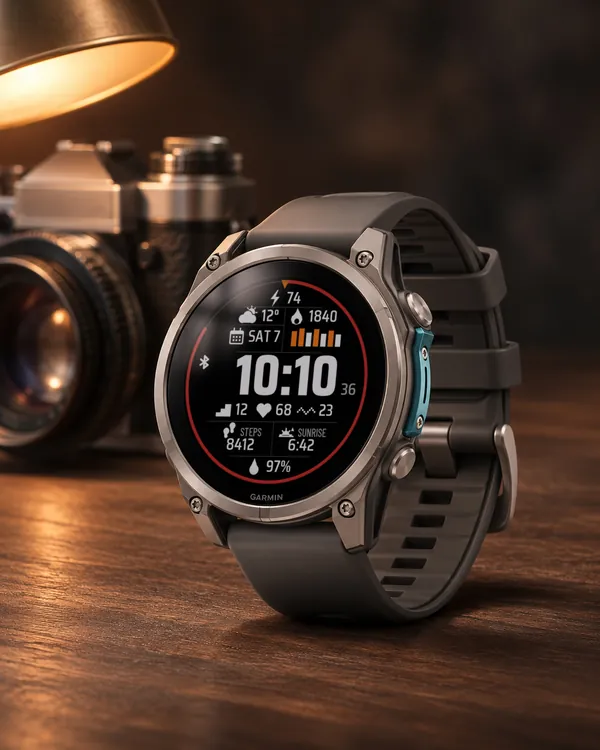 Big Hour
Data Deck
A big time in the middle and ten fields of data around it
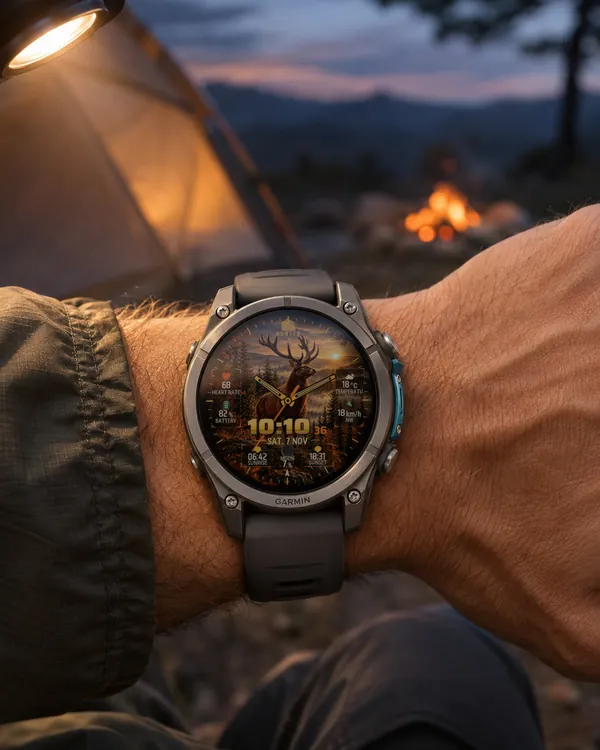 Hunter
 Deer
A watch face for hunters: a stag on a rock in an autumn forest at sunset fills the screen
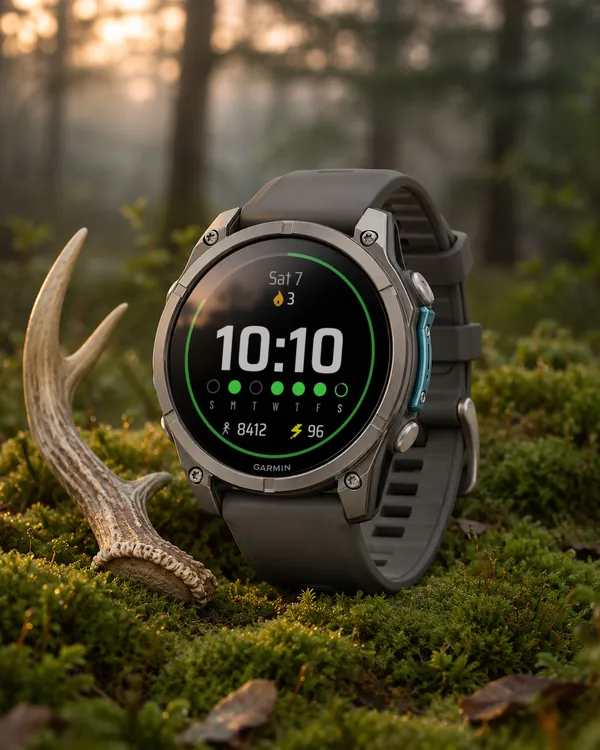 StreakSoon in Connect IQ too
Streak Goals
A watch face that turns your daily step goal into a streak
 Running
Race Ready
5.0 (17)
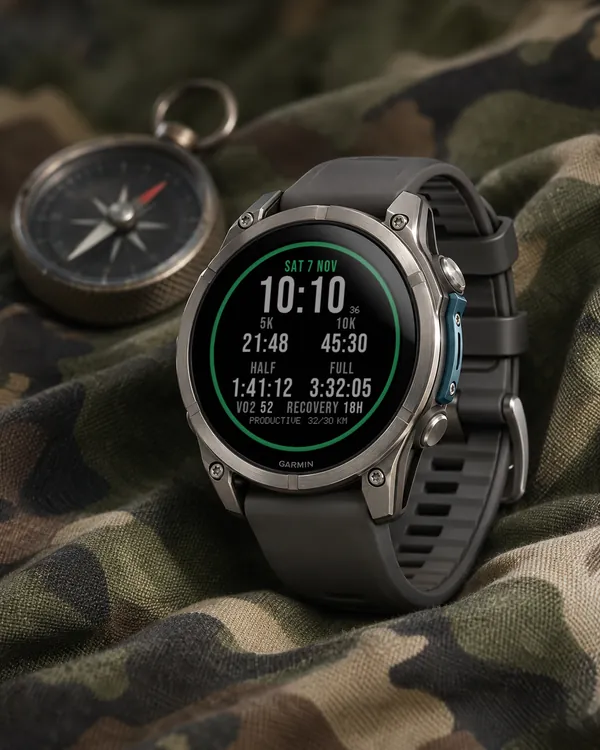
Garmin race predictions and weekly mileage right on the face