7-day free trial, then a one-time 3.99 EUR unlock code at dialforge.dev. No subscription.
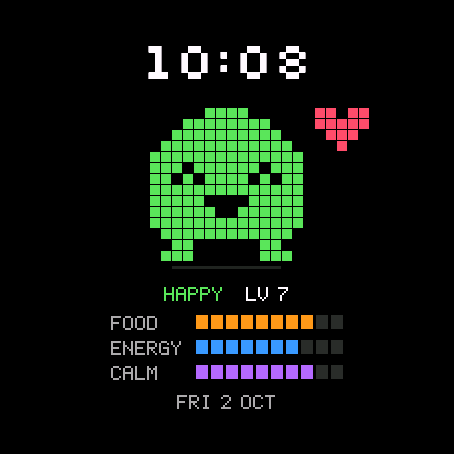
A tiny pixel pet that lives on your watch and reacts to your real day.
Walk and it gets happy and bounces, with a heart over its head. Run low on Body Battery and it droops and sweats. After 11 pm it curls up and snores until 7. Each week it starts again at level 1 and levels up with your intensity minutes.
Features
- 3 pets: Blob, Cat, Robot, each hand drawn in 4 moods: Happy, OK, Tired, Sleep
- Idle animation when you look at the watch: the pet hops and blinks
- Crisp pixel time, mood and level under the pet, date at the bottom
- Three 10-block bars you choose yourself (Food, Energy, Calm by default)
- 5 pet colours: green, pink, blue, yellow, white
- AMOLED always-on: a dim pixel outline of the pet plus the time, shifted every minute
- Optional seconds, English or Polish labels
Moods
- Happy: 70 % of your step goal or more
- Tired: Body Battery under 30 or watch battery under 15 %
- Sleep: 23:00 to 06:59
- Level: 1 + weekly intensity minutes / 15 (150 minutes a week = level 11)
Data for the bars
- Food: steps toward your goal
- Energy: Body Battery
- Calm: 100 minus stress
- Power: watch battery
- Train: weekly intensity minutes toward your goal
Since 1.2.0: time format (12/24 h) and leading zero settings; on touchscreen watches, touch and hold a field to open its screen.
Garmin does not give watch faces access to HRV status or Training Readiness, so no Connect IQ watch face can show them.
Code not working? Write to kontakt@dialforge.dev and we fix it or refund you.
Settings: on the watch (hold MENU, then Watch face, then Customize) or in the Connect IQ app.
A little request from the maker
Dialforge is my student project. I build these watch faces after classes, so they are still at an early stage, and I could not test every watch model myself. If something looks wrong on your watch, please do not leave a negative rating: write to me first at https://dialforge.dev/faces/pixelpal/ and I will fix it, usually within 24 hours. A kind review means more to me than you can imagine. And if you like my work, you can buy me a coffee (the link is at the bottom of dialforge.dev): I am saving up to pay for my studies. Thank you for your patience and for giving a young developer a chance.
7 dni za darmo, potem jednorazowy kod za 3,99 EUR na dialforge.dev. Bez abonamentu.
Malutki pikselowy zwierzak, który mieszka na zegarku i reaguje na Twój prawdziwy dzień.
Chodzisz, to się cieszy i podskakuje, a nad głową ma serduszko. Kończy Ci się Body Battery, to oklapnie i się poci. Po 23:00 zwija się w kłębek i chrapie do 7 rano. Co tydzień zaczyna od poziomu 1 i awansuje za Twoje minuty intensywne.
Co jest na tarczy
- 3 zwierzaki: Kleks, Kot i Robot, każdy narysowany ręcznie w 4 nastrojach: szczęśliwy, OK, zmęczony, śpi
- Kiedy spojrzysz na zegarek, zwierzak podskakuje i mruga
- Ostra pikselowa godzina, nastrój i poziom pod zwierzakiem, data na dole
- Trzy paski po 10 kratek, które ustawiasz sam (domyślnie Karma, Energia, Spokój)
- 5 kolorów zwierzaka: zielony, różowy, niebieski, żółty, biały
- Tryb zawsze włączony na AMOLED: przygaszony pikselowy kontur zwierzaka i godzina, przesuwane co minutę
- Sekundy do włączenia, napisy po polsku albo po angielsku
Nastroje
- Szczęśliwy: co najmniej 70% dziennego celu kroków
- Zmęczony: Body Battery poniżej 30 albo bateria zegarka poniżej 15%
- Śpi: od 23:00 do 6:59
- Poziom: 1 + tygodniowe minuty intensywne / 15 (150 minut w tygodniu to poziom 11)
Dane do pasków
- Karma: kroki do celu
- Energia: Body Battery
- Spokój: 100 minus stres
- Bateria: bateria zegarka
- Trening: tygodniowe minuty intensywne do celu
Od wersji 1.2.0: ustawienia formatu godziny (12/24 h) i zera na początku; na zegarkach z ekranem dotykowym przytrzymanie pola otwiera jego ekran.
Garmin nie udostępnia tarczom statusu HRV ani gotowości treningowej, więc żadna tarcza Connect IQ ich nie pokaże.
Kod nie działa? Napisz na kontakt@dialforge.dev, a naprawimy problem albo oddamy pieniądze.
Ustawienia: na zegarku (przytrzymaj MENU, Tarcza zegarka, Dostosuj) albo w aplikacji Connect IQ.
Mała prośba od autora
Dialforge to mój studencki projekt. Robię te tarcze po zajęciach, więc są jeszcze na wczesnym etapie i nie mogłem przetestować każdego modelu zegarka. Jeśli coś wygląda źle na Twoim zegarku, proszę, nie wystawiaj negatywnej oceny: napisz najpierw do mnie na https://dialforge.dev/faces/pixelpal/, a naprawię to, zwykle w ciągu 24 godzin. Życzliwa opinia znaczy dla mnie więcej, niż myślisz. A jeśli podoba Ci się moja praca, możesz postawić mi kawę (link na dole strony dialforge.dev): zbieram na opłacenie studiów. Dziękuję za cierpliwość i za dane szansy młodemu twórcy.
7 Tage kostenlos testen, danach ein einmaliger Freischaltcode für 3,99 EUR auf dialforge.dev. Kein Abo.
Ein winziges Pixel-Haustier, das auf deiner Uhr lebt und auf deinen echten Tag reagiert.
Geh laufen, und es wird glücklich und hüpft, mit einem Herz über dem Kopf. Sinkt deine Body Battery, hängt es den Kopf und schwitzt. Nach 23 Uhr rollt es sich zusammen und schnarcht bis 7 Uhr. Jede Woche startet es wieder bei Level 1 und steigt mit deinen Intensitätsminuten auf.
Funktionen
- 3 Haustiere: Blob, Cat, Robot, jedes handgezeichnet in 4 Stimmungen: Happy, OK, Tired, Sleep
- Ruheanimation, wenn du auf die Uhr schaust: das Haustier hüpft und blinzelt
- Scharfe Pixel-Uhrzeit, Stimmung und Level unter dem Haustier, Datum unten
- Drei Balken mit je 10 Kästchen, die du selbst festlegst (standardmäßig Food, Energy, Calm)
- 5 Haustierfarben: Grün, Pink, Blau, Gelb, Weiß
- Always-on bei AMOLED: ein gedimmter Pixel-Umriss des Haustiers plus die Uhrzeit, jede Minute verschoben
- Optionale Sekunden, Beschriftungen auf Englisch oder Polnisch
Stimmungen
- Happy: 70 % deines Schrittziels oder mehr
- Tired: Body Battery unter 30 oder Akku der Uhr unter 15 %
- Sleep: 23:00 bis 06:59
- Level: 1 + wöchentliche Intensitätsminuten / 15 (150 Minuten pro Woche = Level 11)
Daten für die Balken
- Food: Schritte zum Ziel
- Energy: Body Battery
- Calm: 100 minus Stress
- Power: Akku der Uhr
- Train: wöchentliche Intensitätsminuten zum Ziel
Seit 1.2.0: Einstellungen für Zeitformat (12/24 h) und führende Null; auf Uhren mit Touchscreen öffnet langes Drücken auf ein Feld die passende Ansicht.
Garmin gibt Zifferblättern keinen Zugriff auf den HRV-Status oder die Trainingsbereitschaft, daher kann kein Connect IQ Zifferblatt sie anzeigen.
Code funktioniert nicht? Schreib an kontakt@dialforge.dev, wir beheben es oder erstatten dein Geld zurück.
Einstellungen: auf der Uhr (MENU gedrückt halten, dann Watch face, dann Customize) oder in der Connect IQ App.
Eine kleine bitte des entwicklers
Dialforge ist mein Studentenprojekt. Ich baue diese Zifferblätter nach den Vorlesungen, deshalb sind sie noch in einer frühen Phase, und ich konnte nicht jedes Uhrenmodell selbst testen. Wenn auf deiner Uhr etwas nicht stimmt, hinterlasse bitte keine schlechte Bewertung: Schreib mir zuerst auf https://dialforge.dev/faces/pixelpal/, dann behebe ich es, meist innerhalb von 24 Stunden. Eine freundliche Bewertung bedeutet mir mehr, als du denkst. Und wenn dir meine Arbeit gefällt, kannst du mir einen Kaffee spendieren (den Link findest du unten auf dialforge.dev): Ich spare für mein Studium. Danke für deine Geduld und dafür, dass du einem jungen Entwickler eine Chance gibst.
Essai gratuit de 7 jours, puis un code de déverrouillage unique à 3,99 EUR sur dialforge.dev. Sans abonnement.
Un minuscule animal en pixels qui vit sur votre montre et réagit à votre vraie journée.
Marchez, et il devient heureux et se met à sautiller, avec un cœur au-dessus de la tête. Votre Body Battery tombe bas, et il s'affaisse et transpire. Après 23 h, il se roule en boule et ronfle jusqu'à 7 h. Chaque semaine, il repart au niveau 1 et progresse avec vos minutes intenses.
Caractéristiques
- 3 animaux : Blob, Cat, Robot, chacun dessiné à la main en 4 humeurs : Happy, OK, Tired, Sleep
- Animation au repos quand vous regardez la montre : l'animal sautille et cligne des yeux
- Heure en pixels bien nette, humeur et niveau sous l'animal, date en bas
- Trois barres de 10 cases que vous choisissez vous-même (par défaut Food, Energy, Calm)
- 5 couleurs d'animal : vert, rose, bleu, jaune, blanc
- Toujours actif sur AMOLED : un contour en pixels atténué de l'animal plus l'heure, décalés chaque minute
- Secondes en option, libellés en anglais ou en polonais
Humeurs
- Happy : 70 % de votre objectif de pas ou plus
- Tired : Body Battery sous 30 ou batterie de la montre sous 15 %
- Sleep : de 23 h 00 à 6 h 59
- Niveau : 1 + minutes intenses hebdomadaires / 15 (150 minutes par semaine = niveau 11)
Données des barres
- Food : pas vers l'objectif
- Energy : Body Battery
- Calm : 100 moins le stress
- Power : batterie de la montre
- Train : minutes intenses hebdomadaires vers l'objectif
Depuis la 1.2.0 : réglages du format de l'heure (12/24 h) et du zéro initial; sur les montres tactiles, un appui long sur un champ ouvre son écran.
Garmin ne donne pas aux cadrans l'accès au statut VFC ni à la disponibilité d'entraînement, aucun cadran Connect IQ ne peut donc les afficher.
Le code ne fonctionne pas ? Écrivez à kontakt@dialforge.dev, nous le réparons ou vous remboursons.
Réglages : sur la montre (maintenez MENU, puis Watch face, puis Customize) ou dans l'application Connect IQ.
Une petite demande du créateur
Dialforge est mon projet étudiant. Je crée ces cadrans après les cours, ils en sont donc encore à un stade précoce, et je n'ai pas pu tester tous les modèles de montre. Si quelque chose ne va pas sur votre montre, s'il vous plaît, ne laissez pas de note négative : écrivez-moi d'abord sur https://dialforge.dev/faces/pixelpal/ et je corrigerai cela, en général sous 24 heures. Un avis bienveillant compte plus que vous ne l'imaginez. Et si vous aimez mon travail, vous pouvez m'offrir un café (le lien se trouve en bas de dialforge.dev) : j'économise pour payer mes études. Merci pour votre patience et pour la chance donnée à un jeune développeur.
Prueba gratuita de 7 días y luego un código de desbloqueo único de 3,99 EUR en dialforge.dev. Sin suscripción.
Una mascota pixelada diminuta que vive en tu reloj y reacciona a tu día real.
Camina y se pone contenta y da saltitos, con un corazón sobre la cabeza. Se te agota la Body Battery y se le cae la cara y suda. Después de las 23:00 se acurruca y ronca hasta las 7. Cada semana vuelve a empezar en el nivel 1 y sube de nivel con tus minutos intensos.
Características
- 3 mascotas: Blob, Cat, Robot, cada una dibujada a mano en 4 estados de ánimo: Happy, OK, Tired, Sleep
- Animación en reposo cuando miras el reloj: la mascota salta y parpadea
- Hora en píxeles nítida, estado de ánimo y nivel bajo la mascota, fecha abajo
- Tres barras de 10 casillas que tú eliges (por defecto Food, Energy, Calm)
- 5 colores de mascota: verde, rosa, azul, amarillo, blanco
- Siempre activo en AMOLED: un contorno de píxeles atenuado de la mascota más la hora, desplazados cada minuto
- Segundos opcionales, textos en inglés o en polaco
Estados de ánimo
- Happy: 70 % de tu objetivo de pasos o más
- Tired: Body Battery por debajo de 30 o batería del reloj por debajo del 15 %
- Sleep: de 23:00 a 6:59
- Nivel: 1 + minutos intensos semanales / 15 (150 minutos a la semana equivalen al nivel 11)
Datos para las barras
- Food: pasos hacia el objetivo
- Energy: Body Battery
- Calm: 100 menos el estrés
- Power: batería del reloj
- Train: minutos intensos semanales hacia el objetivo
Desde la 1.2.0: ajustes de formato de hora (12/24 h) y cero inicial; en relojes táctiles, mantén pulsado un campo para abrir su pantalla.
Garmin no da a las esferas acceso al estado de VFC ni a la disponibilidad para entrenar, así que ninguna esfera Connect IQ puede mostrarlos.
¿El código no funciona? Escribe a kontakt@dialforge.dev y lo arreglamos o te devolvemos el dinero.
Ajustes: en el reloj (mantén pulsado MENU, luego Watch face, luego Customize) o en la app Connect IQ.
Una pequeña petición del creador
Dialforge es mi proyecto de estudiante. Creo estas esferas después de clase, así que todavía están en una fase temprana y no pude probar todos los modelos de reloj. Si algo no se ve bien en tu reloj, por favor no dejes una valoración negativa: escríbeme primero en https://dialforge.dev/faces/pixelpal/ y lo arreglaré, normalmente en 24 horas. Una reseña amable significa para mí más de lo que imaginas. Y si te gusta mi trabajo, puedes invitarme a un café (el enlace está al final de dialforge.dev): estoy ahorrando para pagar mis estudios. Gracias por tu paciencia y por darle una oportunidad a un desarrollador joven.
7 dagen gratis proberen, daarna een eenmalige ontgrendelcode van 3,99 EUR op dialforge.dev. Geen abonnement.
Een piepklein pixelhuisdier dat op je horloge woont en reageert op je echte dag.
Loop je, dan wordt het blij en gaat het huppelen, met een hartje boven zijn hoofd. Zakt je Body Battery, dan hangt het en gaat het zweten. Na 23.00 uur rolt het zich op en snurkt het tot 7 uur. Elke week begint het weer op level 1 en levelt het op met je intensieve minuten.
Functies
- 3 huisdieren: Blob, Cat, Robot, elk met de hand getekend in 4 stemmingen: Happy, OK, Tired, Sleep
- Rustanimatie als je naar het horloge kijkt: het huisdier huppelt en knippert met zijn ogen
- Scherpe pixeltijd, stemming en level onder het huisdier, datum onderaan
- Drie balken van 10 blokjes die je zelf instelt (standaard Food, Energy, Calm)
- 5 kleuren huisdier: groen, roze, blauw, geel, wit
- Always-on op AMOLED: een gedimde pixelcontour van het huisdier plus de tijd, elke minuut verschoven
- Optionele seconden, labels in het Engels of Pools
Stemmingen
- Happy: 70% van je stappendoel of meer
- Tired: Body Battery onder 30 of horlogebatterij onder 15%
- Sleep: van 23.00 tot 6.59 uur
- Level: 1 + wekelijkse intensieve minuten / 15 (150 minuten per week is level 11)
Data voor de balken
- Food: stappen naar je doel
- Energy: Body Battery
- Calm: 100 min stress
- Power: horlogebatterij
- Train: wekelijkse intensieve minuten naar je doel
Sinds 1.2.0: instellingen voor tijdnotatie (12/24 u) en voorloopnul; op horloges met touchscreen opent lang drukken op een veld het bijbehorende scherm.
Garmin geeft wijzerplaten geen toegang tot de HRV-status of trainingsgereedheid, dus geen enkele Connect IQ-wijzerplaat kan die tonen.
Werkt de code niet? Mail naar kontakt@dialforge.dev en we lossen het op of betalen je terug.
Instellingen: op het horloge (houd MENU ingedrukt, dan Watch face, dan Customize) of in de Connect IQ-app.
Een klein verzoek van de maker
Dialforge is mijn studentenproject. Ik maak deze wijzerplaten na de colleges, dus ze zijn nog in een vroeg stadium en ik kon niet elk horlogemodel zelf testen. Ziet er iets verkeerd uit op je horloge, geef dan alsjeblieft geen negatieve beoordeling: schrijf me eerst via https://dialforge.dev/faces/pixelpal/, dan los ik het op, meestal binnen 24 uur. Een vriendelijke review betekent meer voor me dan je denkt. En als je mijn werk waardeert, kun je een koffie voor me kopen (de link staat onderaan dialforge.dev): ik spaar om mijn studie te betalen. Bedankt voor je geduld en voor de kans die je een jonge ontwikkelaar geeft.
7日間無料でお試しいただけます。その後はdialforge.devで3.99ユーロの解除コードを一度だけ購入(サブスクリプションなし)。
時計の中に暮らす小さなピクセルペットが、あなたの1日に反応します。
歩けば喜んで跳ねまわり、頭の上にハートが浮かびます。Body Batteryが低くなるとしょんぼりして汗をかきます。夜11時を過ぎると丸くなって7時までいびきをかいて眠ります。毎週レベル1からやり直し、強度分に応じてレベルアップします。
特長
- 3種類のペット:Blob、Cat、Robot。それぞれ4つの気分(Happy、OK、Tired、Sleep)を手描きで表現
- 時計を見るとアイドルアニメーション:ペットが跳ねて瞬きします
- くっきりしたピクセルフォントの時刻、ペットの下に気分とレベル、下部に日付
- 自分で選べる10ブロックのバーが3つ(初期設定はFood、Energy、Calm)
- 5色のペットカラー:グリーン、ピンク、ブルー、イエロー、ホワイト
- AMOLED常時表示:ペットの暗いピクセル輪郭と時刻を表示し、毎分位置をずらします
- 秒表示はオプション、ラベルは英語またはポーランド語
気分
- Happy:歩数目標の70%以上を達成
- Tired:Body Batteryが30未満、または時計のバッテリーが15%未満
- Sleep:23:00〜6:59
- レベル:1 + 週間強度分 ÷ 15(週150分でレベル11)
バー用のデータ
- Food:目標に対する歩数
- Energy:Body Battery
- Calm:100からストレスを引いた値
- Power:時計のバッテリー
- Train:目標に対する週間強度分
1.2.0から:時刻形式(12/24時間)と先頭ゼロの設定。タッチ対応モデルではフィールドを長押しすると対応画面が開きます。
GarminはウォッチフェイスにHRVステータスやトレーニングレディネスを公開していないため、Connect IQのウォッチフェイスでは表示できません。
コードが使えない場合はkontakt@dialforge.devまでご連絡ください。修理するか返金いたします。
設定:時計側(MENUを長押し、Watch face、Customizeの順)またはConnect IQアプリから。
作者からの小さなお願い
Dialforgeは私の学生プロジェクトです。授業のあとにこれらの文字盤を作っているため、まだ初期段階で、すべての時計モデルで試すことはできませんでした。お使いの時計で表示がおかしいときは、低い評価をつけずに、まずhttps://dialforge.dev/faces/pixelpal/ で私に連絡してください。通常24時間以内に修正します。温かいレビューは、想像以上にうれしいものです。私の仕事を気に入っていただけたら、コーヒーをおごっていただくこともできます(リンクはdialforge.devの一番下にあります)。学費を貯めているところです。ご辛抱いただき、若い開発者にチャンスをくださってありがとうございます。
Prova gratuita di 7 giorni, poi un codice di sblocco una tantum da 3,99 EUR su dialforge.dev. Nessun abbonamento.
Un minuscolo animaletto pixelato che vive sul tuo orologio e reagisce alla tua giornata reale.
Cammini, e diventa felice e inizia a saltellare, con un cuore sopra la testa. La tua Body Battery scende, e lui si affloscia e suda. Dopo le 23 si accoccola e russa fino alle 7. Ogni settimana riparte dal livello 1 e sale di livello con i tuoi minuti intensi.
Caratteristiche
- 3 animaletti: Blob, Cat, Robot, ciascuno disegnato a mano in 4 stati d'animo: Happy, OK, Tired, Sleep
- Animazione a riposo quando guardi l'orologio: l'animaletto salta e sbatte le palpebre
- Ora in pixel nitida, stato d'animo e livello sotto l'animaletto, data in basso
- Tre barre da 10 caselle che scegli tu (di default Food, Energy, Calm)
- 5 colori dell'animaletto: verde, rosa, blu, giallo, bianco
- Always-on su AMOLED: un contorno in pixel attenuato dell'animaletto più l'ora, spostati ogni minuto
- Secondi opzionali, etichette in inglese o in polacco
Stati d'animo
- Happy: 70% del tuo obiettivo passi o più
- Tired: Body Battery sotto 30 o batteria dell'orologio sotto il 15%
- Sleep: dalle 23:00 alle 6:59
- Livello: 1 + minuti intensi settimanali / 15 (150 minuti a settimana equivalgono al livello 11)
Dati per le barre
- Food: passi verso l'obiettivo
- Energy: Body Battery
- Calm: 100 meno lo stress
- Power: batteria dell'orologio
- Train: minuti intensi settimanali verso l'obiettivo
Dalla 1.2.0: impostazioni del formato ora (12/24 h) e dello zero iniziale; sugli orologi touch, tieni premuto un campo per aprire la sua schermata.
Garmin non dà ai quadranti accesso allo stato HRV né alla Training Readiness, quindi nessun quadrante Connect IQ può mostrarli.
Il codice non funziona? Scrivi a kontakt@dialforge.dev e lo sistemiamo o ti rimborsiamo.
Impostazioni: sull'orologio (tieni premuto MENU, poi Watch face, poi Customize) o nell'app Connect IQ.
Una piccola richiesta dall'autore
Dialforge è il mio progetto da studente. Creo questi quadranti dopo le lezioni, quindi sono ancora in una fase iniziale e non ho potuto provare ogni modello di orologio. Se qualcosa sembra sbagliato sul tuo orologio, per favore non lasciare una valutazione negativa: scrivimi prima su https://dialforge.dev/faces/pixelpal/ e lo correggo, di solito entro 24 ore. Una recensione gentile per me conta più di quanto immagini. E se ti piace il mio lavoro, puoi offrirmi un caffè (il link è in fondo a dialforge.dev): sto mettendo da parte i soldi per pagarmi gli studi. Grazie per la pazienza e per aver dato una possibilità a un giovane sviluppatore.
7 天免费试用,之后在 dialforge.dev 以 3.99 欧元购买一次性解锁码(无需订阅)。
一只住在您手表里的迷你像素宠物,会根据您真实的一天做出反应。
走路时它会开心地蹦跳,头顶冒出爱心。Body Battery 偏低时它会耷拉着身子冒汗。晚上 11 点后它会蜷起来打呼噜,直到早上 7 点。每周它都会从 1 级重新开始,随着强度分钟数升级。
功能特色
- 3 种宠物:Blob、Cat、Robot,每种都手绘了 4 种心情:Happy、OK、Tired、Sleep
- 抬手看表时的待机动画:宠物会跳动和眨眼
- 清晰的像素风时间,宠物下方显示心情和等级,底部显示日期
- 三条可自行选择内容的 10 格进度条(默认是 Food、Energy、Calm)
- 5 种宠物颜色:绿色、粉色、蓝色、黄色、白色
- AMOLED 常亮模式:暗淡的宠物像素轮廓加时间显示,每分钟偏移一次
- 秒针显示可选,标签可选英语或波兰语
心情
- Happy:达到步数目标的 70% 以上
- Tired:Body Battery 低于 30,或手表电量低于 15%
- Sleep:23:00 至 06:59
- 等级:1 + 每周强度分钟数 / 15(每周 150 分钟即为 11 级)
进度条数据
- Food:朝目标迈进的步数
- Energy:Body Battery
- Calm:100 减去压力值
- Power:手表电量
- Train:朝目标迈进的每周强度分钟数
自 1.2.0 起:时间格式(12/24 小时)和前导零设置;在触屏手表上,长按数据栏即可打开对应界面。
Garmin 不向表盘开放 HRV 状态和训练准备度,因此任何 Connect IQ 表盘都无法显示。
兑换码无法使用?请写信至 kontakt@dialforge.dev,我们会修复问题或为您退款。
设置:在手表上完成(长按 MENU,依次选择 Watch face、Customize)或在 Connect IQ 应用中完成。
来自作者的一个小请求
Dialforge 是我的学生项目。我利用课余时间,一行一行地写代码,边学边做出这些表盘。如果您的手表上有什么看起来不对劲,请先写信到 https://dialforge.dev/faces/pixelpal/ 告诉我,不要急着给差评。每一条消息都会直接送到我手上,收到的问题我会在 24 小时内修复。对一个学生来说,一条善意的评价比您想象的更有意义。谢谢您的耐心,也谢谢您愿意给一个年轻开发者一个机会。
7-дневный бесплатный пробный период, затем разовый код разблокировки за 3,99 EUR на dialforge.dev. Без подписки.
Крошечный пиксельный питомец, который живет на ваших часах и реагирует на ваш реальный день.
Гуляйте, и он радуется и подпрыгивает с сердечком над головой. Когда уровень Body Battery падает, он поникает и обливается потом. После 11 pm он сворачивается калачиком и храпит до 7. Каждую неделю он начинает заново с 1 уровня и повышает уровень благодаря вашим минутам интенсивности.
Особенности
- 3 питомца: Клякса, Кот, Робот, каждый нарисован вручную в 4 настроениях: счастливый, OK, уставший, спит
- Анимация при взгляде на часы: питомец подпрыгивает и моргает
- Четкое пиксельное время, настроение и уровень под питомцем, дата внизу
- Три шкалы по 10 делений, которые вы настраиваете сами (по умолчанию Корм, Энергия, Спокойствие)
- 5 цветов питомца: зеленый, розовый, синий, желтый, белый
- Режим Always-on для AMOLED: приглушенный пиксельный контур питомца и время со сдвигом каждую минуту
- Секунды по выбору, надписи на английском или польском языке
Настроения
- Счастливый: 70 % от цели по шагам или больше
- Уставший: Body Battery ниже 30 или заряд батареи часов ниже 15 %
- Спит: с 23:00 до 06:59
- Уровень: 1 + минуты интенсивности за неделю / 15 (150 минут в неделю = уровень 11)
Данные для шкал
- Корм: шаги к цели
- Энергия: Body Battery
- Спокойствие: 100 минус стресс
- Питание: батарея часов
- Тренировки: минуты интенсивности за неделю до цели
С версии 1.2.0: настройки формата времени (12/24 h) и начального нуля; на часах с сенсорным экраном коснитесь и удерживайте поле, чтобы открыть его экран.
Garmin не дает циферблатам доступа к статусу HRV или Training Readiness, поэтому ни один циферблат Connect IQ не может их показывать.
Код не работает? Напишите на kontakt@dialforge.dev, и мы все исправим или вернем деньги.
Настройки: на часах (удерживайте MENU, затем «Циферблат», затем «Настройка») или в приложении Connect IQ.
Небольшая просьба от автора
Dialforge - это мой студенческий проект. Я делаю эти циферблаты после занятий, поэтому они ещё на раннем этапе, и я не мог проверить каждую модель часов. Если что-то выглядит неправильно на ваших часах, пожалуйста, не ставьте низкую оценку: сначала напишите мне на https://dialforge.dev/faces/pixelpal/, и я всё исправлю, обычно в течение 24 часов. Доброе слово в отзыве значит для меня больше, чем вы думаете. А если вам нравится моя работа, можете угостить меня кофе (ссылка внизу страницы dialforge.dev): я коплю на оплату учёбы. Спасибо за терпение и за то, что даёте шанс молодому разработчику.
Teste grátis de 7 dias, depois um código de desbloqueio único de 3,99 EUR em dialforge.dev. Sem assinatura.
Um bichinho de pixel bem pequeno que mora no seu relógio e reage ao seu dia de verdade.
Você anda, e ele fica feliz e começa a pular, com um coraçãozinho na cabeça. Sua Body Battery cai, e ele murcha e sua. Depois das 23h ele se enrola e ronca até as 7h. A cada semana ele começa de novo no nível 1 e sobe de nível com seus minutos intensos.
Recursos
- 3 bichinhos: Blob, Cat, Robot, cada um desenhado à mão em 4 humores: Happy, OK, Tired, Sleep
- Animação de descanso quando você olha o relógio: o bichinho pula e pisca
- Hora em pixel bem nítida, humor e nível embaixo do bichinho, data no rodapé
- Três barras de 10 blocos que você mesmo configura (por padrão Food, Energy, Calm)
- 5 cores de bichinho: verde, rosa, azul, amarelo, branco
- Sempre ativo no AMOLED: um contorno em pixel atenuado do bichinho mais a hora, deslocados a cada minuto
- Segundos opcionais, textos em inglês ou em polonês
Humores
- Happy: 70% da sua meta de passos ou mais
- Tired: Body Battery abaixo de 30 ou bateria do relógio abaixo de 15%
- Sleep: das 23h às 6h59
- Nível: 1 + minutos intensos semanais / 15 (150 minutos por semana equivalem ao nível 11)
Dados das barras
- Food: passos até a meta
- Energy: Body Battery
- Calm: 100 menos o estresse
- Power: bateria do relógio
- Train: minutos intensos semanais até a meta
Desde a 1.2.0: ajustes de formato da hora (12/24 h) e zero à esquerda; em relógios com tela sensível ao toque, toque e segure um campo para abrir a tela dele.
A Garmin não dá aos mostradores acesso ao status de VFC nem à prontidão para treino, então nenhum mostrador Connect IQ consegue exibi-los.
O código não funciona? Escreva para kontakt@dialforge.dev e a gente resolve ou devolve seu dinheiro.
Configurações: no relógio (segure MENU, depois Watch face, depois Customize) ou no app Connect IQ.
Um pequeno pedido do criador
O Dialforge é o meu projeto de estudante. Eu crio estes mostradores depois das aulas, então eles ainda estão numa fase inicial, e não consegui testar todos os modelos de relógio. Se algo parecer errado no seu relógio, por favor, não deixe uma avaliação negativa: escreva primeiro para mim em https://dialforge.dev/faces/pixelpal/ e eu corrijo, normalmente em até 24 horas. Uma avaliação gentil significa para mim mais do que você imagina. E se você gosta do meu trabalho, pode me pagar um café (o link está no final de dialforge.dev): estou juntando dinheiro para pagar meus estudos. Obrigado pela paciência e por dar uma chance a um desenvolvedor iniciante.
7denní bezplatná zkušební verze, poté jednorázový odemykací kód za 3,99 EUR na dialforge.dev. Žádné předplatné.
Drobný pixelový mazlíček, který žije ve vašich hodinkách a reaguje na váš skutečný den.
Chodíte a on se raduje a poskakuje se srdíčkem nad hlavou. Když vám dochází Body Battery, zvadne a potí se. Po 11 večer se schoulí do klubíčka a chrápe až do 7. Každý týden začíná znovu na úrovni 1 a postupuje na vyšší úrovně s vašimi minutami intenzivní aktivity.
Funkce
- 3 mazlíčci: Kaňka, Kočka, Robot, každý ručně nakreslený ve 4 náladách: Šťastný, V pohodě, Unavený, Spánek
- Klidová animace při pohledu na hodinky: mazlíček poskakuje a mrká
- Ostrý pixelový čas, nálada a úroveň pod mazlíčkem, datum ve spodní části
- Tři ukazatele po 10 dílcích, které si sami vyberete (ve výchozím nastavení Jídlo, Energie, Klid)
- 5 barev mazlíčka: zelená, růžová, modrá, žlutá, bílá
- Trvale zapnutý displej AMOLED: ztlumený pixelový obrys mazlíčka a čas, posouvané každou minutu
- Volitelné sekundy, popisky v angličtině nebo polštině
Nálady
- Šťastný: 70 % vašeho krokového cíle nebo více
- Unavený: Body Battery pod 30 nebo baterie hodinek pod 15 %
- Spánek: 23:00 až 06:59
- Úroveň: 1 + týdenní minuty intenzivní aktivity / 15 (150 minut týdně = úroveň 11)
Data pro ukazatele
- Jídlo: kroky k vašemu cíli
- Energie: Body Battery
- Klid: 100 minus stres
- Baterie: baterie hodinek
- Trénink: týdenní minuty intenzivní aktivity k vašemu cíli
Od verze 1.2.0: nastavení formátu času (12/24 h) a úvodní nuly; na hodinkách s dotykovým displejem otevřete obrazovku daného údaje dotykem a podržením pole.
Garmin neposkytuje ciferníkům přístup ke stavu HRV ani k Training Readiness, takže je nemůže zobrazit žádný ciferník z Connect IQ.
Kód nefunguje? Napište na kontakt@dialforge.dev a my vše vyřešíme nebo vám vrátíme peníze.
Nastavení: v hodinkách (podržte MENU, pak Vzhled hodinek, pak Upravit) nebo v aplikaci Connect IQ.
Malá prosba od tvůrce
Dialforge je můj studentský projekt. Tyto ciferníky dělám po škole, takže jsou zatím v rané fázi a nemohl jsem otestovat každý model hodinek. Pokud na vašich hodinkách něco nevypadá v pořádku, prosím, nedávejte negativní hodnocení: napište mi nejdřív na https://dialforge.dev/faces/pixelpal/ a já to opravím, obvykle do 24 hodin. Milá recenze pro mě znamená víc, než si dokážete představit. A pokud se vám moje práce líbí, můžete mi koupit kávu (odkaz je dole na dialforge.dev): šetřím si na zaplacení studia. Děkuji vám za trpělivost a za to, že dáváte mladému vývojáři šanci.
7 dias de teste gratuito, depois um código de desbloqueio único de 3,99 EUR em dialforge.dev. Sem subscrição.
Um pequeno animal de estimação em pixéis que vive no seu relógio e reage ao seu dia real.
Se caminhar, fica feliz e salta, com um coração por cima da cabeça. Se a Body Battery estiver baixa, fica descaído e a suar. Depois das 11 da noite enrola-se e ronca até às 7. Todas as semanas recomeça no nível 1 e sobe de nível com os seus minutos de intensidade.
Funcionalidades
- 3 animais: Blob, Gato, Robô, todos desenhados à mão em 4 estados de espírito: Feliz, OK, Cansado, A dormir
- Animação de repouso quando olha para o relógio: o animal salta e pisca os olhos
- Hora, estado de espírito e nível em pixéis nítidos por baixo do animal, data em baixo
- Três barras de 10 blocos que escolhe você (por predefinição Comida, Energia, Calma)
- 5 cores para o animal: verde, rosa, azul, amarelo, branco
- Modo sempre ativo em AMOLED: um contorno ténue do animal em pixéis mais a hora, deslocados a cada minuto
- Segundos opcionais, etiquetas em inglês ou polaco
Estados de espírito
- Feliz: 70 % da meta de passos ou mais
- Cansado: Body Battery abaixo de 30 ou bateria do relógio abaixo de 15 %
- A dormir: das 23:00 às 06:59
- Nível: 1 + minutos de intensidade semanais / 15 (150 minutos por semana = nível 11)
Dados das barras
- Comida: passos para atingir a sua meta
- Energia: Body Battery
- Calma: 100 menos o stress
- Energia do relógio: bateria do relógio
- Treino: minutos de intensidade semanais para atingir a sua meta
Desde a 1.2.0: definições do formato da hora (12/24 h) e do zero à esquerda; nos relógios com ecrã tátil, toque e mantenha premido um campo para abrir o respetivo ecrã.
A Garmin não dá aos mostradores acesso ao estado de HRV nem ao Training Readiness, por isso nenhum mostrador Connect IQ os pode apresentar.
O código não funciona? Escreva para kontakt@dialforge.dev e resolvemos o problema ou devolvemos o seu dinheiro.
Definições: no relógio (mantenha premido MENU, depois Mostrador, depois Personalizar) ou na aplicação Connect IQ.
Um pequeno pedido do criador
O Dialforge é o meu projeto de estudante. Crio estes mostradores depois das aulas, por isso ainda estão numa fase inicial, e não consegui testar todos os modelos de relógio. Se algo parecer errado no seu relógio, por favor não deixe uma avaliação negativa: escreva-me primeiro em https://dialforge.dev/faces/pixelpal/ e eu corrijo, normalmente em 24 horas. Uma avaliação simpática significa para mim mais do que imagina. E se gostar do meu trabalho, pode oferecer-me um café (a ligação está no fundo de dialforge.dev): estou a poupar para pagar os meus estudos. Obrigado pela sua paciência e por dar uma oportunidade a um jovem programador.
7일 무료 체험 후, dialforge.dev에서 3.99 EUR 일회성 잠금 해제 코드를 구매하세요. 구독은 없습니다.
손목 위에 사는 작은 픽셀 펫이 실제 하루에 반응합니다.
걸으면 행복해져서 머리 위에 하트를 띄우고 통통 뜁니다. Body Battery가 부족하면 축 처지고 땀을 흘립니다. 밤 11시가 지나면 몸을 웅크리고 7시까지 코를 곱니다. 매주 레벨 1에서 다시 시작해 운동 강도 시간에 따라 레벨이 오릅니다.
기능
- 펫 3종: Blob, Cat, Robot, 각각 4가지 기분(Happy, OK, Tired, Sleep)으로 손수 그렸습니다
- 시계를 볼 때 나오는 대기 애니메이션: 펫이 깡충 뛰고 눈을 깜박입니다
- 펫 아래에 선명한 픽셀 시간, 기분, 레벨, 맨 아래에 날짜
- 직접 고르는 10칸 막대 세 개(기본값은 Food, Energy, Calm)
- 펫 색상 5가지: 녹색, 분홍색, 파란색, 노란색, 흰색
- AMOLED 상시 표시: 어두운 픽셀 펫 윤곽과 시간, 매분 위치 이동
- 선택 사항인 초 표시, 영어 또는 폴란드어 라벨
기분
- Happy: 걸음 수 목표의 70 % 이상
- Tired: Body Battery 30 미만 또는 시계 배터리 15 % 미만
- Sleep: 23:00부터 06:59까지
- 레벨: 1 + 주간 운동 강도 시간 / 15 (주 150분 = 레벨 11)
막대에 사용되는 데이터
- Food: 목표를 향한 걸음 수
- Energy: Body Battery
- Calm: 100에서 스트레스를 뺀 값
- Power: 시계 배터리
- Train: 목표를 향한 주간 운동 강도 시간
1.2.0부터: 시간 형식(12/24시간) 및 앞자리 영 표시 설정; 터치스크린 시계에서는 필드를 길게 누르면 해당 화면이 열립니다.
Garmin은 워치페이스에 HRV 상태나 Training Readiness에 대한 접근을 허용하지 않으므로, 어떤 Connect IQ 워치페이스도 이를 표시할 수 없습니다.
코드가 작동하지 않나요? kontakt@dialforge.dev로 연락 주시면 해결해 드리거나 환불해 드립니다.
설정: 시계에서(MENU를 길게 누른 다음 워치페이스, 사용자 설정) 또는 Connect IQ 앱에서 변경할 수 있습니다.
제작자의 작은 부탁
Dialforge는 제 학생 프로젝트입니다. 수업이 끝난 뒤에 이 워치페이스들을 만들고 있어서 아직 초기 단계이고, 모든 시계 모델을 직접 테스트하지는 못했습니다. 시계에서 이상한 점이 보이면 낮은 평점을 남기지 마시고 먼저 https://dialforge.dev/faces/pixelpal/에서 알려 주세요. 보통 24시간 안에 고치겠습니다. 따뜻한 리뷰 하나가 제게는 상상 이상으로 큰 힘이 됩니다. 제 작업이 마음에 드신다면 커피를 사주실 수도 있습니다(링크는 dialforge.dev 맨 아래에 있습니다). 학비를 모으고 있습니다. 기다려 주시고 젊은 개발자에게 기회를 주셔서 감사합니다.
7 dagars gratis provperiod, sedan en engångskod för 3,99 EUR på dialforge.dev. Ingen prenumeration.
Ett litet pixeldjur som bor på din klocka och reagerar på din verkliga dag.
Går du blir det glatt och studsar, med ett hjärta ovanför huvudet. Har du lite Body Battery kvar hänger det med huvudet och svettas. Efter 11 på kvällen rullar det ihop sig och snarkar till 7. Varje vecka börjar det om på nivå 1 och går upp i nivå med dina intensitetsminuter.
Funktioner
- 3 djur: Blob, Cat, Robot, alla handritade i 4 humör: Happy, OK, Tired, Sleep
- Vilo-animation när du tittar på klockan: djuret hoppar och blinkar
- Skarp pixeltid, humör och nivå under djuret, datum längst ner
- Tre staplar med 10 block som du väljer själv (Food, Energy, Calm som standard)
- 5 färger på djuret: grön, rosa, blå, gul, vit
- AMOLED alltid på: en dämpad pixelkontur av djuret plus tiden, flyttas varje minut
- Valfria sekunder, engelska eller polska etiketter
Humör
- Happy: 70 % av ditt stegmål eller mer
- Tired: Body Battery under 30 eller klockans batteri under 15 %
- Sleep: 23:00 till 06:59
- Nivå: 1 + veckans intensitetsminuter / 15 (150 minuter i veckan = nivå 11)
Data för staplarna
- Food: steg mot ditt mål
- Energy: Body Battery
- Calm: 100 minus stress
- Power: klockans batteri
- Train: veckans intensitetsminuter mot ditt mål
Sedan 1.2.0: inställningar för tidsformat (12/24 h) och inledande nolla; på klockor med pekskärm håller du in ett fält för att öppna dess skärm.
Garmin ger inte urtavlor tillgång till HRV-status eller Training Readiness, så ingen Connect IQ-urtavla kan visa dem.
Fungerar inte koden? Skriv till kontakt@dialforge.dev så fixar vi det eller betalar tillbaka.
Inställningar: på klockan (håll in MENU, sedan Urtavla, sedan Anpassa) eller i Connect IQ-appen.
En liten förfrågan från skaparen
Dialforge är mitt studentprojekt. Jag bygger de här urtavlorna efter lektionerna, så de är fortfarande på ett tidigt stadium och jag kunde inte testa varje klockmodell själv. Om något ser fel ut på din klocka, lämna gärna inget negativt betyg: skriv först till mig på https://dialforge.dev/faces/pixelpal/ så fixar jag det, vanligtvis inom 24 timmar. En vänlig recension betyder mer för mig än du kan ana. Och om du gillar mitt arbete kan du bjuda mig på en kaffe (länken finns längst ned på dialforge.dev): jag sparar ihop till mina studier. Tack för ditt tålamod och för att du ger en ung utvecklare en chans.
7 dages gratis prøveperiode, derefter en engangskode til 3,99 EUR på dialforge.dev. Intet abonnement.
Et lille pixeldyr, der bor på dit ur og reagerer på din virkelige dag.
Gå en tur, så bliver det glad og hopper med et hjerte over hovedet. Er din Body Battery lav, hænger det med hovedet og sveder. Efter kl. 11 om aftenen krøller det sig sammen og snorker til kl. 7 om morgenen. Hver uge starter det forfra på niveau 1 og stiger i niveau med dine intensitetsminutter.
Funktioner
- 3 dyr: Blob, Kat, Robot, alle håndtegnede i 4 humører: Glad, OK, Træt, Sover
- Hvileanimation, når du kigger på uret: dyret hopper og blinker
- Skarp pixeltid, humør og niveau under dyret, dato nederst
- Tre bjælker med 10 blokke, som du selv vælger (som standard Mad, Energi, Ro)
- 5 farver til dyret: grøn, pink, blå, gul, hvid
- AMOLED always-on: en dæmpet pixelkontur af dyret plus klokkeslættet, flyttet hvert minut
- Valgfri sekundvisning, engelske eller polske etiketter
Humør
- Glad: 70 % af dit skridtmål eller mere
- Træt: Body Battery under 30 eller urets batteri under 15 %
- Sover: 23:00 til 06:59
- Niveau: 1 + ugentlige intensitetsminutter / 15 (150 minutter om ugen = niveau 11)
Data til bjælkerne
- Mad: skridt mod dit mål
- Energi: Body Battery
- Ro: 100 minus stress
- Kraft: urets batteri
- Træn: ugentlige intensitetsminutter mod dit mål
Siden 1.2.0: indstillinger for tidsformat (12/24 timer) og forudgående nul. På ure med touchskærm kan du trykke og holde på et felt for at åbne dets skærmbillede.
Garmin giver ikke urskiver adgang til HRV-status eller Training Readiness, så ingen Connect IQ-urskive kan vise dem.
Virker koden ikke? Skriv til kontakt@dialforge.dev, så retter vi det eller refunderer dine penge.
Indstillinger: på uret (hold MENU, derefter Urskive, derefter Tilpas) eller i Connect IQ-appen.
En lille besked fra udvikleren
Dialforge er mit studieprojekt. Jeg bygger disse urskiver efter undervisningen, så de er stadig på et tidligt stadie, og jeg kunne ikke selv teste alle urmodeller. Hvis noget ser forkert ud på dit ur, så lad være med at give en dårlig bedømmelse: skriv først til mig på https://dialforge.dev/faces/pixelpal/, så retter jeg det, normalt inden for 24 timer. En venlig anmeldelse betyder mere for mig, end du forestiller dig. Og hvis du kan lide mit arbejde, kan du give mig en kop kaffe (linket står nederst på dialforge.dev): jeg sparer op til at betale for mine studier. Tak for din tålmodighed og for at give en ung udvikler en chance.
7 dagers gratis prøveperiode, deretter en engangs opplåsingskode til 3,99 EUR på dialforge.dev. Ingen abonnement.
Et lite pikselkjæledyr som bor på klokken din og reagerer på dagen du faktisk har.
Går du, blir det glad og hopper, med et hjerte over hodet. Går Body Battery lavt, henger det med hodet og svetter. Etter klokken 11 om kvelden krøller det seg sammen og snorker til 7. Hver uke starter det på nivå 1 igjen og stiger i nivå med intensitetsminuttene dine.
Funksjoner
- 3 kjæledyr: Blob, Cat, Robot, hver tegnet for hånd i 4 humør: Happy, OK, Tired, Sleep
- Hvileanimasjon når du ser på klokken: kjæledyret hopper og blunker
- Skarp pikseltid, humør og nivå under kjæledyret, dato nederst
- Tre linjer med 10 blokker som du velger selv (Food, Energy, Calm som standard)
- 5 kjæledyrfarger: grønn, rosa, blå, gul, hvit
- AMOLED alltid-på: en dempet pikselkontur av kjæledyret pluss tiden, flyttet hvert minutt
- Valgfrie sekunder, engelske eller polske etiketter
Humør
- Happy: 70 % av skrittmålet ditt eller mer
- Tired: Body Battery under 30 eller klokkebatteri under 15 %
- Sleep: 23:00 til 06:59
- Nivå: 1 + ukentlige intensitetsminutter / 15 (150 minutter i uken = nivå 11)
Data til linjene
- Food: skritt mot målet ditt
- Energy: Body Battery
- Calm: 100 minus stress
- Power: klokkebatteri
- Train: ukentlige intensitetsminutter mot målet ditt
Fra 1.2.0: innstillinger for tidsformat (12/24 t) og innledende null; på berøringsskjermklokker kan du trykke og holde på et felt for å åpne skjermbildet.
Garmin gir ikke urskiver tilgang til HRV-status eller Training Readiness, så ingen Connect IQ-urskive kan vise dem.
Fungerer ikke koden? Skriv til kontakt@dialforge.dev, så fikser vi det eller refunderer pengene.
Innstillinger: på klokken (hold MENU, deretter Urskive, deretter Tilpass) eller i Connect IQ-appen.
En liten forespørsel fra utvikleren
Dialforge er studentprosjektet mitt. Jeg lager disse urskivene etter forelesning, så de er fortsatt på et tidlig stadium, og jeg har ikke kunnet teste alle klokkemodeller selv. Hvis noe ser feil ut på klokken din, vær snill og ikke gi en negativ vurdering: skriv til meg først på https://dialforge.dev/faces/pixelpal/, så fikser jeg det, vanligvis innen 24 timer. En vennlig omtale betyr mer for meg enn du kan forestille deg. Og hvis du liker arbeidet mitt, kan du kjøpe meg en kaffe (lenken ligger nederst på dialforge.dev): jeg sparer til studiene mine. Takk for tålmodigheten og for at du gir en ung utvikler en sjanse.
7 天免費試用,之後在 dialforge.dev 以 3.99 歐元購買一次性解鎖碼(不需訂閱)。
一隻住在您手錶裡的迷你像素寵物,會依照您真實的一天做出反應。
走路時牠會開心地蹦跳,頭頂冒出愛心。Body Battery 偏低時牠會無精打采冒汗。晚上 11 點後牠會蜷起來打呼,直到早上 7 點。每週牠都會從 1 級重新開始,隨著強度分鐘數升級。
功能特色
- 3 種寵物:Blob、Cat、Robot,各自手繪了 4 種心情:Happy、OK、Tired、Sleep
- 抬手看錶時的待機動畫:寵物會跳動並眨眼
- 清晰的像素風時間,寵物下方顯示心情與等級,底部顯示日期
- 三條可自行選擇內容的 10 格進度條(預設為 Food、Energy、Calm)
- 5 種寵物顏色:綠色、粉色、藍色、黃色、白色
- AMOLED 常亮模式:寵物的暗淡像素輪廓加上時間顯示,每分鐘偏移一次
- 秒針顯示為可選項目,標籤可選英文或波蘭文
心情
- Happy:達到步數目標的 70% 以上
- Tired:Body Battery 低於 30,或手錶電量低於 15%
- Sleep:23:00 至 06:59
- 等級:1 + 每週強度分鐘數 / 15(每週 150 分鐘即為 11 級)
進度條資料
- Food:朝目標邁進的步數
- Energy:Body Battery
- Calm:100 減去壓力值
- Power:手錶電量
- Train:朝目標邁進的每週強度分鐘數
自 1.2.0 起:時間格式(12/24 小時)與前導零設定;在觸控手錶上,長按資料欄即可開啟對應畫面。
Garmin 不向錶面開放 HRV 狀態與訓練準備度,因此任何 Connect IQ 錶面都無法顯示。
解鎖碼無法使用?請寫信至 kontakt@dialforge.dev,我們會修復問題或為您退費。
設定:在手錶上完成(長按 MENU,依序選擇 Watch face、Customize)或在 Connect IQ 應用程式中完成。
來自作者的一個小請求
Dialforge 是我的學生專案。我利用課餘時間,一行一行寫程式,邊學邊做出這些錶面。如果您的手錶上有什麼看起來不對勁,請先寫信到 https://dialforge.dev/faces/pixelpal/ 告訴我,別急著給低分評價。每一則訊息都會直接送到我手上,收到的問題我會在 24 小時內修好。對一個學生來說,一則善意的評價比您想像的更有意義。謝謝您的耐心,也謝謝您願意給一個年輕開發者一個機會。
7 päivän ilmainen kokeilu, sen jälkeen kertamaksuinen 3,99 EUR avauskoodi osoitteessa dialforge.dev. Ei tilausta.
Pikkuruinen pikselilemmikki, joka asuu kellossasi ja reagoi oikeaan päiväsi kulkuun.
Kävele, niin se iloitsee ja pomppii sydän päänsä päällä. Jos Body Battery on alhaalla, se roikottaa päätään ja hikoilee. Kello 11 jälkeen illalla se käpertyy kerälle ja kuorsaa klo 7 asti. Joka viikko se aloittaa alusta tasolta 1 ja nousee tasoja intensiteettiminuuttiesi mukaan.
Ominaisuudet
- 3 lemmikkiä: Blob, Cat, Robot, jokainen käsin piirretty 4 mielialassa: Happy, OK, Tired, Sleep
- Joutenolon animaatio, kun katsot kelloa: lemmikki hyppii ja räpyttelee silmiään
- Terävä pikseliaika, mieliala ja taso lemmikin alla, päivämäärä alareunassa
- Kolme 10 lohkon palkkia, jotka valitset itse (oletuksena Food, Energy, Calm)
- 5 lemmikin väriä: vihreä, pinkki, sininen, keltainen, valkoinen
- AMOLED always-on: himmeä pikseliääriviiva lemmikistä sekä aika, siirretään joka minuutti
- Valinnaiset sekunnit, englannin- tai puolankieliset tekstit
Mielialat
- Happy: 70 % askeltavoitteestasi tai enemmän
- Tired: Body Battery alle 30 tai kellon akku alle 15 %
- Sleep: 23:00-06:59
- Taso: 1 + viikon intensiteettiminuutit / 15 (150 minuuttia viikossa = taso 11)
Palkkien tiedot
- Food: askeleet kohti tavoitettasi
- Energy: Body Battery
- Calm: 100 miinus stressi
- Power: kellon akku
- Train: viikon intensiteettiminuutit kohti tavoitettasi
Versiosta 1.2.0 alkaen: aikamuoto (12/24 h) ja etunollan asetukset; kosketusnäyttökelloissa kentän avaa pitämällä sitä painettuna.
Garmin ei anna kellotauluille pääsyä HRV-tilaan eikä Training Readiness -tietoon, joten mikään Connect IQ -kellotaulu ei voi näyttää niitä.
Koodi ei toimi? Kirjoita osoitteeseen kontakt@dialforge.dev, niin korjaamme asian tai palautamme rahasi.
Asetukset: kellossa (pidä MENU painettuna, sitten Kellotaulu, sitten Mukauta) tai Connect IQ -sovelluksessa.
Pieni pyyntö tekijältä
Dialforge on opiskelijaprojektini. Teen näitä kellotauluja tuntien jälkeen, joten ne ovat vielä varhaisessa vaiheessa, enkä voinut testata jokaista kellomallia itse. Jos jokin näyttää kellossasi väärältä, älä jätä negatiivista arvostelua: kirjoita ensin minulle osoitteessa https://dialforge.dev/faces/pixelpal/, niin korjaan sen yleensä 24 tunnin kuluessa. Ystävällinen arvostelu merkitsee minulle enemmän kuin arvaatkaan. Ja jos pidät työstäni, voit tarjota minulle kahvit (linkki on dialforge.dev-sivun alalaidassa): säästän opintojeni maksamiseen. Kiitos kärsivällisyydestäsi ja siitä, että annat nuorelle kehittäjälle mahdollisuuden.
7-dňová bezplatná skúška, potom jednorazový odblokovací kód za 3,99 EUR na dialforge.dev. Bez predplatného.
Drobný pixelový miláčik, ktorý žije na vašich hodinkách a reaguje na váš skutočný deň.
Keď chodíte, poteší sa a poskakuje, so srdiečkom nad hlavou. Keď vám klesne Body Battery, ovisne a potí sa. Po 11. hodine večer sa schúli a chrápe do 7. rána. Každý týždeň začína znova na úrovni 1 a rastie podľa vašich minút intenzity.
Funkcie
- 3 miláčikovia: Blob, Cat, Robot, každý ručne kreslený v 4 náladách: Happy, OK, Tired, Sleep
- Animácia pri pohľade na hodinky: miláčik poskakuje a žmurká
- Ostrý pixelový čas, nálada a úroveň pod miláčikom, dátum dole
- Tri 10-blokové ukazovatele, ktoré si vyberiete sami (predvolene Food, Energy, Calm)
- 5 farieb miláčika: zelená, ružová, modrá, žltá, biela
- AMOLED stále zapnutý displej: stlmený pixelový obrys miláčika a čas, posúvané každú minútu
- Voliteľné sekundy, popisky v angličtine alebo poľštine
Nálady
- Happy: 70 % cieľa krokov alebo viac
- Tired: Body Battery pod 30 alebo batéria hodiniek pod 15 %
- Sleep: 23:00 až 06:59
- Úroveň: 1 + týždenné minúty intenzity / 15 (150 minút týždenne = úroveň 11)
Údaje pre ukazovatele
- Food: kroky k cieľu
- Energy: Body Battery
- Calm: 100 mínus stres
- Power: batéria hodiniek
- Train: týždenné minúty intenzity k cieľu
Od 1.2.0: nastavenia formátu času (12/24 h) a úvodnej nuly; na hodinkách s dotykovým displejom podržaním poľa otvoríte jeho obrazovku.
Garmin nedáva ciferníkom prístup k stavu HRV ani k Training Readiness, takže ich nemôže zobraziť žiadny ciferník Connect IQ.
Kód nefunguje? Napíšte na kontakt@dialforge.dev a opravíme to alebo vám vrátime peniaze.
Nastavenia: na hodinkách (podržte MENU, potom Ciferník, potom Prispôsobiť) alebo v aplikácii Connect IQ.
Malá prosba od tvorcu
Dialforge je môj študentský projekt. Tieto ciferníky robím po škole, takže sú ešte v ranej fáze a nemohol som otestovať každý model hodiniek. Ak vám niečo na hodinkách nesedí, prosím, nedávajte negatívne hodnotenie: napíšte mi najprv na https://dialforge.dev/faces/pixelpal/ a ja to opravím, zvyčajne do 24 hodín. Milá recenzia pre mňa znamená viac, než si viete predstaviť. A ak sa vám páči moja práca, môžete mi kúpiť kávu (odkaz je dolu na dialforge.dev): zbieram na zaplatenie štúdia. Ďakujem za trpezlivosť a za šancu pre mladého vývojára.
7-dnevni brezplačni preizkus, nato enkratna odklepna koda za 3,99 EUR na dialforge.dev. Brez naročnine.
Droben pikselski ljubljenček, ki živi na vaši uri in se odziva na vaš resnični dan.
Ko hodite, je vesel in poskakuje, nad glavo pa ima srce. Ko vam pade Body Battery, povesi glavo in se poti. Po 11. uri zvečer se zvije in smrči do 7. ure. Vsak teden začne znova na ravni 1 in napreduje z vašimi intenzivnimi minutami.
Funkcije
- 3 ljubljenčki: Blob, Cat, Robot, vsak ročno narisan v 4 razpoloženjih: Happy, OK, Tired, Sleep
- Animacija mirovanja, ko pogledate uro: ljubljenček poskakuje in mežika
- Oster pikselski čas, razpoloženje in raven pod ljubljenčkom, datum spodaj
- Tri vrstice z 10 bloki, ki jih izberete sami (privzeto Food, Energy, Calm)
- 5 barv ljubljenčka: zelena, roza, modra, rumena, bela
- AMOLED vedno vklopljen: zatemnjen pikselski obris ljubljenčka in čas, vsako minuto premaknjena
- Neobvezne sekunde, angleške ali poljske oznake
Razpoloženja
- Happy: 70 % cilja korakov ali več
- Tired: Body Battery pod 30 ali baterija ure pod 15 %
- Sleep: od 23:00 do 06:59
- Raven: 1 + tedenske intenzivne minute / 15 (150 minut na teden = raven 11)
Podatki za vrstice
- Food: koraki proti cilju
- Energy: Body Battery
- Calm: 100 minus stres
- Power: baterija ure
- Train: tedenske intenzivne minute proti cilju
Od 1.2.0: nastavitvi oblike časa (12/24 h) in vodilne ničle; na urah z zaslonom na dotik z dotikom in držanjem polja odprete njegov zaslon.
Garmin ne omogoča ciferblatom dostopa do stanja HRV ali Training Readiness, zato ju noben ciferblat Connect IQ ne more prikazati.
Koda ne deluje? Pišite na kontakt@dialforge.dev in jo bomo popravili ali vam vrnili denar.
Nastavitve: na uri (držite MENU, nato Watch face, nato Customize) ali v aplikaciji Connect IQ.
Majhna prošnja avtorja
Dialforge je moj študentski projekt. Te ciferblate delam po predavanjih, zato so še v zgodnji fazi in nisem mogel preizkusiti vseh modelov ur. Če kaj na vaši uri ni videti prav, prosim, ne dajte negativne ocene: najprej mi pišite na https://dialforge.dev/faces/pixelpal/ in popravim, običajno v 24 urah. Prijazna ocena mi pomeni več, kot si lahko predstavljate. Če vam je moje delo všeč, mi lahko kupite kavo (povezava je na dnu strani dialforge.dev): varčujem za plačilo študija. Hvala za potrpežljivost in za priložnost, ki jo dajete mlademu razvijalcu.
Uji coba gratis 7 hari, lalu kode aktivasi sekali bayar 3,99 EUR di dialforge.dev. Tanpa langganan.
Hewan piksel mungil yang tinggal di jammu dan bereaksi pada harimu yang sebenarnya.
Kamu berjalan, dia senang dan melompat-lompat, dengan hati di atas kepalanya. Body Battery menipis, dia lesu dan berkeringat. Lewat pukul 11 malam dia meringkuk dan mendengkur sampai pukul 7 pagi. Setiap minggu dia mulai lagi dari level 1 dan naik level bersama menit intensitasmu.
Fitur
- 3 hewan: Blob, Cat, Robot, masing-masing digambar tangan dalam 4 suasana hati: Happy, OK, Tired, Sleep
- Animasi diam saat kamu melihat jam: hewannya melompat kecil dan berkedip
- Jam piksel yang tajam, suasana hati, dan level di bawah hewan, tanggal di bagian bawah
- Tiga bilah 10 blok yang kamu pilih sendiri (Food, Energy, Calm secara default)
- 5 warna hewan: hijau, merah muda, biru, kuning, putih
- Always-on AMOLED: kontur piksel hewan yang redup plus jam, bergeser setiap menit
- Detik (opsional), label dalam bahasa Inggris atau Polandia
Suasana hati
- Happy: 70 % target langkahmu atau lebih
- Tired: Body Battery di bawah 30 atau baterai jam di bawah 15 %
- Sleep: 23:00 sampai 06:59
- Level: 1 + menit intensitas mingguan / 15 (150 menit seminggu = level 11)
Data untuk bilah
- Food: langkah menuju targetmu
- Energy: Body Battery
- Calm: 100 dikurangi stres
- Power: baterai jam
- Train: menit intensitas mingguan menuju targetmu
Sejak 1.2.0: pengaturan format waktu (12/24 jam) dan angka nol di depan; di jam layar sentuh, tekan dan tahan sebuah kolom untuk membuka layarnya.
Garmin tidak memberi watch face akses ke status HRV maupun Training Readiness, jadi tidak ada watch face Connect IQ yang bisa menampilkannya.
Kode tidak berfungsi? Tulis ke kontakt@dialforge.dev dan kami perbaiki atau uangmu dikembalikan.
Pengaturan: di jam (tahan MENU, lalu Watch face, lalu Customize) atau di aplikasi Connect IQ.
Permintaan kecil dari pembuatnya
Dialforge adalah proyek mahasiswa saya. Saya membuat watch face ini sepulang kuliah, untuk belajar, satu baris kode demi satu baris. Kalau ada yang terlihat salah di jam kamu, tolong kabari saya dulu di https://dialforge.dev/faces/pixelpal/ sebelum memberi rating rendah. Setiap pesan masuk langsung ke saya dan bug yang dilaporkan saya perbaiki dalam 24 jam. Bagi seorang mahasiswa, satu ulasan yang baik artinya lebih besar daripada yang kamu bayangkan. Terima kasih atas kesabaran dan kesempatan yang kamu berikan kepada pengembang muda.
7 napos ingyenes próba, utána egyszeri 3,99 EUR a feloldó kódért a dialforge.dev oldalon. Nincs előfizetés.
Egy apró pixeles háziállat, amely az órádon él, és a valódi napodra reagál.
Ha sétálsz, boldog lesz és ugrál, a feje fölött egy szívvel. Ha kevés a Body Battery, lekonyul és izzad. Este 11 után összegömbölyödik, és reggel 7-ig horkol. Minden héten újrakezdi az 1. szintről, és az intenzitásperceid szerint lép szintet.
Funkciók
- 3 háziállat: Blob, Macska, Robot, mind kézzel rajzolva 4 hangulatban: Boldog, Rendben, Fáradt, Alszik
- Tétlen animáció, amikor ránézel az órára: az állat ugrál és pislog
- Éles pixeles idő, hangulat és szint az állat alatt, a dátum alul
- Három 10 blokkos sáv, amelyeket te választasz (alapból Étel, Energia, Nyugalom)
- 5 háziállat-szín: zöld, rózsaszín, kék, sárga, fehér
- AMOLED mindig bekapcsolt mód: az állat tompított pixeles körvonala és az idő, percenként eltolva
- Opcionális másodpercek, angol vagy lengyel feliratok
Hangulatok
- Boldog: a lépéscélod 70 %-a vagy több
- Fáradt: a Body Battery 30 alatt van, vagy az óra akkumulátora 15 % alatt
- Alszik: 23:00 és 06:59 között
- Szint: 1 + heti intenzitásperc / 15 (heti 150 perc = 11. szint)
A sávok adatai
- Étel: a lépéseid a cél felé
- Energia: Body Battery
- Nyugalom: 100 mínusz a stressz
- Erő: az óra akkumulátora
- Edzés: heti intenzitásperc a célod felé
Az 1.2.0 verziótól: időformátum (12/24 órás) és a vezető nulla beállítása; érintőképernyős órákon egy mezőt hosszan megérintve megnyílik a hozzá tartozó képernyő.
A Garmin nem ad hozzáférést az óralapoknak a HRV státuszhoz és a Training Readiness értékhez, ezért egyetlen Connect IQ óralap sem tudja megjeleníteni őket.
Nem működik a kód? Írj a kontakt@dialforge.dev címre, és kijavítjuk, vagy visszatérítjük az árat.
Beállítások: az órán (tartsd lenyomva a MENU gombot, majd Watch face, aztán Customize) vagy a Connect IQ alkalmazásban.
Egy kis kérés a készítőtől
A Dialforge a diákprojektem. Ezeket az óralapokat az órák után készítem, ezért még korai szakaszban vannak, és nem tudtam minden óramodellt kipróbálni. Ha valami rosszul néz ki az órádon, kérlek, ne adj negatív értékelést: írj nekem előbb itt: https://dialforge.dev/faces/pixelpal/, és kijavítom, általában 24 órán belül. Egy kedves vélemény többet jelent nekem, mint gondolnád. És ha tetszik a munkám, meghívhatsz egy kávéra (a link a dialforge.dev oldal alján található): a tanulmányaim kifizetésére gyűjtök. Köszönöm a türelmedet, és hogy esélyt adsz egy fiatal fejlesztőnek.
ทดลองใช้ฟรี 7 วัน จากนั้นซื้อรหัสปลดล็อกครั้งเดียว 3.99 EUR ที่ dialforge.dev ไม่มีค่าสมัครสมาชิก
สัตว์เลี้ยงพิกเซลตัวจิ๋วที่อาศัยอยู่บนนาฬิกาของคุณและตอบสนองต่อวันจริงของคุณ
เดินแล้วมันจะดีใจและกระโดด มีหัวใจลอยเหนือหัว ถ้า Body Battery เหลือน้อยมันจะห่อเหี่ยวและเหงื่อตก หลัง 11 pm มันจะขดตัวนอนกรนจนถึง 7 โมงเช้า ทุกสัปดาห์มันจะเริ่มใหม่ที่เลเวล 1 และเลเวลอัปตามนาทีความหนักของคุณ
คุณสมบัติ
- สัตว์เลี้ยง 3 แบบ: Blob, Cat, Robot วาดด้วยมือในอารมณ์ 4 แบบ: Happy, OK, Tired, Sleep
- แอนิเมชันตอนอยู่เฉย ๆ เมื่อคุณมองนาฬิกา: สัตว์เลี้ยงกระโดดและกะพริบตา
- เวลาพิกเซลคมชัด อารมณ์และเลเวลอยู่ใต้สัตว์เลี้ยง วันที่อยู่ด้านล่าง
- แถบ 10 ช่องสามแถบที่คุณเลือกเอง (ค่าเริ่มต้นคือ Food, Energy, Calm)
- สีสัตว์เลี้ยง 5 สี: เขียว ชมพู ฟ้า เหลือง ขาว
- AMOLED แสดงตลอดเวลา: เส้นขอบพิกเซลของสัตว์เลี้ยงแบบหรี่แสงพร้อมเวลา ขยับทุกนาที
- วินาทีแบบเลือกได้ ป้ายกำกับภาษาอังกฤษหรือโปแลนด์
อารมณ์
- Happy: ตั้งแต่ 70 % ของเป้าหมายก้าวขึ้นไป
- Tired: Body Battery ต่ำกว่า 30 หรือแบตเตอรี่นาฬิกาต่ำกว่า 15 %
- Sleep: 23:00 ถึง 06:59
- เลเวล: 1 + นาทีความหนักรายสัปดาห์ / 15 (150 นาทีต่อสัปดาห์ = เลเวล 11)
ข้อมูลสำหรับแถบ
- Food: ก้าวเทียบกับเป้าหมายของคุณ
- Energy: Body Battery
- Calm: 100 ลบความเครียด
- Power: แบตเตอรี่นาฬิกา
- Train: นาทีความหนักรายสัปดาห์เทียบกับเป้าหมายของคุณ
ตั้งแต่ 1.2.0: การตั้งค่ารูปแบบเวลา (12/24 ชม.) และเลขศูนย์นำหน้า บนนาฬิกาหน้าจอสัมผัส แตะค้างที่ช่องข้อมูลเพื่อเปิดหน้าจอของช่องนั้น
Garmin ไม่เปิดให้หน้าปัดนาฬิกาเข้าถึงสถานะ HRV หรือ Training Readiness ดังนั้นหน้าปัด Connect IQ ทุกแบบจึงแสดงสองค่านี้ไม่ได้
รหัสใช้ไม่ได้ใช่ไหม เขียนมาที่ kontakt@dialforge.dev แล้วเราจะแก้ให้หรือคืนเงินให้คุณ
การตั้งค่า: บนนาฬิกา (กด MENU ค้างไว้ แล้วเลือกหน้าปัดนาฬิกา จากนั้นเลือกปรับแต่ง) หรือในแอป Connect IQ
คำขอเล็ก ๆ จากผู้สร้าง
Dialforge เป็นโปรเจกต์นักศึกษาของผม ผมสร้างหน้าปัดเหล่านี้หลังเลิกเรียนเพื่อเรียนรู้ ทีละบรรทัดโค้ด ถ้ามีอะไรดูผิดปกติบนนาฬิกาของคุณ รบกวนบอกผมก่อนที่ https://dialforge.dev/faces/pixelpal/ แทนการให้คะแนนต่ำ ทุกข้อความมาถึงผมโดยตรง และผมแก้บั๊กที่แจ้งมาภายใน 24 ชั่วโมง สำหรับนักศึกษาคนหนึ่ง รีวิวดี ๆ สักข้อความมีความหมายมากกว่าที่คุณจะนึกออก ขอบคุณที่อดทนและให้โอกาสนักพัฒนารุ่นเยาว์
Δωρεάν δοκιμή 7 ημερών και στη συνέχεια κωδικός ενεργοποίησης με εφάπαξ πληρωμή 3,99 EUR στο dialforge.dev. Χωρίς συνδρομή.
Ένα μικροσκοπικό pixel κατοικίδιο που ζει στο ρολόι σου και αντιδρά στην πραγματική σου μέρα.
Περπάτα και χαίρεται και χοροπηδά, με μια καρδιά πάνω από το κεφάλι του. Αν το Body Battery πέσει χαμηλά, γέρνει και ιδρώνει. Μετά τις 11 το βράδυ κουλουριάζεται και ροχαλίζει μέχρι τις 7. Κάθε εβδομάδα ξεκινά ξανά από το επίπεδο 1 και ανεβαίνει επίπεδο με τα λεπτά έντασής σου.
Χαρακτηριστικά
- 3 κατοικίδια: Blob, Cat, Robot, το καθένα ζωγραφισμένο στο χέρι σε 4 διαθέσεις: Happy, OK, Tired, Sleep
- Κινούμενη αναμονή όταν κοιτάς το ρολόι: το κατοικίδιο χοροπηδά και ανοιγοκλείνει τα μάτια
- Καθαρή pixel ώρα, διάθεση και επίπεδο κάτω από το κατοικίδιο, ημερομηνία στο κάτω μέρος
- Τρεις γραμμές 10 τετραγώνων που διαλέγεις μόνος (Food, Energy, Calm από προεπιλογή)
- 5 χρώματα κατοικιδίου: πράσινο, ροζ, μπλε, κίτρινο, λευκό
- AMOLED always-on: αμυδρό pixel περίγραμμα του κατοικιδίου και η ώρα, με μετατόπιση κάθε λεπτό
- Προαιρετικά δευτερόλεπτα, ετικέτες στα αγγλικά ή στα πολωνικά
Διαθέσεις
- Happy: 70 % του στόχου βημάτων ή περισσότερο
- Tired: Body Battery κάτω από 30 ή μπαταρία ρολογιού κάτω από 15 %
- Sleep: 23:00 έως 06:59
- Επίπεδο: 1 + εβδομαδιαία λεπτά έντασης / 15 (150 λεπτά την εβδομάδα = επίπεδο 11)
Δεδομένα για τις γραμμές
- Food: βήματα προς τον στόχο σου
- Energy: Body Battery
- Calm: 100 μείον το στρες
- Power: μπαταρία ρολογιού
- Train: εβδομαδιαία λεπτά έντασης προς τον στόχο σου
Από την 1.2.0: ρυθμίσεις μορφής ώρας (12/24 ω) και αρχικού μηδενικού. Στα ρολόγια αφής, πάτα παρατεταμένα ένα πεδίο για να ανοίξει η οθόνη του.
Η Garmin δεν δίνει στις ψηφιακές όψεις πρόσβαση στην κατάσταση HRV ή στο Training Readiness, επομένως καμία όψη Connect IQ δεν μπορεί να τα εμφανίσει.
Ο κωδικός δεν λειτουργεί; Γράψε στο kontakt@dialforge.dev και θα το διορθώσουμε ή θα σου επιστρέψουμε τα χρήματα.
Ρυθμίσεις: στο ρολόι (κράτα πατημένο το MENU, μετά Όψη ρολογιού, μετά Προσαρμογή) ή στην εφαρμογή Connect IQ.
Ενα μικρο αιτημα απο τον δημιουργο
Το Dialforge είναι το φοιτητικό μου project. Φτιάχνω αυτές τις όψεις μετά τα μαθήματα, οπότε βρίσκονται ακόμη σε πρώιμο στάδιο και δεν μπόρεσα να δοκιμάσω κάθε μοντέλο ρολογιού. Αν κάτι δεν φαίνεται σωστό στο ρολόι σου, σε παρακαλώ μην αφήσεις αρνητική βαθμολογία: γράψε πρώτα σε μένα στο https://dialforge.dev/faces/pixelpal/ και θα το διορθώσω, συνήθως εντός 24 ωρών. Μια καλή κριτική σημαίνει για μένα περισσότερα απ' όσα φαντάζεσαι. Κι αν σου αρέσει η δουλειά μου, μπορείς να μου κεράσεις έναν καφέ (ο σύνδεσμος είναι στο κάτω μέρος του dialforge.dev): μαζεύω χρήματα για να πληρώσω τις σπουδές μου. Ευχαριστώ για την υπομονή σου και που δίνεις μια ευκαιρία σε έναν νέο προγραμματιστή.
7 dana besplatnog probnog razdoblja, zatim jednokratni otključni kod za 3,99 EUR na dialforge.dev. Bez pretplate.
Sićušan pikselski ljubimac koji živi na vašem satu i reagira na vaš stvarni dan.
Hodajte i postat će sretan i skakat će, sa srcem iznad glave. Kad vam Body Battery padne, objesit će glavu i znojiti se. Nakon 11 navečer sklupča se i hrče do 7. Svaki tjedan kreće ispočetka od razine 1 i napreduje s vašim minutama intenziteta.
Značajke
- 3 ljubimca: Blob, Cat, Robot, svaki ručno nacrtan u 4 raspoloženja: Happy, OK, Tired, Sleep
- Animacija mirovanja kad pogledate sat: ljubimac poskakuje i trepće
- Oštro prikazano vrijeme, raspoloženje i razina ispod ljubimca, datum pri dnu
- Tri trake od 10 blokova koje birate sami (po zadanom Food, Energy, Calm)
- 5 boja ljubimca: zelena, ružičasta, plava, žuta, bijela
- AMOLED uvijek uključen: prigušen pikselski obris ljubimca i vrijeme, pomiče se svake minute
- Neobavezne sekunde, oznake na engleskom ili poljskom
Raspoloženja
- Happy: 70 % vašeg cilja koraka ili više
- Tired: Body Battery ispod 30 ili baterija sata ispod 15 %
- Sleep: 23:00 do 06:59
- Razina: 1 + tjedne minute intenziteta / 15 (150 minuta tjedno = razina 11)
Podaci za trake
- Food: koraci prema cilju
- Energy: Body Battery
- Calm: 100 minus stres
- Power: baterija sata
- Train: tjedne minute intenziteta prema cilju
Od verzije 1.2.0: postavke formata vremena (12/24 h) i vodeće nule; na satovima sa zaslonom osjetljivim na dodir dodirnite i držite polje da otvorite njegov zaslon.
Garmin ne daje brojčanicima pristup HRV statusu ni Training Readiness, pa ih nijedan Connect IQ brojčanik ne može prikazati.
Kod ne radi? Pišite na kontakt@dialforge.dev i popravit ćemo ga ili vratiti novac.
Postavke: na satu (držite MENU, zatim Brojčanik, zatim Prilagodi) ili u aplikaciji Connect IQ.
Mala molba od autora
Dialforge je moj studentski projekt. Ove brojčanike izrađujem nakon nastave, pa su još u ranoj fazi i nisam mogao testirati svaki model sata. Ako nešto na vašem satu ne izgleda dobro, molim vas, nemojte ostaviti negativnu ocjenu: javite mi se prvo na https://dialforge.dev/faces/pixelpal/, a ja ću to ispraviti, obično u roku od 24 sata. Ljubazna recenzija mi znači više nego što možete zamisliti. A ako vam se sviđa moj rad, možete mi kupiti kavu (poveznica je na dnu stranice dialforge.dev): skupljam za plaćanje studija. Hvala na strpljenju i što ste dali priliku mladom programeru.
7 ימי ניסיון חינם, ואז קוד פתיחה חד-פעמי בעלות 3.99 EUR באתר dialforge.dev. ללא מנוי.
חיית פיקסלים קטנה שחיה על השעון שלכם ומגיבה ליום האמיתי שלכם.
הולכים, והיא שמחה וקופצת, עם לב מעל הראש. Body Battery נמוך, והיא נשמטת ומזיעה. אחרי 11 בלילה היא מתכרבלת ונוחרת עד 7 בבוקר. בכל שבוע היא מתחילה מחדש ברמה 1 ועולה רמות לפי דקות העצימות שלכם.
תכונות
- 3 חיות: Blob, Cat, Robot, כל אחת מצוירת ביד ב-4 מצבי רוח: Happy, OK, Tired, Sleep
- אנימציית המתנה כשמסתכלים על השעון: החיה קופצת ומצמצת
- שעה חדה בפיקסלים, מצב רוח ורמה מתחת לחיה, ותאריך בתחתית
- שלושה פסים של 10 קוביות שאתם בוחרים בעצמכם (כברירת מחדל Food, Energy, Calm)
- 5 צבעי חיה: ירוק, ורוד, כחול, צהוב, לבן
- תצוגה תמידית ב-AMOLED: מתאר פיקסלים מעומעם של החיה ואת השעה, מוזזים בכל דקה
- שניות לבחירה, תוויות באנגלית או בפולנית
מצבי רוח
- Happy: 70 % מיעד הצעדים או יותר
- Tired: Body Battery מתחת ל-30 או סוללת שעון מתחת ל-15 %
- Sleep: 23:00 עד 06:59
- רמה: 1 + דקות עצימות שבועיות / 15 (150 דקות בשבוע = רמה 11)
נתונים לפסים
- Food: צעדים לעבר היעד שלכם
- Energy: Body Battery
- Calm: 100 פחות מתח
- Power: סוללת השעון
- Train: דקות עצימות שבועיות לעבר היעד שלכם
מגרסה 1.2.0: הגדרות פורמט שעה (12/24 שעות) ואפס מוביל; בשעונים עם מסך מגע, לחיצה ארוכה על שדה פותחת את המסך שלו.
Garmin לא נותנת לפני שעון גישה לסטטוס HRV או ל-Training Readiness, ולכן שום פני שעון של Connect IQ לא יכולים להציג אותם.
הקוד לא עובד? כתבו ל-kontakt@dialforge.dev ונתקן או נחזיר את הכסף.
הגדרות: בשעון (לחיצה ארוכה על MENU, אחר כך Watch face, ואז Customize) או באפליקציית Connect IQ.
בקשה קטנה מהיוצר
Dialforge הוא פרויקט הסטודנטים שלי. אני בונה את פני השעון האלה אחרי הלימודים, כדי ללמוד, שורת קוד אחת בכל פעם. אם משהו נראה לא נכון בשעון שלכם, בבקשה כתבו לי קודם ב-https://dialforge.dev/faces/pixelpal/ במקום להשאיר דירוג נמוך. כל הודעה מגיעה אליי אישית, ואני מתקן באגים שדווחו תוך 24 שעות. לסטודנט, ביקורת טובה אחת שווה יותר ממה שאפשר לדמיין. תודה על הסבלנות ועל שנתתם הזדמנות למפתח צעיר.
Percubaan percuma 7 hari, kemudian kod buka kunci sekali bayar 3.99 EUR di dialforge.dev. Tiada langganan.
Haiwan peliharaan piksel kecil yang tinggal di jam anda dan bertindak balas terhadap hari sebenar anda.
Apabila anda berjalan, ia gembira dan melantun, dengan hati di atas kepalanya. Apabila Body Battery hampir habis, ia terkulai dan berpeluh. Selepas 11 malam ia meringkuk dan berdengkur sehingga 7 pagi. Setiap minggu ia bermula semula pada tahap 1 dan naik tahap mengikut minit intensiti anda.
Ciri-ciri
- 3 haiwan peliharaan: Blob, Cat, Robot, setiap satu dilukis tangan dalam 4 mood: Happy, OK, Tired, Sleep
- Animasi rehat apabila anda memandang jam: haiwan itu melompat dan berkelip
- Masa piksel yang tajam, mood dan tahap di bawah haiwan, tarikh di bahagian bawah
- Tiga bar 10 blok yang anda pilih sendiri (Food, Energy, Calm secara lalai)
- 5 warna haiwan: hijau, merah jambu, biru, kuning, putih
- AMOLED sentiasa hidup: garis piksel malap haiwan itu serta masa, dialihkan setiap minit
- Saat pilihan, label bahasa Inggeris atau Poland
Mood
- Happy: 70 % daripada sasaran langkah anda atau lebih
- Tired: Body Battery di bawah 30 atau bateri jam di bawah 15 %
- Sleep: 23:00 hingga 06:59
- Tahap: 1 + minit intensiti mingguan / 15 (150 minit seminggu = tahap 11)
Data untuk bar
- Food: langkah ke arah sasaran anda
- Energy: Body Battery
- Calm: 100 tolak tekanan (stres)
- Power: bateri jam
- Train: minit intensiti mingguan ke arah sasaran anda
Sejak 1.2.0: tetapan format masa (12/24 j) dan sifar di hadapan; pada jam skrin sentuh, sentuh dan tahan medan untuk membuka skrinnya.
Garmin tidak memberi akses kepada status HRV atau Training Readiness untuk muka jam, jadi tiada muka jam Connect IQ yang dapat menunjukkannya.
Kod tidak berfungsi? Tulis kepada kontakt@dialforge.dev dan kami akan membetulkannya atau memulangkan wang anda.
Tetapan: pada jam (tahan MENU, kemudian Muka jam, kemudian Sesuaikan) atau dalam aplikasi Connect IQ.
Permintaan kecil daripada pembuat
Dialforge ialah projek pelajar saya. Saya membuat muka jam ini selepas kelas, untuk belajar, satu baris kod pada satu masa. Jika ada yang kelihatan tidak kena pada jam anda, tolong beritahu saya dahulu di https://dialforge.dev/faces/pixelpal/ dan bukannya memberi penilaian rendah. Setiap mesej sampai kepada saya sendiri dan saya membetulkan pepijat yang dilaporkan dalam masa 24 jam. Bagi seorang pelajar, satu ulasan yang baik bermakna lebih daripada yang anda bayangkan. Terima kasih atas kesabaran anda dan kerana memberi peluang kepada pembangun muda.
Manual
The full manual and the detailed permission descriptions are available in English and Polish.
Pixel Pal: user manual
What it does
Pixel Pal is a pixel pet that reacts to your day: pixel time on top, the pet in the middle, its mood and level, three 10-block bars and the date.
Requirements and supported watches
Needs Connect IQ 3.3.0+ and the Connect IQ or Garmin Connect phone app. Supported watches:
- Round AMOLED: epix 2 and epix Pro 2, fēnix 8, E, Forerunner 165, 265, 570, 965, 970, Instinct 3 AMOLED, Crossover AMOLED, Venu 2, 3, 4, vivoactive 5, 6.
- Round MIP: enduro 3, fēnix 7 series, 8 Solar, Forerunner 55, 245, 255, vivoactive 4.
- Square and rectangular AMOLED: Venu Sq 2, Venu X1.
Installation
In the Connect IQ app on your phone (or Garmin Connect, then the Connect IQ Store) find "Pixel Pal" by Dialforge, tap Install and sync the watch. Then hold the watch face (or the menu button), choose Watch Face and select Pixel Pal.
First launch
A green Blob with bars for Food (steps), Energy (Body Battery) and Calm (stress). Seconds are off. The 7-day trial starts the first time the face runs.
Controls
Watches with buttons (START, UP, DOWN, BACK)
- No actions of its own. Settings: menu button (UP), Watch Face, Customize.
Touch watches (tap, hold, swipe)
- Touch and hold a data field to open Garmin's screen for it. No matching screen, nothing happens.
- Touch spots: each of the three bars.
Settings
Watch: menu button, Watch Face, Customize. Phone: Connect IQ app, Pixel Pal, Settings (code fields only there).
- Top bar, Middle bar, Bottom bar: each shows one of 5 data types. Defaults in that order: Steps, Body Battery, Stress.
- Pet: Blob, Cat, Robot. Default: Blob.
- Pet colour: Green, Pink, Blue, Yellow, White. Default: Green.
- Seconds: on or off. Default: off.
- Time format: Automatic (watch setting), 12-hour, 24-hour. Default: Automatic.
- Date language: Automatic, English, Polski. Default: Automatic. It keeps working after the trial.
- Mood, first match wins: Sleep from 23:00 to 06:59, Tired when Body Battery is under 30 or the watch battery under 15%, Happy from 70% of the step goal, otherwise OK.
- Level is 1 plus weekly intensity minutes divided by 15, up to 99, and restarts with the Garmin week. A bar with no data shows --.
License
- Trial: 7 days from the first launch, everything works.
- Price: 3.99 EUR once at dialforge.dev, no subscription. The 8-character code is tied to your watch's UID.
- Where to enter it: phone, Connect IQ app, Pixel Pal, Settings. Read the UID in "UID (dialforge.dev)", buy the code, then type it into "Unlock code".
- After the trial without a code: settings return to defaults (the language setting stays) and UNLOCK DIALFORGE.DEV appears at the bottom. Time and data keep working.
Privacy and permissions
Permissions:
- Sensor history: recent body battery, stress and similar values.
- User profile: data like max heart rate and units.
- Complications: Garmin's own data for the fields.
No internet use at all.
Troubleshooting
The code does not work. Check that the UID you bought for matches "UID (dialforge.dev)" and type all 8 characters (case is ignored, no 0, O, 1 or I). A code for another face does not fit. Sync, then reopen.
A field shows --. The watch has no value for it right now: it may need a sensor reading, a connected phone (weather), a Garmin feature turned on, or a newer watch. The face never invents numbers.
Battery drain? Seconds are drawn only while the watch is awake, in low-power mode the face redraws once a minute.
What does always-on look like? On AMOLED, always-on shows the dimmed time and the pet as a thin outline in its colour, shifted every minute. MIP watches have no separate always-on mode.
12-hour or 24-hour? Automatic follows the watch's 12/24-hour setting. You can force 12 or 24 hours in the settings.
Contact
kontakt@dialforge.dev or dialforge.dev. Please write before leaving a low rating.
Pixel Pal: instrukcja obsługi
Do czego służy
Pixel Pal to pikselowy zwierzak, który reaguje na twój dzień: pikselowy czas u góry, zwierzak pośrodku, jego nastrój i poziom, trzy paski po 10 klocków i data.
Wymagania i obsługiwane zegarki
Wymaga Connect IQ 3.3.0+ i aplikacji Connect IQ albo Garmin Connect w telefonie. Obsługiwane zegarki:
- Okrągłe AMOLED: epix 2 i epix Pro 2, fēnix 8, E, Forerunner 165, 265, 570, 965, 970, Instinct 3 AMOLED, Crossover AMOLED, Venu 2, 3, 4, vivoactive 5, 6.
- Okrągłe MIP: enduro 3, seria fēnix 7, fēnix 8 Solar, Forerunner 55, 245, 255, vivoactive 4.
- Kwadratowe i prostokątne AMOLED: Venu Sq 2, Venu X1.
Instalacja
Na telefonie otwórz aplikację Connect IQ (albo Garmin Connect, a w niej sklep Connect IQ), wyszukaj "Pixel Pal" od Dialforge, stuknij Zainstaluj i zsynchronizuj zegarek. Potem przytrzymaj obecną tarczę (albo przycisk menu), wybierz Tarcza zegarka i wskaż Pixel Pal.
Pierwsze uruchomienie
Zielony Kleks z paskami Karma (kroki), Energia (Body Battery) i Spokój (stres). Sekundy wyłączone. 7-dniowy okres próbny zaczyna się przy pierwszym uruchomieniu tarczy.
Sterowanie
Zegarki z przyciskami (START, GÓRA, DÓŁ, WSTECZ)
- Brak własnych akcji. Ustawienia: przycisk menu (GÓRA), Tarcza zegarka, Dostosuj.
Zegarki dotykowe (stuknięcie, przytrzymanie, przesunięcie)
- Przytrzymaj pole danych, żeby otworzyć jego ekran Garmina. Bez pasującego ekranu nic się nie dzieje.
- Punkty dotyku: każdy z trzech pasków.
Ustawienia
Zegarek: przycisk menu, Tarcza zegarka, Dostosuj. Telefon: aplikacja Connect IQ, Pixel Pal, Ustawienia (pola kodu tylko tam).
- Górny pasek, Środkowy pasek, Dolny pasek: każde pokazuje jeden z 5 rodzajów danych. Domyślnie w tej kolejności: Kroki, Body Battery, Stres.
- Zwierzak: Kleks, Kot, Robot. Domyślnie: Kleks.
- Kolor zwierzaka: Zielony, Różowy, Niebieski, Żółty, Biały. Domyślnie: Zielony.
- Sekundy: włączone lub wyłączone. Domyślnie: wyłączone.
- Format godziny: Automatycznie (ustawienie zegarka), 12-godzinny, 24-godzinny. Domyślnie: Automatycznie.
- Język daty: Automatycznie, English, Polski. Domyślnie: Automatycznie. Działa też po okresie próbnym.
- Nastrój, pierwszy pasujący wygrywa: Sen od 23:00 do 06:59, Zmęczony przy Body Battery poniżej 30 albo baterii zegarka poniżej 15%, Wesoły od 70% celu kroków, w pozostałych razach OK.
- Poziom to 1 plus tygodniowe minuty intensywne podzielone przez 15, do 99, i zaczyna się od nowa wraz z tygodniem Garmina. Pasek bez danych pokazuje --.
Licencja
- Okres próbny: 7 dni od pierwszego uruchomienia, wszystko działa.
- Cena: jednorazowo 3,99 EUR na dialforge.dev, bez abonamentu. 8-znakowy kod jest przypisany do UID zegarka.
- Gdzie wpisać: telefon, aplikacja Connect IQ, Pixel Pal, Ustawienia. Odczytaj UID w polu "UID (dialforge.dev)", kup kod i wpisz go w "Kod odblokowania".
- Po okresie próbnym bez kodu: ustawienia wracają do domyślnych (zostaje ustawienie języka), a na dole pojawia się UNLOCK DIALFORGE.DEV. Czas i dane działają dalej.
Prywatność i uprawnienia
Uprawnienia:
- Historia czujników: ostatnie Body Battery, stres i podobne.
- Profil użytkownika: dane jak tętno maksymalne i jednostki.
- Komplikacje: dane Garmina dla pól.
Zero połączeń z internetem.
Rozwiązywanie problemów
Kod nie działa. Sprawdź, czy UID, dla którego kupiono kod, zgadza się z polem "UID (dialforge.dev)", i wpisz wszystkie 8 znaków (wielkość liter bez znaczenia, bez 0, O, 1, I). Kod do innej tarczy nie pasuje. Zsynchronizuj i otwórz ponownie.
Pole pokazuje --. Zegarek nie ma teraz tej wartości: może brakować pomiaru czujnika, połączonego telefonu (pogoda), włączonej funkcji Garmina albo nowszego zegarka. Tarcza nie zmyśla liczb.
Zużycie baterii? Sekundy są rysowane tylko przy aktywnym zegarku, w trybie oszczędzania tarcza odświeża się raz na minutę.
Jak wygląda tryb zawsze włączony? Na AMOLED tryb zawsze włączony pokazuje przygaszony czas i zwierzaka jako cienki kontur w jego kolorze, przesuwane co minutę. Zegarki MIP nie mają osobnego trybu zawsze włączonego.
12 czy 24 godziny? Automatycznie idzie za ustawieniem zegarka. W ustawieniach możesz wymusić 12 lub 24 godziny.
Kontakt
kontakt@dialforge.dev albo dialforge.dev. Napisz, zanim wystawisz niską ocenę.
Permissions and privacy
This product asks the watch for the permissions below. Connect IQ shows them when you install it.
- Sensor history: Reads recent values stored by the watch (for example Body Battery, stress, heart rate, steps trend).Odczytuje ostatnie wartości zapisane przez zegarek (na przykład Body Battery, stres, tętno, trend kroków).
- Your profile: Reads your Garmin profile on the watch (for example age, weight, heart rate zones) to calculate values for you.Odczytuje Twój profil Garmin na zegarku (na przykład wiek, wagę, strefy tętna), żeby liczyć wartości dla Ciebie.
- Watch data (complications): Shows data from other watch features, such as battery or steps, on the face.Pokazuje na tarczy dane z innych funkcji zegarka, takie jak bateria czy kroki.
This product does not use the internet and sends no data to our servers.
The full manual and the detailed permission descriptions are available in English and Polish.
Unlock
€3.99
One-time payment. No subscription. The code works on the watch whose UID you enter.
- Install the face from the Connect IQ store. It is free for 7 days.
- Find your 10-digit UID: Connect IQ app on the phone > My Device > Watch faces > Pixel Pal > Settings (first field).
- Enter UID and e-mail, pay with PayPal (cards work without a PayPal account). The code appears here at once.
- Type the code into the same settings page, field "Unlock code". The watch checks it offline.
Thank you! Your code:
Enter it in the face settings, field "Unlock code". Keep it: you can recover it at dialforge.dev/code.
More faces
 Retro
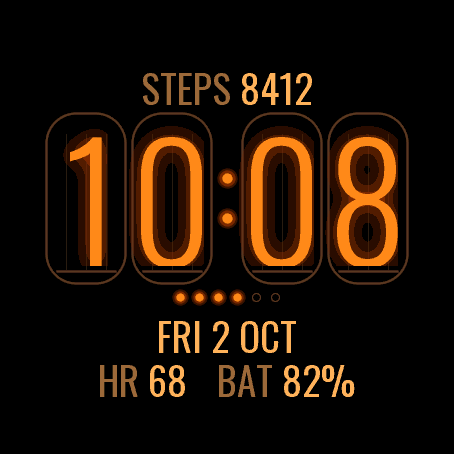
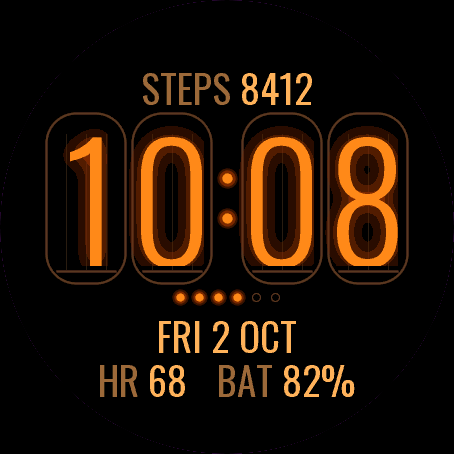
RetroNixie Lamp
Four glowing nixie tubes on your wrist.
 Retro
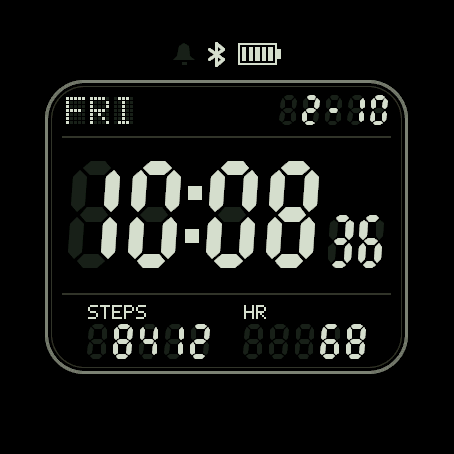
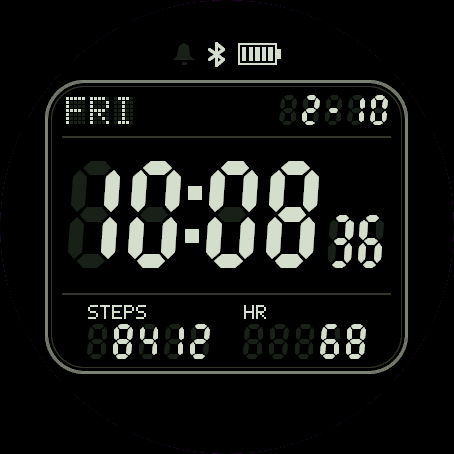
RetroLCD 84
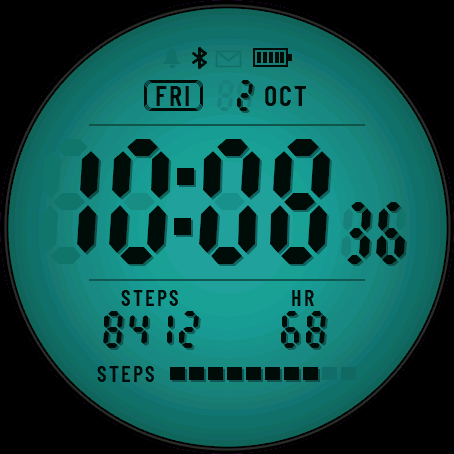
A retro segment LCD, ghost segments and all.
 Geek
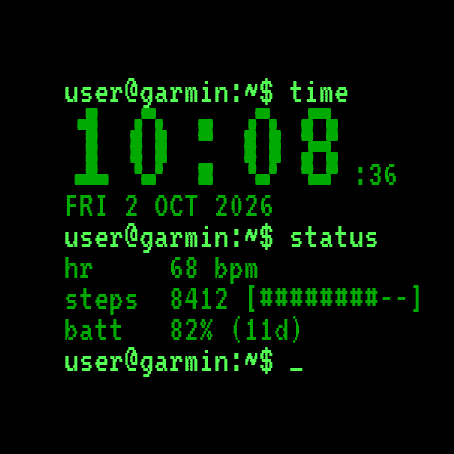
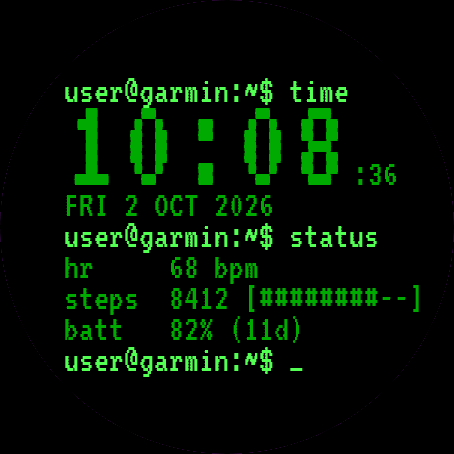
GeekShell Time
Your watch as a terminal session.
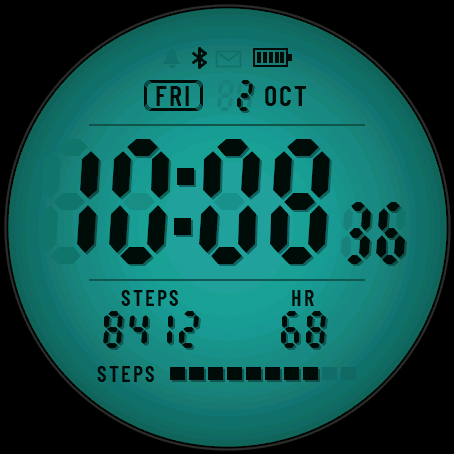
 Backlit LcdSoon
Lume Panel
A colour backlit LCD panel with glowing segments, in five backlight colours.
Tell us how to make it better
Missing a data field, a colour, a layout? Found a bug on your watch model? Write it here. We read every message and ship improvements in updates.