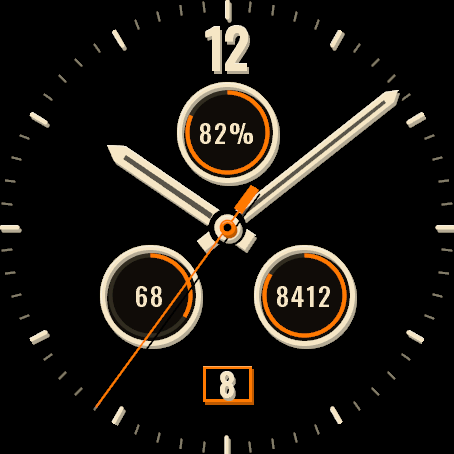
A plain analog field watch. Three subdials, a small date window and nothing more.
Three chronograph-style subdials in 4D: battery on top, heart rate lower left, steps lower right, each with a progress arc and the number in the middle. A small date window sits at the bottom, a solid 12 at the top, and the hands pass over the subdials on purpose. Every shape has 4D depth: a darker base, the shape lifted 1 to 2 px and a thin light edge on top. On AMOLED the hands also cast a soft shadow. No logo or model name on the dial.
Features
- Numeral 12 at the top, or a bar in its place
- Three 4D subdials (top, lower left, lower right), each with a progress arc and a number. Any of the 45 data fields; default: battery, heart rate, steps
- Small date window at the bottom (can be turned off; date language by watch language, or English or Polish)
- Thin seconds hand with a short counterweight while the screen is awake (can be turned off)
- Dial: Black, Olive, Navy, Desert. Numerals and hands: Cream, White, Lume green. 10 accent colours
- 4D depth: darker base, lifted shape and a light edge on the hands, centre cap, the 12, subdial bezels, date window and 5-minute markers (flat layers on watches with 64 colors)
- AMOLED always-on: the 12, thin subdial rings and the hands as outlines, dimmed and shifted every minute
- Lean: no animations, a background service only for the Popular color sets list (every 6 hours it contacts dialforge.dev and sends just an anonymous color number), one redraw per minute while the watch sleeps
Data fields: heart rate, steps, battery, distance, calories, floors, active minutes, Body Battery, stress, altitude, notifications, solar intensity, battery days, temperature, sunrise, sunset, next sun event, respiration, SpO2, recovery time, pressure, resting heart rate, VO2 max, sleep score*, 5K prediction*, weekly run distance*, moon phase, week number, day of year, or empty.
* needs a watch with Connect IQ 4.2 or newer
On small 240 px screens a subdial field may stay empty (--) when its text does not fit, for example distance without the unit or the training status. Numbers of 5 digits or more are shown as 12K.
Garmin does not give watch faces access to HRV status or Training Readiness, so no Connect IQ watch face can show them.
Code not working? Write to kontakt@dialforge.dev and we fix it or refund you.
Settings: on the watch (hold MENU, then Watch face, then Customize) or in the Connect IQ app.
Popular color sets: for that list only an anonymous color number is sent.
Plain Field comes in more styles, see them all at https://dialforge.dev/
A little request from the maker
Dialforge is my student project. I build these watch faces after classes, so they are still at an early stage, and I could not test every watch model myself. If something looks wrong on your watch, please do not leave a negative rating: write to me first at https://dialforge.dev/faces/plainfieldchrono/ and I will fix it, usually within 24 hours. A kind review means more to me than you can imagine. And if you like my work, you can buy me a coffee (the link is at the bottom of dialforge.dev): I am saving up to pay for my studies. Thank you for your patience and for giving a young developer a chance.
Zwykły analogowy zegarek polowy. Trzy subtarcze, małe okienko daty i nic więcej.
Trzy subtarcze w stylu chronografu w 4D: bateria u góry, tętno po lewej na dole, kroki po prawej na dole, każda z łukiem postępu i liczbą w środku. Małe okienko daty jest na dole, pełna 12 u góry, a wskazówki celowo przechodzą nad subtarczami. Każdy kształt ma głębię 4D: ciemniejszą podstawę, kształt uniesiony o 1 do 2 px i cienką jasną krawędź na górze. Na AMOLED wskazówki rzucają też miękki cień. Na tarczy nie ma logo ani nazwy modelu.
Co jest na tarczy
- Cyfra 12 u góry albo kreska w jej miejscu
- Trzy subtarcze 4D (górna, lewa dolna, prawa dolna), każda z łukiem postępu i liczbą. Dowolne z 45 pól danych; domyślnie bateria, tętno, kroki
- Małe okienko daty na dole (można wyłączyć; język daty wg zegarka albo angielski lub polski)
- Cienka wskazówka sekundowa z krótką przeciwwagą przy aktywnym ekranie (można wyłączyć)
- Tarcza: czarna, oliwkowa, granatowa, pustynna. Cyfry i wskazówki: kremowe, białe albo zielone jak luma. 10 kolorów akcentu
- Głębia 4D: ciemniejsza podstawa, uniesiony kształt i jasna krawędź na wskazówkach, kropce środka, cyfrze 12, ramkach subtarcz, okienku daty i znacznikach co 5 minut (płaskie warstwy na zegarkach z 64 kolorami)
- Tryb zawsze włączony na AMOLED: 12, cienkie obwódki subtarcz i wskazówki jako kontury, przygaszone i przesuwane co minutę
- Oszczędna: bez animacji, usługa w tle tylko dla listy Popularne zestawy kolorów (co 6 godzin łączy się z dialforge.dev i wysyła wyłącznie anonimowy numer koloru), jedno odświeżenie na minutę, gdy zegarek śpi
Dane do wyboru: tętno, kroki, bateria, dni na baterii, dystans, kalorie, piętra, minuty intensywne, Body Battery, stres, wysokość, ciśnienie, powiadomienia, nasłonecznienie, temperatura, wschód i zachód słońca, najbliższy wschód albo zachód, oddech, pulsoksymetr, czas regeneracji, tętno spoczynkowe, VO2 max, ocena snu*, prognoza na 5 km*, kilometry biegu w tygodniu*, faza księżyca, numer tygodnia, dzień roku, albo puste pole.
* wymaga zegarka z Connect IQ 4.2 lub nowszym
Na małych ekranach 240 px pole w subtarczy może zostać puste (--), gdy jego tekst się nie mieści, na przykład dystans bez jednostki albo status treningu. Liczby od 5 cyfr są skracane do postaci 12K.
Garmin nie udostępnia tarczom statusu HRV ani gotowości treningowej, więc żadna tarcza Connect IQ ich nie pokaże.
Kod nie działa? Napisz na kontakt@dialforge.dev, a naprawimy problem albo oddamy pieniądze.
Ustawienia: na zegarku (przytrzymaj MENU, potem Tarcza zegarka, potem Dostosuj) albo w aplikacji Connect IQ.
Popularne zestawy kolorów: do tej listy wysyłany jest tylko anonimowy numer koloru.
Plain Field ma więcej stylów, wszystkie zobaczysz na https://dialforge.dev/
Mała prośba od autora
Dialforge to mój studencki projekt. Robię te tarcze po zajęciach, więc są jeszcze na wczesnym etapie i nie mogłem przetestować każdego modelu zegarka. Jeśli coś wygląda źle na Twoim zegarku, proszę, nie wystawiaj negatywnej oceny: napisz najpierw do mnie na https://dialforge.dev/faces/plainfieldchrono/, a naprawię to, zwykle w ciągu 24 godzin. Życzliwa opinia znaczy dla mnie więcej, niż myślisz. A jeśli podoba Ci się moja praca, możesz postawić mi kawę (link na dole strony dialforge.dev): zbieram na opłacenie studiów. Dziękuję za cierpliwość i za dane szansy młodemu twórcy.
Eine schlichte analoge Feldarmbanduhr. Drei Hilfszifferblätter, ein kleines Datumsfenster und sonst nichts.
Drei Hilfszifferblätter im Chronographen-Stil in 4D: Akku oben, Puls unten links, Schritte unten rechts, jedes mit Fortschrittsbogen und der Zahl in der Mitte. Unten sitzt ein kleines Datumsfenster, oben eine kräftige 12, und die Zeiger laufen absichtlich über die Hilfszifferblätter. Jede Form hat 4D-Tiefe: eine dunklere Basis, die Form 1 bis 2 px angehoben und eine feine helle Kante oben. Auf AMOLED werfen die Zeiger zusätzlich einen weichen Schatten. Kein Logo und kein Modellname auf dem Zifferblatt.
Funktionen
- Ziffer 12 oben, oder ein Balken an ihrer Stelle
- Drei 4D-Hilfszifferblätter (oben, unten links, unten rechts), jedes mit Fortschrittsbogen und Zahl. Jedes der 45 Datenfelder; Standard: Akku, Puls, Schritte
- Kleines Datumsfenster unten (abschaltbar; Datumssprache nach Uhrsprache, oder Englisch oder Polnisch)
- Dünner Sekundenzeiger mit kurzem Gegengewicht bei aktivem Bildschirm (abschaltbar)
- Zifferblatt: Black, Olive, Navy, Desert. Ziffern und Zeiger: Cream, White, Lume green. 10 Akzentfarben
- 4D-Tiefe: dunklere Basis, angehobene Form und helle Kante an Zeigern, Mittelpunkt, der 12, den Rahmen der Hilfszifferblätter, Datumsfenster und 5-Minuten-Marken (flache Ebenen auf Uhren mit 64 Farben)
- AMOLED Always-on: die 12, dünne Ringe der Hilfszifferblätter und die Zeiger als Umrisse, gedimmt und jede Minute verschoben
- Schlank: keine Animationen, ein Hintergrunddienst nur für die Liste Beliebte Farbsets (alle 6 Stunden Verbindung zu dialforge.dev, gesendet wird nur eine anonyme Farbnummer), ein Redraw pro Minute im Ruhezustand der Uhr
Datenfelder: Herzfrequenz, Schritte, Akku, Distanz, Kalorien, Etagen, aktive Minuten, Body Battery, Stress, Höhe, Benachrichtigungen, Sonnenintensität, Akkutage, Temperatur, Sonnenaufgang, Sonnenuntergang, nächstes Sonnenereignis, Atmung, SpO2, Erholungszeit, Luftdruck, Ruhepuls, VO2 max, Schlafwert*, 5K-Prognose*, wöchentliche Laufdistanz*, Mondphase, Wochennummer, Tag des Jahres oder leer.
* benötigt eine Uhr mit Connect IQ 4.2 oder neuer
Garmin gibt Zifferblättern keinen Zugriff auf den HRV-Status oder die Trainingsbereitschaft, daher kann kein Connect IQ Zifferblatt sie anzeigen.
Code funktioniert nicht? Schreib an kontakt@dialforge.dev, wir beheben es oder erstatten dein Geld zurück.
Einstellungen: auf der Uhr (MENU gedrückt halten, dann Watch face, dann Customize) oder in der Connect IQ App.
Beliebte Farbsets: Für diese Liste wird nur eine anonyme Farbnummer gesendet.
Plain Field gibt es in weiteren Stilen, alle findest du auf https://dialforge.dev/
Eine kleine bitte des entwicklers
Dialforge ist mein Studentenprojekt. Ich baue diese Zifferblätter nach den Vorlesungen, deshalb sind sie noch in einer frühen Phase, und ich konnte nicht jedes Uhrenmodell selbst testen. Wenn auf deiner Uhr etwas nicht stimmt, hinterlasse bitte keine schlechte Bewertung: Schreib mir zuerst auf https://dialforge.dev/faces/plainfieldchrono/, dann behebe ich es, meist innerhalb von 24 Stunden. Eine freundliche Bewertung bedeutet mir mehr, als du denkst. Und wenn dir meine Arbeit gefällt, kannst du mir einen Kaffee spendieren (den Link findest du unten auf dialforge.dev): Ich spare für mein Studium. Danke für deine Geduld und dafür, dass du einem jungen Entwickler eine Chance gibst.
Une montre de terrain analogique toute simple. Trois sous-cadrans, une petite fenêtre de date et rien de plus.
Trois sous-cadrans façon chronographe en 4D : batterie en haut, fréquence cardiaque en bas à gauche, pas en bas à droite, chacun avec un arc de progression et le chiffre au centre. Une petite fenêtre de date se trouve en bas, un 12 plein en haut, et les aiguilles passent volontairement par-dessus les sous-cadrans. Chaque forme a une profondeur 4D : une base plus sombre, la forme soulevée de 1 à 2 px et un fin liseré clair en haut. Sur AMOLED, les aiguilles projettent aussi une ombre douce. Ni logo ni nom de modèle sur le cadran.
Fonctions
- Chiffre 12 en haut, ou un trait à sa place
- Trois sous-cadrans 4D (haut, bas gauche, bas droite), chacun avec un arc de progression et un chiffre. N'importe lequel des 45 champs de données ; par défaut : batterie, fréquence cardiaque, pas
- Petite fenêtre de date en bas (désactivable ; langue de la date selon la montre, ou anglais ou polonais)
- Fine trotteuse avec un court contrepoids quand l'écran est actif (désactivable)
- Cadran : Black, Olive, Navy, Desert. Chiffres et aiguilles : Cream, White, Lume green. 10 couleurs d'accent
- Profondeur 4D : base plus sombre, forme soulevée et liseré clair sur les aiguilles, le point central, le 12, les cadres des sous-cadrans, la fenêtre de date et les repères de 5 minutes (couches plates sur les montres à 64 couleurs)
- AMOLED toujours actif : le 12, de fins anneaux de sous-cadrans et les aiguilles en contours, atténués et décalés chaque minute
- Léger : pas d'animations, un service en arrière-plan uniquement pour la liste des jeux de couleurs populaires (toutes les 6 heures, connexion à dialforge.dev, seul un numéro de couleur anonyme est envoyé), un seul redessin par minute quand la montre est en veille
Champs de données : fréquence cardiaque, pas, batterie, distance, calories, étages, minutes actives, Body Battery, stress, altitude, notifications, intensité solaire, autonomie en jours, température, lever du soleil, coucher du soleil, prochain événement solaire, respiration, SpO2, temps de récupération, pression, fréquence cardiaque au repos, VO2 max, score de sommeil*, prévision 5 km*, distance de course hebdomadaire*, phase lunaire, numéro de semaine, jour de l'année, ou vide.
* nécessite une montre avec Connect IQ 4.2 ou plus récent
Garmin ne donne pas aux cadrans l'accès au statut VFC ni à la disponibilité d'entraînement, aucun cadran Connect IQ ne peut donc les afficher.
Le code ne fonctionne pas ? Écris à kontakt@dialforge.dev, on le corrige ou on te rembourse.
Réglages : sur la montre (maintiens MENU, puis Watch face, puis Customize) ou dans l'application Connect IQ.
Jeux de couleurs populaires : pour cette liste, seul un numéro de couleur anonyme est envoyé.
Plain Field existe en d'autres styles, à découvrir sur https://dialforge.dev/
Une petite demande du créateur
Dialforge est mon projet étudiant. Je crée ces cadrans après les cours, ils en sont donc encore à un stade précoce, et je n'ai pas pu tester tous les modèles de montre. Si quelque chose ne va pas sur votre montre, s'il vous plaît, ne laissez pas de note négative : écrivez-moi d'abord sur https://dialforge.dev/faces/plainfieldchrono/ et je corrigerai cela, en général sous 24 heures. Un avis bienveillant compte plus que vous ne l'imaginez. Et si vous aimez mon travail, vous pouvez m'offrir un café (le lien se trouve en bas de dialforge.dev) : j'économise pour payer mes études. Merci pour votre patience et pour la chance donnée à un jeune développeur.
Un reloj de campo analógico, sin adornos. Tres subesferas, una pequeña ventana de fecha y nada más.
Tres subesferas estilo cronógrafo en 4D: batería arriba, pulso abajo a la izquierda, pasos abajo a la derecha, cada una con un arco de progreso y el número en el centro. Abajo hay una pequeña ventana de fecha, arriba un 12 macizo, y las agujas pasan por encima de las subesferas a propósito. Cada forma tiene profundidad 4D: una base más oscura, la forma elevada 1 o 2 px y un fino borde claro arriba. En AMOLED las agujas proyectan además una sombra suave. Sin logotipo ni nombre de modelo en la esfera.
Funciones
- Número 12 arriba, o una barra en su lugar
- Tres subesferas 4D (arriba, abajo izquierda, abajo derecha), cada una con arco de progreso y número. Cualquiera de los 45 campos de datos; por defecto: batería, pulso, pasos
- Pequeña ventana de fecha abajo (se puede desactivar; idioma de la fecha según el reloj, o inglés o polaco)
- Segundero fino con un contrapeso corto mientras la pantalla está activa (se puede desactivar)
- Esfera: Black, Olive, Navy, Desert. Números y agujas: Cream, White, Lume green. 10 colores de acento
- Profundidad 4D: base más oscura, forma elevada y borde claro en las agujas, el punto central, el 12, los bordes de las subesferas, la ventana de fecha y las marcas de 5 minutos (capas planas en relojes de 64 colores)
- AMOLED siempre activo: el 12, anillos finos de las subesferas y las agujas como contornos, atenuados y desplazados cada minuto
- Ligero: sin animaciones, un servicio en segundo plano solo para la lista de combinaciones populares (cada 6 horas se conecta a dialforge.dev y envía solo un número de color anónimo), un solo redibujado por minuto mientras el reloj está en reposo
Campos de datos: frecuencia cardíaca, pasos, batería, distancia, calorías, pisos, minutos activos, Body Battery, estrés, altitud, notificaciones, intensidad solar, días de batería, temperatura, amanecer, atardecer, próximo evento solar, respiración, SpO2, tiempo de recuperación, presión, frecuencia cardíaca en reposo, VO2 max, puntuación de sueño*, predicción de 5 km*, distancia semanal de carrera*, fase lunar, número de semana, día del año, o vacío.
* necesita un reloj con Connect IQ 4.2 o posterior
Garmin no da a las esferas acceso al estado de VFC ni a la disponibilidad para entrenar, así que ninguna esfera Connect IQ puede mostrarlos.
¿El código no funciona? Escribe a kontakt@dialforge.dev y lo arreglamos o te devolvemos el dinero.
Ajustes: en el reloj (mantén pulsado MENU, luego Watch face, luego Customize) o en la app Connect IQ.
Combinaciones populares: para esa lista solo se envía un número de color anónimo.
Plain Field tiene más estilos, míralos todos en https://dialforge.dev/
Una pequeña petición del creador
Dialforge es mi proyecto de estudiante. Creo estas esferas después de clase, así que todavía están en una fase temprana y no pude probar todos los modelos de reloj. Si algo no se ve bien en tu reloj, por favor no dejes una valoración negativa: escríbeme primero en https://dialforge.dev/faces/plainfieldchrono/ y lo arreglaré, normalmente en 24 horas. Una reseña amable significa para mí más de lo que imaginas. Y si te gusta mi trabajo, puedes invitarme a un café (el enlace está al final de dialforge.dev): estoy ahorrando para pagar mis estudios. Gracias por tu paciencia y por darle una oportunidad a un desarrollador joven.
Een eenvoudig analoog veldhorloge. Drie subwijzerplaten, een klein datumvenster en verder niets.
Drie subwijzerplaten in chronografenstijl in 4D: batterij boven, hartslag linksonder, stappen rechtsonder, elk met een voortgangsboog en het getal in het midden. Onderaan zit een klein datumvenster, bovenaan een volle 12, en de wijzers lopen bewust over de subwijzerplaten heen. Elke vorm heeft 4D-diepte: een donkerdere basis, de vorm 1 tot 2 px omhoog en een dunne lichte rand bovenaan. Op AMOLED werpen de wijzers ook een zachte schaduw. Geen logo of modelnaam op de wijzerplaat.
Functies
- Cijfer 12 bovenaan, of een streep op die plek
- Drie 4D-subwijzerplaten (boven, linksonder, rechtsonder), elk met een voortgangsboog en een getal. Elk van de 45 gegevensvelden; standaard: batterij, hartslag, stappen
- Klein datumvenster onderaan (uit te zetten; datumtaal volgens de taal van het horloge, of Engels of Pools)
- Dunne secondewijzer met een kort tegengewicht zolang het scherm actief is (uit te schakelen)
- Wijzerplaat: Black, Olive, Navy, Desert. Cijfers en wijzers: Cream, White, Lume green. 10 accentkleuren
- 4D-diepte: donkerdere basis, verhoogde vorm en lichte rand op wijzers, middenpunt, de 12, de randen van de subwijzerplaten, datumvenster en 5-minutenmarkeringen (vlakke lagen op horloges met 64 kleuren)
- AMOLED altijd aan: de 12, dunne ringen van de subwijzerplaten en de wijzers als contouren, gedimd en elke minuut verschoven
- Licht: geen animaties, een achtergrondservice alleen voor de lijst met populaire kleurensets (elke 6 uur verbinding met dialforge.dev, alleen een anoniem kleurnummer wordt verstuurd), één keer per minuut opnieuw getekend terwijl het horloge slaapt
Gegevensvelden: hartslag, stappen, batterij, afstand, calorieën, verdiepingen, actieve minuten, Body Battery, stress, hoogte, meldingen, zonintensiteit, batterijdagen, temperatuur, zonsopgang, zonsondergang, volgende zonnegebeurtenis, ademhaling, SpO2, hersteltijd, luchtdruk, rusthartslag, VO2 max, slaapscore*, 5K-voorspelling*, wekelijkse hardloopafstand*, maanfase, weeknummer, dag van het jaar, of leeg.
* vereist een horloge met Connect IQ 4.2 of nieuwer
Garmin geeft wijzerplaten geen toegang tot de HRV-status of trainingsgereedheid, dus geen enkele Connect IQ-wijzerplaat kan die tonen.
Werkt de code niet? Schrijf naar kontakt@dialforge.dev, dan lossen we het op of betalen we je terug.
Instellingen: op het horloge (houd MENU ingedrukt, dan Watch face, dan Customize) of in de Connect IQ app.
Populaire kleurensets: voor die lijst wordt alleen een anoniem kleurnummer verstuurd.
Plain Field is er in meer stijlen, bekijk ze allemaal op https://dialforge.dev/
Een klein verzoek van de maker
Dialforge is mijn studentenproject. Ik maak deze wijzerplaten na de colleges, dus ze zijn nog in een vroeg stadium en ik kon niet elk horlogemodel zelf testen. Ziet er iets verkeerd uit op je horloge, geef dan alsjeblieft geen negatieve beoordeling: schrijf me eerst via https://dialforge.dev/faces/plainfieldchrono/, dan los ik het op, meestal binnen 24 uur. Een vriendelijke review betekent meer voor me dan je denkt. En als je mijn werk waardeert, kun je een koffie voor me kopen (de link staat onderaan dialforge.dev): ik spaar om mijn studie te betalen. Bedankt voor je geduld en voor de kans die je een jonge ontwikkelaar geeft.
シンプルなアナログフィールドウォッチ。3つのサブダイヤルと小さな日付窓だけのシンプルな構成。
クロノグラフ風の3つのサブダイヤルを4Dで表現しました。上にバッテリー、左下に心拍数、右下に歩数が入り、それぞれ進捗の円弧と中央の数字を表示します。下には小さな日付窓、上には塗りつぶしの12があり、針はサブダイヤルの上をあえて通ります。すべての形に4Dの奥行きがあります。濃い色の土台、1〜2px持ち上げた形、上端の細い明るい縁です。AMOLEDでは針がやわらかい影も落とします。文字盤にロゴやモデル名はありません。
特長
- 上に数字の12、またはその位置にバー表示
- 4Dのサブダイヤル3つ(上、左下、右下)。それぞれ進捗の円弧と数字を表示。45種類のデータから自由に選択可、初期設定はバッテリー、心拍数、歩数
- 下に小さな日付窓(オフにも可。日付の言語はウォッチの言語に合わせるか、英語またはポーランド語)
- 画面点灯中のみ表示される、短いカウンターウェイト付きの細い秒針(オフにも可能)
- 文字盤カラー:ブラック、オリーブ、ネイビー、デザート。数字と針:クリーム、ホワイト、ルーム(蓄光)グリーン。10色のアクセントカラー
- 4Dの奥行き:針、中心の点、12、サブダイヤルの枠、日付窓、5分マーカーに、濃い土台、持ち上げた形、明るい縁(64色の時計では平らな層)
- AMOLED常時表示:12、サブダイヤルの細い輪、針を輪郭線で表示し、暗くして毎分ずらします
- 軽量設計:アニメーションなし、バックグラウンドサービスは人気のカラーセット一覧のためだけ(6時間ごとに dialforge.dev に接続し、送信するのは匿名の色番号のみ)、時計がスリープ中は1分に1回だけ再描画
データフィールド:心拍数、歩数、バッテリー、距離、カロリー、階数、強度分、Body Battery、ストレス、高度、通知、ソーラー強度、バッテリー残日数、気温、日の出、日没、次の日の出・日没、呼吸数、SpO2、回復時間、気圧、安静時心拍数、VO2 max、睡眠スコア*、5kmタイム予測*、週間走行距離*、月相、週番号、年間通算日、または非表示
* Connect IQ 4.2以降の時計が必要です
GarminはウォッチフェイスにHRVステータスやトレーニングレディネスを公開していないため、Connect IQのウォッチフェイスでは表示できません。
コードが使えない場合はkontakt@dialforge.devまでご連絡ください。修理するか返金いたします。
設定:時計側(MENUを長押し、Watch face、Customizeの順)またはConnect IQアプリから。
人気のカラーセット:この一覧のために送信されるのは匿名の色番号だけです。
Plain Fieldには他のスタイルもあります。すべて https://dialforge.dev/ で見られます
作者からの小さなお願い
Dialforgeは私の学生プロジェクトです。授業のあとにこれらの文字盤を作っているため、まだ初期段階で、すべての時計モデルで試すことはできませんでした。お使いの時計で表示がおかしいときは、低い評価をつけずに、まずhttps://dialforge.dev/faces/plainfieldchrono/ で私に連絡してください。通常24時間以内に修正します。温かいレビューは、想像以上にうれしいものです。私の仕事を気に入っていただけたら、コーヒーをおごっていただくこともできます(リンクはdialforge.devの一番下にあります)。学費を貯めているところです。ご辛抱いただき、若い開発者にチャンスをくださってありがとうございます。
Un orologio da campo analogico, essenziale. Tre sottoquadranti, una piccola finestra della data e nient'altro.
Tre sottoquadranti in stile cronografo in 4D: batteria in alto, battito in basso a sinistra, passi in basso a destra, ciascuno con un arco di avanzamento e il numero al centro. In basso c'è una piccola finestra della data, in alto un 12 pieno, e le lancette passano volutamente sopra i sottoquadranti. Ogni forma ha profondità 4D: una base più scura, la forma sollevata di 1 o 2 px e un sottile bordo chiaro in alto. Su AMOLED le lancette proiettano anche un'ombra morbida. Nessun logo né nome del modello sul quadrante.
Funzioni
- Numero 12 in alto, oppure un indice al suo posto
- Tre sottoquadranti 4D (alto, basso a sinistra, basso a destra), ciascuno con arco di avanzamento e numero. Uno qualsiasi dei 45 campi dati; predefiniti: batteria, battito, passi
- Piccola finestra della data in basso (si può disattivare; lingua della data secondo l'orologio, oppure inglese o polacco)
- Lancetta dei secondi sottile con un piccolo contrappeso mentre lo schermo è attivo (disattivabile)
- Quadrante: Black, Olive, Navy, Desert. Numeri e lancette: Cream, White, Lume green. 7 colori accento
- Profondità 4D: base più scura, forma sollevata e bordo chiaro su lancette, punto centrale, il 12, cornici dei sottoquadranti, finestra della data e indici dei 5 minuti (livelli piatti sugli orologi a 64 colori)
- AMOLED sempre attivo: il 12, anelli sottili dei sottoquadranti e le lancette come contorni, attenuati e spostati ogni minuto
- Leggero: nessuna animazione, un servizio in background solo per l'elenco dei set di colori popolari (ogni 6 ore si collega a dialforge.dev e invia solo un numero di colore anonimo), un solo ridisegno al minuto mentre l'orologio è a riposo
Campi dati: frequenza cardiaca, passi, batteria, distanza, calorie, piani, minuti attivi, Body Battery, stress, altitudine, notifiche, intensità solare, giorni di autonomia, temperatura, alba, tramonto, prossimo evento solare, respirazione, SpO2, tempo di recupero, pressione, frequenza cardiaca a riposo, VO2 max, punteggio del sonno*, previsione sui 5 km*, distanza settimanale di corsa*, fase lunare, numero della settimana, giorno dell'anno, o vuoto.
* richiede un orologio con Connect IQ 4.2 o successivo
Garmin non dà ai quadranti accesso allo stato HRV né alla Training Readiness, quindi nessun quadrante Connect IQ può mostrarli.
Il codice non funziona? Scrivi a kontakt@dialforge.dev e lo sistemiamo o ti rimborsiamo.
Impostazioni: sull'orologio (tieni premuto MENU, poi Watch face, poi Customize) o nell'app Connect IQ.
Set di colori popolari: per quell'elenco viene inviato solo un numero di colore anonimo.
Plain Field esiste in altri stili, vedili tutti su https://dialforge.dev/
Una piccola richiesta dall'autore
Dialforge è il mio progetto da studente. Creo questi quadranti dopo le lezioni, quindi sono ancora in una fase iniziale e non ho potuto provare ogni modello di orologio. Se qualcosa sembra sbagliato sul tuo orologio, per favore non lasciare una valutazione negativa: scrivimi prima su https://dialforge.dev/faces/plainfieldchrono/ e lo correggo, di solito entro 24 ore. Una recensione gentile per me conta più di quanto immagini. E se ti piace il mio lavoro, puoi offrirmi un caffè (il link è in fondo a dialforge.dev): sto mettendo da parte i soldi per pagarmi gli studi. Grazie per la pazienza e per aver dato una possibilità a un giovane sviluppatore.
一款朴素的指针式户外表。三个子表盘,一个小日期窗,仅此而已。
三个计时码表风格的 4D 子表盘:上方电量,左下心率,右下步数,每个都有进度弧和居中的数字。底部有一个小日期窗,顶部是实心的 12,指针特意从子表盘上方扫过。每个形状都有 4D 层次:更深的底层、抬高 1 到 2 像素的形状,以及顶部一道细细的亮边。在 AMOLED 上,指针还会投下柔和的阴影。表盘上没有标志,也没有型号名称。
功能特色
- 顶部数字 12,或在原位置显示一道短条
- 三个 4D 子表盘(上、左下、右下),每个都有进度弧和数字。可选 45 种数据中的任意一种,默认是电量、心率、步数
- 底部小日期窗(可关闭;日期语言跟随手表语言,或选英语、波兰语)
- 屏幕亮起时显示带短配重的细秒针(可关闭)
- 表盘颜色:黑色、橄榄绿、藏青、沙漠色。数字与指针颜色:奶油白、白色、夜光绿。10 种强调色
- 4D 层次:指针、中心圆点、12、子表盘边框、日期窗和 5 分钟刻度都有更深的底层、抬高的形状和亮边(64 色手表上为平面分层)
- AMOLED 息屏常亮:12、子表盘细圈和指针以轮廓显示,调暗并每分钟移动一次
- 精简设计:无动画、仅为热门配色列表使用后台服务(每 6 小时连接 dialforge.dev,只发送匿名的颜色编号),手表休眠时每分钟仅重绘一次
数据字段:心率、步数、电量、距离、卡路里、楼层、强度分钟、Body Battery、压力、海拔、通知、太阳能强度、电池可用天数、温度、日出、日落、下一次日出或日落、呼吸频率、SpO2、恢复时间、气压、静息心率、VO2 max、睡眠评分*、5 公里成绩预测*、每周跑步距离*、月相、周数、全年第几天,或留空。
* 需要 Connect IQ 4.2 或更新版本的手表
Garmin 不向表盘开放 HRV 状态和训练准备度,因此任何 Connect IQ 表盘都无法显示。
兑换码无法使用?请写信至 kontakt@dialforge.dev,我们会修复问题或为您退款。
设置:在手表上完成(长按 MENU,依次选择 Watch face、Customize)或在 Connect IQ 应用中完成。
热门配色:该列表只会发送匿名的颜色编号。
Plain Field 还有更多风格,全部见 https://dialforge.dev/
来自作者的一个小请求
Dialforge 是我的学生项目。我利用课余时间做这些表盘,所以它们还处于早期阶段,我也没法在每一款手表上测试。如果您的手表上有什么看起来不对劲,请不要给差评,请先写信到 https://dialforge.dev/faces/plainfieldchrono/ 告诉我,我会修复,通常在 24 小时内。一条善意的评价对我来说比您想象的更有意义。如果您喜欢我的作品,也可以请我喝杯咖啡(链接在 dialforge.dev 页面底部):我在攒钱付学费。谢谢您的耐心,也谢谢您愿意给一个年轻开发者一个机会。
Простые аналоговые полевые часы. Три субциферблата, маленькое окно даты и ничего больше.
Три субциферблата в стиле хронографа в 4D: батарея сверху, пульс слева внизу, шаги справа внизу, на каждом дуга прогресса и число посередине. Внизу маленькое окно даты, вверху сплошная 12, а стрелки намеренно проходят поверх субциферблатов. У каждой формы есть глубина 4D: более тёмное основание, форма приподнята на 1 или 2 px и тонкая светлая кромка сверху. На AMOLED стрелки ещё отбрасывают мягкую тень. На циферблате нет логотипа и названия модели.
Особенности
- Цифра 12 сверху или черта на её месте
- Три субциферблата 4D (сверху, слева внизу, справа внизу), на каждом дуга прогресса и число. Любое из 45 полей данных; по умолчанию батарея, пульс, шаги
- Маленькое окно даты внизу (можно отключить; язык даты по языку часов, либо английский или польский)
- Тонкая секундная стрелка с коротким противовесом при активном экране (можно отключить)
- Циферблат: черный, оливковый, темно-синий, пустынный. Цифры и стрелки: кремовые, белые, светящийся зеленый. 10 цветов акцента
- Глубина 4D: тёмное основание, приподнятая форма и светлая кромка у стрелок, центральной точки, цифры 12, рамок субциферблатов, окна даты и пятиминутных меток (плоские слои на часах с 64 цветами)
- AMOLED always-on: 12, тонкие кольца субциферблатов и стрелки в виде контуров, приглушённые и сдвигаемые каждую минуту
- Экономичный: без анимации, фоновая служба только для списка Popular (каждые 6 часов связывается с dialforge.dev и отправляет только анонимный номер цвета), одно обновление экрана в минуту, пока часы спят
Поля данных: пульс, шаги, батарея, расстояние, калории, этажи, активные минуты, Body Battery, стресс, высота, уведомления, интенсивность солнечной энергии, дни работы от батареи, температура, восход, закат, следующий восход/закат, частота дыхания, SpO2, время восстановления, давление, пульс в покое, VO2 max, оценка сна*, прогноз на 5K*, дистанция бега за неделю*, фаза луны, номер недели, день года или пустое поле.
* требуются часы с Connect IQ 4.2 или новее
Garmin не дает циферблатам доступа к статусу HRV или Training Readiness, поэтому ни один циферблат Connect IQ не может их показывать.
Код не работает? Напишите на kontakt@dialforge.dev, и мы все исправим или вернем деньги.
Настройки: на часах (удерживайте MENU, затем «Циферблат», затем «Настройка») или в приложении Connect IQ.
Популярные цветовые наборы: для этого списка отправляется только анонимный номер цвета.
Plain Field есть в других стилях, все они на https://dialforge.dev/
Небольшая просьба от автора
Dialforge - это мой студенческий проект. Я делаю эти циферблаты после занятий, поэтому они ещё на раннем этапе, и я не мог проверить каждую модель часов. Если что-то выглядит неправильно на ваших часах, пожалуйста, не ставьте низкую оценку: сначала напишите мне на https://dialforge.dev/faces/plainfieldchrono/, и я всё исправлю, обычно в течение 24 часов. Доброе слово в отзыве значит для меня больше, чем вы думаете. А если вам нравится моя работа, можете угостить меня кофе (ссылка внизу страницы dialforge.dev): я коплю на оплату учёбы. Спасибо за терпение и за то, что даёте шанс молодому разработчику.
Um relógio de campo analógico, sem enfeites. Três subdials, uma pequena janela da data e nada mais.
Três subdials estilo cronógrafo em 4D: bateria em cima, batimentos embaixo à esquerda, passos embaixo à direita, cada um com um arco de progresso e o número no centro. Embaixo fica uma pequena janela da data, em cima um 12 cheio, e os ponteiros passam de propósito por cima dos subdials. Cada forma tem profundidade 4D: uma base mais escura, a forma elevada 1 a 2 px e uma borda clara e fina no topo. No AMOLED os ponteiros também projetam uma sombra suave. Sem logotipo nem nome do modelo no mostrador.
Recursos
- Número 12 em cima, ou uma barra no lugar dele
- Três subdials 4D (em cima, embaixo à esquerda, embaixo à direita), cada um com arco de progresso e número. Qualquer um dos 45 campos de dados; padrão: bateria, batimentos, passos
- Pequena janela da data embaixo (pode ser desativada; idioma da data conforme o relógio, ou inglês ou polonês)
- Ponteiro de segundos fino com um contrapeso curto enquanto a tela está ativa (pode ser desativado)
- Mostrador: Black, Olive, Navy, Desert. Números e ponteiros: Cream, White, Lume green. 10 cores de destaque
- Profundidade 4D: base mais escura, forma elevada e borda clara nos ponteiros, no ponto central, no 12, nas molduras dos subdials, na janela da data e nas marcas de 5 minutos (camadas planas em relógios de 64 cores)
- AMOLED sempre ligado: o 12, anéis finos dos subdials e os ponteiros como contornos, atenuados e deslocados a cada minuto
- Leve: sem animações, um serviço em segundo plano só para a lista de conjuntos de cores populares (a cada 6 horas conecta a dialforge.dev e envia apenas um número de cor anônimo), apenas um redesenho por minuto enquanto o relógio está em repouso
Campos de dados: frequência cardíaca, passos, bateria, distância, calorias, andares, minutos ativos, Body Battery, estresse, altitude, notificações, intensidade solar, dias de bateria, temperatura, nascer do sol, pôr do sol, próximo evento solar, respiração, SpO2, tempo de recuperação, pressão, frequência cardíaca em repouso, VO2 max, pontuação de sono*, previsão de 5 km*, distância semanal de corrida*, fase da lua, número da semana, dia do ano, ou vazio.
* exige um relógio com Connect IQ 4.2 ou mais recente
A Garmin não dá aos mostradores acesso ao status de VFC nem à prontidão para treino, então nenhum mostrador Connect IQ consegue exibi-los.
O código não funciona? Escreva para kontakt@dialforge.dev e a gente resolve ou devolve seu dinheiro.
Configurações: no relógio (segure MENU, depois Watch face, depois Customize) ou no app Connect IQ.
Conjuntos de cores populares: para essa lista só é enviado um número de cor anônimo.
O Plain Field tem mais estilos, veja todos em https://dialforge.dev/
Um pequeno pedido do criador
O Dialforge é o meu projeto de estudante. Eu crio estes mostradores depois das aulas, então eles ainda estão numa fase inicial, e não consegui testar todos os modelos de relógio. Se algo parecer errado no seu relógio, por favor, não deixe uma avaliação negativa: escreva primeiro para mim em https://dialforge.dev/faces/plainfieldchrono/ e eu corrijo, normalmente em até 24 horas. Uma avaliação gentil significa para mim mais do que você imagina. E se você gosta do meu trabalho, pode me pagar um café (o link está no final de dialforge.dev): estou juntando dinheiro para pagar meus estudos. Obrigado pela paciência e por dar uma chance a um desenvolvedor iniciante.
Jednoduché analogové polní hodinky. Tři podciferníky, malé okno data a nic víc.
Tři podciferníky v chronografovém stylu ve 4D: baterie nahoře, tep vlevo dole, kroky vpravo dole, každý s obloukem postupu a číslem uprostřed. Dole je malé okno data, nahoře plná 12 a ručičky záměrně přecházejí přes podciferníky. Každý tvar má hloubku 4D: tmavší podklad, tvar zvednutý o 1 až 2 px a tenký světlý okraj nahoře. Na AMOLED vrhají ručičky navíc měkký stín. Na ciferníku není logo ani název modelu.
Funkce
- Číslice 12 nahoře, nebo čárka na jejím místě
- Tři podciferníky 4D (nahoře, vlevo dole, vpravo dole), každý s obloukem postupu a číslem. Libovolné z 45 datových polí; výchozí: baterie, tep, kroky
- Malé okno data dole (lze vypnout; jazyk data podle jazyka hodinek, nebo angličtina či polština)
- Tenká sekundová ručička s krátkým protizávažím při aktivním displeji (lze vypnout)
- Ciferník: černý, olivový, tmavě modrý, pouštní. Číslice a ručičky: krémové, bílé, luminiscenční zelené. 10 barev akcentu
- Hloubka 4D: tmavší podklad, zvednutý tvar a světlý okraj na ručičkách, středové tečce, dvanáctce, rámečcích podciferníků, okně data a pětiminutových značkách (ploché vrstvy na hodinkách s 64 barvami)
- AMOLED always-on: 12, tenké kroužky podciferníků a ručičky jako obrysy, ztlumené a posunuté každou minutu
- Úsporný: žádné animace, služba na pozadí pouze pro seznam Oblíbené sady barev (každých 6 hodin kontaktuje dialforge.dev a odešle pouze anonymní číslo barvy), jedno překreslení za minutu, když hodinky spí
Datová pole: srdeční tep, kroky, baterie, vzdálenost, kalorie, patra, minuty aktivity, Body Battery, stres, nadmořská výška, oznámení, intenzita slunečního záření, dny výdrže baterie, teplota, východ slunce, západ slunce, další sluneční událost, dýchání, SpO2, doba regenerace, tlak, klidový srdeční tep, VO2 max, skóre spánku*, odhad na 5K*, týdenní běžecká vzdálenost*, fáze měsíce, číslo týdne, den v roce nebo prázdné pole.
* vyžaduje hodinky s Connect IQ 4.2 nebo novějším
Garmin neposkytuje ciferníkům přístup ke stavu HRV ani k Training Readiness, takže je nemůže zobrazit žádný ciferník z Connect IQ.
Kód nefunguje? Napište na kontakt@dialforge.dev a my vše vyřešíme nebo vám vrátíme peníze.
Nastavení: v hodinkách (podržte MENU, pak Vzhled hodinek, pak Upravit) nebo v aplikaci Connect IQ.
Oblíbené barevné sady: pro tento seznam se odesílá pouze anonymní číslo barvy.
Plain Field existuje i v dalších stylech, všechny najdete na https://dialforge.dev/
Malá prosba od tvůrce
Dialforge je můj studentský projekt. Tyto ciferníky dělám po škole, takže jsou zatím v rané fázi a nemohl jsem otestovat každý model hodinek. Pokud na vašich hodinkách něco nevypadá v pořádku, prosím, nedávejte negativní hodnocení: napište mi nejdřív na https://dialforge.dev/faces/plainfieldchrono/ a já to opravím, obvykle do 24 hodin. Milá recenze pro mě znamená víc, než si dokážete představit. A pokud se vám moje práce líbí, můžete mi koupit kávu (odkaz je dole na dialforge.dev): šetřím si na zaplacení studia. Děkuji vám za trpělivost a za to, že dáváte mladému vývojáři šanci.
Um relógio de campo analógico simples. Três subdials, uma pequena janela da data e nada mais.
Três subdials ao estilo cronógrafo em 4D: bateria em cima, pulsação em baixo à esquerda, passos em baixo à direita, cada um com um arco de progresso e o número ao centro. Em baixo há uma pequena janela da data, em cima um 12 cheio, e os ponteiros passam de propósito por cima dos subdials. Cada forma tem profundidade 4D: uma base mais escura, a forma elevada 1 a 2 px e uma fina borda clara no topo. Em AMOLED os ponteiros projetam também uma sombra suave. Sem logótipo nem nome do modelo no mostrador.
Funcionalidades
- Número 12 em cima, ou uma barra no seu lugar
- Três subdials 4D (em cima, em baixo à esquerda, em baixo à direita), cada um com arco de progresso e número. Qualquer um dos 45 campos de dados; por omissão: bateria, pulsação, passos
- Pequena janela da data em baixo (pode ser desativada; idioma da data conforme o relógio, ou inglês ou polaco)
- Ponteiro dos segundos fino com um contrapeso curto enquanto o ecrã está ativo (pode ser desativado)
- Mostrador: Preto, Oliva, Azul-marinho, Deserto. Numerais e ponteiros: Creme, Branco, Verde luminescente. 10 cores de destaque
- Profundidade 4D: base mais escura, forma elevada e borda clara nos ponteiros, no ponto central, no 12, nas molduras dos subdials, na janela da data e nas marcas de 5 minutos (camadas planas em relógios de 64 cores)
- AMOLED sempre ativo: o 12, anéis finos dos subdials e os ponteiros como contornos, atenuados e deslocados a cada minuto
- Eficiente: sem animações, um serviço em segundo plano apenas para a lista de conjuntos de cores populares (a cada 6 horas contacta dialforge.dev e envia apenas um número de cor anónimo), uma atualização por minuto enquanto o relógio está em suspensão
Campos de dados: frequência cardíaca, passos, bateria, distância, calorias, andares, minutos ativos, Body Battery, stress, altitude, notificações, intensidade solar, dias de bateria, temperatura, nascer do sol, pôr do sol, próximo evento solar, respiração, SpO2, tempo de recuperação, pressão, frequência cardíaca em repouso, VO2 max, pontuação de sono*, previsão de 5K*, distância de corrida semanal*, fase da lua, número da semana, dia do ano ou vazio.
* requer um relógio com Connect IQ 4.2 ou mais recente
A Garmin não dá aos mostradores acesso ao estado de HRV nem à Training Readiness, pelo que nenhum mostrador Connect IQ os pode apresentar.
O código não funciona? Escreva para kontakt@dialforge.dev e resolvemos o problema ou fazemos o reembolso.
Definições: no relógio (mantenha premido MENU, depois Mostrador e depois Personalizar) ou na aplicação Connect IQ.
Conjuntos de cores populares: para essa lista, apenas é enviado um número de cor anónimo.
O Plain Field tem mais estilos, veja todos em https://dialforge.dev/
Um pequeno pedido do criador
O Dialforge é o meu projeto de estudante. Crio estes mostradores depois das aulas, por isso ainda estão numa fase inicial, e não consegui testar todos os modelos de relógio. Se algo parecer errado no seu relógio, por favor não deixe uma avaliação negativa: escreva-me primeiro em https://dialforge.dev/faces/plainfieldchrono/ e eu corrijo, normalmente em 24 horas. Uma avaliação simpática significa para mim mais do que imagina. E se gostar do meu trabalho, pode oferecer-me um café (a ligação está no fundo de dialforge.dev): estou a poupar para pagar os meus estudos. Obrigado pela sua paciência e por dar uma oportunidade a um jovem programador.
군더더기 없는 아날로그 필드 워치. 서브다이얼 3개와 작은 날짜 창, 그것이 전부입니다.
크로노그래프 스타일의 서브다이얼 3개를 4D로 담았습니다. 위에는 배터리, 왼쪽 아래에는 심박수, 오른쪽 아래에는 걸음 수가 있고, 각각 진행 호와 가운데 숫자를 보여 줍니다. 아래에는 작은 날짜 창, 위에는 꽉 찬 12가 있으며, 바늘은 일부러 서브다이얼 위를 지나갑니다. 모든 모양에 4D 깊이가 있습니다. 더 어두운 바닥층, 1~2px 띄운 모양, 위쪽의 얇고 밝은 테두리입니다. AMOLED에서는 바늘이 부드러운 그림자도 드리웁니다. 문자판에는 로고나 모델명이 없습니다.
기능
- 위쪽에 숫자 12, 또는 그 자리에 막대
- 4D 서브다이얼 3개(위, 왼쪽 아래, 오른쪽 아래), 각각 진행 호와 숫자 표시. 45가지 데이터 필드 중 자유롭게 선택, 기본값은 배터리, 심박수, 걸음 수
- 아래쪽에 작은 날짜 창(끌 수 있음. 날짜 언어는 시계 언어를 따르거나 영어 또는 폴란드어)
- 화면이 켜져 있는 동안 짧은 카운터웨이트가 있는 얇은 초침 표시 (끄기 가능)
- 다이얼: Black, Olive, Navy, Desert. 숫자 및 바늘: Cream, White, Lume green. 10 가지 액센트 색상
- 4D 깊이: 바늘, 중앙 점, 12, 서브다이얼 테두리, 날짜 창, 5분 눈금에 어두운 바닥층, 띄운 모양, 밝은 테두리 (64색 시계에서는 평면 층)
- AMOLED 상시 표시: 12, 서브다이얼의 얇은 고리, 바늘을 윤곽선으로 표시하고, 어둡게 하며 매분 위치를 옮깁니다
- 가벼운 성능: 애니메이션 없음, Popular 색상 세트 목록만을 위한 백그라운드 서비스(6 시간마다 dialforge.dev 에 접속하여 익명의 색상 번호만 전송), 시계가 절전 상태일 때 분당 한 번 화면 갱신
데이터 필드: 심박수, 걸음 수, 배터리, 거리, 칼로리, 층수, 운동 시간, Body Battery, 스트레스, 고도, 알림, 태양광 강도, 배터리 일수, 온도, 일출, 일몰, 다음 태양 이벤트, 호흡수, SpO2, 회복 시간, 기압, 안정 시 심박수, VO2 max, 수면 점수*, 5K 예측*, 주간 러닝 거리*, 달의 위상, 주차 번호, 연중 일수 또는 비어 있음.
* Connect IQ 4.2 이상을 지원하는 시계가 필요합니다
Garmin은 시계 화면에 HRV 상태나 Training Readiness에 대한 접근 권한을 제공하지 않으므로, 어떤 Connect IQ 시계 화면도 이를 표시할 수 없습니다.
코드가 작동하지 않나요? kontakt@dialforge.dev로 문의해 주시면 문제를 해결해 드리거나 환불해 드립니다.
설정: 시계(MENU를 길게 누른 후 시계 화면, 사용자 지정 선택) 또는 Connect IQ 앱에서 가능합니다.
인기 색상 세트: 해당 목록을 위해 익명의 색상 번호만 전송됩니다.
Plain Field에는 다른 스타일도 있습니다. 전체 보기 https://dialforge.dev/
제작자의 작은 부탁
Dialforge는 제 학생 프로젝트입니다. 수업이 끝난 뒤에 이 워치페이스들을 만들고 있어서 아직 초기 단계이고, 모든 시계 모델을 직접 테스트하지는 못했습니다. 시계에서 이상한 점이 보이면 낮은 평점을 남기지 마시고 먼저 https://dialforge.dev/faces/plainfieldchrono/에서 알려 주세요. 보통 24시간 안에 고치겠습니다. 따뜻한 리뷰 하나가 제게는 상상 이상으로 큰 힘이 됩니다. 제 작업이 마음에 드신다면 커피를 사주실 수도 있습니다(링크는 dialforge.dev 맨 아래에 있습니다). 학비를 모으고 있습니다. 기다려 주시고 젊은 개발자에게 기회를 주셔서 감사합니다.
En enkel analog fältklocka. Tre delurtavlor, ett litet datumfönster och inget mer.
Tre delurtavlor i kronografstil i 4D: batteri överst, puls nere till vänster, steg nere till höger, var och en med en framstegsbåge och siffran i mitten. Längst ner sitter ett litet datumfönster, överst en kraftig 12, och visarna går med flit över delurtavlorna. Varje form har 4D-djup: en mörkare bas, formen höjd 1 till 2 px och en tunn ljus kant överst. På AMOLED kastar visarna också en mjuk skugga. Ingen logotyp eller modellnamn på urtavlan.
Funktioner
- Siffran 12 överst, eller ett streck i dess ställe
- Tre 4D-delurtavlor (överst, nere till vänster, nere till höger), var och en med framstegsbåge och siffra. Valfritt av de 45 datafälten; standard: batteri, puls, steg
- Litet datumfönster nederst (kan stängas av; datumspråk efter klockans språk, eller engelska eller polska)
- Tunn sekundvisare med kort motvikt när skärmen är aktiv (kan stängas av)
- Urtavla: Svart, olivgrön, marinblå, sand. Siffror och visare: Krämvit, vit, lumegrön. 10 accentfärger
- 4D-djup: mörkare bas, höjd form och ljus kant på visare, mittpunkt, 12:an, delurtavlornas ramar, datumfönster och 5-minutersmarkeringar (platta lager på klockor med 64 färger)
- AMOLED always-on: 12:an, tunna ringar runt delurtavlorna och visarna som konturer, dämpade och förskjutna varje minut
- Resurssnål: inga animationer, bakgrundstjänst endast för listan över populära färgkombinationer (var 6:e timme kontaktar den dialforge.dev och skickar enbart ett anonymt färgnummer), en uppdatering per minut medan klockan sover
Datafält: puls, steg, batteri, distans, kalorier, våningar, intensiva minuter, Body Battery, stress, höjd, aviseringar, solintensitet, batteridagar, temperatur, soluppgång, solnedgång, nästa solhändelse, andning, SpO2, återhämtningstid, lufttryck, vilopuls, VO2 max, sömnpoäng*, 5K-prognos*, veckans löpsträcka*, månfas, veckonummer, dag på året eller tomt.
* kräver en klocka med Connect IQ 4.2 eller senare
Garmin ger inte urtavlor åtkomst till HRV-status eller Training Readiness, så ingen Connect IQ-urtavla kan visa dem.
Fungerar inte koden? Skriv till kontakt@dialforge.dev så löser vi det eller ger dig pengarna tillbaka.
Inställningar: på klockan (håll in MENU, sedan Urtavla, sedan Anpassa) eller i Connect IQ-appen.
Populära färgteman: för den listan skickas endast ett anonymt färgnummer.
Plain Field finns i fler stilar, se alla på https://dialforge.dev/
En liten önskan från skaparen
Dialforge är mitt studentprojekt. Jag bygger de här urtavlorna efter lektionerna, så de är fortfarande på ett tidigt stadium och jag kunde inte testa varje klockmodell själv. Om något ser fel ut på din klocka, lämna gärna inget negativt betyg: skriv först till mig på https://dialforge.dev/faces/plainfieldchrono/ så fixar jag det, vanligtvis inom 24 timmar. En vänlig recension betyder mer för mig än du kan ana. Och om du gillar mitt arbete kan du bjuda mig på en kaffe (länken finns längst ned på dialforge.dev): jag sparar ihop till mina studier. Tack för ditt tålamod och för att du ger en ung utvecklare en chans.
Et enkelt analogt feltur. Tre underskiver, et lille datovindue og ikke mere.
Tre underskiver i kronografstil i 4D: batteri øverst, puls nederst til venstre, skridt nederst til højre, hver med en fremdriftsbue og tallet i midten. Nederst sidder et lille datovindue, øverst et fyldigt 12-tal, og viserne går med vilje hen over underskiverne. Hver form har 4D-dybde: en mørkere bund, formen løftet 1 til 2 px og en tynd lys kant øverst. På AMOLED kaster viserne også en blød skygge. Intet logo eller modelnavn på skiven.
Funktioner
- Tallet 12 øverst, eller en streg i stedet
- Tre 4D-underskiver (øverst, nederst til venstre, nederst til højre), hver med fremdriftsbue og tal. Et vilkårligt af de 45 datafelter; standard: batteri, puls, skridt
- Lille datovindue nederst (kan slås fra; datosprog efter urets sprog, eller engelsk eller polsk)
- Tynd sekundviser med en kort kontravægt, mens skærmen er vågen (kan slås fra)
- Skive: Sort, Oliven, Marineblå, Ørken. Tal og visere: Creme, Hvid, Lume-grøn. 10 accentfarver
- 4D-dybde: mørkere bund, løftet form og lys kant på visere, midterpunkt, 12-tallet, underskivernes rammer, datovindue og 5-minutmærker (flade lag på ure med 64 farver)
- AMOLED always-on: 12-tallet, tynde ringe om underskiverne og viserne som konturer, dæmpede og flyttet hvert minut
- Slank: ingen animationer, en baggrundstjeneste kun til listen Populære farvesæt (hver 6. time kontakter den dialforge.dev og sender kun et anonymt farvenummer), én gentegning i minuttet, mens uret sover
Datafelter: puls, skridt, batteri, distance, kalorier, etager, aktive minutter, Body Battery, stress, højde, notifikationer, solintensitet, batteridage, temperatur, solopgang, solnedgang, næste solhændelse, respiration, SpO2, restitutionstid, tryk, hvilepuls, VO2 max, søvnscore*, 5K-prognose*, ugentlig løbedistance*, månefase, ugenummer, dag på året eller tomt.
* kræver et ur med Connect IQ 4.2 eller nyere
Garmin giver ikke urskiver adgang til HRV-status eller Training Readiness, så ingen Connect IQ-urskive kan vise dem.
Virker koden ikke? Skriv til kontakt@dialforge.dev, så retter vi det eller refunderer dine penge.
Indstillinger: på uret (hold MENU, derefter Urskive, derefter Tilpas) eller i Connect IQ-appen.
Populære farvesæt: til den liste sendes kun et anonymt farvenummer.
Plain Field findes i flere stilarter, se dem alle på https://dialforge.dev/
En lille besked fra udvikleren
Dialforge er mit studieprojekt. Jeg bygger disse urskiver efter undervisningen, så de er stadig på et tidligt stadie, og jeg kunne ikke selv teste alle urmodeller. Hvis noget ser forkert ud på dit ur, så lad være med at give en dårlig bedømmelse: skriv først til mig på https://dialforge.dev/faces/plainfieldchrono/, så retter jeg det, normalt inden for 24 timer. En venlig anmeldelse betyder mere for mig, end du forestiller dig. Og hvis du kan lide mit arbejde, kan du give mig en kop kaffe (linket står nederst på dialforge.dev): jeg sparer op til at betale for mine studier. Tak for din tålmodighed og for at give en ung udvikler en chance.
En enkel analog feltklokke. Tre underskiver, et lite datovindu og ikke noe mer.
Tre underskiver i kronografstil i 4D: batteri øverst, puls nede til venstre, skritt nede til høyre, hver med en framdriftsbue og tallet i midten. Nederst sitter et lite datovindu, øverst et fyldig 12-tall, og viserne går med vilje over underskivene. Hver form har 4D-dybde: en mørkere bunn, formen løftet 1 til 2 px og en tynn lys kant øverst. På AMOLED kaster viserne også en myk skygge. Ingen logo eller modellnavn på skiven.
Funksjoner
- Tallet 12 øverst, eller en strek i stedet
- Tre 4D-underskiver (øverst, nede til venstre, nede til høyre), hver med framdriftsbue og tall. Et hvilket som helst av de 45 datafeltene; standard: batteri, puls, skritt
- Lite datovindu nederst (kan slås av; datospråk etter klokkens språk, eller engelsk eller polsk)
- Tynn sekundviser med kort motvekt mens skjermen er våken (kan slås av)
- Skive: Black, Olive, Navy, Desert. Tall og visere: Cream, White, Lume green. 10 aksentfarger
- 4D-dybde: mørkere bunn, løftet form og lys kant på visere, midtpunkt, 12-tallet, rammene på underskivene, datovindu og 5-minuttsmerker (flate lag på klokker med 64 farger)
- AMOLED always-on: 12-tallet, tynne ringer rundt underskivene og viserne som konturer, dempet og flyttet hvert minutt
- Lett: ingen animasjoner, en bakgrunnstjeneste bare for listen over populære fargesett (hver 6. time kontakter den dialforge.dev og sender bare et anonymt fargenummer), én ny tegning per minutt mens klokken sover
Datafelt: puls, skritt, batteri, distanse, kalorier, etasjer, aktive minutter, Body Battery, stress, høyde, varsler, solintensitet, batteridager, temperatur, soloppgang, solnedgang, neste solhendelse, respirasjon, SpO2, restitusjonstid, trykk, hvilepuls, VO2 max, søvnskåre*, 5K-prediksjon*, ukentlig løpedistanse*, månefase, ukenummer, dag i året, eller tomt.
* krever en klokke med Connect IQ 4.2 eller nyere
Garmin gir ikke urskiver tilgang til HRV-status eller Training Readiness, så ingen Connect IQ-urskive kan vise dem.
Fungerer ikke koden? Skriv til kontakt@dialforge.dev, så fikser vi det eller refunderer pengene.
Innstillinger: på klokken (hold MENU, deretter Urskive, deretter Tilpass) eller i Connect IQ-appen.
Populære fargesett: for den listen sendes bare et anonymt fargenummer.
Plain Field finnes i flere stiler, se alle på https://dialforge.dev/
En liten forespørsel fra utvikleren
Dialforge er studentprosjektet mitt. Jeg lager disse urskivene etter forelesning, så de er fortsatt på et tidlig stadium, og jeg har ikke kunnet teste alle klokkemodeller selv. Hvis noe ser feil ut på klokken din, vær snill og ikke gi en negativ vurdering: skriv til meg først på https://dialforge.dev/faces/plainfieldchrono/, så fikser jeg det, vanligvis innen 24 timer. En vennlig omtale betyr mer for meg enn du kan forestille deg. Og hvis du liker arbeidet mitt, kan du kjøpe meg en kaffe (lenken ligger nederst på dialforge.dev): jeg sparer til studiene mine. Takk for tålmodigheten og for at du gir en ung utvikler en sjanse.
一款樸素的指針式野外錶。三個子錶盤,一個小日期窗,僅此而已。
三個計時碼錶風格的 4D 子錶盤:上方電量,左下心率,右下步數,每個都有進度弧和置中的數字。底部有一個小日期窗,頂部是實心的 12,指針特意從子錶盤上方掃過。每個形狀都有 4D 層次:更深的底層、抬高 1 到 2 像素的形狀,以及頂部一道細細的亮邊。在 AMOLED 上,指針還會投下柔和的陰影。錶盤上沒有標誌,也沒有型號名稱。
功能特色
- 頂部數字 12,或在原位置顯示一道短條
- 三個 4D 子錶盤(上、左下、右下),每個都有進度弧和數字。可選 45 種資料中的任意一種,預設是電量、心率、步數
- 底部小日期窗(可關閉;日期語言跟隨手錶語言,或選英語、波蘭語)
- 螢幕亮起時顯示帶短配重的細秒針(可關閉)
- 錶盤顏色:黑色、橄欖綠、藏青、沙漠色。數字與指針顏色:奶油白、白色、夜光綠。10 種強調色
- 4D 層次:指針、中心圓點、12、子錶盤邊框、日期窗和 5 分鐘刻度都有更深的底層、抬高的形狀和亮邊(64 色手錶上為平面分層)
- AMOLED 螢幕常亮:12、子錶盤細圈和指針以輪廓顯示,調暗並每分鐘移動一次
- 精簡設計:無動畫、僅為熱門配色清單使用背景服務(每 6 小時連線 dialforge.dev,只傳送匿名的顏色編號),手錶休眠時每分鐘僅重繪一次
資料欄位:心率、步數、電量、距離、卡路里、樓層、強度分鐘、Body Battery、壓力、海拔、通知、太陽能強度、電池可用天數、溫度、日出、日落、下一次日出或日落、呼吸頻率、SpO2、恢復時間、氣壓、靜息心率、VO2 max、睡眠評分*、5 公里成績預測*、每週跑步距離*、月相、週數、全年第幾天,或留空。
* 需要 Connect IQ 4.2 或更新版本的手錶
Garmin 不向錶面開放 HRV 狀態與訓練準備度,因此任何 Connect IQ 錶面都無法顯示。
解鎖碼無法使用?請寫信至 kontakt@dialforge.dev,我們會修復問題或為您退費。
設定:在手錶上完成(長按 MENU,依序選擇 Watch face、Customize)或在 Connect IQ 應用程式中完成。
熱門配色:該清單只會傳送匿名的顏色編號。
Plain Field 還有更多風格,全部見 https://dialforge.dev/
來自作者的一個小請求
Dialforge 是我的學生專案。我利用課餘時間做這些錶面,所以目前還在早期階段,而且我沒辦法測試每一款手錶。如果您的手錶上有什麼看起來不對勁,請不要給負評:請先寫信到 https://dialforge.dev/faces/plainfieldchrono/ 告訴我,我會修復,通常在 24 小時內。一則善意的評價對我的意義,超出您的想像。如果您喜歡我的作品,也可以請我喝杯咖啡(連結在 dialforge.dev 頁面最下方):我正在存錢支付學費。謝謝您的耐心,也謝謝您給一位年輕開發者一個機會。
Pelkistetty analoginen kenttäkello. Kolme apukellotaulua, pieni päivämääräikkuna eikä mitään muuta.
Kolme kronografityylistä apukellotaulua 4D:nä: akku ylhäällä, syke vasemmalla alhaalla, askeleet oikealla alhaalla, kussakin edistymiskaari ja luku keskellä. Alhaalla on pieni päivämääräikkuna, ylhäällä täyteläinen 12, ja viisarit kulkevat tahallaan apukellotaulujen yli. Jokaisella muodolla on 4D-syvyys: tummempi pohja, 1 tai 2 px nostettu muoto ja ohut vaalea reuna ylhäällä. AMOLED-näytöllä viisarit heittävät myös pehmeän varjon. Taulussa ei ole logoa eikä mallin nimeä.
Ominaisuudet
- Numero 12 ylhäällä tai viiva sen paikalla
- Kolme 4D-apukellotaulua (ylhäällä, vasemmalla alhaalla, oikealla alhaalla), kussakin edistymiskaari ja luku. Mikä tahansa 45 tietokentästä; oletuksena akku, syke, askeleet
- Pieni päivämääräikkuna alhaalla (voi poistaa; päivämäärän kieli kellon kielen mukaan, tai englanti tai puola)
- Ohut sekuntiosoitin lyhyellä vastapainolla kun näyttö on hereillä (voi kytkeä pois)
- Kellotaulu: Black, Olive, Navy, Desert. Numerot ja osoittimet: Cream, White, Lume green. 10 korostusväriä
- 4D-syvyys: tummempi pohja, nostettu muoto ja vaalea reuna viisareissa, keskipisteessä, 12:ssa, apukellotaulujen kehyksissä, päivämääräikkunassa ja 5 minuutin merkeissä (litteät kerrokset kelloissa, joissa on 64 väriä)
- AMOLED always-on: 12, ohuet apukellotaulujen renkaat ja viisarit ääriviivoina, himmennettyinä ja siirrettyinä joka minuutti
- Kevyt: ei animaatioita, taustapalvelu vain Suositut värisarjat -listaa varten (6 tunnin välein se ottaa yhteyden osoitteeseen dialforge.dev ja lähettää vain nimettömän värinumeron), yksi uudelleenpiirto minuutissa kellon nukkuessa
Tietokentät: syke, askeleet, akku, matka, kalorit, kerrokset, aktiiviset minuutit, Body Battery, stressi, korkeus, ilmoitukset, auringon voimakkuus, akun päivät, lämpötila, auringonnousu, auringonlasku, seuraava aurinkotapahtuma, hengitys, SpO2, palautumisaika, ilmanpaine, leposyke, VO2 max, unipisteet*, 5K-ennuste*, viikon juoksumatka*, kuun vaihe, viikkonumero, vuoden päivä tai tyhjä.
* vaatii kellon, jossa on Connect IQ 4.2 tai uudempi
Garmin ei anna kellotauluille pääsyä HRV-tilaan eikä Training Readiness -tietoon, joten mikään Connect IQ -kellotaulu ei voi näyttää niitä.
Koodi ei toimi? Kirjoita osoitteeseen kontakt@dialforge.dev, niin korjaamme asian tai palautamme rahasi.
Asetukset: kellossa (pidä MENU painettuna, sitten Kellotaulu, sitten Mukauta) tai Connect IQ -sovelluksessa.
Suositut värisarjat: tätä listaa varten lähetetään vain nimetön värinumero.
Plain Field on saatavana useina tyyleinä, katso kaikki osoitteessa https://dialforge.dev/
Pieni pyyntö tekijältä
Dialforge on opiskelijaprojektini. Teen näitä kellotauluja tuntien jälkeen, joten ne ovat vielä varhaisessa vaiheessa, enkä voinut testata jokaista kellomallia itse. Jos jokin näyttää kellossasi väärältä, älä jätä negatiivista arvostelua: kirjoita ensin minulle osoitteessa https://dialforge.dev/faces/plainfieldchrono/, niin korjaan sen yleensä 24 tunnin kuluessa. Ystävällinen arvostelu merkitsee minulle enemmän kuin arvaatkaan. Ja jos pidät työstäni, voit tarjota minulle kahvit (linkki on dialforge.dev-sivun alalaidassa): säästän opintojeni maksamiseen. Kiitos kärsivällisyydestäsi ja siitä, että annat nuorelle kehittäjälle mahdollisuuden.
Obyčajný analógový poľný ciferník. Tri podciferníky, malé okno dátumu a nič viac.
Tri podciferníky v chronografovom štýle v 4D: batéria hore, tep vľavo dole, kroky vpravo dole, každý s oblúkom postupu a číslom v strede. Dole je malé okno dátumu, hore plná 12 a ručičky zámerne prechádzajú cez podciferníky. Každý tvar má hĺbku 4D: tmavší podklad, tvar zdvihnutý o 1 až 2 px a tenký svetlý okraj hore. Na AMOLED vrhajú ručičky navyše mäkký tieň. Na ciferníku nie je logo ani názov modelu.
Funkcie
- Číslica 12 hore, alebo čiarka na jej mieste
- Tri podciferníky 4D (hore, vľavo dole, vpravo dole), každý s oblúkom postupu a číslom. Ľubovoľné zo 45 dátových polí; predvolené: batéria, tep, kroky
- Malé okno dátumu dole (dá sa vypnúť; jazyk dátumu podľa jazyka hodiniek, alebo angličtina či poľština)
- Tenká sekundová ručička s krátkym protizávažím, kým je displej zapnutý (dá sa vypnúť)
- Ciferník: čierny, olivový, námornícky, púštny. Číslice a ručičky: krémová, biela, svietiaca zelená. 10 farieb zvýraznenia
- Hĺbka 4D: tmavší podklad, zdvihnutý tvar a svetlý okraj na ručičkách, stredovej bodke, dvanástke, rámčekoch podciferníkov, okne dátumu a päťminútových značkách (ploché vrstvy na hodinkách s 64 farbami)
- AMOLED always-on: 12, tenké kruhy podciferníkov a ručičky ako obrysy, stlmené a posunuté každú minútu
- Úsporný: bez animácií, služba na pozadí iba pre zoznam Obľúbených farebných sád (každých 6 hodín sa spojí s dialforge.dev a odošle iba anonymné číslo farby), jedno prekreslenie za minútu, kým hodinky spia
Dátové polia: tepová frekvencia, kroky, batéria, vzdialenosť, kalórie, podlažia, aktívne minúty, Body Battery, stres, nadmorská výška, oznámenia, solárna intenzita, dni batérie, teplota, východ slnka, západ slnka, nasledujúca slnečná udalosť, dýchanie, SpO2, čas regenerácie, tlak, pokojová tepová frekvencia, VO2 max, skóre spánku*, predikcia 5K*, týždenná bežecká vzdialenosť*, fáza mesiaca, číslo týždňa, deň v roku, alebo prázdne.
* vyžaduje hodinky s Connect IQ 4.2 alebo novším
Garmin nedáva ciferníkom prístup k stavu HRV ani k Training Readiness, takže ich nemôže zobraziť žiadny ciferník Connect IQ.
Kód nefunguje? Napíšte na kontakt@dialforge.dev a opravíme to alebo vám vrátime peniaze.
Nastavenia: na hodinkách (podržte MENU, potom Ciferník, potom Prispôsobiť) alebo v aplikácii Connect IQ.
Obľúbené farebné sady: pre tento zoznam sa odosiela iba anonymné číslo farby.
Plain Field existuje aj v ďalších štýloch, všetky nájdete na https://dialforge.dev/
Malá prosba od tvorcu
Dialforge je môj študentský projekt. Tieto ciferníky robím po škole, takže sú ešte v ranej fáze a nemohol som otestovať každý model hodiniek. Ak vám niečo na hodinkách nesedí, prosím, nedávajte negatívne hodnotenie: napíšte mi najprv na https://dialforge.dev/faces/plainfieldchrono/ a ja to opravím, zvyčajne do 24 hodín. Milá recenzia pre mňa znamená viac, než si viete predstaviť. A ak sa vám páči moja práca, môžete mi kúpiť kávu (odkaz je dolu na dialforge.dev): zbieram na zaplatenie štúdia. Ďakujem za trpezlivosť a za šancu pre mladého vývojára.
Navaden analogni terenski ciferblat. Tri pomožne številčnice, majhno okno z datumom in nič več.
Tri pomožne številčnice v slogu kronografa v 4D: baterija zgoraj, srčni utrip spodaj levo, koraki spodaj desno, vsaka z lokom napredka in številom na sredini. Spodaj je majhno okno z datumom, zgoraj polna 12, kazalci pa namenoma potekajo čez pomožne številčnice. Vsaka oblika ima globino 4D: temnejšo podlago, obliko dvignjeno za 1 do 2 px in tanek svetel rob zgoraj. Na AMOLED kazalci vržejo tudi mehko senco. Na številčnici ni logotipa ali imena modela.
Funkcije
- Številka 12 zgoraj ali črtica namesto nje
- Tri pomožne številčnice 4D (zgoraj, spodaj levo, spodaj desno), vsaka z lokom napredka in številom. Poljubno od 45 podatkovnih polj; privzeto: baterija, utrip, koraki
- Majhno okno z datumom spodaj (lahko ga izklopite; jezik datuma po jeziku ure, ali angleščina ali poljščina)
- Tanek sekundni kazalec s kratko protiutežjo, ko je zaslon aktiven (lahko ga izklopite)
- Ciferblat: Black, Olive, Navy, Desert. Številke in kazalke: Cream, White, Lume green. 10 barvnih poudarkov
- Globina 4D: temnejša podlaga, dvignjena oblika in svetel rob na kazalcih, sredinski piki, dvanajstici, okvirjih pomožnih številčnic, oknu z datumom in petminutnih oznakah (ploske plasti na urah s 64 barvami)
- AMOLED always-on: 12, tanki obroči pomožnih številčnic in kazalci kot obrisi, zatemnjeni in premaknjeni vsako minuto
- Lahka zasnova: brez animacij, storitev v ozadju samo za seznam Priljubljenih barvnih naborov (vsakih 6 ur se poveže z dialforge.dev in pošlje samo anonimno številko barve), ena ponovna risba na minuto, medtem ko ura spi
Podatkovna polja: srčni utrip, koraki, baterija, razdalja, kalorije, nadstropja, aktivne minute, Body Battery, stres, nadmorska višina, obvestila, sončno obsevanje, dnevi baterije, temperatura, sončni vzhod, sončni zahod, naslednji sončni dogodek, dihanje, SpO2, čas okrevanja, tlak, srčni utrip v mirovanju, VO2 max, ocena spanja*, napoved za 5K*, tedenska pretečena razdalja*, luna, številka tedna, dan v letu ali prazno.
* potrebuje uro s Connect IQ 4.2 ali novejšim
Garmin ne omogoča ciferblatom dostopa do stanja HRV ali Training Readiness, zato ju noben ciferblat Connect IQ ne more prikazati.
Koda ne deluje? Pišite na kontakt@dialforge.dev in jo bomo popravili ali vam vrnili denar.
Nastavitve: na uri (držite MENU, nato Watch face, nato Customize) ali v aplikaciji Connect IQ.
Priljubljeni barvni nabori: za ta seznam se pošlje samo anonimna številka barve.
Plain Field obstaja v več slogih, vse si oglejte na https://dialforge.dev/
Majhna prošnja avtorja
Dialforge je moj študentski projekt. Te ciferblate delam po predavanjih, zato so še v zgodnji fazi in nisem mogel preizkusiti vseh modelov ur. Če kaj na vaši uri ni videti prav, prosim, ne dajte negativne ocene: najprej mi pišite na https://dialforge.dev/faces/plainfieldchrono/ in popravim, običajno v 24 urah. Prijazna ocena mi pomeni več, kot si lahko predstavljate. Če vam je moje delo všeč, mi lahko kupite kavo (povezava je na dnu strani dialforge.dev): varčujem za plačilo študija. Hvala za potrpežljivost in za priložnost, ki jo dajete mlademu razvijalcu.
Jam analog lapangan yang polos. Tiga subdial, jendela tanggal kecil, dan tidak ada yang lain.
Tiga subdial gaya kronograf dalam 4D: baterai di atas, detak jantung kiri bawah, langkah kanan bawah, masing-masing dengan busur kemajuan dan angka di tengah. Di bawah ada jendela tanggal kecil, di atas angka 12 yang penuh, dan jarum sengaja melintas di atas subdial. Setiap bentuk punya kedalaman 4D: alas yang lebih gelap, bentuk terangkat 1 sampai 2 px, dan tepi terang tipis di atas. Di AMOLED jarum juga memberi bayangan lembut. Tidak ada logo atau nama model di muka jam.
Fitur
- Angka 12 di atas, atau garis pendek di tempatnya
- Tiga subdial 4D (atas, kiri bawah, kanan bawah), masing-masing dengan busur kemajuan dan angka. Bebas pilih dari 45 bidang data; bawaan: baterai, detak jantung, langkah
- Jendela tanggal kecil di bawah (bisa dimatikan; bahasa tanggal mengikuti bahasa jam, atau Inggris atau Polandia)
- Jarum detik tipis dengan pemberat pendek saat layar menyala (bisa dimatikan)
- Dial: Black, Olive, Navy, Desert. Angka dan jarum: Cream, White, Lume green. 10 warna aksen
- Kedalaman 4D: alas lebih gelap, bentuk terangkat, dan tepi terang pada jarum, titik tengah, angka 12, bingkai subdial, jendela tanggal, dan penanda 5 menit (lapisan datar pada jam dengan 64 warna)
- AMOLED always-on: angka 12, cincin tipis subdial, dan jarum sebagai garis tepi, diredupkan dan digeser setiap menit
- Ringan: tanpa animasi, layanan latar belakang hanya untuk daftar set warna Populer (setiap 6 jam menghubungi dialforge.dev dan hanya mengirim nomor warna anonim), satu kali gambar ulang per menit saat jam tidur
Kolom data: detak jantung, langkah, baterai, jarak, kalori, lantai, menit aktif, Body Battery, stres, ketinggian, notifikasi, intensitas sinar matahari, hari baterai, suhu, matahari terbit, matahari terbenam, peristiwa matahari berikutnya, pernapasan, SpO2, waktu pemulihan, tekanan udara, detak jantung istirahat, VO2 max, skor tidur*, prediksi 5K*, jarak lari mingguan*, fase bulan, nomor minggu, hari dalam setahun, atau kosong.
* butuh jam dengan Connect IQ 4.2 atau lebih baru
Garmin tidak memberi watch face akses ke status HRV maupun Training Readiness, jadi tidak ada watch face Connect IQ yang bisa menampilkannya.
Kode tidak berfungsi? Tulis ke kontakt@dialforge.dev dan kami perbaiki atau uangmu dikembalikan.
Pengaturan: di jam (tahan MENU, lalu Watch face, lalu Customize) atau di aplikasi Connect IQ.
Set warna Populer: untuk daftar itu hanya nomor warna anonim yang dikirim.
Plain Field hadir dalam lebih banyak gaya, lihat semuanya di https://dialforge.dev/
Permintaan kecil dari pembuatnya
Dialforge adalah proyek mahasiswa saya. Saya membuat watch face ini sepulang kuliah, jadi masih di tahap awal, dan saya tidak bisa menguji setiap model jam tangan. Kalau ada yang terlihat salah di jam kamu, tolong jangan beri rating negatif: tulis dulu kepada saya di https://dialforge.dev/faces/plainfieldchrono/, dan saya akan memperbaikinya, biasanya dalam 24 jam. Ulasan yang baik artinya lebih besar bagi saya daripada yang kamu bayangkan. Dan kalau kamu suka karya saya, kamu bisa membelikan saya kopi (tautannya ada di bagian bawah dialforge.dev): saya menabung untuk membayar kuliah. Terima kasih atas kesabaran dan kesempatan yang kamu berikan kepada pengembang muda.
Egyszerű analóg terepi óra. Három segédszámlap, egy kis dátumablak, és semmi más.
Három kronográf stílusú segédszámlap 4D-ben: akkumulátor felül, pulzus balra lent, lépések jobbra lent, mindegyiken előrehaladás-ív és a szám középen. Lent kis dátumablak van, fent telt 12-es, a mutatók pedig szándékosan átfutnak a segédszámlapok fölött. Minden forma 4D mélységet kapott: sötétebb alap, 1-2 px-szel megemelt forma és vékony világos él felül. AMOLED kijelzőn a mutatók lágy árnyékot is vetnek. A számlapon nincs logó és típusnév.
Funkciók
- 12-es szám fent, vagy egy csík a helyén
- Három 4D segédszámlap (fent, balra lent, jobbra lent), mindegyiken előrehaladás-ív és szám. A 45 adatmező bármelyike; alapértelmezés: akkumulátor, pulzus, lépések
- Kis dátumablak lent (kikapcsolható; a dátum nyelve az óra nyelve szerint, vagy angol vagy lengyel)
- Vékony másodpercmutató rövid ellensúllyal, amíg a kijelző ébren van (kikapcsolható)
- Számlap: Fekete, Olíva, Tengerészkék, Sivatag. Számok és mutatók: Krém, Fehér, Lume zöld. 10 kiemelő szín
- 4D mélység: sötétebb alap, megemelt forma és világos él a mutatókon, a középponton, a 12-esen, a segédszámlapok keretén, a dátumablakon és az ötperces jeleken (lapos rétegek a 64 színű órákon)
- AMOLED always-on: a 12-es, vékony segédszámlap-gyűrűk és a mutatók körvonalként, tompítva és percenként eltolva
- Takarékos: nincs animáció, a háttérszolgáltatás csak a Népszerű színkészletek listájához fut (6 óránként felveszi a kapcsolatot a dialforge.dev oldallal, és csak egy névtelen színszámot küld), percenként egy újrarajzolás, amíg az óra alszik
Adatmezők: pulzus, lépések, akkumulátor, távolság, kalória, megtett emeletek, aktív percek, Body Battery, stressz, magasság, értesítések, napsugárzás erőssége, akkumulátor-napok, hőmérséklet, napkelte, napnyugta, következő nap-esemény, légzés, SpO2, regenerációs idő, légnyomás, nyugalmi pulzus, VO2 max, alvási pontszám*, 5K előrejelzés*, heti futótávolság*, holdfázis, hétszám, az év napja, vagy üres.
* Connect IQ 4.2 vagy újabb rendszerű óra kell hozzá
A Garmin nem ad hozzáférést az óralapoknak a HRV státuszhoz és a Training Readiness értékhez, ezért egyetlen Connect IQ óralap sem tudja megjeleníteni őket.
Nem működik a kód? Írj a kontakt@dialforge.dev címre, és kijavítjuk, vagy visszatérítjük az árat.
Beállítások: az órán (tartsd lenyomva a MENU gombot, majd Watch face, aztán Customize) vagy a Connect IQ alkalmazásban.
Népszerű színkészletek: ehhez a listához csak egy névtelen színszám kerül elküldésre.
A Plain Field több stílusban is létezik, mindet megtalálod itt: https://dialforge.dev/
Egy kis kérés a készítőtől
A Dialforge a diákprojektem. Ezeket az óralapokat az órák után készítem, ezért még korai szakaszban vannak, és nem tudtam minden óramodellt kipróbálni. Ha valami rosszul néz ki az órádon, kérlek, ne adj negatív értékelést: írj nekem előbb itt: https://dialforge.dev/faces/plainfieldchrono/, és kijavítom, általában 24 órán belül. Egy kedves vélemény többet jelent nekem, mint gondolnád. És ha tetszik a munkám, meghívhatsz egy kávéra (a link a dialforge.dev oldal alján található): a tanulmányaim kifizetésére gyűjtök. Köszönöm a türelmedet, és hogy esélyt adsz egy fiatal fejlesztőnek.
นาฬิกาแอนะล็อกแบบภาคสนามเรียบ ๆ ซับไดอัล 3 วง ช่องวันที่เล็กๆ และไม่มีอย่างอื่น
ซับไดอัล 3 วงสไตล์โครโนกราฟในมิติ 4D: แบตเตอรี่อยู่ด้านบน ชีพจรซ้ายล่าง ก้าวเดินขวาล่าง แต่ละวงมีส่วนโค้งแสดงความคืบหน้าและตัวเลขตรงกลาง ด้านล่างมีช่องวันที่เล็กๆ ด้านบนเป็นเลข 12 ตัวเต็ม และเข็มตั้งใจให้พาดผ่านเหนือซับไดอัล ทุกรูปทรงมีมิติ 4D คือฐานสีเข้มกว่า รูปทรงยกขึ้น 1 ถึง 2 px และขอบสว่างบางๆ ด้านบน บน AMOLED เข็มยังทอดเงานุ่มๆ ด้วย หน้าปัดไม่มีโลโก้หรือชื่อรุ่น
คุณสมบัติ
- เลข 12 ด้านบน หรือขีดแทนตำแหน่งนั้น
- ซับไดอัล 4D 3 วง (บน ซ้ายล่าง ขวาล่าง) แต่ละวงมีส่วนโค้งความคืบหน้าและตัวเลข เลือกจากช่องข้อมูล 45 แบบได้อิสระ ค่าเริ่มต้นคือแบตเตอรี่ ชีพจร ก้าวเดิน
- ช่องวันที่เล็กๆ ด้านล่าง (ปิดได้ ภาษาวันที่ตามภาษาของนาฬิกา หรือเลือกอังกฤษหรือโปแลนด์)
- เข็มวินาทีบางพร้อมตุ้มถ่วงสั้นขณะหน้าจอตื่น (ปิดได้)
- หน้าปัด: Black, Olive, Navy, Desert ตัวเลขและเข็ม: Cream, White, Lume green สีเน้น 10 สี
- มิติ 4D: ฐานสีเข้มกว่า รูปทรงยกขึ้น และขอบสว่างที่เข็ม จุดกลาง เลข 12 กรอบซับไดอัล ช่องวันที่ และขีดทุก 5 นาที (ชั้นเรียบบนนาฬิกาที่มี 64 สี)
- AMOLED แสดงตลอดเวลา: เลข 12 วงแหวนบางๆ ของซับไดอัล และเข็มเป็นเส้นขอบ หรี่แสงและเลื่อนตำแหน่งทุกนาที
- เบา: ไม่มีแอนิเมชัน มีบริการเบื้องหลังเฉพาะสำหรับรายการชุดสียอดนิยม (ทุก 6 ชั่วโมงจะเชื่อมต่อ dialforge.dev และส่งเฉพาะหมายเลขสีแบบไม่ระบุตัวตน) วาดใหม่หนึ่งครั้งต่อนาทีขณะนาฬิกาพัก
ช่องข้อมูล: อัตราการเต้นของหัวใจ ก้าว แบตเตอรี่ ระยะทาง แคลอรี่ ชั้น นาทีที่ออกแรง Body Battery ความเครียด ระดับความสูง การแจ้งเตือน ความเข้มแสงอาทิตย์ จำนวนวันของแบตเตอรี่ อุณหภูมิ เวลาพระอาทิตย์ขึ้น เวลาพระอาทิตย์ตก เหตุการณ์ดวงอาทิตย์ถัดไป การหายใจ SpO2 เวลาฟื้นตัว ความกดอากาศ อัตราการเต้นของหัวใจขณะพัก VO2 max คะแนนการนอนหลับ* คาดการณ์ 5K* ระยะวิ่งรายสัปดาห์* ข้างขึ้นข้างแรม เลขสัปดาห์ วันที่ของปี หรือปล่อยว่าง
* ต้องใช้นาฬิกาที่มี Connect IQ 4.2 ขึ้นไป
Garmin ไม่เปิดให้หน้าปัดนาฬิกาเข้าถึงสถานะ HRV หรือ Training Readiness ดังนั้นหน้าปัด Connect IQ ทุกแบบจึงแสดงสองค่านี้ไม่ได้
รหัสใช้ไม่ได้ใช่ไหม เขียนมาที่ kontakt@dialforge.dev แล้วเราจะแก้ให้หรือคืนเงินให้คุณ
การตั้งค่า: บนนาฬิกา (กด MENU ค้างไว้ แล้วเลือกหน้าปัดนาฬิกา จากนั้นเลือกปรับแต่ง) หรือในแอป Connect IQ
ชุดสียอดนิยม: สำหรับรายการนี้ ระบบจะส่งเฉพาะหมายเลขสีแบบไม่ระบุตัวตนเท่านั้น
Plain Field มีให้เลือกอีกหลายสไตล์ ดูทั้งหมดที่ https://dialforge.dev/
คำขอเล็ก ๆ จากผู้สร้าง
Dialforge เป็นโปรเจกต์นักศึกษาของผม ผมสร้างหน้าปัดเหล่านี้หลังเลิกเรียน จึงยังอยู่ในช่วงเริ่มต้น และผมไม่สามารถทดสอบนาฬิกาได้ทุกรุ่น ถ้ามีอะไรดูผิดปกติบนนาฬิกาของคุณ รบกวนอย่าให้คะแนนต่ำ แต่เขียนหาผมก่อนที่ https://dialforge.dev/faces/plainfieldchrono/ แล้วผมจะแก้ให้ ปกติภายใน 24 ชั่วโมง รีวิวดี ๆ มีความหมายกับผมมากกว่าที่คุณคิด และถ้าชอบงานของผม คุณสามารถเลี้ยงกาแฟผมได้ (ลิงก์อยู่ท้ายหน้า dialforge.dev) ผมกำลังเก็บเงินเพื่อจ่ายค่าเล่าเรียน ขอบคุณที่อดทนและให้โอกาสนักพัฒนารุ่นเยาว์
Ένα απλό αναλογικό ρολόι πεδίου. Τρία υποκαντράν, ένα μικρό παράθυρο ημερομηνίας και τίποτε άλλο.
Τρία υποκαντράν σε στιλ χρονογράφου σε 4D: μπαταρία πάνω, παλμοί κάτω αριστερά, βήματα κάτω δεξιά, το καθένα με τόξο προόδου και τον αριθμό στο κέντρο. Κάτω υπάρχει ένα μικρό παράθυρο ημερομηνίας, πάνω ένα γεμάτο 12, και οι δείκτες περνούν επίτηδες πάνω από τα υποκαντράν. Κάθε σχήμα έχει βάθος 4D: πιο σκούρα βάση, σχήμα ανασηκωμένο 1 έως 2 px και λεπτή φωτεινή άκρη στην κορυφή. Στο AMOLED οι δείκτες ρίχνουν και απαλή σκιά. Δεν υπάρχει λογότυπο ή όνομα μοντέλου στο καντράν.
Χαρακτηριστικά
- Ο αριθμός 12 πάνω, ή μια γραμμή στη θέση του
- Τρία υποκαντράν 4D (πάνω, κάτω αριστερά, κάτω δεξιά), το καθένα με τόξο προόδου και αριθμό. Οποιοδήποτε από τα 45 πεδία δεδομένων· προεπιλογή: μπαταρία, παλμοί, βήματα
- Μικρό παράθυρο ημερομηνίας κάτω (μπορεί να απενεργοποιηθεί· γλώσσα ημερομηνίας βάσει του ρολογιού, ή αγγλικά ή πολωνικά)
- Λεπτός δείκτης δευτερολέπτων με κοντό αντίβαρο όσο η οθόνη είναι ενεργή (μπορεί να απενεργοποιηθεί)
- Καντράν: Black, Olive, Navy, Desert. Αριθμοί και δείκτες: Cream, White, Lume green. 10 χρώματα έμφασης
- Βάθος 4D: πιο σκούρα βάση, ανασηκωμένο σχήμα και φωτεινή άκρη στους δείκτες, στην κεντρική κουκκίδα, στο 12, στα πλαίσια των υποκαντράν, στο παράθυρο ημερομηνίας και στις ενδείξεις των 5 λεπτών (επίπεδα στρώματα σε ρολόγια με 64 χρώματα)
- AMOLED always-on: το 12, λεπτοί δακτύλιοι των υποκαντράν και οι δείκτες ως περιγράμματα, σκουρυμένα και μετατοπισμένα κάθε λεπτό
- Ελαφριά: χωρίς κινούμενα σχέδια, υπηρεσία παρασκηνίου μόνο για τη λίστα Δημοφιλή σετ χρωμάτων (κάθε 6 ώρες επικοινωνεί με το dialforge.dev και στέλνει μόνο έναν ανώνυμο αριθμό χρώματος), μία επανασχεδίαση ανά λεπτό όσο το ρολόι είναι σε αναμονή
Πεδία δεδομένων: καρδιακός ρυθμός, βήματα, μπαταρία, απόσταση, θερμίδες, όροφοι, ενεργά λεπτά, Body Battery, στρες, υψόμετρο, ειδοποιήσεις, ηλιακή ένταση, ημέρες μπαταρίας, θερμοκρασία, ανατολή, δύση, επόμενο ηλιακό γεγονός, αναπνοή, SpO2, χρόνος αποκατάστασης, πίεση, καρδιακός ρυθμός ηρεμίας, VO2 max, βαθμολογία ύπνου*, πρόβλεψη 5K*, εβδομαδιαία απόσταση τρεξίματος*, φάση σελήνης, αριθμός εβδομάδας, ημέρα του έτους ή κενό.
* απαιτεί ρολόι με Connect IQ 4.2 ή νεότερο
Η Garmin δεν δίνει στις ψηφιακές όψεις πρόσβαση στην κατάσταση HRV ή στο Training Readiness, επομένως καμία όψη Connect IQ δεν μπορεί να τα εμφανίσει.
Ο κωδικός δεν λειτουργεί; Γράψε στο kontakt@dialforge.dev και θα το διορθώσουμε ή θα σου επιστρέψουμε τα χρήματα.
Ρυθμίσεις: στο ρολόι (κράτα πατημένο το MENU, μετά Όψη ρολογιού, μετά Προσαρμογή) ή στην εφαρμογή Connect IQ.
Δημοφιλή σετ χρωμάτων: για αυτή τη λίστα στέλνεται μόνο ένας ανώνυμος αριθμός χρώματος.
Το Plain Field υπάρχει και σε άλλα στυλ, δείτε τα όλα στο https://dialforge.dev/
Ενα μικρο αιτημα απο τον δημιουργο
Το Dialforge είναι το φοιτητικό μου project. Φτιάχνω αυτές τις όψεις μετά τα μαθήματα, οπότε βρίσκονται ακόμη σε πρώιμο στάδιο και δεν μπόρεσα να δοκιμάσω κάθε μοντέλο ρολογιού. Αν κάτι δεν φαίνεται σωστό στο ρολόι σου, σε παρακαλώ μην αφήσεις αρνητική βαθμολογία: γράψε πρώτα σε μένα στο https://dialforge.dev/faces/plainfieldchrono/ και θα το διορθώσω, συνήθως εντός 24 ωρών. Μια καλή κριτική σημαίνει για μένα περισσότερα απ' όσα φαντάζεσαι. Κι αν σου αρέσει η δουλειά μου, μπορείς να μου κεράσεις έναν καφέ (ο σύνδεσμος είναι στο κάτω μέρος του dialforge.dev): μαζεύω χρήματα για να πληρώσω τις σπουδές μου. Ευχαριστώ για την υπομονή σου και που δίνεις μια ευκαιρία σε έναν νέο προγραμματιστή.
Jednostavan analogni terenski sat. Tri pomoćna brojčanika, mali prozorčić datuma i ništa više.
Tri pomoćna brojčanika u stilu kronografa u 4D: baterija gore, puls dolje lijevo, koraci dolje desno, svaki s lukom napretka i brojem u sredini. Dolje je mali prozorčić datuma, gore puna 12, a kazaljke namjerno prelaze preko pomoćnih brojčanika. Svaki oblik ima 4D dubinu: tamniju podlogu, oblik podignut 1 do 2 px i tanak svijetli rub na vrhu. Na AMOLED-u kazaljke bacaju i mekanu sjenu. Na brojčaniku nema logotipa ni naziva modela.
Značajke
- Broj 12 gore ili crtica na njegovu mjestu
- Tri pomoćna brojčanika 4D (gore, dolje lijevo, dolje desno), svaki s lukom napretka i brojem. Bilo koje od 45 podatkovnih polja; zadano: baterija, puls, koraci
- Mali prozorčić datuma dolje (može se isključiti; jezik datuma prema jeziku sata, ili engleski ili poljski)
- Tanka kazaljka sekundi s kratkim protuutegom dok je zaslon budan (može se isključiti)
- Brojčanik: Black, Olive, Navy, Desert. Brojevi i kazaljke: Cream, White, Lume green. 10 naglasnih boja
- 4D dubina: tamnija podloga, podignut oblik i svijetli rub na kazaljkama, središnjoj točki, dvanaestici, okvirima pomoćnih brojčanika, prozorčiću datuma i petominutnim oznakama (ravni slojevi na satovima sa 64 boje)
- AMOLED always-on: 12, tanki prstenovi pomoćnih brojčanika i kazaljke kao obrisi, zatamnjeni i pomaknuti svake minute
- Štedljivo: bez animacija, pozadinska usluga samo za popis Popularnih skupova boja (svakih 6 sati javlja se na dialforge.dev i šalje samo anoniman broj boje), jedno ponovno crtanje u minuti dok sat spava
Podatkovna polja: puls, koraci, baterija, udaljenost, kalorije, katovi, aktivne minute, Body Battery, stres, nadmorska visina, obavijesti, intenzitet sunčeve svjetlosti, dani baterije, temperatura, izlazak sunca, zalazak sunca, sljedeći događaj sunca, disanje, SpO2, vrijeme oporavka, tlak zraka, puls u mirovanju, VO2 max, ocjena sna*, predviđanje za 5K*, tjedna udaljenost trčanja*, mjesečeva mijena, broj tjedna, dan u godini, ili prazno.
* zahtijeva sat s Connect IQ 4.2 ili novijim
Garmin ne daje brojčanicima pristup HRV statusu ni Training Readiness, pa ih nijedan Connect IQ brojčanik ne može prikazati.
Kod ne radi? Pišite na kontakt@dialforge.dev i popravit ćemo ga ili vratiti novac.
Postavke: na satu (držite MENU, zatim Brojčanik, zatim Prilagodi) ili u aplikaciji Connect IQ.
Popularni skupovi boja: za taj popis šalje se samo anoniman broj boje.
Plain Field postoji u više stilova, pogledajte sve na https://dialforge.dev/
Mala molba od autora
Dialforge je moj studentski projekt. Ove brojčanike izrađujem nakon nastave, pa su još u ranoj fazi i nisam mogao testirati svaki model sata. Ako nešto na vašem satu ne izgleda dobro, molim vas, nemojte ostaviti negativnu ocjenu: javite mi se prvo na https://dialforge.dev/faces/plainfieldchrono/, a ja ću to ispraviti, obično u roku od 24 sata. Ljubazna recenzija mi znači više nego što možete zamisliti. A ako vam se sviđa moj rad, možete mi kupiti kavu (poveznica je na dnu stranice dialforge.dev): skupljam za plaćanje studija. Hvala na strpljenju i što ste dali priliku mladom programeru.
שעון שדה אנלוגי פשוט. שלושה חוגי משנה, חלון תאריך קטן ותו לא.
שלושה חוגי משנה בסגנון כרונוגרף ב-4D: סוללה למעלה, דופק משמאל למטה, צעדים מימין למטה, ולכל אחד קשת התקדמות והמספר במרכז. למטה יש חלון תאריך קטן, למעלה 12 מלא, והמחוגים עוברים בכוונה מעל חוגי המשנה. לכל צורה יש עומק 4D: בסיס כהה יותר, הצורה מורמת ב-1 עד 2 פיקסלים וקו בהיר ודק למעלה. ב-AMOLED המחוגים מטילים גם צל רך. אין על הלוח לוגו או שם דגם.
תכונות
- הספרה 12 למעלה, או פס במקומה
- שלושה חוגי משנה ב-4D (למעלה, שמאל למטה, ימין למטה), בכל אחד קשת התקדמות ומספר. כל אחד מ-45 שדות הנתונים; ברירת מחדל: סוללה, דופק, צעדים
- חלון תאריך קטן למטה (אפשר לכבות; שפת התאריך לפי שפת השעון, או אנגלית או פולנית)
- מחוג שניות דק עם משקל נגדי קצר כשהמסך פעיל (אפשר לכבות)
- חוגה: Black, Olive, Navy, Desert. ספרות ומחוגים: Cream, White, Lume green. 10 צבעי הדגשה
- עומק 4D: בסיס כהה יותר, צורה מורמת וקצה בהיר במחוגים, בנקודת המרכז, ב-12, במסגרות חוגי המשנה, בחלון התאריך ובסימוני 5 הדקות (שכבות שטוחות בשעונים עם 64 צבעים)
- AMOLED תמיד דלוק: ה-12, טבעות דקות של חוגי המשנה והמחוגים כקווי מתאר, מעומעמים ומוזזים בכל דקה
- רזה: בלי אנימציות, שירות רקע רק לרשימת הסטים הפופולריים של הצבעים (כל 6 שעות הוא פונה ל-dialforge.dev ושולח רק מספר צבע אנונימי), ציור מחדש אחד בדקה בזמן שהשעון ישן
שדות נתונים: דופק, צעדים, סוללה, מרחק, קלוריות, קומות, דקות פעילות, Body Battery, מתח, גובה, התראות, עוצמת שמש, ימי סוללה, טמפרטורה, זריחה, שקיעה, אירוע שמש הבא, נשימה, SpO2, זמן התאוששות, לחץ אוויר, דופק במנוחה, VO2 max, ציון שינה*, תחזית ל-5K*, מרחק ריצה שבועי*, שלב הירח, מספר שבוע, יום בשנה, או ריק.
* דורש שעון עם Connect IQ 4.2 ומעלה
Garmin לא נותנת לפני שעון גישה לסטטוס HRV או ל-Training Readiness, ולכן שום פני שעון של Connect IQ לא יכולים להציג אותם.
הקוד לא עובד? כתבו ל-kontakt@dialforge.dev ונתקן או נחזיר את הכסף.
הגדרות: בשעון (לחיצה ארוכה על MENU, אחר כך Watch face, ואז Customize) או באפליקציית Connect IQ.
סטים פופולריים של צבעים: לרשימה הזו נשלח רק מספר צבע אנונימי.
Plain Field קיים גם בסגנונות נוספים, כולם ב-https://dialforge.dev/
בקשה קטנה מהיוצר
Dialforge הוא פרויקט הסטודנטים שלי. אני בונה את פני השעון האלה אחרי הלימודים, ולכן הם עדיין בשלב מוקדם, ולא יכולתי לבדוק כל דגם שעון בעצמי. אם משהו נראה לא נכון בשעון שלכם, בבקשה אל תשאירו דירוג שלילי: כתבו לי קודם ב-https://dialforge.dev/faces/plainfieldchrono/ ואתקן את זה, בדרך כלל תוך 24 שעות. ביקורת טובה אחת שווה לי יותר ממה שאפשר לדמיין. ואם אהבתם את העבודה שלי, אפשר להזמין לי קפה (הקישור בתחתית האתר dialforge.dev): אני חוסך כדי לשלם על הלימודים. תודה על הסבלנות ועל שנתתם הזדמנות למפתח צעיר.
Jam analog lapangan yang ringkas. Tiga subdial, tetingkap tarikh kecil dan tiada yang lain.
Tiga subdial gaya kronograf dalam 4D: bateri di atas, denyutan jantung kiri bawah, langkah kanan bawah, setiap satu dengan lengkung kemajuan dan nombor di tengah. Di bawah ada tetingkap tarikh kecil, di atas nombor 12 yang penuh, dan jarum sengaja melintasi subdial. Setiap bentuk mempunyai kedalaman 4D: tapak yang lebih gelap, bentuk diangkat 1 hingga 2 px dan tepi cerah yang nipis di atas. Pada AMOLED jarum turut memberi bayang lembut. Tiada logo atau nama model pada muka jam.
Ciri-ciri
- Nombor 12 di atas, atau palang pendek di tempatnya
- Tiga subdial 4D (atas, kiri bawah, kanan bawah), setiap satu dengan lengkung kemajuan dan nombor. Pilih mana-mana daripada 45 medan data; lalai: bateri, denyutan jantung, langkah
- Tetingkap tarikh kecil di bawah (boleh dimatikan; bahasa tarikh mengikut bahasa jam, atau Inggeris atau Poland)
- Jarum saat nipis dengan pengimbang pendek semasa skrin aktif (boleh dimatikan)
- Dail: Black, Olive, Navy, Desert. Angka dan jarum: Cream, White, Lume green. 10 warna aksen
- Kedalaman 4D: tapak lebih gelap, bentuk diangkat dan tepi cerah pada jarum, titik tengah, nombor 12, bingkai subdial, tetingkap tarikh dan penanda 5 minit (lapisan rata pada jam dengan 64 warna)
- AMOLED always-on: nombor 12, cincin nipis subdial dan jarum sebagai garis tepi, dilemahkan dan dialihkan setiap minit
- Ringan: tiada animasi, perkhidmatan latar belakang hanya untuk senarai set warna Popular (setiap 6 jam ia menghubungi dialforge.dev dan hanya menghantar nombor warna tanpa nama), satu lukisan semula seminit semasa jam tidur
Medan data: kadar denyutan jantung, langkah, bateri, jarak, kalori, tingkat, minit aktif, Body Battery, tekanan (stres), altitud, pemberitahuan, keamatan suria, hari bateri, suhu, matahari terbit, matahari terbenam, peristiwa matahari seterusnya, pernafasan, SpO2, masa pemulihan, tekanan udara, kadar denyutan jantung rehat, VO2 max, skor tidur*, ramalan 5K*, jarak larian mingguan*, fasa bulan, nombor minggu, hari dalam tahun, atau kosong.
* memerlukan jam dengan Connect IQ 4.2 atau lebih baharu
Garmin tidak memberi akses kepada status HRV atau Training Readiness untuk muka jam, jadi tiada muka jam Connect IQ yang dapat menunjukkannya.
Kod tidak berfungsi? Tulis kepada kontakt@dialforge.dev dan kami akan membetulkannya atau memulangkan wang anda.
Tetapan: pada jam (tahan MENU, kemudian Muka jam, kemudian Sesuaikan) atau dalam aplikasi Connect IQ.
Set warna Popular: untuk senarai itu hanya nombor warna tanpa nama yang dihantar.
Plain Field datang dalam lebih banyak gaya, lihat semuanya di https://dialforge.dev/
Permintaan kecil daripada pembuat
Dialforge ialah projek pelajar saya. Saya membuat muka jam ini selepas kelas, jadi ia masih di peringkat awal dan saya tidak dapat menguji setiap model jam tangan sendiri. Jika ada yang kelihatan tidak kena pada jam anda, tolong jangan beri penilaian negatif: tulis kepada saya dahulu di https://dialforge.dev/faces/plainfieldchrono/ dan saya akan membetulkannya, biasanya dalam masa 24 jam. Ulasan yang baik bermakna lebih daripada yang anda bayangkan. Dan jika anda suka hasil kerja saya, anda boleh belanja saya kopi (pautan ada di bahagian bawah dialforge.dev): saya sedang menabung untuk membayar pengajian saya. Terima kasih atas kesabaran anda dan kerana memberi peluang kepada pembangun muda.
Manual
The full manual and the detailed permission descriptions are available in English and Polish.
Plain Field Chrono: user manual
What it does
Plain Field Chrono is an analog field watch with three chronograph-style subdials in 4D (battery on top, heart rate lower left, steps lower right by default), a solid 12, a fine minute track, hands with 4D depth (darker base, lifted shape, light edge) and a small date window at the bottom. The hands pass over the subdials on purpose.
Requirements and supported watches
Needs Connect IQ 3.3.0+ and the Connect IQ or Garmin Connect phone app. Supported watches:
- Round AMOLED: epix 2 and epix Pro 2, fēnix 8, E, Forerunner 165, 265, 570, 965, 970, Instinct 3 AMOLED (45 mm, 50 mm), Venu 2, 3, 4, vivoactive 5, 6.
- Round MIP: enduro 3, fēnix 7 series, 8 Solar, Forerunner 245, 255, vivoactive 4.
- Square and rectangular AMOLED: Venu Sq 2, Venu X1.
Installation
In the Connect IQ app on your phone (or Garmin Connect, then the Connect IQ Store) find "Plain Field Chrono" by Dialforge, tap Install and sync the watch. Then hold the watch face (or the menu button), choose Watch Face and select Plain Field Chrono.
First launch
Black dial, cream 12 and hands, small date window, three subdials: battery on top, heart rate lower left, steps lower right. The 7-day trial starts the first time the face runs.
Controls
Watches with buttons (START, UP, DOWN, BACK)
- No actions of its own. Settings: menu button (UP), Watch Face, Customize.
Touch watches (tap, hold, swipe)
- Touch and hold a subdial to open Garmin's screen for its data. No matching screen, nothing happens.
Settings
Watch: menu button, Watch Face, Customize. Phone: Connect IQ app, Plain Field Chrono, Settings (code fields only there).
- Top subdial, Lower left subdial, Lower right subdial: each shows one of 45 data types, from heart rate to weather, or stays empty (the subdial then disappears). Defaults in that order: Battery, Heart rate, Steps. Progress arcs fill from the data (battery level, steps against the goal, heart rate on a 0-200 scale) where the data has a natural scale; other values show the number only.
- Numeral at 12: 12 or Bar. Default: 12.
- Dial colour: Black, Olive, Navy, Desert. Default: Black.
- Numerals and hands: Cream, White, Lume green. Default: Cream.
- Accent color: 10 color sets, White to Lime. Default: Orange. The watch menu adds "Popular", the sets others pick most.
- Seconds hand: on or off. Default: on.
- Date window: on or off. Default: on.
- Second time zone: fixed UTC offset, UTC-12 to UTC+14 with half-hour zones, no automatic daylight saving.
- Date language: Automatic, English, Polski. Default: Automatic. It keeps working after the trial.
License
- Trial: 7 days from the first launch, everything works.
- Price: 4.99 EUR once at dialforge.dev, no subscription. The 8-character code is tied to your watch's UID.
- Where to enter it: phone, Connect IQ app, Plain Field Chrono, Settings. Read the UID in "UID (dialforge.dev)", buy the code, then type it into "Unlock code".
- After the trial without a code: settings return to defaults (the language setting stays) and UNLOCK DIALFORGE.DEV appears at the bottom. Time and data keep working.
Privacy and permissions
Permissions:
- Sensor history: recent body battery, stress and similar values.
- User profile: data like max heart rate and units.
- Complications: Garmin's own data for the fields.
- Background service: a periodic task.
- Internet: only for the color service below.
Color service (only faces with a color choice): every 6 hours the watch asks dialforge.dev for the popular color sets (the request carries only the face name). If you changed the set meanwhile, it also sends the set number and face version. No UID, e-mail or location.
Troubleshooting
The code does not work. Check that the UID you bought for matches "UID (dialforge.dev)" and type all 8 characters (case is ignored, no 0, O, 1 or I). A code for another face does not fit. Sync, then reopen.
A field shows --. On small 240 px screens (for example Forerunner 245) a subdial may show -- when its text does not fit (distance without the unit, training status); numbers of 5 digits or more are shortened to 12K. The watch has no value for it right now: it may need a sensor reading, a connected phone (weather), a Garmin feature turned on, or a newer watch. The face never invents numbers.
Battery drain? Seconds are drawn only while the watch is awake, in low-power mode the face redraws once a minute.
What does always-on look like? On AMOLED, always-on shows the 12, thin subdial rings and the hands as outlines, dimmed and shifted every minute. MIP watches have no separate always-on mode.
12-hour or 24-hour? Analog face, so there is no 12/24 setting.
Contact
kontakt@dialforge.dev or dialforge.dev. Please write before leaving a low rating.
Plain Field comes in more styles, see them all at https://dialforge.dev/
Plain Field Chrono: instrukcja obsługi
Do czego służy
Plain Field Chrono to analogowa tarcza polowa z trzema subtarczami w stylu chronografu w 4D (domyślnie bateria u góry, tętno po lewej na dole, kroki po prawej na dole), pełną 12, cienką podziałką minut, wskazówkami z głębią 4D (ciemniejsza podstawa, uniesiony kształt, jasna krawędź) i małym okienkiem daty na dole. Wskazówki celowo przechodzą nad subtarczami.
Wymagania i obsługiwane zegarki
Wymaga Connect IQ 3.3.0+ i aplikacji Connect IQ albo Garmin Connect w telefonie. Obsługiwane zegarki:
- Okrągłe AMOLED: epix 2 i epix Pro 2, fēnix 8, E, Forerunner 165, 265, 570, 965, 970, Instinct 3 AMOLED (45 mm, 50 mm), Venu 2, 3, 4, vivoactive 5, 6.
- Okrągłe MIP: enduro 3, seria fēnix 7, fēnix 8 Solar, Forerunner 245, 255, vivoactive 4.
- Kwadratowe i prostokątne AMOLED: Venu Sq 2, Venu X1.
Instalacja
Na telefonie otwórz aplikację Connect IQ (albo Garmin Connect, a w niej sklep Connect IQ), wyszukaj "Plain Field Chrono" od Dialforge, stuknij Zainstaluj i zsynchronizuj zegarek. Potem przytrzymaj obecną tarczę (albo przycisk menu), wybierz Tarcza zegarka i wskaż Plain Field Chrono.
Pierwsze uruchomienie
Czarna tarcza, kremowa 12 i wskazówki, małe okienko daty i trzy subtarcze: bateria u góry, tętno po lewej na dole, kroki po prawej na dole. 7-dniowy okres próbny zaczyna się przy pierwszym uruchomieniu tarczy.
Sterowanie
Zegarki z przyciskami (START, GÓRA, DÓŁ, WSTECZ)
- Brak własnych akcji. Ustawienia: przycisk menu (GÓRA), Tarcza zegarka, Dostosuj.
Zegarki dotykowe (stuknięcie, przytrzymanie, przesunięcie)
- Przytrzymaj subtarczę, żeby otworzyć ekran Garmina z jej danymi. Bez pasującego ekranu nic się nie dzieje.
Ustawienia
Zegarek: przycisk menu, Tarcza zegarka, Dostosuj. Telefon: aplikacja Connect IQ, Plain Field Chrono, Ustawienia (pola kodu tylko tam).
- Subtarcza górna, Subtarcza lewa dolna, Subtarcza prawa dolna: każda pokazuje jeden z 45 rodzajów danych, od tętna po pogodę, albo zostaje pusta (wtedy znika). Domyślnie w tej kolejności: Bateria, Tętno, Kroki. Łuk postępu wypełnia się z danych (poziom baterii, kroki do celu, tętno w skali 0-200), gdy dane mają naturalną skalę; pozostałe wartości pokazują tylko liczbę.
- Cyfra przy 12: 12 albo Kreska. Domyślnie: 12.
- Kolor tarczy: Czarny, Oliwkowy, Granatowy, Pustynny. Domyślnie: Czarny.
- Cyfry i wskazówki: Kremowy, Biały, Zielony lume. Domyślnie: Kremowy.
- Kolor akcentu: 10 zestawów kolorów, od bieli po limonkę. Domyślnie: Pomarańczowy. Menu zegarka dodaje "Popularne", czyli zestawy najczęściej wybierane przez innych.
- Sekundnik: włączone lub wyłączone. Domyślnie: włączone.
- Okienko daty: włączone lub wyłączone. Domyślnie: włączone.
- Druga strefa czasu: stałe przesunięcie od UTC-12 do UTC+14 z połówkami godzin, bez automatycznego czasu letniego.
- Język daty: Automatycznie, English, Polski. Domyślnie: Automatycznie. Działa też po okresie próbnym.
- Cyfry: Tylko 12-3-6-9 zamienia pozostałe godziny w kreski.
Licencja
- Okres próbny: 7 dni od pierwszego uruchomienia, wszystko działa.
- Cena: jednorazowo 4,99 EUR na dialforge.dev, bez abonamentu. 8-znakowy kod jest przypisany do UID zegarka.
- Gdzie wpisać: telefon, aplikacja Connect IQ, Plain Field Chrono, Ustawienia. Odczytaj UID w polu "UID (dialforge.dev)", kup kod i wpisz go w "Kod odblokowania".
- Po okresie próbnym bez kodu: ustawienia wracają do domyślnych (zostaje ustawienie języka), a na dole pojawia się UNLOCK DIALFORGE.DEV. Czas i dane działają dalej.
Prywatność i uprawnienia
Uprawnienia:
- Historia czujników: ostatnie Body Battery, stres i podobne.
- Profil użytkownika: dane jak tętno maksymalne i jednostki.
- Komplikacje: dane Garmina dla pól.
- Usługa w tle: okresowe zadanie.
- Internet: tylko dla usługi kolorów niżej.
Usługa kolorów (tylko tarcze z wyborem koloru): co 6 godzin zegarek pyta dialforge.dev o popularne zestawy (zapytanie zawiera tylko nazwę tarczy). Jeśli w międzyczasie zmieniono zestaw, wysyła też jego numer i wersję tarczy. Bez UID, e-maila i lokalizacji.
Rozwiązywanie problemów
Kod nie działa. Sprawdź, czy UID, dla którego kupiono kod, zgadza się z polem "UID (dialforge.dev)", i wpisz wszystkie 8 znaków (wielkość liter bez znaczenia, bez 0, O, 1, I). Kod do innej tarczy nie pasuje. Zsynchronizuj i otwórz ponownie.
Pole pokazuje --. Na małych ekranach 240 px (np. Forerunner 245) subtarcza może pokazać --, gdy jej tekst się nie mieści (dystans bez jednostki, status treningu); liczby od 5 cyfr są skracane do 12K. Zegarek nie ma teraz tej wartości: może brakować pomiaru czujnika, połączonego telefonu (pogoda), włączonej funkcji Garmina albo nowszego zegarka. Tarcza nie zmyśla liczb.
Zużycie baterii? Sekundy są rysowane tylko przy aktywnym zegarku, w trybie oszczędzania tarcza odświeża się raz na minutę.
Jak wygląda tryb zawsze włączony? Na AMOLED tryb zawsze włączony pokazuje 12, cienkie obwódki subtarcz i wskazówki jako kontury, przygaszone i przesuwane co minutę. Zegarki MIP nie mają osobnego trybu zawsze włączonego.
12 czy 24 godziny? Tarcza jest analogowa, więc ustawienia 12/24 nie ma.
Kontakt
kontakt@dialforge.dev albo dialforge.dev. Napisz, zanim wystawisz niską ocenę.
Plain Field ma więcej stylów, wszystkie zobaczysz na https://dialforge.dev/
Permissions and privacy
This product asks the watch for the permissions below. Connect IQ shows them when you install it.
- Sensor history: Reads recent values stored by the watch (for example Body Battery, stress, heart rate, steps trend).Odczytuje ostatnie wartości zapisane przez zegarek (na przykład Body Battery, stres, tętno, trend kroków).
- Your profile: Reads your Garmin profile on the watch (for example age, weight, heart rate zones) to calculate values for you.Odczytuje Twój profil Garmin na zegarku (na przykład wiek, wagę, strefy tętna), żeby liczyć wartości dla Ciebie.
- Watch data (complications): Shows data from other watch features, such as battery or steps, on the face.Pokazuje na tarczy dane z innych funkcji zegarka, takie jak bateria czy kroki.
- Location (GPS): Uses the watch location for distance, speed or sun and moon times. The location is not sent anywhere.Używa lokalizacji zegarka do dystansu, prędkości albo godzin słońca i księżyca. Lokalizacja nigdzie nie jest wysyłana.
- Background process: Lets the app run short tasks in the background, for example reminders.Pozwala aplikacji wykonywać krótkie zadania w tle, na przykład przypomnienia.
- Internet through the phone: Lets the watch make a web request through your phone. Used only for the colour service described below.Pozwala zegarkowi wysłać zapytanie internetowe przez telefon. Używane wyłącznie do usługi kolorów opisanej niżej.
Popular colour sets service
Every 6 hours the face downloads the list of popular colour sets from dialforge.dev. If you changed the colour set, it also sends that set's number. The request contains only the number, the face name and the face version. It contains no watch ID, no unlock code and no e-mail. We count choices, not people. Details: privacy policy.Co 6 godzin tarcza pobiera z dialforge.dev listę popularnych zestawów kolorów. Jeśli zmienisz zestaw kolorów, wysyła też jego numer. Zapytanie zawiera tylko ten numer, nazwę tarczy i jej wersję. Nie ma w nim ID zegarka, kodu odblokowującego ani e-maila. Liczymy wybory, nie osoby. Szczegóły: polityka prywatności.
The full manual and the detailed permission descriptions are available in English and Polish.
In preparation
Plain Field Chrono is not in the Connect IQ store yet. It will appear there when Garmin approves it. This page will then get the install button and the price.
From the same family
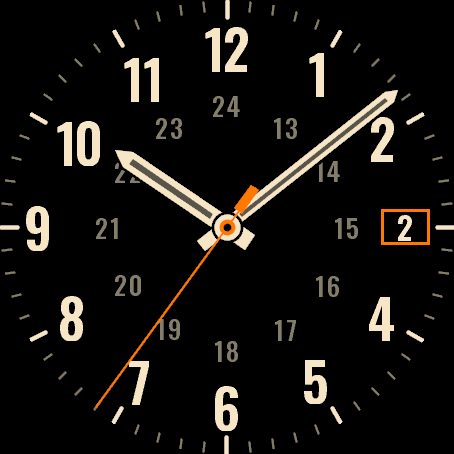 Plain FieldThe original. Flat dial, numbers 1 to 12 and a 24-hour ring.
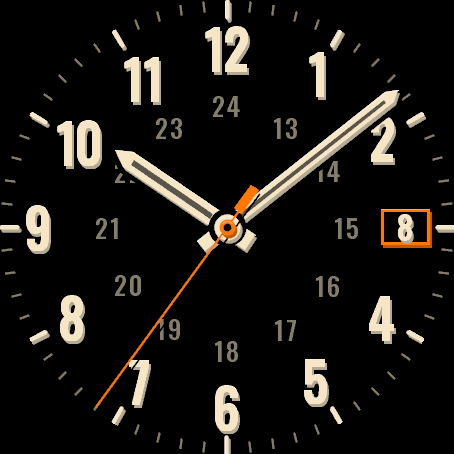 Plain Field 4DComing soonThe same layout with depth: numbers and hands in three layers, cream digits with a shadow, orange seconds hand. Flat on MIP screens.
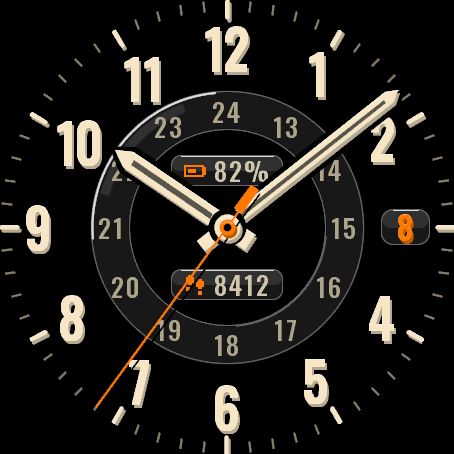 Plain Field GlassComing soonDate window and two indicators (steps, battery) as glass pills, the 24-hour ring as a glass track. AMOLED only.
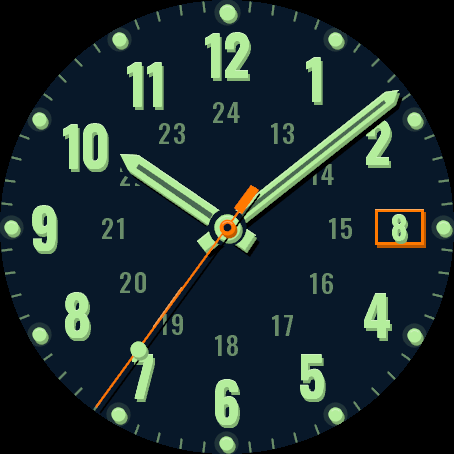 Plain Field MotionComing soonThe 4D look with motion: the seconds hand glints and moves smoothly when you raise your wrist. AMOLED only.
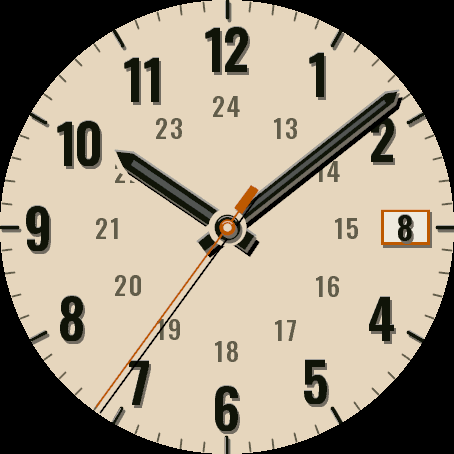 Plain Field LightComing soonA light dial in cream and sand with black numbers and an orange accent. AMOLED only.
More faces
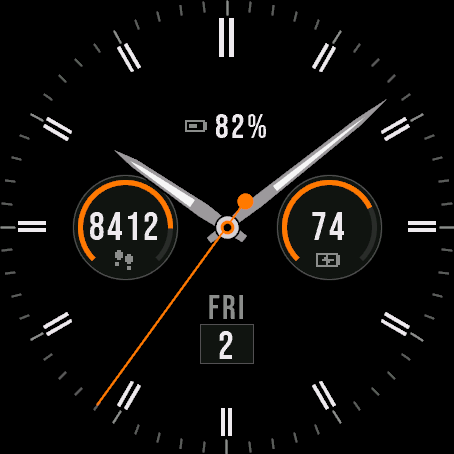
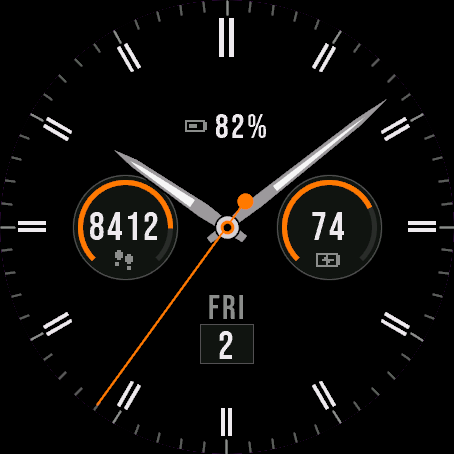 Analog
Atlas Hybrid
An elegant analog dial with data sub-dials.
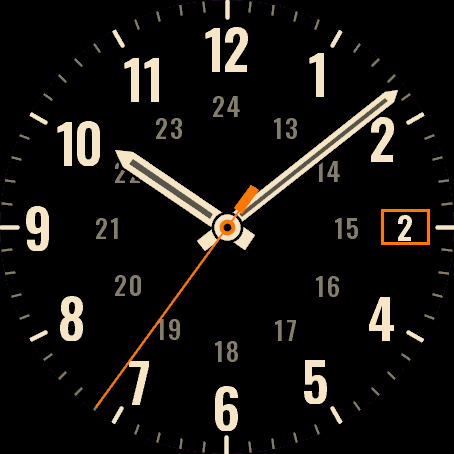 Field Watch
Plain Field
A plain analog field watch. Numbers 1 to 12, a 24-hour ring, nothing loud.
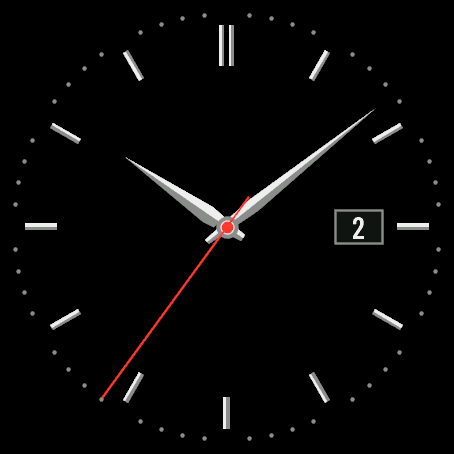
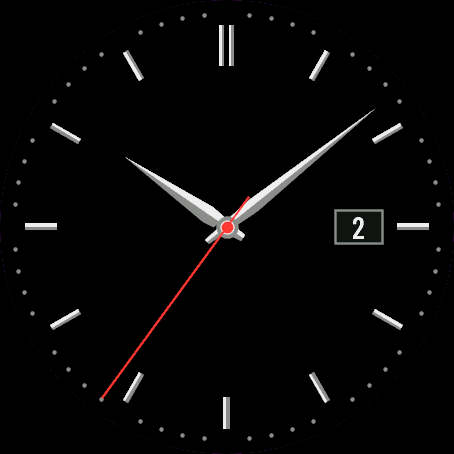 Dress Watch
Quiet Dial
A quiet dress watch. Slim batons, faceted hands and a date window.
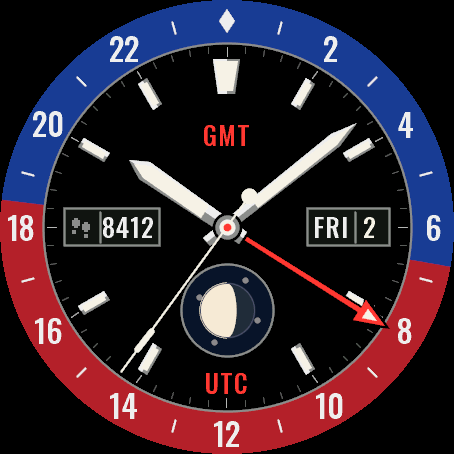
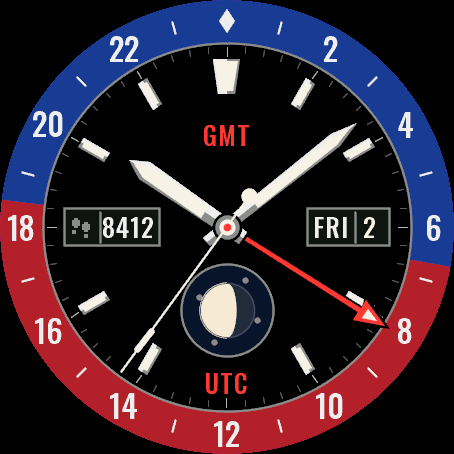 GmtSoon
Longitude 24
A GMT watch with a day and night 24-hour bezel, second time zone hand and moon phase.