Unlock
€6.49
One-time payment. No subscription. The code works on the watch whose ID you enter.
- Install the face from Connect IQ (7 days free).
- On the watch: face settings > Buy / Unlock, scan the QR code.
- Pay and paste the code in the face settings.
- Pay.
- Copy the code.
- Paste it in Connect IQ: this face > Settings > Unlock code.
Payment works best in Safari or Chrome: menu (three dots) > Open in browser
Read it in this face, it is not the serial number of the watch.
The code works only in the watch face it was bought for: a Summit Rings code will not work in Summit Tactic.
Your ID, compare it with the watch:
Where do I find the ID?
On the watch: settings of this face > Buy / Unlock (first item). Scan the QR code with your phone or type the 10 digits. The ID is also at the top of the face settings in the Connect IQ app.
Code not working on your watch? Write to me and I will fix it.
Payments by Stripe. Seller: Mateusz Kolarz, Lublin, Poland.
Paid. Code:
We show the code here too. If the e-mail does not arrive (check spam), you can recover the code in the Recover code section with just the Face ID. Recover code
Copying did not work. The code is selected: copy it by hand.
The face unlocks by itself when the watch connects to the phone (usually within an hour; if the trial is still running, the purchase starts working when it ends).
Do not want to wait, or have an older watch? Paste the code in the Connect IQ app:
Connect IQ (or Garmin Connect) > My Device > Watch faces > Quiet Dial > Settings > Unlock code > paste > Save
Like it? Rate this face in the Garmin store
Want to try new faces and apps before the release, for free? Join the testers program
Set up the face before you download
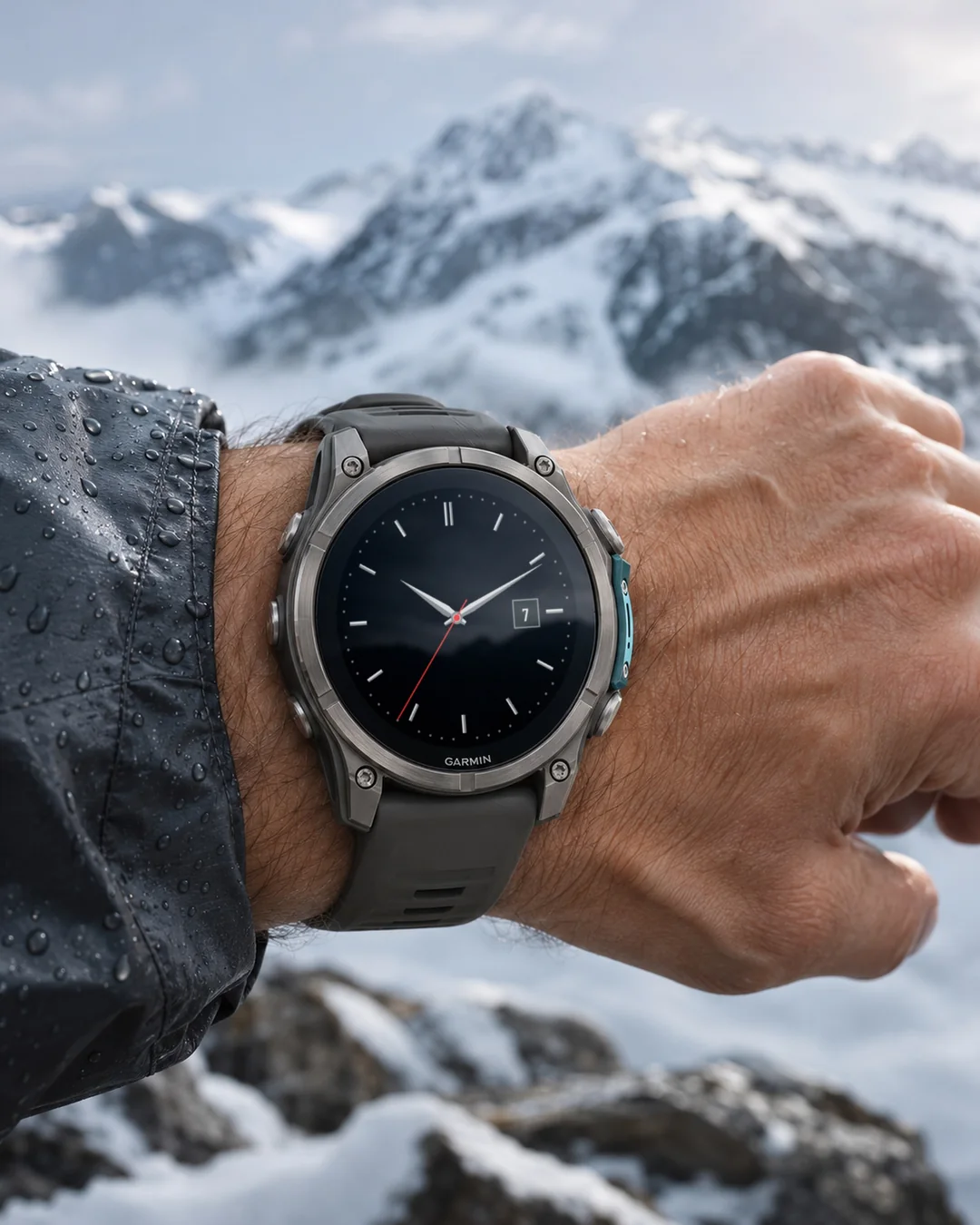
A quiet analog dress watch face with batons, Roman numerals or dots, faceted hands and a date window, for MIP and AMOLED Garmin watches.
7-day free trial, then a one-time unlock at dialforge.dev. No subscription.
A quiet dress watch for your Garmin. Batons, faceted hands, a date window, and nothing loud.
Each dauphine hand is two flat facets, one lighter and one darker, so it catches the light without gradients. No logo, no model name on the dial.
Features
- Index style: Batons, Roman (XII, III, VI, IX) or Dots
- Dial colour: Black, Midnight blue, Forest green, Burgundy, Graphite (black on Forerunner 55)
- Metal colour for hands and indices: Silver, Gold, Rose gold
- Thin seconds hand in your accent colour, only while the screen is awake (can be turned off)
- Date window at 3 (can be turned off)
- Optional small field at 6 and under 12, both empty by default
- AMOLED always-on: thin solid hands, four bars and the date, dimmed and shifted every minute
- Made for MIP and AMOLED, including Instinct 3 AMOLED and Venu Sq 2
- Lean: no animations, a small background service (contacts dialforge.dev, see the privacy note below)
Data fields: heart rate, steps, battery, distance, calories, floors, active minutes, Body Battery, stress, altitude, notifications, solar intensity, battery days, temperature, sunrise, sunset, next sun event, respiration, SpO2, recovery time, pressure, resting heart rate, VO2 max, sleep score*, 5K prediction*, weekly run distance*, moon phase, week number, day of year, or empty.
* needs a watch with Connect IQ 4.2 or newer
Since 1.2.1: on most color watches, the settings on the watch show a live preview of the face while you change them. Sunrise and sunset work on their own from your location.
Garmin does not give watch faces access to HRV status or Training Readiness, so no Connect IQ watch face can show them.
Trial: 7 days with everything working, then a reminder (days 8 to 14), a simple screen with the time and your Face ID (days 15 to 29), and from day 30 a lock screen with a QR code. Buy the code at dialforge.dev for the Face ID shown there and in the face settings.
Code not working? Write to kontakt@dialforge.dev and we fix it.
Settings: on the watch (hold MENU, then Watch face, then Customize) or in the Connect IQ app.
Popular color sets: for that list only an anonymous color number is sent.
After the trial, the face asks dialforge.dev whether an unlock exists for your Face ID (your watch number and the face name are sent, nothing else). Popular color sets are also fetched, as before.
From the maker
I am a student and I build Dialforge watch faces myself, after classes. I do not own every watch model, so if something looks wrong on yours, write to me at https://dialforge.dev/faces/quietdial/ and I will usually fix it within 24 hours. If you like the face, you can buy me a coffee: https://buycoffee.to/iwannaflysohigh
Works on fenix 9, fenix 8, Forerunner 970, Forerunner 570, Venu 4, Forerunner 965, Forerunner 265, Venu 3 and more.
Spokojna analogowa tarcza w stylu eleganckiego zegarka z indeksami, cyframi rzymskimi lub kropkami, fasetowanymi wskazówkami i okienkiem daty, na zegarki Garmin MIP i AMOLED.
7 dni za darmo, potem jednorazowe odblokowanie na dialforge.dev. Bez abonamentu.
Spokojny zegarek wizytowy na Twoim Garminie. Pałeczki, fasetowane wskazówki, okienko daty i nic krzykliwego.
Każda wskazówka typu dauphine to dwie płaskie fasety, jaśniejsza i ciemniejsza, więc łapie światło bez gradientów. Na tarczy nie ma logo ani nazwy modelu.
Co jest na tarczy
- Styl indeksów: pałeczki, rzymskie (XII, III, VI, IX) albo kropki
- Kolor tarczy: czarny, granat nocny, zieleń leśna, bordowy, grafitowy (na Forerunnerze 55 zawsze czarny)
- Kolor metalu wskazówek i indeksów: srebrny, złoty, różowe złoto
- Cienki sekundnik w kolorze akcentu, tylko przy aktywnym ekranie (można wyłączyć)
- Okienko daty na 3 (można wyłączyć)
- Małe pole na 6 i pod 12, domyślnie puste
- Tryb zawsze włączony na AMOLED: cienkie pełne wskazówki, cztery indeksy i data, przygaszone i przesuwane co minutę
- Działa na kolorowych MIP i AMOLED, także na Instinct 3 AMOLED i Venu Sq 2
- Oszczędna: bez animacji, mała usługa w tle (łączy się z dialforge.dev, patrz uwaga o prywatności niżej)
Dane do wyboru: tętno, kroki, bateria, dni na baterii, dystans, kalorie, piętra, minuty intensywne, Body Battery, stres, wysokość, ciśnienie, powiadomienia, nasłonecznienie, temperatura, wschód i zachód słońca, najbliższy wschód albo zachód, oddech, pulsoksymetr, czas regeneracji, tętno spoczynkowe, VO2 max, ocena snu*, prognoza na 5 km*, kilometry biegu w tygodniu*, faza księżyca, numer tygodnia, dzień roku, albo puste pole.
* wymaga zegarka z Connect IQ 4.2 lub nowszym
Od wersji 1.2.1: na większości zegarków z kolorowym ekranem ustawienia na zegarku pokazują podgląd tarczy na żywo podczas zmiany. Wschód i zachód słońca działają samodzielnie na podstawie Twojej lokalizacji.
Garmin nie udostępnia tarczom statusu HRV ani gotowości treningowej, więc żadna tarcza Connect IQ ich nie pokaże.
Próba: 7 dni pełnego działania, potem przypomnienie (dni 8 do 14), prosty ekran z godziną i numerem ID tarczy (dni 15 do 29), a od 30. dnia ekran blokady z kodem QR. Kod kupisz na dialforge.dev dla numeru ID tarczy widocznego tam i w ustawieniach tarczy.
Kod nie działa? Napisz na kontakt@dialforge.dev, a naprawimy problem.
Ustawienia: na zegarku (przytrzymaj MENU, potem Tarcza zegarka, potem Dostosuj) albo w aplikacji Connect IQ.
Popularne zestawy kolorów: do tej listy wysyłany jest tylko anonimowy numer koloru.
Po okresie próby tarcza pyta dialforge.dev, czy dla Twojego numeru ID tarczy istnieje odblokowanie (wysyłany jest numer zegarka i nazwa tarczy, nic więcej). Popularne zestawy kolorów są pobierane tak jak dotąd.
Od autora
Jestem studentem i robię tarcze Dialforge sam, po zajęciach. Nie mam każdego modelu zegarka, więc jeśli coś wygląda źle na Twoim, napisz na https://dialforge.dev/faces/quietdial/, zwykle poprawiam to w ciągu 24 godzin. Jeśli tarcza Ci się podoba, możesz postawić mi kawę: https://buycoffee.to/iwannaflysohigh
Działa na: fenix 9, fenix 8, Forerunner 970, Forerunner 570, Venu 4, Forerunner 965, Forerunner 265, Venu 3 i innych.
Ein ruhiges analoges Dress-Watch-Zifferblatt mit Strichindizes, römischen Ziffern oder Punkten, facettierten Zeigern und Datumsfenster für Garmin Uhren mit MIP und AMOLED.
7 Tage kostenlos testen, danach einmalige Freischaltung auf dialforge.dev. Kein Abo.
Eine ruhige Dresswatch für deine Garmin. Indizes, facettierte Zeiger, ein Datumsfenster, nichts Lautes.
Jeder Dauphine-Zeiger besteht aus zwei flachen Facetten, eine heller und eine dunkler, so fängt er das Licht ein, ganz ohne Verlauf. Kein Logo, kein Modellname auf dem Zifferblatt.
Funktionen
- Indexstil: Batons, Roman (XII, III, VI, IX) oder Dots
- Zifferblattfarbe: Black, Midnight blue, Forest green, Burgundy, Graphite (auf der Forerunner 55 schwarz)
- Metallfarbe für Zeiger und Indizes: Silver, Gold, Rose gold
- Dünner Sekundenzeiger in deiner Akzentfarbe, nur bei aktivem Bildschirm (abschaltbar)
- Datumsfenster bei 3 (abschaltbar)
- Optionales kleines Feld bei 6 und unter der 12, beide standardmäßig leer
- AMOLED Always-on: dünne durchgezogene Zeiger, vier Balken und das Datum, gedimmt und jede Minute verschoben
- Gebaut für MIP und AMOLED, auch Instinct 3 AMOLED und Venu Sq 2
- Schlank: keine Animationen, ein kleiner Hintergrunddienst (kontaktiert dialforge.dev, siehe Datenschutzhinweis unten)
Datenfelder: Herzfrequenz, Schritte, Akku, Distanz, Kalorien, Etagen, aktive Minuten, Body Battery, Stress, Höhe, Benachrichtigungen, Sonnenintensität, Akkutage, Temperatur, Sonnenaufgang, Sonnenuntergang, nächstes Sonnenereignis, Atmung, SpO2, Erholungszeit, Luftdruck, Ruhepuls, VO2 max, Schlafwert*, 5K-Prognose*, wöchentliche Laufdistanz*, Mondphase, Wochennummer, Tag des Jahres oder leer.
* benötigt eine Uhr mit Connect IQ 4.2 oder neuer
Seit 1.2.1: Auf Uhren mit Farbdisplay zeigen die Einstellungen auf der Uhr eine Live-Vorschau des Zifferblatts, während du sie änderst. Sonnenaufgang und Sonnenuntergang funktionieren selbstständig anhand deines Standorts.
Garmin gibt Zifferblättern keinen Zugriff auf den HRV-Status oder die Trainingsbereitschaft, daher kann kein Connect IQ Zifferblatt sie anzeigen.
Testphase: 7 Tage lang funktioniert alles, danach folgen eine Erinnerung (Tage 8 bis 14), ein einfacher Bildschirm mit Uhrzeit und deiner Watch ID (Tage 15 bis 29) und ab Tag 30 ein Sperrbildschirm mit QR-Code. Den Code kaufst du auf dialforge.dev für die Watch ID, die dort und in den Zifferblatt-Einstellungen angezeigt wird.
Code funktioniert nicht? Schreib an kontakt@dialforge.dev, wir beheben es.
Einstellungen: auf der Uhr (MENU gedrückt halten, dann Watch face, dann Customize) oder in der Connect IQ App.
Beliebte Farbsets: Für diese Liste wird nur eine anonyme Farbnummer gesendet.
Nach der Testphase fragt das Zifferblatt bei dialforge.dev nach, ob eine Freischaltung für deine Watch ID vorliegt (die Nummer deiner Uhr und der Name des Zifferblatts werden gesendet, sonst nichts). Beliebte Farbsets werden wie bisher ebenfalls abgerufen.
Vom entwickler
Ich bin Student und baue die Dialforge-Zifferblätter selbst, nach den Vorlesungen. Ich habe nicht jedes Uhrenmodell. Wenn auf deiner Uhr etwas falsch aussieht, schreib mir auf https://dialforge.dev/faces/quietdial/, meist behebe ich es innerhalb von 24 Stunden. Wenn dir das Zifferblatt gefällt, kannst du mir einen Kaffee spendieren: https://buycoffee.to/iwannaflysohigh
Läuft auf fenix 9, fenix 8, Forerunner 970, Forerunner 570, Venu 4, Forerunner 965, Forerunner 265, Venu 3 und weiteren Modellen.
Un cadran analogique de montre habillée, sobre, avec index bâtons, chiffres romains ou points, aiguilles à facettes et fenêtre de date, pour montres Garmin MIP et AMOLED.
Essai gratuit de 7 jours, puis un déverrouillage unique sur dialforge.dev. Sans abonnement.
Une montre habillée discrète pour ta Garmin. Index bâtons, aiguilles facettées, une fenêtre de date, et rien de tape à l'œil.
Chaque aiguille dauphine a deux facettes plates, une plus claire et une plus sombre, pour accrocher la lumière sans dégradé. Aucun logo, aucun nom de modèle sur le cadran.
Fonctions
- Style d'index : Batons, Roman (XII, III, VI, IX) ou Dots
- Couleur du cadran : Black, Midnight blue, Forest green, Burgundy, Graphite (noir sur la Forerunner 55)
- Couleur du métal pour les aiguilles et les index : Silver, Gold, Rose gold
- Fine trotteuse dans ta couleur d'accent, uniquement quand l'écran est actif (désactivable)
- Fenêtre de date à 3 heures (désactivable)
- Petit champ optionnel à 6 heures et sous le 12, tous deux vides par défaut
- Mode always-on AMOLED : aiguilles fines pleines, quatre barres et la date, atténués et déplacés chaque minute
- Conçu pour MIP et AMOLED, y compris Instinct 3 AMOLED et Venu Sq 2
- Léger : pas d'animations, un petit service en arrière-plan (il contacte dialforge.dev, voir la note sur la confidentialité plus bas)
Champs de données : fréquence cardiaque, pas, batterie, distance, calories, étages, minutes actives, Body Battery, stress, altitude, notifications, intensité solaire, autonomie en jours, température, lever du soleil, coucher du soleil, prochain événement solaire, respiration, SpO2, temps de récupération, pression, fréquence cardiaque au repos, VO2 max, score de sommeil*, prévision 5 km*, distance de course hebdomadaire*, phase lunaire, numéro de semaine, jour de l'année, ou vide.
* nécessite une montre avec Connect IQ 4.2 ou plus récent
Depuis la 1.2.1 : sur les montres à écran couleur, les réglages de la montre affichent un aperçu en direct du cadran pendant que vous les modifiez. Le lever et le coucher du soleil fonctionnent seuls à partir de votre position.
Garmin ne donne pas aux cadrans l'accès au statut VFC ni à la disponibilité d'entraînement, aucun cadran Connect IQ ne peut donc les afficher.
Essai : 7 jours avec tout qui fonctionne, puis un rappel (jours 8 à 14), un écran simple avec l'heure et ton Watch ID (jours 15 à 29), et dès le jour 30 un écran de verrouillage avec un QR code. Tu achètes le code sur dialforge.dev pour le Watch ID affiché là et dans les réglages du cadran.
Le code ne fonctionne pas ? Écris à kontakt@dialforge.dev, on le corrige.
Réglages : sur la montre (maintiens MENU, puis Watch face, puis Customize) ou dans l'application Connect IQ.
Jeux de couleurs populaires : pour cette liste, seul un numéro de couleur anonyme est envoyé.
Après la période d'essai, le cadran demande à dialforge.dev si un déverrouillage existe pour votre Watch ID (le numéro de votre montre et le nom du cadran sont envoyés, rien d'autre). Les palettes de couleurs populaires sont aussi récupérées, comme avant.
Du créateur
Je suis étudiant et je crée seul les cadrans Dialforge, après les cours. Je n'ai pas tous les modèles de montre : si quelque chose ne va pas sur la vôtre, écrivez-moi sur https://dialforge.dev/faces/quietdial/, je corrige en général sous 24 heures. Si le cadran vous plaît, vous pouvez m'offrir un café : https://buycoffee.to/iwannaflysohigh
Compatible avec fenix 9, fenix 8, Forerunner 970, Forerunner 570, Venu 4, Forerunner 965, Forerunner 265, Venu 3 et d'autres modèles.
Una esfera analógica elegante y discreta con índices de barra, números romanos o puntos, agujas facetadas y ventana de fecha, para relojes Garmin MIP y AMOLED.
Prueba gratuita de 7 días y luego un desbloqueo único en dialforge.dev. Sin suscripción.
Un reloj de vestir discreto para tu Garmin. Índices de bastón, agujas facetadas, ventana de fecha, y nada llamativo.
Cada aguja dauphine tiene dos facetas planas, una más clara y otra más oscura, así capta la luz sin degradados. Sin logo, sin nombre de modelo en la esfera.
Funciones
- Estilo de índices: Batons, Roman (XII, III, VI, IX) o Dots
- Color de esfera: Black, Midnight blue, Forest green, Burgundy, Graphite (negro en la Forerunner 55)
- Color metálico de agujas e índices: Silver, Gold, Rose gold
- Segundero fino en tu color de acento, solo mientras la pantalla está activa (se puede desactivar)
- Ventana de fecha a las 3 (se puede desactivar)
- Campo pequeño opcional a las 6 y bajo el 12, ambos vacíos por defecto
- Modo always-on en AMOLED: agujas finas sólidas, cuatro barras y la fecha, atenuados y desplazados cada minuto
- Hecho para MIP y AMOLED, incluidas Instinct 3 AMOLED y Venu Sq 2
- Ligero: sin animaciones, un pequeño servicio en segundo plano (se conecta con dialforge.dev, mira la nota de privacidad más abajo)
Campos de datos: frecuencia cardíaca, pasos, batería, distancia, calorías, pisos, minutos activos, Body Battery, estrés, altitud, notificaciones, intensidad solar, días de batería, temperatura, amanecer, atardecer, próximo evento solar, respiración, SpO2, tiempo de recuperación, presión, frecuencia cardíaca en reposo, VO2 max, puntuación de sueño*, predicción de 5 km*, distancia semanal de carrera*, fase lunar, número de semana, día del año, o vacío.
* necesita un reloj con Connect IQ 4.2 o posterior
Desde la 1.2.1: en relojes con pantalla en color, los ajustes del reloj muestran una vista previa en vivo de la esfera mientras los cambias. La salida y la puesta del sol funcionan por sí solas a partir de tu ubicación.
Garmin no da a las esferas acceso al estado de VFC ni a la disponibilidad para entrenar, así que ninguna esfera Connect IQ puede mostrarlos.
Prueba: 7 días con todo funcionando, luego un recordatorio (días 8 a 14), una pantalla sencilla con la hora y tu Watch ID (días 15 a 29) y, desde el día 30, una pantalla de bloqueo con un código QR. Compras el código en dialforge.dev para el Watch ID que se muestra allí y en los ajustes de la esfera.
¿El código no funciona? Escribe a kontakt@dialforge.dev y lo arreglamos.
Ajustes: en el reloj (mantén pulsado MENU, luego Watch face, luego Customize) o en la app Connect IQ.
Combinaciones populares: para esa lista solo se envía un número de color anónimo.
Tras la prueba, la esfera consulta a dialforge.dev si existe un desbloqueo para tu Watch ID (se envían el número de tu reloj y el nombre de la esfera, nada más). También se descargan las combinaciones de colores populares, como antes.
Del autor
Soy estudiante y hago las esferas Dialforge yo solo, después de clase. No tengo todos los modelos de reloj, así que si algo se ve mal en el tuyo, escríbeme en https://dialforge.dev/faces/quietdial/ y normalmente lo arreglo en 24 horas. Si te gusta la esfera, puedes invitarme a un café: https://buycoffee.to/iwannaflysohigh
Een rustige analoge dress watch wijzerplaat met streepindexen, Romeinse cijfers of stippen, gefacetteerde wijzers en een datumvenster, voor Garmin horloges met MIP en AMOLED.
7 dagen gratis proberen, daarna een eenmalige ontgrendeling op dialforge.dev. Geen abonnement.
Een rustig dress horloge voor je Garmin. Batonindexen, gefacetteerde wijzers, een datumvenster, en niets opzichtigs.
Elke dauphine-wijzer heeft twee platte facetten, een lichtere en een donkerdere, zo vangt hij het licht zonder verloop. Geen logo, geen modelnaam op de wijzerplaat.
Functies
- Indexstijl: Batons, Roman (XII, III, VI, IX) of Dots
- Kleur wijzerplaat: Black, Midnight blue, Forest green, Burgundy, Graphite (zwart op de Forerunner 55)
- Metaalkleur voor wijzers en indexen: Silver, Gold, Rose gold
- Dunne secondewijzer in je accentkleur, alleen als het scherm actief is (uit te schakelen)
- Datumvenster op 3 uur (uit te schakelen)
- Optioneel klein veld op 6 uur en onder de 12, beide standaard leeg
- AMOLED always-on: dunne volle wijzers, vier streepjes en de datum, gedimd en elke minuut verschoven
- Gemaakt voor MIP en AMOLED, inclusief Instinct 3 AMOLED en Venu Sq 2
- Licht: geen animaties, een kleine achtergrondservice (maakt contact met dialforge.dev, zie de privacynotitie hieronder)
Gegevensvelden: hartslag, stappen, batterij, afstand, calorieën, verdiepingen, actieve minuten, Body Battery, stress, hoogte, meldingen, zonintensiteit, batterijdagen, temperatuur, zonsopgang, zonsondergang, volgende zonnegebeurtenis, ademhaling, SpO2, hersteltijd, luchtdruk, rusthartslag, VO2 max, slaapscore*, 5K-voorspelling*, wekelijkse hardloopafstand*, maanfase, weeknummer, dag van het jaar, of leeg.
* vereist een horloge met Connect IQ 4.2 of nieuwer
Sinds 1.2.1: op horloges met kleurenscherm tonen de instellingen op het horloge een live voorbeeld van de wijzerplaat terwijl je ze aanpast. Zonsopkomst en zonsondergang werken vanzelf op basis van je locatie.
Garmin geeft wijzerplaten geen toegang tot de HRV-status of trainingsgereedheid, dus geen enkele Connect IQ-wijzerplaat kan die tonen.
Proefperiode: 7 dagen waarin alles werkt, daarna een herinnering (dag 8 tot 14), een eenvoudig scherm met de tijd en je Watch ID (dag 15 tot 29) en vanaf dag 30 een vergrendelscherm met een QR-code. De code koop je op dialforge.dev voor de Watch ID die daar en in de instellingen van de wijzerplaat staat.
Werkt de code niet? Schrijf naar kontakt@dialforge.dev, dan lossen we het op.
Instellingen: op het horloge (houd MENU ingedrukt, dan Watch face, dan Customize) of in de Connect IQ app.
Populaire kleurensets: voor die lijst wordt alleen een anoniem kleurnummer verstuurd.
Na de proefperiode vraagt de watch face aan dialforge.dev of er een ontgrendeling bestaat voor je Watch ID (alleen je horlogenummer en de naam van de watch face worden verzonden, verder niets). Populaire kleursets worden ook opgehaald, net als voorheen.
Van de maker
Ik ben student en maak de Dialforge-wijzerplaten zelf, na de colleges. Ik heb niet elk horlogemodel, dus ziet er iets verkeerd uit op het jouwe, schrijf me dan via https://dialforge.dev/faces/quietdial/. Meestal los ik het binnen 24 uur op. Vind je de wijzerplaat mooi, dan kun je me een koffie trakteren: https://buycoffee.to/iwannaflysohigh
控えめなアナログのドレスウォッチ風文字盤。バー、ローマ数字、ドットから選べるインデックス、面取りされた針、日付窓を備え、MIPとAMOLEDのGarminに対応します。
7日間無料でお試しいただけます。その後はdialforge.devで解除を一度だけ購入(サブスクリプションなし)。
Garmin向けの静かなドレスウォッチ。バトン型インデックス、フェイセット加工の針、日付窓。派手さは一切ありません。
各ドーフィン針は2つの平らな面(明るい面と暗い面)で構成され、グラデーションなしで自然に光を反射します。文字盤にはロゴもモデル名もありません。
特長
- インデックススタイル:バトン、ローマ数字(XII、III、VI、IX)、またはドット
- 文字盤カラー:ブラック、ミッドナイトブルー、フォレストグリーン、バーガンディ、グラファイト(Forerunner 55ではブラック)
- 針とインデックスの金属色:シルバー、ゴールド、ローズゴールド
- 画面点灯中のみ表示される、アクセントカラーの細い秒針(オフにも可能)
- 3時位置の日付窓(オフにも可能)
- 6時位置と12時下にオプションの小さなフィールド、デフォルトはどちらも非表示
- AMOLED常時表示:細い塗りつぶし針、4本のバー、日付を暗く表示し、毎分位置をずらします
- MIP、AMOLEDに対応(Instinct 3 AMOLEDやVenu Sq 2を含む)
- 軽量設計:アニメーションなし、小さなバックグラウンドサービス(dialforge.dev に接続、詳細は下のプライバシーに関する注記を参照)
データフィールド:心拍数、歩数、バッテリー、距離、カロリー、階数、強度分、Body Battery、ストレス、高度、通知、ソーラー強度、バッテリー残日数、気温、日の出、日没、次の日の出・日没、呼吸数、SpO2、回復時間、気圧、安静時心拍数、VO2 max、睡眠スコア*、5kmタイム予測*、週間走行距離*、月相、週番号、年間通算日、または非表示
* Connect IQ 4.2以降の時計が必要です
1.2.1から:カラー画面の時計では、時計の設定画面で値を変更している間、文字盤のライブプレビューが表示されます。日の出と日の入りは、現在地から自動で表示されます。
GarminはウォッチフェイスにHRVステータスやトレーニングレディネスを公開していないため、Connect IQのウォッチフェイスでは表示できません。
お試し:最初の7日間はすべての機能が使えます。その後、8日目から14日目はリマインダー、15日目から29日目は時刻とWatch IDだけのシンプルな画面、30日目からはQRコード付きのロック画面になります。コードはdialforge.devで、そこやウォッチフェイスの設定に表示されるWatch ID用に購入します。
コードが使えない場合はkontakt@dialforge.devまでご連絡ください。問題を解決いたします。
設定:時計側(MENUを長押し、Watch face、Customizeの順)またはConnect IQアプリから。
人気のカラーセット:この一覧のために送信されるのは匿名の色番号だけです。
トライアル終了後、ウォッチフェイスはdialforge.devにお使いのWatch IDのロック解除が存在するかどうか問い合わせます(送信されるのは時計の番号とウォッチフェイス名のみで、それ以外は送信されません)。これまで通り、人気のカラーセットも取得されます。
作者より
私は学生で、Dialforgeの文字盤を授業のあとに一人で作っています。すべての時計モデルを持っているわけではないので、お使いの時計で表示がおかしい場合は https://dialforge.dev/faces/quietdial/ からご連絡ください。通常24時間以内に修正します。文字盤を気に入っていただけたら、コーヒーをおごっていただけるとうれしいです: https://buycoffee.to/iwannaflysohigh
対応モデル:fenix 9, fenix 8, Forerunner 970, Forerunner 570, Venu 4, Forerunner 965, Forerunner 265, Venu 3 ほか
Un quadrante analogico da orologio elegante e sobrio, con indici a bastoncino, numeri romani o puntini, lancette sfaccettate e finestra della data, per Garmin MIP e AMOLED.
Prova gratuita di 7 giorni, poi uno sblocco una tantum su dialforge.dev. Nessun abbonamento.
Un orologio elegante e sobrio per il tuo Garmin. Indici a bastone, lancette sfaccettate, una finestra data, niente di vistoso.
Ogni lancetta dauphine ha due facce piatte, una più chiara e una più scura, così cattura la luce senza sfumature. Nessun logo, nessun nome del modello sul quadrante.
Funzioni
- Stile degli indici: Batons, Roman (XII, III, VI, IX) o Dots
- Colore del quadrante: Black, Midnight blue, Forest green, Burgundy, Graphite (nero su Forerunner 55)
- Colore del metallo per lancette e indici: Silver, Gold, Rose gold
- Lancetta dei secondi sottile nel tuo colore accento, solo mentre lo schermo è attivo (disattivabile)
- Finestra data alle 3 (disattivabile)
- Campo piccolo opzionale alle 6 e sotto il 12, entrambi vuoti di default
- Always-on su AMOLED: lancette sottili piene, quattro barrette e la data, attenuati e spostati ogni minuto
- Pensato per MIP e AMOLED, incluse Instinct 3 AMOLED e Venu Sq 2
- Leggero: nessuna animazione, un piccolo servizio in background (contatta dialforge.dev, vedi la nota sulla privacy più sotto)
Campi dati: frequenza cardiaca, passi, batteria, distanza, calorie, piani, minuti attivi, Body Battery, stress, altitudine, notifiche, intensità solare, giorni di autonomia, temperatura, alba, tramonto, prossimo evento solare, respirazione, SpO2, tempo di recupero, pressione, frequenza cardiaca a riposo, VO2 max, punteggio del sonno*, previsione sui 5 km*, distanza settimanale di corsa*, fase lunare, numero della settimana, giorno dell'anno, o vuoto.
* richiede un orologio con Connect IQ 4.2 o successivo
Dalla 1.2.1: sugli orologi con schermo a colori, le impostazioni sull'orologio mostrano un'anteprima dal vivo del quadrante mentre le modifichi. L'alba e il tramonto funzionano da soli in base alla tua posizione.
Garmin non dà ai quadranti accesso allo stato HRV né alla Training Readiness, quindi nessun quadrante Connect IQ può mostrarli.
Prova: 7 giorni con tutto funzionante, poi un promemoria (giorni da 8 a 14), una schermata semplice con l'ora e il tuo Watch ID (giorni da 15 a 29) e dal giorno 30 una schermata di blocco con un codice QR. Il codice si acquista su dialforge.dev per il Watch ID mostrato lì e nelle impostazioni del quadrante.
Il codice non funziona? Scrivi a kontakt@dialforge.dev e lo sistemiamo.
Impostazioni: sull'orologio (tieni premuto MENU, poi Watch face, poi Customize) o nell'app Connect IQ.
Set di colori popolari: per quell'elenco viene inviato solo un numero di colore anonimo.
Dopo il periodo di prova, il quadrante chiede a dialforge.dev se esiste uno sblocco per il tuo Watch ID (vengono inviati il numero del tuo orologio e il nome del quadrante, nient'altro). Vengono scaricati anche i set di colori più popolari, come prima.
Dall'autore
Sono uno studente e creo da solo i quadranti Dialforge, dopo le lezioni. Non ho tutti i modelli di orologio, quindi se qualcosa sembra sbagliato sul tuo, scrivimi su https://dialforge.dev/faces/quietdial/, di solito lo correggo entro 24 ore. Se il quadrante ti piace, puoi offrirmi un caffè: https://buycoffee.to/iwannaflysohigh
安静低调的指针式正装表盘,可选条形、罗马数字或圆点刻度,切面指针和日期窗,适用于 MIP 和 AMOLED 的 Garmin 手表。
7 天免费试用,之后在 dialforge.dev 一次性解锁。无需订阅。
为 Garmin 打造的低调正装表盘。棒状时标、刻面指针、日期视窗,没有一丝张扬。
每根多菲纳指针都由两个平面构成,一面较亮、一面较暗,无需渐变就能自然反光。表盘上没有标志或型号名称。
功能特色
- 时标样式:棒状、罗马数字(XII、III、VI、IX)或圆点
- 表盘颜色:黑色、午夜蓝、森林绿、酒红、石墨灰(Forerunner 55 上为黑色)
- 指针与时标金属色:银色、金色、玫瑰金
- 仅在屏幕亮起时显示的细秒针,颜色为您选择的强调色(可关闭)
- 3 点位置的日期视窗(可关闭)
- 6 点与 12 点下方的可选小字段,默认均为空
- AMOLED 常亮模式:细实心指针、四条杠标及日期变暗显示,每分钟偏移
- 适用于 MIP 及 AMOLED,包括 Instinct 3 AMOLED 与 Venu Sq 2
- 精简设计:无动画、一个小型后台服务(会连接 dialforge.dev,详见下方隐私说明)
数据字段:心率、步数、电量、距离、卡路里、楼层、强度分钟、Body Battery、压力、海拔、通知、太阳能强度、电池可用天数、温度、日出、日落、下一次日出或日落、呼吸频率、SpO2、恢复时间、气压、静息心率、VO2 max、睡眠评分*、5 公里成绩预测*、每周跑步距离*、月相、周数、全年第几天,或留空。
* 需要 Connect IQ 4.2 或更新版本的手表
自 1.2.1 起:在彩色屏幕手表上,更改手表上的设置时会实时预览表盘效果。日出和日落会根据你的位置自动显示。
Garmin 不向表盘开放 HRV 状态和训练准备度,因此任何 Connect IQ 表盘都无法显示。
试用:7 天内一切功能正常,之后依次是提醒(第 8 至 14 天)、只显示时间和你的 Watch ID 的简易屏幕(第 15 至 29 天),从第 30 天起是带 QR 码的锁屏。请在 dialforge.dev 为那里和表盘设置中显示的 Watch ID 购买解锁码。
兑换码无法使用?请写信至 kontakt@dialforge.dev,我们会修复问题。
设置:在手表上完成(长按 MENU,依次选择 Watch face、Customize)或在 Connect IQ 应用中完成。
热门配色:该列表只会发送匿名的颜色编号。
试用期结束后,表盘会向 dialforge.dev 查询您的 Watch ID 是否已解锁(仅发送您的手表编号和表盘名称,不包含其他任何内容)。热门配色方案也会像之前一样正常获取。
作者的话
我是一名学生,利用课余时间独自制作 Dialforge 表盘。我没有每一款手表,所以如果表盘在您的手表上显示不对,请到 https://dialforge.dev/faces/quietdial/ 告诉我,我通常会在 24 小时内修复。如果您喜欢这款表盘,可以请我喝杯咖啡:https://buycoffee.to/iwannaflysohigh
适用于 fenix 9, fenix 8, Forerunner 970, Forerunner 570, Venu 4, Forerunner 965, Forerunner 265, Venu 3 等。
Сдержанный аналоговый классический циферблат с метками-штрихами, римскими цифрами или точками, гранёными стрелками и окошком даты для часов Garmin с экранами MIP и AMOLED.
7-дневный бесплатный пробный период, затем разовая разблокировка на dialforge.dev. Без подписки.
Сдержанные классические часы для вашего Garmin. Метки-палочки, граненые стрелки, окошко даты и ничего кричащего.
Каждая стрелка dauphine состоит из двух плоских граней, светлой и темной, благодаря чему улавливает свет без градиентов. Никаких логотипов или названия модели на циферблате.
Особенности
- Стиль меток: палочки, римские (XII, III, VI, IX) или точки
- Цвет циферблата: черный, полуночный синий, лесной зеленый, бордовый, графитовый (черный на Forerunner 55)
- Цвет металла стрелок и меток: серебристый, золотой, розовое золото
- Тонкая секундная стрелка в цвете акцента, только при активном экране (можно отключить)
- Окошко даты на 3 часах (можно отключить)
- Дополнительное маленькое поле на 6 часах и под 12, по умолчанию оба пустые
- Режим Always-on для AMOLED: тонкие сплошные стрелки, четыре метки и дата, приглушенные и со сдвигом каждую минуту
- Создано для MIP и AMOLED, включая Instinct 3 AMOLED и Venu Sq 2
- Экономичный: без анимации, небольшая фоновая служба (связывается с dialforge.dev, см. примечание о конфиденциальности ниже)
Поля данных: пульс, шаги, батарея, расстояние, калории, этажи, активные минуты, Body Battery, стресс, высота, уведомления, интенсивность солнечной энергии, дни работы от батареи, температура, восход, закат, следующий восход/закат, частота дыхания, SpO2, время восстановления, давление, пульс в покое, VO2 max, оценка сна*, прогноз на 5K*, дистанция бега за неделю*, фаза луны, номер недели, день года или пустое поле.
* требуются часы с Connect IQ 4.2 или новее
Начиная с версии 1.2.1: на часах с цветным экраном настройки на часах показывают предварительный просмотр циферблата в реальном времени при изменении. Восход и закат солнца работают сами по вашему местоположению.
Garmin не дает циферблатам доступа к статусу HRV или Training Readiness, поэтому ни один циферблат Connect IQ не может их показывать.
Пробный период: 7 дней всё работает, затем напоминание (дни с 8 по 14), простой экран со временем и вашим Watch ID (дни с 15 по 29), а с 30-го дня экран блокировки с QR-кодом. Код покупается на dialforge.dev для Watch ID, который показан там и в настройках циферблата.
Код не работает? Напишите на kontakt@dialforge.dev, и мы все исправим.
Настройки: на часах (удерживайте MENU, затем «Циферблат», затем «Настройка») или в приложении Connect IQ.
Популярные цветовые наборы: для этого списка отправляется только анонимный номер цвета.
После пробного периода циферблат проверяет на dialforge.dev наличие разблокировки для вашего Watch ID (отправляются только номер часов и название циферблата, ничего лишнего). Популярные наборы цветов также загружаются, как и раньше.
От автора
Я студент и делаю циферблаты Dialforge сам, после занятий. У меня есть не все модели часов, поэтому если на ваших что-то выглядит неправильно, напишите мне на https://dialforge.dev/faces/quietdial/, обычно я исправляю это в течение 24 часов. Если циферблат вам нравится, можете угостить меня кофе: https://buycoffee.to/iwannaflysohigh
Работает на fenix 9, fenix 8, Forerunner 970, Forerunner 570, Venu 4, Forerunner 965, Forerunner 265, Venu 3 и других.
Um mostrador analógico elegante e discreto, com índices em barras, números romanos ou pontos, ponteiros facetados e janela de data, para relógios Garmin MIP e AMOLED.
Teste grátis de 7 dias, depois um desbloqueio único em dialforge.dev. Sem assinatura.
Um relógio social discreto para o seu Garmin. Índices em bastão, ponteiros facetados, uma janela de data, e nada chamativo.
Cada ponteiro dauphine tem duas facetas planas, uma mais clara e outra mais escura, assim ele capta a luz sem degradê. Sem logo, sem nome de modelo no mostrador.
Recursos
- Estilo dos índices: Batons, Roman (XII, III, VI, IX) ou Dots
- Cor do mostrador: Black, Midnight blue, Forest green, Burgundy, Graphite (preto no Forerunner 55)
- Cor do metal dos ponteiros e índices: Silver, Gold, Rose gold
- Ponteiro de segundos fino na sua cor de destaque, só enquanto a tela está ativa (pode ser desativado)
- Janela de data às 3 horas (pode ser desativada)
- Campo pequeno opcional às 6 horas e abaixo do 12, os dois vazios por padrão
- Always-on no AMOLED: ponteiros finos sólidos, quatro barras e a data, atenuados e deslocados a cada minuto
- Feito para MIP e AMOLED, incluindo Instinct 3 AMOLED e Venu Sq 2
- Leve: sem animações, um pequeno serviço em segundo plano (conecta-se ao dialforge.dev, veja a nota de privacidade abaixo)
Campos de dados: frequência cardíaca, passos, bateria, distância, calorias, andares, minutos ativos, Body Battery, estresse, altitude, notificações, intensidade solar, dias de bateria, temperatura, nascer do sol, pôr do sol, próximo evento solar, respiração, SpO2, tempo de recuperação, pressão, frequência cardíaca em repouso, VO2 max, pontuação de sono*, previsão de 5 km*, distância semanal de corrida*, fase da lua, número da semana, dia do ano, ou vazio.
* exige um relógio com Connect IQ 4.2 ou mais recente
Desde a 1.2.1: em relógios com tela colorida, as configurações no relógio mostram uma prévia ao vivo do mostrador enquanto você as altera. O nascer e o pôr do sol funcionam sozinhos a partir da sua localização.
A Garmin não dá aos mostradores acesso ao status de VFC nem à prontidão para treino, então nenhum mostrador Connect IQ consegue exibi-los.
Teste: 7 dias com tudo funcionando, depois um lembrete (dias 8 a 14), uma tela simples com a hora e o seu Watch ID (dias 15 a 29) e, a partir do dia 30, uma tela de bloqueio com QR code. O código é comprado em dialforge.dev para o Watch ID mostrado lá e nas configurações do mostrador.
O código não funciona? Escreva para kontakt@dialforge.dev e a gente resolve.
Configurações: no relógio (segure MENU, depois Watch face, depois Customize) ou no app Connect IQ.
Conjuntos de cores populares: para essa lista só é enviado um número de cor anônimo.
Após o período de teste, o mostrador consulta dialforge.dev para verificar se existe um desbloqueio para seu Watch ID (são enviados o número do seu relógio e o nome do mostrador, nada mais). Os conjuntos de cores populares também são baixados, como antes.
Do criador
Sou estudante e faço os mostradores Dialforge sozinho, depois das aulas. Não tenho todos os modelos de relógio, então se algo parecer errado no seu, escreva para mim em https://dialforge.dev/faces/quietdial/, normalmente eu corrijo em até 24 horas. Se você gostou do mostrador, pode me pagar um café: https://buycoffee.to/iwannaflysohigh
Decentní analogový ciferník v klasickém stylu s hodinovými značkami, římskými číslicemi nebo tečkami, fasetovými ručičkami a okénkem s datem pro hodinky Garmin s displejem MIP a AMOLED.
7denní bezplatná zkušební verze, poté jednorázové odemknutí na dialforge.dev. Žádné předplatné.
Decentní společenské hodinky pro váš Garmin. Čárkové indexy, fasetované ručičky, okénko data a nic křiklavého.
Každá ručička typu dauphine má dvě ploché fasety, jednu světlejší a jednu tmavší, takže zachycuje světlo bez gradientů. Žádné logo ani název modelu na ciferníku.
Funkce
- Styl indexů: čárky, římské (XII, III, VI, IX) nebo tečky
- Barva ciferníku: černá, půlnoční modrá, lesní zelená, vínová, grafitová (na Forerunner 55 černá)
- Barva kovu ručiček a indexů: stříbrná, zlatá, růžové zlato
- Tenká sekundová ručička v barvě vašeho akcentu, pouze při aktivním displeji (lze vypnout)
- Okénko data na 3 (lze vypnout)
- Volitelné malé pole na 6 a pod 12, obě ve výchozím nastavení prázdná
- Režim Always-on na AMOLED: tenké plné ručičky, čtyři indexy a datum, ztlumené a posouvané každou minutu
- Vytvořeno pro MIP a AMOLED, včetně Instinct 3 AMOLED a Venu Sq 2
- Úsporný: žádné animace, malá služba na pozadí (kontaktuje dialforge.dev, viz poznámka o soukromí níže)
Datová pole: srdeční tep, kroky, baterie, vzdálenost, kalorie, patra, minuty aktivity, Body Battery, stres, nadmořská výška, oznámení, intenzita slunečního záření, dny výdrže baterie, teplota, východ slunce, západ slunce, další sluneční událost, dýchání, SpO2, doba regenerace, tlak, klidový srdeční tep, VO2 max, skóre spánku*, odhad na 5K*, týdenní běžecká vzdálenost*, fáze měsíce, číslo týdne, den v roce nebo prázdné pole.
* vyžaduje hodinky s Connect IQ 4.2 nebo novějším
Od verze 1.2.1: na hodinkách s barevným displejem zobrazuje nastavení v hodinkách náhled ciferníku naživo během úprav. Východ a západ slunce fungují samy podle vaší polohy.
Garmin neposkytuje ciferníkům přístup ke stavu HRV ani k Training Readiness, takže je nemůže zobrazit žádný ciferník z Connect IQ.
Zkušební doba: 7 dní vše funguje, poté následuje připomenutí (dny 8 až 14), jednoduchá obrazovka s časem a vaším Watch ID (dny 15 až 29) a od 30. dne zamykací obrazovka s QR kódem. Kód zakoupíte na dialforge.dev pro Watch ID zobrazené tam i v nastavení ciferníku.
Kód nefunguje? Napište na kontakt@dialforge.dev a my vše vyřešíme.
Nastavení: v hodinkách (podržte MENU, pak Vzhled hodinek, pak Upravit) nebo v aplikaci Connect IQ.
Oblíbené barevné sady: pro tento seznam se odesílá pouze anonymní číslo barvy.
Po zkušební době se ciferník ptá dialforge.dev, zda pro vaše Watch ID existuje odemknutí (odesílá se číslo vašich hodinek a název ciferníku, nic jiného). Stahují se také oblíbené sady barev, stejně jako dříve.
Od autora
Jsem student a ciferníky Dialforge dělám sám, po škole. Nemám každý model hodinek, takže pokud na vašich něco nevypadá dobře, napište mi na https://dialforge.dev/faces/quietdial/, obvykle to opravím do 24 hodin. Pokud se vám ciferník líbí, můžete mi koupit kávu: https://buycoffee.to/iwannaflysohigh
Funguje na fenix 9, fenix 8, Forerunner 970, Forerunner 570, Venu 4, Forerunner 965, Forerunner 265, Venu 3 a dalších.
Um mostrador analógico elegante e discreto, com índices em barras, algarismos romanos ou pontos, ponteiros facetados e janela de data, para relógios Garmin MIP e AMOLED.
7 dias de teste gratuito, depois um desbloqueio único em dialforge.dev. Sem subscrição.
Um relógio clássico e discreto para o seu Garmin. Índices em barra, ponteiros facetados, uma janela de data e nada de espalhafatoso.
Cada ponteiro dauphine tem duas facetas planas, uma mais clara e outra mais escura, captando a luz sem recurso a gradientes. Sem logótipo nem nome do modelo no mostrador.
Funcionalidades
- Estilo de índices: Barras, Romanos (XII, III, VI, IX) ou Pontos
- Cor do mostrador: Preto, Azul meia-noite, Verde-floresta, Borgonha, Grafite (preto no Forerunner 55)
- Cor metálica dos ponteiros e índices: Prateado, Dourado, Ouro rosa
- Ponteiro dos segundos fino na sua cor de destaque, apenas enquanto o ecrã está ativo (pode ser desativado)
- Janela de data às 3 (pode ser desativada)
- Campo pequeno opcional às 6 e por baixo das 12, ambos vazios por predefinição
- Sempre ligado em AMOLED: ponteiros finos e sólidos, quatro barras e a data, atenuados e deslocados a cada minuto
- Criado para MIP e AMOLED, incluindo Instinct 3 AMOLED e Venu Sq 2
- Eficiente: sem animações, um pequeno serviço em segundo plano (contacta o dialforge.dev, veja a nota de privacidade abaixo)
Campos de dados: frequência cardíaca, passos, bateria, distância, calorias, andares, minutos ativos, Body Battery, stress, altitude, notificações, intensidade solar, dias de bateria, temperatura, nascer do sol, pôr do sol, próximo evento solar, respiração, SpO2, tempo de recuperação, pressão, frequência cardíaca em repouso, VO2 max, pontuação de sono*, previsão de 5K*, distância de corrida semanal*, fase da lua, número da semana, dia do ano ou vazio.
* requer um relógio com Connect IQ 4.2 ou mais recente
Desde a 1.2.1: nos relógios com ecrã a cores, as definições no relógio mostram uma pré-visualização em direto do mostrador enquanto as altera. O nascer e o pôr do sol funcionam sozinhos a partir da sua localização.
A Garmin não dá aos mostradores acesso ao estado de HRV nem à Training Readiness, pelo que nenhum mostrador Connect IQ os pode apresentar.
Teste: 7 dias com tudo a funcionar, depois um lembrete (dias 8 a 14), um ecrã simples com a hora e o seu Watch ID (dias 15 a 29) e, a partir do dia 30, um ecrã de bloqueio com código QR. O código compra-se em dialforge.dev para o Watch ID mostrado aí e nas definições do mostrador.
O código não funciona? Escreva para kontakt@dialforge.dev e resolvemos o problema.
Definições: no relógio (mantenha premido MENU, depois Mostrador e depois Personalizar) ou na aplicação Connect IQ.
Conjuntos de cores populares: para essa lista, apenas é enviado um número de cor anónimo.
Após o período experimental, o mostrador pergunta a dialforge.dev se existe um desbloqueio para o seu Watch ID (são enviados o número do seu relógio e o nome do mostrador, nada mais). Os conjuntos de cores populares também são transferidos, como antes.
Do criador
Sou estudante e faço os mostradores Dialforge sozinho, depois das aulas. Não tenho todos os modelos de relógio, por isso, se algo parecer errado no seu, escreva-me em https://dialforge.dev/faces/quietdial/, normalmente corrijo em 24 horas. Se gostar do mostrador, pode oferecer-me um café: https://buycoffee.to/iwannaflysohigh
Funciona em fenix 9, fenix 8, Forerunner 970, Forerunner 570, Venu 4, Forerunner 965, Forerunner 265, Venu 3 e outros.
막대, 로마 숫자, 점 중에서 고르는 인덱스와 면취 바늘, 날짜 창을 갖춘 차분한 아날로그 드레스 워치 페이스로, MIP와 AMOLED Garmin 시계용입니다.
7일 무료 체험 후, dialforge.dev에서 일회성 잠금 해제를 구매하세요. 구독은 없습니다.
Garmin 시계를 위한 단정한 드레스 워치. 바 인덱스, 각진 바늘, 날짜 창 외에 요란한 요소가 전혀 없습니다.
각 도핀 바늘은 밝은 면과 어두운 면의 두 평면 패싯으로 구성되어 그라데이션 없이도 빛을 입체적으로 받아냅니다. 다이얼에는 로고나 모델명이 없습니다.
기능
- 인덱스 스타일: Batons, Roman (XII, III, VI, IX) 또는 Dots
- 다이얼 색상: Black, Midnight blue, Forest green, Burgundy, Graphite (Forerunner 55 에서는 black)
- 바늘 및 인덱스 메탈 색상: Silver, Gold, Rose gold
- 액센트 색상의 얇은 초침, 화면이 켜져 있을 때만 표시 (끄기 가능)
- 3 시 방향 날짜 창 (끄기 가능)
- 6 시 및 12 아래에 선택 가능한 작은 필드, 둘 다 기본값은 비어 있음
- AMOLED always-on: 얇은 실선 바늘, 네 개의 바 인덱스 및 날짜, 어두워지며 매분 위치 이동
- Instinct 3 AMOLED 및 Venu Sq 2 를 포함한 MIP 및 AMOLED 기기를 위해 제작
- 가벼운 성능: 애니메이션 없음, 작은 백그라운드 서비스(dialforge.dev에 접속, 아래 개인정보 안내 참조)
데이터 필드: 심박수, 걸음 수, 배터리, 거리, 칼로리, 층수, 운동 시간, Body Battery, 스트레스, 고도, 알림, 태양광 강도, 배터리 일수, 온도, 일출, 일몰, 다음 태양 이벤트, 호흡수, SpO2, 회복 시간, 기압, 안정 시 심박수, VO2 max, 수면 점수*, 5K 예측*, 주간 러닝 거리*, 달의 위상, 주차 번호, 연중 일수 또는 비어 있음.
* Connect IQ 4.2 이상을 지원하는 시계가 필요합니다
1.2.1부터: 컬러 화면 워치에서는 시계의 설정 화면에서 값을 바꾸는 동안 워치페이스를 실시간 미리보기로 볼 수 있습니다. 일출과 일몰이 현재 위치를 기준으로 자동으로 작동합니다.
Garmin은 시계 화면에 HRV 상태나 Training Readiness에 대한 접근 권한을 제공하지 않으므로, 어떤 Connect IQ 시계 화면도 이를 표시할 수 없습니다.
체험: 7일 동안 모든 기능이 작동하고, 이후 알림(8일째부터 14일째), 시간과 Watch ID만 보이는 간단한 화면(15일째부터 29일째), 30일째부터는 QR 코드가 있는 잠금 화면이 표시됩니다. 코드는 dialforge.dev에서 그 화면과 시계 화면 설정에 표시된 Watch ID로 구매하세요.
코드가 작동하지 않나요? kontakt@dialforge.dev로 문의해 주시면 문제를 해결해 드립니다.
설정: 시계(MENU를 길게 누른 후 시계 화면, 사용자 지정 선택) 또는 Connect IQ 앱에서 가능합니다.
인기 색상 세트: 해당 목록을 위해 익명의 색상 번호만 전송됩니다.
체험 기간이 끝나면 워치 페이스는 dialforge.dev에 사용자의 Watch ID에 대한 잠금 해제 여부를 확인합니다(워치 번호와 워치 페이스 이름만 전송되며, 그 외에는 아무것도 전송되지 않습니다). 이전과 마찬가지로 인기 색상 세트도 함께 가져옵니다.
제작자의 한마디
저는 학생이고 수업이 끝난 뒤 Dialforge 워치페이스를 혼자 만들고 있습니다. 모든 시계 모델을 갖고 있지는 않아서, 시계에서 이상하게 보이는 부분이 있으면 https://dialforge.dev/faces/quietdial/에서 알려 주세요. 보통 24시간 안에 고칩니다. 워치페이스가 마음에 드신다면 커피 한 잔 사주실 수 있습니다: https://buycoffee.to/iwannaflysohigh
지원 모델: fenix 9, fenix 8, Forerunner 970, Forerunner 570, Venu 4, Forerunner 965, Forerunner 265, Venu 3 외
En stillsam analog urtavla i klassisk stil med streck, romerska siffror eller prickar, fasetterade visare och datumfönster, för Garmin med MIP och AMOLED.
7 dagars gratis provperiod, sedan en engångsupplåsning på dialforge.dev. Ingen prenumeration.
Ett diskret kostymur för din Garmin. Stavindex, facetterade visare, datumfönster och inget skrikigt.
Varje dauphinevisare består av två platta facetter, en ljusare och en mörkare, så att den fångar ljuset utan gradienter. Ingen logotyp, inget modellnamn på urtavlan.
Funktioner
- Indexstil: Stavindex, romerska (XII, III, VI, IX) eller punkter
- Urtavlefärg: Svart, midnattsblå, skogsgrön, vinröd, grafit (svart på Forerunner 55)
- Metallfärg för visare och index: Silver, guld, roséguld
- Tunn sekundvisare i din accentfärg, endast när skärmen är aktiv (kan stängas av)
- Datumfönster vid 3 (kan stängas av)
- Valfritt litet fält vid 6 och under 12, båda tomma som standard
- AMOLED always-on: tunna fyllda visare, fyra streck och datumet, nedtonade och flyttas varje minut
- Skapad för MIP och AMOLED, inklusive Instinct 3 AMOLED och Venu Sq 2
- Resurssnål: inga animationer, en liten bakgrundstjänst (kontaktar dialforge.dev, se integritetsnotisen nedan)
Datafält: puls, steg, batteri, distans, kalorier, våningar, intensiva minuter, Body Battery, stress, höjd, aviseringar, solintensitet, batteridagar, temperatur, soluppgång, solnedgång, nästa solhändelse, andning, SpO2, återhämtningstid, lufttryck, vilopuls, VO2 max, sömnpoäng*, 5K-prognos*, veckans löpsträcka*, månfas, veckonummer, dag på året eller tomt.
* kräver en klocka med Connect IQ 4.2 eller senare
Sedan 1.2.1: På klockor med färgskärm visar inställningarna på klockan en liveförhandsvisning av urtavlan medan du ändrar dem. Soluppgång och solnedgång fungerar av sig själva utifrån din position.
Garmin ger inte urtavlor åtkomst till HRV-status eller Training Readiness, så ingen Connect IQ-urtavla kan visa dem.
Provperiod: 7 dagar där allt fungerar, sedan en påminnelse (dag 8 till 14), en enkel skärm med tid och ditt Watch ID (dag 15 till 29) och från dag 30 en låsskärm med QR-kod. Du köper koden på dialforge.dev för det Watch ID som visas där och i urtavlans inställningar.
Fungerar inte koden? Skriv till kontakt@dialforge.dev så löser vi det.
Inställningar: på klockan (håll in MENU, sedan Urtavla, sedan Anpassa) eller i Connect IQ-appen.
Populära färgteman: för den listan skickas endast ett anonymt färgnummer.
Efter provperioden frågar urtavlan dialforge.dev om det finns en upplåsning för ditt Watch ID (klockans nummer och urtavlans namn skickas, inget annat). Populära färgteman hämtas också, precis som tidigare.
Från skaparen
Jag är student och gör Dialforge-urtavlorna själv, efter föreläsningarna. Jag har inte alla klockmodeller, så om något ser fel ut på din, skriv till mig på https://dialforge.dev/faces/quietdial/, oftast fixar jag det inom 24 timmar. Gillar du urtavlan kan du bjuda mig på en kaffe: https://buycoffee.to/iwannaflysohigh
Fungerar på fenix 9, fenix 8, Forerunner 970, Forerunner 570, Venu 4, Forerunner 965, Forerunner 265, Venu 3 med flera.
En rolig analog urskive i klassisk stil med streger, romertal eller prikker, facetterede visere og datovindue, til Garmin med MIP og AMOLED.
7 dages gratis prøveperiode, derefter en engangsoplåsning på dialforge.dev. Intet abonnement.
Et stille kjoleur til din Garmin. Streger, facetterede visere, et datovindue og intet højlydt.
Hver dauphine-viser består af to flade facetter, en lysere og en mørkere, så den fanger lyset uden gradienter. Intet logo, intet modelnavn på skiven.
Funktioner
- Indeksstil: Streger, Romertal (XII, III, VI, IX) eller Prikker
- Skivefarve: Sort, Midnatsblå, Skovgrøn, Bordeaux, Grafit (sort på Forerunner 55)
- Metalfarve til visere og indeks: Sølv, Guld, Rosaguld
- Tynd sekundviser i din accentfarve, kun mens skærmen er vågen (kan slås fra)
- Datovindue ved 3 (kan slås fra)
- Valgfrit lille felt ved 6 og under 12, begge tomme som standard
- AMOLED always-on: tynde, massive visere, fire streger og datoen, dæmpet og flyttet hvert minut
- Lavet til MIP og AMOLED, også Instinct 3 AMOLED og Venu Sq 2
- Slank: ingen animationer, en lille baggrundstjeneste (kontakter dialforge.dev, se privatlivsnoten nedenfor)
Datafelter: puls, skridt, batteri, distance, kalorier, etager, aktive minutter, Body Battery, stress, højde, notifikationer, solintensitet, batteridage, temperatur, solopgang, solnedgang, næste solhændelse, respiration, SpO2, restitutionstid, tryk, hvilepuls, VO2 max, søvnscore*, 5K-prognose*, ugentlig løbedistance*, månefase, ugenummer, dag på året eller tomt.
* kræver et ur med Connect IQ 4.2 eller nyere
Siden 1.2.1: På ure med farveskærm viser indstillingerne på uret et live-eksempel af urskiven, mens du ændrer dem. Solopgang og solnedgang fungerer af sig selv ud fra din placering.
Garmin giver ikke urskiver adgang til HRV-status eller Training Readiness, så ingen Connect IQ-urskive kan vise dem.
Prøveperiode: 7 dage hvor alt virker, derefter en påmindelse (dag 8 til 14), en enkel skærm med tid og dit Watch ID (dag 15 til 29) og fra dag 30 en låseskærm med QR-kode. Du køber koden på dialforge.dev til det Watch ID, der vises dér og i urskivens indstillinger.
Virker koden ikke? Skriv til kontakt@dialforge.dev, så retter vi det.
Indstillinger: på uret (hold MENU, derefter Urskive, derefter Tilpas) eller i Connect IQ-appen.
Populære farvesæt: til den liste sendes kun et anonymt farvenummer.
Efter prøveperioden spørger urskiven dialforge.dev, om der findes en oplåsning til dit Watch ID (dit urnummer og urskivens navn sendes, intet andet). Populære farvesæt hentes også som hidtil.
Fra skaberen
Jeg er studerende og laver Dialforge-urskiverne selv, efter undervisningen. Jeg har ikke alle urmodeller, så hvis noget ser forkert ud på dit ur, så skriv til mig på https://dialforge.dev/faces/quietdial/. Som regel retter jeg det inden for 24 timer. Kan du lide urskiven, kan du give mig en kop kaffe: https://buycoffee.to/iwannaflysohigh
Virker på fenix 9, fenix 8, Forerunner 970, Forerunner 570, Venu 4, Forerunner 965, Forerunner 265, Venu 3 og flere.
En stillferdig analog urskive i klassisk stil med streker, romertall eller prikker, fasetterte visere og datovindu, for Garmin med MIP og AMOLED.
7 dagers gratis prøveperiode, deretter en engangsopplåsing på dialforge.dev. Ingen abonnement.
En rolig kjoleklokke til Garmin-en din. Streker, fasetterte visere, et datovindu og ingenting påtrengende.
Hver dauphine-viser består av to flate fasetter, én lysere og én mørkere, så den fanger lyset uten gradienter. Ingen logo, ikke noe modellnavn på skiven.
Funksjoner
- Indeksstil: Streker, romertall (XII, III, VI, IX) eller prikker
- Skivefarge: Black, Midnight blue, Forest green, Burgundy, Graphite (svart på Forerunner 55)
- Metallfarge på visere og indekser: Sølv, Gull, Roségull
- Tynn sekundviser i aksentfargen din, bare mens skjermen er våken (kan slås av)
- Datovindu ved 3 (kan slås av)
- Valgfritt lite felt ved 6 og under 12, begge tomme som standard
- AMOLED alltid-på: tynne solide visere, fire streker og datoen, dempet og flyttet hvert minutt
- Laget for MIP og AMOLED, inkludert Instinct 3 AMOLED og Venu Sq 2
- Lett: ingen animasjoner, en liten bakgrunnstjeneste (kontakter dialforge.dev, se personvernnotatet nedenfor)
Datafelt: puls, skritt, batteri, distanse, kalorier, etasjer, aktive minutter, Body Battery, stress, høyde, varsler, solintensitet, batteridager, temperatur, soloppgang, solnedgang, neste solhendelse, respirasjon, SpO2, restitusjonstid, trykk, hvilepuls, VO2 max, søvnskåre*, 5K-prediksjon*, ukentlig løpedistanse*, månefase, ukenummer, dag i året, eller tomt.
* krever en klokke med Connect IQ 4.2 eller nyere
Siden 1.2.1: På klokker med fargeskjerm viser innstillingene på klokken en live-forhåndsvisning av urskiven mens du endrer dem. Soloppgang og solnedgang fungerer av seg selv ut fra posisjonen din.
Garmin gir ikke urskiver tilgang til HRV-status eller Training Readiness, så ingen Connect IQ-urskive kan vise dem.
Prøveperiode: 7 dager der alt fungerer, deretter en påminnelse (dag 8 til 14), en enkel skjerm med klokkeslett og din Watch ID (dag 15 til 29) og fra dag 30 en låseskjerm med QR-kode. Du kjøper koden på dialforge.dev for den Watch ID-en som vises der og i innstillingene for urskiven.
Fungerer ikke koden? Skriv til kontakt@dialforge.dev, så fikser vi det.
Innstillinger: på klokken (hold MENU, deretter Urskive, deretter Tilpass) eller i Connect IQ-appen.
Populære fargesett: for den listen sendes bare et anonymt fargenummer.
Etter prøveperioden spør urskiven dialforge.dev om det finnes en opplåsing for din Watch ID (klokkenummeret ditt og navnet på urskiven sendes, ingenting annet). Populære fargesett hentes også, som før.
Fra utvikleren
Jeg er student og lager Dialforge-urskivene selv, etter forelesningene. Jeg har ikke alle klokkemodeller, så hvis noe ser feil ut på din, skriv til meg på https://dialforge.dev/faces/quietdial/, vanligvis fikser jeg det innen 24 timer. Liker du urskiven, kan du spandere en kaffe på meg: https://buycoffee.to/iwannaflysohigh
Fungerer på fenix 9, fenix 8, Forerunner 970, Forerunner 570, Venu 4, Forerunner 965, Forerunner 265, Venu 3 og flere.
低調沉靜的指針式正裝錶面,可選條形、羅馬數字或圓點刻度,切面指針與日期窗,適用於 MIP 與 AMOLED 的 Garmin 手錶。
7 天免費試用,之後在 dialforge.dev 一次性解鎖。不需訂閱。
為 Garmin 打造的低調正裝錶面。棒狀時標、刻面指針、日期視窗,沒有一絲張揚。
每根多菲納指針都由兩個平面構成,一面較亮、一面較暗,不需漸層就能自然反光。錶面上沒有標誌或型號名稱。
功能特色
- 時標樣式:棒狀、羅馬數字(XII、III、VI、IX)或圓點
- 錶盤顏色:黑色、午夜藍、森林綠、酒紅、石墨灰(Forerunner 55 上為黑色)
- 指針與時標金屬色:銀色、金色、玫瑰金
- 僅在螢幕亮起時顯示的細秒針,顏色為您選擇的強調色(可關閉)
- 3 點位置的日期視窗(可關閉)
- 6 點與 12 點下方的可選小欄位,預設皆為空
- AMOLED 常亮模式:細實心指針、四條槓標及日期變暗顯示,每分鐘偏移
- 適用於 MIP 及 AMOLED,包括 Instinct 3 AMOLED 與 Venu Sq 2
- 精簡設計:無動畫、一個小型背景服務(會連線 dialforge.dev,詳見下方隱私說明)
資料欄位:心率、步數、電量、距離、卡路里、樓層、強度分鐘、Body Battery、壓力、海拔、通知、太陽能強度、電池可用天數、溫度、日出、日落、下一次日出或日落、呼吸頻率、SpO2、恢復時間、氣壓、靜息心率、VO2 max、睡眠評分*、5 公里成績預測*、每週跑步距離*、月相、週數、全年第幾天,或留空。
* 需要 Connect IQ 4.2 或更新版本的手錶
自 1.2.1 起:在彩色螢幕手錶上,變更手錶上的設定時會即時預覽錶面效果。日出和日落會依據你的位置自動顯示。
Garmin 不向錶面開放 HRV 狀態與訓練準備度,因此任何 Connect IQ 錶面都無法顯示。
試用:7 天內一切功能正常,之後依序是提醒(第 8 至 14 天)、只顯示時間和你的 Watch ID 的簡易畫面(第 15 至 29 天),從第 30 天起是附 QR 碼的鎖定畫面。請在 dialforge.dev 為該畫面和錶面設定中顯示的 Watch ID 購買解鎖碼。
解鎖碼無法使用?請寫信至 kontakt@dialforge.dev,我們會修復問題。
設定:在手錶上完成(長按 MENU,依序選擇 Watch face、Customize)或在 Connect IQ 應用程式中完成。
熱門配色:該清單只會傳送匿名的顏色編號。
試用期過後,錶面會向 dialforge.dev 查詢您的 Watch ID 是否具有解鎖記錄(僅會傳送您的手錶號碼與錶面名稱,不含其他資訊)。同時也會和以往一樣取得熱門配色組合。
作者的話
我是一名學生,利用課餘時間獨自製作 Dialforge 錶面。我沒有每一款手錶,所以如果錶面在您的手錶上顯示不對,請到 https://dialforge.dev/faces/quietdial/ 告訴我,我通常會在 24 小時內修復。如果您喜歡這款錶面,可以請我喝杯咖啡:https://buycoffee.to/iwannaflysohigh
適用於 fenix 9, fenix 8, Forerunner 970, Forerunner 570, Venu 4, Forerunner 965, Forerunner 265, Venu 3 等。
Rauhallinen analoginen kellotaulu klassiseen tyyliin: viivat, roomalaiset numerot tai pisteet, viistetyt osoittimet ja päivämääräikkuna Garmin MIP- ja AMOLED-kelloihin.
7 päivän ilmainen kokeilu, sen jälkeen kertaluonteinen avaus osoitteessa dialforge.dev. Ei tilausta.
Hillitty pukukello Garminiisi. Tikkutunnit, fasettiosoittimet, päivämääräikkuna ja ei mitään äänekästä.
Jokainen dauphine-osoitin koostuu kahdesta litteästä fasetista, toinen vaaleampi ja toinen tummempi, joten se heijastaa valoa ilman liukuvärejä. Ei logoa, ei mallinimeä kellotaulussa.
Ominaisuudet
- Tuntimerkkityyli: Batons, Roman (XII, III, VI, IX) tai Dots
- Kellotaulun väri: Black, Midnight blue, Forest green, Burgundy, Graphite (musta Forerunner 55:ssä)
- Osoittimien ja tuntimerkkien metallin väri: Silver, Gold, Rose gold
- Ohut sekuntiosoitin korostusvärilläsi, vain kun näyttö on hereillä (voi kytkeä pois)
- Päivämääräikkuna 3:n kohdalla (voi kytkeä pois)
- Valinnainen pieni kenttä 6:n kohdalla ja 12:n alla, molemmat oletuksena tyhjiä
- AMOLED always-on: ohuet umpinaiset osoittimet, neljä palkkia ja päivämäärä, himmennettyinä ja siirrettyinä joka minuutti
- Tehty MIP- ja AMOLED-näytöille, mukaan lukien Instinct 3 AMOLED ja Venu Sq 2
- Kevyt: ei animaatioita, pieni taustapalvelu (ottaa yhteyden osoitteeseen dialforge.dev, katso tietosuojahuomautus alla)
Tietokentät: syke, askeleet, akku, matka, kalorit, kerrokset, aktiiviset minuutit, Body Battery, stressi, korkeus, ilmoitukset, auringon voimakkuus, akun päivät, lämpötila, auringonnousu, auringonlasku, seuraava aurinkotapahtuma, hengitys, SpO2, palautumisaika, ilmanpaine, leposyke, VO2 max, unipisteet*, 5K-ennuste*, viikon juoksumatka*, kuun vaihe, viikkonumero, vuoden päivä tai tyhjä.
* vaatii kellon, jossa on Connect IQ 4.2 tai uudempi
Versiosta 1.2.1: Värinäytöllisissä kelloissa kellon asetukset näyttävät kellotaulun esikatselun reaaliaikaisesti muutosten aikana. Auringonnousu ja -lasku toimivat itsestään sijaintisi perusteella.
Garmin ei anna kellotauluille pääsyä HRV-tilaan eikä Training Readiness -tietoon, joten mikään Connect IQ -kellotaulu ei voi näyttää niitä.
Kokeilujakso: 7 päivää, jolloin kaikki toimii, sen jälkeen muistutus (päivästä 8 päivään 14), yksinkertainen näyttö, jossa on aika ja Watch ID (päivästä 15 päivään 29), ja päivästä 30 alkaen lukitusnäyttö QR-koodilla. Koodin ostat osoitteessa dialforge.dev sille Watch ID:lle, joka näkyy siellä ja kellotaulun asetuksissa.
Koodi ei toimi? Kirjoita osoitteeseen kontakt@dialforge.dev, niin korjaamme asian.
Asetukset: kellossa (pidä MENU painettuna, sitten Kellotaulu, sitten Mukauta) tai Connect IQ -sovelluksessa.
Suositut värisarjat: tätä listaa varten lähetetään vain nimetön värinumero.
Kokeilujakson jälkeen kellotaulu kysyy osoitteesta dialforge.dev, onko Watch ID -tunnuksellesi olemassa lukituksen avaus (kellosi numero ja kellotaulun nimi lähetetään, ei mitään muuta). Myös suositut väriyhdistelmät haetaan, kuten aiemminkin.
Tekijältä
Olen opiskelija ja teen Dialforge-kellotaulut itse, luentojen jälkeen. Minulla ei ole jokaista kellomallia, joten jos jokin näyttää kellossasi väärältä, kirjoita minulle osoitteessa https://dialforge.dev/faces/quietdial/. Korjaan sen yleensä 24 tunnin kuluessa. Jos pidät kellotaulusta, voit tarjota minulle kahvin: https://buycoffee.to/iwannaflysohigh
Decentný analógový ciferník v klasickom štýle s hodinovými ryskami, rímskymi číslicami alebo bodkami, fasetovanými ručičkami a okienkom s dátumom pre hodinky Garmin s displejom MIP a AMOLED.
7-dňová bezplatná skúška, potom jednorazové odomknutie na dialforge.dev. Bez predplatného.
Tichý spoločenský ciferník pre váš Garmin. Ryskové značky, fazetované ručičky, okienko s dátumom a nič hlučné.
Každá ručička dauphine má dve ploché fazety, jednu svetlejšiu a jednu tmavšiu, takže zachytáva svetlo bez prechodov. Bez loga, bez názvu modelu na ciferníku.
Funkcie
- Štýl značiek: Batons, Roman (XII, III, VI, IX) alebo Dots
- Farba ciferníka: čierna, polnočná modrá, lesná zelená, bordová, grafitová (čierna na Forerunner 55)
- Farba kovu pre ručičky a značky: strieborná, zlatá, ružové zlato
- Tenká sekundová ručička vo farbe zvýraznenia, iba kým je displej zapnutý (dá sa vypnúť)
- Okienko s dátumom na 3 (dá sa vypnúť)
- Voliteľné malé pole na 6 a pod 12, obe predvolene prázdne
- AMOLED stále zapnutý displej: tenké plné ručičky, štyri ryskové značky a dátum, stlmené a posúvané každú minútu
- Vytvorené pre MIP a AMOLED, vrátane Instinct 3 AMOLED a Venu Sq 2
- Úsporný: bez animácií, malá služba na pozadí (kontaktuje dialforge.dev, pozri poznámku o ochrane súkromia nižšie)
Dátové polia: tepová frekvencia, kroky, batéria, vzdialenosť, kalórie, podlažia, aktívne minúty, Body Battery, stres, nadmorská výška, oznámenia, solárna intenzita, dni batérie, teplota, východ slnka, západ slnka, nasledujúca slnečná udalosť, dýchanie, SpO2, čas regenerácie, tlak, pokojová tepová frekvencia, VO2 max, skóre spánku*, predikcia 5K*, týždenná bežecká vzdialenosť*, fáza mesiaca, číslo týždňa, deň v roku, alebo prázdne.
* vyžaduje hodinky s Connect IQ 4.2 alebo novším
Od verzie 1.2.1: na hodinkách s farebným displejom zobrazujú nastavenia v hodinkách živý náhľad ciferníka počas zmeny. Východ a západ slnka fungujú samy podľa vašej polohy.
Garmin nedáva ciferníkom prístup k stavu HRV ani k Training Readiness, takže ich nemôže zobraziť žiadny ciferník Connect IQ.
Skúšobná doba: 7 dní všetko funguje, potom pripomienka (dni 8 až 14), jednoduchá obrazovka s časom a vaším Watch ID (dni 15 až 29) a od 30. dňa zamykacia obrazovka s QR kódom. Kód si kúpite na dialforge.dev pre Watch ID zobrazené tam aj v nastaveniach ciferníka.
Kód nefunguje? Napíšte na kontakt@dialforge.dev a opravíme to.
Nastavenia: na hodinkách (podržte MENU, potom Ciferník, potom Prispôsobiť) alebo v aplikácii Connect IQ.
Obľúbené farebné sady: pre tento zoznam sa odosiela iba anonymné číslo farby.
Po skončení skúšobnej verzie sa ciferník pýta dialforge.dev, či existuje odomknutie pre vaše Watch ID (odosiela sa číslo vašich hodiniek a názov ciferníka, nič iné). Takisto sa sťahujú populárne sady farieb, ako doteraz.
Od autora
Som študent a ciferníky Dialforge robím sám, po škole. Nemám každý model hodiniek, takže ak vám niečo na hodinkách nesedí, napíšte mi na https://dialforge.dev/faces/quietdial/, zvyčajne to opravím do 24 hodín. Ak sa vám ciferník páči, môžete mi kúpiť kávu: https://buycoffee.to/iwannaflysohigh
Funguje na fenix 9, fenix 8, Forerunner 970, Forerunner 570, Venu 4, Forerunner 965, Forerunner 265, Venu 3 a ďalších.
Mirna analogna klasična številčnica s črtastimi oznakami, rimskimi številkami ali pikami, fasetiranimi kazalci in oknom z datumom za ure Garmin z zaslonom MIP in AMOLED.
7-dnevni brezplačni preizkus, nato enkratno odklepanje na dialforge.dev. Brez naročnine.
Umirjena elegantna ura za vaš Garmin. Palčke, fasetirane kazalke, okence z datumom in nič glasnega.
Vsaka kazalka dauphine je sestavljena iz dveh ploskih faset, svetlejše in temnejše, zato lovi svetlobo brez prelivov. Brez logotipa, brez imena modela na ciferblatu.
Funkcije
- Slog oznak: Batons, Roman (XII, III, VI, IX) ali Dots
- Barva ciferblata: Black, Midnight blue, Forest green, Burgundy, Graphite (črna na Forerunner 55)
- Barva kovine za kazalke in oznake: Silver, Gold, Rose gold
- Tanek sekundni kazalec v barvi poudarka, samo ko je zaslon aktiven (lahko ga izklopite)
- Okence z datumom pri 3 (lahko ga izklopite)
- Neobvezno majhno polje pri 6 in pod 12, obe privzeto prazni
- AMOLED vedno vklopljen: tanke polne kazalke, štiri črtice in datum, zatemnjeni in vsako minuto premaknjeni
- Narejeno za MIP in AMOLED, vključno z Instinct 3 AMOLED in Venu Sq 2
- Lahka zasnova: brez animacij, majhna storitev v ozadju (se poveže z dialforge.dev, glejte opombo o zasebnosti spodaj)
Podatkovna polja: srčni utrip, koraki, baterija, razdalja, kalorije, nadstropja, aktivne minute, Body Battery, stres, nadmorska višina, obvestila, sončno obsevanje, dnevi baterije, temperatura, sončni vzhod, sončni zahod, naslednji sončni dogodek, dihanje, SpO2, čas okrevanja, tlak, srčni utrip v mirovanju, VO2 max, ocena spanja*, napoved za 5K*, tedenska pretečena razdalja*, luna, številka tedna, dan v letu ali prazno.
* potrebuje uro s Connect IQ 4.2 ali novejšim
Od 1.2.1: na urah z barvnim zaslonom nastavitve na uri med spreminjanjem prikazujejo predogled številčnice v živo. Sončni vzhod in zahod delujeta samodejno glede na vašo lokacijo.
Garmin ne omogoča ciferblatom dostopa do stanja HRV ali Training Readiness, zato ju noben ciferblat Connect IQ ne more prikazati.
Preizkus: 7 dni vse deluje, nato opomnik (dnevi od 8 do 14), preprost zaslon z uro in vašim Watch ID (dnevi od 15 do 29) in od 30. dne zaklenjen zaslon s kodo QR. Kodo kupite na dialforge.dev za Watch ID, ki je prikazan tam in v nastavitvah številčnice.
Koda ne deluje? Pišite na kontakt@dialforge.dev in jo bomo popravili.
Nastavitve: na uri (držite MENU, nato Watch face, nato Customize) ali v aplikaciji Connect IQ.
Priljubljeni barvni nabori: za ta seznam se pošlje samo anonimna številka barve.
Po preizkusu številčnica vpraša dialforge.dev, ali obstaja odklep za vaš Watch ID (poslana sta številka vaše ure in ime številčnice, nič drugega). Kot prej se prenesejo tudi priljubljeni barvni nabori.
Od avtorja
Sem študent in ciferblate Dialforge izdelujem sam, po predavanjih. Nimam vseh modelov ur, zato mi, če kaj na vaši uri ni videti prav, pišite na https://dialforge.dev/faces/quietdial/, običajno to popravim v 24 urah. Če vam je ciferblat všeč, me lahko povabite na kavo: https://buycoffee.to/iwannaflysohigh
Deluje na fenix 9, fenix 8, Forerunner 970, Forerunner 570, Venu 4, Forerunner 965, Forerunner 265, Venu 3 in drugih.
Tampilan jam analog klasik yang tenang dengan indeks batang, angka Romawi atau titik, jarum bersegi, dan jendela tanggal, untuk jam Garmin MIP dan AMOLED.
Uji coba gratis 7 hari, lalu buka kunci sekali bayar di dialforge.dev. Tanpa langganan.
Jam dress yang tenang untuk Garminmu. Penanda batang, jarum bersegi, jendela tanggal, dan tidak ada yang mencolok.
Setiap jarum dauphine terdiri dari dua sisi datar, satu lebih terang dan satu lebih gelap, sehingga menangkap cahaya tanpa gradasi. Tanpa logo, tanpa nama model di dial.
Fitur
- Gaya indeks: Batons, Roman (XII, III, VI, IX) atau Dots
- Warna dial: Black, Midnight blue, Forest green, Burgundy, Graphite (hitam di Forerunner 55)
- Warna logam untuk jarum dan indeks: Silver, Gold, Rose gold
- Jarum detik tipis dengan warna aksenmu, hanya saat layar menyala (bisa dimatikan)
- Jendela tanggal di posisi jam 3 (bisa dimatikan)
- Kolom kecil opsional di posisi 6 dan di bawah 12, keduanya kosong secara default
- Always-on AMOLED: jarum tipis yang solid, empat batang, dan tanggal, diredupkan dan bergeser setiap menit
- Dibuat untuk MIP dan AMOLED, termasuk Instinct 3 AMOLED dan Venu Sq 2
- Ringan: tanpa animasi, layanan latar belakang kecil (terhubung ke dialforge.dev, lihat catatan privasi di bawah)
Kolom data: detak jantung, langkah, baterai, jarak, kalori, lantai, menit aktif, Body Battery, stres, ketinggian, notifikasi, intensitas sinar matahari, hari baterai, suhu, matahari terbit, matahari terbenam, peristiwa matahari berikutnya, pernapasan, SpO2, waktu pemulihan, tekanan udara, detak jantung istirahat, VO2 max, skor tidur*, prediksi 5K*, jarak lari mingguan*, fase bulan, nomor minggu, hari dalam setahun, atau kosong.
* butuh jam dengan Connect IQ 4.2 atau lebih baru
Sejak 1.2.1: pada jam dengan layar berwarna, pengaturan di jam menampilkan pratinjau langsung tampilan jam saat Anda mengubahnya. Matahari terbit dan terbenam berfungsi sendiri berdasarkan lokasi Anda.
Garmin tidak memberi watch face akses ke status HRV maupun Training Readiness, jadi tidak ada watch face Connect IQ yang bisa menampilkannya.
Uji coba: 7 hari semua berfungsi, lalu pengingat (hari ke-8 sampai 14), layar sederhana dengan jam dan Watch ID Anda (hari ke-15 sampai 29), dan mulai hari ke-30 layar kunci dengan kode QR. Kode dibeli di dialforge.dev untuk Watch ID yang tampil di sana dan di pengaturan tampilan jam.
Kode tidak berfungsi? Tulis ke kontakt@dialforge.dev dan kami perbaiki.
Pengaturan: di jam (tahan MENU, lalu Watch face, lalu Customize) atau di aplikasi Connect IQ.
Set warna Populer: untuk daftar itu hanya nomor warna anonim yang dikirim.
Setelah masa uji coba, tampilan jam menanyakan ke dialforge.dev apakah buka kunci tersedia untuk Watch ID Anda (nomor jam tangan Anda dan nama tampilan jam dikirimkan, tidak ada yang lain). Set warna populer juga diambil, seperti sebelumnya.
Dari pembuatnya
Saya mahasiswa dan membuat watch face Dialforge sendiri, sepulang kuliah. Saya tidak punya semua model jam tangan, jadi kalau ada yang terlihat salah di jam Anda, tulis ke saya di https://dialforge.dev/faces/quietdial/, biasanya saya perbaiki dalam 24 jam. Kalau Anda suka watch face ini, Anda bisa mentraktir saya kopi: https://buycoffee.to/iwannaflysohigh
Berfungsi di fenix 9, fenix 8, Forerunner 970, Forerunner 570, Venu 4, Forerunner 965, Forerunner 265, Venu 3 dan lainnya.
Visszafogott, klasszikus analóg számlap pálcajelekkel, római számokkal vagy pontokkal, csiszolt mutatókkal és dátumablakkal, MIP és AMOLED kijelzős Garmin órákra.
7 napos ingyenes próba, utána egyszeri feloldás a dialforge.dev oldalon. Nincs előfizetés.
Csendes, elegáns óra a Garminodra. Vonalas jelzők, csiszolt mutatók, dátumablak, és semmi hangos.
Minden dauphine mutató két lapos lapból áll, egy világosabbból és egy sötétebből, így színátmenet nélkül is megcsillan a fény. Nincs logó, nincs típusnév a számlapon.
Funkciók
- Jelzőstílus: Vonalak, Római (XII, III, VI, IX) vagy Pontok
- Számlapszín: Fekete, Éjkék, Erdőzöld, Bordó, Grafit (a Forerunner 55-ön fekete)
- A mutatók és jelzők fémszíne: Ezüst, Arany, Rózsaarany
- Vékony másodpercmutató a kiemelő színeddel, csak ébren lévő kijelzőnél (kikapcsolható)
- Dátumablak 3 óránál (kikapcsolható)
- Opcionális kis mező 6 óránál és a 12 alatt, mindkettő alapból üres
- AMOLED mindig bekapcsolt mód: vékony tömör mutatók, négy vonal és a dátum, tompítva és percenként eltolva
- MIP és AMOLED kijelzőkre készült, az Instinct 3 AMOLED és a Venu Sq 2 is
- Takarékos: nincs animáció, egy kis háttérszolgáltatás (a dialforge.dev oldalhoz csatlakozik, lásd az alábbi adatvédelmi megjegyzést)
Adatmezők: pulzus, lépések, akkumulátor, távolság, kalória, megtett emeletek, aktív percek, Body Battery, stressz, magasság, értesítések, napsugárzás erőssége, akkumulátor-napok, hőmérséklet, napkelte, napnyugta, következő nap-esemény, légzés, SpO2, regenerációs idő, légnyomás, nyugalmi pulzus, VO2 max, alvási pontszám*, 5K előrejelzés*, heti futótávolság*, holdfázis, hétszám, az év napja, vagy üres.
* Connect IQ 4.2 vagy újabb rendszerű óra kell hozzá
Az 1.2.1 verziótól: a színes kijelzős órákon az órán lévő beállítások élő előnézetet mutatnak a számlapról módosítás közben. A napkelte és a napnyugta a helyzeted alapján magától működik.
A Garmin nem ad hozzáférést az óralapoknak a HRV státuszhoz és a Training Readiness értékhez, ezért egyetlen Connect IQ óralap sem tudja megjeleníteni őket.
Próbaidőszak: 7 napig minden működik, utána emlékeztető (8. naptól 14. napig), egyszerű képernyő az idővel és a Watch ID-ddel (15. naptól 29. napig), a 30. naptól pedig zárolási képernyő QR-kóddal. A kódot a dialforge.dev oldalon vásárolhatod meg az ott és a számlap beállításaiban látható Watch ID-hez.
Nem működik a kód? Írj a kontakt@dialforge.dev címre, és kijavítjuk.
Beállítások: az órán (tartsd lenyomva a MENU gombot, majd Watch face, aztán Customize) vagy a Connect IQ alkalmazásban.
Népszerű színkészletek: ehhez a listához csak egy névtelen színszám kerül elküldésre.
A próbaidőszak után az óraszámlap lekérdezi a dialforge.dev oldalt, hogy létezik-e feloldás a Watch ID azonosítódhoz (az órád száma és a számlap neve kerül elküldésre, semmi más). A népszerű színkészletek is letöltődnek, mint korábban.
A készítőtől
Egyetemista vagyok, és a Dialforge óralapokat egyedül készítem, órák után. Nincs meg minden óramodellem, ezért ha valami rosszul néz ki a tiéden, írj nekem itt: https://dialforge.dev/faces/quietdial/, általában 24 órán belül kijavítom. Ha tetszik az óralap, meghívhatsz egy kávéra: https://buycoffee.to/iwannaflysohigh
Működik ezeken: fenix 9, fenix 8, Forerunner 970, Forerunner 570, Venu 4, Forerunner 965, Forerunner 265, Venu 3 és továbbiak.
หน้าปัดอนาล็อกสไตล์คลาสสิกที่เรียบสงบ เลือกขีด เลขโรมัน หรือจุด เข็มเหลี่ยมเจียระไน และช่องวันที่ สำหรับนาฬิกา Garmin แบบ MIP และ AMOLED
ทดลองใช้ฟรี 7 วัน จากนั้นปลดล็อกครั้งเดียวที่ dialforge.dev ไม่มีค่าสมัครสมาชิก
นาฬิกาแต่งตัวเงียบ ๆ สำหรับ Garmin ของคุณ ขีดแท่ง เข็มหลายเหลี่ยม หน้าต่างวันที่ และไม่มีอะไรฉูดฉาด
เข็มโดฟีนแต่ละอันเป็นสองเหลี่ยมแบน อันหนึ่งสว่างกว่าและอีกอันเข้มกว่า จึงรับแสงได้โดยไม่ต้องใช้เกรเดียนต์ ไม่มีโลโก้ ไม่มีชื่อรุ่นบนหน้าปัด
คุณสมบัติ
- สไตล์ขีดบอกเวลา: Batons, Roman (XII, III, VI, IX) หรือ Dots
- สีหน้าปัด: Black, Midnight blue, Forest green, Burgundy, Graphite (สีดำบน Forerunner 55)
- สีโลหะของเข็มและขีดบอกเวลา: Silver, Gold, Rose gold
- เข็มวินาทีบางด้วยสีเน้นของคุณ เฉพาะตอนหน้าจอตื่น (ปิดได้)
- หน้าต่างวันที่ที่ตำแหน่ง 3 (ปิดได้)
- ช่องเล็กเสริมที่ตำแหน่ง 6 และใต้เลข 12 ว่างทั้งสองช่องเป็นค่าเริ่มต้น
- AMOLED แสดงตลอดเวลา: เข็มทึบบาง ขีดสี่แท่ง และวันที่ แบบหรี่แสงและขยับทุกนาที
- สร้างมาสำหรับ MIP และ AMOLED รวมถึง Instinct 3 AMOLED และ Venu Sq 2
- เบา: ไม่มีแอนิเมชัน มีบริการเบื้องหลังขนาดเล็ก (เชื่อมต่อกับ dialforge.dev ดูหมายเหตุความเป็นส่วนตัวด้านล่าง)
ช่องข้อมูล: อัตราการเต้นของหัวใจ ก้าว แบตเตอรี่ ระยะทาง แคลอรี่ ชั้น นาทีที่ออกแรง Body Battery ความเครียด ระดับความสูง การแจ้งเตือน ความเข้มแสงอาทิตย์ จำนวนวันของแบตเตอรี่ อุณหภูมิ เวลาพระอาทิตย์ขึ้น เวลาพระอาทิตย์ตก เหตุการณ์ดวงอาทิตย์ถัดไป การหายใจ SpO2 เวลาฟื้นตัว ความกดอากาศ อัตราการเต้นของหัวใจขณะพัก VO2 max คะแนนการนอนหลับ* คาดการณ์ 5K* ระยะวิ่งรายสัปดาห์* ข้างขึ้นข้างแรม เลขสัปดาห์ วันที่ของปี หรือปล่อยว่าง
* ต้องใช้นาฬิกาที่มี Connect IQ 4.2 ขึ้นไป
ตั้งแต่ 1.2.1: บนนาฬิกาจอสี การตั้งค่าบนนาฬิกาจะแสดงตัวอย่างหน้าปัดแบบสดขณะที่คุณเปลี่ยนค่า เวลาพระอาทิตย์ขึ้นและตกทำงานได้เองตามตำแหน่งของคุณ
Garmin ไม่เปิดให้หน้าปัดนาฬิกาเข้าถึงสถานะ HRV หรือ Training Readiness ดังนั้นหน้าปัด Connect IQ ทุกแบบจึงแสดงสองค่านี้ไม่ได้
ช่วงทดลอง: 7 วันแรกใช้งานได้ครบทุกอย่าง จากนั้นจะมีการแจ้งเตือน (วันที่ 8 ถึง 14) หน้าจอแบบเรียบง่ายที่แสดงเวลาและ Watch ID ของคุณ (วันที่ 15 ถึง 29) และตั้งแต่วันที่ 30 เป็นหน้าจอล็อกพร้อม QR code ซื้อรหัสได้ที่ dialforge.dev สำหรับ Watch ID ที่แสดงบนหน้าจอนั้นและในการตั้งค่าหน้าปัด
รหัสใช้ไม่ได้ใช่ไหม เขียนมาที่ kontakt@dialforge.dev แล้วเราจะแก้ให้
การตั้งค่า: บนนาฬิกา (กด MENU ค้างไว้ แล้วเลือกหน้าปัดนาฬิกา จากนั้นเลือกปรับแต่ง) หรือในแอป Connect IQ
ชุดสียอดนิยม: สำหรับรายการนี้ ระบบจะส่งเฉพาะหมายเลขสีแบบไม่ระบุตัวตนเท่านั้น
หลังจากช่วงทดลองใช้ หน้าปัดจะสอบถามไปยัง dialforge.dev ว่ามีการปลดล็อกสำหรับ Watch ID ของคุณหรือไม่ (จะส่งเฉพาะหมายเลขนาฬิกาและชื่อหน้าปัดของคุณเท่านั้น ไม่มีการส่งข้อมูลอื่น) นอกจากนี้ยังมีการดึงข้อมูลชุดสียอดนิยมมาเช่นเดิม
จากผู้สร้าง
ผมเป็นนักศึกษาและสร้างหน้าปัด Dialforge เองหลังเลิกเรียน ผมไม่มีนาฬิกาทุกรุ่น ถ้ามีอะไรดูผิดปกติบนนาฬิกาของคุณ เขียนหาผมได้ที่ https://dialforge.dev/faces/quietdial/ ปกติผมแก้ให้ภายใน 24 ชั่วโมง ถ้าชอบหน้าปัดนี้ เลี้ยงกาแฟผมสักแก้วได้ที่ https://buycoffee.to/iwannaflysohigh
ใช้ได้กับ fenix 9, fenix 8, Forerunner 970, Forerunner 570, Venu 4, Forerunner 965, Forerunner 265, Venu 3 และรุ่นอื่น
Διακριτικό αναλογικό κλασικό καντράν με δείκτες ράβδους, ρωμαϊκούς αριθμούς ή τελείες, πολύπλευρους δείκτες και παράθυρο ημερομηνίας, για ρολόγια Garmin MIP και AMOLED.
Δωρεάν δοκιμή 7 ημερών και στη συνέχεια εφάπαξ ξεκλείδωμα στο dialforge.dev. Χωρίς συνδρομή.
Ένα ήσυχο ρολόι ντυσίματος για τη Garmin σου. Ράβδοι, δείκτες με έδρες, παράθυρο ημερομηνίας και τίποτα φορτικό.
Κάθε δείκτης dauphine αποτελείται από δύο επίπεδες έδρες, μία πιο ανοιχτή και μία πιο σκούρα, ώστε να πιάνει το φως χωρίς διαβαθμίσεις.
Χαρακτηριστικά
- Στυλ δεικτών: Batons, Roman (XII, III, VI, IX) ή Dots
- Χρώμα καντράν: Black, Midnight blue, Forest green, Burgundy, Graphite (μαύρο στο Forerunner 55)
- Χρώμα μετάλλου για δείκτες και ενδείξεις: Silver, Gold, Rose gold
- Λεπτός δείκτης δευτερολέπτων στο χρώμα έμφασής σου, μόνο όσο η οθόνη είναι ενεργή (μπορεί να απενεργοποιηθεί)
- Παράθυρο ημερομηνίας στο 3 (μπορεί να απενεργοποιηθεί)
- Προαιρετικό μικρό πεδίο στο 6 και κάτω από το 12, και τα δύο κενά από προεπιλογή
- AMOLED always-on: λεπτοί συμπαγείς δείκτες, τέσσερις γραμμές και η ημερομηνία, αμυδρά και με μετατόπιση κάθε λεπτό
- Φτιαγμένο για MIP και AMOLED, συμπεριλαμβανομένων των Instinct 3 AMOLED και Venu Sq 2
- Ελαφριά: χωρίς κινούμενα σχέδια, μια μικρή υπηρεσία παρασκηνίου (επικοινωνεί με το dialforge.dev, δες τη σημείωση απορρήτου παρακάτω)
Πεδία δεδομένων: καρδιακός ρυθμός, βήματα, μπαταρία, απόσταση, θερμίδες, όροφοι, ενεργά λεπτά, Body Battery, στρες, υψόμετρο, ειδοποιήσεις, ηλιακή ένταση, ημέρες μπαταρίας, θερμοκρασία, ανατολή, δύση, επόμενο ηλιακό γεγονός, αναπνοή, SpO2, χρόνος αποκατάστασης, πίεση, καρδιακός ρυθμός ηρεμίας, VO2 max, βαθμολογία ύπνου*, πρόβλεψη 5K*, εβδομαδιαία απόσταση τρεξίματος*, φάση σελήνης, αριθμός εβδομάδας, ημέρα του έτους ή κενό.
* απαιτεί ρολόι με Connect IQ 4.2 ή νεότερο
Από την 1.2.1: στα ρολόγια με έγχρωμη οθόνη, οι ρυθμίσεις στο ρολόι εμφανίζουν ζωντανή προεπισκόπηση του καντράν ενώ τις αλλάζετε. Η ανατολή και η δύση του ήλιου λειτουργούν μόνες τους με βάση την τοποθεσία σας.
Η Garmin δεν δίνει στις ψηφιακές όψεις πρόσβαση στην κατάσταση HRV ή στο Training Readiness, επομένως καμία όψη Connect IQ δεν μπορεί να τα εμφανίσει.
Δοκιμή: 7 ημέρες με όλα να λειτουργούν, μετά υπενθύμιση (ημέρες 8 έως 14), μια απλή οθόνη με την ώρα και το Watch ID σου (ημέρες 15 έως 29) και από την ημέρα 30 οθόνη κλειδώματος με κωδικό QR. Τον κωδικό τον αγοράζεις στο dialforge.dev για το Watch ID που εμφανίζεται εκεί και στις ρυθμίσεις της όψης.
Ο κωδικός δεν λειτουργεί; Γράψε στο kontakt@dialforge.dev και θα το διορθώσουμε.
Ρυθμίσεις: στο ρολόι (κράτα πατημένο το MENU, μετά Όψη ρολογιού, μετά Προσαρμογή) ή στην εφαρμογή Connect IQ.
Δημοφιλή σετ χρωμάτων: για αυτή τη λίστα στέλνεται μόνο ένας ανώνυμος αριθμός χρώματος.
Μετά τη δοκιμή, το καντράν ρωτά το dialforge.dev αν υπάρχει ξεκλείδωμα για το Watch ID σας (αποστέλλονται ο αριθμός του ρολογιού σας και το όνομα του καντράν, τίποτα άλλο).
Απο τον δημιουργο
Είμαι φοιτητής και φτιάχνω μόνος μου τις όψεις Dialforge, μετά τα μαθήματα. Δεν έχω κάθε μοντέλο ρολογιού, οπότε αν κάτι δεν φαίνεται σωστά στο δικό σου, γράψε μου στο https://dialforge.dev/faces/quietdial/ και συνήθως το διορθώνω μέσα σε 24 ώρες. Αν σου αρέσει η όψη, μπορείς να με κεράσεις έναν καφέ: https://buycoffee.to/iwannaflysohigh
Λειτουργεί σε fenix 9, fenix 8, Forerunner 970, Forerunner 570, Venu 4, Forerunner 965, Forerunner 265, Venu 3 και άλλα.
Mirni analogni klasični brojčanik s crticama, rimskim brojkama ili točkicama, fasetiranim kazaljkama i prozorčićem datuma za Garmin satove s MIP i AMOLED zaslonom.
7 dana besplatnog probnog razdoblja, zatim jednokratno otključavanje na dialforge.dev. Bez pretplate.
Mirni elegantni sat za vaš Garmin. Crtice, fasetirane kazaljke, prozorčić s datumom i ništa napadno.
Svaka dauphine kazaljka sastoji se od dvije ravne fasete, jedne svjetlije i jedne tamnije, pa hvata svjetlo bez gradijenata. Bez logotipa, bez naziva modela na brojčaniku.
Značajke
- Stil oznaka: Batons, Roman (XII, III, VI, IX) ili Dots
- Boja brojčanika: Black, Midnight blue, Forest green, Burgundy, Graphite (crna na Forerunneru 55)
- Boja metala za kazaljke i oznake: Silver, Gold, Rose gold
- Tanka kazaljka sekundi u vašoj naglasnoj boji, samo dok je zaslon budan (može se isključiti)
- Prozorčić s datumom na 3 (može se isključiti)
- Neobavezno malo polje na 6 i ispod 12, oba po zadanom prazna
- AMOLED uvijek uključen: tanke pune kazaljke, četiri crtice i datum, prigušeno i pomiče se svake minute
- Izrađeno za MIP i AMOLED, uključujući Instinct 3 AMOLED i Venu Sq 2
- Štedljivo: bez animacija, mala pozadinska usluga (spaja se na dialforge.dev, vidi napomenu o privatnosti ispod)
Podatkovna polja: puls, koraci, baterija, udaljenost, kalorije, katovi, aktivne minute, Body Battery, stres, nadmorska visina, obavijesti, intenzitet sunčeve svjetlosti, dani baterije, temperatura, izlazak sunca, zalazak sunca, sljedeći događaj sunca, disanje, SpO2, vrijeme oporavka, tlak zraka, puls u mirovanju, VO2 max, ocjena sna*, predviđanje za 5K*, tjedna udaljenost trčanja*, mjesečeva mijena, broj tjedna, dan u godini, ili prazno.
* zahtijeva sat s Connect IQ 4.2 ili novijim
Od verzije 1.2.1: na satovima s zaslonom u boji postavke na satu tijekom promjene prikazuju pregled brojčanika uživo. Izlazak i zalazak sunca rade samostalno prema vašoj lokaciji.
Garmin ne daje brojčanicima pristup HRV statusu ni Training Readiness, pa ih nijedan Connect IQ brojčanik ne može prikazati.
Probno razdoblje: 7 dana sve radi, zatim podsjetnik (dani 8 do 14), jednostavan zaslon s vremenom i vašim Watch ID-jem (dani 15 do 29), a od 30. dana zaslon zaključavanja s QR kodom. Kod kupujete na dialforge.dev za Watch ID koji se prikazuje ondje i u postavkama brojčanika.
Kod ne radi? Pišite na kontakt@dialforge.dev i popravit ćemo ga.
Postavke: na satu (držite MENU, zatim Brojčanik, zatim Prilagodi) ili u aplikaciji Connect IQ.
Popularni skupovi boja: za taj popis šalje se samo anoniman broj boje.
Nakon probnog razdoblja izgled sata pita dialforge.dev postoji li otključavanje za vaš Watch ID (šalju se broj vašeg sata i naziv izgleda sata, ništa drugo). Popularne kombinacije boja također se preuzimaju, kao i prije.
Od autora
Student sam i brojčanike Dialforge izrađujem sam, nakon nastave. Nemam svaki model sata, pa ako nešto na vašem ne izgleda dobro, pišite mi na https://dialforge.dev/faces/quietdial/, obično to popravim unutar 24 sata. Ako vam se brojčanik sviđa, možete me častiti kavom: https://buycoffee.to/iwannaflysohigh
Radi na fenix 9, fenix 8, Forerunner 970, Forerunner 570, Venu 4, Forerunner 965, Forerunner 265, Venu 3 i drugima.
פני שעון אנלוגיים קלאסיים ושקטים עם סימוני מקל, ספרות רומיות או נקודות, מחוגים מפוייסים וחלונית תאריך, לשעוני Garmin עם מסך MIP ו-AMOLED.
7 ימי ניסיון חינם, ואז פתיחה חד-פעמית באתר dialforge.dev. ללא מנוי.
שעון שמלה שקט ל-Garmin שלכם. סימוני מקלות, מחוגים מלוטשים, חלון תאריך, ושום דבר צעקני.
כל מחוג דופין הוא שני פאות שטוחות, אחת בהירה ואחת כהה, כך שהוא תופס את האור בלי גרדיאנטים. בלי לוגו ובלי שם דגם על החוגה.
תכונות
- סגנון סימונים: מקלות, רומית (XII, III, VI, IX) או נקודות
- צבע חוגה: שחור, כחול חצות, ירוק יער, בורדו, גרפיט (שחור ב-Forerunner 55)
- צבע מתכת למחוגים ולסימונים: כסף, זהב, זהב ורוד
- מחוג שניות דק בצבע ההדגשה שלכם, רק כשהמסך פעיל (אפשר לכבות)
- חלון תאריך ב-3 (אפשר לכבות)
- שדה קטן לבחירה ב-6 ומתחת ל-12, שניהם ריקים כברירת מחדל
- תצוגה תמידית ב-AMOLED: מחוגים דקים ומלאים, ארבעה פסים ותאריך, מעומעמים ומוזזים בכל דקה
- מיועד ל-MIP ול-AMOLED, כולל Instinct 3 AMOLED ו-Venu Sq 2
- רזה: בלי אנימציות, שירות רקע קטן (פונה אל dialforge.dev, ראו את הערת הפרטיות למטה)
שדות נתונים: דופק, צעדים, סוללה, מרחק, קלוריות, קומות, דקות פעילות, Body Battery, מתח, גובה, התראות, עוצמת שמש, ימי סוללה, טמפרטורה, זריחה, שקיעה, אירוע שמש הבא, נשימה, SpO2, זמן התאוששות, לחץ אוויר, דופק במנוחה, VO2 max, ציון שינה*, תחזית ל-5K*, מרחק ריצה שבועי*, שלב הירח, מספר שבוע, יום בשנה, או ריק.
* דורש שעון עם Connect IQ 4.2 ומעלה
מגרסה 1.2.1: בשעונים עם מסך צבעוני, ההגדרות בשעון מציגות תצוגה מקדימה חיה של לוח השעון בזמן שאתם משנים אותן. זריחה ושקיעה פועלות מעצמן לפי המיקום שלכם.
Garmin לא נותנת לפני שעון גישה לסטטוס HRV או ל-Training Readiness, ולכן שום פני שעון של Connect IQ לא יכולים להציג אותם.
תקופת ניסיון: 7 ימים שבהם הכול עובד, אחר כך תזכורת (ימים 8 עד 14), מסך פשוט עם השעה וה-Watch ID שלך (ימים 15 עד 29), ומיום 30 מסך נעילה עם קוד QR. את הקוד קונים ב-dialforge.dev עבור ה-Watch ID שמוצג שם ובהגדרות תצוגת השעון.
הקוד לא עובד? כתבו ל-kontakt@dialforge.dev ונתקן את זה.
הגדרות: בשעון (לחיצה ארוכה על MENU, אחר כך Watch face, ואז Customize) או באפליקציית Connect IQ.
סטים פופולריים של צבעים: לרשימה הזו נשלח רק מספר צבע אנונימי.
לאחר תקופת הניסיון, תצוגת השעון בודקת מול dialforge.dev אם קיים שחרור נעילה עבור ה-Watch ID שלך (נשלחים מספר השעון ושם התצוגה, שום דבר מעבר לכך). ערכות צבעים פופולריות נטענות גם הן, כמו קודם.
מהיוצר
אני סטודנט ובונה את פני השעון של Dialforge לבד, אחרי הלימודים. אין לי כל דגם שעון, אז אם משהו נראה לא טוב בשעון שלכם, כתבו לי ב-https://dialforge.dev/faces/quietdial/ ובדרך כלל אתקן תוך 24 שעות. אם פני השעון מוצאים חן בעיניכם, אפשר לקנות לי קפה: https://buycoffee.to/iwannaflysohigh
עובד על fenix 9, fenix 8, Forerunner 970, Forerunner 570, Venu 4, Forerunner 965, Forerunner 265, Venu 3 ועוד.
Muka jam analog klasik yang tenang dengan penanda batang, angka Rom atau titik, jarum berfaset dan tetingkap tarikh, untuk jam Garmin MIP dan AMOLED.
Percubaan percuma 7 hari, kemudian buka kunci sekali bayar di dialforge.dev. Tiada langganan.
Jam pakaian yang tenang untuk Garmin anda. Penanda baton, jarum berfaset, tetingkap tarikh, dan tiada yang bising.
Setiap jarum dauphine ialah dua faset rata, satu lebih cerah dan satu lebih gelap, jadi ia menangkap cahaya tanpa kecerunan. Tiada logo, tiada nama model pada dail.
Ciri-ciri
- Gaya indeks: Batons, Roman (XII, III, VI, IX) atau Dots
- Warna dail: Black, Midnight blue, Forest green, Burgundy, Graphite (hitam pada Forerunner 55)
- Warna logam untuk jarum dan indeks: Silver, Gold, Rose gold
- Jarum saat nipis dalam warna aksen anda, hanya semasa skrin aktif (boleh dimatikan)
- Tetingkap tarikh pada 3 (boleh dimatikan)
- Medan kecil pilihan pada 6 dan di bawah 12, kedua-duanya kosong secara lalai
- AMOLED sentiasa hidup: jarum pepejal nipis, empat bar dan tarikh, malap dan dialihkan setiap minit
- Dibuat untuk MIP dan AMOLED, termasuk Instinct 3 AMOLED dan Venu Sq 2
- Ringan: tiada animasi, perkhidmatan latar belakang kecil (menyambung ke dialforge.dev, lihat nota privasi di bawah)
Medan data: kadar denyutan jantung, langkah, bateri, jarak, kalori, tingkat, minit aktif, Body Battery, tekanan (stres), altitud, pemberitahuan, keamatan suria, hari bateri, suhu, matahari terbit, matahari terbenam, peristiwa matahari seterusnya, pernafasan, SpO2, masa pemulihan, tekanan udara, kadar denyutan jantung rehat, VO2 max, skor tidur*, ramalan 5K*, jarak larian mingguan*, fasa bulan, nombor minggu, hari dalam tahun, atau kosong.
* memerlukan jam dengan Connect IQ 4.2 atau lebih baharu
Sejak 1.2.1: pada jam dengan skrin berwarna, tetapan pada jam memaparkan pratonton langsung muka jam semasa anda mengubahnya. Matahari terbit dan terbenam berfungsi sendiri berdasarkan lokasi anda.
Garmin tidak memberi akses kepada status HRV atau Training Readiness untuk muka jam, jadi tiada muka jam Connect IQ yang dapat menunjukkannya.
Percubaan: 7 hari semuanya berfungsi, kemudian peringatan (hari ke-8 hingga 14), skrin ringkas dengan masa dan Watch ID anda (hari ke-15 hingga 29), dan mulai hari ke-30 skrin kunci dengan kod QR. Kod dibeli di dialforge.dev untuk Watch ID yang dipaparkan di sana dan dalam tetapan muka jam.
Kod tidak berfungsi? Tulis kepada kontakt@dialforge.dev dan kami akan membetulkannya.
Tetapan: pada jam (tahan MENU, kemudian Muka jam, kemudian Sesuaikan) atau dalam aplikasi Connect IQ.
Set warna Popular: untuk senarai itu hanya nombor warna tanpa nama yang dihantar.
Selepas percubaan, muka jam bertanya kepada dialforge.dev sama ada terdapat buka kunci untuk Watch ID anda (nombor jam tangan anda dan nama muka jam dihantar, tiada apa-apa lagi). Set warna popular juga dimuat turun, seperti sebelum ini.
Daripada pembuat
Saya seorang pelajar dan membuat muka jam Dialforge sendiri, selepas kelas. Saya tidak mempunyai setiap model jam tangan, jadi jika ada yang kelihatan salah pada jam anda, tulis kepada saya di https://dialforge.dev/faces/quietdial/, biasanya saya membetulkannya dalam masa 24 jam. Jika anda suka muka jam ini, anda boleh belanja saya kopi: https://buycoffee.to/iwannaflysohigh
Rate this face (only I see the rating)
Manual
The full manual and the detailed permission descriptions are available in English and Polish.
Quiet Dial: user manual
What it does
Quiet Dial is a dress watch: batons, Roman numerals or dots, faceted dauphine hands and a date window at 3. No logo, nothing loud.
Requirements and supported watches
Needs Connect IQ 3.3.0+ and the Connect IQ or Garmin Connect phone app. Supported watches:
- Round AMOLED: epix 2 and epix Pro 2, fēnix 8, E, Forerunner 165, 265, 570, 965, 970, Instinct 3 AMOLED, Crossover AMOLED (Instinct 3 AMOLED 45 mm, Instinct 3 AMOLED 50 mm), Venu 2, 3, 4, vivoactive 5, 6.
- Round MIP: enduro 3, fēnix 7 series, 8 Solar, Forerunner 55, 245, 255, vivoactive 4.
- Square and rectangular AMOLED: Venu Sq 2, Venu X1.
Installation
In the Connect IQ app on your phone (or Garmin Connect, then the Connect IQ Store) find "Quiet Dial" by Dialforge, tap Install and sync the watch. Then hold the watch face (or the menu button), choose Watch Face and select Quiet Dial.
First launch
Black dial, silver batons, date window at 3, thin seconds hand in your accent colour. The two small fields are empty. The 7-day trial starts the first time the face runs.
Controls
Watches with buttons (START, UP, DOWN, BACK)
- No actions of its own. Settings: menu button (UP), Watch Face, Customize.
Touch watches (tap, hold, swipe)
- Touch and hold a data field to open Garmin's screen for it. No matching screen, nothing happens.
Settings
Watch: menu button, Watch Face, Customize. Phone: Connect IQ app, Quiet Dial, Settings (code fields only there).
- Field at 6, Field under 12: each shows one of 45 data types, from heart rate to weather, or stays empty. Defaults in that order: Empty, Empty.
- Index style: Batons, Roman, Dots. Default: Batons.
- Dial colour: Black, Midnight blue, Forest green, Burgundy, Graphite. Default: Black.
- Metal colour: Silver, Gold, Rose gold. Default: Silver.
- Accent color: 10 color sets, White to Lime. Default: Red. The watch menu adds "Popular", the sets others pick most.
- Seconds hand: on or off. Default: on.
- Date window: on or off. Default: on.
- Second time zone: fixed UTC offset, UTC-12 to UTC+14 with half-hour zones, no automatic daylight saving.
- Date language: Automatic, English, Polski. Default: Automatic. It keeps working after the trial.
- Metal colour changes the hands and the indices together.
License
- Trial: 7 days from the first launch, everything works.
- Price: 6.49 EUR once at dialforge.dev, no subscription. The 8-character code is tied to your watch's UID.
- Where to enter it: phone, Connect IQ app, Quiet Dial, Settings. Read the UID in "UID (dialforge.dev)", buy the code, then type it into "Unlock code".
- After the trial without a code: settings return to defaults (the language setting stays) and UNLOCK DIALFORGE.DEV appears at the bottom. Time and data keep working.
Privacy and permissions
Permissions:
- Sensor history: recent body battery, stress and similar values.
- User profile: data like max heart rate and units.
- Complications: Garmin's own data for the fields.
- Background service: a periodic task.
- Internet: only for the color service below.
Color service (only faces with a color choice): every 6 hours the watch asks dialforge.dev for the popular color sets (the request carries only the face name). If you changed the set meanwhile, it also sends the set number and face version. No UID, e-mail or location.
Troubleshooting
The code does not work. Check that the UID you bought for matches "UID (dialforge.dev)" and type all 8 characters (case is ignored, no 0, O, 1 or I). A code for another face does not fit. Sync, then reopen.
A field shows --. The watch has no value for it right now: it may need a sensor reading, a connected phone (weather), a Garmin feature turned on, or a newer watch. The face never invents numbers.
Battery drain? Seconds are drawn only while the watch is awake, in low-power mode the face redraws once a minute.
What does always-on look like? On AMOLED, always-on shows four bars (double at 12), the day number and thin hands, dimmed and shifted every minute. MIP watches have no separate always-on mode.
12-hour or 24-hour? Analog face, so there is no 12/24 setting.
Contact
kontakt@dialforge.dev or dialforge.dev. Please write before leaving a low rating.
Quiet Dial: instrukcja obsługi
Do czego służy
Quiet Dial to elegancka tarcza w stylu dress watch: pałeczki, cyfry rzymskie albo kropki, fasetowane wskazówki dauphine i okienko daty na 3. Bez logo, bez krzykliwych dodatków.
Wymagania i obsługiwane zegarki
Wymaga Connect IQ 3.3.0+ i aplikacji Connect IQ albo Garmin Connect w telefonie. Obsługiwane zegarki:
- Okrągłe AMOLED: epix 2 i epix Pro 2, fēnix 8, E, Forerunner 165, 265, 570, 965, 970, Instinct 3 AMOLED, Crossover AMOLED (Instinct 3 AMOLED 45 mm, Instinct 3 AMOLED 50 mm), Venu 2, 3, 4, vivoactive 5, 6.
- Okrągłe MIP: enduro 3, seria fēnix 7, fēnix 8 Solar, Forerunner 55, 245, 255, vivoactive 4.
- Kwadratowe i prostokątne AMOLED: Venu Sq 2, Venu X1.
Instalacja
Na telefonie otwórz aplikację Connect IQ (albo Garmin Connect, a w niej sklep Connect IQ), wyszukaj "Quiet Dial" od Dialforge, stuknij Zainstaluj i zsynchronizuj zegarek. Potem przytrzymaj obecną tarczę (albo przycisk menu), wybierz Tarcza zegarka i wskaż Quiet Dial.
Pierwsze uruchomienie
Czarna tarcza, srebrne pałeczki, okienko daty na 3 i cienki sekundnik w kolorze akcentu. Dwa małe pola są puste. 7-dniowy okres próbny zaczyna się przy pierwszym uruchomieniu tarczy.
Sterowanie
Zegarki z przyciskami (START, GÓRA, DÓŁ, WSTECZ)
- Brak własnych akcji. Ustawienia: przycisk menu (GÓRA), Tarcza zegarka, Dostosuj.
Zegarki dotykowe (stuknięcie, przytrzymanie, przesunięcie)
- Przytrzymaj pole danych, żeby otworzyć jego ekran Garmina. Bez pasującego ekranu nic się nie dzieje.
Ustawienia
Zegarek: przycisk menu, Tarcza zegarka, Dostosuj. Telefon: aplikacja Connect IQ, Quiet Dial, Ustawienia (pola kodu tylko tam).
- Pole na 6, Pole pod 12: każde pokazuje jeden z 45 rodzajów danych, od tętna po pogodę albo zostaje puste. Domyślnie w tej kolejności: Puste, Puste.
- Styl indeksów: Pałeczki, Rzymskie, Kropki. Domyślnie: Pałeczki.
- Kolor tarczy: Czarny, Granat nocny, Zieleń leśna, Bordowy, Grafitowy. Domyślnie: Czarny.
- Kolor metalu: Srebrny, Złoty, Różowe złoto. Domyślnie: Srebrny.
- Kolor akcentu: 10 zestawów kolorów, od bieli po limonkę. Domyślnie: Czerwony. Menu zegarka dodaje "Popularne", czyli zestawy najczęściej wybierane przez innych.
- Sekundnik: włączone lub wyłączone. Domyślnie: włączone.
- Okienko daty: włączone lub wyłączone. Domyślnie: włączone.
- Druga strefa czasu: stałe przesunięcie od UTC-12 do UTC+14 z połówkami godzin, bez automatycznego czasu letniego.
- Język daty: Automatycznie, English, Polski. Domyślnie: Automatycznie. Działa też po okresie próbnym.
- Kolor metalu zmienia razem wskazówki i indeksy.
Licencja
- Okres próbny: 7 dni od pierwszego uruchomienia, wszystko działa.
- Cena: jednorazowo 6,49 EUR na dialforge.dev, bez abonamentu. 8-znakowy kod jest przypisany do UID zegarka.
- Gdzie wpisać: telefon, aplikacja Connect IQ, Quiet Dial, Ustawienia. Odczytaj UID w polu "UID (dialforge.dev)", kup kod i wpisz go w "Kod odblokowania".
- Po okresie próbnym bez kodu: ustawienia wracają do domyślnych (zostaje ustawienie języka), a na dole pojawia się UNLOCK DIALFORGE.DEV. Czas i dane działają dalej.
Prywatność i uprawnienia
Uprawnienia:
- Historia czujników: ostatnie Body Battery, stres i podobne.
- Profil użytkownika: dane jak tętno maksymalne i jednostki.
- Komplikacje: dane Garmina dla pól.
- Usługa w tle: okresowe zadanie.
- Internet: tylko dla usługi kolorów niżej.
Usługa kolorów (tylko tarcze z wyborem koloru): co 6 godzin zegarek pyta dialforge.dev o popularne zestawy (zapytanie zawiera tylko nazwę tarczy). Jeśli w międzyczasie zmieniono zestaw, wysyła też jego numer i wersję tarczy. Bez UID, e-maila i lokalizacji.
Rozwiązywanie problemów
Kod nie działa. Sprawdź, czy UID, dla którego kupiono kod, zgadza się z polem "UID (dialforge.dev)", i wpisz wszystkie 8 znaków (wielkość liter bez znaczenia, bez 0, O, 1, I). Kod do innej tarczy nie pasuje. Zsynchronizuj i otwórz ponownie.
Pole pokazuje --. Zegarek nie ma teraz tej wartości: może brakować pomiaru czujnika, połączonego telefonu (pogoda), włączonej funkcji Garmina albo nowszego zegarka. Tarcza nie zmyśla liczb.
Zużycie baterii? Sekundy są rysowane tylko przy aktywnym zegarku, w trybie oszczędzania tarcza odświeża się raz na minutę.
Jak wygląda tryb zawsze włączony? Na AMOLED tryb zawsze włączony pokazuje cztery kreski (podwójną na 12), numer dnia i cienkie wskazówki, przygaszone i przesuwane co minutę. Zegarki MIP nie mają osobnego trybu zawsze włączonego.
12 czy 24 godziny? Tarcza analogowa, więc ustawienia 12/24 nie ma.
Kontakt
kontakt@dialforge.dev albo dialforge.dev. Napisz, zanim wystawisz niską ocenę.
Permissions and privacy
This product asks the watch for the permissions below. Connect IQ shows them when you install it.
- Sensor history: Reads recent values stored by the watch (for example Body Battery, stress, heart rate, steps trend).Odczytuje ostatnie wartości zapisane przez zegarek (na przykład Body Battery, stres, tętno, trend kroków).
- Your profile: Reads your Garmin profile on the watch (for example age, weight, heart rate zones) to calculate values for you.Odczytuje Twój profil Garmin na zegarku (na przykład wiek, wagę, strefy tętna), żeby liczyć wartości dla Ciebie.
- Watch data (complications): Shows data from other watch features, such as battery or steps, on the face.Pokazuje na tarczy dane z innych funkcji zegarka, takie jak bateria czy kroki.
- Location (GPS): Uses the watch location for distance, speed or sun and moon times. The location is not sent anywhere.Używa lokalizacji zegarka do dystansu, prędkości albo godzin słońca i księżyca. Lokalizacja nigdzie nie jest wysyłana.
- Background process: Lets the app run short tasks in the background, for example reminders.Pozwala aplikacji wykonywać krótkie zadania w tle, na przykład przypomnienia.
- Internet through the phone: Lets the watch make a web request through your phone. Used only for the colour service described below.Pozwala zegarkowi wysłać zapytanie internetowe przez telefon. Używane wyłącznie do usługi kolorów opisanej niżej.
Popular colour sets service
Every 6 hours the face downloads the list of popular colour sets from dialforge.dev. If you changed the colour set, it also sends that set's number. The request contains only the number, the face name and the face version. It contains no watch ID, no unlock code and no e-mail. We count choices, not people. Details: privacy policy.Co 6 godzin tarcza pobiera z dialforge.dev listę popularnych zestawów kolorów. Jeśli zmienisz zestaw kolorów, wysyła też jego numer. Zapytanie zawiera tylko ten numer, nazwę tarczy i jej wersję. Nie ma w nim ID zegarka, kodu odblokowującego ani e-maila. Liczymy wybory, nie osoby. Szczegóły: polityka prywatności.
The full manual and the detailed permission descriptions are available in English and Polish.
Video
More faces
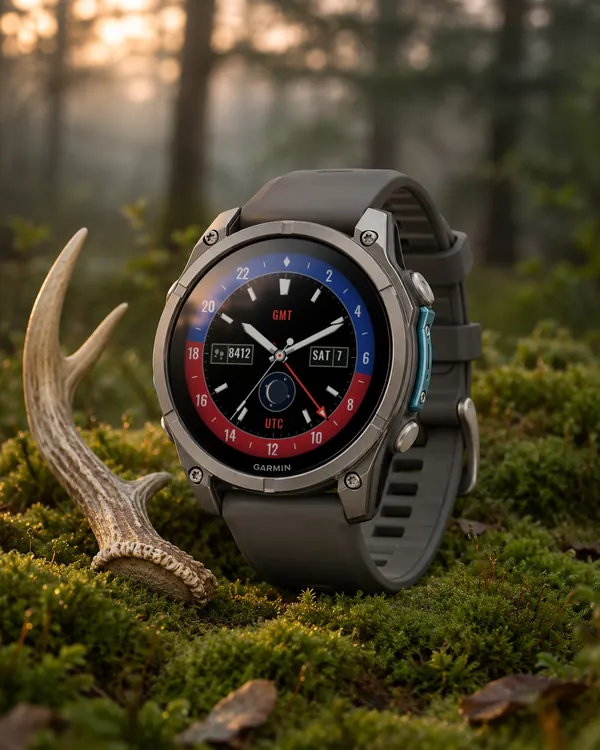 Gmt
Longitude 24
A GMT watch with a day and night 24-hour bezel, second time zone hand and moon phase
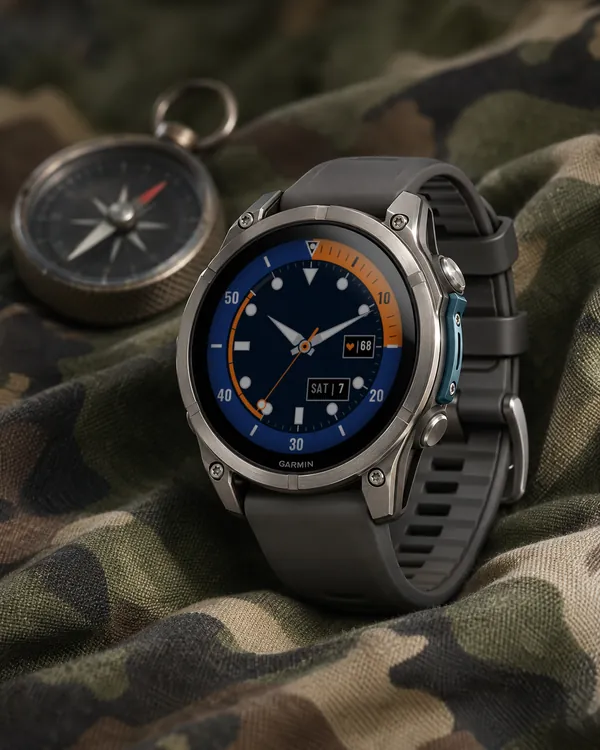 Diver
Deep Bezel
A bold dive watch with a coloured bezel, big lume indices and a steps depth arc
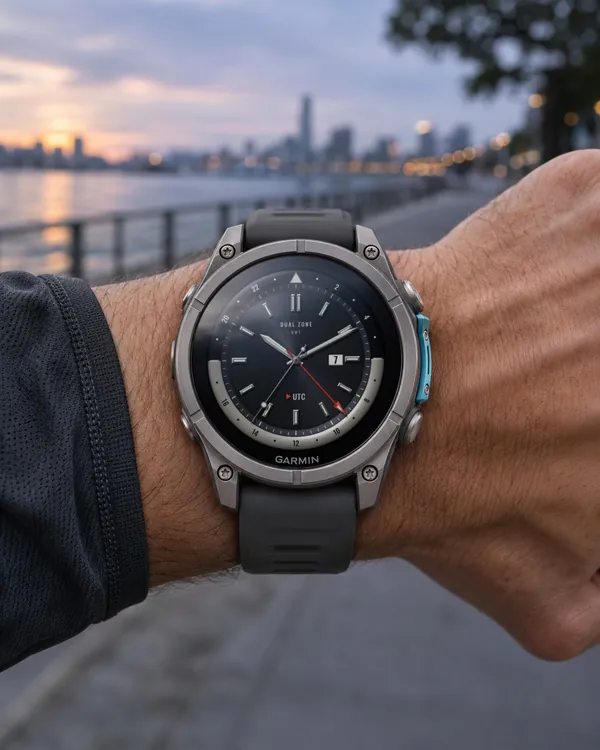 Gmt
Dual Zone
A GMT analog face with a 24 hour bezel and a second time zone
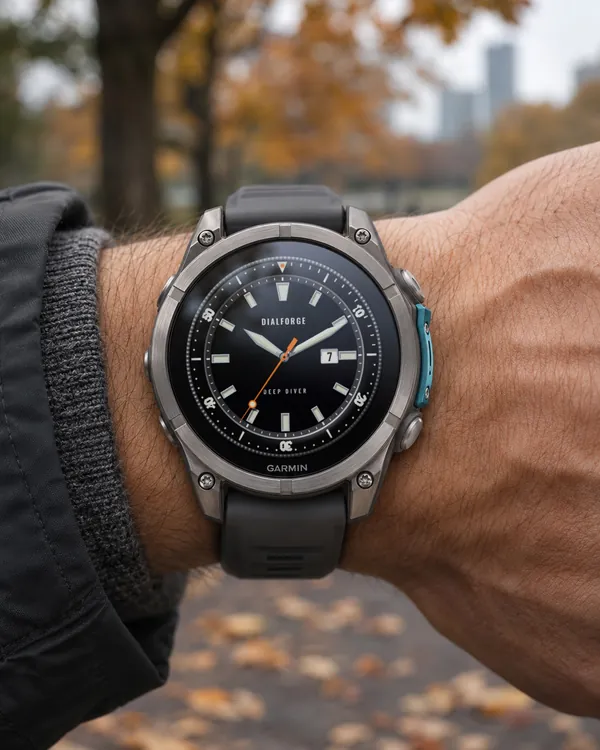 Diver
Deep Diver
A diver's watch face with a turnable 60 minute bezel