Unlock
€6.49
One-time payment. No subscription. The code works on the watch whose ID you enter.
- Install the face from Connect IQ (7 days free).
- On the watch: face settings > Buy / Unlock, scan the QR code.
- Pay and paste the code in the face settings.
- Pay.
- Copy the code.
- Paste it in Connect IQ: this face > Settings > Unlock code.
Payment works best in Safari or Chrome: menu (three dots) > Open in browser
Read it in this face, it is not the serial number of the watch.
Your ID, compare it with the watch:
Where do I find the ID?
On the watch: settings of this face > Buy / Unlock (first item). Scan the QR code with your phone or type the 10 digits. The ID is also at the top of the face settings in the Connect IQ app.
Code not working on your watch? Write to me and I refund within 14 days.
Payments by Stripe. Seller: Mateusz Kolarz, Lublin, Poland.
Paid. Code:
Copying did not work. The code is selected: copy it by hand.
The face unlocks by itself when the watch connects to the phone (usually within an hour; if the trial is still running, the purchase starts working when it ends).
Do not want to wait, or have an older watch? Paste the code in the Connect IQ app:
Connect IQ (or Garmin Connect) > My Device > Watch faces > CGM Steady Ring > Settings > Unlock code > paste > Save
We show the code here too. If the e-mail does not arrive (check spam), you can recover the code in the Recover code section with the Face ID and e-mail from your order. Recover code
Like it? Rate this face in the Garmin store
Want to try new faces and apps before the release, for free? Join the testers program
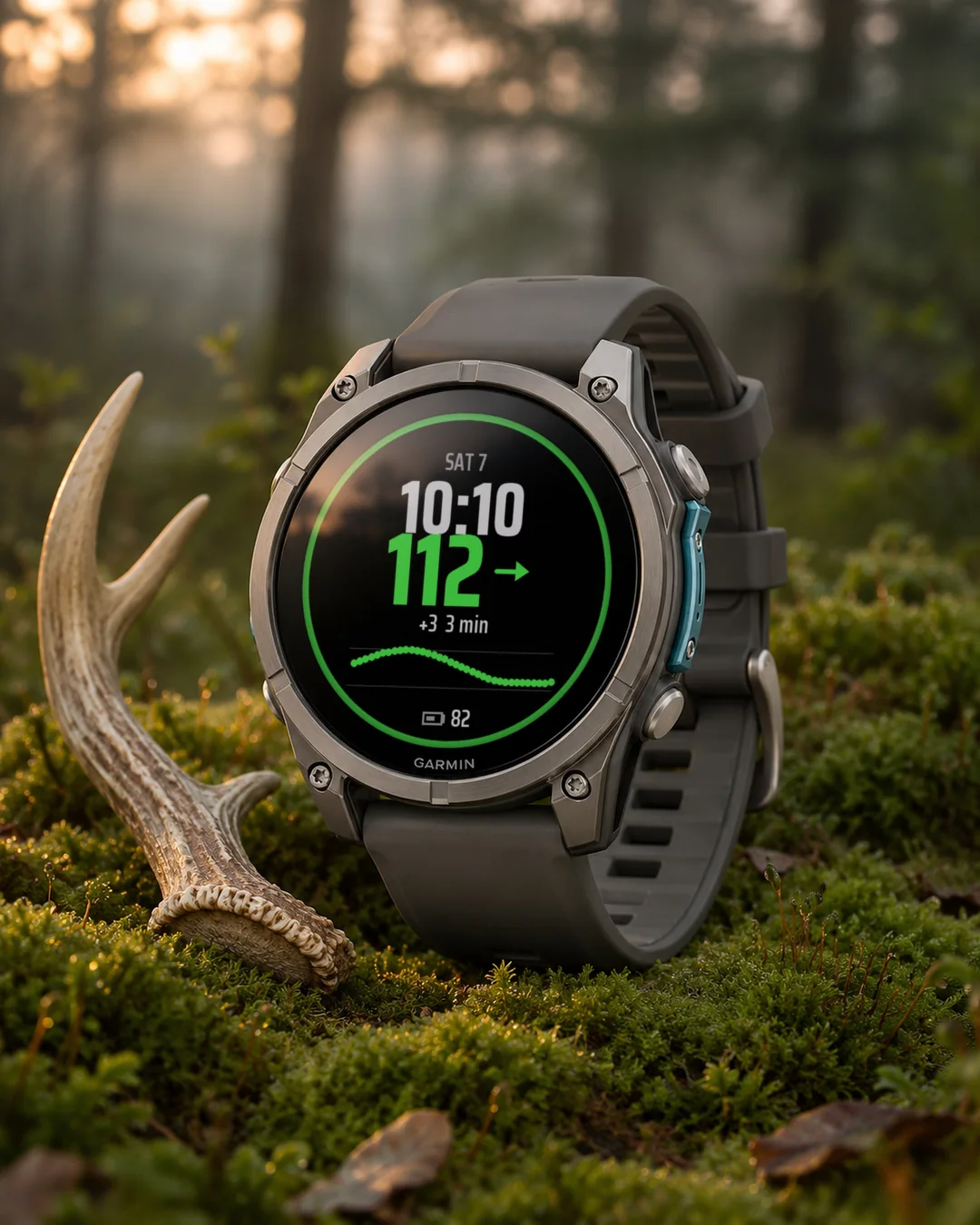
A glucose watch face that shows your CGM reading next to the time, with a trend arrow and a graph of the last 3 hours, read through LibreLinkUp.
7-day free trial, then a one-time unlock at dialforge.dev. No subscription.
CGM Steady Ring puts your glucose reading right next to the time. The number is coloured by range (low, in range, high, very high) with limits you set, and it comes with a trend arrow, the change since the previous reading, how many minutes ago it was taken and a graph of the last 3 hours. When there is no new reading for 15 minutes, the number turns grey. When the watch cannot read anything, it shows a short error code instead of bare dashes, so you can see what is wrong.
- Reads from LibreLinkUp (FreeStyle Libre 2 and 3, the account needs LibreLinkUp access), from Dexcom Share (G6, G7, ONE+, in testing) or from your own Nightscout server (this also covers xDrip+, in testing)
- Units: mg/dL or mmol/L. Range limits set by you
- One widget to choose: battery, heart rate or steps
- Always-on mode on AMOLED
- Works on 50 Garmin watches
- Date in 13 languages, 12 or 24 hour time.
This is not a medical device. It has no alarms and does not replace your reader or the sensor app. Do not use it to decide on treatment. Your glucose data goes straight from the manufacturer's server to your phone and watch. It is never sent to Dialforge. Names of glucose systems are trademarks of their owners and are used only to say what the watch face can read.
Settings: on the watch (hold MENU, then Watch face, then Customize) or in the Garmin Connect app on your phone.
Trial: the face works fully for 7 days. In the last 3 days a small note shows the days left. After that the face shows a lock screen with the clock, your Face ID and a QR code. Buy a code for that ID at dialforge.dev and enter it in the Connect IQ app, in the face settings (Unlock code).
Code not working? Write to kontakt@dialforge.dev and I will fix it or refund you.
From the maker
I am a student and I build Dialforge watch faces myself, after classes. I do not own every watch model, so if something looks wrong on yours, write to me at https://dialforge.dev/faces/steadyring/ and I will usually fix it within 24 hours. If you like the face, you can buy me a coffee: https://buycoffee.to/iwannaflysohigh
Tarcza z glukozą, która pokazuje odczyt CGM obok godziny, ze strzałką trendu i wykresem z ostatnich 3 godzin, a dane odczytuje przez LibreLinkUp.
7 dni za darmo, potem jednorazowe odblokowanie na dialforge.dev. Bez abonamentu.
CGM Steady Ring pokazuje wynik glukozy tuż obok godziny. Liczba ma kolor zakresu (niska, w normie, wysoka, bardzo wysoka) według progów, które sam ustawiasz, a do tego strzałkę trendu, zmianę od poprzedniego odczytu, ile minut temu go pobrano i wykres z ostatnich 3 godzin. Gdy przez 15 minut nie ma nowego odczytu, liczba robi się szara. Gdy zegarek niczego nie odczyta, pokazuje krótki kod błędu zamiast samych kresek, więc widać, co jest nie tak.
- Czyta z LibreLinkUp (FreeStyle Libre 2 i 3, konto musi mieć dostęp do LibreLinkUp), z Dexcom Share (G6, G7, ONE+, w testach) albo z Twojego serwera Nightscout (przez niego także xDrip+, w testach)
- Jednostki: mg/dL albo mmol/L. Progi zakresów ustawiasz sam
- Jeden widżet do wyboru: bateria, tętno albo kroki
- Tryb always-on na AMOLED
- Działa na 50 zegarkach Garmin
- Data w 13 językach, godzina 12 lub 24 h.
To nie jest wyrób medyczny. Nie ma alarmów i nie zastępuje czytnika ani aplikacji czujnika. Nie podejmuj na jego podstawie decyzji o leczeniu. Dane glukozy idą prosto z serwera producenta do telefonu i zegarka. Nigdy nie trafiają do Dialforge. Nazwy systemów glukozy są znakami towarowymi ich właścicieli i służą tylko do podania, z czego tarcza potrafi czytać.
Ustawienia: na zegarku (przytrzymaj MENU, potem Tarcza zegarka, potem Dostosuj) albo w aplikacji Garmin Connect w telefonie.
Próba: przez 7 dni tarcza działa w całości. W ostatnich 3 dniach mały napis pokazuje, ile dni zostało. Potem tarcza pokazuje ekran blokady z zegarem, numerem ID tarczy i kodem QR. Kod dla tego ID kupisz na dialforge.dev i wpiszesz w aplikacji Connect IQ, w ustawieniach tarczy (pole Kod odblokowania).
Kod nie działa? Napisz na kontakt@dialforge.dev, poprawię albo oddam pieniądze.
Od autora
Jestem studentem i robię tarcze Dialforge sam, po zajęciach. Nie mam każdego modelu zegarka, więc jeśli coś wygląda źle na Twoim, napisz na https://dialforge.dev/faces/steadyring/, zwykle poprawiam to w ciągu 24 godzin. Jeśli tarcza Ci się podoba, możesz postawić mi kawę: https://buycoffee.to/iwannaflysohigh
Ein Glukose-Zifferblatt, das deinen CGM-Wert neben der Uhrzeit zeigt, mit Trendpfeil und Verlaufsgrafik der letzten 3 Stunden, ausgelesen über LibreLinkUp.
7 Tage kostenlos testen, danach einmalige Freischaltung auf dialforge.dev. Kein Abo.
CGM Steady Ring zeigt deinen Glukosewert direkt neben der Uhrzeit. Die Zahl ist nach Bereich gefärbt (niedrig, im Zielbereich, hoch, sehr hoch), mit Grenzen, die du selbst festlegst, dazu gibt es einen Trendpfeil, die Änderung seit dem letzten Wert, wie viele Minuten der Wert alt ist und eine Grafik der letzten 3 Stunden. Kommt 15 Minuten lang kein neuer Wert, wird die Zahl grau. Kann die Uhr nichts lesen, zeigt sie einen kurzen Fehlercode statt bloßer Striche, damit du siehst, was los ist.
- Liest von LibreLinkUp (FreeStyle Libre 2 und 3, das Konto braucht LibreLinkUp-Zugang), von Dexcom Share (G6, G7, ONE+, in Erprobung) oder von deinem eigenen Nightscout-Server (damit läuft auch xDrip+, in Erprobung)
- Einheiten: mg/dL oder mmol/L. Bereichsgrenzen stellst du selbst ein
- Ein Widget zur Auswahl: Akku, Herzfrequenz oder Schritte
- Always-on-Modus auf AMOLED
- Läuft auf 50 Garmin-Uhren
- Datum in 13 Sprachen, 12- oder 24-Stunden-Anzeige.
Das ist kein Medizinprodukt. Es hat keine Alarme und ersetzt weder dein Lesegerät noch die App des Sensors. Triff damit keine Entscheidungen zur Behandlung. Deine Glukosedaten gehen direkt vom Server des Herstellers an dein Smartphone und deine Uhr. Sie werden nie an Dialforge gesendet. Die Namen der Glukosesysteme sind Marken ihrer Inhaber und dienen nur dazu, anzugeben, was die Uhrenfläche lesen kann.
Einstellungen: auf der Uhr (MENU gedrückt halten, dann Watchface, dann Anpassen) oder in der Garmin Connect App auf dem Handy.
Testversion: Das Watchface funktioniert 7 Tage lang uneingeschränkt. In den letzten 3 Tagen zeigt ein kleiner Hinweis die verbleibenden Tage. Danach erscheint ein Sperrbildschirm mit Uhrzeit, deiner Watch ID und einem QR-Code. Kaufe auf dialforge.dev einen Code für diese ID und gib ihn in der Connect IQ App in den Watchface-Einstellungen ein (Unlock code).
Code funktioniert nicht? Schreibe an kontakt@dialforge.dev und ich bringe es in Ordnung oder erstatte dir das Geld.
Vom entwickler
Ich bin Student und baue die Dialforge-Watchfaces selbst, nach den Vorlesungen. Ich besitze nicht jedes Uhrenmodell. Wenn bei dir etwas falsch aussieht, schreib mir unter https://dialforge.dev/faces/steadyring/, ich behebe es meistens innerhalb von 24 Stunden. Wenn dir das Watchface gefällt, kannst du mir einen Kaffee spendieren: https://buycoffee.to/iwannaflysohigh
Un cadran glycémie qui affiche votre valeur CGM à côté de l'heure, avec une flèche de tendance et un graphique des 3 dernières heures, lu via LibreLinkUp.
Essai gratuit de 7 jours, puis un déverrouillage unique sur dialforge.dev. Sans abonnement.
CGM Steady Ring affiche votre glycémie juste à côté de l'heure. Le chiffre prend la couleur de la plage (basse, dans la cible, haute, très haute) selon les seuils que vous réglez vous-même, avec une flèche de tendance, l'écart depuis la mesure précédente, il y a combien de minutes elle a été prise et un graphique des 3 dernières heures. Sans nouvelle mesure pendant 15 minutes, le chiffre devient gris. Quand la montre ne peut rien lire, elle affiche un court code d'erreur au lieu de simples tirets, pour que vous voyiez ce qui ne va pas.
- Lit depuis LibreLinkUp (FreeStyle Libre 2 et 3, le compte doit avoir accès à LibreLinkUp), depuis Dexcom Share (G6, G7, ONE+, en test) ou depuis votre propre serveur Nightscout (ce qui couvre aussi xDrip+, en test)
- Unités : mg/dL ou mmol/L. Les seuils des plages sont réglés par vous
- Un widget au choix : batterie, fréquence cardiaque ou pas
- Mode always-on sur AMOLED
- Fonctionne sur 50 montres Garmin
- Date en 13 langues, heure au format 12 ou 24 heures.
Ce n'est pas un dispositif médical. Il n'a pas d'alarmes et ne remplace ni votre lecteur ni l'application du capteur. Ne l'utilisez pas pour décider d'un traitement. Vos données de glycémie vont directement du serveur du fabricant à votre téléphone et à votre montre. Elles ne sont jamais envoyées à Dialforge. Les noms des systèmes de glycémie sont des marques de leurs propriétaires et servent uniquement à indiquer ce que le cadran peut lire.
Réglages : sur la montre (maintenez MENU, puis Cadran, puis Personnaliser) ou dans l'application Garmin Connect sur votre téléphone.
Essai : le cadran fonctionne entièrement pendant 7 jours. Pendant les 3 derniers jours, une petite note indique les jours restants. Ensuite, le cadran affiche un écran verrouillé avec l'heure, votre Watch ID et un code QR. Achetez un code pour cet ID sur dialforge.dev et saisissez-le dans l'application Connect IQ, dans les réglages du cadran (Unlock code).
Le code ne fonctionne pas ? Écrivez à kontakt@dialforge.dev, je corrige ou je vous rembourse.
De la part du créateur
Je suis étudiant et je fabrique moi-même les cadrans Dialforge, après les cours. Je ne possède pas tous les modèles de montres, alors si quelque chose cloche sur la vôtre, écrivez-moi à https://dialforge.dev/faces/steadyring/ et je corrige en général sous 24 heures. Si le cadran vous plaît, vous pouvez m'offrir un café : https://buycoffee.to/iwannaflysohigh
Una esfera de glucosa que muestra tu lectura CGM junto a la hora, con flecha de tendencia y gráfico de las últimas 3 horas, leída a través de LibreLinkUp.
Prueba gratuita de 7 días y luego un desbloqueo único en dialforge.dev. Sin suscripción.
CGM Steady Ring muestra tu glucosa justo al lado de la hora. El número se colorea según el rango (baja, en rango, alta, muy alta) con los límites que tú pones, y trae flecha de tendencia, el cambio respecto a la lectura anterior, hace cuántos minutos se tomó y una gráfica de las últimas 3 horas. Si pasan 15 minutos sin una lectura nueva, el número se pone gris. Cuando el reloj no puede leer nada, enseña un código de error corto en vez de simples rayas, para que veas qué falla.
- Lee de LibreLinkUp (FreeStyle Libre 2 y 3, la cuenta necesita acceso a LibreLinkUp), de Dexcom Share (G6, G7, ONE+, en pruebas) o de tu propio servidor Nightscout (esto incluye xDrip+, en pruebas)
- Unidades: mg/dL o mmol/L. Los límites de rango los pones tú
- Un widget a elegir: batería, pulso o pasos
- Modo always-on en AMOLED
- Funciona en 50 relojes Garmin
- Fecha en 13 idiomas, hora de 12 o 24 horas.
Esto no es un producto sanitario. No tiene alarmas y no sustituye a tu lector ni a la app del sensor. No lo uses para decidir un tratamiento. Tus datos de glucosa van directamente del servidor del fabricante a tu teléfono y a tu reloj. Nunca se envían a Dialforge. Los nombres de los sistemas de glucosa son marcas de sus propietarios y se usan solo para indicar qué puede leer la esfera.
Ajustes: en el reloj (mantén MENU, luego Esfera de reloj, luego Personalizar) o en la app Garmin Connect del teléfono.
Prueba: la esfera funciona por completo durante 7 días. En los últimos 3 días, una nota pequeña indica los días que quedan. Después, la esfera muestra una pantalla de bloqueo con la hora, tu Watch ID y un código QR. Compra un código para ese ID en dialforge.dev e introdúcelo en la app Connect IQ, en los ajustes de la esfera (Unlock code).
¿El código no funciona? Escribe a kontakt@dialforge.dev y lo arreglo o te devuelvo el dinero.
De parte del creador
Soy estudiante y hago yo mismo las esferas de Dialforge, después de clase. No tengo todos los modelos de reloj, así que si algo se ve mal en el tuyo, escríbeme en https://dialforge.dev/faces/steadyring/ y normalmente lo arreglo en 24 horas. Si te gusta la esfera, puedes invitarme a un café: https://buycoffee.to/iwannaflysohigh
Een glucose-wijzerplaat die je CGM-waarde naast de tijd toont, met trendpijl en grafiek van de laatste 3 uur, uitgelezen via LibreLinkUp.
7 dagen gratis proberen, daarna een eenmalige ontgrendeling op dialforge.dev. Geen abonnement.
CGM Steady Ring zet je glucosewaarde recht naast de tijd. Het getal krijgt de kleur van het bereik (laag, binnen bereik, hoog, zeer hoog) met grenzen die je zelf instelt, en er horen een trendpijl bij, de verandering sinds de vorige meting, hoeveel minuten geleden die is gedaan en een grafiek van de laatste 3 uur. Komt er 15 minuten geen nieuwe meting, dan wordt het getal grijs. Als het horloge niets kan lezen, toont het een korte foutcode in plaats van kale streepjes, zodat je ziet wat er mis is.
- Leest van LibreLinkUp (FreeStyle Libre 2 en 3, het account heeft LibreLinkUp-toegang nodig), van Dexcom Share (G6, G7, ONE+, in test) of van je eigen Nightscout-server (daarmee werkt ook xDrip+, in test)
- Eenheden: mg/dL of mmol/L. Bereikgrenzen stel je zelf in
- Eén widget naar keuze: batterij, hartslag of stappen
- Always-on-modus op AMOLED
- Werkt op 50 Garmin-horloges
- Datum in 13 talen, 12- of 24-uursweergave.
Dit is geen medisch hulpmiddel. Het heeft geen alarmen en vervangt je lezer of de app van de sensor niet. Gebruik het niet om beslissingen over behandeling te nemen. Je glucosegegevens gaan rechtstreeks van de server van de fabrikant naar je telefoon en horloge. Ze worden nooit naar Dialforge gestuurd. De namen van glucosesystemen zijn merken van hun eigenaren en worden alleen gebruikt om te zeggen wat de wijzerplaat kan lezen.
Instellingen: op het horloge (houd MENU ingedrukt, dan Wijzerplaat, dan Aanpassen) of in de Garmin Connect-app op je telefoon.
Proefperiode: de wijzerplaat werkt 7 dagen volledig. In de laatste 3 dagen toont een klein bericht de resterende dagen. Daarna toont de wijzerplaat een vergrendelscherm met de klok, je Watch ID en een QR-code. Koop op dialforge.dev een code voor dat ID en voer die in de Connect IQ-app in, bij de instellingen van de wijzerplaat (Unlock code).
Werkt de code niet? Schrijf naar kontakt@dialforge.dev, ik los het op of betaal je terug.
Van de maker
Ik ben student en bouw de Dialforge-wijzerplaten zelf, na de colleges. Ik heb niet elk horlogemodel, dus als er op het jouwe iets raars uitziet, schrijf me dan via https://dialforge.dev/faces/steadyring/. Meestal los ik het binnen 24 uur op. Als je de wijzerplaat mooi vindt, kun je een koffie voor me kopen: https://buycoffee.to/iwannaflysohigh
時刻の隣にCGMのグルコース値を表示する文字盤。トレンド矢印と直近3時間のグラフ付きで、LibreLinkUp経由で読み取ります。
7日間無料でお試しいただけます。その後はdialforge.devで解除を一度だけ購入(サブスクリプションなし)。
CGM Steady Ringは、血糖値を時刻のすぐ隣に表示します。数値は範囲(低め、範囲内、高め、かなり高め)ごとに色が変わり、境界値は自分で設定できます。トレンド矢印、前回の値からの変化、何分前の測定か、直近3時間のグラフも一緒に出ます。15分間新しい値が来ないと、数値は灰色になります。時計が何も読み取れないときは、ただの横線ではなく短いエラーコードを表示するので、何が悪いのか分かります。
- LibreLinkUp(FreeStyle Libre 2と3、アカウントにLibreLinkUpへのアクセスが必要)、Dexcom Share(G6、G7、ONE+、テスト中)、または自分のNightscoutサーバー(xDrip+もこれで対応、テスト中)から読み取ります
- 単位はmg/dLまたはmmol/L。範囲の境界値は自分で設定します
- ウィジェットは1つ選べます:バッテリー、心拍数、歩数
- AMOLEDでのalways-onモード
- Garminの50機種で動きます
- 日付は13言語、12時間または24時間表示。
これは医療機器ではありません。アラームはなく、お使いのリーダーやセンサーのアプリの代わりにもなりません。治療の判断には使わないでください。血糖データは、メーカーのサーバーから直接スマートフォンと時計に届きます。Dialforgeに送信されることはありません。血糖システムの名称はそれぞれの所有者の商標で、このウォッチフェイスが何を読み取れるかを示すためだけに使っています。
設定:時計本体(MENUを長押し、ウォッチフェイス、カスタマイズの順)、またはスマートフォンのGarmin Connectアプリから。
お試し:ウォッチフェイスは7日間すべての機能が使えます。最後の3日間は、残り日数を小さく表示します。その後は、時計、Watch ID、QRコードのあるロック画面になります。そのIDのコードをdialforge.devで購入し、Connect IQアプリのウォッチフェイス設定(Unlock code)に入力してください。
コードが使えない場合は、kontakt@dialforge.devまでご連絡ください。修正するか、返金します。
作者より
私は学生で、授業のあとにDialforgeのウォッチフェイスを自分で作っています。すべての時計を持っているわけではないので、お使いの機種で表示がおかしければ https://dialforge.dev/faces/steadyring/ まで連絡してください。たいてい24時間以内に直します。気に入ったらコーヒーをごちそうしてください:https://buycoffee.to/iwannaflysohigh
Un quadrante per la glicemia che mostra la lettura CGM accanto all'ora, con freccia di tendenza e grafico delle ultime 3 ore, letta tramite LibreLinkUp.
Prova gratuita di 7 giorni, poi uno sblocco una tantum su dialforge.dev. Nessun abbonamento.
CGM Steady Ring mostra il valore della glicemia proprio accanto all'ora. Il numero cambia colore in base all'intervallo (bassa, nel range, alta, molto alta) con i limiti che imposti tu, e porta con sé la freccia di tendenza, la variazione rispetto alla lettura precedente, quanti minuti fa è stata rilevata e un grafico delle ultime 3 ore. Se per 15 minuti non arriva una nuova lettura, il numero diventa grigio. Quando l'orologio non riesce a leggere nulla, mostra un breve codice di errore invece di semplici trattini, così vedi cosa non va.
- Legge da LibreLinkUp (FreeStyle Libre 2 e 3, l'account deve avere accesso a LibreLinkUp), da Dexcom Share (G6, G7, ONE+, in fase di test) o dal tuo server Nightscout (copre anche xDrip+, in fase di test)
- Unità: mg/dL o mmol/L. I limiti degli intervalli li imposti tu
- Un widget a scelta: batteria, battito o passi
- Modalità always-on su AMOLED
- Funziona su 50 orologi Garmin
- Data in 13 lingue, ora a 12 o 24 ore.
Non è un dispositivo medico. Non ha allarmi e non sostituisce il tuo lettore né l'app del sensore. Non usarlo per decidere una terapia. I tuoi dati sulla glicemia vanno direttamente dal server del produttore al telefono e all'orologio. Non vengono mai inviati a Dialforge. I nomi dei sistemi per la glicemia sono marchi dei rispettivi proprietari e servono solo a dire cosa può leggere il quadrante.
Impostazioni: sull'orologio (tieni premuto MENU, poi Quadrante, poi Personalizza) oppure nell'app Garmin Connect sul telefono.
Prova: il quadrante funziona per intero per 7 giorni. Negli ultimi 3 giorni una piccola nota mostra i giorni rimasti. Poi compare una schermata di blocco con l'ora, il tuo Watch ID e un codice QR. Acquista un codice per quell'ID su dialforge.dev e inseriscilo nell'app Connect IQ, nelle impostazioni del quadrante (Unlock code).
Il codice non funziona? Scrivi a kontakt@dialforge.dev: lo sistemo o ti rimborso.
Da chi lo fa
Sono uno studente e costruisco da solo i quadranti Dialforge, dopo le lezioni. Non ho tutti i modelli di orologio, quindi se sul tuo qualcosa non torna, scrivimi su https://dialforge.dev/faces/steadyring/ e di solito sistemo entro 24 ore. Se il quadrante ti piace, puoi offrirmi un caffè: https://buycoffee.to/iwannaflysohigh
在时间旁显示 CGM 血糖读数的表盘,带趋势箭头和最近 3 小时曲线图,通过 LibreLinkUp 读取数据。
7 天免费试用,之后在 dialforge.dev 一次性解锁。无需订阅。
CGM Steady Ring 把血糖数值直接放在时间旁边。数字按范围(偏低、正常、偏高、很高)变色,界限由你自己设定,还带有趋势箭头、与上次读数相比的变化、是几分钟前测得的,以及最近 3 小时的曲线图。如果 15 分钟没有新读数,数字会变灰。手表什么都读不到时,会显示一个简短的错误代码,而不是一排横线,这样你能看出哪里出了问题。
- 可从 LibreLinkUp(FreeStyle Libre 2 和 3,账号需要有 LibreLinkUp 访问权限)、Dexcom Share(G6、G7、ONE+,测试中)或你自己的 Nightscout 服务器(xDrip+ 也可通过它使用,测试中)读取
- 单位:mg/dL 或 mmol/L。范围界限由你设定
- 可选一个小组件:电量、心率或步数
- AMOLED 上支持 always-on 模式
- 适用于 50 款 Garmin 手表
- 日期支持13种语言,12或24小时制。
这不是医疗器械。它没有警报,也不能代替你的读取器或传感器应用。请勿用它来决定治疗方案。你的血糖数据直接从厂商服务器传到你的手机和手表,绝不会发送给 Dialforge。血糖系统的名称是其所有者的商标,仅用于说明这款表盘能读取什么。
设置方式:在手表上(按住 MENU,然后选择表盘,再选择自定义),或在手机上的 Garmin Connect 应用中。
试用:表盘在 7 天内功能完整。最后 3 天会用小字提示剩余天数。之后表盘会显示锁定屏幕,包含时钟、你的 Watch ID 和二维码。请在 dialforge.dev 为该 ID 购买解锁码,并在 Connect IQ 应用的表盘设置(Unlock code)中输入。
解锁码无效?请写信到 kontakt@dialforge.dev,我会修复或退款。
来自开发者
我是学生,Dialforge 的表盘都是我下课后自己做的。我没有所有型号的手表,所以如果在你的手表上看起来不对,请通过 https://dialforge.dev/faces/steadyring/ 联系我,我通常会在24小时内修好。如果你喜欢这款表盘,可以请我喝杯咖啡:https://buycoffee.to/iwannaflysohigh
Циферблат с глюкозой: показание CGM рядом со временем, стрелка тренда и график за последние 3 часа, данные считываются через LibreLinkUp.
7-дневный бесплатный пробный период, затем разовая разблокировка на dialforge.dev. Без подписки.
CGM Steady Ring показывает уровень глюкозы прямо рядом со временем. Число окрашивается по диапазону (низкий, в норме, высокий, очень высокий) с границами, которые вы задаёте сами, и к нему идут стрелка тренда, изменение с прошлого измерения, сколько минут назад оно было получено и график за последние 3 часа. Если 15 минут нет нового значения, число становится серым. Когда часы ничего не могут прочитать, они показывают короткий код ошибки вместо простых прочерков, и видно, что не так.
- Читает данные из LibreLinkUp (FreeStyle Libre 2 и 3, у аккаунта должен быть доступ к LibreLinkUp), из Dexcom Share (G6, G7, ONE+, в тестировании) или с вашего собственного сервера Nightscout (через него работает и xDrip+, в тестировании)
- Единицы: mg/dL или mmol/L. Границы диапазонов вы задаёте сами
- Один виджет на выбор: батарея, пульс или шаги
- Режим always-on на AMOLED
- Работает на 50 часах Garmin
- Дата на 13 языках, 12- или 24-часовой формат времени.
Это не медицинское изделие. В нём нет сигналов тревоги, и оно не заменяет ваш ридер или приложение датчика. Не принимайте по нему решений о лечении. Данные о глюкозе идут прямо с сервера производителя на ваш телефон и часы. В Dialforge они никогда не отправляются. Названия систем мониторинга глюкозы являются товарными знаками их владельцев и используются только для того, чтобы указать, что умеет читать циферблат.
Настройки: на часах (удерживайте MENU, затем Циферблат, затем Настроить) или в приложении Garmin Connect на телефоне.
Пробный период: циферблат полностью работает 7 дней. В последние 3 дня небольшая надпись показывает, сколько дней осталось. После этого появляется экран блокировки с часами, вашим Watch ID и QR-кодом. Купите код для этого ID на dialforge.dev и введите его в приложении Connect IQ, в настройках циферблата (Unlock code).
Код не работает? Напишите на kontakt@dialforge.dev, я исправлю или верну деньги.
От автора
Я студент и сам делаю циферблаты Dialforge после занятий. У меня нет всех моделей часов, поэтому если на вашей что-то выглядит не так, напишите мне на https://dialforge.dev/faces/steadyring/, и я обычно исправляю за 24 часа. Если циферблат нравится, можете угостить меня кофе: https://buycoffee.to/iwannaflysohigh
Um mostrador de glicose que exibe sua leitura de CGM ao lado da hora, com seta de tendência e gráfico das últimas 3 horas, lida pelo LibreLinkUp.
Teste grátis de 7 dias, depois um desbloqueio único em dialforge.dev. Sem assinatura.
O CGM Steady Ring mostra sua glicose bem ao lado da hora. O número muda de cor conforme a faixa (baixa, na faixa, alta, muito alta), com limites que você mesmo define, e vem com seta de tendência, a variação desde a leitura anterior, há quantos minutos ela foi feita e um gráfico das últimas 3 horas. Se ficar 15 minutos sem leitura nova, o número fica cinza. Quando o relógio não consegue ler nada, mostra um código de erro curto em vez de simples traços, para você ver o que está errado.
- Lê do LibreLinkUp (FreeStyle Libre 2 e 3, a conta precisa ter acesso ao LibreLinkUp), do Dexcom Share (G6, G7, ONE+, em teste) ou do seu próprio servidor Nightscout (isso cobre também o xDrip+, em teste)
- Unidades: mg/dL ou mmol/L. Os limites das faixas são definidos por você
- Um widget à escolha: bateria, frequência cardíaca ou passos
- Modo always-on em AMOLED
- Funciona em 50 relógios Garmin
- Data em 13 idiomas, hora de 12 ou 24 horas.
Isto não é um dispositivo médico. Não tem alarmes e não substitui seu leitor nem o aplicativo do sensor. Não use para decidir sobre tratamento. Seus dados de glicose vão direto do servidor do fabricante para o seu celular e relógio. Nunca são enviados à Dialforge. Os nomes dos sistemas de glicose são marcas registradas de seus donos e servem só para dizer o que o mostrador consegue ler.
Configurações: no relógio (segure MENU, depois Mostrador, depois Personalizar) ou no app Garmin Connect no celular.
Teste: o mostrador funciona por completo durante 7 dias. Nos últimos 3 dias, uma pequena nota mostra os dias restantes. Depois, o mostrador exibe uma tela de bloqueio com o relógio, o seu Watch ID e um código QR. Compre um código para esse ID em dialforge.dev e digite no app Connect IQ, nas configurações do mostrador (Unlock code).
O código não funciona? Escreva para kontakt@dialforge.dev, eu corrijo ou devolvo o seu dinheiro.
De quem fez
Sou estudante e faço os mostradores Dialforge sozinho, depois das aulas. Não tenho todos os modelos de relógio, então se algo estiver estranho no seu, escreva pra mim em https://dialforge.dev/faces/steadyring/ e normalmente eu resolvo em até 24 horas. Se você gostar do mostrador, pode me pagar um café: https://buycoffee.to/iwannaflysohigh
Ciferník s glukózou, který vedle času ukazuje hodnotu z CGM, se šipkou trendu a grafem posledních 3 hodin, data se čtou přes LibreLinkUp.
7denní bezplatná zkušební verze, poté jednorázové odemknutí na dialforge.dev. Žádné předplatné.
CGM Steady Ring ukazuje hodnotu glukózy hned vedle času. Číslo je obarvené podle rozsahu (nízká, v normě, vysoká, velmi vysoká) podle mezí, které si nastavíte sami, a k tomu šipku trendu, změnu od předchozího měření, před kolika minutami bylo měření načteno a graf za poslední 3 hodiny. Když 15 minut nepřijde nové měření, číslo zešedne. Když hodinky nic nepřečtou, ukážou krátký kód chyby místo samých pomlček, takže je vidět, co je špatně.
- Čte z LibreLinkUp (FreeStyle Libre 2 a 3, účet musí mít přístup k LibreLinkUp), z Dexcom Share (G6, G7, ONE+, v testování) nebo z vašeho vlastního serveru Nightscout (přes něj i xDrip+, v testování)
- Jednotky: mg/dL nebo mmol/L. Meze rozsahů si nastavíte sami
- Jeden widget na výběr: baterie, tep nebo kroky
- Režim always-on na AMOLED
- Funguje na 50 hodinkách Garmin
- Datum v 13 jazycích, 12hodinový nebo 24hodinový formát.
Toto není zdravotnický prostředek. Nemá alarmy a nenahrazuje váš čtecí přístroj ani aplikaci senzoru. Nerozhodujte podle něj o léčbě. Data o glukóze jdou přímo ze serveru výrobce do vašeho telefonu a hodinek. Nikdy se neposílají do Dialforge. Názvy glukózových systémů jsou ochranné známky jejich vlastníků a používají se jen k uvedení, co umí ciferník číst.
Nastavení: na hodinkách (podrž MENU, pak Ciferník, pak Přizpůsobit) nebo v aplikaci Garmin Connect v telefonu.
Zkouška: ciferník plně funguje 7 dní. V posledních 3 dnech malá poznámka ukazuje, kolik dní zbývá. Poté ciferník zobrazí zamykací obrazovku s hodinami, vaším Watch ID a QR kódem. Kód pro toto ID koupíte na dialforge.dev a zadáte ho v aplikaci Connect IQ v nastavení ciferníku (Unlock code).
Kód nefunguje? Napište na kontakt@dialforge.dev, opravím to nebo vrátím peníze.
Od tvůrce
Jsem student a ciferníky Dialforge dělám sám, po škole. Nemám každý model hodinek, takže pokud něco na tvých vypadá špatně, napiš mi přes https://dialforge.dev/faces/steadyring/ a obvykle to opravím do 24 hodin. Pokud se ti ciferník líbí, můžeš mi koupit kávu: https://buycoffee.to/iwannaflysohigh
Um mostrador de glicose que mostra a leitura do CGM ao lado da hora, com seta de tendência e gráfico das últimas 3 horas, lida através do LibreLinkUp.
7 dias de teste gratuito, depois um desbloqueio único em dialforge.dev. Sem subscrição.
O CGM Steady Ring mostra a sua glicose mesmo ao lado da hora. O número muda de cor conforme o intervalo (baixa, no intervalo, alta, muito alta), com limites que define você mesmo, e traz seta de tendência, a variação desde a leitura anterior, há quantos minutos foi feita e um gráfico das últimas 3 horas. Se passarem 15 minutos sem leitura nova, o número fica cinzento. Quando o relógio não consegue ler nada, mostra um código de erro curto em vez de simples traços, para ver o que está mal.
- Lê do LibreLinkUp (FreeStyle Libre 2 e 3, a conta tem de ter acesso ao LibreLinkUp), do Dexcom Share (G6, G7, ONE+, em teste) ou do seu próprio servidor Nightscout (isto cobre também o xDrip+, em teste)
- Unidades: mg/dL ou mmol/L. Os limites dos intervalos são definidos por si
- Um widget à escolha: bateria, frequência cardíaca ou passos
- Modo always-on em AMOLED
- Funciona em 50 relógios Garmin
- Data em 13 idiomas, hora de 12 ou 24 horas.
Isto não é um dispositivo médico. Não tem alarmes e não substitui o seu leitor nem a aplicação do sensor. Não o utilize para decidir sobre tratamento. Os seus dados de glicose vão diretamente do servidor do fabricante para o telemóvel e para o relógio. Nunca são enviados para a Dialforge. Os nomes dos sistemas de glicose são marcas dos respetivos proprietários e servem apenas para dizer o que o mostrador consegue ler.
Definições: no relógio (mantenha MENU premido, depois Mostrador, depois Personalizar) ou na aplicação Garmin Connect no telemóvel.
Teste: o mostrador funciona por completo durante 7 dias. Nos últimos 3 dias, uma pequena nota mostra os dias que faltam. Depois, o mostrador apresenta um ecrã de bloqueio com o relógio, o seu Watch ID e um código QR. Compre um código para esse ID em dialforge.dev e introduza-o na app Connect IQ, nas definições do mostrador (Unlock code).
O código não funciona? Escreva para kontakt@dialforge.dev, corrijo ou devolvo-lhe o dinheiro.
Do criador
Sou estudante e faço eu próprio os mostradores Dialforge, depois das aulas. Não tenho todos os modelos de relógio, por isso se algo parecer errado no seu, escreva-me para https://dialforge.dev/faces/steadyring/ e normalmente corrijo em 24 horas. Se gostar do mostrador, pode pagar-me um café: https://buycoffee.to/iwannaflysohigh
시간 옆에 CGM 혈당 수치를 보여 주는 워치 페이스로, 추세 화살표와 최근 3시간 그래프가 있으며 LibreLinkUp을 통해 데이터를 읽어 옵니다.
7일 무료 체험 후, dialforge.dev에서 일회성 잠금 해제를 구매하세요. 구독은 없습니다.
CGM Steady Ring은 혈당 수치를 시간 바로 옆에 보여 줍니다. 숫자는 범위(낮음, 정상 범위, 높음, 매우 높음)에 따라 색이 바뀌고, 기준값은 직접 설정합니다. 추세 화살표, 이전 측정값과의 변화량, 몇 분 전에 측정했는지, 최근 3시간 그래프도 함께 나옵니다. 15분 동안 새 측정값이 없으면 숫자가 회색으로 바뀝니다. 시계가 아무것도 읽지 못할 때는 빈 줄표 대신 짧은 오류 코드를 보여 주기 때문에 무엇이 문제인지 알 수 있습니다.
- LibreLinkUp(FreeStyle Libre 2와 3, 계정에 LibreLinkUp 접근 권한 필요), Dexcom Share(G6, G7, ONE+, 테스트 중) 또는 직접 운영하는 Nightscout 서버(xDrip+도 여기에 해당, 테스트 중)에서 읽습니다
- 단위: mg/dL 또는 mmol/L. 범위 기준값은 직접 설정합니다
- 위젯 하나 선택: 배터리, 심박수 또는 걸음 수
- AMOLED에서 always-on 모드 지원
- Garmin 시계 50종에서 작동합니다
- 13개 언어의 날짜, 12시간 또는 24시간 표시.
이 제품은 의료기기가 아닙니다. 알람이 없고, 사용 중인 리더기나 센서 앱을 대체하지 않습니다. 치료 결정에 사용하지 마세요. 혈당 데이터는 제조사 서버에서 휴대폰과 시계로 바로 전달됩니다. Dialforge로는 절대 전송되지 않습니다. 혈당 시스템 이름은 각 소유자의 상표이며, 이 워치페이스가 무엇을 읽을 수 있는지 알리는 용도로만 사용됩니다.
설정: 시계에서 (MENU를 길게 누르고, 워치 페이스, 사용자 설정 순서) 또는 휴대폰의 Garmin Connect 앱에서 하세요.
체험: 워치 페이스는 7일 동안 모든 기능이 작동합니다. 마지막 3일 동안은 남은 일수를 작은 글씨로 알려 줍니다. 그 뒤에는 시계, 워치 ID, QR 코드가 있는 잠금 화면이 나타납니다. dialforge.dev에서 해당 ID용 코드를 구매해 Connect IQ 앱의 워치 페이스 설정(Unlock code)에 입력하세요.
코드가 작동하지 않나요? kontakt@dialforge.dev로 연락 주시면 고치거나 환불해 드립니다.
만든 사람의 한마디
저는 학생이고, 수업이 끝난 뒤에 Dialforge 워치 페이스를 직접 만들고 있습니다. 모든 시계 모델을 갖고 있지는 않아서, 사용 중인 모델에서 이상하게 보이면 https://dialforge.dev/faces/steadyring/로 알려 주세요. 보통 24시간 안에 고칩니다. 워치 페이스가 마음에 드신다면 커피 한 잔 사 주셔도 좋아요: https://buycoffee.to/iwannaflysohigh
En glukos-urtavla som visar ditt CGM-värde bredvid tiden, med trendpil och graf över de senaste 3 timmarna, avläst via LibreLinkUp.
7 dagars gratis provperiod, sedan en engångsupplåsning på dialforge.dev. Ingen prenumeration.
CGM Steady Ring visar ditt glukosvärde precis bredvid klockslaget. Siffran färgas efter intervall (lågt, inom intervallet, högt, mycket högt) med gränser som du ställer in själv, och med den följer en trendpil, ändringen sedan förra mätningen, hur många minuter sedan den togs och en graf över de senaste 3 timmarna. Om det inte kommer något nytt värde på 15 minuter blir siffran grå. När klockan inte kan läsa något visar den en kort felkod i stället för bara streck, så att du ser vad som är fel.
- Läser från LibreLinkUp (FreeStyle Libre 2 och 3, kontot måste ha tillgång till LibreLinkUp), från Dexcom Share (G6, G7, ONE+, under test) eller från din egen Nightscout-server (det täcker också xDrip+, under test)
- Enheter: mg/dL eller mmol/L. Du ställer in intervallgränserna själv
- En widget att välja: batteri, puls eller steg
- Always-on-läge på AMOLED
- Fungerar på 50 Garmin-klockor
- Datum på 13 språk, 12- eller 24-timmarsvisning.
Det här är inte en medicinteknisk produkt. Den har inga larm och ersätter inte din läsare eller sensorns app. Använd den inte för att fatta beslut om behandling. Dina glukosdata går direkt från tillverkarens server till din telefon och klocka. De skickas aldrig till Dialforge. Namnen på glukossystemen är varumärken som tillhör sina ägare och används bara för att säga vad urtavlan kan läsa.
Inställningar: på klockan (håll in MENU, sedan Urtavla, sedan Anpassa) eller i appen Garmin Connect på telefonen.
Prov: urtavlan fungerar fullt ut i 7 dagar. De sista 3 dagarna visar en liten notis hur många dagar som är kvar. Därefter visar urtavlan en låsskärm med klockan, ditt Watch ID och en QR-kod. Köp en kod för det ID:t på dialforge.dev och skriv in den i Connect IQ-appen, i urtavlans inställningar (Unlock code).
Fungerar inte koden? Skriv till kontakt@dialforge.dev, så rättar jag det eller ger dig pengarna tillbaka.
Från skaparen
Jag är student och bygger Dialforge-urtavlorna själv, efter lektionerna. Jag äger inte alla klockmodeller, så om något ser fel ut på din, skriv till mig via https://dialforge.dev/faces/steadyring/ så fixar jag det oftast inom 24 timmar. Om du gillar urtavlan kan du bjuda mig på en kaffe: https://buycoffee.to/iwannaflysohigh
En glukose-urskive, der viser din CGM-værdi ved siden af klokkeslættet, med tendenspil og graf over de seneste 3 timer, aflæst via LibreLinkUp.
7 dages gratis prøveperiode, derefter en engangsoplåsning på dialforge.dev. Intet abonnement.
CGM Steady Ring viser dit glukosetal lige ved siden af klokkeslættet. Tallet farves efter område (lav, i området, høj, meget høj) med grænser, du selv sætter, og det kommer med en tendenspil, ændringen siden forrige måling, hvor mange minutter siden den blev taget, og en graf over de sidste 3 timer. Hvis der ikke kommer en ny måling i 15 minutter, bliver tallet gråt. Når uret ikke kan læse noget, viser det en kort fejlkode i stedet for bare streger, så du kan se, hvad der er galt.
- Læser fra LibreLinkUp (FreeStyle Libre 2 og 3, kontoen skal have adgang til LibreLinkUp), fra Dexcom Share (G6, G7, ONE+, under test) eller fra din egen Nightscout-server (det dækker også xDrip+, under test)
- Enheder: mg/dL eller mmol/L. Du sætter selv grænserne for områderne
- Én widget at vælge: batteri, puls eller skridt
- Always-on-tilstand på AMOLED
- Virker på 50 Garmin-ure
- Dato på 13 sprog, 12- eller 24-timers tid.
Dette er ikke medicinsk udstyr. Det har ingen alarmer og erstatter ikke din læser eller sensorens app. Brug det ikke til at beslutte behandling. Dine glukosedata går direkte fra producentens server til din telefon og dit ur. De sendes aldrig til Dialforge. Navnene på glukosesystemerne er varemærker tilhørende deres ejere og bruges kun til at sige, hvad urskiven kan læse.
Indstillinger: på uret (hold MENU nede, derefter Urskive, derefter Tilpas) eller i Garmin Connect-appen på din telefon.
Prøve: urskiven virker fuldt ud i 7 dage. De sidste 3 dage viser en lille note, hvor mange dage der er tilbage. Derefter viser urskiven en låseskærm med uret, dit Watch ID og en QR-kode. Køb en kode til det ID på dialforge.dev og indtast den i Connect IQ-appen under urskivens indstillinger (Unlock code).
Virker koden ikke? Skriv til kontakt@dialforge.dev, så retter jeg det eller refunderer dig.
Fra udvikleren
Jeg er studerende og laver Dialforge-urskiverne selv, efter undervisningen. Jeg ejer ikke alle urmodeller, så hvis noget ser forkert ud på dit, så skriv til mig på https://dialforge.dev/faces/steadyring/, så retter jeg det som regel inden for 24 timer. Kan du lide skiven, kan du give mig en kop kaffe: https://buycoffee.to/iwannaflysohigh
En glukose-urskive som viser CGM-verdien din ved siden av klokkeslettet, med trendpil og graf over de siste 3 timene, avlest via LibreLinkUp.
7 dagers gratis prøveperiode, deretter en engangsopplåsing på dialforge.dev. Ingen abonnement.
CGM Steady Ring viser glukoseverdien din rett ved siden av klokkeslettet. Tallet får farge etter område (lav, innenfor, høy, veldig høy) med grenser du setter selv, og det følger med en trendpil, endringen siden forrige måling, hvor mange minutter siden den ble tatt og en graf over de siste 3 timene. Hvis det ikke kommer noen ny måling på 15 minutter, blir tallet grått. Når klokken ikke kan lese noe, viser den en kort feilkode i stedet for bare streker, så du ser hva som er galt.
- Leser fra LibreLinkUp (FreeStyle Libre 2 og 3, kontoen må ha tilgang til LibreLinkUp), fra Dexcom Share (G6, G7, ONE+, under testing) eller fra din egen Nightscout-server (dette dekker også xDrip+, under testing)
- Enheter: mg/dL eller mmol/L. Du setter grensene for områdene selv
- Én widget å velge: batteri, puls eller skritt
- Always-on-modus på AMOLED
- Fungerer på 50 Garmin-klokker
- Dato på 13 språk, 12- eller 24-timers visning.
Dette er ikke medisinsk utstyr. Det har ingen alarmer og erstatter ikke leseren din eller appen til sensoren. Ikke bruk det til å bestemme behandling. Glukosedataene dine går rett fra produsentens server til telefonen og klokken din. De sendes aldri til Dialforge. Navnene på glukosesystemene er varemerker som tilhører eierne, og brukes bare for å si hva urskiven kan lese.
Innstillinger: på klokken (hold inne MENU, deretter Urskive, deretter Tilpass) eller i Garmin Connect-appen på telefonen.
Prøve: urskiven fungerer fullt ut i 7 dager. De siste 3 dagene viser et lite notat hvor mange dager som er igjen. Etter det viser urskiven en låseskjerm med klokken, Watch ID-en din og en QR-kode. Kjøp en kode for den ID-en på dialforge.dev og skriv den inn i Connect IQ-appen, i urskiveinnstillingene (Unlock code).
Virker ikke koden? Skriv til kontakt@dialforge.dev, så fikser jeg det eller refunderer deg.
Fra utvikleren
Jeg er student og lager Dialforge-urskivene selv, etter forelesning. Jeg eier ikke alle klokkemodellene, så hvis noe ser feil ut på din, skriv til meg på https://dialforge.dev/faces/steadyring/, så fikser jeg det vanligvis innen 24 timer. Liker du urskiven, kan du gi meg en kaffe: https://buycoffee.to/iwannaflysohigh
在時間旁顯示 CGM 血糖讀數的錶面,附趨勢箭頭和最近 3 小時曲線圖,透過 LibreLinkUp 讀取資料。
7 天免費試用,之後在 dialforge.dev 一次性解鎖。不需訂閱。
CGM Steady Ring 把血糖數值直接放在時間旁邊。數字會依範圍(偏低、正常、偏高、很高)變色,界線由你自己設定,還附有趨勢箭頭、與上次讀數相比的變化、是幾分鐘前量到的,以及最近 3 小時的曲線圖。如果 15 分鐘沒有新讀數,數字會變灰。手錶什麼都讀不到時,會顯示簡短的錯誤代碼,而不是一排橫線,這樣你能看出哪裡出了問題。
- 可從 LibreLinkUp(FreeStyle Libre 2 和 3,帳號需要有 LibreLinkUp 存取權限)、Dexcom Share(G6、G7、ONE+,測試中)或你自己的 Nightscout 伺服器(xDrip+ 也可透過它使用,測試中)讀取
- 單位:mg/dL 或 mmol/L。範圍界線由你設定
- 可選一個小工具:電量、心率或步數
- AMOLED 上支援 always-on 模式
- 適用於 50 款 Garmin 手錶
- 日期支援13種語言,12或24小時制。
這不是醫療器材。它沒有警報,也不能取代你的讀取器或感測器應用程式。請勿用它來決定治療方式。你的血糖資料直接從廠商伺服器傳到你的手機和手錶,絕不會傳送給 Dialforge。血糖系統的名稱是其所有者的商標,僅用來說明這款錶面能讀取什麼。
設定方式:在手錶上(按住 MENU,然後選擇錶面,再選擇自訂),或在手機上的 Garmin Connect 應用程式中。
試用:錶面在 7 天內功能完整。最後 3 天會用小字提示剩餘天數。之後錶面會顯示鎖定畫面,包含時鐘、你的 Watch ID 和 QR 碼。請在 dialforge.dev 為該 ID 購買解鎖碼,並在 Connect IQ 應用程式的錶面設定(Unlock code)中輸入。
解鎖碼無效?請寫信到 kontakt@dialforge.dev,我會修復或退款。
來自開發者
我是學生,Dialforge 的錶面都是我下課後自己做的。我沒有所有型號的手錶,所以如果在你的手錶上看起來不對,請透過 https://dialforge.dev/faces/steadyring/ 聯絡我,我通常會在24小時內修好。如果你喜歡這款錶面,可以請我喝杯咖啡:https://buycoffee.to/iwannaflysohigh
Glukoosikellotaulu, joka näyttää CGM-arvon ajan vieressä trendinuolen ja viimeisen 3 tunnin kuvaajan kanssa, luettuna LibreLinkUpin kautta.
7 päivän ilmainen kokeilu, sen jälkeen kertaluonteinen avaus osoitteessa dialforge.dev. Ei tilausta.
CGM Steady Ring näyttää glukoosiarvosi aivan kellonajan vieressä. Luku väritetään alueen mukaan (matala, tavoitealueella, korkea, erittäin korkea) rajoilla, jotka asetat itse, ja mukana tulevat trendinuoli, muutos edelliseen mittaukseen, kuinka monta minuuttia sitten mittaus tehtiin sekä kuvaaja viimeisen 3 tunnin ajalta. Jos uutta mittausta ei tule 15 minuuttiin, luku muuttuu harmaaksi. Kun kello ei saa luettua mitään, se näyttää lyhyen virhekoodin pelkkien viivojen sijaan, joten näet, mikä on vialla.
- Lukee LibreLinkUpista (FreeStyle Libre 2 ja 3, tilillä on oltava LibreLinkUp-käyttöoikeus), Dexcom Sharesta (G6, G7, ONE+, testauksessa) tai omalta Nightscout-palvelimeltasi (tämä kattaa myös xDrip+:n, testauksessa)
- Yksiköt: mg/dL tai mmol/L. Aluerajat asetat itse
- Yksi valittava widget: akku, syke tai askeleet
- Always-on-tila AMOLED-näytöllä
- Toimii 50 Garmin-kellossa
- Päivämäärä 13 kielellä, 12 tai 24 tunnin kello.
Tämä ei ole lääkinnällinen laite. Siinä ei ole hälytyksiä, eikä se korvaa lukulaitettasi tai sensorin sovellusta. Älä käytä sitä hoitopäätösten tekemiseen. Glukoositietosi kulkevat suoraan valmistajan palvelimelta puhelimeesi ja kelloosi. Niitä ei koskaan lähetetä Dialforgelle. Glukoosijärjestelmien nimet ovat omistajiensa tavaramerkkejä, ja niitä käytetään vain kertomaan, mitä kellotaulu osaa lukea.
Asetukset: kellossa (pidä MENU painettuna, sitten Kellotaulu, sitten Mukauta) tai puhelimen Garmin Connect -sovelluksessa.
Kokeilu: kellotaulu toimii täysin 7 päivää. Viimeisten 3 päivän aikana pieni merkintä näyttää jäljellä olevat päivät. Sen jälkeen kellotaulu näyttää lukitusnäytön, jossa on kello, Watch ID ja QR-koodi. Osta koodi kyseiselle ID:lle osoitteessa dialforge.dev ja syötä se Connect IQ -sovelluksessa kellotaulun asetuksissa (Unlock code).
Eikö koodi toimi? Kirjoita osoitteeseen kontakt@dialforge.dev, korjaan asian tai palautan rahat.
Tekijältä
Olen opiskelija ja teen Dialforge-kellotaulut itse tuntien jälkeen. Minulla ei ole kaikkia kellomalleja, joten jos jokin näyttää väärältä sinun kellossasi, kirjoita minulle osoitteessa https://dialforge.dev/faces/steadyring/, ja korjaan sen yleensä 24 tunnin sisällä. Jos pidät kellotaulusta, voit tarjota minulle kahvin: https://buycoffee.to/iwannaflysohigh
Ciferník s glukózou, ktorý vedľa času ukazuje hodnotu z CGM, so šípkou trendu a grafom posledných 3 hodín, dáta sa čítajú cez LibreLinkUp.
7-dňová bezplatná skúška, potom jednorazové odomknutie na dialforge.dev. Bez predplatného.
CGM Steady Ring ukazuje hodnotu glukózy hneď vedľa času. Číslo je zafarbené podľa rozsahu (nízka, v norme, vysoká, veľmi vysoká) podľa hraníc, ktoré si nastavíte sami, a k tomu šípku trendu, zmenu od predchádzajúceho merania, pred koľkými minútami bolo načítané a graf za posledné 3 hodiny. Keď 15 minút nepríde nové meranie, číslo zosivie. Keď hodinky nič neprečítajú, ukážu krátky kód chyby namiesto samých pomlčiek, takže je vidieť, čo je zle.
- Číta z LibreLinkUp (FreeStyle Libre 2 a 3, účet musí mať prístup k LibreLinkUp), z Dexcom Share (G6, G7, ONE+, v testovaní) alebo z vášho vlastného servera Nightscout (cez neho aj xDrip+, v testovaní)
- Jednotky: mg/dL alebo mmol/L. Hranice rozsahov si nastavíte sami
- Jeden widget na výber: batéria, tep alebo kroky
- Režim always-on na AMOLED
- Funguje na 50 hodinkách Garmin
- Dátum v 13 jazykoch, 12- alebo 24-hodinový čas.
Toto nie je zdravotnícka pomôcka. Nemá alarmy a nenahrádza váš čítač ani aplikáciu senzora. Nerozhodujte podľa neho o liečbe. Údaje o glukóze idú priamo zo servera výrobcu do vášho telefónu a hodiniek. Nikdy sa neposielajú do Dialforge. Názvy glukózových systémov sú ochranné známky ich vlastníkov a používajú sa len na uvedenie, čo vie ciferník čítať.
Nastavenia: na hodinkách (podrž MENU, potom Ciferník, potom Prispôsobiť) alebo v aplikácii Garmin Connect v telefóne.
Skúška: ciferník plne funguje 7 dní. V posledných 3 dňoch malá poznámka ukazuje, koľko dní zostáva. Potom ciferník zobrazí zamykaciu obrazovku s hodinami, vaším Watch ID a QR kódom. Kód pre toto ID kúpite na dialforge.dev a zadáte ho v aplikácii Connect IQ v nastaveniach ciferníka (Unlock code).
Kód nefunguje? Napíšte na kontakt@dialforge.dev, opravím to alebo vrátim peniaze.
Od tvorcu
Som študent a ciferníky Dialforge si robím sám, po vyučovaní. Nemám všetky modely hodiniek, takže ak niečo na tvojich vyzerá zle, napíš mi na https://dialforge.dev/faces/steadyring/ a zvyčajne to opravím do 24 hodín. Ak sa ti ciferník páči, môžeš ma pozvať na kávu: https://buycoffee.to/iwannaflysohigh
Številčnica z glukozo, ki ob uri prikazuje vrednost CGM, s puščico trenda in grafom zadnjih 3 ur, podatke bere prek LibreLinkUp.
7-dnevni brezplačni preizkus, nato enkratno odklepanje na dialforge.dev. Brez naročnine.
CGM Steady Ring prikazuje vrednost glukoze tik ob uri. Številka je obarvana glede na obseg (nizka, v obsegu, visoka, zelo visoka) z mejami, ki jih nastavite sami, zraven pa so puščica trenda, sprememba od prejšnje meritve, pred koliko minutami je bila narejena in graf zadnjih 3 ur. Če 15 minut ni nove meritve, številka posivi. Ko ura ničesar ne more prebrati, pokaže kratko kodo napake namesto samih črtic, tako da vidite, kaj je narobe.
- Bere iz LibreLinkUp (FreeStyle Libre 2 in 3, račun mora imeti dostop do LibreLinkUp), iz Dexcom Share (G6, G7, ONE+, v preizkušanju) ali z vašega strežnika Nightscout (to zajema tudi xDrip+, v preizkušanju)
- Enote: mg/dL ali mmol/L. Meje obsegov nastavite sami
- En gradnik po izbiri: baterija, utrip ali koraki
- Način always-on na AMOLED
- Deluje na 50 urah Garmin
- Datum v 13 jezikih, 12- ali 24-urni prikaz.
To ni medicinski pripomoček. Nima alarmov in ne nadomešča vašega bralnika ali aplikacije senzorja. Ne uporabljajte ga za odločitve o zdravljenju. Podatki o glukozi gredo neposredno s strežnika proizvajalca na vaš telefon in uro. Nikoli se ne pošiljajo podjetju Dialforge. Imena sistemov za glukozo so blagovne znamke njihovih lastnikov in se uporabljajo le za navedbo, kaj lahko bere številčnica.
Nastavitve: na uri (drži MENU, nato Številčnica, nato Prilagodi) ali v aplikaciji Garmin Connect na telefonu.
Preizkus: številčnica 7 dni deluje v celoti. V zadnjih 3 dneh majhno obvestilo kaže, koliko dni je še ostalo. Nato številčnica prikaže zaklenjen zaslon z uro, vašim Watch ID in kodo QR. Kodo za ta ID kupite na dialforge.dev in jo vnesete v aplikaciji Connect IQ, v nastavitvah številčnice (Unlock code).
Koda ne deluje? Pišite na kontakt@dialforge.dev, popravim ali vrnem denar.
Od ustvarjalca
Sem študent in številčnice Dialforge delam sam, po predavanjih. Nimam vseh modelov ur, zato mi, če je kaj na tvoji videti narobe, piši prek https://dialforge.dev/faces/steadyring/, običajno popravim v 24 urah. Če ti je številčnica všeč, mi lahko kupiš kavo: https://buycoffee.to/iwannaflysohigh
Tampilan jam glukosa yang menampilkan pembacaan CGM di samping waktu, dengan panah tren dan grafik 3 jam terakhir, dibaca melalui LibreLinkUp.
Uji coba gratis 7 hari, lalu buka kunci sekali bayar di dialforge.dev. Tanpa langganan.
CGM Steady Ring menampilkan angka glukosa tepat di sebelah jam. Angkanya diberi warna sesuai rentang (rendah, normal, tinggi, sangat tinggi) dengan batas yang Anda atur sendiri, lengkap dengan panah tren, perubahan sejak pembacaan sebelumnya, berapa menit lalu data diambil, dan grafik 3 jam terakhir. Jika tidak ada pembacaan baru selama 15 menit, angkanya berubah abu-abu. Kalau jam tidak bisa membaca apa pun, jam menampilkan kode error singkat, bukan sekadar strip, jadi Anda tahu apa yang salah.
- Membaca dari LibreLinkUp (FreeStyle Libre 2 dan 3, akun harus punya akses LibreLinkUp), dari Dexcom Share (G6, G7, ONE+, masih dalam pengujian) atau dari server Nightscout Anda sendiri (ini juga mencakup xDrip+, masih dalam pengujian)
- Satuan: mg/dL atau mmol/L. Batas rentang Anda atur sendiri
- Satu widget pilihan: baterai, detak jantung, atau langkah
- Mode always-on di AMOLED
- Berfungsi di 50 jam Garmin
- Tanggal dalam 13 bahasa, waktu 12 atau 24 jam.
Ini bukan alat medis. Tidak ada alarm, dan tidak menggantikan pembaca atau aplikasi sensor Anda. Jangan gunakan untuk memutuskan pengobatan. Data glukosa Anda dikirim langsung dari server produsen ke ponsel dan jam Anda. Data tidak pernah dikirim ke Dialforge. Nama sistem glukosa adalah merek dagang pemiliknya dan hanya dipakai untuk menyebutkan apa yang bisa dibaca oleh tampilan jam ini.
Pengaturan: di jam (tahan MENU, lalu Tampilan jam, lalu Sesuaikan) atau di aplikasi Garmin Connect di ponselmu.
Uji coba: tampilan jam berfungsi penuh selama 7 hari. Pada 3 hari terakhir, catatan kecil menunjukkan sisa hari. Setelah itu muncul layar kunci dengan jam, Watch ID Anda, dan kode QR. Beli kode untuk ID tersebut di dialforge.dev dan masukkan di aplikasi Connect IQ, di pengaturan tampilan jam (Unlock code).
Kode tidak berfungsi? Tulis ke kontakt@dialforge.dev dan saya akan memperbaikinya atau mengembalikan uang Anda.
Dari pembuatnya
Saya mahasiswa dan membuat tampilan jam Dialforge sendiri, setelah kuliah. Saya tidak punya semua model jam, jadi kalau ada yang terlihat salah di jammu, tulis ke saya di https://dialforge.dev/faces/steadyring/ dan biasanya saya perbaiki dalam 24 jam. Kalau suka tampilannya, kamu bisa mentraktir saya kopi: https://buycoffee.to/iwannaflysohigh
Glükóz számlap, amely az idő mellett mutatja a CGM-értéket, trendnyíllal és az utolsó 3 óra grafikonjával, LibreLinkUpon keresztül olvasva.
7 napos ingyenes próba, utána egyszeri feloldás a dialforge.dev oldalon. Nincs előfizetés.
A CGM Steady Ring a glükózértéket közvetlenül az idő mellett mutatja. A szám színe a tartományt követi (alacsony, tartományban, magas, nagyon magas), a határokat te állítod be, mellette ott a trendnyíl, az előző méréshez képesti változás, hány perce volt a mérés, és egy grafikon az utolsó 3 óráról. Ha 15 percig nincs új mérés, a szám szürke lesz. Ha az óra semmit sem tud kiolvasni, puszta kötőjelek helyett rövid hibakódot mutat, így látod, mi a baj.
- Olvas a LibreLinkUp-ból (FreeStyle Libre 2 és 3, a fióknak kell LibreLinkUp-hozzáférés), a Dexcom Share-ből (G6, G7, ONE+, tesztelés alatt) vagy a saját Nightscout szerveredről (ez az xDrip+-t is lefedi, tesztelés alatt)
- Mértékegység: mg/dL vagy mmol/L. A tartományhatárokat te állítod be
- Egy választható widget: akkumulátor, pulzus vagy lépések
- Always-on mód AMOLED kijelzőn
- 50 Garmin órán működik
- Dátum 13 nyelven, 12 vagy 24 órás idő.
Ez nem orvostechnikai eszköz. Nincsenek riasztásai, és nem helyettesíti az olvasódat vagy az érzékelő alkalmazását. Ne használd kezelési döntésekhez. A glükózadataid közvetlenül a gyártó szerveréről érkeznek a telefonodra és az órádra. A Dialforge-hoz soha nem kerülnek el. A glükózrendszerek nevei tulajdonosaik védjegyei, és csak annak megnevezésére szolgálnak, mit tud kiolvasni az óralap.
Beállítások: az órán (tartsd nyomva a MENU gombot, majd Számlap, majd Testreszabás) vagy a telefonod Garmin Connect alkalmazásában.
Próba: a számlap 7 napig teljes értékűen működik. Az utolsó 3 napban egy kis megjegyzés mutatja a hátralévő napokat. Utána a számlap zárolt képernyőt mutat az órával, a Watch ID-ddel és egy QR-kóddal. Vásárolj kódot ehhez az ID-hoz a dialforge.dev oldalon, és add meg a Connect IQ alkalmazásban, a számlap beállításaiban (Unlock code).
Nem működik a kód? Írj a kontakt@dialforge.dev címre, kijavítom, vagy visszafizetem az árát.
A készítőtől
Diák vagyok, és a Dialforge számlapokat magam készítem, óra után. Nincs meg nekem minden óramodell, ezért ha valami rosszul néz ki a tiéden, írj nekem a https://dialforge.dev/faces/steadyring/ oldalon, és általában 24 órán belül javítom. Ha tetszik a számlap, meghívhatsz egy kávéra: https://buycoffee.to/iwannaflysohigh
หน้าปัดแสดงค่าน้ำตาลกลูโคสจาก CGM ข้างเวลา พร้อมลูกศรแนวโน้มและกราฟ 3 ชั่วโมงล่าสุด อ่านข้อมูลผ่าน LibreLinkUp
ทดลองใช้ฟรี 7 วัน จากนั้นปลดล็อกครั้งเดียวที่ dialforge.dev ไม่มีค่าสมัครสมาชิก
CGM Steady Ring แสดงค่ากลูโคสของคุณไว้ข้างเวลาเลย ตัวเลขจะเปลี่ยนสีตามช่วง (ต่ำ, ในเกณฑ์, สูง, สูงมาก) โดยคุณตั้งขีดจำกัดเอง พร้อมลูกศรแนวโน้ม การเปลี่ยนแปลงจากค่าครั้งก่อน เวลาที่ผ่านไปกี่นาทีนับจากที่วัด และกราฟ 3 ชั่วโมงล่าสุด ถ้าไม่มีค่าใหม่นาน 15 นาที ตัวเลขจะเป็นสีเทา เมื่อนาฬิกาอ่านค่าอะไรไม่ได้ จะแสดงรหัสข้อผิดพลาดสั้น ๆ แทนขีดเปล่า ๆ คุณจึงเห็นว่าเกิดอะไรขึ้น
- อ่านจาก LibreLinkUp (FreeStyle Libre 2 และ 3 บัญชีต้องมีสิทธิ์เข้าถึง LibreLinkUp), จาก Dexcom Share (G6, G7, ONE+ อยู่ระหว่างทดสอบ) หรือจากเซิร์ฟเวอร์ Nightscout ของคุณเอง (รวมถึง xDrip+ ด้วย อยู่ระหว่างทดสอบ)
- หน่วย: mg/dL หรือ mmol/L คุณตั้งขีดจำกัดของช่วงเอง
- วิดเจ็ตให้เลือกหนึ่งอย่าง: แบตเตอรี่ อัตราการเต้นของหัวใจ หรือก้าวเดิน
- โหมด always-on บน AMOLED
- ใช้ได้กับนาฬิกา Garmin 50 รุ่น
- วันที่ 13 ภาษา แสดงเวลาแบบ 12 หรือ 24 ชั่วโมง
นี่ไม่ใช่อุปกรณ์การแพทย์ ไม่มีการแจ้งเตือน และไม่ได้มาแทนเครื่องอ่านหรือแอปของเซนเซอร์ของคุณ อย่าใช้ตัดสินใจเรื่องการรักษา ข้อมูลกลูโคสของคุณส่งตรงจากเซิร์ฟเวอร์ของผู้ผลิตมาที่โทรศัพท์และนาฬิกาของคุณ และจะไม่ถูกส่งไปที่ Dialforge ชื่อของระบบกลูโคสเป็นเครื่องหมายการค้าของเจ้าของ และใช้เพื่อบอกเท่านั้นว่าหน้าปัดนี้อ่านอะไรได้
การตั้งค่า: บนนาฬิกา (กด MENU ค้างไว้ แล้วเลือกหน้าปัด จากนั้นปรับแต่ง) หรือในแอป Garmin Connect บนโทรศัพท์
ทดลองใช้: หน้าปัดใช้งานได้เต็มที่ 7 วัน ใน 3 วันสุดท้ายจะมีข้อความเล็ก ๆ บอกจำนวนวันที่เหลือ หลังจากนั้นจะแสดงหน้าจอล็อกพร้อมนาฬิกา Watch ID ของคุณ และ QR code ซื้อรหัสสำหรับ ID นั้นที่ dialforge.dev แล้วกรอกในแอป Connect IQ ที่การตั้งค่าหน้าปัด (Unlock code)
รหัสใช้ไม่ได้? เขียนมาที่ kontakt@dialforge.dev แล้วฉันจะแก้ไขหรือคืนเงินให้
จากผู้สร้าง
ฉันเป็นนักศึกษาและสร้างหน้าปัด Dialforge เองหลังเลิกเรียน ฉันไม่ได้มีนาฬิกาครบทุกรุ่น ถ้าบนเรือนของคุณดูผิดปกติ เขียนมาหาฉันที่ https://dialforge.dev/faces/steadyring/ ปกติฉันจะแก้ให้ภายใน 24 ชั่วโมง ถ้าชอบหน้าปัดนี้ เลี้ยงกาแฟฉันได้ที่ https://buycoffee.to/iwannaflysohigh
Καντράν γλυκόζης που δείχνει την τιμή CGM δίπλα στην ώρα, με βέλος τάσης και γράφημα των τελευταίων 3 ωρών, με ανάγνωση μέσω LibreLinkUp.
Δωρεάν δοκιμή 7 ημερών και στη συνέχεια εφάπαξ ξεκλείδωμα στο dialforge.dev. Χωρίς συνδρομή.
Το CGM Steady Ring δείχνει την τιμή της γλυκόζης σου ακριβώς δίπλα στην ώρα. Ο αριθμός παίρνει χρώμα ανάλογα με το εύρος (χαμηλή, εντός ορίων, υψηλή, πολύ υψηλή) με όρια που ορίζεις εσύ, και συνοδεύεται από βέλος τάσης, τη μεταβολή από την προηγούμενη μέτρηση, πόσα λεπτά πριν έγινε και ένα γράφημα των τελευταίων 3 ωρών. Αν δεν υπάρξει νέα μέτρηση για 15 λεπτά, ο αριθμός γίνεται γκρι. Όταν το ρολόι δεν μπορεί να διαβάσει τίποτα, δείχνει έναν σύντομο κωδικό σφάλματος αντί για απλές παύλες, ώστε να βλέπεις τι φταίει.
- Διαβάζει από το LibreLinkUp (FreeStyle Libre 2 και 3, ο λογαριασμός πρέπει να έχει πρόσβαση στο LibreLinkUp), από το Dexcom Share (G6, G7, ONE+, σε δοκιμή) ή από τον δικό σου διακομιστή Nightscout (καλύπτει και το xDrip+, σε δοκιμή)
- Μονάδες: mg/dL ή mmol/L. Τα όρια των εύρων τα ορίζεις εσύ
- Ένα widget της επιλογής σου: μπαταρία, καρδιακοί παλμοί ή βήματα
- Λειτουργία always-on σε AMOLED
- Λειτουργεί σε 50 ρολόγια Garmin
- Ημερομηνία σε 13 γλώσσες, ώρα 12 ή 24 ωρών.
Αυτό δεν είναι ιατροτεχνολογικό προϊόν. Δεν έχει συναγερμούς και δεν αντικαθιστά τον αναγνώστη σου ή την εφαρμογή του αισθητήρα. Μην το χρησιμοποιείς για αποφάσεις θεραπείας. Τα δεδομένα γλυκόζης σου πηγαίνουν απευθείας από τον διακομιστή του κατασκευαστή στο κινητό και στο ρολόι σου. Δεν στέλνονται ποτέ στη Dialforge. Τα ονόματα των συστημάτων γλυκόζης είναι εμπορικά σήματα των ιδιοκτητών τους και χρησιμοποιούνται μόνο για να δείξουν τι μπορεί να διαβάσει η πρόσοψη.
Ρυθμίσεις: στο ρολόι (κράτα πατημένο το MENU, μετά Πρόσωπο ρολογιού, μετά Προσαρμογή) ή στην εφαρμογή Garmin Connect στο κινητό σου.
Δοκιμή: το ρολόι λειτουργεί πλήρως για 7 ημέρες. Τις τελευταίες 3 ημέρες μια μικρή σημείωση δείχνει πόσες ημέρες απομένουν. Μετά εμφανίζεται οθόνη κλειδώματος με την ώρα, το Watch ID σας και έναν κωδικό QR. Αγοράστε στο dialforge.dev έναν κωδικό για αυτό το ID και εισαγάγετέ τον στην εφαρμογή Connect IQ, στις ρυθμίσεις του ρολογιού (Unlock code).
Δεν δουλεύει ο κωδικός; Γράψτε στο kontakt@dialforge.dev και θα το διορθώσω ή θα σας επιστρέψω τα χρήματα.
Απο τον δημιουργο
Είμαι φοιτητής και φτιάχνω μόνος μου τα ρολόγια Dialforge, μετά τα μαθήματα. Δεν έχω όλα τα μοντέλα ρολογιών, οπότε αν κάτι δείχνει λάθος στο δικό σου, γράψε μου στο https://dialforge.dev/faces/steadyring/ και συνήθως το διορθώνω μέσα σε 24 ώρες. Αν σου αρέσει το ρολόι, μπορείς να μου κεράσεις έναν καφέ: https://buycoffee.to/iwannaflysohigh
Brojčanik s glukozom koji uz vrijeme prikazuje CGM vrijednost, sa strelicom trenda i grafom zadnja 3 sata, a podatke čita putem LibreLinkUp.
7 dana besplatnog probnog razdoblja, zatim jednokratno otključavanje na dialforge.dev. Bez pretplate.
CGM Steady Ring prikazuje vrijednost glukoze odmah pokraj vremena. Broj je obojen prema rasponu (niska, u rasponu, visoka, vrlo visoka) s granicama koje sami postavite, a uz njega dolaze strelica trenda, promjena od prethodnog mjerenja, prije koliko je minuta mjerenje očitano i graf zadnja 3 sata. Ako 15 minuta nema novog mjerenja, broj postane siv. Kad sat ne može ništa očitati, prikaže kratak kod pogreške umjesto običnih crtica, pa vidite što nije u redu.
- Čita s LibreLinkUp (FreeStyle Libre 2 i 3, račun mora imati pristup LibreLinkUp), s Dexcom Share (G6, G7, ONE+, u testiranju) ili s vašeg vlastitog Nightscout poslužitelja (to pokriva i xDrip+, u testiranju)
- Jedinice: mg/dL ili mmol/L. Granice raspona postavljate sami
- Jedan widget po izboru: baterija, puls ili koraci
- Always-on način na AMOLED-u
- Radi na 50 Garmin satova
- Datum na 13 jezika, 12- ili 24-satno vrijeme.
Ovo nije medicinski proizvod. Nema alarma i ne zamjenjuje vaš čitač ni aplikaciju senzora. Nemojte ga koristiti za odluke o liječenju. Podaci o glukozi idu izravno s poslužitelja proizvođača na vaš telefon i sat. Nikada se ne šalju tvrtki Dialforge. Nazivi sustava za glukozu zaštićeni su znakovi njihovih vlasnika i koriste se samo da se kaže što brojčanik može čitati.
Postavke: na satu (drži MENU, zatim Brojčanik, zatim Prilagodi) ili u aplikaciji Garmin Connect na telefonu.
Probno razdoblje: brojčanik 7 dana radi u potpunosti. U zadnja 3 dana mala napomena pokazuje koliko je dana ostalo. Nakon toga brojčanik prikazuje zaključani zaslon sa satom, vašim Watch ID-om i QR kodom. Kôd za taj ID kupite na dialforge.dev i unesite ga u aplikaciji Connect IQ, u postavkama brojčanika (Unlock code).
Kôd ne radi? Pišite na kontakt@dialforge.dev, popravit ću ili vratiti novac.
Od autora
Student sam i Dialforge brojčanike radim sam, nakon predavanja. Nemam sve modele satova, pa ako nešto na tvom izgleda krivo, javi mi se na https://dialforge.dev/faces/steadyring/ i obično to popravim u roku od 24 sata. Ako ti se brojčanik sviđa, možeš mi kupiti kavu: https://buycoffee.to/iwannaflysohigh
פני שעון גלוקוז שמציגים את קריאת ה-CGM לצד השעה, עם חץ מגמה וגרף של 3 השעות האחרונות, בקריאה דרך LibreLinkUp.
7 ימי ניסיון חינם, ואז פתיחה חד-פעמית באתר dialforge.dev. ללא מנוי.
CGM Steady Ring מציג את ערך הגלוקוז שלך ממש ליד השעה. המספר נצבע לפי הטווח (נמוך, בטווח, גבוה, גבוה מאוד) עם גבולות שאתה קובע בעצמך, ומצורפים אליו חץ מגמה, השינוי מאז הקריאה הקודמת, לפני כמה דקות היא נלקחה וגרף של 3 השעות האחרונות. אם במשך 15 דקות אין קריאה חדשה, המספר נהיה אפור. כשהשעון לא מצליח לקרוא כלום, הוא מציג קוד שגיאה קצר במקום קווים ריקים, כך שאפשר לראות מה לא תקין.
- קורא מ-LibreLinkUp (FreeStyle Libre 2 ו-3, לחשבון צריכה להיות גישה ל-LibreLinkUp), מ-Dexcom Share (G6, G7, ONE+, בבדיקה) או משרת Nightscout משלך (זה מכסה גם את xDrip+, בבדיקה)
- יחידות: mg/dL או mmol/L. את גבולות הטווחים אתה קובע בעצמך
- וידג'ט אחד לבחירה: סוללה, דופק או צעדים
- מצב always-on ב-AMOLED
- עובד על 50 שעוני Garmin
- תאריך ב-13 שפות, תצוגת 12 או 24 שעות.
זה אינו מכשיר רפואי. אין בו התראות והוא לא מחליף את הקורא או את אפליקציית החיישן שלך. אל תשתמש בו כדי להחליט על טיפול. נתוני הגלוקוז שלך עוברים ישירות משרת היצרן לטלפון ולשעון שלך. הם אף פעם לא נשלחים ל-Dialforge. שמות מערכות הגלוקוז הם סימנים מסחריים של בעליהם ומשמשים רק כדי לומר מה פני השעון יכולים לקרוא.
הגדרות: בשעון (לחיצה ארוכה על MENU, ואז Watch face, ואז התאמה אישית) או באפליקציית Garmin Connect בטלפון.
תקופת ניסיון: פני השעון פועלים במלואם 7 ימים. ב-3 הימים האחרונים הערה קטנה מראה כמה ימים נשארו. אחר כך מוצג מסך נעילה עם השעה, ה-Watch ID שלך וקוד QR. קנה קוד עבור אותו ID באתר dialforge.dev והזן אותו באפליקציית Connect IQ, בהגדרות פני השעון (Unlock code).
הקוד לא עובד? כתוב ל-kontakt@dialforge.dev ואתקן או אחזיר לך את הכסף.
מהיוצר
אני סטודנט ובונה את ה-faces של Dialforge בעצמי, אחרי הלימודים. אין לי כל דגם שעון, אז אם משהו נראה לא נכון אצלכם, כתבו לי ב-https://dialforge.dev/faces/steadyring/ ובדרך כלל אתקן תוך 24 שעות. אם אהבתם את ה-face, אפשר להזמין אותי לקפה: https://buycoffee.to/iwannaflysohigh
Muka jam glukosa yang memaparkan bacaan CGM di sebelah masa, dengan anak panah aliran dan graf 3 jam terakhir, dibaca melalui LibreLinkUp.
Percubaan percuma 7 hari, kemudian buka kunci sekali bayar di dialforge.dev. Tiada langganan.
CGM Steady Ring memaparkan bacaan glukosa anda betul-betul di sebelah masa. Nombor itu diwarnakan mengikut julat (rendah, dalam julat, tinggi, sangat tinggi) dengan had yang anda tetapkan sendiri, dan disertai anak panah aliran, perubahan sejak bacaan sebelumnya, berapa minit lalu bacaan diambil serta graf 3 jam terakhir. Jika tiada bacaan baharu selama 15 minit, nombor bertukar kelabu. Apabila jam tidak dapat membaca apa-apa, ia memaparkan kod ralat pendek dan bukannya sengkang kosong, jadi anda tahu apa yang tidak kena.
- Membaca daripada LibreLinkUp (FreeStyle Libre 2 dan 3, akaun mesti ada akses LibreLinkUp), daripada Dexcom Share (G6, G7, ONE+, dalam ujian) atau daripada pelayan Nightscout anda sendiri (ini turut meliputi xDrip+, dalam ujian)
- Unit: mg/dL atau mmol/L. Had julat anda tetapkan sendiri
- Satu widget untuk dipilih: bateri, kadar denyutan jantung atau langkah
- Mod always-on pada AMOLED
- Berfungsi pada 50 jam Garmin
- Tarikh dalam 13 bahasa, masa 12 atau 24 jam.
Ini bukan peranti perubatan. Ia tiada penggera dan tidak menggantikan pembaca atau aplikasi penderia anda. Jangan gunakan untuk membuat keputusan tentang rawatan. Data glukosa anda terus dihantar dari pelayan pengilang ke telefon dan jam anda. Ia tidak pernah dihantar kepada Dialforge. Nama sistem glukosa ialah tanda dagangan pemiliknya dan digunakan hanya untuk menyatakan apa yang boleh dibaca oleh muka jam ini.
Tetapan: pada jam (tekan dan tahan MENU, kemudian Muka jam, kemudian Sesuaikan) atau dalam aplikasi Garmin Connect pada telefon anda.
Percubaan: muka jam berfungsi sepenuhnya selama 7 hari. Dalam 3 hari terakhir, nota kecil menunjukkan baki hari. Selepas itu muka jam memaparkan skrin kunci dengan jam, Watch ID anda dan kod QR. Beli kod untuk ID itu di dialforge.dev dan masukkan dalam aplikasi Connect IQ, di tetapan muka jam (Unlock code).
Kod tidak berfungsi? Tulis kepada kontakt@dialforge.dev dan saya akan membetulkannya atau memulangkan wang anda.
Daripada pembuatnya
Saya seorang pelajar dan saya membina muka jam Dialforge sendiri, selepas kelas. Saya tidak memiliki setiap model jam, jadi jika ada yang kelihatan salah pada jam anda, tulis kepada saya di https://dialforge.dev/faces/steadyring/ dan saya biasanya membetulkannya dalam masa 24 jam. Jika anda suka muka jam ini, anda boleh belanja saya kopi: https://buycoffee.to/iwannaflysohigh
Rate this face (only I see the rating)
Permissions and privacy
This product asks the watch for the permissions below. Connect IQ shows them when you install it.
- Sensor history: Reads recent values stored by the watch (for example Body Battery, stress, heart rate, steps trend).Odczytuje ostatnie wartości zapisane przez zegarek (na przykład Body Battery, stres, tętno, trend kroków).
- Your profile: Reads your Garmin profile on the watch (for example age, weight, heart rate zones) to calculate values for you.Odczytuje Twój profil Garmin na zegarku (na przykład wiek, wagę, strefy tętna), żeby liczyć wartości dla Ciebie.
- Watch data (complications): Shows data from other watch features, such as battery or steps, on the face.Pokazuje na tarczy dane z innych funkcji zegarka, takie jak bateria czy kroki.
- Background process: Lets the app run short tasks in the background, for example reminders.Pozwala aplikacji wykonywać krótkie zadania w tle, na przykład przypomnienia.
- Internet through the phone: Lets the watch make a web request through your phone. Used only for the colour service described below.Pozwala zegarkowi wysłać zapytanie internetowe przez telefon. Używane wyłącznie do usługi kolorów opisanej niżej.
Popular colour sets service
Every 6 hours the face downloads the list of popular colour sets from dialforge.dev. If you changed the colour set, it also sends that set's number. The request contains only the number, the face name and the face version. It contains no watch ID, no unlock code and no e-mail. We count choices, not people. Details: privacy policy.Co 6 godzin tarcza pobiera z dialforge.dev listę popularnych zestawów kolorów. Jeśli zmienisz zestaw kolorów, wysyła też jego numer. Zapytanie zawiera tylko ten numer, nazwę tarczy i jej wersję. Nie ma w nim ID zegarka, kodu odblokowującego ani e-maila. Liczymy wybory, nie osoby. Szczegóły: polityka prywatności.
The full manual and the detailed permission descriptions are available in English and Polish.
More faces
 Free
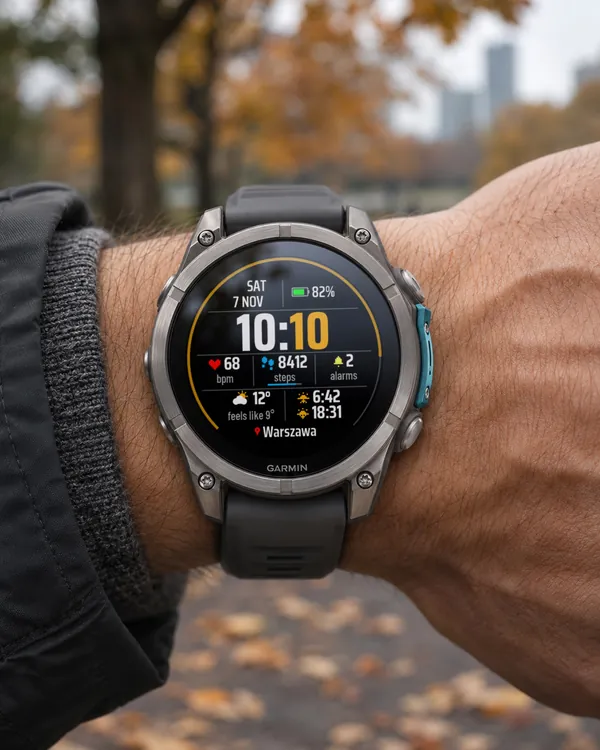
Clear Time PL
4.7 (13)
The free Polish edition of Clear Time: big bold time, white hours and orange minutes
 Digital
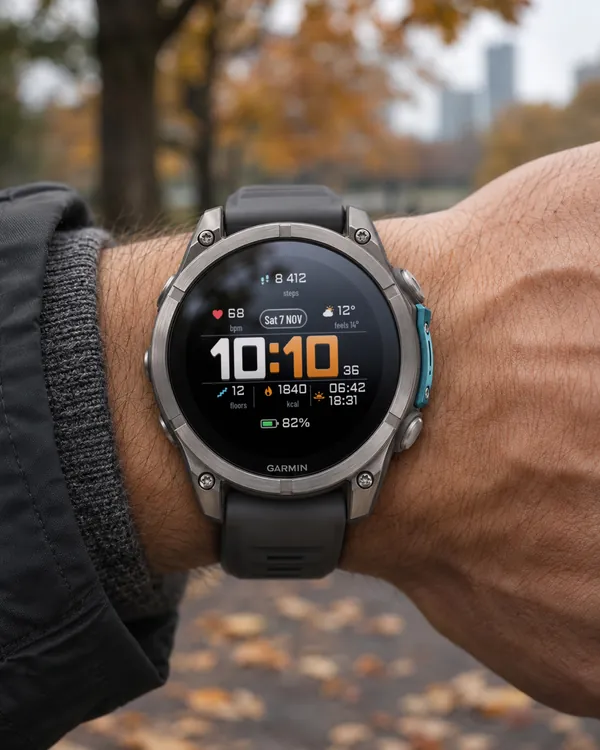
Clear Time V2
A big, bold digital face you can read at a glance
 Digital
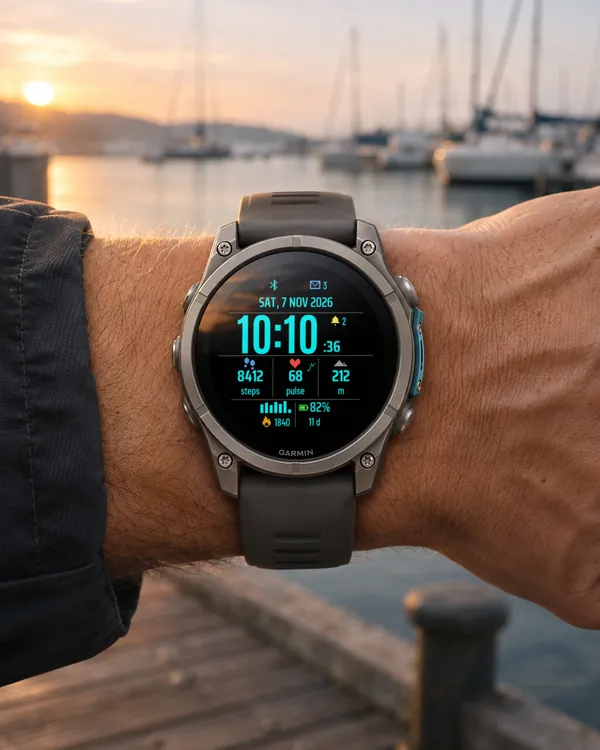
Trail Dash
A digital dashboard watch face: big time with seconds, full date, three data columns
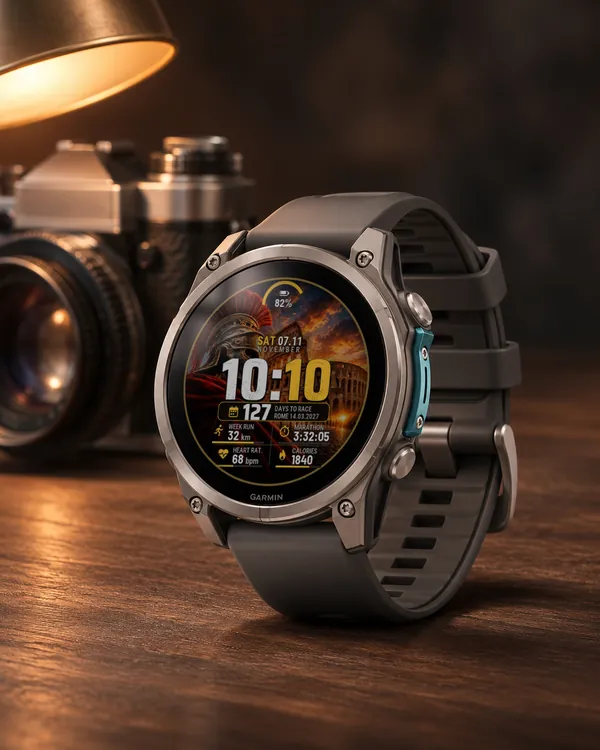 Marathon
 Countdown
A watch face for marathon training: a big time and a plate with the days left to your race