Set up the face before you download
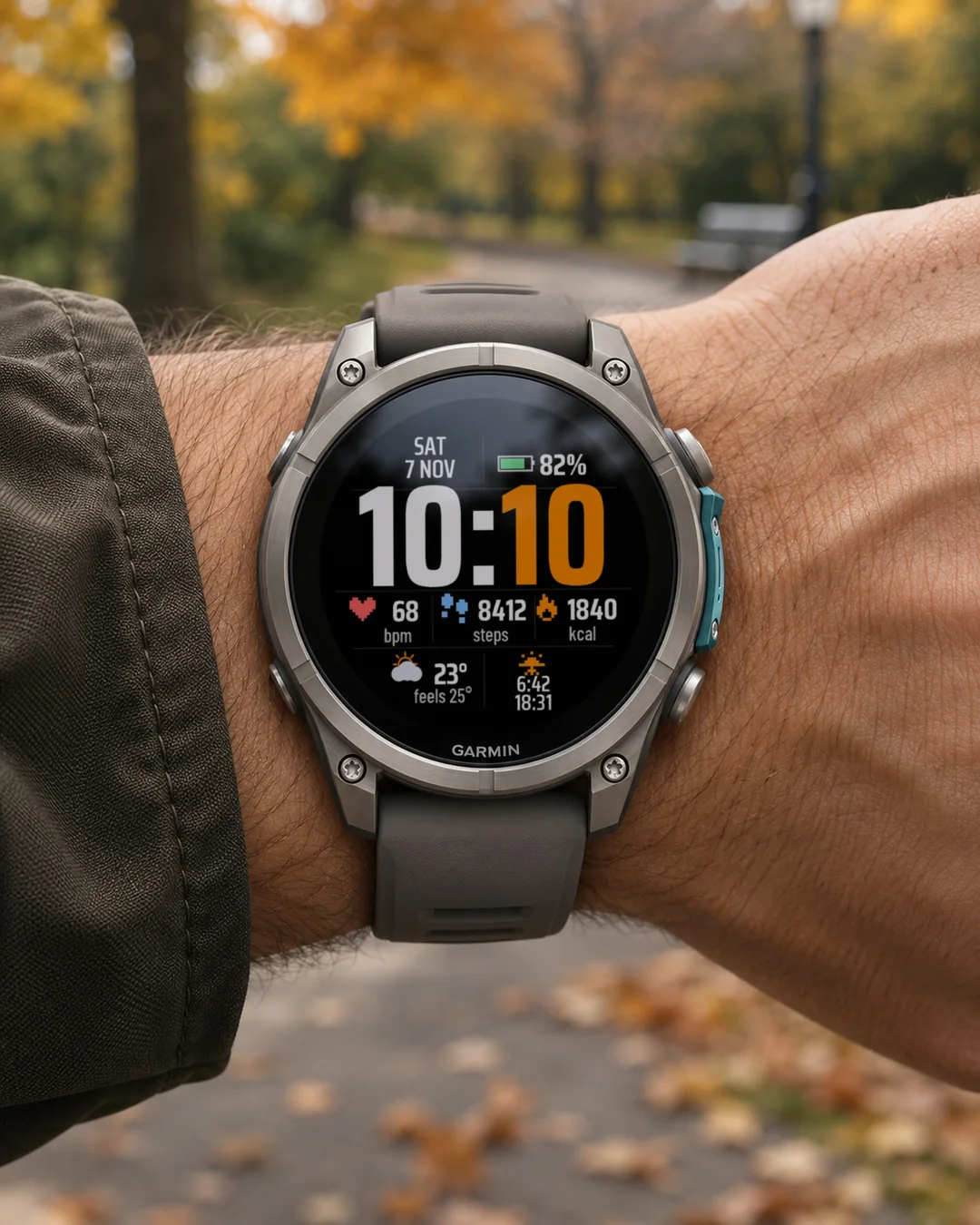
A watch face with big bold digits that are easy to read at a glance on a black AMOLED screen, plus date, battery, heart rate, steps and weather.
Free watch face. No ads, no subscription, no unlock code.
Clear Time puts a large, bold clock at the centre of a black AMOLED screen. White hours and orange minutes stay easy to read at a glance.
Date and battery above the time. Heart rate, steps and calories below it. Weather with temperature and feels-like temperature, plus sunrise and sunset. Dates and settings follow the watch language in 13 languages.
Settings:
- Accent colour: 10 colours (by default minutes, seconds and icons).
- Background: black, Topo soft or Topo bold (thin contour lines on a dark map-style background). AMOLED watches only.
- Weather line: feels-like temperature or place name.
- Seconds: on or off (off by default; active screen only).
- Left, middle and right field: calories, distance (km or miles), heart rate, steps, floors, intensity minutes, Body Battery, stress, altitude, pressure, SpO2, notifications, recovery time or battery.
- Time format: follow the watch, 12 hours or 24 hours.
- Leading zero: automatic, always or never.
- Change settings on the watch with a live preview.
- Settings are also available in Garmin Connect on your phone.
- Always-on screen: time only (default) or the whole face (AMOLED: dimmed and shifted every minute, burn-in risk).
- Hour and minute colours: 12 colours each.
- Time size (small, medium, large) and field value size (medium, large).
- Pressure trend: an arrow (rising, steady, falling) next to the Pressure field, optional.
By default, always-on mode shows only the dimmed time, shifted every minute. The Always-on screen setting can show the whole face instead. No seconds or animation.
Missing data appears as "--". Weather keeps the last available readings. Sunrise and sunset need a location, obtained from Garmin weather or GPS and saved on the watch.
Glucose field: shows the reading from Nightscout (xDrip+), LibreLinkUp, Dexcom Share (in testing, your own account), as a number only, no alarms. Not for treatment decisions. Permissions: Background and Communications, used only for this field. Note: Garmin Connect keeps app settings, including the password, in its cloud.
From the maker
I am a student and I build Dialforge watch faces myself, after classes. I do not own every watch model, so if something looks wrong on yours, write to me at https://dialforge.dev/faces/cleartime/ and I will usually fix it within 24 hours. If you like the face, you can buy me a coffee: https://buycoffee.to/iwannaflysohigh
Works on fenix 9, fenix 8, Forerunner 970, Forerunner 570, Venu 4, Forerunner 965, Forerunner 265, Venu 3 and more.
Tarcza z dużymi, grubymi cyframi, które łatwo odczytać na czarnym ekranie AMOLED, z datą, baterią, tętnem, krokami i pogodą.
Darmowa tarcza. Bez reklam, abonamentu i kodu odblokowania.
Clear Time pokazuje dużą, grubą godzinę na czarnym ekranie AMOLED. Białe godziny i pomarańczowe minuty łatwo odczytać jednym spojrzeniem.
Nad godziną: data i bateria. Pod nią: tętno, kroki i kalorie. Na dole pogoda z temperaturą odczuwalną oraz wschód i zachód słońca. Data i ustawienia korzystają z języka zegarka, z obsługą 13 języków.
Ustawienia:
- Kolor akcentu: 10 kolorów (domyślnie dla minut, sekund i ikon).
- Tło: czarne, Topo delikatne albo Topo wyraźne (cienkie warstwice na ciemnym tle jak z mapy). Tylko zegarki AMOLED.
- Linia pogody: temperatura odczuwalna albo nazwa miejscowości.
- Sekundy: włączone lub wyłączone (domyślnie wyłączone, tylko na aktywnym ekranie).
- Lewe, środkowe i prawe pole: kalorie, dystans (km lub mile), tętno, kroki, piętra, minuty intensywne, Body Battery, stres, wysokość, ciśnienie, SpO2, powiadomienia, czas regeneracji albo bateria.
- Format czasu: zgodny z zegarkiem, 12 lub 24 godziny.
- Zero wiodące: automatycznie, zawsze lub nigdy.
- Zmiana ustawień na zegarku z podglądem na żywo.
- Ustawienia są też dostępne w Garmin Connect na telefonie.
- Ekran wygaszony: sama godzina (domyślnie) albo cała tarcza (AMOLED: przygaszona i przesuwana co minutę, ryzyko wypalenia).
- Kolor godzin i minut: po 12 kolorów dla każdego.
- Wielkość godziny (mała, średnia, duża) i wartości pól (średnia, duża).
- Trend ciśnienia: strzałka (rośnie, stabilnie, spada) obok pola Ciśnienie, opcjonalnie.
Domyślnie ekran wygaszony pokazuje tylko przygaszoną godzinę, przesuwaną co minutę. Ustawienie Ekran wygaszony może pokazać zamiast tego całą tarczę. Bez sekund i animacji.
Brak danych oznaczamy "--". Pogoda zachowuje ostatnie dostępne odczyty. Wschód i zachód wymagają lokalizacji z pogody Garmin lub GPS, zapisywanej na zegarku.
Pole glukozy: pokazuje odczyt z Nightscout (xDrip+), LibreLinkUp, Dexcom Share (w testach, Twoje konto), tylko liczbę, bez alarmów. Nie służy do decyzji leczniczych. Uprawnienia: Background i Communications, używane tylko do tego pola. Uwaga: Garmin Connect trzyma ustawienia aplikacji, razem z hasłem, w swojej chmurze.
Od autora
Jestem studentem i robię tarcze Dialforge sam, po zajęciach. Nie mam każdego modelu zegarka, więc jeśli coś wygląda źle na Twoim, napisz na https://dialforge.dev/faces/cleartime/, zwykle poprawiam to w ciągu 24 godzin. Jeśli tarcza Ci się podoba, możesz postawić mi kawę: https://buycoffee.to/iwannaflysohigh
Działa na: fenix 9, fenix 8, Forerunner 970, Forerunner 570, Venu 4, Forerunner 965, Forerunner 265, Venu 3 i innych.
Ein Zifferblatt mit großen, fetten Ziffern, die sich auf dem schwarzen AMOLED-Display auf einen Blick ablesen lassen, plus Datum, Akku, Herzfrequenz, Schritten und Wetter.
Kostenloses Displaydesign. Keine Werbung, kein Abo, kein Freischaltcode.
Clear Time platziert eine große, fette Uhr in die Mitte eines schwarzen AMOLED-Bildschirms. Weiße Stunden und orangefarbene Minuten bleiben auf einen Blick leicht lesbar.
Datum und Akku über der Uhrzeit. Herzfrequenz, Schritte und Kalorien darunter. Wetter mit Temperatur und gefühlter Temperatur, plus Sonnenaufgang und Sonnenuntergang. Datumsangaben und Einstellungen folgen der Uhrensprache in 13 Sprachen.
Einstellungen:
- Akzentfarbe: 10 Farben (standardmäßig für Minuten, Sekunden und Symbole).
- Hintergrund: Schwarz, Topo dezent oder Topo kräftig (feine Höhenlinien auf dunklem Kartenhintergrund). Nur AMOLED-Uhren.
- Wetterzeile: gefühlte Temperatur oder Ortsname.
- Sekunden: ein oder aus (standardmäßig aus, nur bei aktivem Display).
- Linkes, mittleres und rechtes Feld: Kalorien, Distanz (km oder Meilen), Herzfrequenz, Schritte, Etagen, Intensitätsminuten, Body Battery, Stress, Höhe, Luftdruck, SpO2, Benachrichtigungen, Erholungszeit oder Akku.
- Zeitformat: wie auf der Uhr, 12 Stunden oder 24 Stunden.
- Führende Null: Automatisch, immer oder nie.
- Einstellungen auf der Uhr mit einer Live-Vorschau ändern.
- Einstellungen sind auch in Garmin Connect auf dem Smartphone verfügbar.
- Ruhebildschirm: nur Uhrzeit (Standard) oder das ganze Ziffernblatt (AMOLED: gedimmt und jede Minute verschoben, Einbrennrisiko).
- Farbe von Stunden und Minuten: jeweils 12 Farben.
- Größe der Uhrzeit (klein, mittel, groß) und der Feldwerte (mittel, groß).
- Drucktrend: ein Pfeil (steigend, stabil, fallend) neben dem Feld Luftdruck, optional.
Standardmäßig zeigt der Ruhemodus nur die gedimmte Uhrzeit, jede Minute verschoben. Mit der Einstellung Ruhebildschirm kann stattdessen das ganze Ziffernblatt erscheinen. Keine Sekunden, keine Animation.
Fehlende Daten werden als "--" angezeigt. Das Wetter behält die letzten verfügbaren Messwerte. Sonnenaufgang und Sonnenuntergang benötigen einen Standort, der vom Garmin-Wetter oder per GPS ermittelt und auf der Uhr gespeichert wird.
Glukosefeld: zeigt den Wert aus Nightscout (xDrip+), LibreLinkUp, Dexcom Share (im Test, dein eigenes Konto), nur als Zahl, ohne Alarme. Nicht für Behandlungsentscheidungen. Berechtigungen: Background und Communications, nur für dieses Feld. Hinweis: Garmin Connect speichert App-Einstellungen samt Passwort in seiner Cloud.
Vom entwickler
Ich bin Student und baue die Dialforge-Zifferblätter selbst, nach den Vorlesungen. Ich habe nicht jedes Uhrenmodell. Wenn auf deiner Uhr etwas falsch aussieht, schreib mir auf https://dialforge.dev/faces/cleartime/, meist behebe ich es innerhalb von 24 Stunden. Wenn dir das Zifferblatt gefällt, kannst du mir einen Kaffee spendieren: https://buycoffee.to/iwannaflysohigh
Läuft auf fenix 9, fenix 8, Forerunner 970, Forerunner 570, Venu 4, Forerunner 965, Forerunner 265, Venu 3 und weiteren Modellen.
Un cadran à gros chiffres gras, faciles à lire d'un coup d'œil sur un écran AMOLED noir, avec date, batterie, fréquence cardiaque, pas et météo.
Cadran gratuit. Sans publicité, sans abonnement, sans code de déverrouillage.
Clear Time place une grande horloge en gras au centre d'un écran AMOLED noir. Les heures en blanc et les minutes en orange restent faciles à lire d'un coup d'œil.
Date et batterie au-dessus de l'heure. Fréquence cardiaque, pas et calories en dessous. Météo avec température et température ressentie, plus lever et coucher du soleil. Les dates et les réglages suivent la langue de la montre dans 13 langues.
Réglages :
- Couleur d'accent : 10 couleurs (par défaut pour les minutes, les secondes et les icônes).
- Arrière-plan : noir, Topo discret ou Topo marqué (fines courbes de niveau sur un fond sombre façon carte). Montres AMOLED uniquement.
- Ligne météo : température ressentie ou nom du lieu.
- Secondes : activées ou non (désactivées par défaut, écran actif uniquement).
- Champs gauche, central et droit : calories, distance (km ou miles), fréquence cardiaque, pas, étages, minutes d'intensité, Body Battery, stress, altitude, pression, SpO2, notifications, temps de récupération ou batterie.
- Format de l'heure : selon la montre, 12 heures ou 24 heures.
- Zéro initial : automatique, toujours ou jamais.
- Modifiez les réglages sur la montre avec un aperçu en direct.
- Les réglages sont également disponibles dans Garmin Connect sur votre téléphone.
- Écran de veille : l'heure seule (par défaut) ou tout le cadran (AMOLED : atténué et décalé chaque minute, risque de marquage).
- Couleur des heures et des minutes : 12 couleurs pour chacune.
- Taille de l'heure (petite, moyenne, grande) et des valeurs des champs (moyenne, grande).
- Tendance de la pression : une flèche (hausse, stable, baisse) à côté du champ Pression, en option.
Par défaut, le mode veille n'affiche que l'heure atténuée, décalée chaque minute. Le réglage Écran de veille permet d'afficher tout le cadran à la place. Sans secondes ni animation.
Les données manquantes apparaissent sous la forme "--". La météo conserve les derniers relevés disponibles. Le lever et le coucher du soleil nécessitent une position, obtenue à partir de la météo Garmin ou du GPS et enregistrée sur la montre.
Champ glycémie : affiche la valeur de Nightscout (xDrip+), LibreLinkUp, Dexcom Share (en test, votre propre compte), uniquement le chiffre, sans alarmes. Ne sert pas aux décisions de traitement. Autorisations : Background et Communications, utilisées uniquement pour ce champ. Remarque : Garmin Connect conserve les réglages de l'app, mot de passe compris, dans son cloud.
Du créateur
Je suis étudiant et je crée seul les cadrans Dialforge, après les cours. Je n'ai pas tous les modèles de montre : si quelque chose ne va pas sur la vôtre, écrivez-moi sur https://dialforge.dev/faces/cleartime/, je corrige en général sous 24 heures. Si le cadran vous plaît, vous pouvez m'offrir un café : https://buycoffee.to/iwannaflysohigh
Compatible avec fenix 9, fenix 8, Forerunner 970, Forerunner 570, Venu 4, Forerunner 965, Forerunner 265, Venu 3 et d'autres modèles.
Una esfera con números grandes y gruesos, fáciles de leer de un vistazo en pantalla AMOLED negra, con fecha, batería, frecuencia cardíaca, pasos y tiempo.
Pantalla de reloj gratuita. Sin anuncios, sin suscripción, sin código de desbloqueo.
Clear Time sitúa un reloj grande y en negrita en el centro de una pantalla AMOLED negra. Las horas en blanco y los minutos en naranja siguen siendo fáciles de leer de un vistazo.
Fecha y batería encima de la hora. Frecuencia cardíaca, pasos y calorías debajo. El tiempo con temperatura y sensación térmica, además de la salida y puesta del sol. Las fechas y los ajustes siguen el idioma del reloj en 13 idiomas.
Ajustes:
- Color de acento: 10 colores (por defecto para los minutos, los segundos y los iconos).
- Fondo: negro, Topo suave o Topo marcado (finas curvas de nivel sobre un fondo oscuro tipo mapa). Solo relojes AMOLED.
- Línea del tiempo: sensación térmica o nombre del lugar.
- Segundos: activados o no (desactivados por defecto, solo con la pantalla activa).
- Campo izquierdo, central y derecho: calorías, distancia (km o millas), frecuencia cardíaca, pasos, pisos, minutos de intensidad, Body Battery, estrés, altitud, presión, SpO2, notificaciones, tiempo de recuperación o batería.
- Formato de hora: según el reloj, 12 horas o 24 horas.
- Cero inicial: automático, siempre o nunca.
- Cambia los ajustes en el reloj con una vista previa en tiempo real.
- Los ajustes también están disponibles en Garmin Connect en tu teléfono.
- Pantalla en reposo: solo la hora (por defecto) o toda la esfera (AMOLED: atenuada y desplazada cada minuto, riesgo de quemado).
- Color de las horas y de los minutos: 12 colores para cada uno.
- Tamaño de la hora (pequeño, mediano, grande) y de los valores de los campos (mediano, grande).
- Tendencia de la presión: una flecha (sube, estable, baja) junto al campo Presión, opcional.
Por defecto, el modo en reposo muestra solo la hora atenuada, desplazada cada minuto. El ajuste Pantalla en reposo puede mostrar en su lugar toda la esfera. Sin segundos ni animación.
Los datos que faltan aparecen como "--". El tiempo mantiene las últimas lecturas disponibles. La salida y puesta del sol necesitan una ubicación, obtenida a partir del tiempo de Garmin o del GPS y guardada en el reloj.
Campo de glucosa: muestra la lectura de Nightscout (xDrip+), LibreLinkUp, Dexcom Share (en pruebas, tu propia cuenta), solo el número, sin alarmas. No sirve para decisiones de tratamiento. Permisos: Background y Communications, solo para este campo. Aviso: Garmin Connect guarda los ajustes de la app, incluida la contraseña, en su nube.
Del autor
Soy estudiante y hago las esferas Dialforge yo solo, después de clase. No tengo todos los modelos de reloj, así que si algo se ve mal en el tuyo, escríbeme en https://dialforge.dev/faces/cleartime/ y normalmente lo arreglo en 24 horas. Si te gusta la esfera, puedes invitarme a un café: https://buycoffee.to/iwannaflysohigh
Compatible con fenix 9, fenix 8, Forerunner 970, Forerunner 570, Venu 4, Forerunner 965, Forerunner 265, Venu 3 y más.
Een wijzerplaat met grote, dikke cijfers die je in één oogopslag leest op een zwart AMOLED-scherm, plus datum, batterij, hartslag, stappen en weer.
Gratis wijzerplaat. Geen advertenties, geen abonnement, geen ontgrendelcode.
Clear Time plaatst een grote, vetgedrukte klok in het midden van een zwart AMOLED-scherm. Witte uren en oranje minuten blijven gemakkelijk af te lezen in één oogopslag.
Datum en batterij boven de tijd. Hartslag, stappen en calorieën eronder. Weer met temperatuur en gevoelstemperatuur, plus zonsopgang en zonsondergang. Datums en instellingen volgen de horlogetaal in 13 talen.
Instellingen:
- Accentkleur: 10 kleuren (standaard voor minuten, seconden en pictogrammen).
- Achtergrond: zwart, Topo subtiel of Topo krachtig (fijne hoogtelijnen op een donkere kaartachtergrond). Alleen AMOLED-horloges.
- Weerregel: gevoelstemperatuur of plaatsnaam.
- Seconden: aan of uit (standaard uit, alleen bij actief scherm).
- Linker-, middelste en rechterveld: calorieën, afstand (km of mijl), hartslag, stappen, verdiepingen, intensiteitsminuten, Body Battery, stress, hoogte, luchtdruk, SpO2, meldingen, hersteltijd of batterij.
- Tijdweergave: volg het horloge, 12 uur of 24 uur.
- Voorloopnul: automatisch, altijd of nooit.
- Wijzig instellingen op het horloge met een live voorvertoning.
- Instellingen zijn ook beschikbaar in Garmin Connect op je telefoon.
- Always-on-scherm: alleen tijd (standaard) of de hele wijzerplaat (AMOLED: gedimd en elke minuut verschoven, risico op inbranden).
- Kleur van uren en minuten: 12 kleuren voor elk.
- Grootte van de tijd (klein, gemiddeld, groot) en van de veldwaarden (gemiddeld, groot).
- Druktrend: een pijl (stijgend, stabiel, dalend) naast het veld Luchtdruk, optioneel.
Standaard toont de always-on-modus alleen de gedimde tijd, elke minuut verschoven. Met de instelling Always-on-scherm kan in plaats daarvan de hele wijzerplaat verschijnen. Geen seconden of animatie.
Ontbrekende gegevens worden weergegeven als "--". Het weer bewaart de laatst beschikbare metingen. Zonsopgang en zonsondergang hebben een locatie nodig, verkregen via Garmin weer of GPS en opgeslagen op het horloge.
Glucoseveld: toont de waarde uit Nightscout (xDrip+), LibreLinkUp, Dexcom Share (in test, je eigen account), alleen het getal, zonder alarmen. Niet voor behandelbeslissingen. Rechten: Background en Communications, alleen voor dit veld. Let op: Garmin Connect bewaart app-instellingen, inclusief het wachtwoord, in zijn cloud.
Van de maker
Ik ben student en maak de Dialforge-wijzerplaten zelf, na de colleges. Ik heb niet elk horlogemodel, dus ziet er iets verkeerd uit op het jouwe, schrijf me dan via https://dialforge.dev/faces/cleartime/. Meestal los ik het binnen 24 uur op. Vind je de wijzerplaat mooi, dan kun je me een koffie trakteren: https://buycoffee.to/iwannaflysohigh
Werkt op fenix 9, fenix 8, Forerunner 970, Forerunner 570, Venu 4, Forerunner 965, Forerunner 265, Venu 3 en meer.
黒いAMOLED画面でひと目で読める大きく太い数字の文字盤。日付、バッテリー、心拍数、歩数、天気も表示します。
無料のウォッチフェイス。広告なし、サブスクリプションなし、ロック解除コードなし。
Clear Timeは、黒のAMOLED画面の中央に大きく太字の時計を表示します。白の時とオレンジの分により、ひと目で時刻を確認しやすくなっています。
時刻の上に日付とバッテリー。その下に心拍数、歩数、カロリー。気温と体感温度を表示する天気、さらに日の出と日の入り。日付と設定は13言語でウォッチの言語に従います。
設定:
- アクセントカラー: 10色(初期設定では分、秒、アイコンに使用)。
- 背景: 黒、Topo控えめ、Topo濃いめ(地図風の暗い背景に細い等高線)。AMOLEDモデルのみ。
- 天気の行: 体感温度または地名。
- 秒: オン/オフ(初期設定はオフ、画面が点灯しているときのみ)。
- 左・中央・右の欄: カロリー、距離(kmまたはマイル)、心拍数、歩数、階数、強度の分、Body Battery、ストレス、高度、気圧、SpO2、通知、回復時間、バッテリー。
- 時間形式: ウォッチに従う、12時間、または24時間。
- 先頭のゼロ: 自動、常時、またはなし。
- リアルタイムのプレビューを見ながら、ウォッチ上で設定を変更できます。
- スマートフォンのGarmin Connectでも設定を変更できます。
- 常時表示画面: 時刻のみ(初期設定)または文字盤全体(AMOLED: 暗くして1分ごとにずらします。焼き付きのリスクあり)。
- 時と分の色: それぞれ12色。
- 時刻のサイズ(小、中、大)とフィールド値のサイズ(中、大)。
- 気圧の傾向: 気圧フィールドの横に矢印(上昇、安定、下降)を表示(任意)。
初期設定では、常時表示は暗くした時刻だけを1分ごとにずらして表示します。設定「常時表示画面」で、代わりに文字盤全体を表示することもできます。秒表示やアニメーションはありません。
データがない項目は"--"と表示されます。天気は最後に取得された測定値を保持します。日の出と日の入りには位置情報が必要で、Garminの天気またはGPSから取得されてウォッチに保存されます。
血糖フィールド: Nightscout (xDrip+), LibreLinkUp, Dexcom Share(テスト中, ご自身のアカウント)の値を数字だけで表示します。アラームはありません。治療の判断には使えません。権限: Background と Communications は、この項目のためだけに使います。注意: Garmin Connect はアプリの設定をパスワードも含めて自社のクラウドに保存します。
作者より
私は学生で、Dialforgeの文字盤を授業のあとに一人で作っています。すべての時計モデルを持っているわけではないので、お使いの時計で表示がおかしい場合は https://dialforge.dev/faces/cleartime/ からご連絡ください。通常24時間以内に修正します。文字盤を気に入っていただけたら、コーヒーをおごっていただけるとうれしいです: https://buycoffee.to/iwannaflysohigh
対応モデル:fenix 9, fenix 8, Forerunner 970, Forerunner 570, Venu 4, Forerunner 965, Forerunner 265, Venu 3 ほか
Un quadrante con numeri grandi e in grassetto, facili da leggere a colpo d'occhio su schermo AMOLED nero, con data, batteria, frequenza cardiaca, passi e meteo.
Quadrante gratuito. Nessuna pubblicità, nessun abbonamento, nessun codice di sblocco.
Clear Time posiziona un orologio grande e in grassetto al centro di uno schermo AMOLED nero. Le ore bianche e i minuti arancioni restano facili da leggere a colpo d'occhio.
Data e batteria sopra l'ora. Frequenza cardiaca, passi e calorie sotto. Meteo con temperatura e temperatura percepita, oltre ad alba e tramonto. Date e impostazioni seguono la lingua dell'orologio in 13 lingue.
Impostazioni:
- Colore di accento: 10 colori (per impostazione predefinita per minuti, secondi e icone).
- Sfondo: nero, Topo tenue o Topo deciso (sottili curve di livello su sfondo scuro stile mappa). Solo orologi AMOLED.
- Riga meteo: temperatura percepita o nome del luogo.
- Secondi: attivi o no (disattivati di default, solo a schermo attivo).
- Campo sinistro, centrale e destro: calorie, distanza (km o miglia), frequenza cardiaca, passi, piani, minuti di intensità, Body Battery, stress, altitudine, pressione, SpO2, notifiche, tempo di recupero o batteria.
- Formato ora: come l'orologio, 12 ore o 24 ore.
- Zero iniziale: automatico, sempre o mai.
- Modifica le impostazioni sull'orologio con un'anteprima in tempo reale.
- Le impostazioni sono disponibili anche in Garmin Connect sul tuo telefono.
- Schermo in standby: solo l'ora (predefinito) o l'intero quadrante (AMOLED: attenuato e spostato ogni minuto, rischio di burn-in).
- Colore di ore e minuti: 12 colori per ciascuno.
- Dimensione dell'ora (piccola, media, grande) e dei valori dei campi (media, grande).
- Tendenza della pressione: una freccia (in aumento, stabile, in calo) accanto al campo Pressione, facoltativa.
Per impostazione predefinita, la modalità standby mostra solo l'ora attenuata, spostata ogni minuto. L'impostazione Schermo in standby può mostrare invece l'intero quadrante. Niente secondi né animazioni.
I dati mancanti appaiono come "--". Il meteo conserva le ultime letture disponibili. Alba e tramonto richiedono una posizione, ottenuta dal meteo Garmin o dal GPS e salvata sull'orologio.
Campo glicemia: mostra il valore di Nightscout (xDrip+), LibreLinkUp, Dexcom Share (in test, il tuo account), solo il numero, senza allarmi. Non per decisioni terapeutiche. Autorizzazioni: Background e Communications, usate solo per questo campo. Nota: Garmin Connect conserva le impostazioni dell'app, password compresa, nel suo cloud.
Dall'autore
Sono uno studente e creo da solo i quadranti Dialforge, dopo le lezioni. Non ho tutti i modelli di orologio, quindi se qualcosa sembra sbagliato sul tuo, scrivimi su https://dialforge.dev/faces/cleartime/, di solito lo correggo entro 24 ore. Se il quadrante ti piace, puoi offrirmi un caffè: https://buycoffee.to/iwannaflysohigh
Compatibile con fenix 9, fenix 8, Forerunner 970, Forerunner 570, Venu 4, Forerunner 965, Forerunner 265, Venu 3 e altri.
大号粗体数字表盘,在黑色 AMOLED 屏幕上一眼就能看清,同时显示日期、电量、心率、步数和天气。
免费表盘。无广告、无订阅、无需解锁码。
Clear Time 在黑色 AMOLED 屏幕中央呈现醒目的大字体时钟。白色小时与橙色分钟清晰易辨,一目了然。
时间上方显示日期和电量。下方显示心率、步数和卡路里。天气包含温度和体感温度,以及日出和日落。日期和设置支持 13 种语言,跟随手表系统语言显示。
设置:
- 强调色:10 种颜色(默认用于分钟、秒和图标)。
- 背景:黑色、Topo 柔和或 Topo 醒目(深色地图风格背景上的细等高线)。仅限 AMOLED 手表。
- 天气行:体感温度或地名。
- 秒数:开或关(默认关闭,仅在屏幕亮起时显示)。
- 左、中、右栏位:卡路里、距离(公里或英里)、心率、步数、楼层、强度分钟、Body Battery、压力、海拔、气压、SpO2、通知、恢复时间或电量。
- 时间格式:跟随手表、12 小时制或 24 小时制。
- 前导零:自动、始终或从不。
- 可在手表上更改设置并实时预览。
- 也可以在手机上的 Garmin Connect 中进行设置。
- 息屏显示:只显示时间(默认)或整个表盘(AMOLED:变暗并每分钟移动,有烧屏风险)。
- 小时和分钟颜色:各 12 种颜色。
- 时间大小(小、中、大)和字段数值大小(中、大)。
- 气压趋势:在气压字段旁显示箭头(上升、平稳、下降),可选。
默认情况下,息屏模式只显示变暗的时间,并每分钟移动一次。“息屏显示”设置可以改为显示整个表盘。没有秒数和动画。
缺失的数据显示为 "--"。天气会保留最后一次可用的读数。日出和日落需要位置信息,该信息从 Garmin 天气或 GPS 获取并保存在手表上。
血糖字段:显示来自 Nightscout (xDrip+), LibreLinkUp, Dexcom Share(测试中, 您自己的账户)的数值,只显示数字,没有报警。不可用于治疗决策。权限:Background 和 Communications,仅用于此字段。注意:Garmin Connect 会把应用设置(包括密码)保存在其云端。
作者的话
我是一名学生,利用课余时间独自制作 Dialforge 表盘。我没有每一款手表,所以如果表盘在您的手表上显示不对,请到 https://dialforge.dev/faces/cleartime/ 告诉我,我通常会在 24 小时内修复。如果您喜欢这款表盘,可以请我喝杯咖啡:https://buycoffee.to/iwannaflysohigh
适用于 fenix 9, fenix 8, Forerunner 970, Forerunner 570, Venu 4, Forerunner 965, Forerunner 265, Venu 3 等。
Циферблат с крупными жирными цифрами, которые легко читаются с первого взгляда на чёрном экране AMOLED, плюс дата, заряд, пульс, шаги и погода.
Бесплатный циферблат. Без рекламы, без подписок, без кодов разблокировки.
Clear Time размещает крупные, жирные часы в центре черного AMOLED-экрана. Белые часы и оранжевые минуты легко читаются с первого взгляда.
Дата и батарея над временем. Пульс, шаги и калории под ним. Погода с температурой и ощущаемой температурой, плюс восход и закат. Даты и настройки соответствуют языку часов на 13 языках.
Настройки:
- Акцентный цвет: 10 цветов (по умолчанию для минут, секунд и значков).
- Фон: чёрный, Topo мягкий или Topo выразительный (тонкие горизонтали на тёмном фоне в стиле карты). Только часы с AMOLED.
- Строка погоды: ощущаемая температура или название места.
- Секунды: включены или выключены (по умолчанию выключены, только на активном экране).
- Левое, среднее и правое поле: калории, дистанция (км или мили), пульс, шаги, этажи, минуты интенсивности, Body Battery, стресс, высота, давление, SpO2, уведомления, время восстановления или батарея.
- Формат времени: как на часах, 12 часов или 24 часа.
- Ведущий ноль: автоматически, всегда или никогда.
- Изменение настроек на часах с предпросмотром в реальном времени.
- Настройки также доступны в Garmin Connect на телефоне.
- Всегда включённый экран: только время (по умолчанию) или весь циферблат (AMOLED: приглушён и сдвигается каждую минуту, риск выгорания).
- Цвет часов и минут: по 12 цветов для каждого.
- Размер времени (малый, средний, большой) и размер значений в полях (средний, большой).
- Тренд давления: стрелка (растёт, стабильно, падает) рядом с полем «Давление», по желанию.
По умолчанию режим всегда включённого экрана показывает только приглушённое время, сдвигаемое каждую минуту. Настройка Всегда включённый экран может показать вместо этого весь циферблат. Без секунд и анимации.
Отсутствующие данные отображаются как "--". Погода сохраняет последние доступные показания. Для восхода и заката требуется местоположение, полученное из погоды Garmin или GPS и сохраненное на часах.
Поле глюкозы: показывает значение из Nightscout (xDrip+), LibreLinkUp, Dexcom Share (в тестировании, ваш аккаунт), только число, без тревог. Не для решений о лечении. Разрешения: Background и Communications, только для этого поля. Внимание: Garmin Connect хранит настройки приложения, включая пароль, в своём облаке.
От автора
Я студент и делаю циферблаты Dialforge сам, после занятий. У меня есть не все модели часов, поэтому если на ваших что-то выглядит неправильно, напишите мне на https://dialforge.dev/faces/cleartime/, обычно я исправляю это в течение 24 часов. Если циферблат вам нравится, можете угостить меня кофе: https://buycoffee.to/iwannaflysohigh
Работает на fenix 9, fenix 8, Forerunner 970, Forerunner 570, Venu 4, Forerunner 965, Forerunner 265, Venu 3 и других.
Um mostrador com números grandes e em negrito, fáceis de ler de relance na tela AMOLED preta, com data, bateria, frequência cardíaca, passos e clima.
Mostrador gratuito. Sem anúncios, sem assinatura, sem código de desbloqueio.
O Clear Time coloca um relógio grande e em negrito no centro de uma tela AMOLED preta. As horas em branco e os minutos em laranja continuam fáceis de ler num relance.
Data e bateria acima do horário. Frequência cardíaca, passos e calorias abaixo dele. Clima com temperatura e sensação térmica, além do nascer e pôr do sol. Datas e configurações seguem o idioma do relógio em 13 idiomas.
Configurações:
- Cor de destaque: 10 cores (por padrão para os minutos, os segundos e os ícones).
- Fundo: preto, Topo suave ou Topo marcado (curvas de nível finas sobre um fundo escuro estilo mapa). Somente relógios AMOLED.
- Linha do tempo: sensação térmica ou nome do local.
- Segundos: ativados ou não (desativados por padrão, somente com a tela ativa).
- Campo esquerdo, central e direito: calorias, distância (km ou milhas), frequência cardíaca, passos, andares, minutos de intensidade, Body Battery, estresse, altitude, pressão, SpO2, notificações, tempo de recuperação ou bateria.
- Formato de hora: seguir o relógio, 12 horas ou 24 horas.
- Zero à esquerda: automático, sempre ou nunca.
- Altere as configurações no relógio com pré-visualização em tempo real.
- As configurações também estão disponíveis no Garmin Connect no seu celular.
- Tela sempre ligada: só a hora (padrão) ou o mostrador inteiro (AMOLED: escurecido e deslocado a cada minuto, risco de burn-in).
- Cor das horas e dos minutos: 12 cores para cada um.
- Tamanho da hora (pequeno, médio, grande) e dos valores dos campos (médio, grande).
- Tendência da pressão: uma seta (subindo, estável, caindo) ao lado do campo Pressão, opcional.
Por padrão, o modo sempre ligado mostra só a hora escurecida, deslocada a cada minuto. A configuração Tela sempre ligada pode mostrar o mostrador inteiro no lugar. Sem segundos nem animação.
Dados ausentes aparecem como "--". O clima mantém as últimas leituras disponíveis. O nascer e o pôr do sol precisam de uma localização, obtida a partir do clima Garmin ou GPS e salva no relógio.
Campo de glicose: mostra a leitura do Nightscout (xDrip+), LibreLinkUp, Dexcom Share (em teste, sua própria conta), só o número, sem alarmes. Não serve para decisões de tratamento. Permissões: Background e Communications, usadas só para este campo. Aviso: o Garmin Connect guarda as configurações do app, inclusive a senha, na nuvem.
Do criador
Sou estudante e faço os mostradores Dialforge sozinho, depois das aulas. Não tenho todos os modelos de relógio, então se algo parecer errado no seu, escreva para mim em https://dialforge.dev/faces/cleartime/, normalmente eu corrijo em até 24 horas. Se você gostou do mostrador, pode me pagar um café: https://buycoffee.to/iwannaflysohigh
Funciona em fenix 9, fenix 8, Forerunner 970, Forerunner 570, Venu 4, Forerunner 965, Forerunner 265, Venu 3 e outros.
Ciferník s velkými tučnými číslicemi, které se na černém displeji AMOLED snadno přečtou na první pohled, s datem, baterií, tepem, kroky a počasím.
Ciferník zdarma. Žádné reklamy, žádné předplatné, žádný odemykací kód.
Clear Time umísťuje velké, výrazné hodiny do středu černé AMOLED obrazovky. Bílé hodiny a oranžové minuty zůstávají snadno čitelné na první pohled.
Datum a baterie nad časem. Srdeční tep, kroky a kalorie pod ním. Počasí s teplotou a pocitovou teplotou, navíc východ a západ slunce. Datum a nastavení se řídí jazykem hodinek ve 13 jazycích.
Nastavení:
- Barva zvýraznění: 10 barev (ve výchozím stavu minuty, vteřiny, ikony).
- Pozadí: černé, Topo jemné nebo Topo výrazné (jemné vrstevnice na tmavém mapovém pozadí). Jen hodinky AMOLED.
- Řádek počasí: pocitová teplota nebo název místa.
- Sekundy: zapnuto nebo vypnuto (výchozí je vypnuto, jen při aktivním displeji).
- Levé, prostřední a pravé pole: kalorie, vzdálenost (km nebo míle), tep, kroky, patra, intenzivní minuty, Body Battery, stres, nadmořská výška, tlak, SpO2, oznámení, doba regenerace nebo baterie.
- Formát času: podle hodinek, 12 hodin nebo 24 hodin.
- Úvodní nula: automaticky, vždy nebo nikdy.
- Změňte nastavení na hodinkách s živým náhledem.
- Nastavení je k dispozici také v Garmin Connect ve vašem telefonu.
- Vždy zapnutý displej: jen čas (výchozí) nebo celý ciferník (AMOLED: ztlumený a každou minutu posunutý, riziko vypálení).
- Barva hodin a minut: 12 barev pro každé.
- Velikost času (malá, střední, velká) a velikost hodnot v polích (střední, velká).
- Trend tlaku: šipka (roste, stabilní, klesá) vedle pole Tlak, volitelně.
Ve výchozím stavu zobrazuje režim vždy zapnutého displeje jen ztlumený čas, posunutý každou minutu. Nastavením Vždy zapnutý displej lze místo toho zobrazit celý ciferník. Bez sekund a animací.
Chybějící údaje se zobrazují jako "--". Počasí uchovává poslední dostupné hodnoty. Východ a západ slunce vyžadují polohu, získanou z počasí Garmin nebo z GPS a uloženou v hodinkách.
Pole glukózy: zobrazuje hodnotu z Nightscout (xDrip+), LibreLinkUp, Dexcom Share (v testování, váš vlastní účet), jen číslo, bez alarmů. Neslouží k rozhodnutí o léčbě. Oprávnění: Background a Communications, jen pro toto pole. Pozor: Garmin Connect ukládá nastavení aplikace včetně hesla ve svém cloudu.
Od autora
Jsem student a ciferníky Dialforge dělám sám, po škole. Nemám každý model hodinek, takže pokud na vašich něco nevypadá dobře, napište mi na https://dialforge.dev/faces/cleartime/, obvykle to opravím do 24 hodin. Pokud se vám ciferník líbí, můžete mi koupit kávu: https://buycoffee.to/iwannaflysohigh
Funguje na fenix 9, fenix 8, Forerunner 970, Forerunner 570, Venu 4, Forerunner 965, Forerunner 265, Venu 3 a dalších.
Um mostrador com números grandes e a negrito, fáceis de ler de relance no ecrã AMOLED preto, com data, bateria, frequência cardíaca, passos e meteorologia.
Mostrador gratuito. Sem anúncios, sem subscrição, sem código de desbloqueio.
O Clear Time coloca um relógio grande e a negrito no centro de um ecrã AMOLED preto. As horas em branco e os minutos em laranja mantêm-se fáceis de ler num relance.
Data e bateria acima da hora. Frequência cardíaca, passos e calorias abaixo. Meteorologia com temperatura e sensação térmica, além do nascer e do pôr do sol. As datas e as definições seguem o idioma do relógio em 13 idiomas.
Definições:
- Cor de destaque: 10 cores (por predefinição para os minutos, os segundos e os ícones).
- Fundo: preto, Topo suave ou Topo marcado (curvas de nível finas num fundo escuro ao estilo de mapa). Apenas relógios AMOLED.
- Linha do tempo: sensação térmica ou nome do local.
- Segundos: ativados ou não (desativados por predefinição, apenas com o ecrã ativo).
- Campo esquerdo, central e direito: calorias, distância (km ou milhas), frequência cardíaca, passos, andares, minutos de intensidade, Body Battery, stress, altitude, pressão, SpO2, notificações, tempo de recuperação ou bateria.
- Formato da hora: seguir o relógio, 12 horas ou 24 horas.
- Zero à esquerda: automático, sempre ou nunca.
- Altere as definições no relógio com uma pré-visualização em tempo real.
- As definições também estão disponíveis no Garmin Connect no seu telemóvel.
- Ecrã sempre ligado: só a hora (predefinição) ou o mostrador inteiro (AMOLED: escurecido e deslocado a cada minuto, risco de burn-in).
- Cor das horas e dos minutos: 12 cores para cada um.
- Tamanho da hora (pequeno, médio, grande) e dos valores dos campos (médio, grande).
- Tendência da pressão: uma seta (a subir, estável, a descer) junto ao campo Pressão, opcional.
Por predefinição, o modo sempre ligado mostra só a hora escurecida, deslocada a cada minuto. A definição Ecrã sempre ligado pode mostrar o mostrador inteiro. Sem segundos nem animação.
Os dados em falta aparecem como "--". A meteorologia mantém as últimas leituras disponíveis. O nascer e o pôr do sol precisam de uma localização, obtida a partir da meteorologia Garmin ou do GPS e guardada no relógio.
Campo de glicose: mostra a leitura do Nightscout (xDrip+), LibreLinkUp, Dexcom Share (em teste, a sua própria conta), só o número, sem alarmes. Não serve para decisões de tratamento. Permissões: Background e Communications, usadas só para este campo. Aviso: o Garmin Connect guarda as definições da app, incluindo a palavra-passe, na nuvem.
Do criador
Sou estudante e faço os mostradores Dialforge sozinho, depois das aulas. Não tenho todos os modelos de relógio, por isso, se algo parecer errado no seu, escreva-me em https://dialforge.dev/faces/cleartime/, normalmente corrijo em 24 horas. Se gostar do mostrador, pode oferecer-me um café: https://buycoffee.to/iwannaflysohigh
Funciona em fenix 9, fenix 8, Forerunner 970, Forerunner 570, Venu 4, Forerunner 965, Forerunner 265, Venu 3 e outros.
검은 AMOLED 화면에서 한눈에 읽기 쉬운 크고 굵은 숫자의 워치 페이스로, 날짜, 배터리, 심박수, 걸음 수, 날씨도 보여 줍니다.
무료 워치 페이스. 광고 없음, 구독 없음, 잠금 해제 코드 없음.
Clear Time은 블랙 AMOLED 화면 중앙에 크고 굵은 시계를 배치합니다. 흰색 시와 주황색 분으로 언제나 한눈에 쉽게 확인할 수 있습니다.
시간 위에는 날짜와 배터리. 시간 아래에는 심박수, 걸음 수, 칼로리. 기온 및 체감 온도가 표시되는 날씨와 일출 및 일몰. 날짜와 설정은 13개 언어로 시계 언어를 따릅니다.
설정:
- 강조 색상: 10가지(기본적으로 분, 초, 아이콘에 사용).
- 배경: 검정, Topo 은은함 또는 Topo 선명함(지도 스타일의 어두운 배경에 가는 등고선). AMOLED 시계 전용.
- 날씨 줄: 체감 온도 또는 지역 이름.
- 초: 켜짐 또는 꺼짐(기본값은 꺼짐, 화면이 켜져 있을 때만).
- 왼쪽, 가운데, 오른쪽 칸: 칼로리, 거리(km 또는 마일), 심박수, 걸음 수, 층수, 강도 분, Body Battery, 스트레스, 고도, 기압, SpO2, 알림, 회복 시간 또는 배터리.
- 시간 형식: 시계 설정 따름, 12시간 또는 24시간.
- 앞자리 제로: 자동, 항상 또는 표시 안 함.
- 실시간 미리보기를 통해 시계에서 바로 설정을 변경할 수 있습니다.
- 휴대폰의 Garmin Connect에서도 설정을 변경할 수 있습니다.
- 상시 표시 화면: 시간만(기본값) 또는 전체 문자판(AMOLED: 어둡게 하고 1분마다 이동, 번인 위험).
- 시와 분의 색상: 각각 12가지.
- 시간 크기(작게, 보통, 크게)와 필드 값 크기(보통, 크게).
- 기압 추세: 기압 필드 옆의 화살표(상승, 안정, 하강), 선택 사항.
기본적으로 상시 표시 모드는 어둡게 한 시간만 1분마다 이동하며 표시합니다. 상시 표시 화면 설정에서 대신 전체 문자판을 표시할 수 있습니다. 초 표시나 애니메이션은 없습니다.
누락된 데이터는 "--"로 표시됩니다. 날씨는 마지막으로 수신된 측정값을 유지합니다. 일출 및 일몰에는 위치 정보가 필요하며, Garmin 날씨 또는 GPS에서 가져와 시계에 저장됩니다.
혈당 필드: Nightscout (xDrip+), LibreLinkUp, Dexcom Share(테스트 중, 본인 계정)의 값을 숫자로만 표시하며 알람은 없습니다. 치료 결정에는 사용할 수 없습니다. 권한: Background와 Communications는 이 필드에만 사용됩니다. 참고: Garmin Connect는 앱 설정을 비밀번호와 함께 자체 클라우드에 저장합니다.
제작자의 한마디
저는 학생이고 수업이 끝난 뒤 Dialforge 워치페이스를 혼자 만들고 있습니다. 모든 시계 모델을 갖고 있지는 않아서, 시계에서 이상하게 보이는 부분이 있으면 https://dialforge.dev/faces/cleartime/에서 알려 주세요. 보통 24시간 안에 고칩니다. 워치페이스가 마음에 드신다면 커피 한 잔 사주실 수 있습니다: https://buycoffee.to/iwannaflysohigh
지원 모델: fenix 9, fenix 8, Forerunner 970, Forerunner 570, Venu 4, Forerunner 965, Forerunner 265, Venu 3 외
En urtavla med stora feta siffror som är lätta att läsa med en blick på en svart AMOLED-skärm, plus datum, batteri, puls, steg och väder.
Gratis urtavla. Inga annonser, ingen prenumeration, ingen upplåsningskod.
Clear Time placerar en stor klocka i fetstil i mitten av en svart AMOLED-skärm. Vita timmar och orangea minuter förblir lätta att läsa av med en snabb blick.
Datum och batteri ovanför tiden. Puls, steg och kalorier under den. Väder med temperatur och upplevd temperatur, plus soluppgång och solnedgång. Datum och inställningar följer klockans språk på 13 språk.
Inställningar:
- Accentfärg: 10 färger (som standard för minuter, sekunder och ikoner).
- Bakgrund: svart, Topo diskret eller Topo kraftig (fina höjdkurvor på mörk kartbakgrund). Endast AMOLED-klockor.
- Väderrad: upplevd temperatur eller ortnamn.
- Sekunder: på eller av (av som standard, bara när skärmen är aktiv).
- Vänster, mittre och höger fält: kalorier, distans (km eller miles), puls, steg, våningar, intensitetsminuter, Body Battery, stress, höjd, tryck, SpO2, aviseringar, återhämtningstid eller batteri.
- Tidsformat: följ klockan, 12 timmar eller 24 timmar.
- Inledande nolla: automatisk, alltid eller aldrig.
- Ändra inställningar på klockan med förhandsgranskning i realtid.
- Inställningar finns även i Garmin Connect på din telefon.
- Alltid-på-skärm: bara tid (standard) eller hela urtavlan (AMOLED: dämpad och flyttad varje minut, risk för inbränning).
- Färg på timmar och minuter: 12 färger för vardera.
- Storlek på tiden (liten, medel, stor) och på fältvärdena (medel, stor).
- Trycktrend: en pil (stigande, stabilt, fallande) vid fältet Lufttryck, valfritt.
Som standard visar alltid-på-läget bara den dämpade tiden, flyttad varje minut. Inställningen Alltid-på-skärm kan i stället visa hela urtavlan. Inga sekunder eller animation.
Saknade data visas som "--". Väder behåller de senast tillgängliga mätvärdena. Soluppgång och solnedgång behöver en position, som hämtas från Garmin-väder eller GPS och sparas på klockan.
Glukosfält: visar värdet från Nightscout (xDrip+), LibreLinkUp, Dexcom Share (under test, ditt eget konto), bara siffran, inga larm. Inte för behandlingsbeslut. Behörigheter: Background och Communications, bara för det här fältet. Observera: Garmin Connect sparar appinställningar, inklusive lösenordet, i sitt moln.
Från skaparen
Jag är student och gör Dialforge-urtavlorna själv, efter föreläsningarna. Jag har inte alla klockmodeller, så om något ser fel ut på din, skriv till mig på https://dialforge.dev/faces/cleartime/, oftast fixar jag det inom 24 timmar. Gillar du urtavlan kan du bjuda mig på en kaffe: https://buycoffee.to/iwannaflysohigh
Fungerar på fenix 9, fenix 8, Forerunner 970, Forerunner 570, Venu 4, Forerunner 965, Forerunner 265, Venu 3 med flera.
En urskive med store fede tal, der er lette at aflæse med et blik på en sort AMOLED-skærm, plus dato, batteri, puls, skridt og vejr.
Gratis urskive. Ingen reklamer, intet abonnement, ingen oplåsningskode.
Clear Time placerer et stort, markant ur i midten af en sort AMOLED-skærm. Hvide timer og orange minutter forbliver nemme at aflæse med et hurtigt blik.
Dato og batteri over klokkeslættet. Puls, skridt og kalorier under det. Vejr med temperatur og føles som-temperatur, plus solopgang og solnedgang. Datoer og indstillinger følger urets sprog på 13 sprog.
Indstillinger:
- Accentfarve: 10 farver (som standard minutter, sekunder og ikoner).
- Baggrund: sort, Topo diskret eller Topo kraftig (fine højdekurver på mørk kortbaggrund). Kun AMOLED-ure.
- Vejrlinje: følt temperatur eller stednavn.
- Sekunder: til eller fra (som standard fra, kun når skærmen er aktiv).
- Venstre, midterste og højre felt: kalorier, distance (km eller miles), puls, skridt, etager, intensitetsminutter, Body Battery, stress, højde, tryk, SpO2, notifikationer, restitutionstid eller batteri.
- Tidsformat: følg uret, 12 timer eller 24 timer.
- Foranstillet nul: automatisk, altid eller aldrig.
- Ændr indstillinger på uret med en live-forhåndsvisning.
- Indstillinger er også tilgængelige i Garmin Connect på din telefon.
- Altid-tændt skærm: kun tid (standard) eller hele skiven (AMOLED: dæmpet og flyttet hvert minut, risiko for indbrænding).
- Farve på timer og minutter: 12 farver til hver.
- Tidens størrelse (lille, mellem, stor) og størrelse på feltværdier (mellem, stor).
- Tryktendens: en pil (stigende, stabilt, faldende) ved feltet Tryk, valgfri.
Som standard viser altid-tændt-tilstanden kun det dæmpede klokkeslæt, flyttet hvert minut. Indstillingen Altid-tændt skærm kan i stedet vise hele skiven. Ingen sekunder eller animation.
Manglende data vises som "--". Vejret bevarer de senest tilgængelige målinger. Solopgang og solnedgang kræver en placering, som hentes fra Garmin vejr eller GPS og gemmes på uret.
Glukosefelt: viser værdien fra Nightscout (xDrip+), LibreLinkUp, Dexcom Share (under test, din egen konto), kun tallet, ingen alarmer. Ikke til behandlingsbeslutninger. Tilladelser: Background og Communications, kun til dette felt. Bemærk: Garmin Connect gemmer appens indstillinger, inklusive adgangskoden, i sin sky.
Fra skaberen
Jeg er studerende og laver Dialforge-urskiverne selv, efter undervisningen. Jeg har ikke alle urmodeller, så hvis noget ser forkert ud på dit ur, så skriv til mig på https://dialforge.dev/faces/cleartime/. Som regel retter jeg det inden for 24 timer. Kan du lide urskiven, kan du give mig en kop kaffe: https://buycoffee.to/iwannaflysohigh
Virker på fenix 9, fenix 8, Forerunner 970, Forerunner 570, Venu 4, Forerunner 965, Forerunner 265, Venu 3 og flere.
En urskive med store, fete tall som er lette å lese med et blikk på en svart AMOLED-skjerm, pluss dato, batteri, puls, skritt og vær.
Gratis urskive. Ingen annonser, intet abonnement, ingen opplåsingskode.
Clear Time plasserer en stor, fet klokke i midten av en svart AMOLED-skjerm. Hvite timer og oransje minutter er enkle å lese med et raskt blikk.
Dato og batteri over klokkeslettet. Puls, skritt og kalorier under det. Vær med temperatur og følt temperatur, pluss soloppgang og solnedgang. Datoer og innstillinger følger klokkens språk på 13 språk.
Innstillinger:
- Aksentfarge: 10 farger (som standard for minutter, sekunder og ikoner).
- Bakgrunn: svart, Topo diskret eller Topo kraftig (fine høydekurver på mørk kartbakgrunn). Bare AMOLED-klokker.
- Værlinje: følt temperatur eller stedsnavn.
- Sekunder: på eller av (av som standard, bare når skjermen er aktiv).
- Venstre, midtre og høyre felt: kalorier, distanse (km eller mil), puls, skritt, etasjer, intensitetsminutter, Body Battery, stress, høyde, trykk, SpO2, varsler, restitusjonstid eller batteri.
- Tidsformat: følg klokken, 12 timer eller 24 timer.
- Innledende null: automatisk, alltid eller aldri.
- Endre innstillinger på klokken med direkte forhåndsvisning.
- Innstillinger er også tilgjengelige i Garmin Connect på telefonen din.
- Alltid-på-skjerm: bare klokkeslett (standard) eller hele skiven (AMOLED: dempet og flyttet hvert minutt, fare for innbrenning).
- Farge på timer og minutter: 12 farger for hver.
- Størrelse på tiden (liten, middels, stor) og på feltverdiene (middels, stor).
- Trykktrend: en pil (stigende, stabilt, fallende) ved feltet Trykk, valgfritt.
Som standard viser alltid-på-modus bare det dempede klokkeslettet, flyttet hvert minutt. Innstillingen Alltid-på-skjerm kan i stedet vise hele skiven. Ingen sekunder eller animasjon.
Manglende data vises som "--". Været beholder de siste tilgjengelige målingene. Soloppgang og solnedgang krever en posisjon, hentet fra Garmin-vær eller GPS og lagret på klokken.
Glukosefelt: viser verdien fra Nightscout (xDrip+), LibreLinkUp, Dexcom Share (under testing, din egen konto), bare tallet, ingen alarmer. Ikke til behandlingsbeslutninger. Tillatelser: Background og Communications, bare for dette feltet. Merk: Garmin Connect lagrer appinnstillinger, inkludert passordet, i skyen sin.
Fra utvikleren
Jeg er student og lager Dialforge-urskivene selv, etter forelesningene. Jeg har ikke alle klokkemodeller, så hvis noe ser feil ut på din, skriv til meg på https://dialforge.dev/faces/cleartime/, vanligvis fikser jeg det innen 24 timer. Liker du urskiven, kan du spandere en kaffe på meg: https://buycoffee.to/iwannaflysohigh
Fungerer på fenix 9, fenix 8, Forerunner 970, Forerunner 570, Venu 4, Forerunner 965, Forerunner 265, Venu 3 og flere.
大型粗體數字錶面,在黑色 AMOLED 螢幕上一眼就能看清,同時顯示日期、電量、心率、步數與天氣。
免費錶面。無廣告、無訂閱、無解鎖碼。
Clear Time 在黑色 AMOLED 螢幕中央呈現醒目的大字體時鐘。白色的小時與橘色的分鐘讓您一眼就能輕鬆讀取。
時間上方為日期與電量。時間下方為心率、步數與卡路里。天氣資訊包含氣溫與體感溫度,外加日出與日落時間。日期與設定支援 13 種語言,會依照手錶設定的語言顯示。
設定:
- 強調色:10 種顏色(預設用於分鐘、秒和圖示)。
- 背景:黑色、Topo 柔和或 Topo 明顯(深色地圖風格背景上的細等高線)。僅限 AMOLED 錶款。
- 天氣行:體感溫度或地名。
- 秒數:開或關(預設關閉,僅在螢幕亮起時顯示)。
- 左、中、右欄位:卡路里、距離(公里或英里)、心率、步數、樓層、強度分鐘、Body Battery、壓力、海拔、氣壓、SpO2、通知、恢復時間或電量。
- 時間格式:依照手錶設定、12 小時制或 24 小時制。
- 前導零:自動、一律顯示或從不顯示。
- 直接在手錶上變更設定,並支援即時預覽。
- 也可在手機上的 Garmin Connect 中進行設定。
- 螢幕常亮顯示:只顯示時間(預設)或整個錶面(AMOLED:變暗並每分鐘移動,有燒屏風險)。
- 小時與分鐘顏色:各 12 種顏色。
- 時間大小(小、中、大)與欄位數值大小(中、大)。
- 氣壓趨勢:在氣壓欄位旁顯示箭頭(上升、平穩、下降),可選。
預設情況下,常亮模式只顯示變暗的時間,並每分鐘移動一次。「螢幕常亮顯示」設定可以改為顯示整個錶面。沒有秒數和動畫。
缺少資料時會顯示為 "--"。天氣會保留最後可取得的讀數。日出與日落需要位置資訊,取自 Garmin 天氣或 GPS 並儲存在手錶上。
血糖欄位:顯示來自 Nightscout (xDrip+), LibreLinkUp, Dexcom Share(測試中, 您自己的帳戶)的數值,只顯示數字,沒有警報。不可用於治療決策。權限:Background 和 Communications,僅用於此欄位。注意:Garmin Connect 會把應用程式設定(包括密碼)儲存在其雲端。
作者的話
我是一名學生,利用課餘時間獨自製作 Dialforge 錶面。我沒有每一款手錶,所以如果錶面在您的手錶上顯示不對,請到 https://dialforge.dev/faces/cleartime/ 告訴我,我通常會在 24 小時內修復。如果您喜歡這款錶面,可以請我喝杯咖啡:https://buycoffee.to/iwannaflysohigh
適用於 fenix 9, fenix 8, Forerunner 970, Forerunner 570, Venu 4, Forerunner 965, Forerunner 265, Venu 3 等。
Kellotaulu isoilla lihavoiduilla numeroilla, jotka on helppo lukea yhdellä silmäyksellä mustalta AMOLED-näytöltä, sekä päivämäärä, akku, syke, askeleet ja sää.
Ilmainen kellotaulu. Ei mainoksia, ei tilausta, ei avauskoodia.
Clear Time tuo suuren, lihavoidun kellonajan mustan AMOLED-näytön keskelle. Valkoiset tunnit ja oranssit minuutit on helppo lukea yhdellä silmäyksellä.
Päivämäärä ja akku kellonajan yläpuolella. Syke, askeleet ja kalorit sen alapuolella. Sää sekä lämpötila ja tuntuu kuin -lämpötila, plus auringonnousu ja auringonlasku. Päivämäärät ja asetukset noudattavat kellon kieltä 13 kielellä.
Asetukset:
- Korostusväri: 10 väriä (oletuksena minuuteille, sekunneille ja kuvakkeille).
- Tausta: musta, Topo hento tai Topo vahva (ohuet korkeuskäyrät tummalla karttamaisella taustalla). Vain AMOLED-kellot.
- Säärivi: tuntuu-lämpötila tai paikkakunnan nimi.
- Sekunnit: päällä tai pois (oletuksena pois, vain aktiivisella näytöllä).
- Vasen, keskimmäinen ja oikea kenttä: kalorit, matka (km tai mailia), syke, askeleet, kerrokset, intensiteettiminuutit, Body Battery, stressi, korkeus, ilmanpaine, SpO2, ilmoitukset, palautumisaika tai akku.
- Aikamuoto: kellon mukaan, 12 tuntia tai 24 tuntia.
- Etunolla: automaattinen, aina tai ei koskaan.
- Muuta asetuksia kellossa reaaliaikaisen esikatselun avulla.
- Asetukset ovat saatavilla myös puhelimen Garmin Connectissa.
- Always-on-näyttö: pelkkä kellonaika (oletus) tai koko kellotaulu (AMOLED: himmennetty ja siirretty joka minuutti, palamisriski).
- Tuntien ja minuuttien väri: 12 väriä kummallekin.
- Ajan koko (pieni, keskikokoinen, suuri) ja kenttien arvojen koko (keskikokoinen, suuri).
- Paineen suunta: nuoli (nousee, vakaa, laskee) Paine-kentän vieressä, valinnainen.
Oletuksena always-on-tila näyttää vain himmennetyn kellonajan, joka siirtyy joka minuutti. Always-on-näyttö-asetuksella voi näyttää sen sijaan koko kellotaulun. Ei sekunteja eikä animaatiota.
Puuttuvat tiedot näkyvät muodossa "--". Sää säilyttää viimeisimmät saatavilla olevat lukemat. Auringonnousu ja auringonlasku tarvitsevat sijainnin, joka saadaan Garmin-säästä tai GPS:stä ja tallennetaan kelloon.
Glukoosikenttä: näyttää Nightscout (xDrip+), LibreLinkUp, Dexcom Share (testauksessa)-arvon (oma tilisi), vain luvun, ei hälytyksiä. Ei hoitopäätöksiin. Käyttöoikeudet: Background ja Communications, vain tätä kenttää varten. Huom: Garmin Connect tallentaa sovelluksen asetukset, salasana mukaan lukien, pilveensä.
Tekijältä
Olen opiskelija ja teen Dialforge-kellotaulut itse, luentojen jälkeen. Minulla ei ole jokaista kellomallia, joten jos jokin näyttää kellossasi väärältä, kirjoita minulle osoitteessa https://dialforge.dev/faces/cleartime/. Korjaan sen yleensä 24 tunnin kuluessa. Jos pidät kellotaulusta, voit tarjota minulle kahvin: https://buycoffee.to/iwannaflysohigh
Toimii malleissa fenix 9, fenix 8, Forerunner 970, Forerunner 570, Venu 4, Forerunner 965, Forerunner 265, Venu 3 ja muissa.
Ciferník s veľkými tučnými číslicami, ktoré sa na čiernom displeji AMOLED ľahko prečítajú na prvý pohľad, s dátumom, batériou, tepom, krokmi a počasím.
Bezplatný ciferník. Žiadne reklamy, žiadne predplatné, žiadny odomykací kód.
Clear Time umiestňuje veľké, výrazné hodiny do stredu čiernej AMOLED obrazovky. Biele hodiny a oranžové minúty zostávajú ľahko čitateľné na prvý pohľad.
Dátum a batéria nad časom. Srdcový tep, kroky a kalórie pod ním. Počasie s teplotou a pocitovou teplotou, plus východ a západ slnka. Dátumy a nastavenia sa riadia jazykom hodiniek v 13 jazykoch.
Nastavenia:
- Farba zvýraznenia: 10 farieb (predvolene pre minúty, sekundy a ikony).
- Pozadie: čierne, Topo jemné alebo Topo výrazné (jemné vrstevnice na tmavom mapovom pozadí). Len hodinky AMOLED.
- Riadok počasia: pocitová teplota alebo názov miesta.
- Sekundy: zapnuté alebo vypnuté (predvolene vypnuté, len pri aktívnom displeji).
- Ľavé, stredné a pravé pole: kalórie, vzdialenosť (km alebo míle), tep, kroky, poschodia, intenzívne minúty, Body Battery, stres, nadmorská výška, tlak, SpO2, oznámenia, čas regenerácie alebo batéria.
- Formát času: podľa hodiniek, 12 hodín alebo 24 hodín.
- Úvodná nula: automaticky, vždy alebo nikdy.
- Zmeňte nastavenia na hodinkách so živým náhľadom.
- Nastavenia sú dostupné aj v Garmin Connect vo vašom telefóne.
- Stále zapnutý displej: iba čas (predvolené) alebo celý ciferník (AMOLED: stlmený a každú minútu posunutý, riziko vypálenia).
- Farba hodín a minút: 12 farieb pre každé.
- Veľkosť času (malá, stredná, veľká) a veľkosť hodnôt v poliach (stredná, veľká).
- Trend tlaku: šípka (stúpa, stabilný, klesá) vedľa poľa Tlak, voliteľne.
V predvolenom stave zobrazuje režim stále zapnutého displeja iba stlmený čas, posunutý každú minútu. Nastavením Stále zapnutý displej možno namiesto toho zobraziť celý ciferník. Bez sekúnd a animácií.
Chýbajúce údaje sa zobrazujú ako "--". Počasie uchováva posledné dostupné hodnoty. Východ a západ slnka vyžadujú polohu, získanú z počasia Garmin alebo GPS a uloženú v hodinkách.
Pole glukózy: zobrazuje hodnotu z Nightscout (xDrip+), LibreLinkUp, Dexcom Share (v testovaní, váš vlastný účet), len číslo, bez alarmov. Neslúži na rozhodnutia o liečbe. Povolenia: Background a Communications, len pre toto pole. Pozor: Garmin Connect ukladá nastavenia aplikácie vrátane hesla vo svojom cloude.
Od autora
Som študent a ciferníky Dialforge robím sám, po škole. Nemám každý model hodiniek, takže ak vám niečo na hodinkách nesedí, napíšte mi na https://dialforge.dev/faces/cleartime/, zvyčajne to opravím do 24 hodín. Ak sa vám ciferník páči, môžete mi kúpiť kávu: https://buycoffee.to/iwannaflysohigh
Funguje na fenix 9, fenix 8, Forerunner 970, Forerunner 570, Venu 4, Forerunner 965, Forerunner 265, Venu 3 a ďalších.
Številčnica z velikimi krepkimi številkami, ki se na črnem zaslonu AMOLED zlahka preberejo na prvi pogled, z datumom, baterijo, srčnim utripom, koraki in vremenom.
Brezplačna številčnica. Brez oglasov, brez naročnine, brez kode za odklepanje.
Clear Time postavi veliko, krepko uro na sredino črnega zaslona AMOLED. Bele ure in oranžne minute ostajajo lahko berljive na hiter pogled.
Datum in baterija nad časom. Srčni utrip, koraki in kalorije pod njim. Vreme s temperaturo in občuteno temperaturo ter sončni vzhod in zahod. Datumi in nastavitve sledijo jeziku ure v 13 jezikih.
Nastavitve:
- Poudarjena barva: 10 barv (privzeto za minute, sekunde in ikone).
- Ozadje: črno, Topo nežno ali Topo izrazito (tanke plastnice na temnem zemljevidnem ozadju). Samo ure AMOLED.
- Vremenska vrstica: občutena temperatura ali ime kraja.
- Sekunde: vklopljene ali izklopljene (privzeto izklopljene, samo na aktivnem zaslonu).
- Levo, srednje in desno polje: kalorije, razdalja (km ali milje), srčni utrip, koraki, nadstropja, intenzivne minute, Body Battery, stres, nadmorska višina, tlak, SpO2, obvestila, čas okrevanja ali baterija.
- Oblika časa: glede na uro, 12 ur ali 24 ur.
- Vodilna ničla: samodejno, vedno ali nikoli.
- Spremenite nastavitve na uri s predogledom v živo.
- Nastavitve so na voljo tudi v Garmin Connect na telefonu.
- Vedno vklopljen zaslon: samo ura (privzeto) ali cela številčnica (AMOLED: zatemnjena in vsako minuto premaknjena, nevarnost vžiga).
- Barva ur in minut: 12 barv za vsako.
- Velikost časa (majhna, srednja, velika) in velikost vrednosti polj (srednja, velika).
- Trend tlaka: puščica (narašča, stabilno, pada) ob polju Tlak, po želji.
Privzeto način vedno vklopljenega zaslona prikaže samo zatemnjeno uro, premaknjeno vsako minuto. Z nastavitvijo Vedno vklopljen zaslon lahko namesto tega prikažete celotno številčnico. Brez sekund in animacij.
Manjkajoči podatki so prikazani kot "--". Vreme ohranja zadnje razpoložljive odčitke. Sončni vzhod in zahod potrebujeta lokacijo, pridobljeno iz Garmin vremena ali GPS-a in shranjeno na uri.
Polje glukoze: prikaže vrednost iz Nightscout (xDrip+), LibreLinkUp, Dexcom Share (v testiranju, vaš lasten račun), samo številko, brez alarmov. Ni za odločitve o zdravljenju. Dovoljenja: Background in Communications, samo za to polje. Opozorilo: Garmin Connect shranjuje nastavitve aplikacije, vključno z geslom, v svojem oblaku.
Od avtorja
Sem študent in ciferblate Dialforge izdelujem sam, po predavanjih. Nimam vseh modelov ur, zato mi, če kaj na vaši uri ni videti prav, pišite na https://dialforge.dev/faces/cleartime/, običajno to popravim v 24 urah. Če vam je ciferblat všeč, me lahko povabite na kavo: https://buycoffee.to/iwannaflysohigh
Deluje na fenix 9, fenix 8, Forerunner 970, Forerunner 570, Venu 4, Forerunner 965, Forerunner 265, Venu 3 in drugih.
Tampilan jam dengan angka besar dan tebal yang mudah dibaca sekilas di layar AMOLED hitam, lengkap dengan tanggal, baterai, detak jantung, langkah, dan cuaca.
Tampilan jam gratis. Tanpa iklan, tanpa langganan, tanpa kode buka kunci.
Clear Time menempatkan jam besar dan tebal di tengah layar AMOLED hitam. Jam putih dan menit oranye tetap mudah dibaca sekilas.
Tanggal dan baterai di atas waktu. Denyut jantung, langkah, dan kalori di bawahnya. Cuaca dengan suhu dan suhu yang dirasakan, ditambah matahari terbit dan terbenam. Tanggal dan pengaturan mengikuti bahasa jam tangan dalam 13 bahasa.
Pengaturan:
- Warna aksen: 10 warna (secara default untuk menit, detik, dan ikon).
- Latar: hitam, Topo halus atau Topo tegas (garis kontur tipis pada latar gelap bergaya peta). Hanya jam AMOLED.
- Baris cuaca: suhu terasa atau nama tempat.
- Detik: aktif atau mati (mati secara bawaan, hanya saat layar aktif).
- Kolom kiri, tengah, dan kanan: kalori, jarak (km atau mil), detak jantung, langkah, lantai, menit intensitas, Body Battery, stres, ketinggian, tekanan, SpO2, notifikasi, waktu pemulihan atau baterai.
- Format waktu: ikuti jam tangan, 12 jam atau 24 jam.
- Angka nol di depan: otomatis, selalu, atau tidak pernah.
- Ubah pengaturan di jam tangan dengan pratinjau langsung.
- Pengaturan juga tersedia di Garmin Connect di ponsel Anda.
- Layar selalu aktif: hanya jam (bawaan) atau seluruh tampilan jam (AMOLED: diredupkan dan digeser setiap menit, risiko burn-in).
- Warna jam dan menit: masing-masing 12 warna.
- Ukuran waktu (kecil, sedang, besar) dan ukuran nilai kolom (sedang, besar).
- Tren tekanan: panah (naik, stabil, turun) di samping kolom Tekanan, opsional.
Secara bawaan, mode selalu aktif hanya menampilkan jam yang diredupkan, digeser setiap menit. Pengaturan Layar selalu aktif dapat menampilkan seluruh tampilan jam sebagai gantinya. Tanpa detik atau animasi.
Data yang tidak tersedia muncul sebagai "--". Cuaca menyimpan pembacaan terakhir yang tersedia. Matahari terbit dan terbenam membutuhkan lokasi, yang diperoleh dari cuaca Garmin atau GPS dan disimpan di jam tangan.
Kolom glukosa: menampilkan nilai dari Nightscout (xDrip+), LibreLinkUp, Dexcom Share (dalam pengujian, akun Anda sendiri), hanya angka, tanpa alarm. Bukan untuk keputusan pengobatan. Izin: Background dan Communications, hanya untuk kolom ini. Catatan: Garmin Connect menyimpan pengaturan aplikasi, termasuk kata sandi, di cloud-nya.
Dari pembuatnya
Saya mahasiswa dan membuat watch face Dialforge sendiri, sepulang kuliah. Saya tidak punya semua model jam tangan, jadi kalau ada yang terlihat salah di jam Anda, tulis ke saya di https://dialforge.dev/faces/cleartime/, biasanya saya perbaiki dalam 24 jam. Kalau Anda suka watch face ini, Anda bisa mentraktir saya kopi: https://buycoffee.to/iwannaflysohigh
Berfungsi di fenix 9, fenix 8, Forerunner 970, Forerunner 570, Venu 4, Forerunner 965, Forerunner 265, Venu 3 dan lainnya.
Számlap nagy, vastag számjegyekkel, amelyek a fekete AMOLED kijelzőn első pillantásra jól olvashatók, dátummal, akkumulátorral, pulzussal, lépésekkel és időjárással.
Ingyenes óraszámlap. Nincsenek hirdetések, nincs előfizetés, nincs feloldókód.
A Clear Time egy nagy, félkövér órát helyez a fekete AMOLED képernyő közepére. A fehér órák és a narancssárga percek egyetlen pillantással is könnyen leolvashatók maradnak.
Dátum és akkumulátor az idő felett. Pulzus, lépések és kalóriák alatta. Időjárás hőmérséklettel és hőérzettel, valamint napkelte és napnyugta. A dátumok és a beállítások követik az óra nyelvét 13 nyelven.
Beállítások:
- Kiemelő szín: 10 szín (alapértelmezés szerint a percekhez, a másodpercekhez és az ikonokhoz).
- Háttér: fekete, Topo finom vagy Topo erős (vékony szintvonalak sötét, térképszerű háttéren). Csak AMOLED órák.
- Időjárás sor: hőérzet vagy településnév.
- Másodpercek: be vagy ki (alapból ki, csak aktív kijelzőn).
- Bal, középső és jobb mező: kalória, távolság (km vagy mérföld), pulzus, lépések, emeletek, intenzív percek, Body Battery, stressz, magasság, légnyomás, SpO2, értesítések, regenerálódási idő vagy akkumulátor.
- Időformátum: az óra beállítása szerint, 12 órás vagy 24 órás.
- Vezető nulla: automatikus, mindig vagy soha.
- Módosítsd a beállításokat az órán, élő előnézettel.
- A beállítások a telefonodon lévő Garmin Connectben is elérhetők.
- Mindig bekapcsolt kijelző: csak az idő (alapértelmezett) vagy a teljes számlap (AMOLED: tompított és percenként elmozdított, beégési kockázat).
- Az órák és a percek színe: mindkettőhöz 12 szín.
- Az idő mérete (kicsi, közepes, nagy) és a mezőértékek mérete (közepes, nagy).
- Nyomástrend: nyíl (emelkedik, stabil, csökken) a Légnyomás mező mellett, opcionális.
Alapértelmezés szerint a mindig bekapcsolt mód csak a tompított időt mutatja, percenként elmozdítva. A Mindig bekapcsolt kijelző beállítással helyette a teljes számlap is megjeleníthető. Másodpercek és animáció nélkül.
A hiányzó adatok "--" formájában jelennek meg. Az időjárás a legutolsó elérhető adatokat őrzi meg. A napkeltéhez és a napnyugtához helyadat szükséges, amelyet a Garmin időjárásból vagy a GPS-ből szerez be, és az órán menti el.
Glükózmező: a Nightscout (xDrip+), LibreLinkUp, Dexcom Share (tesztelés alatt) értékét mutatja (saját fiók), csak a számot, riasztás nélkül. Nem kezelési döntésekhez. Engedélyek: Background és Communications, csak ehhez a mezőhöz. Figyelem: a Garmin Connect az alkalmazás beállításait, a jelszóval együtt, a felhőjében tárolja.
A készítőtől
Egyetemista vagyok, és a Dialforge óralapokat egyedül készítem, órák után. Nincs meg minden óramodellem, ezért ha valami rosszul néz ki a tiéden, írj nekem itt: https://dialforge.dev/faces/cleartime/, általában 24 órán belül kijavítom. Ha tetszik az óralap, meghívhatsz egy kávéra: https://buycoffee.to/iwannaflysohigh
Működik ezeken: fenix 9, fenix 8, Forerunner 970, Forerunner 570, Venu 4, Forerunner 965, Forerunner 265, Venu 3 és továbbiak.
หน้าปัดตัวเลขใหญ่หนาที่อ่านง่ายในพริบตาบนหน้าจอ AMOLED สีดำ พร้อมวันที่ แบตเตอรี่ อัตราการเต้นหัวใจ ก้าวเดิน และสภาพอากาศ
หน้าปัดนาฬิกาฟรี ไม่มีโฆษณา ไม่มีการสมัครสมาชิก ไม่มีรหัสปลดล็อก
Clear Time แสดงนาฬิกาตัวหนาขนาดใหญ่ไว้ตรงกลางหน้าจอ AMOLED สีดำ ตัวเลขชั่วโมงสีขาวและนาทีสีส้มช่วยให้อ่านได้ง่ายเพียงแค่เหลือบมอง
วันที่และแบตเตอรี่อยู่ด้านบนของเวลา อัตราการเต้นของหัวใจ จำนวนก้าว และแคลอรีอยู่ด้านล่าง สภาพอากาศพร้อมอุณหภูมิและอุณหภูมิที่รู้สึกได้ รวมถึงเวลาพระอาทิตย์ขึ้นและพระอาทิตย์ตก วันที่และการตั้งค่าจะเปลี่ยนตามภาษาของนาฬิกา รองรับ 13 ภาษา
การตั้งค่า:
- สีเน้น: 10 สี (ค่าเริ่มต้นใช้กับนาที วินาที และไอคอน)
- พื้นหลัง: สีดำ, Topo บางเบา หรือ Topo ชัด (เส้นชั้นความสูงบาง ๆ บนพื้นสีเข้มสไตล์แผนที่) เฉพาะนาฬิกา AMOLED
- บรรทัดสภาพอากาศ: อุณหภูมิที่รู้สึกได้ หรือชื่อสถานที่
- วินาที: เปิดหรือปิด (ปิดเป็นค่าเริ่มต้น แสดงเฉพาะตอนหน้าจอทำงาน)
- ช่องซ้าย ช่องกลาง และช่องขวา: แคลอรี ระยะทาง (กม. หรือไมล์) อัตราการเต้นของหัวใจ ก้าว ชั้น นาทีความเข้มข้น Body Battery ความเครียด ความสูง ความกดอากาศ SpO2 การแจ้งเตือน เวลาฟื้นตัว หรือแบตเตอรี่
- รูปแบบเวลา: ตามนาฬิกา, 12 ชั่วโมง หรือ 24 ชั่วโมง
- เลขศูนย์นำหน้า: อัตโนมัติ, ตลอดเวลา หรือไม่แสดง
- ปรับแต่งการตั้งค่าบนนาฬิกาพร้อมดูตัวอย่างแบบเรียลไทม์
- การตั้งค่าสามารถทำได้ใน Garmin Connect บนโทรศัพท์ของคุณเช่นกัน
- หน้าจอแสดงตลอดเวลา: เฉพาะเวลา (ค่าเริ่มต้น) หรือทั้งหน้าปัด (AMOLED: หรี่ลงและขยับทุกนาที เสี่ยงภาพค้าง)
- สีของชั่วโมงและนาที: อย่างละ 12 สี
- ขนาดเวลา (เล็ก กลาง ใหญ่) และขนาดค่าในช่อง (กลาง ใหญ่)
- แนวโน้มความกดอากาศ: ลูกศร (เพิ่มขึ้น คงที่ ลดลง) ข้างช่องความกดอากาศ เปิดหรือปิดได้
โดยค่าเริ่มต้น โหมดแสดงตลอดเวลาจะแสดงเฉพาะเวลาที่หรี่ลงและขยับทุกนาที การตั้งค่าหน้าจอแสดงตลอดเวลาสามารถแสดงทั้งหน้าปัดแทนได้ ไม่มีวินาทีและไม่มีแอนิเมชัน
ข้อมูลที่ไม่มีจะแสดงเป็น "--" สภาพอากาศจะเก็บค่าล่าสุดที่อ่านได้ เวลาพระอาทิตย์ขึ้นและพระอาทิตย์ตกต้องใช้ตำแหน่ง ซึ่งได้มาจากสภาพอากาศของ Garmin หรือ GPS และบันทึกไว้ในนาฬิกา
ช่องน้ำตาลในเลือด: แสดงค่าจาก Nightscout (xDrip+), LibreLinkUp, Dexcom Share (อยู่ระหว่างทดสอบ, บัญชีของคุณเอง) เป็นตัวเลขอย่างเดียว ไม่มีการเตือน ไม่ใช้ตัดสินใจเรื่องการรักษา สิทธิ์: Background และ Communications ใช้กับช่องนี้เท่านั้น หมายเหตุ: Garmin Connect เก็บการตั้งค่าแอป รวมถึงรหัสผ่าน ไว้ในคลาวด์ของตน
จากผู้สร้าง
ผมเป็นนักศึกษาและสร้างหน้าปัด Dialforge เองหลังเลิกเรียน ผมไม่มีนาฬิกาทุกรุ่น ถ้ามีอะไรดูผิดปกติบนนาฬิกาของคุณ เขียนหาผมได้ที่ https://dialforge.dev/faces/cleartime/ ปกติผมแก้ให้ภายใน 24 ชั่วโมง ถ้าชอบหน้าปัดนี้ เลี้ยงกาแฟผมสักแก้วได้ที่ https://buycoffee.to/iwannaflysohigh
ใช้ได้กับ fenix 9, fenix 8, Forerunner 970, Forerunner 570, Venu 4, Forerunner 965, Forerunner 265, Venu 3 และรุ่นอื่น
Καντράν με μεγάλα έντονα ψηφία που διαβάζονται εύκολα με μια ματιά σε μαύρη οθόνη AMOLED, με ημερομηνία, μπαταρία, καρδιακό ρυθμό, βήματα και καιρό.
Δωρεάν όψη ρολογιού. Χωρίς διαφημίσεις, χωρίς συνδρομή, χωρίς κωδικό ξεκλειδώματος.
Το Clear Time τοποθετεί ένα μεγάλο, έντονο ρολόι στο κέντρο μιας μαύρης οθόνης AMOLED. Οι λευκές ώρες και τα πορτοκαλί λεπτά παραμένουν ευανάγνωστα με μια ματιά.
Ημερομηνία και μπαταρία πάνω από την ώρα. Καρδιακοί παλμοί, βήματα και θερμίδες κάτω από αυτήν. Καιρός με θερμοκρασία και αισθητή θερμοκρασία, καθώς και ανατολή και δύση ηλίου. Οι ημερομηνίες και οι ρυθμίσεις ακολουθούν τη γλώσσα του ρολογιού σε 13 γλώσσες.
Ρυθμίσεις:
- Χρώμα έμφασης: 10 χρώματα (από προεπιλογή για τα λεπτά, τα δευτερόλεπτα και τα εικονίδια).
- Φόντο: μαύρο, Topo απαλό ή Topo έντονο (λεπτές ισοϋψείς σε σκοτεινό φόντο τύπου χάρτη). Μόνο ρολόγια AMOLED.
- Γραμμή καιρού: αισθητή θερμοκρασία ή όνομα τοποθεσίας.
- Δευτερόλεπτα: ενεργά ή ανενεργά (ανενεργά από προεπιλογή, μόνο με ενεργή οθόνη).
- Αριστερό, μεσαίο και δεξί πεδίο: θερμίδες, απόσταση (km ή μίλια), καρδιακός ρυθμός, βήματα, όροφοι, λεπτά έντασης, Body Battery, άγχος, υψόμετρο, πίεση, SpO2, ειδοποιήσεις, χρόνος αποκατάστασης ή μπαταρία.
- Μορφή ώρας: σύμφωνα με το ρολόι, 12 ώρες ή 24 ώρες.
- Μηδενικό στην αρχή: αυτόματα, πάντα ή ποτέ.
- Αλλάξτε ρυθμίσεις στο ρολόι με ζωντανή προεπισκόπηση.
- Οι ρυθμίσεις είναι επίσης διαθέσιμες στο Garmin Connect στο τηλέφωνό σας.
- Πάντα ενεργή οθόνη: μόνο η ώρα (προεπιλογή) ή ολόκληρο το καντράν (AMOLED: θαμπωμένο και μετακινούμενο κάθε λεπτό, κίνδυνος burn-in).
- Χρώμα ωρών και λεπτών: 12 χρώματα για το καθένα.
- Μέγεθος ώρας (μικρό, μεσαίο, μεγάλο) και μέγεθος τιμών στα πεδία (μεσαίο, μεγάλο).
- Τάση πίεσης: βέλος (αυξάνεται, σταθερή, μειώνεται) δίπλα στο πεδίο Πίεση, προαιρετικά.
Από προεπιλογή, η λειτουργία πάντα ενεργής οθόνης δείχνει μόνο τη θαμπωμένη ώρα, μετακινούμενη κάθε λεπτό. Η ρύθμιση Πάντα ενεργή οθόνη μπορεί να δείξει αντί γι' αυτό ολόκληρο το καντράν. Χωρίς δευτερόλεπτα ή κινούμενα στοιχεία.
Τα δεδομένα που λείπουν εμφανίζονται ως "--". Ο καιρός διατηρεί τις τελευταίες διαθέσιμες μετρήσεις. Η ανατολή και η δύση ηλίου χρειάζονται τοποθεσία, η οποία λαμβάνεται από τον καιρό Garmin ή το GPS και αποθηκεύεται στο ρολόι.
Πεδίο γλυκόζης: δείχνει την τιμή από το Nightscout (xDrip+), LibreLinkUp, Dexcom Share (σε δοκιμή), μόνο τον αριθμό, χωρίς συναγερμούς. Δεν προορίζεται για αποφάσεις θεραπείας. Άδειες: Background και Communications, μόνο για αυτό το πεδίο. Προσοχή: το Garmin Connect αποθηκεύει τις ρυθμίσεις της εφαρμογής, μαζί με τον κωδικό, στο cloud του.
Απο τον δημιουργο
Είμαι φοιτητής και φτιάχνω μόνος μου τις όψεις Dialforge, μετά τα μαθήματα. Δεν έχω κάθε μοντέλο ρολογιού, οπότε αν κάτι δεν φαίνεται σωστά στο δικό σου, γράψε μου στο https://dialforge.dev/faces/cleartime/ και συνήθως το διορθώνω μέσα σε 24 ώρες. Αν σου αρέσει η όψη, μπορείς να με κεράσεις έναν καφέ: https://buycoffee.to/iwannaflysohigh
Λειτουργεί σε fenix 9, fenix 8, Forerunner 970, Forerunner 570, Venu 4, Forerunner 965, Forerunner 265, Venu 3 και άλλα.
Brojčanik s velikim podebljanim znamenkama koje se lako čitaju na prvi pogled na crnom AMOLED zaslonu, s datumom, baterijom, otkucajima srca, koracima i vremenom.
Besplatan izgled sata. Bez oglasa, bez pretplate, bez koda za otključavanje.
Clear Time postavlja velik, podebljan sat u središte crnog AMOLED zaslona. Bijeli sati i narančaste minute ostaju lako čitljivi na prvi pogled.
Datum i baterija iznad vremena. Puls, koraci i kalorije ispod njega. Vrijeme s temperaturom i osjetom temperature, plus izlazak i zalazak sunca. Datumi i postavke prate jezik sata na 13 jezika.
Postavke:
- Boja naglaska: 10 boja (zadano za minute, sekunde i ikone).
- Pozadina: crna, Topo blago ili Topo izraženo (tanke slojnice na tamnoj pozadini u stilu karte). Samo AMOLED satovi.
- Redak vremena: osjećajna temperatura ili naziv mjesta.
- Sekunde: uključene ili isključene (zadano isključene, samo na aktivnom zaslonu).
- Lijevo, srednje i desno polje: kalorije, udaljenost (km ili milje), puls, koraci, katovi, intenzivne minute, Body Battery, stres, visina, tlak, SpO2, obavijesti, vrijeme oporavka ili baterija.
- Format vremena: prati sat, 12 sati ili 24 sata.
- Vodeća nula: automatski, uvijek ili nikada.
- Promijenite postavke na satu uz pregled uživo.
- Postavke su dostupne i u aplikaciji Garmin Connect na vašem telefonu.
- Uvijek uključen zaslon: samo vrijeme (zadano) ili cijeli brojčanik (AMOLED: zatamnjen i pomican svake minute, rizik od burn-ina).
- Boja sati i minuta: 12 boja za svako.
- Veličina vremena (mala, srednja, velika) i veličina vrijednosti polja (srednja, velika).
- Trend tlaka: strelica (raste, stabilno, pada) pokraj polja Tlak, po izboru.
Prema zadanim postavkama način uvijek uključenog zaslona prikazuje samo zatamnjeno vrijeme, pomaknuto svake minute. Postavka Uvijek uključen zaslon može umjesto toga prikazati cijeli brojčanik. Bez sekundi i animacije.
Podaci koji nedostaju prikazuju se kao "--". Vrijeme zadržava zadnja dostupna očitanja. Izlazak i zalazak sunca trebaju lokaciju, dobivenu iz Garmin vremenske prognoze ili GPS-a i spremljenu na sat.
Polje glukoze: prikazuje vrijednost iz Nightscout (xDrip+), LibreLinkUp, Dexcom Share (u testiranju, vaš vlastiti račun), samo broj, bez alarma. Nije za odluke o liječenju. Dopuštenja: Background i Communications, samo za ovo polje. Napomena: Garmin Connect sprema postavke aplikacije, uključujući lozinku, u svom oblaku.
Od autora
Student sam i brojčanike Dialforge izrađujem sam, nakon nastave. Nemam svaki model sata, pa ako nešto na vašem ne izgleda dobro, pišite mi na https://dialforge.dev/faces/cleartime/, obično to popravim unutar 24 sata. Ako vam se brojčanik sviđa, možete me častiti kavom: https://buycoffee.to/iwannaflysohigh
Radi na fenix 9, fenix 8, Forerunner 970, Forerunner 570, Venu 4, Forerunner 965, Forerunner 265, Venu 3 i drugima.
פני שעון עם ספרות גדולות ומודגשות שקל לקרוא במבט על מסך AMOLED שחור, עם תאריך, סוללה, דופק, צעדים ומזג אוויר.
לוח שעון חינמי. ללא פרסומות, ללא מנוי, ללא קוד פתיחה.
Clear Time מציג שעון גדול ומודגש במרכז מסך AMOLED שחור. שעות בלבן ודקות בכתום נשארות קלות לקריאה במבט חטוף.
תאריך וסוללה מעל השעה. דופק, צעדים וקלוריות מתחתיה. מזג אוויר עם טמפרטורה וטמפרטורה מורגשת, בנוסף לזריחה ושקיעה. תאריכים והגדרות מותאמים לשפת השעון ב-13 שפות.
הגדרות:
- צבע הדגשה: 10 צבעים (כברירת מחדל לדקות, לשניות ולסמלים).
- רקע: שחור, Topo עדין או Topo חזק (קווי גובה דקים על רקע כהה בסגנון מפה). רק שעוני AMOLED.
- שורת מזג אוויר: טמפרטורה מורגשת או שם מקום.
- שניות: פועלות או כבויות (כבויות כברירת מחדל, רק במסך פעיל).
- שדה שמאלי, אמצעי וימני: קלוריות, מרחק (ק"מ או מייל), דופק, צעדים, קומות, דקות עצימות, Body Battery, מתח, גובה, לחץ אוויר, SpO2, התראות, זמן התאוששות או סוללה.
- תבנית שעה: לפי השעון, 12 שעות או 24 שעות.
- אפס מוביל: אוטומטי, תמיד או אף פעם.
- שינוי הגדרות בשעון עם תצוגה מקדימה בזמן אמת.
- ההגדרות זמינות גם ב-Garmin Connect בטלפון שלך.
- מסך תמיד דלוק: שעה בלבד (ברירת מחדל) או כל הלוח (AMOLED: מעומעם ומוזז בכל דקה, סכנת צריבה).
- צבע השעות והדקות: 12 צבעים לכל אחד.
- גודל הזמן (קטן, בינוני, גדול) וגודל הערכים בשדות (בינוני, גדול).
- מגמת הלחץ: חץ (עולה, יציב, יורד) ליד שדה הלחץ, אופציונלי.
כברירת מחדל מצב המסך הדלוק תמיד מציג רק את השעה המעומעמת, מוזזת בכל דקה. ההגדרה מסך תמיד דלוק יכולה להציג במקום זאת את כל הלוח. ללא שניות וללא אנימציה.
נתונים חסרים מופיעים כ-"--". מזג האוויר שומר את המדידות האחרונות הזמינות. זריחה ושקיעה דורשות מיקום, המתקבל ממזג האוויר של Garmin או מ-GPS ונשמר בשעון.
שדה גלוקוז: מציג את הערך מ-Nightscout (xDrip+), LibreLinkUp, Dexcom Share (בבדיקה, החשבון שלך), מספר בלבד, ללא התראות. לא לקבלת החלטות טיפוליות. הרשאות: Background ו-Communications, רק לשדה זה. שים לב: Garmin Connect שומר את הגדרות האפליקציה, כולל הסיסמה, בענן שלו.
מהיוצר
אני סטודנט ובונה את פני השעון של Dialforge לבד, אחרי הלימודים. אין לי כל דגם שעון, אז אם משהו נראה לא טוב בשעון שלכם, כתבו לי ב-https://dialforge.dev/faces/cleartime/ ובדרך כלל אתקן תוך 24 שעות. אם פני השעון מוצאים חן בעיניכם, אפשר לקנות לי קפה: https://buycoffee.to/iwannaflysohigh
עובד על fenix 9, fenix 8, Forerunner 970, Forerunner 570, Venu 4, Forerunner 965, Forerunner 265, Venu 3 ועוד.
Muka jam dengan digit besar dan tebal yang mudah dibaca sekali pandang pada skrin AMOLED hitam, bersama tarikh, bateri, denyutan jantung, langkah dan cuaca.
Muka jam percuma. Tiada iklan, tiada langganan, tiada kod buka kunci.
Clear Time meletakkan jam yang besar dan tebal di bahagian tengah skrin AMOLED hitam. Angka jam putih dan minit oren kekal mudah dibaca dengan sekali pandang.
Tarikh dan bateri di atas masa. Kadar denyutan jantung, langkah dan kalori di bawahnya. Cuaca dengan suhu dan suhu dirasai, serta matahari terbit dan terbenam. Tarikh dan tetapan mengikut bahasa jam dalam 13 bahasa.
Tetapan:
- Warna aksen: 10 warna (secara lalai untuk minit, saat dan ikon).
- Latar Belakang: hitam, Topo lembut atau Topo tegas (garis kontur halus pada latar gelap bergaya peta). Hanya jam AMOLED.
- Baris Cuaca: suhu dirasai atau nama tempat.
- Saat: hidup atau mati (mati secara lalai, hanya semasa skrin aktif).
- Medan kiri, tengah dan kanan: kalori, jarak (km atau batu), kadar denyutan jantung, langkah, tingkat, minit intensiti, Body Battery, tekanan, ketinggian, tekanan udara, SpO2, pemberitahuan, masa pemulihan atau bateri.
- Format masa: ikut jam, 12 jam atau 24 jam.
- Sifar pendahulu: automatik, sentiasa atau tidak pernah.
- Tukar tetapan pada jam dengan pratonton langsung.
- Tetapan juga tersedia dalam Garmin Connect pada telefon anda.
- Skrin sentiasa hidup: masa sahaja (lalai) atau seluruh muka jam (AMOLED: dimalapkan dan dialihkan setiap minit, risiko burn-in).
- Warna jam dan minit: 12 warna untuk setiap satu.
- Saiz masa (kecil, sederhana, besar) dan saiz nilai medan (sederhana, besar).
- Trend tekanan: anak panah (naik, stabil, turun) di sebelah medan Tekanan, pilihan.
Secara lalai, mod sentiasa hidup hanya memaparkan masa yang dimalapkan, dialihkan setiap minit. Tetapan Skrin sentiasa hidup boleh memaparkan seluruh muka jam sebagai ganti. Tanpa saat atau animasi.
Data yang tiada dipaparkan sebagai "--". Cuaca mengekalkan bacaan terakhir yang tersedia. Matahari terbit dan terbenam memerlukan lokasi, yang diperoleh daripada cuaca Garmin atau GPS dan disimpan pada jam.
Medan glukosa: memaparkan bacaan daripada Nightscout (xDrip+), LibreLinkUp, Dexcom Share (dalam ujian, akaun anda sendiri), nombor sahaja, tanpa penggera. Bukan untuk keputusan rawatan. Kebenaran: Background dan Communications, hanya untuk medan ini. Nota: Garmin Connect menyimpan tetapan aplikasi, termasuk kata laluan, dalam cloud-nya.
Daripada pembuat
Saya seorang pelajar dan membuat muka jam Dialforge sendiri, selepas kelas. Saya tidak mempunyai setiap model jam tangan, jadi jika ada yang kelihatan salah pada jam anda, tulis kepada saya di https://dialforge.dev/faces/cleartime/, biasanya saya membetulkannya dalam masa 24 jam. Jika anda suka muka jam ini, anda boleh belanja saya kopi: https://buycoffee.to/iwannaflysohigh
Berfungsi pada fenix 9, fenix 8, Forerunner 970, Forerunner 570, Venu 4, Forerunner 965, Forerunner 265, Venu 3 dan lain-lain.
Rate this face (only I see the rating)
Permissions and privacy
This product asks the watch for the permissions below. Connect IQ shows them when you install it.
- Sensor history: Reads recent values stored by the watch (for example Body Battery, stress, heart rate, steps trend).Odczytuje ostatnie wartości zapisane przez zegarek (na przykład Body Battery, stres, tętno, trend kroków).
- Your profile: Reads your Garmin profile on the watch (for example age, weight, heart rate zones) to calculate values for you.Odczytuje Twój profil Garmin na zegarku (na przykład wiek, wagę, strefy tętna), żeby liczyć wartości dla Ciebie.
- Watch data (complications): Shows data from other watch features, such as battery or steps, on the face.Pokazuje na tarczy dane z innych funkcji zegarka, takie jak bateria czy kroki.
- Location (GPS): Uses the watch location for distance, speed or sun and moon times. The location is not sent anywhere.Używa lokalizacji zegarka do dystansu, prędkości albo godzin słońca i księżyca. Lokalizacja nigdzie nie jest wysyłana.
- Background process: Lets the face fetch glucose readings in the background, only if you set up glucose.Pozwala tarczy pobierać w tle odczyty glukozy, tylko jeśli ją ustawisz.
- Internet through the phone: Lets the watch make a web request through your phone. Used only if you set up glucose, to read it from your CGM service.Pozwala zegarkowi wysłać zapytanie internetowe przez telefon. Używane tylko wtedy, gdy ustawisz glukozę, do jej odczytu z Twojej usługi CGM.
Glucose (CGM), only if you set it upGlukoza (CGM), tylko jeśli ją ustawisz
This applies to watches that have the glucose field. If you turn glucose on and enter your details in the face settings, the watch reads the latest value in the background, through your phone, from the service you choose (LibreLinkUp, Dexcom Share or your own Nightscout site). These requests go straight to that service, not to dialforge.dev.Dotyczy zegarków z polem glukozy. Jeśli włączysz glukozę i wpiszesz swoje dane w ustawieniach tarczy, zegarek w tle odczytuje przez telefon najnowszą wartość z wybranej usługi (LibreLinkUp, Dexcom Share albo Twoja strona Nightscout). Te zapytania idą prosto do tej usługi, nie na dialforge.dev.
The full manual and the detailed permission descriptions are available in English and Polish.
Video
More faces
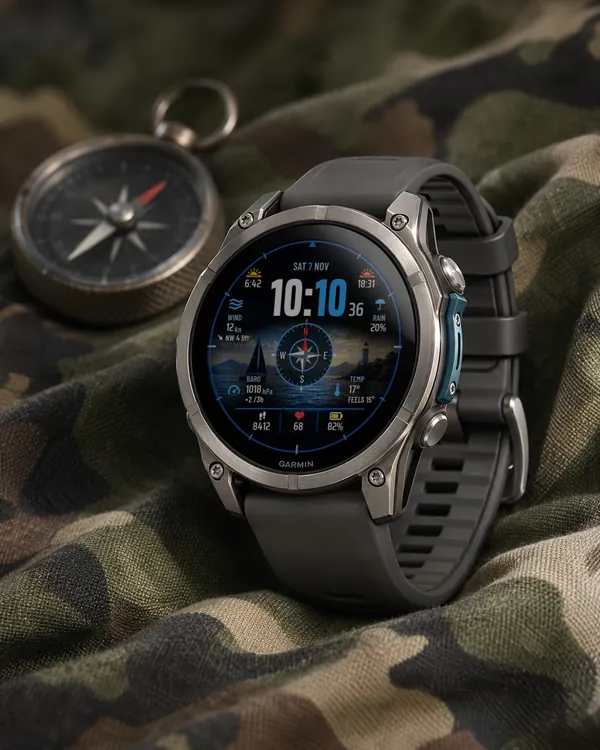 Free
Harbor Light
Free sea face: ten photo scenes follow the time and weather, plus optional online waves and tide
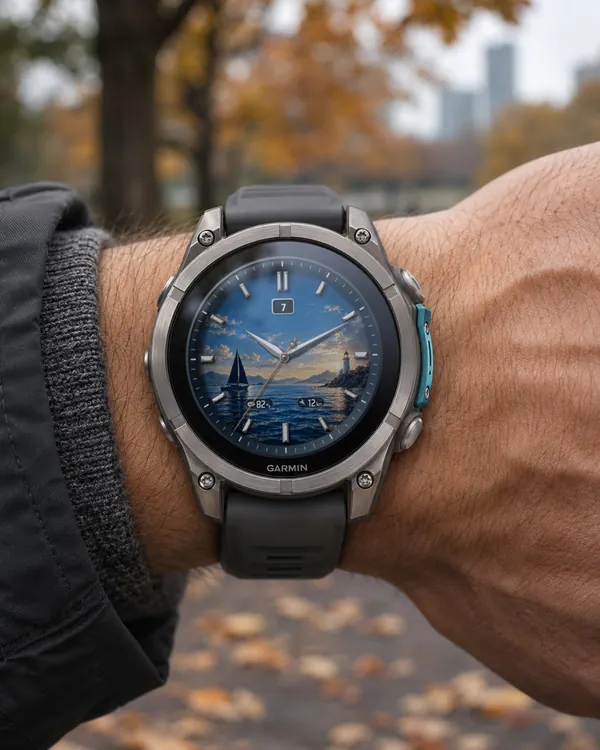 Classic
Harbor Light Classic
The analog sister of Harbor Light
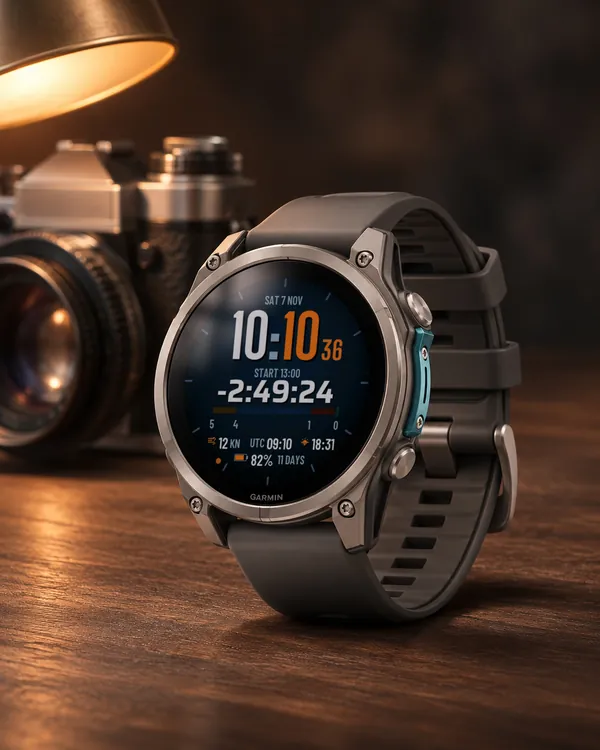 Sailing
Regatta Start
A start-line watch face for sailors: a big clock with seconds and a race-start countdown
 Barometer
 Watch
A classic analog face built around your watch's barometer: pressure window